Once again, it is Update time! August 30th’s Update fixed several bugs while also breaking some of our Favorite Mods, as expected. It also added three new scenarios!
Some bugs that were fixed include the T-Pose During Childbirth Bug and the Retirement Bug. If you had mods to fix these bugs by PandaSama and Carl, respectively, be sure to remove them.
Also, the update notes stated, “Sim phone usage has been tamped down. Teens will still use the phone more often.” We will have to wait and see if the Phone Usage Mods are still needed!
Just a quick reminder, make sure to remove all your mods before updating. Do not put back any mods until they have been cleared or they’ve been updated. Although it isn’t common, broken mods can corrupt saves so it’s important to follow these steps.
Thanks to @luthsthings, we have a full list of working, broken, and updated mods from the latest update! You can find the full list on The Sims Forums which is linked below.
All Mods by frankk (Show Sim Info has a few known issues but is still safe)
Outdated Mods
No more T-Pose during Child Birth at the Hospital by PandaSama Sim Retirement Bug Fix by Carl NPC Relationship Autonomy Fix by LittleMsSam (Possibly)
For a full list of broken mods, check out Luth’s Broken/Updated Mods List or join us in Sims Community’s Official Discord! We have a Mod and CC News Channel along with Mod Support and Discussion channels.
Playthrough of a very fulfilling Scenario with unexpected features!
The latest update for The Sims 4 has added three new permanent scenarios to the game; Stuck in Their Shadow, New in Town, and Parenting Predicaments.
Here’s how our playthrough of the Stuck in Their Shadow scenario went!
Getting Started
This scenario is a bit different from previous scenarios we’ve had; in fact, it’s quite refreshing! This scenario leaves a lot more room to play your own way, offering optional goals you can complete or ignore in order to go down different paths. The choices you make determine what your bonus reward will be at the end of the scenario. You can now also see the potential rewards when you start the scenario. Oh, and you’ll be playing with a premade household for this scenario; a single Sim named Nova Curious.
The description states that Nova has just graduated college and is ready to start an exciting new career in the tech industry; she’s also relieved to finally be rid of her old college rival, Lewis. However, she finds out to her dismay that Lewis also works at her new job! You decide whether Nova finally outshines Lewis or repairs the broken bridge between them.
The goals for this scenario are far more intricate than previous scenarios. There are different stages of the scenario and in each stage, your choices will affect how future stages play out so we can’t really give a full breakdown of every goal like we usually do. However, we can break down the potential endings and rewards.
Possible Endings:
Quitting the Rat Race
Keep Your Enemies Closer
The Underdog Wins!
Enemies to Lovers
Dream Chaser
Nova Has It All (Hidden)
Rewards:
Highflier Trait
Bonus Reward
Satisfaction Points
Launch Nova’s Career
When we first start out with Nova, she has a laptop and a telescope in her inventory, along with quite an array of mid-level skills. We moved her into StrangerVille because any OG Simmer knows that’s just where the Curious family belongs.
The first stage of this scenario is just to launch her career, which is pretty linear and straight forward. The goals are to join the Tech Guru career and to place her laptop. So we did just that. Easy peasy. Nova started at level 4 of the Tech Guru career, presumably due to her post-secondary education. As soon as she joined the career, she got a new goal to get promoted and to receive a “mysterious” phone call…
The phone call is from yup, you guessed it… her old frienemy, Lewis. He wants to inform her that he also got hired at her job, that he will once again be way better at it than her, and to call her a tuna head. I don’t know what a tuna head is, Lewis.
Naturally, his phone call made her angry so a new goal to calm down appeared which she handled by calming down with a mirror.
Once her head was clear, she had to become focused. Good thing she has a telescope. I popped it onto the roof of her trailer for her and she easily became focused from stargazing.
Then she had to raise her Programming skill to level 4 which was also fairly simple since she started at Programming level 3.
This was where the scenario started to get a little interesting; Nova had four optional goals in this stage; lock her computer, keep her needs satisfied, go outside, and unwind with a hobby. I opted to do all four since those are fairly simple to do. I had her use the telescope again for the hobby which gave me another optional goal to return the telescope to her inventory.
Set Nova Up for Success
Once Nova did get that first promotion, I made it to the next stage of the scenario! Now her goals were to get promoted again and complete a daily work task. She also had an optional goal to mod a video game.
At this point, Lewis calls again to tell her he just got promoted, too, and he’s sooo much smarter than her because he used his bonus to buy better stuff that will keep his needs met and make him more productive. Obviously, Nova now has to show him up so she gets some more optional goals; buy a bed with an energy rating of 6 and buy a shower with a hygiene rating of 7. Once she buys these items, she gets another optional goal to buy a voodoo doll? Dang, this scenario is starting to get really interesting!
Okay okay, back to work. Nova does her daily task which gives her a new goal to go to work feeling confident. This is easily achieved by just brushing her teeth and psyching herself up in a mirror before her shift starts. Going to work while confident gives her another optional goal to buy a new reward trait. Don’t do what I did and foolishly buy just any trait; it has to be the Night Owl or Morning Sim trait. I didn’t have enough points left to buy the right trait after wasting them so I never got to complete that goal. Who knows where it might have led?
Deal With Lewis
After Nova’s next promotion, she graduates to the third stage of the scenario, which is to deal with Lewis. Her new goals are to wait for a call about lay-off rumours and distract herself with a hobby (optional). Yikes…
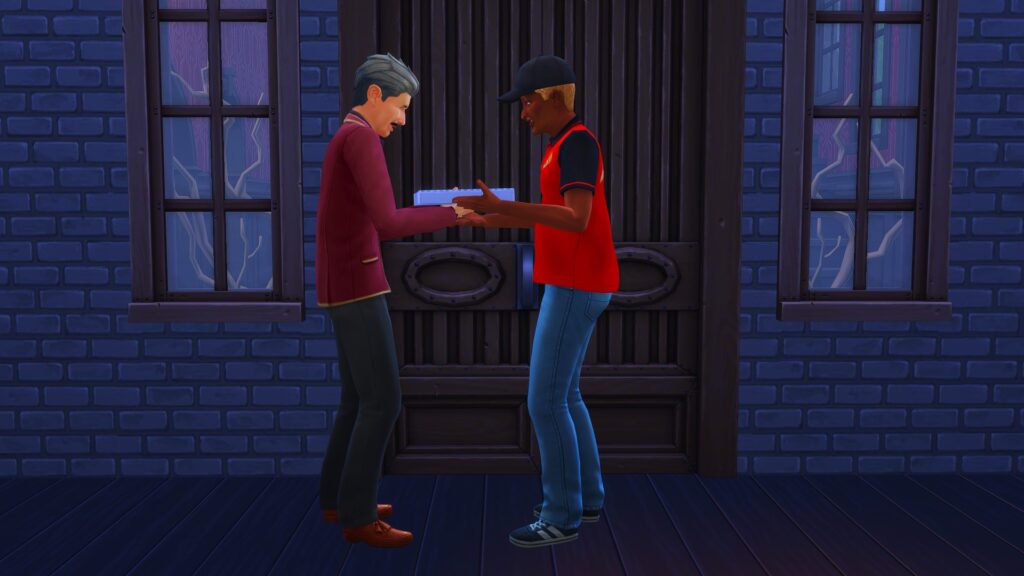
Shortly after, Lewis calls. The rumours are true but he’s the one who got fired, not you. The company felt he had a bad attitude. In the wise words of Nelson Muntz… HA-HA! Anyway, getting fired made him realise he’s been a huge jerk to you so he wants to come over and talk. You can let him come over and call him a tuna head (again, not a thing), or you can demand he bring pizza as an apology. I obviously demanded pizza.
At this point, you can either be friendly or mean to Lewis. I chose to be friendly because I wanted to see where that path would lead. Because I asked him to bring pizza, I had the optional goal to call him to the pizza for a meal… except he never actually brought any pizza so I had to order one myself to complete that goal. Thanks, Lewis. Appreciate it.
In fact, there are a lot of optional goals at this point. Once I chose to be nice to Lewis, he asked me if he could stay the night while he got his life sorted out. The only required goal is to let him stay or kick him out. The optional goals were to flirt with him, bind the voodoo doll to him, and instill him with false confidence. I did all three.
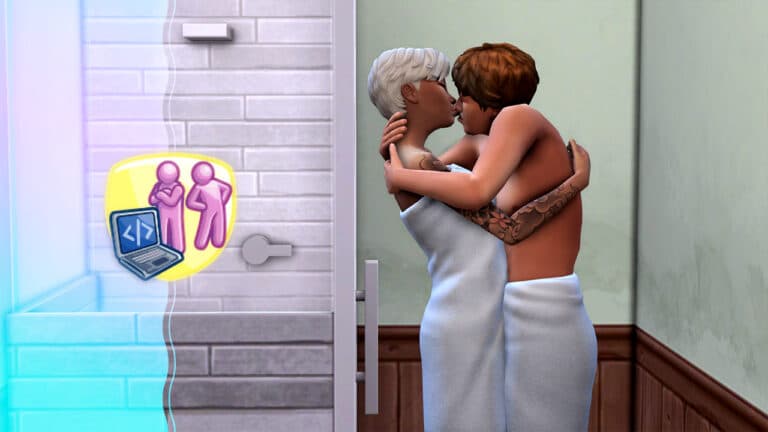
Binding the voodoo doll to him led to the optional goal to either poke or cuddle the doll. I cuddled it because to be honest, I was digging the whole enemies to lovers vibe. Flirting with him led to a goal to kiss him and kissing him led to a goal to WooHoo with him.
So what did Nova do? Heck yes, she WooHoo’d Lewis! That hilariously led to a goal to criticize his WooHoo technique which I did not do. At this point, I was actually kind of starting to like Lewis. He seemed like he really turned his attitude around.
You also get an optional goal to reconnect with Lewis here. If you do this, you actually learn more about Lewis and Nova’s history, which is pretty cool. Lore enthusiasts will definitely want to do that goal.
In the end, I decided to let Lewis stay overnight. It’d be kinda rude to WooHoo with him and then kick him out. Once you either let him stay or kick him out, you get a goal to go to sleep, which will end this stage of the scenario.
Team Up With Lewis?
Lewis was very grateful to Nova for letting him crash at her place. He apologises for being a tuna head (whatever that is) and gives Nova a space print. Nova’s goals are to hang up the print and enable the emotional aura on it which she does. Her two other required goals here are to get another promotion, become friends with Lewis, and reach Programming level 6.
Once she became friends with Lewis, he approached her with a business proposal. He wants to team up with her to make an app or video game and become indie developers. I was sorely tempted to tell him no; she just worked her butt off to get all those promotions! But I was determined to keep things going with Lewis so I had Nova agree to quit her job and become an indie developer with him.
Lewis gives her 5 glasses of this mystery concoction he’s made to make you gain skill crazy fast… and also send you running to the bathroom. Okay Lewis, you’re starting to look pretty shady again but I will conveniently not ask about the legality of what’s in this beverage.
Now Nova’s goals are to reach Programming level 7 and make a video game or app. Her optional goals are to drink the… Snaggle Fluster??? and quit her job. Nova drinks the questionable drink and starts programming while “snaggle flustered.” While she’s working on this new app, Lewis autonomously asks her to be his girlfriend. Well she darn well better be after all she’s done for you! She and Lewis start dating.
While programming the new app, she completes the goal to reach Programming level 7 and gets an optional goal to reach Programming level 9 but she finishes the app before she can complete that one which completes the scenario!
Nova Has It All
Sadly, this scenario did not tell me how long it took to complete but it did give me lots of other cool info! For one thing, there appears to be a “hidden” ending not listed on the main menu and I got this ending! Apparently, you can keep your job, become an indie developer, and fall in love with Lewis! This hidden ending appears to be the ending you get if you follow all available paths and get all the other endings. Cool!
Nova got the Highflier trait for completing the scenario and her bonus reward was the Seldom Sleepy trait, which is super expensive to buy in the Rewards Store and also super useful.
Our Thoughts
Holy smokes! This scenario was a wild roller coaster ride from start to finish with so many twists and turns and alternate paths! I LOVED IT! Even though the scenario is designed to teach new players some of the game mechanics, I was not bored at all as a veteran player. I was super invested in the whole story unfolding and the character development. The rewards are MUCH better than in past scenarios, too.
Dear Sims Team: This was everything scenarios should be! Keep doing this! The only thing I want to caution you against is using premade households for too many scenarios. The premade households for these new scenarios are great and perfect for the new players they’re aimed at, but seasoned players will not want to be forced to play with premade households all the time. Make sure you continue to release scenarios that allow us to create our own households… but keep this new overall structure because it rocks!
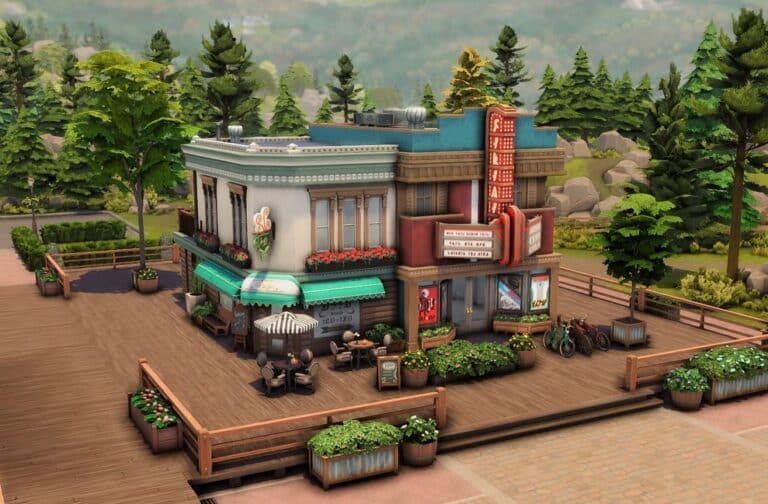
I’ll admit it, I love ThrifTea. But, not all of my teens fit the pastel, bubble tea, and thrifting scene. This is where the Cafe and Movie Theater comes in! The Cafe and Movie Theater lot was built by natgamingxo and is the perfect combo of two types of hangout locations.
Photo Credit: natgamingxo on Instagram
I can picture movie buff Sims hanging out in the theater while hipster or entrepreneur Sims might frequent the cafe. We’re going to need another empty world just for teen hangout spots!
Inside Shots From The Sims 4 Gallery
The inside of the lot has plenty of places for sims to drink hot beverages, hang out, and even watch a few movies. The eight-seat theater is just the right size for your Sim and their friends to watch a movie in. Outside, there are a few tables for your Sims to hang out at as well.
The only addition I would make to the lot would be to add the Teen Neighborhood Lot Trait so more teens would show up at the lot.
Important Information
Unfortunately, the game has not added dual-purpose lots to the game nor has it added movie theaters. So, this lot is on The Sims 4 Gallery as a cafe only. This might also mean that sims will try to do cafe-related actions inside the movie theater. This is unavoidable.
This build was made with no cc and requires move objects on before being placed.
Photo Credit: natgamingxo on Instagram
Gallery Details
Lot Name: Cafe and Movie Theater EA ID: natgamingxo Lot Type: Cafe Lot Cost: §79,642 Size: 20 x 15 Amenities: 0 Bedrooms and 2 Bathrooms
natgamingxo’s Cafe and Movie Theater is available for download on The Sims 4 Gallery! Click the button below or search natgamingxo on The Sims 4 Gallery!
They’re creepy and they’re kooky, mysterious and spooky!
Maybe it’s a little early for Halloween but does The Addams Family ever really go out of style? Yeah, I didn’t think so. Most diehard Addams Family fans will have already seen the new teaser trailer for the Wednesday Addams Netflix series coming this autumn, directed by none other than Tim Burton.
Being a diehard Addams Family fan myself, I was so excited that I couldn’t wait for autumn to come around. I had to do something with The Addams Family right now so I thought to myself, “Why not play with them in The Sims while you wait for the series?”
Credit: Build by Simproved
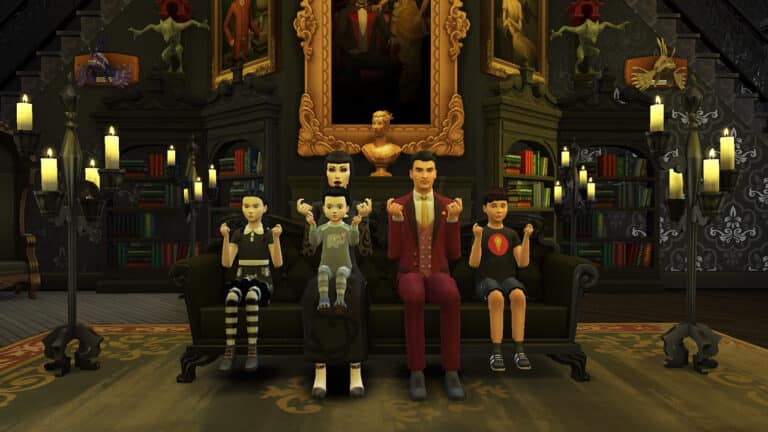
So I got to work! I knew I didn’t want to just recreate the actors exactly. I wanted these Sims to be mine with my own vision and style to them but I still wanted them to be immediately recognizable as The Addams Family. I wanted the same vibe and style, but with a bit of my own interpretation mixed in.
Without any further ado, let’s meet The Addams Family, shall we?
Morticia Addams
A lover of both sorrow and family, Morticia Addams embraces melancholy as beautiful, masterfully using it as inspiration for how to raise her family rather than being burdened by it.
Age: Young Adult Pronouns: She/Her Romance Preferences: Men WooHoo Preferences: Men Romantic Exploration: No Aspiration: Big Happy Family Walk Style: Feminine Voice: Lilted Traits: Romantic, Gloomy, Family Oriented, Domestic (Bonus) Likes: Black, Spooky Music, Romance Music, Dancing, Mischief, Gothic Farmhouse Décor, Polished Fashion Dislikes: Yellow, Summer Strut Music
A vivacious, passionate, and charismatic man, Gomez compliments his wife’s dreary disposition and sees her as everything that completes him. He likes to woo her with music and poetry.
Age: Adult Pronouns: He/Him Romance Preferences: Women WooHoo Preferences: Women Romantic Exploration: No Aspiration: Soulmate Walk Style: Swagger Voice: Brash Traits: Romantic, Outgoing, Music Lover, Alluring (Bonus) Likes: Black, Spooky Music, Romance Music, Mischief, Pipe Organ, Gothic Farmhouse Décor, Polished Fashion Dislikes: Orange, Pop Music
Wednesday’s child is full of woe and Wednesday Addams proves that. Her genius intellect paired with her ruthless nature is a dastardly combination but don’t worry; trying to kill you is just how she shows affection.
Poor Pugsley, always the victim of his sister’s twisted experiments. Luckily, their new baby brother, Pubert, has given him and Wednesday a united cause against their replacement… and a new victim.
Pubert was a delightful surprise to Morticia and Gomez. Not so much to his older siblings. Wednesday and Pugsley are always trying to murder him in various creative ways but Pugsley is an Addams, too, so he’s equally creative in getting himself out of all his siblings’ murderous traps.
The Addams Family can be downloaded from my Gallery! Just look for the ID SnarkyWitch and search The Addams Family, or click the download button below!
This household has no CC but I did make Pubert’s little moustache available as an optional download for those who do use CC and want Pubert to have his signature moustache. You can get that on my Patreon for free.
This may be a summer collection but these hairstyles are fashionable in any season!
Image by Quirky Introvert
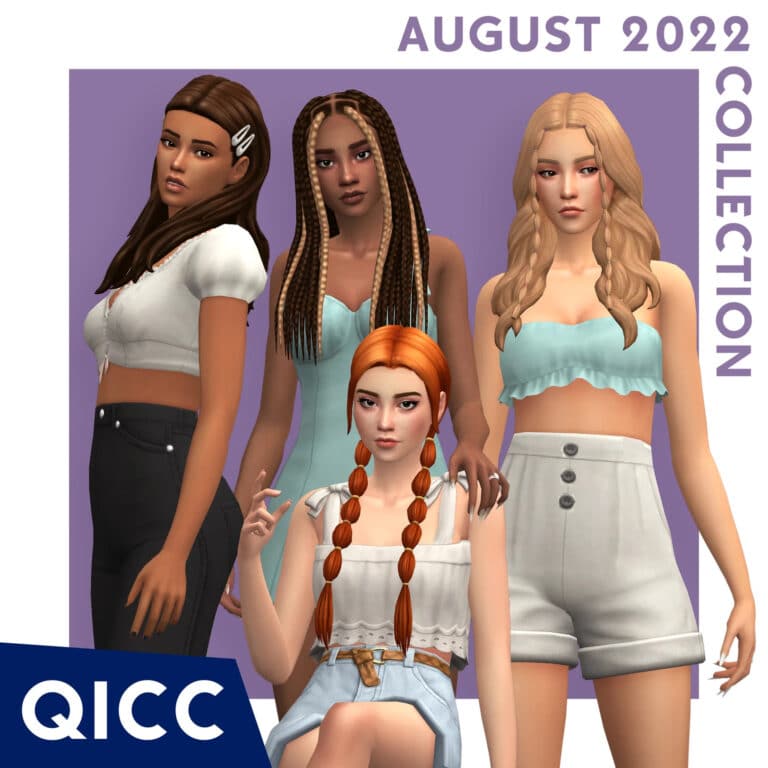
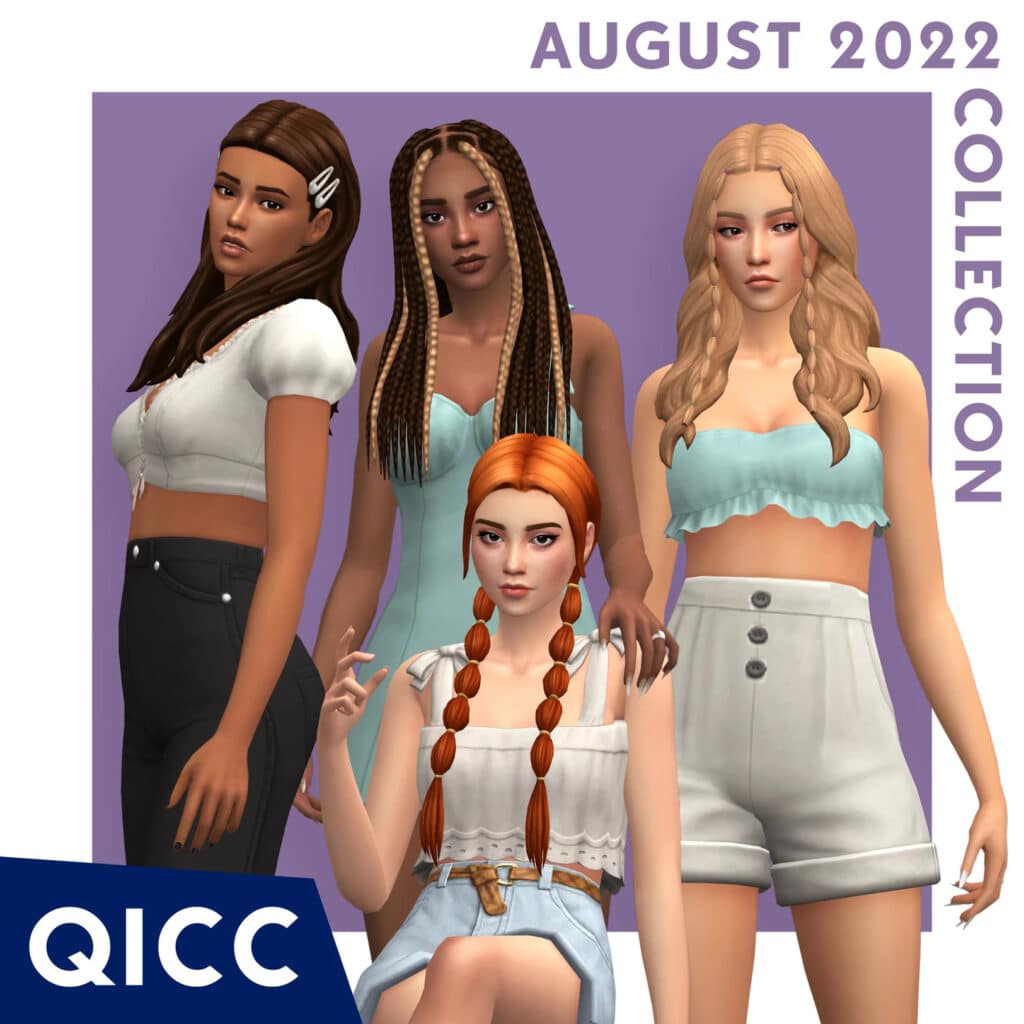
If you’re looking to add a few new hairstyles to your CC collection, look no further! Today, we bring you a set of four unique hairstyles that come with their own overlay accessories! The set is by Quirky Introvert and this Maxis Match collection is quite stunning.
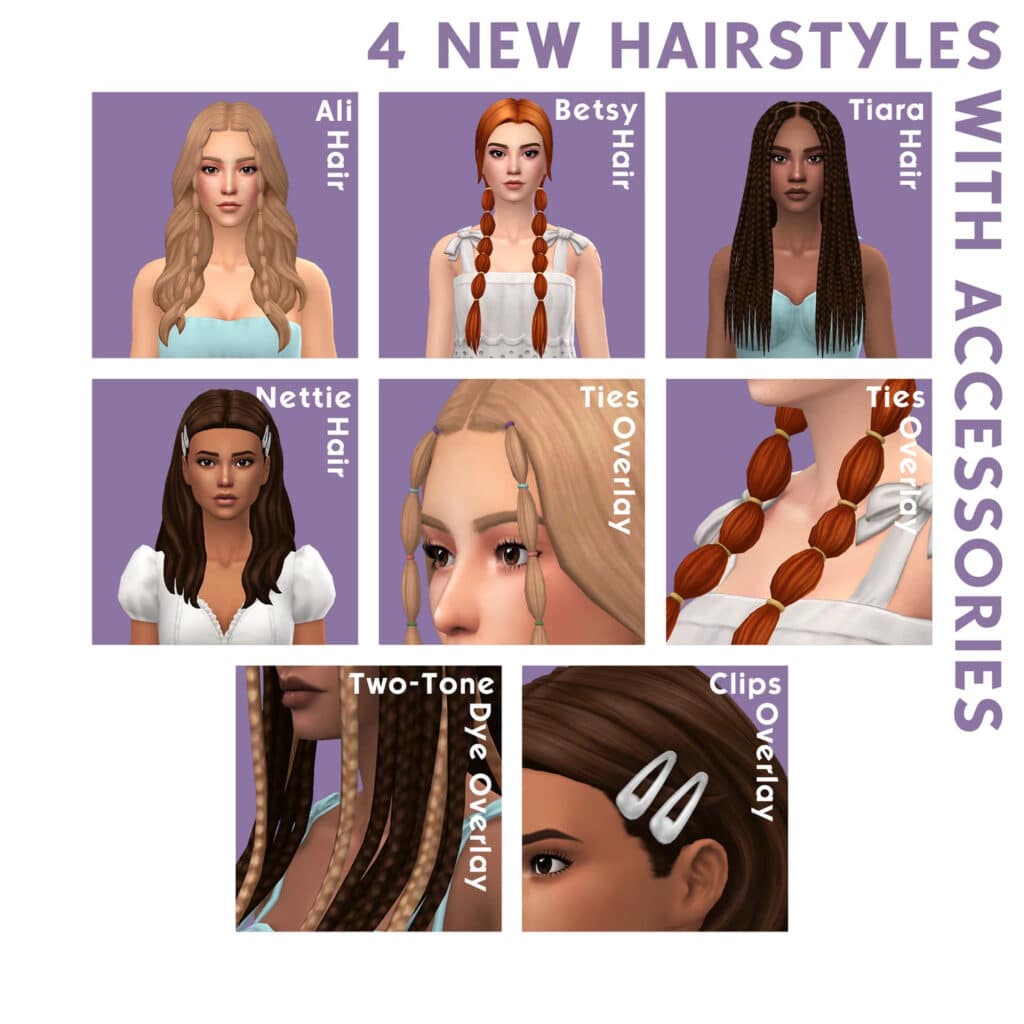
Let’s check out the previews for each hair!
Image by Quirky Introvert
Ali Hair: These shoulder-length, beachy waves are accented with pigtail bunches framing the face.
Betsy Hair: This style takes the pigtail bunches to a higher level with all the hair swept into two large pigtail bunches on either side of the head.
Tiara Hair: These gorgeous long braids that taper off at the ends are both elegant and hip at the same time!
Nettie Hair: You can’t go wrong with a classic down-do accented with hair clips. This throwback to the early 2000s is back in style! Did it ever go out of style? We don’t think so.
All four hairstyles come with a set of overlays for the accessories so you can customize the colour of the hair accessories and the hair colour separately.
These hairstyles for teens-elders are all base game compatible and come in all 24 Maxis hair colour swatches. They are also compatible with hats.
You can download the set for free on Quirky Introvert’s website! Just click the download button below to add this collection to your game today!
Yes, you read that correctly. The Sims 4 Base Game turns 8 years today!
The Sims 4 was first released for PC on September 2nd, 2014 (US) and September 5th everywhere else. Back when video game companies still had staggered video game releases.
The Sims 4 was eventually launched on Mac in February 2015, and 2 years afterwards on Consoles in November 2017. There’s been plenty of developments for the game – for better or for worse. We have an extensive timeline of Sims 4 Updates and Releases, with new Timeline updates from 2022 that we’re adding soon.
To celebrate 8 years of The Sims 4 we are giving away 9 Packs of your choice! This includes Expansion Packs, Game Packs, Stuff Packs and Kits across PC and Consoles.
Let’s begin with the Giveaway and the rules…
Win a Sims 4 Pack of your hoice!
Which Sims 4 Pack would you like to win?
That’s it. Answer the question with a Sims 4 Pack that you’d like to win in the comments section down below and we will pick 9 random winners through random.org!
Leave your comments down below!
Nine random comments will be picked out using random.org. The winner will be announced here in the Comments Section on September 6th at 1PM Pacific Time / 10PM Central European Time.
The comments section closes down on September 6th at 10AM PT / 7PM CET.
Please note:
Be respectful and follow the Sims Community House Rules linked below.
You need to be a member of Sims Community in order to leave a comment! The Sign Up button can be found right above the comments.
Not more than 1 comment!
Your comment might be saved for manual approval. Don’t worry, we will manually approve your comment in a few hours in case you’re waiting!
Make sure you leave your correct information when registering to Sims Community through OpenWeb. Your correct e-mail is needed so we can contact you with the inquiry about your preferred platform for the pack of your choice!
Do not share your personal email and data in the conversation!
Want to use the Gazebo from The Sims 4 High School Years? We know just the trick!
The Sims 4 High School Years came with a lot of realistic debug items including these gazebos. Sadly, like any other debug object, you can’t really make your Sims use them properly.
BUT now they can! With this nifty trick that doesn’t use any mods or CC. Just enable bb.moveobjects on before starting!
Let’s access the debug menu first by opening the cheat bar by typing Ctrl+Shift+C. Enter ‘bb.showhiddenobjects’ and ‘bb.showliveeditobjects’ respectively. Hit Ctrl+Shift+C again to close the cheat bar.
Search ‘**DEBUG**’ in the build menu and look for these items from High School Years. They’re actually separate objects but they look like 2 different swatches!
Place it first to where you’d wanna position it in your build. Then, draw an octagonal room around its outline.
Note: Don’t place the edge of the gazebo on a half-tile! It should be right on a full tile so you could properly build an octagon around it.
Place the gazebo somewhere near outside the room and elevate the room’s foundation to match the gazebo’s height by sliding the foundation arrow upward. When it’s level with the gazebo’s floor, delete all of the room’s walls.
The next step is to make a basement at least one tile bigger than the octagon room. Hold Alt while aligning the gazebo to the octagon room and click Page Down to place it exactly underneath the octagon.
Note: If your device doesn’t have a Page Down button, just click the down floor button in-game but it might take a few tries to align it just right.
Then, elevate the gazebo with Ctrl+9 until the bottom of the stairs is above the basement wall. If you go back up, the gazebo should be aligned with the floor of the octagon room.
Delete the basement by using the room sliders to get rid of its indoor lighting.
Then decorate as you please!
Here’s how the 2 different gazebo styles look like:
You could also watch this quick tutorial to see how it’s made:
Which gazebo style did you like more? We’d love to know!
The new Scenarios have better incentives. All about them in our latest playthrough!
The latest update for The Sims 4 has added three new permanent scenarios to the game; Stuck in Their Shadow, New in Town, and Parenting Predicaments.
Here’s how our playthrough of the New In Town scenario went!
Getting Started
This scenario is a bit different from previous scenarios we’ve had! This scenario leaves more room to play your own way, offering optional goals to go down different paths. The choices you make determine what your bonus reward will be. You can now also see the potential rewards when you start the scenario. Oh, and you’ll be playing with a premade household for this scenario; a single Sim named Farrah Nouvel.
The description states that Farrah just moved to town and doesn’t know anyone, yet. Help her explore her new neighbourhood, make friends, and throw a housewarming party.
The goals for this scenario are more intricate than previous scenarios. There are different stages of the scenario and in each stage, your choices will affect how future stages play out so we can’t give a full breakdown of every goal like we usually do. However, we can break down the potential endings and rewards.
Possible Endings:
Love at First Sight
Talk of the Town
Instant Friends
Great First Impression
Welcome Newcomer
Rewards:
Inspired Explorer Trait
Bonus Reward
Satisfaction Points
Explore the Neighbourhood
I moved Farrah to Willow Creek because it’s a good starter town. The first stage of this scenario was focused on exploring. She had to meet 5 Sims and socialize 10 times to progress but she also had optional goals to buy new things for her home and get to know people.
Farrah hit it off well with Makoa and visited the park to complete these tasks. I did also buy the optional objects.
Travel to a Venue
Now Farrah got to choose between traveling to a bar or a gym. She had the optional goal to take someone with her so she went to the gym with Makoa. She could have just gone straight home to progress but I decided to do some of the optional goals here.
Farrah changed into athletic clothes, worked out, chatted, told jokes, drank a moodlet solver potion, and reached Fitness level 2 before she headed home.
Make Friends
This stage had a lot of goals. Farrah had to visit someone’s house, invite a Sim over, and have 3 friends. She also had optional goals to reach level 2 in Charisma, Comedy, Mischief, and to buy the Observant reward trait. I did all the optional goals here.
Farrah visited the BFF house and while there, got a call asking her if she wanted to hang out with friends or go on a date. I’m a sucker for romance so I chose the date option. Farrah tried to flirt it up with Travis but struck out hard. Good thing she was already friendly with Makoa!
After freshening up, they went to the Blue Velvet and had a great time.
A really great time…
Prepare for the Party
Now that Farrah knew some Sims, it was time to throw that housewarming party! The only goal here was to throw a house or dinner party but I also bought a stereo, bar, and cooked a group meal as optional goals.
The party was a smashing success!
Ending: Love at First Sight
Throwing the party completed this scenario! Farrah got the Love at First Sight ending. As a reward, she got the Inspired Explorer trait, plus the Great Kisser trait as her bonus reward and some satisfaction points! Not bad, I’ll take traits and satisfaction points!
Our Thoughts
This scenario was super fun and cute with lots of optional goals leading down different paths. I loved it! Even though the scenario is designed to teach new players some of the game mechanics, I was not bored at all as a veteran player. I was super invested in the whole story unfolding. The rewards are MUCH better than in past scenarios, too.
Dear Sims Team: This was everything scenarios should be! Keep doing this! The only thing I want to caution you against is using premade households for too many scenarios. The premade households for these new scenarios are great and perfect for the new players they’re aimed at, but seasoned players will not want to be forced to play with premade households all the time. Make sure you continue to release scenarios that allow us to create our own households… but keep this new overall structure because it rocks!
Teens can graduate early and drop out of high school!
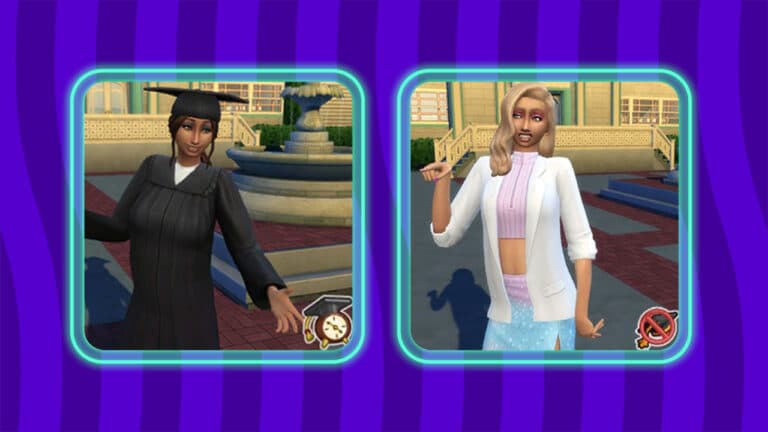
The Sims 4 High School Years offers many new ways to tell unique stories about teen Sims, including the ability to graduate early and drop out of high school. There are benefits to graduating early and challenges involved with dropping out.
Looking for more Guides and Tutorials on The Sims 4 High School Years?
To be eligible to graduate early, your teen Sim will need to stay an A student and have high skills. It’s also helpful to join and excel in an after-school activity. Once you become eligible to graduate early, you may receive a phone call asking you if you’d like to graduate early. You can also check the High School category on a computer to see if you can graduate early.
If you choose to graduate early, your Sim will receive a special trait and a high school diploma but won’t get a formal graduation ceremony. Teens who graduated early can join full-time adult careers and if Discover University is installed, they can apply, enroll, and attend university.
Dropping Out
Unlike graduating early, you can drop out of high school at any time. You don’t need to have poor grades or low skills (but you can be forcibly kicked out of school if you’re failing and acting out). Just click a computer and choose Drop Out of High School under the High School category.
High school dropouts won’t be able to enter certain careers and their chances of getting accepted into university are slim to none unless they happen to have very high skills.
It’s not all bad, though! If your Sim wants a second chance, they can get their GED online when they become a young adult.
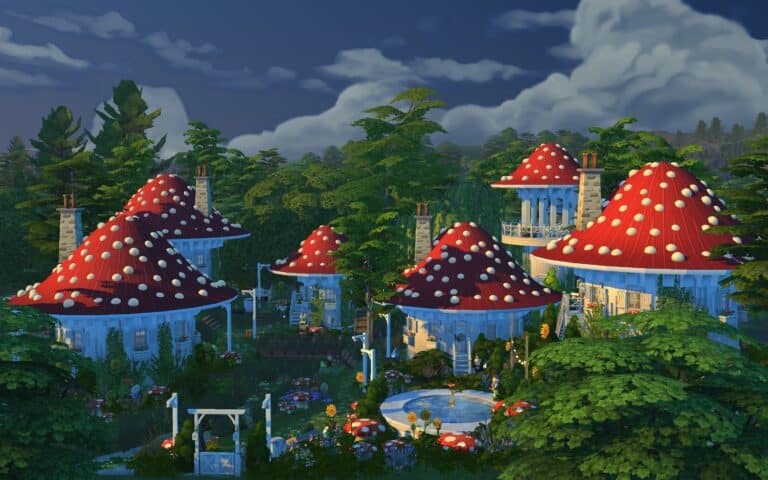
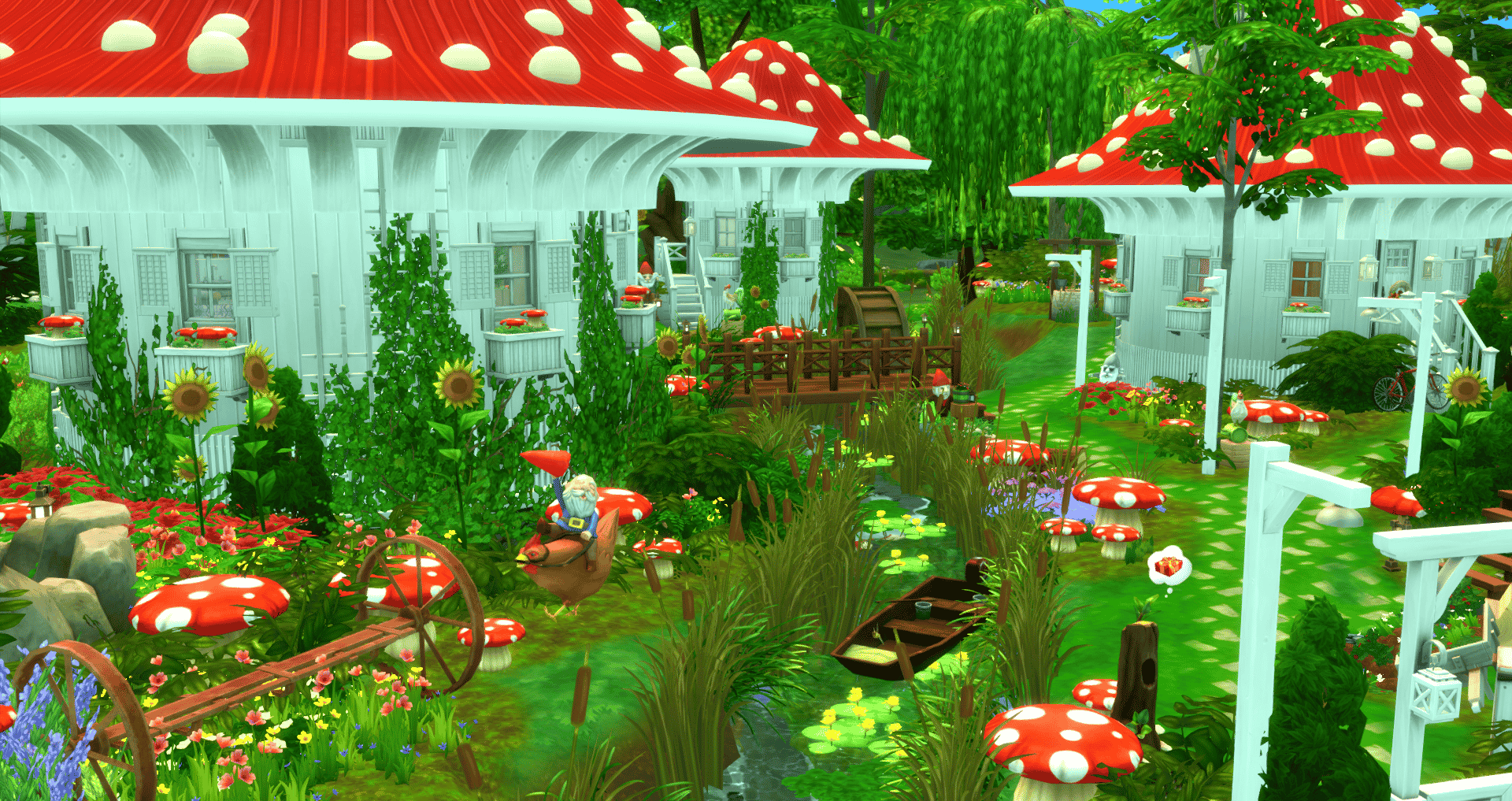
Deep in the woods of Henford-on Bagley, builder alexasimi created a Fungi Village! Its creative usage of curved walls and roofing makes you feel as if you’re in a Fungi village—or maybe the Smurf’s village? It would also be perfect for fairies, unofficial through mods. Or maybe just for your outdoorsy Sim who is a bit eccentric!
My first build with round walls. I transformed the park in Henford on Bagley into a quirky mushroom village. 4 houses, a laundromat, observation tower, pool, hot spring, lake, river, chicken coop and bon fire. no CC#TheSims4#ShowUsYourBuilds @TheSimmersSquad #SimsFederationpic.twitter.com/bKVvJ2Fow3
There are four identical mushroom houses except for their color scheme. Each mushroom has its own kitchen and bathroom. The Fungi community also has a communal laundromat and an observation tower with a telescope. At night, each building is able to light up. If you turn the lights on!
By turning on all the lights, hopefully not individually, the village will light up at night! What a unique idea to use those lights that way.
Gallery Information
”I transformed the Isle of Volpe Park in Henford on Bagley into a residential lot with a quirky little village made of 6 mushroom buildings. 4 are houses ideal for a single Sim. The others are a laundromat and observation tower. There is also a pool, hot springs, and chicken coop. Ideal for a roommate situation or for smurf-like character play.”
Lot Type: Residential Cost: §378,380 Lot Size: 50 x 40 Bedroom: 4 Bathroom: 4
You can check our alexasimi’s build on the gallery by searching on the gallery for the Gallery ID: alexasimi or you can download it at the following link.
Beige, tan, brown and exciting grey! What more could a kid want for their wardrobe?
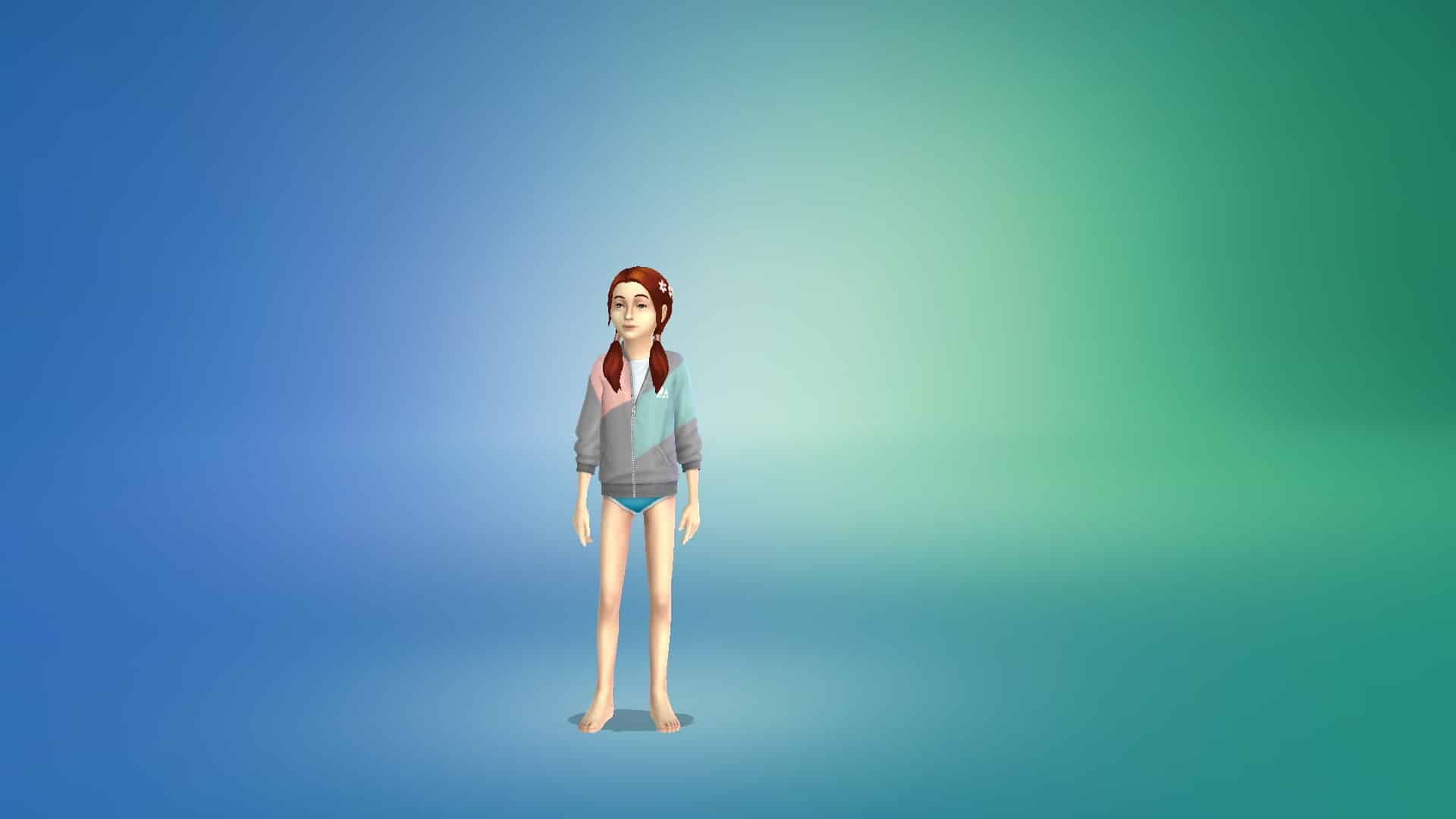
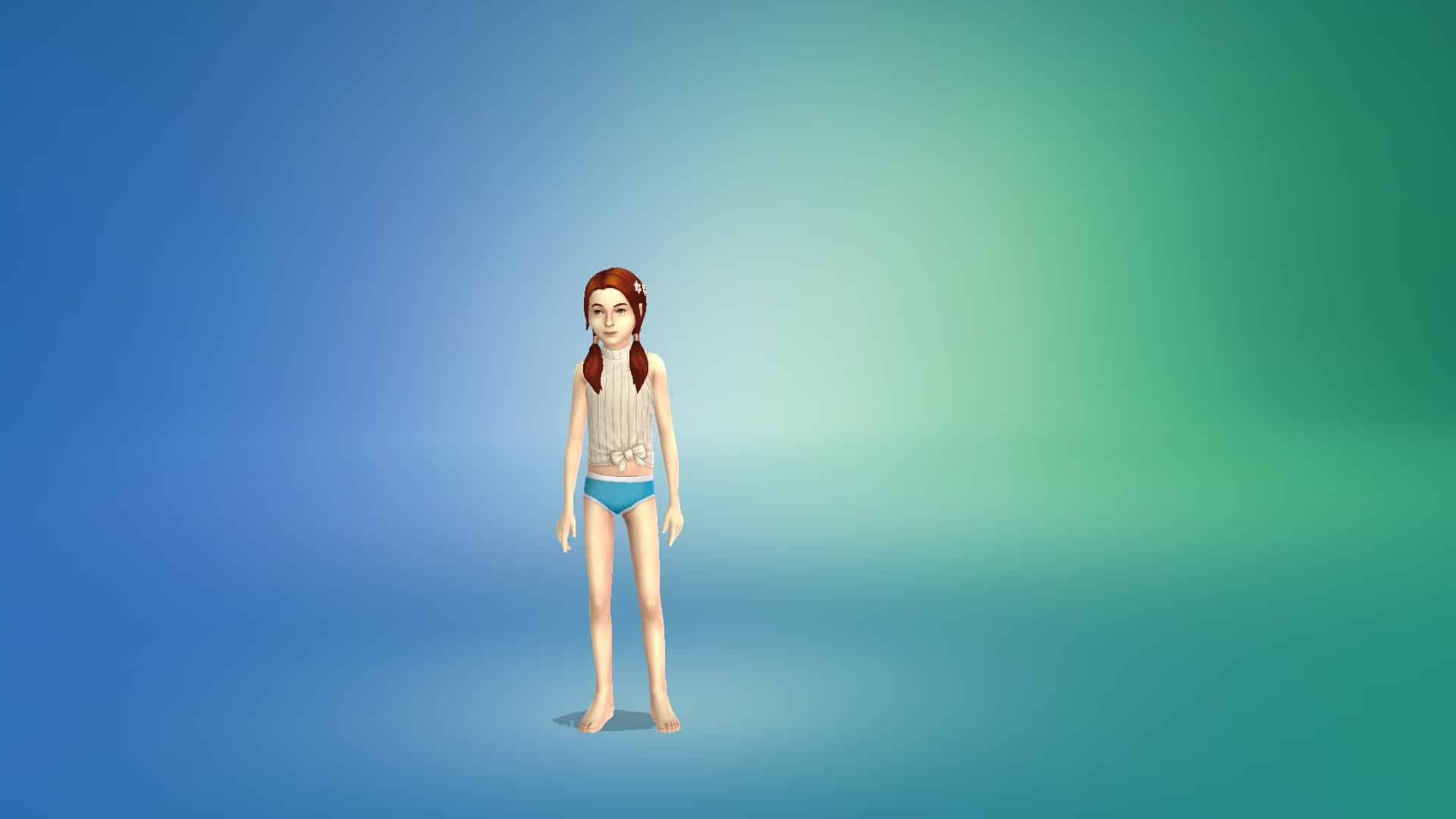
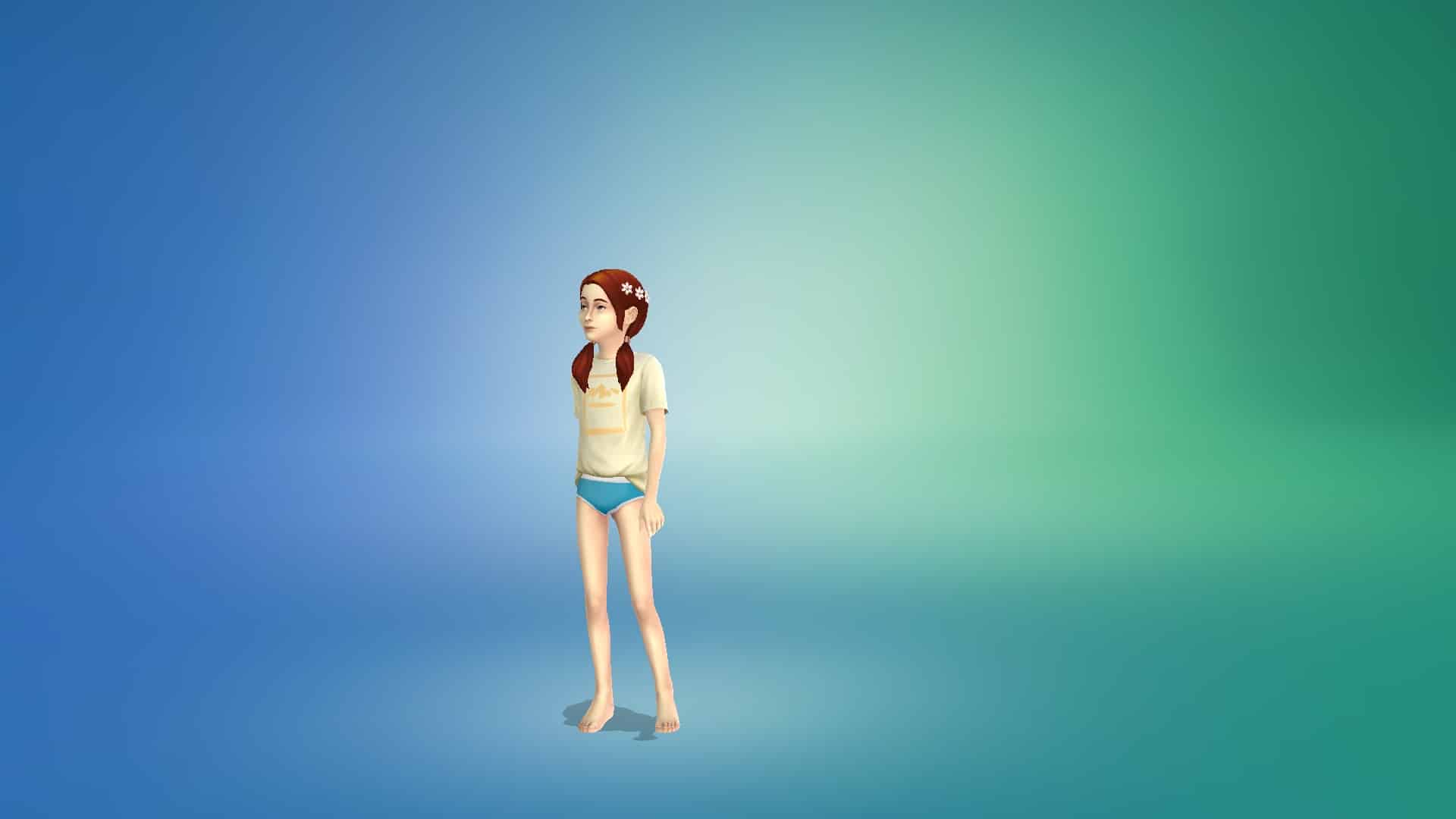
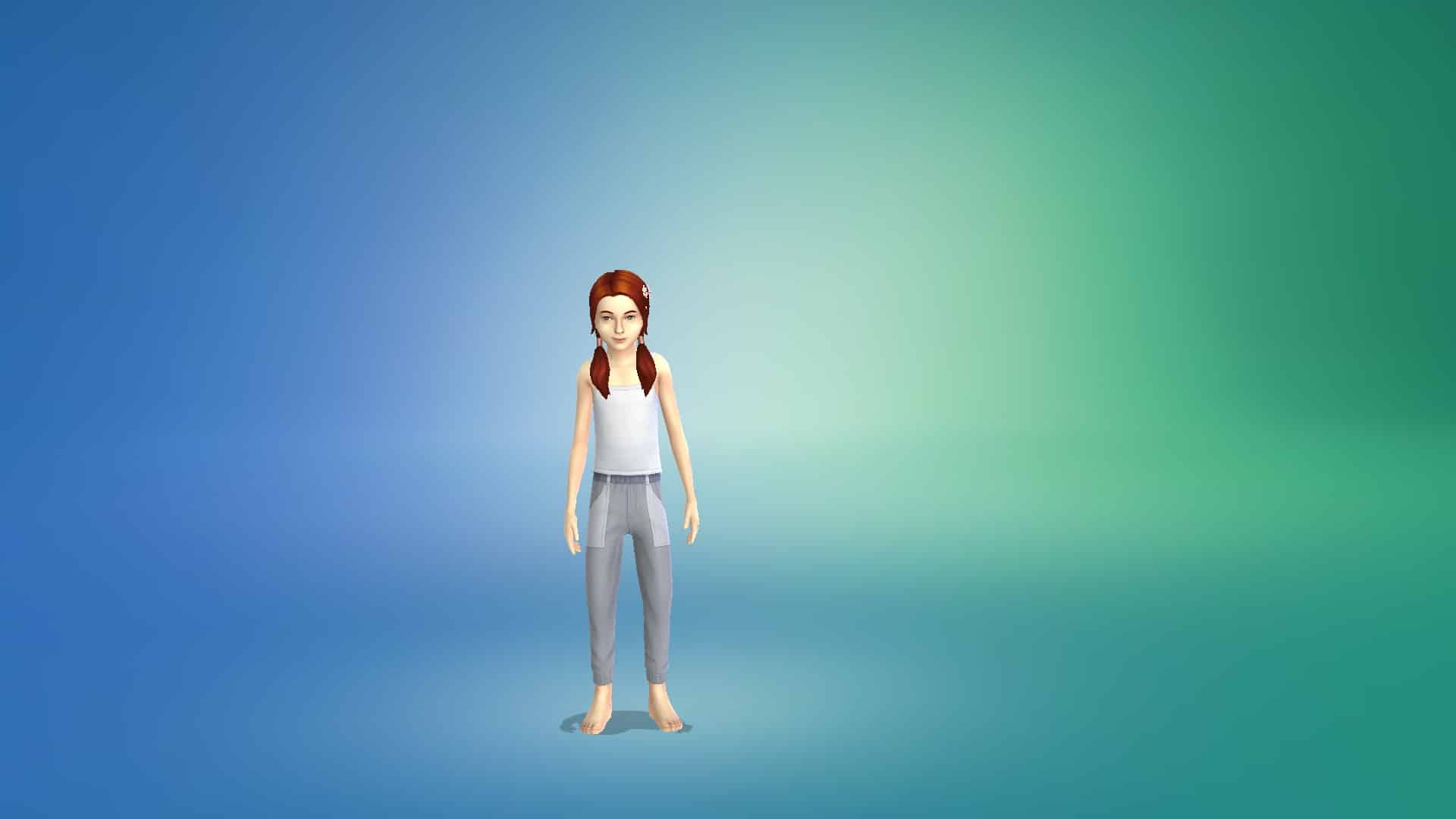
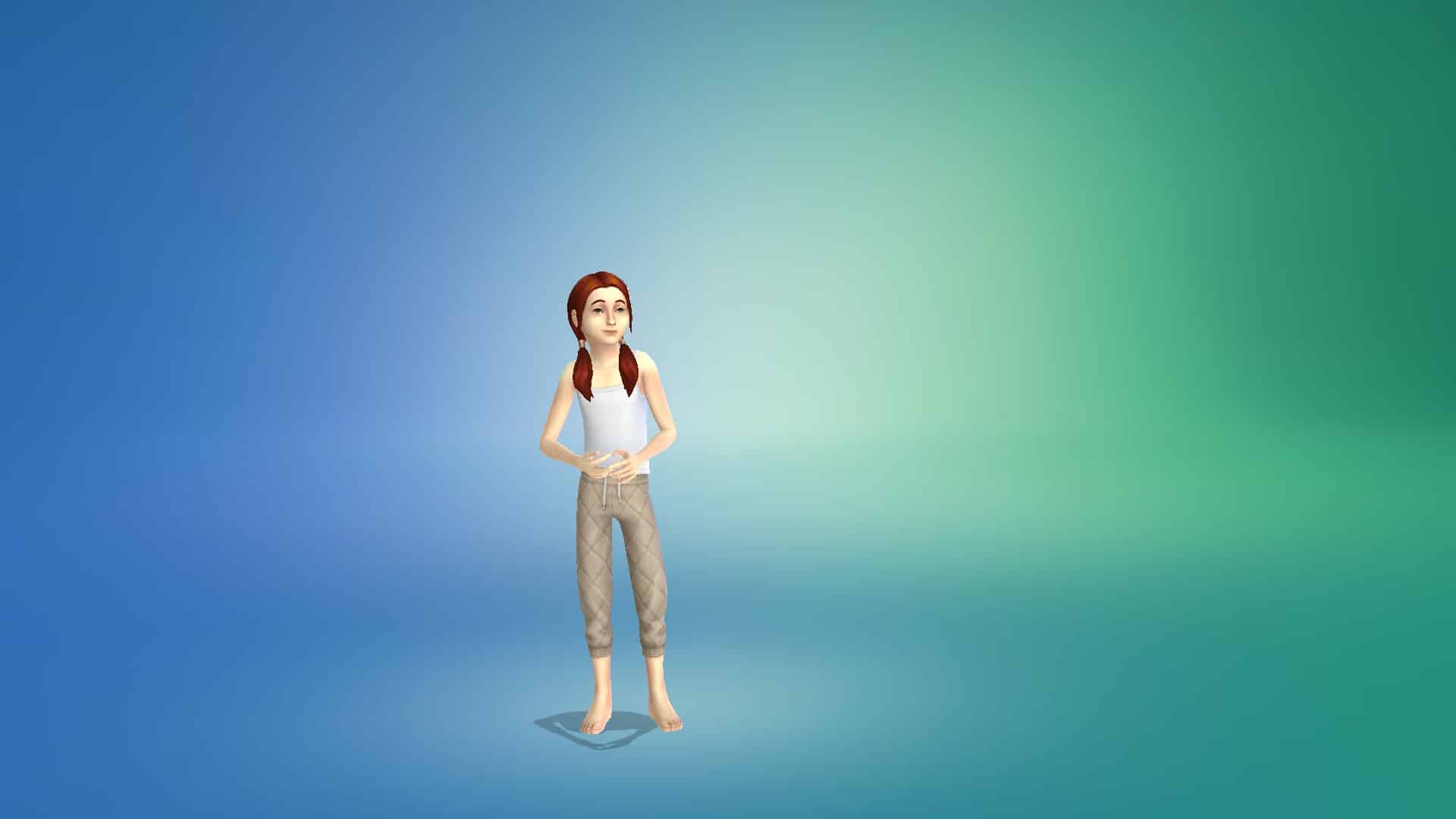
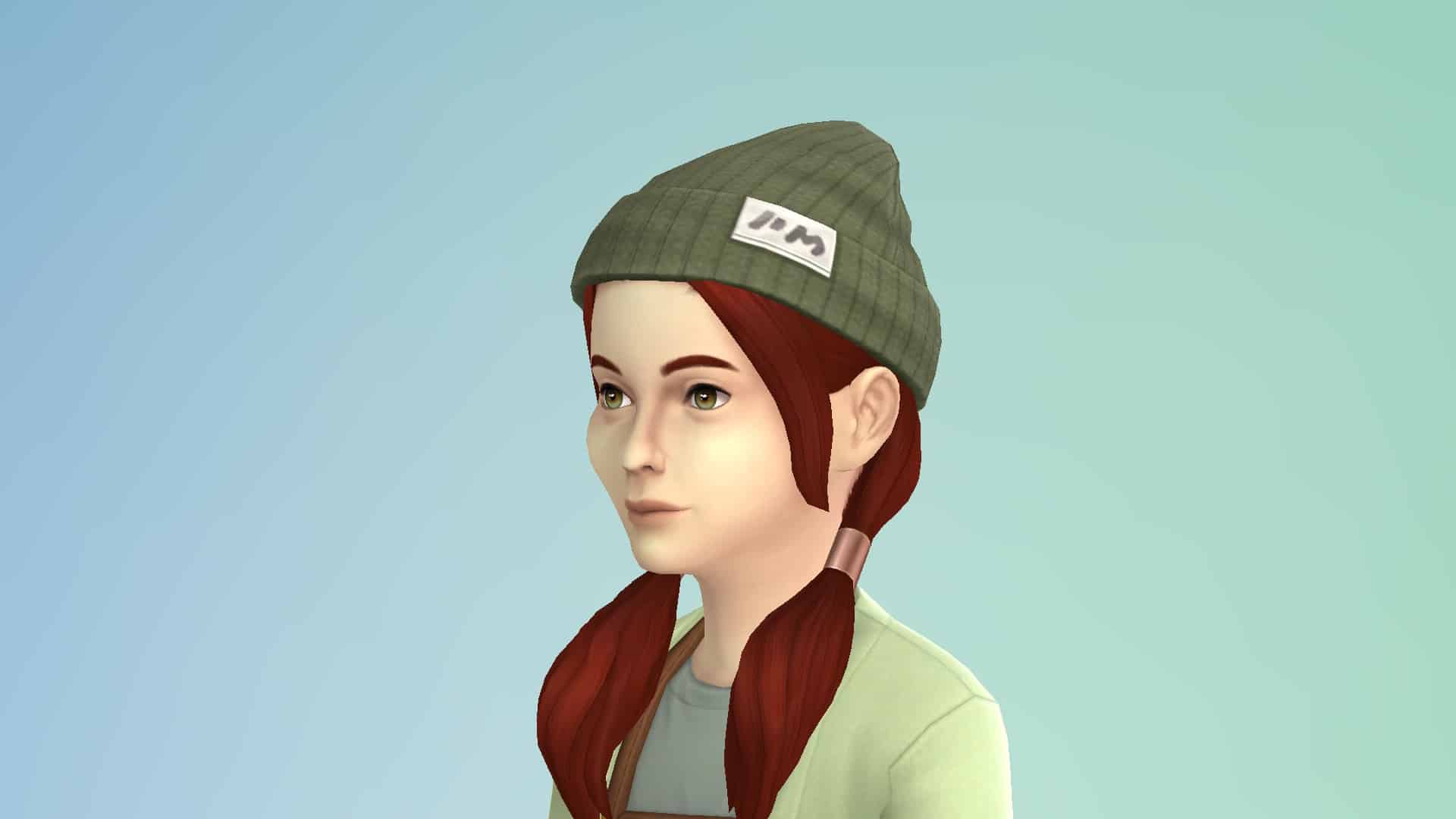
The Sims 4 First Fits Kit is a CAS kit aimed exclusively at children. It comes with a total of 24 clothing pieces and accessories for child-aged Sims. The kit contains feminine and unisex items but no masculine-specific items. It does not contain any content for toddlers or teens-elders.
Below, we’ve showcased every item in the pack in the first three swatches; however all items in the pack come in 8-12 or so muted swatches.
Tops (12)
Bottoms (4)
Full Body Outfits (1)
Hats (1)
Accessories (3)
Shoes (2)
Our Thoughts
As a family player, I am incredibly disappointed in this kit. The clothes look… fine but they look like adult clothes slapped onto kids. I would have expected a child CAS kit to be bursting with bright colours and patterns but almost every swatch is beige, grey, or some very pale, muted earth tone. None of this is anything I would have wanted to wear as a child, nor do I know any children who would look twice at anything presented in this catalogue. This kit looks like a collection of things parents would force their kids to wear to impress their adult friends. The tastes and interests of the child are not a priority at all.
By comparison, the Kids Room Stuff pack had a vastly superior CAS catalogue. It was fun, bright, colourful, and featured common child and preteen hobbies and interests. Plus it comes with a super cool bedroom set and immersive gameplay for kids. You got a new collection of Voidcritter cards (think Pokémon but in The Sims), a detailed battle and training system for them, and an adorable puppet theatre that builds Social skill. If this is what the future of kits looks like for The Sims 4, we’d rather just have stuff packs back.
Our advice? Just get Kids Room Stuff and give this kit a hard pass.
The Sims 4’s latest Kit is Now Available for Purchase
Maxis has just released the latest Kit for The Sims 4 – the First Fits Kit!
Just like previous Kit releases this one is retailed at $4.99USD, or a price equivalent to your local currency.
These are the following features for the First Fits Kit:
Dress the next generation of trendsetters in fashion fit for a playdate with The Sims™ 4 First Fits Kit*! Whether a child Sim wants to turn heads on the first day of school or run around having fun with friends, these versatile styles will keep them looking fashionable (and SO cute).
DRESSED TO EXPRESS
A lifetime of fashion choices starts when you become a big kid and can dress yourself. Give child Sims more ways to express themselves with the kinds of leopard-print jackets, patterned leggings, and colorful shades they’ll want to wear when they grow up.
FASHION IS 24/7
Dress child Sims in trendy looks that are fit for birthday parties, the classroom, or just hanging out with friends. These casual looks don’t require a special occasion, but they won’t be out of place at one either.
The Kit is available right now for Purchase on the following official stores:
Want to make StrangerVille even scarier? Play it with an alien.
There I was, just minding my business playing with my favourite alien Sim in StrangerVille. I didn’t think anything of it. I just thought it would be fun to play an alien in StrangerVille. Aliens and StrangerVille go together like cowplants and cake. Little did I know that I was about to see horrors the likes of which have never been seen before.
Unsuspecting and naïve, I sent my Sim to the lab to explore after getting her a keycard. Everything was business as usual up to this point but that all changed when she went downstairs and attempted to walk through the purple spores in the hallway that leads to the second door.
That’s when she ceased to be a cute little alien from Sixam and transformed into a demon from only my wildest nightmares. Those black, soulless eyes, that crazed grin exposing sharp teeth, the tilt of her head that gives distinct “You’re next!’ vibes.
Did I just step into the film Coraline? Is this the next SAW movie? I don’t know. I don’t want to know. All I want is to get the flippity-heck out of this cursed lab.
Wait… where was the exit again? Are those… vines? Oh no… she’s coming for me…
RIP SnarkyWitch, who mysteriously disappeared inside the secret lab along with her alien companion. We may never know what happened to them…
Are you looking for more hobby based traits for your Sims? Then look no further, as we have just the thing for you!
KiaraSims4Mods is known to create a variety of additional custom Traits, Aspirations, Careers and more for The Sims 4.
The Hobby Traits by Kiara are another way to make your Sims even more unique and with over fifty different traits to choose from, there is definitely something for every Sim! With all the Hobby Traits recently updated too, now is the perfect time to take a look and pick out some new traits to try out!
Each trait will give your Sims a selection of new Buffs, Whims and Social Interactions relating to your chosen hobby trait.
This is a trait for Grandparents who love helping raise their grandchildren.
Social Interactions
Brag about Grandchildren
Talk about Grandchildren
Ask about Grandkids (to your children only)
Give advice for the future (to your grandchildren only)
Guess What? I would not mind a Grandbaby” (to your children only)
Buffs
Help with Homework
Purchase Toys
Bottle Feed Baby
Bounce Baby
Change Baby Diaper
Coo at Baby
Cuddle Baby
Make Face with Baby
Find out what is wrong with Baby
Rock Baby
Shoosh Baby
Talk to Baby
Play Dolls
Play Flashcards with Toddler
Bathe Toddler
Check on Toddler
Tuck in Toddler/Children
Whims
Gain Parenting Skill
Talk to Baby
Cuddle Baby
Bounce Baby
Coo at Baby
Make Silly Faces at Baby
Check on Toddler
Play Dolls with Toddler
Read a Toddle to Sleep
Read a Book to Toddler
Potty Train Toddler
Watch TV with a Toddler
Help Child with Homework
Encourage To… (Parenting Skill)
Influence To… (Parenting Skill)
The Grandparents Trait also allows Sims to learn the Parenting Skill two times faster compared to normal.
While many of the new Traits are Base Game Compatible, some may require additional packs to work. If you do require additional packs, this will be stated in the trait details.
Here is a full list of all the Hobby Traits that you can add to your game!
The icon herself is finally gracing our loading screens! The Bonehilda Loading Screen Replacement is now available to download on 20th Century Plumbob’s Patreon page! This is the first of 20th Century Plumbob’s Sims 4 Loading Screen Icons Series.
You can watch Bonehilda dance on four backgrounds! There are Gradient, Original, Dancefloor, and Nightclub versions.
She Dances!
To see her dance, watch the video that 20th Century Plumbob posted on their Patreon page!
We had no idea that we needed a new loading screen, especially one with a dancing Bonehilda! We love all four of these loading screens and can’t wait to see the rest!
Important Information
Remember, you can only install one Loading Screen mod at a time.
To install, put the file into your mods folder and organize it in a similar way to how you would normally organize your mods folder.
Bonehilda Loading Screen Replacement is available for free on 20th Century Plumbob’s Patreon Page!