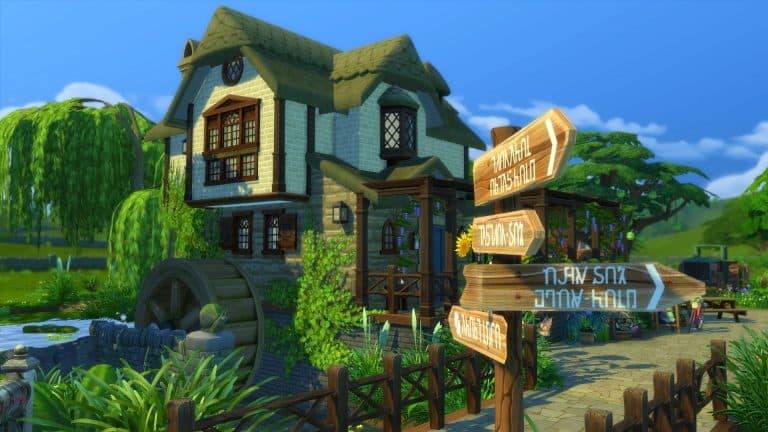
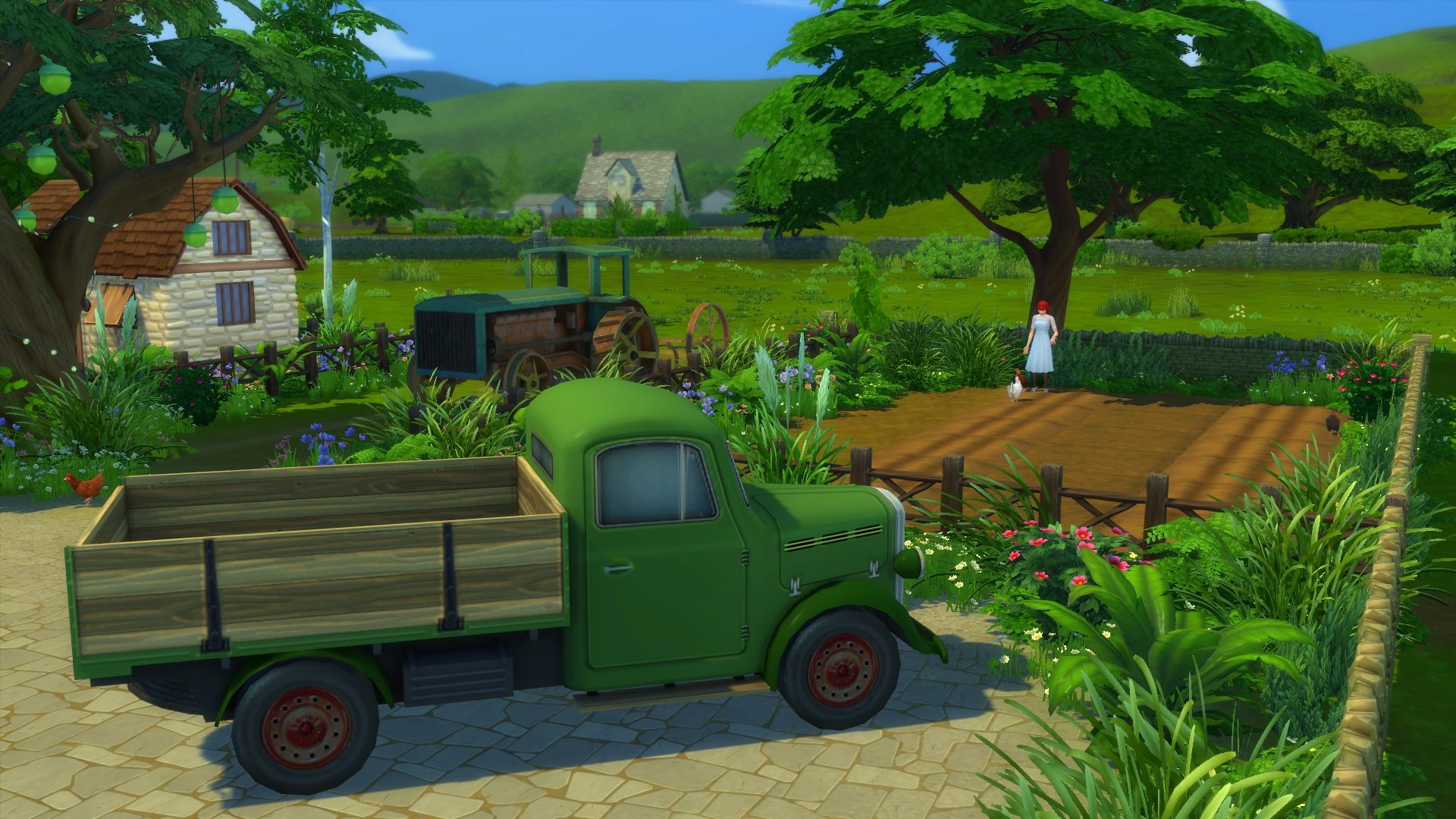
The Sims 4 Cottage Living Expansion Pack hit the shelves exactly 2 weeks ago. You’ve either gotten a chance to play the pack already or see all the Cottage Living Coverage to judge the pack for yourself.
If you managed to dive deeper and play (or read about) all of the new Animals and Critters as well as check out the Pack entirely then this Community Poll is just for you!
Down below we’ve listed questions regarding your thoughts on the Expansion paCK and its certain aspects and features. There are questions regarding your satisfaction with CAS, Build, Gameplay, favorite Animals, the world as well as your overall opinion on the pack.
Feel free to continue the discussion about the pack in the comments after voting on the poll!
Please note that this is a community poll and has no relations with EA’s feedback surveys.
The Sims Team has, during yesterday official Inside Maxis Livestream, shared details about the upcoming 24 hour feedback discussion on The Sims Forums.
This discussion, also known as Sims 411 will be open starting 6AM PST on August 19th, 2021. During this period you’ll be able to provide feedback on The Sims 4’s difficulty, challenge and depth and what you want to see improved and changed in those areas.
Here’s what they’ve stated:
We’ve heard from the community that you guys want a higher level of challenge and depth in the Base Game. Here’s the thing – we’d love to hear more about this. We want to know what you want to hear on a higher level of challenge and depth in the Base Game. What would that look like for you? What would you expect from it, how will this change your current experience in The Sims?
On August 19th starting at 6AM PST we’ll be welcoming your comments again during the 24 hours AMA on The Sims Forums. Closer to the date we’re gonna share a link to the forum we’re going to create. We hope you follow the guidelines and give us a lot of feedback.
We appreciate that you understand – this is not a whishlist for the content request; this is not a guarantee that we’ll create any of this. We’re looking for feedback so we can start ideating on this.
When my coworker, Krista, showed me a brand new graphics rules overhaul file released by Simp4Sims, I knew I had to try it out for myself. I’m a big screenshot enthusiast and am always looking for the next big thing to make my pictures pop. I loved what I saw on Simp4Sims’ Patreon and decided to give the overhaul a whirl in my game.
After reading the install directions carefully (always read the install directions, folks!), I popped the file into my Config Override folder and booted up the game. I didn’t really know what I was expecting. I had never used an overhaul like this before so I was pretty much going in blind and ready to experience whatever I was about to experience. What I didn’t expect was to be so utterly blown away from the second I loaded into my current household.
I literally shouted WHOAH! as soon as my save loaded. My cat was concerned for me but it was a good shout. Even though it was the middle of the night in gloomy Henford-on-Bagley in my game, everything was beautiful! I’m sure there were lots and lots of tweaks in many different areas to achieve the look that impressed me so much but the number one thing I noticed was the colours! All of the colours popped in a way I used to only be able to achieve with reshade presets. Everything felt so warm and vibrant without being too much. I couldn’t believe this was just how my game looked now, no mods necessary.
I wanted to see how this new override looked at different times of the day as well. Being in Henford-on-Bagley where it’s dreary and overcast most of the time, I thought it wouldn’t make much difference but I was very wrong. Even in a grey, overcast lighting, this override made the world feel a bit warmer and cozier without completely changing the look of the weather. It was still grey and overcast but somehow the world still felt livelier than it did before in this weather.
As the day wore on and the sun rose higher in the sky, the world really came to life and that’s when I noticed how much sharper everything looked, too. I didn’t even have edge smoothing enabled because I like to use reshade presets and Simp4Sims warned that we would not see any benefit in this area if we had that disabled. Somehow, the game still looked crisper to me, anyway.
Which brings me to my final talking point. Would this override work with reshade? I am a big reshade enthusiast and simply cannot live without my favourite reshade preset for all of my stories and pictures. No matter how lovely this override made my game look, if it didn’t play nicely with my reshade preset, that would be a deal breaker for me. I’d have to remove the override immediately.
Well… not only does it work with reshade but it even improved my existing preset drastically! It’s the same reshade preset I’ve used and loved for years just with the colours, vibrancy, and sharpness fine-tuned even more perfectly than before.
TS4 x64 2021 08 02 14 51 29
TS4 x64 2021 08 02 15 01 54
A new graphics override that’s easy to install, doesn’t need constant updates, makes my default game look gorgeous with no extra mods needed and also improves my favourite reshade presets? Consider me a fan for life! I am never taking this override out of my game and neither should you!
Despite not being an official language one can learn to speak fluently, Simlish is still a varied and nuanced fictional language. Over the years, the expressions have changed slightly between Sims games but a select few expressions from both the past and the present stick out in my mind because they were funny or puzzling or both.
This is a classic Simlish expression roughly translating to “I can’t move because there’s something in the way!” That something is probably a smelly plate someone left on the floor by the front door, which makes this expression hilarious every time the Sims say it. They are full-on having a meltdown over an object they could easily step over… or just pick up and put in the dishwasher like a normal person.
We’ve all been there. Gotten so hungry that we became angry. Hangry, if you will, but Sims take hangry to a whole new level. When they become desperately hungry, they will wave their arms dramatically, grab their stomach, and then point to their mouth while shouting this expression which I can only imagine means “Feed me NOW!” It cracks me up every time.
This is an old expression younger Simmers may not remember because I haven’t heard it since The Sims 1. Sims would often say this on the phone and the way Sims said it made it so funny to me that I still remember it 21 years later. I imagine it means something like “How are you?” but asking the same person how they are 27 times in the same phone conversation seems a tad passive aggressive. Just saying.
We all know “nooboo” in Simlish means “baby.” Sims will go “Awww nooboo!” when cuddling with a newborn baby… but they also say it during WooHoo which gives the word “baby” an entirely different meaning! Turns out nooboo is a very versatile expression and I can’t help but snort every time I hear a Sim shout it out while in bed with another Sim… or a hot tub… or a shower… you get the idea.
It’s not hard to figure out that this expression means “Disgusting!” When Sims are grossed out by something, they yell this out but the overdramatic way in which they say it never fails to make me laugh. Okay Eliza, we get it. Your lazy, good-for-nothing husband’s dirty laundry is smelly. Maybe dump it on the front lawn so he gets the hint to pick up after himself instead of whining to me about it?
I think everyone who has ever heard a Sim tell this joke cracks up when they hear it. Why? Who knows? It’s not like we understand the words. We have no idea what the joke is about but… GLARCH still makes us bust a gut laughing every time. The best punchline for a joke no one understands. It’s not what was said, it’s how it was said, you feel me?
This expression is more adorable than funny, especially when kids say it. This expression means “Checkmate!” and Sims say it when they’ve won a game of chess. They just sound so proud of themselves for outsmarting their opponent. Good for you, Sims. I can’t win a game of chess to save my life. Good for you. Meckchate, indeed.
Has anyone else ever tried to get a date in real life using this expression? Yeah, it didn’t go well… but to Sims, this sultry flirtatious expression seems to have some kind of magic power. It reminds me of Joey Tribbiani’s “How you doin’?” expression from the 90’s TV sitcom, Friends. I can’t help but snicker whenever a Sim says this in that signature seductive tone. Go get all the WooHoo, Sims.
From now on, instead of counting down to midnight on New Year’s like a normal person, I’m just going to shout SHASHOOBIE over and over again, instead. It’s so much funnier and a great conversation starter with everyone else at the party! Namely, “What’s wrong with you?” and “I swear, I can’t take you out in public,” are just a few great responses from friends I might receive at the start of the new year.
Dag-Dag and Sul-Sul are such confusing expressions. We all know Sul-Sul means “Hello” and Dag-Dag means “Goodbye,” but if that’s the case, why do Sims sometimes say Sul-Sul at the end of a conversation when they are leaving? If Sul-Sul can also mean “Goodbye,” then why does Dag-Dag exist? Poor Dag-Dag. You already have your greeting, Sul-Sul. Move over and let Dag-Dag have a turn in the spotlight. Sheesh. So rude.
Have you ever found it difficult to create the perfect home office or study space for your Sims?
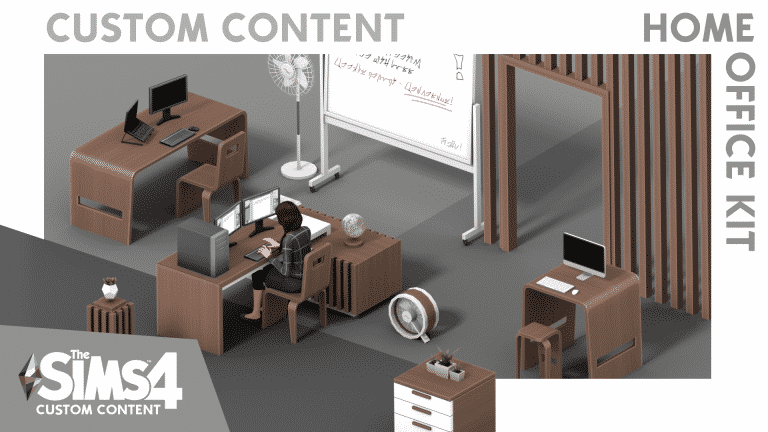
Well, Illogical Sims has you covered with his new Custom Content Kit for The Sims 4. The Home Office Kit features over forty new objects (sixty-eight if you include the different variants) and features everything from desks, wall decorations, floor fans and new wall coverings and more. The fan made Kit is also Base Game compatible!
08 02 21 2 46 57 PM
08 02 21 2 47 47 PM
08 02 21 2 49 48 PM
08 02 21 2 55 00 PM
The Custom Content Kit packs in so many different objects that using it alongside existing The Sims 4 packs will really help you create the perfect home office or study space for your Sims. Each item is easy to use, and the wall decorations and panelling items can help as wall accents or dividing up a room. There really is countless possibilities on how you can use this Custom Content Kit.
The Sims 4 Home Office Custom Content Kit is available now to download via the links below! To install the content simply extract all the .package files to Electronic Arts > The Sims 4 > Mods folder. Make sure you have Mods / CC enabled in your game options!
In today’s Inside Maxis Livestream The Sims Team answered some of the burning questions from Simmers regarding The Sims 4 and its future.
In the Livestream we got a confirmation regarding the plans for updating ALL of The Sims 4’s current NPCs – from Willow Creek to the latest world. This means that The Sims Team is currently working on updating the visuals (and lore, story) informations on all of the characters from the beginning of The Sims 4 Series.
Check out what @Ashaife, Assistant Producer on The Sims 4, has stated during the stream:
Question: Why are skintones getting lighter over the course of The Sims games?
Answer: Hundreds of townies have come to life since the first Sims game launch. A lot of love has been put into every single one of them and we acknowledge that they need unique care and attention – so it’s about time for a tiny overhaul.
We are currently in the process of updating NPCs in The Sims 4 including visuals as well as their lore. This will take some time to accomplish as we have to spend some time with each and every single Sim from Willow Creek to Henford-on-Bagley. That means we’re taking it step-by-step (or townie by townie) and we’re excited to update you at a later date.
In today’s inside Maxis Livestream The Sims Team answered some questions regarding The Sims 4 and its plans for the future.
@Ashaife, who is one of the assistant producers on the game shared the following:
For now our roadmap continues to be focused on improving content that’s in the game. That said, stay tuned – prepare your Sims for a relaxing refresh of one of our existing Game Packs coming up soon.
The hint, if we’re not mistaken, is all aiming towards a content update for The Sims 4 Spa Day Game Pack, which should be getting “a refresh” soon.
Back in January 2020 The Sims Team asked through a survey which Expansion and Game Packs should get extra polish and improvements. It seems that the team is now finally ready to deliver the first Pack Update!
ARTICLE UPDATE: SimGurus also went on Twitter to tease this Pack Refresh!
The Sims Team is doing another Inside Maxis Livestream today, August 3rd at 11AM Pacific Time.
On Twitter they’ve announced that the team will be doing the beginning of a SimTogether series featuring Cottage Living, as well as dive into some hot topics regarding The Sims 4 itself.
Down below we’ve also included a countdown to the exact beginning of the livestream. We’ll make sure to keep you updated on anything that might get shared during the livestream here on Sims Community!
[janky target_time=”1628013600″ color=”#065bff”]
new Twitch.Player(“twitch-embed”, {
channel: “thesims”
});
If you are active in The Sims community either on Twitter or Discord over the last few days, you may have seen a lot of people talking about a graphics overhaul for The Sims 4 by Simp4Sims. Intrigued about this myself, I took a look.
Many people were saying that not only were their game’s graphics looking clearer and more vibrant, but their game was also running a lot smoother than it had before.
It’s important to note that this is not a mod, and it is not ReShade, but it is a more in depth GraphicsRule.SGR file which Mac and Windows users can add to their game. A number of players who also use ReShade have stated that this works well alongside it, and have also noticed improvements with both in game.
Watching the trailer above, you can see the difference between the default The Sims 4 graphics and how they look with the overhaul. The best part is, it’s incredibly easy to do this graphics overhaul, too! It’s just as easy as adding mods or custom content to your game. Full installation details can be found in the Patreon post.
I tried this in my own game to see what it was like, and I was shocked to see not only how much visually my game had improved, but the lag that I experienced had decreased and overall the game was running much smoother. It’s one thing seeing something presented in a video, but seeing it for yourself on your own set up is something different!
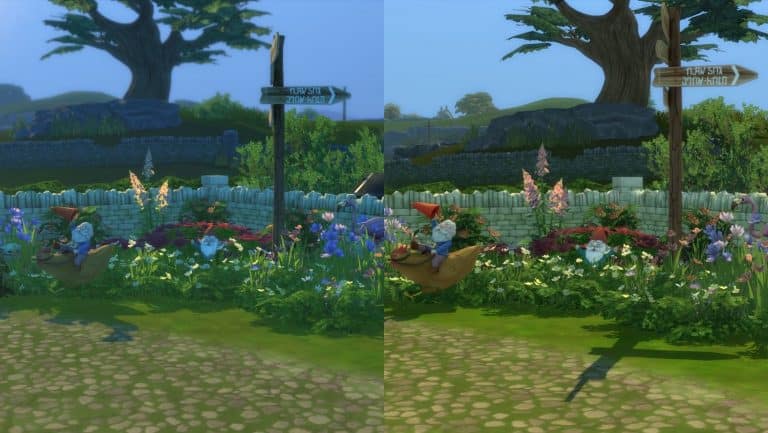
This first image is from my game and is the default The Sims 4 game settings. It was taken at around 8am in-game time.
The second image is of the same location, same time, but with the graphics overhaul now in game.
The vast difference between the two is incredible and my general gameplay experience is so much better now with it in game!
It’s very simple to install this Mod. Simply drop the GraphicsRules.sgr file into the save game folder for The Sims 4 in your Documents. The exact directory is Documents > Electronic Arts > The Sims 4 > Config Override folder.
You can download the Mod down below! The download link is located at the bottom of the Patreon page.
It’s time for another Day in the Life segment, featuring a family I’ve been playing since Cottage Living dropped; the Bell family!
Let’s take a look into the lives of this young couple sowing the seeds of both crops and family in Henford-on-Bagley!
Kimberly Swanson inherited her grandmother’s Bramblewood cottage when she retired to greener pastures. Growing up in San Myshuno never suited her kindly and simple nature so she packed up and made the permanent switch to her old summer getaway at Grandma Nellie’s home in Henford-on-Bagley. She achieved a lot during her twenties; she established a tiny little farm, won some Finchwick Fair ribbons, made friends with animals and townsfolk alike and even found a husband in Michael Bell, the elusive Creature Keeper.
When Kim and Michael got married, they decided to expand and purchased an affordable little farm in Old New Henford to grow their livestock and their family. In usual small town fashion, it wasn’t long before Kimberly and Michael were expecting a baby. Kim and Michael share a mutual passion for hard work and living off the land but Kim’s pregnancy changed their daily routine a bit.
Bright and early at 6am, Michael got up to look after the chickens. He scattered feed, cleaned the coop, collected eggs, and spent a few minutes giving each chicken some personal attention. Then he returned to the house to help his wife prepare breakfast for them both, cooked with fresh ingredients from their farm. After breakfast, it was time for Michael to go back outside and handle the rest of the farm chores.
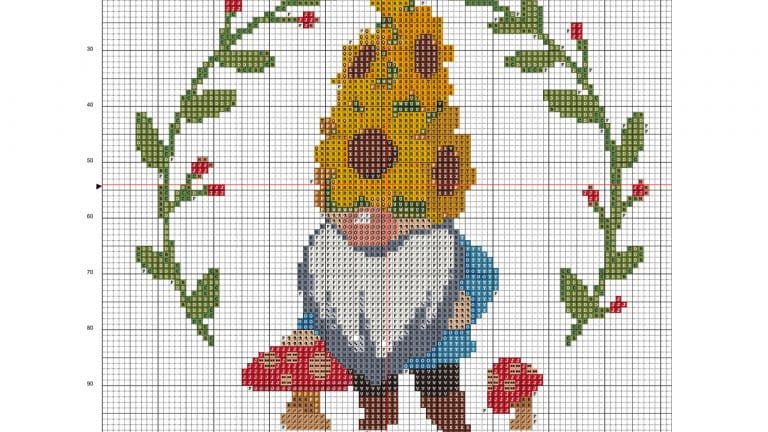
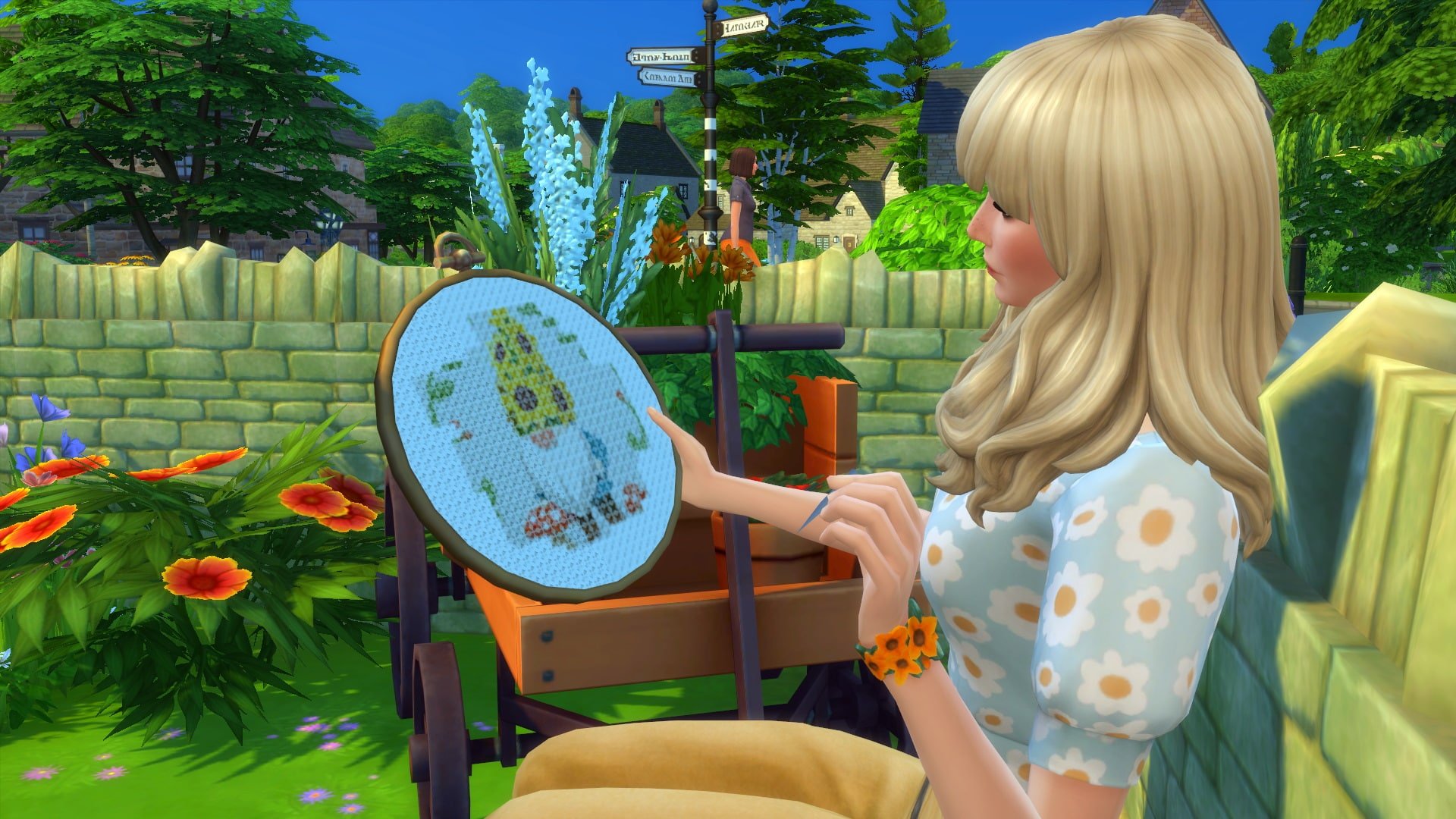
Normally, Kimberly would be outside tending to the farm with her husband but she’s taking it easy for the baby. She decides to use some of that free time to learn to cross-stitch! Cross-stitch patterns will make delightful nursery decorations and there are so many different patterns to learn. She also takes some time to knit some cozy clothes for all their animal friends to keep them nice and warm through the colder seasons ahead. She’s hoping she can learn to knit some baby onesies in time for the new arrival as well.
TS4 x64 2021 07 26 23 41 30
TS4 x64 2021 07 27 14 03 47
Outside, Michael has his work cut out for him without Kim’s help but he doesn’t mind. Animals are his favourite people to hang out with. He heads out to the paddock to clean the sheds, refill the feed, and tend to their cow, Butters, and their llama, Kuzco. Butters was with Kim long before Michael came into the picture and is still a bit standoffish with him but Kuzco is a new addition to the farm and took to Michael like a bee to honey. He makes sure to collect some milk and wool to stock the fridge and keep Kim’s knitting bag full. Then it’s time to tackle the crops, but luckily with the help of the wild birds and bunnies in the area, Michael doesn’t have much to do except keep the plants watered and pluck a few weeds here and there.
There’s only so much free time a farm girl can handle and Kim’s going stir-crazy cooped up in the house so she heads out to get some fresh air and bond with the animals. While she’s spending some time with Kuzco, Kim Goldbloom, the local grocer who just so happens to share Kim’s name coincidentally, shows up to offer Kim a Finchwick Favour as a congratulatory gift for the baby on the way! Kim is so grateful for the delicious meat pie that she invites Kim to stay for supper so they can all enjoy the pie together.
TS4 x64 2021 07 27 14 09 29
TS4 x64 2021 07 27 14 13 27
Over the years, Kim’s heard through the grapevine that Kim Goldbloom harboured some strong romantic feelings towards Michael but that Michael never reciprocated those feelings. While they talk over the dinner table, it seems like Kim Goldbloom has left those feelings in the past and just wanted to offer her congratulations to the expecting couple. What a good neighbour! People in Henford-on-Bagley are so friendly!
TS4 x64 2021 07 27 14 19 11
TS4 x64 2021 07 27 14 22 23
After supper, Michael goes out to check on all the animals one last time before herding everyone into their sheds and coops for the night. Being farmers, they usually turn in early but tomorrow is the Finchwick Fair. The Fair is always a big day for the Bells so it’s especially important to get a good night’s rest. As much as Kim wants to attend and see her beloved Butters take home a ribbon, she could go into labour at any moment so Michael will be taking Butters to the Fair in her place.
The next morning, Michael makes sure to finish all the farm chores extra early so he can prepare Butters for the Fair. He kisses his wife goodbye and he and Butters show up just as the Fair is starting. Lots of people are impressed with Butters, especially her adorable knitted outfit handmade by Kim. Michael really plays up the cute factor to tug at heartstrings and shows off just how sweet and cuddly Butters is. Meanwhile, Mayor Lavina Chopra studies the bottle of milk Michael entered with a discerning eye.
TS4 x64 2021 07 27 14 58 46
TS4 x64 2021 07 27 14 57 40
At the end of the Fair, the results are in! Butters won third place and her delicious bottle of milk won first prize! Happy with his winnings and eager to show off those ribbons to his wife, Michael and Butters head back home. It turned out that having Kim stay behind was a good idea because after getting Butters settled into her stall, Michael entered the house to find his wife in labour!
After a rather panicked trip to the hospital, Kimberly and Michael return home with a healthy baby boy named Ivan Bell. Their son is only the first of many children Kim and Michael hope to raise here on their farm. After all, it takes a lot of pairs of hands to keep a big farm like this running!
For now, they’re content with getting to know baby Ivan.
Our last playlist received some great feedback so we’re back with another one! This time, let’s take a trip down cottagecore lane with the people of Henford-on-Bagley. There is a lot of drama stirring behind the quaint village façade and what better way to air it all out than arguably the most popular cottagecore album released just before this year; Taylor Swift’s evermore!
Here are seven songs from evermore inspired by just a few of Henford-on-Bagley’s residents with the juiciest secrets.
Kim Goldbloom, “tolerate it”
Kim Goldbloom is the cheerful grocery stall owner in Finchwick who seems to love everyone but one particular man in town has truly captured her affections; the elusive Creature Keeper, Michael Bell. Unfortunately, Michael doesn’t share her feelings and poor Kim is left trying to impress someone who simply just tolerates her.
Cecilia Kang, “closure”
Another lady of Henford-on-Bagley who’s involved with Michael Bell is Cecilia Kang but she wasn’t left with quite the same warm fuzzy feelings that Kim harbours for him. In fact, they went on a pretty terrible date that Cecilia would just like to move on from and forget. Michael, however, must have thought the date went well because he’s still smitten with her. Maybe he should take a hint and just leave well enough alone. Not everything requires closure, as Taylor sings about in this song.
Rahmi Watson, “ivy”
Rahmi is married to Thomas Watson but things have been rough since he somewhat reluctantly inherited his parents’ farm. He isn’t adjusting to the change in lifestyle and his grouchiness has pushed Rahmi away… into the arms of Lavina Chopra, Henford-on-Bagley’s mayor. Rahmi seemed to really care for Lavina but Lavina broke things off with her out of guilt and now poor Rahmi is dealing with a broken heart on top of a broken marriage to someone she doesn’t love. This song captures the pain of Rahmi’s affair and crumbling marriage in perfect clarity.
Lavina Chopra, “evermore”
Evermore is a song about being paralysed with guilt and feelings of regret, playing the same moment of when things went wrong over and over again instead of moving forward but it ends on a note of hope. Lavina Chopra was secretly having an affair with a married woman, Rahmi Watson, but guilt eventually led Lavina to break things off with Rahmi. Lavina’s sentiments suggest she’s still struggling to come to terms with that guilt but in time, she may come to see that she has other things in her life she can be proud of, like her son and her job as mayor.
Thomas Watson, “it’s time to go”
After taking over his parents’ farm, Thomas’ marriage started going downhill. He later discovered that his wife, Rahmi, had been cheating on him with the mayor of all people! They’ve been trying to keep things together and move past it for the sake of their three children but Thomas can’t let go of his hurt feelings and Rahmi is more heartbroken over losing Lavina than she is about jeopardizing her marriage. Maybe it’s time for Thomas to recognise when it’s time to go.
Ian Moody & Derek McMillan, “cowboy like me”
Ian and Derek have lived the fast-paced city life and thought it was going to be all hustle and bustle and office jobs forever… until they found each other. Much like the character in this song, it only took the right person to come along for these two to put their pasts behind them and run away to live a quiet, peaceful life together. It must be working for them because they’re old and grey and still very much in love. Considering how dysfunctional most of the other relationships in this town are, Ian and Derek being a couple of retired “cowboys” together is sweet and refreshing.
Agnes Crumplebottom, “right where you left me”
Agnes Crumplebottom’s history is a sad one. She was once in love and married the love of her life but he died in a tragic accident while on their honeymoon. So many of her dreams died before they ever got the chance to be, like her hopes of having children. Rather than move on with someone new, Agnes’ grief stayed stagnant and emotionally, she became frozen in time at the moment her heart was broken just like the woman in this song. Even though the song talks about a breakup and Agnes was separated from her love through death, the fallout of losing the person they love is sadly the same.
Let us know if you liked this Sims-themed playlist here in the comments or come chat with us about it on social media!
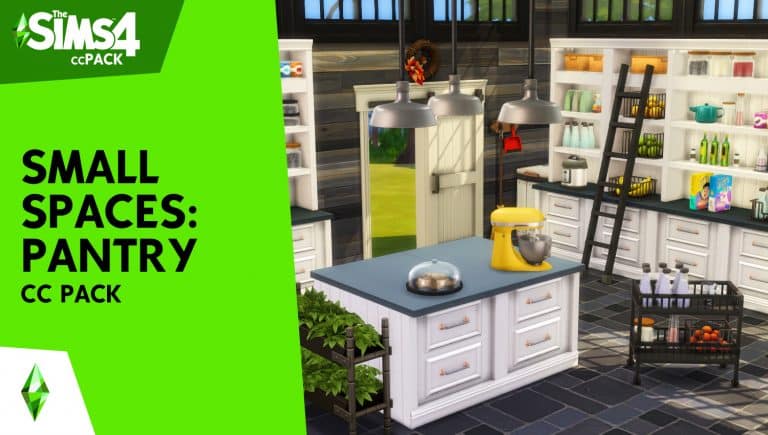
SixamCCis back with another custom content pack and this time it is all about creating that perfect pantry space. The colourful fan made pack contains over forty new items and is Base Game compatible, although you will need the Vintage Glamour Stuff Pack for the cart. There are three different pantry shelf designs to chose from, a new barn door and plenty of clutter! Did I mention there is also a functional mixer?
Take a look at the trailer below!
What is brilliant about this custom content pack is how many possibilities there are to create your Sims perfect pantry and kitchen spaces. Not only is it brilliant on its own, but using it alongside The Sims 4 Cottage Living and also the Country Kitchen Kit to name a couple really helps bring everything together. You could also use this pack alongside Sixam’s Kessler Kitchen pack!
Thee Sims 4 Cottage Living has been out for a few days now and there have been so many incredible builds created and shared so far. The sheer amount of detail in some of the builds that we have seen is incredible. So many players have been using not only the new items and build mode options from Cottage Living to create their new builds, but also utilizing the Base Game Water Tool and DEBUG mode as well.
Take a look at some of the amazing builds from the community below!