Home Blog Page 180

This or That? Cottage Living Edition!

Now that Cottage Living is finally here and players can experience this delightful pack for themselves, we thought it was time for another poll! This time, you’ll be picking your favourite aspects and characters of Cottage Living! Are you a village person? A wilderness person? A rancher? Farmer? Who do you side with in the Watsons’ crumbling marriage? Tell us what you think down below!

Remember to click the text and not the image when casting your votes!

[totalpoll id=”100320″]

Take a look at the first 3D Models for The Sims 4 Cottage Living’s Animals

1

The road from concept to completion is interesting – especially if you’re trying to prototype Animals for a Sims Game.

SimGuruPopcorn has shared an interesting behind the scenes preview of the modelling development process for some of the Animals that come with The Sims 4 Cottage Living.

The first preview shared is a GIF of a Chicken that just recently got added into the game during the dev process. Check it out!

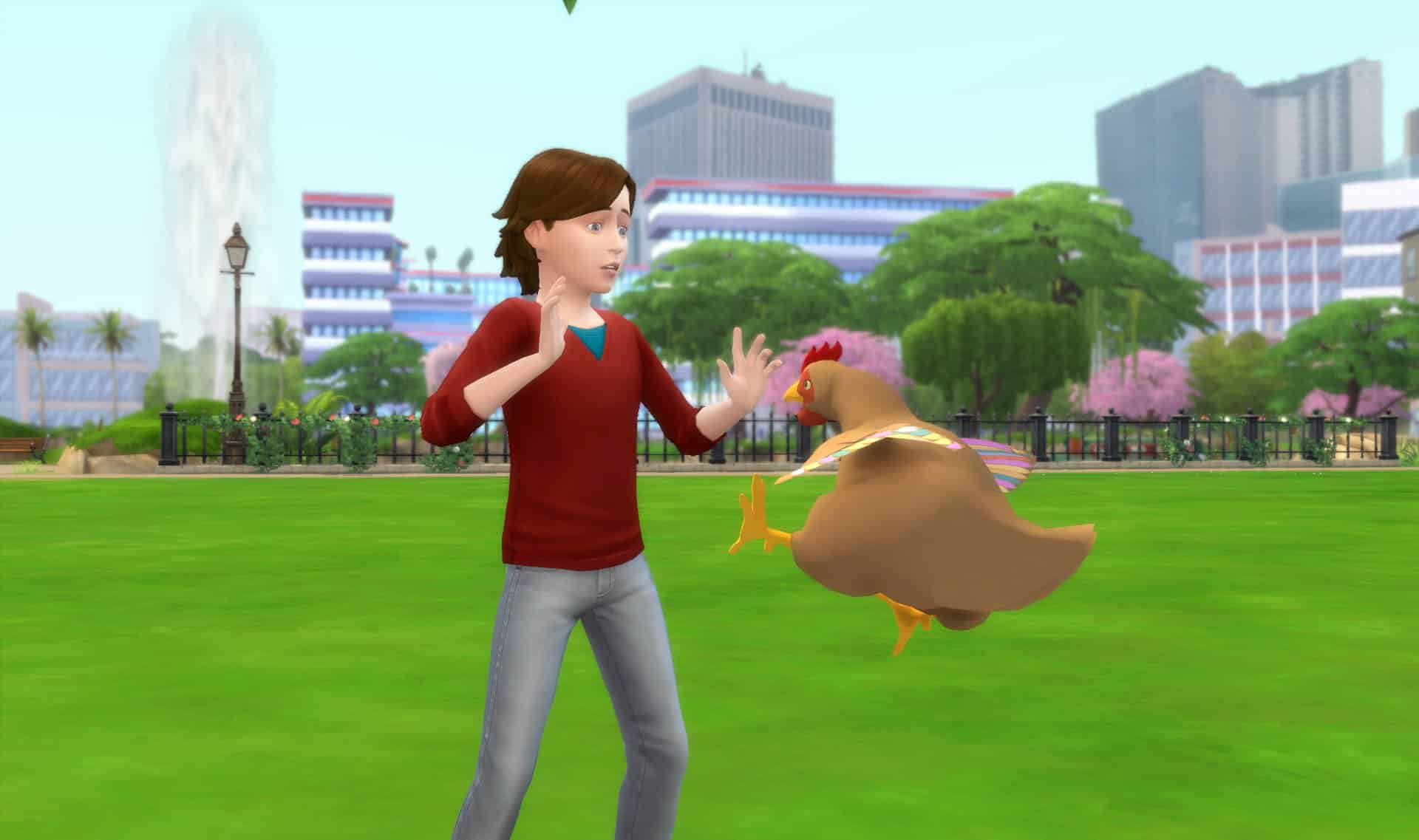
Things get a little bit more interesting with another Chicken preview during the early development days:

Take a look at the first 3D Models for The Sims 4 Cottage Living’s Animals

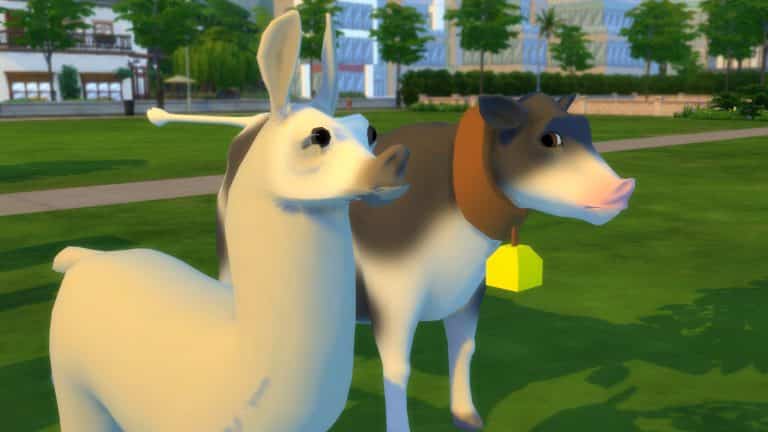
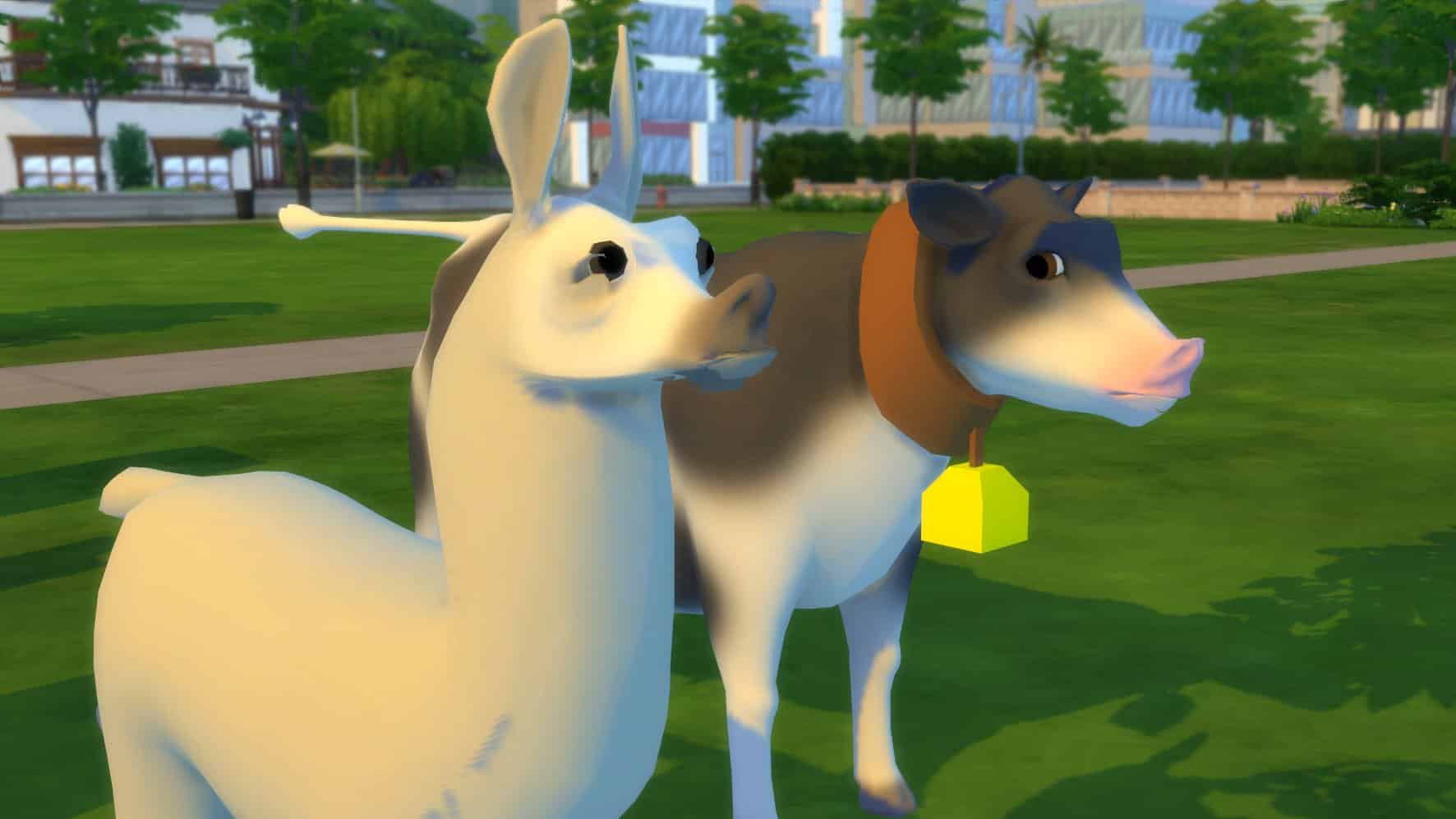
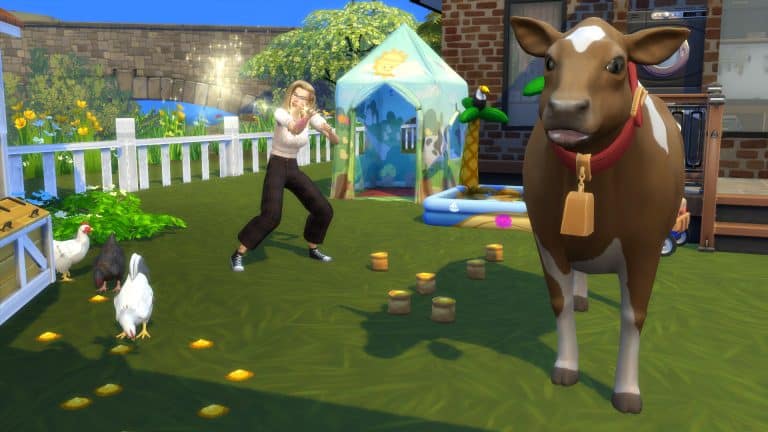
And of course we’ve got the best saved for last – a preview of the first 3D Models for Cows and Llamas that just got introduced to the game. Just look at those gorgeous eyes!

Take a look at the first 3D Models for The Sims 4 Cottage Living’s Animals

Thanks to SimGuruPopcorn for sharing the early dev screenshots!

The Sims 4 PC & Console: NEW UPDATE + Patch Notes! (July 27th, 2021)

The Sims 4 PC & Console: NEW UPDATE + Patch Notes! (July 27th, 2021)

The Sims Team has released a brand new update for The Sims 4 on PC, Mac, Xbox One and PS4!

To download the latest version of The Sims 4, simply open your Origin program and if the game doesn’t update automatically, right click on The Sims 4 and select ”Update”.

In case you have Mods or Custom Content, the game will automatically disable them for you after first launching The Sims 4 after the update. To re-enable all your Mods and Custom Content, select the Settings option in the Menu and select Settings. Under the ”Other” section you’ll find the ”Enable Custom Content and Mods” option. Check it and restart your game in order for it to take effect!

Patch Notes

Update 7/27/2021

PC:  1.77.146.1030 / Mac: 1.77.131.1230

Console: Version 1.45

Hello Simmers!

This update resolves issues from our last game update. Thanks again for your patience and feedback. We appreciate it.

-SimGuruRusskii

Bug Fixes

Before telling you about the bug fixes we made in this update, I wanted to mention that in the last patch notes there was a slight mistake when referring to the improvements for Gallery and downloading a lot made with the bb.moveobjects cheat. For players, it actually means that you don’t need to manually activate the cheat prior to placing a lot from the Gallery for the objects to be exactly where the creator put them. Sorry for the confusion!

Oh! And if you are worried about Trophies and/or Achievements, this improvement doesn’t hinder either.

Consoles

  • For Simmers on PlayStation, Cottage Living now appears among the Expansion Packs in the “Packs” section of the Main Menu. We also reinstated Cats & Dogs there as it had wandered off as well.
  • For Simmers on Xbox, Cottage Living now shows its price on its information page from the Main Menu. Cats & Dogs and My First Pet Stuff have also returned and now take you to the bundle page on the Microsoft Store instead of a page saying it was Unavailable.

The Sims 4

  • Actors, Decorators, and Freelancers all… Sims in Gig-based careers once again can accept Gigs from the Career panel to earn those precious Simoleons. Make it werrrrk!
  • Zoomers Food Delivery has trained their delivery Zoomers (or is it Zoomies? Think about it!) to ACTUALLY deliver the food Sims have ordered. We apologize for all those missed meals.

Cats & Dogs

  • Pets in pre-existing households now are back with their households. Their absence just was not right – Pets are as much part of the Household as the Ghosts… just sayin’.

Island Living

  • New Mermaids no longer lose their tails and Hydration bar when swimming. For Mermaids made between the previous update and this one, you can restore their “Mermaidness” by eating Mermadic Kelp to become human and eating it again to become a Mermaid. You can also use the cheat “traits.equip_trait trait_OccultMermaid_TYAE” as a workaround as well.

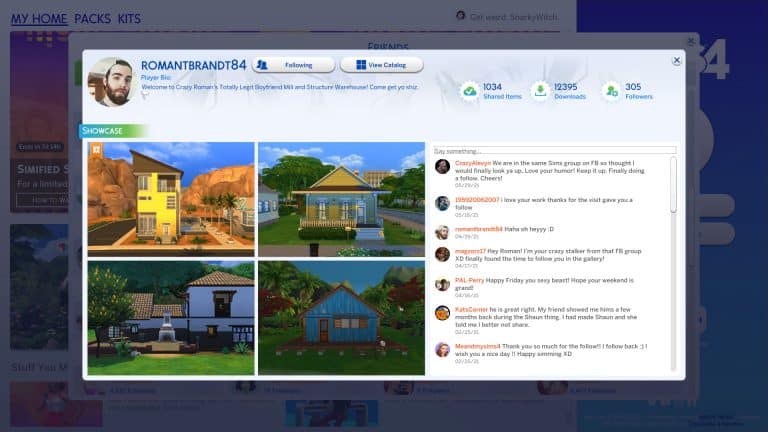
Creator Spotlight: romantbrandt84

2

We love to shine a spotlight on talented members of the community and today, we’re featuring a Simmer who not only has the talent for a spotlight but the humour, too!

romantbrandt84 has been a member of our Sims Community Facebook group for over a year now and has been making everyone laugh since the day he joined. He is a much loved staple of the group and his sarcastic, witty humour brightens everyone’s days. I look forward to seeing what he’s shared with the group every single day.

Creator Spotlight: romantbrandt84

He’s even branded himself as “Crazy Roman” in the Gallery! Roman specializes in both Sims and builds, putting a focus on male Sims which are underrepresented in the community. His series of charming fellas is hilariously titled “Crazy Roman’s Totally Legit Boyfriend Mill” and his builds are part of a similar series called “Crazy Roman’s Structurally Sound Structures.” Although the Sims and builds themselves are great, the descriptions are worth a read because they are all hysterically funny!

He also has a YouTube channel where he makes videos that are just as sarcastic and comical as his Gallery descriptions! It’s honestly such a refreshing breath of fresh air in the community.

So go follow romantbrandt84 in the Gallery and subscribe to his YouTube channel for some great Sims and builds and a lot of laughs!

The Sims 4 Cottage Living: Henford-on-Bagley Photo Album

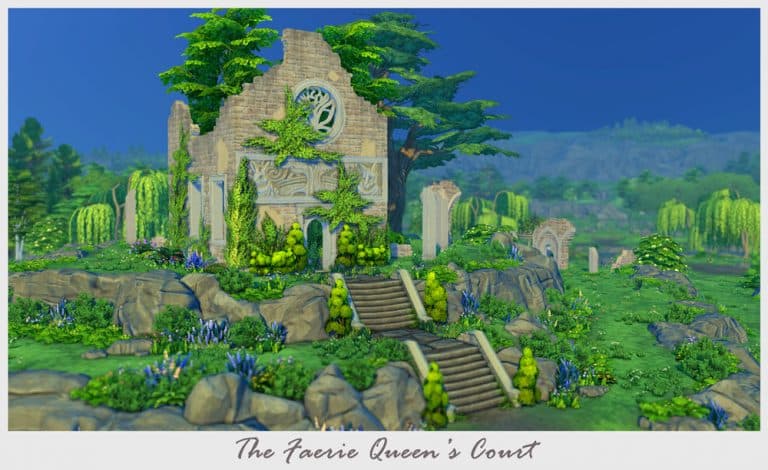
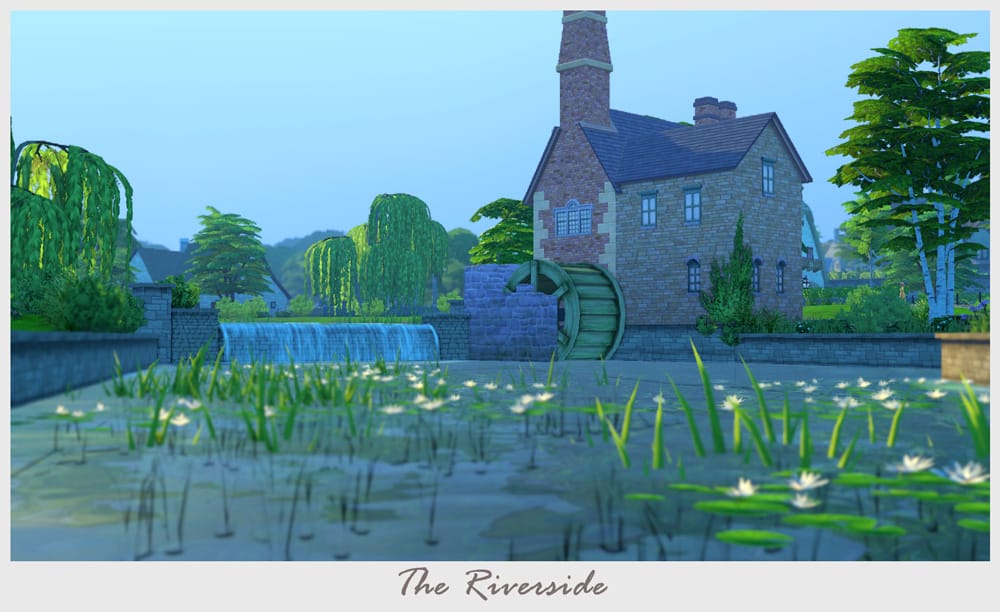
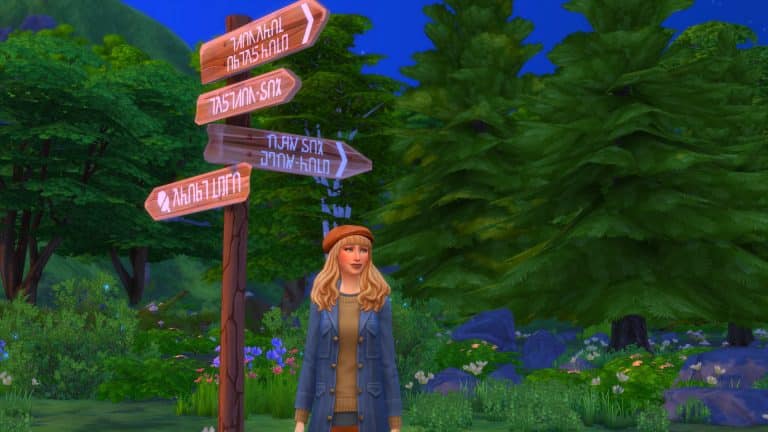
Welcome to Henford-on-Bagley! We’re positively delighted you could make it to our sleepy little village and hope you enjoy your stay, whether you’re just visiting or starting a new life here with us. To help guide you along on your journey, I’ve compiled a little photo album of some of Henford-on-Bagley’s most scenic locations you simply must seek out for yourself.

See if you can find them all while you’re here!

Sincerely,
Lavina Chopra, Mayor of Henford-on-Bagley

The Sims 4 Cottage Living: Henford-on-Bagley Photo Album

The Sims 4 Cottage Living: Henford-on-Bagley Photo Album

The Sims 4 Cottage Living: Henford-on-Bagley Photo Album

The Sims 4 Cottage Living: Henford-on-Bagley Photo Album

The Sims 4 Cottage Living: Henford-on-Bagley Photo Album

The Sims 4 Cottage Living: Henford-on-Bagley Photo Album

The Sims 4 Cottage Living: Henford-on-Bagley Photo Album

The Sims 4 Cottage Living: Henford-on-Bagley Photo Album

The Sims 4 Cottage Living: Henford-on-Bagley Photo AlbumThe Sims 4 Cottage Living: Henford-on-Bagley Photo Album

The Sims 4 Cottage Living: Oversized Crops Guide

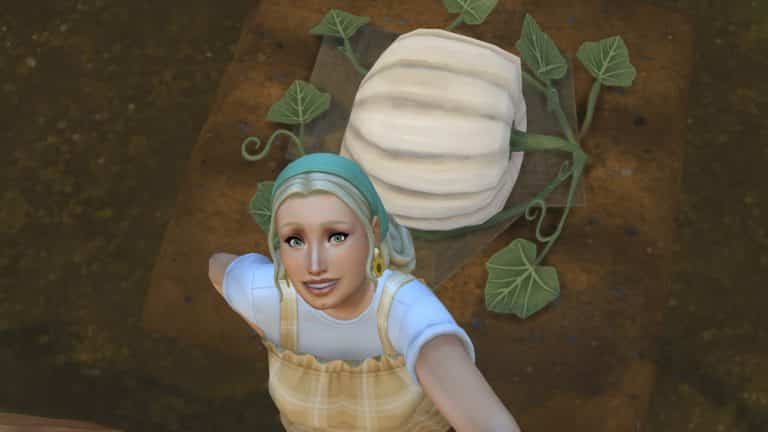
Animals aren’t the only addition to The Sims 4 Cottage Living. Raising crops has gotten some additions as well; namely, raising oversized crops! Oversized crops can be used in canning and cooking but are most useful for entering into the Finchwick Fair!

Read on to learn all about how to cultivate the biggest crops around!

Planting Oversized Crops

The Sims 4 Cottage Living: Oversized Crops Guide

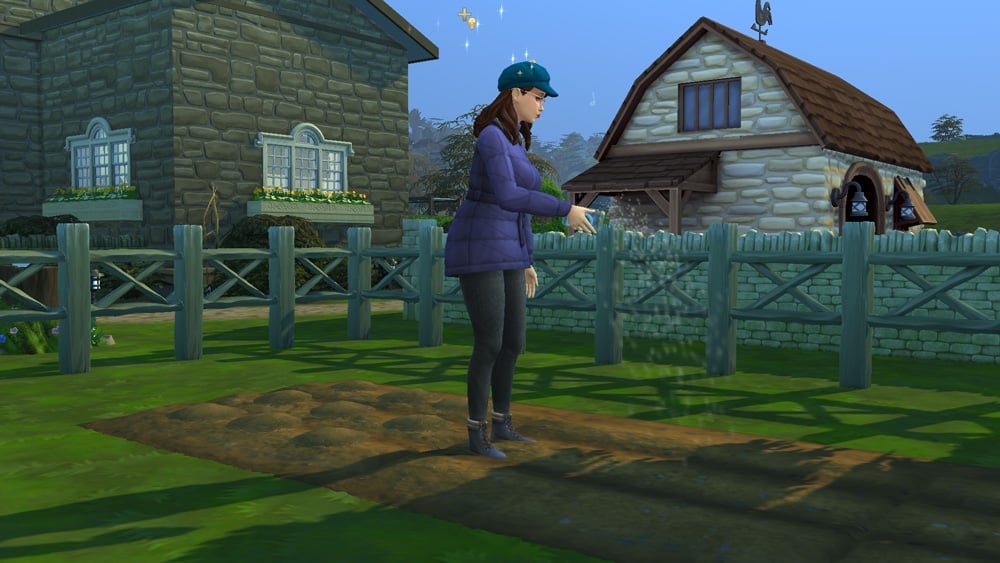
Oversized crops must be planted in the new gardening plots that come with Cottage Living. You can click on the plot to purchase oversized crop seeds and oversized crop fertilizer but Agnes and Agatha also sell an assortment of oversized crop seeds and fertilizers at their garden stall in Finchwick if you prefer a storytelling approach.

All oversized crops grow in all seasons, which is an odd choice but we guess this is to allow players to participate in the Oversized Crop Competition at the Finchwick Fair no matter what season it is. Here are all the different oversized crops you can grow:

[table id=94 /]

Note that selling prices are not listed because the selling price varies depending on weight, size, and quality so it’s impossible to pin down an exact selling price for any of the crops.

Caring for Oversized Crops

The Sims 4 Cottage Living: Oversized Crops Guide

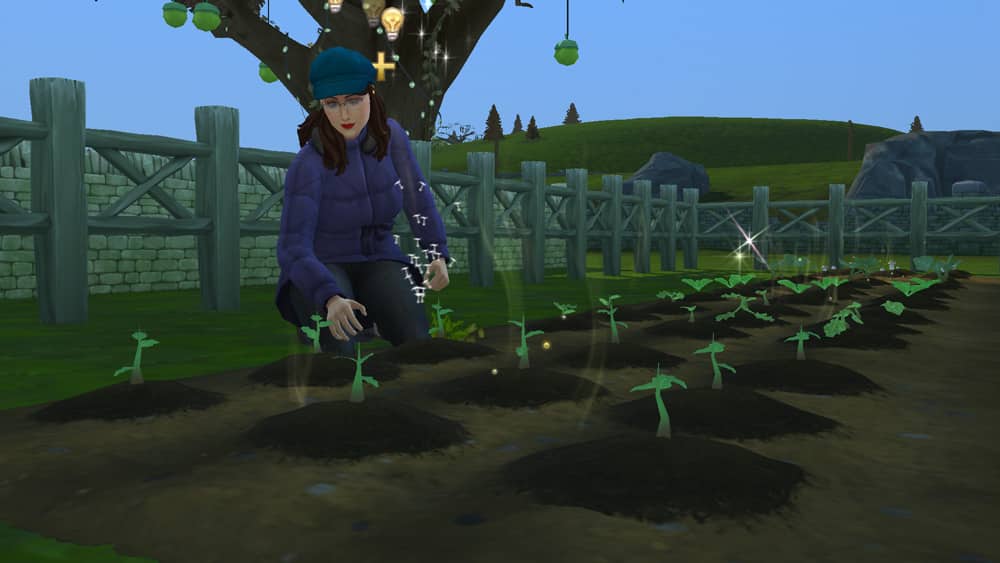
Once your oversized crop has been planted, you’ll have to give it a lot of attention. Planting an oversized crop isn’t a guarantee that you’ll actually get a giant crop. There are three different “levels” of oversized crops.

  • Small: The small varieties of these crops were not taken care of well enough but on the bright side, you’ll get nine of these crops from one garden plot so you have a lot of produce to use for canning and cooking. Don’t bother entering these puny things into the Finchwick Fair’s Oversized Crop Competition, though.
  • Medium: If you’ve taken decent care of your oversized crop, you’ll end up with two medium-sized crops in one garden plot. These aren’t great contenders for the Finchwick Fair, either, but can be sold for more simoleons than the small crops and are useful for cooking a variety of recipes.
  • Large: If you’ve taken impeccable care of your oversized crop, you’ll end up with one giant crop in your garden plot. These crops aren’t great for canning or cooking but sell for a lot of simoleons and have the potential to win you ribbons and other prizes at the Finchwick Fair.

So how do you ensure you get a large oversized crop instead of medium or small?

  • Fertilize: Oversized crops should be fertilized daily in order to grow larger. Oversized crop fertilizer is pricey but if your Sims own other animals like llamas, cows, and chickens, cleaning out the sheds and coops will often yield a free Vitality or Super Vitality Fertilizer. If you’re looking to save money and maximize profits selling oversized crops, having animals to provide you with free fertilizer makes a big difference.
  • Water: Water your crops whenever you have the option to do so. Pretty self-explanatory and nothing different from raising other crops.
  • Weed: Whenever you see weeds popping up around your oversized crops, pull them out. Again, nothing new. Befriending wild bunnies can help you with this. The cute little critters will eat all the weeds in your garden for you.
  • Spray for Bugs: Oversized crops will need to be sprayed whenever you see little brown gnats flying around above it. Befriending wild birds can help you with this. Birds will eat any bugs in your garden.
  • Encourage Crop Growth: In the earlier stages of an oversized crop’s growth cycle, you’ll have the ability to encourage crop growth on your oversized crops. Do this as often as possible because it makes a big difference in the quality and size of your crops. Befriending wild birds can help you with this. Birds will sing to your oversized crops to encourage them to grow larger.

The Sims 4 Cottage Living: Oversized Crops Guide

Once your oversized crop is ready to be harvested, it won’t grow any larger. Leaving it on the vine won’t make any difference to its size at that point so you might as well just harvest whatever you got. Unlike other harvested items, oversized crops do spoil after a period of time. Keeping them in the fridge drastically extends their freshness but if you want to enter a freshly picked oversized crop into the Finchwick Fair, you may want to leave it on the vine until the day of the fair to avoid it spoiling beforehand.

While an oversized crop is still growing, you won’t be able to see its weight or quality by hovering over it but you will be able to tell if it’s healthy or not. Keep your plant healthy while it’s growing and the chances of picking a heavy, perfect quality crop are good.

My thoughts so far on The Sims 4 Cottage Living

I wanted to do a post that was a little different from the normal posts I do here on Sims Community. In fact, I think this is the first time I’ve ever done a post like this. I guess you could say I’m excited yet a little nervous about this one, but in a good way.

This is by no means a review. This is my own thoughts about my experience so far with The Sims 4 Cottage Living expansion pack.

When I first saw the teaser postcards for The Sims 4 Cottage Living, I was initially excited that we were getting a new pack. A pack that looked to be based upon the English Countryside. Even though The Sims 4 Dream Home Decorator had just been released, I was very excited about the next pack. To be honest, I’m always excited.

My thoughts so far on The Sims 4 Cottage Living

Filled with questions, like many, I was eager to see the reveal trailer shortly after. I luckily managed to catch the trailer while I was at work, and I could not contain my excitement. Even though I had glanced at it quickly during the premiere, I watched it a few more times once I was home to try and catch all the smaller details I had missed, and I did miss a lot of the smaller details.

The wait in between the trailer first being revealed to the packs released felt like forever. As I was playing my current save, I kept thinking of how I wanted cottages to look, how I was going to go about making my own farm, what parts of the pack I wanted to explore first and so much more.

What I loved about the build up to Cottage Living’s release was how excited and hyped the community was. So many people were creating adorable cottages and farm builds ready for their games, and just the general atmosphere was brilliant!

My thoughts so far on The Sims 4 Cottage Living

Now that the pack was here, I jumped straight into working on content for the site. Once I was done, I moved over to exploring the pack in a more chilled out way and just going with the flow of the game. Seeing where it took me and just playing through the pack like I would normally.

I will tell you now, despite having one or two issues with mods that I forgot to update, I have been having so much fun. I’ve taken so many screenshots, dived deeper into gameplay than I have for such a long time, I’m in the process of creating a new family to move to Henford-on-Bagley and creating a farm on one of the empty lots. Having the options to now own chickens, cows and llamas as well as interacting with other wildlife throughout the world alongside being able to have Cats & Dogs has been amazing. Yes, it would be great to have had horses as part of this pack, but I’m hopeful we’ll see them added in future content in some way. They were one thing in The Sims 3 that I never really explored in great detail, but I guess we will have to wait and see what happens.

So far, I haven’t found anything majorly negative that has impacted my experience with The Sims 4 Cottage Living. Yes, I’ve experienced a few minor bugs and glitches, but I’ve done my best to work around it until they are fixed.

My thoughts so far on The Sims 4 Cottage Living

I spend a lot of time building in The Sims. It’s something I’ve always done, and experimenting and mixing different packs together to make the perfect cottage for my Sims has been fun. For example, I didn’t think about using Cottage Living alongside Get Together or Cats & Dogs initially until I started playing around with different ideas. Likewise with Create A Sim, I’ve been creating so many different outfits for all of my Sims just using Cottage Living on its own and mixing it up with other packs.

For myself and my play style, I can definitely see myself exploring and playing in Henford-on-Bagley for some time. Honestly, the whole world is beautiful! I’ve got a number of ideas on how I want my story to play out, and I can’t wait to take those ideas and replicate them in game! Just don’t get me started on the number of builds I would like to try and do as well.

For now, if you need me, I’ll be trying to see if it is possible to do the 100 Chicken Challenge!

Let us know what you think of The Sims 4 Cottage Living in the comments below.

The Sims 4 Cottage Living: Cross Pack Play

With every new pack comes more possibilities for previous packs to have ways of integrating a range of different features into the newest expansion. The Sims 4 Cottage Living is no exception to this. Here is a look at some of the many ways you can open up gameplay using previous packs in The Sims 4.

Gameplay

  • Get Together – Create A Cottage Living inspired Club! Make your own gardening club or cross-stich club using The Sims 4 Get Together Clubs feature.

The Sims 4 Cottage Living: Cross Pack Play

You can read more about creating Clubs for The Sims 4 Cottage Living here.

  • Realm of Magic – Use the Copypasto spell to help create multiples of different items, including animal treats and Llama wool.

The Sims 4 Cottage Living: Cross Pack Play

  • Nifty Knitting – You can knit a variety of items using Llama Wool including hats, scarfs, blankets, sweaters and more! You can also use Llama wool when you are making other knitable items that come with the Nifty Knitting Stuff Pack.

The Sims 4 Cottage Living: Cross Pack Play

Building

There are a number of The Sims 4 expansion packs that work well and compliment The Sims 4 Cottage Living’s build mode. While some packs help with keeping the cosy cottage and rustic feel, while other packs bring a slightly more modern feel to cottage living.

  • Cats & Dogs
  • Get Together
  • Eco Lifestyle
  • Realm of Magic
  • Romantic Garden
  • Country Kitchen

However, if you are looking for alternative worlds to build a farm or maybe even a cottage, then the worlds of Brindleton Bay and StrangerVille are just two more possibilities you could choose from.

Create A Sim

Likewise with building/build mode, there are a number of packs where their Create A Sim options work well with the new items in The Sims 4 Cottage Living. Whether you are sticking with  cottage theme outfits or wanting something a little more modern, there are a variety of packs that will help you create the perfect look for any Sim!

  • Eco Lifestyle
  • Discover University
  • Dream Home Decorator
  • StrangerVille
  • Laundry Day
  • Nifty Knitting
  • Paranormal
  • Tiny Living

There are a number of ways that you can use different packs, create endless possibilities to Play With Life! What are some of your favourite packs to use with The Sims 4 Cottage Living?

Get Updates for your Essential The Sims 4 Mods

0

This week’s The Sims 4 Update (version 1.77.131.1030) changed a lot of things in the game’s tuning files – causing a lot of Mods to break and not work properly in the game. There were also a lot of reports where the game broke due to outdated Mods, which is why it’s very important to disable Mods before checking if a new Mod version is required.

Modders have started updating their Mods and CC to ensure they’re compatible with The Sims 4’s latest version. In this post I’ll be listing some of the most popular Mods for The Sims 4 that got updated to work for the latest version.

Make sure you remove the older versions of Mods you have and replace them with the current version in the Electronic Arts > The Sims 4 > Mods folder.

MC Commad Center

This powerhouse of a Mod just got updated and is now compatible with the latest version of The Sims 4!

UI Cheats Extension

The UI Cheats Extension Mod, which allows you to control certain aspects of gameplay straight through the game’s User Interface just got updated – and with some new features too!

v1.26 [07/20/2021]

  • Updated for game version 1.77.131 (Cottage Living patch).
  • Added new relationship bits cheats.
  • Added a new University GPA cheat.
  • Added a new University suspension/probation removal cheat.
  • Added a new Buy/Sell panel quantity +10 shortcut cheat.
  • Added a new career reputation cheat.
  • The career performance cheat now works for the interior designer career.
  • The career promotion/demotion cheat now works for the interior designer career, as well as Odd Jobs rating.
  • Fixed the vampire power point cheat not working as expected.
  • Fixed the lot eco footprint value sometimes getting reverted after cheating it.
  • Added a way to check the mod version number in-game.

T.O.O.L. Build Mod

Everyone’s favorite (and essential) Build Mod T.O.O.L. received a compatibility update to work with The Sims 4’s latest version and the newly released Cottage Living Expansion Pack!

Better Build / Buy

Another must-have for all the Build Mode enthusiasts out there is now fully compatible and working!

More Columns in CAS

You’re finally able to enjoy the Create A Sim catalog in its full glory again!

WonderfulWhims

This PG friendly version of TurboDriver’s popular Mod is back and working!

Basemental (18+)

The previous version of this Mod was causing major glitches with doors being removed from players’ homes. This new version fixes all of that and makes the Mod fully compatible with the game’s latest version.

If you don’t see a Mod that you use you can ensure to get the latest updates Mod Updates from our Sims Community Discord! There’s also a handy list created by @luthstings of broken / updated Mods over at The Sims Forums!

The Sims 4 Cottage Living Cheats

Spawn Animals, Unlock Animal Clothing and master gameplay with these Sims 4 Cottage Living Cheats!

Hello and welcome to our Sims 4 Cottage Living Cheats Collection! Down below you’ll find the latest available cheats for spawning animals, unlocking clothing and animal homes, skill cheats and much more.

The following cheats listed down below only work if you use the testingcheats true cheat first. You can open the cheat console by pressing CTRL + Shift + C, or by pressing L1+R1+L2+R2 on your console controller. Feel free to also check out The Sims 4 Base Game Cheats and Cheats from some of the previous Packs!

Create & Spawn Certain Animals

You can spawn Chickens and Rabbits anywhere in the world with this cheat. Simply Shift + Click anywhere on the ground and you’ll get the following options:

  • Create Animal
    • Create Chicken (Chick)
    • Create Chicken (Hen)
    • Create Chicken (Rooster)
    • Create Rabbit

If you spawn chickens and rabbits on a lot that has a chicken coop and a wild rabbits home they’ll immediately run to it and take their slot space – assuming you have space.

Unlock All Animal Clothing

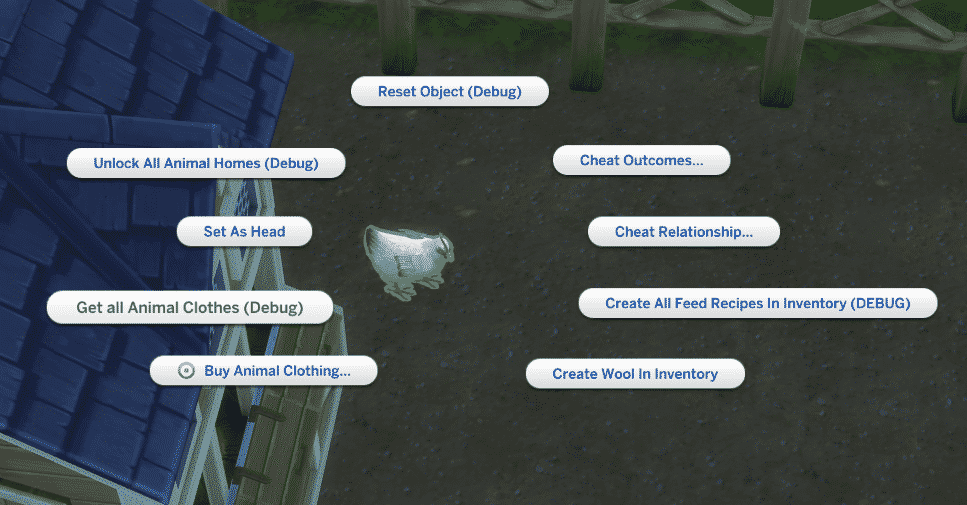
You can immediately unlock and obtain all Animal Clothes! Shift + Click on any new animal that comes with Cottage Living and select “Get all Animal Clothes”. This interaction will add all Animal Clothes for every type of animal to your Sim’s inventory.

Sims 4 Cottage Living Cheats - Chicken

Unlock All Animal Homes

Want to skip the process of having to befriend a Wild Rabbit or a Wild Bird in order to unlock their sanctuary? You can skip the process by Shift + clicking on any animal and selecting “Unlock All Animal Homes”. Both types of homes will be then unlocked in Build Mode.

Sims 4 Cottage Living Animal Cheats

Animal Relationship & Outcome Cheats

You can immediately form friendships (or immediately destroy them) with your Animals! Shift + Click on an animal of your choice and select:

  •  Cheat Relationship
    • Make Friend
    • Set Relationship to Almost Friend
    • Set Max Friendship
    • Set Min Friendship

Animals won’t always react the way you want them to. You can ensure that your interactions with animals always succeed (or always fail) by selecting one of the following options:

  • Cheat Outcomes
    • Always Fail at EP11 Animal Socials (will always fail at interacting with selected animal)
    • Always Succeed at EP11 Animal Socials (will always succeed at interacting with selected animal)

Chicken Cheats

There are so many cheats specific just for spawning both regular and hatchable eggs – including:

  • Create Egg
    • Blue Egg
    • Chocolate Egg
    • Egg
    • Golden Egg
    • Green Egg
    • Obsidian Egg
    • Orange Egg
    • Rainbow Egg

When using the “Create Hatchable Eggs” cheat interaction you’ll get the following eggs available:

  • Regular Chicken Egg Ready to hatch!
  • Egg
  • Golden Egg
  • Obsidian Egg

Creating hatchable Golden and Obsidian Eggs will help you create Golden and Evil Chickens!

There are also Chicken Coop Cheats that lets you make the coop either dirty or clean, as well as the “Get Special Upgrade Part” interaction which will immediately give you 1 Livestock Upgrade Part which you can use for Animal Shed and Chicken Coop Upgrades!

Chicken Cheats in The Sims 4

Cow & Llama Cheats

Shift + Clicking on the Animal Shed will give you options to immediately create a Cow or a Llama in the shed you’ve selected.

While Shift + Clicking on any Animal, including Llamas, you’ll be able to “Create Wool in Inventory” which will immediately spawn every type of Wool there is in your Sim’s inventory.

Bird Cheats

There are some exclusive cheats just for Wild Birds!

Shift + Click on the Wild Birds Home and you’ll find the following new options:

  • Discover All Gift Preferences
  • Enable “Take Gift” Cooldown
  • Reset “Take Gift” Cooldown
  • Reset “Discover Gift Preferences” Cooldown
  • Gardening Help Enabled / Not Helping with Gardening

There’s also a special category called “Controller State” which allows you to control your flock of Wild Birds and what they’re doing! Just like with other Animals you also have options to Cheat Relationships and Outcomes.

Sims 4 Bird Cheats

Rabbit Cheats

You can spawn a Rabbit inside of a Wild Rabbit Home by Shift + Clicking on the home and selecting “Create Rabbit in Home”. If there are multiple Rabbits on your lot you also have an option to “Call Out Particular Rabbit”.

Animal Treat Cheats

Shift + Click on any Fridge on your Lot to get the following Animal Treat Cheats:

  • Create All Feed Recipe Ingredients In Inventory
  • Create All Feed Recipes In Inventory
  • Unlock All Animal Treat Recipes
Animal Treat Cheats

Cross-Stitch Skill Cheat

Do you want to immediately advance in the new Cross-Stitch Skill? Enter the following cheat in your cheat console. At the end make sure you just type in the Skill Level Number that you want!

  • stats.set_skill_level Skill_CrossStitch [1-5 Number]

Ghost Cheats

Do you want to turn your Sim into a Ghost of someone who got killed by a Chicken or a Rabbit? You can enter the following appropriate cheats – both which will immediately turn your Sim into a ghost:

  • traits.equip_trait trait_Ghost_AnimalObjects_KillerRabbit – Death by a Rabbit
  • traits.equip_trait trait_Ghost_AnimalObjects_KillerChicken – Death by a Chicken

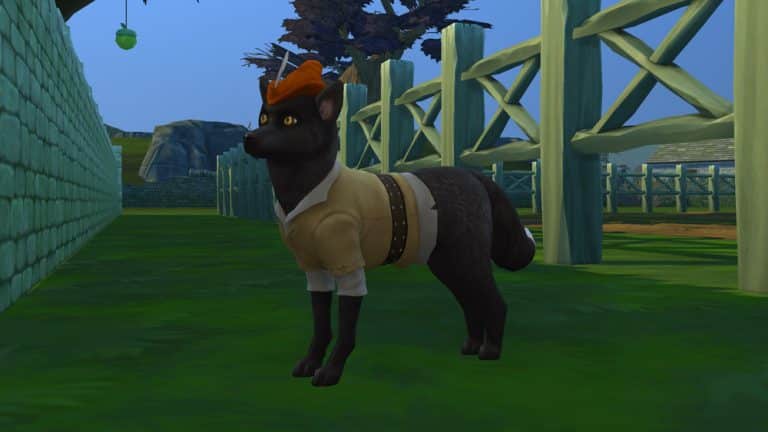
Is a Wild Fox bothering you and your Animals?

You can immediately get rid of it in a more…natural way. Shift + Click on a Wild Fox of your choice and select “Old Age”. This will make the Fox immediately start dying of old age.

Uhmm…

This one is pretty self-explanatory. You can unlock this interaction by Shift + Clicking on a Sim of your choice.

Death by Rabbit in Cottage Living


The Sims 4 has started offering a “Motherlode Shortcut” to Players

17

The Sims 4 is somewhat known for its helpful ways of recommending cheats to the player. Whether it’s a Tip on The Sims 4’s Home Page or in the game’s loading screen, the game often finds a way to remind the player that there are cheats in the game.

However, we really haven’t seen The Sims 4 offering help or shortcuts while actually playing the game – up until now.

@CarlsSimGuides reports that their friend has just recently gotten the following message while playing the game:

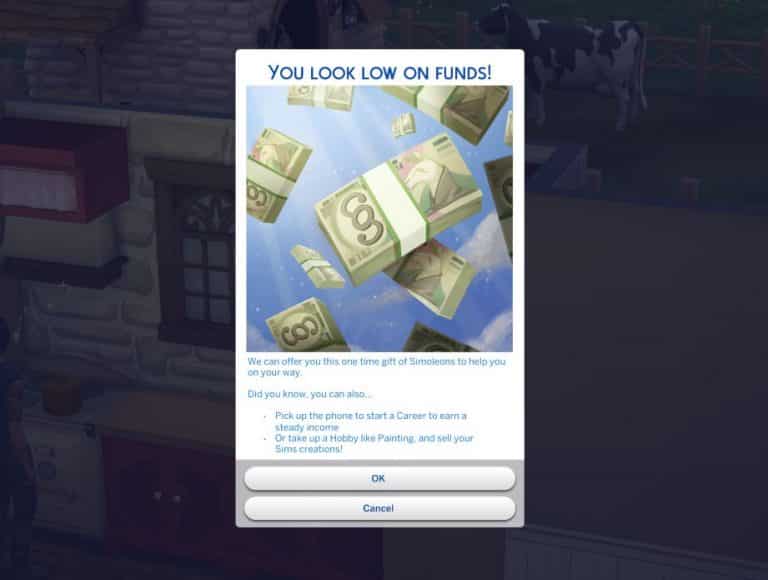
The Sims 4 has started offering a “Motherlode Shortcut” to Players

As you can see in the prompt screen above the game notifies the player that they are running low on funds and that they have a one time Simoleons offer, with some tips on how you can earn Simoleons in the game. If the offer is accepted you’ll be given 50,000 Simoleons – which is the same amount of Simoleons you get after typing in the motherlode cheat. Of course this shortcut is only optional and you can choose to cancel the offer.

He explained that the message popped out once his friend started running low on funds in the game. To make things a bit more weird the sum that his friend had was 2,280 Simoleons – which to be frank isn’t a drastically low amount for a message like this to be popping out.

Right now we don’t know when exactly did The Sims Team implement this chance feature in the game nor how rare it is, but we can confirm that it is featured in The Sims 4 after confirming this prompt screen is included now in the game files.

Do you like this idea of “one time gifts” in The Sims 4 or do you prefer for features like this to be exclusive for the cheat console? Let us know in the comments!

The Sims 4 Cottage Living: All About Wild Foxes

In The Sims 4 Cottage Living, your Sims can meet and befriend a variety of wild animals, like bunnies, foxes, and even birds! Becoming friends with these animals offers your Sims several different perks and benefits, particularly when it comes to protecting your home from fox heists!

Read on to learn more about wild foxes!

Meeting Wild Foxes

The Sims 4 Cottage Living: All About Wild Foxes

If your Sims want to meet wild foxes, they can find them running around all over Henford-on-Bagley. If you want to meet wild foxes outside of Henford-on-Bagley, you’ll have to assign the new Wild Foxes lot challenge to your lot in other worlds.

Wild foxes do not have an object they return to, like bunnies and wild birds so you’ll just have to keep an eye out for them roaming around the area.

Once you find a wild fox, it’s best to avoid most interactions at first. The fox won’t trust you and all socials are likely to fail. Instead, have your Sim watch the fox until you’ve built up a bit of a relationship with it. At least a quarter filled friendship bar is recommended before trying to attempt other socials.

Socializing with Wild Foxes

Once the fox trusts you enough, you can start trying out other socials with it. There are various conversation socials, both mean and friendly. You can see which interactions are mean and which ones are friendly by the icon next to it. Your Sim can also sing to the fox which is a social with an adorable new animation.

Singing to the fox can have good or bad results. When the interaction is successful, the fox will howl along and sing with your Sim. When the interaction fails, the fox will cower and growl at your Sim.

You can also name foxes by clicking on them and dress them up in various outfits obtained from the Creature Keeper in the Bramblewood. This can be a good way to differentiate foxes you’ve befriended from foxes that are still strangers.

The Sims 4 Cottage Living: All About Wild Foxes

Foxes are more of a pest than anything else. They aren’t particularly helpful like the bunnies and birds and will make life difficult for you. They will attack and kill any bunnies on the property, which is not only sad but also frustrating if that bunny was helping you in your garden. They will kill your chickens, too. Foxes will also sneak into the chicken coop and steal your eggs. There are various countermeasures you can take against foxes, such as installing a fox alarm on your coops and owning llamas or dogs as pets. Llamas will spit at foxes trying to harm your livestock and dogs will chase foxes away from the property for you. You can also shoo them away yourself.

The Sims 4 Cottage Living: All About Wild Foxes
A chicken coop with a fox alarm installed. The alarm goes off and scares away the fox when it attempts to get into the coop.

Another way to get foxes to leave your livestock and eggs alone is by befriending them. Once your Sim becomes Good Friends with a wild fox, you can ask it not to steal from you. Each wild fox has its own individual relationship with your Sim so if you really want your home protected, you’ll have to do this for each individual fox in the area.

Gifting the Foxes

Another good way to build a relationship with wild foxes is to bring them presents. Many different things can be given to wild foxes as gifts. You may have more gift options depending on which add-on packs you have installed. Here are the different types of items that can be gifted to wild foxes:

  • Flowers
  • Fish
  • Farmed Insects (Eco Lifestyle)
  • Eggs
  • Drinks
  • Cross-Stitch
  • Canned Goods
  • Books
  • Wool
  • Wooden Sculptures
  • Wild Insects (Outdoor Retreat)
  • Veggie Meals
  • Produce
  • Paintings
  • Milk
  • Meat Meals

Each fox has its own gift preferences and it’s largely trial-and-error figuring out those preferences. Your Sim will just have to try gifting it many different types of things to discover what it likes. You don’t need to be scared of gifting the wrong item, though; we found that giving a fox any gift would increase relationship slightly, even if it was a gift it didn’t particularly like. Liked and loved gifts provided the biggest relationship boost, however. Sims with the Animal Enthusiast trait have a slight advantage when it comes to gifting wild animals; they have the ability to Discover Gift Preferences on wild animals.

The Sims 4 Cottage Living: All About Wild Foxes

Once your Sim has gifted the fox, you will see a thumbs down, a thumbs up, or a heart next to that category of items the next time you try to gift it. This reminds you of the fox’s preferences you’ve discovered so far so you don’t have to commit it to memory. Each fox has a set of disliked gifts, a set of liked gifts, and one favourite type of item. Once you discover a fox’s favourite gift, it will be listed on   its info panel when you hover over the fox.

Wild foxes can also give your Sim gifts. If you’ve built up a friendship with a fox, you can sometimes receive a gift from it when you click on the Gifting social category. Sims can receive many different types of items from wild foxes, including animals treats and food.

Benefits of Wild Fox Friendship

The only real benefit to befriending foxes is to convince them to stop being aggravating pests. They don’t do anything to help you like the bunnies and birds do. Unless you really want the occasional gifts they can bring you, it’s probably a lot easier and faster to just own a llama or a dog or have coop alarms installed to keep the annoying critters away from your property.

The Sims 4 Cottage Living: All About Wild Birds

In The Sims 4 Cottage Living, your Sims can meet and befriend a variety of wild animals, like bunnies, foxes, and even birds! Becoming friends with these animals offers your Sims several different perks and benefits, particularly when it comes to gardening.

Read on to learn more about wild birds!

Meeting Wild Birds

If your Sims want to meet wild birds, they’ll have to go to the new world that comes with this expansion, Henford-on-Bagley. You don’t have to live in Henford-on-Bagley in order to build a relationship with the wild animals there. You can take a day trip or a vacation there in order to meet the wild creatures. If you own the Outdoor Retreat game pack, we recommend pitching a tent up in the national park in the Bramblewood area of this world and spending a few days roaming the area. This neighbourhood has plenty of bird and rabbit houses all around the area.

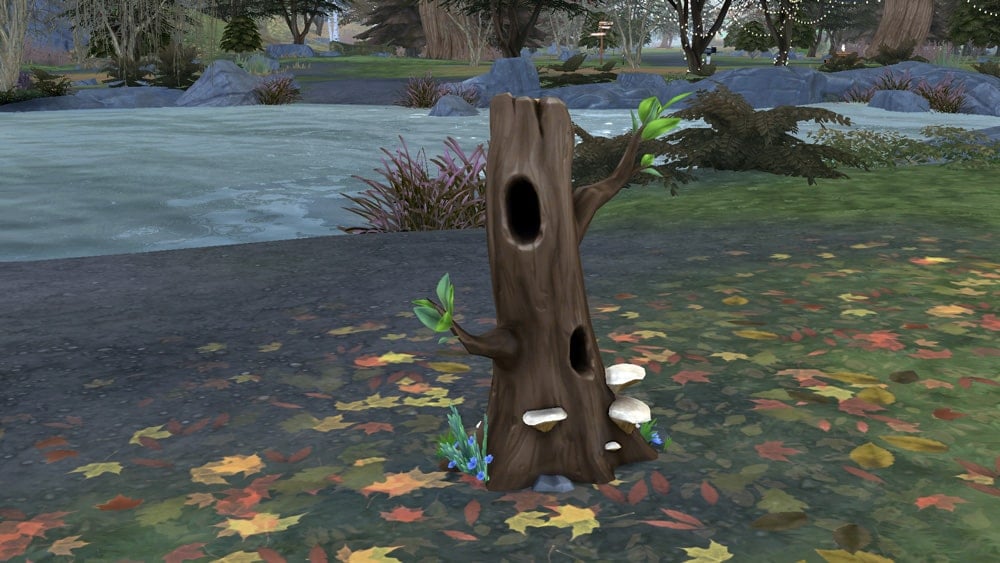
Look for wild bird houses around the area; they look like tall, slender stumps with small holes in them. An example below:

The Sims 4 Cottage Living: All About Wild Birds

Once you find a wild bird home, it’s best to avoid most interactions at first. The birds won’t trust you and all socials are likely to fail. Instead, have your Sim watch the birds until you’ve built up a bit of a relationship with them. At least a quarter filled friendship bar is recommended before trying to attempt other socials.

Socializing with the Birds

The Sims 4 Cottage Living: All About Wild Birds

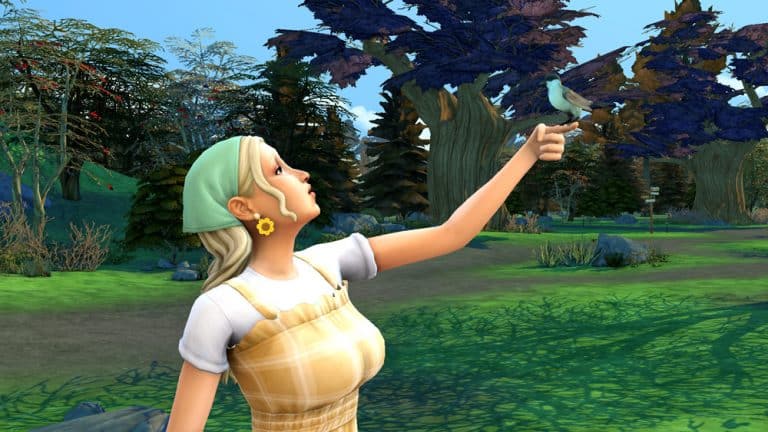
Once the birds trust you enough, you can start trying out other socials with them. There are various conversation socials, both mean and friendly. You can see which interactions are mean and which ones are friendly by the icon next to it. Your Sim can also sing to the birds which is a social with an adorable new animation.

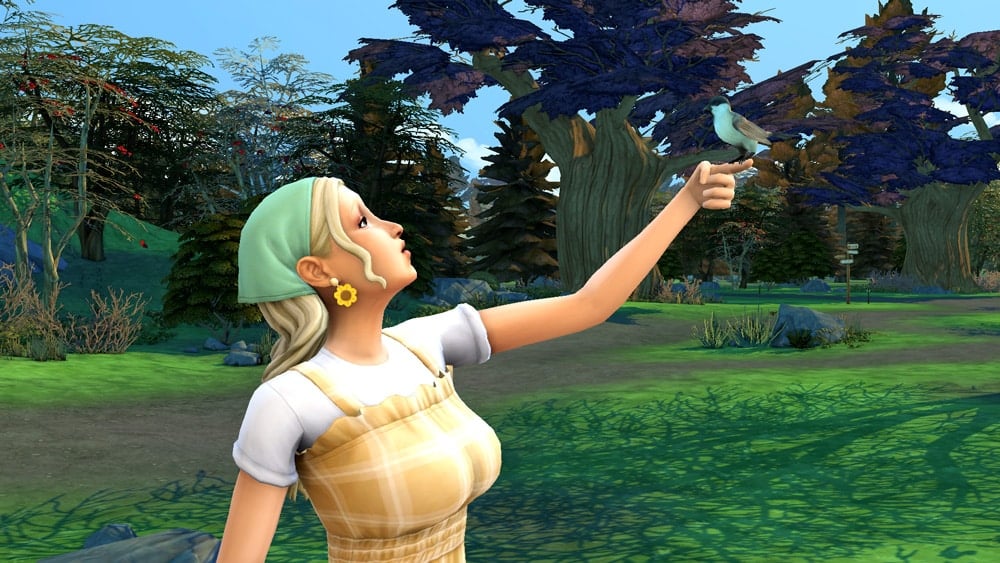
Singing to the birds can have good or bad results. When the interaction is successful, the birds will perch on your Sim’s hand and sing with your Sim. When the interaction fails, your Sim will get pooped on.

The Sims 4 Cottage Living: All About Wild Birds

Unlike the wild bunnies and foxes, your Sim will befriend the entire flock instead of individual birds. They will show up in the relationship panel as Flock of Birds but you can rename the flock by clicking on their bird house. Since your Sim interacts with the entire flock as one, you cannot name their home and the birds separately like you can with bunnies. Renaming the bird house renames the flock as well.

Gifting the Birds

A good way to build a relationship with wild birds is to bring them presents. Many different things can be given to wild birds as gifts. You may have more gift options depending on which add-on packs you have installed. Here are the different types of items that can be gifted to wild birds:

  • Flowers
  • Fish
  • Farmed Insects (Eco Lifestyle)
  • Eggs
  • Drinks
  • Cross-Stitch
  • Canned Goods
  • Books
  • Wool
  • Wooden Sculptures
  • Wild Insects (Outdoor Retreat)
  • Veggie Meals
  • Produce
  • Paintings
  • Milk
  • Meat Meals

Each flock of birds has their own gift preferences and it’s largely trial-and-error figuring out those preferences. Your Sim will just have to try gifting them many different types of things to discover what they like. You don’t need to be scared of gifting them the wrong item, though; we found that giving them any gift would increase relationship slightly, even if it was a gift they didn’t particularly like. Liked and loved gifts provided the biggest relationship boost, however. Sims with the Animal Enthusiast trait have a slight advantage when it comes to gifting wild animals; they have the ability to Discover Gift Preferences on wild animals.

The Sims 4 Cottage Living: All About Wild Birds

Once your Sim has gifted the flock, you will see a thumbs down, a thumbs up, or a heart next to that category of items the next time you try to gift them. This reminds you of their preferences you’ve discovered so far so you don’t have to commit it to memory. Each flock has a set of disliked gifts, a set of liked gifts, and one favourite type of item. Once you discover a flock’s favourite gift, it will be listed on their info panel when you hover over either their home or their portrait in the relationship panel.

Wild birds can also give your Sim gifts. If you’ve built up a friendship with them, you can sometimes receive a gift from them when you click on the Gifting social category. Sims can receive many different types of items from wild birds, including animals treats and food.

Benefits of Wild Bird Friendship

Once your Sim has become friends with a flock of birds in Henford-on-Bagley, they unlock the wild bird house in Build/Buy to place on their home lot. This allows you to always have bird friends nearby, even if your Sims don’t live in Henford-on-Bagley.

Becoming friends with a flock of birds also allows your Sim to ask them for gardening help. While a flock of birds is helping in the garden, they will eat any bugs around your plants for you so you don’t have to spray for bugs. They will also sing to any oversized crops you’re growing to encourage them to grow larger.

First information on Maxis’ New Simulation Game

6

Back in August 2019 we broke the news about Maxis opening up their studio in Austin, Texas to develop a whole new IP (Franchise, or in this case Intellectual Property) that’s supposed to be entirely different from The Sims Franchise. There’s also been a very quiet announcement from EA in January 2020 that a new IP is in the works.

Today, we have some first news regarding what this whole new game is supposed to be about. In the screenshots first posted by @PattonKieran we can see the first details regarding this IP and its development.

From to the job experience listing that was posted we know the following:

  • It’s a Simulation HD Game (PC / Consoles)
  • Developed / Prototyped in Unreal Engine 4
  • The game features a “3D Menu Navigation”
  • Includes “Super Abilities”
  • Comes with “Co-Op Player vs Environment” Events

First information on Maxis’ New Simulation Game

We’ve investigated this finding and the information checks out. The UI work began sometime around 2018, after which Maxis expanded its studio to Austin, Texas to help support the new IP.

The page also included an image of a Maxis logo in purple starry sky background, possibly giving hints at what this new Simulation game is all about:

First information on Maxis’ New Simulation Game

We currently don’t know at which stage of the game development this game is, but from all the information we have so far we can say that it’s been in the works for a few years now.

Since this is a new Intellectual Property it means that we can expect a whole new Simulation Game from Maxis, and not a successor or a spin-off to some of Maxis’ current titles such as The Sims, SimCity, Spore and more.

Information that there are multiple teams at Maxis working on multiple games has already been made public thanks to EA Careers’ listings over the last few months. At the moment there are mentions of three seperate Maxis Studios from the job opportunities that were listed over the last couple of months:

It could either take Maxis a couple of months or a couple of years for them to announce this game, all depending on at which development stage this game is. We’ll definitely keep you posted about all the details here on Sims Community!

Tip: PekeSims

The Sims 4 Cottage Living: Finchwick Fair Guide

Presented by EA Game Changers

In The Sims 4 Cottage Living, Sims can participate in the Finchwick Fair! The Finchwick Fair is a weekly event that allows your Sim to show off their animals, crops, and cooking for the chance to win collectible ribbons and other prizes.

Read on to learn more about the Finchwick Fair!

Fair Schedule and Themes

The Finchwick Fair happens every Saturday at 3:30pm and ends at 9:30pm. The Fair takes place in the Finchwick district of Henford-on-Bagley right outside the pub where there is normally just an empty plot of grass during the week. You can see when the Finchwick Fair is happening by looking at the calendar. You can also find information about the Fair from the various info boards displayed around Henford-on-Bagley. You’ll also receive a popup notification in the upper right-hand corner of your screen when the Finchwick Fair is starting so you don’t forget.

The Finchwick Fair rotates through five different themes, so make sure you check the calendar or an info board to get filled in on what the theme for the next Fair is. You’ll want to be prepared ahead of time if you plan to compete.

Finchwick Chicken Fair

The Sims 4 Cottage Living: Finchwick Fair Guide

The Finchwick Chicken Fair is the time for your Sims to show off their finest chickens and eggs! Both chickens and eggs can be entered into the competition. Your Sim can enter only one of each type, so one chicken and one egg. Make sure you have a chicken and an egg in your inventory if you plan to compete.

The Finchwick Cow Fair
The Sims 4 Cottage Living: Finchwick Fair Guide

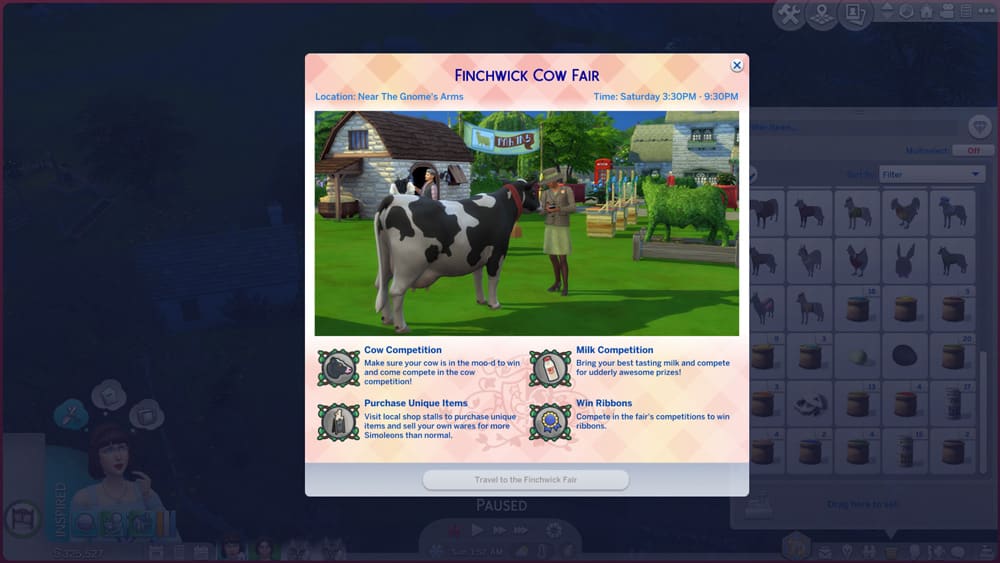
MOOOOO!!! The Finchwick Cow Fair is all about your bovine buddies! Enter your finest cow to be judged in the competition and compete with your tastiest bottle of milk! To enter a cow or milk into the competition, make sure you have your cow and a bottle of milk in your inventory.

The Finchwick Garden Fair
The Sims 4 Cottage Living: Finchwick Fair Guide

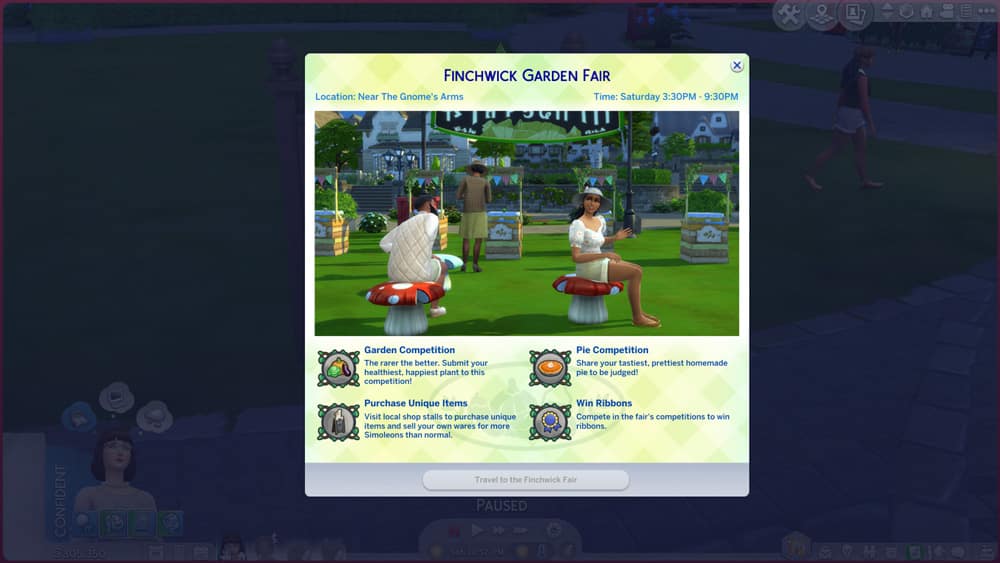
Put your crop-raising and pie-baking skills to the test in the Finchwick Garden Fair! Bring your tastiest pie and finest fruit or veggie to be judged in the competition, but no oversized crops! There’s a separate Fair for that. The Garden Fair is for regular sized fruits and veggies, only.

The Finchwick Oversized Crop Fair

The Sims 4 Cottage Living: Finchwick Fair Guide

Think you have the biggest pumpkin in town? Prove it and bring it to the Oversized Crop Fair to be judged against other giant crops! And if you can’t get enough pie, the Oversized Crop Fair also hosts a pie competition.

The Finchwick Llama Fair

The Sims 4 Cottage Living: Finchwick Fair Guide

Llamas and wool get their chance to shine at the Finchwick Llama Fair! Bring your best llama with you to be judged and don’t forget a sample of their finest wool, either! To enter a llama into the competition, make sure it’s in your Sim’s inventory before you head to the fairgrounds.

Participating in the Finchwick Fair

The Sims 4 Cottage Living: Finchwick Fair Guide

To enter your animals into the Finchwick Fair, make sure the animal is in your inventory when you arrive at the fairgrounds. To do this, click on your animal while it is outside the coop or shed and select Put in Inventory. If you intend to submit a pie, fruit/veggie, or animal product into the competition, too, then make sure you have those in your inventory as well.

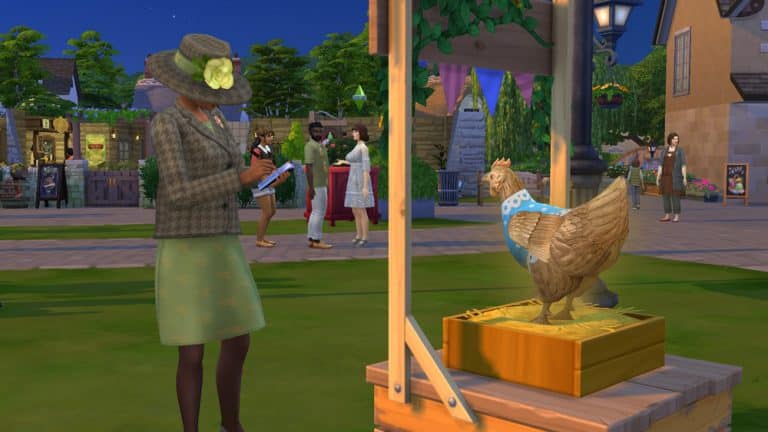
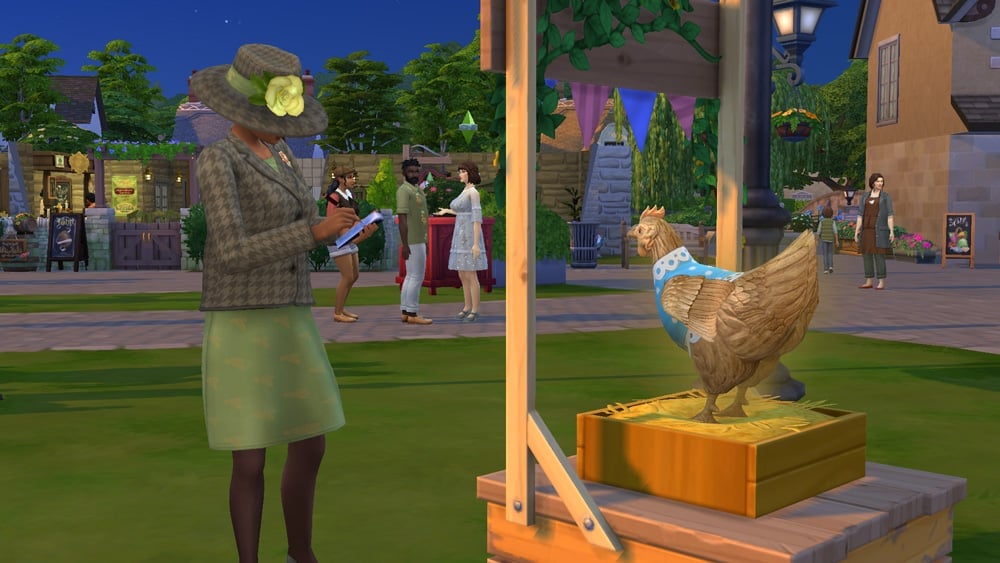
When you arrive at the Fair with your animals and products, you’ll see designated areas for whatever is being judged that week. Click on the designated areas to enter your animals and items. Then it’s just a matter of waiting for the mayor to judge your entries. She’ll wander around the fairgrounds periodically, taking notes on the different entries. If your Sim is feeling a bit mischievous, they can try to bribe her to secure a win but this is risky. If it fails, you’ll actually hurt your chances for a win.
The Sims 4 Cottage Living: Finchwick Fair Guide

For animal entries, “special” animals like Golden Chickens, and Rainbow Cows and Llamas tend to fare better in the competition but stats and relationship are the most important factors. A very happy animal that is clean, well-fed, and content with a high relationship with its owner has much better odds of winning than an animal with average stats and a neutral relationship with your Sim. In our experience, dressing the animals didn’t appear to make much of a difference but there doesn’t seem to be any harm in dressing up your animals for the Fair.

For animal products, grown produce, and pies, the quality matters the most. Excellent and Perfect quality items will do best in the competition but you can also help boost your chances by entering special items, like golden eggs or rainbow milk. For oversized crops, size is the main determining factor but you will also want your oversized crop to be healthy and high quality.

The Sims 4 Cottage Living: Finchwick Fair Guide

While you are waiting for the judging to take place, we recommend stopping by the market stalls to pick up some specialty items you can’t ordinarily buy on non-Fair days. You can also sell your own products at an extra 10% profit, so waiting for the Finchwick Fair to sell your extra crafts and animal products can be a great way to maximize your farm’s income. You can also check out the other entries and socialise with the locals at the pub.
You’ll be notified whether you won at the end of the festival at around 10:30pm. Any animals entered will be automatically returned to the household inventory (not your Sim’s inventory) and any ribbons or other items your Sim won will appear in their personal inventory. The Finchwick Fair ribbons are part of a new collection in the game. There are participation ribbons, as well as ribbons for 1st, 2nd, and 3rd place in the various competition categories. For more information about the Finchwick Fair Ribbons collection, see our guide, The Sims 4 Cottage Living: Collection Guide.