Home Blog Page 269

The Sims 4 Get Famous is Now Available on Xbox One and PS4!

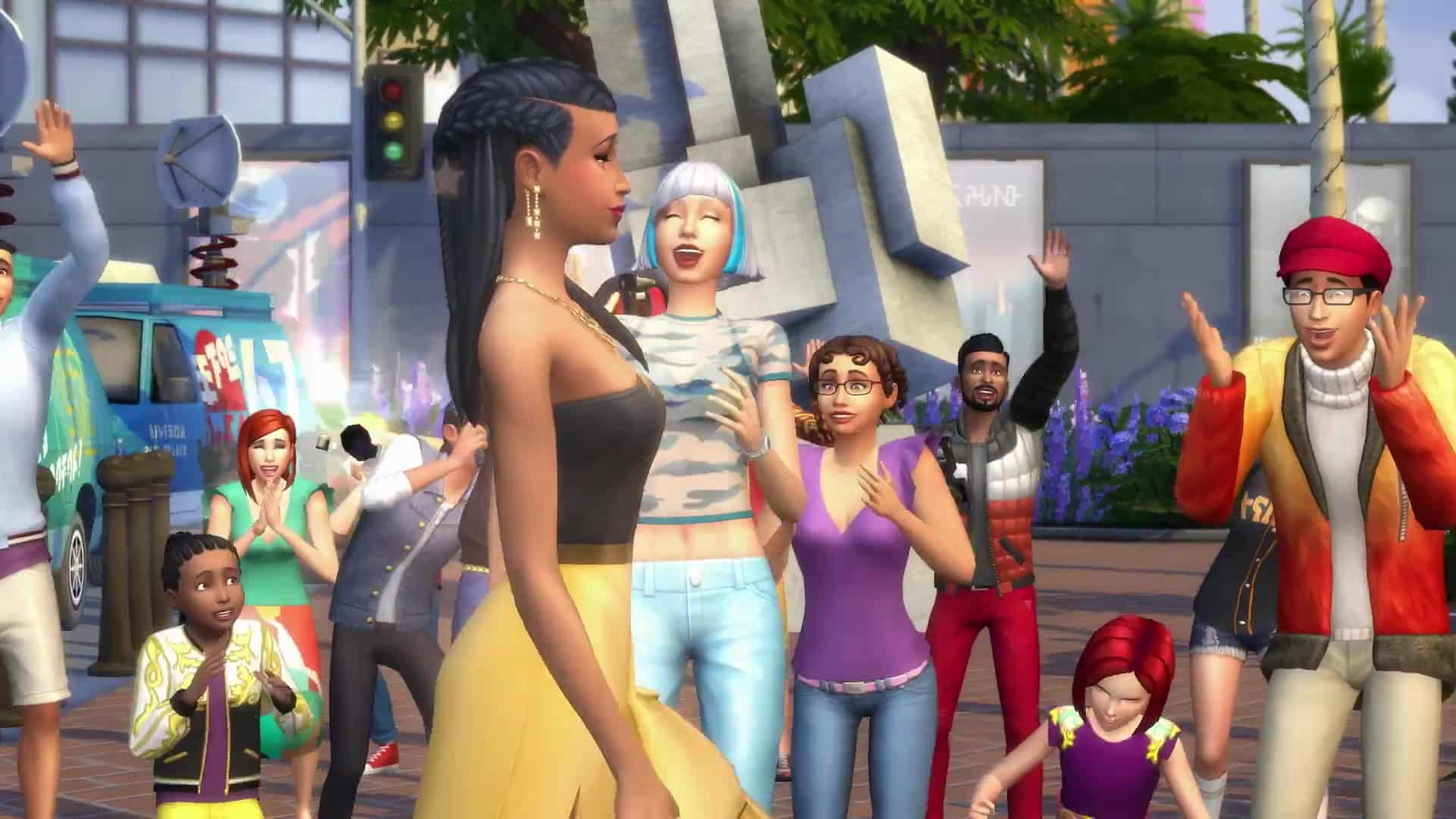
Good news console players – you are now able to enjoy the 6th Expansion Pack for The Sims 4 – Get Famous on Xbox One and PS4!

This Expansion Pack is now available for purchase and download on the Microsoft and Sony official stores, as well as plenty of retail stores worldwide!

The Sims™ 4 Get Famous Celebrity Life Trailer 071

The Sims Mobile: Be My Valentine Event + Quest Walkthrough

Presented by EA Game Changers

The Sims Mobile is launching a brand new event in the game called Be My Valentine! This event is going to be available in the game starting February 12th, 2019 at 10AM PST all the way through February 21st at 10AM PST. During this period you’ll be able to perform all sorts of Valentine-themed events, gain special tokens and purchase new items!

The Be My Valentine Event comes with a new limited-time quest where you can gain token rewards, simoleons and most importantly, if you finish the quest in time, the My Bitter Valentine Relationship Story!

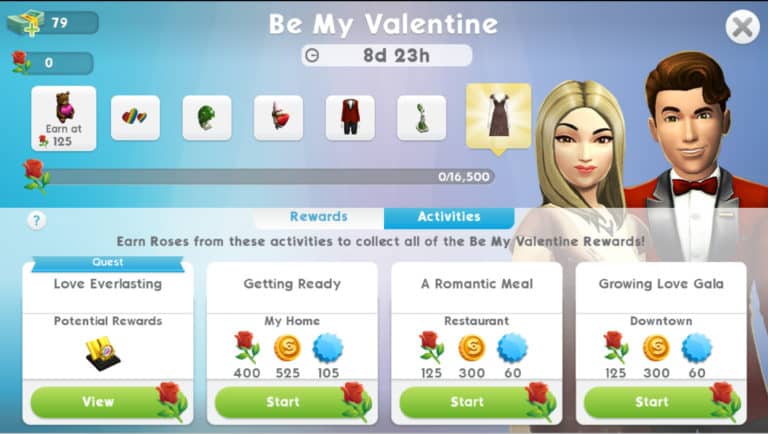
The Be My Valentine Event Menu consists of the following segments:

  • The progress bar of the Roses tokens that you’ve unlocked through various events and activities. As the progress bar fills up you’ll be unlocking new items that have been marked below.
  • The rewards section where you can unlock new items in exchange for Roses.
  • The activities section that lists all the events that you’ll be able to perform that’ll grant you Roses, Simoleons and XP points.

Event Items

There are seven different items that you can unlock through the progress bar of Roses. The most valued item that you’ll be able to unlock is the Growing Love Gown, worth 16,500 Roses tokens.

Don’t be afraid to spend the Roses tokens as you fill up the progress bar – the game won’t subtract any spent tokens as it only counts the tokens you’ve earned in igeneral.

The Sims Mobile: Be My Valentine Event + Quest Walkthrough

Event Rewards

Event Rewards are the rewards that you’ll be able to claim in exchange for Roses. There are 16 items in total that you’ll be able to unlock that all have different values and prices.

Down below you can check out the full overview and cost of each and every item:

The Sims Mobile: Be My Valentine Event + Quest Walkthrough

Event Quest – Love Everlasting

There’s a special limited-time quest where you’ll be able to earn Roses and other tokens throughout each and every quest step. Down below you can check out the full walkthrough of the Love Everlasting Quest:

  • Part 1: Earn 30 Simoleons.
  • Part 2: Complete Dream of True Love Event in a bed.
  • Part 3: Complete an event.
  • Part 4: Spend 300 Roses.
  • Part 5: Give stickers to 5 Sims.
  • Part 6: Complete an event.
  • Part 7: Change your appearance.
  • Part 8: Complete an event.
  • Part 9: Earn 650 Simoleons.
  • Part 10: Complete any 5 events.
  • Part 11: Collect 600 Roses.
  • Part 12: Complete all LlamaZoom tasks and collect rewards.
  • Part 13: Complete any 5 events.
  • Part 14: Earn 650 Simoleons.
  • Part 15: Complete 3 standard career, hobby, or relationship events.
  • Part 16: Complete all LlamaZoom tasks and collect rewards.
  • Part 17: Complete 3 standard career, hobby, or relationship events.
  • Part 18: Earn 750 Simoleons.
  • Part 19: Complete all LlamaZoom tasks and collect rewards.
  • Part 20: Complete 2 long events in any career, relationship or hobby.
  • Part 21: Earn 1,000 Simoleons.
  • Part 22: Complete all LlamaZoom tasks and collect rewards.
  • Part 23: Collect 1,200 Roses.
  • Part 24: Complete 3 long events in any career, relationship or hobby.

The Sims Mobile: Be My Valentine Event + Quest Walkthrough

Video Walkthrough

The Sims 4 Movie Hangout Stuff Coming Next Week to Consoles

The Sims team today have revealed when the next piece of content will be available for console players, In fact, the next pack will be Movie Hangout Stuff and it is releasing next week on the 19th February. That is just a week after The Sims 4 Get Famous is released for Xbox One and PlayStation 4 players. So grab some popcorn and catch your Sims on the big screen in the comfort of your Sims home!


Countdown to the release of The Sims 4 Get Famous on Xbox One and PS4

Countdown to the release of The Sims 4 Get Famous on Xbox One and PS4

The Sims 4 Get Famous Expansion Pack is just around the corner for Console players!

This Expansion Pack is being released for Xbox One and PS4 in less than 3 months after the release on PC and Mac.

As you may already know, the official release date for The Sims 4 Get Famous Expansion Pack for Xbox One and PS4 is on February 12th, 2019. If we take in consideration the previous Expansion Pack releases that happened on Console, we can expect the pack to come out at 10AM PT / 7PM CET / 6PM BT.

Time zones are definitely confusing which is why we wanted to help you out with the countdown below! The countdown is ticking until the exact time that we’ve listed above. It’s set so that no matter which time zone do you belong it’ll count down to zero, which is when the pack will be available for download.

Countdown to worldwide release

[ult_countdown count_style=”ult-cd-s2″ datetime=”2019/02/12 19:00:00″ countdown_opts=”sday,shr,smin,ssec” br_style=”solid” br_size=”5″ br_color=”#7f1f56″ br_radius=”5″ timer_bg_color=”#7f1f56″ br_time_space=”5″ tick_col=”#ffffff” tick_sep_col=”#7f1f56″ tick_style=”font-weight:bold;” tick_size=”desktop:42px;” tick_line_height=”desktop:42px;” tick_unit_style=”font-weight:bold;” tick_sep_size=”desktop:18px;” tick_sep_line_height=”desktop:18px;”]

Countdown to the release of The Sims 4 Get Famous on Xbox One and PS4

Origin Surprise Sale: Get The Sims 4 Romantic Garden Stuff for 50% off!

Another week – another Stuff Pack Origin Surprise Sale!

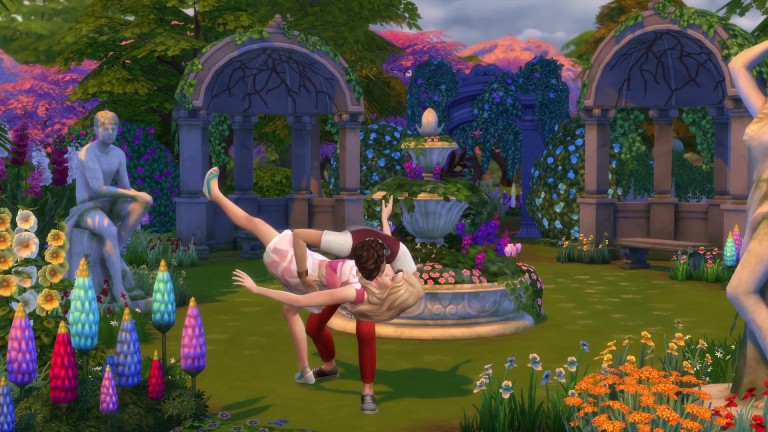
This week Origin is offering The Sims 4 Romantic Garden Stuff Pack for 50% off! This means that you’ll be able to get this pack in the following days for only 5USD (or the appropriate currency that’s used in your country).

Just like with previous Stuff Packs that went through the same sale, this pack is going to be available for the next 6-7 days. We can expect either an end to Stuff Pack Surprise Sales or a new sale offer to pop out this Sunday, February 17th 2019.

You can take advantage of this offer exclusively through Origin.com or the Origin client program!

Origin Surprise Sale: Get The Sims 4 Romantic Garden Stuff for 50% off!

The Sims Mobile: Quest For Love, Valentine’s Event Head Start Quest Walkthrough

Presented by EA Game Changers

The Sims Mobile has just started with their latest quest called the Quest For Love! This is a Head Start Quest for the upcoming Valentine Event that we assume begins next week.

The thing about Head Start Quests is that they’re crucial for big Events that they’re preparing the player for. For example, the previous Winterfest Head Start Quest helped you unlock items that made the events for the actual Winterfest Event much shorter so you could complete the events quickly and get the tokens you need in time.

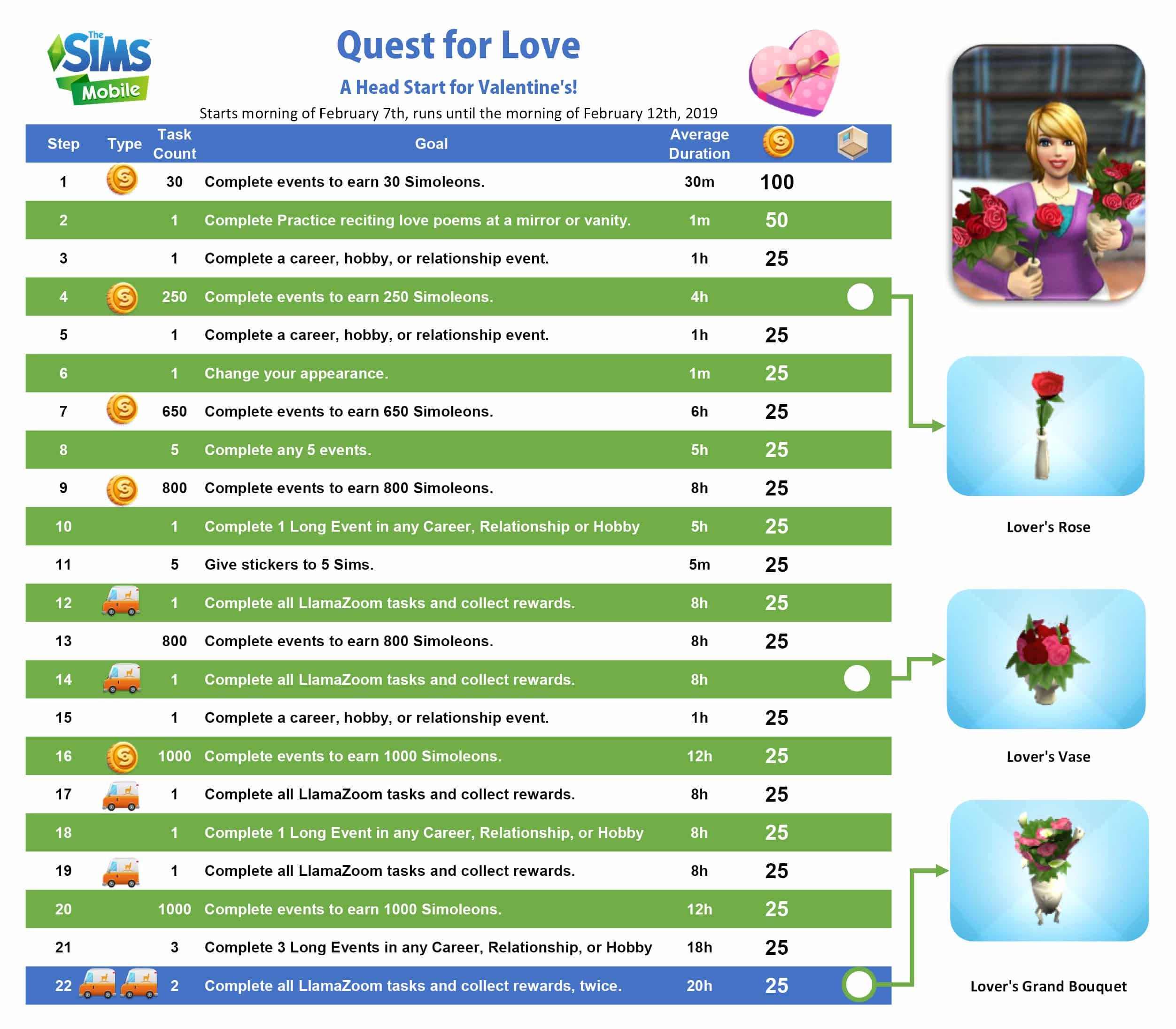
Down below you can check out the full walkthrough of the Quest For Love Quest!

  • Part 1: Complete events to earn Simoleons (30 Simoleons).
  • Part 2: Complete Practice Reciting Love Poems at a mirror or vanity.
  • Part 3: Complete an event.
  • Part 4: Earn 250 Simoleons.
  • Part 5: Complete an event.
  • Part 6: Change your appearance.
  • Part 7: Earn 650 Simoleons.
  • Part 8: Complete any 5 events.
  • Part 9: Earn 800 Simoleons
  • Part 10: Complete 1 Long Event in any Career, Relationship, or Hobby.
  • Part 11: Give stickers to 5 Sims.
  • Part 12: Complete all LlamaZoom tasks and collect rewards.
  • Part 13: Earn 800 Simoleons.
  • Part 14: Complete all LlamaZoom tasks and collect rewards.
  • Part 15: Complete an event.
  • Part 16: Earn 1,000 Simoleons.
  • Part 17: Complete all LlamaZoom tasks and collect rewards.
  • Part 18: Complete 1 Long Event in any Career, Relationship, or Hobby.
  • Part 19: Complete all LlamaZoom tasks and collect rewards.
  • Part 20: Earn 1,000 Simoleons.
  • Part 21: Complete 3 Long Events in any Career, Relationship, or Hobby.
  • Part 22: Complete all LlamaZoom tasks and collect rewards. (2 times)


The Sims Mobile: Quest For Love, Valentine’s Event Head Start Quest WalkthroughThe Sims Mobile: Quest For Love, Valentine’s Event Head Start Quest WalkthroughThe Sims Mobile: Quest For Love, Valentine’s Event Head Start Quest WalkthroughThe Sims Mobile: Quest For Love, Valentine’s Event Head Start Quest WalkthroughThe Sims Mobile: Quest For Love, Valentine’s Event Head Start Quest WalkthroughThe Sims Mobile: Quest For Love, Valentine’s Event Head Start Quest WalkthroughThe Sims Mobile: Quest For Love, Valentine’s Event Head Start Quest WalkthroughThe Sims Mobile: Quest For Love, Valentine’s Event Head Start Quest WalkthroughThe Sims Mobile: Quest For Love, Valentine’s Event Head Start Quest WalkthroughThe Sims Mobile: Quest For Love, Valentine’s Event Head Start Quest WalkthroughThe Sims Mobile: Quest For Love, Valentine’s Event Head Start Quest WalkthroughThe Sims Mobile: Quest For Love, Valentine’s Event Head Start Quest WalkthroughThe Sims Mobile: Quest For Love, Valentine’s Event Head Start Quest WalkthroughThe Sims Mobile: Quest For Love, Valentine’s Event Head Start Quest WalkthroughThe Sims Mobile: Quest For Love, Valentine’s Event Head Start Quest WalkthroughThe Sims Mobile: Quest For Love, Valentine’s Event Head Start Quest WalkthroughThe Sims Mobile: Quest For Love, Valentine’s Event Head Start Quest WalkthroughThe Sims Mobile: Quest For Love, Valentine’s Event Head Start Quest WalkthroughThe Sims Mobile: Quest For Love, Valentine’s Event Head Start Quest WalkthroughThe Sims Mobile: Quest For Love, Valentine’s Event Head Start Quest WalkthroughThe Sims Mobile: Quest For Love, Valentine’s Event Head Start Quest WalkthroughThe Sims Mobile: Quest For Love, Valentine’s Event Head Start Quest Walkthrough

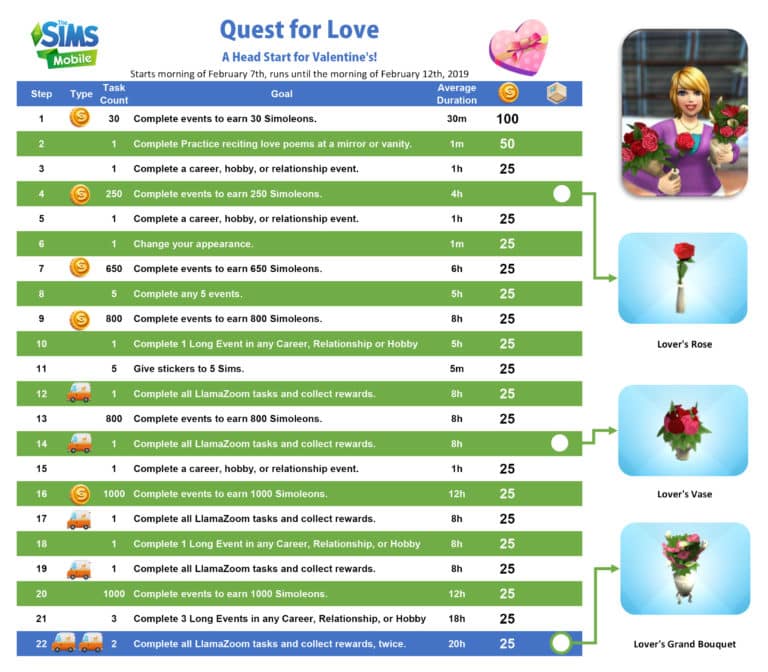
Down below you can check out the full overview of all the quest steps and the items that you can unlock with each one:

The Sims Mobile: Quest For Love, Valentine’s Event Head Start Quest Walkthrough

The Sims Mobile: Valentines Event Coming Soon

1

UPDATE: The Sims Mobile has just posted the following image, teasing the upcoming event:

The Sims Mobile: Valentines Event Coming Soon

The Sims Mobile Team seems to have “accidentally” revealed the upcoming event for The Sims Mobile!

The “My Heirloom Collection” Menu in the game now shows a whole new Heirloom that hasn’t made an appearance before in the game called “My Bitter Valentine”. This heirloom is marked as “Uncommon” and can be unlocked via the “Bitter Valentine Storybook”.

Right now we don’t have any official information regarding when the Valentines Event could arrive to The Sims Mobile, but considering that the actual Valentines Day is only a couple of days away this Event should begin any day now.

Make sure you’re on a lookout on our website for all the latest updates about this Event!

IMG 1321

How to get the Prosperous Pig in The Sims Mobile (Limited Offer)

The Sims Mobile is currently offering a limited-time quest that’s probably one of the easiest ones we’ve had since the release of the game.

To celebrate the Lunar New Year, also known as the Year of the Pig, The Sims Mobile team released a brand new 1-step quest that’ll grant you the Prosperous Pig decor as seen in the image below:

How to get the Prosperous Pig in The Sims Mobile (Limited Offer)

To claim this item all you have to do is tap on any furniture in your home and select “Clean”. You’ll have to perform this interaction that requires 3 energy points 3 times in order to claim the Prosperous Pig.

IMG 1423

This short quest is active right now and available until February 11th, 2019.

The Sims Blog: In Loving Memory of Gerri Lawlor

2

Robie Kauker, Audio Director working on The Sims Franchise has just broke some very sad news today on the official The Sims Blog. Gerri Lawlor, the main female voice actress who worked on The Sims has sadly passed away.

Check out what Robi has to say about his loving memories of Gerri down below:

Dear Simmers,

We have received news of the passing of Gerri Lawlor. Gerri was the original female voice actress in The Sims and one of the main reasons Simlish is such a hilarious digital phenomenon.

Gerri was an amazing improvisational comedienne who brought her enormous personality to the mic. She was one of the funniest people with whom I ever had the opportunity to work. We were introduced to Gerri by Claire Curtin, who brought her in from the local San Francisco improv scene. Gerri’s generosity and willingness to try anything is one of my most cherished memories from over twenty years of making The Sims. It’s something I still lean on and learn from to this day.

Gerri and her male counterpart, Stephen Kearin, gave us the gift of side-splitting, deeply painful laughter on countless occasions in the studio, to the point of a rib fracturing in one session.

Their combined acts of sheer creative joy while playing with Simlish remain high points in my career and a constant reminder of how wonderful and fulfilling a creative life can be.

Gerri, we will miss you so much and are grateful for our time together.

Dag dag! (Gerri said it first.)

Robi Kauker, Audio Director

Xbox One Sale: Save up to 80% off on select The Sims 4 Games

Microsoft is currently having a HUGE sale where you can save up to 80% off on select games for The Sims 4 on Xbox One!

The sale includes the Base Game which has the biggest price cut (80% off), Expansion Packs and Bundles.

Here are all the packs that you can currently get for a limited discounted price:

  • The Sims 4 Base Game (80% off)
  • The Sims 4 Get To Work Expansion Pack (50% off)
  • The Sims 4 Get Together Expansion Pack (50% off)
  • The Sims 4 City Living Expansion Pack (50% off)
  • The Sims 4 Cats & Dogs Expansion Pack (50% off)
  • The Sims 4 Seasons Expansion Pack (50% off)
  • The Sims 4 Bundle: Cats & Dogs, Parenthood, Toddler Stuff (70% off)

This is probably one of the biggest Console sales so far so you better act quick! The sale is active right now and will be valid for the next 5 days. More specifically, it ends on February 11th, 2019.

Xbox One Sale: Save up to 80% off on select The Sims 4 Games

The Sims 4: Lunar New Year Content Update Video Overview

2

The Sims Team has just released a brand new update for The Sims 4 on PC / Mac which comes with more than 20 new items themed around the Lunar New Year. Wonder what the new items look like in the game? Check out the video above!

The Sims 4: New Update + Patch Notes! (February 5th, 2019)

The Sims 4: New Update + Patch Notes! (February 5th, 2019)

The Sims Team has released a brand new Update for The Sims 4 on PC and Mac!

To download the latest version of The Sims 4, simply open your Origin program and if the game doesn’t update automatically, right click on The Sims 4 and select ”Update”.

In case you have Mods or Custom Content, the game will automatically disable them for you after first launching The Sims 4 after the update. To re-enable all your Mods and Custom Content, select the Settings option in the Menu and select Settings. Under the”Other” section you’ll find the ”Enable Custom Content and Mods” option. Check it and restart your game in order for it to take effect!

Patch Notes

UPDATE: 2/5/2019 – PC 1.49.65.1020 / Mac 1.49.65.1220

Happy Lunar New Year! To our Chinese Simmers, and our Sims residing in Shang Simla, we wish you good fortune in 2019! Read on to discover the plenitude of newly added content that’ll ensure your Sims are ready to usher in the new year. Here at Maxis, we’ve also done some spring cleaning in preparation for the festivities… You’ll find we’ve swept away some crufty old issues that may have been causing trouble in your game.

NEW CONTENT

Lunar New Year

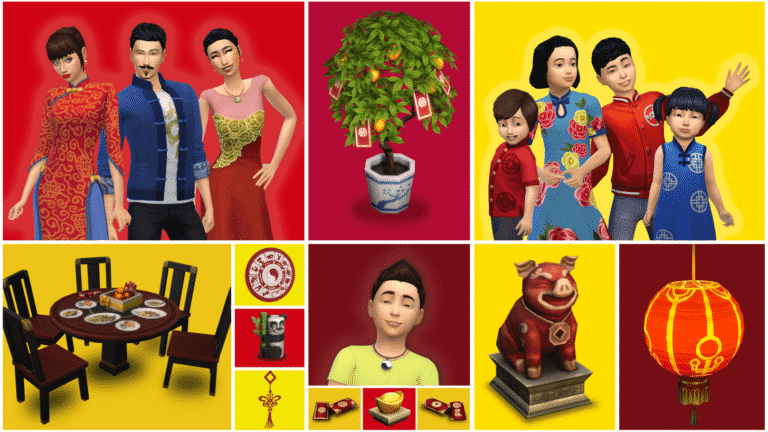
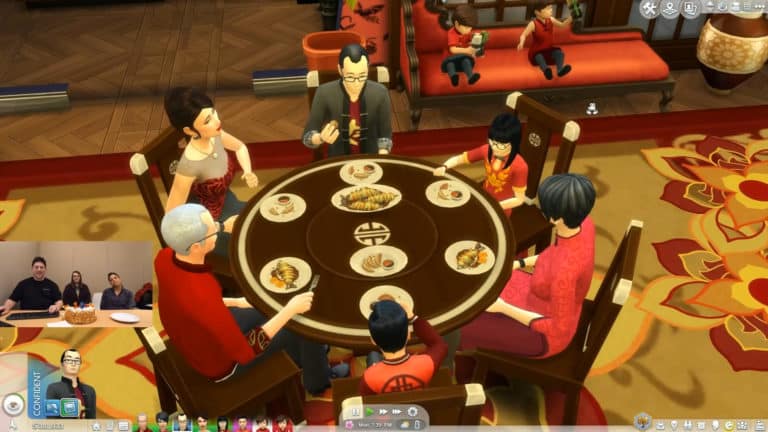
To instill your Sims with hope for prosperity in the year ahead, we’ve added everything you’ll need to throw an extravagant reunion dinner party. New recipes are available that symbolize wealth and abundance (be sure to leave one serving of fish behind to ensure you’re blessed with abundance for the entire year!). You’ll also find an elegant new dining set, festive decor, and colorful clothing for all ages to round out the celebration.

New Recipes

  • Vegetable Dumplings
    • Requires Level 1 Cooking Skill
  • Mud Carp
    • Requires Level 7 Cooking Skill

New Objects

  • Shadow of the Moon Table
    • A six seat round dining table – perfect for family meals!
  • Moon-Gazing Dining Chair
  • Fiery Moon Gift Centerpiece
  • Wealth of the Moon Envelopes
  • Lucky Citrus Tree of the Moon
  • Paper Lantern of the Wiseacre Moon
  • Symbols of the Watery Moon
  • Sycee of the Prosperous Moon
  • Moon Panda Toy
  • Year of the Pig Statuette

New Clothing & Accessories

  • Adults
    • Women
      • 2 dresses
      • 1 pair of fan earrings
      • 1 jade necklace
    • Men
      • 1 jacket
    • Children
      • Girls
        • 1 dress
      • Boys
        • 1 jacket
      • Unisex
        • 1 yin and yang necklace
      • Toddlers
        • Girls
          • 1 dress
        • Unisex
          • 1 hairstyle
          • 1 shirt

FIXES & UPDATES

The Sims 4

  • The Digitalistic Sketchpad will no longer occasionally lose the majority of its interactions.
  • Style Influencer Career interactions that were causing child Sims to become distorted are no longer available for selection on children.
  • Fixed an issue where ghost Sims were unable to use a Book of Life to resurrect themselves.
  • Seed Packets can no longer become hidden under the ground on slightly uneven terrain.
  • Being insulted by the Lin-Z Smart Speaker will now cause relationship loss between the Sim and the speaker.
  • Wake-up routines set on the Lin-Z Smart Speaker will now continue to run, even if a Sim no longer has a high relationship with the speaker.
  • The Gallery has a new size filter to assist in searching for 40×40 lots.
    • One caveat: The new filter will not find 40×40 lots that were uploaded to the Gallery prior to this game update.
  • Camera Positions saved to the “9” key could conflict with using the “9” key to raise an object in the air when the bb.moveobjects cheat is turned on. To resolve this, we’ve introduced the ability to clear out a previously saved camera position.
    • Existing Camera Position functionality:
      • “Ctrl” + “5-9” will set a saved camera position.
      • Once a camera position has been saved…
        • “5-9” keys will smoothly move the camera to that position.
        • “Shift” + “5-9” will immediately snap the camera to that position.
      • New Camera Position functionality:
        • “Alt” + “5-9” will remove a previously saved camera position from the selected number.
      • When time is paused after initially loading into a lot, pressing either the “~” or “p” keys will now unpause the game, instead of requiring that you press one of the game speed keys to unpause.
      • Hotkeys will no longer be able to open various Sim information panels that are locked during the Tutorial.
      • Fixed an issue where a Sim could become stuck in the Tutorial if they traveled to a park without taking a vacation day off from work.
      • Players will no longer be notified that someone has commented on their Gallery profile, if they were the ones writing a comment to their own profile.
        • It seems a little egotistical to comment on your own profile… but hey — we’re not judging you.
      • The main menu once again includes a link to the most recent patch notes.
        • If that’s how you’ve made your way to reading these very words, then hello — thanks for stopping by!

Get Together

  • Listening to music on the Lin-Z Smart Speaker will now count towards the Listen to Music club rule.

Cats & Dogs

  • Pet owners should, once again, no longer have their interaction queue become filled up with interactions.

Seasons

  • Leaf Piles should no longer become stuck in neighborhoods.
  • Fixed a clipping issue that occurred when wearing the toddler’s rain boots with certain pairs of pants.
  • Fixed two toddler hats which were causing unintended shadows to appear on the toddler’s eyes.

Get Famous

  • Fixed an error that was preventing players from saving their game if their celebrity Sim had the Lifestyle Brand fame perk and had received royalty payments.
  • The chicken mask is now available for selection in Create a Sim.
  • Sims will now consider the split level coffee table as a valid surface for setting down food and books.
  • Updated one of the women’s skirts to no longer have its materials influenced by the boots worn by the Sim.
  • Fixed an issue where shirts weren’t tucking in properly to one of the pairs of men’s jeans.

Vampires

  • The Need Fixer Serum that’s crafted by Scientists can now be used to satisfy a Vampire’s thirst need.

Holiday Celebration Pack

  • A pair of jeans that was included in the 2018 update to the Holiday Celebration Pack can now be worn by male Sims.

The Sims Blog: The Sims 4 Celebrates Lunar New Year!

2

The Sims Team has just published a short but sweet blog on TheSims.com talking about the upcoming The Sims 4 Update that’s coming in less than an hour to PC and Mac. Check out what’s included with this content update:

The Sims Blog: The Sims 4 Celebrates Lunar New Year!

Greetings, Simmers! Today marks the beginning of the Lunar New Year festivities and we want to celebrate with your Sims. Patch your game and gather your Sim’s loved ones for a very special get-together. With this update*, you’ll get:

  • Stylish outfits for adults and kids
  • A lovely kumquat tree
  • A traditional place setting for a family feast
  • An orange centerpiece
  • Delicious dumplings and Mud Carp
  • Red envelopes
  • Home decorations

Plus, there’s an awesome Origin sale** going on right now. Be sure to check out savings on select packs*, like The Sims™ 4 Get Famous.**

Wishing you all great happiness and prosperity, Simmers!

The Sims 4: Lunar New Year Content Update Preview

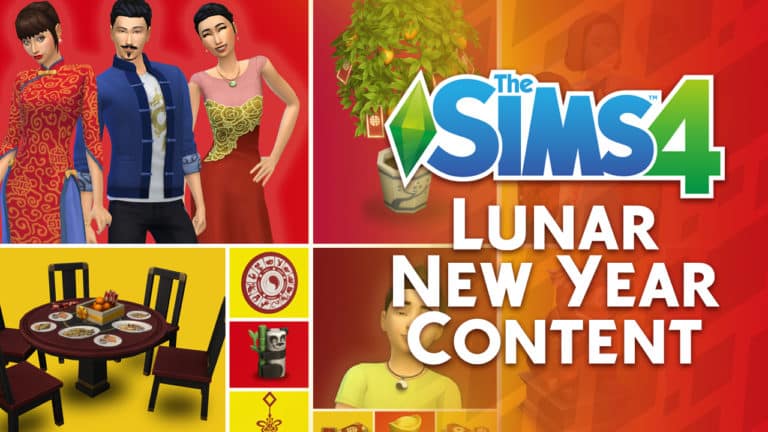
The Sims Team did a special preview of the upcoming update for The Sims 4 on PC / Mac making its way tomorrow (February 5th, 2019). The update will include plenty of big bug fixes (including the stinky leaf piles) and will also include a brand new batch of content – the Lunar New Year Clothing & Objects!

That’s right – The Sims 4 is getting on board and celebrating the 5th of February which is celebrated all across China. The year 2019 is marked as the Year of the Pig, which is the main reason why there’s now a golden pig statue being added to the game.
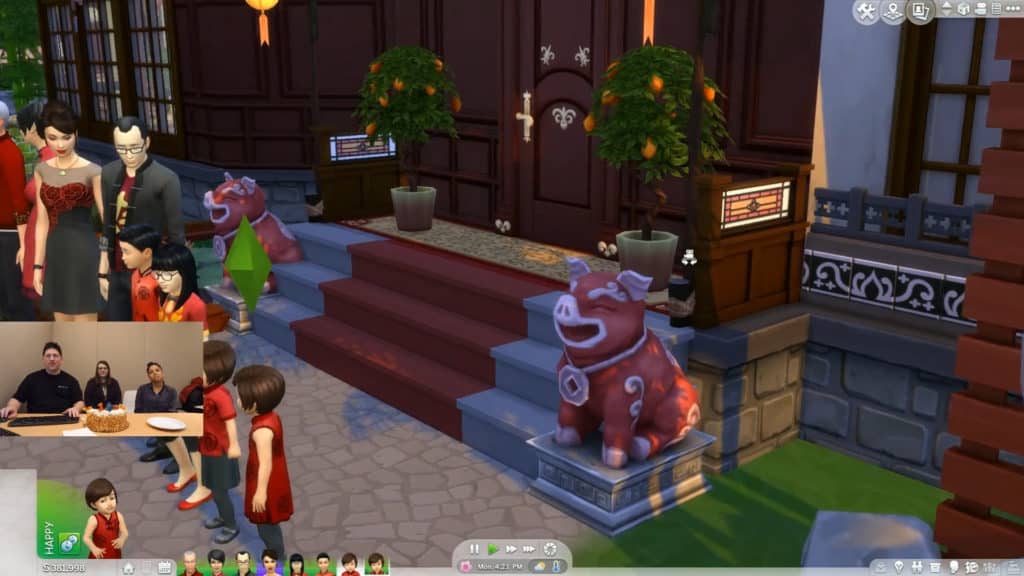
The Sims 4: Lunar New Year Content Update Preview

The team also gave a preview of some of the new Create A Sim items being added to the game. What’s interesting is that there’s at least one new CAS addition for each age, as seen down below!
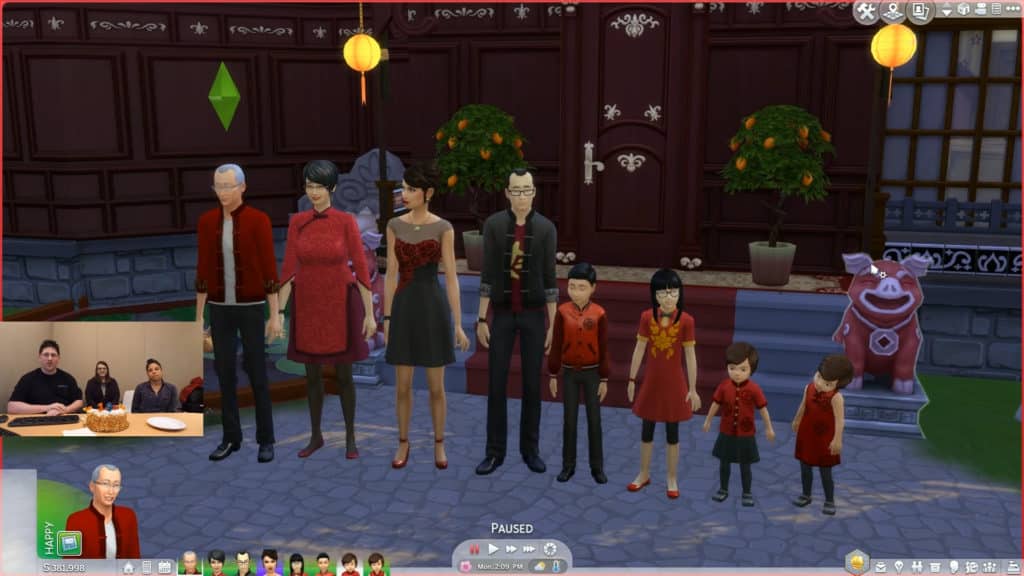
The Sims 4: Lunar New Year Content Update Preview

As you’ve probably seen in the screen above, this content update will include new Citrus Trees Plants. Considering that they’ve already been put in pre-made planter boxes they probably won’t be harvestable in the game.
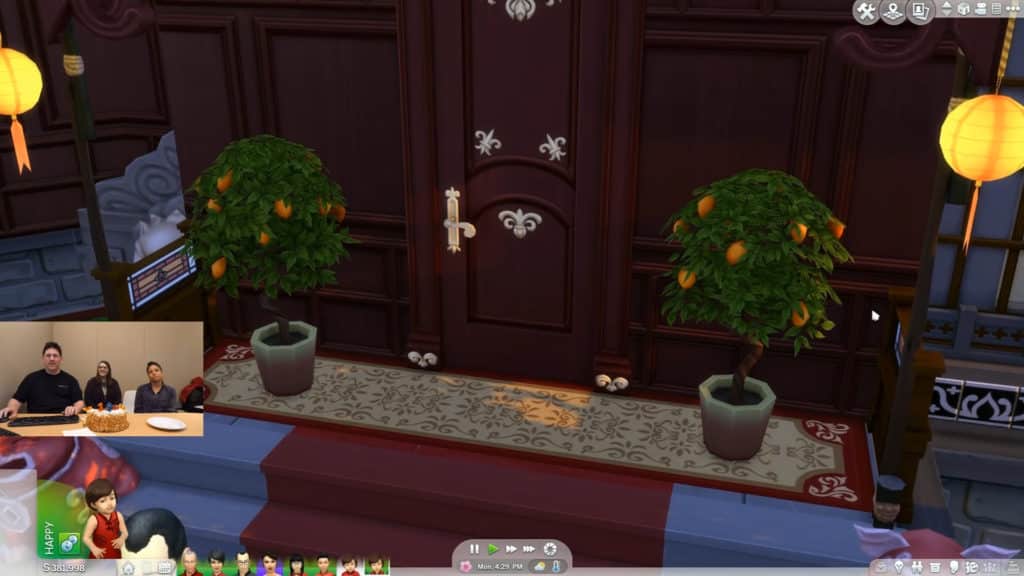
The Sims 4: Lunar New Year Content Update Preview

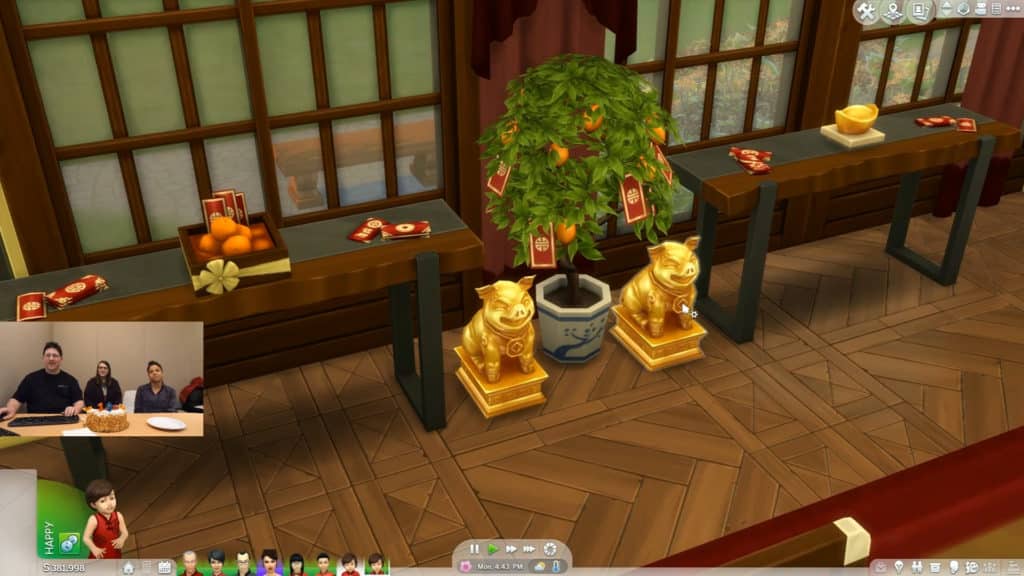
The update also comes with plenty of new indoor items, including some envelope clutter, golden pig statues, the Orange Tree decor and more.
The Sims 4: Lunar New Year Content Update Preview

Theere’s also an interesting decor object calles the “Sycee of the Prosperous Moon” that costs 120 Simoleons in Build Mode. Interestingly enough, this item (and probably other new Lunar Year Items as well) has been marked as an updated piece of content in the description.

The Sims 4: Lunar New Year Content Update Preview The Sims 4: Lunar New Year Content Update Preview

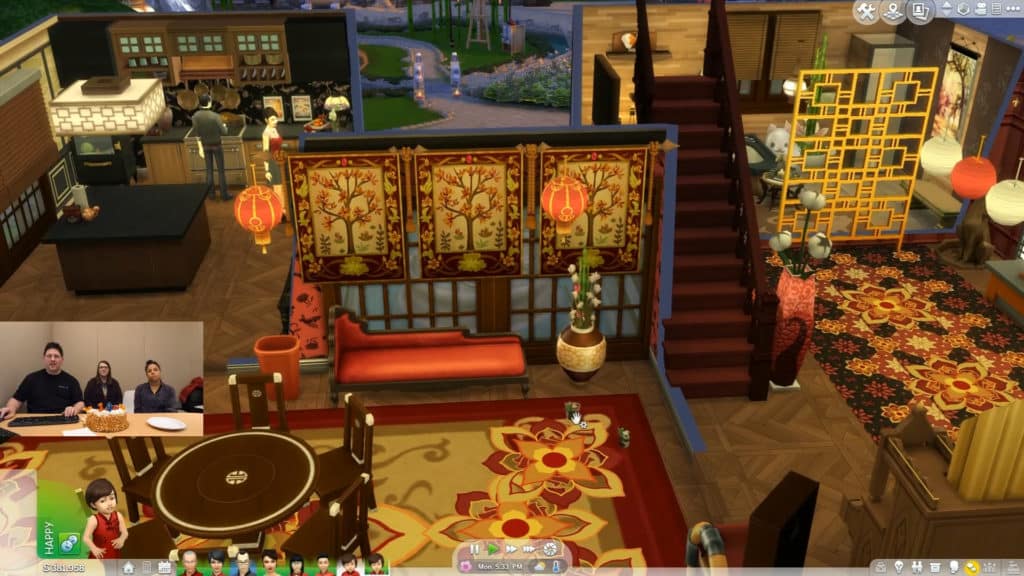
There’s a new lantern ceiling light object that you can find in the screen below, as well as new lantern swatches for The Sims 4 Base Game lantern object that you can spot on the far right of the screen.
The Sims 4: Lunar New Year Content Update Preview

Toddlers will also be able to enjoy the new Panda Bear toys that you can see in action below!

The Sims 4: Lunar New Year Content Update Preview

And last (but not least), The Sims Team has shown off 2 new recipes that are coming with this update:

  • Vegetable Dumplings (Cooking Skill Level 1)
  • Mud Carp (Cooking Skill Level 7)

The Sims 4: Lunar New Year Content Update PreviewThe Sims 4: Lunar New Year Content Update Preview

Want to see these new items in action? Check them out on the livestream replay of Maxis Monthly. The segment where The Sims Team shows off these items begins at 37:00!

The Sims Team announces a new Content Update for The Sims 4 coming tomorrow

2

SimGuruKate has just announced on Twitter that, beside the fact that The Sims Team will be celebrating the 19th Anniversary of The Sims Franchise during Maxis Monthly, they’ll also be checking out the brand new Content Update for The Sims 4 that’s scheduled for release TOMORROW, February 5th 2019.

She revealed that the update will include some big bug fixes for The Sims 4(including the stinky leaf piles) as well as new Lunar New Year content that will be shown off today.

The Sims Team will be doing an overview of this update in their livestream that begins an hour from now. You can watch it HERE!

We’ll make sure to keep you updated on all the latest news and information about the upcoming update for The Sims 4 on our website!