The Playstation Store in Europe currently has most of The Sims 4 on a sale that is running until the 22nd August 2018. The only packs that are not included in this sale will be the new Cats & Dogs expansion, the Parenthood Game Pack and the Kids Room Stuff Pack. With savings ranging from 10% to nearly 60% off some packs this is a sale not to miss out on!
Click on the images below to visit the PlayStation store!
One of the most highly anticipated expansion packs for The Sims 4 on PC has finally made it’s way over to Xbox One and PlayStation 4. If you are a long time Sims player then you know how much fun having pets is in your game and this is no different.
If you are new to The Sims 4 on consoles you can check out our Getting Started in The Sims 4 Console article here.
What’s new with The Sims 4 Cats & Dogs?
Explore the beautiful new world of Brindleton Bay (or as we like to call it, Brindleton Bae).
Let your imagination run wild in Create A Pet and create your own unique Cats & Dogs.
The new Veterinarian skill will help your Sims to learn everything they need to know to help Cats & Dogs who are sick.
Run and own your own Vet Clinic.
Get your Sims to train your pets and improve their Pet training skills.
And of course, there is so much more to discover!
Create A Pet
Create A Pet is similar to Create A Sim but not at the same time. The new features in Create A Pet give you the freedom create the Cat or Dog you’ve always wanted. Also if you really want you can have a Fox or Racoon as a pet. Simply head to the bottom left-hand corner of the screen and go to add a Sim. Click on the paw print and then choose the option you want from there.
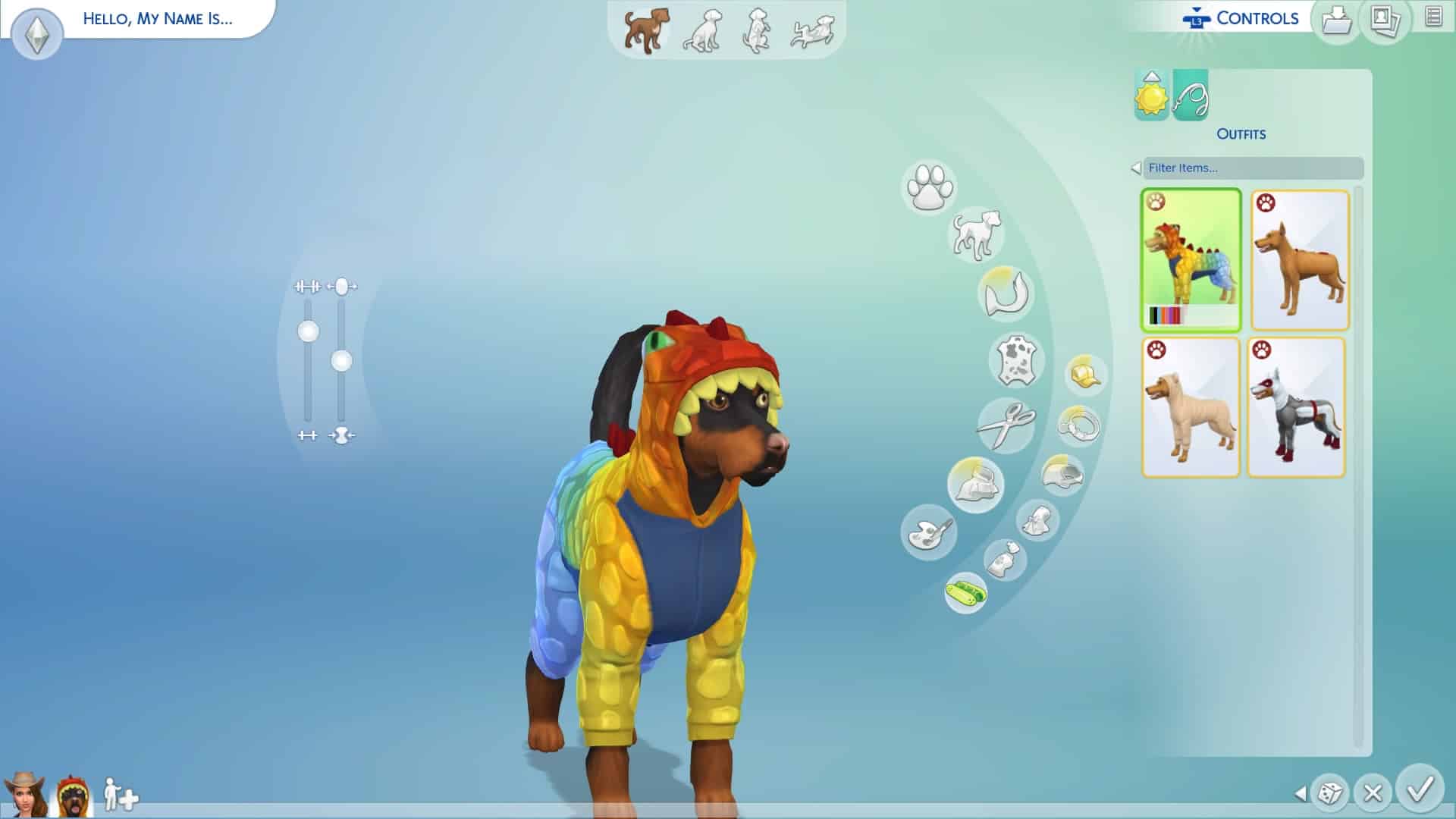
You can customize almost every aspect of your Cat or Dog from eyes, nose, ears to fur length, the colour of their fur and even their outfits. You can even mix breeds together using the Breed Mixer to get some interesting results. Also, you can paint your pet’s fur. You can keep it simple or make your Cat or Dog look like another animal or even a Pokemon if you wish. Also, like in Create A Sim you can fine-tune and manipulate your Cat or Dog to look just how you want them to be.
The Sims™ 4 20180730205046
The Sims™ 4 20180730210000
The Sims™ 4 20180730211332
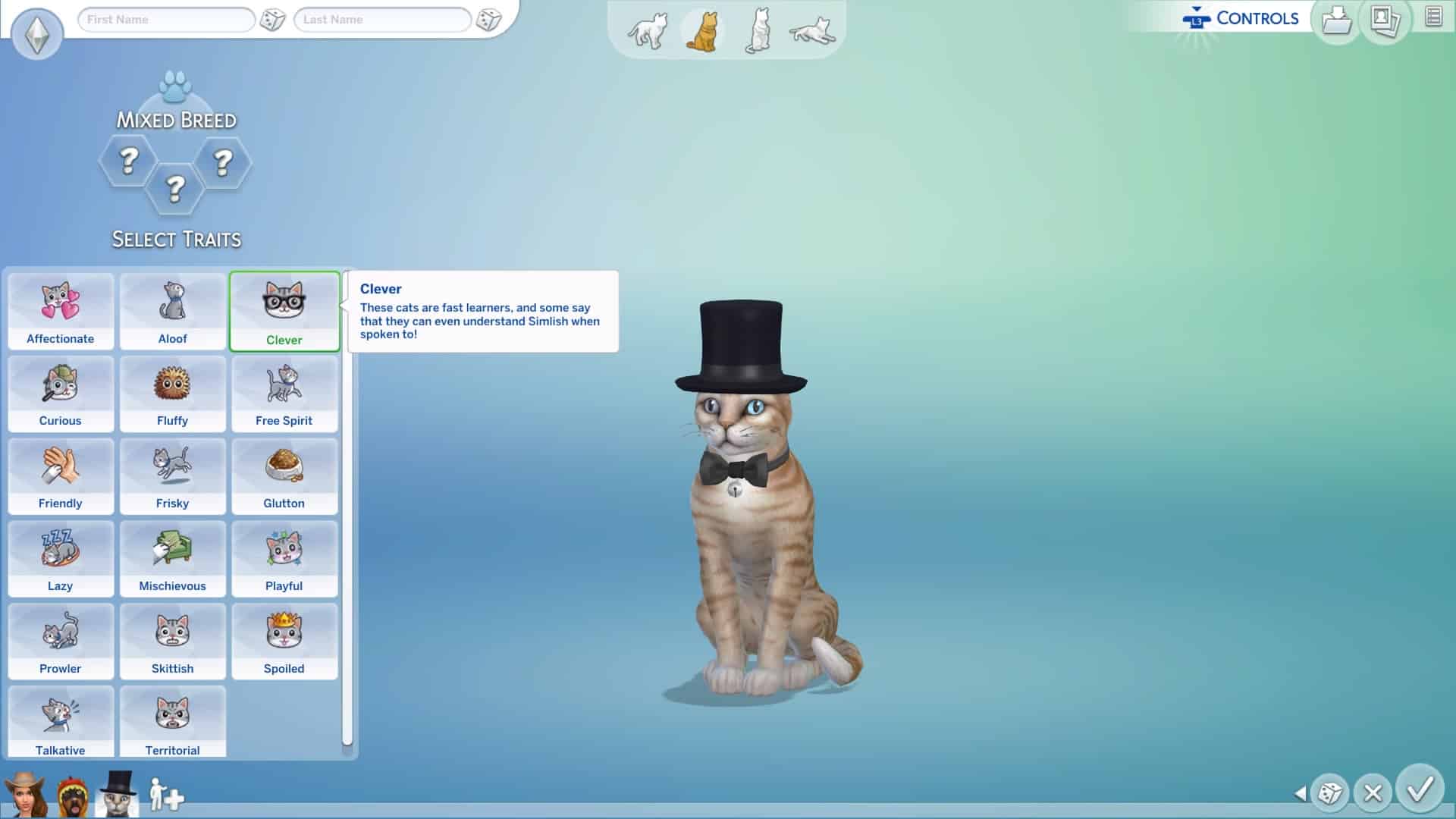
Traits! There are plenty of new Cats & Dogs specific traits that will help shape your pet’s personality. You can mix and match the traits to create your perfect companion.
The Sims™ 4 20180730211350
The Sims™ 4 20180730211434
We have a full step by step guide on the basics of creating your perfect Cat or Dog companion which can be found here. That’s not all we also have an overview video on our YouTube channel of all the different breeds that can be found in the game which you can find here. Also an overview of all the pawsome outfits your Cats or Dogs can wear that you can find here.
Create A Sim
As with any new pack for The Sims 4 on console, you will be seeing lots of brand new items in Create A Sim for Sims of all ages. New hairs, new traits and new clothing. Is your Sim a Cat lover? You can give them cat ears and wear items of clothing with cat patterns over it. Does your Sim love taking photos of Cats & Dogs and then posting them on Simstagram? No problem there’s an outfit for that too!
The Sims™ 4 20180731121039
The Sims™ 4 20180731120916
The Sims™ 4 20180731120832
The Sims™ 4 20180731120746
The Sims™ 4 20180731120517
The Sims™ 4 20180731120653
With a new expansion comes new aspirations for your Sims and The Sims 4 Cats & Dogs is no exception. Friends of the Animals is the new addition and by choosing this aspiration your Sim will get the bonus trait of having a higher relationship value with animals to start with. If you complete the aspiration you will earn the Animal Whisperer trait which allows you to train and discipline animals more easily and also build relationship quicker.
That’s not all! Your Sims can choose from having either the Cat Lover or Dog Lover trait as well or if you really want have both!
Brindleton Bay
Brindleton Bay is the beautiful brand new world that comes with The Sims 4 Cats & Dogs Expansion Pack. Packed full of lovely neighbourhoods and gorgeous views Brindleton Bay is perfect for exploring with your companion.
The new world is broken down into a few smaller neighbourhoods each with its own tail to tail (see what we did there?) You have three neighbourhoods in which your Sims can live with their Cats & Dogs and one Feature Lot which you can explore.
The new neighbourhoods that we have our Sable Square, Whiskerman’s Wharf, Cavalier Cove and the mysterious Deadgrass Isle. Check out our interactive map to find out more about Brindleton Bay here.
Buying Vet Clinics & The New Veterinarian Skill
The Sims 4 Cats & Dogs adds the brand new Veterinarian skill that your Sims level up. This goes perfectly in hand with your Sims now being able to run and own your own Vet Clinic. If you have played The Sims 4 Dine Out Game Pack on either console or PC it will be similar to owning your own restaurant. Hire staff, treat patients, improve your Sims skills and knowledge, earn perk points and hit that five-star Vet clinic rating!
Getting started is easy. Simply head to the bottom right-hand corner of the user interface and find the cash register icon. Simply click on it and it should give you an option to buy a Vet Clinic. You will then be taken to the world menu where you can then select the world and location of the Vet Clinic you wish to buy. There is a pre-made Vet Clinic in Brindleton Bay already that you can buy or you can create your own in any other world.
You can check out the replay of The Sims 4 Cat & Dogs live stream from the PC launch where the SimGurus went into detail about the Vet Clinic gameplay by clicking here.
Adopting Pets
Of course, if you want to continue playing your existing family in The Sims but want them to also have a Cat or Dog you can simply adopt a Cat or Dog the from your Sims phone or computer. It costs two hundred Simoleans to do so and then you will have a visit from the adoption agency where your Sim(s) can interact with the Cat or Dog and see how your Sims get on. If you want to adopt them then you can do so there and then or if you don’t think they are the right pet you can change your mind and choose a different pet instead.
Pet Training
Improve your Cats or Dogs skills and discplines by getting your Sims to train them. Whether it is teaching them to sit, roll over or go to the bathroom outside or even running one of the training courses at home or travel to one pre-made in the world like Pupperstone Park.
The Sims™ 4 20180731124828
The Sims™ 4 20180731125153
You can also check out the full in depth guide we made all about the Pet Training Skill here.
Build Buy Mode
Likewise, with Create A Sim Build/Buy mode has lots of exciting new objects for us to use in our lots. in fact there are over 200 new build mode objects added with this expansion pack. These range from Vet Clinic objects to toys and beds for your pets. Wall decorations and a laser destroying litter box for cats.
You can check out the full overview of Buy Mode objects here.
Lot traits
In Build/Buy Mode you will also notice that you will be able to add some Cats & Dogs themed Lot traits as well. There is a total of six new lot traits which range from Cat and Dog Hangout, Breeding Ground, Training Ground and also Cat & Dog-Friendly.
That’s it for our Getting Started article for The Sims 4 Cats & Dogs on Xbox One and PlayStation 4. Don’t forget you can find out more about The Sims 4 on console by visiting our dedicated section on our site here and also our Cats & Dogs section which you can find here! Also, let us know what you think of The Sims 4 Cats & Dogs finally being playable on consoles!
Gamescom, an annual event attracting hundreds of gamers every year allowing people to witness the latest announcements and experience upcoming games is being held this year as well in Cologne, Germany. EA has confirmed that they’ll be joining this year’s Gamescom.
Gamescom was a home of two Sims 4 pack announcements: The Sims 4 Get Together Expansion Pack and The Sims 4 Cats & Dogs Expansion Pack. Because of The Sims’ tendency to appear at Gamescom’s Press Conference every now and then we reached out to SimGuruKate to find out if The Sims 4 will be present this year. She confirmed that this year The Sims 4 won’t be joining this year’s Gamescom stage.
The Sims 4 Seasons Expansion Pack has been released just a month ago so it’s no wonder The Sims Team is having a cool down before another major announcement. However, note that there’s still a vague confirmation by EA Poland that this year has another Game Pack / Expansion Pack in store for The Sims 4. With Seasons being released in the middle of 2018 that leaves plenty of time for another Expansion Pack release. However, nothing’s fully confirmed and for now we’re just speculating when it comes to a second Expansion Pack for this year.
The Sims Team has released a brand new Update for The Sims 4 for Console devices – Xbox One and PS4!
Patch Notes
UPDATE: 07/30/2018 – v1.09
Hello Simmers!
This is a small update to address an issue that we appeared to introduce in the last update and had a number of reports of through our community channels.
General Issues
We added a bunch of cool new community made creations into My Library for all console players to enjoy. That was, unless you were unlucky enough to not be able to get into My Library to check them out. Thanks to all of those Simmer reports, everyone should be able to access My Library and enjoy those community creations.
Origin Access’ premium membership called Origin Access Premier is now available for everyone with an Origin account!
Premier Membership gives you even more games to play for a monthly ($14.99) or annual ($99.99) payment. With Premier you’re able to have a full access to EA’s latest games as well as receive early (and full) access to EA’s upcoming games such as FIFA 19, Anthem and so on.
Compared to the Basic Membership which is $3.99 a month you also get a full access to Expansion Packs, DLCs and other content available for select games.
For The Sims 4 you get an access to a special The Sims 4 Bundle which includes The Sims 4 Base Game, The Sims 4 Dine Out Game Pack and The Sims 4 Kids Room Stuff Pack.
With the release of The Sims 4 Seasons I was hoping that this Expansion Pack would allow us to pick traditions for multiple packs that we’ve received over the years. However, the only tradition that we got was the Fireworks tradition with The Sims 4 City Living.
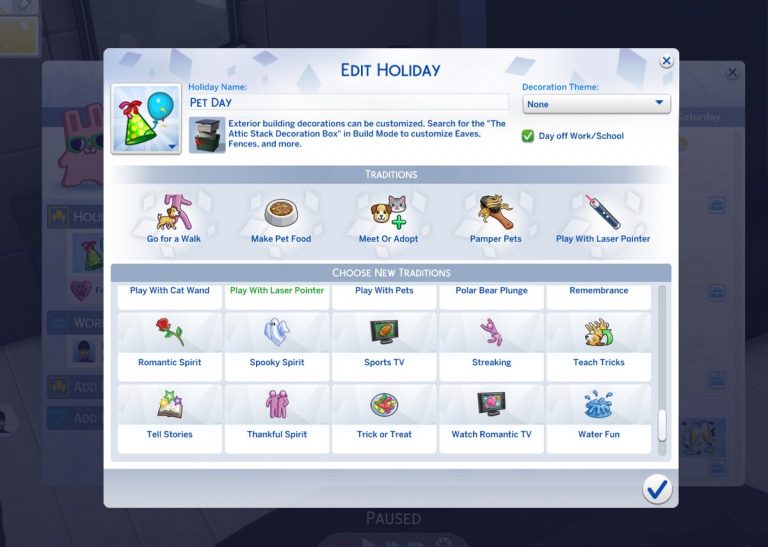
Considering that The Sims 4 Cats & Dogs adds 2 new animals to play with many were left disappointed that there are no traditions that would encourage our Sims to play with our beloved pets in the game. However, a talented modder @icemunmun was able to create multiple traditions that revolve around playing with and taking care of your pets!
Some of these pet traditions include:
Feeling the Love
Play With Cat Wand
Play With Pets
Go for a Walk
Make Pet Food
Meet or Adopt
Pamper Pets
Play With Laser Pointer
Teach Tricks
DjN58UhXcAAUmfX 1
DjTSfNHW0AIQdSG
DjTSfNJW4AA9U71
We’re not sure if there are going to be more pet traditions included but even these 9 traditions that this modder has made are more than enough to create a perfect Pet Holiday!
There’s no information when these mods will come out but the modder has stated that she’ll release them soon as she needs to do a bit more testing.
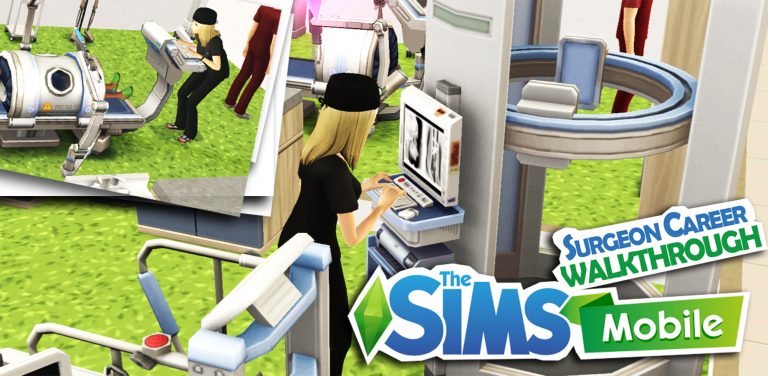
It’s been more than a week since the new surgeon career pack came out. Here is more information about the Mysterious Benefactor career story and the rewards you can get.
Getting Started…
Once you acquire the Medical Injector Heirloom, the first quest of the Surgical Precision will appear, you will need to complete this to start the next quest.
To complete this quest, go to Market Square and place the Surgery Table in the Medical Centre.
Then a new quest will appear, to complete this quest, get one of your sims to start The Mysterious Benefactor story.
The Mysterious Benefactor Career Story
Story chapters and rewards can be viewed in Career Stories.
You can also view the rewards in Build/buy mode.
There are 10 levels for this career, equipment will be unlocked at certain levels. You will need to reach level 10 to be able to get all rewards. Here is the break-down of the levelling up process.
Start at level 3
Chapter 1 Pre-op-servation Surgeon completed à unlock Surgically Clean Hallway Table (career collection in Home Build/Buy) → complete a special career event to start the next story chapter: Opine Specialist.
Start at level 4
Unlock Surgeon career Object for Medical Centre: Surgical Light (in surgeon Career Build/Buy at Medical Centre, Market Square).
Start at level 5
Chapter 2 Opine Specialist completed → unlock Surgically Fresh Fronds (career collection in Home Build/Buy) → complete a special career event to start the next story chapter: Trauma Surgeon.
Start at level 7
Chapter 3 Trauma Surgeon completed → Unlock Surgeon career Object for Medical Centre: X-Ray Machine (in surgeon Career Build/Buy at Medical Centre, Market Square) → complete a special career event to start the next story chapter: Extraction Specialist and unlock the Surgical Cross Section (career collection in Home Build/Buy).
Start at level 9
Unlock Surgeon career Object for Medical Centre: Illuminated X-Ray (in surgeon Career Build/Buy at Medical Centre, Market Square).
Level 10
Chapter 4 Extraction Specialist completed. Finally, you will need to start a special career event to become Surgical Conspiracist and finish the last chapter of the story → unlock Patient’s Comfort (career collection in Home Build/Buy).
With the eagerly anticipated Cats and Dogs expansion pack for The Sims 4 pawing it’s way onto Consolesvery soon there is sure to be a new wave of players joining the Simming community. If you are someone who has just picked up The Sims 4 on Xbox One or PlayStation 4 recently here’s a look at how to get started and also welcome to the community!
Controls
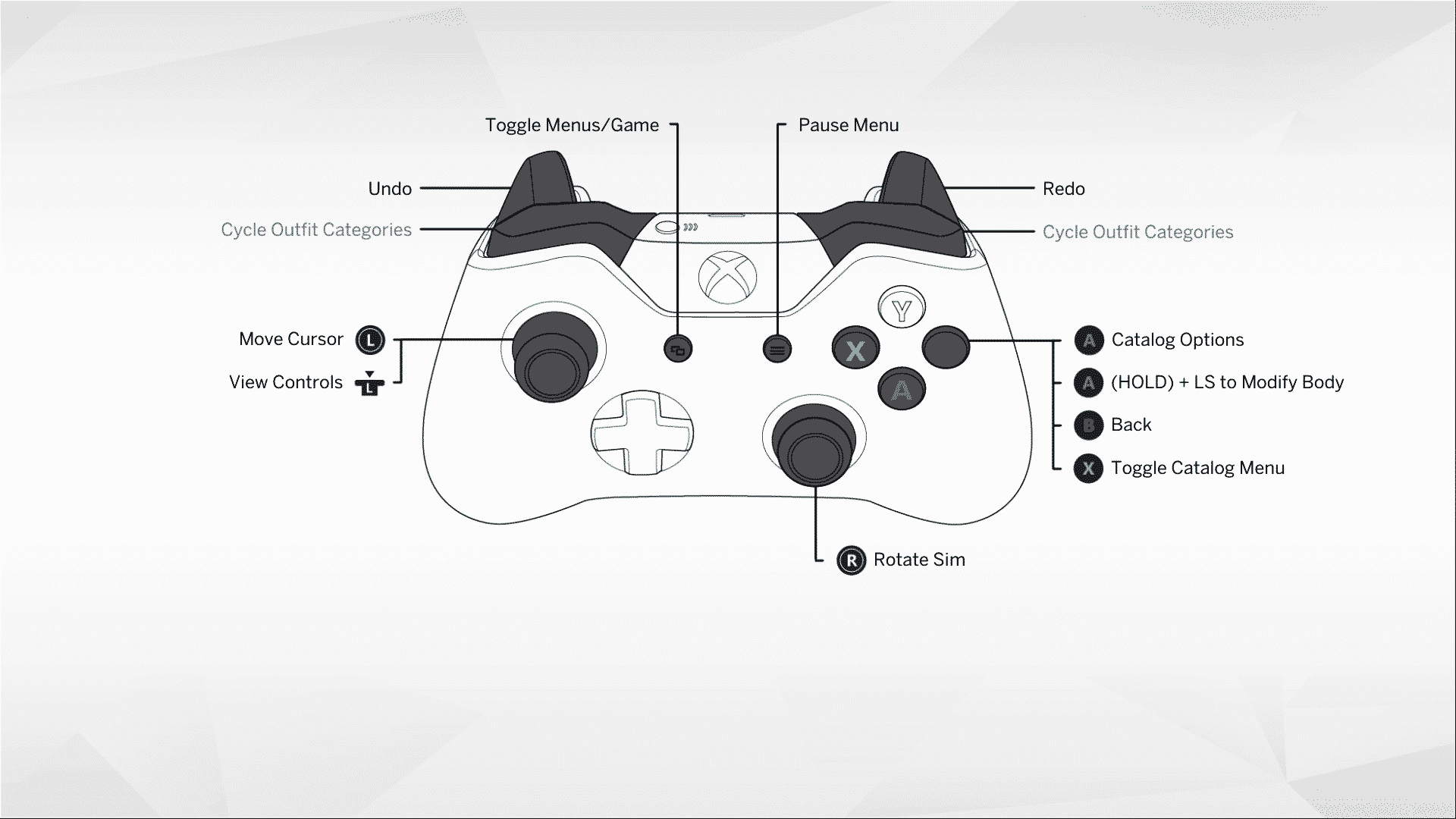
Starting off with any new game is sometimes difficult if you don’t know what the controls are. Luckily The Sims 4 on console has made sure that the game’s controlls are never to hard to find. Simply just click L3 if you are on PlayStation 4 or by pressing the L stick if you are on Xbox One and the controls will pop up on screen. Of course depending on what mode you are in will mean the controlls will vary slightly.
PlayStation 4 Controls
The Sims™ 4 20180729154240
The Sims™ 4 20180729153958
The Sims™ 4 20180729154832
Xbox One Controls
29 07 2018 16 37 32
14 11 2017 21 14 02
29 07 2018 16 37 31
Create A Sim
The first thing you need to do is Create a Sim or even a Family if you want. Now the game does provide you with in game tutorials along the way to help you out but if you have ever played The Sims before you’ll have an idea of what creating a Sim is all about. Create A Sim on The Sims 4 console takes creating Sims to a whole new level. You can modify so much to make even the most unique Sims. With many different clothing styles to choose from the possibilities are endless.
Of course if you don’t feel up to making your own Sim just yet you can load up your Libray and select a pre-made Sim/Family and jump straight into the game.
The Sims™ 4 20180729154025
The Sims™ 4 20180729153947
Moving Your Sim Into A Lot
Once you’ve created your Sim(s) the next task is to move them into a home of their own. You can choose from Willow Creek, Oasis Springs or even create your own home in the empty Newcrest world.
The Sims™ 4 20180726184713
The Sims™ 4 20180726184723
For this article I moved my pre-made Sim into Nookstone which can be found in Oasis Springs. The home does already have a few baisic objects to get your Sim started while you save up money to make it more your own. Don’t let that stop you from going into build mode and changing up the colours, moving objects around or adding one or two more items depending on how many Simoleans you have left.
Build Buy Mode
Like in The Sims 4 on PC you’ll find Build/Buy Mode located in the top right hand corner of the screen. From here you can esaily navigate your way around and make changes to your home. Build/Buy Mode is broken down into a few different subsections. Build, objects by room, objects by function and household inventory at the bottom.
While you are in the Build/Buy Mode you will also see at the top of the screen on the left the name of your lot. You can also change it to whatever you feel is suitable. However if you click on the house with the “i” on it just before the lot name another menu will open. Here you will find a bit more infromation about the lot but also where you can see the lot traits. You can havea maximum of three per lot and these range from Bracing Breezes and Fast Internet to Teen Hangout and Private Dwelling. You will find that some of the additional downloadable content will also add new lot traits to the list as well.
Building in The Sims 4 on console can seem a little tricky at first but once you have gotten use to the controls building is pretty straightforward.
Live Mode
This is where you could say the magic happens. Control your Sims’ lives, fill their needs, join in with the Welcome Wagon, become the best in your career, make firends with your neighbours, start a family and so much more. It really is up to you how you play The Sims!
Also don’t forget you can take your Sims and explore the world. Not just the one you start in but any that you have available. Visit your friends or a Community Lot. There are plenty of places for your Sims to explore. Maybe even a few secret hideaways too.
My Library
Have you made a Sim, a family or even a lot that you want to save for later or place into another world? Simply save to your Library and you can place the Sim or lot anywhere you want without any issues at all. You will also find pre-made Sim families and lots here as well. To save something to your Library just find the little icon which is a folder with a downward pointing arrow and follow the screens. Make sure you give your creations a description and hit save.
Cheats
One question you are probably asking yourself is how do I go about using Motherlode and other cheats in the game? Don’t worry we’ve got that all covered in a handy article which you can find here.
One PlayStation 4 you activate the cheat command box by holding R1, R2, L1 and L2 at the same time and if you are playing on Xbox One you can access the menu by pressing RB, RT, LB and LT all at the same time.
You can also find a full list of cheats for The Sims 4 by checking out this article here. (Please be aware that not all cheats will work on PlayStation 4/Xbox One but you will be able to use Motherlode to your hearts content perfectly fine!)
Now one of the most important things to know is to remember to save regularly. Simply hit the options button on your PlayStation 4 controller or the Start button on your Xbox One controller and hit save. This menu will also be where you can find the game options and also some in game Lessons if you get stuck at any point.
Don’t forget we have a whole section of our website dedicated to The Sims 4 on Console where you will find the latest news and information on the latest game patches and releases. You can find all that and more by clicking here.
According to SuperData, The Sims 4 Seasons Expansion Pack had a very successful launch as it managed to sell around 800,000 copies in June 2018!
The Sims 4 is still going as strong as ever. We estimate that over 800,000 PC players purchased the new “Seasons” expansion for The Sims 4 in June, making it the game’s second-most successful expansion after November’s “Cats and Dogs”. This is especially impressive considering The Sims 4 is approaching its fourth year.
There isn’t an exact report on how much copies of Cats & Dogs Expansion Pack were sold back in November 2017. However, considering that Seasons only had 8 days after its launch on June 22nd, selling 800 thousand copies for such a short period of time is a huge success.
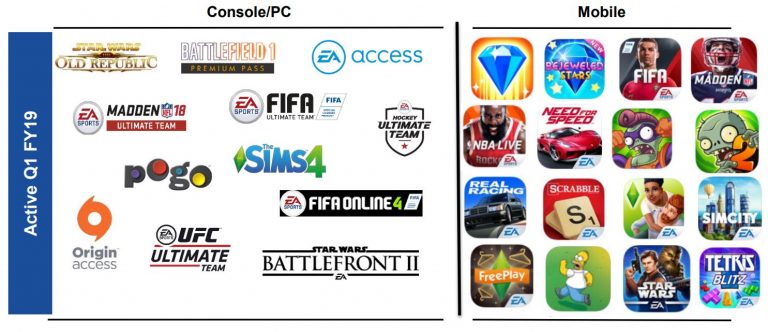
EA has shared prepared remarks regarding their video game titles in the Fiscal Year 2019 (First Quarter). In these prepared remarks they’ve also mentioned The Sims 4 and The Sims Mobile as well as their progress and success.
Our Sims 4 community grew 35% in unique players year-over-year as we continue to deliver new content packs and updates as part of our ongoing live service. With the breadth, depth and size of the Sims audience on mobile, we’re now fulfilling different motivations across two distinct games, giving fans and newcomers alike more of what they love about the franchise.
The year-on-year delta was driven by the Mass Effect: Andromeda sales captured in the year-ago quarter, partially offset by FIFA Online 4, The Sims 4 and A Way Out.
Digital net bookings were $693 million, up $12 million on the year-ago period. The increase was driven by FIFA Online 4, The Sims 4 and A Way Out, partially offset by Mass Effect: Andromeda
Live services net bookings were up 7% year on year, to $450 million. The growth was driven by FIFA Online 4 and The Sims 4 as we look to broaden our base of recurring revenue.
Monetization in The Sims Mobile has started slowly, consistent with prior Sims launches, and the team continues to grow the game by adding exciting new careers, activities, events and other attractive new content, based on feedback from our community of millions of Sims Mobile fans.
The Sims 4 Seasons Expansion Pack has been out for more than a month, meaning that simmers who got the pack had plenty of time to create new stories and capture the perfect seasonal moments in the game.
We asked simmers on twitter to share some of their favorite screenshots that they’ve captured with Seasons. Here’s some of our favorite ones that they’ve shared:
UPDATE: SimGuruLegacy posted a tweet saying that the update won’t be available tomorrow after all.
Sorry to say, we have a change of plans. Update 1.08 will not be available tomorrow for PlayStation 4 and Xbox One after all. We will be rescheduling this release and we’ll have more information soon.
SimGuruLegacy has announced today on twitter that The Sims 4 for Xbox One and PS4 will be getting an emergency hotfix update.
One of the main reasons why this hotfix update is being deployed is to fix the crashing issues some Simmers are experiencing when going into My Library or trying to save creations to The Library.
Good news PlayStation 4 Simmers. We have a hotfix update releasing tomorrow, 07/26 at 10am Pacific / 17:00 UTC that looks to address the crash when entering My Library. Local Time here – https://t.co/rDp9Bg1ZGV
Xbox One Simmers, you too will get the new update we are lovingly calling 1.08 at the same time as PlayStation 4 owners – 10am Pacific / 17:00 UTC on Thursday, 26th July.
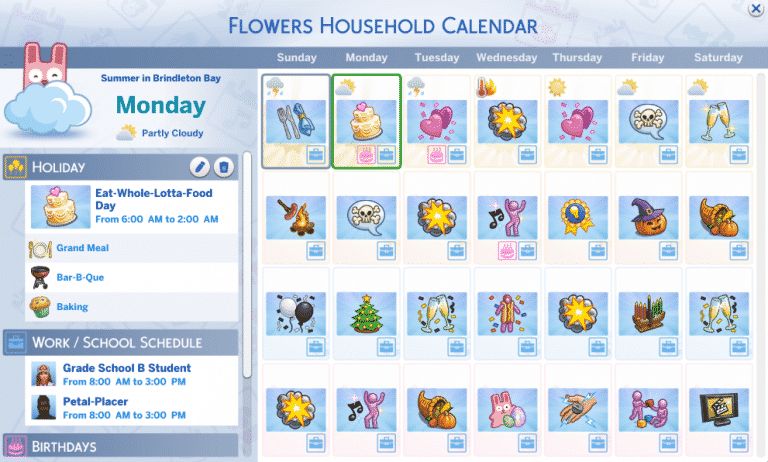
A few days ago I went live on YouTube to stream The Sims 4 Seasons Expansion Pack and an idea popped into my head to fill the entire Calendar with Holidays. It might sound like a crazy idea but celebrating a holiday every day is not just going to help you control the world around you and make Sims do certain things but you’re also going to be rewarded each day with new satisfaction points. I found that having and celebrating holidays is easier than fulfilling whims which aren’t so rewarding.
Anyway, I filled the calendar (yes, all 28 days) with unique holidays. The only holiday that I left was New Year’s Eve because I think it’s a true one-of-a-kind holiday that shouldn’t be removed.
Looking for new holiday ideas to play with in The Sims 4 Seasons? Here’s all the 28 holidays and their traditions that I’ve created:
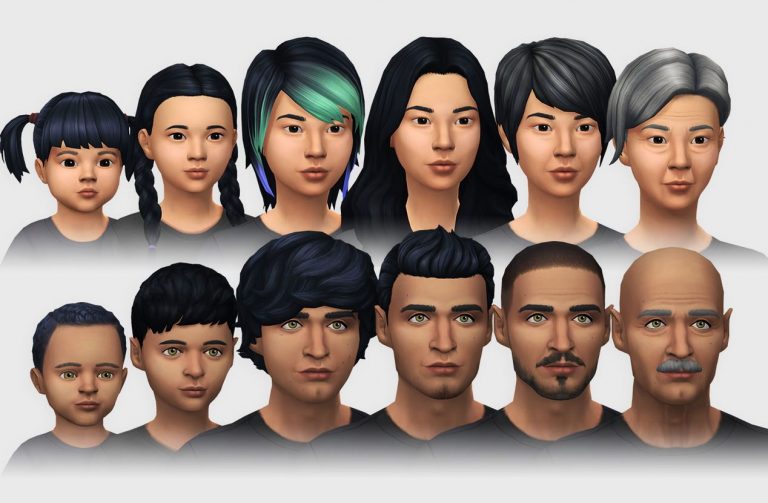
Are you dying for a new skin overlay for The Sims 4 but don’t want to step away from the Maxis Match universe? Don’t worry – Luumia Sims has just released a brand new Skin Pack with new attention to details, overlays and tones.
Luumia’s latest Vanilla Skin Pack comes with new overlays and options, including:
Lip Tints
Nipple Tints
Cleavage Overlays
Belly Overlays
Chubby cheeks for teens, adam’s apple for Male YA +, wrinkles for Adult+
Nipples and Butt Details (NSFW)
Detailed Hands, Feet and Fingers
Detailed Nose and Nostrils
Semi-detailed Lips with reddish hue
New Ear texture
Considering that this Skin Pack is Custom Content The Sims 4’s original Skin will be replaced with the Vanilla Skin Pack after you install it.
To install this Skin Pack simply extract the contents to Electronic Arts > The Sims 4 > Mods folder. Make sure you have Mods / CC enabled in your game options!
Click the button below to download this Skin Pack!
That’s right, The Sims 3 base game is currently on sale for just £3.74. That’s a full eighty five percent of it’s normal selling price on Steam. If you don’t already have The Sims 3 base game then now is the perfect chance to pick it up. This offer is on now and ends on 30th July 2018.
You’ll also be able to find that The Sims 3 Bundle that includes The Sims 3 base game and the Generations, Pets and Seasons expansion packs is now just £39.49 instead of £63.71 saving you thirty eight percent.
Be quick as this offer is only on until 30th July 2018!