Home Blog Page 294

Besting Beekeeping in The Sims 4 Seasons

Save the bees! Or at least learn how to care for your newest virtual pet – the bee box! This new pet can be quite fruitful, as good love and care can produce honey for profit, or some other cool effects you might not have thought of. Read on for an in depth look at how to care for your new, slightly irritable housemates.
Besting Beekeeping in The Sims 4 Seasons

Getting Started

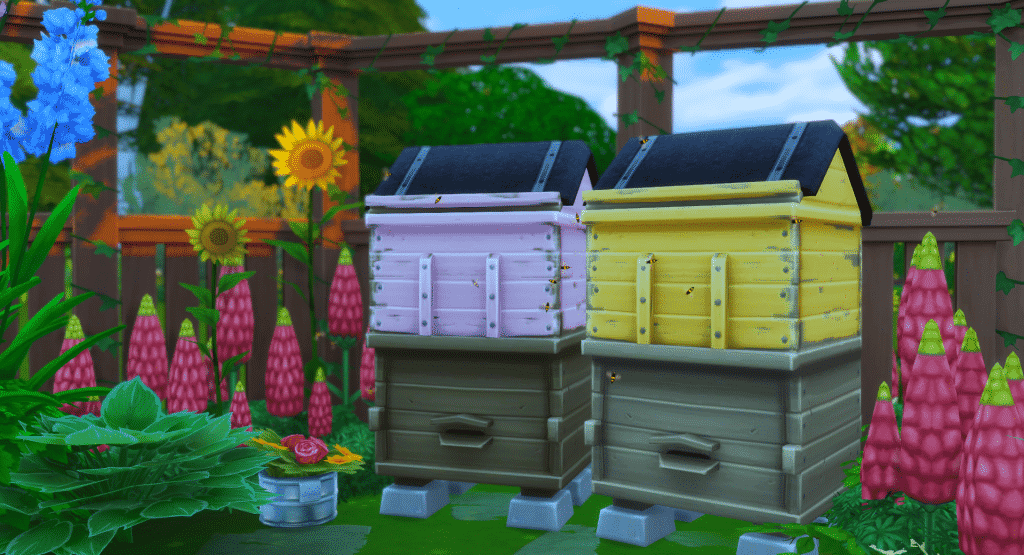
Purchase your new pet via Buy Mode, searching for Bertie’s Bee Box. Pick your favourite colour and place your bee box wherever you’d like. They do work indoors, however for realisms sake you probably wouldn’t want to keep the bees inside (it’s up to you though, they function the exact same!). I would highly recommend keeping your bees outdoors in a well decorated space, near planter boxes if your sim has a little garden! 
Besting Beekeeping in The Sims 4 Seasons

When you first start looking after your bees, you’ll wanna pay attention to what season it is in game. Bees are mostly active during summer, slightly less active in spring and fall, and completely dormant in winter; meaning they produce honey the quickest in summer and not at all in winter (with spring and fall in between). You can care for dormant bees but they will not produce honey. Bees will be dormant regardless of being indoors or outdoors, unlike plants.

Proper Bee Care

Time to start caring for our new bee friends! They function a lot like the small pets in My First Pet Stuff, and your sim will need to interact with the bee box in order to care for your bees. The main interactions when starting your new bee army is:

  • Bonding
  • Treating mites
  • Collecting honey

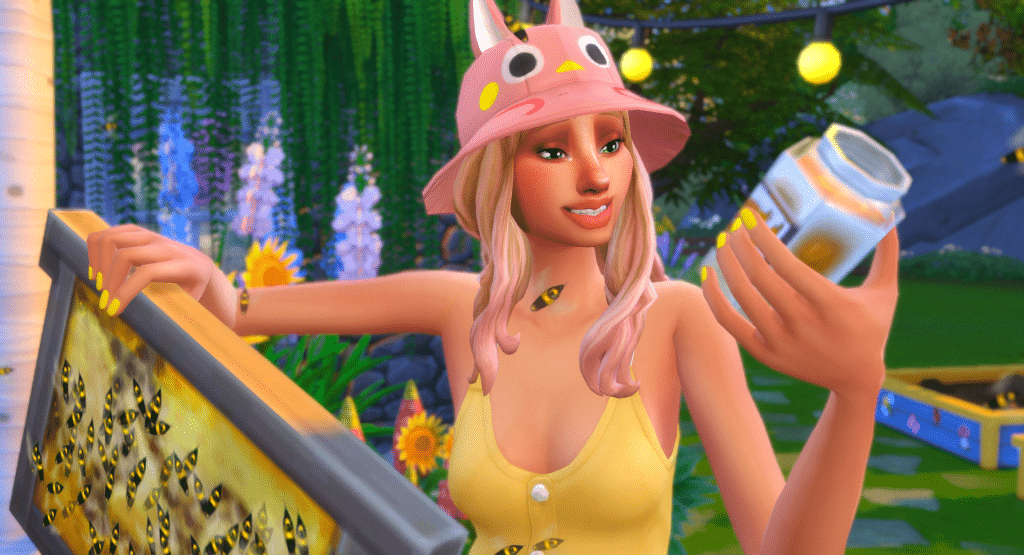
When you start interacting with the bees, they will probably sting you. This is to be expected, if you don’t wear your beekeeping suit. The beekeeping suit will prevent your sim from bonding with your bees, preventing friendship growth. These bees are social, and need your sim to bond with them regularly to keep them calm.

Besting Beekeeping in The Sims 4 Seasons

Stings produce a +2 Uncomfortable moodlet for 2 hours, however this moodlet does not stack. If you can keep your sim otherwise happy (which is why making sure to have a nicely decorated space is beneficial, to help offset the Uncomfortable moodlet) you can keep interacting with the bees without fear of them repeatedly stinging the sim. This will build your bond with your bees, and prevent them from dropping to a poor mood and getting angry, as well as producing good quality honey.

An inevitable mood dropper however is the box being infested with mites. Your bees will not like this, and the longer the bees are infested the angrier they will become, making stings more and more likely. Leave them long enough, and you will see your bee bond drop as well. The best way to treat the mites is to switch to the beekeeping suit, and treating the mites with a §15 Mite Treatment (available directly from the bee box pie menu). 

The Benefits of Bees

While not as drastic as in real life, bees do produce some really cool kickbacks to befriending them and keeping them happy. By placing your happy bees near growing plants, they will ‘pollinate’ them, producing a slight bonus that affects growth and evolution times for your harvestable plants. The range on this is quite large, but mind that it’s the same range that sims can be stung by mad bees.
Besting Beekeeping in The Sims 4 Seasons

Bee Swarms

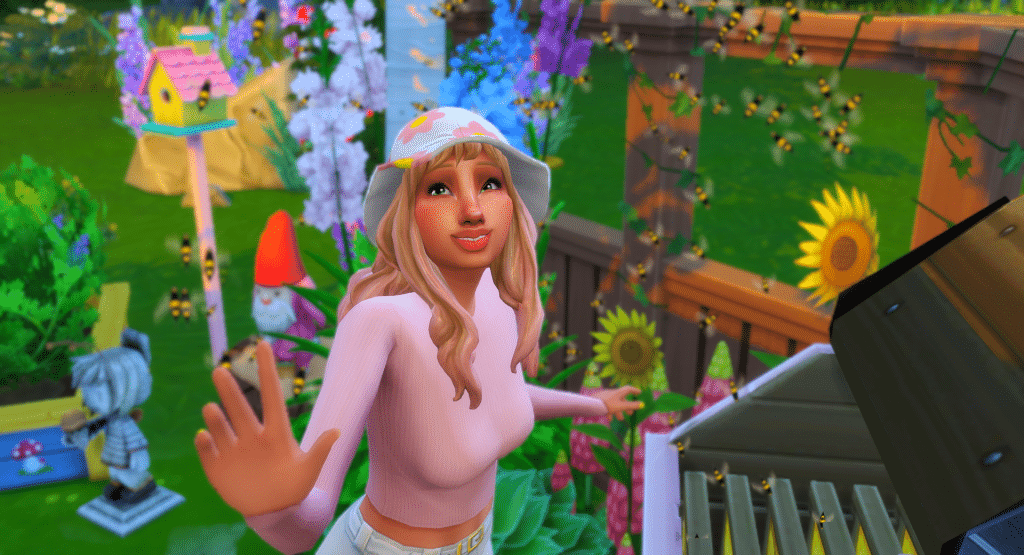
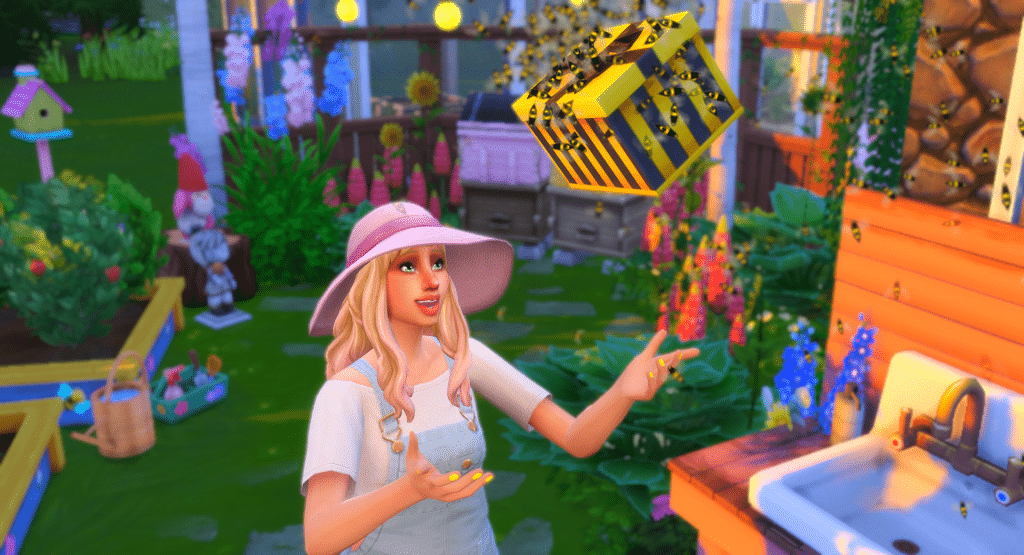
Perhaps the coolest aspect to bees is the bee swarm. Once you raise your bond enough, you can collect bee swarms every few hours from your bee boxes, and they have a bunch of cool things the can do. You can also collect these swarms in winter, so even when your bees aren’t producing honey they still are pretty useful.

Collect your swarm from the box, and you’ll find them located in your sim’s inventory. There’s six different options for you to choose from, but once you’ve chosen it uses the swarm and they can’t be reused. You can choose from:

  • Attack… (choose sim, must be nearby)
  • Woo.. (choose sim, must be nearby)
  • Cheer self up
  • Fetch gift
  • Cheer up.. (choose sim, must be nearby)
  • Pollinate nearby plants

Choosing to cheer yourself up grants a confident +1 moodlet for 4 hours, and is a fun way to put your sim in a good mood. But the neatest swarm option is fetch gift – this will send the bees off, and they come back with a beautifully wrapped gift of a random collectible. My sim got herself Xenopetrium from the elements collection (Who needs Sixam when you have bees?), Flamingonium, and a Lunar Lakes postcard, all from her friendly bees.
If you don’t use these swarms, the bees will eventually fly back home, disappearing from your sim’s inventory.
Besting Beekeeping in The Sims 4 Seasons

Sweet, Sweet Honey

Your bees have worked hard, and now you’re ready to reap the rewards. While in the excitement of seeing “Collect Honey” no longer greyed out, you might just sell your honey. If you choose to sell, hopefully you’ve been looking after your bees, making bonds and keeping them mite-free – the higher your bond, the higher quality your honey will be, with your max sell price per jar at §60. A full bee box produces 4 jars, and at your max sell price you can make §240. A pretty penny for a box full of honey!

However choosing to just collect your honey, there’s another cool feature you can use. Consuming the honey gives you a neat little happy moodlet of +1 for 4 hours. But it’s not just any happy moodlet – it removes all negative moodlets from weather effects on your sim, and makes them temporarily invincible to extreme weather. Honey can also be used for a new recipe, the honey cake, or for a new tea that produces a focused moodlet. Must be some strong honey!

Besting Beekeeping in The Sims 4 Seasons

Have you started raising bees and producing honey? Do you like selling your honey, hoarding your honey, or just collecting swarms of bees to attack your enemies? Let me know!

The lot featured in this post can be found here – it’s a beautiful, Seasons-ready flower shop, perfect for bees!

The Sims Team teases a special update for The Sims 4 next week

15

The Sims Team teases a special update for The Sims 4 next week

SimGuruKate has published a tweet saying that there’s going to be a livestream for The Sims 4 on July 31st, 2018 on Twitch to showcase the new update for The Sims 4 that will go live on the same day.

Set your alarms folks, barring unforeseen events (which as you know can happen), we’re planning a Twitch livestream on Tuesday, July 31st at 11 AM PST to discuss an update for The Sims 4 that will go live the same day. Stay tuned.


SimGurus haven’t really said what’s coming with this update. However, SimGuruGrant and SimGuruKate did tweet some additional information and a few disclaimers:

Considering that they’re doing a dedicated livestream for it we can bet on the fact that it’s not going to be just an ordinary update! Previously we had free content update livestreams for Ghosts, Pools and Toddlers, so this could possibly mean that this update will be of importance as those 3 updates.

Make sure you stay tuned on Sims Community to be the first to know what the new update brings!

The Sims Mobile: July 23rd, 2018 Update Overview

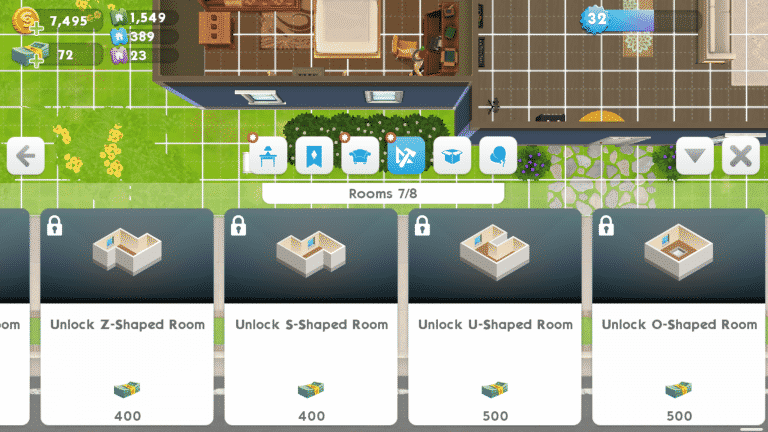
The Sims Mobile has a brand new update that adds a highly requested build feature to the game: different room shapes! No longer will you struggle to put together your virtual dream home with just square-shaped rooms.

If you go into the Build/Buy catalogue and select Rooms, you’ll see a large variety of new room shapes for you to work with. You can choose from L-shaped, T-shaped, Z-shaped, S-shaped, U-shaped, and O-shaped rooms.

These new rooms don’t come cheap, however. It’ll cost you a hefty 2,350 SimCash to unlock them all.

In addition to the new room shapes, player IDs have been added to the load screen and the heirloom collection has received a UI upgrade, allowing you to have a full overview of all heirlooms and their rarity without having to unlock them first.

The Sims Mobile: July 23rd, 2018 Update Overview

What do you think of the new changes? Let us know in the comments or on your favourite social media platform!

The Sims Mobile: New Update + Patch Notes! (July 23rd, 2018)

0

The Sims Mobile Team has released a brand new update for the game, adding new room shapes and improving the user interface!

To download this update go to Google Play Store / App Store and check for updates!

Hey Simmers,

The summer fun continues with a new update to The Sims Mobile! Below is a breakdown of the key changes in Version 11.1.0, now available for download!

Note: If you are not seeing the Update in the iOS App Store, please try going to your Updates tab and pull to refresh the page.

Additional Room Shapes

No longer are rooms restricted to only four walls! You may now customize your house with all new room shapes ranging from L Shaped to U Shaped. These room shapes are now available in the Home Catalog for SimCash.

Heirloom Collection

Following up on the Heirloom improvements from Version 11.0, we’ve now provided a full upgrade to the Heirloom Collection screen. You can now view all the available Heirlooms in the game, check-out their rarities, and see details about their benefits. You can access the Heirloom Collection via the Heirloom Tab in the store panel.

Player ID Surfacing

Your unique Player ID is now included on the loading screen. Please reference this ID in case you ever need to contact Customer Support.

Key Bug Fixes

  • Fixed an issue of getting stuck on the Surprising Choices screen
  • Fixed an issue where retired Sims were showing incorrect Life Goal text in the Family Portrait
  • Fixed an issue where a Sim’s height was decreasing upon aging up
  • Fixed a crash and awarded Fashion Gems when dealing with a corrupted Izzy Creation
  • Made improvements to the item limit on the homelot
  • Improved stability to reduce instances of lost cloud saves

Thanks for reading, and all your continued support of The Sims Mobile!

-SimGuruPaul

LIVE: Let’s Play The Sims 2 Seasons

0

We’re starting off our livestreams for the Seasons Themed Week with The Sims 2 Expansion Pack! Join us for an awesome throwback as we start a new family and play with them through different seasons in Riverblossom Hills.

Win 1 out of 5 copies of The Sims 4 Seasons!

23

We are giving away 5 copies of The Sims 4 Seasons Expansion Pack to celebrate the Seasons Themed Week! All you have to do is click the image below and write your reply on the linked Sims Community Social thread.

Considering this is a SC Social giveaway you’ll need to have a SC Social account in order to reply.

The giveaway ends on July 30th, 2018. Click below to enter!

Win 1 out of 5 copies of The Sims 4 Seasons!

LIVE: The Sims Seasons Radio

0

https://www.youtube.com/watch?v=Cf9TyvbK5K0

We’re playing all the soundtrack and simlish music from The Sims 2 Seasons, The Sims 3 Seasons and The Sims 4 Seasons Expansion Packs for the next few hours to celebrate the launch of our Seasons Themed Week!

Seasons Themed Week Starts Now!

1

After putting themed weeks on a hiatus for about a year I thought this summer would be a perfect opportunity to bring back them back and what better way to kick things off but with Seasons!

That’s right – from July 23rd to July 30th we’ll be posting all sorts of Seasons content. No, not just The Sims 4 Seasons (which is going to be our main focus) but also The Sims 3 Seasons and The Sims 2 Seasons.

This time around we won’t be just publishing articles on the website. For Seasons we’ve prepared a special The Sims 4 Seasons Giveaway on Sims Community Social that you can enter right now! Beside that, there’s also going to be new Seasons content coming to our YouTube Channel as well as Seasons Livestreams.

To keep track of all of our Seasons content keep checking our Themed Week Tag regularly!

Seasons Themed Week Starts Now!

Countdown to the release of The Sims 4 Cats & Dogs on Xbox One and PS4

The Sims 4 Cats & Dogs Expansion Pack is finally getting released for console players!

Xbox One and PS4 players will get to enjoy Cats & Dogs on July 31st at 10AM PDT / 7PM CET / 6PM BST. We know – all these time zones are a bit confusing. That’s why we made a countdown to the worldwide release which will let you know exactly how many days, hours, minutes and seconds until The Sims 4 Cats & Dogs hits the Microsoft and Playstation stores.

Previously packs on consoles would release at midnight for each time zone. However, since the release of Get to Work Expansion Pack on consoles all packs have the same time of release.

Countdown to worldwide release

[ult_countdown count_style=”ult-cd-s2″ datetime=”2018/07/31 19:00:00″ countdown_opts=”sday,shr,smin,ssec” br_style=”solid” br_size=”5″ br_color=”#a6312b” br_radius=”5″ timer_bg_color=”#a6312b” br_time_space=”5″ tick_col=”#ffffff” tick_sep_col=”#a6312b” tick_style=”font-weight:bold;” tick_size=”desktop:42px;” tick_line_height=”desktop:42px;” tick_unit_style=”font-weight:bold;” tick_sep_size=”desktop:18px;” tick_sep_line_height=”desktop:18px;”]

Countdown to the release of The Sims 4 Cats & Dogs on Xbox One and PS4

The Sims Mobile: Summer Hairstyles Limited Time Offer Now Available

0

The Sims Mobile has a new Limited Time Offer now available in the Featured section of the game.

The Summer Hairstyles offer brings 3 new hairstyles for 4.99 USD.

The Sims Mobile: Summer Hairstyles Limited Time Offer Now Available

The offer expires next Thursday. If you’re interested to know what these hairstyles look like in the game check out our video overview down below:

The Sims Mobile: Meet the SimGurus Page

0

The Sims Mobile Website has published a new page with a complete list of SimGurus (developers) who are currently working on the game, as well as their current roles in the development process.

Make sure you check out the page and follow everyone on Twitter who works on the game!

The Sims Mobile: Meet the SimGurus Page

The Sims 4 Console: July 19th, 2018 Update Video Overview

Want to know everything that’s been added in the latest update for The Sims 4 on Xbox One and PS4? Check out our video above!

The Sims 4 Console: New Update + Patch Notes! (July 19th, 2018)

The Sims 4 Console: New Update + Patch Notes! (July 19th, 2018)

The Sims Team has released a brand new Update for The Sims 4 for Console devices – Xbox One and PS4!

Patch Notes

Update: 07/26/2018 – v1.07

Hello Simmers!

What a summer! As you may have heard, we have been hard at work preparing for the arrival of our fluffy companions in Cats & Dogs. We haven’t stopped there though, we have added Households, Lots and Rooms created by members of The Sims 4 Community into My Library and continued to make a number of performance improvements. Of course, we have been gathering and addressing your feedback and reports too.

Rather than giving you a high-level version of what you can expect how about I just tell you.

What’s New?

  • Performance improvements mean that you should be able to get into your Worlds quicker, loading times will be shorter and things will be smoother.
  • The Auto Save feature had been a little too temperamental for our liking so we have reviewed the feature and made improvements to the way it works so it is more reliable.
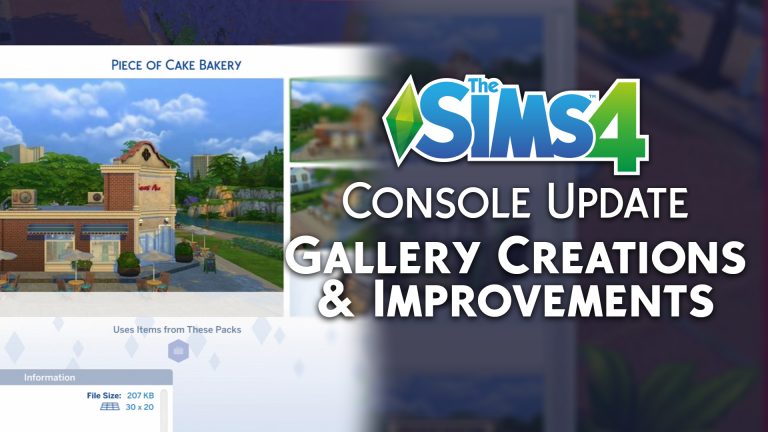
  • My Library expanded with creations from The Sims 4 Community. The new additions bring Households, Lots and Rooms.
  • We have also added the Piece of Cake Bakery which you may remember from the Get to Work announcement trailer.
  • We often get requests for features and one of the biggest requests has been to have the option to scale your roofs. We heard you and we added the feature into Build Mode.

General Issues

  • Manage Households was a little lacking in the managing part of the name by preventing you from deleting households. You can delete households you don’t need or want any more and truly manage households as you would expect.
  • If you max out your My Library storage you’ll be informed when you try to save more creations rather than finding out they silently disappeared.
  • Cursor speed and acceleration settings no longer reset after restarting the game.
  • While using the virtual cursor control scheme, the acceleration could feel like you were chasing an excited puppy around your lot. We got things under control and switching directions as you navigate the Lot shouldn’t feel so skittish. Remember, you can adjust speed and acceleration in the Game Options to get the feel you prefer.
  • The camera shouldn’t lose function when toggling bb.moveobjects in Build Mode
  • Trying to use the Virtual Cursor to live-drag from your inventory shouldn’t feel like a never-ending chore. Now it is as simple as select and drag, just like it should be.
  • Don’t you just hate it when you finish loading only to be told that there is “Game Loading In Progress” when it looks like it has finished? Us too! When a lot has loaded, it is loaded and ready to go, just like it should be.
  • Placing a Styled Room from My Library shouldn’t stop your controls from working as expected.
  • Sometimes you don’t have room in your lot to place a staircase before rotating it, now you can rotate stairs into the orientation you want without having to place them first.
  • Stairs aren’t the only thing you can rotate without placing them either, you can now rotate whole empty rooms and even walls before deciding where you want them.
  • Simmers who use the Virtual Cursor control scheme rejoice as the Pin/Unpin Whim option is now open to you.
  • Virtual Cursor controls have been tweaked, adjusted and tweaked again so now you don’t continue to accelerate and zip around the screen uncontrollably. Switching directions you take the Virtual Cursor in will drop the acceleration to ¼ of what it was so you have more control of where you go.
  • Changing your mind and re-doing something is part of getting your perfect Sim in CAS. If you do change your mind, we won’t put you into an invisible UI anymore, I promise.
  • Cell phones are a lifeline for a lot of people and Sims aren’t any different. We spent a lot of time getting them set up with more reliable service so the cell phone works when it is needed and doesn’t stay on screen when it isn’t.
  • Occasionally, the camera momentum made it difficult to have precise navigation. We’ve made a few passes at improving the camera movement to make is easier to navigate the lot.
  • Cancelling Save and Play while in CAS isn’t possible anymore. If you did this previously, you might want to check My Library as you might have multiple versions of your Households that you might want to tidy up.
  • Family is key and if you have babies you’ll know how precious they can be. That is why switching Sims now acts like it should if you have any in your household.

Get to Work

  • Returning to active lot will no longer spam the action queue while you are at work in the scientist career.
  • The returning to active lot interaction won’t queue and cancel repeatedly if you decide to idle in the alien world.
  • In the videos out of Roswell they got up close with an Alien and now you can too while creating an Alien in CAS. Like other Sims, you can switch to detail edit mode and get closer to the extra-terrestrial Sims.
  • Ever visit a new place only to think that it feels familiar but not quite right in some way? That happened to us when visiting Sixam and realizing that it didn’t look as we expected so we got the ground crew in and updated the place.

Vampires

  • Receiving a welcome phone call from Vlad can be exciting, I mean, how often do you get a phone call from a vampire? Getting this unique call shouldn’t stop your controls from functioning so we addressed that.

Dine Out

  • Canceling object placement of objects selected through Lot Type requirements will no longer put you into one of those super-secret areas in the UI.
  • Editing an employee uniform won’t send your controls across the screen no matter how your employees feel about their new uniform design.

City Living

  • When you load into San Myshuno the virtual cursor shouldn’t get stuck. It used to, but now it doesn’t.
  • If you are lucky enough to get an invite to a festival but unlucky enough to have a parent chance card appear at the same time you’ll be happy to know that you’ll keep control of your World and Sims.

PlayStation 4

  • Pressing X should work when you need it most… When you press the X button.
  • Improvements to the way My Library saves means you should have more space for your creations.
  • Celebrate good times but come on, we don’t need to see the pack celebration screens over and over. They should only show the once now and viewed new Objects shouldn’t reset to look like everything is new again.
  • When you select Save Household you expect the household to be saved, right? Thought so, now your Saved Households will save to My Library as you would expect.
  • If you chose to change your Display Settings, the virtual cursor won’t be prevented from accessing all of the UI if you opt to display things smaller.
  • The Action Queue is meant to expand to fit in all the queued actions, that is how we came up with the name. What it shouldn’t do and doesn’t do anymore is expand to the top of the screen just because you chose to speed up time.
  • Travel and romance are two of life’s luxuries. That is unless you managed to have “Travel” queue up after performing the “Ask on Date” interaction. Then you just had a mini nightmare because you found yourself stuck in Manage World. We released the controls from the UI and now you can take your date globetrotting without the worry of getting stuck looking at where you could have visited.

Xbox One

  • They say that good things come to those who wait. We don’t like waiting so we have improved the loading times so that you shouldn’t see an extended loading screen before getting into game.
  • Styled Room showcases will align correctly if you adjust your margins settings.
  • Does a Sim have an aura? Well they might but it shouldn’t have been as prominent as it was, so we turned down the highlighting of Sims so it isn’t as distracting anymore.

That isn’t it either, we took a look at what was happening on the PC and Mac versions of The Sims 4 and brought over changes and updates to the PlayStation 4 and Xbox One versions.

–  SimGuruLegacy

The Sims 4 Seasons: Custom Content Spotlight

Now that Seasons has been out for nearly a month, the community has produced some amazing custom content to go along with it. Here are some great examples, as well as links to where you can find them. All of the custom content here is appropriately tagged and functional.

The Sims 4 Seasons: Custom Content Spotlight

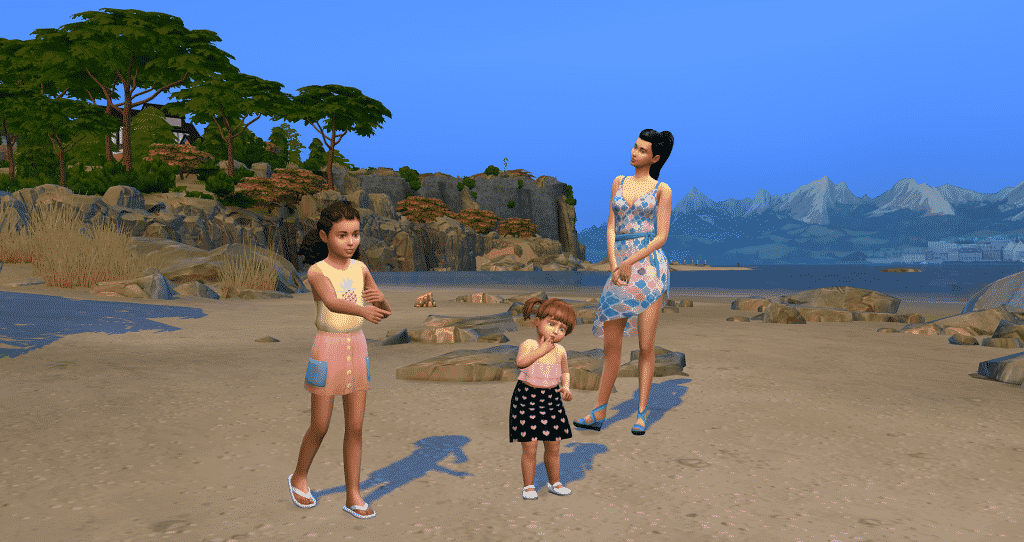
Here is some clothing perfect for a hot summer’s day! Both the child’s dress and the toddler’s dress are by Onyx Sims and can be found here and here.  Fireheart CC made the teen’s dress, which can be found here.

The Sims 4 Seasons: Custom Content Spotlight

As the weather becomes cooler in colourful autumn, your sim can try this outfit on for size! This lovely jacket was made by Linky Sims, and can be found here.

The Sims 4 Seasons: Custom Content Spotlight

Winter brings beautiful icy landscapes, as well as warm, snug outfits. The hat on this sim was made by Kumikya, and his jacket was made by Deadsimz. You can find the hat here and the jacket here.

The Sims 4 Seasons: Custom Content Spotlight

This cute toddler’s outfit was made by Mama Bears Sims. You can find it here.

The Sims 4 Seasons: Custom Content Spotlight

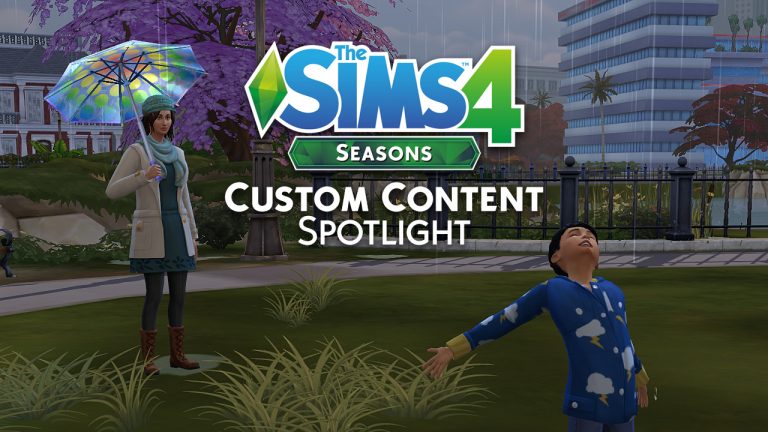
When spring has finally sprung, you can not only dress your sims for the occasion, but use fabulous new umbrellas as well! You can get this awesome functional custom umbrella by Guilietta here, with a mod making this possible thanks to Andrew at The Sims 4 Studio. The female sim’s outfit is by Ivkasims, found here, and her awesome hat was made by LeeLeeSims1, found here. Saartje77 made the child sim’s raincoat, which is found here.

A big thank you to the amazing creators of our community for creating such awesome custom content!

The Sims 4 Console: New Update Confirmed for this Thurdsay

2

SimGuruLegacy has confirmed that the upcoming update for The Sims 4 Xbox One and PS4 will be rolling out this Thursday (July 19th) starting 10AM PDT / 7PM CET / 6PM BST.

The upcoming update for The Sims 4 Console should help prepare the game for the upcoming Cats & Dogs release for consoles. There’s also some improvements, bug fixes and new creations that you can expect in your library with this update.

We’ll make sure to keep you posted about all the details that’ll come with this update!