Home Blog Page 296

Countdown to the release of The Sims 4 Cats & Dogs on Xbox One and PS4

The Sims 4 Cats & Dogs Expansion Pack is finally getting released for console players!

Xbox One and PS4 players will get to enjoy Cats & Dogs on July 31st at 10AM PDT / 7PM CET / 6PM BST. We know – all these time zones are a bit confusing. That’s why we made a countdown to the worldwide release which will let you know exactly how many days, hours, minutes and seconds until The Sims 4 Cats & Dogs hits the Microsoft and Playstation stores.

Previously packs on consoles would release at midnight for each time zone. However, since the release of Get to Work Expansion Pack on consoles all packs have the same time of release.

Countdown to worldwide release

[ult_countdown count_style=”ult-cd-s2″ datetime=”2018/07/31 19:00:00″ countdown_opts=”sday,shr,smin,ssec” br_style=”solid” br_size=”5″ br_color=”#a6312b” br_radius=”5″ timer_bg_color=”#a6312b” br_time_space=”5″ tick_col=”#ffffff” tick_sep_col=”#a6312b” tick_style=”font-weight:bold;” tick_size=”desktop:42px;” tick_line_height=”desktop:42px;” tick_unit_style=”font-weight:bold;” tick_sep_size=”desktop:18px;” tick_sep_line_height=”desktop:18px;”]

Countdown to the release of The Sims 4 Cats & Dogs on Xbox One and PS4

The Sims Mobile: Summer Hairstyles Limited Time Offer Now Available

0

The Sims Mobile has a new Limited Time Offer now available in the Featured section of the game.

The Summer Hairstyles offer brings 3 new hairstyles for 4.99 USD.

The Sims Mobile: Summer Hairstyles Limited Time Offer Now Available

The offer expires next Thursday. If you’re interested to know what these hairstyles look like in the game check out our video overview down below:

The Sims Mobile: Meet the SimGurus Page

0

The Sims Mobile Website has published a new page with a complete list of SimGurus (developers) who are currently working on the game, as well as their current roles in the development process.

Make sure you check out the page and follow everyone on Twitter who works on the game!

The Sims Mobile: Meet the SimGurus Page

The Sims 4 Console: July 19th, 2018 Update Video Overview

Want to know everything that’s been added in the latest update for The Sims 4 on Xbox One and PS4? Check out our video above!

The Sims 4 Console: New Update + Patch Notes! (July 19th, 2018)

The Sims 4 Console: New Update + Patch Notes! (July 19th, 2018)

The Sims Team has released a brand new Update for The Sims 4 for Console devices – Xbox One and PS4!

Patch Notes

Update: 07/26/2018 – v1.07

Hello Simmers!

What a summer! As you may have heard, we have been hard at work preparing for the arrival of our fluffy companions in Cats & Dogs. We haven’t stopped there though, we have added Households, Lots and Rooms created by members of The Sims 4 Community into My Library and continued to make a number of performance improvements. Of course, we have been gathering and addressing your feedback and reports too.

Rather than giving you a high-level version of what you can expect how about I just tell you.

What’s New?

  • Performance improvements mean that you should be able to get into your Worlds quicker, loading times will be shorter and things will be smoother.
  • The Auto Save feature had been a little too temperamental for our liking so we have reviewed the feature and made improvements to the way it works so it is more reliable.
  • My Library expanded with creations from The Sims 4 Community. The new additions bring Households, Lots and Rooms.
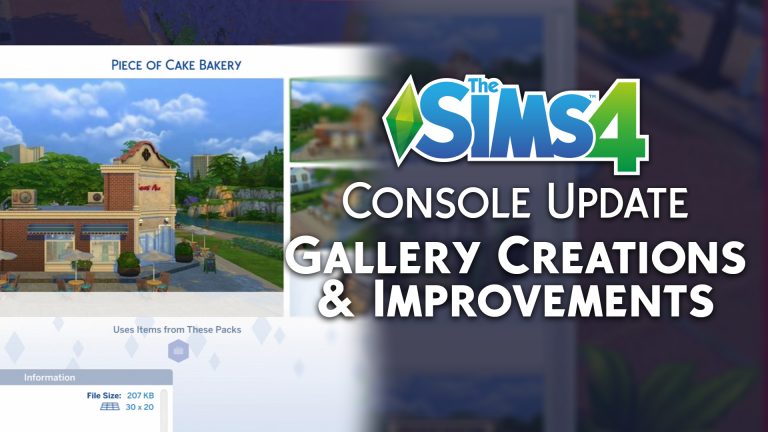
  • We have also added the Piece of Cake Bakery which you may remember from the Get to Work announcement trailer.
  • We often get requests for features and one of the biggest requests has been to have the option to scale your roofs. We heard you and we added the feature into Build Mode.

General Issues

  • Manage Households was a little lacking in the managing part of the name by preventing you from deleting households. You can delete households you don’t need or want any more and truly manage households as you would expect.
  • If you max out your My Library storage you’ll be informed when you try to save more creations rather than finding out they silently disappeared.
  • Cursor speed and acceleration settings no longer reset after restarting the game.
  • While using the virtual cursor control scheme, the acceleration could feel like you were chasing an excited puppy around your lot. We got things under control and switching directions as you navigate the Lot shouldn’t feel so skittish. Remember, you can adjust speed and acceleration in the Game Options to get the feel you prefer.
  • The camera shouldn’t lose function when toggling bb.moveobjects in Build Mode
  • Trying to use the Virtual Cursor to live-drag from your inventory shouldn’t feel like a never-ending chore. Now it is as simple as select and drag, just like it should be.
  • Don’t you just hate it when you finish loading only to be told that there is “Game Loading In Progress” when it looks like it has finished? Us too! When a lot has loaded, it is loaded and ready to go, just like it should be.
  • Placing a Styled Room from My Library shouldn’t stop your controls from working as expected.
  • Sometimes you don’t have room in your lot to place a staircase before rotating it, now you can rotate stairs into the orientation you want without having to place them first.
  • Stairs aren’t the only thing you can rotate without placing them either, you can now rotate whole empty rooms and even walls before deciding where you want them.
  • Simmers who use the Virtual Cursor control scheme rejoice as the Pin/Unpin Whim option is now open to you.
  • Virtual Cursor controls have been tweaked, adjusted and tweaked again so now you don’t continue to accelerate and zip around the screen uncontrollably. Switching directions you take the Virtual Cursor in will drop the acceleration to ¼ of what it was so you have more control of where you go.
  • Changing your mind and re-doing something is part of getting your perfect Sim in CAS. If you do change your mind, we won’t put you into an invisible UI anymore, I promise.
  • Cell phones are a lifeline for a lot of people and Sims aren’t any different. We spent a lot of time getting them set up with more reliable service so the cell phone works when it is needed and doesn’t stay on screen when it isn’t.
  • Occasionally, the camera momentum made it difficult to have precise navigation. We’ve made a few passes at improving the camera movement to make is easier to navigate the lot.
  • Cancelling Save and Play while in CAS isn’t possible anymore. If you did this previously, you might want to check My Library as you might have multiple versions of your Households that you might want to tidy up.
  • Family is key and if you have babies you’ll know how precious they can be. That is why switching Sims now acts like it should if you have any in your household.

Get to Work

  • Returning to active lot will no longer spam the action queue while you are at work in the scientist career.
  • The returning to active lot interaction won’t queue and cancel repeatedly if you decide to idle in the alien world.
  • In the videos out of Roswell they got up close with an Alien and now you can too while creating an Alien in CAS. Like other Sims, you can switch to detail edit mode and get closer to the extra-terrestrial Sims.
  • Ever visit a new place only to think that it feels familiar but not quite right in some way? That happened to us when visiting Sixam and realizing that it didn’t look as we expected so we got the ground crew in and updated the place.

Vampires

  • Receiving a welcome phone call from Vlad can be exciting, I mean, how often do you get a phone call from a vampire? Getting this unique call shouldn’t stop your controls from functioning so we addressed that.

Dine Out

  • Canceling object placement of objects selected through Lot Type requirements will no longer put you into one of those super-secret areas in the UI.
  • Editing an employee uniform won’t send your controls across the screen no matter how your employees feel about their new uniform design.

City Living

  • When you load into San Myshuno the virtual cursor shouldn’t get stuck. It used to, but now it doesn’t.
  • If you are lucky enough to get an invite to a festival but unlucky enough to have a parent chance card appear at the same time you’ll be happy to know that you’ll keep control of your World and Sims.

PlayStation 4

  • Pressing X should work when you need it most… When you press the X button.
  • Improvements to the way My Library saves means you should have more space for your creations.
  • Celebrate good times but come on, we don’t need to see the pack celebration screens over and over. They should only show the once now and viewed new Objects shouldn’t reset to look like everything is new again.
  • When you select Save Household you expect the household to be saved, right? Thought so, now your Saved Households will save to My Library as you would expect.
  • If you chose to change your Display Settings, the virtual cursor won’t be prevented from accessing all of the UI if you opt to display things smaller.
  • The Action Queue is meant to expand to fit in all the queued actions, that is how we came up with the name. What it shouldn’t do and doesn’t do anymore is expand to the top of the screen just because you chose to speed up time.
  • Travel and romance are two of life’s luxuries. That is unless you managed to have “Travel” queue up after performing the “Ask on Date” interaction. Then you just had a mini nightmare because you found yourself stuck in Manage World. We released the controls from the UI and now you can take your date globetrotting without the worry of getting stuck looking at where you could have visited.

Xbox One

  • They say that good things come to those who wait. We don’t like waiting so we have improved the loading times so that you shouldn’t see an extended loading screen before getting into game.
  • Styled Room showcases will align correctly if you adjust your margins settings.
  • Does a Sim have an aura? Well they might but it shouldn’t have been as prominent as it was, so we turned down the highlighting of Sims so it isn’t as distracting anymore.

That isn’t it either, we took a look at what was happening on the PC and Mac versions of The Sims 4 and brought over changes and updates to the PlayStation 4 and Xbox One versions.

–  SimGuruLegacy

The Sims 4 Seasons: Custom Content Spotlight

Now that Seasons has been out for nearly a month, the community has produced some amazing custom content to go along with it. Here are some great examples, as well as links to where you can find them. All of the custom content here is appropriately tagged and functional.

The Sims 4 Seasons: Custom Content Spotlight

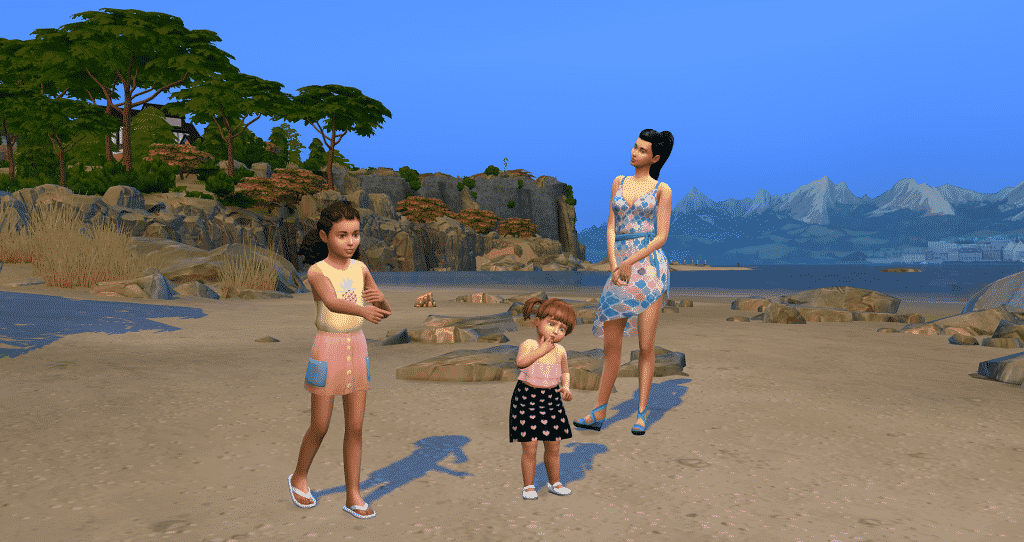
Here is some clothing perfect for a hot summer’s day! Both the child’s dress and the toddler’s dress are by Onyx Sims and can be found here and here.  Fireheart CC made the teen’s dress, which can be found here.

The Sims 4 Seasons: Custom Content Spotlight

As the weather becomes cooler in colourful autumn, your sim can try this outfit on for size! This lovely jacket was made by Linky Sims, and can be found here.

The Sims 4 Seasons: Custom Content Spotlight

Winter brings beautiful icy landscapes, as well as warm, snug outfits. The hat on this sim was made by Kumikya, and his jacket was made by Deadsimz. You can find the hat here and the jacket here.

The Sims 4 Seasons: Custom Content Spotlight

This cute toddler’s outfit was made by Mama Bears Sims. You can find it here.

The Sims 4 Seasons: Custom Content Spotlight

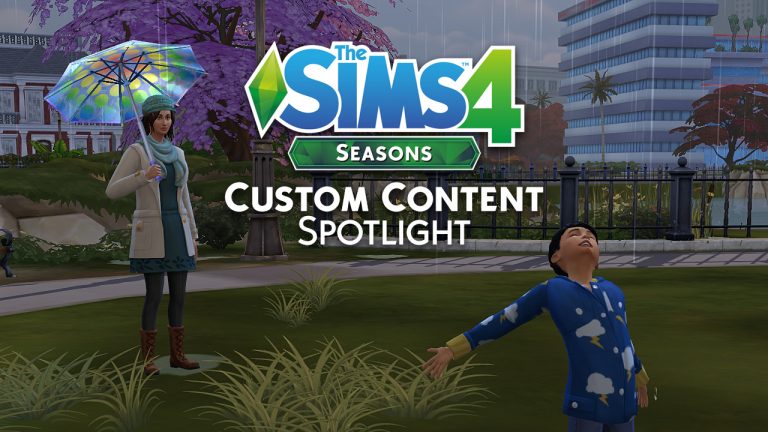
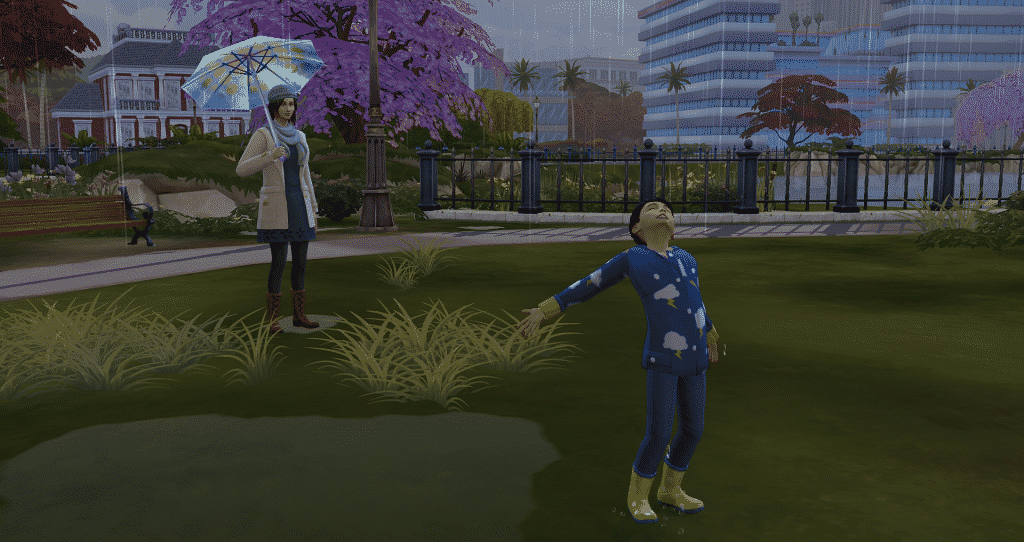
When spring has finally sprung, you can not only dress your sims for the occasion, but use fabulous new umbrellas as well! You can get this awesome functional custom umbrella by Guilietta here, with a mod making this possible thanks to Andrew at The Sims 4 Studio. The female sim’s outfit is by Ivkasims, found here, and her awesome hat was made by LeeLeeSims1, found here. Saartje77 made the child sim’s raincoat, which is found here.

A big thank you to the amazing creators of our community for creating such awesome custom content!

The Sims 4 Console: New Update Confirmed for this Thurdsay

2

SimGuruLegacy has confirmed that the upcoming update for The Sims 4 Xbox One and PS4 will be rolling out this Thursday (July 19th) starting 10AM PDT / 7PM CET / 6PM BST.

The upcoming update for The Sims 4 Console should help prepare the game for the upcoming Cats & Dogs release for consoles. There’s also some improvements, bug fixes and new creations that you can expect in your library with this update.

We’ll make sure to keep you posted about all the details that’ll come with this update!

Community Thoughts: Lacking Makeup Options in The Sims 4 and how it can be improved

Ever since The Sims 4’s release in 2014 the community always felt like the game could do more in terms of makeup options that we get in Create A Sim. We’ve gotten a few extra options with Get to Work, Luxury Party and Get Together but in the last 3 years there hasn’t been anything done or added to the current catalog of makeup that would improve the experience of stylizing our Sims.

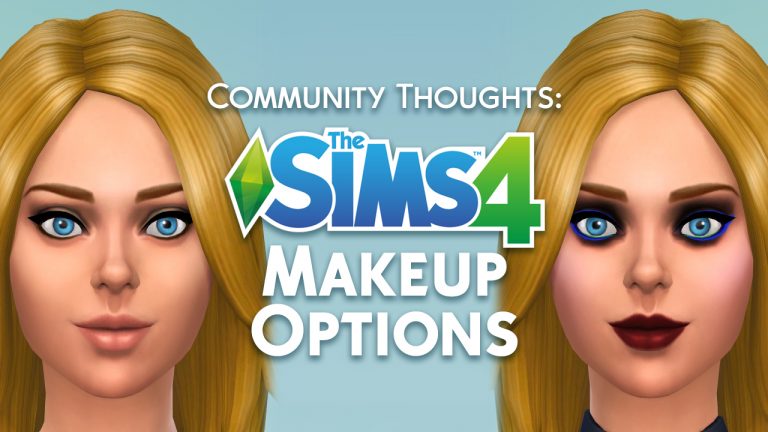
Other than the fact that we don’t get enough makeup categories that would help stylize specific parts of our Sims’ faces, the makeup we have right now is lacking to make our Sims stand out. Makeup offered with The Sims 4 Base Game is either too subtle or too visually striking. It’s especially hard to put makeup on Sims with darker skin tones. For example, there are only 5 presets for the “normal” Blush makeup option while there are 35 different skin tones in the game. The 5 blush presets only look good for some skin tones and even for those skin tones it’s hard to give the player full control over the makeup they’re wearing considering that some prefer to give their Sims certain levels of subtle makeup.

Community Thoughts: Lacking Makeup Options in The Sims 4 and how it can be improved

Those are just the lacking blush options that we have. There’s also lipstick, eyeshadow and the eyeliner makeup items that need improvement.

Makeup trends have changed tremendously in the world over the last few years. We know that The Sims 4 has its own universe of its own fashion rules but The Sims Team often knows how to hit the jackpot when it comes to adding trendy (and traditional) hairstyles and outfits that are inspired from real world. You can even see Concept Art from The Sims 4 that we occasionally post on our website which proves the point that the team uses references from the real world as an inspiration for The Sims 4 universe. Why doesn’t The Sims Team use today’s makeup trends to improve their lacking catalog of makeup in The Sims 4? We still don’t have an answer to that question but we did ask our Twitter followers about what they think about the current makeup options and features in the game and how they think it could be improved.

Here are their thoughts:

What are your thoughts on the current makeup options and how do you think they can be improved? Let us know in the comments!

The Sims FreePlay: Chic Boutique Live Event Walkthrough

0

Want to know what it takes to complete the latest Chic Boutique Live Event in The Sims FreePlay? Check out our detailed walkthrough video!

The Sims FreePlay: Upcoming Events Dates

1

The Sims FreePlay Team has published a list of dates for the upcoming events that are coming to The Sims FreePlay. Other than the Chic Boutique Live Event and the Back to the Wall Discovery Quest, other events that you see below are reruns of the previous events that have already been released to The Sims FreePlay before.

Check out all the dates below:

Event Dates:

  • Chic Boutique Live Event: 10-day event starting July 17 (AEST)
  • Musical Expression Hobby Event: 7-day event starting July 22 (AEST)
  • Fishing Hobby Event: 7-day event starting July 29 (AEST)
  • Back to the Wall Discovery Quest: 7-day event starting August 1 (AEST)
  • Survivalist Hobby Event: 10-day event starting August 5 (AEST)
  • Dream Closet Live Event: 7-day event starting August 9 (AEST)
  • Boutique Hair Hobby Event: 7-day event starting August 18 (AEST)
  • Streetwear Hobby Event: 9-day event starting August 19 (AEST)

The Sims FreePlay: Upcoming Events Dates

The Sims FreePlay: Chic Boutique Update Now Available!

0

The Sims FreePlay has a brand new update available for iOS and Android devices! Simply open up your App Store and make sure you download the latest update for FreePlay to get the latest Live Event and some new features as well.

What’s New

Style is in season in SimTown! Make some seriously sleek design statements in the latest update. You can:

  • Build a beautiful fashion boutique for your Sims in the Chic Boutique Live Event
  • Style your store with dazzling mirrors, luxe fitting rooms, and plush lounges
  • Fit out your storefront with a variety of display units, mannequins, and merchandise, including shoes, handbags, and coats that your Sims can try on
  • Create feature walls for your Sims’ homes with the Back to the Wall Discovery Quest
  • Play with the all-new interior windows feature – make atriums, indoor greenhouses and more

Plus, unlock brand-new maternity clothing for your pregnant Sims. Thanks for playing!

The Sims 4: Another Expansion / Game Pack has been confirmed for 2018

20

UPDATE: EA Poland tried to explain the Instagram Story (that they deleted that you can see below) and what they “really meant”. They explained in a series of stories below that the new Expansion Pack that they meant was Cats & Dogs for Consoles.

However, they still didn’t elaborate why did they answer “YES” to Game Packs as well and why they deleted the Instagram Story. It looks like they’re trying to cover up the fact that there’s actually going to be one more Expansion and Game Pack for The Sims 4 this year!

  • You asked us yesterday, if a new Expansion is coming…
  • We answered…YES
  • This July…
  • Cats & Dogs for Xbox One and PS4

EA Poland shared an interesting piece of information about what’s to come for The Sims 4 in 2018. The Sims Poland’s Instagram account revealed that we should be expecting another Expansion / Game Pack for this year!

Here’s what they said in an instagram story post that’s been quickly deleted afterwards:

Instagram Question: Will there be another game pack or an expansion in 2018?

The Sims Poland: YES.

The Sims 4: Another Expansion / Game Pack has been confirmed for 2018


This means that 2018 will be a second year where The Sims 4 might get two Expansion Packs. The last time we got two Expansion Packs was back in 2015 with Get to Work in Spring and Get Together in Fall. Considering that The Sims 4 Seasons Expansion Pack has been released in Spring that leaves plenty of space left for another Expansion Pack this year, as well as a Game Pack.

As there won’t be any more quarterly teasers for The Sims 4 you should stay tuned to our website as we’ll keep you updated about the latest leaks, speculation and official information about the upcoming content for the game!

What do you think that the next Expansion Pack and Game Pack are? Let us know in the comments!

Tip: @PurplCheshire

The Sims Mobile: Surgeon Career Pack Video Overview

0

Want to know what’s included in the latest limited-time offer for The Sims Mobile? Check out our video above and find out what The Surgeon Career Pack has to bring!

The Sims Mobile: Surgeon Career Now Available

1

The Sims Mobile Team has just released a Surgeon Career to players worldwide!

To unlock the Surgeon Career you need to have the Medical Injector Heirloom in your inventory. Considering it’s a rare heirloom it might take you a few retirements / Luxe Heirloom Chests to get this heirloom. If you played The Sims Mobile during its pre-release period before the worldwide launch then the chances are that you already might have this heirloom in your inventory!

The Sims Mobile: Surgeon Career Now Available

Another way to obtain the Medical Injector Heirloom is to purchase it along with other exclusive items that you get with the Limited Time Surgeon Career Pack, which is priced at $6.99USD. This pack is currently available for the next 13 days.

After obtaining the Medical Injector heirloom you get a quick, two-step quest after which you’ll be able to unlock the Surgeon Career!

The Sims Mobile: Surgeon Career Now Available

After completing the quest all you have to do is place down the Surgery Table in the Hospital Venue, start The Mysterious Benefactory Story and you’re good to begin your Surgeon Career journey. Good luck!

Cities: Skylines + Full range of DLCs are now available on Origin

3

Cities: Skylines – a city simulation that took the masses in 2015 and began expanding ever since is now available on Origin – through both the Origin Access subscription service (as a standard edition base game) and as a game that you can fully purchase through Origin.

Not only that, but this city builder simulation also has a complete range of Expansion Packs and DLCs ported over to Origin! (total of 19 different Cities: Skylines games)

Interested in owning Cities: Skylines through Origin? Check out the full collection here!

Cities: Skylines + Full range of DLCs are now available on Origin