Home Blog Page 304

The Sims 4 Seasons: List of Base Game + Seasons Traditions

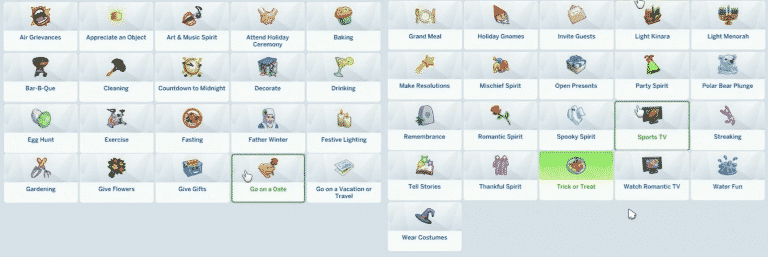
The Sims 4 Seasons Expansion Packs comes with a number of traditions that’ll help you make your holiday more unique. These traditions are something that’ll give your Sims a certain set of new (and old) interactions to perform – not just for Sims in your Household but Sims all around you!

Do note that these traditions are only from Seasons and Base Game. For example, when City Living installed, you’ll unlock a tradition to set off fireworks!

The Sims 4 Seasons: List of Base Game + Seasons Traditions

  • Air Grievances
  • Appreciate an Object
  • Art & Music Spirit
  • Attend Holiday Ceremony
  • Baking
  • Bar-B-Que
  • Cleaning
  • Countdown to Midnight
  • Decorate
  • Drinking
  • Egg Hunt
  • Exercise
  • Fasting
  • Father Winter
  • Festive Lighting
  • Festive Spirit
  • Fighting
  • Fire
  • Flower Bunny
  • Games
  • Gardening
  • Give Flowers
  • Give Gifts
  • Go on a Date
  • Go on a Vacation or Travel
  • Grand Meal
  • Holiday Gnomes
  • Invite Guests
  • Light Kinara
  • Light Menorah
  • Make Resolutions
  • Mischief Spirit
  • Open Presents
  • Party Spirit
  • Polar Bear Plunge
  • Remembrance
  • Romantic Spirit
  • Spooky Spirit
  • Sports TV
  • Streaking
  • Tell Stories
  • Thankful Spirit
  • Trick or Treat
  • Watch Romantic TV
  • Water Fun
  • Wear Costumes

The Sims 4 Seasons: List of Game Options

0

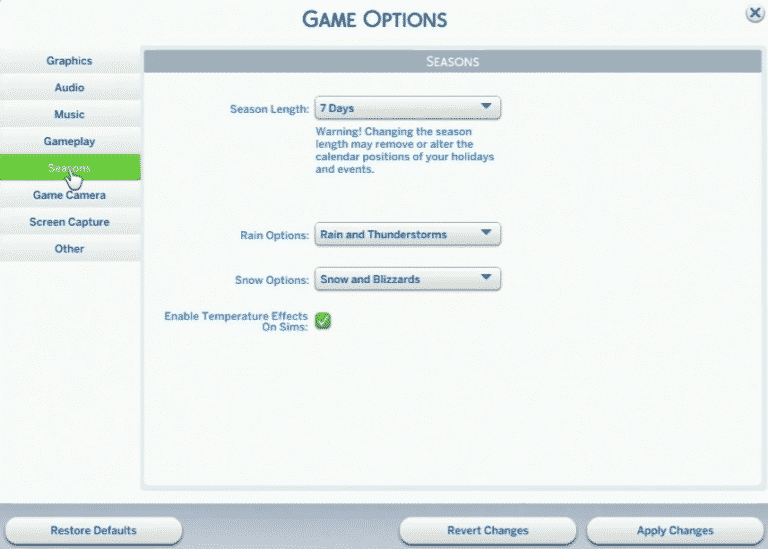
During the livestream The Sims Team has showcased all of the new Seasons Game Options that come with The Sims 4 Seasons Expansion Pack.

  • Season Length
    • 7 Days
    • 14 Days
    • 28 Days
  • Rain Options:
    • Rain and Thunderstorms
    • Rain
    • None
  • Snow Options:
    • Snow and Blizzards
    • Snow
    • None
  • Enable Temperature Effects On Sims

The Sims 4 Seasons: List of Game Options

The Sims 4: Preview of the Free Glass Roof Update

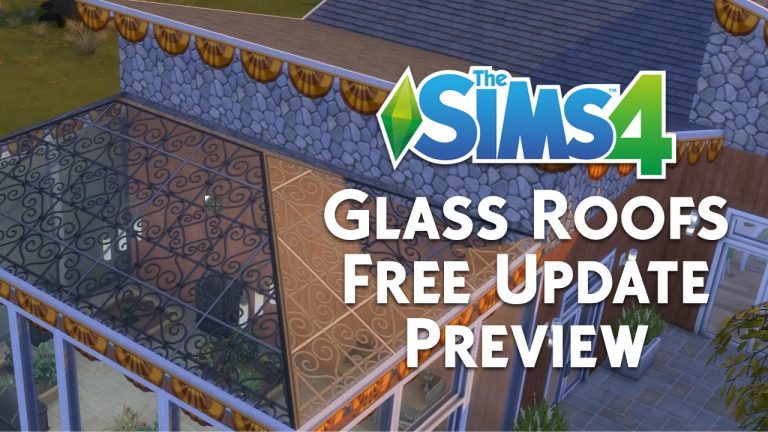
The Sims Team has showcased all the new Glass Roof types that we’re going to get with the upcoming free patch to help us prepare the game for The Sims 4 Seasons Expansion Pack.

There are 6 new glass roof types being added to the game, including:

  • Hexagon Glass Roof
  • Solid-Sheet Glass Roof
  • Ornamental-Scrollwork Glass Roof
  • Diamond-Paneled Glass Roof
  • Square-Paneled Glass Roof
  • Rectangular Paneled Glass Roof

The Sims 4: Preview of the Free Glass Roof Update

What do these glass roofs look like in the game? Check out the screen captures that we’ve made below!

The Sims 4 Seasons: Important Facts from the Livestream

The Sims 4 Seasons: Important Facts from the Livestream

The Sims Team has done a huge livestream for The Sims 4 Seasons Expansion Pack, talking about Create A Sim, new Gameplay Features and showcasing some of the new build items. We’ve tried to do our best and cover the most important facts that they’ve talked about during the stream.

Check out all the important facts mentioned about The Sims 4 Seasons down below!

  • There are 2 new outfit categories in Create A Sim for Warm and Cold weather.
  • Plenty of new outfits for all ages!
  • Toddlers get a new swimwear category with 3 new swimwear outfits, all exclusive with Seasons.
  • Sunrise and sunset will happen at different times, depending on a season that you’re in.
  • Each world in The Sims 4, including vacation worlds as well have been updated for Seasons.
  • During fall, leaf piles will appear on ground inside and outside your lot.
  • You can add social events to your calendar such as dinner parties, birthday parties and more. While planning a social event you’ll be able to select Sims who wil attend the event, which venue and what time will the event start.
  • In game options you’ll be able to change season lenght, rain options, snow options and the ability to enable/disable temperature effects for Sims.
  • The new holiday user interface will appear in the top left corner each time a holiday begins. Holidays begin at 6AM and end at 2AM.
  • Some Sims won’t care about certain traditions during holidays. For example, teens will ignore the Grand Meal tradition. It all depends on your Sim’s personality, traits and age.
  • Cooking a grand meal will bring up 5 different recipes: Grand Breakfast, Ham, Fish, Turkey and Tofurkey Dinner.
  • You’ll be able to edit holidays while they’re currently running.
  • In Edit  / Create Holiday you’ll be able to change the Holiday Name, Holiday Icon, Decoration Themes, choose if your Sims will have a Day off Work/School, Traditions and the ability to choose Traditions.
  • You’ll be able to set up holiday decorations using the Holiday Decorations Box object. You’ll be able to put up decorations, sabotage decorations, take down decorations and rummage for decorations that are appropriate for the season you’re in.
  • Neighbors’ houses will be automatically decorated appropriately for the season your game is in. If you change the current holiday’s decoration theme your neighbors will also change the decoration theme of their houses.
  • You’ll be able to decorate eaves, fences and foundations using the new holiday decorations feature.
  • Going into Build Mode during a holiday will immediately redirect you to the Holiday items objects category.
  • There are surprise holidays in the game and they will randomly appear in the game for the next 7 days. One of those is the Rebate Day.
  • You can click on the ground full of leaves and rake for leaves. Creating a huge leaf pile will allow your Sims in relationship to have woohoo or try for baby in it.
  • You can build a relationship with the scarecrow. There are 4 chat interactions that you can perform with it that’ll eventually help you build a relationship with Patchy the Straw Man. Maxing out the friendship with Patchy will help you unlock the Scarecrow Outfit as well as some new interactions.
  • Around noon time Patchy the scarecrow comes to life and helps you with gardening.
  • Scouting is treated as a career for kids and teens.
  • The scouting board allows you to get tips, tricks and information about your badge progress.
  • There are 9 different badges that you can get and each badge requires you to do a different set of interactions.
  • There are 6 new glass roof patterns that you’ll be able to get with the upcoming Sims 4 base game update.
  • During harvestfest holidays will show up in your home and “celebrate”. You’ll be able to appease the gnomes and make 6 different offerings such as Coffee, Fruitcake, Pie and more. Uncomfortable and angry Sims will be able to kick the gnome, which will cause gnomes to cause mayhem in your home and break most objects in your home. Disturbing a gnome will only make it so that more gnomes appear on your home and the only way to get rid of them is to kick all of the gnomes on your lot.
  • Sims who are walking by in the world will occasionally slip when there’s a layer of snow.
  • You can manually decorate the holiday tree with multiple Sims.
  • All Sims, even toddlers are able to sneak and steal a present from the present pile.
  • Sims can contribute to the pile of presents and make it bigger.
  • There are two options on the thermostat: make the interior colder or warmer. You can also turn it off.
  • You can also contribute to killing your Sims with the thermostat if for example you set the thermostat to colder while it’s already really cold outside.
  • There are new snow interactions that you can select by clicking on the ground such as shove snow, make snow angel, have a snowball fight and more.
  • Going outside will make your Sims automatically switch to their cold outfits.
  • You’ll be able to have a snowball fight anywhere in the world and Sims will be more dynamic throughout the fight compared to previous iterations.
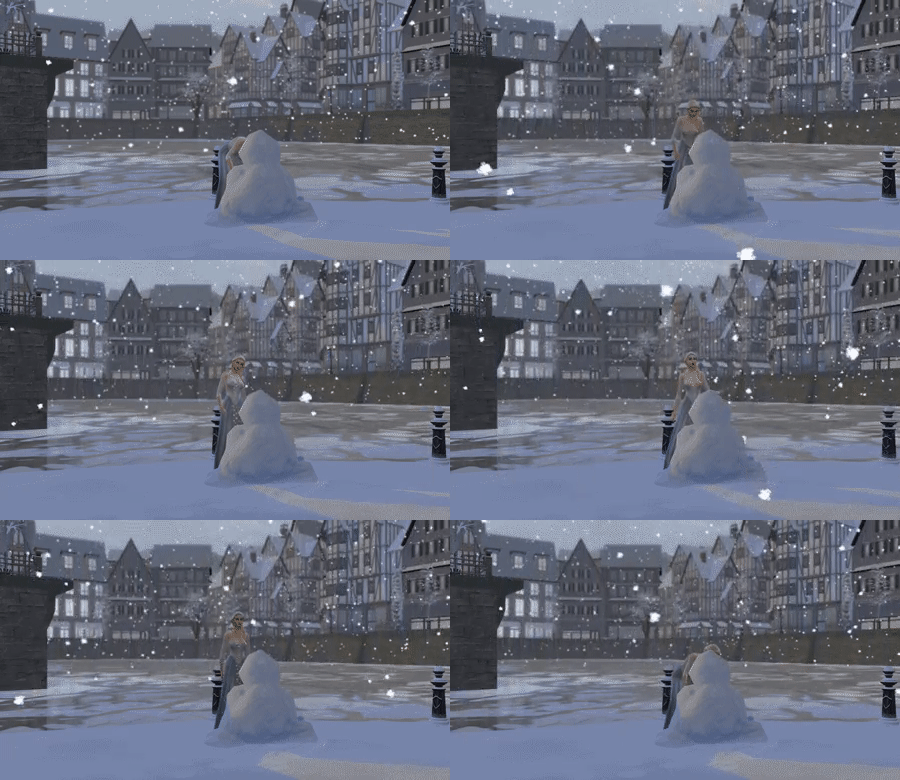
  • Sims can sometimes create random snowpals in the game. The style of your snowpal also depends on the mood of your Sim who’s creating the snowpal. There’s also an ability to rename and destory the snowpal.
  • Child and Toddlers will be able to build relationships with snowpals!
  • Random snow piles will appear around your lot. Some might even block the entrance of your home meaning that you’ll have to shovel the snow piles in order to get access again.
  • There are 2 new skating rinks: ice skating rink and roller skating rink. These rinks will appear in certain neighborhoods outside your lot.
  • For skating rinks you’ll be able to set different music genres, different lighting and different effects.
  • There’s a skating skill with 5 different levels that your Sims can build, unlocking new tricks as you level up.
  • Other Sims can join and watch your Sim skate. If they cheer and clap your skating Sim will get a positive moodlet.
  • Father Winter will appear near midnight. You’ll immediately be able to do casual interactions or fight Father Winter for presents.
  • Rain will add additional water puddles around your world and roads.
  • You get umbrellas for your Sims through the umbrella rack object. There you’ll be able to pick 12 different umbrella designs. 2 designs are seethrough.
  • Sims will be able to play in mud puddles created by rain. You’ll also have an option to have a mud fight. However, doing interactions will mud will greatly decay your hygiene need.
  • On swingsets you’ll be able to swing by yourself and even ask someone to push you on the swing.
  • You’ll be able to put toddlers in the toddler pool. Older ages will be able to lounge in the toddler pool.
  • With the weather controller you can change the current waeather, change your current season’s forecast and advance to a different season.
  • The forecast won’t change after manipulating the weather using the weather controller.
  • Sims with low handiness levels won’t always manage to successfully change the weather, leading to occasional catastrophic occurances.
  • Specific plants grow for during specific seasons, meaning that they’ll go dormant when it’s not their season.
  • There are new plants including flowers, vegetables and even the money tree.
  • The area of effect including watering, seeding and harvesting is a feature that’ll be added with the new update. This means that Sims with bigger gardening skills will be able to water, weed and harvest multiple plants that are inside the plant box all at once.
  • There’s also an ability for you to sell the produce of your plants.
  • There’s a new Flower Arranging skill with Seasons, letting you arrange and create different bouqets of flowers.
  • There’s a new user interface for plant evolutions. There are now 5 levels of evolutions that you can keep track of.
  • If you have The Sims 4 Get to Work you’ll be able to sell flowers that you’ve arranged and sell them in your retail store.
  • Certain flowers and their different scents can trigger all sorts of emotions to Sims that have received those flowers.
  • You can give gifts including objects in your inventory and even money from your household funds.
  • Bees that are nearby plants will help pollinate them, making plants evolve faster.
  • The beekeper suit will help you prevent from getting stung by bees. You can always choose to not wear it and risk getting stung by bees.
  • With honey you’ll be able to create honey tea and even a honey cake.
  • You can collect a swarm of bees which will show up in your inventory. The bee swarm disperses in 5 hours and you have several options with the bee swarm: you can attack other Sims, woo other Sims, send to fetch gift, pollinate nearby plants and cheer up other Sims and your Sim!
  • You can’t die from getting stung by bees.
  • Your umbrealla can break by using it during stormy weather. You can pick a new umbrellla or wait for a while until you can use your old, broken umbrella.
  • Sims will get extremely tense moodlets when being put out in extreme weather conditions.
  • Death by cold can easily occur if your Sim is wearing clothes for warm weather while being outside in cold weather.
  • You can now get seed packets through Build Mode.
  • There’s a water balloon bucket that you can find in Build Mode and fill in Live Mode, letting you have water balloon fights.
  • There’s a new Summer Strut Radio Station!

REMINDER: The Sims 4 Seasons comes out next week!

0

The Sims 4 Seasons Expansion Pack is less than 7 days away from being released worldwide. I know, it feels crazy writing this after months and months of crazy speculation, hints and rumors about the game before it was even announced.

Just like with the release of The Sims 4 Cats & Dogs Expansion Pack, Seasons will be released worldwide on the same day. However, it seems that unlike with Cats & Dogs, people who pre-ordered the game are unable to see the exact hour for the release of this pack.

Screen provided by @PrismaticSimmer

REMINDER: The Sims 4 Seasons comes out next week!

We’ve used the same details from the Cats & Dogs release date to create a countdown for The Sims 4 Seasons. If details about the release date show up later or turn out to be different we’ll make sure to update the countdown post. Until then, join the fun and countdown with us to the release of Seasons!

Make sure you stay tuned to our Seasons Post Category for all the latest news, updates and exclusive coverage about the game.

The Sims FreePlay: Teasers for Upcoming Update

0

The Sims FreePlay Team have been teasing a lot lately about their upcoming update which they claim is pretty big. Down below you can see 2 image teasers, as well as a tweet that they’ve published saying that everything is ready and that we can expect the update to arrive in a couple of days.

They’ve also released a statement that there’s going to be a special livestream this Monday at 7PM PDT / 3AM CET / 2AM BST regarding the upcoming update.

The Sims 4 Seasons: New Batch of Snowy GIFs

2

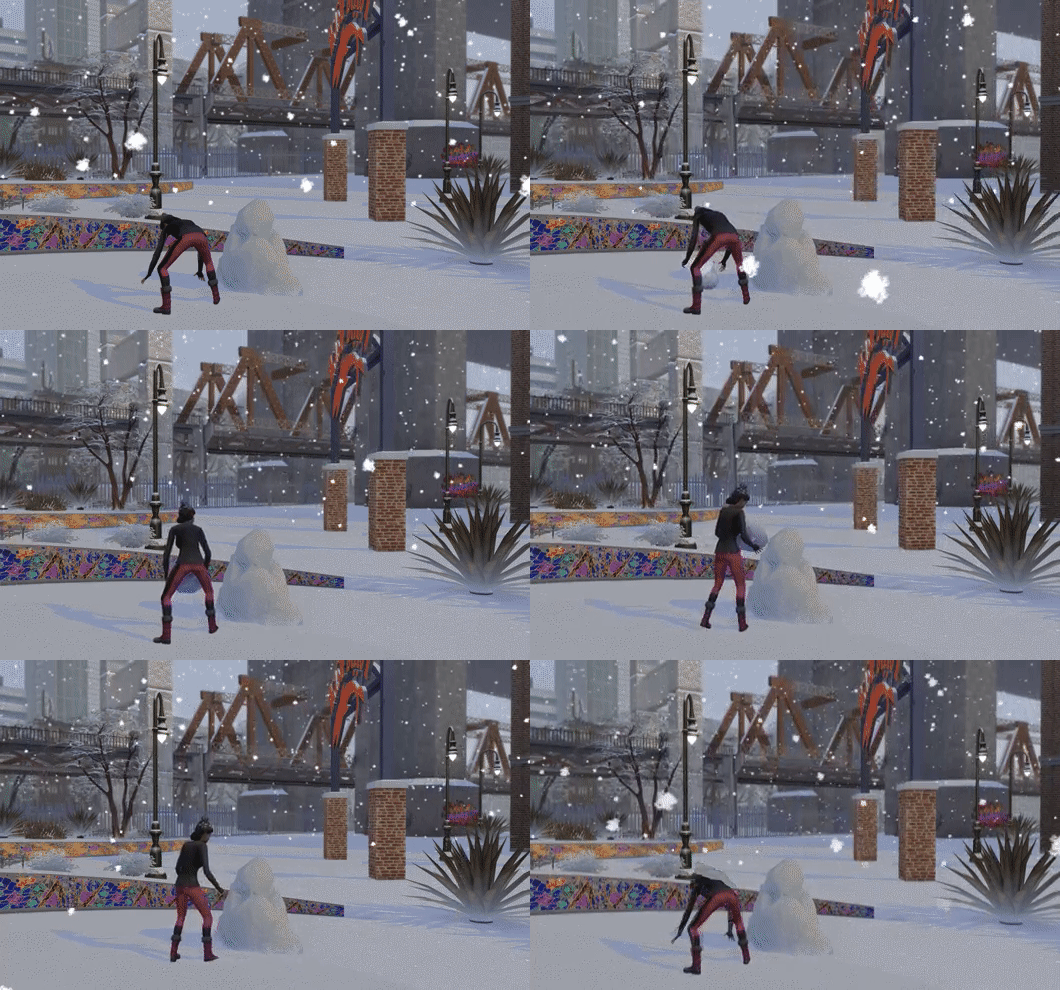
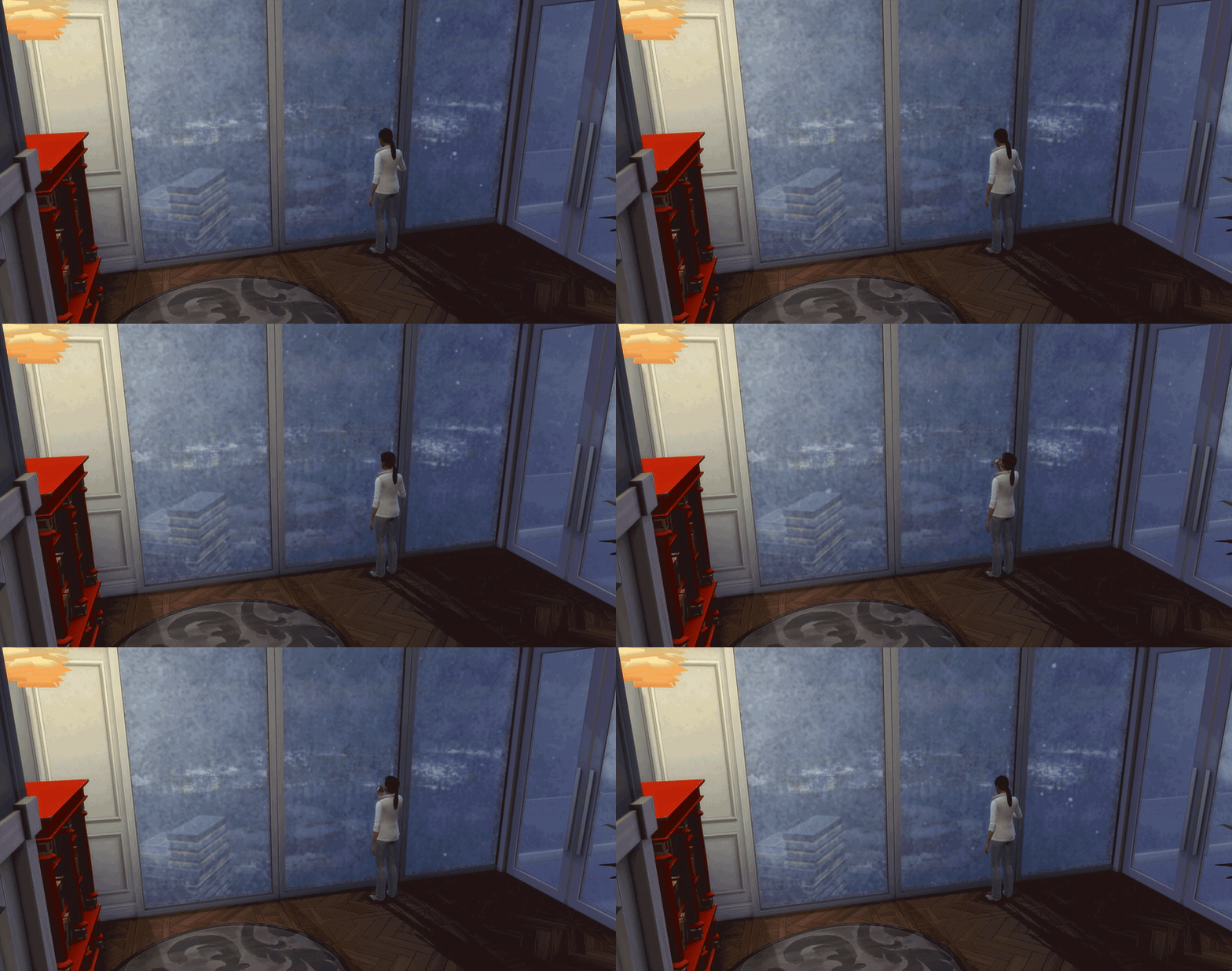
SimGuruMorgan and SimGuruGeorge haven’t stopped with sharing new GIFs of The Sims 4 Seasons Expansion Pack. This time they’ve shared 2 GIFs of snow in San Myshuno, a world from The Sims 4 City Living and 1 GIF of snow in Windenburg, a world from The Sims 4 Get Together.

giphy

giphy

giphy

We’re looking for new people to join our website team!

8

There’s so many things happening for The Sims. We have a new Expansion Pack for The Sims 4 coming up, The Sims 4 Console is getting regular updates and packs almost every month and The Sims Mobile and FreePlay are getting regular updates almost on a weekly basis. The Sims hasn’t been this active in years, and we’re looking FOR YOU to help keep up the pace and promote yourself and your content along the way.

JOIN OUR TEAM!

Please note: Any member that gets chosen will not be getting a monthly salary. However, there are other rewards and benefits for those who take their roles seriously and decide to make posts on a regular basis:

  • You will receive the latest Sims 4 Packs.
  • You’ll get a Staff Member badge on Sims Community Social with unlimited storage.
  • You’ll get to promote your Sims creations through posts.

Any content that you create will be in ownership of you and Sims Community website exclusively.

You can send your application to our E-Mail: contactsimscommunity@gmail.com

You can also reach out to me in PMs on Sims Community Social if you have any additional questions!

The deadline for sending your applications is June 17th, 2018. We will read each application carefully and announce people who joined the team a few days after.

Below you’ll find roles, descriptions and requirements that we’re looking for. Take your application very seriously and don’t be shy to mention any skills or qualities you may have!

Sims Mobile Reporter

Your role is to keep up with all things The Sims Mobile and write tutorials and articles on new (and current) features in the game, as well as help simmers out with tips and tricks on how to earn Simoleons and progress in the game faster.

Requirements:

  • Above average English language knowledge.
  • 18 + years old.
  • Over Level 25 in The Sims Mobile.

It would be good if:

  • You have fair knowledge of WordPress
  • You worked previously on writing articles.

Community Reporter

Your role is to report great releasements by Simmers on a regular basis (Mods, Custom Content, YouTube Videos, Stories, Challenges etc.). To make your job easier, we’ll provide you links of websites that Simmers use as their creative outlet.

Requirements:

  • Above average English language knowledge.
  • 18 + years old.
  • Part of the Simming Community since The Sims 4’s release.
  • Own The Sims 4 / The Sims 3

It would be good if:

  • You have fair knowledge of WordPress
  • You worked previously on reporting News.
  • You have all the latest Sims 4 Games and a big portion of Sims 3 Games.
  • You’re a part of the Simming Community since The Sims 3 days.

Tutorial / Guide Writer

Your role is to write tutorials / guides for certain segments of The Sims 4. Let’s say a new pack for The Sims 4 has just been released: it’s your duty to inform the readers of SC about all the abilities, tips and tricks that they can use to advance in their gameplay through various articles.

Requirements:

  • Above average English language knowledge.
  • 18 + years old.
  • Own The Sims 4.

It would be good if:

  • You have fair knowledge of WordPress
  • You worked previously on writing articles.
  • You have all the latest Sims 4 Games.

Suggest your role!

Feel like you could fit in a role that’s not listed above? Tell us what you’d like to contribute to the website and list some of your ideas.

Requirements:

  • Above average English language knowledge.
  • 18 + years old.
  • Own The Sims 4.

It would be good if:

  • You have fair knowledge of WordPress
  • You worked previously on writing articles.
REPLAY: The Sims 4 Seasons: 2-Hour Gameplay Livestream

1

UPDATE: The livestream has now ended. You can catch the replay down below!

The Sims Team will be doing a livestream of The Sims 4 Seasons Expansion Pack. It has been confirmed that the livestream will last for 2 hours and will feature @SimGuruRomeo, @SimGuruRad, @SimGuruEmory and @SimGuruGeorge in the livestream.

The livestream begins on June 15th at 11AM PDT / 8PM CET / 7PM BST. We’ll be covering all the information about the livestream, including the replay, screenshots and information shorty after the livestream has ended.


The Sims Mobile: June 14th, 2018 Update Overview

0

Wondering what’s new in the latest Sims Mobile Update? We’ve done an overview video for you, covering all the new features that have been added including Surprising Choices, New Items and MORE!

The Sims 4 Seasons: San Myshuno in Snow GIFs

6

UPDATE: The post has been updated with new GIFs!

SimGuruMorgan has shared an awesome GIF of The Sims 4 Seasons Expansion Pack, showing what San Myshuno looks like covered in snow (well, if you focus really hard in the background). We can probably expect more GIFs of San Myshuno in snow really soon!

giphy

giphy

giphy

giphy

giphy

The Sims 4 Seasons Blog: Meet The Climates (Part 2)

0

The Sims Team has released a brand new blog post for The Sims 4 Seasons Expansion Pack, revolving around The Climates Family! This time they’re featuring a screenshot from San Myshuno and are including content from City Living, Parenthood and Jungle Adventure!

Part Two – Winter Vacation

The Morning of Winterfest

Nicolas Climate looked down from the front porch onto the wide bevy of snow coating his front yard. His big sister Summer was upstairs on the phone. His mom, Janine, was taking a much-needed nap after preparing everything for Winterfest. And his dad, Arthur, was totally distracted decorating the holiday tree.

Nobody was looking. It was time to make his move.

Nicolas bolted off the porch, which for him means he slowly ambled down the stairs with his clumsy toddler gait. Once in the snow, the familiar crunch met his boot, the warm breath escaped his little toddler face, and he began sprinting toward the shed. He was convinced the presents were hiding there.

Twenty feet from the shed. It loomed in the distance, the door getting larger as he approached.

Ten feet from the shed. His little legs churned as he moved towards his prize. So close.

Five feet from the shed. He could just imagine the creaking sound of the wooden door as he swung it open to reveal a gigantic mound of presents all for him. No gift wrap was safe. He was going to tear them open.

Just a few more steps . . .

“What do you think you’re doing, little munchkin?” Arthur asked as he picked him up. “There’s nothing for you in that shed, little guy.”

The Sims 4 Seasons Blog: Meet The Climates (Part 2)

Continue Reading…

The Sims Mobile: New Update & Build-Buy Collections

1

The Sims Mobile has released a new update for the game today. Not only does it have a selection of bug fixes but the update also features some amazing new features for the Summer season.

Not only have some new quests been added to the game but there is also now the ability to switch traits with Sims, speed up events by using Cupcakes at the start of the event, a revision to the Heirloom feature but also there’s a chance to earn some valuable bonuses as well once your level ten.

Additionally, two brand new collections have been added to the game as well these are the Farmhouse Living Collection and the Kitchen Essentials Collection.

The Sims Mobile: New Update & Build-Buy Collections

A full rundown of today’s update and bug fixes can be found below or here over on The Sims Forum!

Hey Simmers,

We have an exciting update with some fantastic new features to share for the Summer season. We’re continuing to listen to your comments and make improvements, so please keep the feedback coming. Below is a breakdown of the key changes in Version 11.0.0, now available for download!

Note: If you are not seeing the Update in the iOS App Store, please try going to your Updates tab and pull to refresh the page.

Surprising Choices
We’re introducing a new feature where you can make fun choices to earn valuable bonuses. Here’s how it works!

  • Starting at Level 10, you will occasionally receive “A Surprising Choice” moment
  • The situation will be outlined by the Sims, and you’ll then be presented with a variety of choices on how to react to the news
  • The tradeoffs of each choice will be displayed, and you may choose which one to pursue
  • Choices may result in tangible bonuses for your Sim or even timed discounts on home items

Speeding Up Events
We wanted to provide more fun ways for players to use Cupcakes throughout the game. Now at the start of Events, you may spend Cupcakes to speed up the Event right from the start. You will also receive a bonus reward for using Cupcakes at the start or during an event!

Pro tip: Combine this with your Surprising Choice bonuses to get the most out of your timed rewards!

Heirloom Revisions
Heirlooms have long been a fundamental part of The Sims Mobile, but were often relegated to just Sim retirement. We wanted to make Heirlooms more consistent as part of the experience, so below are all the key changes made to Heirlooms in this update:

  • Upon reaching Level 16 you can now earn Heirloom Tickets from completing Story Chapters throughout the game
  • You may also earn Heirloom Tickets and other rewards from the Free Family Chest in the new Heirloom Storefront. Be sure to check back every day to collect the Family Chest!
  • When retiring a Sim, you will now receive an Heirloom Retirement Chest which can be opened in the Heirloom Storefront.
  • Upon reaching Level 16, you can now interact with the new Heirloom Storefront. It will be the furthest right tab in Storefront.
  • At the Heirloom Storefront, you may spend your Heirloom Tickets on a variety of Heirloom Chests to receive a random Heirloom
  • Every day, a different Heirloom will also become Featured, and may be purchased directly for Heirloom Tickets or Simcash
  • The Heirloom Details screen has been updated to provide more context and clarity on the bonus the Heirloom is providing

Sim Trait Switching

  • Sims now have the ability to swap their Traits!
  • To do this, simply go to the Sim Info panel / Traits tab and tap on the arrow swap button to choose a new trait
  • Note, swapping traits will cost Heirloom Tickets, which can be gained in a variety of new ways described above

New Quests
We’ve continued to add more goals for you to complete as you progress further in the game. Check your Quest Screen for more details once you reach Player Level 30.

New Collections
Enjoy two new collections which can be found in Build / Buy!

  • Farmhouse Living Collection
  • Kitchen Essentials Collection

Key Bug Fixes

  • Fixed an issue where some players were not receiving their sticker contest rewards
  • Fixed an issue where Elder Sims were unable to move out from the family portrait
  • Fixed an issue where Hobby reward objects earned by retired Sims were displaying as locked in Build/Buy
  • Fixed an issue where not all Quests were showing up in the menu
  • Fixed an issue where the Cooking Hobby tutorial bubble wasn’t disappearing

Thanks for reading, and all your continued support of The Sims Mobile!
-SimGuruPaul

The Sims 4 Seasons: New Screens by SimGuruMorgan

0

A new SimGuru has just joined Twitter and with that she included 2 new The Sims 4 Seasons images on her Twiter profile!

Say hello to SimGuruMorgan!

The Sims 4 Seasons: New Screens by SimGuruMorganThe Sims 4 Seasons: New Screens by SimGuruMorgan

The Sims 4: Height Slider Mod Now Available

Luumia Sims came up with a feature that everyone’s been wanting in The Sims 4 – the Height Slider!

The Height Slider Mod allows you to make your Sims smaller (and taller) than the original height which is currently available in the game. All you have to do is click on your Sim’s throat and push up and down to modify your Sim’s height.

Of course, since this mod is a huge game changer it’ll influence the way your Sims will perform animations. Interactions between Sims with different heights might not look so good, however conversations seem to go normal as Sims will still know to look into each other’s eyes.

The modder also came up with a mod to change your Sim’s neck height, as well as modify your Sim’s hip shape.

Like all mods, you install this mod by pasting the .package files into your Electronic Arts > The Sims 4 > Mods folder and enabling Mods / CC in your game options.

[mks_button size=”large” title=”DOWNLOAD!” style=”rounded” url=”https://luumiasims.com/post/174867678324/a-definitive-cas-height-slider-plus-moremore” target=”_blank” bg_color=”#1e73be” txt_color=”#FFFFFF” icon=”fa-arrow-down” icon_type=”fa” nofollow=”0″]

The Sims 4: Height Slider Mod Now Available