

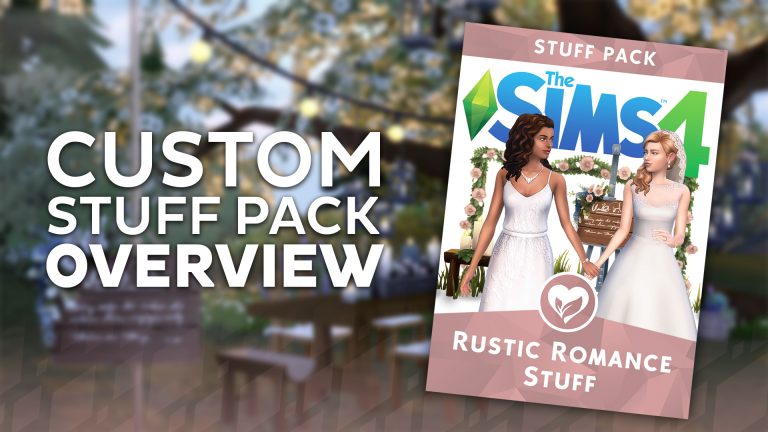
We take a look at the new custom Stuff Pack created by The Plumbob Tea Society called The Sims 4 Rustic Romance in our newest video. Check it out!
Expand The Sims 4 Bowling Night Stuff Pack with these 26 Custom Objects
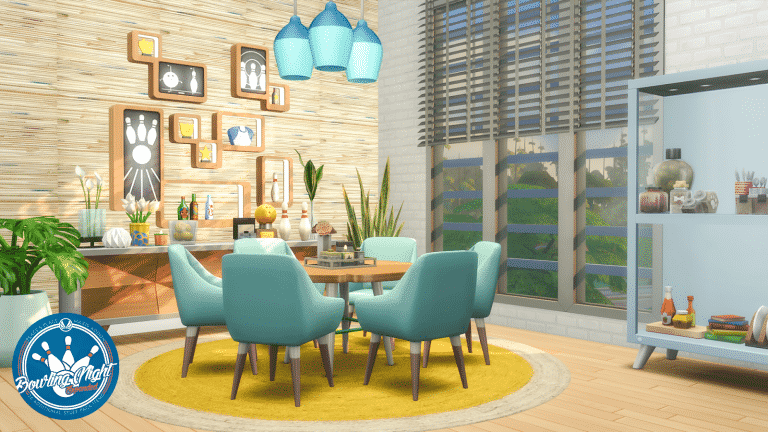
Peacemaker is back with another amazing custom content set for The Sims 4. However, this isn’t just an ordinary CC set. Not only is it fully maxis match but it relies on meshes from The Sims 4 Bowling Night Stuff Paqck, meaning that you have to own this Stuff Pack first in order to use Peacemaker’s CC expansion.
There are 26 new objects that come with this Custom Stuff Pack Addon including sofas, loveseats, tables, lamps and much, much more. All of these objects are maxis match and fully blend in with Bowling Night’s retro theme.
To install this Custom Stuff Pack Addon, simply extract the .zip file to Electronic Arts > The Sims 4 > Mods folder. Make sure you have Mods / CC enabled in your game options!
[mks_button size=”large” title=”DOWNLOAD!” style=”rounded” url=”http://simsationaldesigns.blogspot.ba/2018/02/bowling-night-expanded-stuff-pack-addons.html” target=”_blank” bg_color=”#1e73be” txt_color=”#FFFFFF” icon=”fa-arrow-down” icon_type=”fa” nofollow=”0″]

The Sims Mobile Puzzle Hunt

The Sims Mobile Team gave us some very mysterious puzzle pieces to share for the next few days. I only received a few of them so even I don’t know what they’ll ultimately reveal.
I also heard that there are going to be a lot more pieces scattered around Twitter in the next few days and weeks, which is why this post is going to be regularly updated with all the latest puzzle pieces as they pop out on Twitter.
Stick around as more gets revealed!
Let the hunt for puzzle pieces BEGIN! #TSMPuzzle pic.twitter.com/gzHGJHYd4o
— Sims Community (@TheSimCommunity) February 16, 2018
071 101 116 032 072 117 110 116 105 110 103 032 083 105 109 109 101 114 115 033#TSMPuzzle pic.twitter.com/psGpKv3y0d
— LukeThePlumbob (@luketheplumbob) February 17, 2018
It’s time to put together @TheSimsMobile puzzle… piece by piece! Here’s one for you… #TSMPuzzle pic.twitter.com/p6stl9nYTO
— Beyond Sims (@beyondsims) February 17, 2018
YALL!!! What can this be? This is 1 of 3! Check back tomorrow to get the next piece 😀 #TSMPuzzle pic.twitter.com/ON9LVuqp1J
— Torben 🏳️🌈 (@GiraffePlays) February 17, 2018
What’s this?
What’s this?
There’s puzzle pieces everywhere!#TSMPuzzle pic.twitter.com/UCLiGCSx3p— Kate (@SimGuruKate) February 17, 2018
Its a Bird, Its a Plane, Its #TSMPuzzle pic.twitter.com/Dlpltdapkm
— Jessica 💜 (@realjessamica92) February 17, 2018
Here’s our first piece of the puzzle! Get hunting! #TSMPuzzle @TheSimsMobile pic.twitter.com/VOKf2C0AL2
— Platinum Simmers (@platinumsimmers) February 17, 2018
The Sims Mobile is coming! The Sims Mobile is coming! In anticipation you all are invited to hunt down the pieces of this #TSMPuzzle. They’re everywhere so keep your eyes peeled and see if you can put together the puzzle before anyone else! Make sure to tag me when you finish it! pic.twitter.com/FwkMLRoK8X
— 🌴Arsen Girl Gaming🌴 (@ArsenGrl) February 17, 2018
There’s puzzle pieces everywhere! Help hunt them down and figure out the puzzle!! Who’s excited for Sims Mobile 😍 #TSMPuzzle #TSMPuzzle #TheSimsMobile pic.twitter.com/QEvKaBmy6y
— KrystinMyrieXo🎄 (@KrystinMyrieXo) February 17, 2018
#TSMPuzzle pic.twitter.com/jOqdxrkwtr
— Sims Community (@TheSimCommunity) February 18, 2018
This strange puzzle piece arrived in our mailbox.
What could it mean? #TSMPuzzle pic.twitter.com/lvjqp71xjH— The Sims Mobile (@TheSimsMobile) February 18, 2018
Ok, here we go! My first #TSMPuzzle piece. IT’S PART OF THE LOGOOOO
Tweet me your progress <3 @TheSimsMobile pic.twitter.com/GCaV535nWX— Rachybop (@rachybop) February 18, 2018
Yall!! Here is 2/3 of the #TSMPuzzle!!!! What do you guys think this puzzle will reveal? pic.twitter.com/ElV4YPHmqY
— Torben 🏳️🌈 (@GiraffePlays) February 18, 2018
Well doesn’t she look happy to have another puzzle piece!! #TSMPuzzle pic.twitter.com/1vXkvYyyOr
— Jessica 💜 (@realjessamica92) February 18, 2018
Let’s make your Monday better by revealing another piece of @TheSimsMobile puzzle! Here you are! #TSMPuzzle pic.twitter.com/EXTcKhtnAl
— Beyond Sims (@beyondsims) February 19, 2018
Time for another #TSMpuzzle piece! 🙂 pic.twitter.com/RHBMvzBwdh
— Rachybop (@rachybop) February 19, 2018
Here is a SECOND puzzle peice! Help hunt them down and figure out the puzzle!! Who’s excited for Sims Mobile 😍 #TSMPuzzle #TSMPuzzle #TheSimsMobile pic.twitter.com/0ITPyZ5Gaa
— KrystinMyrieXo🎄 (@KrystinMyrieXo) February 19, 2018
This is my final piece! Add it to the rest and lets see where we're at! Use the hashtag #TSMPuzzle to gather all the pieces so far 🙂 HOW FUN! pic.twitter.com/GThLUX1baB
— Rachybop (@rachybop) February 22, 2018
I wonder where this puzzle piece fits! Use #TSMPuzzle to find all pieces and check out the progress in our post as well https://t.co/EDAqYZ6fG2 pic.twitter.com/y71HossMO7
— Platinum Simmers (@platinumsimmers) February 21, 2018
Hey @TheSimsMobile, is this yours? #TSMPuzzle pic.twitter.com/MGPp8vLYI7
— Electronic Arts (@EA) February 21, 2018
Hope everyone is enjoying the #TSMPuzzle ! Check out the hashtag to keep building the puzzle. Here is another piece from me! Make sure to follow to stay updated on my pieces. 😀 pic.twitter.com/JoDLQyHxjI
— Josh Caron (@Josh_Caron_) February 21, 2018
It’s all starting to come together now. #TSMPuzzle pic.twitter.com/1iyp3UEHzL
— Kate (@SimGuruKate) February 20, 2018
What could this be? #TSMPuzzle #TheSimsMobile #GetHyped #Itscoming pic.twitter.com/NgSVXEjgoo
— 🌴Arsen Girl Gaming🌴 (@ArsenGrl) February 20, 2018
Is that… Karen?! What is she doing in this puzzle piece? #TSMPuzzle pic.twitter.com/8SHTENyBP0
— The Sims Mobile (@TheSimsMobile) February 20, 2018
So excited to announce that I'm teaming up with the AWESOME @TheSimsMobile to share in the #TSMPuzzle fun! I've got 3 puzzle pieces to share over the next week! Are you working on this puzzle? Tweet me your progress!
Here's your first piece: pic.twitter.com/D4fmt53PUQ
— RoryPlays (@RoryPlays_) February 20, 2018
The Sims 4 Parenthood Challenge

 Objective

You must raise a Sim from a baby to a young adult and max out all five character values without ever taking control of the child. It is solely the responsibility of the parents to guide the child’s character values. The parents will need to raise the Parenting skill in order to influence their child to perform character-building actions and scold/punish them appropriately for doing things that lower character values.
Getting Started
- Create two young adult Sims in CAS. The gender customization and occult type of these Sims do not matter. These Sims can have any appearance, walk style, voice, traits, and aspirations you want. You may choose to make these Sims married in CAS or not, it’s entirely up to you. You may use CC on your Sims. You may use Sims from the Gallery as long as they are both young adults.
- If Cats & Dogs is installed, you can add pets to the household, but you may want to limit it to one or two. Your Sims should be primarily focused on their child during the challenge.
- Move your household into any lot in any world that they can afford. These can be premade Maxis homes, a house you built yourself, or a house downloaded from the Gallery as long as your Sims can afford it with their starting funds.
- Once your household is moved in and set up the way you like, you must add a baby to the household either through pregnancy or adoption. The gender of the baby does not matter. Babies cannot gain character values, but the time spent caring for the baby will help your parent Sims get a head start on their Parenting skill. If you opt to add a child to the home through pregnancy, reading Parenting books during the pregnancy will give your parent Sims additional time to build the Parenting skill.
Challenge Rules
Game Settings and Third Party Content
- Lifespans must be set to Normal with aging turned on for your active household.
- Mods that give you an unfair advantage over other players are not allowed. This is left up to your own judgment, but to give an example, a mod that adds snow or fall colours to your game is fine because it’s a cosmetic change that does not affect gameplay. A mod that gives all beds max energy gain or any other mod that makes it easier to manage your Sims’ emotions and motives is not allowed because these mods make the game easier for you. Mods that give you more money in any way, shape, or form are not allowed, either.
- CC that does not affect gameplay is allowed.
Cheats and Game Restarts
- NO CHEATING! Unless otherwise stated in this section, all cheats are strictly prohibited. No money cheats. No motive cheats. No emotion cheats. No character value cheats. No cheats that affect school or career performance in any way. No. Cheating. Period.
- The bb.moveobjects on cheat may be used for creative building purposes.
- The resetsim cheat may be used ONLY when your Sim is stuck or otherwise glitched in a manner which makes you unable to control them. You cannot use it whenever your Sim does something you don’t like.
- No restarting the game to bypass unfortunate events. Your Sim died in a fire while cooking? Lost their job? Got eaten by a cowplant? Oh well, too bad. Roll with the punches and continue.
- In the case of glitches or other technical issues that cause you to lose significant progress, you may use whatever cheats and mods necessary to get back to where you were before you lost your data.
Birthdays and Aging
- Your Sims’ baby cannot be aged up until you get a notification saying that today is their birthday.
- No Sims in your household can be aged up until it is their birthday.
- Pets cannot be fed age up or age down treats. They must be allowed to age naturally just like your Sims.
- You cannot resurrect dead Sims or pets. You cannot invite ghosts into the household. Once a Sim or a pet is gone, they’re gone.
- You must randomise the traits and aspirations of the child as they grow up. I recommend Pinstar’s Random Trait Generator because the child has a chance of inheriting the traits of their parents, but createarandomsim.com is fine to use as well.
Live Mode
- Your parent Sims can make money however you choose in order to provide for their child. They can stay at home and make money from one of the skills or they can get a job from the phone. You may delegate child raising duties as you wish. One Sim can stay home to care for the child while the other Sim works or they can both work or both stay home. The parenting dynamic is up to you.
- You may NEVER control the child. The child must rely solely on their parents to nurture their character values and needs. You may click on the child to look at their information but you can never assign any tasks to the child or cancel any of their actions. If you want the child to do something, you must influence them to do it through a parent.
- Your Sims are free to do whatever you want with their lives as long as you are not controlling the child. Other than raising the child’s character values without controlling the child, the rest of the challenge is very open-ended.
Other Add-On Packs
- You may use any features and objects that come with any other add-on packs you have installed. I expect this rule to remain the same for all future packs but if it changes, it will be clarified in this section.
- Your child can do any activity from any add-on pack that affects character values as long as you are not directing them to do these activities. For example, they can take care of pets (Cats & Dogs) and do laundry (Laundry Day Stuff) to raise the Responsibility value, but only if it’s done autonomously or if they’ve been asked to do it by a parent.
NPCs
- You may hire any NPCs your Sims may want or need, including the nanny and butler (from Vintage Glamour).
Completing the Challenge
- The challenge ends as soon as the baby grows into a young adult.
- If you played using the point system, refer to the points section to see how well your parent Sims did with raising their child. Every positive character value trait adds points while every negative character value trait deducts points. There are other ways to gain or lose points as well.
- If you did not play using a point system, just raising a child from a baby to a young adult without any negative character value traits is technically a win, but you did well if the child has grown up with at least 3 positive character value traits.
- You fail the challenge if your child dies before their young adult birthday or if they are taken away by social services.
- You fail the challenge if you controlled the child even once during the challenge, even accidentally.
- You fail the challenge if the child grows up with all five negative character value traits.
Points System
If tracking points feels tedious to you, you do not have to play with the points system at all. It’s just for hardcore players who like to achieve a perfect score in their games. Playing for points is completely optional. Disregard the points entirely if that makes the challenge more fun for you.
TOTAL: 100 points
10 points for every positive character value trait gained at young adulthood
* 10 points for gaining the Top-Notch Toddler trait at childhood
* 5 points for gaining the Happy Toddler trait at childhood
1 point for each childhood aspiration completed
1 point for each childhood skill maxed out
10 points for finishing elementary school with an A grade
10 points for finishing high school with an A grade
5 points for each parent that maxes out the Parenting skill
1 point for each parent that is Good Friends or BFFs with their child at young adulthood
-10 points for every negative character value trait gained at young adulthood
-10 points for a D or lower grade in elementary school
-10 points for a D or lower grade in high school
-1 point for each parent that gains a negative relationship title with their child at young adulthood
-1 point for every tantrum/emotional outburst
-1 point every time the child resists discipline or influence
-5 points every time you get a warning about your child being taken away
* These points do not stack. You do not get 15 points if you got the Top-Notch Toddler trait. It’s one or the other.
Handicaps
Handicaps are disadvantages that make the challenge harder. You can play with all of these handicaps, only some of them, or none at all. Playing with a handicap gives you point boosts, however, so there is a reward for making things harder on yourself. Depending on how well you play the challenge with these handicaps, it’s possible to finish with more than 100 points.
Play with a single parent household (15 points)
Play with more than one child that you do not control (*2 points per extra child)
Play without either parent working in a traditional career (5 points)
Play with pets (2 points per pet)
Play without using satisfaction rewards (5 points)
* Any extra children only provide the 2-point handicap boost. They cannot earn points for the rest of the challenge but must remain uncontrollable, just like your main child.
The Sims Mobile is a true Free-To-Play Experience
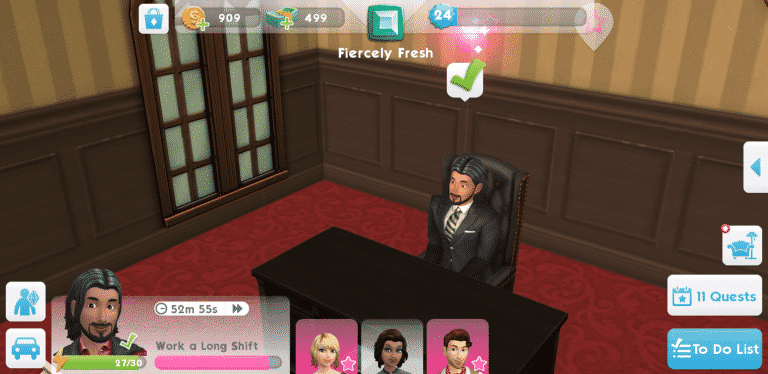
The Sims Mobile’s announcement back in May 2017 left many people wondering if the game truly is a free-to-play mobile game. The concerns about a new Sims game joining the mobile family were justified, considering that The Sims FreePlay, even though it has some great moments, is slow in progressing through the game and very, very financially demanding. If you haven’t played The Sims FreePlay one of the scariest thing about it is opening up the game and finding out the fact that you need actual 5 dollars to adopt a toddler to your household.

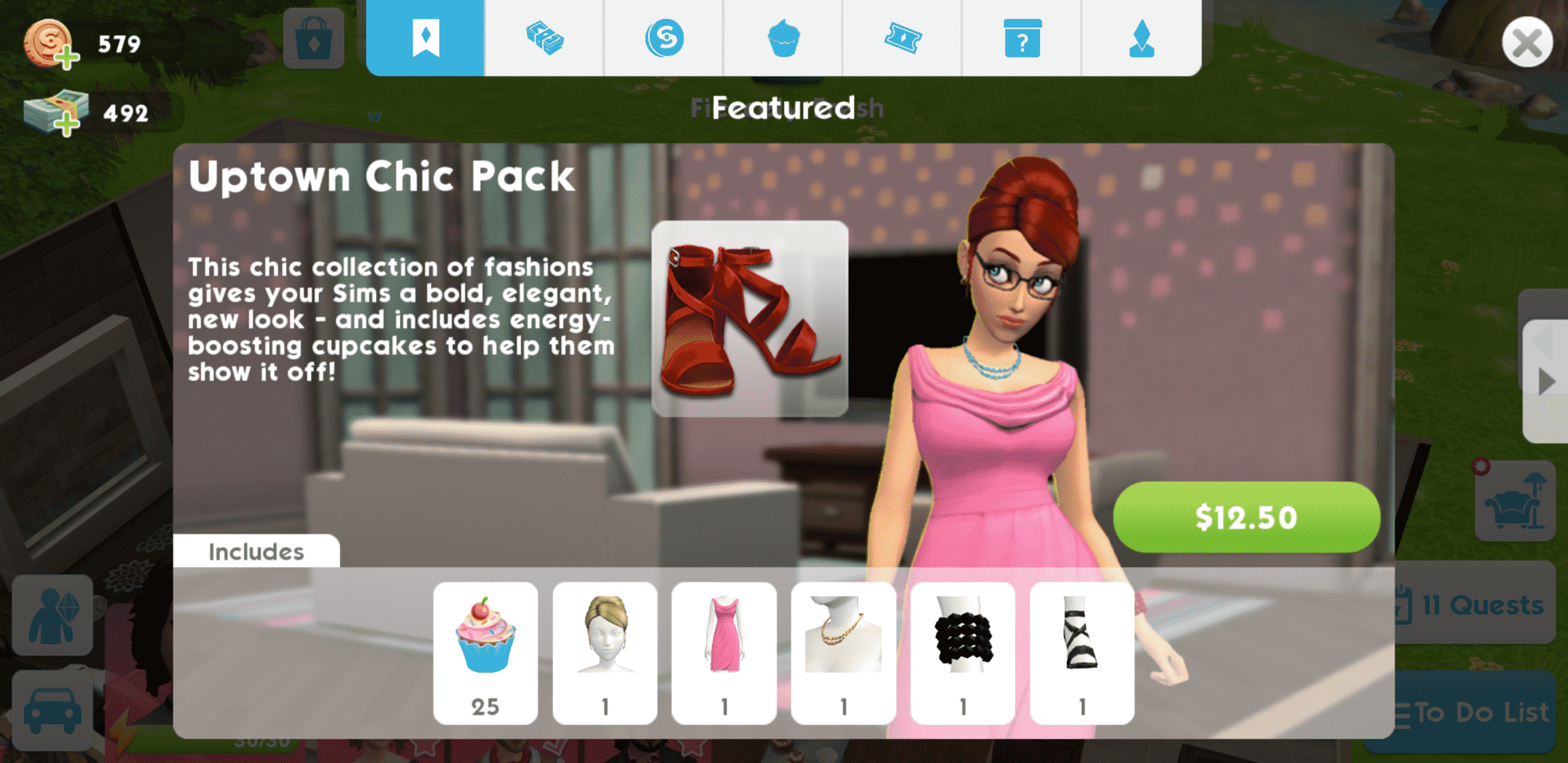
The Sims Mobile went through a lot of changes since the first soft launch in May 2017 but the formula of it remains the same: play the game to progress or cheat your way through the game by using real life money. I’ve never encountered a paywall in The Sims Mobile and I’ve been playing the game for months. Each feature is free to be used and, even though some are locked with certain XP levels, they’ll only push you and your Sims to achieve their goals. There are a few things in The Sims Mobile, such as the Uptown Chic CAS Pack which require real money ($12.50). However, the game won’t really force you to buy the pack and you’ll never encounter those items in CAS except for the shoes which are available for 80 SimCash. There are more than enough Create A Sim assets that you can purchase for Simoleons or SimCash (or unlock as you progress in the game) that you won’t even need the Uptown Chic Pack. Same thing goes for Build Mode.

SimCash, the biggest currency there is in The Sims Mobile is extremely easy to earn, which isn’t really a case in The Sims FreePlay. Completing quests, stories and so much more will have your SimCash wallet full in no time without having to spend a dime.

Each step that you make in The Sims Mobile is being rewarded – whether it’s with Simoleons, SimCash, cupcakes that will fully boost your energy or tickets that are required for new CAS and Build items. In just a few hours I managed to rake up more than 30 SimCash just by completing my Career and Social Stories. Completing one chapter is rewarded with 3 SimCash while completing the whole story is rewarded with 7 SimCash. Multiply that with 4 Sims in your household and in a matter of few days / weeks you’ll be able to afford items and tickets that you need for your household.
I’ve been playing The Sims Mobile for a few months now and I can honestly say that I’ve never been tempted to use my credit card and spend real money. Not because I didn’t want to, but because achieving things in the game gave me a much bigger pleasure than cheating my way through it with shortcuts which I’m sure wouldn’t bring much satisfaction.
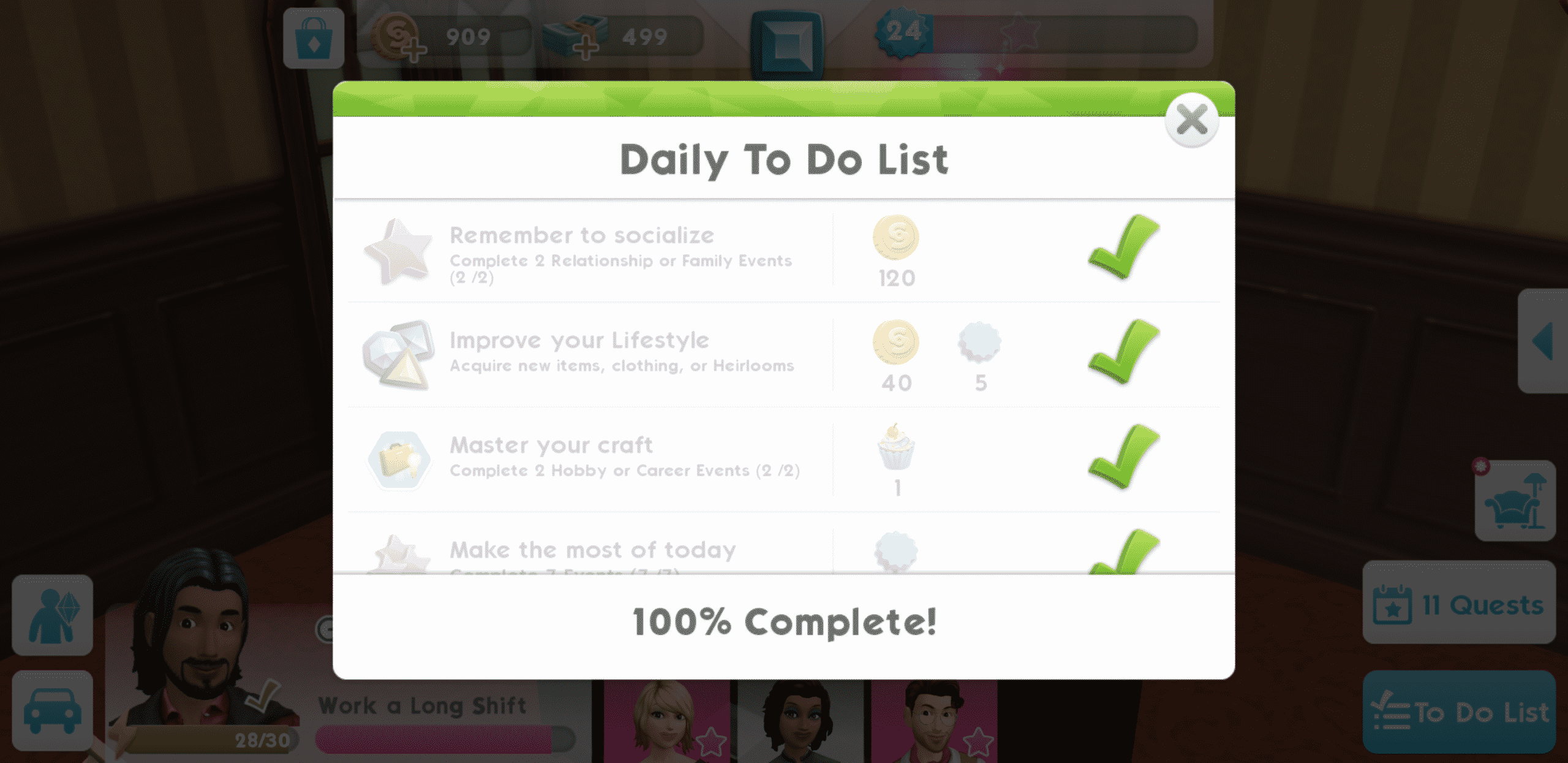
The Sims Mobile is currently soft launched in a few countries and will be available worldwide in the next few weeks.
The Sims 4 Jungle Adventure: Skeletons Screenshot
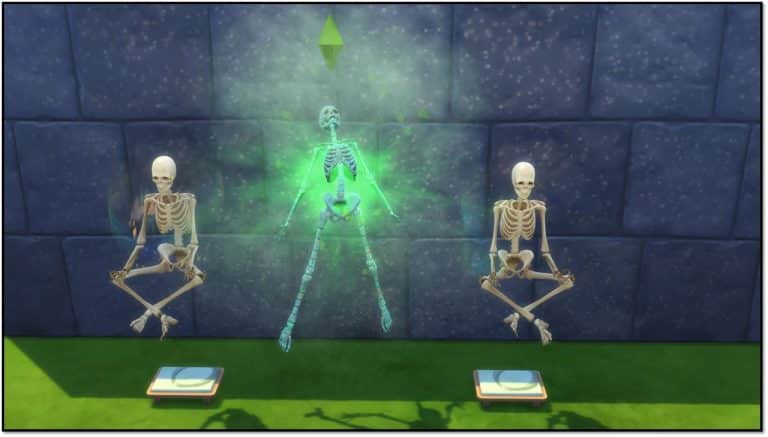
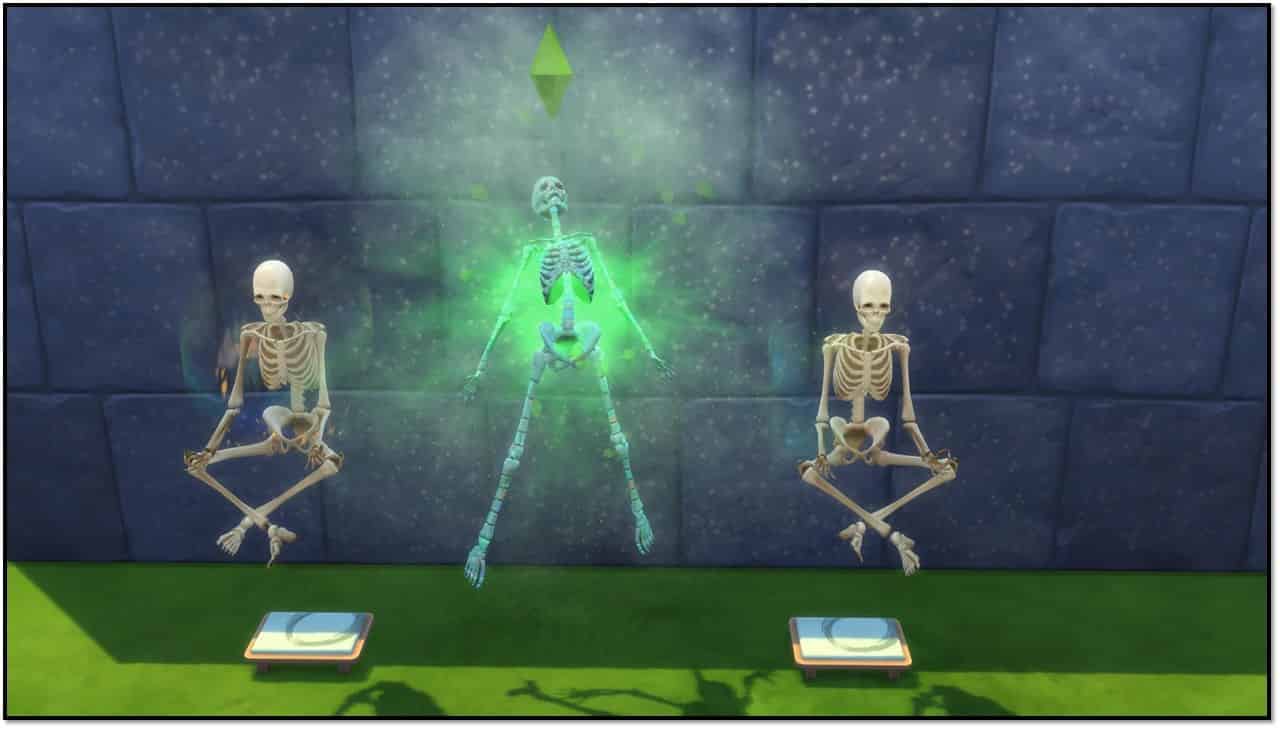
SimGuruNinja shared a new screenshot from The Sims 4 Jungle Adventure Game Pack, showing 2 skeletons meditating (feature from The Sims 4 Spa Day) and 1 Sim being turned into a skeleton.
The Sims 4: How To Restore Lost Collection Progress
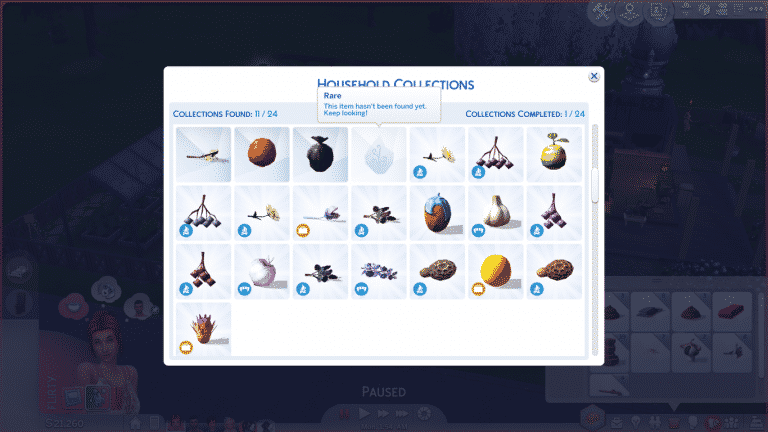

Have all your collections reset themselves for seemingly no reason? Fear not! We have an explanation and an easy solution to this perplexing problem!
What Happens?
When you click on the diamond icon in your Sim’s inventory to bring up the collection progress screen, you see that your Sim’s household hasn’t collected a single thing. All your Sims’ collections have been reset. This can be devastating to anyone who has spent a long time carefully collecting and cataloging every collectible in the game. For a completionist, this can ruin your whole game.
Why Does This Happen?
Collections are tied to individual households, not your save file. Each household has its own collection progress, allowing you to complete your favourite collections multiple times in all your households if you want to. When one Sim in your household finds a new collectible, everyone in the household gets that collectible added to their progress. Collections are very much a family effort (especially with kids being the only ones able to hunt down Voidcritter cards in logs, water pumps and garbage bins now with Kids Room Stuff).
What does this mean? Well unfortunately, it means that messing around with your households can also mess up your collection progress. Moving Sims in and out of households (especially if you’re using cheats to add new family members to a household) can reset the collection progress for that household.
How Do I Fix It?
If you’ve kept at least one of each collectible on your lot somewhere for display purposes (as most collectors like to do), the fix is very easy, but might take a few minutes to finish doing if you have a lot of collectibles.
- The game registers a new collectible for the household when any Sim in that household holds that item in their personal inventory.
- Just drag all the collectibles on the lot into your Sim’s inventory. The game will recognize them as new collectibles and add them to your collection progress.
- Once all the collectibles have been added to the collection progress again, you can safely put them back on display wherever you had them before.
If you didn’t keep any of the collectibles your Sims have found and sold them all, you can still fix this problem, but it requires some extra steps and a few cheats. You’ll also need to remember which collectibles your Sim has found if you didn’t record it somewhere since you don’t have one of each collectible your Sims have found on the lot.
- Bring up the cheat box with CTRL+SHIFT+C
- Type testingcheats true and hit ENTER
- Bring up the cheat box again and type bb.showhiddenobjects then hit ENTER
- Go into Build/Buy mode
- In the search bar, type debug, a drop-down list will come up as you type with something like ** DEBUG **, select that from the drop-down list. You’re now seeing all the hidden objects in the game (or debug objects as they’ve been known in previous Sims games) which you can purchase and place on your lot
- Scroll through the hidden objects (it might take quite a bit of searching if you don’t know the exact names of the objects you’re looking for) and purchase all the collectibles your Sims found before your collections reset.
- Place the collectibles somewhere on the lot, then exit Build/Buy mode
- Grab each collectible and drag it into your Sim’s personal inventory. The game will recognize them as new collectibles and add them to your collection progress.
- Once all the collectibles have been added to the collection progress again, I highly recommend keeping those collectibles on display somewhere on your lot instead of selling them in case this ever happens again and you need to restore your reset collections. The process is faster and easier if you already have the collectibles on the lot.
Notes
A few important notes to keep in mind:
- For harvestables, you may want to just wait until the plants on your lot are ready to be harvested again and just have your Sims harvest them to gain those collectibles back instead of using the debug menu. The harvestables in the debug menu seem to have two versions, one that has an appropriate price listing and object description and one that’s listed at $0 with no description. The ones listed at $0 cannot be interacted with at all after being placed, nor can you sell or delete them. They end up getting stuck on the lot and causing game glitches. If you must use the debug menu for the harvestables because you don’t have the plants growing on the lot, make sure you are only buying the harvestables that actually cost simoleans and have an object description. Those are the ones that can be safely put in your Sim’s inventory, planted, eaten, etc.
- The fish in the debug menu seem to be similar to the bugged harvestables. I don’t recommend buying the fish through the debug menu at all. Unfortunately, if you didn’t keep the fish you caught before your collections reset, the only safe way to restore that collection is to fish them all up the hard way again.
- As mentioned above, I highly recommend keeping at least one of each collectible you find on display on your lot somewhere. That way, if your collections ever reset themselves while shuffling Sims between households, you already have all the collectibles on hand to drag into your Sim’s inventory and restore your collection progress without needing to remember them all or deal with cheats at all.
- The elements in the display chart can’t be dragged out of the chart into your Sim’s inventory, but you can have your Sim go to the chart and put all the individual elements into their inventory, which will also restore the collection. Just drag them from your Sim’s inventory back into the display chart when your Sim is finished taking them all out.
The Sims 4 Jungle Adventure: Official Livestream Replay (YouTube)
For those who have issues or just prefer watching content over YouTube we’ve added The Sims Team’s official The Sims 4 Jungle Adventure Game Pack Livestream covering a general overview onto our YouTube Channel.
The original livestream with the chat can be found here!
The Sims 4 Jungle Adventure: Important Facts from the First Livestream
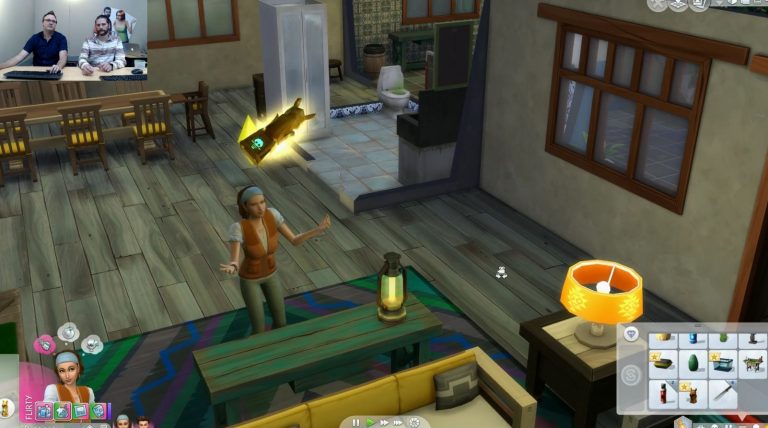
The Sims Team held their first livestream for The Sims 4 Jungle Adventure Game Pack, showcasing some of the important features and giving us a general overview of the pack. Down below you can find all the important facts and information that we’ve collected from the livestream!
- There are 3 editable Venues in Selvadorada
- There are 2 Villas in each neighborhood that you can rent, making it 4 in total
- There are new radio stations: Latin Pop and Traditional Latin Station
- New dance moves are included with this pack!
- There are new foods from different countries in Latin America
- There are two new Skills: Selvadoradian Culture Skill and Archaeology Skill
- New Craft Sale Tables with new and unique objects that you can purchase for your adventures
- Thebigger culture skill the bigger the chances are to haggle and get items from the craft sale table for a cheaper price
- The shower-in-a-can is back, in a form of a water bottle
- Spider repellents, adventure gear and more adventure objects are also included
- The statue near the craft sale tables at the town centre can help you cure your Sim from specific curses
- There is a new death included in this pack
- There are 2 huge neighborhoods:
- Puerto Llamante Marketplace neighborhood that has a cantina, museum, a bar and a rentable villa
- The Jungle District which has areas that you cannot directly access
- Some explorable areas are rabbit holes. After entering it’s up to you to lead your Sim with decisions chosen from the prompt interface
- Travelling through gates can lead you to hidden areas
- Avocados are one of the new trees in the game
- There are bushes that you can use to “Fertilize” and WooHoo in
- There are snakes!
- Excavation Sites can be found scattered around the world
- There’s a risk of being attacked by bees and spiders
- Being near the waterfalls can put your Sim in a flirty mood
- There are 2 new collections: Ancient Omiscan Artifacts and Omiscan Treasures
- There are relics that you can put together, unlocking unique abilities and powers
- There are new Lot Traits including Creepy Crawlies and Peace and Quiet
- Totecallama relic lets you summon a skeleton which will help you tidy up your home
- You can’t add skeletons to your family but your Sims can become a skeleton, which is a temporary condition that lasts for 2 days
- Sims can learn skeleton jokes
- There are 2 new Aspirations: Jungle Explorer and Archaeology Scholar
- There are Collection Cases, letting you display all the collectables that you’ve found
- Skeletons trying to eat food will end up with a huge pile of food next to them after they’re done, because they can’t really contain food due to their structure
- As a skeleton your Sim’s Bladder, Hunger, Energy and Hygiene needs don’t decay

The Sims 4: New Toddler Bed Coming Soon
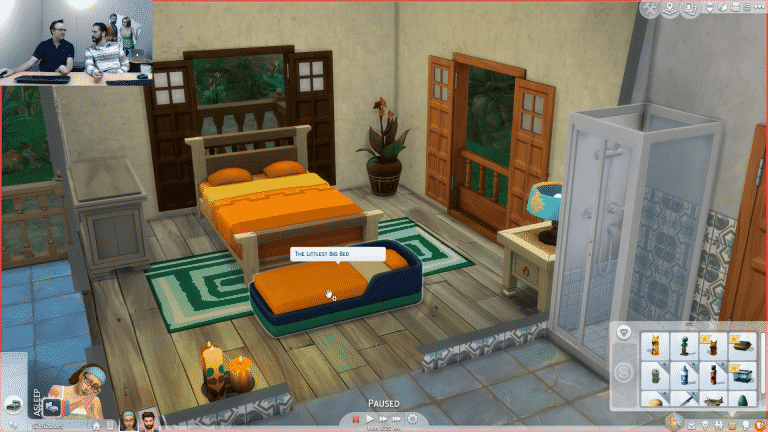
In today’s livestream for the upcoming Jungle Adventures Game Pack, the SimGuru’s shared with us a little surprise and that is in an upcoming patch for The Sims 4 we will be seeing a new portable toddler bed. Appropriately named the Littlest Big Bed the new portable Toddler Bed is perfect for your vacationing Sims whether that is in Selvadorada, Granite Falls or just hanging out in your backyard!
Although we only saw a quick glimpse of one of the colour schemes I’m sure it will come in a variety or vibrant colours!

The Sims 4 Jungle Adventure: Selvadorada World Map
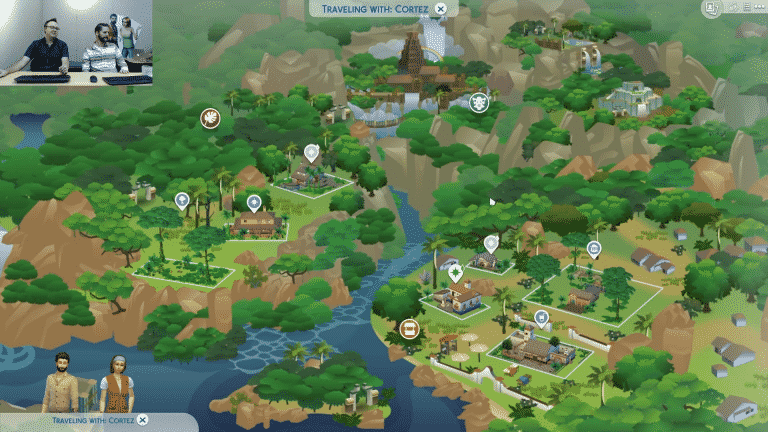
The Sims Team has finally shown the Selvadorada’s World Map during The Sims 4 Jungle Adventure Game Pack Livestream. There are 7 visible lots that you can visit, while there are plenty of more areas and temples that are not shown that you have to uncover yourself.


The Sims 4: Rustic Romance Custom Stuff Pack is Now Available!
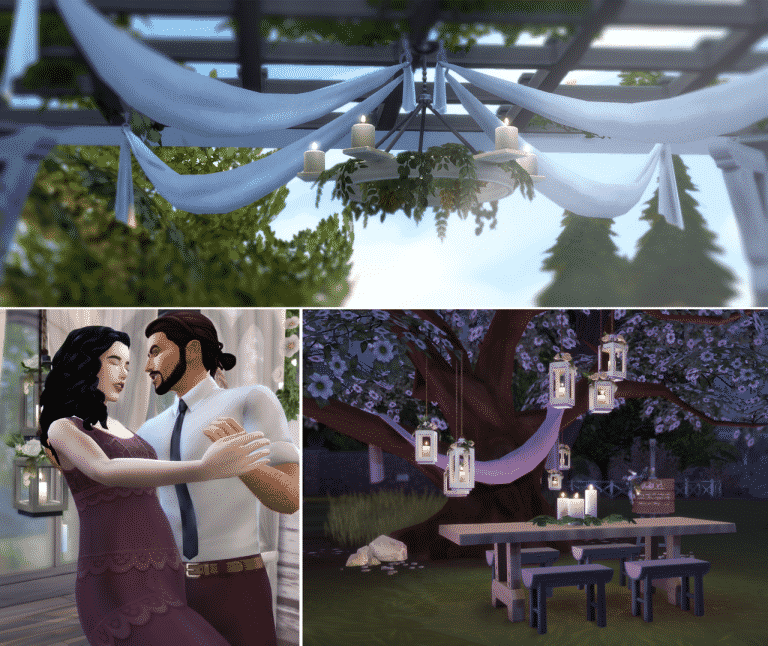
Plumbob Tea Society have finally released their huge Custom Stuff Pack for The Sims 4. This Custom Content Stuff Pack is made entirely out of Maxis Match Custom Content which includes new clothing for all fashion choices and ages and plenty of new build objects!
All of these items can be downloaded under one zipped file or you can choose to download these items seperately. Plumbob Tea Society’s info page includes information about each object, presets and download links.
To install this Custom Stuff Pack, simply extract the .zip file to your Electronic Arts > The Sims 4 > Mods folder. Make sure you have Mods / CC enabled in your game options!
[mks_button size=”large” title=”INFO + DOWNLOAD” style=”squared” url=”http://plumbobteasociety.tumblr.com/post/170874771645/rustic-romance-stuff-for-sims-4-the-love-child” target=”_blank” bg_color=”#1e73be” txt_color=”#FFFFFF” icon=”fa-arrow-down” icon_type=”fa” nofollow=”0″]

The Sims 4 Jungle Adventure: Random Screens by SimGuruGeorge
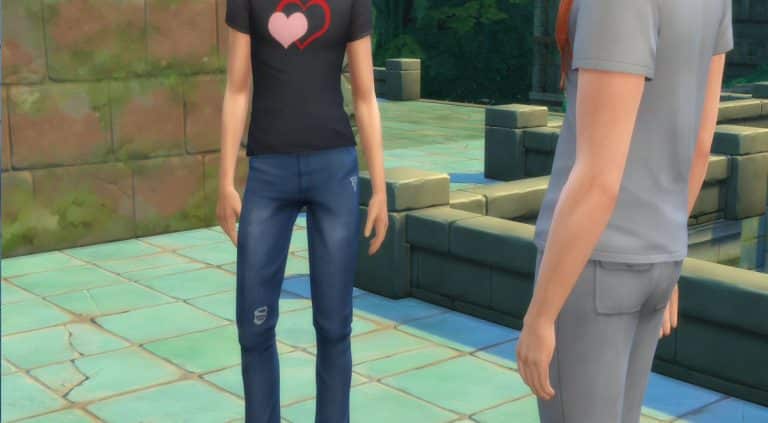
SimGuruGeorge, one of the producers on The Sims 4 Jungle Adventure Game Pack has shared some very, very random screenshots on his twitter profile in preparations for the upcoming livestream. Check them out below!
Setting up for a livestream on Thursday. Here are some shots from the adventure.
— George Pigula (@SimGuruGeorge) February 14, 2018
Arriving at my Villa. Check out this amazing place to rent while visiting Selvadorada.#NotAPhotographer pic.twitter.com/fhfK5H44Wy
— George Pigula (@SimGuruGeorge) February 14, 2018
Taking my first steps into the Jungle. Its so amazing looking. pic.twitter.com/RpWSn2YgpN
— George Pigula (@SimGuruGeorge) February 14, 2018
The views here are amazing. The vistas will take your breath away. pic.twitter.com/goYaOVzoY8
— George Pigula (@SimGuruGeorge) February 14, 2018
Oh wow! Look what I discovered! pic.twitter.com/BU86mtyNee
— George Pigula (@SimGuruGeorge) February 14, 2018
They made it up the temple! The architecture is amazing. pic.twitter.com/uemhVjdYKV
— George Pigula (@SimGuruGeorge) February 14, 2018
Found a Waterfall. pic.twitter.com/f9c90mJn51
— George Pigula (@SimGuruGeorge) February 14, 2018
The Sims 4: Rustic Romance Custom Stuff Pack coming today!

Plumbob Tea Society, a collective of talented custom content creators have given us a special sneak peek at their upcoming Custom Stuff Pack for The Sims 4 called “Rustic Romance”.
This custom Stuff Pack will be releasing for free. Like all Custom Content SPs you’ll be able to install it by extracting the content to Electronic Arts > The Sims 4 > Mods folder.
The Sims 4 Rustic Romance is releasing today at 12PM EST. Stay tuned for more information and articles about this gorgeous maxis-match pack!

The Sims 4: New Custom Stuff Pack by PTS coming for Valentines

Plumbob Tea Society, a collective of amazing custom content creators who brought you custom Stuff Packs to The Sims 4 such as Cottage Garden Stuff and Teeny Tots Stuff are teasing a new custom Stuff Pack!
In case you don’t know, the Plumbob Tea Society creates high-quality Maxis Match Custom Content, meaning that it fully resembles the art style that you see in The Sims 4.
According to their post they’ll be releasing a brand new custom Stuff Pack for Valentines, which is on February 14th. We don’t know much yet about this Stuff Pack but definitely keep an eye out on our Custom Content Post Category for when the time comes!
