Home Blog Page 362

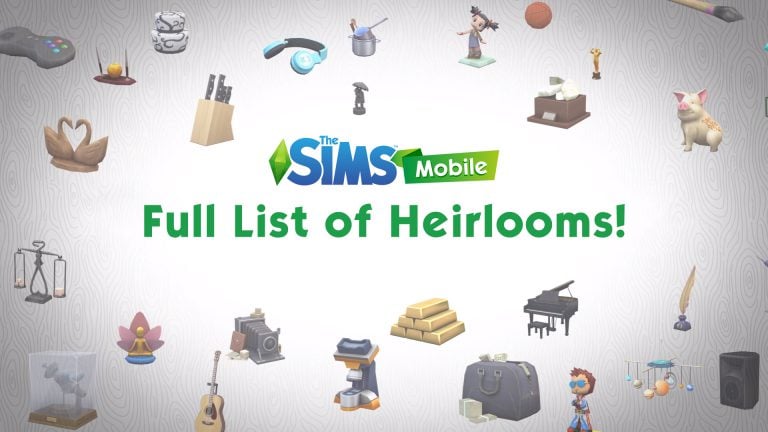
Full List of Heirlooms in The Sims Mobile

2

In this post we’re going to showcase every single Heirloom in The Sims Mobile and their abilities. Please note that, because the game is in the soft-launch phase, some features have yet to be added and developed. Some of the careers and hobbies mentioned down below are not available in the game as of right now but we can probably expect them to add these features during / after the worldwide launch of The Sims Mobile.

Full List of Heirlooms in The Sims Mobile Orb of Psyche – Unlocks ability to give Attribute Tokens

Full List of Heirlooms in The Sims Mobile Lyndsay’s Simoleon Charm – Unlocks ability to give Bonus Simoleons

Full List of Heirlooms in The Sims Mobile Medical Injector – Unlocks ability to give Medical Career XP Boost

Full List of Heirlooms in The Sims Mobile Executive Pen Set – Unlocks Business Career Levels 11-15

Full List of Heirlooms in The Sims Mobile Boss Bank – Unlocks Business Career Levels 16-20

Full List of Heirlooms in The Sims Mobile T.O.B.O.R. Healer Charlm – Unlocks ability to give Medical XP Boost

Full List of Heirlooms in The Sims Mobile Chef’s Hat Statuette – Unlocks Culinary Career Levels 11-15

Full List of Heirlooms in The Sims Mobile Chef Gino’s Gourmet Charm – Unlocks ability to give Culinary XP Boost

Full List of Heirlooms in The Sims Mobile Luxe Sewing Machine – Unlocks Fashion Career Levels 11-15

Full List of Heirlooms in The Sims Mobile Goth Boy’s Couture Charm – Unlocks ability to give Fashion XP Boost

Full List of Heirlooms in The Sims Mobile Seasoned Cookware – Unlocks ability to give Cooking Hobby XP

Full List of Heirlooms in The Sims Mobile Masterwork Manuscript – Unlocks ability to give Writing Hobby XP

Full List of Heirlooms in The Sims Mobile Muse’s Paintbrush – Unlocks Painting Hobby

Full List of Heirlooms in The Sims Mobile Evil Clown Charm – Unlocks the Evil Trait

Full List of Heirlooms in The Sims Mobile Brave Bear Charm – Unlocks the Fearless Trait

Full List of Heirlooms in The Sims Mobile Guitar of Legend – Unlocks Guitar Hobby

Full List of Heirlooms in The Sims Mobile Ambitious Stallion Charm – Unlocks the Ambitious Trait

Full List of Heirlooms in The Sims Mobile Raver Charm – Unlocks the Party Animal Trait

Full List of Heirlooms in The Sims Mobile Seductive Swans Charm – Unlocks the Irresistible Trait

Full List of Heirlooms in The Sims Mobile Maestro’s Grand Piano – Unlocks Piano Hobby

Full List of Heirlooms in The Sims Mobile Pillar of Grace Charm – Unlocks the Good Trait

Full List of Heirlooms in The Sims Mobile Peaceful Contemplation Statuette – Unlocks Yoga Hobby

Full List of Heirlooms in The Sims Mobile Charismatic Dragon Charm – Unlocks the Charismatic Trait

Full List of Heirlooms in The Sims Mobile Confident Lumberjack Charm (no info)

Full List of Heirlooms in The Sims Mobile Thrill-Seeking Seal Charm – Unlocks the Daredevil Trait

Full List of Heirlooms in The Sims Mobile Vlogging Camera – Unlocks Vlogging Hobby

Full List of Heirlooms in The Sims Mobile Perfectionist Charm – Unlocks the Perfectionist Trait

Full List of Heirlooms in The Sims Mobile Prankster Charm – Unlocks the Prankster Trait

Full List of Heirlooms in The Sims Mobile Brilliant Elephant Charm – Unlocks the Brilliant Trait

Full List of Heirlooms in The Sims Mobile Visionary Charm – Unlocks the Visionary Trait

Full List of Heirlooms in The Sims Mobile Vintage Game Controller – Unlocks Gaming Hobby

Full List of Heirlooms in The Sims Mobile Leadership Charm – Unlocks the Leader Trait

Full List of Heirlooms in The Sims Mobile Lucky Doves Charm – Unlocks the Lucky Trait

Full List of Heirlooms in The Sims Mobile Leaf’s Jolly Jest Charm – Unlocks ability to replenish Fun

Full List of Heirlooms in The Sims Mobile Violet’s Nom Nom Charm – Unlocks ability to satisfy Hunger

Full List of Heirlooms in The Sims Mobile Gonk’s Scrub-a-Dub Charm – Unlocks ability to replenish Hygiene

Full List of Heirlooms in The Sims Mobile Gabby’s Wisdom Charm – Unlocks ability to give XP Boost

Full List of Heirlooms in The Sims Mobile Antique Camera – Unlocks ability to give Photography XP Boost

Full List of Heirlooms in The Sims Mobile Dr. F’s Glad Scientist Charm – Unlocks ability to give Science XP Boost

Full List of Heirlooms in The Sims Mobile High-End Digital Camera – Unlocks Photography Career

Full List of Heirlooms in The Sims Mobile Orb of Expertise – Unlocks ability to grant bonus Career Tokens

Full List of Heirlooms in The Sims Mobile Science Set (no info)

Full List of Heirlooms in The Sims Mobile Political Career Prestive level 2 Unlock – Unlocks Political Career Prestige Level 2

Full List of Heirlooms in The Sims Mobile Morcubus’ Benefactor Charm – Unlocks ability to give bonus Tokens

Full List of Heirlooms in The Sims Mobile Old School Microscope – Unlocks ability to give Science XP Boost

Full List of Heirlooms in The Sims Mobile Star Chef’s Knife Block – Unlocks Culinary Career Levels 16-20

Full List of Heirlooms in The Sims Mobile City Hall Miniature Model – Unlocks the ability to give Political XP Boost

Full List of Heirlooms in The Sims Mobile Orb of Pastime – Unlocks ability to grant bonus Hobby Tokens

Full List of Heirlooms in The Sims Mobile Gilded Manuscript – Unlocks Writing Hobby

9 Songs I’m addicted to thanks to The Sims

14

Anyone who knows me knows for a fact that I spend at least 4 hours a day listening to all sorts of music. There are so many amazing artists out there that I probably still don’t know about but luckily The Sims Team gives an opportunity to spotlight both new, old, popular and somewhat less popular artists.

Thanks to Sims game trailers and simlish songs that can be listened in each Sims game I found new artists who I obsess with to this day. Down below you can find some of my favorite songs (and artists) that I fell in love with thanks to The Sims!

Please note that some videos / lyrics linked down below may contain explicit language and images.

1) Tegan and Sara – Stop Desire

Appears in: The Sims 4 City Living Announce Trailer / City Living Simlish Soundtrack

2) Bonnie McKee – American Girl

Appears in: The Sims 3 Into The Future Simlish Soundtrack

3) 3OH!3 – Double Vision

Appears in: The Sims 3 Late Night Announce Trailer / Late Night Simlish Soundtrack

4) The Knocks feat. Powers – Classic

Appears in: The Sims 4 Pools Trailer / Base Game Simlish Soundtrack

5) Natasha Bedingfield – Pocketful Of Sunshine

Appears in: The Sims 2 FreeTime Music Video / FreeTime Simlish Soundtrack

6) All Time Low – Time Bomb

Appears in: The Sims 3 Generations Announce Trailer / Generations Simlish Soundtrack

7) Sigrid – Don’t Kill My Vibe

Appears in: The Sims 4 Parenthood Announce Trailer / Parenthood Simlish Soundtrack

8) Rita Ora – Shine Ya Light

Appears in: The Sims 3 Seasons Simlish Soundtrack

9) Nova Rockafeller – Made In Gold

Appears in: The Sims 4 Luxury Party Stuff Trailer / Luxury Party Simlish Soundtrack

Honorable Mention: Carly Rae Jepsen – Run Away With Me

I was seriously addicted to this song the moment it was released. My addiction only grew more after I listened to it in Simlish!

Appears in: The Sims 4 Get Together Simlish Soundtrack

Is there a song or an artist you fell in love with thanks to The Sims? Let me know in the comments!

The Sims 4 Gallery Spotlight: Penthouses

citylivinglogo2

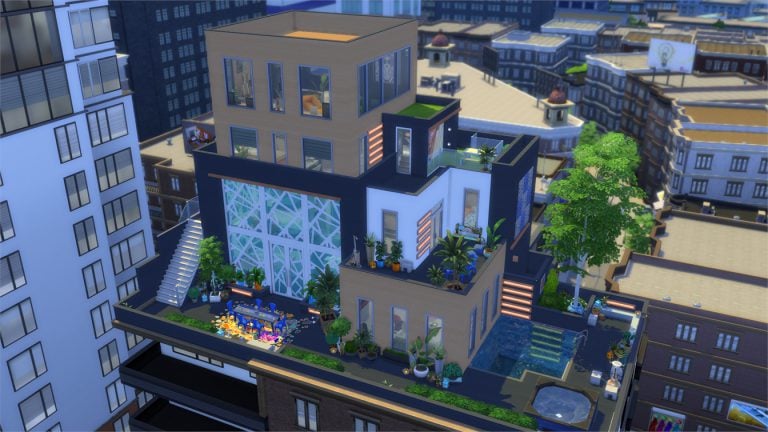
In this Spotlight, we’re featuring creative penthouses built with The Sims 4 City Living (and some other packs as well).

Hover over the pulsing plumbobs to see screenshots of marked areas. Pulsing plumbob that’s on the left bottom corner contains all the info (and download link) of the lot.

To see more of our previous Gallery Spotlights, CLICK HERE!

[ult_hotspot main_img=”id^63562|url^https://simscommunity.info/wp-content/uploads/2017/07/07-22-17_6-31-48-PM.jpg|caption^null|alt^null|title^07-22-17_6-31-48 PM|description^null”][ult_hotspot_items icon_type=”custom” icon_img=”id^39525|url^https://simscommunity.info/wp-content/uploads/2015/09/plumbob2.png|caption^null|alt^null|title^plumbob2|description^null” img_width=”38″ tooltip_custom_color=”” tooltip_custom_bg_color=”rgba(255,255,255,0.01)” tooltip_width=”400″ tooltip_position=”right” enable_bubble_arrow=”off” tooltip_continuous_animation=”on” hotspot_position=”68.33719978165938,66.0122699386503″]

The Sims 4 Gallery Spotlight: Penthouses

[/ult_hotspot_items][ult_hotspot_items icon_type=”custom” icon_img=”id^39525|url^https://simscommunity.info/wp-content/uploads/2015/09/plumbob2.png|caption^null|alt^null|title^plumbob2|description^null” img_width=”38″ tooltip_custom_color=”” tooltip_custom_bg_color=”rgba(255,255,255,0.01)” tooltip_width=”400″ tooltip_position=”right” enable_bubble_arrow=”off” tooltip_continuous_animation=”on” hotspot_position=”54.015420305676855,67.23926380368098″]

The Sims 4 Gallery Spotlight: Penthouses

[/ult_hotspot_items][ult_hotspot_items icon_type=”custom” icon_img=”id^39525|url^https://simscommunity.info/wp-content/uploads/2015/09/plumbob2.png|caption^null|alt^null|title^plumbob2|description^null” img_width=”38″ tooltip_custom_color=”” tooltip_custom_bg_color=”rgba(255,255,255,0.01)” tooltip_width=”400″ tooltip_position=”right” enable_bubble_arrow=”off” tooltip_continuous_animation=”on” hotspot_position=”25.35480349344978,60″]

The Sims 4 Gallery Spotlight: Penthouses

[/ult_hotspot_items][ult_hotspot_items icon_type=”custom” icon_img=”id^39525|url^https://simscommunity.info/wp-content/uploads/2015/09/plumbob2.png|caption^null|alt^null|title^plumbob2|description^null” img_width=”52″ tooltip_custom_color=”#1e73be” tooltip_custom_bg_color=”#ffffff” tooltip_width=”450″ tooltip_position=”right” tooltip_continuous_animation=”on” hotspot_position=”89.61858624454149,3.190184049079755″ tooltip_custom_border_size=”border-style:solid;|border-width:2px;border-radius:5px;|border-color:#81d742;”]

Urban Jungle Penthouse (Download Here)

by marshha

Value: §196,391
Size: 30×20
Lot Type: Residental Lot[/ult_hotspot_items][/ult_hotspot][ult_hotspot main_img=”id^63566|url^https://simscommunity.info/wp-content/uploads/2017/07/07-22-17_6-33-10-PM.jpg|caption^null|alt^null|title^07-22-17_6-33-10 PM|description^null”][ult_hotspot_items icon_type=”custom” icon_img=”id^39525|url^https://simscommunity.info/wp-content/uploads/2015/09/plumbob2.png|caption^null|alt^null|title^plumbob2|description^null” img_width=”38″ tooltip_custom_color=”” tooltip_custom_bg_color=”rgba(255,255,255,0.01)” tooltip_width=”400″ tooltip_position=”right” enable_bubble_arrow=”off” tooltip_continuous_animation=”on” hotspot_position=”57.35876091703057,54.11042944785276″]

The Sims 4 Gallery Spotlight: Penthouses

[/ult_hotspot_items][ult_hotspot_items icon_type=”custom” icon_img=”id^39525|url^https://simscommunity.info/wp-content/uploads/2015/09/plumbob2.png|caption^null|alt^null|title^plumbob2|description^null” img_width=”38″ tooltip_custom_color=”” tooltip_custom_bg_color=”rgba(255,255,255,0.01)” tooltip_width=”400″ tooltip_position=”right” enable_bubble_arrow=”off” tooltip_continuous_animation=”on” hotspot_position=”43.855758733624455,54.355828220858896″]

The Sims 4 Gallery Spotlight: Penthouses

[/ult_hotspot_items][ult_hotspot_items icon_type=”custom” icon_img=”id^39525|url^https://simscommunity.info/wp-content/uploads/2015/09/plumbob2.png|caption^null|alt^null|title^plumbob2|description^null” img_width=”38″ tooltip_custom_color=”” tooltip_custom_bg_color=”rgba(255,255,255,0.01)” tooltip_width=”400″ tooltip_position=”right” enable_bubble_arrow=”off” tooltip_continuous_animation=”on” hotspot_position=”21.748771834061134,54.72392638036809″]

The Sims 4 Gallery Spotlight: Penthouses

[/ult_hotspot_items][ult_hotspot_items icon_type=”custom” icon_img=”id^39525|url^https://simscommunity.info/wp-content/uploads/2015/09/plumbob2.png|caption^null|alt^null|title^plumbob2|description^null” img_width=”52″ tooltip_custom_color=”#1e73be” tooltip_custom_bg_color=”#ffffff” tooltip_width=”450″ tooltip_position=”right” tooltip_continuous_animation=”on” hotspot_position=”89.61858624454149,3.190184049079755″ tooltip_custom_border_size=”border-style:solid;|border-width:2px;border-radius:5px;|border-color:#81d742;”]

Modern Luxury Penthouse (Download Here)

by LauweKoe

Value: §176,636
Size: 30×20
Lot Type: Residental Lot[/ult_hotspot_items][/ult_hotspot][ult_hotspot main_img=”id^63571|url^https://simscommunity.info/wp-content/uploads/2017/07/07-22-17_6-36-37-PM.jpg|caption^null|alt^null|title^07-22-17_6-36-37 PM|description^null”][ult_hotspot_items icon_type=”custom” icon_img=”id^39525|url^https://simscommunity.info/wp-content/uploads/2015/09/plumbob2.png|caption^null|alt^null|title^plumbob2|description^null” img_width=”38″ tooltip_custom_color=”” tooltip_custom_bg_color=”rgba(255,255,255,0.01)” tooltip_width=”400″ tooltip_position=”right” enable_bubble_arrow=”off” tooltip_continuous_animation=”on” hotspot_position=”63.38359716157205,50.306748466257666″]

The Sims 4 Gallery Spotlight: Penthouses

[/ult_hotspot_items][ult_hotspot_items icon_type=”custom” icon_img=”id^39525|url^https://simscommunity.info/wp-content/uploads/2015/09/plumbob2.png|caption^null|alt^null|title^plumbob2|description^null” img_width=”38″ tooltip_custom_color=”” tooltip_custom_bg_color=”rgba(255,255,255,0.01)” tooltip_width=”400″ tooltip_position=”right” enable_bubble_arrow=”off” tooltip_continuous_animation=”on” hotspot_position=”49.37909388646288,50.1840490797546″]

The Sims 4 Gallery Spotlight: Penthouses

[/ult_hotspot_items][ult_hotspot_items icon_type=”custom” icon_img=”id^39525|url^https://simscommunity.info/wp-content/uploads/2015/09/plumbob2.png|caption^null|alt^null|title^plumbob2|description^null” img_width=”38″ tooltip_custom_color=”” tooltip_custom_bg_color=”rgba(255,255,255,0.01)” tooltip_width=”400″ tooltip_position=”right” enable_bubble_arrow=”off” tooltip_continuous_animation=”on” hotspot_position=”34.525109170305676,50.1840490797546″]

The Sims 4 Gallery Spotlight: Penthouses

[/ult_hotspot_items][ult_hotspot_items icon_type=”custom” icon_img=”id^39525|url^https://simscommunity.info/wp-content/uploads/2015/09/plumbob2.png|caption^null|alt^null|title^plumbob2|description^null” img_width=”52″ tooltip_custom_color=”#1e73be” tooltip_custom_bg_color=”#ffffff” tooltip_width=”450″ tooltip_position=”right” tooltip_continuous_animation=”on” hotspot_position=”89.61858624454149,3.190184049079755″ tooltip_custom_border_size=”border-style:solid;|border-width:2px;border-radius:5px;|border-color:#81d742;”]

Happy New Year-Restaurant (Download Here)

by LouCvz

Value: §207,146
Size: 40×30
Lot Type: Restaurant[/ult_hotspot_items][/ult_hotspot]

Builder Spotlight: Frimlin

For this spotlight we interviewed Frimlin, a passionate Sims 4 builder with a dedicated YouTube channel to speed builds!

When did you start developing your passion for building?

Though I built for myself in previous versions of The Sims, I didn’t really start sharing my builds with the community until The Sims 4. Building and sharing my creations really reminds me of both my time being a mod creator and also all the years I spent as a game designer. It’s great for me to be able to express my creativity while also making other people happy at the same time.

What inspires you to create certain builds?

Lots of things! But often I simply want to make a build that showcases the items and gameplay from a new pack. So in this case I am often inspired simply by the theme or style of the pack. Over time I’ve also started to make stuff requested by my in-game gallery followers, or meet the requests of votes in the Twitter polls I run every now and then.

But really, life is full of inspiration. Sometimes my designs are just from memory – a house or building I have seen sometime in the past. Other times I’ve found a cool photo of a building online and it makes me itch in a way that can only be scratched by building something similar to it.  Even if the result doesn’t look at all like it, it still had a role in inspiring me.

How long does it take to make a build?

That totally depends on the size of the building. So for example, starter homes – one of the things my in-game followers know me for – can take literally only minutes to make. They’re on a very restricted budget, so you simply don’t have enough space or money to be able to spend a long time on them! I especially enjoy making a starter home right after making a big build. It’s just such a relief not to spend many hours on something that can still look great and fill a useful gameplay purpose for my followers.

But some builds – like the various City Living penthouses I’ve made – have taken many hours. Then on top of that there’s always play testing time! It’s important for me that all the stuff I make has been tested and that gameplay comes first – I’d say that was a signature quality of my builds. I find it intensely horrifying when I find flaws in builds I’ve downloaded from the gallery, so I do my utmost to ensure my followers only get well-tested builds that will play well. It’s very rare I miss something! But the other day I did leave a kitchen sink out of a build. I was horrified. It’s going to take me some time to recover from that, haha!

Which builds are you most proud of?

Aww, I love all my builds like children – don’t make me choose! Oh, you insist? Okay, then! A recent favourite was my attempt to bring Varg’s Tavern from The Sims 3: Supernatural into The Sims 4. I loved that bar and still like visiting this new interpretation of it.

Spirit of Varg’s Tavern – Bar, 30 x 30 – 169,383 Simoleons

Channelling the vibe of Varg’s Tavern from Sims 3: Supernatural.

Is there any build style that you prefer?

Too many lovely styles to pick just one! Hmm… I loved building Tudor-inspired homes with Get Together decorative items, but also loved the art deco style I was inspired to build with using the Vintage Glamour stuff pack items. Then don’t get me started on Vampires game pack stuff – I made quite a lot with those items and would still be making them now if new packs hadn’t come along!

I guess though, despite this, what I really do prefer are builds where the designer has spent time thinking about gameplay and not just making something eye-catching. I see a lot of eye-catching or showy builds from other YouTubers – all beautiful and displaying their creator’s artistic skill – but with gameplay flaws that make me – as an experienced game designer – cry inside.  So I’d say it can visually be any style, as long as it plays well with the way Sims move and interact in the game. That’s both what I like to play with and what I aim to create.

Which Sims 4 Pack do you think provides the most essential items for a builder?

Just one? Honestly, that’s tough, especially since I usually only focus on a pack or two at most when building – I have learned not to consider anything as essential. If the base game was a pack, I’d choose that!

I guess I just have to say that I really don’t think any of the packs are strictly essential, as I’ve become so flexible with building that I can easily skip using any pack item. If I had to choose, I’d probably pick either Get Together and its beautiful old world Tudor stuff, or City Living and its colourful modern furniture and decorations. But I also really love the building stuff introduced in the Vampires game pack. Whoa, I want to go back to it and build something new with it right now!

Which 5 builds would you recommend for our readers to download right away?

Though I make a lot of starter homes, here’s a selection of other – bigger – types of lots I’ve made and liked:

Chez Glamoure – Restaurant, 30 x 20 – 157,111 Simoleons

An art deco restaurant filled to the brim with Vintage Glamour stuff.

Speed Build: https://www.youtube.com/watch?v=ClOkjTkw5sc

Tranquillity Medical – Hospital, 50 x 50 – 153,916 Simoleons

Built before I did speed builds, this efficiently-designed hospital also looks great! Recommended because I think it was underappreciated.

Gallery: https://www.thesims.com/en_GB/gallery/29C6B948405011E680741B82B3D1E332

Ellesmere Manor – House, 30 x 20 – 316,028 Simoleons

A beautiful luxury home made with Vampires game pack.

Speed Build: https://www.youtube.com/watch?v=P2RghsPIGRM

Myshuno Horizons – Penthouse, 40 x 30 – 430,882 Simoleons

A luxury City Living penthouse showcasing possibly the best view in San Myshuno.

Speed Build: https://www.youtube.com/watch?v=6P-IWPJWFVI

1010 Alto Apartments – Apartment – 146,491 Simoleons

As of writing, this is my latest build. A family apartment filled with mostly Parenthood items.

Speed Build: https://www.youtube.com/watch?v=vKJLIN_-GwM

You can find Frimlin on these sites:

Sims Swag Giveaway by SimGuruDrake

2

To celebrate 10K followers on Twitter, SimGuruDrake is giving away plenty of Sims Swag including Sims T-Shirts, Sims 4 Hoodies and Sims Fidget Spinners.

Each giveaway tweet requires you to reply with an answer to the question of each giveaway. The giveaway is open during this weekend and the winners will be chosen on monday.

We have linked the beginning of the giveaway thread in the button below.

[mks_button size=”large” title=”ENTER THE GIVEAWAY!” style=”squared” url=”https://twitter.com/SimGuruDrake/status/888553132812247040″ target=”_blank” bg_color=”#1e73be” txt_color=”#FFFFFF” icon=”” icon_type=”” nofollow=”0″]

Sims Swag Giveaway by SimGuruDrake

The Sims Mobile Official Font

2

We managed to extract the official font of The Sims Mobile!

The font comes in 2 variations: Bold and Regular.

To install it simply extract the .zipped file we put for download down below, click on each font file and select install.

[mks_button size=”large” title=”DOWNLOAD!” style=”squared” url=”https://www.mediafire.com/?y7igg798iv42zy9″ target=”_blank” bg_color=”#1e73be” txt_color=”#FFFFFF” icon=”fa-arrow-down” icon_type=”fa” nofollow=”0″]

The Sims Mobile Official Font

Builder Spotlight: PeachesPlace

In this spotlight we’re featuring PeachesPlace! Learn more about her and her work in the interview below:

When did you start developing your passion for building?

I’ve always liked to build weird houses in almost every sims game but I was really bad at it. Like, putting carpet in a bathroom bad (I was also 10-12 years old). In the Sims 4, however, I found that the building mechanics were significantly more versatile and easy, and I realized I spent more time building than actually playing the game.

What inspires you to create certain builds?

Many times it comes from other simmers on youtube. DeligracyThe Sims SupplyTheGreatSymphony and Shepherd Quek were the first few people I started watching. Also, I’ve gotten other inspiration from Google. Let’s say, I want to build a classic American craftsman home, I’ll look on google images and try to recreate the house I like the most, sometimes based on real plans, sometimes I just like a room or how the facade looks like, and improvise from there. But recently I started paying attention to what I see around me, whether is real life, movies or shows and think ‘can I build something like this in The Sims 4?’. A very recent example is the Oasis Springs Canyon Park you guys shared recently; it was inspired by a quick trip to Arizona.

How long does it take to make a build?

It can go from an hour to three or four, which is the longest I’ve spent building something so far. I don’t have the patience to spend 10 hours building something.

Which builds are you mostly proud of?

Oh man, this is hard. I think my favorite one is Home Sweet Home, using only Base Game and Parenthood when it came out. Also, the Sandy Sue’s Diner and FutureSim Labs, I use those in my gameplay very often.

Is there a build style that you prefer?

I like the variation, but I’m a sucker for Mid Century Modern. If I had the money I would decorate my own house with tacky wallpaper and yellow-mustard leather couches. Also thanks to my mom’s influence, rustic/bohemian is probably my second favorite.

Which Sims 4 Pack do you think provides the most essential items for a builder?

I get questions like this often, but I don’t think there’s a single pack that is essential. Obviously expansion packs and game packs have more objects, but it all depends on personal taste and what do you like to build. Do you love gothic homes and mansions? Get the Vampires pack. Maybe you prefer fairy tale, medieval or tudor houses? Then you’ll like Get Together. But if you’re just starting out and looking for a little bit of everything, probably City Living is the one to go for.

Which 5 builds would you recommend for our readers to download right away?

This is even harder! Can I recommend builders? Check out Silrosse and DWould on the gallery. Silrosse’s builds are beautifully detailed; DWould created the Rosebud Primary School and has a tutorial on how to make it completely functional without mods. Both of them are my favorite builders and a great inspiration for me.

(Here’s DWould (redhotchilisimblr) tutorial on how to make a functional school: http://redhotchilisimblr.tumblr.com/post/159602443733/how-to-make-a-functional-school-without-mod)


You can follow PeachesPlace on these sites:

The Sims 4: 14 Gallery Creations that will make your life easier!

We all cheat in The Sims 4 from time to time to reach certain goals and get certain rewards. However, even cheating can sometimes be difficult and will take away minutes of your precious time.

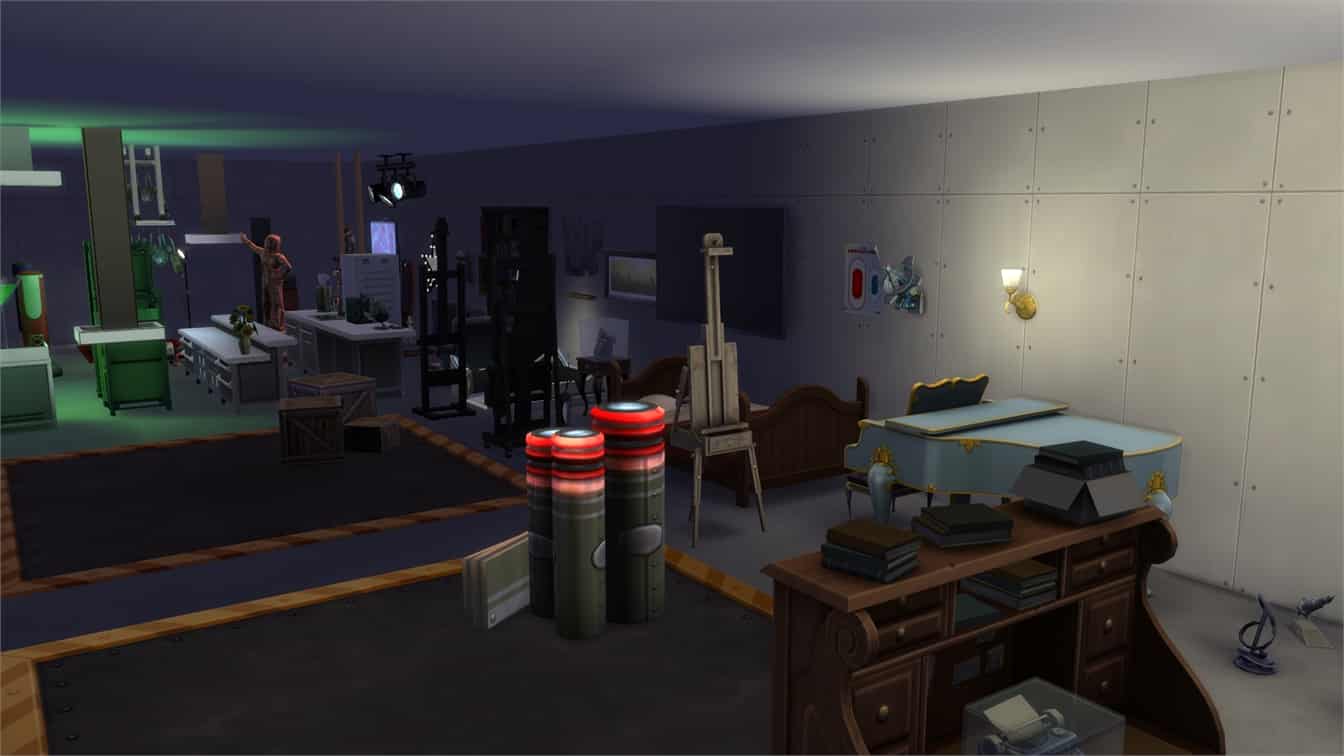
In this post we’re showcasing some of the most useful creations that will make your gameplay session much more easier. We recommend that you use testingcheats true + bb.moveobjects on cheats before placing down the rooms shown below.The headers down below each contain a link that you can click and download to your Sims 4 game. Let’s begin!

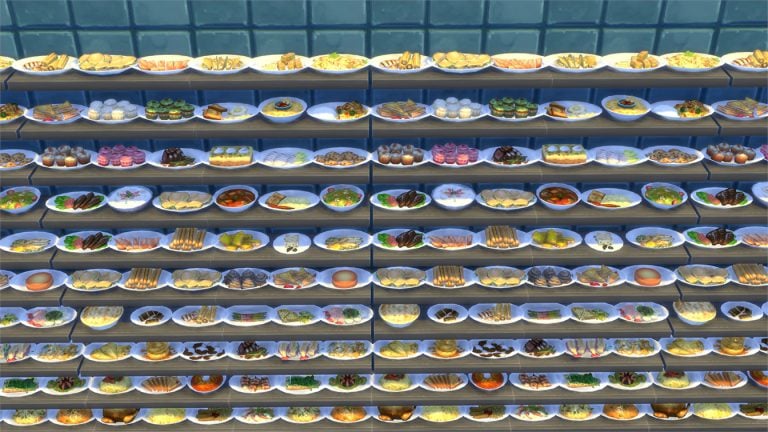
1) Food Supplies

Too lazy to prepare food in your game? For just 3,656 Simoleons you can have all types of food on one shelf!

The Sims 4: 14 Gallery Creations that will make your life easier!

2) Cowplant

Want to skip all the hassle of finding the cowplant seed + growing it? Simply plop down this “room” which contains one fully grown cowplant!

The Sims 4: 14 Gallery Creations that will make your life easier!

3) Experimental Potions

Ain’t nobody got time to reach tens of eurekas in order to unlock every single potion from The Sims 4 Get to Work. For 528 Simoleons you can have all the potions in an instant!

The Sims 4: 14 Gallery Creations that will make your life easier!

4) All Paintings

Not only do you get all paintings in one room but you also get an ultimate money cheat with this room. Even though this room is only worth 13,145 Simoleons, most of the paintings in this room are worth over 1000 Simoleons – each!

The Sims 4: 14 Gallery Creations that will make your life easier!

5) Career Rewards Unlocked

With this room you get every single career reward in one place. You can even use the eyedropper tool to buy the same career object again without having to unlock it first. However, the room is really, really expensive… (145,740 Simoleons)

The Sims 4: 14 Gallery Creations that will make your life easier!

6) Insects

A complete insect collection from The Sims 4 Outdoor Retreat…because why not?

The Sims 4: 14 Gallery Creations that will make your life easier!

7) Voidcritters

A full collection of voidcritters from The Sims 4 Kids Room Stuff will keep your kids busy for hours!

The Sims 4: 14 Gallery Creations that will make your life easier!

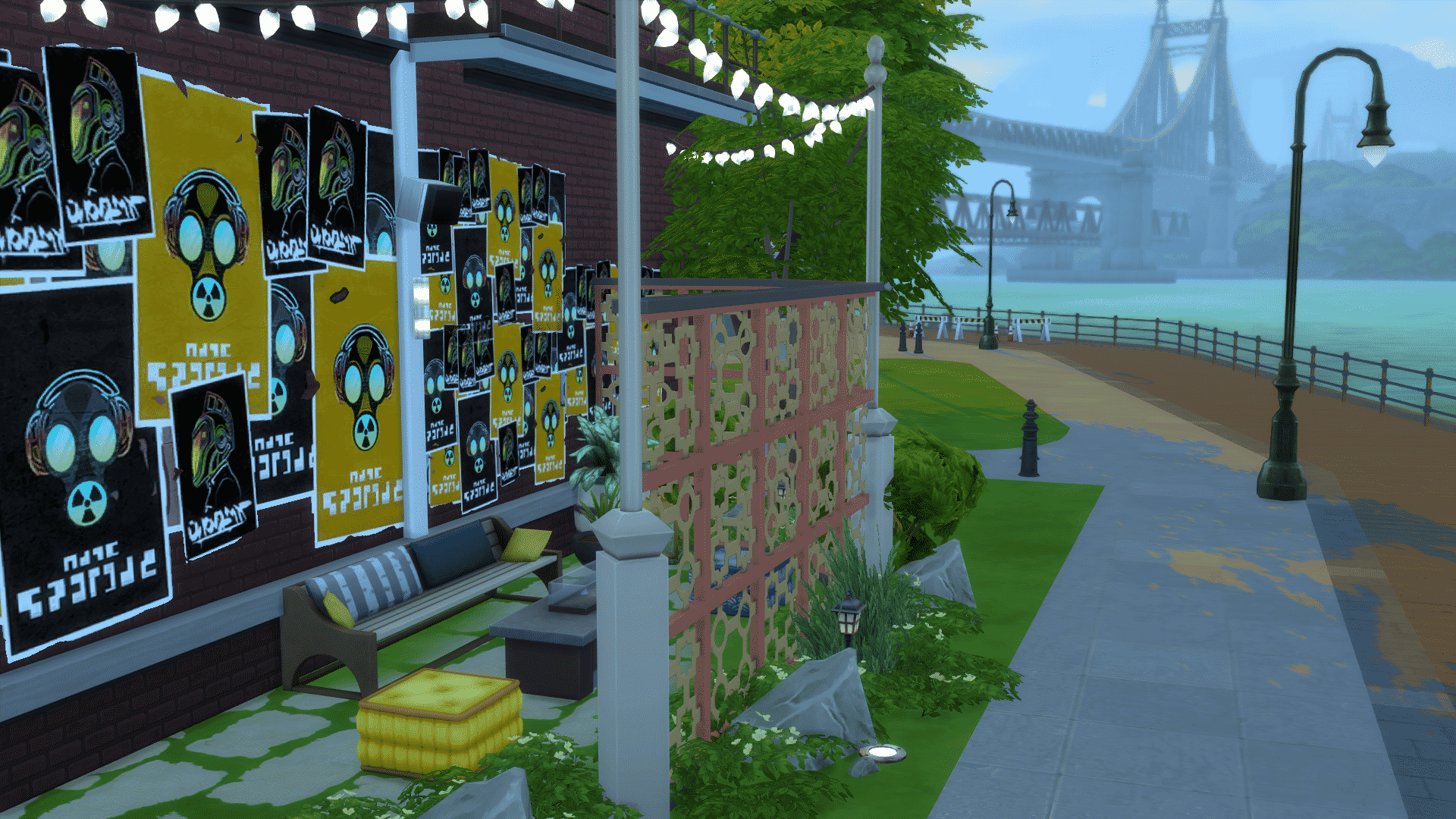
11 Gorgeous Parks for The Sims 4

Feel like the parks you currently have in The Sims 4 are a little stale? Don’t worry – the community has got you covered!

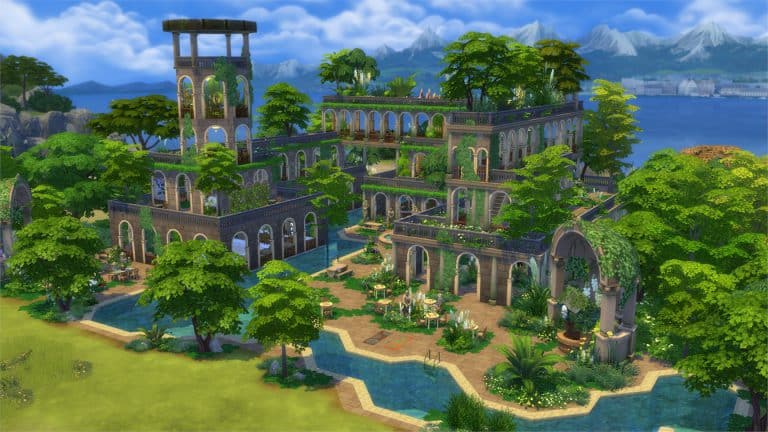
In this spotlight we’re featuring 11 various parks built for various worlds (you can however place them anywhere you want as long as the lot fits).

Pulsing plumbob that’s on the left bottom corner contains all the info (and download link) of the lot.

[ult_hotspot main_img=”id^63495|url^https://simscommunity.info/wp-content/uploads/2017/07/07-18-17_2-04-20-AM.jpg|caption^null|alt^null|title^07-18-17_2-04-20 AM|description^null”][ult_hotspot_items icon_type=”custom” icon_img=”id^39525|url^https://simscommunity.info/wp-content/uploads/2015/09/plumbob2.png|caption^null|alt^null|title^plumbob2|description^null” img_width=”52″ tooltip_custom_color=”#1e73be” tooltip_custom_bg_color=”#ffffff” tooltip_width=”450″ tooltip_position=”right” tooltip_continuous_animation=”on” hotspot_position=”89.61858624454149,3.190184049079755″ tooltip_custom_border_size=”border-style:solid;|border-width:2px;border-radius:5px;|border-color:#81d742;”]

Oasis Springs Canyon (Download Here)

by PeachesPlace

Value: §123,139
Size: 50×50
Lot Type: Park[/ult_hotspot_items][/ult_hotspot][ult_hotspot main_img=”id^63496|url^https://simscommunity.info/wp-content/uploads/2017/07/07-20-17_7-31-48-PM.jpg|caption^null|alt^null|title^07-20-17_7-31-48 PM|description^null”][ult_hotspot_items icon_type=”custom” icon_img=”id^39525|url^https://simscommunity.info/wp-content/uploads/2015/09/plumbob2.png|caption^null|alt^null|title^plumbob2|description^null” img_width=”52″ tooltip_custom_color=”#1e73be” tooltip_custom_bg_color=”#ffffff” tooltip_width=”450″ tooltip_position=”right” tooltip_continuous_animation=”on” hotspot_position=”89.61858624454149,3.190184049079755″ tooltip_custom_border_size=”border-style:solid;|border-width:2px;border-radius:5px;|border-color:#81d742;”]

Newcrest Park (Download Here)

by HXFT

Value: §71,976
Size: 30×30
Lot Type: Park[/ult_hotspot_items][/ult_hotspot][ult_hotspot main_img=”id^63497|url^https://simscommunity.info/wp-content/uploads/2017/07/07-20-17_7-34-31-PM.jpg|caption^null|alt^null|title^07-20-17_7-34-31 PM|description^null”][ult_hotspot_items icon_type=”custom” icon_img=”id^39525|url^https://simscommunity.info/wp-content/uploads/2015/09/plumbob2.png|caption^null|alt^null|title^plumbob2|description^null” img_width=”52″ tooltip_custom_color=”#1e73be” tooltip_custom_bg_color=”#ffffff” tooltip_width=”450″ tooltip_position=”right” tooltip_continuous_animation=”on” hotspot_position=”89.61858624454149,3.190184049079755″ tooltip_custom_border_size=”border-style:solid;|border-width:2px;border-radius:5px;|border-color:#81d742;”]

Sweet Sprinkle Pool (Download Here)

by Firehound22

Value: §78,626
Size: 40×30
Lot Type: Park[/ult_hotspot_items][/ult_hotspot][ult_hotspot main_img=”id^63498|url^https://simscommunity.info/wp-content/uploads/2017/07/07-20-17_7-37-53-PM.jpg|caption^null|alt^null|title^07-20-17_7-37-53 PM|description^null”][ult_hotspot_items icon_type=”custom” icon_img=”id^39525|url^https://simscommunity.info/wp-content/uploads/2015/09/plumbob2.png|caption^null|alt^null|title^plumbob2|description^null” img_width=”52″ tooltip_custom_color=”#1e73be” tooltip_custom_bg_color=”#ffffff” tooltip_width=”450″ tooltip_position=”right” tooltip_continuous_animation=”on” hotspot_position=”89.61858624454149,3.190184049079755″ tooltip_custom_border_size=”border-style:solid;|border-width:2px;border-radius:5px;|border-color:#81d742;”]

Whimsical Garden Park (Download Here)

by will861

Value: §96,134
Size: 40×30
Lot Type: Park[/ult_hotspot_items][/ult_hotspot][ult_hotspot main_img=”id^63499|url^https://simscommunity.info/wp-content/uploads/2017/07/07-20-17_7-39-30-PM.jpg|caption^null|alt^null|title^07-20-17_7-39-30 PM|description^null”][ult_hotspot_items icon_type=”custom” icon_img=”id^39525|url^https://simscommunity.info/wp-content/uploads/2015/09/plumbob2.png|caption^null|alt^null|title^plumbob2|description^null” img_width=”52″ tooltip_custom_color=”#1e73be” tooltip_custom_bg_color=”#ffffff” tooltip_width=”450″ tooltip_position=”right” tooltip_continuous_animation=”on” hotspot_position=”89.61858624454149,3.190184049079755″ tooltip_custom_border_size=”border-style:solid;|border-width:2px;border-radius:5px;|border-color:#81d742;”]

Willow Creek Royal Garden (Download Here)

by Eunagina

Value: §147,283
Size: 50×50
Lot Type: Park[/ult_hotspot_items][/ult_hotspot]

The Sims Mobile now fully supports 18:5:9 screen aspect ratio phones!

0

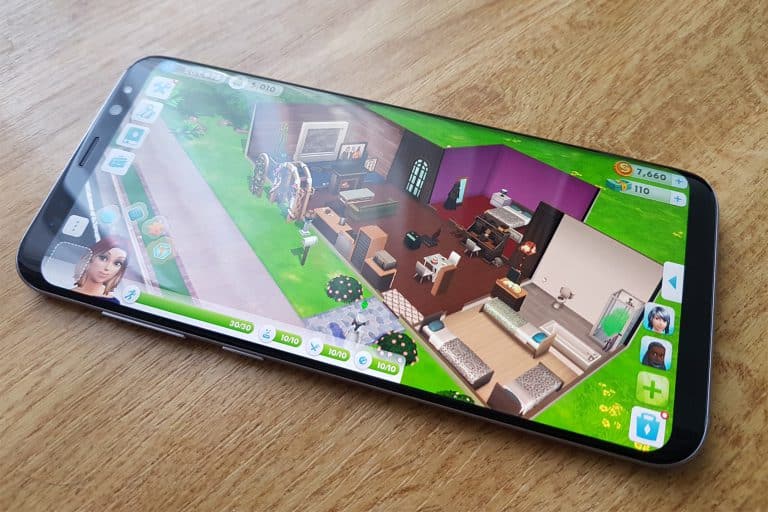
Good news for the owners of the LG G6, Samsung Galaxy S8/S8+ and other phones who have screens with the 18:5:9 aspect ratio!

The Sims Mobile just received a new update which now fully supports phones with “an endless display”. This means that you no longer have to force the app to fill the black bars on the left and right sides of your devices.

The Sims Mobile now fully supports 18:5:9 screen aspect ratio phones!

Check out how it all looks like in-game:

The Sims Mobile now fully supports 18:5:9 screen aspect ratio phones!

The Sims Mobile is currently in the “soft-launch” phase, meaning that the game is only available for the residents of Brazil. Stay tuned on our Sims Mobile News Page to be the first to know when the game comes out worldwide!

The Sims 4: Family Vacation Build Challenge Feature

Hey Simmers!

The Family Vacation Build Challenge is wrapping up and I’d love to feature some of the awesome builds that I had the pleasure of checking out! I picked one build from each of the six categories, and let me tell you, it was so difficult to choose just one of each. There were honestly so many creative lots and I want to say thank you to all who participated!

Be sure to check out the wrap up post on The Sims blog too!

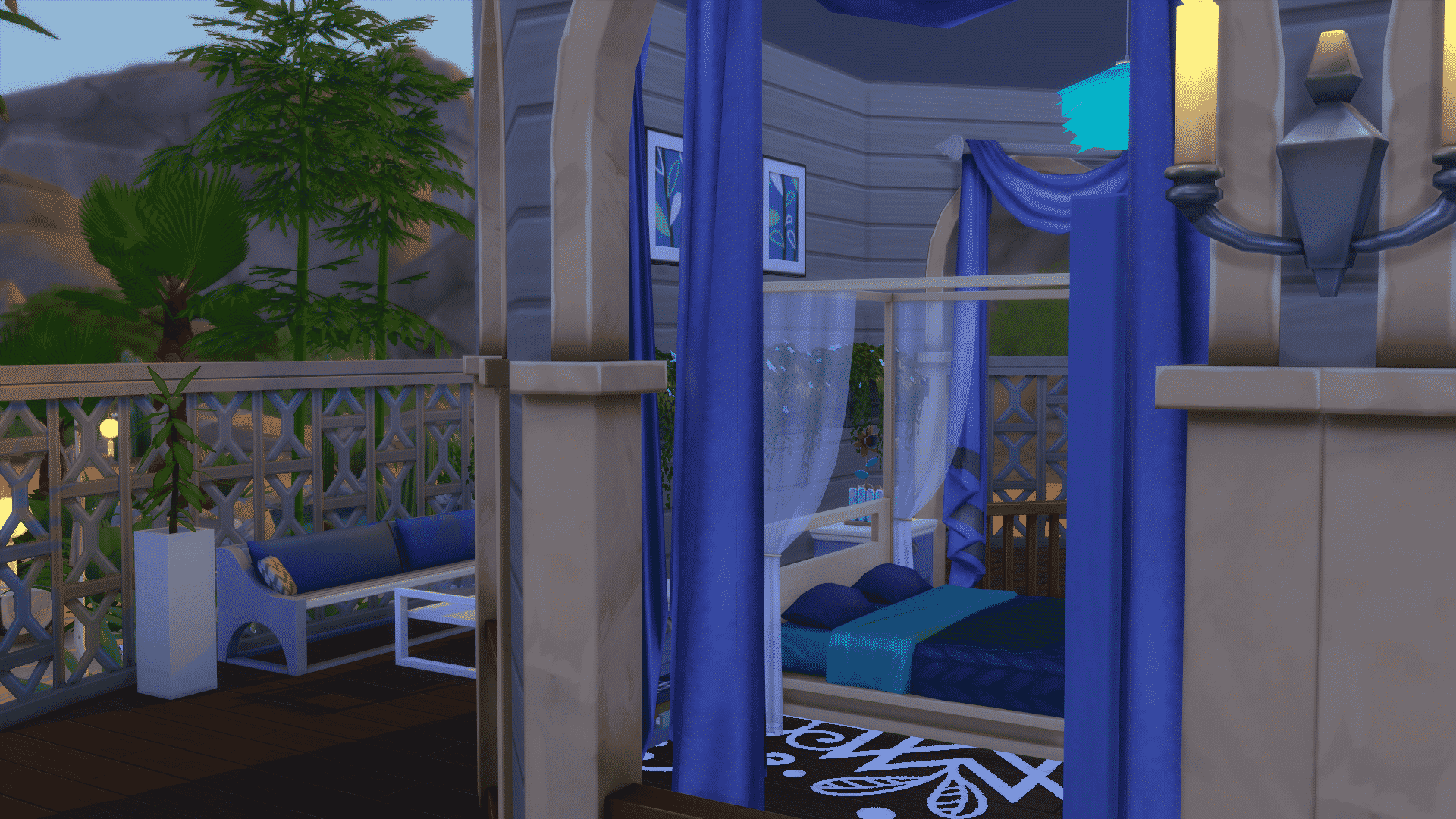
Tropical Getaway

Simmer: CherryBen83
Gallery Link Here

The Sims 4: Family Vacation Build Challenge Feature

The Sims 4: Family Vacation Build Challenge Feature The Sims 4: Family Vacation Build Challenge Feature The Sims 4: Family Vacation Build Challenge Feature

Rustic Recess

Simmer: TIM0THEUS
Gallery Link Here

The Sims 4: Family Vacation Build Challenge Feature

The Sims 4: Family Vacation Build Challenge Feature The Sims 4: Family Vacation Build Challenge Feature The Sims 4: Family Vacation Build Challenge Feature

Spa Sabbatical

Simmer: Kippsidaisy
Gallery Link Here

The Sims 4: Family Vacation Build Challenge Feature

The Sims 4: Family Vacation Build Challenge Feature The Sims 4: Family Vacation Build Challenge Feature The Sims 4: Family Vacation Build Challenge Feature

Festival Weekend

Simmer: cheeselife2
Gallery Link Here

The Sims 4: Family Vacation Build Challenge Feature

The Sims 4: Family Vacation Build Challenge Feature The Sims 4: Family Vacation Build Challenge Feature The Sims 4: Family Vacation Build Challenge Feature

Budget Basic

Simmer: eimajunknown
Gallery Link Here

The Sims 4: Family Vacation Build Challenge Feature

The Sims 4: Family Vacation Build Challenge Feature The Sims 4: Family Vacation Build Challenge Feature The Sims 4: Family Vacation Build Challenge Feature

Scenic City

Simmer: wollywol
Gallery Link Here

The Sims 4: Family Vacation Build Challenge Feature

The Sims 4: Family Vacation Build Challenge Feature The Sims 4: Family Vacation Build Challenge Feature The Sims 4: Family Vacation Build Challenge Feature

Congrats to all of the featured builders! I can’t wait to see what you guys come up with during the next build challenge!

Catch my livestreams daily on Twitch!

The Sims Through The Years: 19th July

0

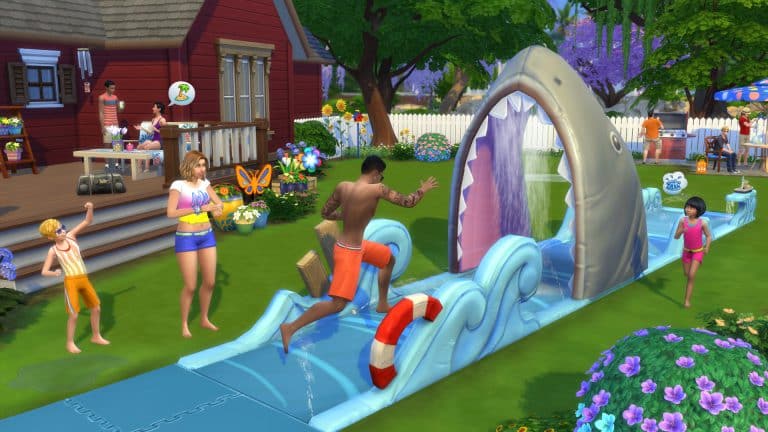
On this day just a year ago The Sims 4: Backyard Stuff was released, proving to be quite popular with users it added a whole bunch of new items to spruce up your sims back gardens. Not just adding items it added some fantastic hairstyles and clothes to make any backyard activity look fabulous.

Of course with all of The Sims 4 stuff packs it was slightly different to previous games, each came with at least one object which adds additional gameplay, this pack came with a Lawn water slide, Bird feeder, Drink Pitcher, and Wind chimes.

EA announces first information about Gamescom 2017 Event

Electronic Arts has just announced some first information about their part of Gamescom 2017 event. Although they have yet to announce which titles will be shown at the EA Live Show, we do know that influencers will get their hands on content that’s coming to The Sims 4 and The Sims Mobile.

Here’s what EA said in their latest blog:

Last month at EA PLAY we took you inside some of the big experiences we have in store this year, games that we hope will capture your imagination and make the extraordinary possible. At gamescom, we are gearing up for the next step – more news, more gameplay, and more hands-on experiences for the hundreds of thousands of players joining us in-person in Cologne, Germany, and the millions more joining us online.

Here’s a few key things you need to know about EA at gamescom:

  • EA Live Show. Tune in to EA.com on August 21 at 6:30 pm CET/9:30 am PDT, where you’ll be the first to see new gameplay, live matches, and a few surprises as well.
  • Hands-on Gameplay. From August 22-26, we have nearly 400 gameplay stations available to players within the EA gamescom booth. There, those that join us in Cologne, will be able to get hands-on with Star Wars™ Battlefront™ IINeed for Speed™ PaybackEA SPORTS FIFA 18Battlefield™ 1: In the Name of the Tsar, and some of our top mobile games including Star Wars™ Galaxy of Heroes and FIFA Mobile.
  • Live Entertainment. There will be so much more to see and do at the EA gamescom booth. The central stage will have entertainment throughout the event, with gameplay deep dives, producer interviews, competitions, and more.
  • Game Changers. Some of the top content creators and influencers in the world will be producing content right from the EA Business Lounge, capturing gameplay footage, making stories and streaming directly to you from the show floor, with content coming from Star Wars™ Battlefront™ II, Need for Speed™ Payback, Battlefield™ 1, The Sims™ 4The Sims Mobile,FIFA Mobile and more.

Throughout the event, EA.com will be your one stop shop for all the great content coming from EA out of gamescom: breaking news, gameplay reveals, trailers, community content, deep dive features, behind-the-scenes stories and much, much more.

Over the next couple of weeks watch for some exciting news from game teams about what they’ll be sharing at gamescom.

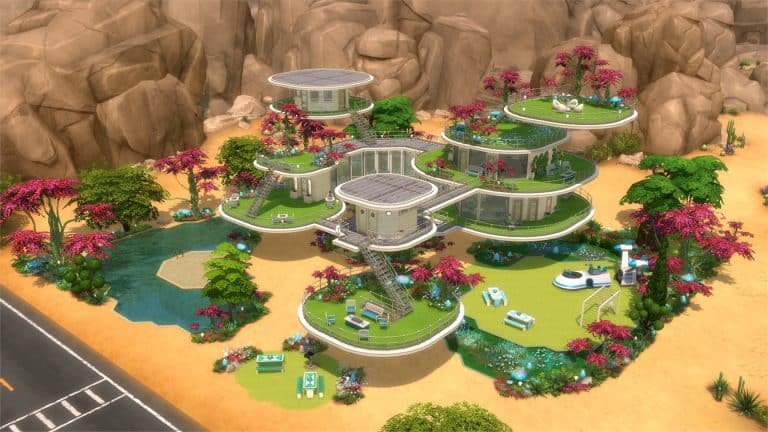
10 Wacky Alien Lots for The Sims 4 by AnchesenamonSim

Diana (known as AnchesenamonSim on Twitter) is on a mission to turn Oasis Springs into an Alien world with completely new Lots and Sims created by her.

Down below you can find some of our top picks from her project! We also recommend that you download Alien Sims by AnchesenamonSim to populate some of the Residental Lots shown below.

10 Wacky Alien Lots for The Sims 4 by AnchesenamonSim

Pulsing plumbob that’s on the left bottom corner contains all the info (and download link) of the lot.

[ult_hotspot main_img=”id^63468|url^https://simscommunity.info/wp-content/uploads/2017/07/07-19-17_4-59-10-PM.jpg|caption^null|alt^null|title^07-19-17_4-59-10 PM|description^null”][ult_hotspot_items icon_type=”custom” icon_img=”id^39525|url^https://simscommunity.info/wp-content/uploads/2015/09/plumbob2.png|caption^null|alt^null|title^plumbob2|description^null” img_width=”52″ tooltip_custom_color=”#1e73be” tooltip_custom_bg_color=”#ffffff” tooltip_width=”450″ tooltip_position=”right” tooltip_continuous_animation=”on” hotspot_position=”89.61858624454149,3.190184049079755″ tooltip_custom_border_size=”border-style:solid;|border-width:2px;border-radius:5px;|border-color:#81d742;”]

To Infinity And Beyond (Download Here)

by anchesenamon

Value: §221,956
Size: 40×30
Lot Type: Restaurant[/ult_hotspot_items][/ult_hotspot][ult_hotspot main_img=”id^63469|url^https://simscommunity.info/wp-content/uploads/2017/07/07-19-17_5-01-10-PM.jpg|caption^null|alt^null|title^07-19-17_5-01-10 PM|description^null”][ult_hotspot_items icon_type=”custom” icon_img=”id^39525|url^https://simscommunity.info/wp-content/uploads/2015/09/plumbob2.png|caption^null|alt^null|title^plumbob2|description^null” img_width=”52″ tooltip_custom_color=”#1e73be” tooltip_custom_bg_color=”#ffffff” tooltip_width=”450″ tooltip_position=”right” tooltip_continuous_animation=”on” hotspot_position=”89.61858624454149,3.190184049079755″ tooltip_custom_border_size=”border-style:solid;|border-width:2px;border-radius:5px;|border-color:#81d742;”]

Hyperspace Park (Download Here)

by anchesenamon

Value: §300,319
Size: 50×50
Lot Type: Park[/ult_hotspot_items][/ult_hotspot][ult_hotspot main_img=”id^63470|url^https://simscommunity.info/wp-content/uploads/2017/07/07-19-17_5-03-44-PM.jpg|caption^null|alt^null|title^07-19-17_5-03-44 PM|description^null”][ult_hotspot_items icon_type=”custom” icon_img=”id^39525|url^https://simscommunity.info/wp-content/uploads/2015/09/plumbob2.png|caption^null|alt^null|title^plumbob2|description^null” img_width=”52″ tooltip_custom_color=”#1e73be” tooltip_custom_bg_color=”#ffffff” tooltip_width=”450″ tooltip_position=”right” tooltip_continuous_animation=”on” hotspot_position=”89.61858624454149,3.190184049079755″ tooltip_custom_border_size=”border-style:solid;|border-width:2px;border-radius:5px;|border-color:#81d742;”]

Orbital Eccentricity Spa (Download Here)

by anchesenamon

Value: §186,998
Size: 30×20
Lot Type: Spa[/ult_hotspot_items][/ult_hotspot][ult_hotspot main_img=”id^63471|url^https://simscommunity.info/wp-content/uploads/2017/07/07-19-17_5-06-36-PM.jpg|caption^null|alt^null|title^07-19-17_5-06-36 PM|description^null”][ult_hotspot_items icon_type=”custom” icon_img=”id^39525|url^https://simscommunity.info/wp-content/uploads/2015/09/plumbob2.png|caption^null|alt^null|title^plumbob2|description^null” img_width=”52″ tooltip_custom_color=”#1e73be” tooltip_custom_bg_color=”#ffffff” tooltip_width=”450″ tooltip_position=”right” tooltip_continuous_animation=”on” hotspot_position=”89.61858624454149,3.190184049079755″ tooltip_custom_border_size=”border-style:solid;|border-width:2px;border-radius:5px;|border-color:#81d742;”]

Live Long And Prosper (Download Here)

by anchesenamon

Value: §355,783
Size: 50×50
Lot Type: Residental Lot[/ult_hotspot_items][/ult_hotspot][ult_hotspot main_img=”id^63472|url^https://simscommunity.info/wp-content/uploads/2017/07/07-19-17_5-08-51-PM.jpg|caption^null|alt^null|title^07-19-17_5-08-51 PM|description^null”][ult_hotspot_items icon_type=”custom” icon_img=”id^39525|url^https://simscommunity.info/wp-content/uploads/2015/09/plumbob2.png|caption^null|alt^null|title^plumbob2|description^null” img_width=”52″ tooltip_custom_color=”#1e73be” tooltip_custom_bg_color=”#ffffff” tooltip_width=”450″ tooltip_position=”right” tooltip_continuous_animation=”on” hotspot_position=”89.61858624454149,3.190184049079755″ tooltip_custom_border_size=”border-style:solid;|border-width:2px;border-radius:5px;|border-color:#81d742;”]

Star Dust Gym (Download Here)

by anchesenamon

Value: §227,551
Size: 40×30
Lot Type: Gym[/ult_hotspot_items][/ult_hotspot]

The Sims 4: Installing Custom Gallery Poses

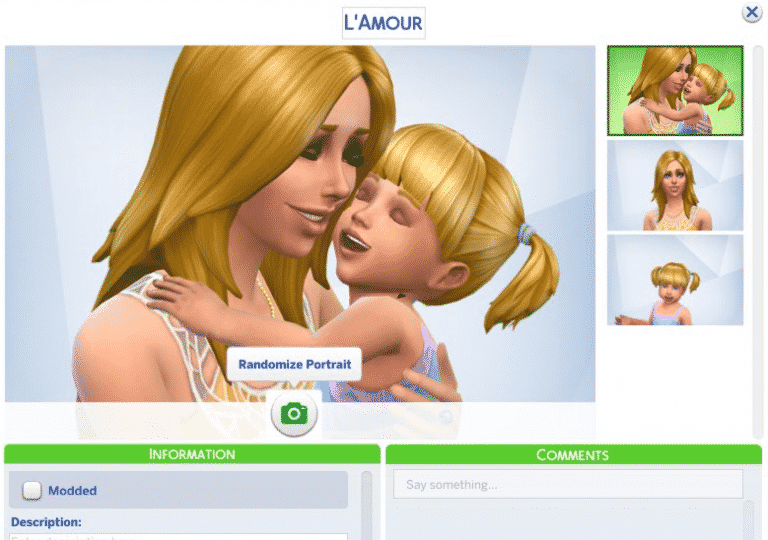
You’re probably tired of the same old Gallery poses that don’t showcase your Household the way you want to. Luckily, modders came up with a perfect solution by creating and releasing new custom Gallery poses. The cool thing about this is that the Household you create with a custom gallery pose won’t appear as a Custom Content creation as you’re only using a custom pose.

Gallery poses that I can personally recommend are:

Installing these poses is as simple as installing CC / Mods. Simply extract the .zipped files OR just place the .package files to Electronic Arts > The Sims 4 > Mods. Please make sure you have Mods / CC enabled in your game options!

Once you’re done with creating your Sim you can now save your household and / or upload it to the gallery. By using the Randomize Portrait option you can switch through multiple poses – both custom and pre-installed.

Poses shown down below are created by SakuraLeon!