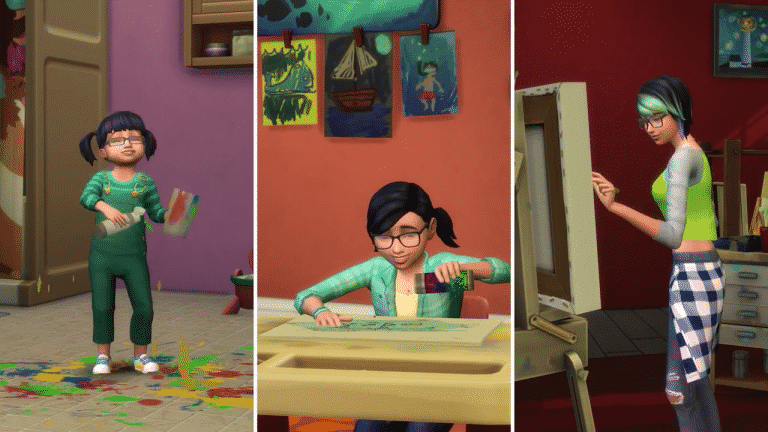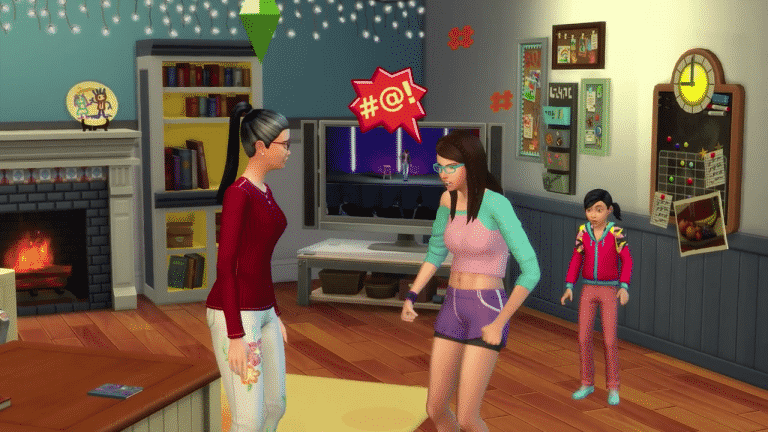
The Sims Team has released a brand new Update for The Sims 4!
To download the latest version of The Sims 4, simply open your Origin program and if the game doesn’t update automatically, right click on The Sims 4 and select ”Update”.
In case you have Mods or Custom Content, the game will automatically disable them for you after first launching The Sims 4 after the update. To re-enable all your Mods and Custom Content, select the Settings option in the Menu and select Settings. Under the”Other” section you’ll find the ”Enable Custom Content and Mods” option. Check it and restart your game in order for it to take effect!
Patch Notes
Update: 05/25/2017 – PC Version 1.30.103.1010 / Mac Version 1.30.103.1210
Hello Simmers,
Welcome to the base game release for Parenthood! Which is all about those quiet family moments. Taking time to enjoy when things settle down. When all becomes quiet, and you can just take it all in, reflecting upon life…
..er, wait sorry. That’s like 20-30 years after parenthood begins (results may vary).
I meant to say, this is a hectic time. A time of crazy, noise filled chaos, where the concept of quiet exists for only 3 hours between 2 and 5 am. And where tension is worn like a badge of honor! So wear yours with pride, and let’s start with just a little bit of what’s new in this release…
What’s New?
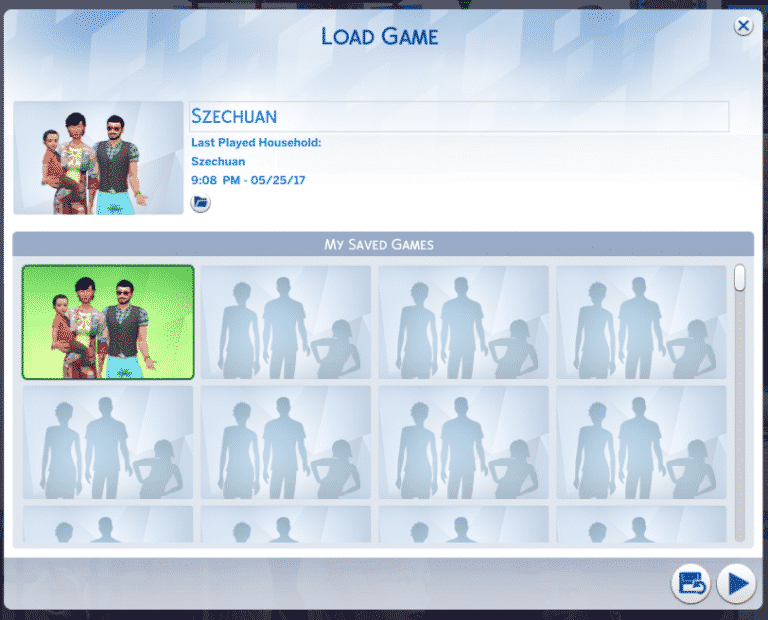
The Load / Save menu has been updated to be… modern.
- Save slots now use household thumbnails instead of a text list
- No more will you have to remember which save your Goopy-Gilscarbo household was in – it’s all visual now!
- Thumbnails however will be blank until the save is opened, and re-saved post patch release.
- Save backups can now be restored via this UI by clicking on the Recover Save option from the Load Game dialog.
- Users can now see where on disk a particular save file exists by hovering over the File icon in the Load Game dialog.
- You can also click the button to copy the path to your clipboard.
- You can now rename your save from the Load Game dialog.
- The auto-save feature has been removed as it was not functioning properly.
- The feature as originally implemented was confusing and did not function as expected by users.
- Save now occurs explicitly at the players request either by choosing to save when exiting to the Main Menu, Manage Worlds, or Quitting. Or by choosing Save or Save As from the ESC menu.
- The Save As dialog has also been modified to show thumbs.
- The first option in the Save As dialog is to be used to create a brand new save, but you can also choose to overwrite existing saves.
New Lights in Buy Mode.
Three new lights can be found under Ceiling Lamps in the Object by Function, Lighting sort.
- Round Confection Ceiling Light
- Square Confection Ceiling Light
- Campanulate Ceiling Lamp
- And today I learned that campanulate is a real word…
And then on to what issues did we address…
General Issues
- Children can now smash a dollhouse that is currently in use by another child…
- …because frustration is best served shared.
- Sims will no longer get a whim to get married if they are already married.
- It’s simple folks, “Happy spouse, happy house.”
- The Successful Lineage aspiration (within the Family category) will no longer fail to recognize if a child had previously completed the skill and aspiration requirements of the 3rd and 4th step.
- Getting a child to do “work” once is tough enough, getting them to do it a second time… I’d suggest hitting up the kid exchange for a trade in.
- Babies will no longer change skin tone when they are picked up.
- The Georgina Outdoor Lamppost With Double Hanging Planter can now be turned off by the player.
- Silence phone once again will silence your phone…
- Um, you still receive the calls, you just won’t hear them.
- Well, you can hear the call of course, just not the ring, beeping, or musical stylings of Lorde Swift von Iggy-Flay …
- Of course, I guess you don’t really hear, it’s more of a read…
- Kind of a one way thing, with a yes no response mechanism.
- Who invented this type of phone anyway?
- Along those lines (the texting part)… Children should no longer receive inappropriate text messages from adults.
- We have fixed various possible ways in which children might receive inappropriate text messages… if you are still seeing this issue, please let us know.
- The Connections reward trait will no longer prevent your Sim from purchasing career rewards unlocked by career levels earlier than the boosted connections career level.
- In addition , care was leveled upon the career levels in order to carefully level the rewards in care of the connections.
- The Cu Cu Cachoo display skull now costs 175 Simoleons.
- The walrus is not for sale.
- Performance improvement: Movement level 1 toddlers should no longer contemplate the use of objects on floors they can’t reach.
- Highly intelligent toddlers may still contemplate their place in the universe.
- Toddlers with high wisdom may still contemplate their daily movements.
- High strength toddlers may move in contemplation.
- Toddlers with unusually high charisma may seek contemplation of others.
- And highly dexterous toddlers may contemplate how they might also be like Mike.
- Toddlers will now also visually drink from their sippy cup when seated on the ground.
- Previously they would only drink it through some sort of liquid teleportation behavior that defies explanation.
- Fixed a Sim reset issue that could occur when one Sim chose to autonomously tell a story to another Sim.
- Sims are swimming laps again.
- Sims with the masculine preference for clothing will no longer randomize into feminine full body swimsuits while in Create a Sim.
- We fixed an issue that could cause a toddler to inherit the emotional whim of nearby adult Sims after loading into a lot, which could result with the toddler acquiring a flirty emotional whim.
- Sims facial features should no longer adjust after selecting a different eye color swatch.
- Blue eyes? Of course sir, let me just push your nose this way a touch. No? Then brown eyes? Yes, wonderful choice sir. Let me just pull your jaw out a bit. No? But sir, no need to raise your voice, you chose brown, not me. If you wanted your jaw to stay chiseled you should have chosen green!
- Young Adult and Adult lifespans have been increased by 4 days each to accommodate the addition of Toddlers.
- Industrial Reinforced beams will no longer appear through the ceiling when placed on the floor below.
- Unless you have a bad contractor… then there’s really only one thing you can do, get yourself a nice MLT.
- With cheats turned on, you should now be able to modify NPCs in Create a Sim by shift clicking on them and choosing “Modify in CAS”.
- My town? Hawaiian shirts and bunny slippers!
- Lights that have had their color and intensity modified, and then set to auto-light, will no longer revert to their default color and intensity setting.
- You should no longer have to reload your lot or travel in order to get fresh cuttings to properly function from within your inventory.
- We fixed an issue with how the stats panel appeared…
- …the stats panel.
- It’s a button in the upper right of the Simology panel? Shows stats? And stuff…
- …about your Sim, you, things you may have done…
- It’s been there since the very beginning.
- Ok trust me, we fixed a visual something or other there. It’s better now.
- We have adjusted the hairstyles for our premade Sims (such as the Goths) to not change drastically during outfit changes, where it would not make sense for their hair to change.
- PlantSims are now able to sleep in tents.
- This issue was fixed for all in tents and per pose.
- You should be able to once again share to Twitter from the game.
Vampires
- Vampire ears on the base form of a Sim will no longer disappear when the Sim enters live mode.
- Fixed an issue that could prevent a Sim from gaining access to others’ homes when they have the Eternally Welcome vampire power.
- Eternally Welcome, except this time. And… that other time. Oh, and remember after the house warming party? Yea… definitely not eternally welcome.
- Sims that have been turned into Vampires should no longer have a non-functional age bar.
- Toddlers born with vampire parents, will now maintain the eye color they were born with (or that the player had modified them to be) even after loading them into Create a Sim.
City Living
- A Love Guru from the Romance Festival that is married into a household will no longer remain immortal.
- I’m reminded of the philosopher Socrates, when after an eventful night of revelry, he said “I married what?”
Vintage Glamour Stuff
- Light from the Fiery Façade fireplace will no longer shine through the back of the fireplace.
- Butlers will no longer appear on retail lots when they should be at home… butler’izing.
Asset Issues in Create a Sim
Hey folks, so along the lines of our Create a Stuff Pack program, I’m going to take a moment in this section of issues to provide a little insight into what the issue is, and who on the team might address them, so that you can see a little into how to evaluate an issue.
I’ll start by providing information about what the issue was and what was fixed, and then provide some insight into who would address the issue.
These two issues are considered tagging issues.
- You can now wear necklaces with yfTop_SP08ShirtButtonOpen.
- You can now apply a bracelet to your right and left wrist when wearing the level 5 business career outfit yfBody_EF01BusinessSuitMed!
- Issues like these are fixed by the production team. In both of these cases, an asset was set to restrict the placement of another asset.
- Production modified the tags, and now these assets no longer restrict placement.
These three issues are considered clipping issues. They generally appear to the player as one asset poking through another asset (and in some cases the character model itself).
- Fixed a clipping issue with GP01BootFoldover and various pants.
- ymHair_GP04Slashed will no longer poke through yuHat_GP04Toque.
- ymShoes_AnkleSquareToe will no longer clip with ymBody_EF04ShirtSkull.
- These issues are fixed by the art team. And are generally addressed by modifying one of the offending asset’s geometry (moving stuff around), or addressing something like weighting (how an asset lays against other assets).
The highlight issue fixed here, turns out is also a clipping asset issue.
- Fixed a broken highlight issue that would occur when hovering over yfHair_ShortShave and yfHair_BuzzCutNatural while in Create a Sim.
- It could be engineering, since highlights are handled by code, however in this case, it was a geometry issue with the hair assets that created the highlight issue.
This is a character layering issue.
- Female Sims with a masculine frame should no longer have two belly buttons when in Create a Sim.
- Keeping this short, but Sims have layers (like an Ogre). And if the wrong layer is added to the stack, you get issues like this. This issue is an engineering fix that required a different layer to be used in order to properly create the Sim.
This is a geometry vertex issue.
- Fixed an issue that could cause some eye presets to stretch the geometry of various hair assets improperly.
- This issue is addressed by an artist, and in this case was caused by a single vert (the angular point of a polygon) that was being incorrectly shared with a part of the face that caused the hair to stretch.
This is a texture issue.
- We fixed an issue with a visible seam on the torso of female Sims.
- This issue is addressed by an artist, and required the artist to modify the texture of the base Sim model. The texture being the paint over that makes a Sim look like a Sim, and not a wire mesh. And the base Sim model being the bare Sim without any assets.
Hope that provided just a little insight into some issues, and who fixes them. I know this focused primarily on asset issues, but I just wanted to dip our toes into the waters of development…
…wow, that sounded really cheesy.
Many apologies, and thanks again for your patience and time!
-SimGuruGnome


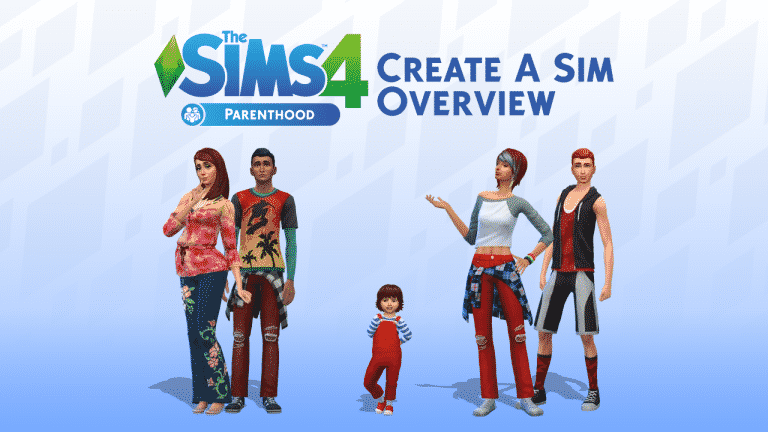
 Super Parent – This Sim wants to be the best parent ever!