Home Blog Page 374

The Sims 4 Parenthood: Hands-On Coverage coming this Monday!

2

We’ve just got our early access copy of The Sims 4 Parenthood Game Pack!

This means that we’ll be sharing with you some exclusive details about Parenthood this Monday (May 29th) starting at 7AM PDT. You’ll be able to learn all about what’s new in terms of Create A Sim and Build Mode items, as well as what new gameplay does this pack bring and is it worth the price.

Make sure you stay tuned on all the latest news by checking out our Parenthood News Category!

The Sims 4 Parenthood: Hands-On Coverage coming this Monday!

The Sims 4 Parenthood: Career Chance Cards

2

The XML code for the latest patch reveals new career chance cards for the “Responsible” and “Irresponsible” traits included in Parenthood. The cards appear to be available for all careers, including those introduced in packs.

Responsible:

Card 1:

  • {0.SimFirstName} breaks out of the work space to break into a quick sweat and relishes in the rewards of a lunch break well spent. The workout also relieved some of {0.SimFirstName}’s stress, and {M0.he’ll}{F0.she’ll} perform {M0.his}{F0.her} job even better.
  • {0.SimFirstName} browses for good career advice and finds a few key insights from top consultants to improve work performance.
  • {0.SimFirstName} browses for good career advice, and finds some interesting articles, but {M0.he}{F0.she} is a little bummed that {M0.he}{F0.she} didn’t get to enjoy some free time.

Card 2:

  • {0.SimFirstName} takes advantage of the offered training and brushes up on necessary work skills.
  • {0.SimFirstName} feels confident in {M0.his}{F0.her} skills, and recommends a coworker goes in {M0.his}{F0.her} place. The boss is appreciative that {0.SimFirstName} is looking out for {M0.his}{F0.her} team and sees {0.SimFirstName} as a leader.
  • {0.SimFirstName} declines the training, feeling confident in {M0.his}{F0.her} skills, but also knowing {M0.his}{F0.her} need to focus on {M0.his}{F0.her} current task. {M0.His}{F0.Her} coworker gets to take the training instead.

Card 3:

  • {0.SimFirstName} eagerly agrees to help {M0.his}{F0.her} co-worker. The two of them not only improve their relationship, but the task is completed much to the satisfaction of their mutual boss. Win/win!
  • {0.SimFirstName} spends a few minutes tutoring {M0.his}{F0.her} co-worker. The co-worker ends up doing an adequate job, but probably would have done better if {0.SimFirstName} had spent a little more time with them.
  • {0.SimFirstName} talks to various members of the team, and they all agree to help the co-worker. Everyone takes turns assisting and the whole team feels more bonded afterward.
  • {0.SimFirstName} tries to get the rest of the team to help out, but only a few people volunteer. The co-worker is still able to finish the task on time, but it would have been a great team-building opportunity.

Card 4:

  • A brief glimpse of aesthetic beauty inspires {0.SimFirstName} to incorporate these elements into {M0.his}{F0.her} day-to-day tasks. Everyone immediately notices the change and praises {0.SimFirstName} for {M0.his}{F0.her} “outside the box” thinking.
  • {0.SimFirstName} finds some interesting artwork, and orders it to decorate the office. Everyone appreciates the mood boost the art gives the office!
  • {0.SimFirstName} browses for a good song and hits “Repeat” when {M0.he}{F0.she} comes across one with a good beat. What started as a quick distraction is an energizing rush that leads to one of {M0.his}{F0.her} most productive work days in months!
  • {0.SimFirstName} starts listening to music and without thinking about it starts singing aloud. {M0.His}{F0.Her} co-workers join in and they all have a great bonding experience.

Card 5:

  • {0.SimFirstName} darts to a nearby closet with a laptop and knocks out the work lickety-split. With time to spare, {0.SimFirstName} struts out, victorious, and ready for the next task.
  • {0.SimFirstName} asks for assistance from a favorite co-worker, who gladly jumps into help as they know {0.SimFirstName} is so responsible. With the assist, the work gets done, and both come out looking rosy.
  • {0.SimFirstName} asks around for help, but all {M0.his}{F0.her} co-workers are behind on their work. {0.SimFirstName} brings the issue to {M0.his}{F0.her} boss, who appreciates the heads-up and pushes back the schedule.

Card 6:

  • With the intern on coffee duty, {0.SimFirstName}  is able to focus on {M0.his}{F0.her} most challenging tasks full of caffeine and with well-rested feet. It’s a banner day as a manager!
  • {0.SimFirstName} believes in throwing fresh meat into the deep end and the intern proves they know how to swim. Between {0.SimFirstName} and the Intern, they almost triple their typical work output and garner praise from the boss!
  • {0.SimFirstName} tries to throw the intern into the deep end, but they aren’t really up to the task. {0.SimFirstName} ends up spending a lot of time training the intern, but the boss is impressed with {M0.his}{F0.her} ability to train the newbie.

Card 7:

  • {0.SimFirstName} knows {M0.his}{F0.her} boss loves to eat at fancy restaurants, so {M0.he}{F0.she} quickly orders a gift certificate to {M0.his}{F0.her} favorite seafood café, the Tuna Tortuga. Without wasting time, {0.SimFirstName} solves the birthday conundrum and finishes {M0.his}{F0.her} work on time.
  • {0.SimFirstName} takes a guess at what {M0.his}{F0.her} boss wants and completely whiffs. {M0.His}{F0.Her} boss was pretty nice about it though. It’s the thought that counts!
  • {0.SimFirstName} is a savant at crafting meaningful gifts from a combination of paper clips, rubber bands, and copier paper. {M0.His}{F0.Her} boss is really impressed with {M0.his}{F0.her} skill and ingenuity!
  • {0.SimFirstName} tries to craft something with items on {M0.his}{F0.her} desk, but grows flustered. {M0.His}{F0.Her} boss walks up, inquires, and is delighted by the gesture. {0.SimFirstName} is able to step away with the good feeling of effort direct from the birthday boss.

Card 8:

  • {0.SimFirstName} starts working through {M0.his}{F0.her} breaks to really get things done and the results are obvious. {M0.His}{F0.Her} boss makes a point to stop by and hint that a promotion isn’t long around the corner, which makes everything worth it.
  • {0.SimFirstName} really pushes {M0.himself}{F0.herself}, but this just leads to fatigue and overall sloppy work. {M0.He}{F0.She} gets in a little extra work, but it doesn’t really impress the boss.
  • {0.SimFirstName} takes the initiative to complete an oft-overlooked side task that nobody else would take. Everyone is surprised to see the task finally completed. Most of all, {0.SimFirstName}’s boss who is quite impressed to the tune of a near promotion perhaps…

Card 9:

  • {0.SimFirstName} approached {M0.his}{F0.her} coworker and gave them very honest feedback. {M0.He}{F0.She} also worked with {M0.his}{F0.her} coworker to create a plan to correct the problem. {M0.His}{F0.Her} boss praised {0.SimFirstName} for working well with {M0.his}{F0.her} teammates.
  • {0.SimFirstName} gives {M0.his}{F0.her} co-worker some kind words about {M0.his}{F0.her} good work, but then provides stern feedback on {M0.his}{F0.her} recent behavior. The note is taken well and both grow stronger as a result.
  • {0.SimFirstName} praises their co-worker, but then sandwiches this with some harsh feedback. Their co-worker is caught off guard and is a bit upset. {0.SimFirstName} learns a good lesson about tactful feedback.

Card 10:

  • {0.SimFirstName} hates waiting for others to give {M0.him}{F0.her} ideas, so {M0.he}{F0.she} presents {M0.his}{F0.her} boss with suggestions for how {M0.he}{F0.she} can be challenged. {0.SimFirstName}’s boss appreciates the gumption and praises {M0.him}{F0.her}.
  • {0.SimFirstName} steps into the boss’ office, slams {M0.his}{F0.her} fist on the table, and demand a challenge. {M0.His}{F0.Her} boss is taken aback, but loves the chutzpah and immediately gives {M0.his}{F0.her} a new task to pursue.
  • {0.SimFirstName} demands a new challenge from {M0.his}{F0.her} boss who is not in the mood for snippy employees. {M0.His}{F0.Her} boss recognizes {M0.his}{F0.her} initiative, but next time {M0.he}{F0.she} needs to show more tact.

Irresponsible:

Card 1:

  • {0.SimFirstName} quickly logs into an online gaming site and carries the team to victory. Turns out it was a tournament day and {0.SimFirstName}’s team took the grand prize!
  • {0.SimFirstName} quickly logs in to play some games and starts mouse clicking like crazy. Unfortunately, just as {M0.he’s}{F0.she’s} about to win, the boss catches {M0.him}{F0.her} slacking off!
  • {0.SimFirstName} quickly crammed a few bites into {M0.his}{F0.her} mouth. The boss came around just as {M0.he}{F0.she} wiped the crumbs off {M0.his}{F0.her} face. Luckily, {M0.he}{F0.she} didn’t get caught!
  • {0.SimFirstName} is starving and starts to raid the communal fridge. {M0.He}{F0.She} finds a tasty looking sandwich and chows down. Just as {M0.he}{F0.she} takes the last bite, the boss wanders into the kitchen. Turns out it was the boss’ sandwich. Uh oh, {0.SimFirstName} is in big trouble!

Card 2:

  • {0.SimFirstName} flits in and out of the kitchen most of the afternoon stealing bites of food when no one is looking! {M0.He}{F0.She} doesn’t get a lot of work done, but at least {M0.he’s}{F0.she’s} not hungry.
  • {0.SimFirstName} gets caught elbows deep in the fridge with Bob’s pastrami sandwich in {M0.his}{F0.her}
    mouth and Elsa’s french fries tucked under {M0.his}{F0.her}
    neck. Uh oh. {M0.His}{F0.Her} coworkers are really angry and report {M0.him}{F0.her} to the boss!
  • {0.SimFirstName} goes hungry, which makes {M0.him}{F0.her} grumpy, lethargic, and {M0.he}{F0.she} ends up spending the afternoon browsing food blogs, which eliminates all productivity for the day.

Card 3:

  • {0.SimFirstName} points a big foam fingered hand at {M0.his}{F0.her} nearest co-worker, who is caught off guard by the accusation. The boss calls the co-worker into their office, giving {0.SimFirstName} enough time to hastily finish {M0.his}{F0.her} work.
  • {0.SimFirstName} lights a fire in {M0.his}{F0.her} cube-mate’s trash can, which sets off the fire alarm and scatters everyone outside. Nobody remembers that {0.SimFirstName} missed the deadline!
  • {0.SimFirstName} starts to light a fire, but is caught by the co-worker who owns the trash can. Now, {0.SimFirstName} has to explain both the missed deadline and the mild arson!

Card 4:

  • {0.SimFirstName} can’t resist the opportunity and slaps {M0.his}{F0.her} boss with a “kick me” sign on the back. The boss, good-natured as always, laughs at the gesture but admonishes {0.SimFirstName} for distracting the office.
  • {0.SimFirstName} slaps a “kick me” sign on the back of {M0.his}{F0.her} boss and as a result, a co-worker swiftly kicks the boss. The paper trail leads to {0.SimFirstName} and the disciplinary action is swift.
  • {0.SimFirstName} doesn’t pull the prank, but feels awful for missing such a choice opportunity to pull a fast one on {M0.his}{F0.her} boss. {0.SimFirstName} spends the rest of the work day sulking in despair.

Card 5:

  • The demands of the denizens of social media are too much and {0.SimFirstName} comes strong with not one, not two, but three hot takes. {0.SimFirstName}’s followers are through the roof and {M0.he}{F0.she} earned a bunch of ad revenue!
  • {0.SimFirstName} was in the middle of writing a real hot take when the boss sneaks up on {M0.him}{F0.her} and is really upset that {0.SimFirstName} is neglecting {M0.his}{F0.her} work.
  • {0.SimFirstName} decides to chill on the hot takes. {M0.His}{F0.Her} fans can’t get enough and keep pinging {0.SimFirstName} throughout the day which distracts {M0.him}{F0.her} from {M0.his}{F0.her} work.
  • {0.SimFirstName} decides to stop ranting and begins losing followers immediately. Without a social platform upon which to share {M0.his}{F0.her} views, {0.SimFirstName} feels out of place and without focus.

Card 6:

  • {0.SimFirstName} sneaks off to the bathroom stall to play mobile games. {M0.He}{F0.She} enjoys some uninterrupted alone time and a new high score.
  • {0.SimFirstName} sneaks off to the bathroom stall to play mobile games. Unfortunately, the person next to {M0.him}{F0.her} in the stall has a volcanic experience and it spoils the mobile game for {0.SimFirstName} forever.
  • {0.SimFirstName} sneaks off to a supply closet to tap all of {M0.his}{F0.her} gardens and collect coins. The closet is perfectly humid, with the stale sweet smell of cleaning supplies. {0.SimFirstName}  spends a pleasant afternoon in its tiny comforts.
  • {0.SimFirstName} hides in the supply closet to play games. Unfortunately, the janitor also hangs out there. Like, all the time. The situation quickly becomes awkward and {0.SimFirstName} slinks out in disgrace.

Card 7:

  • {0.SimFirstName} tries to “borrow” food from a co-worker, but things quickly go awry when three different co-workers catch {0.SimFirstName} with {M0.his}{F0.her} hand literally in the cookie jar. It’s going to be really awkward for {0.SimFirstName} to work with the team now.
  • {0.SimFirstName} stops stealing lunch. Instead, {M0.he}{F0.she} sits next to the person with the best lunch and give sad eyes, leading to instant empathy and a full tummy from a loaned sandwich.
  • {0.SimFirstName} stops stealing lunch, but it turns out {M0.he}{F0.she} wasn’t the only one stealing lunch. To make matters worse, {0.SimFirstName} is blamed for the theft AND is still hungry!

Card 8:

  • {0.SimFirstName} invests in some fantastic headphones. Not only do they keep the noise away from co-workers, but {0.SimFirstName} now has a plausible excuse to ignore their boss!
  • No music, no glory! {0.SimFirstName} cranks up the sound and dares {M0.his}{F0.her} co-workers to complain. None do, and in fact, everyone gathers around {0.SimFirstName} and has an impromptu dance party.
  • {0.SimFirstName} cranks up the music and throws the horns, but a mob of co-workers quickly show up with the boss in tow to discipline {0.SimFirstName} and shut off the music. Doesn’t hurt to try!
  • {0.SimFirstName} has received several noise complaints from co-workers for playing loud music during work hours. {0.SimFirstName} loves music…but needs to not get in trouble. What should {M0.he}{F0.she} do?

Card 9:

  • {0.SimFirstName} is trying to get the boss off {M0.his}{F0.her} back by looking busier. So {0.SimFirstName} begins to constantly ruffle papers, walk to and from meeting rooms, and generally looks busier. The boss seems satisfied by {0.SimFirstName}’s performance.
  • {0.SimFirstName} tries to look busier, but all {M0.he}{F0.she} ends up doing is constantly bumping into people and annoying co-workers with the sound of paper rustling. The ruse is rather transparent and the boss isn’t happy.
  • {0.SimFirstName} applies a generous coating to some otherwise unfavorable work statistics to improve {M0.his}{F0.her} quarterly performance review. The boss sees it and accepts it as fact!

The Sims 4 Parenthood: New Objects Clip

4

The Sims Team released a new trailer for The Sims 4 Parenthood, showcasing some of the new objects!

The Sims 4: New Update + Patch Notes! (May 25th, 2017)

ts4e3logo

The Sims Team has released a brand new Update for The Sims 4!

To download the latest version of The Sims 4, simply open your Origin program and if the game doesn’t update automatically, right click on The Sims 4 and select ”Update”.

In case you have Mods or Custom Content, the game will automatically disable them for you after first launching The Sims 4 after the update. To re-enable all your Mods and Custom Content, select the Settings option in the Menu and select Settings. Under the”Other” section you’ll find the ”Enable Custom Content and Mods” option. Check it and restart your game in order for it to take effect!

Patch Notes

Update: 05/25/2017 – PC Version 1.30.103.1010 / Mac Version 1.30.103.1210

Hello Simmers,

Welcome to the base game release for Parenthood! Which is all about those quiet family moments. Taking time to enjoy when things settle down. When all becomes quiet, and you can just take it all in, reflecting upon life…

..er, wait sorry. That’s like 20-30 years after parenthood begins (results may vary).

I meant to say, this is a hectic time. A time of crazy, noise filled chaos, where the concept of quiet exists for only 3 hours between 2 and 5 am. And where tension is worn like a badge of honor! So wear yours with pride, and let’s start with just a little bit of what’s new in this release…

What’s New?

The Load / Save menu has been updated to be… modern.

  • Save slots now use household thumbnails instead of a text list
    • No more will you have to remember which save your Goopy-Gilscarbo household was in – it’s all visual now!
    • Thumbnails however will be blank until the save is opened, and re-saved post patch release.
  • Save backups can now be restored via this UI by clicking on the Recover Save option from the Load Game dialog.
  • Users can now see where on disk a particular save file exists by hovering over the File icon in the Load Game dialog.
    • You can also click the button to copy the path to your clipboard.
  • You can now rename your save from the Load Game dialog.
  • The auto-save feature has been removed as it was not functioning properly.
    • The feature as originally implemented was confusing and did not function as expected by users.
    • Save now occurs explicitly at the players request either by choosing to save when exiting to the Main Menu, Manage Worlds, or Quitting. Or by choosing Save or Save As from the ESC menu.
  • The Save As dialog has also been modified to show thumbs.
  • The first option in the Save As dialog is to be used to create a brand new save, but you can also choose to overwrite existing saves.

New Lights in Buy Mode.

Three new lights can be found under Ceiling Lamps in the Object by Function, Lighting sort.

  • Round Confection Ceiling Light
  • Square Confection Ceiling Light
  • Campanulate Ceiling Lamp
    • And today I learned that campanulate is a real word…

And then on to what issues did we address…

General Issues

  • Children can now smash a dollhouse that is currently in use by another child…
    • …because frustration is best served shared.
  • Sims will no longer get a whim to get married if they are already married.
    • It’s simple folks, “Happy spouse, happy house.”
  • The Successful Lineage aspiration (within the Family category) will no longer fail to recognize if a child had previously completed the skill and aspiration requirements of the 3rd and 4th step.
    • Getting a child to do “work” once is tough enough, getting them to do it a second time… I’d suggest hitting up the kid exchange for a trade in.
  • Babies will no longer change skin tone when they are picked up.
  • The Georgina Outdoor Lamppost With Double Hanging Planter can now be turned off by the player.
  • Silence phone once again will silence your phone…
    • Um, you still receive the calls, you just won’t hear them.
      • Well, you can hear the call of course, just not the ring, beeping, or musical stylings of Lorde Swift von Iggy-Flay …
        • Of course, I guess you don’t really hear, it’s more of a read…
          • Kind of a one way thing, with a yes no response mechanism.
            • Who invented this type of phone anyway?
          • Along those lines (the texting part)… Children should no longer receive inappropriate text messages from adults.
            • We have fixed various possible ways in which children might receive inappropriate text messages… if you are still seeing this issue, please let us know.
          • The Connections reward trait will no longer prevent your Sim from purchasing career rewards unlocked by career levels earlier than the boosted connections career level.
            • In addition , care was leveled upon the career levels in order to carefully level the rewards in care of the connections.
          • The Cu Cu Cachoo display skull now costs 175 Simoleons.
            • The walrus is not for sale.
          • Performance improvement: Movement level 1 toddlers should no longer contemplate the use of objects on floors they can’t reach.
            • Highly intelligent toddlers may still contemplate their place in the universe.
            • Toddlers with high wisdom may still contemplate their daily movements.
            • High strength toddlers may move in contemplation.
            • Toddlers with unusually high charisma may seek contemplation of others.
            • And highly dexterous toddlers may contemplate how they might also be like Mike.
          • Toddlers will now also visually drink from their sippy cup when seated on the ground.
            • Previously they would only drink it through some sort of liquid teleportation behavior that defies explanation.
          • Fixed a Sim reset issue that could occur when one Sim chose to autonomously tell a story to another Sim.
          • Sims are swimming laps again.
          • Sims with the masculine preference for clothing will no longer randomize into feminine full body swimsuits while in Create a Sim.
          • We fixed an issue that could cause a toddler to inherit the emotional whim of nearby adult Sims after loading into a lot, which could result with the toddler acquiring a flirty emotional whim.
          • Sims facial features should no longer adjust after selecting a different eye color swatch.
            • Blue eyes? Of course sir, let me just push your nose this way a touch. No? Then brown eyes? Yes, wonderful choice sir. Let me just pull your jaw out a bit. No? But sir, no need to raise your voice, you chose brown, not me. If you wanted your jaw to stay chiseled you should have chosen green!
          • Young Adult and Adult lifespans have been increased by 4 days each to accommodate the addition of Toddlers.
          • Industrial Reinforced beams will no longer appear through the ceiling when placed on the floor below.
            • Unless you have a bad contractor… then there’s really only one thing you can do, get yourself a nice MLT.
          • With cheats turned on, you should now be able to modify NPCs in Create a Sim by shift clicking on them and choosing “Modify in CAS”.
            • My town? Hawaiian shirts and bunny slippers!
          • Lights that have had their color and intensity modified, and then set to auto-light, will no longer revert to their default color and intensity setting.
          • You should no longer have to reload your lot or travel in order to get fresh cuttings to properly function from within your inventory.
          • We fixed an issue with how the stats panel appeared…
            • …the stats panel.
              • It’s a button in the upper right of the Simology panel? Shows stats? And stuff…
                • …about your Sim, you, things you may have done…
                  • It’s been there since the very beginning.
                    • Ok trust me, we fixed a visual something or other there. It’s better now.
                  • We have adjusted the hairstyles for our premade Sims (such as the Goths) to not change drastically during outfit changes, where it would not make sense for their hair to change.
                  • PlantSims are now able to sleep in tents.
                    • This issue was fixed for all in tents and per pose.
                  • You should be able to once again share to Twitter from the game.

Vampires

  • Vampire ears on the base form of a Sim will no longer disappear when the Sim enters live mode.
  • Fixed an issue that could prevent a Sim from gaining access to others’ homes when they have the Eternally Welcome vampire power.
    • Eternally Welcome, except this time. And… that other time. Oh, and remember after the house warming party? Yea… definitely not eternally welcome.
  • Sims that have been turned into Vampires should no longer have a non-functional age bar.
  • Toddlers born with vampire parents, will now maintain the eye color they were born with (or that the player had modified them to be) even after loading them into Create a Sim.

City Living

  • A Love Guru from the Romance Festival that is married into a household will no longer remain immortal.
    • I’m reminded of the philosopher Socrates, when after an eventful night of revelry, he said “I married what?”

Vintage Glamour Stuff

  • Light from the Fiery Façade fireplace will no longer shine through the back of the fireplace.
  • Butlers will no longer appear on retail lots when they should be at home… butler’izing.

Asset Issues in Create a Sim

Hey folks, so along the lines of our Create a Stuff Pack program, I’m going to take a moment in this section of issues to provide a little insight into what the issue is, and who on the team might address them, so that you can see a little into how to evaluate an issue.

I’ll start by providing information about what the issue was and what was fixed, and then provide some insight into who would address the issue.

These two issues are considered tagging issues.

  • You can now wear necklaces with yfTop_SP08ShirtButtonOpen.
  • You can now apply a bracelet to your right and left wrist when wearing the level 5 business career outfit yfBody_EF01BusinessSuitMed!
    • Issues like these are fixed by the production team. In both of these cases, an asset was set to restrict the placement of another asset.
    • Production modified the tags, and now these assets no longer restrict placement.

These three issues are considered clipping issues. They generally appear to the player as one asset poking through another asset (and in some cases the character model itself).

  • Fixed a clipping issue with GP01BootFoldover and various pants.
  • ymHair_GP04Slashed will no longer poke through yuHat_GP04Toque.
  • ymShoes_AnkleSquareToe will no longer clip with ymBody_EF04ShirtSkull.
    • These issues are fixed by the art team. And are generally addressed by modifying one of the offending asset’s geometry (moving stuff around), or addressing something like weighting (how an asset lays against other assets).

The highlight issue fixed here, turns out is also a clipping asset issue.

  • Fixed a broken highlight issue that would occur when hovering over yfHair_ShortShave and yfHair_BuzzCutNatural while in Create a Sim.
    • It could be engineering, since highlights are handled by code, however in this case, it was a geometry issue with the hair assets that created the highlight issue.

This is a character layering issue.

  • Female Sims with a masculine frame should no longer have two belly buttons when in Create a Sim.
    • Keeping this short, but Sims have layers (like an Ogre). And if the wrong layer is added to the stack, you get issues like this. This issue is an engineering fix that required a different layer to be used in order to properly create the Sim.

This is a geometry vertex issue.

  • Fixed an issue that could cause some eye presets to stretch the geometry of various hair assets improperly.
    • This issue is addressed by an artist, and in this case was caused by a single vert (the angular point of a polygon) that was being incorrectly shared with a part of the face that caused the hair to stretch.

This is a texture issue.

  • We fixed an issue with a visible seam on the torso of female Sims.
    • This issue is addressed by an artist, and required the artist to modify the texture of the base Sim model. The texture being the paint over that makes a Sim look like a Sim, and not a wire mesh. And the base Sim model being the bare Sim without any assets.

Hope that provided just a little insight into some issues, and who fixes them. I know this focused primarily on asset issues, but I just wanted to dip our toes into the waters of development…

…wow, that sounded really cheesy.

Many apologies, and thanks again for your patience and time!

-SimGuruGnome

The Sims 4 Parenthood: Grounding Options

20

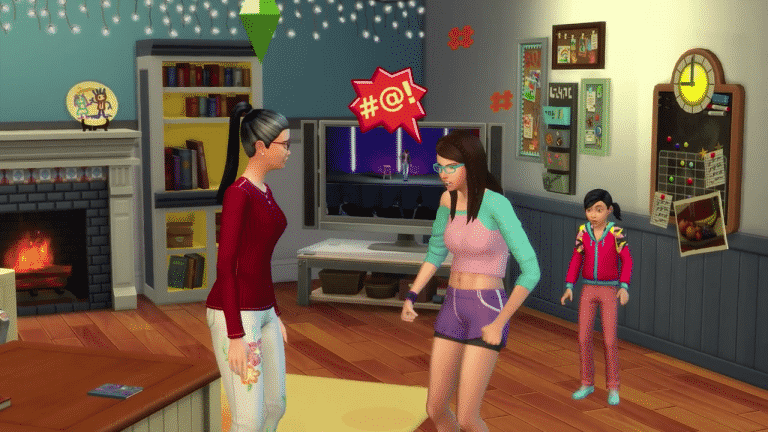
As we all know SimGuruNinja has been busy answering Simmer’s questions on Twitter and the forums around the new Parenthood gamepack. Today SimGuruNinja gave us a small teaser over on the official The Sims forums of some of the new grounding options that come with the new pack.

The Sims 4 Parenthood: Grounding Options

The Sims 4 Parenthood: School Projects Clip

0

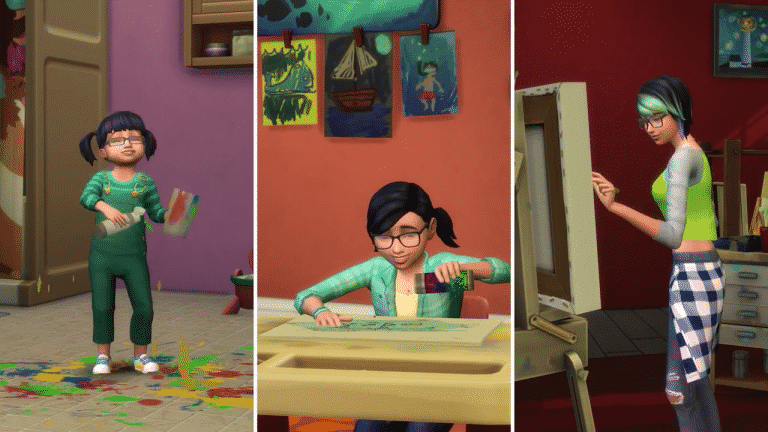
The Sims Team published a new clip for The Sims 4 Parenthood Game Pack, showcasing some of the new school projects that your Sims can craft.

The Sims 4 Parenthood: SimGuru Q&A Part 3

8

With todays new trailer release we have decided to add a third installment to our The Sims 4 Parenthood Q&A.

Learn About Character Values: The Sims 4 Parenthood Blog Post

8

Hey Simmers! We don’t expect you to fully join the family without knowing more details about The Sims™ 4 Parenthood Game Pack, which is why we’re here today to discuss Character Values.

Learn About Character Values: The Sims 4 Parenthood Blog PostYoung Sims growing up are still trying to figure out how to become productive adults and their Parents are there to help guide them down the right road by instilling strong Character Values. Or, if your Sims are more ambivalent in their parenting, their children’s weak Character Values will manifest into their (probably miserable) adulthood. What’s so great about this feature is that it represents how your Sims play, and there’s so much diversity in the outcomes that you can play The Sims 4 Parenthood Game Pack for generations.

We’re going to discuss how your Sims can guide (or ignore) their children in a future blog, but today, we want to discuss Character Values. Specifically, the outcome. There are five different Character Values, each with a positive and negative outcome. The five Character Values are Manners, Responsibility, Conflict Resolution, Empathy, and Emotional Control.
As soon as Sims age up from Babies to Toddlers, their Character Values appear in their Simology panel. When Sims age up from Teenagers to Young Adults, their Character Values disappear and the Sims are given permanent Traits that reflect their upbringing.

Learn About Character Values: The Sims 4 Parenthood Blog Post The Character Values are representations of your young Sims activities. As they perform activities that are positively associated with a Character Value, it’ll increase their positive access. If Sim parents encourage and praise these behaviors, that will also increase it. However, when Sims perform negative activities that are negatively associated with a Character Value, or a parent praises these activities, it has the opposite effect.

How about an example?

Let’s say a Sim mother wants her child to have good Manners. She might teach her child to Say Please and Thank you, or Set the Table. And she’ll likely discipline any bad manners her child exhibits. But perhaps, you’re more interested in a young, ill-mannered rogue? Your Sim’s child may start Swearing, or will wantonly burp and fart around the household. And if not curbed, these can have a permanent effect!

Let’s continue this example. Let’s say this child becomes a teenager, then a Young Adult. Their Character Values are set! If the mother didn’t curb the negative behaviors, the child will gain the Bad Manners Trait. This will unlock new socials, like Point Out Flaws, for one. The Sim will have Whims to Swear, indicating their personal desires to act with bad manners. They’ll also change their autonomous behavior, such as preferring Rude interactions, or failing to clean the dishes.

But, perhaps the mother did invest her time into creating a well-mannered child? Then, they earn the Good Manners Trait. Sims with this Trait always clean up dishes, act politely when introducing themselves to others, and never act rudely on their own. They build Friendships more quickly and, if they have to fart, they only do it in certain circumstances…

Beyond this, all Character Values lead to new Chance Cards catered to Sims based on their Traits – which means you’ll be making tough choices for your Sims throughout their lives based on their upbringing. It’s exciting and full of humor, unexpected twists, and is the perfect opportunity or new stories.

Character Values are such a great Sims feature. They’re the perfect combination of serious and silly consequences based on your choices and the stories you tell. With five Character Values, and two Traits for each, there is so much variety in how your Sims grow up, which means you can play The Sims 4 Parenthood Game Pack for so many generations.

What stories will you tell? Which bad behaviors will your Sims scold? What behaviors will they praise?

These choices, and more, are yours to make when The Sims 4 Parenthood Game Pack ships worldwide on May 30, 2017 on Origin for PC and Mac.

The Sims 4 Parenthood: New Parenting Gameplay Trailer

8

The Sims Team released a brand new gameplay trailer for The Sims 4 Parenthood Game Pack!

The Sims 4: Official “How to Cheat” Page

0

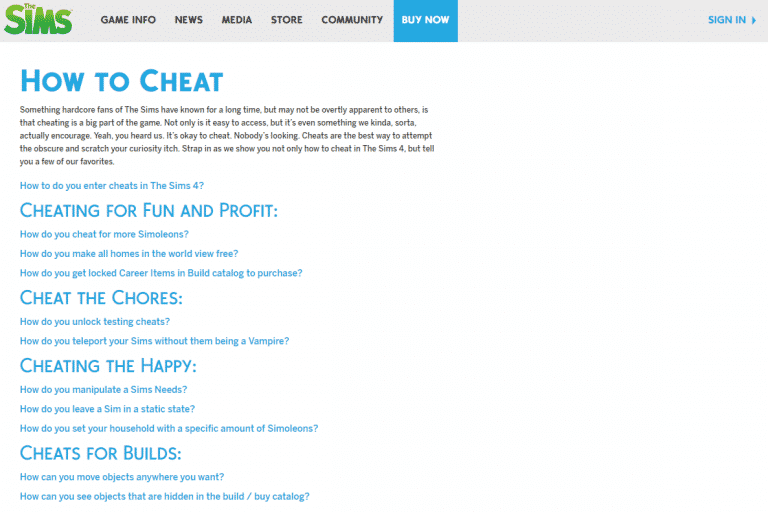
TheSims.com published an official “How to Cheat” page for The Sims 4, teaching you how to use some of the most basic cheats in the game.

If you’d like a complete list of both normal and advanced cheats for The Sims 4, CLICK HERE!

The Sims 4: Official “How to Cheat” Page

Online Parties in The Sims Mobile

20

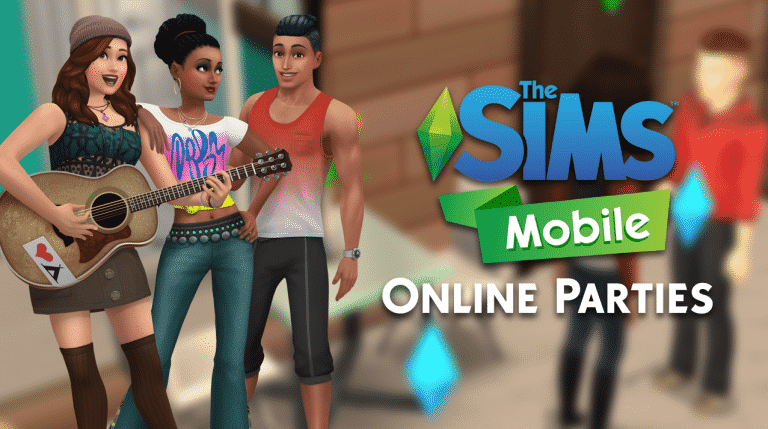
Reaching Level 9 in The Sims Mobile grants you the ability to attend and host other people’s parties! Yup, you can actually interact with your Facebook friends through parties in The Sims Mobile.

It’s pretty simple to attend a party – simply search for parties in the parties menu. You’ll have a list of newly hosted parties listed with possible rewards and who’s hosting them. Simply tap the attend button and you’ll be taken to that person’s home!

Online Parties in The Sims Mobile

There are several things you need to know about attending a party:

  • You receive free actions when attending a Party. Use them to make the party a success! (There are 5 free actions that you can refill with a party cupcake)
  • Party actions from everyone increase the averall party level. All players will earn these rewards!
  • Party actions also increase your individual party progress. Earn more stars for greater rewards!

Interacting with other Sims, as well as using specific party objects will earn you party points.

Online Parties in The Sims Mobile

Parties last for 24 hours. You’ll be able to receive your prizes after the 24 hours. During that time you can attend multiple parties, meet new Sims, gain XP and earn prizes!

When it comes to hosting parties, you can throw 4 types of parties:

  • Birthday Party
  • Wedding Party
  • Foodie Party
  • Studio Party

Online Parties in The Sims Mobile

You can choose different reward tiers which’ll let you earn better and more valuable rewards but for a price. You can also set your parties for everyone to join worldwide or just your friends!

Online Parties in The Sims Mobile

There are party objects that you can purchase in Build Mode. These provide new interactions and let you earn party points by using them!

Online Parties in The Sims Mobile

If you’ve set your party so that everyone can join, you’ll see Sims from simmers all over the world joining in. As they perform party interactions you’ll level up.

You’ll ensure your bronze award by collecting all the pink XP stars!

Online Parties in The Sims Mobile

Parties also provide some new group interactions which lets multiple Sims in your house participate!

Online Parties in The Sims Mobile

As your party group levels up you earn more Simoleons. However, it feels like this part of the game isn’t yet polished as I’m not really sure how working hard to level up just to get 1 simoleon is that rewarding…

Online Parties in The Sims Mobile

The Sims 4 Mod: Functional Beekeeper Box

0

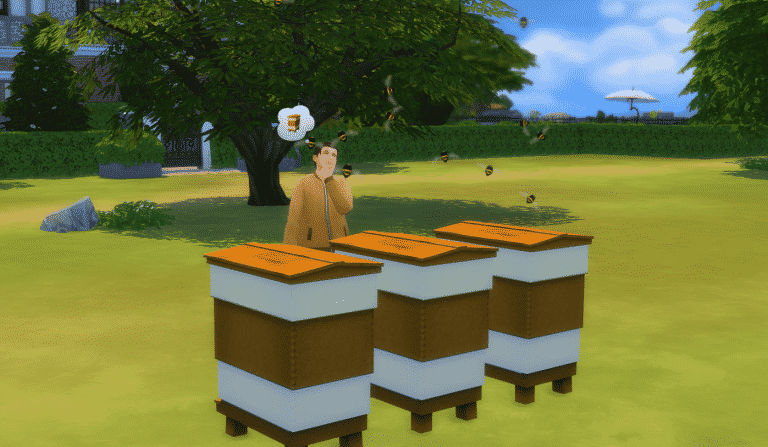
Mod The Sims member icemunmun came up with a functional beekeeper mod which lets you “take care of the bees” and collect honey!

The honey that you collect is drinkable and gives you special moodlets. Watch out for the bees as you might get stung by them from time to time!

Beside the beekeeper box, the mod comes with 3 collectibles: Beeswax, Honey and Honey Jar.

You can download the mod by clicking the download button below. Install it by extracting the zipped content to Electronic Arts > The Sims 4 > Mods. Make sure you have Mods / CC enabled in your game options!

[mks_button size=”large” title=”DOWNLOAD!” style=”squared” url=”http://www.modthesims.info/download.php?&t=594645″ target=”_blank” bg_color=”#1e73be” txt_color=”#FFFFFF” icon=”fa-arrow-down” icon_type=”fa” nofollow=”0″]

The Sims 4 Mod: Functional Beekeeper Box

The Sims 4 Parenthood: SimGuru Q&A Part 2

24

Considering there have been so many tweets added to our first SimGuru Q&A post, I’ve decided to write up a second part instead of updating the original one. Plus, we’re getting a whole new batch of information about the parenting system next week.

¸

Sims Community’s 4th Anniversary Giveaway

We’re celebrating our 4th anniversary with some amazing prizes!

There are 5 giveaways that you can enter and test your luck, and those are:

You can make 1 entry per each giveaway if you want to! All of these end on May 30th at 8PM CET / 12AM PDT. Winners will be chosen a few hours later using random.org.

Good luck!

Sims Community’s 4th Anniversary Giveaway

GIVEAWAY: Win 1 out of 4 copies of The Sims 4 Vampires!

1,366

The winners of this giveaway are:

  • Dennis Wolf
  • doublejaysims
  • Angelo Bautista
  • Salvador

Check your e-mails!

To celebrate our 4th anniversary, we’re giving away 4 copies of The Sims 4 Vampires!

To enter this giveaway all you have to do is write a comment down below.

Before entering this giveaway, please note:

  • This giveaway will end May 30th, 8PM CET / 12AM PDT.
  • The winners are chosen randomly via random.org.
  • The winners will get a digital code.
  • Winner who doesn’t reply within 48h to our message will be replaced by a new winner.
  • The code can be redeemed using Origin.
  • Make sure you’ve entered a correct e-mail address before writing a comment.
  • Not more than one comment!
  • The codes will be delivered via e-mail.
  • Cheating is NOT allowed! If you try to represent as someone just so you have a bigger shot of winning, you will be disqualified.
  • Foul language is NOT allowed

Good luck!

Thank you EA for providing us with the game codes!

GIVEAWAY: Win 1 out of 4 copies of The Sims 4 Vampires!