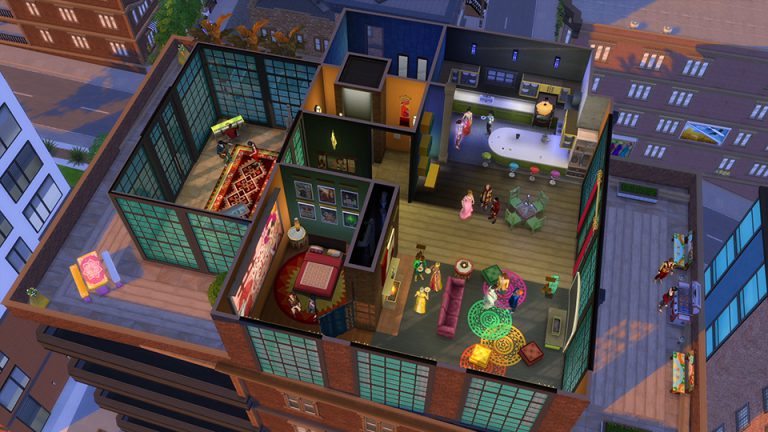
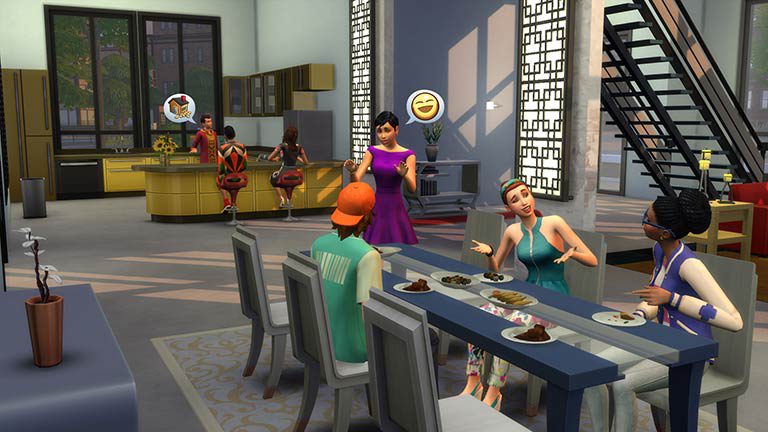
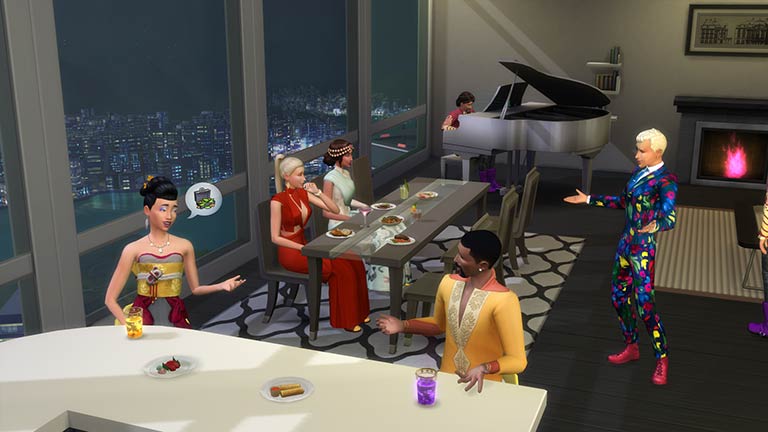
The Sims Team has released a brand new Update for The Sims 4, adding the Lot Traits feature!
To download the latest version of The Sims 4, simply open your Origin program and if the game doesn’t update automatically, right click on The Sims 4 and select ”Update”.
In case you have Mods or Custom Content, the game will automatically disable them for you after first launching The Sims 4 after the update. To re-enable all your Mods and Custom Content, select the Settings option in the Menu and select Settings. Under the”Other” section you’ll find the ”Enable Custom Content and Mods” option. Check it and restart your game in order for it to take effect!
Patch Notes
Update: 10/27/2016 – PC Version 1.24.102.1020 / Mac Version 1.24.102.1220
Hey-Oh Simmers!
So… we have an expansion coming out the door soon, City Living!
Are you looking forward to next week?
Wait, don’t answer that… let’s just live in the moment. Let’s let time advance, taking its time. The expansion will be here soon with its up all night city life, festivals, apartment neighbors… and so much more.
But now, let’s just be. Be here, with the addressed issues…
- I really have to find a word other than “addressed”
- …tackled, confronted, come to grips with… not quite there yet
Oh well, so what did we… get down to… err, let’s just stick with address. First up…
The New
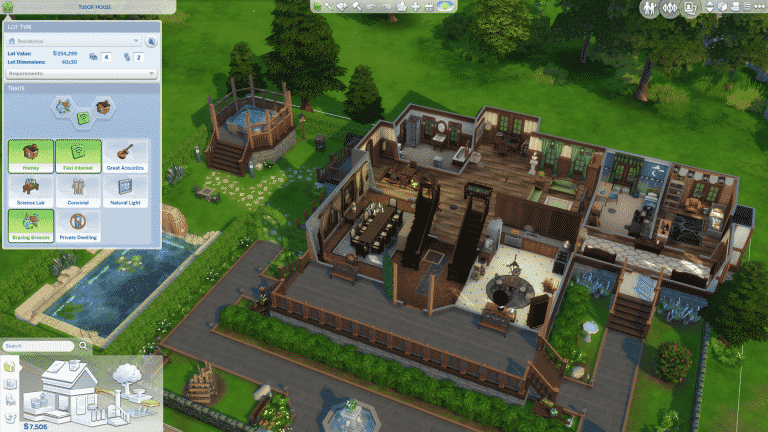
- Lot Traits! Lots can now have up to three traits assigned to them, which convey gameplay and story benefits.
- Open up the Lot Info panel in Build Mode and select from Homey, Fast Internet, Great Acoustics, Science Lair, Convivial, Natural Light, Bracing Breezes, or Private Dwelling.
- Explore the various traits to find one, two, or three that make sense to you!
- A new Copy option has been added for Roofs, Stairs, and Rooms.
- Click on the roof, stair, or room you wish to copy and select Copy from the popup that appears (it’s the icon that appears in the bottom-center).
And now, the dealt wit… no, addressed is still the right word.
General Issues, we addressed
- We fixed an issue that could occur if your Sim was inappropriate enough to get kicked out of an NPC’s residence, it could set them into an “un-greeted state”. Which was preventing the Sim from being able to travel.
- Moving a counter in Build Mode with an empty plate on it, will no longer cause the empty plate to appear full.
- You can once again use the up and down arrow keys to cycle between last entered commands in the cheat window.
- The Spencer-Kim-Lewis family has dropped the Spencer from their name, and shall now be known as simply Kim-Lewis.
- The Kim-Lewis family is not clarifying why the ‘Spencer’ was dropped, and while rumors at the water cooler are circling regarding extra-marital woohoo, the more casual observations have focused on the theory that their name was just too long.
- As for the water cooler, have you considered that perhaps the water cooler is an old reference that no longer makes sense to the younger generation? Maybe you really should hang out at the coffee house, or a bar… bars are timeless.
- Except for the 1920s of course… huh, yea… you know what I’m talking about.
- Both reader and readed will now gain social when Reading to or Being Read to.
- Reed, Red… language, so strange.
- Sims that can rummage for food in trash cans, can now also eat the food that has been rummaged from the can.
- Trash can, soon it too shall fall into the category of things we reference that new generations won’t entirely understand.
- Like why is the save icon in game a 3 ½”disk?
- C’mon, if it were a 5 ¼” it would have a round shape in the middle.
- Employees should be more responsive now when checking out customers. In addition, we have sped up the checkout times in order to get Sims checked out faster.
- Now when you click on the top of the alien’s head in Create a Sim, it will open the hairstyle menu.
- Excellent quality and above Bonsai Shrubs can now be converted to decorative items.
- We fixed an issue that could cause the mouse pointer to become corrupted when attempting to drag a songbook into the sell portion of the Inventory panel.
- Sims who were watching TV at the time they were supposed to go to work will no longer switch into their work clothes, and then back into their everyday clothes before going to work.
- Watch Clothes Being Tried On will now appear in the queue of other Sims in the group when one of the Sim tries on clothes in the closet.
- Which, doesn’t sound creepy at all…
- Fixed an issue where there was a chance the Sim would ignore the players attempt to cancel Use Toilet, and instead continuously use the toilet.
- Sims will now stop using the toilet when the action is cancelled.
- …if it is reasonable to do so.
- The Dare to Jump interaction will now count towards the Spooky Party task to perform mischief socials.
- We fixed an issue with the tooltip becoming stuck above a Sims head, if the tooltip was visible during a Sim reset. This should no longer occur.
- Welcome wagon members will no longer BARGE into your house uninvited during the Welcome Wagon situation unless they are invited in.
- And after all of this barging, I don’t know if I want to invite them in! I’ll just take their fruitcake and bid them “Good day, sir!”
- Renaming a stuffed animal will now cause the stuffed animal to remain renamed.
- Oh, that poor forgotten bunny Bob, Barb… er Babs… no, wait it was Brad. Brandy. Braden. Bronson. Biff… no… what was the bunny’s name?
- Sims will no longer T-pose when a Paint by Reference is cancelled.
- T-Pose, in case you were curious is the position a Sim is in by default when no animation is currently playing.
- The Connections trait will no longer prevent Sims from completing the Jack of Some Trades aspiration.
- Sims can progress to Soulmates after getting married as Lovebirds.
- Did you know that lovebirds can be quite aggressive?
- Care should be given, as well as lots of seed and water. And remember to clean their cage at least twice a month.
- Sims will no longer be kicked out of a lot for performing inappropriate but club approved behaviors. They may still get yelled at for the infraction, but should no longer be kicked from the lot.
- We fixed an issue that was causing the Set as Front Door interaction to become missing on homes with a raised foundation.
- Children can now drink Rootbeer Floats and Cream Colas…
- It’s up to you to determine how many floats is one float too many.
- It really is a personal choice, and you should evaluate each float against daily float habits.
- Remember, wait at least an hour to float after a float.
- And never let friends float who have over floated.
- We fixed an issue that was preventing the Sim from purchasing additional advertising for their retail lot once the initial advertising had completed.
- Scrap is now an available interaction on Music Sheets created by the Write Song and Write Lyrics interactions.
- Scrap – when artistic block hits, scrap it!
- Maids will now clean up salvaged trash piles, when the salvaged pile has expired.
- Do you mean to say that the salvage pile is dead, stinky, decomposed, rotted, decayed, festering, deteriorated, past it’s prime, kaput or kaput, ko’d, barren, without life, defunct, obsolete, lifeless, departed, gone, late, lost, fallen, slaughtered, as good as, pushing up daisies, asleep, without that glow, discarded, forgotten, lackluster, slow, down and out, …
- Or did you mean something else?
- Ah… the embarrassment of low hygiene. The green stink lines… the aroma… the discomfort. But maybe it’s not ideal to just wait for things to “get better” by staying in the hot tub. Worry not! Now after woohoo, mess around, or try for baby… you CAN get out. That’s right, Get Out of the hot tub, even if you are currently at low hygiene, high hygiene, a guy (or gal) named Gene, you can… Get Out of the hot tub. So get out of that hot tub, and get back into life.
- High fitness Sims can now use the Jog Here option when locomoting.
- Yes, locomote. Sims don’t just go here and there, they don’t just walk to and fro, and they certainly don’t just go for a jog… they loco mote, and there’s nothing crazy about it.
- Are you a hot key user? Why aren’t you? If you are, aren’t, want to be, or always thought to yourself “I should be!” – then you should know, hitting the space bar will no longer disable the M key from taking you to Manage Worlds.
- M key, it’s not just another key… it’s a hot key.
- Sims will now be able to satisfy the Send a Flirty, Sad, Playful, Energized, and Angry Text whim by using the phone.
- On a side note, in rare cases, it has been discovered that sending energized texts have been known to cause ERrAt!c uSE 0f P#nC!uAt!@n and C$P!talIZ(~)tI0N.
- Sims will now be able to use a dresser while listening to the radio.
- In other news… the mystery of the missing lap has been solved. Top scientists proclaim “Sit down” and there it was.
- Deleting a screenshot will no longer reorder them in the Screenshot Capture Manager.
- Put in Inventory is now an available interaction on urns of Sims that die outside of a lots boundary.
- Breaking News: Urn theft on the rise. Public cries out “Grandma!”
- Placing a Sim from the gallery will no longer reset their muscle and weight to the default settings.
- Gluttonous Sims who are very hungry will now also eat spoiled group meals if left to their own devices.
- Lights placed from Build Mode after the Sims power has been turned off will no longer illuminate.
- What a fun word… ih-loo-muh-neyt. It’s just fun to say. Illuminate. Say it with me…
- I’ll be speaking the word aloud at noon.
- Fixed an issue in Create a Sim that prevented an elder Sims hair from changing color to the selected color at the time the color was selected, but instead waited until after a new hair was selected.
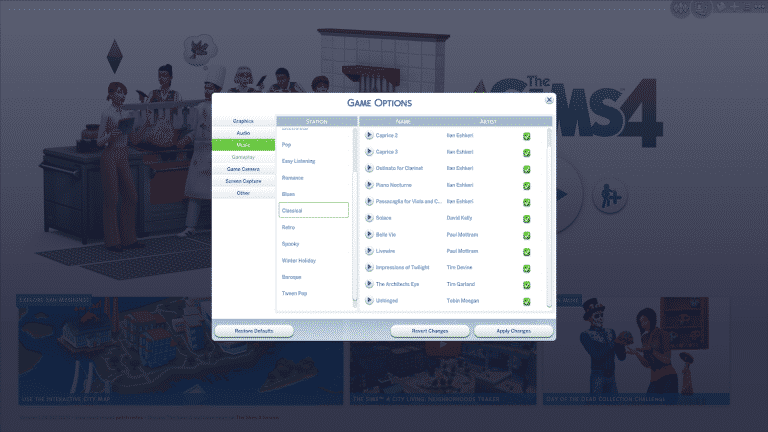
- Stopping a custom music piece from playing in the options panel will now actually stop the piece rather than just lower it’s volume.
- It’s like getting my kids to stop playing video games at bedtime…
- They don’t really stop, they just sloooow down….
- …waiting for me to leave the room.
- That’s ok. I beat their high scores after they go to bed.
- Sculpted objects and Framed Paintings and Photos will now retain their sculpt and frames when a lot containing them has been download from the gallery.
- We fixed an issue that could cause your valuables to have appeared to survive a fire, but then you go to move them in Build Mode and *poof* they turn to ash. Now they just turn to ash post fire without the bait and switch.
- *Poof* imagery added for effect.
- No actual *poof* occurs in game.
- The sound effects for *poof* are only in your head.
- Fixed an issue with the Stack of Canvases missing their proper color variants.
- Custom music should now properly play at venues.
- Children should no longer be inviting your Sims to hang out at the bars and nightclubs.
- Who gave the kids a phone anyway? In my day kids didn’t have access to a phone. If they wanted to invite a stranger to a bar, they had to walk to their house… in the snow… uphill… both ways… during an earthquake… without any shoes on… and they had to ask the stranger in Latin!
- Sims with the Player trait will no longer see their relationship decrease with other nearby Sims, when performing romantic socials.
- The Social Event requirements for the Party Animal aspiration will now complete even if the Party Animal Sim is not the currently selected Sim when the social event ends.
- We have adjusted the ymHair_MohawkPunk and ymHair_BuzzCutNatural to appear correctly on female Sims.
- The Invite to Stay the Night social interaction is now available between married sims who do not live in the same household.
- Also, long distance relationships can be tough… so remember, communication is key.
- We have fixed an issue with the yfBody_XUaNFormalDress that was causing a texture issue with the Sims hands.
- The Admire New Possessions interaction was missing… we have no idea how it got out or why, but it’s back now thanks to a caring couple who discovered it wandering around scared in the grocery parking lot. They kept it well fed, gave it lots of love, and have brought it home once again for all of us to enjoy.
- We fixed a color swatch issue with ymTop_ShirtTuckedTieSkinny that was preventing one of the color options from appearing.
- The Motion Gaming Rig can now be repaired when it breaks.
- Also… the Motion Gaming Rig can now break.
- We fixed an issue that was interupting Sims while using the computer if they had food in their inventory.
- Yes, even if the food wasn’t a neon-green soda and some orange triangle chips.
- We fixed an issue that was unintentionally creating romantic relationships between married Sims not currently in the active household and NPCs. Married sims will not form romantic relationships with other NPCs while you are playing another household.
Get to Work Issues, we addressed
- Repairing and Upgrading a Chemical Analyzer, Chemistry Lab, or DJ Booth will now satisfy the Nerd Brain aspiration goal to Repair and Upgrade Objects.
- Interesting how repairing a chemical analyzer and toilet are the same skill…
- I wonder if Stanford Linear Accelerator Center needs some help with their particle accelerator. I’ve unclogged a toilet…
Get Together Issues, we addressed
- Sims that send invites to the active Sim will no longer immediately leave after the Sim has accepted the invitation and joined the event.
- Ah the ol’ shake hands, run fingers through hair gag. Oh you… yea… you.
- You should no longer get strange messages from the Garden Gnomes club about the fact that “No plants need tending at the moment” if you are not currently a member of the Garden Gnomes club.
- Tips earned from playing the DJ Booth now count towards the “Earn 50 Simoleons in tips” whim.
- Sims can no longer send text messages to start club gatherings for clubs they are not a member of.
- Sing Songs and Play Guitar will now properly respect the Play Guitar and Play Instrument club rules.
- Offer Massage will now properly respect the Be Romantic club rule.
Spa Day Issues, we addressed
- We fixed an issue that would cause Sims to appear outside of their home on the sidewalk when players would switch between households via Manage Worlds.
- Sims should remember their last known position, position themselves there, and wait for player instructions should they wish to re-position their position.
- Have we hit semantic satiation yet?
Dine Out Issues, we addressed
- Sims will now stay seated if directed to Warm Self on the Warming Lamp while seated…
- If the seat is close enough to the lamp…
- And the Sim doesn’t have to otherwise desperately use the bathroom, fall asleep, or eat…
- And the Warming Lamp and seat are on the same lot as the Sim.
- And the Sim is seated prior to the action being initiated.
- Ok, I think that just about covers my legal obligations.
- Seated Sims at a restaurant should no longer stand to consume their beverage, but instead will remain seated.
Mac Issues, we addressed
- Laptop mode no longer causes windows placed into the side of a pool to appear opaque.
- Fixed an issue that could cause the Windenburg World to appear as a square instead of a circle on the World Select screen.
- We have sliced off the offending corners, and returned the world to its spherical known shape.
- Of course, some argue that the world is not round, but rather a collection of tiny squares held together by “mystical forces”. And while there is merit to this notion (considering that a circle is actually not possible in a digital medium), we squarely reject this concept, and hold firmly to our flat but round world beliefs.
Until next time, enjoy, thrive, prosper, drive safe, float gently, speak softly, and live the city life!
-SimGuruGnome