Home Blog Page 425

The Sims 4 Dine Out: Restaurant Perks

At first, running a restaurant in The Sims 4 Dine Out is really hard. Clumsy and unskilled staff, low number of customers, cheap orders and unpatient customers are just one of the problems you’ll encounter in the beginning. Luckily, Restaurant Perks can solve all of that!

The Restaurant Perks help you unlock new Staff Slots, improve your Staff’s abilities, unlock new interactions and so much more!

You can find the Restaurant Perks in the bottom right corner of the Retail menu.

perksmenu

There are dozen of Restaurant Perks that you can buy. Some are permanent and some last only 24 hours!

perks

To buy Restaurant Perks, you  need Perk Points. Perk Points can be earned by socializing with the Customers, your Staff, leveling up your Restaurant and simply by earning money after your customers leave!

06-04-16_4-04-54 PM

Restaurant Perks List

QuestionMarkCurious Customers (250 Perk Points) – Makes customers occasionally wish for a recommendation on what to order from management and unlocks the ability to give recommendations through the “Recommend Dish” social.

icon (29)Additional Waiter #1 (350 Perk Points) – Unlocks the ability to hire one additional waiter within the Manage Employees window.

icon (28)Ingridient Quality Options (500 Perk Points) – Unlocks the ability to choose the quality of meal ingredients.

icon (45)Meal Rush (500 Perk Points) (Temporary) – For 24 hours, more customers will stop in to eat at your restaurant.

icon (18)Surplus Harvest (500 Perk Points) (Temporary) – Take advantage of a surplus harvest. The cost of ingredients is discounted for 24 hours.

icon (36)Patient Patrons (600 Perk Points) – Make customers easier to impress with quick service and willing to wait longer before they get upset at slow service.

icon (10)Additional Chef (750 Perk Points) – Unlocks the ability to hire one additional chef with the Manage Employees window. Don’t forget to place a second chef station.

QuestionMarkCuriouser Customers (750 Perk Points) –  Increases how often customers request dish recommendations. This Perk is unlocked by the Curious Customers Perk.

icon (29)Additional Waiter #2 (900 Perk Points) – Unlocks the ability to hire one additional waiter within the Manage Employees window. This Perk is unlocked by the Additional Waiter #1 Perk.

YellingMegaphone Inspirational Speech (900 Perk Points) – Unlocks the “Inspirational Speech” social interaction, which can be used to inspire your employees.

icon (24)Fast Eaters (1,250 Perk Points) – Customers will eat their meals faster.

icon (13)Lower Employee Training Costs (1,500 Perk Points) – Lowers the cost of training for employees.

icon (42)Ingredient Discount (Small) (1,800 Perk Points) – Permanently lowers the cost of ingredients by a small amount.

icon (11)Well Funded Foodies (1,850 Perk Points) – Customers will more often choose the more expensive menu items.

icon (33)Tidy Tippers (2,000 Perk Points) – Customers will tip a bit extra on top of every meal. Can be purchased multiple times for ever larger tips!

icon (6)Ingredient Discount (Large) (3,600 Perk Points) – Permanently lowers the cost of ingredients by a large amount. Requires the Ingredient Discount (small) to be unlocked.

icon (26)Well Managed (4,500 Perk Points) – Lowers the chance of bad events happening on the restaurant while your Sim is away.

icon (8) The Chef’s Hat (5,000 Perk Points) – Unlocks an additional Chef Hat for your Sims.
 

The Sims 4 Dine Out: Venues Interactive Overview

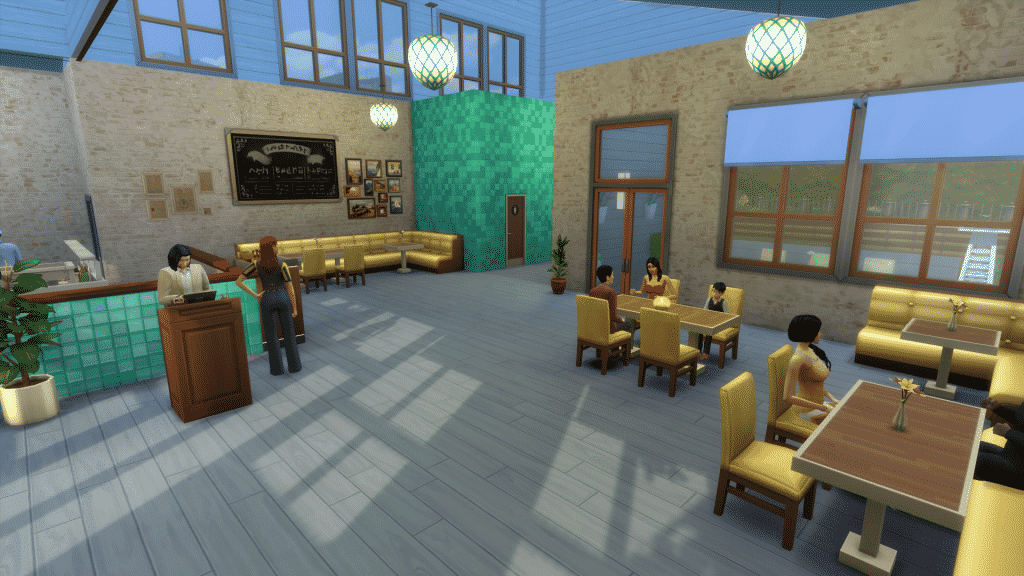
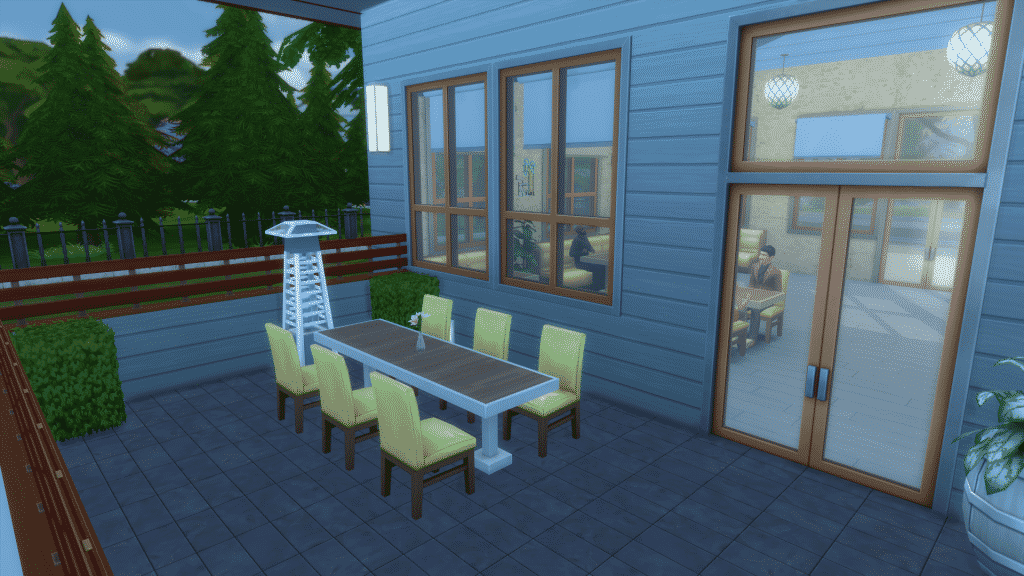
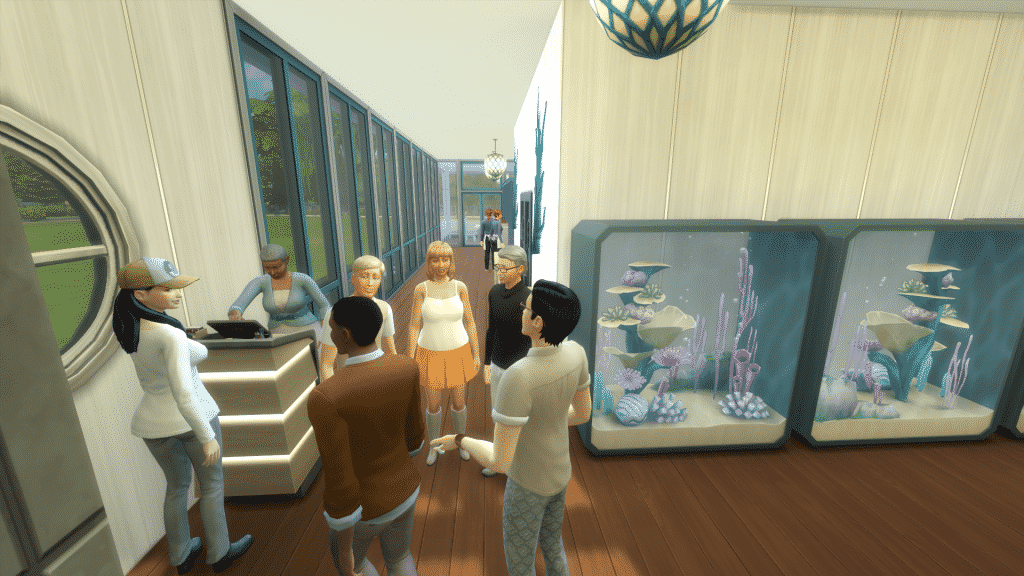
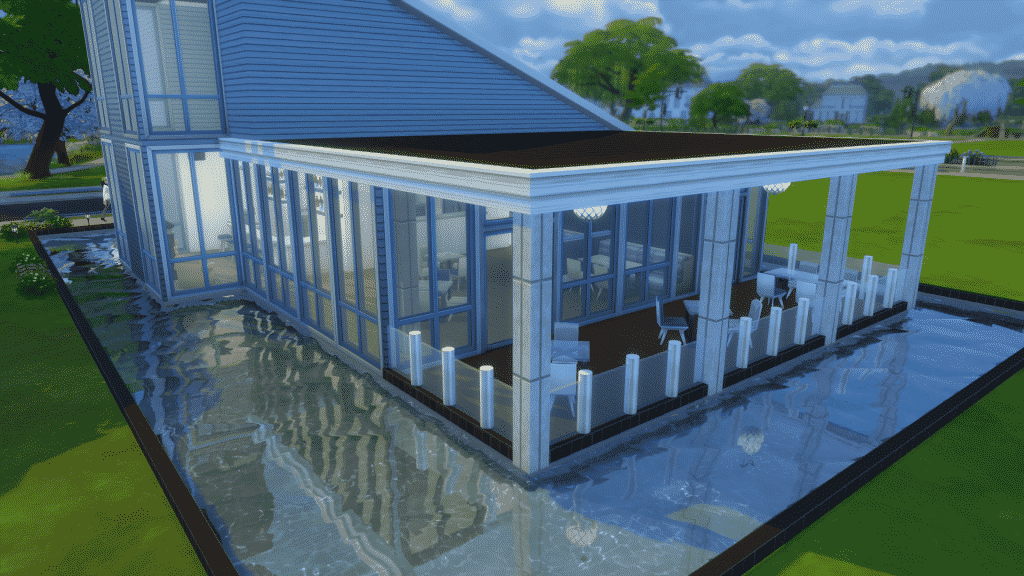
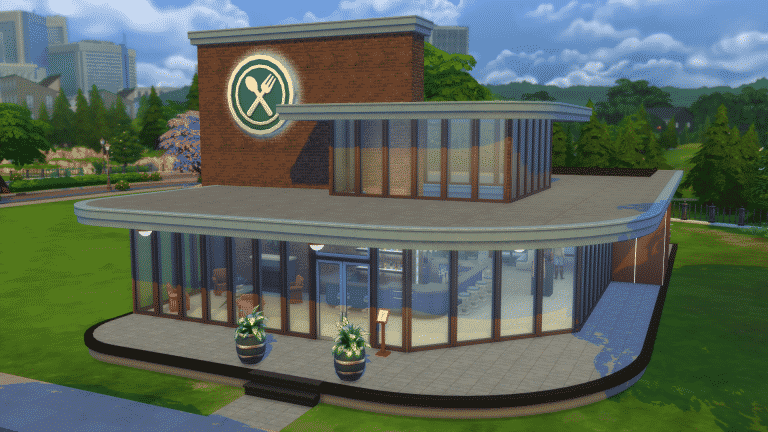
Although it doesn’t come with any new Venues, The Sims 4 Dine Out comes packed with 6 Pre-Built Restaurant Venues that you can find in The Gallery under the Maxis tag. All 6 Venues are 30×20 size.

Sunny Side Up Diner

[ult_hotspot main_img=”id^49432|url^https://simscommunity.info/wp-content/uploads/2016/06/06-04-16_3-28-26-PM.png|caption^null|alt^null|title^06-04-16_3-28-26 PM|description^null”][ult_hotspot_items icon_type=”custom” icon_img=”37721|https://simscommunity.info/wp-content/uploads/2015/08/plumhotspot.png” img_width=”26″ tooltip_custom_color=”#1e73be” tooltip_custom_bg_color=”#ffffff” tooltip_width=”500″ enable_bubble_arrow=”off” tooltip_continuous_animation=”on” tooltip_font_size=”desktop:12px;” tooltip_font_line_height=”desktop:18px;” hotspot_position=”61.83619281045751,72.29051776960785″ tooltip_custom_border_size=”border-style:solid;|border-width:2px;border-radius:5px;|border-color:#81d742;”]

06-04-16_3-28-52 PM

[/ult_hotspot_items][ult_hotspot_items icon_type=”custom” icon_img=”37721|https://simscommunity.info/wp-content/uploads/2015/08/plumhotspot.png” img_width=”26″ tooltip_custom_color=”#1e73be” tooltip_custom_bg_color=”#ffffff” tooltip_width=”500″ enable_bubble_arrow=”off” tooltip_continuous_animation=”on” tooltip_font_size=”desktop:12px;” tooltip_font_line_height=”desktop:18px;” hotspot_position=”53.516476034858385,48.60600490196079″ tooltip_custom_border_size=”border-style:solid;|border-width:2px;border-radius:5px;|border-color:#81d742;”]

06-04-16_3-29-00 PM

[/ult_hotspot_items][ult_hotspot_items icon_type=”custom” icon_img=”37721|https://simscommunity.info/wp-content/uploads/2015/08/plumhotspot.png” img_width=”26″ tooltip_custom_color=”#1e73be” tooltip_custom_bg_color=”#ffffff” tooltip_width=”500″ enable_bubble_arrow=”off” tooltip_continuous_animation=”on” tooltip_font_size=”desktop:12px;” tooltip_font_line_height=”desktop:18px;” hotspot_position=”4.963235294117647,55.83639705882353″ tooltip_custom_border_size=”border-style:solid;|border-width:2px;border-radius:5px;|border-color:#81d742;”]

06-04-16_3-29-11 PM

[/ult_hotspot_items][ult_hotspot_items icon_type=”custom” icon_img=”37721|https://simscommunity.info/wp-content/uploads/2015/08/plumhotspot.png” img_width=”36″ tooltip_custom_color=”#1e73be” tooltip_custom_bg_color=”#ffffff” tooltip_width=”250″ enable_bubble_arrow=”off” tooltip_continuous_animation=”on” tooltip_font_size=”desktop:14px;” tooltip_font_line_height=”desktop:18px;” hotspot_position=”86.58058681672026,3.25497287522604″ tooltip_custom_border_size=”border-style:solid;|border-width:2px;border-radius:5px;|border-color:#81d742;”]

Value: §44,436
Size: 30×20
Lot Type: Restaurant
Required Packs: Dine Out[/ult_hotspot_items][/ult_hotspot]

The Diving Pelican

[ult_hotspot main_img=”id^49427|url^https://simscommunity.info/wp-content/uploads/2016/06/06-04-16_3-30-52-PM.png|caption^null|alt^null|title^06-04-16_3-30-52 PM|description^null”][ult_hotspot_items icon_type=”custom” icon_img=”37721|https://simscommunity.info/wp-content/uploads/2015/08/plumhotspot.png” img_width=”26″ tooltip_custom_color=”#1e73be” tooltip_custom_bg_color=”#ffffff” tooltip_width=”500″ enable_bubble_arrow=”off” tooltip_continuous_animation=”on” tooltip_font_size=”desktop:12px;” tooltip_font_line_height=”desktop:18px;” hotspot_position=”60.84899237472767,27.43757659313725″ tooltip_custom_border_size=”border-style:solid;|border-width:2px;border-radius:5px;|border-color:#81d742;”]

06-04-16_3-31-37 PM

[/ult_hotspot_items][ult_hotspot_items icon_type=”custom” icon_img=”37721|https://simscommunity.info/wp-content/uploads/2015/08/plumhotspot.png” img_width=”26″ tooltip_custom_color=”#1e73be” tooltip_custom_bg_color=”#ffffff” tooltip_width=”500″ enable_bubble_arrow=”off” tooltip_continuous_animation=”on” tooltip_font_size=”desktop:12px;” tooltip_font_line_height=”desktop:18px;” hotspot_position=”55.943627450980394,67.23345588235294″ tooltip_custom_border_size=”border-style:solid;|border-width:2px;border-radius:5px;|border-color:#81d742;”]

06-04-16_3-31-58 PM

[/ult_hotspot_items][ult_hotspot_items icon_type=”custom” icon_img=”37721|https://simscommunity.info/wp-content/uploads/2015/08/plumhotspot.png” img_width=”26″ tooltip_custom_color=”#1e73be” tooltip_custom_bg_color=”#ffffff” tooltip_width=”500″ enable_bubble_arrow=”off” tooltip_continuous_animation=”on” tooltip_font_size=”desktop:12px;” tooltip_font_line_height=”desktop:18px;” hotspot_position=”31.147875816993466,82.06188725490196″ tooltip_custom_border_size=”border-style:solid;|border-width:2px;border-radius:5px;|border-color:#81d742;”]

06-04-16_3-31-02 PM

[/ult_hotspot_items][ult_hotspot_items icon_type=”custom” icon_img=”37721|https://simscommunity.info/wp-content/uploads/2015/08/plumhotspot.png” img_width=”36″ tooltip_custom_color=”#1e73be” tooltip_custom_bg_color=”#ffffff” tooltip_width=”250″ enable_bubble_arrow=”off” tooltip_continuous_animation=”on” tooltip_font_size=”desktop:14px;” tooltip_font_line_height=”desktop:18px;” hotspot_position=”86.58058681672026,3.25497287522604″ tooltip_custom_border_size=”border-style:solid;|border-width:2px;border-radius:5px;|border-color:#81d742;”]

Value: §85,592
Size: 30×20
Lot Type: Restaurant
Required Packs: Dine Out[/ult_hotspot_items][/ult_hotspot]

The Sims 4 Dine Out: Build Items Overview

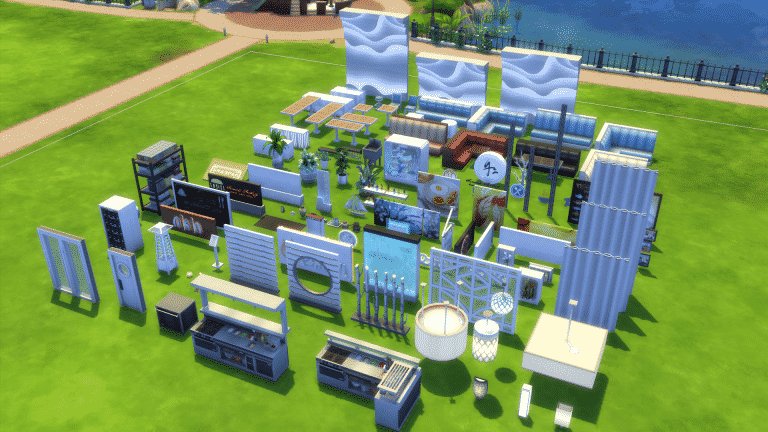
The Sims 4 Dine Out comes with over 130 new Items! That includes new Objects, Wallpapers, Floor Tiles, Half Wall Trims and basically everything else that can be found in Build Mode.

Down below you can find a scattered collection of all the new Items, and even more down below you will find a full list of new Items. Enjoy!

The Sims 4 Dine Out: CAS Overview

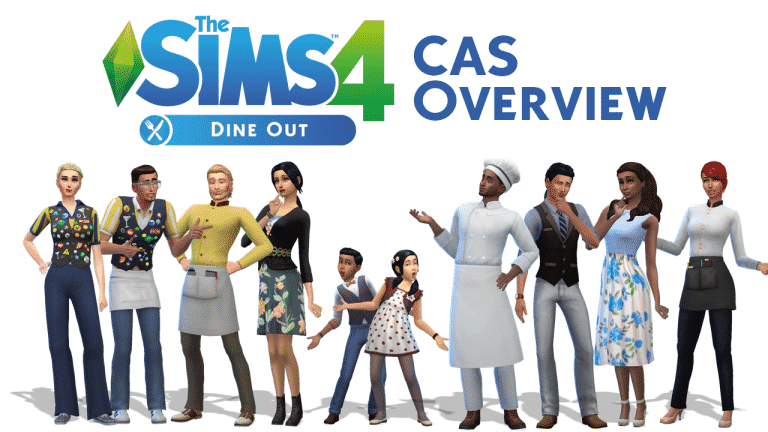
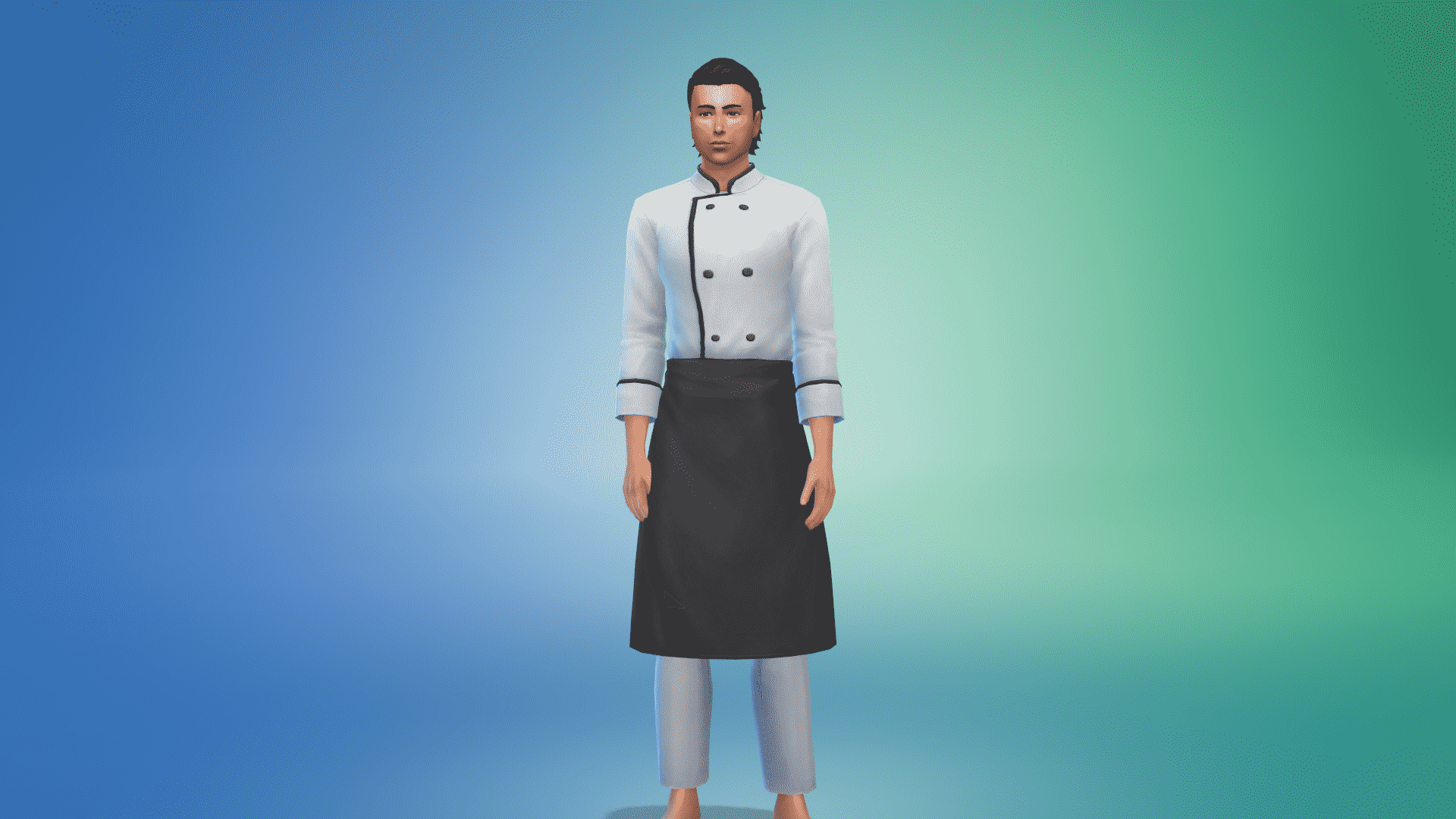
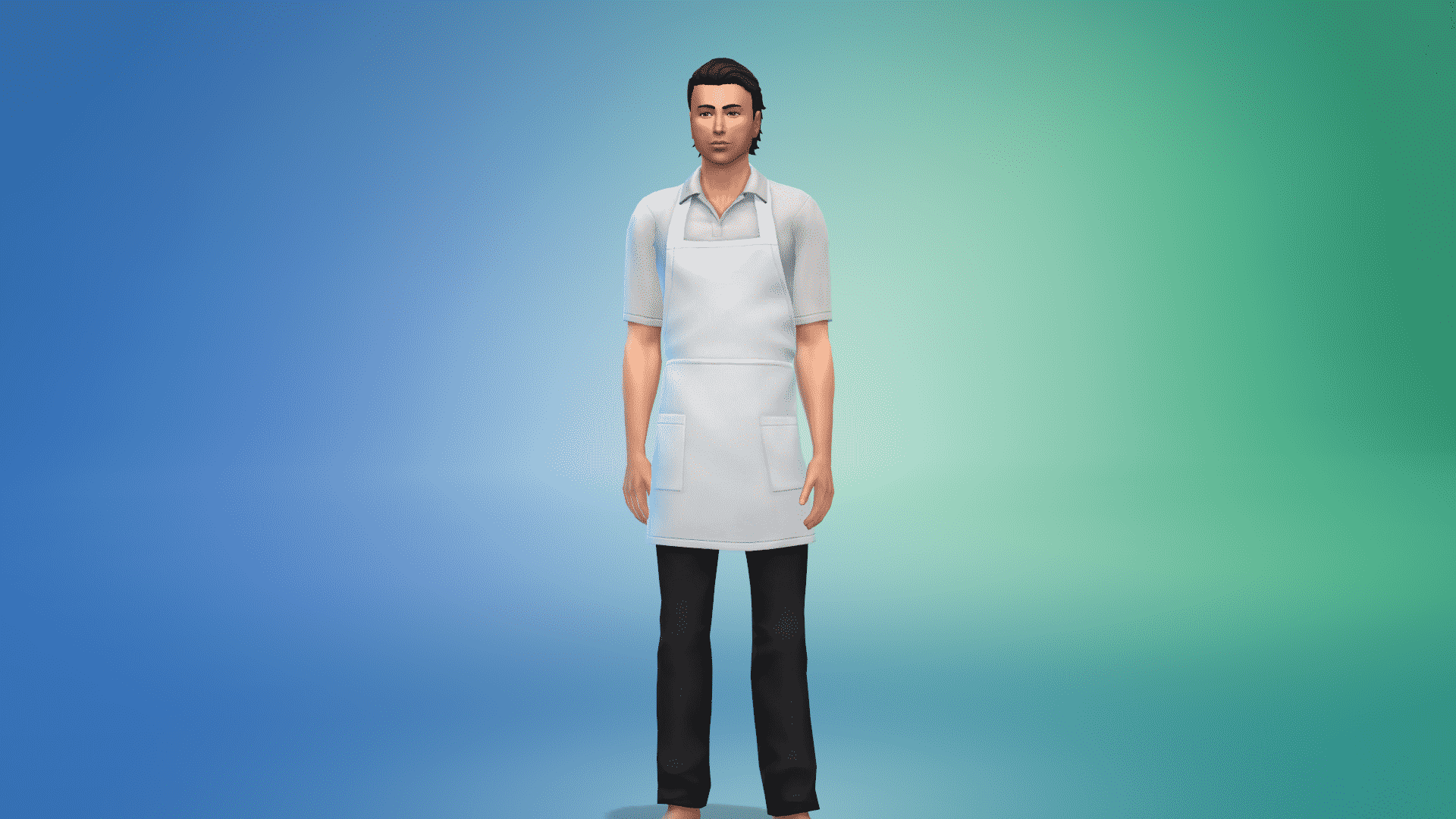
The Sims 4 Dine Out offers over 40 new Create A Sim Items for Sims of all ages!

Down below you’ll find a full list / gallery of all the new items in CAS. You can enlarge any image by clicking on it.

Teenager / Adult / Young Adult / Elder

Masculine

Hair (1) Head Accessories (1) Tops (5) Bottoms (2) Outfits (4) Styled Looks (4)

Feminine

Hair (3) Head Accessories (1) Tops (2) Bottoms (2) Outfits (7) Styled Looks (4)

The Sims 4 Dine Out NOW AVAILABLE on Origin!

1

Click below to purchase The Sims 4 Dine Out on Origin!

Capture

The Sims 4: Easy Way to make your CAS CC Unisex

Although Create A Sim Custom Content will work after the latest Patch, the CAS Items won’t be unisex but only available for the gender they were originally designed.

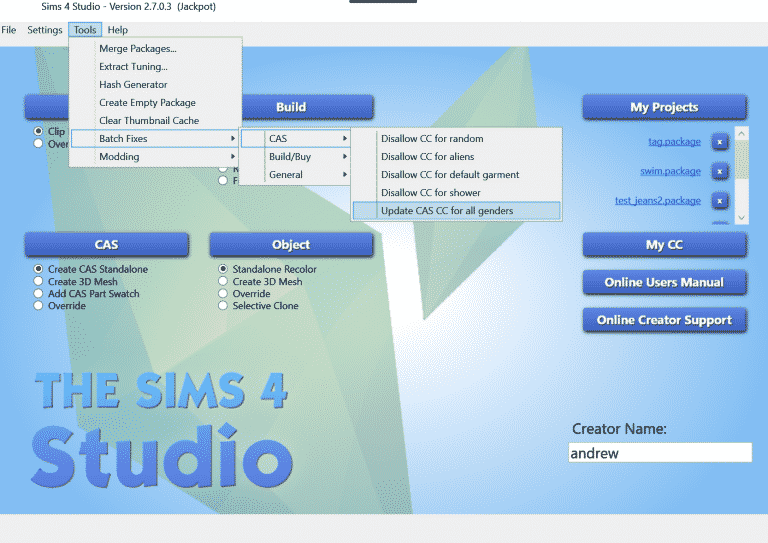
If you have a lot of content to update and not a lot of time, you can batch-fix all of the CAS CC you have using Sims 4 Studio’s latest ‘Jackpot’ version!

However, it is recommended that you update your content manually, using the tools provided by SimGuruDevSquad!

You can download the latest Sims 4 Studio version by clicking the download button down below. Please note that you need to register to sims4studio.com first before downloading the program.

[mks_button size=”large” title=”DOWNLOAD!” style=”rounded” url=”http://sims4studio.com/thread/562/sims-studio-jackpot-open-beta” target=”_blank” bg_color=”#1e73be” txt_color=”#FFFFFF” icon=”fa-arrow-down” icon_type=”fa”]

8XzCM6d

The Sims 4 Mod: Bake 6 New Pizza Recipes at Home!

0

The modding community continues to impress!

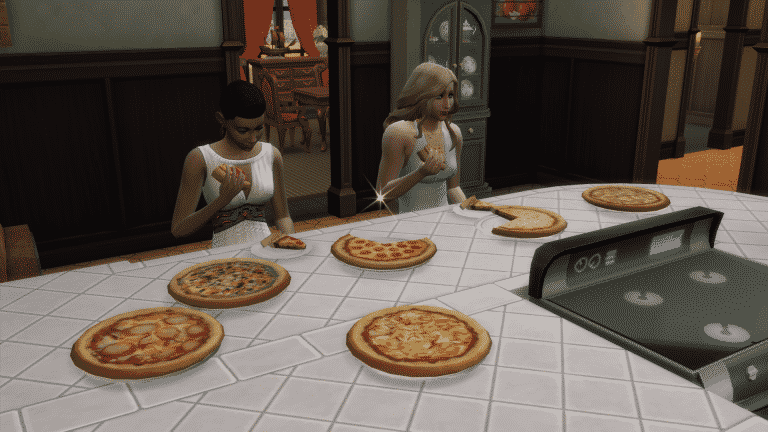
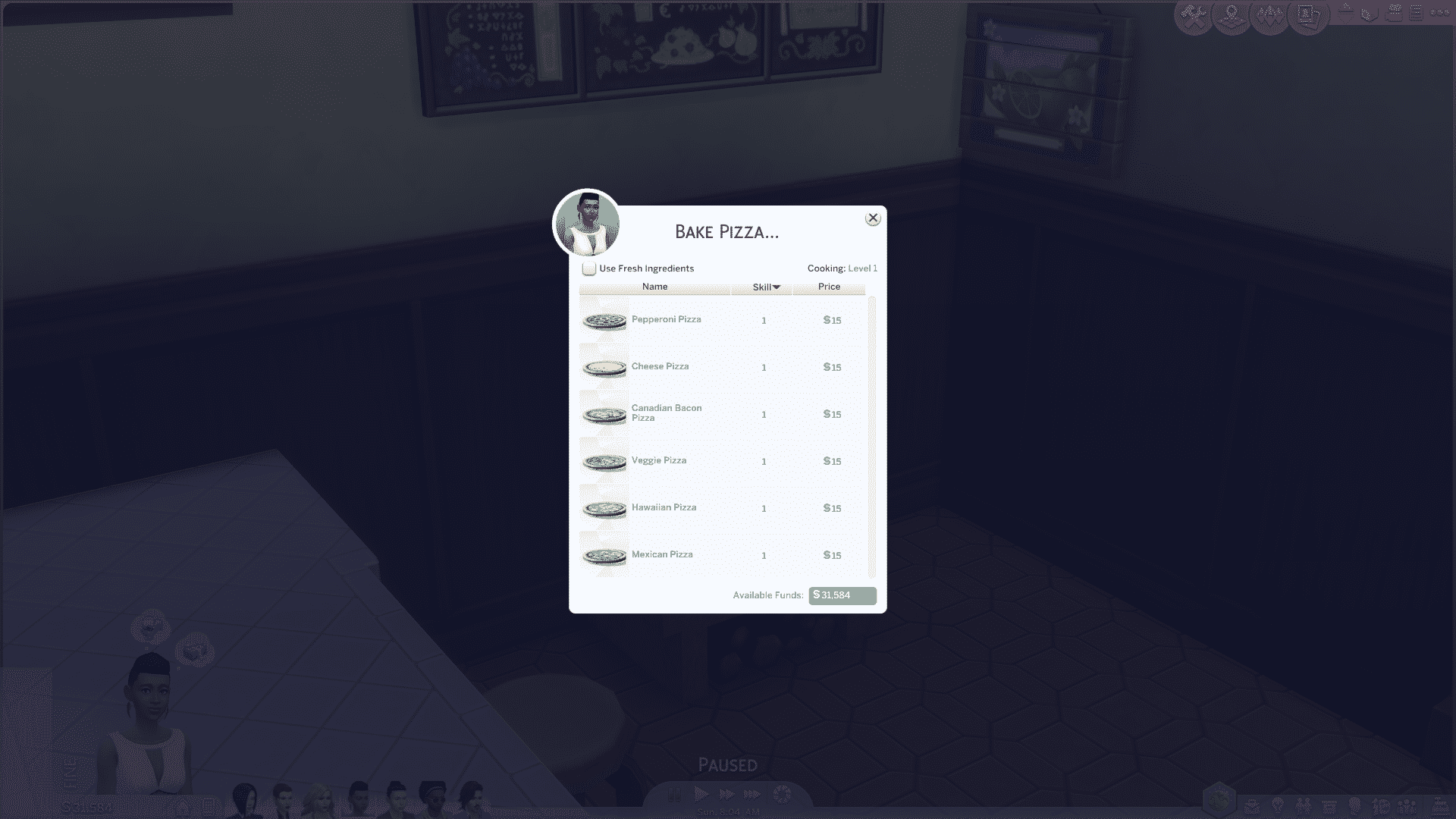
Mod The Sims member necrodog created a Mod for The Sims 4 that not only introduces 6 new Pizza Recipes, but also lets you Bake them in the comfort of your Home using a custom-made oven!

The 1,000 Simoleon-worth Rustic Clay Oven has a special ‘Bake Pizza’ interaction (among other basic stove interactions) that will allow you to bake 6 following Pizza recipes:

TS4_x64 2016-06-05 01-13-52-18

Using the mixture of previous baking animations, necrodog made the whole process of baking Pizza realistic!

You can get this Mod by clicking the download button below. I tested it myself and it works flawlessly with the latest update.

[mks_button size=”large” title=”DOWNLOAD!” style=”rounded” url=”http://www.modthesims.info/download.php?t=577958″ target=”_blank” bg_color=”#1e73be” txt_color=”#FFFFFF” icon=”fa-arrow-down” icon_type=”fa”]

The Sims 4: Breakdown of Buff Mods

The latest patch has made a small change to the XML code used in buff files, renaming “gameplay_effect_modifiers” to “gameplay_effect_modifier” (note the lack of plural). In this small change, buffs that use the old name no longer work.

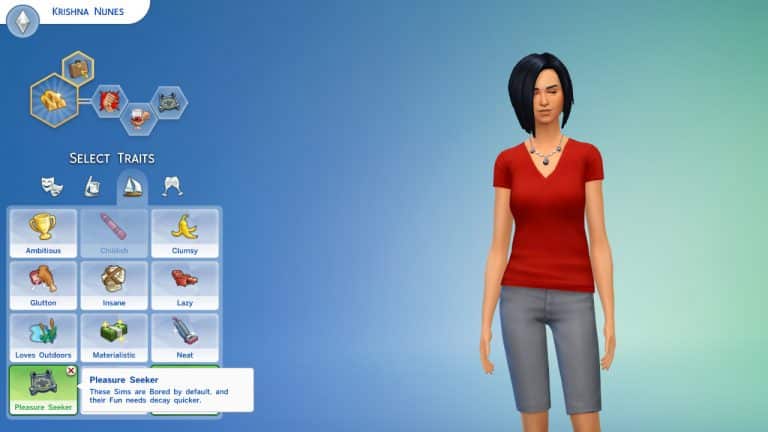
This means that gameplay modifiers, such as changes to need and skill rates, applied to buffs will no longer work. This includes the vast majority of custom traits.

MTS_Zerbu-1477398-Pleasure5

I have created a special tool that reads .package files and automatically performs a find-and-replace on buff resources. If you are a mod user, you can simply run the program and you’ll be able to use the mods again without redownloading anything (assuming that nothing else broke with the patch). If you are a mod creator, you can run the program and then reupload the package.

You can run the repair tool on multiple .package files at once. I recommend running it on every gameplay mod you have, to ensure that all the effects work properly.

You can download the tool by clicking the download button below!

[mks_button size=”large” title=”DOWNLOAD!” style=”rounded” url=”http://zerbu.tumblr.com/post/145362685287/the-sims-4-patch-breakdown-of-buff-mods” target=”_blank” bg_color=”#1e73be” txt_color=”#ffffff” icon=”fa-arrow-down” icon_type=”fa”]

The Sims 4 Dine Out: Food Reactions Clip

0

The Sims Poland shared a brand new The Sims 4 Dine Out Clip!

The Sims 4 Dine Out: Gameplay Twitch Livestream (REPLAY)

7

SIMS4GP3_logo_RGB_en

UPDATE: The Stream has now ended. Down below you can watch the Replay! The broadcast begins @ 14:18.

The Sims Team will be playing The Sims 4 Dine Out and answer your questions about this Game Pack in a livestream below. The livestream starts at 1PM EDT. We’ll update this post with a replay once the livestream is over!

The Sims 4 Tutorial: How to Get Same-Sex Couples Pregnant

No Mods Required!

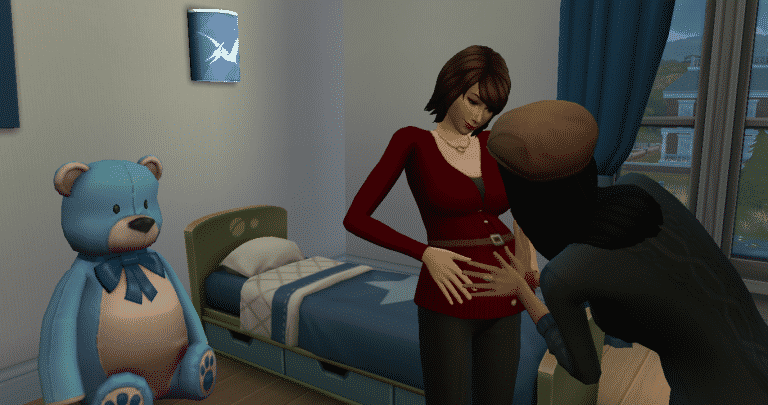
The June 2016 update for The Sims 4 added more gender options for Sims. One of those options is if the Sim will be able to be pregnant or be able to impregnate other Sims. With this option same-sex couples will be able to become pregnant and have children with no adoption or mods required! If you already have a same-sex couple in your game and you want them to have kids, follow these easy steps demonstrated by the Larson family and the Matson Family:

Firstly, go to a dresser and select “Change Sim”

06-03-16_6-17-13 PM

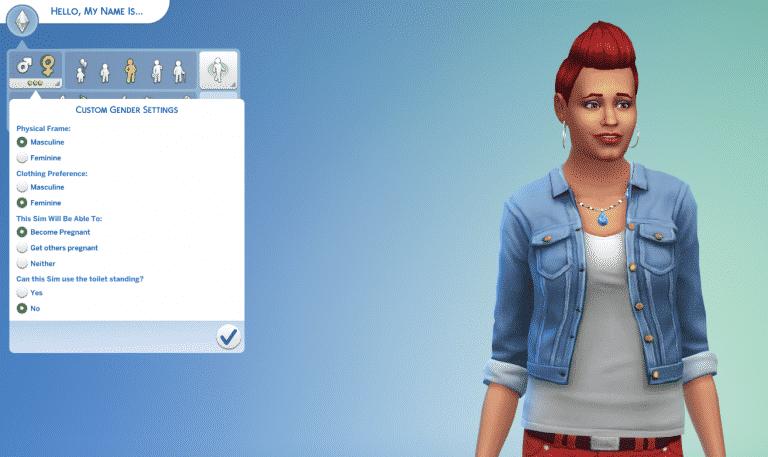
When CAS has loaded go to the custom gender settings.

If you have a gay couple, choose the “Become Pregnant” option for one of the Sims. Make sure their partner has the “Get others pregnant” option selected

06-03-16_6-17-59 PM

If you have a lesbian couple, choose the “Get others pregnant” option for one of your Sims. Make sure their partner has the “Become Pregnant” option selected.

06-03-16_6-18-19 PM

And that’s it! Your couple should now have the “Try for Baby” interaction!

Happy impregnating!

The Sims 4 June 2016 Update: Minor Additions

Beside the two HUGE additions that came with the latest The Sims 4 Update (Gender Customization and Improved Indoor Lighting), The Sims Team made some improvements and small additions to the game as well.

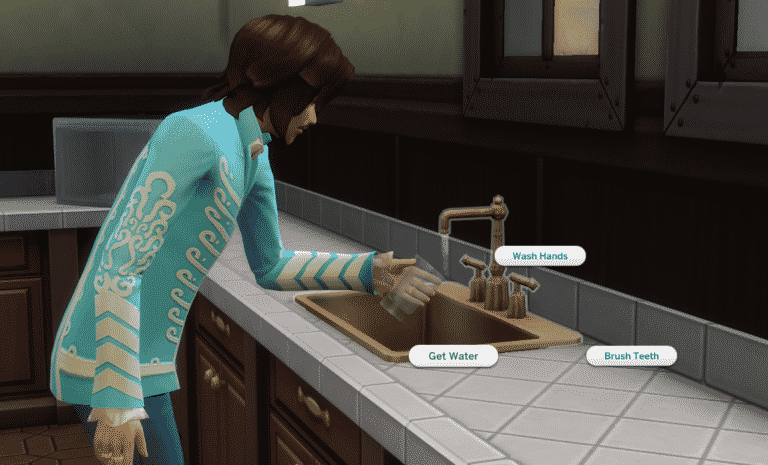
Drink Water from Sink

Your Sims can now Drink Water from the Sink! Simply click on the Sink and select ‘Get Water’. There aren’t any new buffs of special features with this, but new interactions are always welcome!

getwater

Ponder Glass Fullness / Emptiness

glass1

Attach Table to Chair

Previously, you were only able to attach a Chair to the Table. Now you can move the Table and attach it to the Chair as well! The Update also added a new light-green interface when a Table is selected – highlighting all the content that’s attached to the Table.

New Food Thumbnails

Food Thumbnails have been improved and now show food in better light! These thumbnails will appear whenever you select the ”Cook” interaction, or when you have food stored in your inventory.

cookthumbs

Ask to Just Be Friends Interaction

A Sim who is romantically involved with another Sim can ask his/her romantic interest if they can just be friends. This will remove any progress made in the Romantic Relationship Bar.

befriends

befriends2

Age Tags

During a conversation, the age information will show up when you hover over the Sim Thumbnail. These Age Tags have also been added to The Gallery.

youngadult

Resize Paint from Reference Paintings

Previously, you weren’t able to resize Paint from Reference Paintings using the Shift + ] tool in Build Mode. Now, the resize feature is finally unlocked for Paint from Reference Paintings!

Plumbosion Poster

A new Poster has been added to the game!

poster

New Color Swatches

The Carpet and the Heartwood Plank Flooring got updated with new Color Swatches! I’ll be updating this section if I come across any new objects with new color swatches.

Window, Arch and Door Black Swatches

Most of the modern Windows, Arches and Doors received a Black Swatch upgrade!

blackswatch

The Sims 4 June 2016 Update: Improved Indoor Lighting (+ Video)

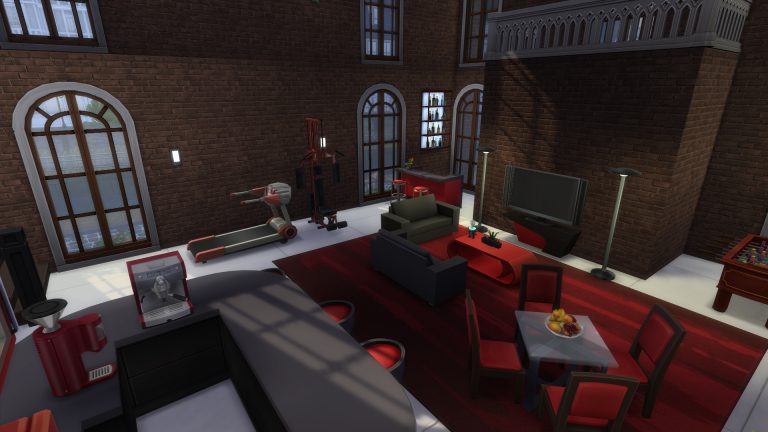
The Sims 4’s latest Update has just brought a significant Graphical Improvement!

Simmers who have set their Lighting Settings to Very High will be able to experience the great indoors with better detail and charming visuals!

lightingindoor

The Sims 4 June 2016 Update: Gender Customization Overview

With the latest The Sims 4 Update, you are now able to completely Customize your Sims’ Gender and give them any clothing and accesories they want – no matter of their gender!

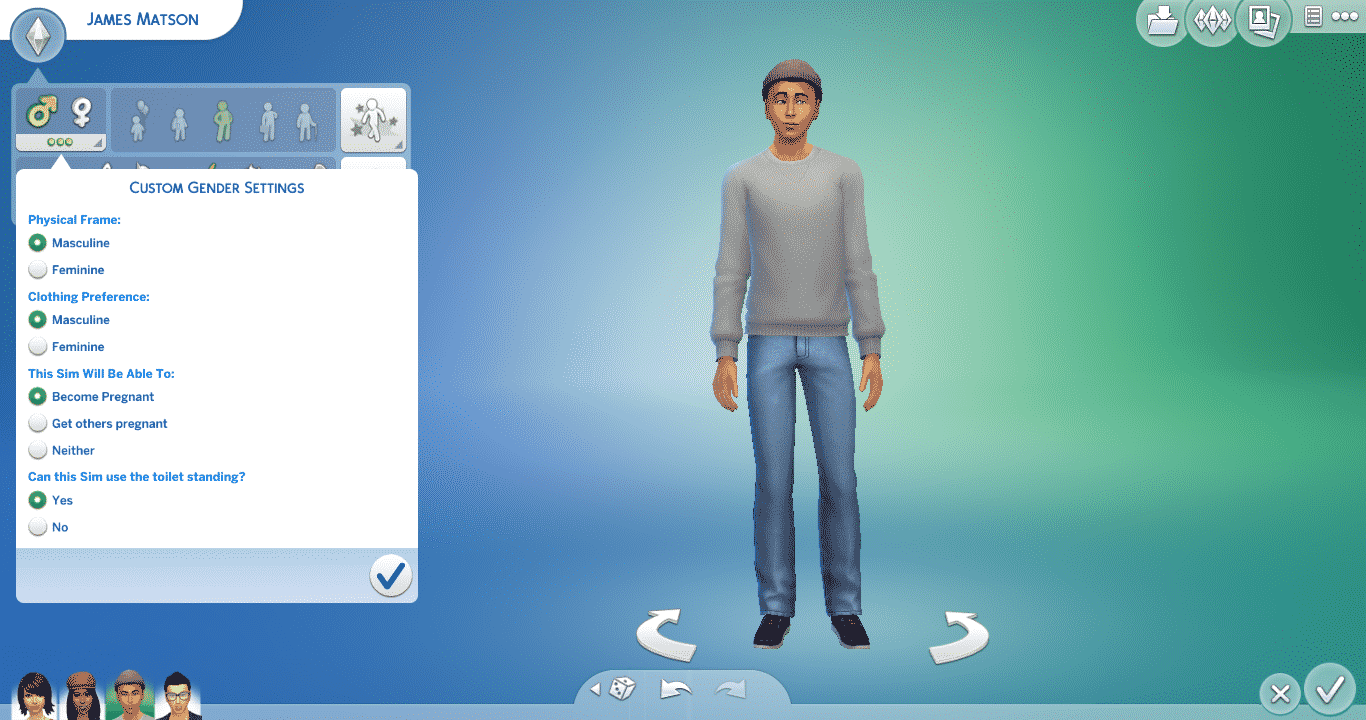
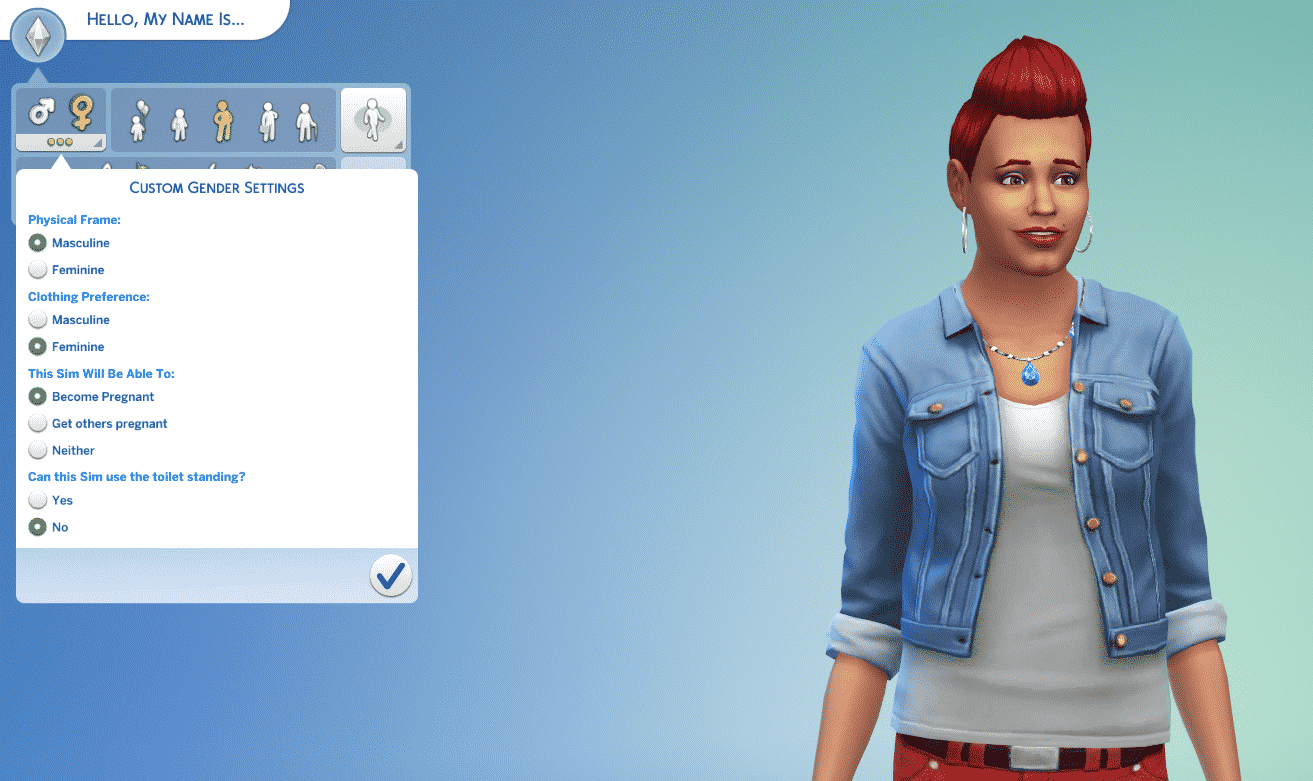
In Create A Sim, click on the Plumbob on the upper left corner. You’ll notice that under the Male and Female gender icons there are 3 dots. After clicked, you’ll be able to customize the selected gender with the following options:

  • Physical Frame
  • Clothing Preferemnce
  • Pregnancy Abilities
  • Toilet Standing

gend1

Physical Frame

Here’s a comparison on Physical Frames: the Sim you’re seeing on the left has no customized Gender Settings, while the Sim on the right is a Female Sim with a Masculine Physical Frame.

Here’s a comparison for male Sims: the Sim you’re seeing on the left is a male Sim with no customized Gender Settings, while the Sim on the right is a Male Sim with a Female Physical Frame.

Clothing Preference

Chosing the Clothing Preference will filter all the CAS items to either Feminine or Masculine. This covers everything, including Hairstyles, Clothing, Accessories, Makeup and more!

TIP: If you want to have both Masculine and Feminine items listed, simply remove the filter by pressing the X button!

 Capture

Pregnancy Abilities

This section of the Gender Customization Option lets you choose if your Sim can make someone else pregnant, become pregnant ore neither of those.

TS4 gamescom OlieBabs

Toilet Standing

This feature pretty much asks you if you want your Sim to be capable of using the toilet by standing or by sitting.

Sims-4-Toilet

Voice Types

This Update unlocks all 6 Voice Types for both genders! The first 3 icons are Female Voices, while the last 3 icons are Male Voices.

voice

Change Sim Option

You’ll be able to customize your Sim’s gender any time by clicking the Closet / Mirror and selecting the option Change Sim.

change

Using this Option, not only will you be able to customize your Sim’s Gender, but also customize your Sim’s body and face by using the good ol’ push and pull features.

TS4_x64 2016-06-02 21-47-54-14

[mks_separator style=”solid” height=”2″]

This Update unlocks so much creativity for you to unleash! Even though the Live Mode features are pretty much the same, the stories you’ll be able to tell with the help of Gender Customization Features are limitless!

The Sims 4: CAS Custom Content and the new Patch

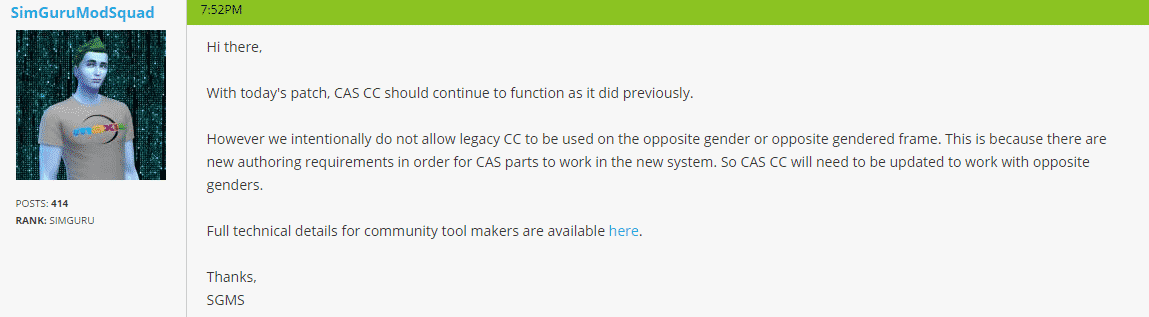
SimGuruModSquad elaborated what happens to CAS Custom Content after the latest The Sims 4 Update!

With today’s patch, CAS CC should continue to function as it did previously.

However we intentionally do not allow legacy CC to be used on the opposite gender or opposite gendered frame. This is because there are new authoring requirements in order for CAS parts to work in the new system. So CAS CC will need to be updated to work with opposite genders.

Full technical details for community tool makers are available here.

Capture

Tip: @Crinrict