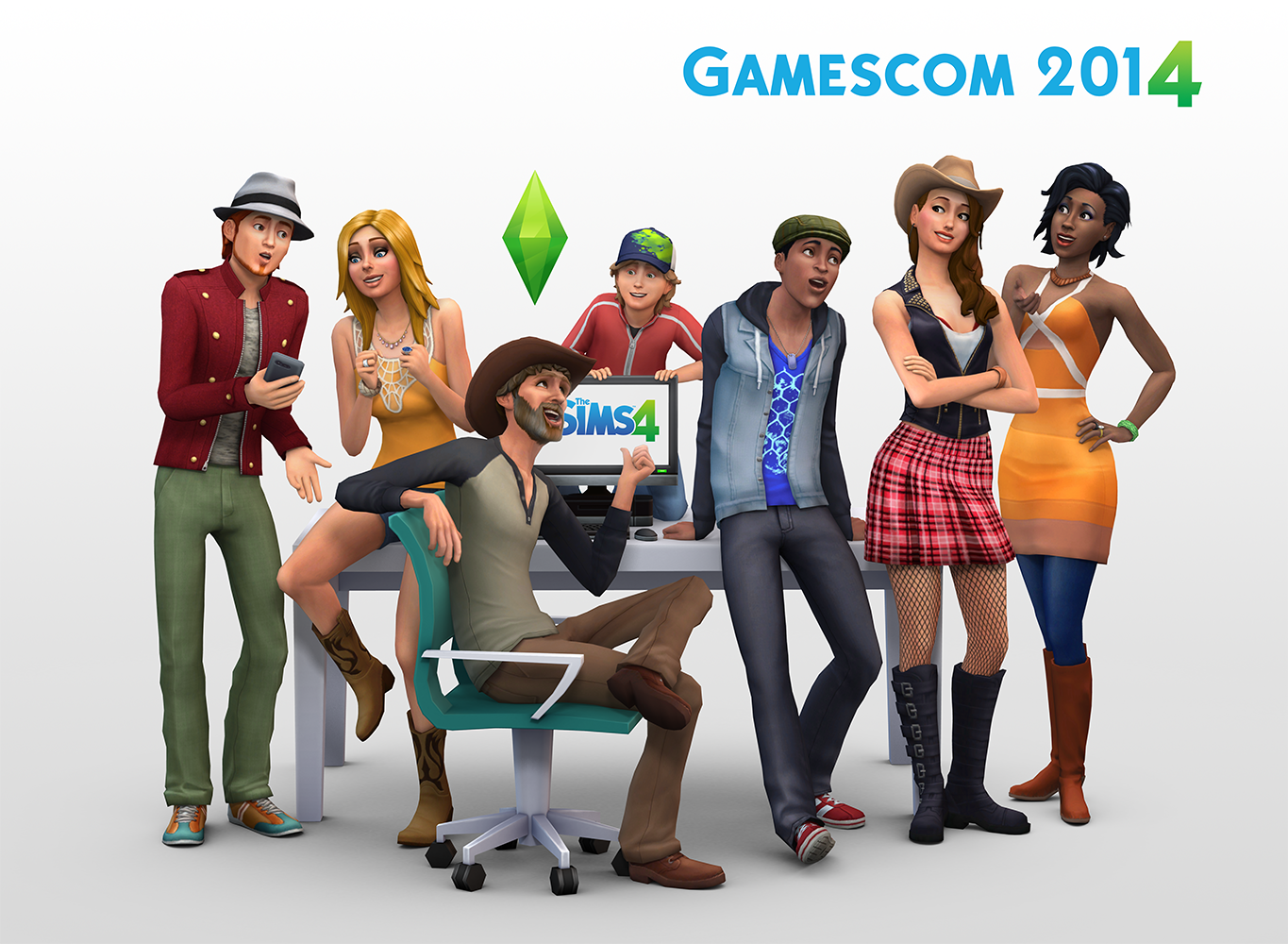
The Sims 4 Presentation starts at 24:30

I’m sure you’ve heard this bazillion times, but Emotions do play a big role in The Sims 4! These Emotions are connected and everything you say, do (and don’t do as well when it comes to Needs), your Sim will be affected. Although, the Emotional State won’t change immediately. If your Sim is happy and gets an insult from another Sim, his/her Emotional State will remain untouched if that Sim has high buffs/points for the Happy Emotion.
Here’s what happened in my game; I started a Household with 2 Sims: one that’s good and the other one who’s mischievous (and also has commitment issues). Both of them started socializing thanks to Free Will being turned on, but I wanted to add a twist in this story. I made the mischevious Sim insult her Husband’s WooHoo abilities. His face and Emotional state quickly changed to Sad, since both of them had the Fine Emotion. When someone has a Fine emotion, that means they’re easily susceptible to changing their Emotional State. I wanted to push the limits a bit further, so I made her use the Joy Buzzer while shaking hands with him. That still didn’t make him Angry since he has a Good trait, but how far will he let his wife do such things to him?

I knew he had to break at one point, so I made her to insult him. That didn’t work, so I had to do it again, again and again. At that point, he finally realized what was going on and got an Angry Emotion. That’s when things really became spicy; he wanted to get her back by insulting her too, only this time you could see him expressing his Anger loud and clear, unlike the mischevious Sim in red outfit who just followed my commands. Everything became quiet for the next 3-4 Seconds and then suddenly both of them got an Embarrassed Emotion, except there was a small difference: The good husband just got an ”Embarrassed” Emotion, because, he did yell and insult his wife, but he had a perfectly good reason for it, while the mischevious Sim got a ”Very Embarrassed” Emotion. Why though? I assume she had no reason to insult him (since that was my command) and the insults you get from an Angry Sim are much more worse than just regular insults. Both of them ran upstairs all depressed and covered themselves together behind the bed sheets.

It was really a funny moment I encountered in the game, but I had to resolve this issue. Normally, Sims who get in a fight will avoid each other for quite some time, but I needed to get them back together quickly. Both of them finally pulled the sheets from their head and then I decided that they should sit down. I started with the ”Flirt” approach but obviously none of them were in the mood for that. I had to get rid of that Embarrassed Emotional state so I made them talk, a lot! After 1 Sim hour of talking, I made the mischevious Sim apologize to her husband for what she did. The husband accepted her apology and both of them got rid of the Embarrassed Emotion. That was a perfect moment to kick in some romance!

During this mini-show I didn’t focus at all on their needs, and it was clear they were hungry by looking at their Plumbob and also by the Need UI bar. I sent both of them to eat something, and what was interesting is that her husband, who also Loves Art, picked a plate and decided to outside and look at the painting he made the other day. He was eating and looking at that painting at the same time, and after a couple of seconds he was inspired and got an Inspired Emotion.
It’s really fun how you don’t always have to focus on your Sim’s needs – if you have Free Will turned on, they will find the easiest way to fulfill their needs. They decay much slower, but depending on your Sim’s emotional state, they might also fill slower.


To open up a cheat console, press CTRL+SHIFT+C. Input the following cheat codes you want and press enter!


Update: This has nothing to do with relationships between Sims in the game. There will still be Brothers, Cousins, Grandfathers etc. (See the Full List). The thing that we won’t have is the Family Tree User Interface that shows all the Sims that are currently living (and who are dead) who belong and/or are a part of that family.
Pic from The Sims 3 Forum

Crinrict, SimTimes & @Renssies confirmed that during The Sims 4 Presentation in Germany, SimGuruLyndsay told them that there are NO Family Trees in The Sims 4! Kinda a let down, don’t you think? :/

Also, yes family trees are really not in the (base) game as far as I could see.
— Rens Verhoeven (@renssies) August 14, 2014
(Just to note @SimGuruLyndsay simply answered no to the family tree question somebody else asked) — Rens Verhoeven (@renssies) August 14, 2014
@SimsVIP We had a presentation today. The answer for this question from @SimGuruLyndsay: no family trees.
— SimTimes Team (@SimTimes) August 14, 2014

Children in The Sims 4 are very…childish. They act like real-life children: they play a lot, get bored easily, love to socialize and are always seeking for attention!
There was a funny scenario that happened in my game; I sent mum and dad by the river to have some private time. They talked about their recent events (you can see that thanks to Sims’ speech bubbles). A child Sim that they had, had a Fine Emotion. Now, this emotion by the looks is neutral, but for children, that emotion means ”Do something ASAP!!!” and so the Sim wanted to check what are her parents doing. She suddenly looked at her father with the ”Why did you leave me for…her” face. She started to talking to him and mum tried to break into this conversation as well.

Do you know what the Child did? Absolutely nothing! She ignored her mother who was standing right behind her for 2 whole minutes. What was interesting is that she didn’t even try to re-form the group so that everyone can see each other. This caused her mother to be surprised since she couldn’t talk in the group anymore (really rude from the kid 😐 )

I felt really bad for her mother so I sent them all home. I made the Child play the Piano and made her parents sit down and listen. I knew this will be an interesting situation since the Child didn’t have any piano skills. The moment she started playing, her father (who she also had better relationship with) couldn’t stand her piano ”skills” at all. He started looking all furious and got an ”uncomfortable” Emotion. Her mother, who she ignored, seemed to be okay with her playing the piano. I didn’t check her traits but I assume she really likes children!
It was time to check on the Goth family. I sent Mortimer and Alexander Goth to the nearby park and made Alexander play on the Pirate Ship.

I started looking around the park and I switched back to Mortimer. He decided to amuse himself and his Child a bit more, so he played as a Sea Monster. He put his hands up and was making a funny ”monster” face. Overall, both of them had a great time and their Happy emotion got boosted.
I didn’t explore Teens and their possibilites that much, but I do know that Cassandra Goth was being a tad mean to her little brother Alexander by scaring him. Sometimes, Sims don’t get scared and laugh together (tends to happen more if Sims are happy), but in this case, since Alexander was just ”Fine”, he got scared and got a bit down. I wondered what will happen next so I sent them down to sit on a park bench. They talked a bit and his bigger sister decided to give him an advice.
Even though she was mean to him, she still decided to step up and act as a big sister with responsibilities to her little brother!

Jacqpinks found out that the SteelSeries Engine 3 now supports The Sims 4 SteelSeries Peripherals (TS4 Gaming Headset & TS4 Gaming Mouse).

You can configure both items and change the color of the Plumbob LED Illumination. Both of them have the ability to change the color for each executable file you have (whether it’s a game or a program – doesn’t matter). To do so, click on the gear you want to change, under the Configurations tab you’ll find Default and The Sims 4 In-Game options. To not overwrite any of those 2, click on the ”New” button, name it however you want and add applications that you want to change certain colors.


Both Gears also have an option that lets the LED change colors automatically using ColorShift.
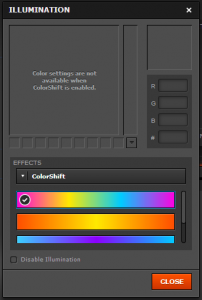
What’s also cool about this Engine is that it lets you save your mouse click patterns and timings. If you’re playing an RPG or a shooter game, the Macro option is the perfect choice!

Don’t worry about how many memory will this Engine use; after you save your customization settings, click on the X and the engine will run quietly on your taskbar. It only takes 14MB of your Memory, so don’t worry! 🙂

Here’s what my customization setting looked like on The Sims 4 Peripherals:

Here’s a tragic – yet heartwarming – tale from The Sims 4, as shared with me by the game’s Executive Producer, Rachel Franklin:
“There was a family and they had a baby. And the family died. The Grim Reaper came, but the baby was hungry. So, Grim turned everyone into urns, but before he left, he fed the baby.”

At The Sims 4 EU Preview, we started off from The Sims 4’s Main Menu Screen. We weren’t able to take screens of it (only in-game screens and videos were allowed), but there were no restrictions in photographic memory 😉
The Main Menu screen is very simple: white background with Sims doing all the crazy things: painting, sculpting, running, talking and such. These Animation/Video backdrops changed every 10-15 seconds.
The plus button below the Play button represents the ”Create New Household” action which, after you finish with creating Sims in CAS, leads you to ”Moving In” screen with Oasis Springs/Willow Creek Map. The Play button just loads the Household you played last.
You can load a saved Game by clicking the floppy disk in the upper right corner. As far as I remember, we had 3-4 Pre-Saves.


I noticed that one PC had a disconnected internet. Everything was still the same, except there was now a render on the bottom bar that let you know you’re offline. (Not sure if it exactly said ”You’re Currently Offline” but you get the point).
Please note that these Main Menu Recreation Screens are just a representation of what Main Menu should we expect when the game comes out. It’s not official and it looks much better with Sims moving around!
The ”You’re Currently Offline” Main Menu Screen does not mean that the game requires an internet connection – it just lets you know are you able to use The Gallery or not.


This Guide was given to us during The Sims 4 EU Preview Event. Text and Screenshots are made by Electronic Arts. Image scans are provided by us.
Sim/Household Controls
Time Controls
Camera Movement
General Controls
Object Placement Tools


The top left painting, created while angry, can be Viewed to become angry. Or, Enable Emotional Aura to have it convey anger to all nearby Sims. The top right piece conveys Focus. Use the Environment to steer your Sims towards useful, or completely unruly Emotions.

It’s time to let the secret out! 😀
Electronic Arts UK invited Sims Community to attend a 4-hour special preview of The Sims 4 at the EA Office in Germany, Cologne! We played the game, met other Community Members, YouTubers and Fansite Administratos, talked with The Sims 4 Producers and Community Managers and got a chance to interview Lyndsay Pearson!
We won’t reveal now who exactly attended the event since I’m not sure do they want to keep it as a surprise or not.
We’ll be releasing The Sims 4 Infos, Screens and Specials throughout the upcoming days, so make sure you check out our Home Page since that’s where all the latest articles will be released!
I hope you’re looking forward to the new articles and pages we’re about to publish!
Here’s a very special screenshot taken in a very special place in The Sims 4. I won’t reveal much about it now (since I don’t have time, but will do later). All I can say is: FOLLOW THE MYST!


The Sims 4 CAS Demo is now available to everyone so click the picture below, download it and enjoy!

The Sims 4 isn’t going to launch with pools or toddlers, and people are pretty upset about that. But you know, toddlers are complicated. Makes sense that the developers might want to put that effort elsewhere. Pools, though? They’re just water. How hard could it be?
I asked producer Graham Nardone why it’s so tough to dig a ditch and fill it with water in The Sims 4‘s new engine, and he broke it down. The short answer? The game’s engine, as is, simply isn’t built to support things like digging into ground or Sims easily moving up and down within it.