The wait is over to see what the next stuff pack for The Sims 4 has in store for players. The reveal trailer for The Sims 4 Crystal Creations has launched today and we have to say, it looks like the team is doing a stellar job with the revival of stuff packs so far, leaning more into unique gameplay players haven’t really experienced in depth in The Sims series up until now.
Craft your own jewellery with Crystal Creations!
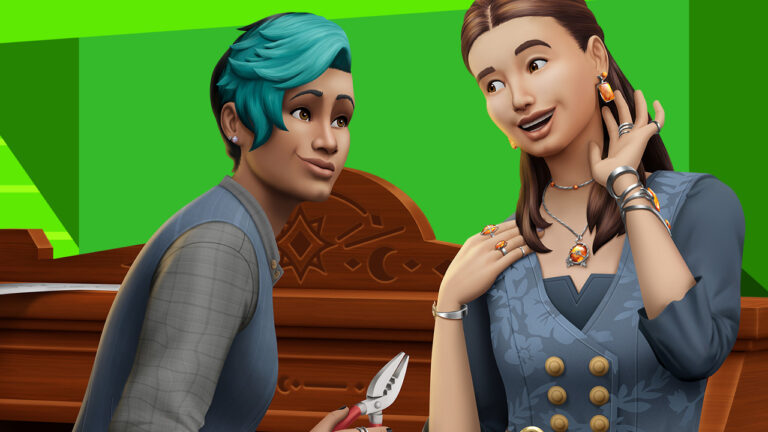
With the Crystal Creations Stuff Pack, your Sims will be able to use crystals they collect out in the world to craft their own jewellery and fashion! This is something we haven’t seen before in this kind of depth in The Sims series so it’s an exciting reveal, to be sure!
The Sims 4 Crystal Creations Stuff Pack Trailer
It’s a short trailer but there’s a lot to see packed into it. Main features of this stuff pack seem to include a new way to use the crystals and metals our Sims collect from rock deposits. They can use the new crafting table to combine these metals and crystals and make different types of jewellery. The jewellery Sims craft is not just for appearances, either!
We can see in the trailer that using certain combinations of metals and crystals can give the crafted jewellery gameplay effects that benefit Sims, such as causing Embarrassed moodlets to go away much faster, preventing Sims from ever having awkward romantic encounters and WooHoo, and even stopping the Grim Reaper from collecting Sims’ souls! That’s some pretty powerful jewellery!
When Can We Buy Crystal Creations?
Simmers can expect to purchase the Crystal Creations stuff pack on February 29th, 2024. There is no early purchase incentive for stuff packs so players need not worry about not being able to purchase Crystal Creations in time in order to get bonus DLC.
What do you think about what we’ve seen so far of The Sims 4 Crystal Creations? Let us know in the comments, and stay up to date with our News category for more information about new content releases for The Sims 4!
EA has just announced the Crystal Creations Stuff Pack. Coming February 29th!
It’s a big day for The Sims players! EA and Maxis have just announced The Sims 4 Crystal Creations Stuff Pack, coming next week on February 29th, 2024. Players will be able to design their own jewelry and enjoy new gameplay elements that come with new types of crystals.
In this post we’ll be exploring the official assets and images shared by EA. Take a first look at this Pack!
Official Boxart
Official Screens
That’s all the official assets we have from the EA Press Room! We’ll make sure to update this post if new official assets surface.
You can stay up to date on all the latest news about The Sims 4 Crystal Creations right here! We’ll keep you in the loop on all of the latest updates.
EA is set to announce a new Sims 4 Stuff Pack on February 20th, 2024.
It’s been a long time coming!
f you remember the first Roadmap for The Sims 4 that’s been revealed at the beginning of this year, you probably have been anticipating the reveal of the next Stuff Pack for the game. Teased as a “Sparkling Stuff Pack”, the next SP seems to be focusing on new crystal items and jewelry.
Take a look at the preview below:
Today, EA has published the premiere page on YouTube, possibly hyping up the announcement for this Pack. Here’s what you can expect from this premiere!
New Sims 4 Stuff Pack Announcement
Maxis is set to announce their new Stuff Pack for The Sims 4 on February 20th, 2024 at 8AM PT / 5PM CET / 4PM PT.
On the official social media video teaser, the team has showcased a Crystal collectible during day and night time. See it below:
The full reveal trailer for this Stuff Pack is set to premiere on YouTube. You can watch it right here from the premiere video linked below:
What do you think the new Sims 4 Stuff Pack is all about? Let us know your guesses in the comments section down below.
Stay tuned on Sims Community to be the first to know what the Pack and its contents are all about!
The Sims Team has just published a brand new Sims 4 Laundry List for Wednesday 14th February 2024!
If you are new to The Sims or don’t know what The Sims 4 Laundry List is, it is a list of fixes The Sims Team share with players as to what to expect in the upcoming game update for The Sims 4.
Here’s a list of fixes you should expect in the upcoming game patch! The patch is currently planned to land across all platforms on February 27th, 2024.
Table of Contents
The Sims 4 Laundry List: February 2024
At a glance, this Sims 4 Laundry List tackles some of the top concerns in the community including not being able to fish in Winter, the Goth Galore hoodie making Sims eyes appear bigger, a Console fix for players unable to toggle wall tile placement and more!
As detailed in the Sims 4 Laundry List, these topics currently have fixes and those not listed still have fixes worked on.
Have a closer look at the February 14th, 2024 Laundry List!
Sul Sul Simmers!
Welcome to this month’s Laundry List, where we share a list of the top community concerns we’re currently investigating and hope to resolve in an upcoming patch.
This is only a list of topics from AnswersHQ with upcoming fixes; there are more topics reported by players that are not listed and are still being worked on. This list is based on reports by players on Answers HQ and helps us continue our work on improving the user experience on a regular basis.
Please note that some topics can be tricky and may require an extended investigation on our end, so even though we are actively reviewing, it’s not a guarantee that we’ll have an immediate fix in the upcoming patch.
Here’s the list of the community concerns we’re investigating and aiming to resolve in the next patch:
Keep reading to find out more about when to expect the next The Sims 4 Update and how to report any bugs/issues you may be experiencing!
This is the first Laundry List we have received as a community since the start of the new year. This follows on from the most recent roadmap that was revealed a few weeks ago. Already, we have seen two new Kits released, Goth Galore and Castle Estate Kits as well as the exciting Sims Delivery Express (SDX) collaboration with Winnie Harlow.
When is the next The Sims 4 Update?
Based upon the information given to us by The Sims Direct X (formerly Twitter) account, players can expect the next update on February 27th, 2024.
While this is just under two weeks away, the upcoming patch will tackle several issues as mentioned earlier in this article. We will have to wait until we see the full patch notes for this Base Game update to see everything that has been fixed.
Could this patch be preparing us for upcoming new content based on the current roadmap, we will have to wait and see.
How to Report a Bug?
Have you spotted a potential bug in the game and are wondering how to report it? Well, it’s easy. Just follow these easy steps to let The Sims Team know!
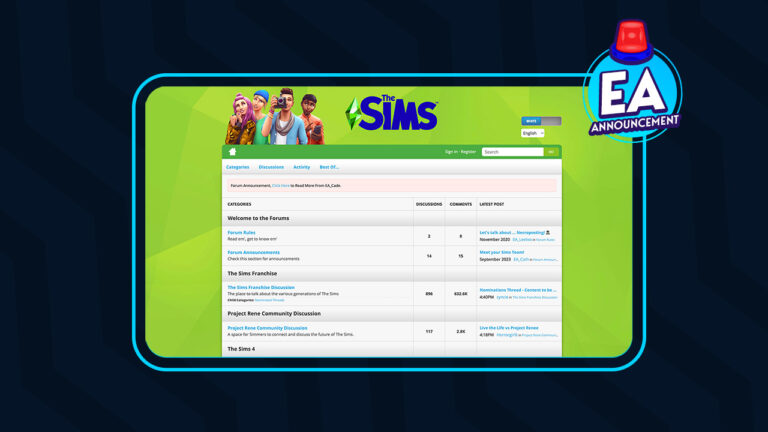
The Sims Forums have been integral to the community for many years. It has always been the place to go for storytelling, mods and custom content updates, information on the latest The Sims patches, and so much more.
However, later this year, The Sims Forums as we currently know them will close and will be moving to a new forums site, the EA Forums. This new forum platform will be launching in July 2024. More detailed information will be shared nearer the time.
Did you know that It has been over fourteen years since the forums first launched?
Table of Contents
A Message from EA_Cade
EA_Cade, a community manager for Electronic Arts, broke the news to The Sims Forum on February 12th, 2024. The announcement detailed everything players and community members need to know regarding the move.
Read the full announcement from EA_Cade below:
Sul Sul Simmers,
We have an important announcement to share regarding the future of The Sims Forums. Over the past 14 years we’ve been lucky enough to share this forum destination with you as a place to discuss The Sims across various titles, share your screenshots, feedback, guides, and most importantly, tell your stories.
These forums are showing their age, and are no longer representative of the community experience we wish to share with you. After careful consideration, we have decided to close The Sims Forums by July 2024 and replace it with a new forums site – to be called EA forums – going live this July.
Rest assured, select content from The Sims Forums will be carried over to this new site and the migration criteria for the content can be found below. This move aims to provide you with a more seamless and engaging environment to connect, share, and collaborate with fellow players, and the EA Community team. I speak for the team when I share that we all look forward to continuing our relationship together on our new site in July.
Please read more below about timing and next steps to take when posting to the forums.
The Sims Forums will remain open to you until July 2024 when EA forums launches.
Please make note of the following dates and instructions from now until we’re live on the new site:
Any content posted on The Sims Forums after March 12, 2024 will NOT be migrated over to the new EA forums.
We’ll migrate content posted between October 18, 2022 and March 12, 2024 in addition to select content from the nominations thread mentioned below. We will make every effort to ensure that data will port over.
If you’ve posted on The Sims Forums and you want to ensure your content is available on the new EA forums site, please follow the steps below.
If you have an AHQ account, you will be able to use it on EA forums when the new site goes live.
All badges and ranks from The Sims Forums will not be ported over to the new forum site. Participants with an AHQ account will continue to retain AHQ stats. We will however be looking to implement ways to highlight your contributions from The Sims Forums.
In July 2024, The Sims Forums will be permanently closed and will no longer be accessible. Anyone trying to access The Sims Forums using the original URL will be redirected to The Sims section on the new EA forums site.
Also, we’d love to invite you to join our recently created Discord community, where we host monthly events, shell challenges, support multiple languages, and host plenty of Sims discussions. Join here: www.discord.gg/TheSims.
The Migration of Threads from The Sims Forums to the New EA forums
To preserve the legacy of The Sims Forums, we will be automatically migrating threads that feature activity and were created after The Sims 4 base game went free to play on October 18, 2022 up until March 12, 2024.
If there’s a thread created before Oct. 18, 2022 you’d like to nominate for migration, please nominate it here.
If the author of any thread does not have their original post migrated, none of the replies to that post will migrate either.
Additionally, any uploaded images, videos, or GIFs will not be migrated over.
If you linked something via URL, that URL will be migrated over.
Any content that’s important to you can be manually copied and pasted to the AHQ Sims forums
If you do not wish to have your content migrated to the new EA forums, or for any questions or concerns related to forum privacy, please see our privacy policy here.
How to Ensure Your Content from The Sims Forums Will Be Migrated Over
Please check the email address(s) associated with your The Sims Forums account. Is this the same email address on your EA account?
If no, please proceed to step 2
If yes, please jump ahead to step 3
If the email on your The Sims Forums account does not match the email on your EA account OR if you do not have an EA account, please modify the email addresses to ensure they are matching on both accounts OR please create an EA account with a matching email address.
Please ensure you have an account on Answers HQ. You can do so by signing in or registering on Answers HQ with your EA account. Your account on Answers HQ will be carried over to the new EA forums site.
Once this is complete and you’ve ensured your The Sims Forums and EA accounts have matching email addresses AND that you’ve signed into Answers HQ with your EA account, then your The Sims Forums content will be migrated over onto the new forums site whenever it goes live and the content will be associated with your forums account.
Please complete these steps before March 7 to ensure your forum content is migrated.
You can read the full forum post as well as all the replies here.
Important Dates for The Sims Forums Closure
Several notable dates are mentioned within the announcement that The Sims Forums users need to remember and keep in mind ahead of the July move.
July 2024 (specific date to be announced) is when the The Sims Forums will close and move to the EA Forums
After March 12th 2024, any new posts will not be migrated over to the EA Forums.
Posts created between 18th October 2022 and 12th March 2024 will be migrated over. Posts that fall before the October 2022 date can be nominated to possibly be migrated.
7th March 2024 is the last day The Sims Forums members can ensure their account information is up to date ahead of the migration in July.
Community Reactions
Naturally, there are some concerns from the community with this latest news for The Sims Forums. Not only is it the end of an era for many Simmers, but there are concerns that this might be a repeat of when players began to move from Origin to the EA App. As the saying somewhat goes, if it’s not broken, why change or try to fix it?
Additionally, there were some questions raised by forum users which EA_Cade has gone on to answer Some of the questions relate to future forum formatting and whether images will be carried over. The Community Manager has been proactive in responding to the questions from forum members with full response breakdowns in the latter part of the thread.
The Future of The Sims Forums
Even though it is sad to see The Sims Forums close after all these years, we here at Sims Community, like many others have our fingers crossed for a smooth transition. However, despite The Sims Forums being one of the most active EA game-related forums, it does make you wonder if there is more to this migration than just moving it all to a new EA Forum. Only time will tell we guess!
Let us know your thoughts on the news of The Sims Forums closing down and moving to a new platform in the comments section below!
A brand new SDX drop is here and it brings vitiligo skin details to the base game! The Sims 4 SDX February 2024 adds a bunch of vitiligo skin details for infants to elder Sims. The skin details are for both the body and face and many come in multiple pattern swatches.
Bring the beauty of vitiligo to your Sims!
Now all players will be able to better customise their Sims for free with just the base game using the new vitiligo skin details. We love to see more inclusion and representation for all people in The Sims, especially when it comes in the form of free updates and SDX drops.
Table of Contents
Sims 4 SDX February 2024 Overview
To get this brand new content in your game, all you need to do is run your Sims 4 game! When you see a popup telling you that new SDX content has been added, simply restart the game to load the new content. Easy peasy!
Once you have the latest SDX update installed, you can find the new skin details in CAS, under Face Skin Details and Body Skin Details.
Body Skin Details
Below you can view all the new skin details in every available swatch for teen to elder Sims. The swatches appear to be different patterns rather than different colours. You can view any image in the gallery below in fullscreen by clicking on the thumbnail image.
Face Skin Details
Below you can view all the different face skin details that came in today’s SDX drop. You can view any image in the gallery below in fullscreen by clicking on the thumbnail image.
Infants, Toddlers, & Children
Infants, toddlers, and children also have the same skin detail options as teen-elder Sims. We have examples of the new skin details on each of these life stages to give you an idea of what they look like on younger Sims. You can view any image in the gallery below in fullscreen by clicking on the thumbnail image.
Curious about what previous SDX drops have added to the base game? Check out our last SDX overview covering a new hairstyle!
The Sims 4 has a modding and custom content community that is highly talented and creative and covers various themes and topics in their creations. With hundreds and thousands of different Sims 4 mods aimed at improving and expanding a player’s gameplay experience, there’s no end of possibilities.
However, if you have been keeping up with The Sims 4 community happenings on either Discord or social media over the past few days, you may have seen that there has been some slight cause for caution.
Keep reading to find out more about what happened, how to stay safe and how to keep up to date!
Table of Contents
What Happened with The Sims 4 Mods?
It has come to the attention of Sims 4 Mod users that some mods have suddenly begun to contain malware within them. While this is not pleasant at all for either the creators or players wanting to download the mods, it’s important to be knowledgeable about the situation.
It’s important to keep in mind, that this situation is only impacting a very small number of The Sims 4 Mods and this is due to creators having their account either hacked or impersonated by some rather unpleasant people.
While the community has been working hard to share and update one another during this time, it appears that Mac and Linux-based systems are not impacted by the malware due to the file type used by the malware.
What Mods Have Been Impacted?
Currently, a very small number of mods have been identified as being impacted by this situation. It is only affecting Scrpit-based mods and no custom content.
Cult Mod v2 uploaded to ModTheSims by PimpMySims (this is a fake account)
Social Events – Unlimited Time uploaded to CurseForge by MySims4
Weather and Forecast Cheat Menu uploaded to The Sims Resource by MSQSIMS (hacked account)
Seasons Cheats Menu uploaded to The Sims Resource by MSQSIMS (hacked account)
Motherlode Menu uploaded to The Sims Resource by MSQSIMS (hacked account)
Mood Cheat Menu uploaded to The Sims Resource by MSQSIMS (hacked account)
Mouth Preset N16 uploaded to The Sims Resource by PlayersWonderland (hacked account with a script file added to the download that shouldn’t have been there)
Cult Sex Mod V1 uploaded by UNKNOWN (this mod was previously removed by the original creator (LoversLab 18+) in January)
What Do I Do If I Have Downloaded These Mods?
If you have downloaded any of these mods recently, fear not as there are some steps you can take to check.
Firstly delete the mod(s) from your mods folder immediately
Run a virus/malware scan on your computer/laptop regularly. If you find any impacted files, run a scan immediately.
Update all passwords on your computer/laptop immediately
Uninstall Discord and any crypto wallet software you may have installed and only reinstall once there is no trace of any potential malware on your system.
If you have been affected by one of these mods, it’s very important to take this seriously. There is a high risk that your personal data, passwords and information relating to your device will have been impacted. It is strongly advised that you do everything you can to take action, update, and secure any/all accounts you have as soon as you can after the discovery.
Staying Safe
First and foremost, when downloading any Sims 4 mods or custom content, only download it from the creator’s official download locations. This could be via a Patreon for example or their website. However, there are a few more ways you can keep safe when downloading The Sims 4 mods.
Don’t download a new update for a mod until the creator directly announces/confirms there is a new update.
Don’t download mod folders from the internet. You don’t know what could be in those folders and there could be malware hidden within them.
Impacted Platforms and What They Have Done
The following locations are where the impacted mods have been found previously and while they have all removed those impacted, this is the action they have taken.
The Sims Resource
Removed all impacted mods and have shared an additional statement regarding their next steps. They also announced that a temporary ban has been put in place for any uploads containing .ts4script files at the moment.
Removed all impacted mods and released the Sims Virus Cleaner tool that will clean any affected mods. They have since shared that they have taken additional measures to ensure something like this doesn’t happen again.
Both sites have removed the mods in question but have given no further statement regarding the situation at this moment in time.
Moving Forward
Even if you haven’t been impacted by any of the above-mentioned Sims 4 Mods, you can still take steps to ensure you are running a healthy and happy game. This could be by running regular virus/malware scans on your device and ensuring all your mods are up to date via the creator’s official platforms.
You can find out more about how to ensure a healthy and happy game here.
Also, ensure you utilise the Sims Virus Cleaner Tool on CurseForge alongside TwistedMexi’s ModGuard: Mod Malware Protection Mod. You can download TwistedMexi’s mod here and be sure to read all information regarding the mod first.
Staying Safe
The best way to stay safe during this time is to check for updates from Sims 4 Mods creators directly or via the Deaderpool Discord and Scarelt’s Realm. All three of these methods are highly effective and will give you all the information you need to keep safe and Play with Life!
Thank You
Before we round off this post, we’d like to say thank you to those in the community who have taken the time to share and update other players with information regarding this situation. Your hard work doesn’t go unnoticed and we’re sure, like many are thankful for what you do!
For more about The Sims 4 Mods and Custom Content as well as all the latest news and information from The Sims franchise, stay tuned to Sims Community!
If you’re not in the loop, EA and Maxis have stated that they’ve prepared a new Sims 4 SDX Update drop for this season. Thanks to the latest official teaser, we now also know the date of this SDX Content Drop – February 13th, 2024!
Learn more in the teaser breakdown below:
Table of Contents
The Sims 4 Content Drop Teaser
The short but interesting teaser posted on The Sims’ official social accounts features a Sim walking down a room. At first, it doesn’t look like there’s much teased, until the Sim starts strutting down the room.
There seems to be a new pair of Heels added, with potentially new objects and swatches coming their way as well.
I don’t want to go too deep into analysis, but the latest Sims 4 Content Drop Teaser could also hint at something outside of the room in the teaser.
Either way, it’s going to be an interesting Sims 4 SDX Drop to cover here on Sims Community!
What are you hoping to see in tomorrow’s Sims 4 Content Drop release? Let us know in the comments below and stay tuned on our website for the latest info about this SDX Drop!
Are you a history buff? Do you love The Sims? In that case, you’ll want to check out The Sims 4 Decades Challenge! This fanmade challenge will take you and your Sims on a journey through time as each new generation of your Sims family progress farther into the future.
Become a time traveller in The Sims 4 Decades Challenge!
We’ll walk you through the basics of this challenge and show you where to find the official rules so you can get started with this unique challenge! While using mods and custom content aren’t strictly required for this challenge, they can help improve historical immersion, so we’ll also point you to some sources where you can find historical mods and custom content.
Table of Contents
Getting Started with The Sims 4 Decades Challenge
The 1970s
You might be wondering, what the heck is The Sims 4 Decades Challenge?! Don’t worry; we’ll break it down for you so you can get started without having to figure things out on your own.
What is The Sims 4 Decades Challenge?
The most recent version of The Sims 4 Decades Challenge has been written and updated by CuteCoffeeGal, but the original rules are by ZombieCleo. You can also opt to play with alternate rules by kakeru_naruse. We’ll be focusing on CuteCoffeeGal’s rules for this article because it is the most frequently updated and comes with a handy PDF version of the rules, but feel free to play your own way and explore other rule sets.
The Decades Challenge is a new spin on the traditional legacy challenge by Pinstar and ImaginingMystic. The basic premise is the same; play through many generations of the same Sims family, but that’s where the similarities end. In the Decades Challenge, you are not following all the same rules as the Legacy Challenge. For one thing, you are playing through up to 14 generations rather than the traditional 10 generations. For another, you’ll be keeping track of your Sims’ ages to determine when to start a new decade, starting with the 1890s. Your main focus is adhering as closely as you can to the time period your Sims are currently in.
A New Generation, A New Decade?
The 1980s
The easiest way to play the Decades Challenge is to start a new decade with each new generation. Play on your preferred life span and when the chosen heir becomes a young adult, a new decade begins. You can certainly play the Decades Challenge that way if you’re not big on doing math, but if you want to go the extra mile and be as accurate as possible, CuteCoffeeGal has outlined how to manually keep track of your Sims’ ages.
Basically, each Sim day spans 6 months of real time, so two Sim days amount to one year. This means that every 20 Sim days, the decade changes.
To keep your Sims aging accurately according to this model, CuteCoffeeGal outlines when to age up your Sims. She recommends playing on Long life span so your Sims don’t accidentally age up too soon. Due to average life spans being drastically shorter in earlier decades, there are two aging systems; one for Sims born before 1950 and one for Sims born after 1950.
There are additional rules for how to accommodate university and holidays if you play with Discover University or Seasons, so be sure to read over those as well.
Again, if this is all too much for you, it’s fine to just play on whichever life span you enjoy the most and treat each new generation like a new decade. It’s not as realistic but it will work perfectly if that method is more fun for you.
How to Start The Sims 4 Decades Challenge
The 1990s
The good thing about The Decades Challenge is it offers you a little more leeway when creating your starting Sim(s) than the traditional Legacy Challenge. Rather than being restricted to making only one Young Adult to start the challenge with, you are allowed to start with a married couple and a set of parents for your starting Sim.
Once you have your starting family created, you may move them into your world. There are a variety of restrictions here so make sure you read the rules about where your Sims can settle down. For example, Del Sol Valley is off limits until the 1950s and only single Sims may live in apartments. Once they marry, they must move into a house.
There are also rules about what technology you can start with. Since the challenge is intended to be played without mods or custom content, there are certain exceptions allowed. Cell phones can be used as early as 1890 but only because it’s the only way to access certain portions of the game. The cell phone can’t be used for socialization and entertainment purposes, however. Players may pretend that a computer is a typewriter for the purposes of writing books, for example, but can’t be used for any other purpose.
And don’t forget! There are wars happening during many of these time periods so you will be sending your Sims off to fight… and possibly die. This is simulated by using a die and a Cowplant. Good luck!
Journey Through the Decades
Once you are all set up, it’s time to start playing The Sims 4 Decades Challenge! We know this might seem daunting at first; what exactly are you supposed to do in each decade? What’s allowed? What’s not allowed? The good news is CuteCoffeeGal has done an excellent job of breaking down each individual decade for you.
Each decade has their own succession rules and rules surrounding who your Sims can marry. It’s important to note here that these early decade marriage and gender restrictions are meant to be as historically accurate as possible. They do not condone these restrictions as morally right in any way. If there are restrictions you don’t like and don’t want to play with, you are absolutely free to adjust these rules as you see fit. It’s your game and you should enjoy it the way you want to.
Each decade is also very detailed about which objects are allowed and how those objects are allowed to be used. You really don’t need to be a 19th and 20th century history expert at all in order to play this challenge. All the rules are clearly laid out for you.
Your ultimate goal for The Sims 4 Decades Challenge is a simple one; all you need to do to complete the challenge is play up to the present day with a single family while adhering to the rules of each decade. However, if you’re a hardcore player and a completionist, you might be interested in logging your progress on the scorecard for this challenge.
Helpful Mods and CC
The Sims 4 Decades Challenge does not need to be played with third party content. In fact, the rules are written with the assumption that you are not playing with any mods and CC. However, if you do enjoy playing with mods and CC, you might find some of these resources helpful for making your Sims and homes look more authentic to the time period.
Now that you have a good idea of what this challenge is and how to play, you probably want to know where to find the official rule book. We’ve only given an overview summary of the challenge but you’ll need to have the full set of rules to play.
The rules for this challenge are hosted on CuteCoffeeGal’s blog. Just click the button below to be taken right to her page with the challenge rules! Have fun and Happy Simming!
If you loved this article on The Sims 4 Decades Challenge, try another unique challenge! Replay the classic PS2 Sims story mode in The Sims 4 with our Get A Life Challenge!
In the For Rent expansion pack, you can discover Sims 4 secrets about your neighbours and use them to your advantage. Discover secrets by eavesdropping, snooping, and even breaking into their homes and rummaging through their stuff to uncover all the dirt on them, then confront them with what you know and either keep the secret without strings attached or blackmail the Sim for simoleons!
Snoop on your neighbours to uncover (and exploit) all their juicy secrets!
In this guide, we’ll show you all the ways your Sims can uncover secrets about their neighbours and what they can do with those secrets once they discover them. This aspect of For Rent is absolutely perfect for players who enjoy more mischievous gameplay and want to wreak havoc in their save files!
Table of Contents
Discover and Exploit Sims 4 Secrets
Before you can go around blackmailing all your neighbours, you’ll need to know what secrets are and how to discover them. You can’t blackmail a Sim if your Sim isn’t aware of any of their secrets. Read on to learn how to uncover secrets and exploit them for profit!
What are Sims 4 Secrets?
Just like real people, all Sims have secrets. Now, Sims 4 secrets can be discovered and viewed on a Sim’s profile, but only if your Sims discover them, first. Secrets are like info tooltips that can be viewed on a Sim’s profile once discovered. There is a new section for secrets on every Sim’s profile. If your Sim has discovered a secret about a Sim, that secret will show up in this section of their profile. Hovering over the secret will bring up a detailed description of the secret.
In typical Sims fashion, secrets are not particularly dark or sinister. Most of them are either funny or embarrassing (or both), but they are still things that a Sim might not want other people to know about them. Secrets don’t serve any functional purpose beyond being able to blackmail Sims; they’re mostly just fun tidbits of information to add some storytelling, lore, and personality depth to your Sims.
How to Eavesdrop in The Sims 4
One fairly low-risk way of discovering Sims 4 secrets is by eavesdropping on conversations. You can do this just about anywhere as long as there are two Sims having a conversation somewhere in the area. You can also travel to someone’s home and listen through the front door if there are at least two Sims having a conversation inside. You can do this on any residential lot, including apartments, haunted houses, and rental units.
When out and about, click on Sims who are involved in conversations to eavesdrop on them. Your Sim will pull out a pair of binoculars and try to spy on the conversation. If your Sim’s spying is fruitful, they’ll uncover a secret about one of the Sims in the conversation, which they can view by opening the Sim’s profile in the relationship panel.
You can also eavesdrop on Sims by going to their home and clicking the Eavesdrop option on the front door. The Eavesdrop option won’t always be available. More than one Sim needs to be at home and engaging in conversation inside. Since you can’t really see inside a home you haven’t been invited into, this is a bit of a trial and error situation. Our advice? If you can’t Eavesdrop, wait around for an in-game hour or two and keep clicking on the door periodically to see if the option becomes available. If it doesn’t, just move on to the next house. You might have better luck spying on someone else.
How to Break Into Houses in The Sims 4
Another way to acquire Sims 4 secrets is by breaking and entering. Of course, this is much riskier as there’s a higher chance of getting caught. If the Sims return home to find you snooping through their stuff, they aren’t going to be very happy with you at all. But the thrill might be worth it for some.
You can break into any residential lot, including apartments, haunted houses, and rental units. Just travel to the home/apartment/unit you wish to break into, click on the front door and select Start a Break In. This will reload the lot without the homeowners or renters at home so you can carry out a Sims 4 break in without being seen.
When the lot reloads, a Breaking and Entering event will start with a timer. You must get inside the home, snoop around, and get out before the timer runs out. If you’re still in the home when the timer ends, the Sims who live there will return home and be pretty angry with your Sim for violating their privacy.
Naturally, you don’t have a lot of time to snoop around someone’s home and the timer starts as soon as the lot loads, before you’ve even broken in. You’ll have to actually break open the front door to gain access to the inside of the home, which can eat up precious time if you don’t succeed in getting in on the first try.
When breaking in, look for objects that are likely to contain Sims 4 secrets. Objects like mailboxes, trash cans, dressers, computers, bookshelves, and beds are prime locations for hunting down Sims 4 secrets. Click these objects and select Snoop to try and find a secret. If you don’t want to risk eating up most of your limited time just trying to get in the front door, it’s a good idea to start with things that might be outside already, like the mailbox and trash bins. You might get a secret from these objects without ever having to get inside the home.
Once you are possession of a secret, you’ll want to get out of there as fast as possible. You don’t want to be inside the home when the timer runs out and be confronted by the Sims who live there. Sometimes, you may not uncover any Sims 4 secrets in time and have to leave empty-handed.
To Blackmail or Not to Blackmail?
So what do you do once you have some Sims 4 secrets? Well, that’s up to you and what kind of Sim you want to play. If your Sim is just one of those nosey types who likes to observe drama but not be an active part in it, you might want to just hang onto the secrets they discover. Just knowing all the dirt about their neighbours is enough to satisfy them.
But more malicious Sims might be inclined to exploit those secrets for personal gain. When you’ve discovered a secret about a Sim, you can then confront the Sim about the secret. The Confront About Secret social is located under Friendly > Gossip in the social pie menu. Once you’ve confronted a Sim about a secret, you can choose to keep the secret for the Sim or blackmail them for simoleons. Keep Secret is located under Friendly > Gossip. Blackmail is located under Mean > Malicious.
You don’t gain any rewards for keeping a secret but the Sim in question will be relieved that you chose to do the right thing. If you blackmail a Sim, they’ll pay you $100 in exchange for your silence but they won’t be very happy about it.
Loved our guide to uncovering Sims 4 secrets? Check out how to earn satisfaction points for being a nosey neighbour with our Aspirations Guide!
Paralives gameplay is finally on the horizon! In recent years, it seems like numerous companies are trying to compete directly with The Sims with their own brand of life simulation games. Unfortunately, we have yet to see most of those games see the light of day, with Paralives still being in early development after several years and Life by You’s early access release date being postponed… again. Will we ever get a good competitor to The Sims?
Tune in to see Paralives gameplay TOMORROW!
Well, according to Paralives, we might be closer than we think to seeing a decent competitor actually launch. The official Paralives account on the platform X, formerly known as Twitter, just posted a teaser image with a big announcement regarding live mode!
Table of Contents
Paralives Gameplay Gets Unveiled at Last
If you’ve been waiting to see Paralives in action outside of build mode and character creation, you’re in for a treat! Read on to find out exactly when and where to see Paralives unveil its Live Mode for the first time!
Paralives announced on X that they will be hosting a showcase of Live Mode! This is exciting news because up until now, players really have not seen Live Mode at all. All the previews for the game have been build mode and character creation previews with very limited footage of anything outside of that. This has made a lot of players skeptical of the game, pointing out the lack of gameplay shown.
That could all change very soon, however! We’ll be getting an up close and personal look at Paralives gameplay very shortly and we’re sure many folks out there have high hopes for this upcoming showcase.
Where to Watch
Paralives will be hosting their Live Mode showcase on their YouTube channel. Make sure to tune in! You can watch it up above right here on our website or directly on YouTube.
If you want to be notified when the showcase starts, don’t forget to hit the notification bell icon on YouTube to be sent a reminder!
The Live Mode showcase is officially starting at 11AM (ET) on February 7th, 2024 (tomorrow!) so make sure to be online then if you want to catch the showcase immediately.
Don’t worry if you miss it! You can always catch the recap later on right here or on YouTube!
Want to learn about other highly anticipated life sim games making their way to us? Catch up on all the latest Life by You news!
Welcome to the first Sims Community Challenge for 2024! For this challenge, we will be taking a look at storytelling. Specifically, it will be aimed at creating a Sims 4 Romantic story in honour of the upcoming Love Day!
We will provide you with the scene and a household you can use to help you create the story!
Table of Contents
The Sims 4 Romantic Storytelling
This challenge aims to inspire your storytelling side. We will provide you with the backdrop scene that you can use to create your own romantic story.
The story itself can be anything from a few sentences to a maximum of three hundred words. It is truly up to you what it can be about, make sure it falls within the guidelines for the challenge that you can find below.
The focus is on Love Day however, you can create the story that you want using the tools provided in this challenge. Take inspiration from everyday interactions, a song, a movie scene, or anything that inspires you. Just ensure it keeps to the challenge guidelines that you’ll find below.
The Backdrop
While the backdrop itself is one shell, there are two parts to it. The first is an outside porch area. This could be the entrance to someone’s home or outside of a coffee shop. On the inside is a small cafe/bar space.
Challenge Guidelines
Create a short story (maximum of 300 words) using one of the three backdrops we have created.
No NSFW/18+ themes, content, imagery or language.
Use a maximum of four Sims of either your own creation or you can use our pre-made household.
Note: You can mention Woohoo but keep any mention in line with the game’s Teen Age rating and what you would see in The Sims 4 if you were to play without Mods and Custom Content.
Frequently Asked Questions
The shell must remain the same as when it was first downloaded however, you may add additional objects if it helps tell your story.
You may add/remove the roof/ceiling. The backdrop comes with a partial roof and no ceiling to start with.
You may add additional walls to enclose the space providing you use the same wall covering that was used in the original shell.
The is no budget aspect to this challenge so feel free to place the backdrop shell on any lot in any world.
You can use custom poses in this challenge and your Sims may also be wearing Custom Content.
Downloading The Backdrop
Want to know how to download the backdrop shell and our pre-made Sims? Well, head over to The Gallery to download this Sims 4 Romantic Story Shell!
Note: This has been uploaded as an individual lot therefore the following information reflects that on The Gallery listing. As mentioned in the FAQ this can be placed on any lot you wish in your game
Alec and Lacey have been together since their college days. Originally from a small town, are now starting their lives as an engaged couple in a new town and in their new home. Alec is atheltic and eager to get involved in the local sports scene whereas Lacey is a lover of books and can usually be found reading or writing her debut novel.
Tripp Household Description
This young adult household can also be downloaded from The Gallery and used in our The Sims 4 Romantic Story Challenge using the information below.
Once you’ve finished creating your story, you can share a link to your story in the comments section below or share your screenshots with added text over in our SC Challenges channel on our Discord Server.
Our Discord server is the best place to share your stories however, it is not compulsory to share it there. You can also share your stories on social media. Just make sure you use the #SCLoveStory tag!
Romantic Storytelling Showcase
Unlike previous Sims Community Challenges that we have run, we will be showcasing some of our favourite stories on social media and our Discord Server. This will be between the 10th – 14th of February 2024!
We can’t wait to see how you fix our build! Be sure to tag us on social media and use the #SCLoveStory tag, so we can see any videos or screenshots you share!
Note:This story challenge is a part of our Sims Community Challenges. To find out more about our original Sims Community Challenges, click here.
Are you looking for more ways to experience something different in The Sims 4? We’ve got you covered with more original Sims Community Challenges, Story Starter Kits and more right here on Sims Community!
What’s the best game pack for The Sims 4? That’s a pretty subjective question with many subjective answers but there are definitely some game packs that are more of a fan favourite than others. Sims Community periodically hosts these fun community polls to see which packs our readers love the most and with the dawn of a brand new year, it was time to revisit some of those polls. After all, a lot can change in a year! It just makes sense to see if popular opinion has changed in the span of a year.
Decide the best game pack for The Sims 4 in our latest poll!
Today, we’re finding out which game pack is the best game pack for The Sims 4, according to our readers. We’ve gotten some pretty unique game packs in recent years so it should be fun to see which ones our readers love the most… and the least! We definitely have our own favourites and our own predictions about which game packs will rein triumphant in this poll, but we don’t want to influence any of our readers so we’ll save our own thoughts about the best game pack for The Sims 4 for after the poll closes.
What’s the Best Game Pack for The Sims 4 as of 2024? You decide!
Down below is a poll that contains all 12 different Game Packs released for The Sims 4. Considering that the number of Game Packs is pretty big, we allow you to vote up to 3 favourite Game Packs! Don’t worry, the Poll Results will still show correct and rank the packs accordingly!
This is a fanmade community poll with no connection to Maxis or EA. The results of this poll won’t have any impact on future content for The Sims 4; it’s just for fun.
[totalpoll id=”151077″]
Want more opportunities to give your opinion? We have plenty more polls where this came from. Check them out!
With the new Sims 4 Castle Estate Kit now available, plenty of Simmers who’ve been building castles for years now have a good reason to renovate those old builds. Including me! I’ve built several castles over the years in The Sims 4 but one of the first ones I ever built was a build called Weselton Castle.
See how old castle builds can come to life again with The Sims 4 Castle Estate Kit!
At the time, I thought it was pretty impressive but it was built just before Vampires came out, then I updated it with the Vampires pack. Those who remember that far back will remember the limited build tools we had available to us at the time and the limited packs. I pretty much relied solely on Get Together and Vampires to put a castle together.
But with the Castle Estate Kit, I felt it was time to revisit this build and renovate the exterior. Of course, I couldn’t resist using a few other newer packs, too. So let’s get into how I renovated Weselton Castle!
Table of Contents
Updating Weselton Castle with The Sims 4 Castle Estate
Clearly, a seven year old castle build is going to need quite a few changes made to it to bring it into the year 2024. I couldn’t wait to get started but before I started repainting walls and updating exterior trims, I needed to take a few before pictures to show you what the original castle looked like.
The Before
This was the original Weselton Castle. Or rather, version two of Weselton Castle. As I mentioned, I updated it after the Vampires game pack came out. But still pretty darn old. It doesn’t look too shabby, right? I might be biased but I think it’s pretty good for something I built back in 2017 without the selection and advanced build tools The Sims 4 has now.
Here’s a couple more pictures of the exterior courtyard to give you a little more of a detailed view of the outside.
Obviously, I was manifesting Horse Ranch six years before Horse Ranch came out because you can see my makeshift stable I cobbled together in the courtyard way back when. It’s super cute but not functional for actual horses so I’ll definitely be giving this area an upgrade when I redo the rest of the exterior.
As for the garden area, it looks pretty nice as-is, and nothing in the Castle Estate Kit would really enhance it much. I suppose the garden could get a small makeover with Cottage Living but we’ll let that be a project for another day. The main focus is the castle itself today.
The Reveal!
Alright, you’ve seen the before pictures. Now it’s time to reveal what I did using The Sims 4 Castle Estate and some other newer packs!
Ta-Da! I hardly touched the architecture at all but it’s pretty amazing what some new walls, fencing, and exterior trims can do to transform a build, isn’t it?
Although this is a new renovation of Weselton Castle, the detailed textures of the stone walls make it look much older than the original, which is exactly what I wanted. I always disliked how new and shiny this medieval castle looked. I don’t know of a single medieval castle in the real world that didn’t look weathered and worn down over nearly a thousand years without a lot of modern intervention.
As you can see, I’ve replaced all the doors and windows with The Sims 4 Castle Estate items, as well as the walls, friezes, spandrels, columns, exterior trims, and fences. It looks a lot more authentic now than it did before and it wasn’t even that much work to make those changes. I also made the exterior courtyard a lot more secure with taller walls going all around the perimeter of the castle.
This angled shot of the exterior gives off a more detailed view of how drastically this build changed with The Sims 4 Castle Estate Kit. Almost nothing was done to change the structure. Essentially, it’s just a repaint, which is pretty cool to see. I love being able to alter the whole vibe of a place with minimal effort.
Of course, the biggest difference is the stable. Although my little makeshift one was adorable, it wasn’t usable by real horses and with the Seasons pack, I didn’t want the poor horses to be housed outside with nothing over their heads to protect them from the elements. I used a combination of The Sims 4 Castle Estate and Horse Ranch to make a real, functional stable for horses. No castle is complete without knights and no knight is complete without their noble steed, so a horse stable just makes sense.
What About the Interior?
You might be wondering if this huge castle is furnished. The answer? Yes, it absolutely is. It is furnished and decorated down to the last detail so it’s move-in ready for your royal Sims and their fleet of servants. It can house much more than 8 Sims, so with mods or the For Rent pack, you could have quite a few Sims living here at once.
However, I have yet to renovate the interior with newer packs… yet! It didn’t seem to fit into this article which focuses mostly on The Sims 4 Castle Estate Kit. This kit doesn’t really come with any Buy items at all. It’s all Build stuff. So I wouldn’t have much use for it inside other than for the walls and floors.
The good news is that I do plan to update the interior and when I do, it’ll be in a part two edition of this article! Make sure to check back to see the finished renovation and download version three of Weselton Castle when it’s ready!
Do you prefer the original Weselton Castle or its most recent renovation with The Sims 4 Castle Estate? Let us know in the comments and check out our Let’s Build category for more unique builds, many of them CC-free!
What’s better suited to the dead of winter than The Sims 4 Goth Galore kit? Nothing, that’s what. You know what that means; it’s time for a Goth Galore lookbook from SnarkyWitch and Krista!
As always, each of the looks featured in this lookbook are CC-free and feature clothing options from the Base Game, Goth Galore, and one additional pack. That way, players across all platforms can enjoy these looks and if you don’t own one of the packs mentioned, you can mix and match with the packs you own.
Get your goth on with these dark fashion looks!
To make things easy, we’ve listed everything for each of the looks below. So grab your leather combat boots and fingerless gloves and check out these goth fashions!
Table of Contents
The Sims 4 Goth Galore Lookbook
Not a Prep, Not Yet a Goth
We know the struggle. You’re a teenager wanting to express your own unique style but your school has a dress code and your parents think you’re too young for spikes and leather. So you’re forced to get creative and come up with something that still screams “I’M AN INDIVIDUAL” but won’t get you grounded or sent to the office for dress code violations. That’s why this Sims 4 Goth Galore look with a high-collared top paired and a schoolgirl skirt is the perfect balance. You might not look quite like a goth, but at least you don’t look like a total prep, either.
Hair: Short Spiky Bob (Realm of Magic)
Top: High-Collared Short Sleeve Shirt (Realm of Magic)
Bottom: Pleated Mini Skirt (Goth Galore)
Shoes: Buckled Leather Boots (Goth Galore)
Makeup: Eyeliner (Realm of Magic), Lipstick (Goth Galore)
Accessories: Bracelet (Realm of Magic), Nails (Base Game)
Other: Tattoo (Base Game)
Goth Glam Queen
When you want to look menacingly gorgeous, look no further than this studded leather ensemble with a touch of glam. With all those leather straps and metal plated boots, you’ll scare away the people you don’t want around you while that little touch of shimmer attracts the people you do want in your inner circle. With this outfit, you’ll be the one with all the power!
Hair: Sleek Ponytail (High School Years)
Top: Leather Strappy Corset with Fishnets (Goth Galore)
Bottom: Fitted Jeans with Studded Buckles (Goth Galore)
Shoes: Metal Plated Knee High Chunky Boots (Goth Galore)
Makeup: Eyeliner, Eyeshadow, and Blush (High School Years), Lipstick (Goth Galore), Highlight (Base Game)
Accessories: Fingerless Gloves, Bracelet, and Earrings (Goth Galore), Choker (High School Years), Nails (Base Game)
Elder Goth Days
His younger Goth days may be over but there’s still plenty of time to incorporate the style into everyday life! From spending his days working hard to retiring and residing in Henford-on-Bagley, this sophisticated Sims 4 Goth Galore-inspired look is excellent for any Elder Goth looking to keep in touch with their youth!
Hair: Curls on Top (Cottage Living)
Top: Leather Jacket & Tee Combo (Goth Galore)
Bottom: Straight Everyday Jeans (Base Game)
Shoes: Buckled Leather Boots (Goth Galore)
Accessories: Socks & Hat (Base Game)
Other: Eyeliner (Base Game)
Pastel Fashion Passion
Bob had a passion for fashion back in University days but also considered himself a bit of a goth, albeit a Pastel Goth. Mixing his passions together, this reminiscent look takes him back to growing up and getting into all kinds of mischief instead of honing his skills to be a world-famous Chef. Either way, Bob rocks not only these colours but also the look overall in our Sims 4 Goth Galore lookbook!
Hair: Classic Bob Pancakes Cut (Base Game)
Top: Layered Tee with Fishnet Sleeves (Goth Galore)