System Requirements, List Of Improvements and More into one summarized FAQ.
The Sims 1 and The Sims 2 Rereleaseshave just hit the official stores, and we have an official Frequently Asked Questions thread. Detailing exactly what's new and improved in the latest official rerelease of The Sims 1 and The Sims 2.
The Sims: Legacy Collection includes The Sims, The Sims 4: Throwback Fit Kit, and the following The Sims packs:
The Sims: Livin’ Large
The Sims: House Party
The Sims: Hot Date
The Sims: Vacation
The Sims: Unleashed
The Sims: Superstar
The Sims: Makin’ Magic.
What’s different about the relaunched version of The Sims?
The Sims was re-released to celebrate 25 years of the franchise. This relaunched version of the first game in the franchise is updated to run on modern computers and operating systems.
The gameplay and graphics are the same, but there are some important updates:
it can now run on Windows 10 and Windows 11
it has an updated rendering engine
updates for more versatile pixel resolution scaling on large monitors.
How to scale pixels for The Sims 1
The Sims 1 will still run at its original resolution, but will now scale pixels to make better use of larger monitors while preserving the look and layout of the game.
Press the Alt + Enter keys to cycle through available scale options.
Continuing to press Alt + Enter will scale to the next optimal level before eventually starting back at the beginning.
Stop once you find the scale that works best for your monitor.
At its largest possible smooth scaling size, the game window will black out the parts of the monitor that might be distracting.
Will old The Sims 1 save files work with this version?
Yes, any old save files you still have for The Sims 1 will work with the current version. The save paths for The Sims 1 have changed so you’ll need to copy your save files into the new location.
First, remove current saved files:
Go to My Documents.
Open the Electronic Arts folder.
Click on The Sims folder (this is your save folder) and select Cut.
Paste this folder to a different location and rename it so you know it’s your alternate save file.
To import your old save file:
Rename your old save file folder The Sims.
Go to My Documents.
Open the Electronic Arts folder.
Copy The Sims folder into the Electronic Arts folder.
Will Mods still work with The Sims 1?
Mods capability for The Sims 1 remains the same. Maxis hasn’t tested Mods, and doesn’t support Mods. It’ll be up to individual Mod creators to ensure Mods work with the new version of The Sims 1.
For more info on Mods and The Sims, check out our Policy on Mods.
Minimum PC requirements for The Sims 1 Rerelease (Legacy Edition)
The Sims 2: Legacy Collection includes The Sims 2 Base Game, The Sims 4: Grunge Revival Kit, and the following The Sims 2 packs:
The Sims 2: University
The Sims 2: Nightlife
The Sims 2: Open for Business
The Sims 2: Pets
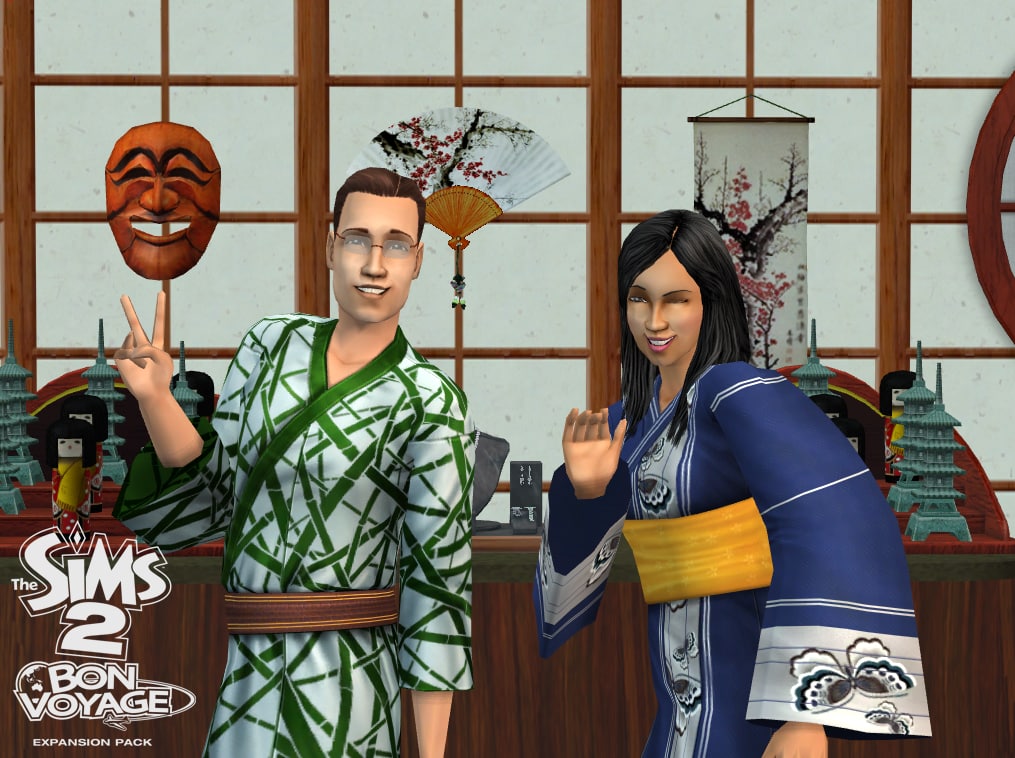
The Sims 2: Bon Voyage
The Sims 2: Seasons
The Sims 2: FreeTime
The Sims 2: Apartment Life
The Sims 2: Holiday Party Pack
The Sims 2: Family Fun Stuff
The Sims 2: Glamour Life Stuff
The Sims 2: Happy Holiday Stuff
The Sims 2: Celebration! Stuff
The Sims 2: H&M Fashion Stuff
The Sims 2: Teen Style Stuff
The Sims 2: Kitchen & Bath Interior Design Stuff
The Sims 2: Mansion & Garden Stuff.
What’s different about the relaunched version of The Sims 2?
The Sims 2 was re-released to celebrate 25 years of The Sims. This version of The Sims 2 has the same gameplay, but has been updated to run on modern computers and operating systems:
it can now run on Windows 10 and Windows 11
it has an updated rendering engine
it has a more versatile pixel resolution scaling on large monitors
some legacy and community-reported bugs are fixed.
Will old The Sims 2 save files work with this version?
Yes, any old save files you still have for The Sims 2 will work with this current version. The save paths for The Sims 2 have changed so you’ll need to copy your save files into the new location.
First, remove current saved files:
Go to My Documents.
Open the Electronic Arts folder.
Choose The Sims 2 folder (this is your save folder) and select Cut.
Paste this folder to a different location and rename it so you know it’s your alternate save file.
To import your old save file:
Rename your old save file folder The Sims 2.
Go to My Documents.
Open the Electronic Arts folder.
Copy The Sims 2 folder into the Electronic Arts folder.
Will Mods still work with The Sims 2?
Mods capabilities for The Sims 2 remain the same. Maxis hasn’t tested Mods, and doesn’t support Mods. It’ll be up to individual Mod creators to ensure Mods work with the new version of The Sims 2.
For more info on Mods and The Sims, check out our Policy on Mods.
Minimum PC requirements for The Sims 2 Rerelease (Legacy Edition)
We hope you’re in the mood to travel back to the year 2000 with us to celebrate the launch of The Sims! To celebrate with you, we’ve brought The Sims and all packs up to date to make it work more easily with Windows 10 and 11! Revisit your favorite packs or finally play that one you haven’t tried yet.
This release does a lot under the hood to make this 25 year-old game work on your new computer. We thought we’d also make it easier to see all those classic pixels on your monitor! To scale the game to make better use of the screen space available, try using the Alt + Enter key combination to cycle through the different scaling options.
The bulk of the work was to make the first The Sims game compatible with Windows 10/11 from the moment you install it. There are things that you’ll immediately see:
Game now supports the aspect ratio your monitor is set to (not restricted to 4:3)
Different aspect ratios, such as 16:9, gives a wider view of the game
Crisper rendering and visual fidelity from changing how the game scales textures
Fixed several crashes
Improvements and fixes
When The Sims launches it will automatically use the aspect ratio of the main monitor. Unfortunately you can’t change the aspect ratio directly, but you can direct The Sims to launch on a second monitor with a different aspect ratio by using the -monitor:[num] command (“0” is the default monitor).
We hope you’ll enjoy returning to The Sims’ neighborhoods, Vacation Island, Downtown, Studio Town & Magic Town to spend time with all the classic Sims and Sims families as much as we did. Enjoy encountering Bella, Bonehilda, Chip, Miss Crumplebottom and the rest.
Dag dag!
Official The Sims 2 Release Notes
Sul Sul Simmers!
Put down that grilled cheese sandwich and get ready for a trip down memory lane to 2004 with us! We’ve revived The Sims 2 and most of its packs (IKEA Home Stuff excluded) to work easily with Windows 10 and 11! Please note that modern licensing restrictions have required the removal of 1 pack and some of the original songs, but we have included as many as possible.
We thought we’d also make it easier to see all those classic pixels on your monitor! To scale the game to make better use of the screen space available, try using the Alt + Enter key combination to enter and leave full-screen mode. Enjoy that glorious widescreen The Sims 2 view!
There are a few more updates as well to look out for:
GraphicsRules.sgr now supports modern hardware configurations
Fixed a shadow bug that surrounded Sims with a big black square
Wide screen and higher game resolutions are now supported
UI scales better to higher resolutions
Texture memory corruption and “pink soup” are fixed
Dragging The Sims 2 window from one monitor to another works more smoothly
If your computer has a lot of RAM, The Sims 2 is able to use it
Fixed several crashes
Improvements and fixes
We hope you’ll enjoy returning to the Belladonna Cove, Desiderata Valley, Riverblossom Hills, Pleasant View, Strangetown, & Veronaville! Spend time with all the classic Sims and Sim families. The Goths, Greenmans, Smiths, Monty/Capps and more are ready to come back to your screen from 21 years ago.
What are your thoughts on The Sims 1 and The Sims 2 Improvements? Join the discussion below!
38 Comments
renanpisi
I can’t seem to get TS1 working! I was SO excited to finally play it again. I don’t know what I was expecting though, it’s EA.
Alder Lake!!
Reply to renanpisi
Look up Alder Lake TS1 patch fix, i think it’s by Lazy Duchess!! it’s an intel problem
caroline
Reply to Alder Lake!!
thats for sims 3, ive got nividia not intel and mine wont launch either
djaidfsji
Reply to Alder Lake!!
the point of this game was to not use any patches. You might as well get the abandonware free from thsoudands of websites and many come with the patch already in.
kat
The sims 1 doesnt seem to be starting. i have downloaded it but the game itself wont launch.
Alder Lake!!
Reply to kat
Look up Alder Lake TS1 patch fix, i think it’s by Lazy Duchess!! just told the other person too,
Carrie Pigott
Reply to Alder Lake!!
How does this work?
Shadow
Reply to Alder Lake!!
You should learn difference between Sims 1 and Sims 3. That Alder Lake patch from LazyDuchess is for Sims 3 and this issue has been fixed in the latest update of TS3 on EA app.
Hazel
Does sims 2 also support ultra wide screen?
Sasa
Why isnt IKEA included in the Sims 2?
Maksym
Reply to Sasa
Licensing issues probably
Krisp
Reply to Maksym
*Licensing laziness
Julieta Arjona
Can’t fix the DirectX 9.0c issue. I have tried different things. I’m really sad 🙁
Acidlure
Reply to Julieta Arjona
You might have to install directx9 drivers from Microsoft site
Della
Sims 1 seems to work on my PC and the resolution looks fine too.
simmer
Reply to Della
what are your specs?
Amber
Is the Sims 2 ultimate collection gonna be ultimately removed for people who own it ?
Shelia
Reply to Amber
I already owned it also, they shouldn’t remove it we owned it already
Amber
Reply to Shelia
I hope, but I heard 32 bit games were gonna be removed from Ea app, which means it may be unaccessible at a certain point… I really hope they’re gonna find a workaround, it’s really upsetting to suddenly lose access after years of playing 🙁
Shadow
Reply to Amber
Surprise surprise. The re-release is 32bit
Amber
Reply to Shadow
damn really ?
simmer
Reply to Amber
TS3 is 32-bit too, so…
Peno
Reply to Shelia
Sadly, they can. You don’t own your games nowadays, you just got a license that may or may not be infinite. But EA isn’t Ubisoft, so, hopefully, they will keep it in our libraries.
Dav
They really disabled shadows instead of fixing them? Sims look disconnected from the environment without them
Walrus1
Reply to Dav
Yep.
Mariana Távora
Mine runs but the scaling pixel thing doesn’t work…
I did the reboot the game recommends and it played well
Makeup_Gamer13
Sad to see IKEA Home Stuff is missing from The Sims 2 collection.
yawnkun
If you’re thinking of purchasing the 25th birthday bundle on Steam but you have all your The Sims 4 DLCs on EA app, STOP!
The bundle includes 2 free kits for the Sims 4. If you have all your DLCs for The Sims 4 on EA App you can’t transfer the free kits to the Sims 4. When I realized this I filed for a refund and they allowed it. I bought it again via the EA App instead so I can use the free kits included.
noxvortex
the sims 1 crashed my entire laptop after being choppy for a good few minutes, and the sims 2 crashed to desktop after exiting create-a-sim with a ready sim i wanted to move into a house. will these issues be fixed in the future or are they compatibility issues? i’m sad because i really wanted to try playing these old sims games and they didn’t work as they were supposed to, so i refunded them 🙁
Danielle
hiya
just brought sims 2 bundle but it doesn’t work on Mac.
so annoying
Walrus1
Reply to Danielle
Umm its windows 10/11 only.
Darkening Demise
No IKEA Stuff Pack will be a problem for any lots/cc/mods/sims and stuff that use them. Oh well I wasn’t expecting it to be here. its a miracle we even got H&M Stuff.
Hanna
Sims 2 keeps crashing, in my logs it says “Failed to initialize sound” and “Failed to GetSoundDefinition for sound” any idea what it means?
Max
My Sims in Sims 2 have crunchy robotic voices. Sometimes they don’t even move their mouths when they talk. Anyone else?
soki
hii, does this mean it’s not available for mac? 🙁
amptter
for TS2, is anyone else getting a pop up after trying launch the game on EA that says “This game hasn’t released yet. Wait until the official release date (Jan 31, 2025, 11:00 AM) to play the sims 2). posting this comment at 5:30 PM 1/31/2025
Katelyn
Will it stay for a few days or will it be gone the next day?
Monica
Anyone else having the sims 2 crash none stop?! I’m so excited to play I have been talking about it for months. Finally get to play, and it will not stop crashing when she comes home from work.
Welcome to Sims Community!
Our community is about connecting people through open and thoughtful conversations. We
want our readers to share their views and exchange ideas in a safe space.
In order to do so, we've created a simple set of rules that will improve your experience.
Simply put, keep it civil.
Your post will/might be rejected if it contains:
Spam
Insults, profanity, incoherent, obscene or inflammatory language and threats of any kind
Attacks on the identity of other commenters or the article's author
User accounts will/might be blocked if we notice:
Continuous attempts to re-post comments that have been previously moderated/rejected
Racist, sexist, or homophobic comments
Attempts or tactics that put the site security at risk
So, how can you be a power user?
Stay on topic and share your passion. Feel free to elaborate to get your point across.
'Like' or 'Dislike' when you are filled with emotions!
Protect your community. Use the report tool to alert us when someone breaks the rules.
Thanks for reading our community guidelines. Please note that we're aware of certain
issues with Sign In / Log In and Create Account / Email Confirmation issues. We're working
behind-the-scenes on a new Account Creation process. Thank you for your patience and
remember - freedom of speech is not freedom of reach
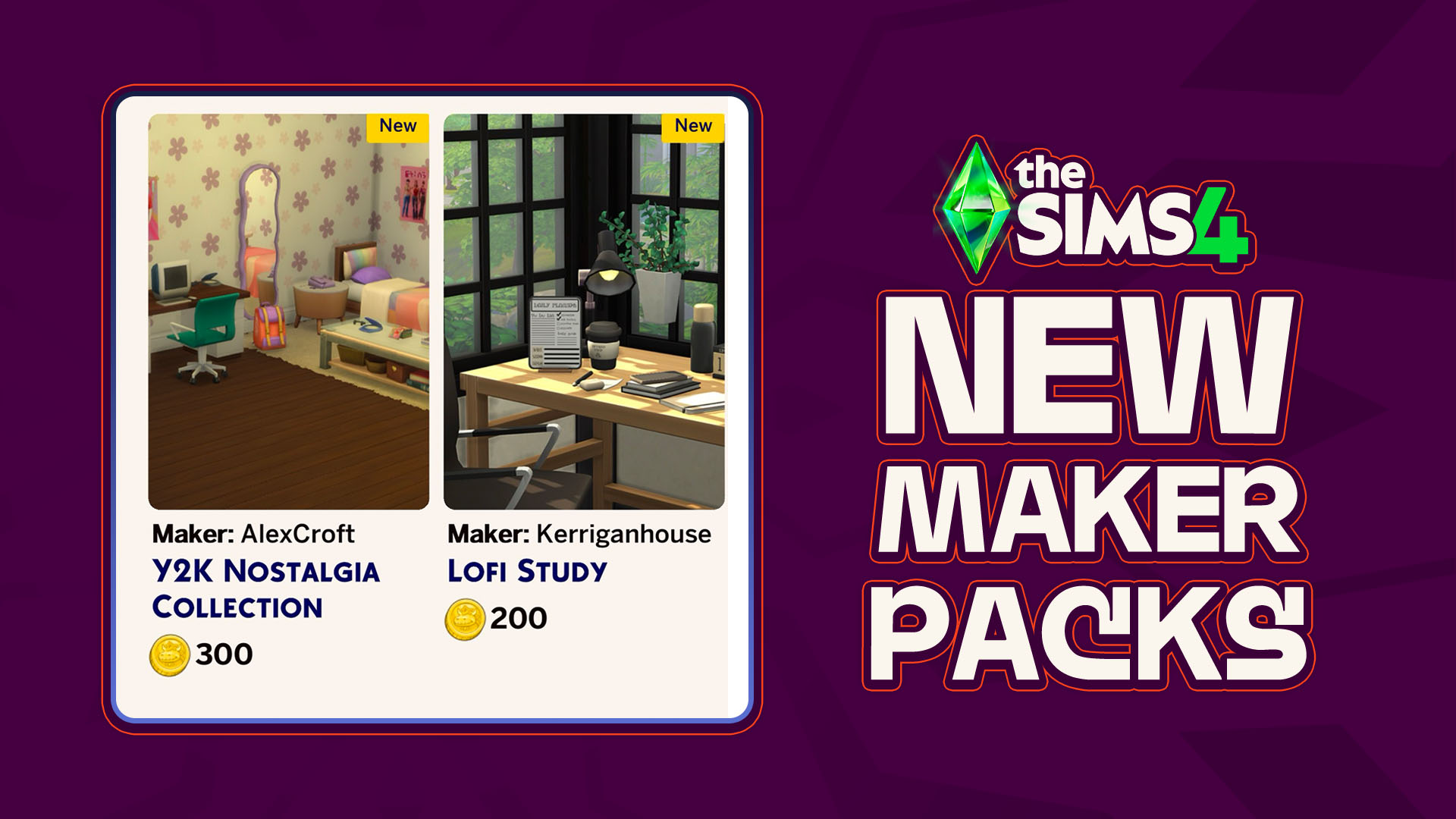
As though there has been any shortage of activity coming out of the marketplace and the Sims 4 Maker Packs that it produces, another two maker packs have hit the front page of the Sims 4 Marketplace; A new Y2K-themed bedroom collection by maker AlexCroft and a simple desk clutter collection by maker Kerriganhouse are…
A New CLOSED Sims 4 Survey Has Appeared! With little prompting and only sent to certain playtesters, a new official survey from EA has surfaced! A closed Sims 4 Survey, meaning that only certain people were given access to it, was sent out that covers overall satisfaction with The Sims 4 and the Sims Franchise…
More Insider Information on The Sims 4 Pack Performance & Project X Has Dropped. With EA, Project X, and The Sims 4, it never takes long for new insider information to come out about production, development, and the inner workings of Electronic Arts and their game development. The well-known ATRL Insider has graced us with…
While the dust settles from the much larger InZOI Update that hit yesterday, September 3rd 2026, the InZOI Development Team as well as Producer & Director Hyungjun ‘Kjun’ Kim are hard at work developing a wide variety of new features, systems, and assets to be added to the game in the future. Since planning and…
Sea Stars, Sea Turtles, Sea Urchins, Oh My! The major InZOI Vacations Update has dropped! While vacations aren’t the only part of this decently large update, they are a real centerpiece of the gameplay expansions surrounding this update. Released on September 3rd, 2026, the InZOI September Update added loads of new features outside of vacations…
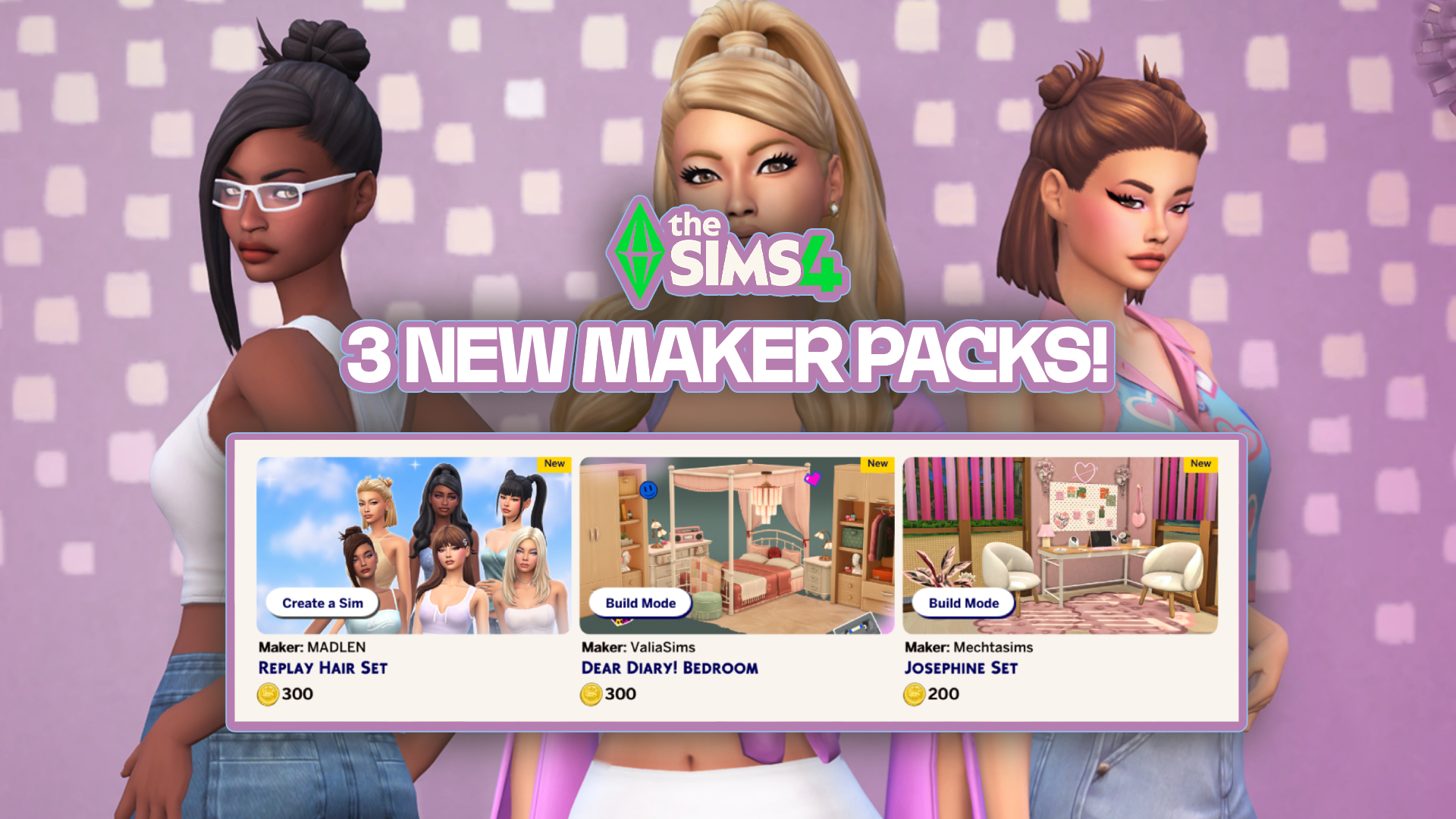
In just over one week, six new Sims 4 Maker Packs have been released on the Marketplace, and today three more have been added! The new sets are by creators Mechtasims, MADLEN, and ValiaSims, bringing with them new hair and furniture for our Sims. Check them out below! The Latest Sims 4 Maker Packs! Replay…
New features have arrived with in the latest InZOI Update! The KRAFTON team has just released a new InZOI Update on Steam and Mac App Stores worldwide. This September Update adds both quality of life improvements as well as new features, including ability to vacation in any world, expanded interactions, an entire Dine Out experience…
As we celebrate The Sims 4’s 12th anniversary, we look into the repeating pattern of what’s coming next. Happy birthday to The Sims 4 Base Game, which released first in United States back on September 2nd, 2014. With the retail version being $60, Deluxe and Limited Editions with 70$ and above prices, this launch felt…
Another Build Maker Pack enters The Sims 4 Marketplace! The Sims Team has dropped a new The Sims 4 Maker Pack on the Marketplace just after releasing two yesterday. Titled “Soft Balance” by Comiko, this Maker Pack gives you 10 Build Mode objects in exchange for 200 Moola – or 2 dollars. Find out alll…
Today, September 1st 2026, The Sims 4 Quality Assurance and Quality Verification team answered the community’s questions in the latest Q&A over on the Sims 4 official Discord server. The next update for The Sims 4 is due to launch September 22nd, and with it comes fixes for the most upvoted bug on the forum.…










38 Comments
I can’t seem to get TS1 working! I was SO excited to finally play it again. I don’t know what I was expecting though, it’s EA.
Reply to renanpisi
Look up Alder Lake TS1 patch fix, i think it’s by Lazy Duchess!! it’s an intel problem
Reply to Alder Lake!!
thats for sims 3, ive got nividia not intel and mine wont launch either
Reply to Alder Lake!!
the point of this game was to not use any patches. You might as well get the abandonware free from thsoudands of websites and many come with the patch already in.
The sims 1 doesnt seem to be starting. i have downloaded it but the game itself wont launch.
Reply to kat
Look up Alder Lake TS1 patch fix, i think it’s by Lazy Duchess!! just told the other person too,
Reply to Alder Lake!!
How does this work?
Reply to Alder Lake!!
You should learn difference between Sims 1 and Sims 3. That Alder Lake patch from LazyDuchess is for Sims 3 and this issue has been fixed in the latest update of TS3 on EA app.
Does sims 2 also support ultra wide screen?
Why isnt IKEA included in the Sims 2?
Reply to Sasa
Licensing issues probably
Reply to Maksym
*Licensing laziness
Can’t fix the DirectX 9.0c issue. I have tried different things. I’m really sad 🙁
Reply to Julieta Arjona
You might have to install directx9 drivers from Microsoft site
Sims 1 seems to work on my PC and the resolution looks fine too.
Reply to Della
what are your specs?
Is the Sims 2 ultimate collection gonna be ultimately removed for people who own it ?
Reply to Amber
I already owned it also, they shouldn’t remove it we owned it already
Reply to Shelia
I hope, but I heard 32 bit games were gonna be removed from Ea app, which means it may be unaccessible at a certain point… I really hope they’re gonna find a workaround, it’s really upsetting to suddenly lose access after years of playing 🙁
Reply to Amber
Surprise surprise. The re-release is 32bit
Reply to Shadow
damn really ?
Reply to Amber
TS3 is 32-bit too, so…
Reply to Shelia
Sadly, they can. You don’t own your games nowadays, you just got a license that may or may not be infinite. But EA isn’t Ubisoft, so, hopefully, they will keep it in our libraries.
They really disabled shadows instead of fixing them? Sims look disconnected from the environment without them
Reply to Dav
Yep.
Mine runs but the scaling pixel thing doesn’t work…
I did the reboot the game recommends and it played well
Sad to see IKEA Home Stuff is missing from The Sims 2 collection.
If you’re thinking of purchasing the 25th birthday bundle on Steam but you have all your The Sims 4 DLCs on EA app, STOP!
The bundle includes 2 free kits for the Sims 4. If you have all your DLCs for The Sims 4 on EA App you can’t transfer the free kits to the Sims 4. When I realized this I filed for a refund and they allowed it. I bought it again via the EA App instead so I can use the free kits included.
the sims 1 crashed my entire laptop after being choppy for a good few minutes, and the sims 2 crashed to desktop after exiting create-a-sim with a ready sim i wanted to move into a house. will these issues be fixed in the future or are they compatibility issues? i’m sad because i really wanted to try playing these old sims games and they didn’t work as they were supposed to, so i refunded them 🙁
hiya
just brought sims 2 bundle but it doesn’t work on Mac.
so annoying
Reply to Danielle
Umm its windows 10/11 only.
No IKEA Stuff Pack will be a problem for any lots/cc/mods/sims and stuff that use them. Oh well I wasn’t expecting it to be here. its a miracle we even got H&M Stuff.
Sims 2 keeps crashing, in my logs it says “Failed to initialize sound” and “Failed to GetSoundDefinition for sound” any idea what it means?
My Sims in Sims 2 have crunchy robotic voices. Sometimes they don’t even move their mouths when they talk. Anyone else?
hii, does this mean it’s not available for mac? 🙁
for TS2, is anyone else getting a pop up after trying launch the game on EA that says “This game hasn’t released yet. Wait until the official release date (Jan 31, 2025, 11:00 AM) to play the sims 2). posting this comment at 5:30 PM 1/31/2025
Will it stay for a few days or will it be gone the next day?
Anyone else having the sims 2 crash none stop?! I’m so excited to play I have been talking about it for months. Finally get to play, and it will not stop crashing when she comes home from work.
Welcome to Sims Community!
Our community is about connecting people through open and thoughtful conversations. We want our readers to share their views and exchange ideas in a safe space.
In order to do so, we've created a simple set of rules that will improve your experience. Simply put, keep it civil.
Your post will/might be rejected if it contains:
User accounts will/might be blocked if we notice:
So, how can you be a power user?
Thanks for reading our community guidelines. Please note that we're aware of certain issues with Sign In / Log In and Create Account / Email Confirmation issues. We're working behind-the-scenes on a new Account Creation process. Thank you for your patience and remember - freedom of speech is not freedom of reach