Find out what’s happening in your Neighborhood through meaningful interactions!
Many Simmers were very pleased with yesterday’s addition to Neighbourhood Stories. It’s a much-improved version of story progression from The Sims 3 that allows us to really customise what can and can’t happen to our households from a global scale right down to individual households. This is much more versatile than an all-or-nothing global on and off toggle in the game settings (although this is an option, too).
Still, modders are always finding ways to take new features of the game and elevate them to new heights. It didn’t take long for modders to tweak the new Neighbourhood Stories updates and make it a little more integrated into gameplay. MissyHissy has released a mod called Gossip About Neighbourhood Stories which will allow your Sims to find out about what’s going on in the world through socialising with other Sims.
Without this mod, you can click on the mailbox to find out what’s been happening in other households which is nice but MissyHissy thought this feature should be more gameplay-oriented (and we agree). You can still click the mailbox to find out about the neighbourhood changes but you can also get these updates though socialising and checking social media now.
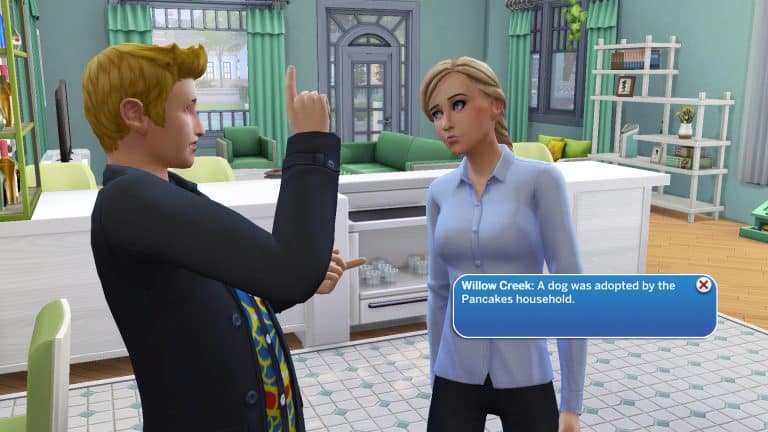
Whenever your Sims use one of the following socials in conversation, you’ll get a Neighbourhood Story popup informing you of something that’s happened in the neighbourhood recently.
Gossip
Gossip About Neighbours
Discuss Neighbourhood Changes
Sims can also check their social media timeline on their phone to receive updates on Neighbourhood Stories.
This is a small change in the game but one that adds a lot of depth and meaning to the everyday conversations that Sims can have with each other. It also gives them more of an incentive to check their social media even if they don’t have a career that relies upon it. The mod is base game compatible but does require the latest Neighbourhood Stories patch. The best part? It’s free for the public to download right now!
You can grab this handy mod from MissyHissy’s Patreon right now. Just click the download button below to go to her Patreon and download the mod! If you’re new to installing mods and CC and need extra instructions, see our article, Getting Started with Mods and CC!
Some of the crucial, gameplay Mods for The Sims 4 have all been “disturbed” by the latest update for Neighborhood Stories. Naturally since the feature is so big it’s no surprise that some Mods have lost their functionality…or have broken the game entirely.
The latest update for The Sims 4 does automatically Disable Mods & CC, but those who play on PC / Mac and like their game non-vanilla then here’s the situation: Custom Content is not affected while some of the gameplay mods (especially the ones that modify Live Mode) are broken.
Thankfully the Sims community member @luthsthings has already started working on a full list of Broken and Fixed Mods that have been affected with the latest update.
Here’s a list of just some top ones that they’ve added, including:
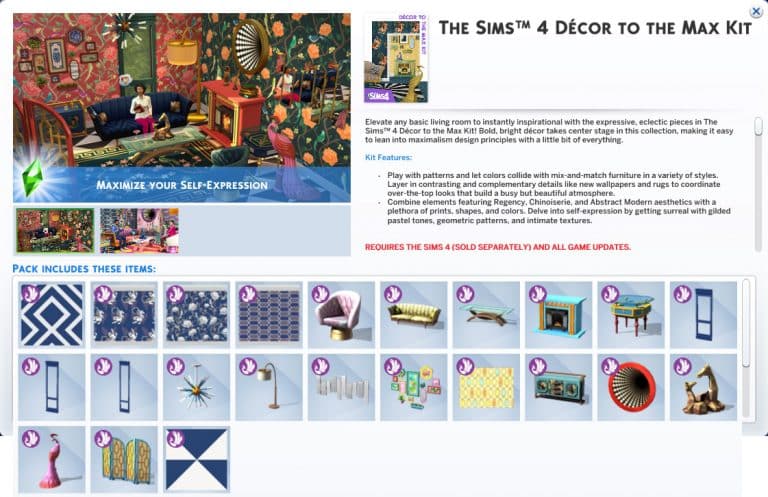
List of all of the new objects coming with the Kit!
The latest update for The Sims 4 has allowed for players to unlock the objects preview for the upcoming Kit – Décor to the Max Kit!
The Kit comes with new Maximalist Décor and furniture in Build Mode, including:
Wallpapers and Flooring
New Seating and Surfaces
A brand new Fireplace!
3D optical illusion mirror
New Sculptures and Lights
Modular Wainscoting / Wall Trims
Rugs
Check out the full list of new objects in the screen preview below:
Note that, just like with previous DLC releases, we only get to see one swatch in the previews. Stay tuned on the Kit release date (March 21st) on our website for a full swatch breakdown!
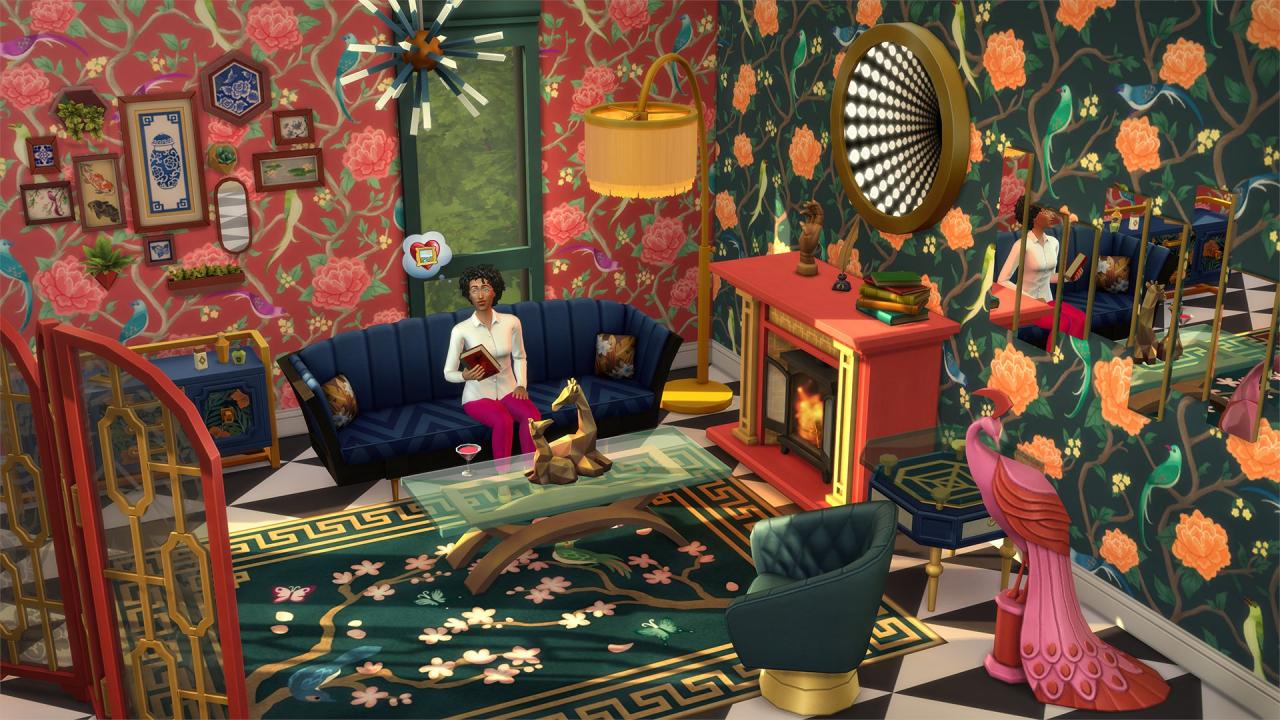
When The Sims Team officially revealed the first screens from the upcoming Decor to the Max Kit, my eyes just about bugged out of my head. There was SO much going on in one picture that my brain had trouble finding a focal point to rest on. I have to hand it to them; they said they were going for a maximalist look and it’s uh… certainly that.
Nonetheless, my eyes eventually focused and started examining individual items in all that busy chaos. I quickly realised that a lot of these pieces are actually pretty nice. Don’t get me wrong; everything just screams tacky from the rooftops but as a Simmer who loves that kind of campy, eclectic style that harkens back to 1920s glamour, I found it all tacky in the most delightful way. Let’s take a closer look at the currently released screens to go over some notable details that made me feel some type of way, shall we?
First and foremost, I have to point out how much I appreciate new wallpaper! The last several build kits neglected to include any wallpaper or flooring which to me, is unacceptable for a build kit. I’ve been extremely underwhelmed by a lot of the recent build kits for numerous reasons but the lack of new walls and flooring was a big issue for me. I’m also a huge sucker for floral patterns and print wallpaper so this is wallpaper heaven for me.
Next, let’s discuss that obnoxious, gaudy peacock sculpture in the corner. It’s SO ugly and I love it SO much. Fight me, I don’t care. That peacock and I care not for your negativity. At first, the fireplace made me raise my eyebrows; it looks exactly the same as the Paranormal Stuff fireplace at first glance… except it’s not! A closer look reveals that it’s actually a cast iron wood burning fireplace inside of a larger fireplace frame. I’ve never seen this design before but it’s really cool and distinctly different from the Paranormal Stuff fireplace. Some other décor pieces that stand out to me are the rug, the room divider, the pictures on the walls, and… whatever that thing is above the fireplace. It’s bizarre but I want it.
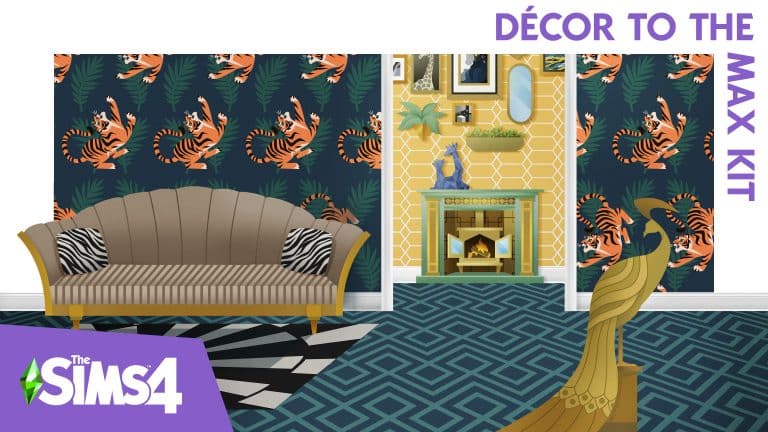
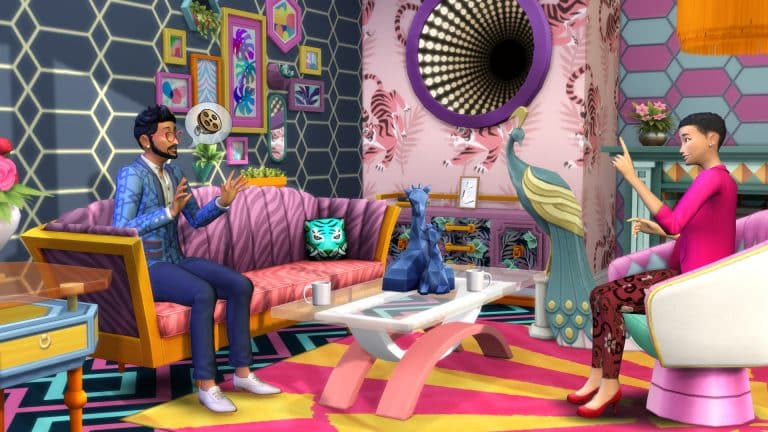
We see this strange optical illusion… thing, again in the second screen, as well as my new friend, the peacock, in a different swatch. Wait a minute… ARE THOSE TIGERS ON THE WALLS?! Yes, yes they are. I know the more subtle hexagon patterns on the walls around it are technically classier but heck, just give me campy tiger themed stuff, please. Love the matching tiger pillow and print on that couch. Hideously wonderful. And oh my gosh, look at that gorgeous black and pastel print on the accent table.
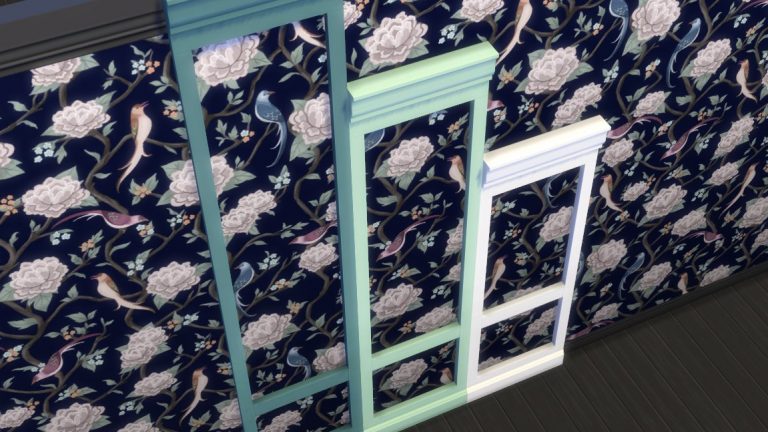
Oh, and there’s this nifty detail. Modular wainscoting to match all three wall heights. This is something completely new we haven’t seen before in The Sims series, ever, and I really appreciate that. I’ve been criticizing the kits for bringing nothing new to the table for a long time now and it was refreshing to see a detail like this that genuinely adds new customization options. Apparently, these can also be used as mirror and window frames so kudos to The Sims Team for making such a simple and versatile new object for us to enjoy. I’ll be using these a lot.
My final thoughts on what we’ve seen so far of this kit? Oh my Watcher, I have not seen such unashamed tackiness since the golden toilet in Get Famous. Every single thing in this kit is gaudy, obnoxious, and over-the-top in every sense of the word and I want all of it in my game like… yesterday, please! Would I smash all this stuff together in an eye-bleeding display of visual chaos like in these screenshots? Probably not but you can bet I will be using every single thing in this kit somewhere in my builds!
Everything you need about the Updated Neighborhood Stories in The Sims 4
Today saw a pretty impressive new update to The Sims 4 that expands upon last November’s addition of Neighbourhood Stories. As a refresher, Neighbourhood Stories is a system that influences the lives of Sims you are not currently playing. It’s The Sims 4’s version of Story Progression from The Sims 3, but with more options to tailor the system to your individual preferences.
What’s Different?
In the original update, progression was restricted to phone calls your Sims might receive from friends, relatives, and acquaintances in other households. Only certain changes were available, like career changes and having a baby if the Sims were already in a relationship. Sims would not get married unless they were already engaged and would not adopt children or pets, either. Only Sims your active household knew would make these changes and only if you encouraged them to do so through conversation or phone calls.
Today, Neighbourhood Stories has gotten a huge expansion in a free update! Now, Sims can autonomously decide to make big life decisions without the input of your active Sims, regardless of whether they know your active Sims or not. There are many more types of life changes that Sims can make as well, such as adopting children or pets and even dying prematurely in various types of accidents! Of course, this update also comes with detailed customisation so you get to pick and choose what happens to your Sims when you’re not playing with them.
Customisation
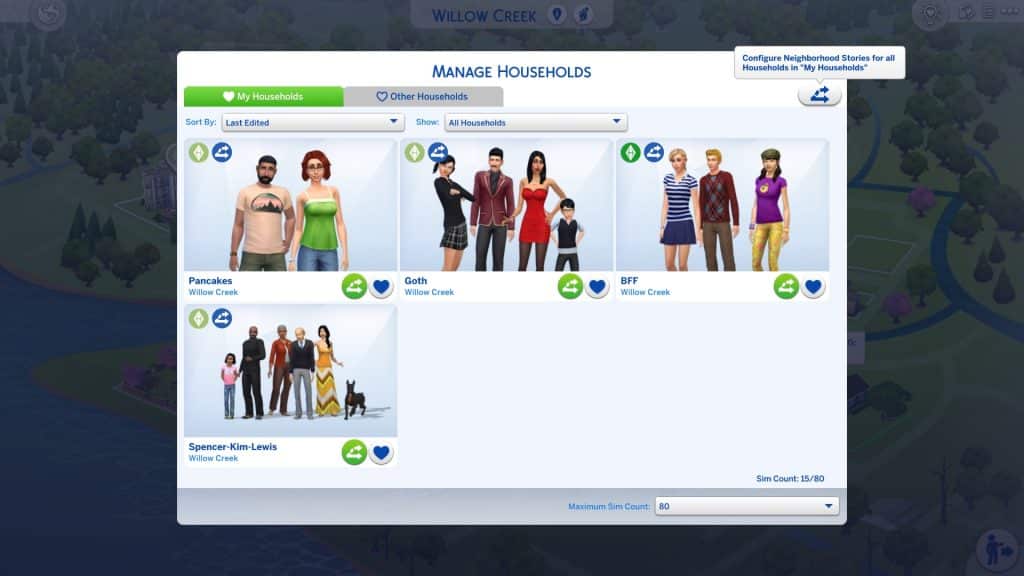
Most of the customisation options can be found within the Manage Households screen. By default, Neighbourhood Stories will be enabled for the Other Households tab and disabled for the My Households tab so you don’t need to worry about any of your played Sims being affected by changes you don’t want.
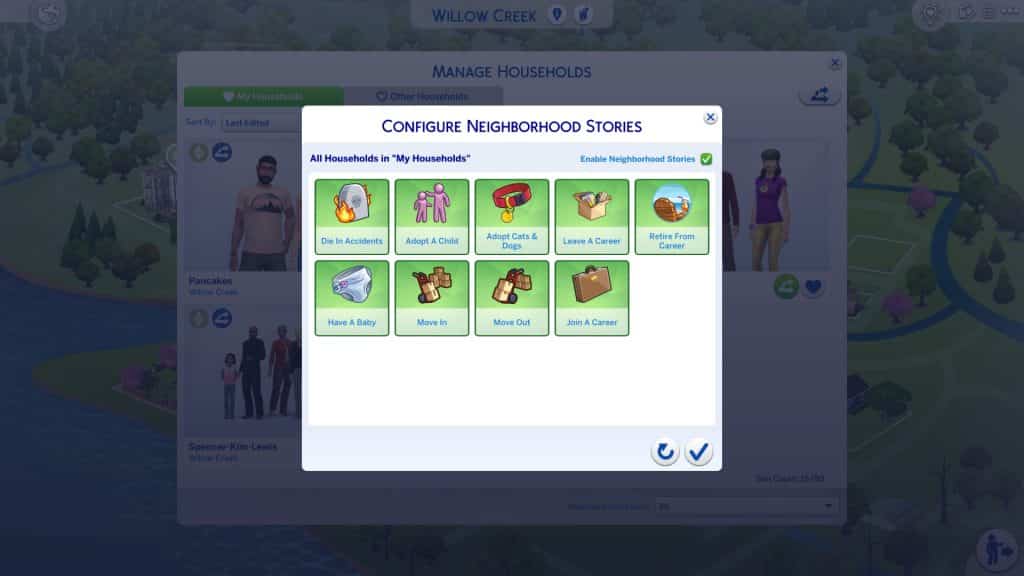
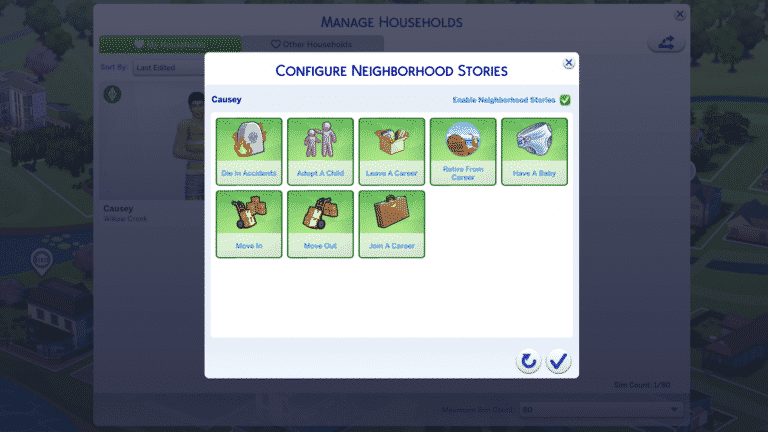
However, you can customise this if you do want your played Sims to progress in life when you are not actively playing with them. At the top of each tab in Manage Households, there is a new icon for Neighbourhood Stories settings. Click on it and checkmark the Enable Neighbourhood Stories box in the menu that comes up. This will enable all potential life changes for all households within that tab but you can customise this, too.
Let’s say you would like your Sims to have and adopt children and pets, join new careers, and retire when they become elders but you don’t want to risk them dying in accidents or leaving any current careers you already have them in. You can deselect Die in Accidents and Leave a Career but leave the other options enabled. Now all of those households are set up exactly the way you like them!
But wait! There’s more! What if you have specific households within the My Households or Other Households tab that you want different settings for? For example, what if the Goths and the Pancakes are under the same tab in Household Management and you want Bob and Eliza to have children but you think two kids is enough for Bella and Mortimer? Well, you can customise all of that, too. Individual households can have their own settings that override the general My/Other Households tab settings.
Click on the new Neighbourhood Stories icon on any specific household to adjust the settings for only that household. Households with individually customised story settings will have a Neighbourhood Stories symbol in their portraits so you can keep track of which households have individual customisations.
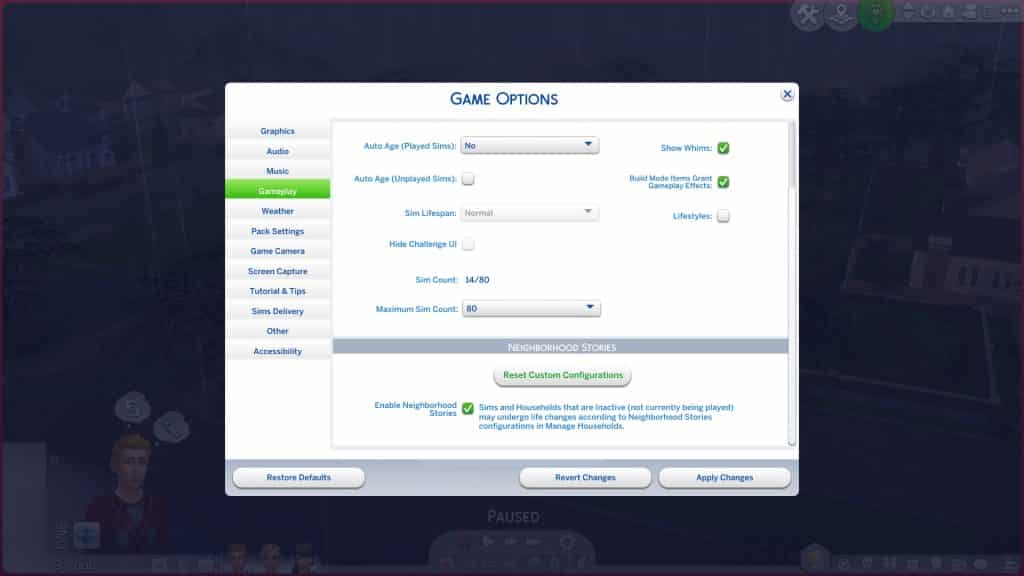
Hate everything about all of this and don’t want anything to do with Neighbourhood Stories at all in your game? If you liked things exactly the way they were before where no one progressed without your say-so, there is a global setting in the Game Options under the Gameplay tab that will let you disable Neighbourhood Stories for the entire save. Please note that you will still occasionally receive phone calls from Sims asking for your input on life decisions but Sims will not make any life decisions without your encouragement.
You can also reset all your custom configurations in this tab.
Seeing Neighbourhood Stories in Action
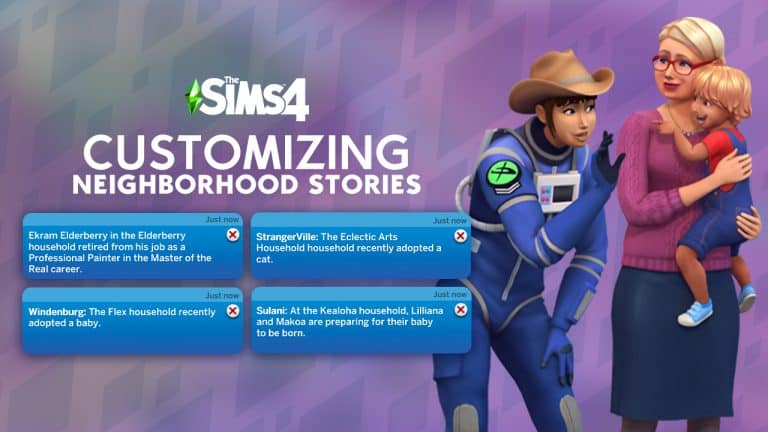
Since your Sims may not know every other Sim in your worlds, it’s likely that a lot of life changes will be happening in the background as you play without your Sims being any the wiser. Still, you as the player might be curious about what’s going on in the wider world. Whenever you want an update about some of the things that have been happening in your other households, click the mailbox and choose the new Check Recent Neighbourhood Stories option. You’ll get a popup about something that’s happened recently. You can continue to click this option until there are no new changes if you want to see everything. We hope this will be adjusted in the future so that all recent stories will pop up when you select this option. We don’t want to have to click it a dozen times if it’s been a while since the last time we checked the mailbox.
TS4 x64 2022 03 15 16 10 18
TS4 x64 2022 03 15 16 23 03
TS4 x64 2022 03 15 16 29 07
TS4 x64 2022 03 15 16 29 13
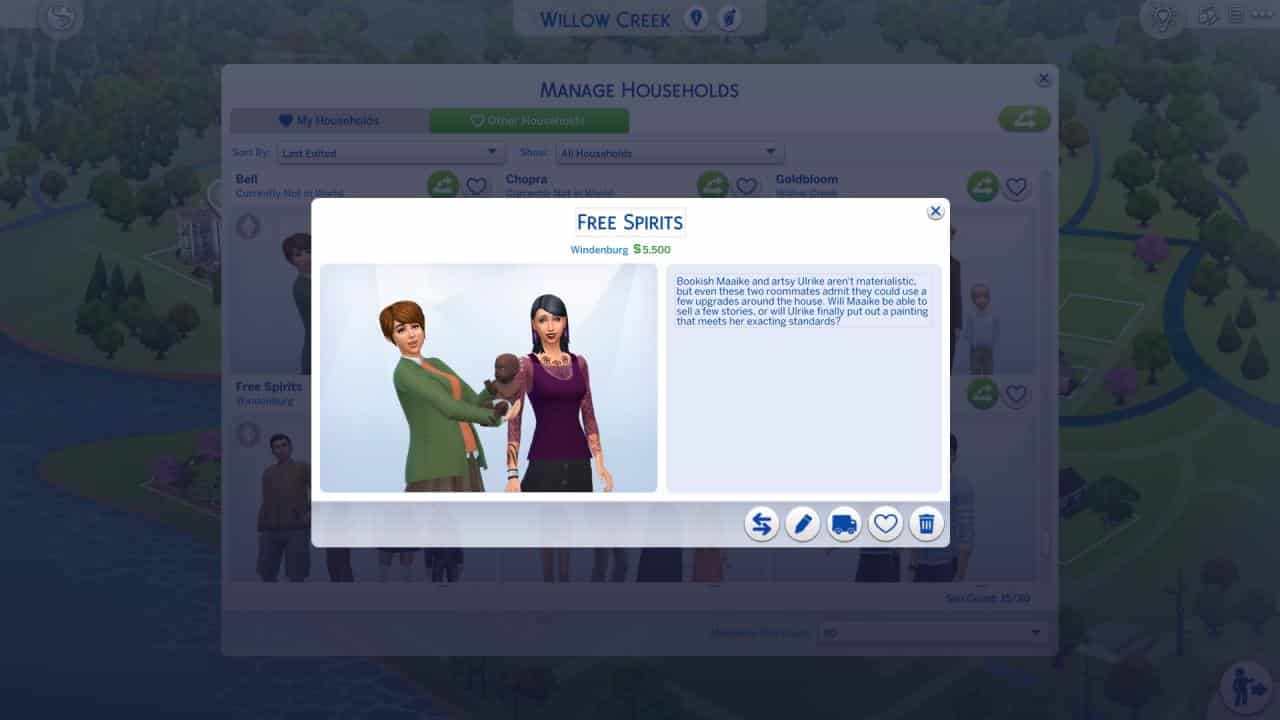
While we were playing with the BFF household, some interesting changes we found out about through the mailbox included the Calientes adopting a child, the Spencer-Kim-Lewis household adopting a dog, Jacques Villareal retiring from his career and the Free Spirits household adopting a baby.
TS4 x64 2022 03 15 16 30 28
TS4 x64 2022 03 15 16 30 37
TS4 x64 2022 03 15 16 31 29
Sure enough, when we went back to Manage Households, there was a dog in the Spencer-Kim-Lewis household, a baby in the Free Spirits household, and a child in the Caliente household.
How will you use the new Neighbourhood Stories feature? Will you let chaos reign or will you carefully curate what can happen to your Sims? Let us know in the comments!
The Live Press Gaming Event won’t be making a return this year
EA Play, an event which usually accompanied E3 since 2016 has been a platform for Electronic Arts to announce new games and products from their studios.
Since the pandemic in 2020 Electronic Arts has moved the platform from an actual event in Hollywood, LA to a Gaming Livestream. Eventually since 2021 the event was also renamed to EA Play Live – to make a difference from their already existing, rebranded subscription service EA Play.
In 2020 we had a groundbreaking reveal of The Sims 4 Star Wars: Journey to Batuu Game Pack. Last year in 2021 there was a smaller feature from The Sims 4 Cottage Living, and this year there won’t be an event at all.
We love EA Play Live as it’s our way of connecting with our players and sharing what’s new with all of you. However, this year things aren’t lining up to show you everything on one date. We have exciting things happening at our world-class studios and this year we’ll reveal much more about these projects when the time is right for each of them. We look forward to spending time with you throughout the year!
The Sims 4’s biggest presence at EA Play was during EA Play 2019, when The Sims Team revealed Island Living, Realm of Magic and Moschino Stuff Pack!
The latest update for The Sims 4 has brought in SEVEN new and improved Scenarios!
The new update for The Sims 4 focuses heavily on the first iterations of new features we’ve gotten last year. The Sims Team has put a heavy spotlight on the new Story Progression features (and rightfully so), however there’s a big revamp going on with Scenarios as well! Let’s dive into the new Scenarios and changes that The Sims Team has made.
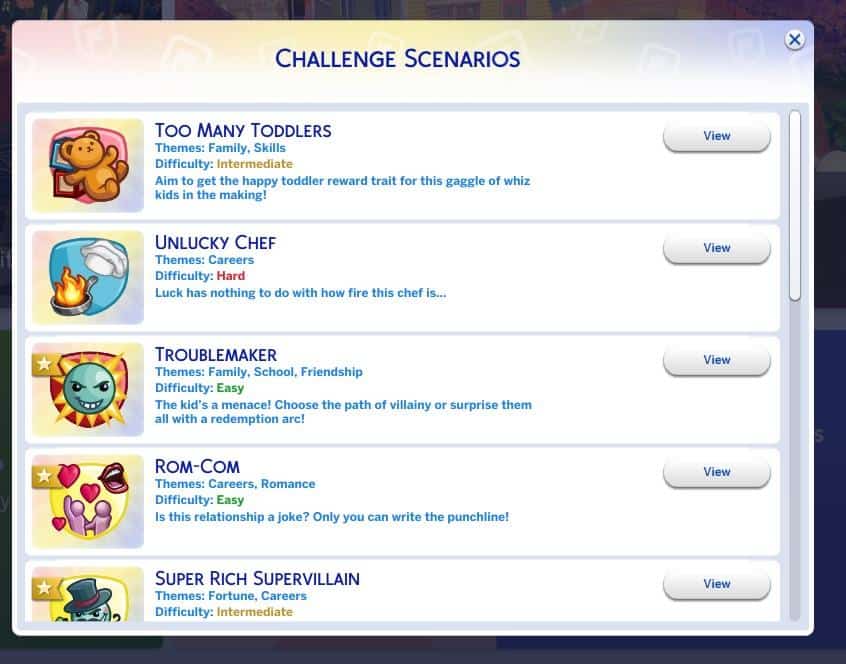
Scenario Difficulty
Each Scenario in The Sims 4 is now tagged with an according difficulty that will let you know how difficult each scenario is. There are 3 difficulty levels, including:
Easy
Intermediate
Hard
Check out what they look like now in-game:
Play Scenario with Existing Household!
Previously this feature has allowed you to start a Scenario of your choice only through a New Household. The latest update for the game allows you to incorporate your existing Household and Start a Scenario using your favorite Household!
To do so select a Scenario of your choice, select View > Play with Existing Household.
Please note that there are some Scenarios in the game that only let you begin through an entirely new Household. However, you are still able to Start a Scenario through any Save Game of your choice if you’d like to do so.
When selecting Play with Existing Household you’ll be immediately taken to a new screen that lets you Manage Households and choose which Household you want to start a Scenario with.
New Scenarios
There’s a bunch of Permanent New Scenarios added into The Sims 4 with the latest update! Scenarios such as Too Many Toddlers and Troublemaker have also gotten a refresh with some new ground rules and outcomes. Let’s break it down:
TOO MANY TODDLERS
Master the art of parenting to score the happy toddler reward trait – now with more than 3 toddlers!
Toddlers can be a handful! They need tons of care and attention to become the best versions of themselves. But what if there are too many to handle?? To all the brave Simmers out there, can your Sim figure out how to give more than three toddlers all they need to reach level three in four skills so they can get the Happy Toddler Reward Trait on their birthdays?
SUPER RICH SUPERVILLAIN
Become your best self-interested baddie
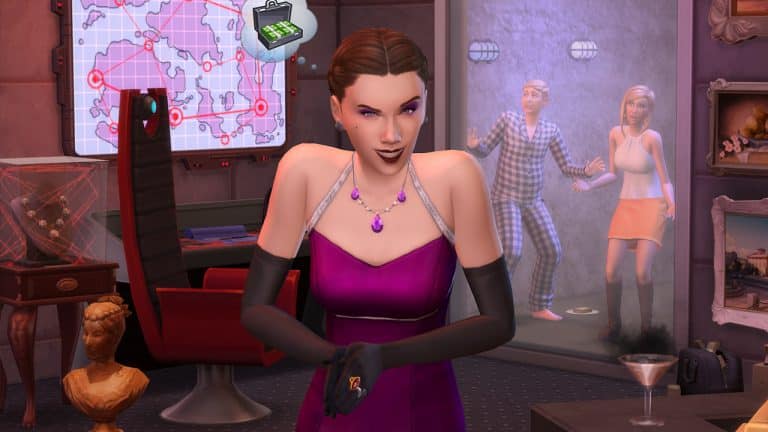
Working as a Secret Agent can make a Sim cynical about the world, but it also means they get to strut around in glamorous clothing, playing high-stakes poker and being very picky about how drinks are prepared. That luxurious lifestyle sure is appealing. Why settle for just acting rich when your Sim can start living as their best villainous self?
UNLUCKY CHEF
Klutzy in the kitchen
Your Sim may dream they will become a world-famous chef, however there’s just one little problem: this Sim is WAY more likely to accidentally start fires while cooking. They have some freakish bad luck. Can your Sim survive the dangerous journey to culinary excellence? Or, will they decide that playing with fire isn’t for them, and making fancy drinks seems like the safer route to success?
TROUBLEMAKER
Old Habits or Fresh Start?
Who doesn’t remember those good ol’ teenage years? Energy we didn’t know where to channel, hormones dancing Tango with our mood and for some, the unshakable feeling of being invincible. Will your menace teenage-Sim use that energy to get into more trouble in their new school or will they surprise everyone with a fresh start?
EXTRATERRESTRIAL RESEARCHER
Is anyone out there? Let’s go find out!
We’ve heard there are billions of planets in the Milky Way alone. Who can blame your Sim for thinking that there has to be more life out there? Help your Sim on their mission to space on the search for extraterrestrial life. First step: building a rocket! We wish your crew the best of luck for this courageous endeavor.
ROM-COM
Is this relationship a joke? Only you can write the punchline!
Without a doubt, laughter is one of the best ingredients for a happy relationship. This is also true for your aspiring comedian-Sim and their fiance. But ever since their romance died, “it’s complicated” doesn’t even begin to describe their relationship. Will your Sim be able to bring back the humor, make it big in showbiz, AND keep their personal life from falling apart?
NO SKILLS NO PROBLEM
Time to prove your street smarts!
You better have skills in this world to thrive and survive. Good thing there’s plenty of skills your Sims can acquire: Gardening, Painting, Programming, Baking, to name just a few. But what if things just don’t come easy to your Sim who cannot seem to ever get more skillful at… well, anything! Can your unskilled Sim figure out how to hack life and earn some sweet Simoleons?
Hello, Simmers! Nate here again. As promised, I’m back to update you on Neighborhood Stories!
First, a quick refresher about why I think Neighborhood Stories are a great addition to The Sims 4 (and super cool, though I am admittedly biased.) The base game is packed with interesting moments that lead to all kinds of life change for individual Sims. However, the Sims living in the active household have the potential to experience so much more life change compared to their Neighbor Sims.
Last November, we rolled out a free update that added a set of life changes for Neighbor Sims who have a personal connection to the active household. You can read all about that in my previous post about Neighborhood Stories.
Today, I’m excited to update you on the new additions to Neighborhood Stories as we continue to build upon this feature over time.
Neighborhood Stories System
The first major addition is life changes for all Neighbor Sims, with or without relationships to the active household. The new Neighborhood Stories System opens up interesting, autonomous changes all over the world.
“What changes?” you might ask. Neighbor Sims everywhere may now:
Adopt young Sims into their household, aged between infant and toddler.
Become pregnant with their Significant Other, and eventually deliver. Family-Oriented Sims are more likely to do this, while Noncommittal Sims are less likely. If a Sim or their SO Hates Children, they will never do this.
Some Sims may instead adopt a dog or cat (requires The Sims 4 Cats and Dogs).
Join and leave careers. Sim Traits heavily influence these decisions. Elder Sims may decide to retire.
Households can move into and out of lots.
Die in different kinds of accidents, depending on risk factors such as Age, Traits, and Career.
All these life changes let Neighbor Sims have richer, fuller lives that evolve over time. They grow up in a family, get jobs, move around, raise children, and eventually die (possibly before their time!)
Some of these changes are obviously more significant than others. *cough*death*cough* This brings us back to the second major addition to Neighborhood Stories…
Configuring Neighborhood Stories
A critical part of the Neighborhood Stories System is a set of new gameplay controls that allow you to tune which life changes Neighbor Sims can and cannot have.
Tada!
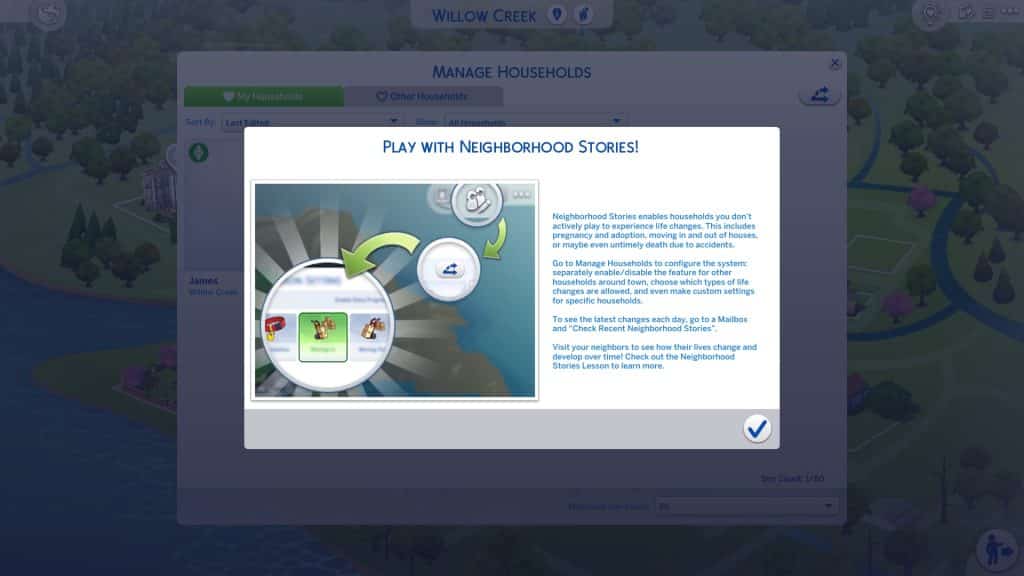
It all starts in the Manage Households panel:
You choose how Neighborhood Stories affect your game, so the Neighborhood Stories System can be configured in a few ways:
Independent configurations for My Households vs. Other Households. For each group of households in a particular tab, you can choose to enable or disable each type of life change and even disallow all Neighborhood Stories for those households. This provides a fast and easy way to decide what happens to played households in My Households, versus Other Households out in the world. (Rotational players, we see you!)
By default, Neighborhood Stories is enabled for Other Households and disabled for My Households. Above all else, we want to avoid unintended changes to long-running games that we know you’ve put a lot of love into!
When you’re ready to configure Neighborhood Stories, use this button under the respective tabs for My Households and Other Households.
Household-specific configurations. Want even more control? Do you have a vision for which households need which types of life changes? You can make it happen! Each and every household can have its own configuration, allowing you to tailor life changes that make sense to that household’s storyline.
Global enable/disable setting. If life changes happening all over the world are just not your thing, that’s okay! Neighborhood Stories can be entirely disabled under Game Options using the “Reset Custom Configurations” Button.*
*Neighbor Sim friends will still occasionally call asking for advice about life changes unless your Sim’s phone is on silent.
Like other game options, Neighborhood Stories configurations exist on a per-save basis. Because each of your saves has its own settings, you can switch back and forth between them without having to re-configure anything. Just load up and let the stories roll!
What Are Neighbor Sims Up To?
One last thing to note: These life changes are happening out in the world, beyond the active Household. This means that sometimes your Sims will never come in contact with the results of these life changes! Still, even if your Sims don’t see it, maybe you want to know everything that’s happened!
On any mailbox, try the new Check Recent Neighborhood Stories interaction. You can keep tabs on all the recent Neighborhood Stories. If you’re so inclined, use that information to visit the Neighbor Sims and see their life changes in person!
I hope both you and your Sims will be delighted and surprised by what happens in the world around you!
The Sims Team has released a brand new update for The Sims 4 on PC, Mac, Xbox One and PS4!
To download the latest version of The Sims 4, simply open your Origin program and if the game doesn’t update automatically, right click on The Sims 4 and select ”Update”.
In case you have Mods or Custom Content, the game will automatically disable them for you after first launching The Sims 4 after the update. To re-enable all your Mods and Custom Content, select the Settings option in the Menu and select Settings. Under the ”Other” section you’ll find the ”Enable Custom Content and Mods” option. Check it and restart your game in order for it to take effect!
Patch Notes
PC: 1.85.203.1030 / Mac: 1.85.203.1230 Console: Version 1.55
Sul sul, Simmers!
We hope you are safe and sound wherever you are right now.
Today’s update includes a range of bug fixes, several new Scenarios, and the expansion of Neighborhood Stories as a configurable system that applies to Neighbor Sims throughout your game!
As usual, thank you all for your continued support and feedback, and – most importantly – have fun!
– SimGuruKuxiku.
WHAT’S NEW?
Play with Neighborhood Stories!
Ever wonder why those Sims next door never move out? Or expand their family? …Or die from causes other than old age?
Well, Neighborhood Stories is the answer! Last November, we rolled out an update for everyone that added a set of life changes for Neighbor Sims who have a personal connection to your active household. With this release, Neighborhood Stories expands to breathe more life into Sims around town without your Sims even having to know them. They’re your neighbors, or your Sims that live across town, or even across the world. The Sims that you don’t actively play now have story moments happen to them. This includes allowing neighbor Sims to die in accidents, have an adoption or baby, make changes in their career or move in and out of Lots.
But maybe you’re saying, “I like the Pancakes the way they are! I don’t want them to move or have children! That’s not my story!” Don’t worry – Neighborhood Stories can be enabled for all Sims in My Households or Other Households, or on an individual basis per Household. Not only that, but each type of story can also be turned on or off individually. So, you can turn off the Pancakes from moving out or having children, but Bob can still change his career or die in a fiery accident!
To change configurations, just select Manage Worlds in the Options menu, and then select Manage Households. From there, you can choose either My Households or Other Households, and then configure the Neighborhood Stories by selecting the button at the top-right for all the Households in that tab. Or you can configure them separately per Household, using the Neighborhood Stories button in each Household.
To see what changes have taken place each day, go to a Mailbox and select ‘Check Recent Neighborhood Stories’. A Notification will appear, letting you know what changes have happened. See what’s happening to the Sims around the world, no matter who they are!
New Scenarios Now Available Along with Existing Household Support in Select Scenarios!
Would you like to try out some brand new Scenarios? With today’s base game update you can!
We’ve added 7 new Scenarios to The Sims 4. When you boot up the game today you’ll have access to:
Too Many toddlers
In this updated version of the previously limited time Scenario, aim to get the happy toddler reward trait for this gaggle of whiz kids in the making
Troublemaker
The kid’s a menace! Choose the path of villainy or surprise them with a redemption arc!
Rom-Com
Is this relationship a joke? Only you can write the punchline!
Super Rich Supervillain
Making a fortune is great, but you know what’s even better? Stealing one.
Extraterrestrial Researcher
This Sim wants to… believe! Bring the truth from ‘out there’ to your own home.
Unlucky Chef
Luck has nothing to do with how fire this chef is…
No Skills, No Problem
Who said Sims need to be skilled to make it in life? Time to prove your street smarts!
In addition to these Scenarios we’ve updated the feature to add existing household support to select Scenarios. You’ll also notice several tweaks and improvements to various aspects of the feature.
Take these new Scenarios for a spin today!
BUG FIXES
The Sims 4
We fixed an issue that caused Wedding Venues not to be available for Base Game Weddings.
If a new Scenario is available, you will see a notification now after logging into the game.
Opening and closing the Scenarios interface in Live Mode comes with a proper animation now.
Simmers should no longer see the “Happily Ever After?” outcome for the Engaged in Conflict Scenario when both Sims have a good sentiment.
The Conditions for the “Too Many To Handle” ending in the “Too Many Toddlers” Scenario only apply to toddlers now that were present when starting the Scenario.
We fixed an issue for some languages that caused Scenario outcome texts not to fit in the text box.
The Power Couple Scenario will conclude now when one of your Sims receives a promotion to CEO.
The audio response when starting a Scenario in a New Save Game and canceling a Scenario in live mode has been improved.
The work task interface for your active career should no longer clash with the Scenario interface when joining a career and moving to the work place at the time of work.
The yfHair_SP19CurlyLowPony hair style will be visible in Create a Sim catalog now when the Feminine Fashion Choice filter is selected.
Fixed an issue with Scenarios where the requirement for Sims to be spouses displayed as completed although there was just one Sim in the household.
The Scenario name also shows in the start Scenario interface now.
When entering Create a Sim after starting a new Scenario, the household requirements will no longer be overlapped by the Create A Sim Catalog and all information on the panel will be easy to read.
Calling off an Engagement will now count towards the Villainous Valentine Aspiration correctly.
We also made a few updates to the friendly calls from other Sims that your Sims receive:
Your Sims will no longer be called by a neighbor Sim and asked about becoming friends with another active household Sim your neighbor has never met before.
It will also be much clearer for friendly relationship calls now, whether the Sims’ get-together is of a platonic or romantic nature.
NPC Sims will also have sufficient confidence now and will no longer call your Sims asking for permission to be friends with their own spouse.
Seasons
Your Sims who are right on time to activity meetings no longer are chastised for being late.
Get Famous
Uninvited Sims no longer walk into your Sims house to “catch up” after your Sim’s Fame increases.
Cottage Living
Some Simmers reported that Cows and Llamas were getting stuck in their inventory after the Finchwick fair had ended. We clarified how to return your animals to their sheds in the fair-end notification.
Spa Day
Selecting “Teach/Lead” Yoga interactions now cancels “Practice Yoga” automatically.
Strangerville
Performing the “Ask about career” interaction with the ‘Conspiracy Theorist’ Erwin Pries will no longer cause a Llama icon to show on the Sim’s career tab and on hovering on the Sim in the relationships tab, but it should display the correct icon now.
My Wedding Stories
Ceremony interactions are now available when doing a Vow Renewal or Reception at another Sim’s home.
Sims should now show up in their appropriate attire for Wedding Ceremonies
Vow Renewal is now only available to Married Sims, and Wedding Ceremony is only available to Engaged Sims.
Romantic Garden Stuff Pack
Ghost Sims revive properly now when living Sims use the Wishing Wells “Wish for Life” interaction.
Bust The Dust Kit
Sims no longer get the “Rage Cleaning” angry moodlet when Bust the Dust is disabled.
We also optimized vacuum cleaners so your Sims won’t need to fight dust everyday.
The Upcoming Kit is introducing Modular Wainscoting for your walls!
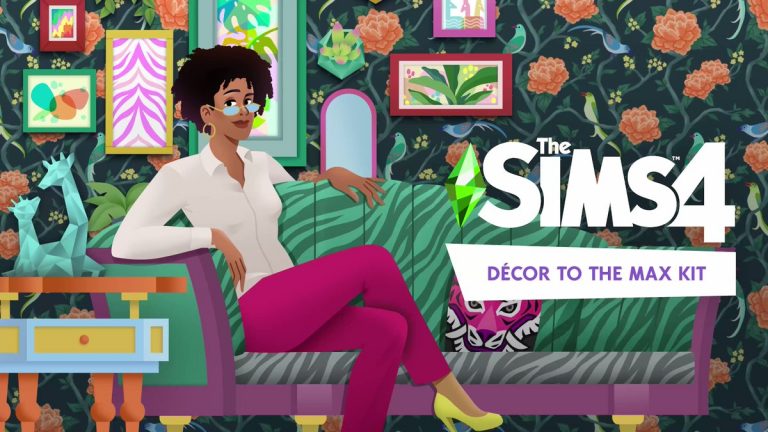
The Sims 4 Décor to the Max is the next Kit coming to the series. As shown in the official images shared by The Sims Team, the Kit will deliver extravagantly luxurious Build Items and Wallpapers. Check out the preview of maximalist-themed new objects below:
screen1 1
FN0xPyLXMAEAX H
However, there’s more than it meets the eye. Or in this case more than what’s been shown in the official images.
SimGuruAsh, a producer working on The Sims 4 has started sharing new information regarding Décor to the Max Kit. Check out the new screens and information shared by the producer:
Facts
“There are 22 to 23 new items…ish.”
“There are some more subtle variants, or features that can kinda mix in.”
“There are some super colorful and patterned swatches, and then some that are more simple!”
The Kit comes with Wainscoting for 3 different wall heights, allowing you to make your walls stand out even more!
“You can put them over mirrors. But they also are just wall trims. They’re a whole new item, too.”
The new wall trims are excellent for Windows! You can even check out how it looks like in the second official image above.
The Kit “goes especially great with Get Famous, Vintage Glamour, & Paranormal.”
Official features and new images from The Sims 4 Décor to the Max Kit!
The Sims Team has sent us over the official description, features and image material for their upcoming Kit release!
The Sims 4 Décor to the Max Kit is set to release across platforms on March 21st, 2022. Here’s what you can expect from this Kit:
Description
Elevate any basic living room to instantly inspirational with the expressive, eclectic pieces in The SimsTM 4 Décor to the Max Kit*! Bold, bright decor takes center stage in this collection, making it easy to lean into maximalism design principles with a little bit of everything.
Features
HAVE IT ALL – Play with patterns and let colors collide with mix-and- match furniture in a variety of styles. Layer in contrasting and complementary details like new wallpapers and rugs to coordinate over-the-top looks that build a busy but beautiful atmosphere.
TRY ALL THREE – Combine elements featuring Regency, Chinoiserie, and Abstract Modern aesthetics with a plethora of prints, shapes, and colors. Delve into self-expression by getting surreal with gilded pastel tones, geometric patterns, and intimate textures.
The Sims Team has just announced their latest Kit for The Sims 4 – titled Decor to the Max!
This upcoming release is a Build Kit, and includes new extravagant build items that you can use to decorate your living space. Check out the first in-game preview below:
The Kit is set to release on March 21st, 2022 for PC, Mac, Xbox and Playstation Consoles! More information to follow here on Sims Community.
Building a Venue with The Sims 4 My Wedding Stories!
Even though there are still some glitches when it comes to building a wedding venue in game, I still felt that it would be the perfect opportunity to take a closer look at the new Build and Buy Mode items that come with The Sims 4 My Wedding Stories Game Pack.
I decided to go build on the beach lot of Baia dell’amore which is located in Porto Luminoso. The idea of creating a venue here with the ocean as a backdrop drew me in. Not only the location but I didn’t want to create a Wedding Venue on a very large lot, but with Baia dell’amore being a 40×20 lot I knew that this would be plenty of room.
Initially, I did find it difficult to decide what kind of colour scheme to go with. I wanted to keep it natural but with pops of colour throughout. Mainly keeping with red, yellow and pinks, while the rest of the colours were more neutral wood tones and white.
After some trial and error, I eventually managed to find something that worked and slowly, but surely things were coming together.
One of the first areas I worked on was the Bar and Dance Floor area. I knew I wanted to have these just off to the side, rather than where the main area of the venue would be. Originally, I didn’t have the dance floor area on a decked area, but it worked out a lot better than just being placed directly onto the lot.
TS4 x64 2022 02 27 14 47 15
TS4 x64 2022 02 27 14 47 26
After turning my focus to the main area of the lot, I kept it simple and built it up from there once I had placed the Wedding Arch. There was a moment where I was wondering if I had too many or too few chairs for Sims to sit on, but aesthetically it looked better having a few extra chairs than not enough.
After I eventually finished placing all the chairs, I felt that there was something missing. That was until I realized I’d forgotten to place a piano! Likewise with the dance floor, I built a small decked area to raise the piano up slightly from the main level of the lot.
I had two areas of the wedding venue left to build. In line with the somewhat broken lot requirements, I needed to place two sinks and two toilets. I quickly built a small four by two building and decorated it with a fence outside to hide the fact it was a bathroom, and also placed a very handy Petals to the Metal Flower Vendor stand next to it.
Last but not least, the dining area of the venue. This was actually very straight forward and easy to do, but also worked well with the space I had left. It didn’t feel too crowed or too spaced out. Using The Fun Table was a much better option than using the Fenwick the V Banquet Table for this space.
Overall, I think it came together nicely. There are definitely things that I would change and do differently next time, however, for a first go at building a Wedding Venue I don’t think I did too bad. I can say this was really out of my comfort zone but also a good challenge for myself using the new pack, but I’m also looking forward to building more in the future!
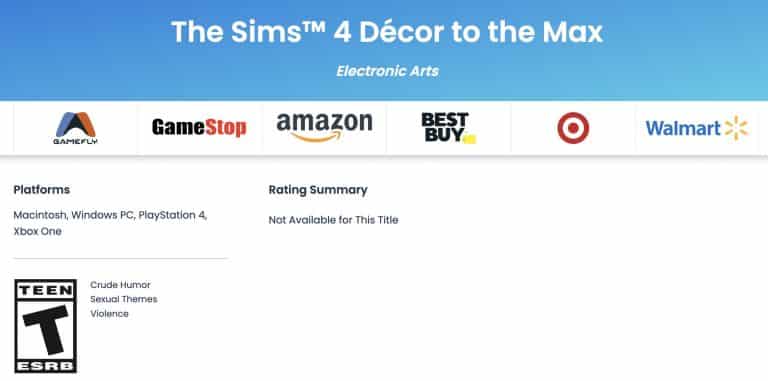
Thr name of the next Kit for The Sims 4 has just surfaced on the official ESRB website, responsible for game ratings (such as T for Teen for The Sims 4).
The title of the next Kit is called The Sims 4 Décor to the Max Kit!
Considering that this Kit has been teased on the Simthing to Celebrate Season, this Kit is expected to release by the end of March 2022. Assuming the title mentions Decor we can speculate that this is a Build Kit.
We’ll keep you posted on all the latest so stay tuned!
Don’t let the CC Pack Title trick you – there’s new content for Children and Toddlers year-round!
We know the holidays are over but when we find such a cute CC set, we just can’t pass up the opportunity to showcase it no matter the time of year! Today, we’ll be showing off an adorable festive set created by Georgiaglm! This set is all about getting your children and toddlers dressed up for the festive season and we can’t resist a good CC set focused on children and toddlers!
The best part? All pieces are Maxis Match and most of the pack is versatile enough to be used all year-round!
Image Credit: Georgiaglm
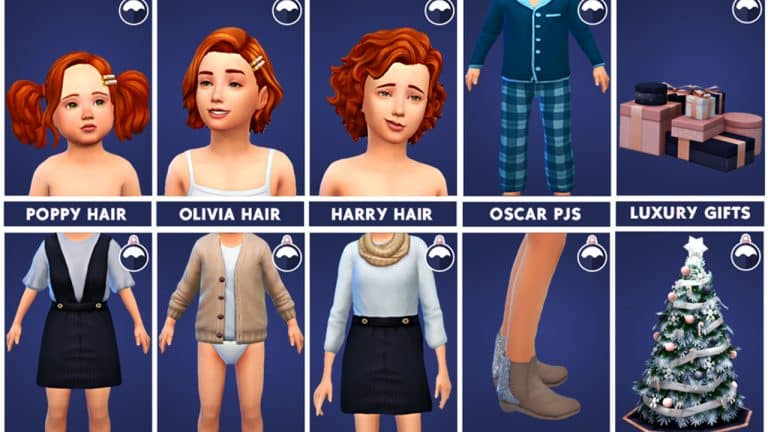
This adorable set comes with 15 new items; 12 CAS pieces for children and toddlers, 1 CAS piece for adults, and 2 Buy Mode objects. There is a feminine child hair with and without the hair clip, a male child hair, and a female toddler hair also with and without the hair clip.
For clothing, there is a feminine full-body outfit for children, a feminine full-body outfit for toddlers, a cardigan for toddlers, and a unisex full-body set of PJs for toddlers. There is also a pair of stylish shoes for all ages and a pair of cozy slippers for toddlers. All the CAS pieces are very versatile and can be used all year round but they are great for getting your little ones all dressed up for the holidays.
Image Credit: Georgiaglm
For objects, there is a stylish Christmas tree in a few recolours that are much more elegant than the bright flashy colours of the EA trees, and a large present pile in navy, pink, and rose gold tones. While the tree might be pretty Winterfest-specific, the present pile could be used for all sorts of occasions, like birthday parties, weddings, baby showers, basically any celebration you can think of where gifts are exchanged!
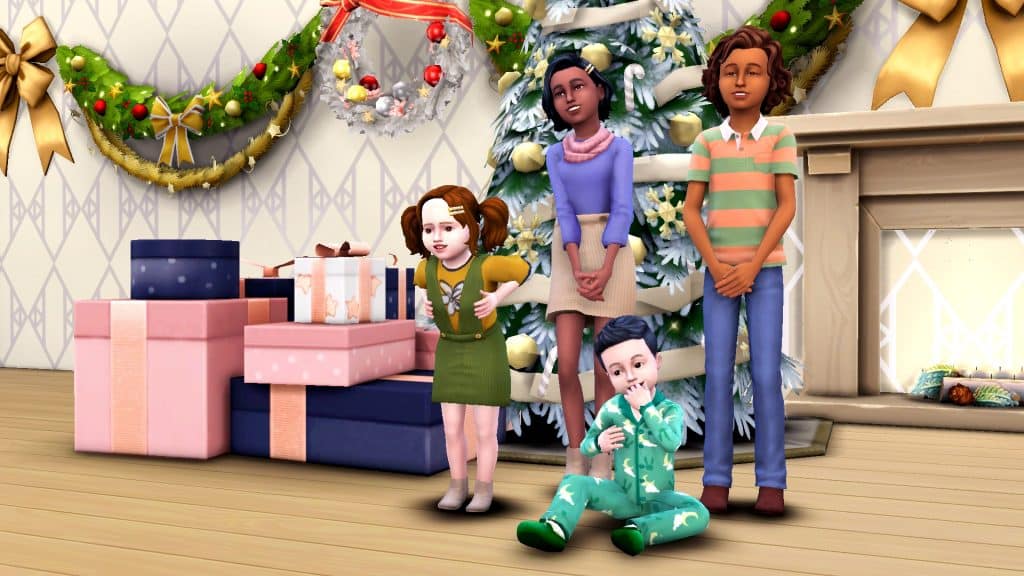
We of course wanted to see what everything looked like in-game for ourselves and we were not disappointed! All of the items look super cute on kids and toddlers and the new holiday objects make a very classy backdrop! You can see our kids and toddlers wearing almost every piece in the set with the tree and presents in the background below!
If you’d like to download this adorable set, click the button below to download the whole set from Georgiaglm’s tumblr!