Home Blog Page 178

The Sims 4: List of Updated Objects (and their Swatches!)

0

Yesterday’s update for The Sims 4 on PC/Mac has added TONS of new swatches to existing Base Game objects! 1200 Swatches across 149 objects to be more precise.

The list of updated objects includes a wide variety of everyday home objects, object sets such as counters and islands, wallpapers, floorings, 64 WINDOWS and so much more!

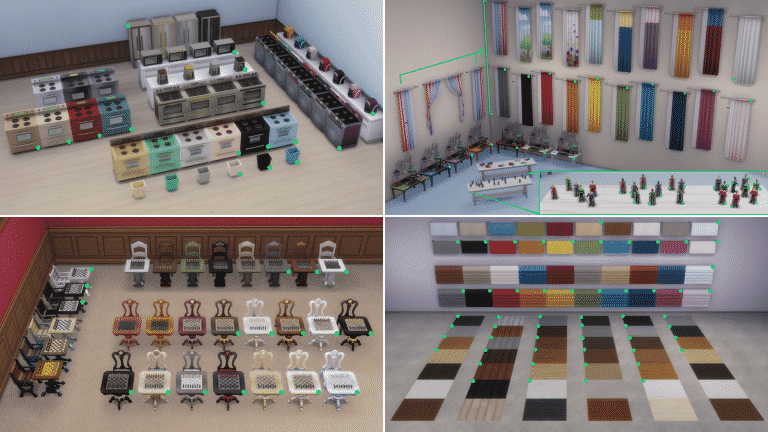
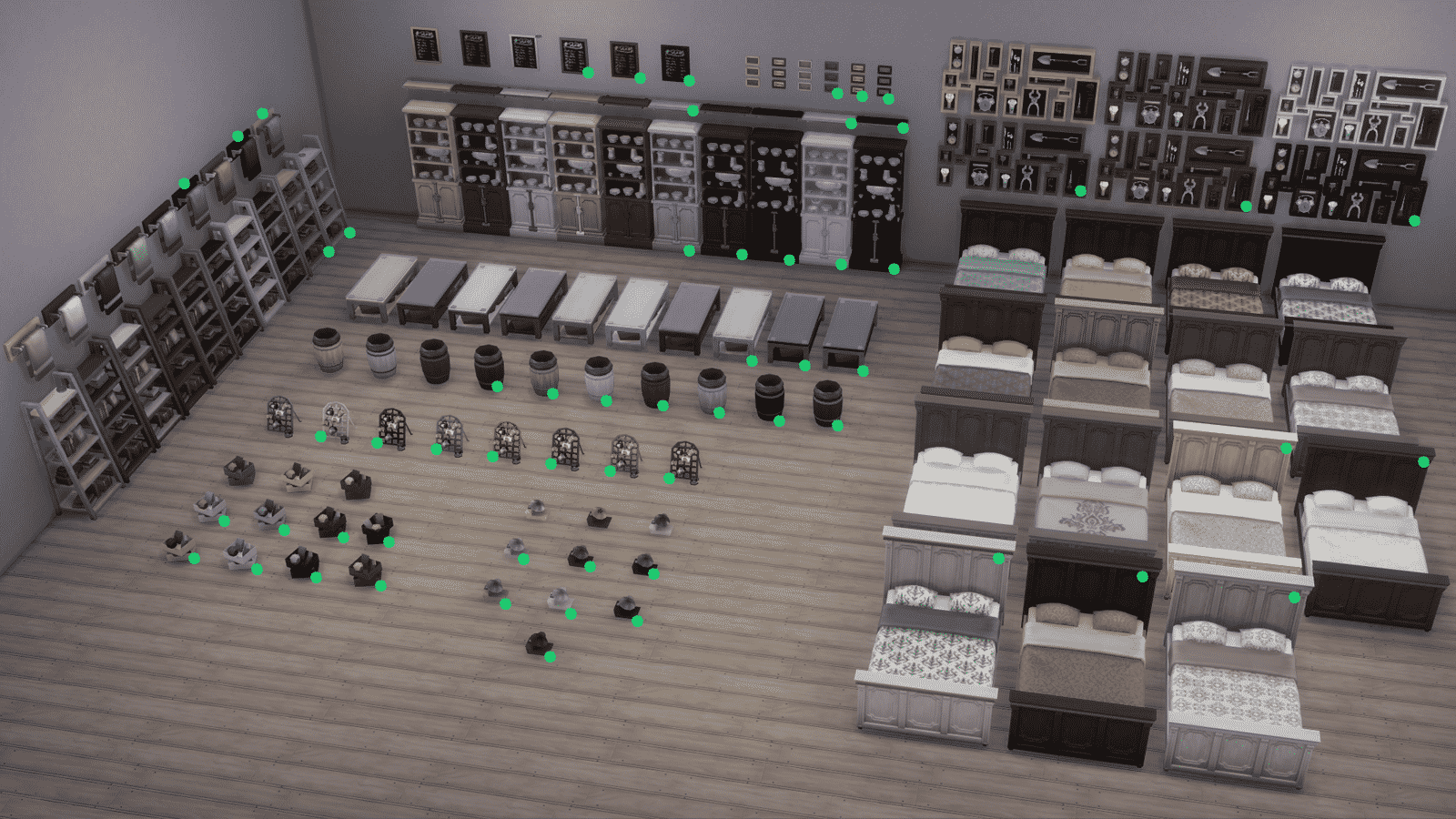
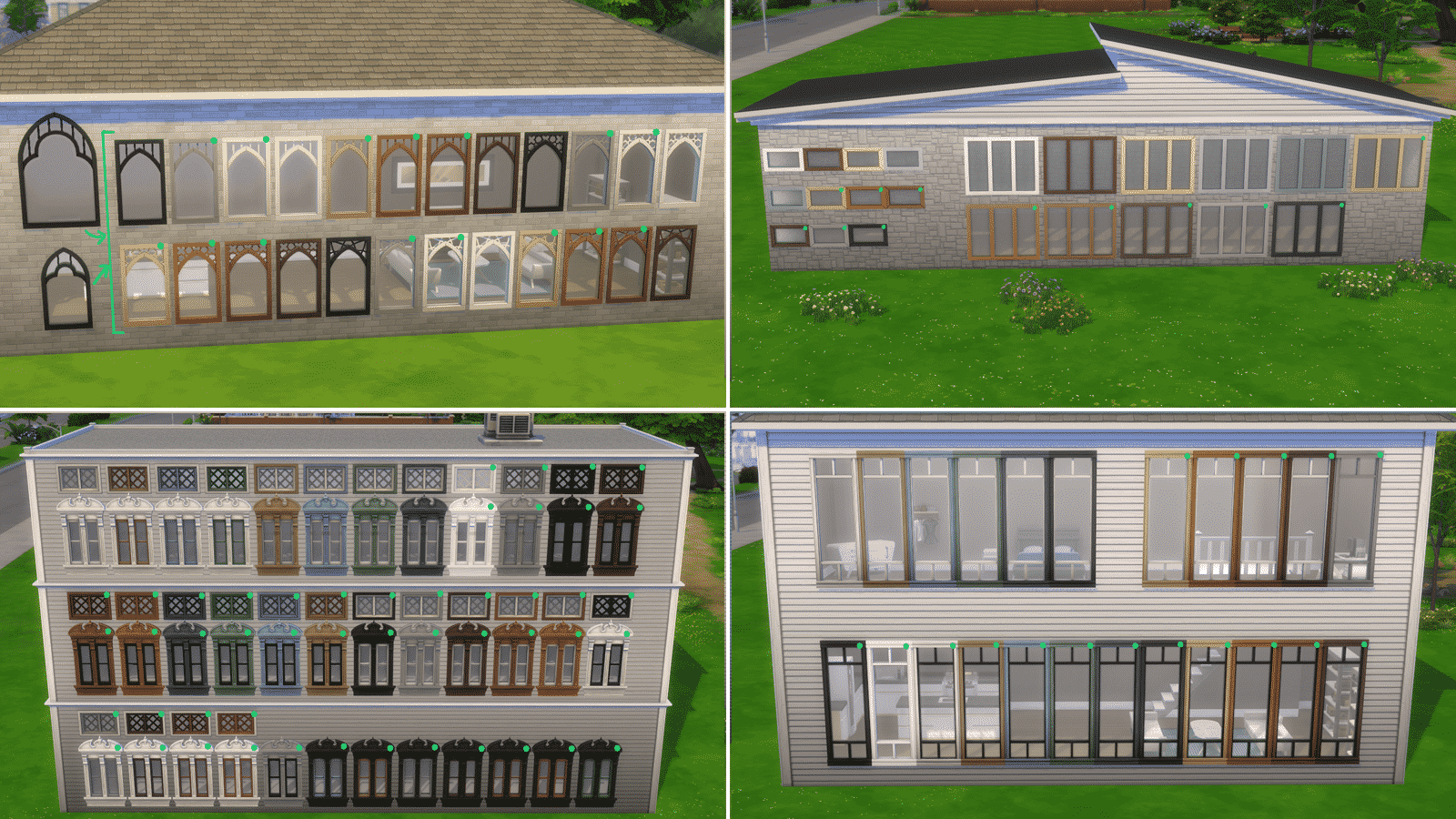
We’ve downloaded high quality photos of each of the updated objects. Simply select an image and zoom in to see every new swatch added to The Sims 4! The new variants are marked with a green circle.

The Sims 4: List of Updated Objects (and their Swatches!)

The Sims 4: List of Updated Objects (and their Swatches!)

The Sims 4: List of Updated Objects (and their Swatches!)

The Sims 4: List of Updated Objects (and their Swatches!)

The Sims 4: List of Updated Objects (and their Swatches!)

The Sims 4: List of Updated Objects (and their Swatches!)

The Sims 4: List of Updated Objects (and their Swatches!)

List of Updated Objects

  • Illusion Shades
  • Flaunting Flounces Panels
  • Minimalist Drapes
  • Sooner or Ladder Contemporary Dining Chair
  • Tabula Rasa Coffee Table
  • Tabula Rasa End Table
  • Tabula Rasa Console Table
  • Grand Hall Dining Table
  • Grand Designs Dining Table
  • Simplicity Dining Table
  • Square Meals Dining Table
  • Floored by Symmetry Standing Mirror
  • Carina Dining Hutch
  • Simple Symmetry Bookcase
  • Intellectual Illusion Wall-Mounted Bookshelves
  • Great Wall Mirror
  • Capped Wall Plank
  • Dodecagon Contemporary Clock
  • Honeycomb Bottle Holder
  • On Phantom Wing Framed Art
  • Apple of Your Eye Framed Watercolor
  • Pear Essentials Framed Watercolor
  • Terminus Reclaimed Pipe Towel Rack
  • RAW Bookshelf
  • Reclaimed Plank Shelf
  • Wainscott Gardens Dining Cabinet
  • Form & Function Industrial Coffee Table
  • The Barnish Bed
  • Boardwalk Trashcan
  • CONCEPT Coffee Mug Rack
  • Cluttered Mind Box Set
  • GrammyFone Old-Fashioned Music Player
  • In Session Novelty Chalkboard
  • Three Framed Skeleton Keys
  • Ordinary Things Shadowbox Display
  • Cooking-U Pro
  • Crisponix Ultragreat w/ Deluxe Crisper
  • The Omniwaver
  • Café Immodéré
  • London’s Choice
  • The YumCooker
  • The Schmapple Oven
  • The Schmapple Coffee
  • Garbelle Wastebasket
  • Popped Color Curtains – Left
  • Popped Color Curtains – Right
  • Sunny Shades – Left
  • Sunny Shades – Right
  • Junior Wizard Starter Set
  • Mega Couple Of Books
  • The Purple Protector Action Figure
  • The Purple Pursuer Action Figure
  • The Chessmaster
  • Chess under the Stars Patio Table
  • Grand Plans Chess Table
  • Cabin Slats
  • Simplicity Shade
  • Limber Lumber Traditional Hardwoods
  • Rustic Subfloor Slats
  • Eco-Craft Hardwood Flooring
  • ForestFine Wood Flooring
  • Old World Wide Plank Flooring
  • Herringbone Hardwood Flooring
  • VAULT Modular Counter
  • VAULT Modular Island
  • VAULT Wall Cabinets
  • VAULT Pro-Level Bar
  • BlandCo Contemporary Counter
  • BlandCo Contemporary Counter Island
  • BlandCo Contemporary Cabinet
  • Country Fieldstone
  • Mega Stacked Stone
  • Windowbox of Superiority
  • Neighborly Windowbox
  • Garden Planter Box
  • Garden Pot
  • Bonsai Tree
  • Oopsa Daisies
  • Red, Red Shrub
  • Pink Aster Nots
  • Purple Perennial Flowers
  • Shaggi-luscious
  • Passion’s Kiss
  • Baby’s Bottom Rose Bush
  • Red, Red Rose Bush
  • 64 Windows

The Sims 4: The Orjánic Country Living Custom Content Collection

The Orjánic Country Living Collection is Available Now!

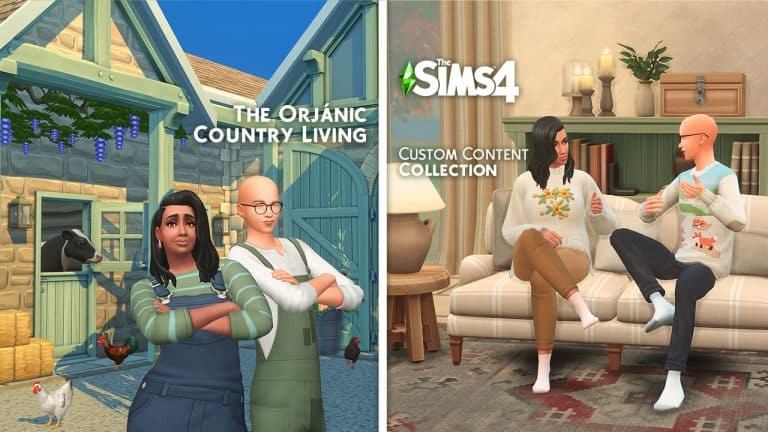
Love building in Henford in Bagley, but looking for more variety in your builds? Felixandre & Harrie have you covered with their latest release, Orjánic. It’s a 129 piece country living collection that will bring your dream barn life to reality. The set is divided into 2 parts; the first release of 78 items focuses on the foundations of building your barn in the country. Including: walls, floors, windows, doors, spandrels, columns and so much more!  

The Sims 4: The Orjánic Country Living Custom Content Collection

Highlights of the set include: the new functional spandrels and columns that allow you to achieve peak beam status, all the barn doors for the interior and exterior, plus the suite of modern timber frame windows that include slanted windows so you can build up into your roofs! Of course all the wood tones match previous sets, but there is also a new oak wood tone to round out the collection. 

The Sims 4: The Orjánic Country Living Custom Content Collection

All items are base game compatible.

The Part 1 of this Custom Collection Set is now in public access! You can download the set by clicking the Download button below, which will direct you to the download page. You can choose between Merged and Unmered .package files, which you can paste into your Electronic Arts > The Sims 4 > Mods folder. Make sure you have Mods / CC enabled in your Game Options!

[mks_button size=”large” title=”DOWNLOAD!” style=”squared” url=”https://www.houseofharlix.com/orjanic” target=”_blank” bg_color=”#1e73be” txt_color=”#FFFFFF” icon=”fa-arrow-down” icon_type=”fa” nofollow=”0″]

Part 2, which is currently in early access on their Patreon pages (public release 6th October) has 51 items that focuses on interior furnishings; including items for your entryways, living and dining areas. 

The Sims 4: The Orjánic Country Living Custom Content Collection

Highlights of the set include: a brand new matching sectional sofa & chaise with a whopping 24 plain and patterned swatches and a bench dining table, that finally allows you to combine bench seating and chairs around your dining table!

The Sims 4: The Orjánic Country Living Custom Content Collection

All items are base game compatible, with the exception of the chaise which requires the Dream Home Decorator GP. 

You can find all of their previous collabs and more details about Orjánic over on their website houseofharlix.com

A full overview video showcasing all the items included is also available over on Harrie’s Youtube channel:

A Modder is Adding a Create A World Tool to The Sims 4

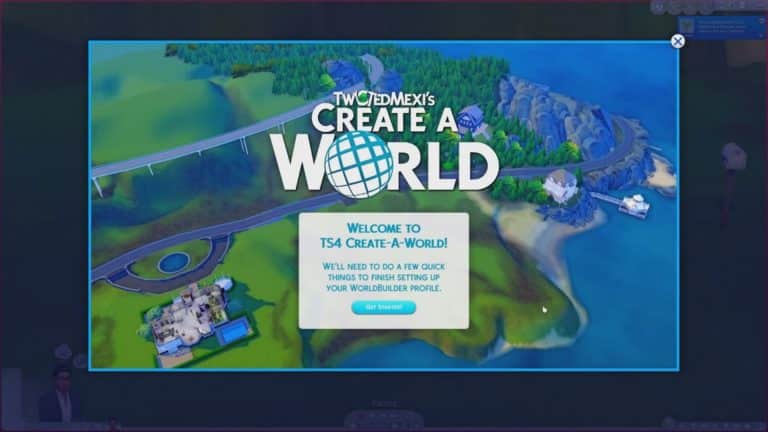
Lately, we have been blown away by The Sims 4 modding community and the incredible surprises just keep on coming! Just days after modder Arnie announced he was working on a colour wheel tool for The Sims 4, another modder has revealed yet another exciting new feature.

TwistedMexi, famous for his T.O.O.L mod, as well as other mods like Better Exceptions and Better Build/Buy, has just released a reveal trailer on YouTube for a Create A World tool! Create A World was a much-loved (if not a bit complex) tool for The Sims 3 that gave players the ability to create and share their own custom worlds for the game. It’s been a highly requested feature ever since The Sims 4 launched seven years ago.

You can watch the full reveal trailer below!

Going by what we can see in the trailer, it appears as though TwistedMexi was able to greatly expand on his existing mods to bring us a fully functioning Create-A-World tool. The UI shows that these custom worlds will not override existing Maxis worlds. We were able to see the world of Newcrest be completely cleared out to create a blank terrain template, which players can then customize to their heart’s desire in great detail!

From the trailer, it does not appear like we will be able to change lot placement or use our own custom templates. It seems like we will only be able to take existing world templates and completely redesign the common space around the lots; however, we are not modders and this is only speculation based on what we’ve seen in the trailer. It’s entirely possible there is much more to the mod than what is shown here.

In any case, we are very excited to get our hands on this amazing mod!

The Sims 4 Incheon Arrivals & Fashion Street Kits: Full List of CAS Items

5

The Sims 4’s latest Update has prepared the game for the upcoming two Kit releases for The Sims 4 – Incheon Arrivals and Fashion Street Kit.

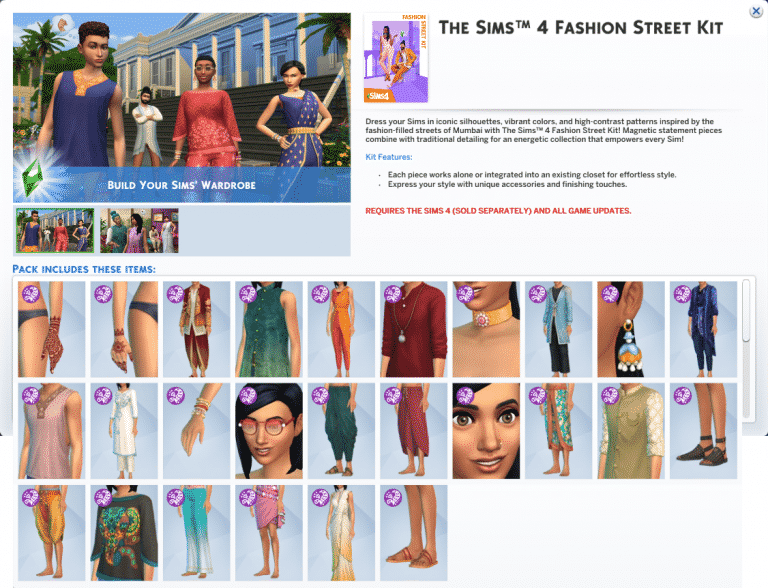
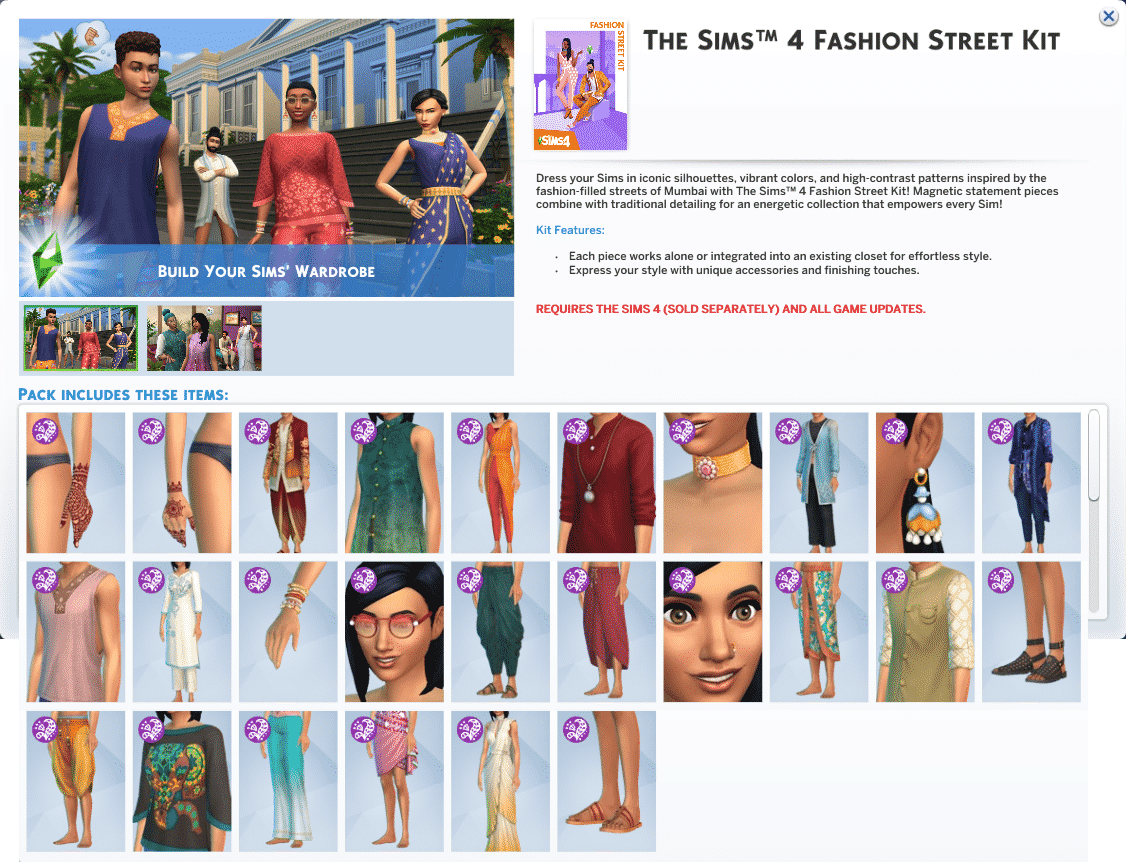
Our reader anadius has provided us with the screenshots of the full list of new Create A Sim items that come with these two kits.

Check out the previews below!

The Sims 4 Incheon Arrivals Kit

The Sims 4 Incheon Arrivals & Fashion Street Kits: Full List of CAS Items

The Sims 4 Fashion Street Kit

The Sims 4 Incheon Arrivals & Fashion Street Kits: Full List of CAS Items

The Sims 4 Incheon Arrivals & Fashion Street Kits: Full List of CAS ItemsThe Sims 4 Incheon Arrivals & Fashion Street Kits: Full List of CAS Items

The Sims Community Challenge: September

It’s that time again! It’s time to reveal the September edition of The Sims Community Challenge!

As a quick recap, the August challenge focused on Mrs Crumplebottom’s Secret Life. We had so many amazing entries, and we were blown away with just how creative the community is.

You can check out the August Showcase here and don’t forget you can check out the challenge hashtag on the gallery to see all the creations.

The Sims Community Challenge: September

Now, onto September’s challenge.

This month’s theme is all about taking your building skills to the next level, and we want to see you to truly explore your creative side. This month will see you have more freedom to do what you want. We want you to build the most creative and extravagant lot you can in line with the challenge rules below. Don’t be afraid to try something different or to think outside the box!

Challenge Rules

  • You must use a 30×20 lot.
  • You have a budget of $100,000.
  • No Custom Content.
  • No T.O.O.L mod.
  • You can use the DEBUG items.
  • No pack restrictions – you can use any of the packs you own.
  • Use the hashtag #SCCreative in The Gallery Description.
  • One entry per person. Additional entries will not be included.

Once you have finished your build. Upload it to The Gallery and make sure you use the tag #SCCreative in the description! Feel free to tell us a little about your creations too.

Closing date for entries: Tuesday 5th October 2021 at 10am PST/6pm BST/ 7PM CET. The Spotlight post will be released a few days after entries have closed.

If you have any questions, feel free to ask them in the comments below, or head over to our The Sims Community Challenge channel on our Discord server! If you aren’t a member of our Discord Server, you can click here to join.

Good luck, have fun, and we can’t wait to see your creations!

The Sims 4 Fashion Street Kit: Official Assets & Information

1

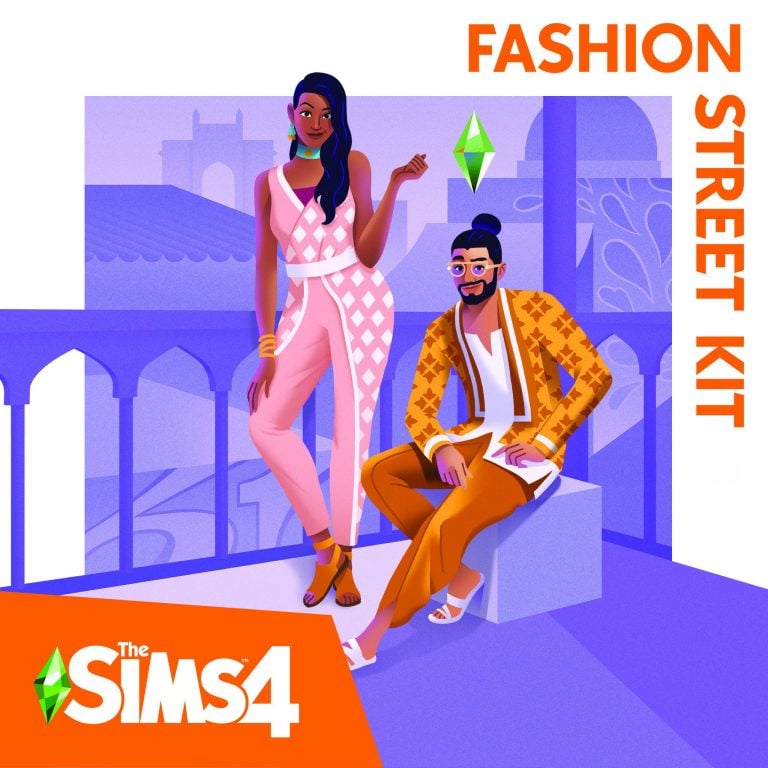
The Sims Team has released the official assets and information for one of the two upcoming CAS Kits for The Sims 4 – the Fashion Street Kit!

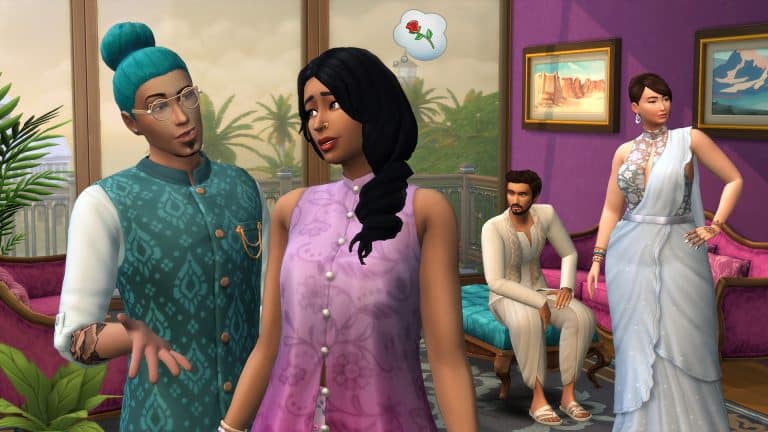
Expand your style with The Sims™ 4 Fashion Street Kit* collection, inspired by the trendsetting designs of Mumbai. Rich colors, iconic silhouettes, and high-contrast patterns bring energy and vibrancy to each item. Show off your individuality by integrating trendy statement pieces with traditional details for a whole new style.

BUILD YOUR WARDROBE

Bright, flowy fabrics and contemporary cuts guarantee stunning streetwear looks for every Sim. From embroidered details to dynamic hues, each piece works alone or integrated into an existing closet for effortless style.

ALL IN THE DETAILS

What would an outfit be without accessories? Bangles, sparkling necklaces, and flashy rings catch the eye while sandals finish it off with laid-back flare. Express your style with henna tattoos and fun sunglasses, too.

boxart2

The Sims 4 Fashion Street Kit: Official Assets & InformationThe Sims 4 Fashion Street Kit: Official Assets & Information

Welcome to Fashion Street! Located in the city-center of Mumbai, India, Fashion Street has long been the premier shopping destination in this coastal metropolis, with over 150 vendors selling various wares, from vintage garb, to homemade garments, to designer threads. And it’s not just a hub for all things clothing, it’s also a cultural epicenter where one can enjoy food, music, architecture, the occasional Bollywood celebrity sighting, and the company of friends, family and significant others — we hear it’s quite the place to take a date.

For the latest kit offering, The Sims™ is taking players to this beautiful corner of the world, and unlocking the distinct style one would encounter there. To do so, The Sims has collaborated with its friend and fashion expert Shruti Sitara Singh to co-create a comprehensive and authentic wardrobe of vibrant color, high-contrast patterns, iconic silhouettes and trendy statement pieces that can be integrated into a Sim’s closet.

Born, raised and currently based in Mumbai, Shruti Sitara Singh is an art-meets-fashion curator, creating immersive narratives that intersect art, music, theater, design and culture. She has worked with the Fashion Design Council of India as a curator and manager, led the launch of India’s first-ever digital fashion week, and served as a creative director for Lakmé Fashion Week. Her expertise is undeniable, but it’s her history with Mumbai’s fashion scene, and Fashion Street specifically, that made her the perfect partner for this kit.

“My first shopping experience was when I was in fourth grade,” reminisces Singh. “My mother had taken my sister and I to Fashion Street, and we were like ‘what is going on? There’s something known as shopping?’ That concept didn’t exist to me before that.”

Singh has been visiting Fashion Street ever since. Even though she now rubs shoulders and collaborates with India’s fashion elite, she still enjoys the thrill of the bargain. “I love bargaining. That’s what makes Fashion Street, Fashion Street. It’s a heaven for shopaholics, and it’s a mind-boggling experience. Fashion Street is an experience of its own.”

To be fair to Singh and Mumbai, The Sims 4 Fashion Street Kit is directly inspired by the city’s fashion scene, however one can’t talk Mumbai style without mentioning its vendor-lined walkway. Mumbai itself is often referred to as “The City of Dreams” because it offers a plethora of job opportunities for people all over India and its neighboring countries. As a result, these different cultures and ethnicities converge on Fashion Street.

“The Fashion Street Kit is inspired by a lot of India, and of course Mumbai,” explains Singh. “It’s inspired by the Indian handloom (weaving) industry, which is preserving and rendering a beautiful picture of our age old heritage, known worldwide for its richness and purity of its textiles. Each piece is adorned with lively colors and prints specific to different cultures, because Mumbai, the City of Dreams, is a melting pot.”

The Sims 4 Fashion Street Kit is made up of a bevy of items for all Sims, from nose rings, henna tattoos, and sandals, to flowy wrap skirts and asymmetrical vests, two of Singh’s favorite pieces.

The Sims 4 Fashion Street Kit: Official Assets & Information

“Since our team could not visit Mumbai, we worked virtually with Shruti to deliver designs that are relevant to the latest trends on the streets of Mumbai while incorporating traditional themes throughout the kit,” shares Sophia Lee, Senior Concept Artist for The Sims. “I am personally excited to see the full-body evening gown which brings in-game tasteful modern design elements to a traditional saree.”

The wrap skirt is directly inspired by the women of the Koli fishing community in Mumbai, who have inhabited and worked Mumbai’s coastal waters for hundreds of years. “Fisherwomen usually wear a sari,” explains Singh. “Saris are draped differently with every community and culture; in every state you go, there is a different way it is draped.” The Fashion Street Kit’s wrap skirt is influenced by how the Koli women wear their saris. “It’s easy breezy, it’s more like a skirt because they have to walk a lot and go into the ocean to fish, that’s why it’s above the knee and tucked in, so it doesn’t go into the water. It’s a beautiful silhouette.”

The Sims 4 Fashion Street Kit: Official Assets & Information

“With kits, The Sims is creating an immersive experience where people, places and experiences can be discovered, and our players from around the world can experiment with these distinctly unique mini collections of curated content,” shares Sheila Judkins, Director of Global Brand Management, The Sims. And, Singh offers her vision for players experimenting with The Sims 4 Fashion Street Kit, “I would like players to experience Mumbai, to understand the culture, to understand the clothing, and how comfortable, region-specific and vibrant the prints are; and how colourful the culture is. I want the players to know more about Mumbai, and experience it through their own versions of how they play [with the kit].”

The Sims™ 4 Fashion Street Kit is available beginning October 5, 2021 on PC and Mac via Origin™ and Steam®, PlayStation®5, PlayStation®4, Xbox Series X|S and Xbox One systems.

The Sims 4 Fashion Street Kit: Official Assets & InformationThe Sims 4 Fashion Street Kit: Official Assets & InformationThe Sims 4 Fashion Street Kit: Official Assets & Information

The Sims 4 gets FREE New Content in Create A Sim

6

The Sims Team has left out a very important part of today’s Patch for The Sims 4 on PC and Consoles!

There are new clothing pieces and hairstyles that have been added for both Masculine and Feminine fashion choices. There’s also a brand new Henna Tattoo included as well!

These pieces are inspired and accompany the upcoming two Kits (Fashion Street and Incheon Arrivals).

Worry not as they are free additions to The Sims 4. Check out what’s been added to the game!

Head Accessories

The Sims 4 gets FREE New Content in Create A Sim

Tattoo

The Sims 4 gets FREE New Content in Create A Sim

Hairstyles

The Sims 4 gets FREE New Content in Create A SimThe Sims 4 gets FREE New Content in Create A SimThe Sims 4 gets FREE New Content in Create A Sim

added to Base Game from the Parenthood Game Pack

The Sims 4 gets FREE New Content in Create A Sim

Outfits

The Sims 4 gets FREE New Content in Create A SimThe Sims 4 gets FREE New Content in Create A SimThe Sims 4 gets FREE New Content in Create A SimThe Sims 4 gets FREE New Content in Create A Sim

Bottoms

The Sims 4 gets FREE New Content in Create A Sim

Accessories

The Sims 4 gets FREE New Content in Create A Sim

The Sims 4 Incheon Arrivals Kit: Official Assets & Information

1

The Sims Team has provided us with the official assets and information for one of the two upcoming CAS Kits for The Sims 4 – Incheon Arrivals Kit!

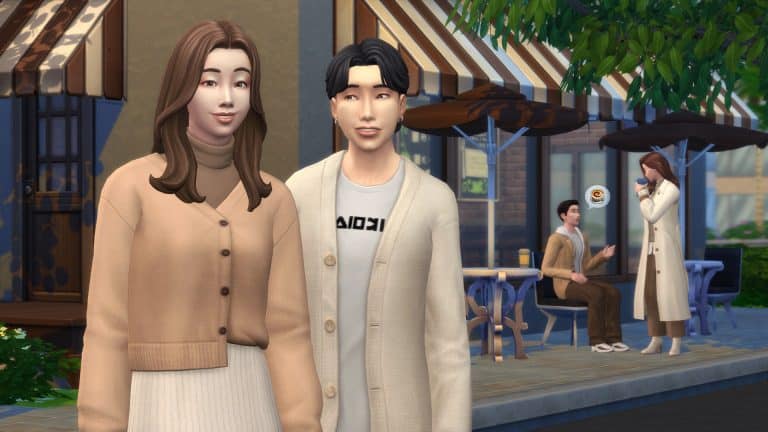
Upgrade your Sim’s wardrobe with The Sims™ 4 Incheon Arrivals Kit*, inspired by iconic Seoul airport fashion. Trendy Korean styles get a modernized twist for clean, minimalist looks in muted colorways.

MIX AND MATCH
Dress for any occasion with both semi-formal and casual pieces. Blazers, coats, jackets, and cardigans pair neatly with loose-fitting skirts, sweatpants, slacks, and pants, topped off with sneakers or heeled boots.

LET IT FLOW

Structured oversize pieces combine with flowy materials for a study in contrasts. Find comfort in baggy silhouettes and understated details like a high waist and half-tucked shirts.

boxart1

The Sims 4 Incheon Arrivals Kit: Official Assets & InformationThe Sims 4 Incheon Arrivals Kit: Official Assets & Information

When visiting Seoul, your first experience with the South Korean metropolis is likely through the Incheon International Airport. Rated as one of the busiest, cleanest, and technologically-advanced airports in the world, Incheon is an incredible introduction to the nation’s rich and vibrant culture. There’s a museum, miniature gardens, art shows, and live performances, in addition to countless shops, a variety of restaurants, a movie theater, an ice rink, putting greens, and more.

Incheon is also a prime destination to experience South Korea’s revered style. Before a traveler’s plane glides down the runway, you may see them catwalking the corridor runways.

In recent years, Seoul has become one of the preeminent fashion capitals of the world, with its bi-annual fashion week presentations rivaling that of Paris, London, Milan, and New York. Seoul doesn’t have 100-year-old fashion houses like the other cities mentioned, but it is able to meld traditional and modern styles unlike most.

The heritage comes in the form of hanbok, Korea’s traditional way of dress, which consists of long and flowy shapes, tight angles, and bright hues.The modernity is a result of South Korea being one of the most digitally-connected countries on Earth, from its high-speed internet, to its production of electronics. The two come together in fashion, where the form and vibrancy of yesteryear are matched with globalized trends unearthed through today’s digitized world.

“Because the world has become more globalized, South Korean people have been able to see trends across the world,” explains Jazzy Cho, TV host, content creator and Miss Korea USA 2016. “Everything was sort of meshing together, and we were able to bring in the western ideas, or global ideas with the already creative DNA of South Koreans. Combined, that created this amazing, stylish, trendy ‘K-fashion.’”

“Airport style is 공항 (gonghang) fashion [meaning airplane fashion],” says Cho. “It stemmed from when the press would greet or welcome back traveling celebrities. It really began to boom with the rise in global popularity of K-pop, the internet, and social media.” Cho continues, “Images of the hottest South Korean stars arriving or departing would be shared across the internet, and if one style that they were wearing goes viral, then that style becomes the trend of the season.”

The Sims 4 Incheon Arrivals Kit: Official Assets & Information

The Sims has collaborated intently with Cho to bring The Sims 4™ Incheon Arrivals Kit to life, and she made sure we stayed true to K-fashion’s trendy foundations. Cho, a Korean-American, grew up as a competitive studio dancer in Southern California. She took a liking to the variety of styles of costumes she performed in, but it also encouraged her to explore her Korean heritage.

“I was one of the first Korean team captains for my high school dance team. As I was looking across my team one day, I was the only Korean-American, and I was like, ‘Wow, I’m representing Korean females,’ even at a young age. It gave me a sense of pride.”

Cho asked her mother if she could join a local pageant, still yearning to learn more about ancestry. “[I wanted to] learn more about how to carry myself as a beautiful Korean woman, and nurture and develop myself in that way. [The pageant was going] to be a stepping stone to diving in and learning more about [Korean] culture.”

Soon after she won the Miss Korea USA 2016 pageant, she began working across South Korea as a part of the Miss Universe Korea pageant. Her constant traveling to and from South Korea, opened her eyes to Seoul’s distinct style, especially through the lens of Incheon Airport. “Incheon Fashion is like [a celebrity’s] own runway before they get on or off the plane.” In describing the type of outfits one would see, Cho says, “When you’re travelling, you need to be comfortable. You wouldn’t see them coming in red carpet attire, but it’s comfortable, stylish fashion.”

The Sims 4 Incheon Arrivals Kit is a full wardrobe for all Sims to dress for any occasion with both semi-formal and casual pieces, from sneakers, sweatpants and hoodies, to structured looks like the women’s long coat, one of Cho’s favorite pieces. “The women’s long coat is what we would typically see on pictured celebrities. Whatever stylish, trending outerwear piece atop a looser fit top and pants. It’s a lot about comfort when it comes to 공항 (gonghang) fashion, comfort and style.”

The Sims 4 Incheon Arrivals Kit: Official Assets & Information

“With kits, The Sims is creating an immersive experience where people, places and experiences can be discovered, and our players from around the world can experiment with these distinctly unique mini collections of curated content,” shares Sheila Judkins, Director of Global Brand Management, The Sims.

“Working with Jazzy, our research was extensive to ensure the concepts reflect trendy outfits in Seoul,” shares Woori Bae, Concept Artist for The Sims. “We also had a lot of fun referencing the latest K-dramas, online shopping sites and celebrities’ everyday outfits for inspiration. I am so excited to see this kit come to life, particularly the wide pants and oversized fit items that add more in-game styling options like never before.”

The Sims 4 Incheon Arrivals Kit: Official Assets & Information

In explaining why she wanted the kit to focus on airport style, Cho said, “I think it’s great that the setting of the kit is at the Incheon Airport because that is the global hub. It’s where people from all over the world embark on their journey to learn about South Korea. I hope everyone is just as excited when they see the kit because when you enter Incheon Airport, the architecture is very modern, the entire ceiling is windows, sunlight pours through – and your heart is filled with warmth! I hope people from all walks of life, wherever they are in the world, have an open, eager and excited mindset and energy towards exploring what Korean fashion is like.”

The Sims™ 4 Incheon Arrivals Kit is available beginning October 5, 2021 on PC and Mac via Origin™ and Steam®, PlayStation®5, PlayStation®4, Xbox Series X|S and Xbox One systems.

The Sims 4 is getting TWO Create A Sim Kits in October!

0

The Sims Team has just announced that they’ll be releasing TWO Create A Sim Kits for The Sims 4!

  • The Sims 4 Incheon Arrivals Kit
  • The Sims 4 Fashion Street Kit

Both Kits will be released on October 5th, 2021, priced at $4.99USD or a currency equivalent to your territory.

Check out the first previews below and stay tuned on our website for more screens, news and features of these two upcoming Kits!

The Sims 4 PC & Console: NEW UPDATE + Patch Notes! (September 21st, 2021)

The Sims 4 PC & Console: NEW UPDATE + Patch Notes! (September 21st, 2021)

The Sims Team has released a brand new update for The Sims 4 on PC, Mac, Xbox One and PS4!

To download the latest version of The Sims 4, simply open your Origin program and if the game doesn’t update automatically, right click on The Sims 4 and select ”Update”.

In case you have Mods or Custom Content, the game will automatically disable them for you after first launching The Sims 4 after the update. To re-enable all your Mods and Custom Content, select the Settings option in the Menu and select Settings. Under the ”Other” section you’ll find the ”Enable Custom Content and Mods” option. Check it and restart your game in order for it to take effect!

Patch Notes

Update 9/21/2021

PC: 1.80.69.1030 / Mac: 1.80.69.1230

Console: Version 1.48

Hello Simmers!

We hope this Game Update finds you well!

As Summer has ended and the Pumpkin Spice season starts (you all know I’m ready for my pumpkin spiced coffee!), our Art Team has a treat for Simmers that love to build. If you are not an expert builder that is quite alright, I’m not either, but I do enjoy trying a few styles and choices so no worries in that regard.

Thanks again for your continued support, we truly appreciate it!

Chaus!

-SimGuruRusskii

What’s New?

149 assets – 1,200 vaaariants

149 assets – 1,200 variants to enjoy so dear

149 assets – 1,200 vaaariants

How do we tell you about these… easily?

In pictures, in writing, in cups of coffee.

In gameplay, in video, in pictures, in laughter.

In 149 items – 1,200 variants – how do you measure this new thing we did with this in hand?

How about you just show? Yes, how about you just show?

Don’t measure at all, just show.

Our art team took over this Game Update and they have added about 1,200 new variants (yes, you read me correctly, about 1,200 variants) to 149 Base Game items in Build Mode. The Art Team’s vision was to complement and enhance these assets so Simmers have more choices and have more use out of them. Also, why not?

I will list the names of the assets, with images, that we have added variants to. Huge props to SimGuruBeth for providing these fabulous screenshots! In these screenshots you will notice some arrows and green dots, those represent the new additions.

Ok – enough of me rambling about, are you all ready? <takes deep breath>

5xst2n1y388k.png

  • Illusion Shades
  • Flaunting Flounces Panels
  • Minimalist Drapes
  • Sooner or Ladder Contemporary Dining Chair
  • Tabula Rasa Coffee Table
  • Tabula Rasa End Table
  • Tabula Rasa Console Table
  • Grand Hall Dining Table
  • Grand Designs Dining Table
  • Simplicity Dining Table
  • Square Meals Dining Table
  • Floored by Symmetry Standing Mirror
  • Carina Dining Hutch
  • Simple Symmetry Bookcase
  • Intellectual Illusion Wall-Mounted Bookshelves
  • Great Wall Mirror
  • Capped Wall Plank
  • Dodecagon Contemporary Clock
  • Honeycomb Bottle Holder
  • On Phantom Wing Framed Art
  • Apple of Your Eye Framed Watercolor
  • Pear Essentials Framed Watercolor

rbmz8e7fqow0.png

  • Terminus Reclaimed Pipe Towel Rack
  • RAW Bookshelf
  • Reclaimed Plank Shelf
  • Wainscott Gardens Dining Cabinet
  • Form & Function Industrial Coffee Table
  • The Barnish Bed
  • Boardwalk Trashcan
  • CONCEPT Coffee Mug Rack
  • Cluttered Mind Box Set
  • GrammyFone Old-Fashioned Music Player
  • In Session Novelty Chalkboard
  • Three Framed Skeleton Keys
  • Ordinary Things Shadowbox Display

vialob2sj2nw.png

  • Cooking-U Pro
  • Crisponix Ultragreat w/ Deluxe Crisper
  • The Omniwaver
  • Café Immodéré
  • London’s Choice
  • The YumCooker
  • The Schmapple Oven
  • The Schmapple Coffee
  • Garbelle Wastebasket
  • Popped Color Curtains – Left
  • Popped Color Curtains – Right
  • Sunny Shades – Left
  • Sunny Shades – Right
  • Junior Wizard Starter Set
  • Mega Couple Of Books
  • The Purple Protector Action Figure
  • The Purple Pursuer Action Figure
  • The Chessmaster
  • Chess under the Stars Patio Table
  • Grand Plans Chess Table
  • Cabin Slats
  • Simplicity Shade
  • Limber Lumber Traditional Hardwoods
  • Rustic Subfloor Slats
  • Eco-Craft Hardwood Flooring
  • ForestFine Wood Flooring
  • Old World Wide Plank Flooring
  • Herringbone Hardwood Flooring

rvppk13my5q2.png

  • VAULT Modular Counter
  • VAULT Modular Island
  • VAULT Wall Cabinets
  • VAULT Pro-Level Bar

dh6vabc4ed3x.png

  • BlandCo Contemporary Counter
  • BlandCo Contemporary Counter Island
  • BlandCo Contemporary Cabinet

wde94zeyphon.png

  • Country Fieldstone
  • Mega Stacked Stone
  • Windowbox of Superiority
  • Neighborly Windowbox
  • Garden Planter Box
  • Garden Pot
  • Bonsai Tree
  • Oopsa Daisies
  • Red, Red Shrub
  • Pink Aster Nots
  • Purple Perennial Flowers
  • Shaggi-luscious
  • Passion’s Kiss
  • Baby’s Bottom Rose Bush
  • Red, Red Rose Bush

mzarzo186wax.png

s5wrsbg5h06j.png

And all 64 windows present in Base Game!

Whew, that was quite the list! And now to our bug fix of this Update.

Bug Fixes

The Sims 4

  • Sims living that career lifestyle but their outfits were… not up to par? Were your Sims’ career wardrobe a bit stale as you moved up that career ladder? Not exactly dressing for success, right? No worries, we have fixed that issue and now all career levels should have appropriate outfits. Go you, good luck!

The Sims Team releases new Roadmap for The Sims 4

9

The Sims team have released a brand-new Roadmap for The Sims 4 which looks to be aimed at the next few months. It appears that players will be switching focus to our Sims selves and that we will be seeing the release of several new Kits as well as more free updates. There is no mention of any Expansion, Game or Stuff Packs in the new roadmap.

Check out the image below for more information!

The Sims Team releases new Roadmap for The Sims 4

We shall keep you updated with all the latest news on upcoming releases as well as everything you need to know for The Sims 4!

The Sims 4 Cottage Living: Making Crumplebottoms Playable

Make the Crumplebottom Household in The Sims 4 a part of your Story!

For players who own the Cottage Living expansion pack, the iconic Agnes Crumplebottom makes a triumphant return to The Sims 4. Along with her cousin, Agatha Crumplebottom.

The Sims 4 Crumplebottom Intro

Both Agnes and Agatha are coded into the game as “special” NPCs. Not only do they fulfill a basic role to run the garden shop stall in Finchwick. They’re also connected to numerous side-missions in the game that require the player to run various errands around town for them. All in order to earn rewards and learn more about their history and the town.

Agnes also has a special NPC interaction that prompts her to hit people with her handbag. Whenever she sees Sims being romantic in public.

Sims 4 Cottage Living - The Crumplebottom Hit

For this reason, Agnes and Agatha aren’t available as playable Sims. They cannot be found in Manage Households even after meeting and befriending them both in-game. Nor can they die of old age or be killed in any way. If the player does manage to make them playable through the use of cheats or mods, they lose their NPC function. After then the game spawns a clone of them to replace them! Before long, you could easily end up with an army of Crumplebottoms running around Henford-on-Bagley!

Experimenting around the Bag

For storytellers like me, this can cramp our style a bit. I needed Agnes to be playable so I could write a story with her. In my story, Agatha was recently deceased and Agnes needed some help from her relatives, the Goths, to keep her farm running in Agatha’s absence. Even if I used cheats to move Agnes into my household and kill off Agatha, I’d still have the problem of seeing their clones running around in the background of my screenshots, ruining the immersion for my readers.

I set out to experiment a little and see if I could “trick” the game into thinking a different Sim was Agnes and Agatha. All so it would not keep spawning clones of them.
Crumplebottom in The Sims 4

First, I used the cheat testingcheats true to enable advanced cheats in the game. Then I travelled to Finchwick where I knew Agnes and Agatha were likely to be. When I found Agnes, I shift-clicked on her to bring up her debug cheat menu and selected the option Add To Family. Agnes was now part of my household and fully playable!

Agnes Crumplebottom working the Stand - Sims 4 Cottage Living

The Clone Issue

Of course, when I did this, the game immediately spawned a clone of Agnes to replace the Agnes I had moved to my household. I had to keep looking around Finchwick for the Agnes clone. When I found her, I had a plan. I used the MCCC mod to modify Agnes in CAS. You can do the same thing without mods by shift-clicking her and selecting Modify in CAS with testingcheats enabled.

Now that I could access the NPC Agnes in CAS, I could put my plan into effect.

Once I was in CAS with Agnes, I clicked the randomize button until I had another elderly Sim that looked nothing like Agnes. To be on the safe side and not muck anything up with the coding, I opted not to change her name. Although it’s possible that changing her name would make no difference, either. In essence, I didn’t change anything about who Agnes was; I only made her look like a different Sim.

When I exited CAS, I was delighted to see that this new Sim still had Agnes’ special NPC role! Since the game still saw her as Agnes, it did not spawn another Agnes clone to replace her! I was delighted! This would work for my story, after all!

Modify in CAS Option

Making Crumplebottoms Fit the Story

Even though Agatha is supposed to be dead in my story, I knew killing her off in the game would be futile, even if I used mods or cheats to remove her immortal status. The game would just make another Agatha. So I did the same thing I did with Agnes; I just went into CAS with Agatha and randomized her until she looked like a completely different person.

Now I had the original Agnes Crumplebottom as a playable character in my household and two “decoy” Sims to act as Agnes and Agatha in their NPC capacity but weren’t physically recognizable as Agnes and Agatha. I could always place a decorative tombstone to pretend Agatha was buried somewhere in Henford-on-Bagley. Everything would now look believable in my story screenshots.

Agatha Crumplebottom in The Sims 4

How will you play?

And there you have it!

Want to play with Agnes and Agatha yourself without running into their clones? All you have to do is add them to your household with cheats and then track down their clones to edit in CAS. Of course so that they look like different people!

This method is great for storytelling and any other scenario.

The Sims 4 Spa Day: Let’s Refresh A Premade Spa

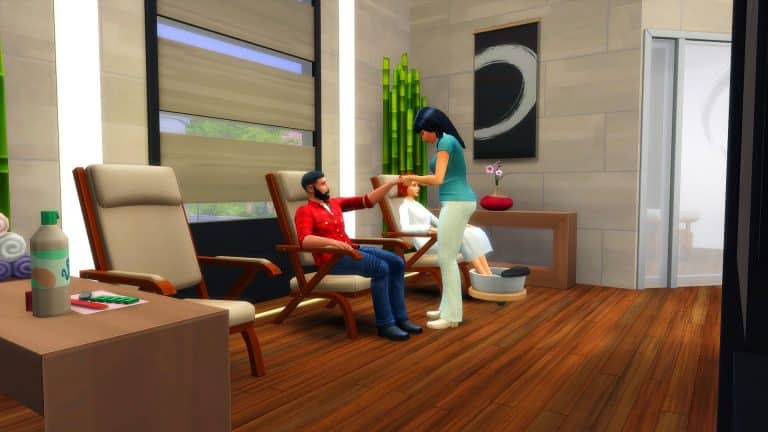
There’s no denying that with the pack refresh for The Sims 4 Spa Day now out, that the previous pre-made Spas need a little updating!

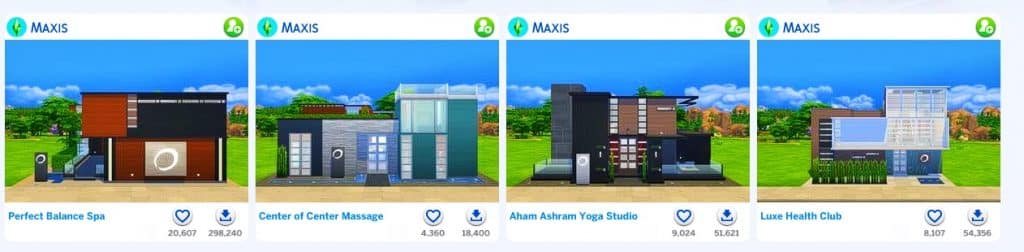
While the pre-made Spa’s should be downloadable from The Gallery by searching for Maxis as the EA ID. You should also be to find them under the My Library tab as well.

The Sims 4 Spa Day: Let’s Refresh A Premade Spa

There are a total of four pre-made Spas, all of which were originally built back in twenty-fifteen and at this point are a little over six years old. Of course, since then, we’ve seen an array of different packs released. So, let’s take one and give it a makeover and bring it up to date!

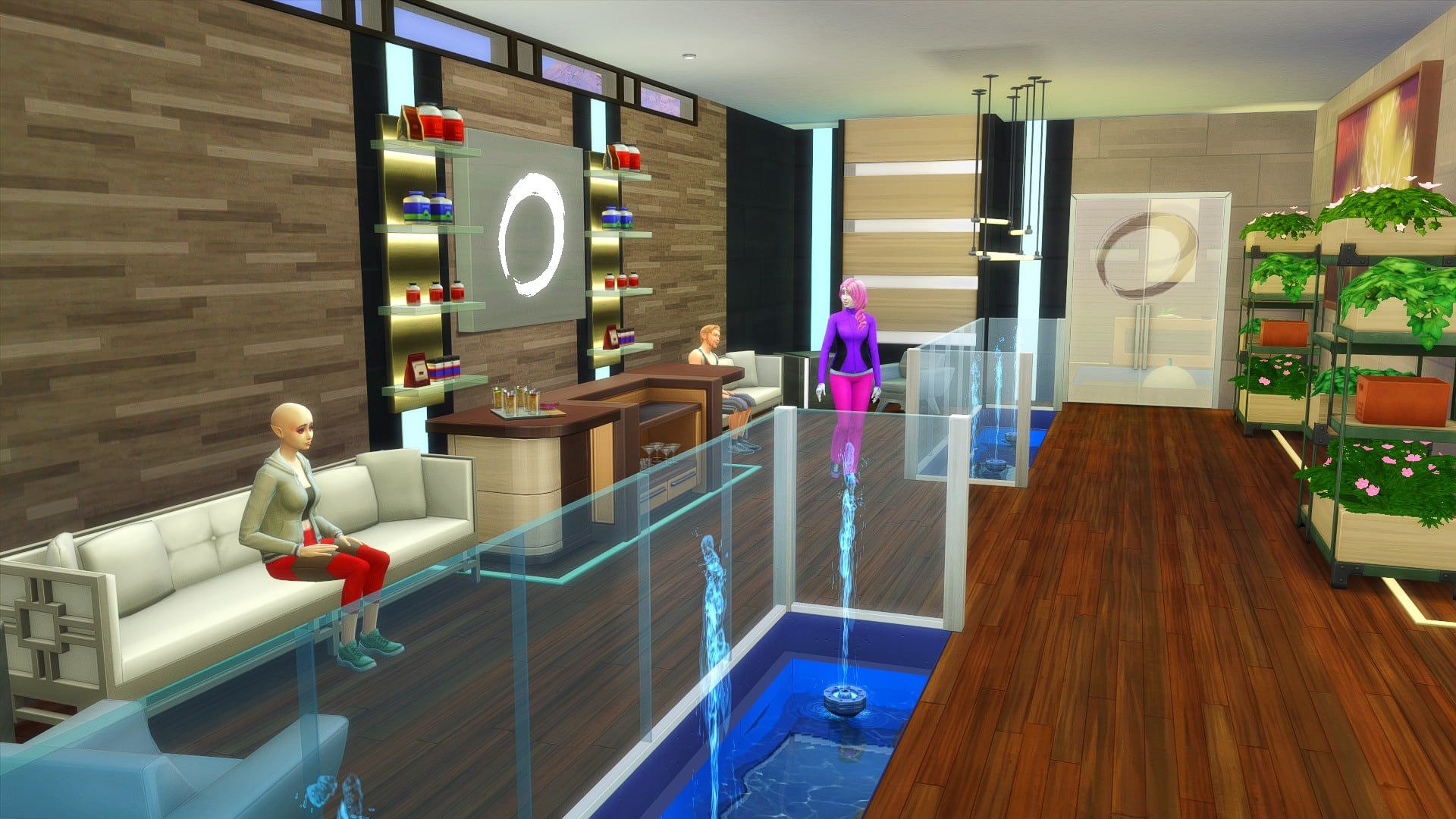
I decided to go with the Perfect Balance Spa by Maxis as the one I wanted to refresh for my game. Here’s a quick look at what the Spa looked like before.

The Sims 4 Spa Day: Let’s Refresh A Premade Spa

While I still essentially wanted to keep the same kind of layout and features that the Spa already provided, I wanted to bring it a little more up to date and maybe even give it a bit of a unique twist. We’ll see how it goes!

As I was making my way through each area of the Spa, there were a handful of rooms that I decided to leave as they were for the most part. The main reason for this was when I first started giving the Perfect Balance Spa a refresh, I was trying to overcomplicate it and make it feel very messy and chaotic. Usually when I’m building, I try to utilize the space to the best of my ability and love using clutter to my advantage. However, this isn’t a build style I usually go for. This is a spa, a place for Sims to relax for a little while. I decided it was best to keep it simple and after replacing the lot I had an idea of where I wanted to go.

The Spa itself felt quite dark and dreary in places when I first started, and that was one thing I wanted to focus on. While not changing the Spa feeling too much, I added a few extra lights and chose some lighter wall options to make the rooms feel more spacious. I added some more plants in places as well as some better seating options. Slowly but surely it started to come together.

For the most part, most of the changes I made were minimal. I kept the rooms pretty much identical to how they were originally, and opted for some different variants of the original objects that were used. I can definitely say I was a bit too ambitious when I first started this, but after replacing the lot and starting over, making smaller changes rather than bigger ones was the right way to go. There’s still more I could go ahead and change up but for my game and what is happening at the moment this will be perfect!

Have you refreshed one of the pre-made Spa’s recently? Let us know in the comments below!

Need Story Ideas for The Sims? This Plot Generator Tool Can Help!

I see the same question pop up in our Sims Community Facebook group all the time. “HELP! I want to start a new save but I don’t have any ideas for what to do! What are some good story ideas?”

People usually suggest the same handful of things like do this or that challenge, get a spouse then cheat on them, become a black widow, use mods to incorporate R-rated content and all these are fine. If they sound fun to you, then by all means, do that! It’s your game. It should be fun to you first and foremost before anything else.

But if you’re a little bored of these things, I highly recommend this fantastic Plot Generator by Reedsy. It has over 1 million different plot combinations, complete with a protagonist, a secondary character, and a plot twist to shake up your story! Just pick your genre and hit Generate and boom! You have a totally unique story that probably no Simmer has ever done before right in front of you!

Keep in mind this plot generator is designed for writers, not The Sims, so you will probably end up with a lot of suggested plots that aren’t exactly specific to anything in The Sims. This is where your own imagination and creativity comes in. Think about how you can make that story work in The Sims, even if in a more abstract or unconventional way. For example, a Simmer received the following prompt from the generator and asked me how on earth they were supposed to do that in The Sims:

Need Story Ideas for The Sims? This Plot Generator Tool Can Help!

I suggested a mechanical engineer with the self-absorbed trait and a servo. The servo turns up from the future and, in an effort to return them to the future before the opposing galactic empire seizes it, they learn to transportalate as a spellcaster which allows them to travel between timelines as well as locations. When they arrive in the “future,” the engineer is horrified to discover that the future is actually less advanced than their time. The opposing empires clashed and created a new dark age that lasts well into our present day and the servo is one of the last of its kind.

See? You can do anything in The Sims if you stretch your imagination a little. That’s what it’s all about. Thinking outside the given parameters of the game.

The Random Plot Challenge

If you’re looking to take this a step further and turn it into a challenge, I wrote a very simple one with deliberately loose rules to allow you more freedom to tell the stories you’re given.
  • Use the Reedsy Plot Generator and select your desired genre, then hit Generate. You can do this as many times as you like until you get a plot and characters that catch your interest.
  • Once you’ve settled on one of the randomised options, create your protagonist and secondary character in CAS according to the info provided. They don’t have to live in the same household. You don’t have to actively play both of them, but they need to both be part of your story. If your character is a teen or younger, you may create their families as well.
  • You may use cheats only to give the characters a house you think they would reasonably have based on the generated story. You can’t give an elementary school teacher a golden mansion, for example. They would most likely live in a small apartment or modest suburban home. After getting them set up, you cannot use cheats.
  • You must incorporate every aspect of the plot, including the twist, into your gameplay somehow. If something doesn’t fit with The Sims, find a way to make it fit somehow. The Sims is only limited by your imagination so stretch your imagination. You’re telling a story, not just playing the same old “get job, get promoted, buy a nice house, get married, have a kid or two,” obvious trajectory that the game gives you. Treat it like a story, not a video game.

The Sims 4: San Myshuno Travel Brochure

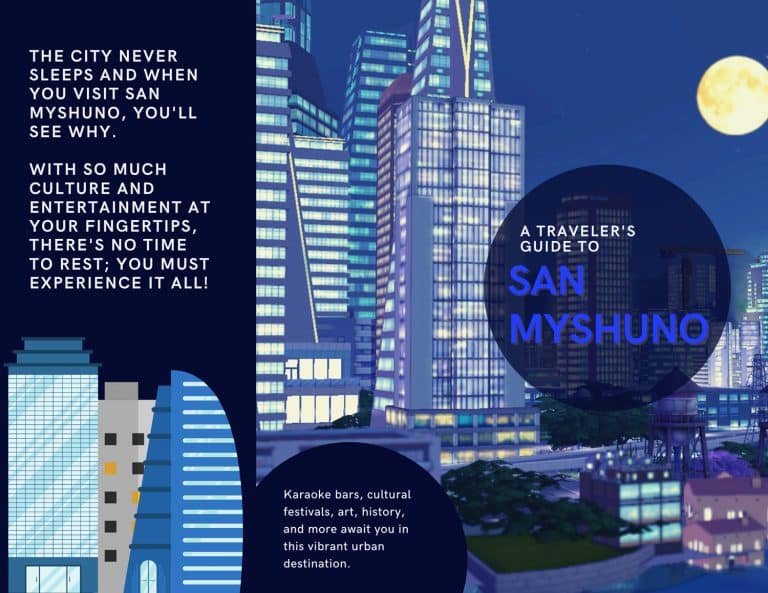
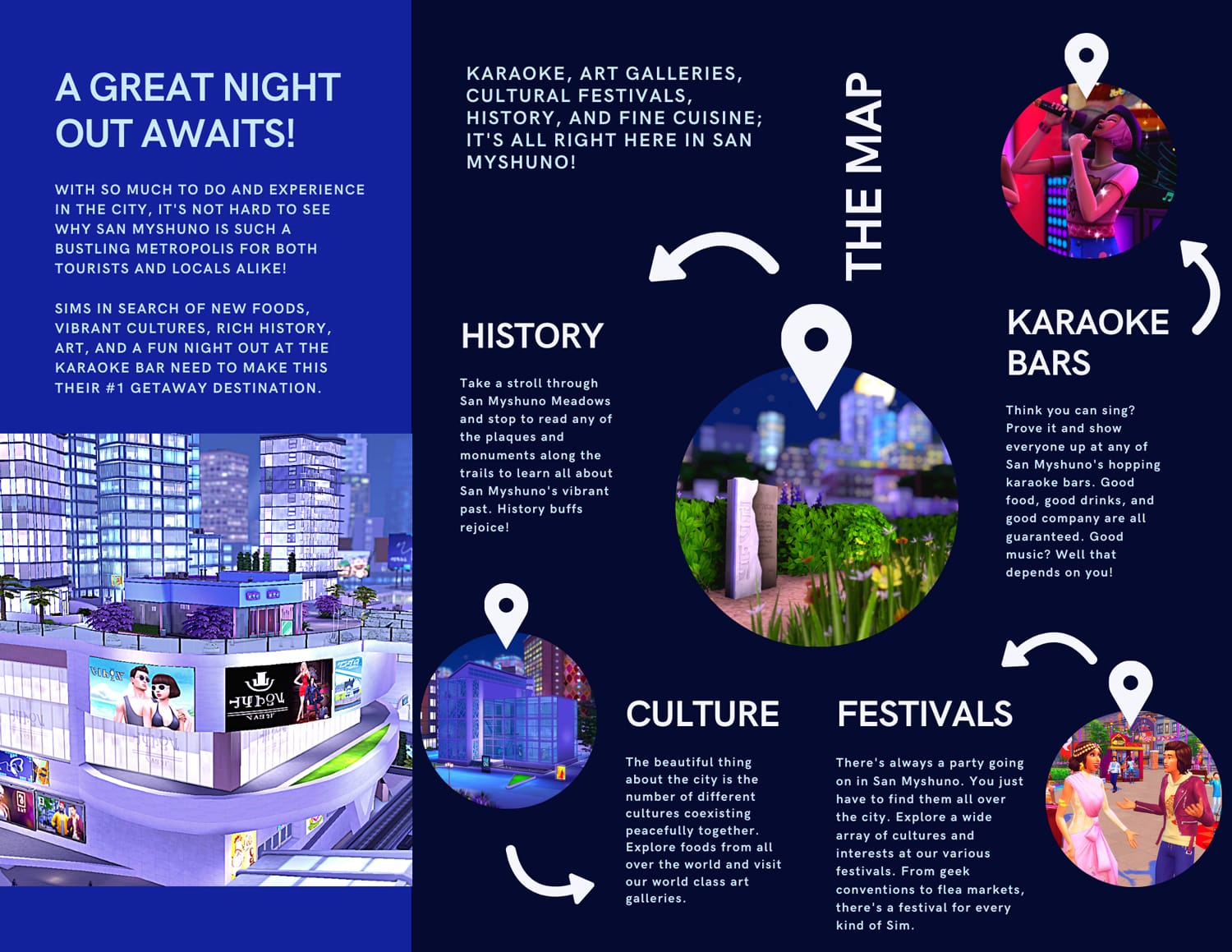
We’re back again with another travel brochure following some amazing feedback on our other ones! This time, let’s explore everything the vibrant, bustling metropolis of San Myshuno has to offer to tourists!

What world would you like to see us create a travel brochure for next? Don’t hesitate to leave your suggestion in the comments or let us know on any of our social media channels! We’d love to hear all about your favourite vacation destinations in The Sims 4!

The Sims 4: San Myshuno Travel Brochure

The Sims 4: San Myshuno Travel Brochure