We’re just days away until the release of The Sims 4 Snowy Escape Expansion Pack!
To celebrate the launch and keep you guys informed on all the things that are coming with Snowy Escape I’ll be doing special livestreams in the following days.
The first one is on November 11th and starts at 12AM PT / 9PM CET / 8PM BT and will cover everything you need to know regarding Snowy Escape and what it has to offer. I’ll also be answering any questions you might have regarding the pack and showcasing things you want to see so make sure you join the livestream via Twitch and chat with us as we explore the pack together!
The second livestream is scheduled for November 12th and will start at 11AM PT / 8PM CET / 7pm BT and it’ll be a special one! I’ll be livestreaming for more than 10 hours to celebrate the launch of The Sims 4 Snowy Escape in both Europe and North America. We’ll have a good time playing the game, popping off the confetti and counting down to the final hours and minutes of the pack’s release! Make sure you follow me on Twitch to be notified when I begin the Launch Party!
new Twitch.Player(“twitch-embed”, {
channel: “jovjovan”
});
Next week is going to be a big one for The Sims 4!
First off we have a huge update coming for The Sims 4 Base Game on PC / Mac and Consoles. The update is set to release on November 10th (expected time of the release is around 10AM Pacific Time) and should bring some new features to the game such as Platforms, Sentiments and more.
The next big release is The Sims 4 Snowy Escape Expansion Pack, which happens just 3 days after the big update on November 13th. The release schedule for this Expansion Pack will be staggered across different areas and platforms. Don’t worry though – we have a countdown post covering all the zones and their exact release times!
The Sims 4 Base Game Update
The next Base Game Update is bringing a lot of new features to the table including:
Platforms
New Half Wall Sizes
Vacations and Rental Lots
Sim Info Panel
Sentiments
Nasolabial Creases in CAS
Fixed Skintones
We’ve covered all of the new additions in our overview video that you can check out below!
According to the official blog post released by EA the update is set to release on November 10th. Considering that the update is very heavy on new Build Mode features and Gameplay changes, it’s very possible that some of the current mods that add something to Build Mode, Worlds and Sim Gameplay will likely break.
Make sure that you keep track of all the updates and information coming from your favorite CC and Mod creators to ensure that there are new versions of Mods coming. Although that the game will automatically disable all CC and Mods the first time you open The Sims 4 after updating, it’s best advised that you don’t re-enable the Mods until mod creators confirm that their mods are safe / will be getting a compatibility update soon. Enabling your Mods / CC without assuring that they’ll work with the new Sims 4 version might break your game.
If, however, you want to test out your current Mods / CC and see how they’re working with the latest update I advise you to make a backup of your current save game folder (located in Documents > Electronic Arts > The Sims 4).
Here are some useful articles to help ensure a stabile CC / Mods experience after updating The Sims 4:
The Sims 4’s 10th Expansion Pack – Snowy Escape, is set to release on November 13th across PC, Mac, Steam, PS4 and Xbox One – as well as the next-gen consoles PS5 and Xbox Series X. To find out exactly when’s the new pack coming out CLICK HERE!
The Sims 4 Snowy Escape, just like some of the previous Sims 4 Packs, will only work on 64bit systems and won’t be supported by The Sims 4 Legacy Edition.
To ensure that you’ll be able to play the game properly make sure you check these things:
Make sure your PC runs on a 64bit system. 32bit systems are no longer supported ever since the release of The Sims 4 Legacy Edition and if you have a computer that’s running on a 32bit system you WON’T be able to either update your Base Game nor play Snowy Escape.
Make sure you meet the following system requirements for Snowy Escape:
PC SYSTEM REQUIREMENTS
MINIMUM SPECS: OS: 64 Bit Required. Windows 7 (SP1), Windows 8, Windows 8.1, or Windows 10 CPU: 1.8 GHz Intel Core 2 Duo, AMD Athlon 64 Dual-Core 4000+ or equivalent (For computers using built-in graphics chipsets, the game requires 2.0 GHz Intel Core 2 Duo, 2.0 GHz AMD Turion 64 X2 TL-62 or equivalent) RAM: At least 4 GB RAM DISC DRIVE: DVD Rom Drive required for installation only HARD DRIVE: At least 15 GB of free space with at least 1 GB additional space for custom content and saved games VIDEO: 128 MB of Video RAM and support for Pixel Shader 3.0. Supported Video Cards: NVIDIA GeForce 6600 or better, ATI Radeon X1300 or better, Intel GMA X4500 or better DIRECTX: DirectX 9.0, 10 and 11 Compatible INPUT: Keyboard and Mouse ONLINE REQUIREMENTS: Internet connection required for product activation.
RECOMMENDED SPECS: OS: 64 Bit Windows 7, 8, 8.1, or 10 PROCESSOR: Intel core i5 or faster, AMD Athlon X4 VIDEO CARD: NVIDIA GTX 650 or better MEMORY: 4 GB RAM HARD DRIVE: 18 GB of Hard Drive space
MAC SYSTEM REQUIREMENTS
MINIMUM SPECS: OS: Metal required. Mac OS® X 10.11 (El Capitan) CPU: Intel Core 2 Duo 2.4GHz Processor or better RAM: At least 4 GB RAM HARD DRIVE: At least 15 GB of free space with at least 1 GB additional space for custom content and saved games VIDEO: NVIDIA GeForce GTX 680, AMD Radeon RX 560 or better INPUT: Keyboard and Mouse ONLINE REQUIREMENTS: Internet connection required for product activation.
RECOMMENDED SPECS: OS: Mac OS® X 10.11 or later PROCESSOR: Intel Core i5 or better VIDEO CARD: NVIDIA GeForce GTX 680, AMD Radeon RX 560 or better MEMORY: 8GB RAM HARD DRIVE: 18 GB of Hard Drive space
For all information on the release of The Sims 4 Base Game Update and Snowy Escape Expansion Pack stay tuned on Sims Community!
EA has released their official prepared remarks from their Q2 2021 Fiscal Year report where they talked about all of their games, current profits and plans for the future.
EA’s CEO Andrew Wilson also talked about The Sims 4 and the growth of the game and its community. He shared two interesting facts: the first one being that The Sims 4’s player base is now the biggest in the history of The Sims Franchise. The other interesting information is that they expect the next year to be another strong year for The Sims 4 – presumably in new content and releases.
Check out what they’ve said:
Around the world, our multi-platform Sims community continues to grow, and our Sims 4 player base on PC and console is now the largest in franchise history.
The Sims 4 and Apex Legends show how we build great live services into strong ongoing businesses. This quarter we’ll launch our 10th expansion pack for The Sims 4, along with some important game updates that add even more cultural customization options for players.
We also expect another very strong year for The Sims 4, a testament to the strength of that community as it enters the seventh year of live service.
I’ve had a very long but quite an incredible journey trying to trigger the new deaths that come with The Sims 4 Snowy Escape Expansion Pack. Considering that we didn’t have access to any mods during our Early Alpha-hands on all of the deaths had to be caused…naturally.
Snowy Escape comes with two new deaths and I’ll be breaking down each one below!
Death by Vending Machine
Triggering this death was quite a painful experience…at least for my Sim. Snowy Escape introduces different types of Vending Machines to the game that can often work against your odds and eat up all of your hard-earned Simoleons. If your Sim is lucky they’ll be purchasing an item of their choice without any issues. However, the Vending Machine sometimes likes to play a game of odds and not giving you an item that you’ve ordered because the item’s been stuck.
In that scenario you’ll have to select the Vending Machine and select the “Shake” interaction to try and knock down the item you’ve ordered. Best case scenario? They’ll get slam right into the Vending Machine and get their object back.
Not the best but not the worst case scenario? They’ll get on top of the Vending Machine thinking they’ll be able to get the item they want in a more agressive way. In that case the Vending Machine will crush them, they’ll eventually get back up and have to try again.
Worst case scenario? You’ve probably guessed this one already but to explain it even more: if your Sim has been previously crushed by a Vending Machine and they got away with it they’ll get a “Battered & Bruised” moodlet. If your Sim attempts to shake up the Vending Machine again while having this moodlet and they get on top of the Vending Machine – resulting the Vending Machine to fall over them again. In this case there’s 99% chance that they’ll die. Which my Sim did.
The Grim Reaper took the soul from my Sim and restored the Vending Machine back to its original state.
Considering I didn’t have anyone else in my Household I couldn’t see what the new Vending Machine ghost looked like. So I went on another adventure of killing off a different Household instead. This time with two Sims.
After successfully doing so I was able to add my Ghost Sim to the Household using a simple Shift + click on the Gravestone cheat. My Ghost Sim immediately then went back to the place of her death – this case the Vending Machine – and couldn’t believe her eyes that this was the way she went.
death6 2
death6 1
Fun fact: Sims who die from the Vending Machine have a can of fizzy juice spinning inside of them!
Death by Rock Climbing
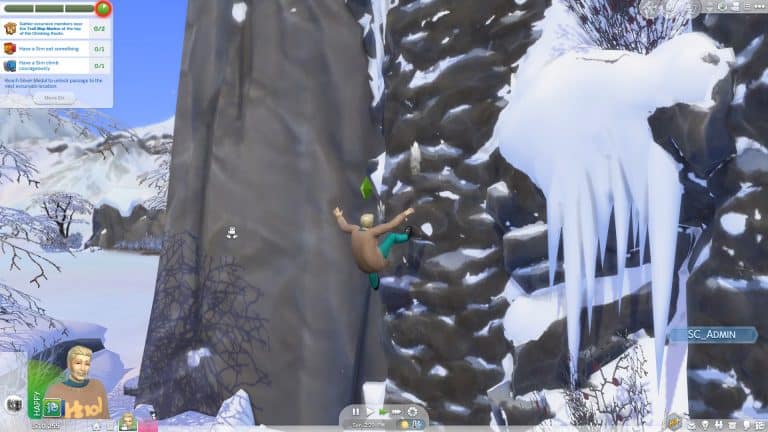
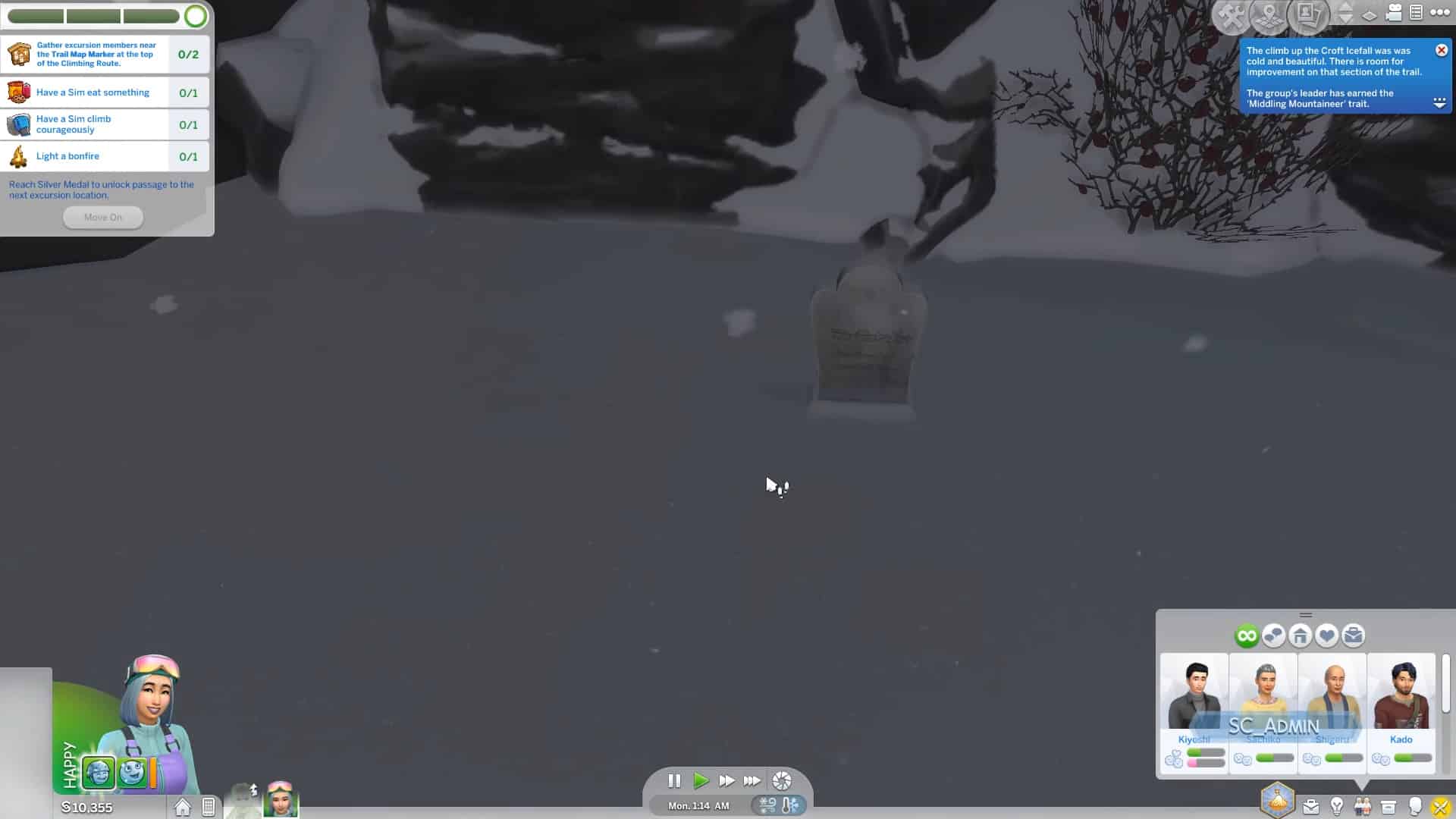
This was a really tough one because I didn’t know what exactly is the breaking point of a Rock Climber and on which Rock Climbing heights should I push my Sim. I’ve made a decision to get him to the Level 6 of the Rock Climbing Skill and send him off to a Mountain Excursion.
In the second (and last) neighborhood that you reach on your way to the top of the Mountain your Sims will be challenged by the biggest rock wall that there is in the game. I knew I had to give this wall a try considering that Sims only get to Attempt to Climb the highest route possible at Level 6 – with higher levels giving them more confidence in doing so.
Usually Sims will often slip up and fall, landing on their feet if they’re not completely competent to master a certain rock wall. This would only give them a small injury but they’ll still be able to move on.
death 7
death 5
Often Sims who fall again will get a serious injury and they won’t be able to interact with the Rock Climbing wall at all for the next 6 hours in game.
However, a small percent of chance for Sims who have been injured once and continue to try to conquer the wall again will slip up…and fall to their death.
death 8
death 9
death 10
death 11
The Grim Reaper left the gravestone in this Neighborhood so yeah – I had to send off another household on an excursion to acquire the gravestone and bring back my Sim from the dead to see what their Ghost looks like. I was surprised to see that there weren’t any special visual effects happening for a Sim who fell to their death.
death 12
death 13
But hey, at least my Sim was able to conquer that Rock Wall, even though he already paid the price once for trying to do so…
Want to check out these deaths in action? Check out the video below!
With next-gen video gaming consoles coming out next week – Xbox Series X on November 10th and Playstation 5 on November 12th, many have been what will this mean for The Sims 4 and will it be playable on such consoles.
EA confirmed that, not only will you be able to play The Sims 4 on Xbox Series X and PS5 but that you’ll also see some drastic improvements in terms of frames per second and loading screen times! They’ve also confirmed that The Sims 4 will be backwards compatible – meaning that you’ll be able to switch and play the Base Game and all the Packs from your PS4 / Xbox One to the next generation consoles!
I can personally confirm that the loading screens I’m experiencing right now on my PS4 Pro with all the Packs installed can get pretty long (often taking 3-5 minutes from opening up the game to the point where Live Mode loads up). However, this should no longer be an issue on next-gen consoles considering that both PS5 and Xbox Series X have drastic upgrades (super fast SSDs, octa-core processors, strong graphics and more).
Here’s what EA said about what backwards compatibility on PS5 and Xbox Series X will bring for The Sims 4 on these consoles:
The video game industry is an exciting place, especially when new hardware launches. Each new console generation is met with huge anticipation. In just one week’s time, the next generation of consoles will be introduced to the world and Electronic Arts has some great games ready for you to play on the PlayStation®5 and Xbox Series X|S.
Through the power of backwards compatibility on PlayStation 5 and Xbox Series X|S, you’ll also be able to play a bunch of EA games including Star Wars™: Squadrons, EA SPORTS UFC® 4, NHL® 21, Need for Speed™ Hot Pursuit Remastered, The Sims™ 4 and its add-on packs, as well as Apex Legends. Here’s a breakdown of the newest games and what you can expect next week when you do!
The Sims™ 4
Since its release in 2014, The Sims 4 continues to add fresh new content into the game, and the base game and all of its packs including Tiny Living, Eco Lifestyle, Nifty Knitting and Star Wars™: Journey to Batuu released this year will be available on the Xbox Series X|S and PlayStation 5 with faster loading times and smoother framerates. The 10th expansion pack, Snowy Escape, is set to launch on Nov. 13th, when it will be available on PlayStation 4, Xbox One, PC, Mac, Xbox Series X|S and PlayStation 5, bringing a Japanese-inspired world that offers a variety of activities for Sims to enjoy, from unwinding in the mountain’s onsen bathhouse, meditating on mindful walks or testing their limits with exciting, and sometimes dangerous sports activities like skiing, snowboarding and rock climbing.
The Sims 4’s upcoming Update will introduce Platforms – a new Build Mode feature that lets you bring more dimension to your interiors (and exteriors). The feature comes packed with new useful tools, patterns and ways of building that I’ve all explained in the walkthrough video above. Check it out!
There’s just a few days left until the release of The Sims 4 Snowy Escape Expansion Pack on PC, Mac and Consoles!
The game is set to be released on November 13th, 2020 for all platforms worldwide. However, there’s different release times for different territories and different platforms! Unlike with Game Packs and Stuff Packs which all get released at the same time on all the same platforms – Expansion Packs have a staggered release between different areas in the world.
For PC and Mac Snowy Escape will be released on Origin for each zone at midnight. However, for Xbox One and PS4 the pack will come out at the same time at 10AM Pacific Time. Considering that there are a lot of time zones and different release schedules included I’ve listed countdowns for each area and each platform down below! As soon as the counter goes zero for your area you’ll be able to purchase / download and play The Sims 4 Snowy Escape!
I’ll also be doing a huge 12-hour Launch Party Livestream to celebrate the launch of Snowy Escape in Europe and North America! CLICK HERE to follow me on Twitch and be the first to know when I go live! The livestream is set to begin at 11AM PT / 8PM CET / 7PM BT. Feel free to join the livestream over on Twitch as well and hang out with us in chat! Hope to see you there 🙂
PC & Mac Origin Release
North & South America (Midnight EDT New York Time, November 13th)
[janky target_time=”1605243600″ color=”#0aa6b6″]
Europe (Midnight CET Paris Time, November 13th)
[janky target_time=”1605222000″ color=”#0aa6b6″]
Russia, Saudi Arabia, Israel & Turkey (Midnight MSK Moscow Time, November 13th)
[janky target_time=”1605214800″ color=”#0aa6b6″]
Japan, Korea & the rest of Far East (Midnight KST Seoul Time, November 13th)
[janky target_time=”1605193200″ color=”#0aa6b6″]
Australia & New Zealand (Midnight AEST Sydney Time, November 13th)
You may have already seen that we’ve covered the basics of the new lifestyle feature coming with The Sims 4 Snowy Escape Expansion Pack. If not, you can check out our breakdown of all 16 Lifestyles that you get!
In our detailed video walkthrough I’m covering everything you need to know regarding lifestyles, how you can obtain one, which ones there are, what are the benefits and more! At the end of the video I’m also explaining what it takes to get rid of certain lifestyles as well as how you can completely turn this feature off (if you want to do so).
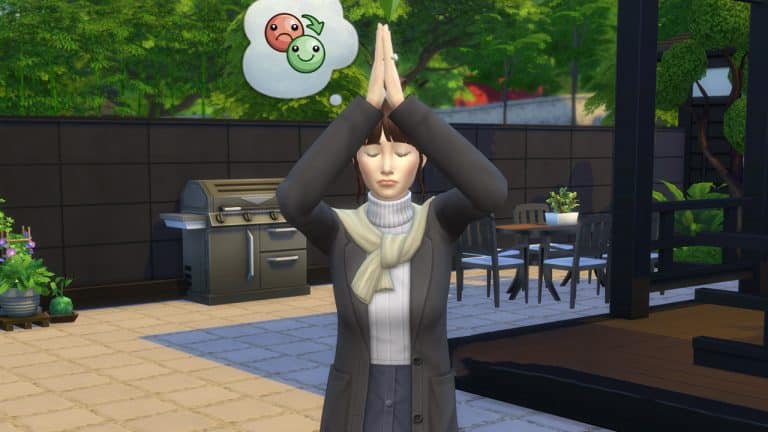
The Sims 4 Snowy Escape Expansion Pack lets your Sims enter the state of zen and completely change their emotions that you select!
Becoming emotionally mindful is a process that usually lasts for one or two Sim days, depending on how much time you plan to devote to pamper your Sims and distract them from stressful activities.
There several ways you can enter the emotionally mindful state so you can Surge Emotions. However, you’d first have to reach the first stepping stone of becoming Emotionally Mindful. One of the best ways I discovered to reach the first Emotionally Mindful state is to take a Meditative Walk on one of the hiking trails.
It might take more than one hike to reach the first level of the Emotionally Mindful state. Something that might increase your difficulty are critters that might spawn during your hike so make sure you have an Anti-Bug spray in your inventory before you go hiking!
You’ll know that your Sim has reached the first level of becoming Emotionally Mindful by getting the sparkly new “Emotionally Mindful” buff that’s worth +4 Fine points. However, the grind to relaxing and unwinding doesn’t stop there.
Reaching the final state of being Emotionally Mindful takes some time and various different activities. For example, while being on the first level of this state you’ll have to do activities such as Painting, relaxing in the Hot Springs Tub, Fishing or going for Mindful Walks – which is a new self-interaction that you unlock while being on the first Emotionally Mindful level.
If you have The Sims 4 Spa Day Game Pack installed you’ll also be able to help progress emotional mindfullness through massages and other spa activities!
I’ve had my Sim do almost all of those things because it’s really not that easy to unlock the final level.
mindful 10 e1604409344915
mindful 8 e1604409336371
mindful 6 e1604409326706
mindful 12 e1604409315565
In total it took maybe 6 to 8 Sim Hours of relaxing activities for my Sim to reach the complete Emotionally Mindful state. You’ll know your Sim has reached the state after their Emotionally Mindful buff has progressed to a +10 “Controlled Emotions” Fine buff.
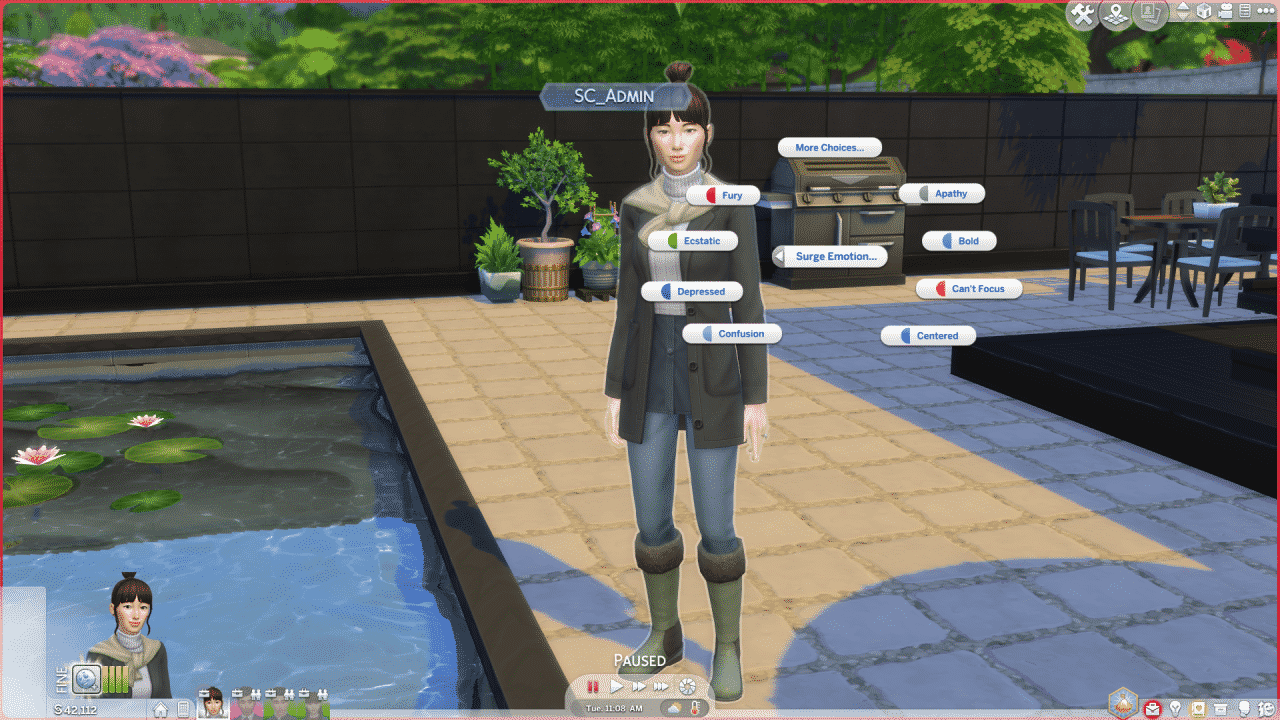
This state unlocks the ability to Surge Emotions! To do so, click on your Sim and select the Surge Emotions option. From there you’ll be able to choose from all 15 different emotional states.
The interactions have different names compared to their emotional state. However the colored icons on the left will help you determine the emotion you want! There are 15 states to choose from:
Fury (Very Angry)
Ecstatic (Very Happy)
Depressed (Very Sad)
Confusion (Dazed)
Centered (Very Focused)
Can’t Focus (Very Uncomfortable)
Bold (Very Confident)
Apathy (Bored)
Time for Fun (Very Playful)
Shameful (Very Embarrassed)
Ready for Action (Very Energized)
Passion (Very Flirty)
On Edge (Tense)
Ingenuity (Very Inspired)
The reason I’ve put most of the emotions in their superlative state because the surged emotion of your choice will give a strong +4 buff that lasts for 12 hours.
You won’t be able to Surge Emotions again after you’ve chosen the emotion of your choice unless you decide to start your Emotionally Mindful journey again.
Please note that if your Sim already has some positive (or negative) moodlets beforehand they’ll contribute to the superlative of your Sim’s emotional state. Considering that the surged emotional state is very strong, they might add into making your Sim Hysterical, Mortified or Enraged – which could result in death from laughter, embarrassment or anger!
The Sims Team did a deep dive livestream for The Sims 4 Snowy Escape! Deep dive livestreams for expansion packs are always brimming with an overwhelming amount of new information, and the Snowy Escape livestream was no exception!
In case you missed it and want a quick summary, we’ve compiled all the info about the pack revealed in the livestream in a condensed, easy to read, point-form format broken up into sections, so scroll to the sections you’re most interested in!
CAS
New Traits: Adventurous, Proper
New Aspirations: Extreme Sports Enthusiast, Mt. Komorebi Sightseer
Some clothing will not be in CAS directly; Sims can unlock them through festivals and other activities in Mt. Komorebi.
Build/Buy
Platforms are part of the upcoming base game update; you do not need the Snowy Escape expansion to use them.
Platforms can be stacked on top of each other.
Platforms can be raised up high or lowered into the ground.
Platforms can be used to build stages; Sims can interact from separate platforms on the same level, so entertainers can interact with their audience and vice versa from the stage.
Platforms can be built in apartments.
Platforms are very versatile; they can be used for everything from roofs to split-levels and more.
Stacked platforms that are only one step in height difference can be used as stairs by Sims.
Stairs can be attached to platforms and placed on platforms.
Stairs cannot run through platforms; however, you can build platforms around staircases to give the appearance of a staircase embedded into a platform.
New trims for platforms, including wood slats and rustic stone, as well as all currently available foundation trims.
Platforms have head clearance requirements, so players can construct platforms in such a way as to allow children to enter, but not adults.
New half walls that come in every available height the platforms do so they can be paired together.
Koi fish can be added to fountains.
New Venue: Onsen Bath House
The summit of Mt. Komorebi has a buildable lot; however, the lot is not accessible through the map. Sims will need to brave the mountain every time they want to visit it.
Rental lots can now be placed in any world, which allows Sims to vacation in any residential world; however, destination worlds cannot be turned into residential worlds.
New science table for children (finally)!
Kotatsu tables are heated and can be upgraded to control their temperature.
Hot pots are draggable and can be taken with Sims to different places and placed on multiple surfaces; they are not attached to the kotatsu table.
New counters with shelving underneath to place clutter objects.
Gameplay
Lifestyles
Lifestyles are exclusive to Snowy Escape; players will need the Snowy Escape expansion to gain access to the Lifestyles gameplay feature.
While CAS traits reflect a Sim’s innate personality, Lifestyles reflect a Sim’s lived experiences.
As Sims pursue new interests, those interests may evolve into a new Lifestyle for them, which will offer them certain benefits in areas of life related to that Lifestyle.
Lifestyles can change over time; if a Sim stops pursuing one interest and starts doing activities that take them in a different direction in their life, their Lifestyle can change to reflect that.
Some Lifestyles conflict with each other and can’t be active on the same Sim at the same time. Others are standalone and don’t necessarily conflict with anything else.
Some Lifestyles mentioned in the livestream: Workaholic, Frequent Traveler, Hungry for Love, Single and Loving It
New reward potion to remove unwanted Lifestyles. Sims can also use the phone to call a Lifestyle Coach to get rid of Lifestyles.
Players can use a new cheat to add or remove Lifestyles from Sims instantly by shift-clicking on them.
Lifestyles can be turned off in the game settings, which will completely remove all Lifestyles from the game.
Sentiments
Sentiments are NOT exclusive to Snowy Escape! Sentiments will be coming in a free base game update; however, Snowy Escape does have some specific Sentiments that are exclusive to the expansion.
Sentiments reflect shared moments between Sims and how those Sims feel about those experiences. They affect the way Sims react to other Sims based on the things that have happened between those Sims in the past.
Sentiments are not permanent; however, there are both short term and long term Sentiments. Some Sentiments can last for several in-game weeks.
Sentiments can decay or strengthen over time as new experiences happen between those Sims.
Some Sentiments weigh more heavily than others. For example, if a Sim catches their spouse cheating on them, that is going to matter more to them than a nice hike they once took together.
Clicking on Sims in your relationship panel will now bring up a new profile interface for that Sim, which contains more detailed information about that Sim, including any Sentiments your Sim shares with that Sim. This new interface will be included in the free update as well.
Some premade Sims in Mt. Komorebi already have formed Sentiments with each other.
Sentiments can create empathy between Sims. In the livestream, we saw that one of the Sims became sad because her husband was stressed. This was due to their shared Sentiments
Outdoor Activities
Sims can swim in Wakaba’s River in Mt. Komorebi.
Sims can check info boards around Mt. Komorebi to see upcoming festivals and check the daily wildlife report, which will warn them about any potential hazards from local wildlife while out hiking or traversing the mountain.
Supplies to ward off hazards from wildlife can be purchased from vending machines.
Hiking is a new active activity Sims can partake in. It is not a rabbithole. Players can follow their Sims through Mt. Komorebi’s hiking trails.
There are different types of hikes Sims can go on; meditative walks, sightseeing, exercise jogs, or travel to specific locations.
Sims can hike together in a group. They talk and build relationship with each other while doing so. On hikes, Sims will periodically stop to admire the scenery, take selfies, and pull out maps to check their location.
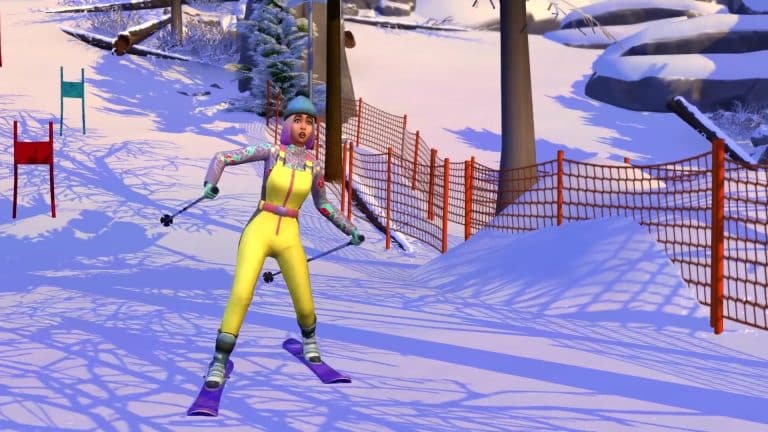
New Skills: Snowboarding, Skiing, and Rock Climbing.
There are bunny slopes for beginner snowboarders and skiers and more advanced slopes for experienced Sims.
There are multiple rock climbing locations ranging in difficulty for beginners and experts.
Snow activities can be enjoyed as a family; toddlers can go sledding with older Sims.
Children can sled, ski, and snowboard. They are not restricted to the bunny slopes and can use the more advanced slopes as they gain more experience, just like adults.
Sims can purchase their own skiing and snowboarding equipment. If they do not have their own equipment, they’ll be provided free rental equipment when they visit the slopes, but it will be returned once they leave.
Sims can unlock new interactions as they level up in skiing and snowboarding, such as film snowboarding videos and becoming Snow Bros with other Sims, which will offer them benefits on the slopes when they are with their Snow Bros.
There are low, medium, and high intensity runs on the slopes. High intensity runs can be dangerous, especially on the big slopes.
The mountain has caves to explore with many different possible outcomes. These ice caved can provide shelter to Sims making their way to the summit of the mountain; they are also a new WooHoo location.
New Social Event: Mountain Climb Excursion
Mountain excursions function differently than other social events and have more varied rewards; doing well in excursion events unlocks new excursion locations to explore
Mountain snow has depth in certain remote areas, which can make traversing the area more difficult.
There are cautious and risky approaches to mountain climbing. Sims can survey conditions; this will give Sims an idea of their success chances based on their skill, gear, and current weather.
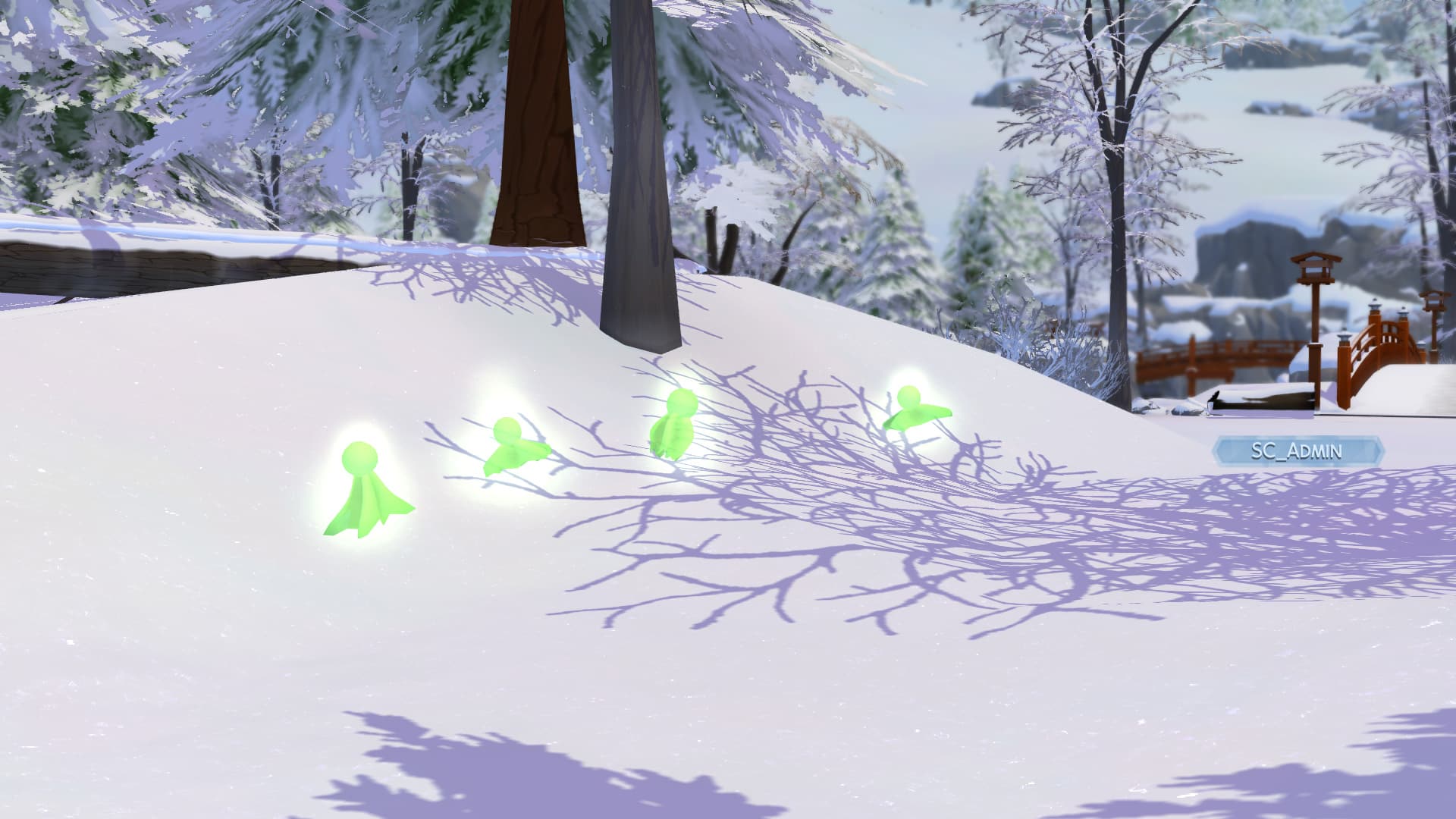
Sims can come across forest spirits on the mountainside. Forest spirits are a new collectible, but the spirits themselves cannot be captured and displayed. Sims who find a forest spirit will receive a doll-version of the spirit to take home with them.
Sims can be attacked and injured by local wildlife both while hiking and traversing the mountain.
Lots of replayability; there are a wide variety of random, unexpected things to make every excursion a little bit different.
Weather conditions play a big role in traversing the mountain; blizzards, thunder snowstorms, and icy conditions can make Sims slip and fall.
New Death Type: Sims can fall to their deaths while climbing the mountain.
Culture and Festivals
Yamachan is Mt. Komorebi’s official mascot; he dances, takes selfies with tourists, and runs the Voidcritter Hunt for the Festival of Youth. There is also a ramen food stand named after him.
Toddlers can take selfies with Yamachan.
Kids can take home paper kabuto hats from the Festival of Youth.
Kids can participate in the Voidcritter Hunt at the Festival of Youth by using their phones to go around the festival area collecting Voidcritters, similar to the real-world game, Pokemon GO.
Children and teenagers living in Mt. Komorebi will change into a school uniform to attend school.
Sims can now take their shoes off when entering a home. They can also change into house slippers when entering a home.
New Career: Salaryperson
Sims in the Salaryperson career work long hours and are more stressed out because of it, but they also get some humorous new interactions related to their demanding job.
Sims in the Salaryperson career can do relaxing activities like soak in the hot springs to decompress and destress from a hard day’s work.
The Salaryperson career comes with some new business outfits to unlock in CAS.
The career has two branches; Supervisor and Expert
Sims can gain the Legendary Stamina reward trait from the Salaryperson career, which allows them to work even longer hours without becoming tired and stressed.
Some new festivals mentioned in the livestream: Festival of Lights, Festival of Youth, Festival of Snow
New food stalls around Mt. Komorebi, including at festivals.
New vending machines. Festivals have their own unique vending machines as well.
There are special vending machines that serve hot and cold snacks and beverages that can warm up or cool down your Sim. These treats are safe and won’t cause your Sims to freeze to death or overheat. Sims can bring these items with them on hikes or mountain excursions to help them stay warm or cool off.
Sims can die from being crushed by a vending machine. Occasionally, items will get stuck inside the machine and Sims can shake it to try and dislodge the item. Sometimes, this can cause the vending machine to fall on your Sim. If a Sim who is already injured has a vending machine fall on them, they have a high chance of being killed.
Sims can become emotionally mindful from doing relaxing activities, which allows them to put themselves into any emotional state at will. Some relaxing activities that can accomplish this include meditative walks, using the hot springs, painting, and it was mentioned in the livestream that activities from other packs, such as massages from Spa Day, will contribute to emotional mindfulness as well.
Sims can use the phone to take a vacation like they always could; however now they can vacation at any rental lot placed in any world. Players can turn any residential world into a vacation destination by adding rental lots to it.
While on a vacation, Sims can use their rental lot’s mailbox to order any supplies that the lot might not have. In the livestream, SimGuruGraham ordered a toddler bed to accommodate the youngest Sim in his household since the family’s rental lot did not have anything for toddlers.
Hot pot meals are more of a social experience than other types of meals. Sims will gather around the table and talk while the hot pot contents are being cooked.
Hot Pots and kotatsu tables cannot currently be used in restaurants with the Dine Out game pack.
New styles of chopsticks and the option to choose between chopsticks or Western cutlery.
There are 15 new recipes and drinks, plus the contents of the various vending machines.
New Radio Station: Japanese Folk music
New music coming to the S-Pop station. The S-Pop station came with City Living but will be unlocked for base game in the next update. Players who don’t own City Living will not get the City Living tracks on the S-Pop station. They will only have the new tracks added in the update available to them.
Onsens have rules and etiquette Sims must follow; however, Sims can break this etiquette if they are wanting to stir up some trouble. Other Sims will disapprove of this and react negatively to broken bath house etiquette.
Misc.
New Collection: Simmi
Simmi are cute little dolls that can be collected and displayed in your Sim’s home.
There are special gold edition versions of the Simmi dolls and a variety of ways to collect all the dolls, including from vending machines and festivals.
The mountainous neighbourhood in Mt. Komorebi is always snowy year-round.
The Seasons expansion pack is NOT required to enjoy all of Snowy Escape’s content. Players who do not own Seasons will still have snow in the mountains of Mt. Komorebi and will still experience icy conditions and thundersnow in that area. Weather will not affect the other neighbourhoods of Mt. Komorebi if the player does not have Seasons.
Who knew there’d be a lot to talk about something as simple as taking your shoes off inside a home?
*ahem* anyways – The Sims 4 Snowy Escape Expansion Pack introduces a new system? Mechanism? Let’s just call it a feature that lets you control the footwear inside of your home.
In many cultures, including Japan which inspired the world of Mt. Komorebi, is embraced to take your shoes off when entering a home. The Sims Team didn’t miss out on this small detail by letting you choose which footwear rules should you apply to your home.
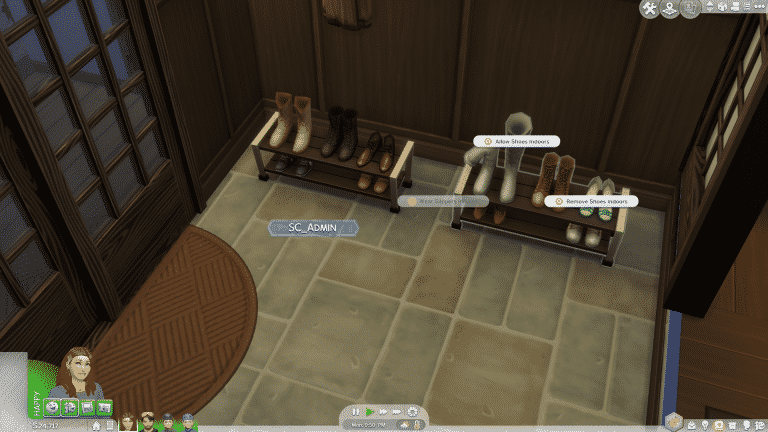
Although it’s commonly mistaken to be a Lot Trait – the Indoor Footwear Rules can be applied by placing down the “Taming of the Shoe” object from Build Mode. The sign can be placed anywhere on your lot and will immediately default your home to the Remove Shoes Indoors setting.
There are 3 different house rules you can choose:
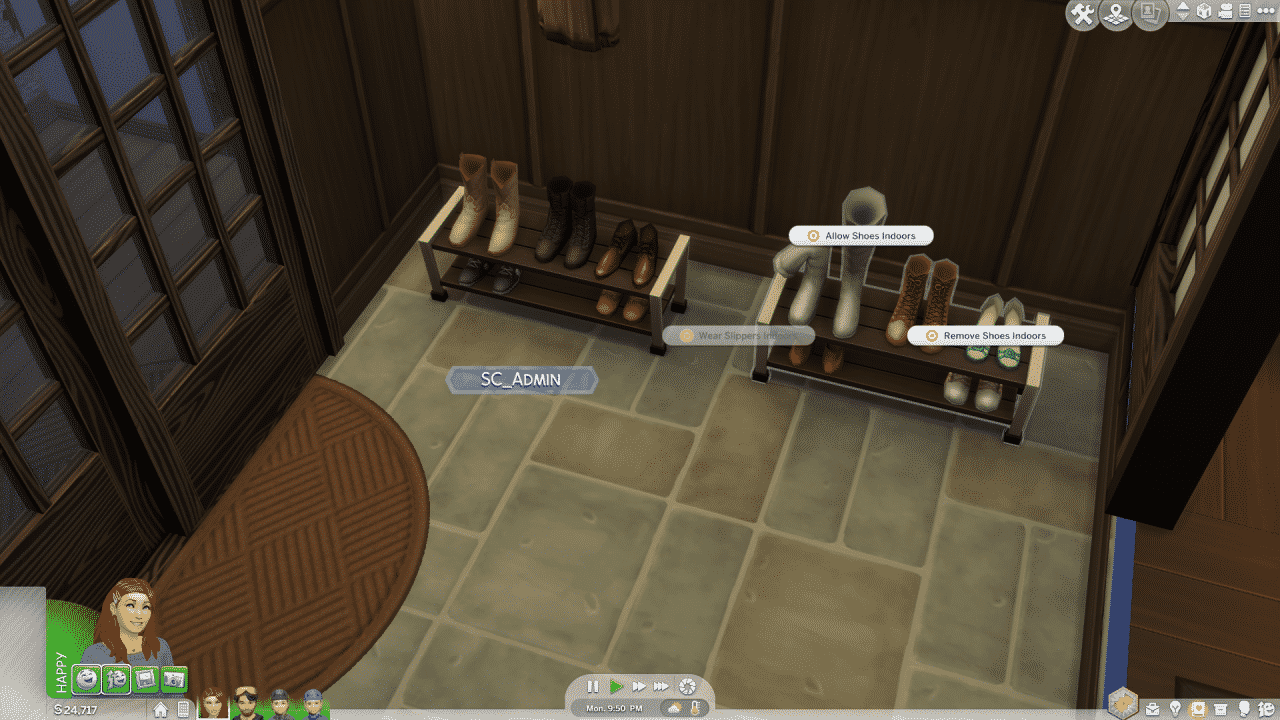
Allow Shoes Indoors
Wear Slippers Indoors
Remove Shoes Indoors
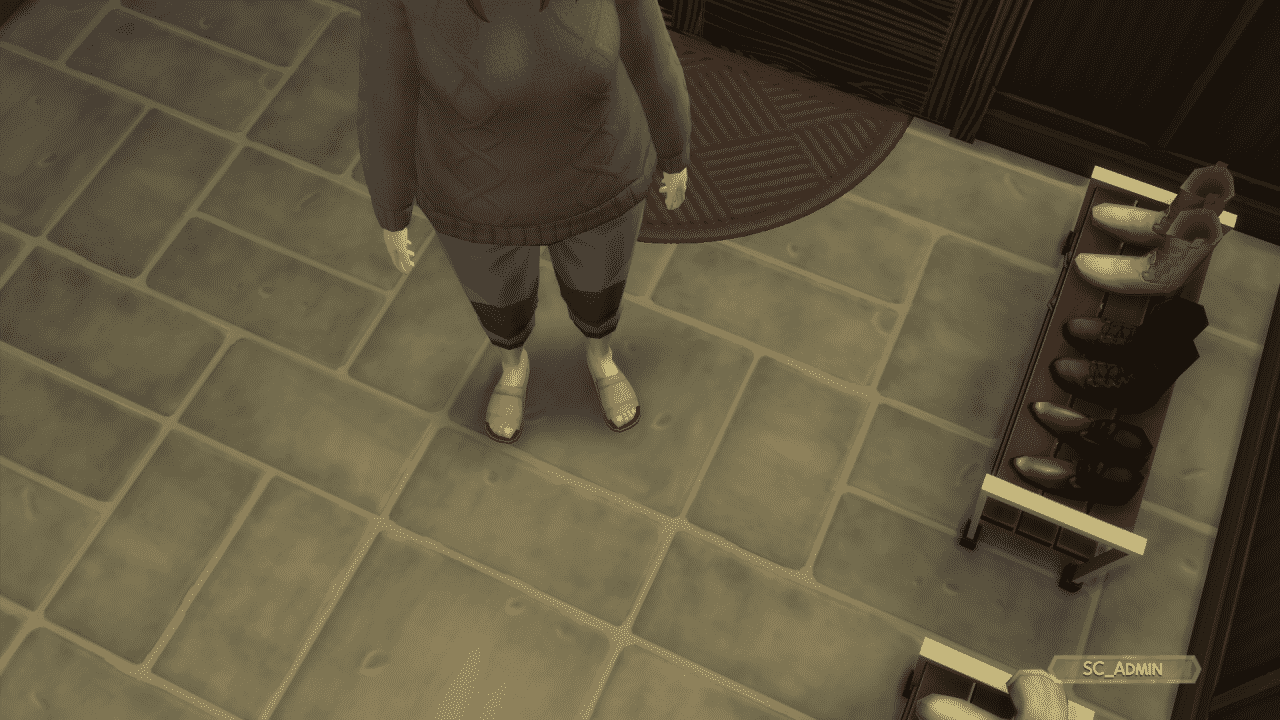
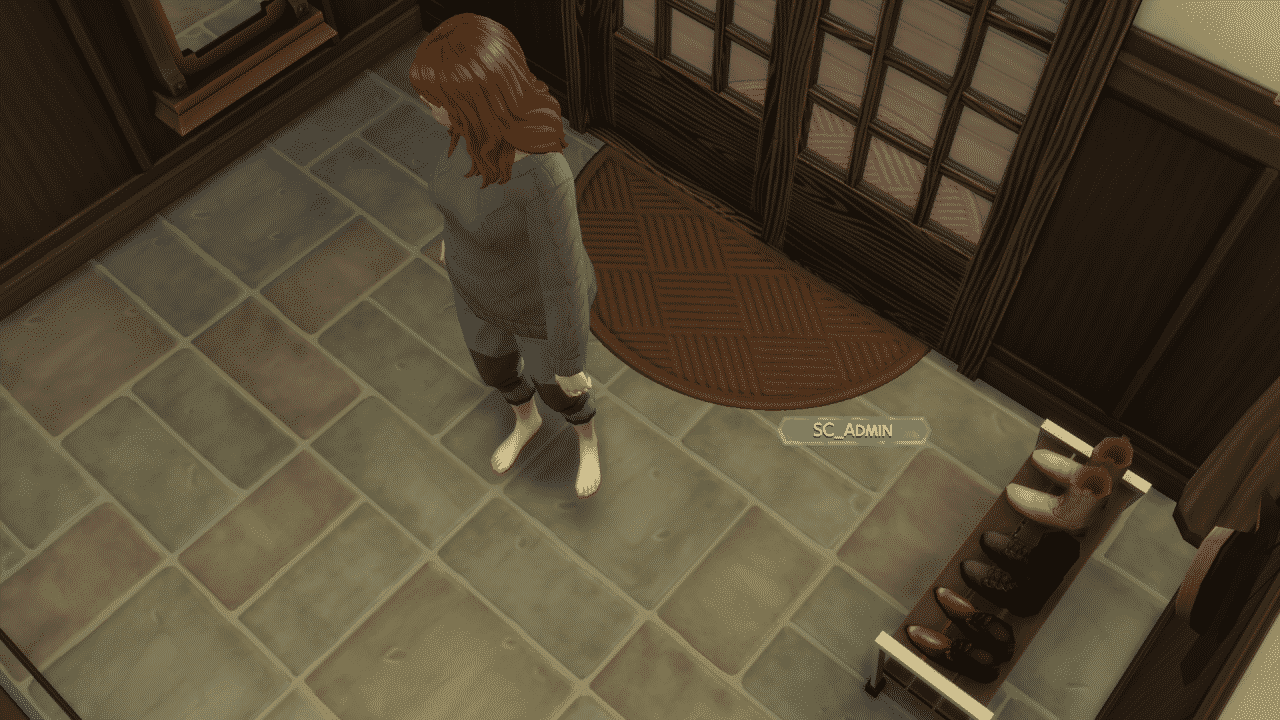
As soon as your Sim enters the main entrance of a house a swoosh visual effect will appear on their feet changing the footwear to the rule you’ve applied.
shoes 6 e1604276763110
shoes 5 e1604276754693
shoes 4 e1604276746127
If you’re worrying about your Sims’ feet getting too cold make sure you head to Plan Outfits on the dresser and give them some socks to wear. The no-shoes policy doesn’t apply to socks!
I never imagined I would be taking pictures of my Sim’s feet for an article but here we are.
If you choose the Wear Slippers Indoors option your Sims will be putting on a new pair of slippers that come with The Sims 4 Snowy Escape. If you don’t like the design that’s been given to your Sim you can change the color variant in CAS!
The rules that you set apply to Sims of all ages. Children who are feeling a bit mischevious won’t always listen to the house rules though. However, if they get caught by their parents they’ll get embarrassed!
The Taming of the Shoe sign isn’t the only object that lets you control the house footwear rules. If you place down Men or Women’s Shoe Rack you’ll be able to interact with it and apply the same set of rules! Don’t worry if you have multiple objects on your lot that set the footwear rules though – the rules get applied to every interactable footware rule object!
Snowy Escape brings Hiking to Sims 4! Check out all the explorable areas within Mt. Komorebi.
Presented by EA Game Changers
The Sims 4 Snowy Escape Expansion Pack, among other features, also brings Hiking to the table as one of the major features of this pack. Now I know you’re probably wondering “what’s so special about hiking?” and I get it – at first it doesn’t really sound like a grand feature that you should be overly excited about but hear me out!
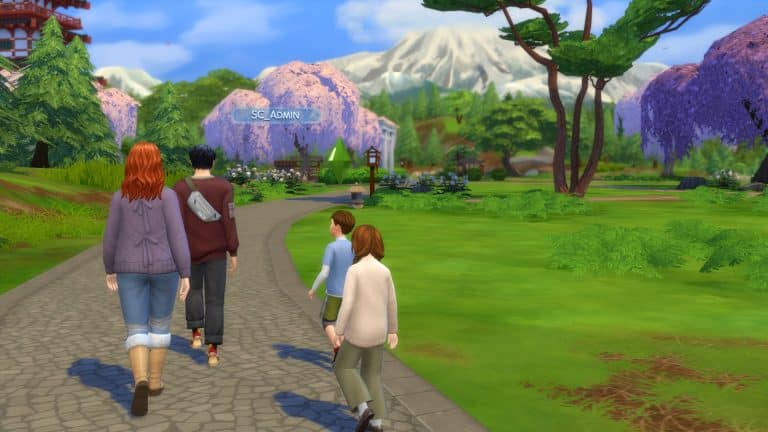
This is a first social feature in the game that truly delivers the multitasking mechanism that was originally introduced with The Sims 4 Base Game. For the first time Sims will actually walk together in the group, socialize and interact with the world of Mt. Komorebi all at once.
The Sims 4 Snowy Escape brings several new hiking trails in the world of Mt. Komorebi. There are 3 hiking trails included in the Senbamachi Neighborhood and 3 hiking trails in the Yukimatsu Neighborhood. In this article I’ll be breaking down each hiking trail destinations, what you can do while hiking and what are the benefits of it.
Group Hiking in The Sims 4
Going on a Group Hiking with multiple Sims is the best way for your Sims to get to know each other and build valuable relationships. You can do Group Hiking with Sims that are inside of the Neighborhood where hiking is allowed. You can begin your Group Hiking journey by selecting a Hiking Board of your choice (there are plenty placed down in both Senbamachi and Yukimatsu) and selecting which Sims you want to hike with.
Sims will get together near the hiking sign that you’ve selected until everyone’s ready. They will begin their journey and start observing the world around them all while socializing together!
They’ll often stop by to check out important landmarks, take pictures and selfies and sometimes stop if they stumble upon the Spirits. Usually the end of each hike results in many benefits for the entire group – from positive moodlets to exclusive Snowy Escape sentiments.
Usually the leader of the hiking group will get the most positive moodlet if their hiking trip was successful, with other Sims gaining smaller but still influental moodlets.
Sims will have strong, positive sentiments from the good times they’ve had when going on their hiking trips together and will be reminded of those fun times if they’re together. As I’ve mentioned before it’s also a very good activity for Sims to get to know each other better and have a deeper contection (which, by the way, is one of the new sentiments that is already included within the Base Game).
Hiking-related Sentiments in The Sims 4 Snowy Escape
Hiking Encounters
You never know what you might encounter during your hiking trip. Whether it’s a glowy Forest Spirit that will either uplift or let down a Sim or the creepy crawlies that will ruin the perfectly-good hike you’ve had.
Forest Spirits will randomly spawn during your hiking trip and you can encounter them in both neighborhoods that have hiking trails. However, they’re very unpredictable…
You’ll be able to interact with the Forest Spirits in two ways: you can either collect them or choose to make a wish. I’ve found that asking Forest Spirits for a simple wish is the most harmless thing you could do, and doing so will often reward you with a strong moodlet.
However, from what I could’ve discovered in the game is that they don’t like to be collected. AT ALL. Doing so will often make your Sim either Angry or Dazed, all depending on which Forest Spirit they’ve decided to collect. My advice? Either make a wish or let them be…
Your Sims might often also stumble upon forest bugs and crawlies that will immediately ruin your Sim’s hiking trip. Yes, they bite too.
If you’ve already been bitten by a bug during your trip you can apply a Soothing Injury Balm. They’re just 30 Simoleons and will calm down the bug bite.
If you want to come prepared the next time you go on a hike make sure you purchase many different sprays in the Adventure Gear category. You definitely don’t want to see your Sims getting attacked by giant hornets on their next hiking trip!
Hiking Locations
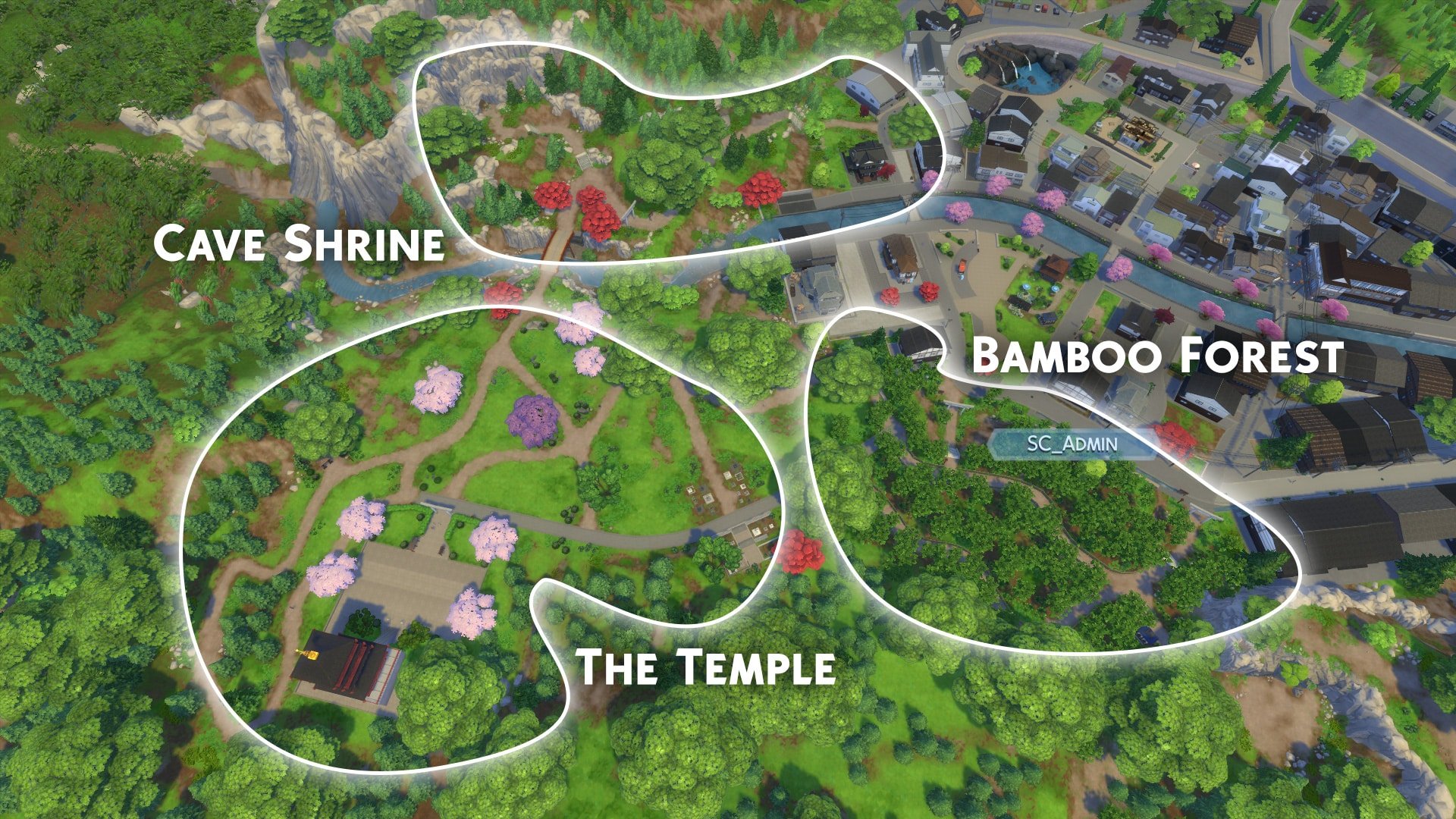
So, where exactly can you hike? There are 3 hiking trails for each of the two neighborhoods! Each hiking location offers some unique gameplay and landmarks that you can visit and interact with.
In Senbamachi you have these following hiking locations to visit:
Bamboo Forest
Cave Shrine
The Temple
Yukimatsu offers these following hiking spots:
Historic Shrine
Cave Statue
Natural Cove
Meditative Walks
Meditative Walks are perfect for Sims who are overwhelmed with buffs and emotional states. Going frequently on meditative walks will eventually give them a strong Emotionally Mindful moodlet that will completely overtake any negative emotional state that your Sim might be in.
I’ve heard that this is just the first step to reaching your final emotional zen, but we’ll have more to talk about that as we get closer to the release of The Sims 4 Snowy Escape Expansion Pack!
The Sims Team continues the tradition of adding fun twists to their original The Sims 4 Theme Song with each Expansion Pack release!
As expected, The Sims 4 Snowy Escape Expansion Pack brings a charming and fun twist to the original version of the Theme Song. Take a listen in the video linked above!
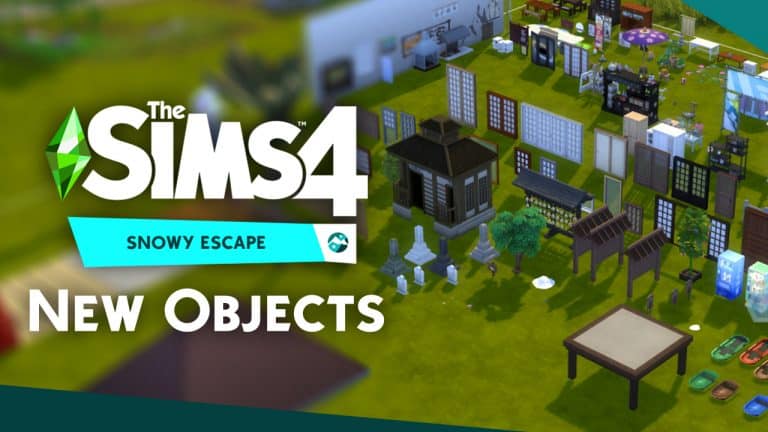
The Sims 4 Snowy Escape Expansion Pack comes with a full new set of objects in Build Mode that are Japan-inspired. There’s objects that are traditional, minimalist and modern as well.
In this overview I’ve went through every single object included in the pack as well as each color variant for each object. The new objects aren’t just limited to what’s shown in Build Mode – there are plenty more that you obtain through gameplay as well. The overview also includes buydebug objects and unlockables, as well as environmental objects that are locked behind the bb.liveeditobjects cheat.
The order of objects shown in the video go from the standard, regular catalog to buydebug to liveeditobjects. Hope you enjoy the overview!