Home Blog Page 198

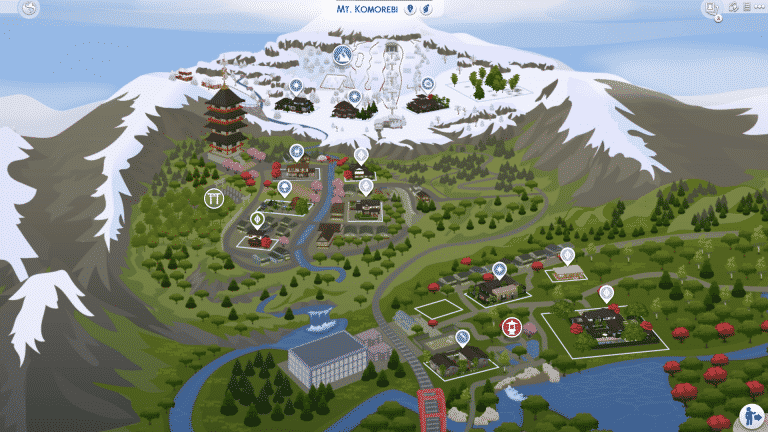
The Sims 4 Snowy Escape: Welcome to Mt. Komorebi

Presented by EA Game Changers

Welcome to Mt. Komorebi!

“Locals have enjoyed the healing hot springs of Mt. Komorebi for centuries. Now, thanks to the modern snow sports resort in Yukimatsu, everyone else can, too! The region has become a hotspot for tourists looking for a vacation that’s equal parts relaxing and adventurous. With so many new visitors, there have been a lot of changes to the rolling forests that surround Mt. Komorebi. Hopefully, the area will be able to maintain the charm that drew so many Sims to it in the first place.”

The Sims 4 Snowy Escape: Welcome to Mt. Komorebi

Mt. Komorebi it split into three different neighborhoods:

Senbamachi

Senbamachi, the town of a thousand leaves, is the oldest in the region. Many locals enjoy the town’s connection to nature, espcially with the bamboo forests surrounding the town and unique spritely creatures that make a home in the leaves. It’s said that if you walk the local trails long enough, you’re bound to meet the guardians of the trees who reward those who love and respect their dwelling.

6-4-1 Hanamigawa

“Nobody knows who named this section of town Hanamigawa, but the lot at 6-4-1 Hanamigawa reflects the meaning well: “Treasured flower looking down the river.” This home is the perfect starter for a growing household.”

The Sims 4 Snowy Escape: Welcome to Mt. Komorebi

This 20×15 lot is empty when you first move to Mt. Komorebi and costs $19,943.

5-3-1 Shinrinyoku

“Homes like the one at 5-3-1 Shinrinyoku are less common these days. This large family home is ideal for any expanding household, with plenty of outdoor space for relaxing and entertaining.”

The Sims 4 Snowy Escape: Welcome to Mt. Komorebi

This 30×20 lot is home to the Akiyama Family.

5-6-1 Shinrinyoku

“Nestled at the base of Mt. Komorebi, 5-6-1 Shinrinyoku is a beautiful family home with the perfect mix of privacy and access to the heart of Senbamachi.”

The Sims 4 Snowy Escape: Welcome to Mt. Komorebi

This 20×15 lot is home to the Nishidake Family.

Izakaya Ippai (Bar)

“Izakaya Ippai is the perfect place to meet up with friends, play a game of cards, or chat with the locals of Senbamachi.”

The Sims 4 Snowy Escape: Welcome to Mt. Komorebi

Hanamigawa Koen (Park)

“Hanamigawa Koen is a beautiful natural space that belongs to everyone! The land was donated to the town by families who wanted to preserve a little bit of the sweeping, surrounding natural beauty in the heart of Senbamachi.”

The Sims 4 Snowy Escape: Welcome to Mt. Komorebi


Wakaba

Like its namesake, Wakaba is young, new, and bright as the leaves of a tree in early springtime. This small town is up-and-coming in the region, home to beautiful, sleek new homes and an attractive town center featuring Mt. Komorebi’s official mascot: Yamachan. Tourists of all ages can enjoy the Festival of Youth, or simply take in the neighbourhood’s natural beauty.

2-4-1 Wakabamori

“This lot is ripe for development. Settled on the border of the Wakabamori subarea, any home or business on this lot is afforded easy access to the quiet residential charm of Wakabamori, as well as the bustling activity of Wakaba’s town center.”

The Sims 4 Snowy Escape: Welcome to Mt. Komorebi

This 20×15 residential lot is initially empty and costs $2,000.

2-4-2 Wakabamori

“2-4-2 Wakabamori is the perfect rental for any traveler looking to immerse themselves in the full experience of Mt. Komorebi.”

The Sims 4 Snowy Escape: Welcome to Mt. Komorebi

This 30×20 Rental lot is one of three in the world of Mt. Komorebi and costs $664 per day.

2-4-3 Wakabamori

“Sleek, exquisite, and understated. 2-4-3 Wakabamori fits right into the neighborhood while offering complete amenities, at an inclusive price that anyone can afford.”

The Sims 4 Snowy Escape: Welcome to Mt. Komorebi

This 20×15 lot is unoccupied and costs $19,682

2-5-1 Wakabamori

“2-5-1 Wakabamori was a traditional manor home that has been transformed into a contemporary work of art. Seen as the nicest home in the entire prefecture, owning this home makes a bold statement to anyone who cares about that kind of thing.”

The Sims 4 Snowy Escape: Welcome to Mt. Komorebi

This 50×50 lot is home to the Ito Family.

Hazakura Lounge

“A swanky hotspot for both locals and tourists, Hazakura Lounge is the perfect place to grab a drink, meet locals, and watch local musicians take the stage.”

The Sims 4 Snowy Escape: Welcome to Mt. Komorebi

Yukimatsu

The true beauty of the countryside can be seen from Yukimatsu, named for its snow-covered pines. Located on the slops of Mt. Komorebi, this resort area offers gorgeous vacation rentals, a variety of snow sports, untamed wilderness, and a peaceful Onsen Bathhouse getaway. Whether it’s relaxation in a hot spring, seeing the sight of the Snow Festival, or an exhilarating climb to Mt. Komorebi’s highest peak, this year-round snowy wonderland has something for everyone.

5-1-1 Kiyomatsu

“5-1-1 Kiyomatsu is a stunningly unique rental with contemporary touches. Enjoy all of the ski-in, ski-out benefits of the Kiyomatsu subarea as well as easy access to the Sutefani Onsen Bathhouse.”

The Sims 4 Snowy Escape: Welcome to Mt. Komorebi

This 30×20 lot is one of three new Rental lots in Mt. Komorebi and costs $608 per day.

5-1-2 Kiyomatsu

“5-1-2 Kiyomatsu is a gorgeously traditional rental with plenty of space for large groups and families. Enjoy all of the ski-in, ski-out benefits of the Kiyomatsu subarea as well as easy access to the Sutefani Onsen Bathhouse.”

The Sims 4 Snowy Escape: Welcome to Mt. KomorebiThis 30×20 lot is one of three new Rental lots in Mt. Komorebi and costs $770 per day.

Sutefani Onsen Bathhouse

“The Sutefani Onsen Bathhouse is the perfect place to unwind after an exciting day on the mountain. The natural hot springs have rejuvenating properties that will get any weary (or bruised!) adventurer back into the action in no time.”

The Sims 4 Snowy Escape: Welcome to Mt. Komorebi

Kiyomatsu Point

“Kiyomatsu Point is currently undeveloped. This giant plot has great residential and commercial potential: easy access to snow sports slopes and the Sutefani Onsen Bathhouse, and room to build whatever the heart desires (and has enough funds for.)”

The Sims 4 Snowy Escape: Welcome to Mt. Komorebi

This 50×50 lot is unoccupied and costs $34,540

Whether your Sims are young or old there is plenty to see, do, and explore. So why not make your way over to Mt. Komorebi and see what you discover first!

The Sims 4 Snowy Escape: Welcome to Mt. Komorebi

You can find out more about the residents of Mt. Komorebi here!

What are you looking forward to exploring in Mt. Komorebi first? Let us know in the comments below, talk to us on social media or find us on the slopes!

The Sims 4 Snowy Escape: Salaryperson Career Guide

Presented by EA Game Changers

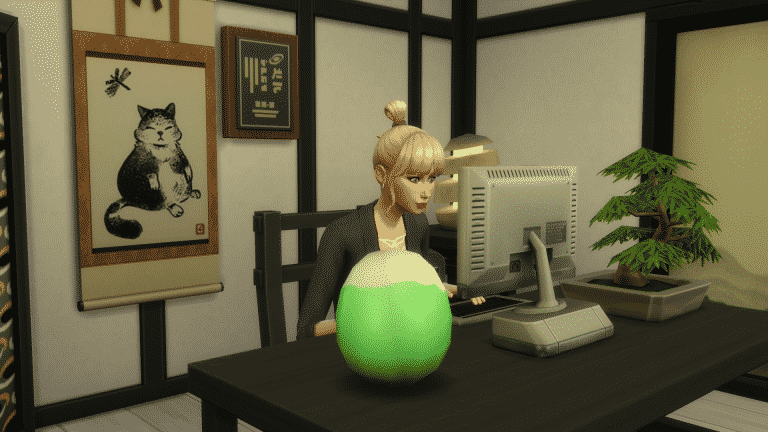
The Salaryperson Career is the only new career that comes with The Sims 4 Snowy Escape. The career comes with two different branches that your Sim can explore.

As with any career, your Sim can join the Salaryperson Career simply by sitting down at a laptop/computer, using their cell phone, or by the job tab on the user interface. You should keep in mind that if your Sim has completed a degree that relates to the chosen career that your Sim is joining, they have the option to either start at the lowest level or at a higher point in the career. You will also notice that your Sim will receive a higher hourly rate and a signing bonus (which is only awarded once per Sim every seven days) and also more vacation days.

Once you have joined the career you will notice a Daily Task and set of Promotion Tasks have appeared in the Career panel. You can either start those tasks right away or hold off and do it at a time that suits your Sim better. Just make sure you keep on top of the tasks as they help your Sim reach their next promotion.

When it is time for your first shift you will be prompted in the careers panel to Go to Work, although your Sim should automatically change into their default work outfit and make their own way to work.

The Sims 4 Snowy Escape: Salaryperson Career Guide

New Hire

  • Hourly Rate – $14
  • Schedule – Mon, Tues, Wed, Thurs, Fri 9 am-7 pm

Pencil Pusher

  • Hourly Rate – $21
  • Schedule – Mon, Tues, Wed, Thurs, Fri 9 am-5 pm
  • Promotion Tasks
    • Reach Level 2 Logic Skill
    • Reach Level 2 Writing Skill

Competent Clerk

  • Hourly Rate – $25
  • Schedule – Mon, Tues, Wed, Thurs, Fri 9 am-5 pm
  • Promotion Tasks
    • Reach Level 3 Logic Skill
    • Reach Level 3 Writing Skill

Office Doyen

  • Hourly Rate – $37
  • Schedule – Mon, Tues, Wed, Thurs, Fri 9 am-5 pm
  • Promotion Tasks
    • Reach Level 4 Logic Skill
    • Reach Level 4 Writing Skill

The Salaryperson Career divides into two different branches at this point. These are either the Expert branch or the Supervisor branch. You can choose either one and see where it takes your Sim.

The Sims 4 Snowy Escape: Salaryperson Career Guide

Expert

Data Wrangler

  • Hourly Rate – $61
  • Schedule – Mon, Tues, Wed, Fri, Sat 8 am-5 pm
  • Promotion Tasks
    • Reach Level 5 Logic Skill
    • Reach Level 3 Programming Skill
  • Bonus
    • $575
    • Omazake Recipe
    • Optimize Spreadsheet Formulas

Calculus Adept

  • Hourly Rate – $112
  • Schedule – Mon, Tues, Wed, Fri, Sat 8 am-5 pm
  • Promotion Tasks
    • Reach Level 6 Logic Skill
    • Reach Level 4 Programming Skill
  • Bonus
    • $620
    • Power Nap

Spreadsheet Specialist

  • Hourly Rate – $127
  • Schedule – Mon, Tues, Wed, Fri, Sat 9 am-5 pm
  • Promotion Tasks
    • Reach Level 7 Logic Skill
    • Reach Level 5 Programming Skill
  • Bonus
    • $710
    • Energy Crush Recipe

Mistress/Master of the Cells

  • Hourly Rate – $177
  • Schedule – Sun, Tues, Wed, Thurs, Fri,  8 am-4 pm
  • Promotion Tasks
    • Reach Level 8 Logic Skill
    • Reach Level 6 Programming Skill
  • Bonus
    • $900
    • Busy Night Owl Table Lamp
    • Exercise to Decompress

Formula Virtuoso

  • Hourly Rate – $190
  • Schedule –Mon, Tues, Wed, Fri, Sat 10 am-5 pm
  • Promotion Tasks
    • Reach Level 9 Logic Skill
    • Reach Level 7 Programming Skill
  • Bonus
    • $1,050
    • Employee of the Month T-shirt

Cloud Data Guru

  • Hourly Rate – $272
  • Schedule –Mon, Tues, Wed, Fri, Sat 10 am-5 pm
  • Bonus
    • $1,450
    • Expert’s Zen – Room
    • Legendary Stamina Reward Trait

Once your Sim earns the Cloud Data Guru promotion, there will be no further promotions. However, your Sim can periodically earn a bonus and also a raise that will increase their hourly rate over time based on their performance.

The Sims 4 Snowy Escape: Salaryperson Career Guide

Supervisor

Valued Employee

  • Hourly Rate – $70
  • Schedule – Mon, Tues, Wed, Thurs, Fri 9 am-5 pm
  • Promotion Tasks
    • Reach Level 5 Logic Skill
    • Reach Level 3 Charisma Skill
  • Bonus
    • $550
    • Chicken Yakitori Recipe
    • Host Phone Conference

Team Leader

  • Hourly Rate – $120
  • Schedule – Mon, Tues, Wed, Thurs, Fri 9 am-5 pm
  • Promotion Tasks
    • Reach Level 6 Logic Skill
    • Reach Level 4 Charisma Skill
  • Bonus
    • $730
    • Rehearse Company Values

Skilled Supervisor

  • Hourly Rate – $155
  • Schedule – Mon, Tues, Wed, Thurs, Fri 9 am-5 pm
  • Promotion Tasks
    • Reach Level 7 Logic Skill
    • Reach Level 5 Charisma Skill
  • Bonus
    • £910
    • Ssh! Luxury Shoji Screen

Prime Planner

  • Hourly Rate – $201
  • Schedule – Mon, Tues, Wed, Thurs, Fri 10 am-5 pm
  • Promotion Tasks
    • Reach Level 8 Logic Skill
    • Reach Level 6 Charisma Skill
  • Bonus
    • $1,200
    • Most Loyal Employee Award

Group Oracle

  • Hourly Rate – $250
  • Schedule – Mon, Tues, Wed, Thurs 10 am-5 pm
  • Promotion Tasks
    • Reach Level 9 Logic Skill
    • Reach Level 7 Charisma Skill
  • Bonus
    • $1,550

Head of Department

  • Hourly Rate – $355
  • Schedule – Mon, Tues, Wed, Thurs 10 am-5 pm
  • Promotion Tasks
    • Reach Level 10 Logic Skill
    • Reach Level 8 Charisma Skill
  • Bonus
    • $1,760
    • In The Middle Of Things – Room
    • Charismatic Crooner Reward Trait.

Once your Sim earns the Head of Department promotion, there will be no further promotions. However, your Sim can periodically earn a bonus and also a raise that will increase their hourly rate over time based on their performance.

Which career branch will your Sim pursue? Let us know in the comments or come chat with us on social media!

The Sims Team is investigating Sims 4 Crashes on PC and PS4

18

Ever since the latest update for The Sims 4 many players have started reporting frequent crashes when playing the game. Sometimes the crashes would occur every 30 minutes or so, not really depending on what they were doing in the game. The issue has mostly been reported by players who play The Sims 4 on PC and PS4. For PC it’s the usual “Application has stopped working” message while for PS4 it’s the “An error occured…(CE-34878-0)” message.

SimGuruNick, a Quality Designer working on The Sims 4 has acknowledged the issue and stated that their team is currently investigating the cause of these crashes. Although it’s not known when a hot fix will come out to fix the crashing issue, you can help out speed up the process by sharing your own experiences and save files so that The Sims Team can investigate.

You can share your own experiences / save file information in the following EA Answers threads. Before reporting make sure that what you’re experiencing is not the cause of outdated Custom Content / Mods!

The Sims 4 Snowy Escape: Traits & Aspirations Guide

Presented by EA Game Changers

The Sims 4 Snowy Escape comes jammed pack with plenty of brand new content and we see the addition of two brand new traits for your Sims and two exciting new aspirations!

Traits

Adventurous: These Sims seek out new and unique experiences!

The Sims 4 Snowy Escape: Traits & Aspirations Guide

Proper: These Sims tend to disapprove of other Sims improper behavior such as Mean or Mischievous socials, but find themselves happier in Formal Outfits and have a much easier time with Friendly and Romantic socials.

The Sims 4 Snowy Escape: Traits & Aspirations GuideAspirations

Alongside the new personality traits, The Sims 4 Snowy Escape comes with two brand new Aspirations that your Sims can complete. The new aspirations can be found under the Athletic and Location categories when deciding which of the two aspirations your Sim would like to complete.

Mt. Komorebi Sightseer

The first aspiration which falls under the Location category is the Mt. Komorebi Sightseer Aspiration. When you chose this aspiration, your Sim will have the Home Turf trait applied alongside it as a bonus.

“This Sim wants to explore Mt. Komorebi’s culture and experience everything it has to offer”

The Sims 4 Snowy Escape: Traits & Aspirations Guide

Explorer

  • Eat Food at the Festival of Light, Snow, or Youth
  • Take a Selfie with the Mt. Komorebi Mascot
  • Collect a Simmi by Popping Open a Simmi Capsule
  • Swim for 1 Hour in Wakaba’s River

Backpacker

  • Soak for a Long Time in a Hot Spring
  • Wear a Festival Costume from a Vending Machine
  • Go Sledding 3 Times
  • Eat Food Using Chopsticks

Globetrotter

  • Socialize at Onsen Bathhouse
  • Make a Wish On or Collect a Forest Spirit
  • Take it Slow and Become Emotionally Mindful

The Sims 4 Snowy Escape: Traits & Aspirations Guide

Once you have completed all stages of the aspiration, you will be rewarded with the Worldly Knowledge reward trait.

Worldly Knowledge: These Sims are better at socializing during Social Events and enjoy ordering food from market stalls. They also can “Negotiate a Discount” at market stalls, which gives them an advantage over other bargaining techniques.

Extreme Sports Enthusiast

The second aspiration can be found under the Atheltic category and is all about being an Extreme Sports Enthusiast. When you chose this aspiration, your Sim will have the High Metabolism trait applied alongside it as a bonus.

“This Sims wants to explore Mt. Komorebi’s wilderness and participate in extreme snow sports”

The Sims 4 Snowy Escape: Traits & Aspirations Guide

Snow Student

  • Go Down the Bunny Slop
  • Use a Vending Machine or Computer to Purchase a Remedy or Deterrent
  • Use  a Mt. Komorebi  Info Board

Thrill Seeker

  • Achieve Level 3 Rock Climbing Skill
  • Complete a Hiking Trail
  • Actively Ski, Snowboard or Rock Climb for 3 Hours
  • Encounter a Kodama or Forest Spirit

Trailblazer

  • Perform High Intensity Skiing or Snowboarding on an Intermediate or Expert Slope.
  • Successfully Reach the Peak of Mt. Komorebi
  • Endure an Injury Sustained from Skiing, Snowboarding, or Rock Climbing.

Peak Pioneer

  • Survive 3 Wildlife Attacks Unscathed
  • Achieve Level 8 Skiing, Snowboarding, or Rock Climbing Skill
  • Successfully Complete High Intensity Skiing or Snowboarding on an Expert Slop or Rock Climbing during Inclement Weather.

The Sims 4 Snowy Escape: Traits & Aspirations Guide

Once you have completed all stages of the aspiration, you will be rewarded with the Survival Instinct reward trait.

Survival Instinct: These Sims will always escape wildlife attacks unscathed, manage to avoid injury from Skiing, Snowboarding, and Rock Climbing more often than other Sims, and have a natural resistance to inclement weather.

Which aspirations and traits are you excited to explore? Let us know in the comments or come chat with us on social media!

The Sims 4 Snowy Escape: Meet the Residents of Mt. Komorebi!

Presented by EA Game Changers

Welcome to Mt. Komorebi

The Sims 4 Snowy Escape comes with three premade families already living in Mt. Komorebi, but these families are unlike any premade families we’ve seen previously in The Sims 4. This is because for the first time since The Sims 2, every family in Mt. Komorebi has pre-existing connections with the other residents in the world; these connections range from positive to negative and are helped along by the new Sentiments system. This not only makes the Sims of Mt. Komorebi feel more real and complex, but also gives the player more tools to create powerful stories (and maybe some drama) between these Sims.

So without any further delay, let’s meet the residents of Mt. Komorebi!

The Ito Household

Household Description

Megumi Ito grew up in Senbamachi. A gold medalist skier, she aims to give her children the same upbringing, but memories of an old flame might drive her to distraction. Naoki Ito is a former medalist himself. A calculating businessman, his controversial vision of Mt. Komorebi includes more tourism, more money, and modernization. Nanami and Kiyoshi have their parents’ athletic talent, but their hearts lie elsewhere. Nanami just wants to be a kid and Kiyoshi is crushing on more than the slopes…

Naoki Ito

Age: Young Adult
Career: Business (6)
Aspiration: Successful Lineage
Walk Style: Default
Voice: Clear
Traits: Mean | Family Oriented | Materialistic | Domestic (Bonus) | Chopstick Savvy (Reward)
Skills: Fitness 7 | Mischief 4 | Skiing 9
Relationships: Megumi Ito – Wife | Kiyoshi Ito – Son | Nanami Ito – Daughter | Shigeru Nishidake – Disliked
Sentiments: Sheguri Nishidake – Festering Grudge
Lifestyles: None

Megumi Ito

Age: Young Adult
Career: Business (6)
Aspiration: Extreme Sports Enthusiast
Walk Style: Default
Voice: Lilted
Traits: Proper | Ambitious | Adventurous | High Metabolism (Bonus) | Chopstick Savvy (Reward)
Skills: Fitness 7 | Logic 4 | Skiing 10
Relationships: Naoki Ito – Husband | Kiyoshi Ito – Son | Nanami Ito – Daughter | Kado Akiyama – Ex-Boyfriend | Sachiko Nishidake – Good Friends
Sentiments: Kado Akiyama – Hurt
Lifestyles: None

Kiyoshi Ito

Age: Teen
Career: High School C Student
Aspiration: Extreme Sports Enthusiast
Walk Style: Default
Voice: Clear
Traits: Romantic | Adventurous | High Metabolism (Bonus) | Chopstick Savvy (Reward)
Skills: Fitness 5 | Guitar 5 | Snowboarding 6
Relationships: Naoki Ito – Father | Megumi Ito – Mother | Nanami Ito – Sister | Kaori Nishidake – Lovebirds
Sentiments: Kaori Nishidake – Enchanted from a Moment in the Mountains
Lifestyles: None

Nanami Ito

Age: Child
Career: Grade School C Student
Aspiration: Rambunctious Scamp
Walk Style: N/A
Voice: Warm
Traits: Kleptomaniac | Chopstick Savvy (Reward)
Skills: Motor 5 | Social 5
Relationships: Naoki Ito – Father | Megumi Ito – Mother | Kiyoshi Ito – Brother
Sentiments: None
Lifestyles: None

Household Notes

  • Megumi and Kado are ex-lovers. The household description hints that Megumi may be tempted to stray from her husband and rekindle her old flame with Kado; however, this may take some effort on the player’s part considering she has the Hurt sentiment about him.
  • Naoki has a negative relationship with Shigeru; they both harbour the Festering Grudge sentiment with each other. This could cause some tension in the household, considering Naoki’s wife is good friends with Shigeru’s wife and Naoki’s son has strong romantic feelings for Shigeru’s granddaughter.
  • Kiyoshi and Kaori have the potential for a forbidden romance, or “Romeo & Juliet” story, since Kiyoshi’s father and Kaori’s grandfather dislike each other.
  • Nanami’s Kleptomaniac trait might indicate she’s acting out and trying to rebel against the high standards her successful parents have imposed on her.
  • If Get Famous is installed, Naoki and Megumi will start out as celebrities; Megumi will be a Rising Star and Naoki will be a Noticeable Newcomer. This is most likely due to them both being former Olympian medalists.

Simmers share their creative use of Platforms in The Sims 4

Platforms in The Sims 4 have been released only yesterday and Simmers have already been hard at work at creating some of the most unique builds and areas using the new tool!

We asked Simmers what are some of their proudest builds and rooms that they’ve built using the new Platforms tool over on Twitter:

Here’s what they’ve shared and created so far:


“Basement windows that actually make sense!” – @littledica

Simmers share their creative use of Platforms in The Sims 4

“my diving platforms yes yes.” – @nandoandstitch

Simmers share their creative use of Platforms in The Sims 4

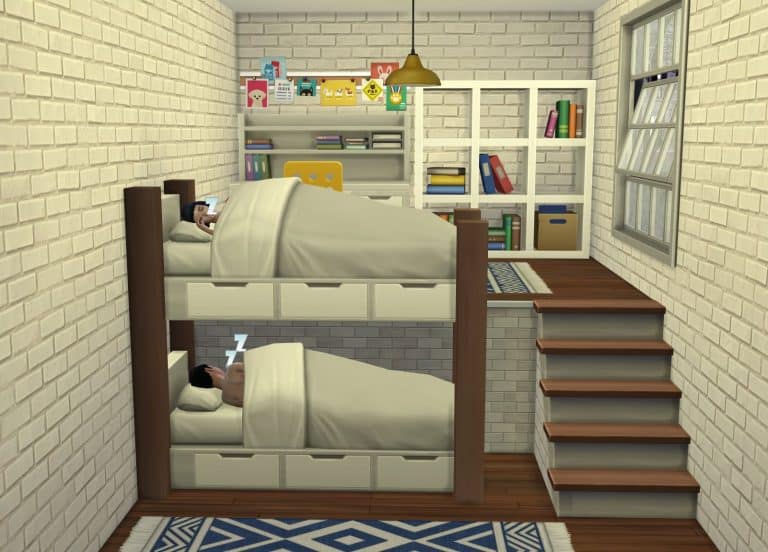
“Functioning bunkbeds no cc” – @PugownedS

Simmers share their creative use of Platforms in The Sims 4

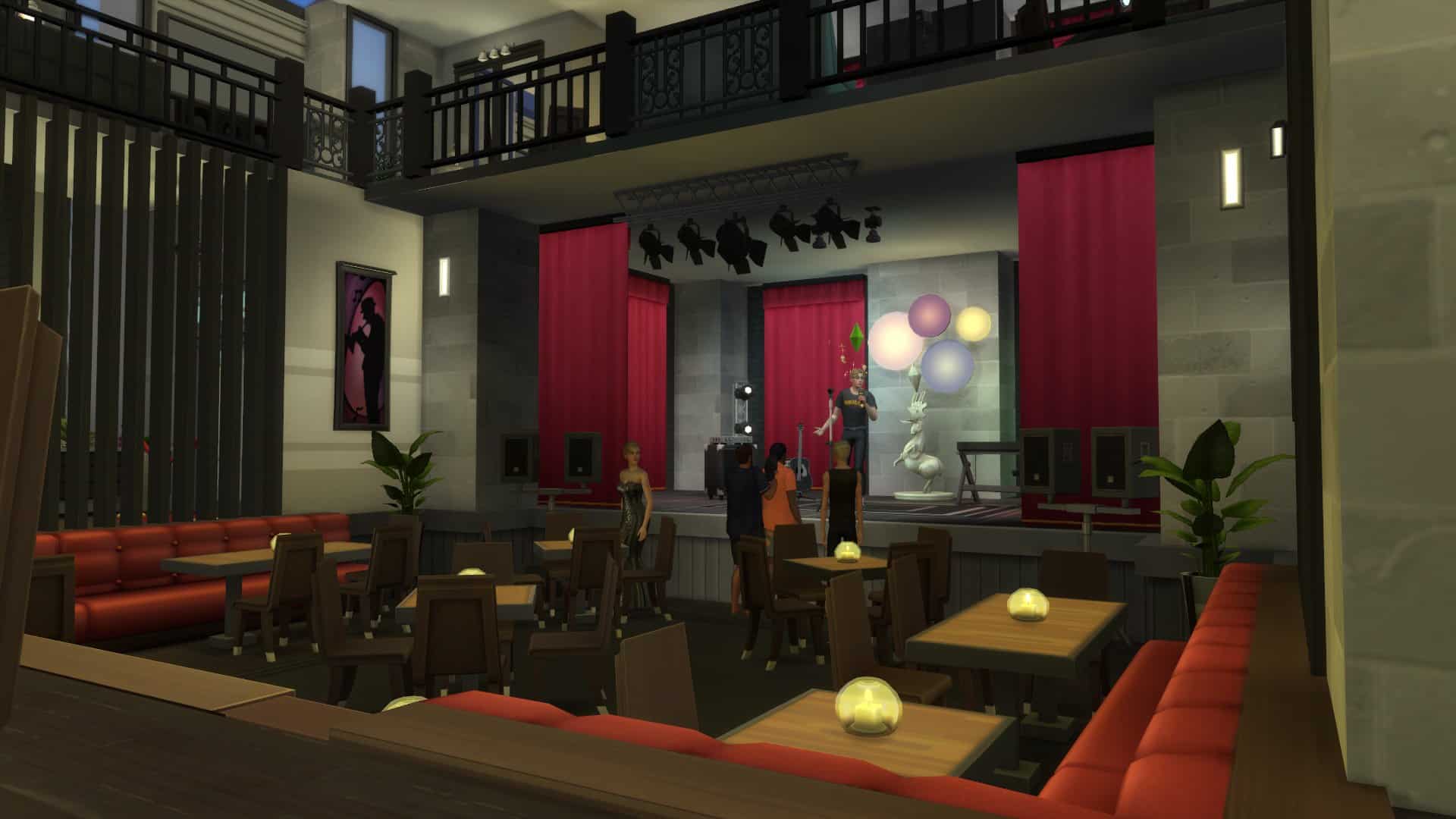
“Working on a theater that will be used as an art center. Excited to use platforms for a stage and tiered seating!” – @BubblybyColbieC

Simmers share their creative use of Platforms in The Sims 4Simmers share their creative use of Platforms in The Sims 4

“This raised dining room. It works ! And I’ve put the house on the gallery.” – @AlieCalvano

Simmers share their creative use of Platforms in The Sims 4Simmers share their creative use of Platforms in The Sims 4

“the classic stage” – @swiftgodart

Simmers share their creative use of Platforms in The Sims 4

“I add a bathtub in the “hotel” room to make it seem like a spa” – @aliiitos1

Simmers share their creative use of Platforms in The Sims 4Simmers share their creative use of Platforms in The Sims 4

“home theater anyone? just a proof of concept not overly well decorated but you get the idea” – @SimsStarfull

Simmers share their creative use of Platforms in The Sims 4

“Functional bunk beds! I made a quick tutorial video on youtube for those interested :)” – @Chanel_Kanata

Simmers share their creative use of Platforms in The Sims 4

GOT7’s BamBam X The Sims 4: Official Play With Life Video

1

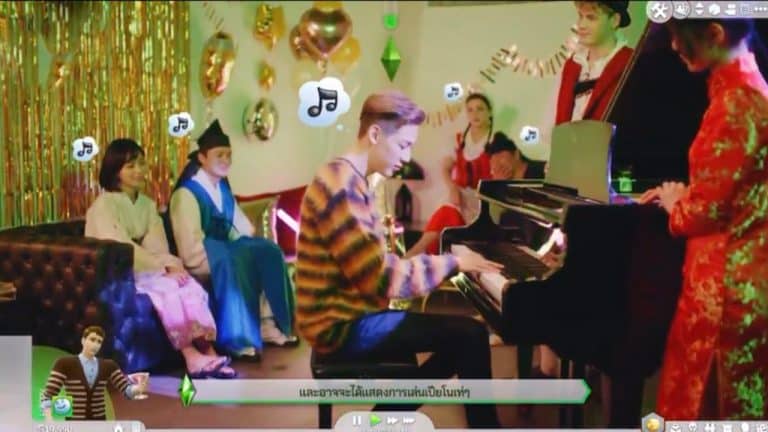
Just hours after The Sims announced that they’ll be partnering with BamBam – Thailand’s biggest rapper superstar and member of the GOT7 South Korean boyband – they released an official promo Play With Life video to start off the campaign!

This creative Play With Life promo video showcases some of the things you can do in the game and their portrayal in real life! The video however is in Thai and mostly intended for Thai audiences, but you can still check it out down below!

Sentiments and how they affect the Autonomy and Relationships in The Sims 4

Sentiments aren’t just shiny new badges that Sims in The Sims 4 earn after positive or negative results of certain interactions. They determine the way Sims behave in front of each other and how their autonomous behavior will be after getting a certain Sentiment.

We’ve listed all 53 Sentiments in The Sims 4 that you can get in the Base Game (and Snowy Escape too!). Now, check out how Sentiments affect the autonomous behavior of your Sims!

To best illustrate and describe which stories you can tell with Sentiments we’ve asked the amazing @AnotherPlumbob to write about his experiences in The Sims 4 and how Sentiments controlled their Sims’ autonomy. Check it out!


Mary Sue and Daniel don’t have the best marriage.

Sentiments and how they affect the Autonomy and Relationships in The Sims 4

It may have something to do with the fact that Daniel is having an affair with the maid: Kaylynn. He has a close sentiment and a powerful bond with her, so he usually gets positive (playful or happy) moodlets around her.

Sentiments and how they affect the Autonomy and Relationships in The Sims 4

Today Mary Sue was demoted in her job and came back home early…so she found a quite unpleasant scene: Kaylynn and Daniel making out in HER bedroom!

Sentiments and how they affect the Autonomy and Relationships in The Sims 4

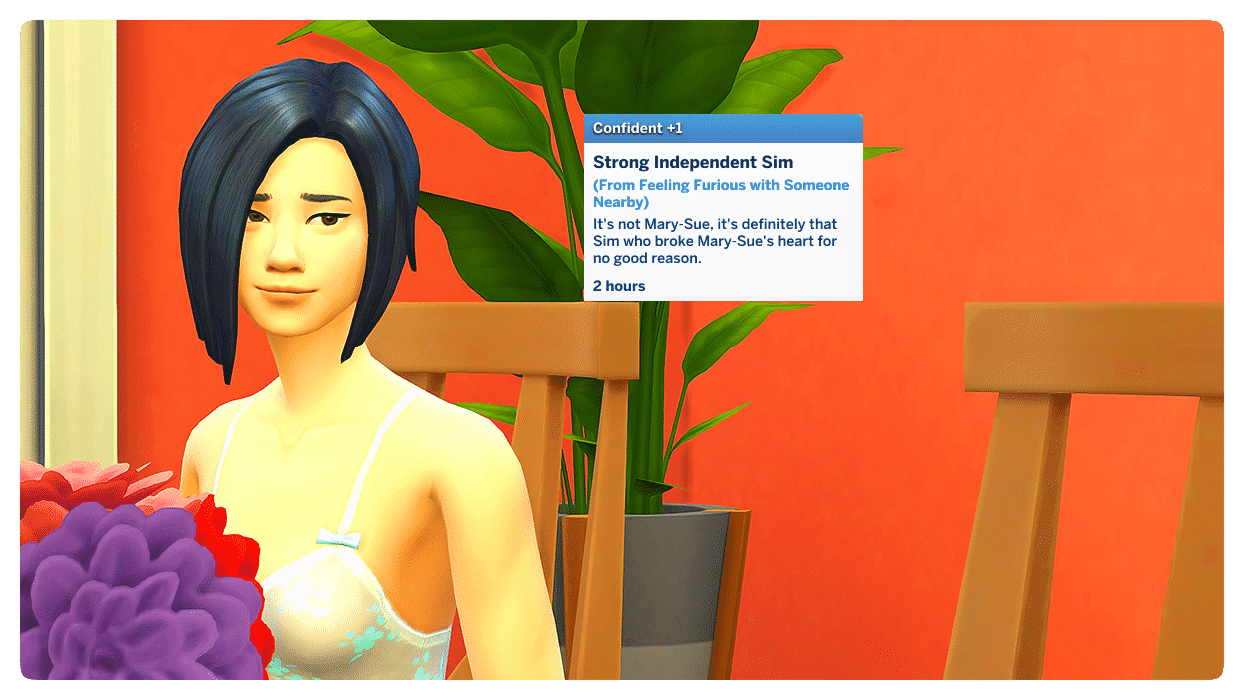
Mary Sue was not only angry (she autonomously slapped Daniel) but she also developed a FURIOUS sentiment against Daniel (in a previous playthrough this sentiment was “BITTERNESS” – I still don’t know why she got furious this time around).

Sentiments and how they affect the Autonomy and Relationships in The Sims 4

Sentiments and how they affect the Autonomy and Relationships in The Sims 4

What does this mean? Mary Sue is now more prone to have negative interactions with Daniel. Over the next few hours, Mary Sue autonomously performed mean interactions on her husband and most of their conversations started off as either “unpleasant” or “awkward” encounters. Needless to say, Daniel’s attempts to flirt (autonomous too) failed.

Sentiments and how they affect the Autonomy and Relationships in The Sims 4Sentiments and how they affect the Autonomy and Relationships in The Sims 4

Not only that…when Mary Sue is around Daniel, she gets moodlets that are fuelled by her fury: most likely angry moodlets.

Sentiments and how they affect the Autonomy and Relationships in The Sims 4Sentiments and how they affect the Autonomy and Relationships in The Sims 4Sentiments and how they affect the Autonomy and Relationships in The Sims 4

At some point, Mary Sue must have crossed a line, because Daniel got hurt with Mary Sue too. This means he got sad or angry around her because of the things she said. 

Sentiments and how they affect the Autonomy and Relationships in The Sims 4

Sentiments and how they affect the Autonomy and Relationships in The Sims 4

The next morning, Mary Sue’s angry moodlet about the affair had gone away (it only lasts 24 hours). But she was still furious at Daniel. Daniel’s hurt sentiments had turned to anger. But time time around Mary Sue’s fury turned into a confident moodlet: she realised it was all Daniel’s fault (duh).

Sentiments and how they affect the Autonomy and Relationships in The Sims 4Sentiments and how they affect the Autonomy and Relationships in The Sims 4

So I decided to do what had to be done: Mary Sue divorced Daniel.

Sentiments and how they affect the Autonomy and Relationships in The Sims 4

In a previous play through of this scenario, when Mary Sue was bitter and not furious, she got a further sentiment after the divorce: resentful. However, this time around she didn’t get any further sentiments.

Sentiments and how they affect the Autonomy and Relationships in The Sims 4

Now, Daniel was feeling pretty miserable after the divorce. Since his relationship with his daughter Lilith is not the best (they had an on-going grudge), Lilith is gloating at his father’s unhappiness. She gets a happy moodlet every time she sees him cry. 

Sentiments and how they affect the Autonomy and Relationships in The Sims 4

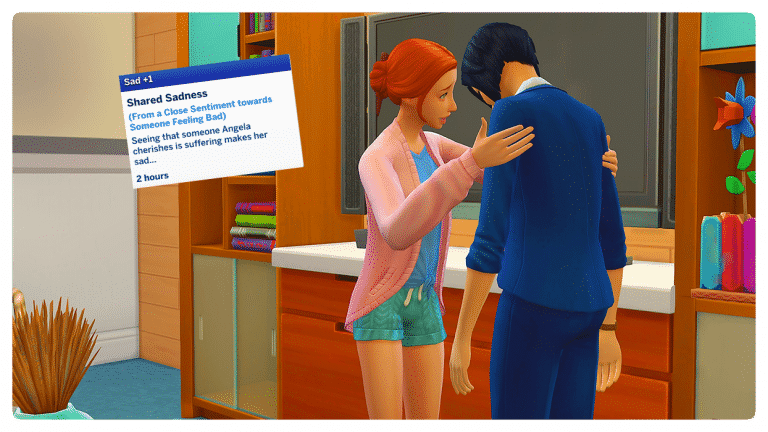
On the other hand, Angela has a deep connection with her mom, so seeing her sad makes her sad too.

Sentiments and how they affect the Autonomy and Relationships in The Sims 4

With all the drama going on at home, Angela decides to go on a date with her boyfriend Dustin. She has an enamored sentiment with him (smitten) and feels a deep connection, so she is usually happy and/or flirty around him.

Sentiments and how they affect the Autonomy and Relationships in The Sims 4Sentiments and how they affect the Autonomy and Relationships in The Sims 4

After their date, Dustin thanks her for an amazing time (he was tense at the beginning of the date, but got in a better mood after it) and he gained a “close sentiment” with Angela: closer from happy memories.

Sentiments and how they affect the Autonomy and Relationships in The Sims 4Sentiments and how they affect the Autonomy and Relationships in The Sims 4

List of all the Sentiments in The Sims 4

The Sims 4’s newest and biggest gameplay addition in the latest update are Sentiments, also known as feelings / memories that Sims have between each other.

They can be obtained through experiences and interactions that two Sims do together. What’s interesting about them is that not all Sentiments will be attributed to Sims mutually. This means that one Sim can be resentful about their recent divorce while the other Sim can be perfectly chill about it.

10 30 20 1 39 03 PM

Sentiments are still pretty fresh to the game and there’s a lot of time required in order for us to fully understand how they work. Until we do an extensive research guide on Sentiments and how they affect your Sims I thought it would be a good idea to list all of the Sentiments that you have in the game. This list will help you out in realizing how many sentiments there actually are as well as possibly guide you to obtaining them. Huge thanks to Zerbu for helping out with the list!

I’ve seperated the Sentiments into Positive and Negative. Positive Sentiments are Sentiments that will affect your Sims’ mood and autonomy in a more friendly, positive way. There are also some Sentiments that come exclusively through gameplay from The Sims 4 Snowy Escape Expansion Pack – which I’ve also marked below!

Here’s a list of all of them! Please note that I’ve converted all of the game code lingo into references to Sim #1 – a Sim who feels the Sentiment and Sim #2 – a Sim who helped cause the Sentiment!

Positive Sentiments

  • Awed (by Lifesaving Hero) – Sim #2 literally saved Sim #1 from the clutches of death. Sim #1 is grateful and amazed!
  • Adoring – Sim #1 just wants the best for Sim #2 and thinks they are so wonderful!
  • Impressed – Sim #2 sure knows what they’re doing and Sim #1 has nothing but respect.
  • Deeply Connected – Sim #1 has a powerful bond with Sim #2 that is a source of strength and comfort.
  • Bonded During Epic Mountain Climb (Snowy Escape) Sim #1 and Sim #2 shared an incredible adventure on Mt. Komorebi that forged a powerful bond between them. Go team!
  • Open-Hearted – Sim #1 feels close to a recent addition to the family, Sim #2. A warm welcome!
  • Closer from Happy Memories – Sim #1 feels close to Sim #2 from good times and happy memories.
  • Unity in Hiking Hiking (Snowy Escape) – through thick and thin, Sim #1 has grown a new fondness for Sim #2 with the memories they have made.
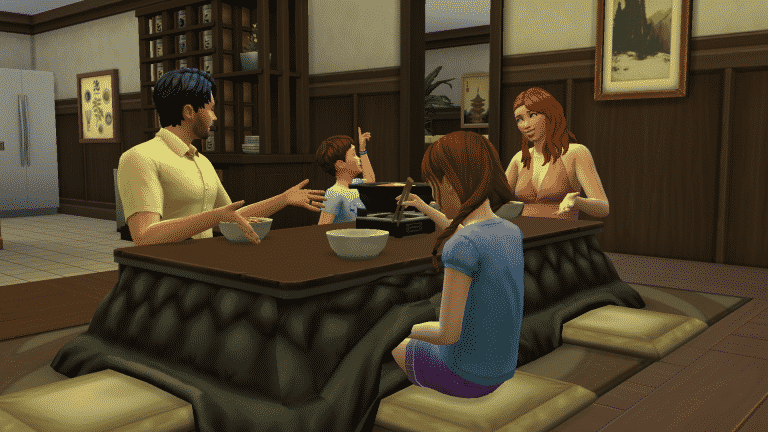
  • Brought Together by Hot Pot Meal (Snowy Escape) – Sim #1 bonded with Sim #2 over some tasty hot pot. Nothing like a warm meal in your belly and good company to share it with!
  • Close to a Confidant (from Snowy Escape’s Lifestyle Feature) – When Sim #1 became Confidants with Sim #2, their bond deepened in strength. Truly a Close-Knit friendship!
  • Made a Wish Together at the Festival of Light (Snowy Escape) – Sim #1 and Sim #2 shared their hopes and dreams while making a wish together at the Festival of Light.
  • Close after a Close Call – Sim #2 almost dying has really endeared them to Sim #1. That was a close call!
  • Warmhearted from Relaxing Together – Sim #1 had a real heart-to-heart moment with Sim #2 while relaxing in the water together. Heating up the body can help a Sim warm up to people!
  • Closer after a Fun Party – Celebrations can bring Sims together, literally and emotionally. The party’s over, but Sim #1 still feels its afterglow when they spends time around Sim #2.
  • Growing Closer from Quality Time – Sim #1 appreciates that Sim #2 makes time for them. Time spent together seems to bring them closer together.
  • Fun in the Snow – A little fun in the snow is a reminder of the simple joys in life. Sim #1 wouldn’t mind playing in the snow with Sim #2 again sometime!
  • Celebrated Together at the Festival of Snow (Snowy Escape) – Sim #1 had a blast partying in the snow with Sim #2 at the Festival of Snow! So much to celebrate, so much snow.
  • Played Together at the Festival of Snow (Snowy Escape) – Sim #1 has joyful memories of frozen fun with Sim #2 at the Festival of Snow. That memorable experience will keep Sim #1 feeling warmly towards Sim #2 for a while!
  • Snowy Vacation Memories (Snowy Escape) – Sim #1 has such fond memories of frolicking in the snow with Sim #2 on vacation. Truly a memorable trip that has made them closer than before!
  • Fun at the Festival of Youth (Snowy Escape) Sim #1 celebrated at the Festival of Youth, and they will treasure that memory with Sim #2.
  • Deeply in Love – Some romantic moments leave a powerful impression, and Sim #1 will never forget how they fell even deeper in love with Sim #2.
  • First Kiss at the Festival of Light (Snowy Escape) – Sim #1 and Sim #2 shared a first kiss at the Festival of Light, and the sparks of romance are still burning bright.
  • No Mountain High Enough for This Love (Snowy Escape) – Sim #1 should have been more careful while climbing Mt. Komorebi, because now they have fallen deeply in love! Where Sim #2 goes, Sim #1 wants to go, too, and no mountain can get in the way of their love.
  • Deeply Enamored in a Winter Wonderland (Snowy Escape) – Sim #1 fell even more deeply in love with Sim #2 on the enchanting snowy slopes of Mt. Komorebi.
  • Smitten – Sim #1 can’t explain it, but they are really enamored with Sim #2 and the sight of them makes Sim #1’s heart beat faster!
  • Comfortably Compatible Lifestyles (Snowy Escape) – Sim #1 found that sharing a Lifestyle with Sim #2 only deepened the attraction that Sim #1 feels…
  • Enchanted from a Moment in the Mountains (Snowy Escape) – Sim #1’s feelings for Sim #2 really crystallized when they shared a romantic moment together, surrounded by the frozen beauty of Mt. Komorebi.
  • Opposite Attracted – Opposites attract! Sim #1 has romantic feelings for Sim #2, even though they are very different Sims.
  • Mountain Mastery Inspiration (Snowy Escape) – Sim #1 admires Sim #2’s skill on the mountain! With that kind of role model to motivate Sim #1, they might learn skills faster while Sim #2 is around.

Negative Sentiments

  • Betrayed (by Cheating Infidelity) – has soured Sim #1’s feelings for Sim #2. Sim #1 may find that being around Sim #2 brings back bad memories about what happened.
  • Festering Grudge – Sim #1 has a deep-seated grudge against Sim #2. It’s hard to forget or forgive the past, which may make being around Sim #2 feel very unpleasant for Sim #1.
  • Bitter about a Terrible Mountain Climb (Snowy Escape) – To come so far only to have to turn back! Sim #1’s trust in Sim #2 has been shaken, and they blame Sim #2 for that dangerous excursion that ended in disappointment and frustration.
  • Bitter about Breakup – Sim #1 can’t quite shake some resentment towards Sim #2 about how their romantic relationship ended. Sim #1 might find it unpleasant to be around Sim #2 for a while.
  • Resentful about Divorce Sim #1 has some resentment leftover from their divorce. Sim #1 may not enjoy being around Sim #2.
  • Resentful about a Failed Mountain Climb (Snowy Escape) – When Sim #2 led an excursion to climb Mt. Komorebi, Sim #1 had high expectations. their hopes were crushed and the summit remained out of reach, alas!
  • Grudging after a Fight Sim #1 and Sim #2 have some unfinished business. This conflict is unresolved and tensions are high, at least from Sim #1’s perspective.
  • Bitter About Hiking (Snowy Escape) –  Never going to trust the hiking judgment of Sim #2 again after a terrible hiking experience.
  • Neglected by a Workaholic (from Snowy Escape’s Lifestyle feature) – Sim #1 blames Sim #2 for always putting work first and letting their relationship deteriorate.
  • Furious about Cheating – Sim #1 cannot BELIEVE Sim #2 would do this to their relationship! Just the sight of them will remind Sim #1 that Sim #2 betrayed their trust and cheated on them.
  • Furious – Just the sight of Sim #2 gets on Sim #1’s nerves these days. Like, how dare Sim #2 show their face!
  • Disrespected at the Festival of Light (Snowy Escape) – Sim #1 is enraged that Sim #2 would go around flirting with other Sims at the Festival of Light, for all the world to see.
  • Infuriated about Cancelled Wedding – How dare Sim #2 humiliate Sim #1 in front of everyone at their wedding! Sim #1 may have a hard time keeping calm around Sim #2 for a while.
  • Ashamed about a Terrible Mountain Climb (Snowy Escape) – Sim #1 led Sim #2 on an attempt to climb Mt. Komorebi, but it was a total failure and Sim #1 was not the leader they thought they were. So close to the summit, yet so very far.
  • Awkward after a Bad Date – That date was excruciatingly bad. Not Sim #1’s best moment. Cue cringeworthy memories whenever Sim #1 sees Sim #2…
  • Ashamed of a Terrible Party – Sim #1 cannot believe how badly that party went. They worry that Sim #2 must think Sim #1 is no fun and that Sim #2 probably never wants to hang out again…
  • Guilty – Sim #1 feels bad about something that happened with Sim #2 but doesn’t know how to make it right.
  • Failed at Friendship – Sim #1 values keeping their friends close, but their friendship with Sim #2 has frayed and unraveled.
  • Deeply Wounded – Some wounds take a long, long time to heal. Being around Sim #2 brings up painful memories for Sim #1.
  • Hurt – Sim #1 feels wronged by Sim #2, and being around Sim #2 will remind Sim #1 of that pain.
  • Personal Rift – Sim #1 is a People Person, so the decline of their friendship with Sim #2 is especially painful! It’s hard not to take it personally…
  • Dejected about Rejection – Sim #1 doesn’t necessarily blame Sim #2 for turning them down, but it still sometimes feels bad to be around Sim #2.
  • Heartbroken – Love hurts, as Sim #1 is reminded of when they think about Sim #2.
  • Saddened – It’s disappointing to see a rift in this once-strong relationship. Sim #1 wishes things were different, and they wonder if Sim #2 feels the same way.
  • Didn’t Receive Blessing at Festival of Youth (Snowy Escape) – Sim #1 did not receive a blessing during the Festival of Youth, and it still stings. All the other kids got blessed! Or so Sim #1 thinks, anyway.

List of Broken / Updated Mods & CC for The Sims 4

The latest update for The Sims 4 is probably one of the biggest ones we’ve got this year. Because of that it’s naturally to assume that certain Mods & Custom Content that alter the gameplay in any way would be affected as well.

Even though the latest update for The Sims 4 automatically disables your Mods & CC to ensure your game doesn’t break you’re still left in the dark not knowing if some of your favorite Mods are affected by the latest update.

The amazing luthienrising has made a compilation list of all the Mods & Custom Content that have been affected. This includes mods that have been confirmed to be unaffected, broken mods and mods that have received an update to work with Sims 4’s latest version.

If you’ve enabled your CC / Mods in the game and noticed that something is off, doesn’t work or breaks your game entirely and know which Mod is causing it make sure you report it in the forums and/or to @luthsthings over on Twitter to ensure the list gets updated!

Some of the current mods that have been reported as broken are UI Cheats, T.O.O.L., More Columns in CAS and others. You can check out the full list and make your contribution to the thread by clicking the button below! Just make sure that the mod you’re reporting isn’t NSFW / 18+ – we’re trying to keep it rated T for Teen!

[mks_button size=”large” title=”Broken / Updated Mods” style=”squared” url=”https://forums.thesims.com/en_US/discussion/983508/broken-updated-mods-cc-snowy-escape-nov-2020″ target=”_blank” bg_color=”#45bc3a” txt_color=”#FFFFFF” icon=”” icon_type=”” nofollow=”0″]

You can also stay updated whenever a new Mod discovery gets reported live over on the Creator Musings Discord!

Here are some useful articles to help ensure a stabile CC / Mods experience after updating The Sims 4:

List of Broken / Updated Mods & CC for The Sims 4

RIP to Random Townie Fashion in The Sims 4

10

No I don’t think you understand. I am OBSESSED with getting second-hand cringe at seeing NPCs in The Sims 4 dress up like total clowns. Unfortunately, that will no longer be the case thanks to The Sims 4’s latest update!

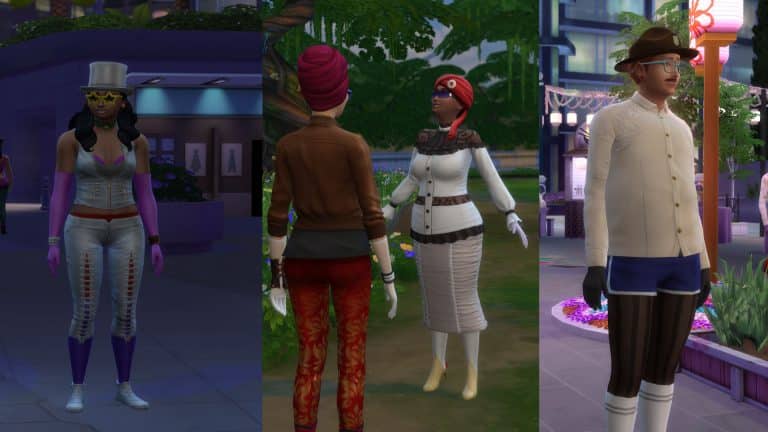
According to The Sims Team, NPC Sims, which in The Sims 4 universe means randomly generated townies that don’t reside in any world will no longer have random fashion moments. This means that, for example, Sims will no longer tend to put on various costumes (in surroundings where they don’t fit). The team created a special set of internal tools that allow them more control over which outfits will Sims wear in certain surroundings.

NPC Sims in worlds such as Glimmerbrook, Willow Creek, San Myshuno and more will now all respect the fashion of the surrounding that they’re in. Of course that you should expect a minor inconvenience here and there considering that the internal tool has just been implemented, so if you spot an unfitting clothing piece on an NPC Sim make sure you let The Sims Team know!

So long random spaceship helmets and eyeball rings, you’ll be greatly missed.

Ever had Sims show up looking like a product of a bad makeover? Did your Debate Judge just show up to the debate wearing a mascot hat when they’re not the mascot? Did your fellow Spellcasters show up in the Magic Realm wearing not so magical clothes? Say no more… We have applied a fix so that non-playable Sims can be a bit more appropriately coordinated in their outfits and per occasion.

To explain a bit further, we created a much more robust set of internal tools that allows us to have greater control over the outfits that the Sims choose to wear in unique situations. We’ve improved a lot of the wacky townie fashion you’ve seen previously (it’s called fashion sweaty – look it up), but if you still see oddities – let us know. It’ll be an easier issue for us to “iron out” moving forward! Together, we can defeat the dreaded eyeball ring.

Image via Jacqpinks

RIP to Random Townie Fashion in The Sims 4

The Sims 4 PC & Console: New Update + Patch Notes! (November 10th, 2020)

ts4logonew

The Sims Team has released a brand new Update for The Sims 4 on PC, Mac, Xbox One and PS4!

To download the latest version of The Sims 4, simply open your Origin program and if the game doesn’t update automatically, right click on The Sims 4 and select ”Update”.

In case you have Mods or Custom Content, the game will automatically disable them for you after first launching The Sims 4 after the update. To re-enable all your Mods and Custom Content, select the Settings option in the Menu and select Settings. Under the”Other” section you’ll find the ”Enable Custom Content and Mods” option. Check it and restart your game in order for it to take effect!

Patch Notes

Update 11/10/2020
PC: 1.68.154.1020 / Mac: 1.68.154.1220
Console: Version: 1.33

Welcome, Simmers! A relaxing getaway sure sounds nice right about now. We’re inviting you to take a trip with your Sims to your favorite destination with the newly added ability to vacation anywhere within The Sims 4! Here at Maxis, we’ll be hitting the slopes of Mt. Komorebi with the release of The Sims 4 Snowy Escape in just a few short days. Curious how it works? Read on! We’ve got a big haul of new features and requested fixes in this major update to The Sims 4.

-SimGuruGraham and SimGuruRusskii

NEW & IMPROVED FEATURES

Platforms

Platforms enable you to build rooms at varying heights within a story level. As much as we’d love to sit here and go on and on about how incredible platforms are and how they completely revolutionize Build Mode, you’ll see that for yourself as soon as you try them out in-game! Here are some basics for how they function and how you start building with them.

You either can use the new Platform Tool directly in or you can place preset platforms that come in various shapes and sizes. You’ll find both of these within the “Walls and Empty Rooms” section of Build Mode.

You easily can add or adjust the height of a platform in any room. Simply click on a room to select it, and the new up & down arrows in the widget that appears will allow you to add or adjust the height of a platform within that space.

Because platforms can have their height adjusted up or down, you can even create platforms that sink down beneath ground… like, really, really deep down. I don’t know why anyone would want to do that *cough* devious players *cough*, but the option’s there! This ability to go deep is reserved for the ground level and basements.

You can stack platforms on top of platforms, on top of platforms, on top of platforms, on top of platforms, on top of platforms… Seriously, go nuts. Get creative. Make something nobody has ever seen in The Sims before!… On top of platforms…

When a platform’s height is a single step higher or lower than the adjacent floor, Sims are able to step onto it. For anything higher than a single step, connecting a set of stairs or a ladder between the different surfaces will allow Sims to reach them. Here’s your first advanced lesson in platforming: Remember that callout about stacking platforms on top of each other? If each stacked platform is a single step in height, you could certainly make some interesting custom staircases…

  • One notable exception – platforms can’t connect across multiple levels. If you build a stack of platforms all the way to the ceiling, the very last step will need to be a staircase or ladder to connect two separate floors of a building together.

Platforms can be utilized as fully functional space or be purely decorative areas – the choice is yours! As you adjust the height of a platform, your Sims will intelligently adapt to that space. For example, you could create a platform with only enough head clearance for a child to enter. The possibilities are endless!

The visual look of platforms can be customized in a variety of ways. The “Walls and Empty Rooms” section of Build Mode now has a “Platform Trims” subcategory. Here you’ll find trims that match all of our foundations as well as some new trims with basic materials that look perfect in the interior of a building. Want to go even further? Try wrapping the edge of a platform with half walls and then customize the edge with any wall material. Mix and match these methods for creative results!

Even More Half-Walls

Speaking of Half-Walls, we’re pleased to share that we’ve created 12 additional Half-Wall heights to choose from, adding to the 7 heights previously available. One could factually say this is our most sizable Half-Wall update ever! Pity the poor person who was tasked with writing uniquely descriptive names for each of these 19 height variations.

Sentiments

Sentiments are those special fuzzy feelings that form between Sims when they share a memorable moment together. Shared experiences between Sims now offer the opportunity for Sims to develop long-lasting sentiments between each other, which in turn affects how they feel and act in the presence of (or the absence of) another particular Sim. Unlike relationships between Sims, Sentiments can be a one-sided affair. When two or more Sims share an experience together, you may find that all, some, or none of them walk away from that moment having formed a lasting impression of the other Sims that were involved. The base game includes a wide variety of these Sentiments and Snowy Escape has additional ones tied to experiences within that pack.

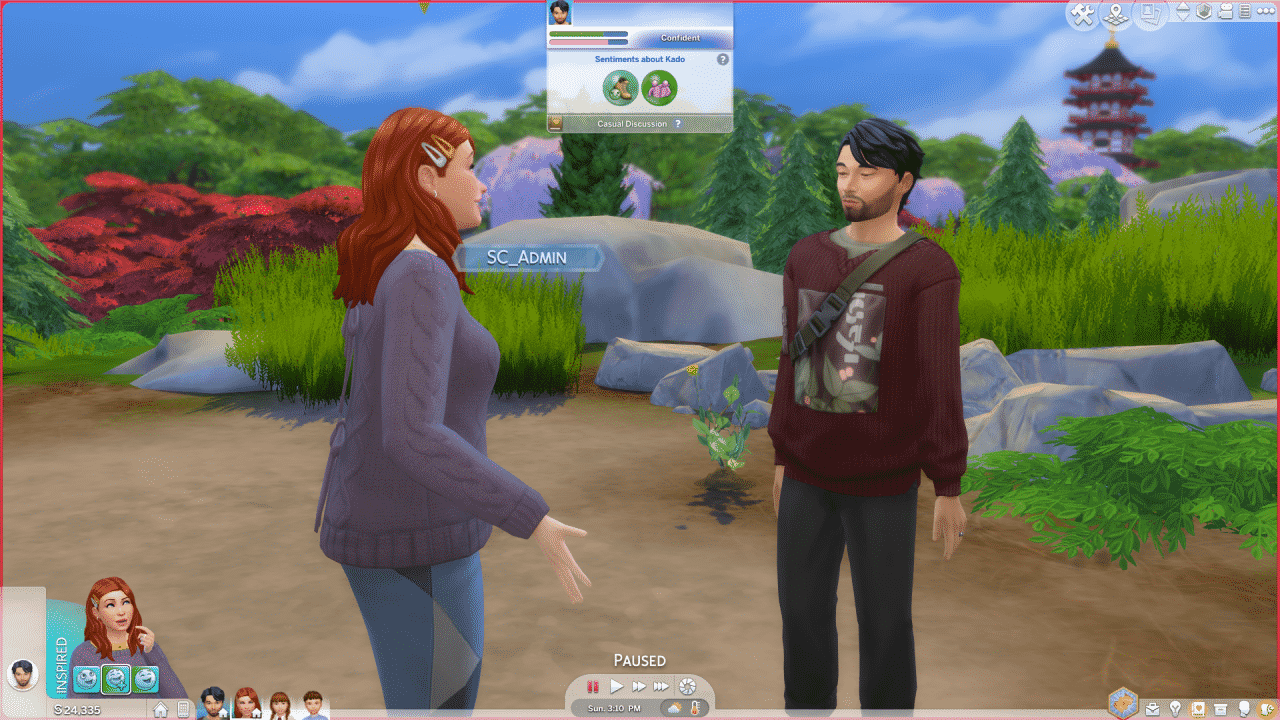
Sentiments that have formed between Sims can be viewed in two locations. When socializing with another Sim, click on the heart-covered notebook that appears in the social UI at the top of your screen. Alternatively, you can view the Sentiments that exist between two Sims at any time within the new Sim Profile within the Relationship Panel. Read on for more information on this new Sim Profile …

Sim Profiles

Have you ever gone to check out the other Sims in your Sims’ life, only to be greeted with an overwhelmingly large tooltip that extended from the tippy top all the way to the bottom of your screen? We certainly have, and we weren’t happy with it. There has to be a better way! …And there is! Introducing: Sim Profiles! Within the Relationship Panel, you can now click on the portrait of any Sim and select “Open Sim Profile” for a full breakdown of all the info the active Sim knows about that Sim. It even includes those nifty new Sentiments everyone’s been talking about!

Skin Tone Update Console & Community Identified Issues

We saw your feedback about the October skin tones update and, to improve clarity and transparency, we shared a first look on Twitter of the fix in progress.

With this patch, the Console game gets the October fixes for texture compression, resolving the banding on the cheeks and foreheads as well as discoloration on the tip of the nose.

In addition, this patch addresses the two community-identified issues of red dots around the lips and a dark blotch between the eyes. The red dots around the lips should be completely resolved at this time. The dark blotch between the eyes was softened to remove the hard edge, but the darkening is expected as part of the shadowing around the nose.

Vacation Anywhere

Couldn’t we all use a good vacation right about now? Your Sims certainly could, and now they can go anywhere! The ability to go on a vacation to any of your worlds has been added to the game for all players along with the “Rental” lot type.

To vacation to a world, a rental lot must exist within it. Should you purchase Snowy Escape, you’ll find the residential world of Mt. Komorebi includes some pre-built rental lots – a ready getaway awaiting your Sims. If you prefer to vacation in another world (Sulani, anyone?), you’ll first need to enter Manage Worlds mode and update at least one of the lots within the desired world to become a rental lot.

During a vacation, if your Sims are lacking any necessities, they now can “Order Supplies Now” from the rental’s mailbox or from their phone. Happy travels!

Toddler Slippers

We figured it’d be nice to give toddlers a pair of slippers to wear. So we did. Cozy feet!

S-Pop Radio Station

You may remember S-Pop (short for “Sim-Pop”) as a radio station in the City Living expansion pack. While the music tracks that originally came with that station will remain exclusive to City Living, the station itself is now available for all players with five new songs for all players to enjoy:

“keep on rocking”
Performed by CHAI
Written by Yuki Mizutani (p/k/a/ Yuki), Kanae Obata (p/k/a Kana) and Manami Obata (p/k/a Mana)
Published by Sony Music Publishing (Japan) (JASRAC)
Recording courtesy of Sony Music Japan by arrangement with Sony Music Entertainment

“Kanzen Houki Sengen (Simlish Version)”
Performed by Nanawoakari
Written by Nanawoakari & Tamaya2060
Published by Sony/ATV Music Publishing
Recording courtesy of Sony Music Japan by arrangement with Sony Music Entertainment

“Part. 2”
Performed by SASUKE
Written by SASUKE
Published by Warner Chappell Publishing
Recording courtesy of Warner Music Japan Inc. by arrangement with Warner Music Group Video Game Licensing

“Ninhursag’s Tone”
Performed by Unite Satisfy
Written by Shintaro Aoki
Published by Syn Songs
Recording courtesy of NNN Records & Cross Groove/Syn Songs

“Harujion”
Performed by YOASOBI
Written by Takuya Shimizu (p/k/a Takuya) and Akira Tsubono (p/k/a Akira)
Published by Sony Music Publishing (Japan) (JASRAC)
Recording courtesy of Sony Music Japan by arrangement with Sony Music Entertainment

And now, onto the fixes:

The Sims 4

  • Freelancer Sims now can complete Gigs they have signed up for and harvest the fruits of their labor. Simoleons, Simoleons, Simoooleons… SIMOOOLEOOONS.
  • Does your Sim look bored all the time? Even when you think they are having fun, they look bored to you? Not a problem anymore. It’s been… taken care of.
  • Calls Dropping? Is your Cell Phone behaving like a certain network is just not up to snuff? We have upgraded all Sims to Simgular – Llama’s Choice Network that does not allow Off-the-Grid shenanigans when your Sims are not Off-the-Grid.
  • The NanoCan Touchless Trash Can has been recalled and fixed so now all your trash can be cash in a flash.
  • Did you ever experience the Honey I Shrunk the Basil and Sage Plants issue in-game? No longer! *No Sage or Basil Plants were harmed in the fixing of this issue*.
  • Ever had Sims show up looking like a product of a bad makeover? Did your Debate Judge just show up to the debate wearing a mascot hat when they’re not the mascot? Did your fellow Spellcasters show up in the Magic Realm wearing not so magical clothes? Say no more… We have applied a fix so that non-playable Sims can be a bit more appropriately coordinated in their outfits and per occasion.
    • To explain a bit further, we created a much more robust set of internal tools that allows us to have greater control over the outfits that the Sims choose to wear in unique situations. We’ve improved a lot of the wacky townie fashion you’ve seen previously (it’s called fashion sweaty – look it up), but if you still see oddities – let us know. It’ll be an easier issue for us to “iron out” moving forward! Together, we can defeat the dreaded eyeball ring.
  • Door lock settings now persist when Sims travel. That’s right! If I disallow everybody, it should stay that way when I travel… or when I exit the game… and the occasional restart, too… hmpf!
  • Sims who have passed away no longer sometimes disappear from their Genealogy. This is not retroactive, so any Sims that already disappeared will not return.
  • Sims no longer ignore the kitchen sink and dishwasher to wash their dishes in the bathroom sink. Okay.
  • Oasis Springs’ World Map now shows lots in the correct locations. I see you, Yuma Heights – don’t be sneaky now.
  • Sims now can propose to their beloved without rejection (congratulations!). On the same note, Sims with multiple romantic partners now can propose and marry one of them and not get sabotaged by their partners’ predicament of not being able to get married because they are employed together, even when they are not.
  • Sims who have finished their workday now get back to things sooner instead of sometimes staring off into space.
  • Ever wished your delicious food just never… ended? We thought we did until our Sims were unable to finish their meals. Now they are able to finish Eating Leftovers. They are leftovers, not leftFOREVERS.
  • Sims sharing double beds now can Nap or Sleep in any combination. Sim A can nap and Sim B can Sleep… or Sim A can Sleep and Sim B can nap… or they can both Sleep… or nap… well, you get the picture.
  • Shower Tubs now can be cleaned enough to be visibly squeaky-clean.
  • Another one bites the dust. The issue that generated Error Code: 110:c875d8ff on game load has been fixed.
  • Style Influencer Sims now perform Quick Sketch Impression without breaking the Digital Sketchpad. Be kind with your tools and toys.
  • Removed incorrect Moodlets such as “Awkward Hug” when Unflirty Sims hugged kids. In the same fashion, we made sure Unflirty Sims no longer receive the “Witnessed Crass Act” Moodlet when parents and children hug or kiss cheeks.
  • Adult Sims now Teach Blocks to their Toddlers. Learning in early life is important!
  • Sims on vacation now can hire a Nanny and/or a Butler to take care of things while they are away.
  • Toddlers no longer will show as “At Daycare” when they are taken back home via the “Care for Self” option. No Toddler clones here… you can’t be two places at once!
  • Toddlers left at home while the rest of the household goes on Vacation now receive proper care and otherwise can join the Vacation. THINK OF THE CHILDREN. Toddlers deserve fun and relaxation in new places, too!
  • Toddlers no longer get the “Silly Ocean” Moodlet from playing in rivers.
  • Children once again can earn Adult skills. *sniff* They grow up so fast!
  • Simmers in social events now get a warning when switching to a Sim in another neighborhood rather than the event cancelling automatically.
  • Sims with enough Simoleons now can move into empty lots.
  • Splitting households and then moving no longer causes an infinite load.
  • We told Sims that they should probably not take 45 minutes to drink a single cup of Coffee. As you guys know, I am a coffee fiend, but nursing the same cup for that long is not in the coffee lover’s manual for enjoying fresh coffee.
  • We met with our wonderful Sim Firefighters and came to the agreement that they now also will extinguish fires on wall objects such as paintings.
  • Action progress bars no longer are interrupted when a new action is added to a Sim’s queue.
  • Sometimes items could disappear from your Sim’s inventory after travelling. This should no longer happen. Where is my cup of coffee? Oh, okay, it is here….
  • Sims no longer have Clay Blobs, Future Cubes, and/or Sketch Pads spawn infinitely in their Inventory. This felt like grabbing something out of Felix the Cat’s bag… just a never-ending bag of Clay Blobs, Future Cubes, and Sketch Pads… what did it all mean!? We may never know.
  • Opening a stack of Inventory items and then going back now highlights the correct item.
  • In reviewing items in Inventory, we realized that some item stacks were showing the number 99+ incorrectly on Multiselect. What’s the number? – Stomp, Stomp! – What’s the number? – Stomp, Stomp! – The number of the day… you’re about to see the number is the actual number of items you have! Ah ha ha. That’s the number of the day!
  • Sims no longer endlessly play games such as Chess, Sabacc (if you own Journey to Batuu), Voidcritter Cards (if you own Kids Stuff), and your regular Card games. I could play with Meduso forever though… #Meduso4ever.
  • Page Up/Page Down and Home/End Keys now work in Free Cam Mode.
  • The Aspiration Panel now shows the gender of Sims regardless of whether they are active.
  • Now only Gardeners autonomously remove wild plants. Sims with Green Fiend Trait (if you own Eco Lifestyle) were being a bit overly eager in removing plants everywhere, so the professionals will handle it from now on.
  • “Listen To Together” on a Stereo no longer resets Sims.
  • Sims no longer get “Poorly Decorated” and “Dismally Decorated” Moodlets when decorations are in the room. This applies to new Saves as it is not retroactive, but, my, how judgemental Lots were….
  • Columns now can rotate 45 degrees and in Free Rotation. Spin them right round, Simmers, right round.
  • The liveeditobjects cheat no longer surfaces items with broken thumbnails that were not meant to be part of that cheat. Pardon our dust.
  • Shower descriptions in the catalog said they were “Uncomfortable.” Showers are meant to relax and be a place of meditation, so the catalog now says they provide “Discomfort Relief” unless the specific shower really is uncomfortable.
  • The Subtle Saucer and the Super Subtle Saucer now have images that are more distinct from each other in the catalog. Super Subtle, Super Saucer.
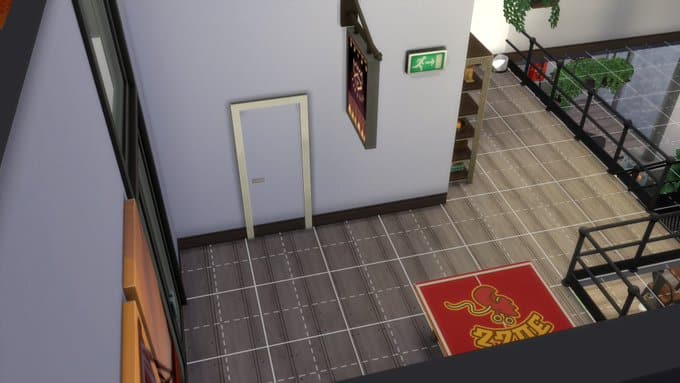
  • Removed the “Player Feats” door because it wasn’t really a door…
  • Dishwashers The Professional Dish LaborerWasher Pro Free-Standing Dishwasher (from Dine Out), and Industrial Dishwasher Unit (from Parenthood) no longer have a gap between counters.
  • Digital World wall tiles have been polished. Shiny and new!
  • Career-unlockable outfits no longer show up when filtering for Custom Content.
  • Toddlers no longer have bald spots when zoomed out on Low Graphics Settings.
  • Frayed jean ymBottom_EF13JeansFrayedCrop_Black no longer clips with several tops.
  • Anniversary t-shirts yfTop_EF05ShirtTeeAnniversary and ymTop_EF05ShirtTeeAnniversary fit better on more body types.
  • Sims with certain feminine frames now look better when wearing Pants or Full Body outfits.
  • Fixed some Create a Sim item backgrounds.
  • Selecting what you want to do next at the end of the tutorial on console no longer has the mysterious word “Label” in the background.
  • Gallery filters no longer cut off some venue type names in some languages. This was particularly egregious for French and Brazilian Portuguese text.
  • Game fonts got some spiffing up to keep all characters looking their best.
  • As with every update, the localization team has tweaked, improved, and fixed text across all Packs and previous updates.

Get to Work

  • Scientist Sims placing collected crystals and metals in their Laboratory no longer crash the game. Do you ever science so hard, the simulation crashes?
  • The “Test Serum” action on a Scientist co-worker no longer causes an error.

Get Together

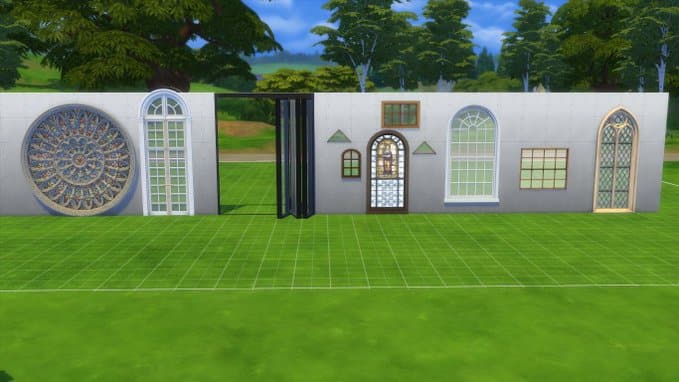
  • Stone Frame Window (window1x1_EP02TUDstoneFrame2Tile_set1), Holey Geometry (window1x1_EP02TUDLow_03_2Tile_set1), and King of Diamonds Classical Door (doorSingle2x1_EP02TUDHigh3Tile_set1) now place properly.
  • Sims in Clubs with a Read rule now finish the books they choose to read. No cheating, my friends.
  • Wearing their Earbuds (if you own Fitness Stuff) and participating in Club Gatherings no longer causes an error.
  • Club affiliation on University Housing (if you own Discover University) now persists after entering Build/Buy Mode.

City Living

  • Ultra Speed now works while Festivals are in progress. Some conspiracy can be said about Festivals wanting Simmers to enjoy them in all their glory… at a normal speed at every speed, but these are just conjectures… yes.
  • Sims no longer read their mail aloud while conversing with their apartment neighbors. Talk about rude, right?
  • “Read about Festival” now consistently displays festival information.
  • Sims from specific San Myshuno neighborhoods now have more variety on their appearance.

Cats and Dogs

  • Stencils in Create a Sim (Pet) now consistently paint your furry friends without crashing.

Seasons

  • The holiday tradition New Skill Day now focuses on starting new skills and improving low level skills so skills that are maxed out don’t count.
  • Toddlers who are inside during a blizzard and in a high chair no longer want to Run Inside, so their caretakers won’t take them out of the chair prematurely. You are safe little one; you are safe.
  • Now all onions, carrots, mushrooms, potatoes, apples, tomatoes, and growfruits can be planted indoors during freezing weather.
  • Plants no longer change their quality or evolve on their own after Sims traveling.
  • Some Outdoor Plants that were stuck in summer/fall now turn brown and lose their flowers when winter starts.
  • Sims now can book Vacations on the computer during holidays.
  • Simmers who have disabled Rain and Snow no longer should see them during Mysterious Weather. Mysterious indeed.
  • Male Sims now wear appropriate shoes when working as a Floral Designer or Botanist.
  • The beanie hat cuHat_EP05BeaniePom now looks a bit better.
  • Sims scheduling an event in the Calendar for a Rental Lot no longer end up in a Lot where they have not been greeted.

Get Famous

  • Stans (“stalker fans”) and Kleptomaniac Sims no longer steal Pet food bowls or Cat litter. I have no words for this one. I have nothing.
  • Sims with maxed out Atrocious Reputation now maintain their reputation when traveling. Atrocious you shall be forever.

Island Living

  • Conservationist Sims now Write Conservation Articles at the appropriate career level (level 4). On the same note, the task for Research Conservation now can be completed.
  • Odd Jobs no longer get stuck in a state where Inventory and Build Mode cannot be accessed.
  • We had long conversations with Island Celebration Participants and agreed that no random Sims should enter a Sim’s home without permission, barging in as if they owned the place. Excuse you, privacy, and property are a thing, you know?

Discover University

  • We chatted with the registrar at Britechester University and got them to agree that students should receive class time reminders before class instead of after. You’re welcome. Now, make sure you go on time, alright?
  • School Spirit Day no longer schedules multiple instances at the same time. But… Did you know it is Spirit Day?
  • Club gatherings no longer have Sims with their bikes indoors in a disruptive manner.
  • Sims traveling long distances including stairs now properly walk the stairs and then hop their bikes and they don’t leave their bike behind. You can’t just abandon your bicycle – what about the poor bike’s feelings?
  • Sims now properly get off bikes while on a slope.
  • Lawyer Sims now File Court Documents as their tasks dictate at levels after 5. Just because you move up doesn’t mean you stop filing docs.
  • Students in a different neighborhood from their University now go to school instead of work when choosing “Go to Class” from the Career Panel.
  • Students now can receive only one merit scholarship per term.
  • Sims no longer are listed as being at University when they are at home.
  • The game no longer sometimes freezes when Sims enroll in University. We get that attending University is life-changing, but freezing a game is taking it a bit to extremes.
  • Students now return to Campuses in their leisure time to cloud gaze and play Soccer in the surrounding areas of Britechester University and Foxbury Institute respectively.
  • Sims jogging in an Exo-Mech suit no longer get fatigue-related Moodlets.
  • For Eco Lifestyle Simmers, “Throw Away” and “Compost” now are available on piles of discarded food. The consequences of not having these were especially egregious at University Dorms.
  • Sweatpants yfBottom_EP08LooseSweatpants now look better when paired with scarf yfTop_EP08SweaterScarf in Create a Sim.

Eco Lifestyle

  • Recycle Disciple Sims without the Kleptomaniac Trait now swipe household objects less often. We get it, we are all trying to do our best for the environment, but going after your Dumpster was a bit too far… we kinda need that.
  • Eco Footprints no longer change very quickly from “Green” to “Neutral.” Knox rejoices.
  • Eco Footprints in Worlds no longer become Neutral when entering Manage Worlds.
  • We had a chat with Eco Inspectors and they agreed that they should display the correct occupation from now on. And they shall be known as Eco Inspectors… forever.
  • Bulldozing Pinecrest Apartments now is possible without damaging the lot.
  • Harvestables obtained via a Dumpster no longer disappear from Inventory a few minutes later. Easy come, easy go… would you not disappear, though?
  • Recycling is a wonderful thing. Recycling for Inventory exposed missing text on some Grand Meals, so we filled in those names.
  • Toddlers living in Lots with the Reduce and Recycle Lot Trait mayyyybe were taking it a bit too far generating trash piles in their inventories. Put that down – No more trash in your pockets.
  • Did your floor patterns experience a glow that never went away after selecting all of them? That’s not a problem anymore.
  • The Wallpaper formerly known as sheetStandingSeam01GEN has been renamed to Corrugated Metal.
  • The Fabricator’s Fabricated Couch (no dye) recipe now creates the correct item.
  • Residential Wall Speaker is renamed to Venue Wall Speaker: Americana to accurately reflect its function and music.
  • Venue Wall Speaker: Americana now looks correct with the neutral wood option.
  • Women’s sandals yfShoes_EP09PlatformSandals now look better when paired with jumpsuit yfBody_EP09JumpsuitUtility.
  • Men’s hairstyles ymHair_EP09CurlyBun_Black and ymHair_EP09CrimpedLong_Black have cleaner hairlines now.

Dine Out

  • Sims no longer get up from their seats at restaurants randomly and create chaos by speaking to other patrons, grabbing food from their table, putting it somewhere else, and taking over the place by playing the piano or singing. But it was quite the show, wasn’t it?
  • Xbox One Simmers now can edit Restaurant Staff Uniforms in Build Mode along with other Simmers.

Vampires

  • Vampire Spar no longer negatively affects Conflict resolution for Simmers with Parenthood.

Realm of Magic

  • Spellcasters with all spells learned and maxed out no longer lose those when downloaded from the Library/Gallery Muscle memory perhaps?
  • Create a Sim no longer has the less-than-attractive skin type that was intended only for cursed Sims as an option.
  • Spellcasters have reviewed the terms of their “Always Transportalate” Spell and now can actually teleport anywhere, even places with stairs.

Journey To Batuu

  • Sims now are able to complete First Order or Resistance missions and then choose the Hope vs Order – First Steps Aspiration and complete all goals.
  • The Lightsaber Collection plaque now has a proper name and description so you can display it with pride.
  • The First Order sent a memo stating to change the First Order Blast Door to not accept any decals or wall decorations.
  • Create a Sim asset yfBottom_GP09VillagerPatchVertical now goes better with different styles of shoes across multiple Packs.
  • The Career Panel now displays the active Mission chosen from the Mission Panel.
  • The game no longer freezes when Sims “Freshen up at the Dwelling” at Black Spire Outpost.

Luxury Party

  • Create a Sim asset yfBody_SP01SleevesFlutter_SolidBrown fits better when wearing Get to Work’s ymHair_EP01LongWavySwept_Platinum hairstyle.

Movie Hangout

  • Movie night has been reclaimed! Sims now can watch complete films from start to finish without getting stuck in a never-ending loop… or I should say not in a Neverending Story? STTOOooooryyyyyYYYY.

Knifty Knitting

  • Create a Sim boots cuShoes_SP17BootsBuckled_SolidRedPin work better with jeans cfBottom_SP07JeansPrint_FloralBlueLt.

GOT7’s BamBam becomes The Sims 4’s New Ambassador

3

GOT7, a popular South Korean boy band now has its own Sims Ambassador – BamBam!

BamBam announced the news yesterday over on his Instagram profile sharing that he’s now The Sims 4’s new Ambassador.

Finally This is happening
This is my Childhood game
From Sims1-Sims4
i’m so happy finally we become a family

GOT7’s BamBam becomes The Sims 4’s New Ambassador

In case you’re wondering what a Sims Ambassador is – previously we’ve had celebrities like Vanessa Hudgens, Millie Bobby Brown, HWASA and more promoting The Sims 4’s Play With Life campaign in their own way. Considering that the partnership between The Sims and BamBam has only started we should expect more tie-ins and Sims posts from him in the near future.

Until then, check out the first official The Sims x BamBam promo ad:

EA Play Launches on Xbox Series X|S with Game Pass (The Sims 4 included!)

0

Up until recently, EA Play (formerly Origin Access/EA Access) was only available as a standalone subscription service. While that option is still available if you have Xbox Game Pass Ultimate you will be able to have access to EA Play as part of your membership. Xbox Game Pass for PC members will be have access to EA Play benefits from December.

Of course, if you have just picked up one of the new Xbox Series X|S consoles, you are likely to have picked up a Game Pass membership too!

EA Play Launches on Xbox Series X|S with Game Pass (The Sims 4 included!)

What does this mean though?

Simply you will have not only the membership benefits of your existing Xbox Game Pass Ultimate/PC subscription but you will also get all of the benefits of being an EA Play subscriber at no extra cost!

An EA Play subscription allows you to try out various new releases via a 10-hour free trial, exclusive members-only 10% discount off of EA products, and an extensive library of games including The Sims 4 and many more.

EA Play is available as a standalone subscription on  Xbox, PlayStation, and PC via Origin and Steam for $4.99/£3.99 a month as well as alongside selected Xbox Game Pass subscriptions too.

Sims4Studio releases a new tool to Batch Fix CC Doors and Windows

4

Ever since the release of The Sims 4’s update during the release of Star Wars Game Pack people have reported visual clipping issues with Custom Content Doors and Windows. The issue basically persisted for all CC Doors and Windows that were made public before the release of the latest patch. Some of the CC creators even had to go through their entire catalog of custom Doors and Windows to fix this visual glitch. However, the solution to batch fix all of this has just been released by the talented folks behind Sims4Studio!

Screen by @cry_celeno

Sims4Studio releases a new tool to Batch Fix CC Doors and Windows

The latest Sims4Studio update now has an option to Batch-Fix the entire catalog of your CC Doors and Windows that you have in your Mods folder. This tool will automatically fix all that CC content without having to redownload the updated versions that CC creators might’ve released.

Screen by @receitasims

Sims4Studio releases a new tool to Batch Fix CC Doors and Windows

The new version of Sims4Studio is now live and can be downloaded HERE! Check out what the tool creators had to say about their recent update:

Hi all, Studio is updating today with a batch fix for custom windows and doors that were broken by the Star Wars patch. The Windows and Mac versions both have this new feature.
Sims4Studio releases a new tool to Batch Fix CC Doors and Windows

For creators, each version also has a feature that allows you to fix the cutout on any new creation by clicking Tools/Modding/Generate Model Cutout From Wall Cutout Texture after you’re finished importing your new wall cutout texture.

For everyone, please read the notes below.

Select your version of Studio to download HERE

Notes:

When the batch fix runs, it will create a backup folder containing the original version of all files it fixed. Please do not discard this file until you verify that your windows and doors are functioning properly in the game. If you encounter a window or door that did not fix properly, please send us the original and the broken batch-fixed versions so the problem can be investigated.

The game has a small glitch with some round windows that causes a subtle line to appear at the edge of such windows when no wallpaper is on the wall in which the window is placed and the wall is facing a certain direction. EA windows do this too (see pic below), so this is not a problem with the batch fixer, it’s a game issue. You will not notice this line once wallpaper is applied to the wall.

Sims4Studio releases a new tool to Batch Fix CC Doors and Windows

Running the batch fix on a window or door will cause a new resource to appear in the Warehouse view of that file. This resource records the batch fix version that was applied to the file. If you add new broken windows or doors to the same folder in which this file is placed and run the batch fix again, this resource allows Studio to skip over this file instead of fixing it again.

This batch fix took quite awhile to complete because of the immense variety of doors and windows created by our community. Andrew deserves kudos for sticking with this project even when, at times, it seemed impossible to complete.