
Home Blog Page 250

The Sims 4: New Update + Patch Notes! (June 18th, 2019)

The Sims 4: New Update + Patch Notes! (June 18th, 2019)

The Sims Team has released a brand new Update for The Sims 4 on PC and Mac!

To download the latest version of The Sims 4, simply open your Origin program and if the game doesn’t update automatically, right click on The Sims 4 and select ”Update”.

In case you have Mods or Custom Content, the game will automatically disable them for you after first launching The Sims 4 after the update. To re-enable all your Mods and Custom Content, select the Settings option in the Menu and select Settings. Under the”Other” section you’ll find the ”Enable Custom Content and Mods” option. Check it and restart your game in order for it to take effect!

Patch Notes

UPDATE: 6/18/2019 – PC 1.52.100.1020 / Mac 1.52.100.1220

Hiya Simmers!

Is it hot outside, or is that just my gland problem? Anyway, let’s not worry about that – we’ve got some awesome new stuff to talk about! With all this Summer heat and with Sims 4 Island Living’s release just around the corner, we’ve got a few new free updates we are so excited to share with you! So let’s slap on some sunglasses, squeeze into that swimsuit, and dive on in…

What’s New?

Randomize Traits Button:

A Randomize Traits button has been added to CAS and in the Live Mode Age-Up Molecule. Oh yes, it’s now just right there, waiting to be clicked. Over and over and over and over. I can’t really believe it either, but here it is. The dark days without this small hero are now just a distant unpleasant memory. From here on out, if you just want to grab-and-go your Sim’s personality and get the heck outta CAS, or if you want to add a little challenge to who your Sims might be, it’s just one click away. Jeepers, this feels good. Seriously, I’ve been wanting this forever.

Lounge Chair:

Everyone (even you) gets a FREE LOUNGE CHAIR! That’s right, we’ve added a delightfully Portable Lounge Chair, so you can now lounge by the pool the way you’ve always wanted: Laid back. With your mind on your Simoleons and your Simoleons on your mind.

It’s Pride Month!

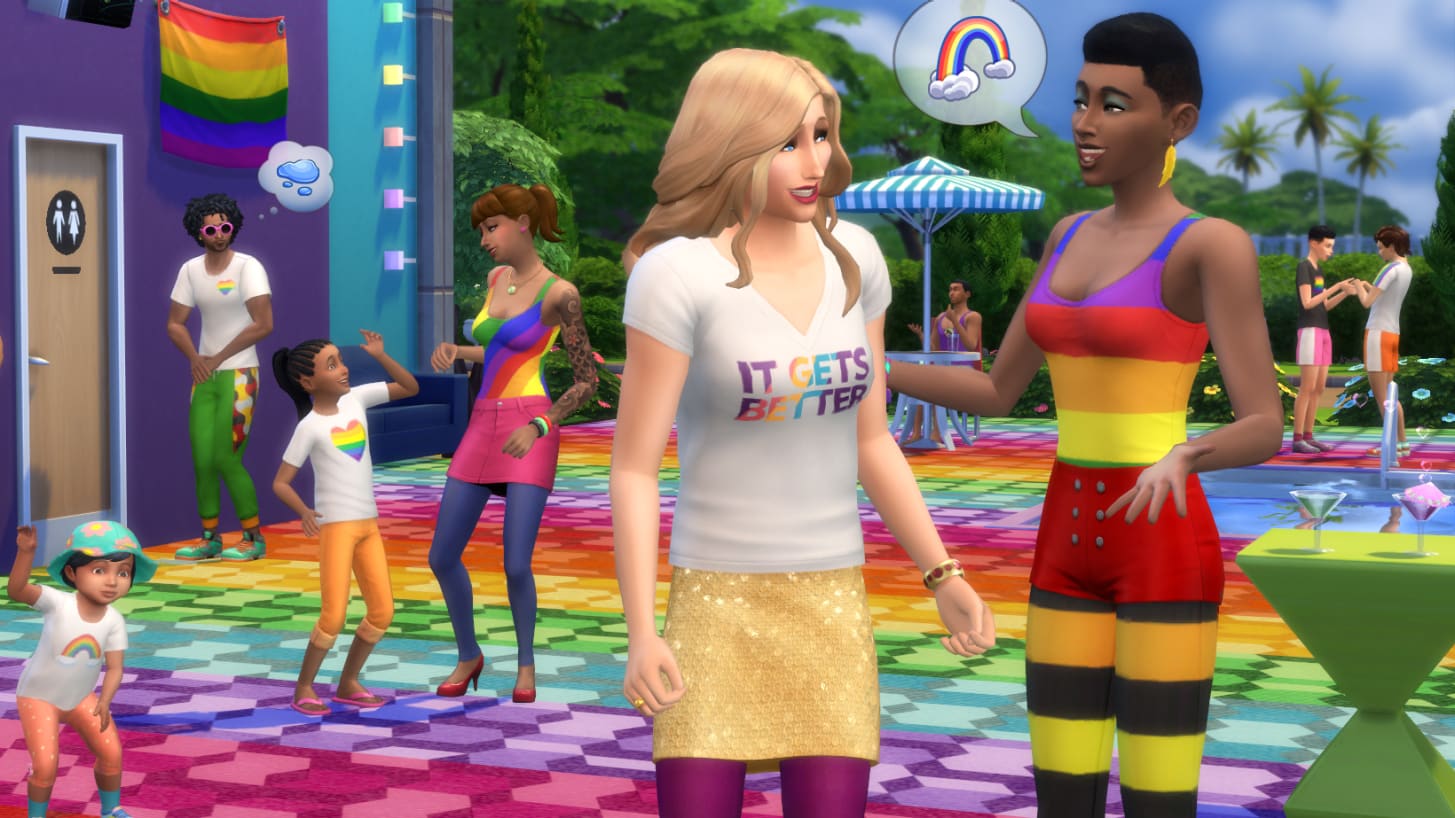
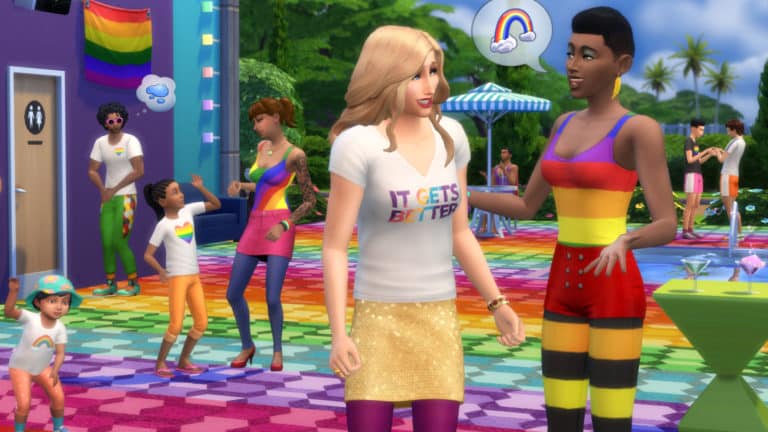
Show your pride with some fantastically colorful new clothing. The rainbow leggings are my personal favorite. Nah, maybe the body suit is my favorite. But now that you mention it, I can’t stop dressing my Sims in the new t-shirts — created in partnership with the It Gets Better Project — so I guess I just love it all! In addition, we’ve also included a selection of decorative Pride flags for hanging on your Sims’ walls. Finally, we’ve updated our bathroom door sets in-game so that every bathroom door also includes a gender-neutral version for builders, and includes a full suite of color swatches for mixing and matching to your heart’s content. Happy Pride Month, everyone!

Stilt Foundations:

Or as I like to call them, High Heels for your House. Or House Heels. These things don’t need to be limited to just the tropics. Stilts are a great partner in crime to manipulated and flat terrain alike in any biosphere. You can find them in Build Mode alongside all the other regular Foundation types. Now go get your stilt on.

Further Eaves Extension:

Now you can pull your Eaves… further.

More Door Colors:

Ok, we may have gone a bit overboard here… There are 350 new color swatches spread across all of the doors and arches in the base game catalog. If you’ve ever wanted matching doors in Light Brown, Reddish Brown, Brown, Dark Brown, Gray, White, or Black, then this is certainly the update for you!

A Couple New Lot Traits:

  • Clothing Optional: This new venue-only lot trait will inspire your Sims to — you guessed it — get nude.
  • Off-The-Grid: Now you can live out your nomadic fantasy on any lot. Applying this lot trait will remove your Sim’s use of power and running water, but on the upside it keeps your bills down. Keep a lookout for existing objects with the “Works Off-The-Grid” note in the Buy Catalog.

More Toddler Diaper Colors:

We added some L’il Swimmies Splashy Diapers! You don’t necessarily have to use them for splashing in the water, but that’s where our brains were at when we made them. We made these not only in anticipation for Island Living, but we also thought you’d appreciate more swimming options for your toddlers to use in the Seasons Kiddie Pool.

Back Float:

A new Back Float interaction is available for Sims swimming in the pool. Click on that water. Try it out. Take a load off.

Fishing Additions:

Brace yourself, we’re about to cast you into a deep dive…

  • We added several new interactions to allow players to fish in different ways and interact with other Sims around fishing activities.
  • Sims can perform a few new Fishing-based socials to gain useful info (via UI TNS/Notebook) and push NPCs to Fish.
  • Fishing is now joinable.
  • Improved fishing interaction tuning and autonomy to make the interaction more efficient and fun.
  • Upper skill levels now provide more meaningful rewards, with new Interactions added to Fishing skill levels
  • New high skill cast interaction “Angle for Big Catch” increases chance of getting rarer fish.
  • New high-skill VFX visuals on Rare fishing spots.
  • Ability to now “Mentor Sims in Fishing.”
  • Fishing UI has improved information, including Notebook info with Bait information.
  • Tuning for fish that can be caught is unique per world & more fishing spots added to some of our previously shipped worlds.
  • New bait preference system applied to most existing fish that modify catch chances.

Ceiling Fan Updates:

Ceiling Fans will now cool a room if you have Seasons and the fan is on. Oh yeah, speaking of which, we also added the ability to turn them On and Off. And while we were at it, we figured we’d make them dry off damp Sims too.

Ceiling Objects Build Sort:

We also added a new Ceiling Objects Build sort category to make things like Fans easier to find.

Swimming Things:

There is now a chance for interesting things to happen to your Sims while swimming, like getting a cramp or losing their suit (eek!). Swimming also now gives your Sims a boost in Fitness skill gain.

Part-Time Jobs Update:

And last but not least (you still with me?) all existing Part-Time Jobs are no longer just for Teens. That’s right, now elders could work as Fast Food Employees. Young Adults could be Babysitters if they want. Why not? The Part-Time world is your oyster. Oh oh oh — and one last thing on that note: You can now have two Part-Time Jobs at once and pick between shifts. Wowee.

And now on to the unintended features…

General Issues.

  • Toddler’s Needs will now always be refilled while they’re at daycare.
  • Exterior trim now correctly applies to rounded flat blocks.
  • Adult Sims will now be able to successfully put Toddlers to bed. I wonder what their secret is. I may need to tap them for tips.
  • Sims on fire are now able to safely extinguish themselves in a pool. That’s refreshing.
  • The Dizzy Palms Ceiling Fan’s blades now tilt in the right direction.
  • Toddlers will no longer be put down from the high chair before they’ve finished eating. Patience mama, they’re still learning.
  • Gender Preference now affects flirt options.
  • Teen Sims will no longer spin into their Everyday outfit when going to school. If Randy wants to wear his swim trunks to school, well that’s Randy’s business.
  • Flirting with another Sim in a group conversation no longer increases the entire group’s Romance with you. That was awkward.
  • NPC Invites for Talent Showcase and Lounge will now take you to the appropriate venue.
  • We have fixed that bizarre issue where you’d have your Sims travel home, and then you load into your home lot, and your Sim’s skewer thumbnails are all greyed out like they’re not there, but when you hover over the skewer it tells you your Sims are at home. But like, they’re not at home. You’re staring at this empty lot, unable to play your Sims and you’re like.. “Is this even my home?”. And you start to question whether you selected the right lot on the map, but then you’re like “Wait, yeah – this is totally my home. But where are my Sims? It’s telling me they’re at home, but they’re not here.” Anyway, this should be fixed now.
  • Ghosts will no longer be obsessively calling you 5-ish times a day to see if you want to come over and hang out. They’ve been working on their self-control and are limited to at most one call per day now.
  • Terrain Paint now functions properly on Laptop Mode for AMD graphics cards.
  • NPC Sims will no longer get a sudden need to get nude after waking up if they have traveled off-lot and returned while you are visiting them. This one was weird. I wish I could show you the bug video.

Get Famous

  • We’ve toned down the amount of excitement that occurs when a celebrity makes an appearance outside of Del Sol Valley. They should be showing up outside of Del Sol Valley less often as well, so that should cut down on the ruckus.
  • It was a setup! I’ve been framed! It wasn’t me, I swear! You’ll pay for this! You got the wrong guy, it was Wilma! Wilma, I tell you! Celebrity Sims will no longer be falsely accused of stealing things. And for Wilma’s sake, I hope they get over what happened in the past.
  • Captain Sigma’s Gig costume no longer includes a chicken mask. That was a fowl fashion choice.
  • Performing “Tell a Group Story” Interaction Goals will now complete for the Fan Meet & Greet Event.
  • We fixed the issue with Del Sol Valley’s terrain disappearing when View Distance was set to High. Graphics cards (that we know of) that were affected by the issue:
    • Intel HD Graphics 3000
    • Intel HD Graphics 4000
    • AMD Radeon R6 Graphics
    • ATI Mobility Radeon HD 5145
    • NVIDIA GT 120
  • We fixed the Del Sol Valley skyline texture glitch after exiting CAS.
  • Elder Sims will no longer have the option to retire from the Acting Career, just to be met with a sad, sad reality. Before they were taunted with a TNS telling them they got this big great pension and now they can sit back and relax, but the pension amount was §0. That’s just so dark…

Seasons

  • Now, if you travel during a holiday, the holiday decorations on your neighbor’s homes will be removed after the holiday ends. They were admittedly being either a bit overly festive or just a tad lazy. Either way, it’s been dealt with.
  • Sims will no longer gluttonously guzzle/gulp/slurp/chug water/milk/orange juice during events. No need to be so shellfish.
  • Jogging Vampires will no longer hold an umbrella while jogging because that’s just silly.

Cats & Dogs

  • Strays can now eat and use litter boxes without having to make the lot a Cat Hangout. You poor poor babies. You’re safe now.
  • Existing Sims/Saves will once again be able to lecture their pets. Now you can let Biscuit know how you truly feel when she jumps up on the counter.
  • It’s been ongoing, but we are actively calming those overly excited pets. Your queue should no longer fill up with a stack of a zillion bubbles from your pets when you run certain interactions. We’ve been working on this issue for a while with a few other fixes, but it’s been rearing its head with new repro steps here and there. So hopefully this fish sticks.
  • Having a puppy or kitten nearby will no longer interrupt your Sim’s bath or shower. We swear they weren’t doing that on porpoise.
  • Sims are now able to walk through doors with Country Curtains.

City Living

  • Building pieces in apartments will no longer be invisible when viewing from the upper floor. That must have been very disconcerting to not know what happened to your stuff.
  • Cleared out some pesky extra plants floating around the Romance Festival.
  • Your Sims should now be able to buy art from the Street Gallery object during a Yard Sale.
  • Oh this one’s a doozy. Get this: Talking John and Potty Mouth 2.0 toilets no longer play their sound on an endless loop when a child Sim runs the Use & Massage interaction, even after the toilet is destroyed. Bonus points to SimGuruJill for keeping a straight face writing that one.
  • Foundations will no longer cut out the floor of a Penthouse.
  • Coffee and Tea is safe to drink again. Sims will no longer receive the “Lethal Heat” buff and die upon returning home after drinking three hot beverages.

Get Together

  • Empty Clubs will no longer linger in your Clubs Panel. They are now self-aware enough to know when the party’s over and it is time to go home.

Get To Work

  • Coworkers are now spawning for the Science career. Yes, they missed you too.
  • Breast Feed is no longer available for male Sim parents of non-alien babies. Only alien spawn possess the cosmic knowledge of the most nourishing MANaries.

Strangerville

  • We fixed some buggy dog-walking behavior in Strangerville.
  • We shortened up the time it takes to complete the Give Orders Daily Task in the Courageous Captain Rank of the Officer Branch of the Military Career. That was a mouthful.

Jungle Adventure

  • You will no longer receive countless notifications when you leave your kitten or puppy at home while vacationing in Selvadorada.

Vampires

  • Vampire Sims will now once again gain points after they reach the Grandmaster level on pre-April (2019) patch saves.
  • Your Vampires will no longer be unrightfully chastised by NPCs for drinking their blood after they specifically asked if it was ok. Like, I’m trying to be polite here and you said it was fine, and now you’re like all bent about it… what gives?
  • Perfect Sun Resistance Vampires will no longer use umbrellas when routing in the sun. Flaunt it, baby.
  • We fixed the weirdness with trying to add points while drinking the Draught of Reconfiguration. Now you should be able to add points just fine and your options won’t be greyed out.
  • Cured Vampires will now change body temperature. Why you gotta be so cold?

Laundry Day

  • Sims will now hold laundry bags the right way. What is the right way, you ask? Trust me, it’s better than how they were holding it before.

And now to wrap it all up, let’s get playing! I hope you enjoy your summer updates and have yourself one wonderful day today.

Stay Cheesy,

-SimGuruJill
The Sims Blog: The Sims X It Gets Better Project Is Here

16

TheSims.com has just published a brand new blog post, talking about their new collaboration with the It Gets Better Project and what we can expect from The Sims 4’s upcoming update. Check it out!

Hey, Simmers! We’re delighted to announce a very special The Sims™ 4 Pride Month collaboration with It Gets Better Project.* Starting June 18, 2019 on PC, your Sims can celebrate with:

  • Pride clothing, including a branded It Gets Better t-shirt
  • Rainbow Pride flag, plus additional Pride flags
  • Additional options for building with gender-neutral bathroom doors

You can also grab in-game Pride clothing in The Sims Mobile and a rainbow flag t-shirt for teens and adults in The Sims Freeplay!

The Sims Blog: The Sims X It Gets Better Project Is Here

Plus, if you’re in New York City, we’re sponsoring Pride on the Horizon by It Gets Better Project on June 28, 2019! Click here for details.

We hope you and your Sims enjoy celebrating Pride Month!

The Sims 4: SimGuruDuke shares an update on Pride Content

80

The Sims Team has announced a few days ago that they’ll be adding Pride Content for Free in the game. However, after a few previews from EA Play went out many were quick to notice that the Pride Flag item that we’re getting doesn’t include a Lesbian Flag preset.

Although SimGuruGrant has stated that they probably won’t be ready to include the Lesbian Flag in the next update, SimGuruDuke has shared a new statement last night saying that they’re adding 3 Lesbian Flag variants in the game – just in time for The Sims 4’s content update on June 18th.

We have heard from many of you abot not including a lesbian pride flag in our pride content. We aim to be inclusive and ensure all our players can express themselves. We will continue to listen and learn from you and are committed to doing more. We are adding 3 variants of the lesbian pride flag as part of our PC game update on June 18. We have also removed the Progress Pride Flag. We have not obtained the creator’s permission to use it, but we hope to add it back if we do. Thank you for your feedback and your patience. Happy pride month!

The Sims 4: June 2019 Update Video Preview

48

Want to see everything that we’re getting in a brand new update coming June 18th, 2019 for The Sims 4 Base Game on PC / Mac? Check out our video preview!

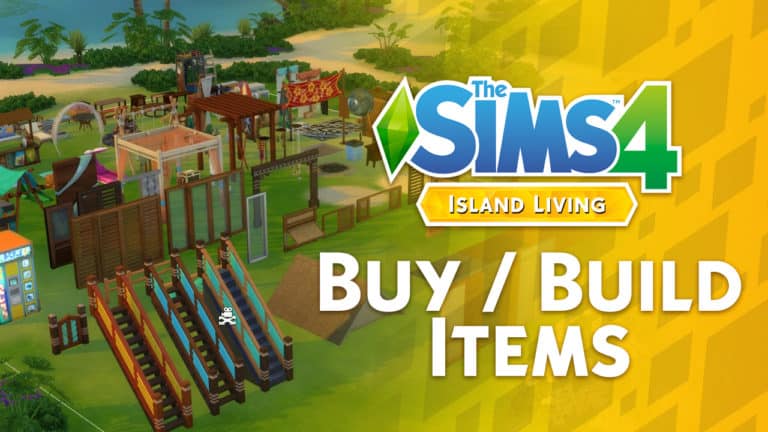
The Sims 4 Island Living: Full Buy / Build Items Video Overview

0

Want to know about all the new items that we’re getting with The Sims 4 Island Living Expansion Pack in Build / Buy? Check out our latest video, covering all of the buy and build items and their presets!

Countdown to the release of The Sims 4 Island Living

150

Countdown to the release of The Sims 4 Island Living

We’re just days away until the release of The Sims 4 Island Living Expansion Pack on PC and Mac!

The pack releases worldwide on June 21st, 2019 on Origin and other gaming retail and online stores. There is a difference of several hours on a couple of time zones which is why we’ve made this countdown post for you so you can know exactly when you’ll be able to purchase and play the game as soon as it comes out!

The pack has 5 different release schedules in total, with each release belonging to a different time zone / group of countries that we’ve added down below.

In case you don’t know, this pack will release worldwide on the same day but with a staggered release across different time zones. Down below you can find countdowns for multiple time zones. Make sure you bookmark this article and also stay tuned on our YouTube Channel as we’ll be throwing a Launch Party for The Sims 4 Island Living – counting down to the exact release of Island Living in Europe and America.

Our Launch Party Livestream begins at 8PM CET. We hope to see you there!

North & South America (Midnight EDT New York Time, June 21st)

[ult_countdown count_style=”ult-cd-s2″ datetime=”2019/06/21 06:00:00″ countdown_opts=”sday,shr,smin,ssec” br_style=”solid” br_size=”5″ br_color=”#ce9613″ br_radius=”5″ timer_bg_color=”#ce9613″ tick_col=”#ffffff” tick_sep_col=”#ce9613″ tick_style=”font-weight:bold;” tick_size=”desktop:46px;” tick_line_height=”desktop:46px;” tick_unit_style=”font-weight:bold;” tick_sep_size=”desktop:18px;” tick_sep_line_height=”desktop:18px;”]

Europe (Midnight CET Paris Time, June 21st)

[ult_countdown count_style=”ult-cd-s2″ datetime=”2019/06/21 00:00:00″ countdown_opts=”sday,shr,smin,ssec” br_style=”solid” br_size=”5″ br_color=”#ce9613″ br_radius=”5″ timer_bg_color=”#ce9613″ tick_col=”#ffffff” tick_sep_col=”#ce9613″ tick_style=”font-weight:bold;” tick_size=”desktop:46px;” tick_line_height=”desktop:46px;” tick_unit_style=”font-weight:bold;” tick_sep_size=”desktop:18px;” tick_sep_line_height=”desktop:18px;”]

Russia, Saudi Arabia, Israel & Turkey (Midnight MSK Moscow Time, June 21st)

[ult_countdown count_style=”ult-cd-s2″ datetime=”2019/06/20 23:00:00″ countdown_opts=”sday,shr,smin,ssec” br_style=”solid” br_size=”5″ br_color=”#ce9613″ br_radius=”5″ timer_bg_color=”#ce9613″ tick_col=”#ffffff” tick_sep_col=”#ce9613″ tick_style=”font-weight:bold;” tick_size=”desktop:46px;” tick_line_height=”desktop:46px;” tick_unit_style=”font-weight:bold;” tick_sep_size=”desktop:18px;” tick_sep_line_height=”desktop:18px;”]

Japan, Korea & the rest of Far East (Midnight KST Seoul Time, June 21st)

[ult_countdown count_style=”ult-cd-s2″ datetime=”2019/06/20 17:00:00″ countdown_opts=”sday,shr,smin,ssec” br_style=”solid” br_size=”5″ br_color=”#ce9613″ br_radius=”5″ timer_bg_color=”#ce9613″ tick_col=”#ffffff” tick_sep_col=”#ce9613″ tick_style=”font-weight:bold;” tick_size=”desktop:46px;” tick_line_height=”desktop:46px;” tick_unit_style=”font-weight:bold;” tick_sep_size=”desktop:18px;” tick_sep_line_height=”desktop:18px;”]

Australia & New Zealand (Midnight AEST Sydney Time, June 21st)

[ult_countdown count_style=”ult-cd-s2″ datetime=”2019/06/20 16:00:00″ countdown_opts=”sday,shr,smin,ssec” br_style=”solid” br_size=”5″ br_color=”#ce9613″ br_radius=”5″ timer_bg_color=”#ce9613″ tick_col=”#ffffff” tick_sep_col=”#ce9613″ tick_style=”font-weight:bold;” tick_size=”desktop:46px;” tick_line_height=”desktop:46px;” tick_unit_style=”font-weight:bold;” tick_sep_size=”desktop:18px;” tick_sep_line_height=”desktop:18px;”]

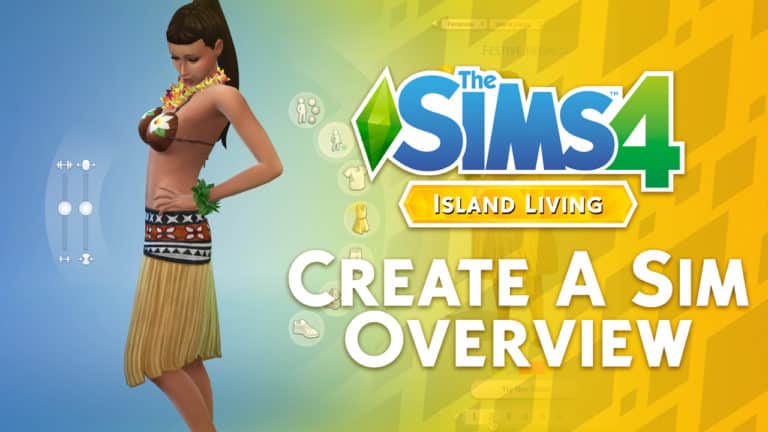
The Sims 4 Island Living: Full CAS Overview Video

4

Want to know what are the new CAS items coming with The Sims 4 Island Living Expansion Pack? We’ve covered EVERYTHING including Hairstyles, Accessories, Tops, Bottoms, Outfits and so much more (including their presets) in our latest CAS Overview video!

Check it out above!

The Sims 4 Island Living: Desktop and Smartphone Wallpaper

6

Want to decorate your desktop / laptop / smartphone and turn them into your own Island Living…erhm…paradise?

Anyways, we’ve got just the thing! We’ve made a special wallpaper just for you to celebrate the upcoming launch of The Sims 4 Island Living Expansion Pack. Currently there’s only one variation that revolves all around that fun render showcasing some of the fun things you can do in the waters. However don’t worry, we’re definitely thinking of releasing more soon!

Right now you can get these for two different scales of monitors and one universal scale for smartphones that we’ve listed down below. Simply save the image and set the wallpaper as your desktop wallpaper / phone wallpaper and that’s it!

Desktop Wallpaper

2560 x 1600 (16:10)

The Sims 4 Island Living: Desktop and Smartphone Wallpaper

2560 x 1440 (16:9)

The Sims 4 Island Living: Desktop and Smartphone Wallpaper

Smartphone Wallpaper

1440×2560 (9:16)

The Sims 4 Island Living: Desktop and Smartphone Wallpaper

Listen to The Sims 4 Island Living’s Official Theme Song!

10

With each Expansion Pack it seems that The Sims Team is trying to bring a whole new tune when opening up The Sims 4. This time around there’s a brand new theme song if you have The Sims 4 Island Living Expansion Pack installed!

Take a full listen at the new theme song above.

The Sims 4 Console: UK Xbox Store Sale

A variety of packs for The Sims 4 are currently on sale on the UK Xbox One Store. There are some great offers so be sure to take a look as there are only three days left before the sale ends!

  • The Sims 4 Base Game – was £34.99 now £7.00
  • The Sims 4 – Deluxe Party Edition – was £44.99 now £9.00
  • The Sims 4 Deluxe Party Upgrade- was £9.99 now £5.00
  • The Sims 4 Get to Work Expansion – was £34.99 now £8.75

The following selected bundles are also currently half price and are now just £22.50.

  • The Sims 4 + Cats & Dogs Expansion
  • The Sims 4 Seasons, Jungle Adventure and Spooky Stuff
  • The Sims 4 Cats & Dogs, Parenthood and Toddler Stuff
  • The Sims 4 Get to Work, Dine Out and Cool Kitchen Stuff
  • The Sims 4 City Living, Vampires, and Vintage Glamour Stuff Pack

The Sims 4 Island Living: Information About New Weather Types


SimGuruMorgan has given us a little insight over on Twitter into the weather that the island’s of Sulani will experience when you play alongside with the Seasons expansion pack.

Firstly and what will be most noticeable is the new tropical monsoons. These will occur in late summer through to late fall and will be intense but short-lived.

SimGuruMorgan then went into more detail about the upcoming new weather.

The Sims 4 Island Living: Information About New Weather Types

Since this article was originally posted, SimGuruGeorge has since shared a couple of small teasers of what the weather of Sulani is like including, a look at the start of a Monsoon.

Thank you, Designer Geoff, SimGuruMorgan and SimGuruGeorge for sharing this information with us. We can’t wait to experience the new weather when we travel to Sulani!

The Sims 4: Behind the Scenes of The Sims 4 Island Living

Take a behind the scenes look of the upcoming The Sims 4 Island Living with a brand new official blog post from The Sims team.

via EA.com

Alright, aspiring artists, style stalkers, and seasoned fans, this one’s for you. We’ve excitedly announced The Sims™ 4 Island Living Expansion Pack*, and we’re just as excited about all the hard work that has gone into this pack. So, we asked Maxis producer Jill Johnson and art director Stephen Edwards to give us some insight on how the team went about creating this tropical island paradise.

How does the overall art concept and style contribute to the Island Living pack?

The environment, ocean, people, charming furniture, and architecture pieces do so much to immerse you in the relaxed vibe of this pack. You can almost feel the fresh cool water on your skin, you can hear the whoosh of the waves on the shore, and sense the warmth of the sun around you. The art team added extra TLC to make the islands feel special and distinct from any other world we’ve made to-date. From gorgeous sunsets and vibrant coral to the adorable sea turtles you may catch swimming around, in Sulani, you are given a whole new way of life for your Sims.

How did you come up with ideas for clothing concepts?

We usually go broad at the start and pull from various sources, to see what resonates. Street styles are valuable to get a feel of a specific look or trend. High street designs and runway collections can give an insight into how other designers have approached a certain theme. But, for this pack, we specifically wanted to promote the idea of local artisans/designers who created the décor and clothing. With that in mind, the approach was less about interpretation of existing styles and more about deconstructing cultural looks, updating traditional styles, and looking to art and nature for shape, patterns, texture, and color.

The Sims 4: Behind the Scenes of The Sims 4 Island Living
From where did you draw inspiration for the Island Living environment?

The stunning emerald and turquoise water around the coral reefs of the South Pacific/Polynesia were a huge influence on the pack setting. So, it made sense to draw on the vibrant flora and fauna of that region to support the theme. Luckily, The Sims 4 style allows us to aim for a sense of place that is familiar, but not specific, so there is always a little wiggle room when we draw reference. For example, the shipwreck was to read as a family-owned fishing boat that ran aground and was abandoned, rather than imply something invasive or corporate like a tanker. The artist pulled features from several boats, then used shipwreck references to inform the wear and tear of the materials. Likewise, we came across references of a waterfall in northern Europe that we liked the look of and, through concept, skewed it toward our theme. We also wanted to make sure we were incorporating a sense of familiarity and home for anyone who’s spent time living in the South Pacific/Polynesian islands, so we reached out to an internal group for suggestions. One of our favorite household knick-knacks that came from that discussion was the giant wooden spoon and fork for your kitchen!

The Sims 4: Behind the Scenes of The Sims 4 Island Living

The Sims 4: Behind the Scenes of The Sims 4 Island Living
What about the unique patterns on boats, tools, and clothes?

For the majority of patterns, we took inspiration from region specific art and textile prints, then interpreted them for the Sims style. One artist spent time breaking down shapes, motifs, and graphical elements, then built a library of patterns for others to pull from. Again, we wanted to reflect the community’s affinity for island culture, so it felt natural to reference traditional ocean life, plants, and flowers in the patterns.

The Sims 4: Behind the Scenes of The Sims 4 Island LivingWhat was a challenge you faced during the creation of the concept art?

Balancing the amount of content with the vision you are trying to create is always tricky. For this pack, we had to create two furniture styles: an upscale resort theme for the residential island development and a more crafted, local flavor for the community island. Having each room specifically designed was just not possible in our time frame, so we decided to lean into using material and color to unify both styles.

Tell us about a “high-five” moment during the creation of the concept art.

Practically every asset has a high-five or mini hurrah during its design phase, where even a slight change in detail or direction can elevate it. Pieces that inspire storytelling are very rewarding to work through. Like the tiki bar, where its construction style, deco pieces, and material treatment are all chosen to describe a particular narrative. The best sigh of relief is when you bring the content back together and (hopefully!) see that the look is cohesive and captures the spirit of the pack.

The Sims 4: Behind the Scenes of The Sims 4 Island LivingWhat part of Island Living are you most excited for players to see and interact with?
I am most excited for players to see not only how gorgeous our ocean looks, but for them to also discover all the fun activities and delights it has to offer. It’s not just a massive body of water for splashing around. We’ve added new swim styles, sea life to interact with, and little surprises for your Sims to encounter, like getting slimed or getting a cramp while swimming. On very rare occasions, you might even see a shark!

Hope you enjoyed this behind-the-scenes look, Simmers! The Sims 4 Island Living will be available for PC and Mac on June 21, 2019 and for PlayStation 4 and Xbox One on July 21, 2019. Be sure to keep up with The Sims 4 Forums, follow us on Twitter and Instagram, like us on Facebook, and subscribe to our YouTube channel. Sign up for The Sims 4 newsletter and get Grim’s Ghoulish Guitar for free!*

The Sims 4 Island Living: SimGuru Twitter Roundup

With the embargo now lifted on the content captured by EA Game Changers at EA PLAY over the weekend, some of the SimGurus has taken to Twitter to share some more details about what is to come as well as teasing us with screenshots and gifs ahead of The Sims 4 Island Living’s release.

Here’s a roundup of some of the latest Tweets from the SimGurus, starting with SimGuruMorgan.

SimGuruMorgan gave us some more information in regards to how custom content works with sunbathing and tan lines.  It is possible for custom content to work with the new feature providing that it is set up correctly.

You can read a more over on The Sims Forum where SimGuruMorgan goes into more detail. You can find the forum post here.

SimGuruMorgan also gave us a sneak peek at some bears turning up at a clothing optional bar in Sulani.

Note: Clothing Optional is a new base game lot trait that is coming in the patch for The Sims 4 Island Living.

In response to Cinderellimouse’s Tweet about the meteors and the island’s volcano, SimGuruMorgan revealed that the Volcanic Activity trait can be applied to any lot. Combing it with other lot traits can and would cause chaos for the Sims that live there.

SimGuruGeorge, however, has been teasing us with some gifs of the beautiful world of Sulani.

SimGuruFrost teased us a few days ago with a gif of an adorable toddler having fun playing in the water.

SimGuruNinja, on the other hand, has shared a picture of his Sim playing with a seashell.

SimGuruNinja also teased that Island Living and Get Together will be getting a new mermaids club filter by sharing a screenshot of the Merfolk Club.

We also got a sneaky look at how Mermaids can work with The Sims 4 Vampires Game Pack and honestly we are just a little bit scared right now!

SimGuruChowder gave us an insight into some of the new sealife we will see in The Sims 4 Island Living other than just Dolphins.

But what else have we found out from the SimGurus?

  • SimGuruNinja revealed that the Island Radio has some big Hawaiian vibes
  • SimGuruFrost confirmed that Sims can be turned into Mermaids by using kelp that you find around Sulani. He also confirmed that young mermaid Sims wouldn’t grow their tails until they become a Teen.
  • SimGuruDuke clarified that players on older 32-bit Windows Systems & Non-metal Mac Systems will be able to experience The Sims 4 Island Living. More information about the upcoming Legacy update will follow soon.
  • SimGuruDuke also talked about how The Sims 4 Island Living does have seasons for players with the Seasons expansion pack but not to expect snow during the winter just a lot of rain.
  • SimGuruMorgan also followed up SimGuruDuke’s response stating that there will be a new weather type coming with The Sims 4 Island Living.
  • SimGuruLyndsay confirmed that ocean swimming is currently only available to Sulani at this time.

Of course in the true spirit of any upcoming pack, you’ll notice that a lot of the SimGurus have updated their profile pictures and Twitter names with a tropical Island vibe too!

Don’t forget to let us know what you are most excited for in the upcoming The Sims 4 Island Living expansion pack.

The Sims 4 Island Living: First Look at Game Changer Content!

The embargo on footage captured by the Game Changers attending EA Play over the weekend has officially lifted and the Internet is abuzz! Game Changers who attended the event in LA are posting their videos of The Sims 4: Island Living. Included in these videos is plenty of new information about the world of Sulani, CAS, and Build/Buy.

Here’s your first glimpse into the gameplay of The Sims 4: Island Living!

Lot Sizes – @AvalineSims

https://twitter.com/AvelineSims/status/1138461054210584577?fbclid=IwAR2Uq4hmvzQ2Tqu2LWItIo4AmSLFa9kkISfvmvncQq5E7MBxREVfTLJLeX8

@AvalineSims on Twitter revealed Sulani’s world map and labeled every lot with their dimensions! Builders are sure to find this useful. Thanks, AvelineSims!

World Overview – EnglishSimmer

EnglishSimmer on YouTube posted a world overview of Sulani on her channel. Those of you who enjoy exploring new locations will enjoy what EnglishSimmer had to share from EA Play.

CAS Overview – XUrbanSimsX

https://www.youtube.com/watch?v=FCjuaEzx1DE&fbclid=IwAR2Uq4hmvzQ2Tqu2LWItIo4AmSLFa9kkISfvmvncQq5E7MBxREVfTLJLeX8

XUrbanSimsX delved straight into everything Island Living has to offer in the Create-A-Sim department! Thanks for showing off all these great new CAS assets, XUrbanSimsX!

Build/Buy Overview – Peach Plays

Peach Plays on YouTube not only did a CAS overview, but also delved into Build/Buy to show us all the fantastic new tropical-themed items we can expect to see in our games when we get our hands on Island Living on June 21st! Wow! Amazing coverage, Peach Plays!


We will continue to update our website and keep you informed on all our social media channels as more details about The Sims 4 Island Living come to the surface. Stay tuned for Sims Community’s own coverage of the EA Play event coming soon!

The Sims 4 Legacy Update Has Been Postponed

6

A few months ago, The Sims team announced that support for older 32-bit Windows systems and Non-metal Mac systems would be coming to an end this June. This meant that players with these older systems would only be able to play up to The Sims 4 StrangerVille game pack. Anything released after The Sims 4 StrangerVille would not be playable for users with the older systems. Instead, players would move over to, for free, The Sims 4 Legacy Edition.

You can read the full announcement regarding these changes and all the details here.

However, SimGuruDuke revealed on Twitter that The Sims 4 Legacy Update has infact been postponed meaning that players running The Sims 4 on the older systems will be able to experience The Sims 4 Island Living when it is released later this month.

The Sims 4 Legacy Update Has Been Postponed

Although The Sims 4 Legacy update will be rolling out at some point in the near future, this is great news for those who were unsure if they would be able to play The Sims 4 Island Living or not.

When more details of The Sims 4 Legacy Update are released we will be sure to update you with everything that you need to know.