Home Blog Page 282

The Sims 4: November 2018 Update Video Preview

11

While playing with The Sims 4 Get Famous Expansion Pack we also had a chance to play it with the latest version of The Sims 4 Base Game! There are numerous features and improvements that have been made with the upcoming update including Terrain Tools, New Career, Improved Tutorials, naming your own Career and more! We’ve covered all the features and improvements that we can so far in the video above.

Although there isn’t a full confirmation about the release of this update we can expect it to come out a week before the release of The Sims 4 Get Famous Expansion Pack.

The Sims 4 Get Famous: Acting Career Video Walkthrough

2

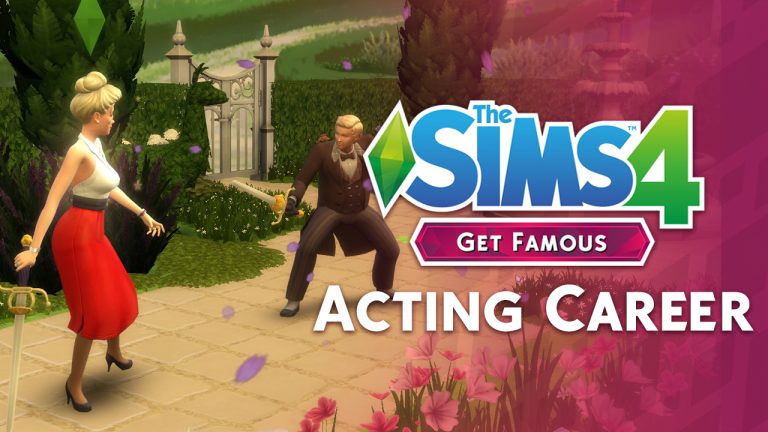
Want to know all the basics of Acting – a brand new active career that we get with The Sims 4 Get Famous Expansion Pack? This video showcases a lot of features and possibilities that you have as an actor – from your first steps to performing behind the giant green screen!

For all the exclusive posts and information about Get Famous visit our Get Famous Post Category!

The Sims 4 Get Famous: Del Sol Valley Full Video Overview

7

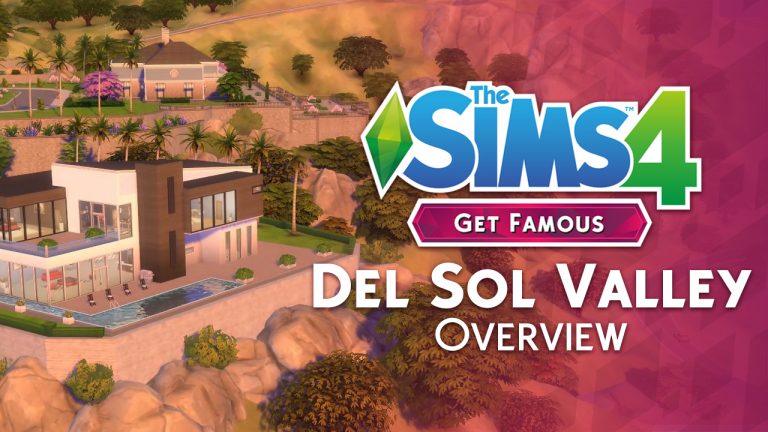
We got a chance to explore Del Sol Valley entirely – a brand new world that we get with The Sims 4 Get Famous Expansion Pack. In this video overview I’ve covered every single house, household and lot sizes that we get as well as break down neighborhoods and explore each and every one completely.

For all the exclusive posts and information about Get Famous visit our Get Famous Post Category!

The Sims 4 Get Famous: Create A Sim Brief Video Overview

0

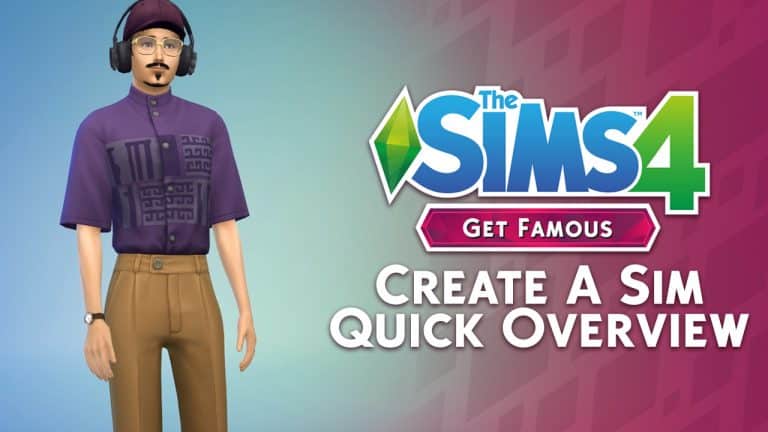
During Sims Camp 2018 in London we got a chance to play with The Sims 4 Get Famous Expansion Pack and collect plenty of footage! In this video you can see a brief overview of some of the new items that we get in Create A Sim including new hair, accessories, clothing and aspirations and traits! Although I didn’t go through every single item I went through each category and each thumbnail for all ages in the game.

For all the exclusive posts and information about Get Famous visit our Get Famous Post Category!

The Sims 4 Get Famous: Sims Camp Gameplay Coverage (Videos + Articles)

Sims Camp attendees (including yours truly) got a chance to play with The Sims 4 Get Famous Expansion Pack for 4 hours during the Sims Camp event which was held in London, UK during October 17th.

The embargo lift is on October 22nd at 8AM PDT / 5PM CET / 4PM BST. Yeah, we know how much these time zones can be confusing which is why we’ve put a countdown down below!

Make sure you bookmark this post because we’ll keep updating it as new videos and articles about Get Famous surface.

Articles

Akisima

DOTsim (Polish – Translated)


Videos

Sims Community

Spring Sims

KrystinMyrieXo

Iron Seagull

Arsen Girl Gaming

Delphron

Xmiramira

Deligracy

XUrbanSimsX

James Turner

TheTidesChanging

Rachybop

Elliandra

Aveline

Simarchy

EnglishSimmer

Pixelade

SimLicy

Neecxle

HollieBB

Vixella

SimmerJonny

LaurenZSide

Devon Bumpkin

BeyondSims

lilsimsie

Yammy

LuniverSims

SimFans (German)

SimTimes (German)

Akisima Blog (German)

Nytralon (German)

ZoCkEr MiMi (German)

Shivastochter (German)

simfinity (German)

Devovo (French)

Lili Cross (Spanish)


The Sims Mobile: Countdown to Halloween Event Has Begun

0

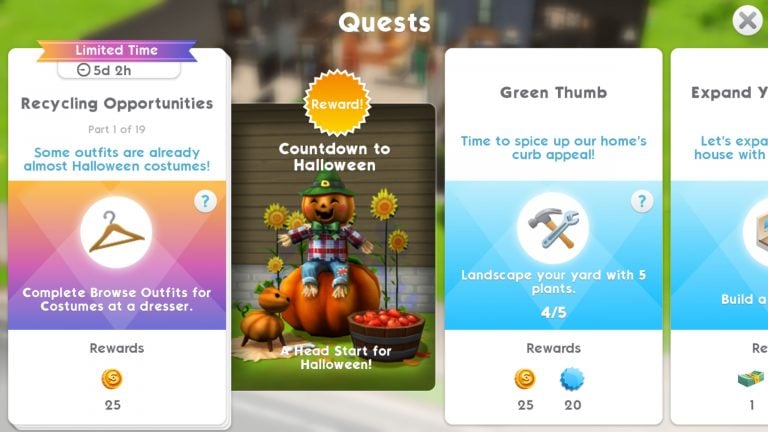
Halloween has officially kicked off in The Sims Mobile with the Countdown to Halloween event! Players who’ve updated their games within the last two days will now see a new limited-time quest called Countdown to Halloween.

The Sims Mobile: Countdown to Halloween Event Has Begun

The new quest has 19 parts. Players will have two days to start the quest. Once started, they will have until October 23rd to finish the quest. The Countdown to Halloween quest is a precursor to the main Halloween event which will kick off on October 23rd and run until November 2nd.

Why complete the Countdown to Halloween event? @SimGuruGill revealed in the Maxis Monthly livestream earlier this month that players who finish the Countdown to Halloween event will receive some special items that will make it easier for them to complete the main event. If you want to get a head start on grabbing all the goodies this Spook-tober, make sure to complete the Countdown to Halloween event first!

Tips and Tricks

Looking for advice on how to make the most of this event? Sims Community has you covered!

Stay One Step Ahead of Emily

This quest will ask you to complete LlamaZoom tasks several times and Emily loves to demand that you finish a 7-8 hour long event every single time you see her. This eats up way too much time. To make sure you’re ahead of the game, have at least one Sim always doing long relationship events back-to-back throughout the entire event. That way, they’ll have a big head start when Emily shows up. Wait until you get a LlamaZoom quest step and Emily asks you to finish a long event for her before tapping the check mark, otherwise it won’t count for the quest. If you have 3 or more Sims, you can adopt the same strategy for those pesky standard events too.

Relationships are Key

Always select Emily’s relationship tasks when doing the LlamaZoom quests. They are the easiest to complete because you can get those three short relationship events out of the way almost immediately. Find a Sim your Sim doesn’t already know and introduce yourself, then start a friendship. Play through this super quick event. It will only take a minute and use hardly any energy. When the event is finished and you’re prompted to pick a relationship story, don’t pick one. Select Choose Later, instead. Then keep doing those quick intro events with that Sim until Emily is satisfied. You’ll save hours of time this way.

Set Timers

You’ll be asked to do some new Halloween-themed events that are 7 hours long. To get through these as quickly as possible, set a timer to go off every hour and a half. That’s how long it takes for a Sim to completely replenish their energy. Check in with the game every hour and a half to play through more of the event and make sure to utilize objects in your home that replenish energy.

Stick to Short Work Shifts

For quest steps that involve earning a certain amount of simoleons, have a Sim with a maxed out career do short work shifts back-to-back to earn money faster. Make sure to check back every hour to make the most of this strategy and collect those simoleons quicker.

Save Those Cupcakes

Most of the time, we recommend using your cupcakes but only when you need them. Since this event is a precursor to the main event later this month, it’s actually best to keep your cupcakes for that event and just manage your time wisely to finish this event on time. Stock up on cupcakes for the main event by watching as many videos as possible. Sims with the Generous trait can also sometimes receive cupcakes as part of their daily bonus.

Time Management is Crucial

If you’re going to bed, work, school, or doing something else where you know you won’t be able to check the game for the next 6-8 hours, prioritize long quest steps. Take care of those 7 hour Halloween events and 7-8 hour long relationship events for Emily so they’ll be ready when you get back to your game. Any other time, prioritize back-to-back short tasks to finish quicker.

Use Household Items

Your Sims can replenish their energy using beds, showers, toilets, and bathtubs. Make sure you’re using these objects as often as you can to keep your Sims on task longer. Remember, your Sims can go home in the middle of events to use these items and return to the event without losing their progress! These objects can also be upgraded to give your Sims more energy by purchasing specific decor items for your home. Check out the Buy catalogue and read the object descriptions. Most of these items cost SimCash but if you’re able to purchase these items, it’s well worth the investment.

So what are you waiting for? Put on your scariest costume, grab your trick-or-treat bag and get questing in The Sims Mobile!


Don’t see any changes? Update your game! Visit The Sims Mobile’s page in the Google Play Store (Android) or the App Store (iOS) and tap Update.

The Sims Mobile: Halloween Update is Now Rolling Out

2

Players of The Sims Mobile have been eagerly anticipating a Halloween event ever since @SimGuruGill teased one in the Maxis Monthly livestream earlier this month.

It looks like the wait is finally over. The Sims Mobile official Twitter account tweeted out an announcement today, saying that the Halloween event will be getting underway this week.

Shortly after this announcement, players started receiving the new game update. Here’s what the new update description says in the Google Play Store.

WHAT’S NEW

Hey, Sims Mobile players! Spook your Sims this Halloween, where you can:

  • Get ready for scary season with a Countdown to Halloween quest, available until 10/23
  • Have a screamin’ good time collecting candy corn during the Halloween Haunt from 10/23 – 11/2, with a holiday quest and activities
  • Use your candy corn to get ghoulishly-themed furniture and decorations, plus boo-tiful costumes like the Undead Bride and Groom!

We’ve also fixed an issue with venues re-locking. Thanks for playing!


Upon installing the new update, players will notice a new Halloween-themed icon right away when they go to launch their games. Once in the game, there doesn’t appear to be anything new just yet, but check out your heirloom collection: you’ll see a new relationship story called A Spirited Friendship which can be unlocked by obtaining the rare Ghostly Figure family heirloom.


So while it looks like the preliminary quest to the main event hasn’t fully kicked off just yet, our games are definitely being prepped for something new and exciting!


Don’t see any changes? Update your game! Visit The Sims Mobile’s page in the Google Play Store (Android) or the App Store (iOS) and tap Update.

The Sims Blog: Act The Part in The Sims 4 Get Famous

1

TheSims.com published a new blog post talking about the acting career that comes with The Sims 4 Get Famous Expansion Pack!

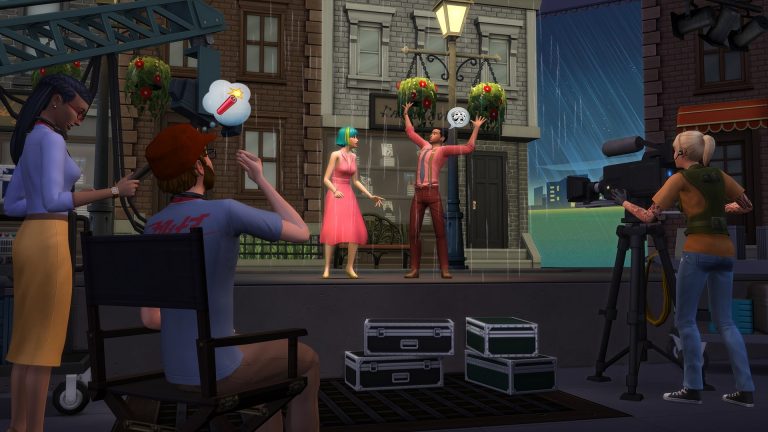
Ah, Del Sol Valley. Where (most) dreams come true. There are many ways to become famous in The SimsTM 4 Get Famous Expansion Pack*, but if your Sim has some big ol’ acting dreams, it’s time to get the camera rolling!

From Nobody to Kind of Somebody

You can’t possibly break into show business without an agency! Joining one will be your Sim’s first big step in their Acting career. When your Sim calls them on the phone, agencies get them auditions – the gateway to their success, fame, and fortune.

When they book an audition, your Sim will need to work on the skills it requires. For the pirate-themed audition, your Sim’s physical prowess will be expected on set, so they’d better start exercising. For the romantic drama audition, Charisma is a must. Will they get the part? If so, you’re on your way, kid. Now, you’ll have the choice to either send your Sim to work on their own or join them on set.

Let Me Work It

On set, your Sim will get into hair, makeup, and wardrobe (the wardrobe alone is worth joining your Sim), then perform scenes based on the skills they developed. If your Sim does well at their gig, success! Over time, they’ll earn Fame Points, which can be spent on Fame Perks. Woot! Also, when your Sim becomes a Notable Newcomer, one of the first levels of Fame, they’ll acquire a quirk in their personality. The more famous your Sim gets, the more quirks they’ll get. Will they be a paparazzi darling, a serious actor, or even encounter “stans” more than other Sims?

You can keep an eye on your Sim’s progress in their Fame Info panel, which helps you manage perks and quirks. Getting perks with Fame Points directs your Sim’s career in a certain direction. Will your Sim choose to give back to the little people or just cause mischief? It’s all in your hands.

The Sims Blog: Act The Part in The Sims 4 Get Famous

Practice Makes Famous

When your Sim isn’t making magic happen on set, there are lots of ways to work on their career. Memorizing a script, working on a scene with someone, or even giving a performance for tips all boost their acting level. The higher your Sim’s acting level, the more exciting their film projects will get. They can hone their craft with a tear-jerking hospital scene, police station thriller, or even post-apocalyptic drama. Um. . . fun!

And to increase Fame, Sims can create social media profiles, add to their Simstagram story, and perform lots of other actions.

Rub elbows with world-famous celebrities, get photographed by the paparazzi, and gain loads of adoring fans. Oh, and act in movies and stuff. It’s all about the art, right? To get even more detail about Get Famous and the Acting career, be sure to tune into the Twitch livestream, happening October 26, 2018.

The Sims 4 Get Famous: New Screens by SimGuruGeorge

0

SimGuruGeorge has revealed 2 new screenshots from The Sims 4 Get Famous Expansion Pack featuring a new header and an avatar he put up on his profile!

The Sims 4 Get Famous: New Screens by SimGuruGeorgeThe Sims 4 Get Famous: New Screens by SimGuruGeorge

The Sims FreePlay Introduces the Apple AR Feature

2

The Sims FreePlay is stepping into the world of augmented reality! Today’s big update for this mobile game doesn’t just bring a new event but a whole new way of playing this game!

With the Apple AR Feature players are able to step inside their homes, control their Sims and change their surroundings with this feature exclusive to iOS devices. Check out what The Sims FreePlay Team has to say about it:

The Sims FreePlay Introduces the Apple AR Feature

As a part of our Brilliant Backyards update, The Sims FreePlay allows *iOS Simmers to cross the digital divide and transport their Sims into augmented reality. With thousands of objects at your fingertips, use Apple’s ARKit 2 technology to see your Sims’ Dream Homes come to life. Place your Sim houses anywhere they can dream of and come back to visit them any time. Collaborate and share experiences with a friend through the brand new real-time cooperative build-mode! It’s a Sims experience unlike anything you’ve seen before!

Here’s how you use AR Mode*:

*Note: AR Mode is only available to iOS users running iOS 12 and requires a device with an A9 processor or above.

How to activate AR Mode

To activate AR mode, visit the town map screen. Simmers with compatible devices (see our FAQ for the full list) will see a new green button on the upper right side of the screen.

How to Add a New AR house

To create a new AR house lot, select, ‘New’, and name the space. Aim the device’s camera at the surface where you wish to place a home lot and follow on-screen prompts for a successful placement. We recommend non-glossy, textured surfaces. Also, avoid pure black or white surfaces.

A successful scan will place a basic home lot with a grid. You can resize/rotate the home lot by pinching and rotating the screen. When it comes to editing, for best results, resize a room to fill the device screen. Tap, ‘Save AR Space’ to save the lot at that location.

Once an AR Space has been saved, Simmers can begin styling their brand new AR home with special Build Mode functionality. In AR Build Mode, all items you’ve unlocked in-game can be placed as many times as you wish. There is no cost to placing items in AR mode.

Returning to a Saved AR Space

Select the saved AR space from the AR space menu. You will then need to match the space’s snapshot with the existing real-world location. Once the two match up, the house lot will appear (and you will be prompted again to save the Space).

You can also Relocate (and Delete) an AR house by tapping on the cog icon on the save AR Space.

Things you can do in AR Mode:

The main difference between AR mode and the regular game is that you use the device’s camera to move around the AR space. This allows you to get up close to your Sims and opens up a whole range of exciting new perspectives – inside, outside, and around your Sims’ houses. Zoom in, pan out, and explore!

Call any of your Sims to your AR home lot via the Sim Tracker. If your Sims have any pets, they can be called as well. Your Sims are free to interact with objects as they would in any other house lot!

Hosting a Multiplayer Session

Grab a fellow Simmer and together, build a paradise fit for your Sims in real-time! Make sure your Simmer Friend is in close proximity and they have AR. When in your AR space, tap the blue Multiplayer button in the bottom left corner of the screen.

Your device will immediately begin searching and bring up a list of nearby AR-ready Simmers. Invite your friend to join in AR!

Joining a Multiplayer Session

If you want to visit a Simmer’s house in AR, you will need to be close to the hosting Simmer. When the Host taps the Multiplayer button, you will need to tap the Search button at the bottom of the AR Spaces menu.

You will come upon the Host’s list, so when they tap ‘Connect’, match their space (use the image in the bottom right corner of your screen), their house will appear and you can jump in and start collaborating on their ultimate house in real-time.

Other Notes about AR

●      Sims will remain in AR until they are called home.

●      Simmers cannot take what is in AR with them back to the normal game. AR mode items cannot be sold or stored. Because AR build-mode items are free, they disappear if removed.

●      Invited Guest Simmers cannot interact with the host’s Sims and they cannot bring in their own Sims.

●      Simmers cannot collect any kinds of resources in AR.

●      Simmers will not receive any XP from doing tasks within AR.

●      Actions can be cancelled in AR for no cost.

●      Simmers will not gain any Quest progression by interacting with objects in AR.

●      Sim Motives are set to 50% in AR and do not increase/decrease while visiting an AR Home Lot.

●      Sims cannot undergo an Ultimate Makeover or Have a birthday in AR Mode.

Eligible Devices

The Sims FreePlay AR feature is supported by iOS 12 and devices with A9, A10, A11 or A12 chips, which include:

●      iPhone 6s and 6s Plus

●      iPhone 7 and 7 Plus

●      iPhone SE

●      iPad Pro (9.7, 10.5 or 12.9) – both first-gen and 2nd-gen

●      iPad (2017)

●      iPhone 8 and 8 Plus

●      iPhone X

●      iPhone XS, XS Max and XR

Go forth, and explore the Sims Freeplay from a fresh and unique perspective!

Download the Brilliant Backyards Update now*!

*Network fees may apply

The Sims Mobile: Space Explorer Rerun Event Tips & Tricks

The Sims Mobile has been bringing back a few of their older limited-time quests. New and old players alike have another chance at grabbing some exclusive content they might have missed the first time around.

The latest rerun event is the Space Explorer limited-time quest. Completing the Space Explorer quest in time will reward you with the Rockin’ Rocket family heirloom. This heirloom unlocks the Space Explorer career at the Science Centre in the Waterfront district.

The Sims Mobile: Space Explorer Rerun Event Tips & Tricks

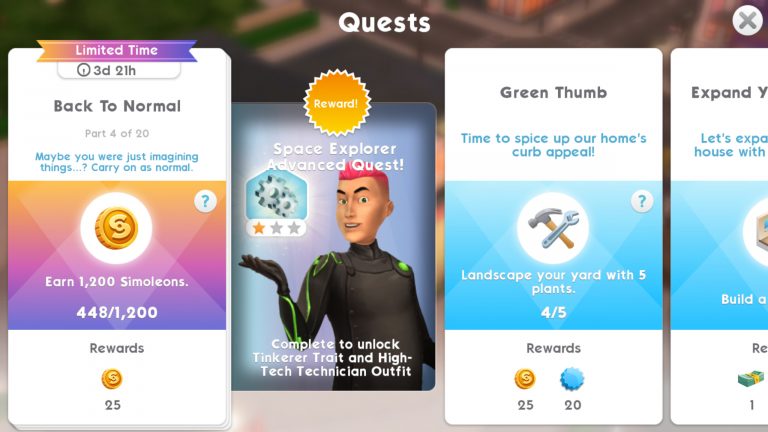
Players who already have the Rockin’ Rocket heirloom will have an opportunity to complete the advanced Space Explorer quest. Completing the advanced quest will reward you with the Tinkerer trait and some new clothing pieces.

To gain access to these quests, make sure your game is fully updated in either the Play Store (Android) or the App Store (iOS). Run the game and check out your quests to get started.

Some Tips to Help

Feeling overwhelmed? Not to worry, Sims Community has a few hints and tricks to help you get the most out of this limited-time quest.

Anticipate Emily’s LlamaZoom Requests

Emily is adorable, but she is also extremely demanding. You can bet you’ll be asked to complete her LlamaZoom tasks several times throughout the duration of this quest. Emily will often ask you to complete at least one long event, which eats up a lot of time you can’t afford to waste. Make sure you have one Sim doing long events in anticipation of Emily. When she does ask you to finish a long event, you’ll already have a Sim who’s almost finished with it so you can save 7-8 precious hours and complete that task instantly.

Set Timers

Most short events take one hour to complete. It takes an hour and a half for a Sim to fully replenish their energy. Keep these time frames in mind and set a timer on your phone whenever you’re able to. This will remind you to check back with the game frequently so you can speed through the quest without worrying that you may have left your Sims doing a one hour event for the past eight hours.

Use Your Cupcakes and SimCash… but Only When Needed

Your cupcakes and SimCash are there to be used, but be sparing and smart about how you use them. If time is running out and you’re still several steps away from finishing the quest, it might be time to break out that emergency cupcake stash you’ve been saving up, but don’t throw away these precious resources too early. Save them for when you really need them.

Schedule Schedule Schedule

Work the quest around your real-life schedule as much as possible. Anticipate when you’ll be busy with work, school, or social engagements and plan your gaming sessions around them. If you know there’s a quest step that’s going to take 7-8 hours, try to get your Sims started on it before bed, work, or school. If you have some free time, try to speed through the shorter quest steps and one-hour events.

Relationships are King

Selecting the relationship tasks when you need to complete a LlamaZoom request is to your benefit because you can get those three short relationship events out of the way in minutes. Just find a Sim your Sim doesn’t already know, start a friendship event and breeze through it. When you’re prompted to select a relationship story for them, don’t choose one! Select Choose Later instead. Then continue doing those quick and easy intro events instead to complete Emily’s request. Relationships go much faster than hobbies and careers.

Breathe!

We know these events can get pretty intense and sometimes stressful, but it’s important to remember that The Sims Mobile is a game and games are meant to be fun. If you find yourself feeling frustrated by your progress, just remember that you did your best and had fun trying. Who knows? You might have another opportunity to get the rewards later on if The Sims Mobile continues to bring back older limited-time quests periodically.

How far are you in the Space Explorer quest? Let us know in the comments or share your progress with us on social media!

EA is ending Free Code Support for The Sims 2 Ultimate Collection

14

EA has announced that they’re pulling the plug on The Sims 2 Ultimate Collection Free Code Support.

The Sims 2 Ultimate Collection, which was available back in summer 2014 for a limited-time offer that lasted for 7 days with a special “I-LOVE-THE-SIMS” code has been widely requested by Origin users. Most players were able to simply contact EA Support Live Chat and request for the free code by just asking or providing proof that they already have a physical version of The Sims 2 available.

However, that opportunity is no longer available as EA finally stops the support for Ultimate Collection. The main reason? Numerous requests from EA Support for the code.

Here’s EA’s official explanation why they’re cancelling free code support for this game:

Why the change?

A few years ago, we ran a limited-time promotion offering free codes for The Sims 2 Ultimate Edition. Since that promotion ended, we’ve gotten a lot of contacts asking for codes for the collection.

We’ve done our best to support these contacts in the past, but we have reached a point where we no longer can.

What if I have the game but I’m having issues with it?

Let us know! We are more than happy to help with any account or technical issues relating to your copy of The Sims 2.

What other ways can I play The Sims?

You can get The Sims 3 or 4 through Origin, or grab The Sims 4 on Xbox One or PlayStation 4. Or access both games through the Vault for Origin Access.

To play on the go, check out The Sims Mobile.

The Sims 4 Get Famous: SimGurus Talk about Becoming Famous

12

The latest blog post about The Sims 4 Get Famous Expansion Pack mentioned “Each Sim who lives in Del Sol Valley has a Public Image, which is a combination of Reputation and Celebrity Level” which got many wondering (including myself) if becoming famous is a feature locked only for Del Sol Valley, the new world coming with this pack.

Both SimGuruKate and SimGuruGrant have explained this quote saying that Sims will definitely be able to become famous outside of this world and that they’ve only said this as an example that Del Sol Valley will be having plenty of pre-made Sims who are already famous.

SimGuruGraham also went on Twitter to explain some of the many ways of becoming famous and used examples such as performing comedy routines, singing, DJing, selling art and more as some of the ways to become famous in this pack.

He also revealed the fact that many skills (but not all) will help our Sims become famous – even with skill that we got through packs such as Archaeology in The Sims 4 Jungle Adventure Game Pack!

Next Maxis Monthly Livestream set for November 6th, 2018

1

During today’s The Sims 4 Terrain Manipulation Tool Livestream SimGuruGhost confirmed the date for the next Maxis Monthly Livestream which could bring some new stuff to the table.

The livestream is set to begin on November 6th, 2018 at 11AM Pacific Time.

Next Maxis Monthly Livestream set for November 6th, 2018

Although today’s livestream has already revealed a lot about what we can expect with terrain tools, SimGuruGhost wanted to leave some things as a surprise. He said that while he was working on the new tool there’s another awesome feature he made (which you shouldn’t be too excited about). However, both SimGuruGhost and SimGuruRomeo confirmed that they’re very excited to reveal it.

In case you don’t know what Maxis Monthly is, the first Maxis Monthly livestream covered a lot of things including community creations and videos from The Sims FreePlay and The Sims Mobile, new content teaser for The Sims Mobile and of course some sneak peeks they gave for The Sims 4’s upcoming content.

The Sims 4: New Half Wall Heights Confirmed

2

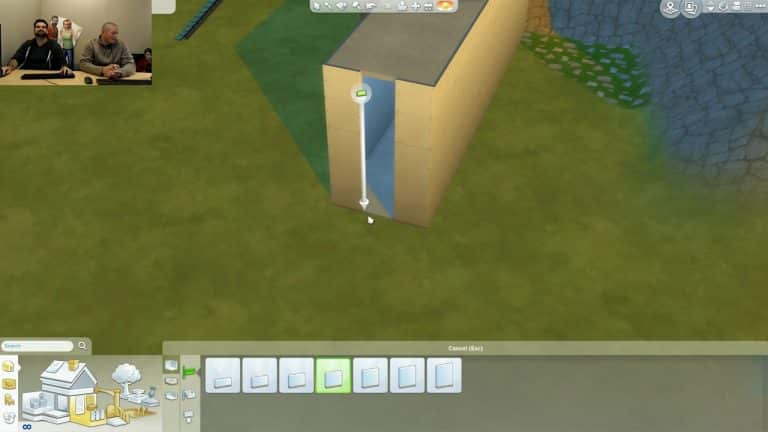
During today’s The Sims 4 Terrain Manipulation stream The Sims Team has shown new wall heights that are coming our way with the terrain tools update!

In case you don’t know The Sims 4 currently has 5 wall heights and the upcoming update seems to be adding 2 more to the collection.

The Sims 4: New Half Wall Heights Confirmed