
Home Blog Page 291

The Sims 4: New Update + Patch Notes! (August 16th, 2018)

The Sims 4: New Update + Patch Notes! (August 16th, 2018)

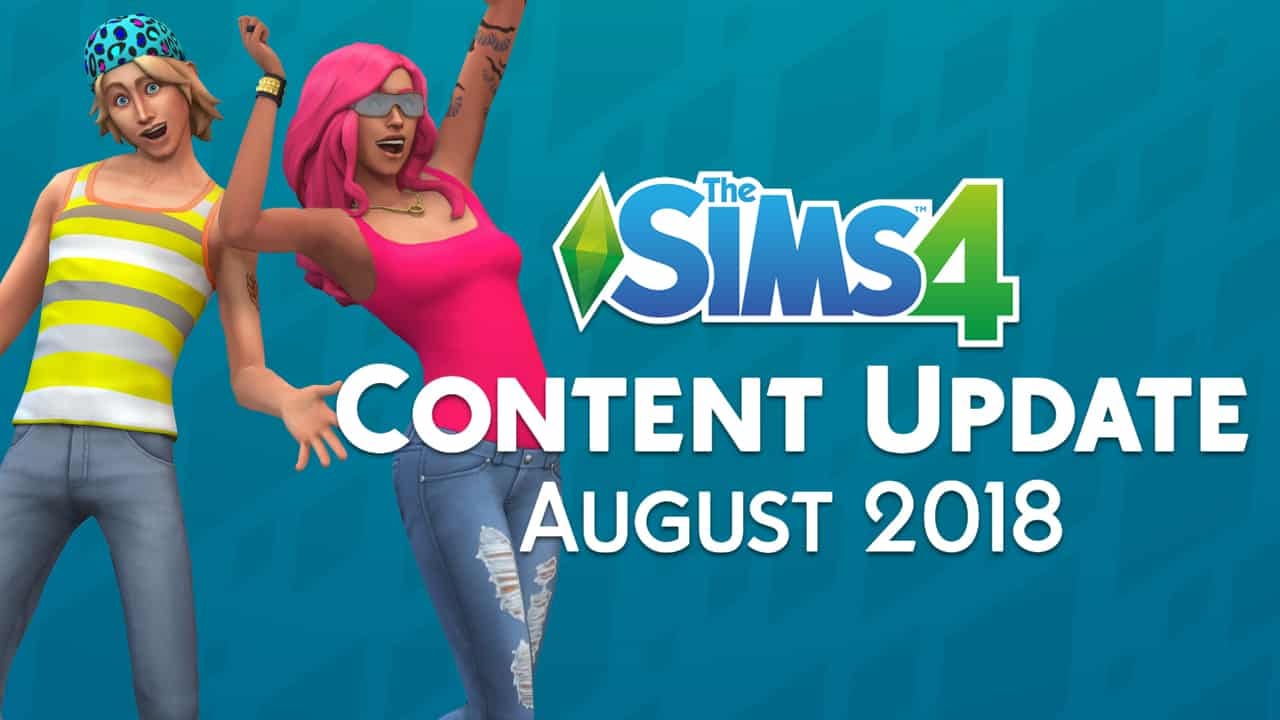
The Sims Team has released a brand new Update for The Sims 4 on PC and Mac!

To download the latest version of The Sims 4, simply open your Origin program and if the game doesn’t update automatically, right click on The Sims 4 and select ”Update”.

In case you have Mods or Custom Content, the game will automatically disable them for you after first launching The Sims 4 after the update. To re-enable all your Mods and Custom Content, select the Settings option in the Menu and select Settings. Under the”Other” section you’ll find the ”Enable Custom Content and Mods” option. Check it and restart your game in order for it to take effect!

Patch Notes

UPDATE: 08/16/2018 – PC 1.46.18.1020/ Mac 1.46.18.1220

Hey Simmers!

Summer will be over soon, but that doesn’t mean we can’t celebrate the warm weather with some free content for the community. The Sims community is truly global, which means we have so many fun stories to tell with events like Diwali, Day of the Dead, and more. Through our Sims’ clothing, furniture, food, and activities, we are trying to celebrate the diversity within our community.

With summer in full swing, we shifted our gaze towards the sunny Caribbean and its vibrant, colorful clothing and styles. With Carnival taking place throughout the region, we took inspiration from the traditional patterns to craft some hip, modern clothing for your Sims to wear to a party, or perhaps the last picnic of the summer.

In this pack you’ll find three new hairs, two of which have beautiful curls & textures! There are also numerous new clothing assets, some makeup, and even a little furniture. We should mention that it includes a ceiling fan and sliding door…

Check out the new assets, tell us what you think, and be sure to share your stories and creations in the Gallery!

Now for this month’s patch notes.

Grant Rodiek, aka SimGuruGrant

The Sims 4

  • Screenshots taken using the C key are no longer fuzzy. We had some schmutzle on the lens we had to clean off.
  • There are now three new hairs, as well as a head wrap.
  • In case you are looking for even more hair, there’s a new stubbly beard!
  • There is an abundance of new clothing! We added two feminine tops, two skirts, snazzy sweatpants, a new suit, and some sandals. And if you can’t decide how to set it up, there are new Featured Looks to kickstart your ideas (one male, one female).
  • Can’t we makeup? There are new lipsticks, new eyeshadows, and new eyeliners.
  • There are now four sliding doors.
  • There is now a ceiling fan, in case you were curious about that breeze.
  • We have added a new wallpaper – look for its leafy goodness!
  • There is a new coffee table, potted plant, living chair, loveseat, and painting.
  • We fixed an issue where thought bubbles would overlap and never go away. It should be fixed now, at least, that is our thought. Bubble. Get it.
  • The word “Queer” is no longer banned by the profanity filter. As language evolves, it’s important we stay on top of these things, so thank you for the feedback.
  • The Walls Down and Cutaway View options function as expected if an additional active Sim is added to your household when visiting an NPC home.
  • Two Sims can no longer try to pick up/wrangle a toddler at the same time.
  • Family Trees should accurately represent a Sim’s lineage now with non-blank thumbnails.
  • Build Mode and Gallery music will no longer collide for dominance. We accidentally introduced a bug that was more or less the worst version of Battle of the Bands.
  • Expansion Pack, Game Pack, and any Stuff Pack fish types now count towards the Collect 20 Types of Fish goal from the Angling Ace Aspiration.
  • You can now live-drag microphones and place them in a Sim’s inventory.

Get to Work

  • Employees now deduct funds when restocking, so it’s no longer free. But also, the cheaper restocking perk now works for employees. We giveth, we taketh away.

Romantic Garden Stuff

  • The Wishing Well now gives you a soulmate with the gender of your Sim’s romantic preference.

City Living

  • Sims walking around San Myshuno now act like it’s cold outside, or hot, as you’d expect, if Seasons is installed.

Seasons

  • Sims now dress appropriately for the weather to mourn.
  • Sims conducting athletic activity like basketball and jogging will no longer freeze to death. Sporting is once again safe.
  • If you have Laundry Day Stuff, seasonal clothing changes won’t generate so many clothing piles.
  • There was an issue where Sims you created, but weren’t currently playing, would be affected by weather, and therefore might immediately freeze to death when trying to play them. This seemed like a poor way to play The Sims, so we fixed it.

Miscellaneous

  • Various Text and Translation changes and improvements.
Origin Sale: Save up to 50% off on The Sims 4 + Expansion Packs!

2

Origin is having a Player Appreciation Sale where you can save big on The Sims 4 Base Game + Expansion Packs and Bundles! Here are all the packs that you can purchase on Origin for a lower price:

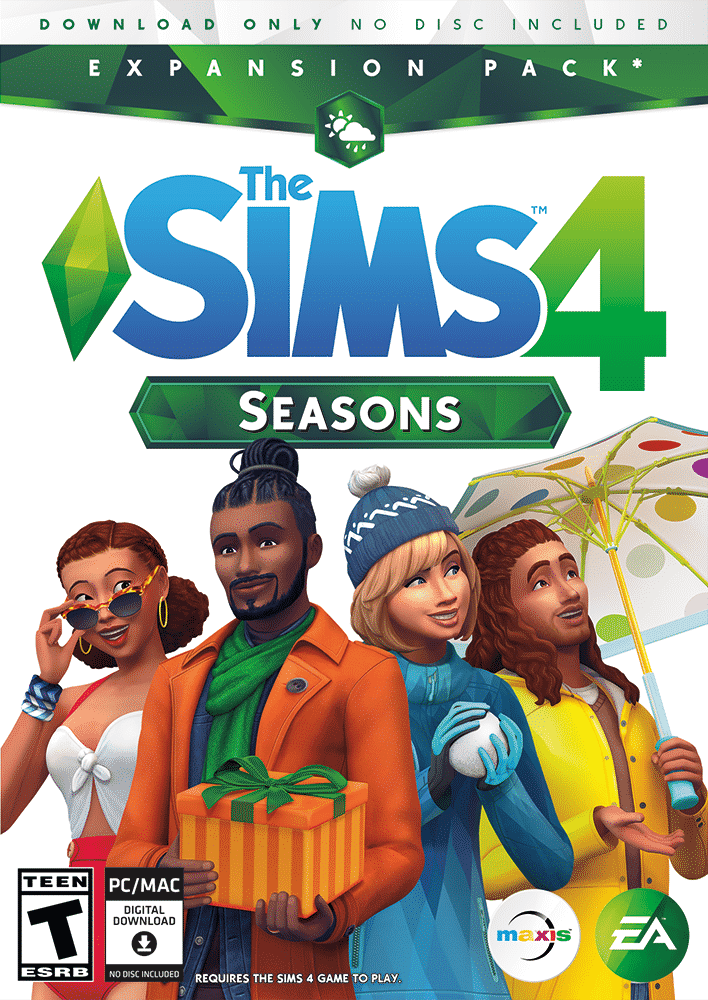
  • The Sims 4 Seasons Expansion Pack (25% off)
  • The Sims 4 Cats & Dogs Expansion Pack (50% off)
  • The Sims 4 City Living Expansion Pack (50% off)
  • The Sims 4 Get Together Expansion Pack (50% off)
  • The Sims 4 Get to Work Expansion Pack (50% off)
  • The Sims 4 Bundles (20% off)
  • The Sims 4 Base Game (50% off)

Make sure you take advantage of this offer while it lasts. The Origin Player Appreciation Sale, which covers other games and franchises as well, ends on August 28th at 10AM PDT.

Origin Sale: Save up to 50% off on The Sims 4 + Expansion Packs!

The Sims 4 Free Content Update Livestream (REPLAY)

0

UPDATE: The livestream has ended. You can catch the replay down below!

The Sims Team is doing a special livestream on their Twitch channel today (August 16th) at 11AM PT / 8PM CET / 7PM BT to discuss and showcase the latest Sims 4 Content Update that’s releasing today.

Down below you can catch the livestream. We’ll make sure to provide you with a replay as soon as the stream is over!


The Sims 4 Gallery: Default Filter Reverting Back to “Newest” Soon

0

Ever since the latest update for The Sims 4’s Gallery many Simmers have started noticing that their new creations are not getting recognition like they did before. Considering the fact that the new update changed the default filter of creations shown on The Gallery’s front screen from Newest to Popular Now it’s quite possible that this change is affecting plenty of people.

SimGurus admit that lowering the amount of downloads on new creations wasn’t their intent and that they plan to revert back the default filters soon. How soon? It’s not known yet but definitely not in the update that’s confirmed to be coming this Thursday.

The Sims is aiming towards much better communication

0

Cancellation of Quarterly Teasers

SimGuruKate’s announcement that quarterly teasers are a thing of the past didn’t come easily to some simmers (including me) considering that they offered a first look for The Sims 4’s Stuff Packs, Game Packs and sometimes even Challenges. However, it was still very hard to figure out when exactly are we going to get that piece of content that was teased in the quarterly teaser. Quarterly Teasers were very vague, meaning that they would provide you with a 2-second preview of said content and leave you guessing in which month and day will the pack come out.

For me it’s always the best of times to hang out on Twitter and Reddit after a quarterly teaser release. Still, sometimes the excitement would slowly but surely fade away if the pack announcement + release is weeks after the teaser. I still loved the quarterly teasers approach and it was one of the things that definitely shook up the way we get early information about the game. Still, we were missing out on one important thing..

The Sims is aiming towards much better communication

Game Updates

For about 4 years we’ve almost every single time been surprised by a Sims 4 update – excluding Ghosts, Pools and Careers Update which were announced in advance back in 2014. Simmers never knew what to expect and if it would make (or break) their game and modders didn’t have enough time to prepare for big gamechanging updates that would probably break their mods. However, it seems things are changing for the better…

Game Updates seem to be included in SimGuruKate’s new plan to be more open and transparent with The Sims 4. For the second time in a row SimGurus have teased an upcoming update which would bring new content to the game and fix a few things. This isn’t just great news for Simmers who play the game – it’s amazing news for modders who create all sorts of mods and creators who create articles, videos and livestreams that would want to showcase and make interesting content about the new update. The new communication allows modders to circle the day of the update on the calendar, stay put and check if their mods work or need fixing immediately as the update goes live.

The latest game update has been announced 3 days in advance which seems to be more than enough to help people prepare their save games, mods / cc and get them excited for small (or big) additions, depending on what type of content or features are being added. Sure, knowing in advance what we’re getting in a free update would be great but having the idea that a content or a feature update for the game is happening a few days in advance is better than nothing.

The Sims is aiming towards much better communication

Packs

Knowing too much in advance about a certain pack probably isn’t the best idea according to the poll I’ve done a few weeks ago. Over 2000 simmers have voted with 60% saying that they’d rather know about a pack a month before its release:

First 4 Expansion Packs for The Sims 4 all had been announced 3-4 months before its actual release with Seasons only being a month away from its release after the announcement. Many thought this was a good tactic by The Sims Team as the excitement towards the release of that pack was only bigger considering the pack wasn’t too far away.

SimGuruKate’s Maxis Monthly could be the perfect in-between solution for both people who like not-so-distant releases and those who want to stay in the loop. According to Kate, Maxis Monthly is going to provide simmers with a recap of the old and an insight of the new:

Each month, on a set day/time, you’ll be able to tune in for an hour “talk show” hosted by me! During this hour we will recap what happened in The Sims over the previous month, host interviews with members of the Dev. Team (learn a little more about their job and what they do), showcase cool community creations, and even give a peak at what will be coming in the next month.


There’s still a lot to be elaborated about which type of packs would be teased about in which way. There’s also a question if Maxis Monthly will provide a peak towards announcements or just releases. Either way I’m excited about the new communication strategy and how things are becoming more transparent with the game that has a lot more years ahead.

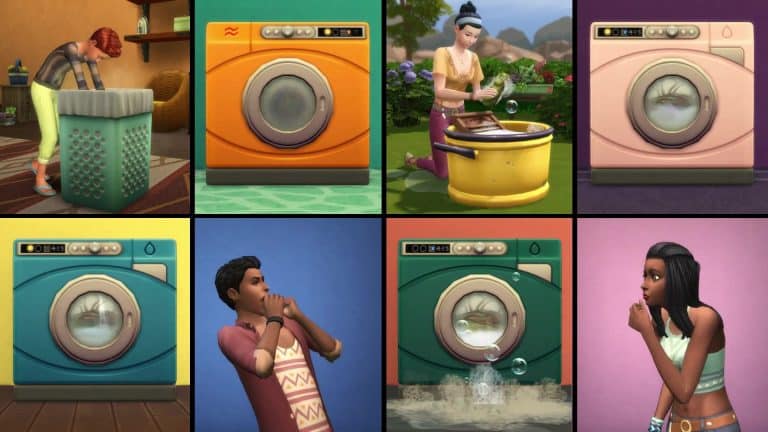
The Sims 4 Laundry Day Stuff is now available on consoles!

UPDATE: The pack is now available on PS4 for North America!

The Sims 4 Laundry Day Stuff Pack is now available for Xbox One and PS4!

The pack can be purchased on the Microsoft and Playstation Store. According to SimGuruLegacy, Playstation North America is currently having some issues with making the game available in that area. However, all other areas are unaffected. We’ll make sure to keep you updated as soon as it’s out for PS4 in NA!

Click below to get the game:

The Sims 4 Laundry Day Stuff is now available on consoles!

The Sims 4: Content Update + Livestream coming this Thursday!

2

The Sims Team has announced that they’ll be doing a special livestream for The Sims 4’s upcoming content update that’s coming out this Thursday, August 16th.

The update will feature “cool new content”, including new objects and clothing as confirmed by SimGuruGrant:

On top of that they also confirmed that the blurry screenshot issue will be resolved with this week’s patch!

We can probably expect more bug fixes to be included with this update.

Stay tuned to our website for all the latest news and information about this content update. We’ll be providing you with facts and information from the stream that The Sims Team will be holding as well as overviews and an in-depth look of the new update.

The Sims Team Are Attending The Teen Choice Awards

0

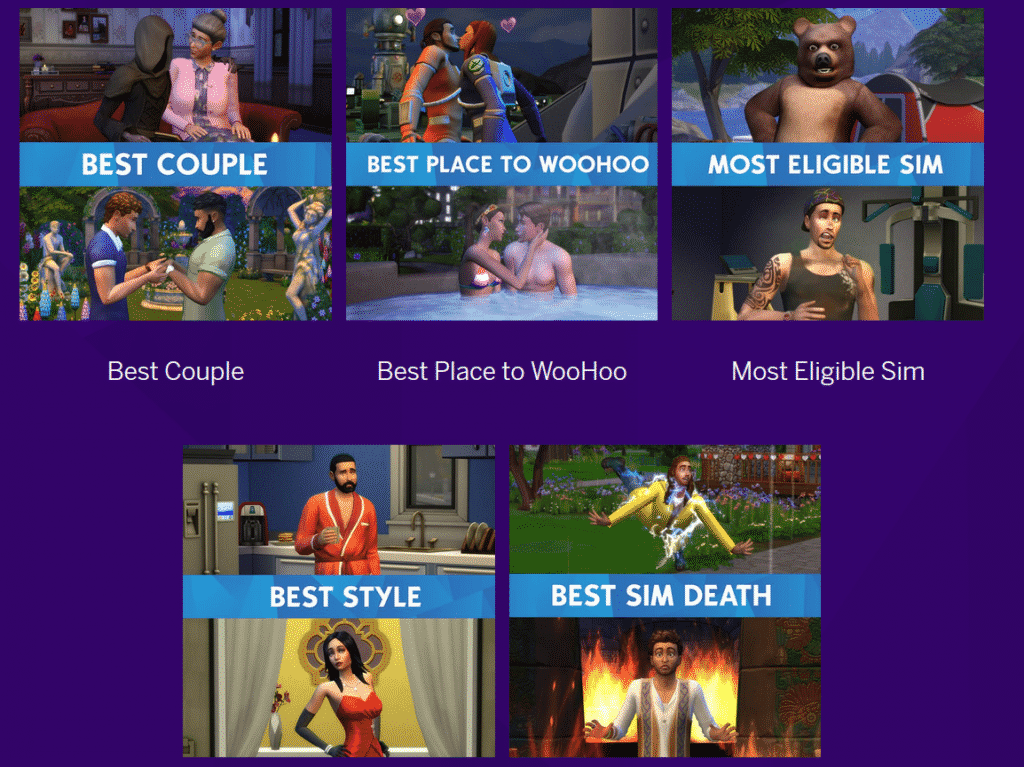
That’s right! The Sims team will be live from the pink carpet at this weekend’s Teen Choice Awards from 4pm PT! Vote on either Twitter or Instagram for your favourite Sims in a variety of catergories including Best Place to WooHoo and Best Sim Death!

The Sims Team Are Attending The Teen Choice Awards
Click the image to find out more!

Don’t forget you can also save 50% on The Sims 4 Base game (PC/MAC) by using the code CHOICESIMS on Origin until 15th August 2018!

The Sims Mobile: Summer Throwdown League Event Guide

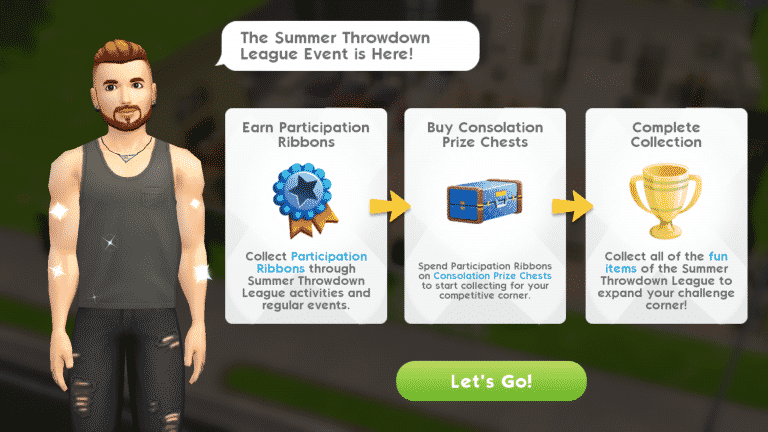
The Sims Mobile has just launched its latest event: the Summer Throwdown League Event! What on earth is that, you ask? This event is all about friendly competition. Your Sims will have to complete time-limited goals that revolve around competing with other Sims. Doing event quests and actions will reward your Sims with Participation Ribbons, which you can then redeem for Consolation Prize Chests to purchase cool rewards for your Sims. The grand prize? A nifty dartboard! So what are you waiting for? Get out there and prove that your Sim is the ultimate bar game champion!

The Sims Mobile: Summer Throwdown League Event Guide

Feeling overwhelmed by so much fierce competition? No worries, we’re here to help get you started.

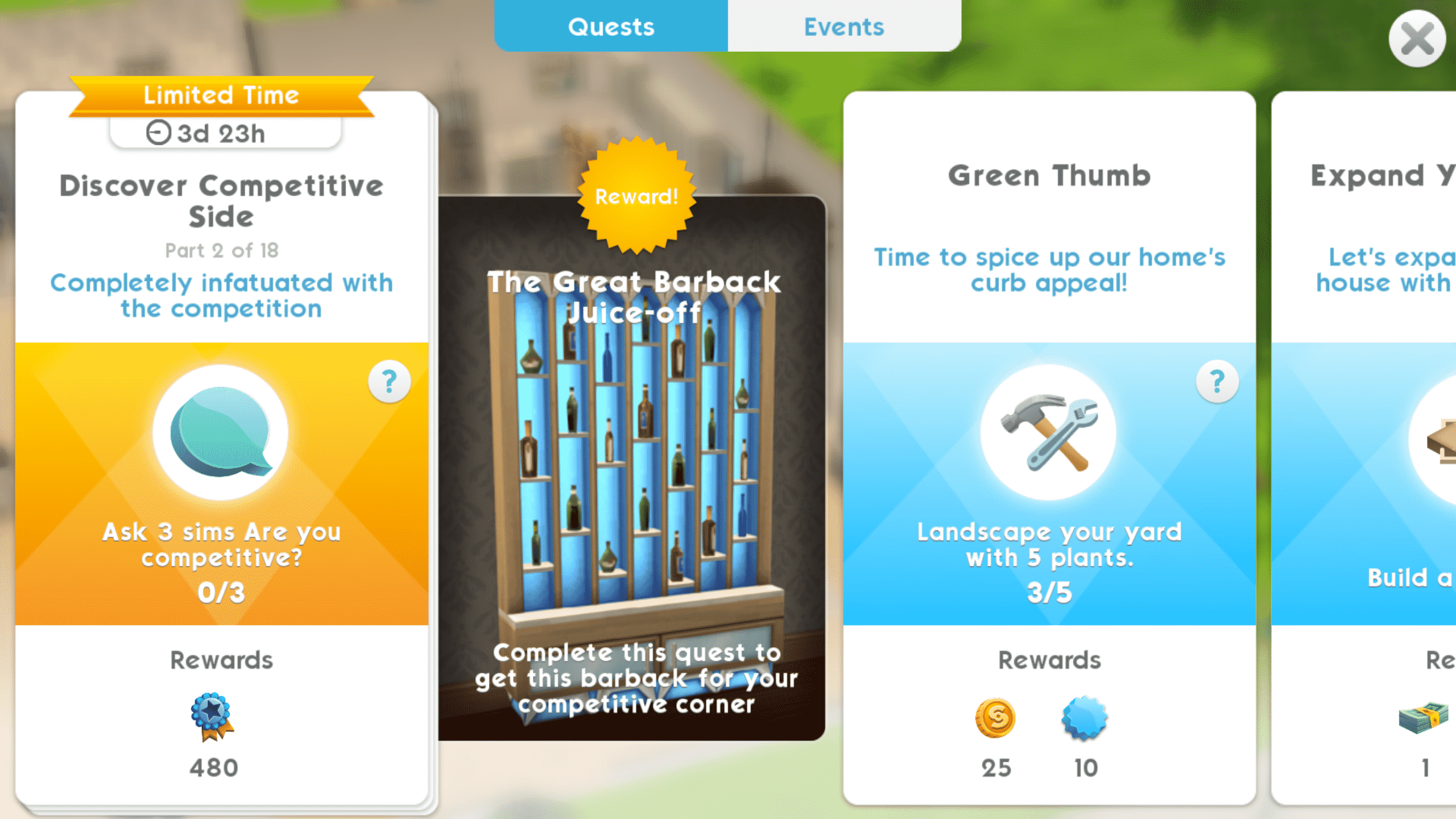
After updating your game, you’ll see that there are new quests available. Tap your quest log to see the new event quests. These quests have a gold ribbon and background and will disappear when the event ends so don’t dawdle on them. Completing the event quests in time will reward you with a swanky new barback.

Part 1: Work up a cool sweat arguing with appliances

To get started, follow the quests. Your first task is to argue with 3 household appliances. I had my Sim argue with the fridge, coffee maker, and television set to complete this goal. It only took a minute to complete.

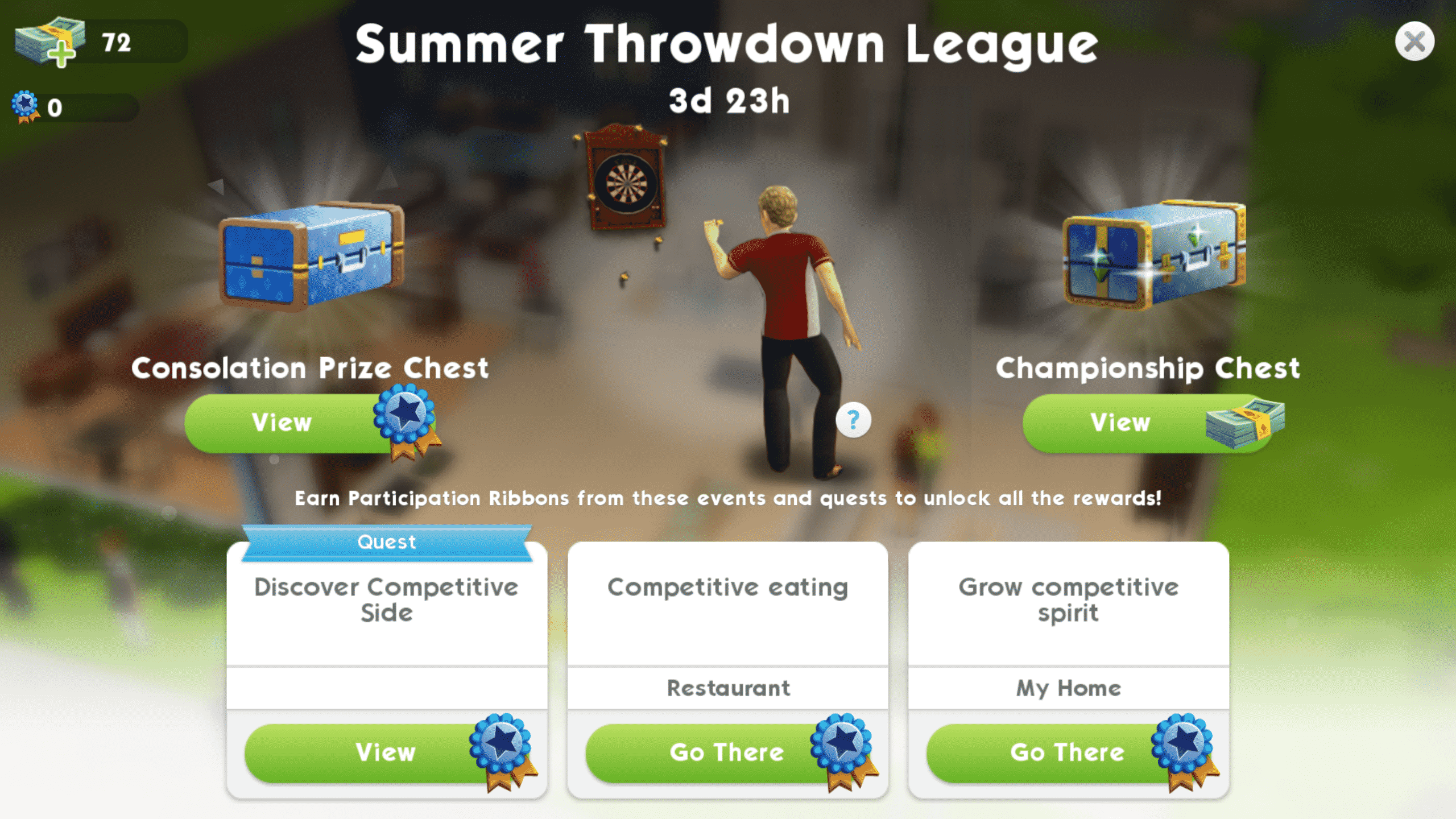
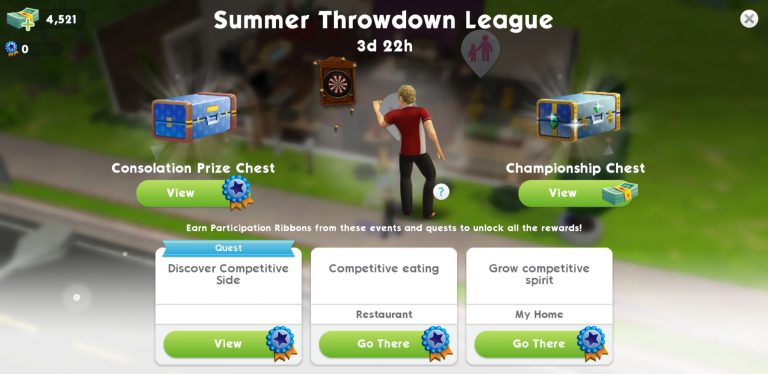
After completing the first task in your event quest, you’ll be rewarded with some Participation Ribbons as a gift. You’ll be prompted to spend them. Tap the trophy icon in the upper right-hand corner of your screen to be taken to the event page. You can see all the available limited-time events here along with chests you can buy for Participation Ribbons or SimCash. Tap the Consolation Prize Chest on the left side of the screen to spend your Participation Ribbons and get your first reward. You can see all the available prizes when you tap the chest icon.

Part 2: Completely infatuated with the competition

Task number two was to ask three different Sims if they’re competitive. My Sim happens to have a big family so he had no trouble finding Sims to ask, but you can ask any Sim you see around the world. This is a quick and easy task to complete.

Part 3: Find a rival in disguise

The third task is also simple enough; start a rival story. Just find any Sim your Sim does not yet have a relationship with and use a confrontational introduction to open up the option to start a rival event. These initial first events can be completed easily in just 3 or 4 actions. When the event finishes, pick any rival story the game offers you to complete this quest. You do not have to finish this story to complete the quests and earn the rewards. You just need to start it.

Part 4: Seek out rival revelry among party goers

Part four of the event quest asks your Sim to earn three stars at a party. This is another easy task that you’ve likely done many times before on any old regular day. Just open up the party tab, select Find Parties and pick a party to attend. Once you’re there, perform party actions to fill up your purple progress bar and earn three stars.

TIP: Perform actions that reward you with 50 or more party points to get 3 stars without needing to consume any cake.


Part 5: Prove to rival that you can earn more

The Sims Mobile: Summer Throwdown League Event Guide

Now we’re starting to get into some more time-consuming goals. Your Sims will have to earn 650 simoleons, but don’t panic. Your Sims earn money every day from their careers and hobbies so just do what you always do and bring home that dough until you’ve stashed away a crisp 650 simoleons.

TIP: If you have the time to check back with the game frequently, it’s best to put your Sims on short shifts and practice sessions. They’ll earn more money faster in the long run as long as you’re playing through these events as much as you can and checking back to put them on another short cycle as soon as they finish.


Part 6: Prove superiority in maintaining relationships

The Sims Mobile: Summer Throwdown League Event Guide

This might sound like a tough, time-consuming goal to complete, but it really isn’t. You don’t need to complete 3 relationship stories. Just 3 relationship events. This is incredibly easy to do with a Sim who does not have a relationship story with your Sim. Have your Sim introduce themselves to a stranger and select Begin Friendship/Rivalry/Romance. Like Part 3 of the event quest, your first relationship event with a new Sim will take no time at all.
TIP: When your event finishes and the game prompts you to select a relationship story, do not select one! Tap Choose Later, instead. This will let you repeat the super easy first event two more times with your chosen Sim. The quest only requires 3 events to be completed, not stories. If you just repeat your quick introductory event three times with the same Sim without selecting a story, you’ll be finished with this step in minutes without running out of energy.


Part 7: Prove capacity to consume more than rival

This part of the event quest will introduce you to the new events it brings. These new time-limited events will reward you with Participation Ribbons. You’ll be asked to complete the Competitive Eating event, which takes place at the restaurant. To get there, you can go to the restaurant via map mode or just tap the Competitive Eating tab on the event page.

Once your Sim is at the restaurant, tap the pink trophy icon to begin the event. This event works the same way as all other events you’re already accustomed to; perform event actions to fill up your progress bar or just put the game down for a while and come back in a few hours to collect your rewards. Playing through the event is more beneficial since you can complete it faster and move on to the next part of the quest.


Now that we’ve explained the basics and provided you with some helpful tips, we think you can handle the rest on your own. It won’t be a problem as long as you remember to follow the quests, do the new events as often as you can, and redeem your Participation Ribbons for Consolation Prize Chests.
I FINISHED THE QUESTS, WHAT NOW? Don’t give up on the event! Even after completing the main quest and earning the barback, you can still play through the new Summer Throwdown League events to earn more Participation Ribbons. If you’re still searching for that elusive dartboard when you’ve finished the quests, continuing to do events as often as you can is your ticket to claiming the grand prize before the Summer Throwdown League ends.
The Sims Mobile: Summer Throwdown League Event has started!

0

The Sims Mobile has just started a brand new event! The Summer Throwdown League event lets you unlock new items, tickets and other tokens in exchange for event tokens that you earn doing multiple activities including completing the limited-time quest, competitive eating at the restaurant and growing competitive spirit at your home.

The event lasts for the next 4 days, meaning that it’ll come to an end this Sunday, August 13th.

Screenshot 20180809 200009 The Sims

The Sims Mobile: Summer Throwdown League Event Coming Soon

0

The Sims Mobile has just started teasing their upcoming event which is supposed to arrive soon to the game.

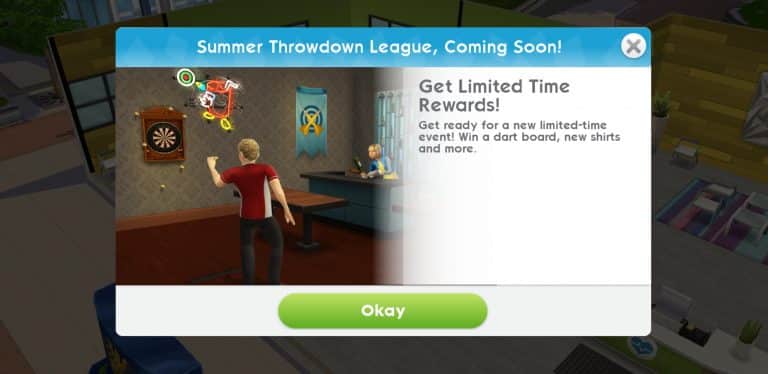
According to the teaser that they’ve provided in-game, we should be expecting the Summer Throwdown League limited-time event – letting us earn a dartboard, new shirts and some other items in the game.

We’ll keep you posted with all the latest information about this event as soon as it goes live!

Screenshot 20180808 204152 The Sims

The Sims 4: How to ensure a healthy game!

From time to time everyone has issues with their game. Usually caused by out of date custom content and mods when a new update is released for the game. Sometimes you can also have errors even if you do not use custom content or mods. We are going to go over a few different ways to ensure that you have a clean and healthy game, and steps you can take to understand your errors and issues in The Sims 4.

Using ‘Save As’ instead of ‘Save’

Sometimes save files can become corrupt after saving the same file over and over again. To help prevent this problem, it is good practice to use the “Save As” feature to save your game instead of using “Save” or “Save and Exit”.

What is the difference?

“Save” and “Save and Exit” will both directly overwrite the same save file over and over.

“Save As” will prompt you to create a new save with a new name, or overwrite an existing save of your choosing.

How to Backup your Saved Games

It is a good idea to occasionally create backups of your Saved Games. So that if the save file you are using becomes corrupt in the future, you still have a working backup.

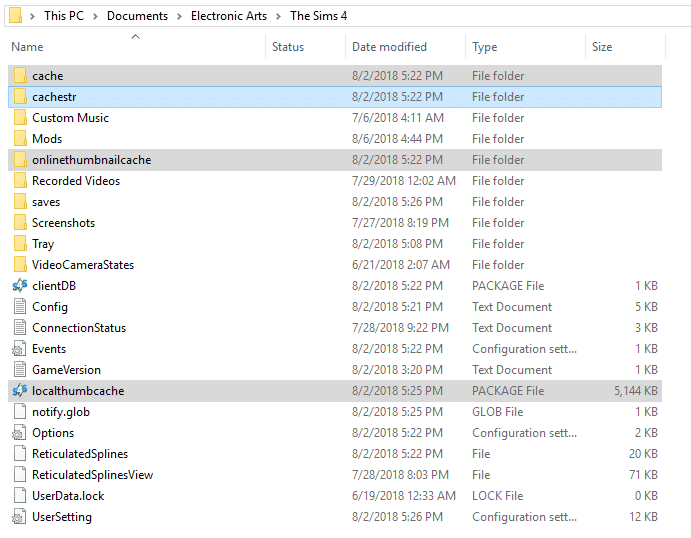
The Sims 4 game cache is located in: Documents/Electronic Arts/The Sims4/ (as pictured below)

The Sims 4: How to ensure a healthy game!

Once you have found your “Saves” folder, right click and select “copy”.

Go anywhere outside of your Sims 4 Folder (example: Desktop, Documents, etc) and right click any blank area and select paste. (as pictured below)

The Sims 4: How to ensure a healthy game!

You now have a backup of your saves file that you can use later if needed.

Clearing your Cache in The Sims 4

Cleaning up the cache files for your game can help the performance of your game as well as fix many issues you could be experiencing. The “Cache” files are the games way of saving information about your current game. From time to time these files need to be deleted and regenerated by the game. It is best to do this quite often, especially after a new game patch or after adding/removing lots of custom content or mods.

The Sims 4 game cache is located in: Documents/Electronic Arts/The Sims4/ (as pictured below)

The Sims 4: How to ensure a healthy game!

Step 1: Delete the localthumbcache.package file in the main directory in the The Sims 4 document folder.

Step 2: Open up the Cache folder, and delete all of the files that end in .cache.

Step 3: Open up the Cachestr folder, and delete all the files inside.

Step 4: If you have a folder called onlinetumbnailcache, you can delete this entire folder.

Step 5: If you have any files called “LastException” or “LastUIException” or “LastCrash” you can delete them as well.

The Sims 4 Cats & Dogs Fan Art Kit Now Available

2

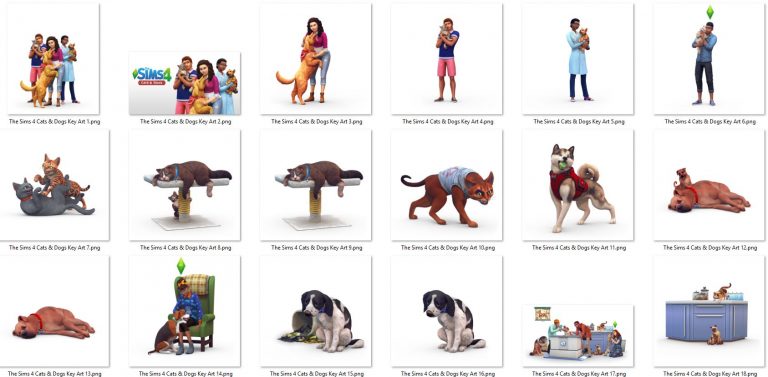
The Sims Team has released their official fan art kit for The Sims 4 Cats & Dogs Expansion Pack!

With this kit you don’t just get the box art, the logo and the screens in high quality. There’s also all versions of renders that we’ve received in previous promo material in high, transparent quality.

You can get your fan art kit by clicking the image below!

The Sims 4 Cats & Dogs Fan Art Kit Now Available

5 Bundle Combinations for The Sims 4 that we recommend

0

If you’re just stepping into the huge universe of The Sims 4 games then it’s probably for the best that you bundle up the packs that you want instead of purchasing them individually considering there’s a 20$ discount on the total price of the bundle. Individually Expansion Packs are 40$, Game Packs are 20$ and Stuff Packs are 10$. However, with The Sims 4 Bundles that you build (that must include 1 EP, 1 GP and 1 SP that you can’t already have in your library) you get to enjoy 3 different types of packs for a price of 50$. This offer is available using Origin’s exclusive Build Your Sims 4 Bundle feature.

As we currently have 5 Expansion Packs, 6 Game Packs and 14 Stuff Packs already available for The Sims 4 I thought it would be a good idea to create 5 different bundle combinations for those who plan on getting their packs in bundles.

Bundle #1

  • The Sims 4 Get to Work Expansion Pack
  • The Sims 4 Dine Out Game Pack
  • The Sims 4 Cool Kitchen Stuff Pack

5 Bundle Combinations for The Sims 4 that we recommend 5 Bundle Combinations for The Sims 4 that we recommend 5 Bundle Combinations for The Sims 4 that we recommend

Bundle #2

  • The Sims 4 Get Together Expansion Pack
  • The Sims 4 Spa Day Game Pack
  • The Sims 4 Bowling Night Stuff Pack

s 5 Bundle Combinations for The Sims 4 that we recommend 5 Bundle Combinations for The Sims 4 that we recommend 5 Bundle Combinations for The Sims 4 that we recommend

Bundle #3

  • The Sims 4 City Living Expansion Pack
  • The Sims 4 Vampires Game Pack
  • The Sims 4 Vintage Glamour Stuff Pack

5 Bundle Combinations for The Sims 4 that we recommend 5 Bundle Combinations for The Sims 4 that we recommend 5 Bundle Combinations for The Sims 4 that we recommend

Bundle #4

  • The Sims 4 Cats & Dogs Expansion Pack
  • The Sims 4 Parenthood Game Pack
  • The Sims 4 Kids Room Stuff Pack

5 Bundle Combinations for The Sims 4 that we recommend 5 Bundle Combinations for The Sims 4 that we recommend 5 Bundle Combinations for The Sims 4 that we recommend

Bundle #5

  • The Sims 4 Seasons Expansion Pack
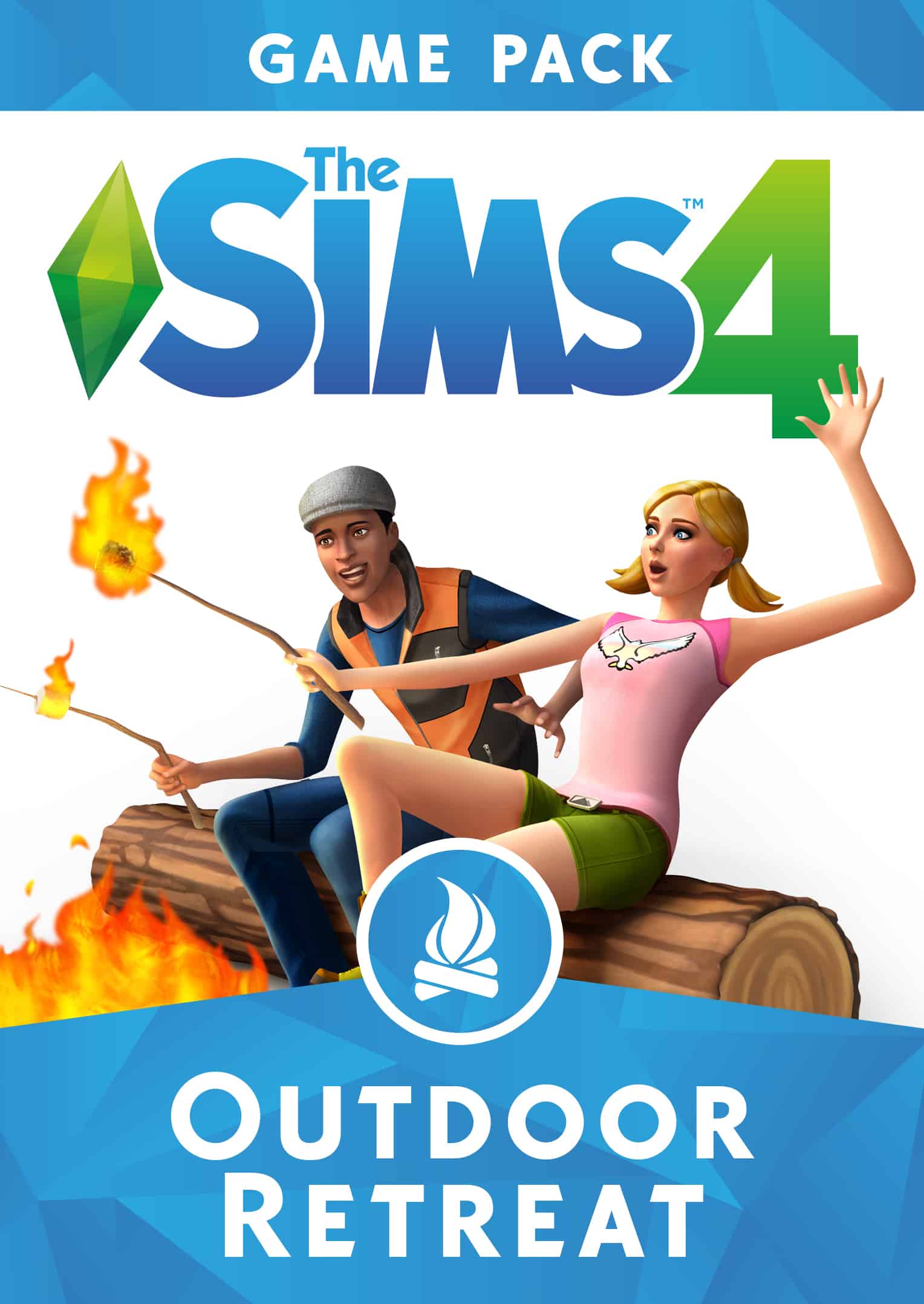
  • The Sims 4 Outdoor Retreat Game Pack
  • The Sims 4 Spooky Stuff Pack

5 Bundle Combinations for The Sims 4 that we recommend 5 Bundle Combinations for The Sims 4 that we recommend 5 Bundle Combinations for The Sims 4 that we recommend


Ready to build your own bundle? The Build Your Own Sims 4 Bundle feature is only available for PC / Mac players on Origin. A few things to note before considering building your bundle:

  • The Sims 4 Base Game is required first before building a bundle of 1 Expansion Pack, 1 Game Pack and 1 Stuff Pack.
    • Not having the base game will give you the ability to bundle up The Sims 4 Base Game + 1 Expansion Pack of your choice.
  • You can only build a bundle of packs that are not in your Origin Game Library.
  • You cannot give bundles as gifts to other players.
  • If you have all packs in your Origin Library you’re not able to build a bundle.

Enhance your Holidays in The Sims 4 Seasons with these Mods

6

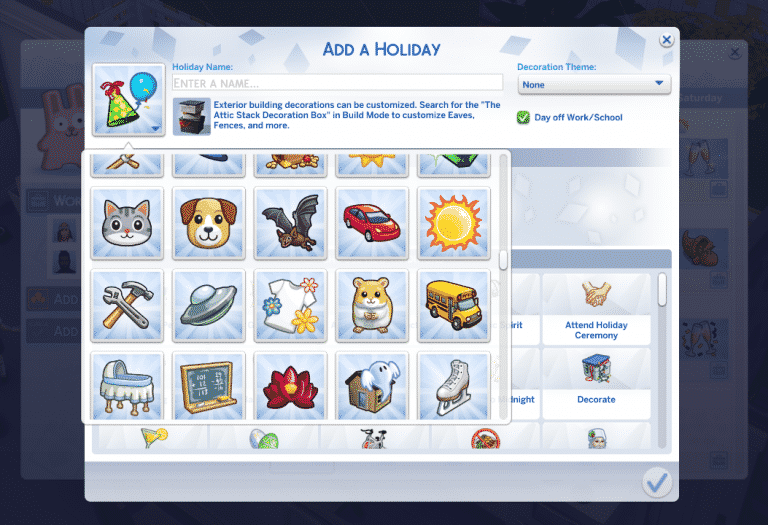
Although The Sims 4 Seasons Expansion Pack brings tons of new customization options and traditions that you can choose, there’s still things like lacking holiday icons and no traditions for cats and dogs. Luckily talented modders LittleMsSam and icemunmun have already made a solution for your holiday troubles.

More Icons

The More Icons Mod by LittleMsSam allows you to choose between 200 icons which are available in the icon chooser when creating or editing an existing holiday. It brings plenty of colorful icons which are already a part of The Sims 4 universe.

Enhance your Holidays in The Sims 4 Seasons with these Mods

Pet Traditions

One thing that everyone was hoping for is holiday integration between the Seasons Expansion Pack and the Cats & Dogs Expansion Pack. Sadly, that didn’t happen and the only tradition from a different pack that we got was “Fireworks” from City Living. Thankfully icemunmun solved that with 9 tradition for your Cats & Dogs! They’re very general and most of them apply to both cats and dogs.

There’s 9 traditions that come with this mod, including:

  • Feel The Love
  • Play With Dog
  • Teach Tricks
  • Play With Laser Pointer
  • Meet or Adopt
  • Cook for Pet
  • Pamper Pets
  • Go for a Walk
  • Age Up Pets

Enhance your Holidays in The Sims 4 Seasons with these Mods


To download these mods simply click on the headings of each mod above. Installing them is pretty easy too – simply extract the .zip files to Electronic Arts > The Sims 4 > Mods folder and make sure you have Mods / CC enabled in your game options. These mods have been tested out with the current version of the game and are proved to be working.