Home Blog Page 296

Storytelling in The Sims Mobile

When I started playing The Sims Mobile, I wasn’t thinking about using it for storytelling. It didn’t look like a suitable platform for telling stories, especially compared to The Sims 4. You can’t cheat, everything is locked behind levels, and the game is more focused on leveling up than giving players a sandbox to do whatever they want with.

However, when my laptop died, I started going through serious Sims 4 withdrawals and began looking for other ways to get creative and tell my stories. As I played The Sims Mobile more and more, I started to realise just how much I could do with it. The in-game story chapters served as inspiration for more in-depth plots with my Sims and I started experimenting with ways to tell my stories from my phone. I learned how to adapt to a new method of storytelling. That’s when I started becoming really invested in my Sims Mobile family.

That’s why I’ll be sharing what I’ve learned about telling stories with The Sims Mobile with you; to help all the storytellers out there get the most out of their mobile gaming experience.

Basic Screenshot Tips

Before we get started on the complex stuff, let’s start with the easy stuff. How to take screenshots in The Sims Mobile in the first place. Your screenshots won’t be the cinematic masterpieces you’re used to capturing with The Sims 4, but you can still learn to work with what you have and make the most of it.

Find out how to take screenshots on your phone

Every phone is different. You’ll have to find this out on your own. I have a Samsung Galaxy S6 and I take my screenshots by pressing the power button and the home button at the same time.

The UI is here to stay
Storytelling in The Sims Mobile
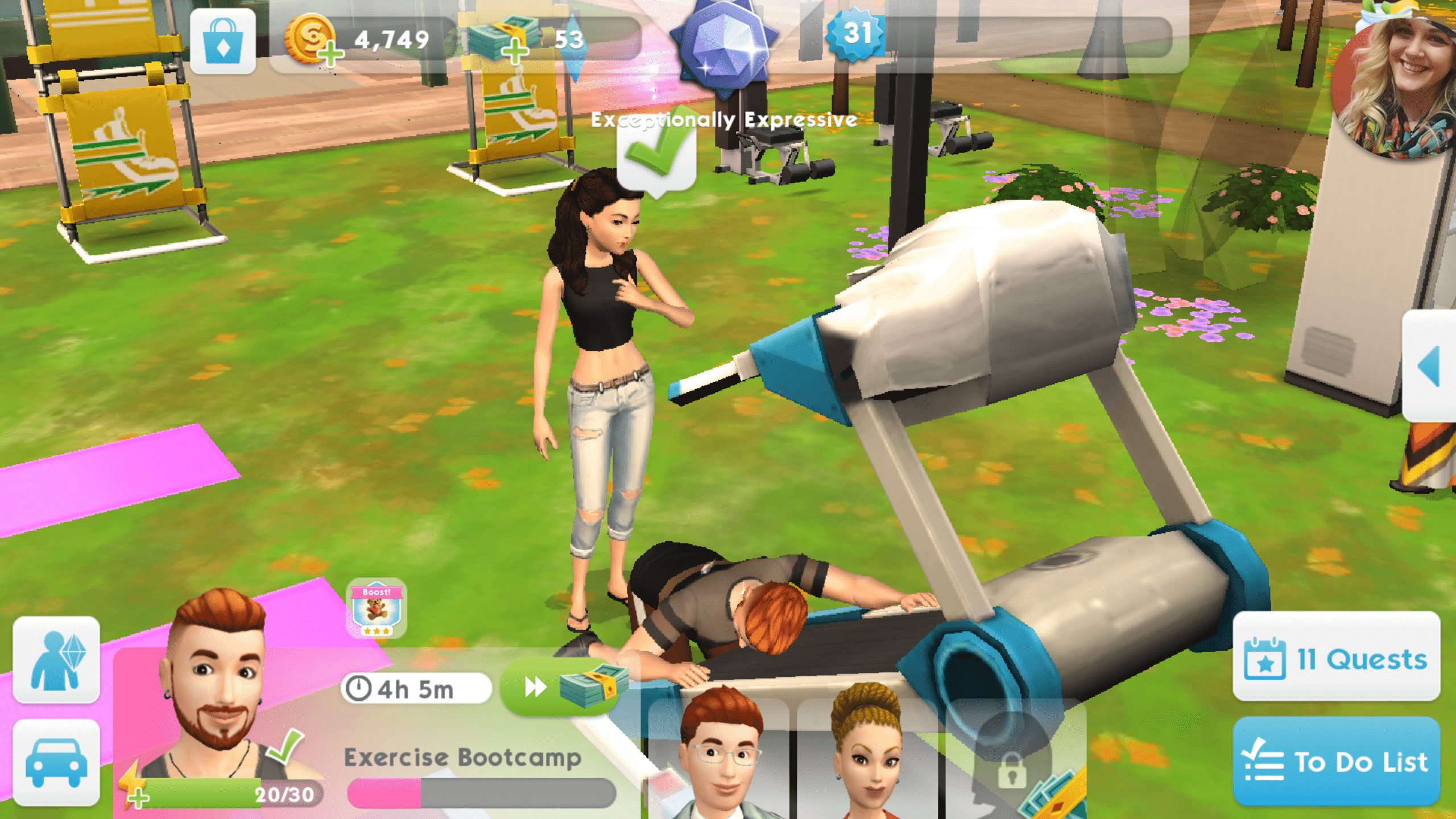
The UI might look distracting in this shot, but since there is something interesting happening, it’s easier to look past it to the story being told in the picture.

Sorry, guys. There’s no way to get rid of the UI in The Sims Mobile. You’ll just have to deal with that, but don’t let that deter you. If you’ve got a good story going on, your readers will learn to ignore the UI and focus on what’s happening in the photo.

Walls? Who needs ’em!

Storytelling in The Sims Mobile
This shot has been taken from an angle that gives the illusion of full walls.

Another limitation is not being able to pull up the walls to take screenshots. All walls are permanently cutaway style in The Sims Mobile, but this isn’t that big of a deal. Sometimes you can angle your shots just right so that it’s not noticeable. You can also build your house in a way that allows for as much wall space to be visible as possible for your screenshots. Other times, there’s just no getting around the fact that some of your walls won’t show up, but again, don’t sweat it. Learn to work with The Sims Mobile instead of fighting against it.

Be an opportunist

Storytelling in The Sims Mobile
This shot had to be taken quick in the middle of an action. It can take several tries to get the perfect picture.

You can’t pause in The Sims Mobile. Everything happens in real time, so you’re going to have to get good at spotting photo opportunities and being quick enough to snap a screenshot at precisely the right moment. Be aware of everything going on around your Sim and be prepared to snap a picture at any given moment. It’s always better to have too many pictures to choose from for your story than not enough.

Okay, What Now?

So you’ve got the screenshot thing down, but what about actually telling your stories? How do you come up with interesting content in a game that doesn’t leave a lot of room to dilly dally as you please? Well, you’ll need to dust off your imagination. Stop thinking about what you can’t do in the game and start thinking about how to manipulate the game to suit your purposes. I’m not talking about hacks. I’m talking about learning how to use the game in new ways.

For example, in my current story, one of my Sims had an accidental pregnancy with his one-night-stand. She showed up at his house with the baby, dumped the baby on him and took off. You might ask how that’s possible in The Sims Mobile. Well… it isn’t, but I made it possible with the power of imagination.

Storytelling in The Sims Mobile
You can always set up your shots to tell the story you want, even if it didn’t happen that way in the game. Think outside the box!

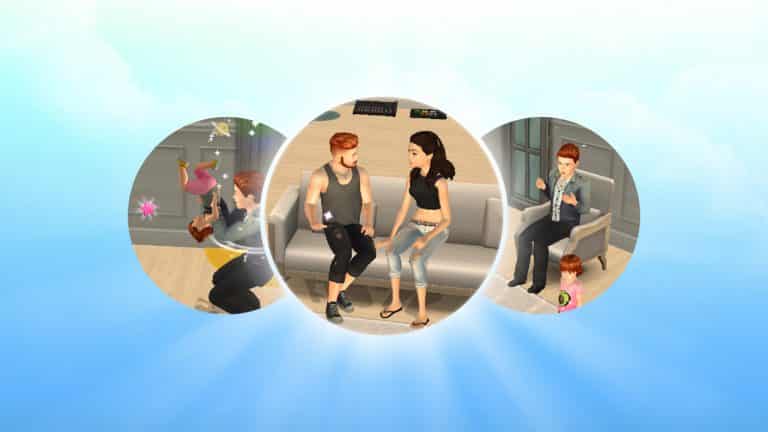
All I did to pull this story off was have my Sim start a romance with another Sim outside the household, invite her over and then have a baby with her via the bassinet like normal. Once the baby was born, I placed the bassinet next to the couch in the living room and directed the two Sims to chat on the couch for a screenshot that made it look like the mother brought the baby over and is telling the father about the child.

Telling stories in The Sims Mobile is all about you and your own imagination. Always ask yourself what you can do to make your ideas come to life, whether those features are in the game or not. Where there’s a will, there’s a way.

Stuck? Let the Stories Guide You

Storytelling in The Sims Mobile
Getting to level 16 can be tough but make the journey part of the story.

You might have a hard time coming up with ways to tell unique stories at first, especially when you first start playing the game and everything is locked behind levels. You’ll spend the first 16 levels just trying to gain enough experience to unlock all the major game features, but don’t let that discourage you. You can always work these early struggles into your story. The Sims Mobile is perfect for legacy-style stories in particular so starting from humble beginnings meshes with the traditional legacy story well.
Storytelling in The Sims Mobile
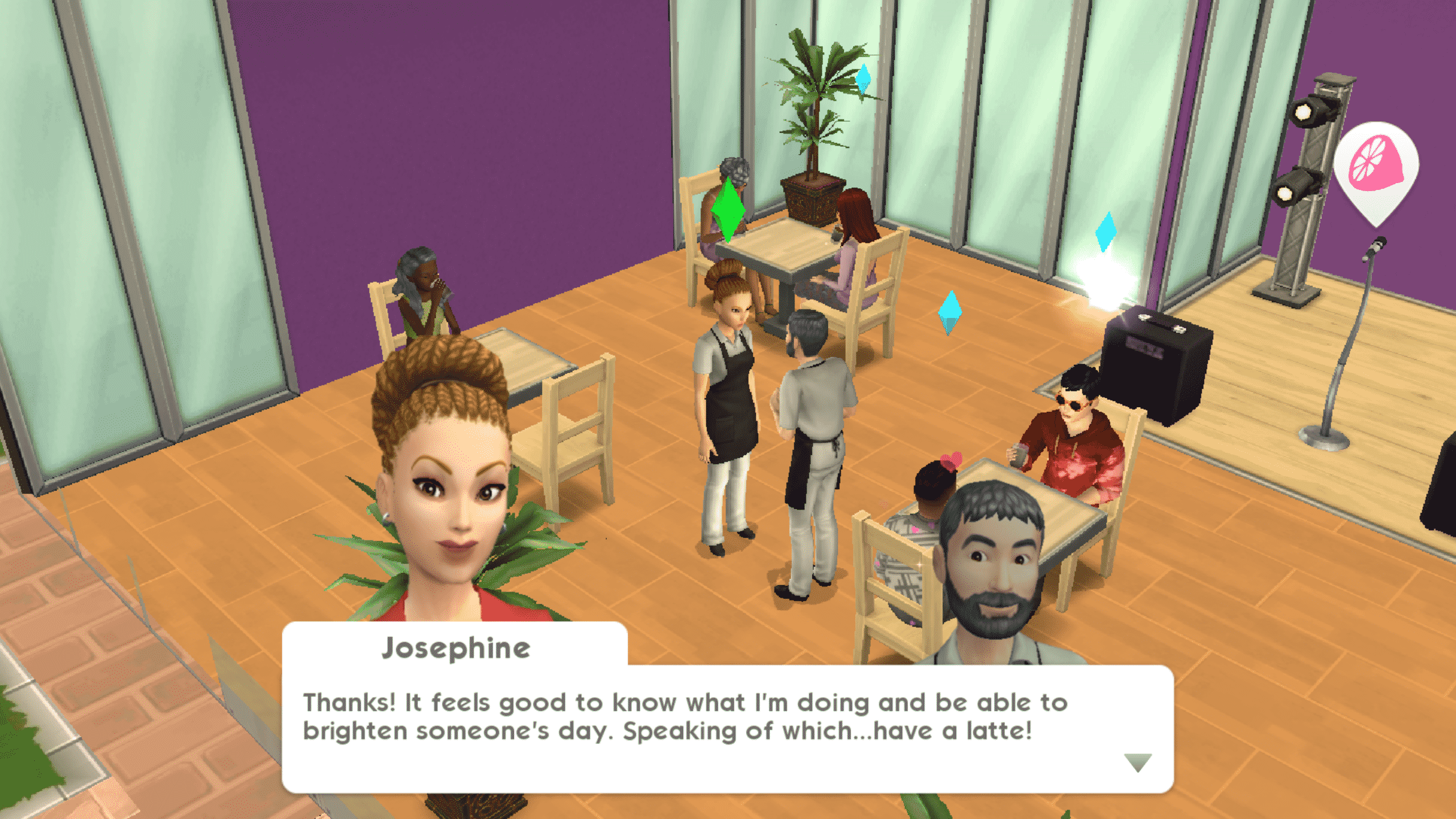
Use these quirky story chapters to your advantage if you’re feeling stuck.

Don’t forget that The Sims Mobile has its own stories! Every relationship, hobby, and career in the game is a story with chapters and witty dialogue sequences. If you’re ever stuck for ideas, you can use these stories as a springboard. I was inspired to do a generation with two warring brothers when I discovered the Sibling Rivalry relationship story and it’s provided my story with plenty of drama that all sprang from that initial spark of inspiration.

I hope these tips and tricks have inspired you to start telling more elaborate stories in The Sims Mobile!

The Sims 4: SimGuruGrant teases “Good Stuff” for this week

2

SimGurus are back from their time off during the 4th of july week and it seems SimGuruGrant can’t wait to talk about some exciting stuff this week.

He published a tweet on Twitter saying that The Sims Team has some “good stuff” planned for this week as well as that they’ll be around, probably meaning that they’ll be more active on social networks and provide us with new tweets, information and progress on the current bugs, fixes and possibly plans for the future like they always do.

The “good stuff” that SimGuruGrant teased for this week could be plenty of things – a new pack announcement, a free content update or just a regular update fixing some of the current bugs.

One thing’s for certain – we’ll keep you updated as soon as new info about this week’s “good stuff” surface!

The Sims 4: SimGuruGrant teases “Good Stuff” for this week

The Sims 4 Seasons: Perfectly Capturing Lightning Strikes Video Tutorial

0

Wonder how you can capture the perfect lightning strike screenshot in The Sims 4 Seasons? It’s not that easy finding the right moment with The Sims 4’s regular capture feature, which is why we’ve created a handy video tutorial that you can check out above!

The Sims 4 Seasons Challenge: Gameplay for All Four Seasons!

Now that The Sims 4 Seasons has been released worldwide for several weeks, more and more amazing content taking advantage of the new pack is popping up across the web! Tumblr user frecklesandpixels is no exception and has created a brand new legacy challenge inspired by all four seasons.

Named the ‘Spring into Summer & Fall into Winter‘ Challenge, this four generation legacy challenge aims to help players explore new gameplay, social interactions, holiday creation, and more!

The Sims 4 Seasons Challenge: Gameplay for All Four Seasons!

For rules, gameplay pictures, and more – follow frecklesandpixels on her Tumblr account here!

The Sims 4 Seasons: Bring Your Garden to Life

If you’re anything like me you definitely struggle at one certain aspect of build mode in pretty much every Sims game, the garden! I’m not sure why but I’ve always lacked a landscaping skill until recently when I started to experiment more as my houses just didn’t look alive enough.

I’ve picked a few ideas that you can do that will spruce up your virtual gardens and make your sims a lot more happy, below are just some of them ways.

Green house

With the Seasons patch we gained the ability to create glass roofs, as I’m sure most people are aware. These aren’t just pretty but they are functional, they can be used to create a realistic looking greenhouse for your sims plants. Even with a foundation you can create. Realistic looking greenhouse, delete the flooring and use a brick foundation for a more realistic effect.

The Sims 4 Seasons: Bring Your Garden to Life

Tree clusters

This is something I started doing a while ago but gives big empty plots of land a bit of life, it’s rare to see just a single tree growing in an area so plant a few, even use different types. Bring these areas to life by sizing down some long grass and planting it around the trees, throw in some flowers to add a bit of colour and don’t forget about the terrain paints, use a mud and grass textures to add a bit of realism.

The Sims 4 Seasons: Bring Your Garden to Life

Natural ponds

Obviously the game doesn’t have the ability to create actual ponds but there are ways around this, of course you can use the debug section to get one of the ponds located in parks around the game or you can make your own using the pool/fountain tool and get creative with rocks and plants. There are some truly fantastic examples of these in the community.

The Sims 4 Seasons: Bring Your Garden to Life

Flower beds

There are quite a few ways to accomplish flower beds, you can use foundations or raised platforms for a more luxurious feel or you can go the simple route and use rocks or wood planks to section your garden and fill them with beautiful flowers and bushes. They really add that realistic feeling to homes and make them way more inviting and interesting. Remember that you can never use too much foliage. A good tip is that if you size down the rocks it creates a much better aesthetic.

The Sims 4 Seasons: Bring Your Garden to Life

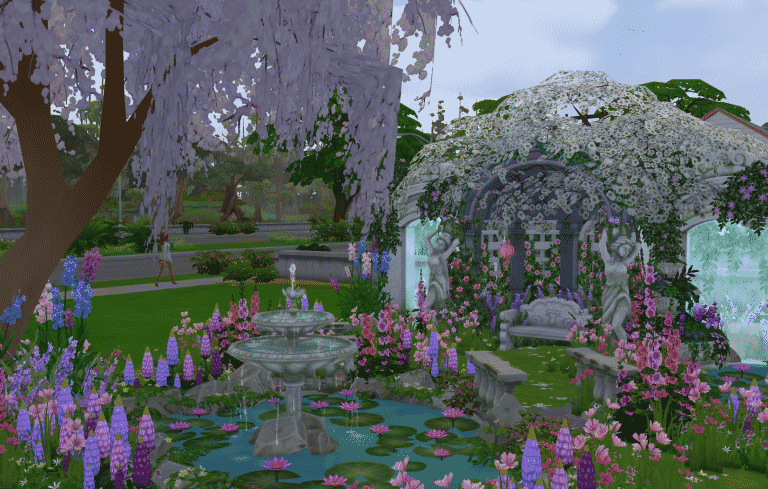
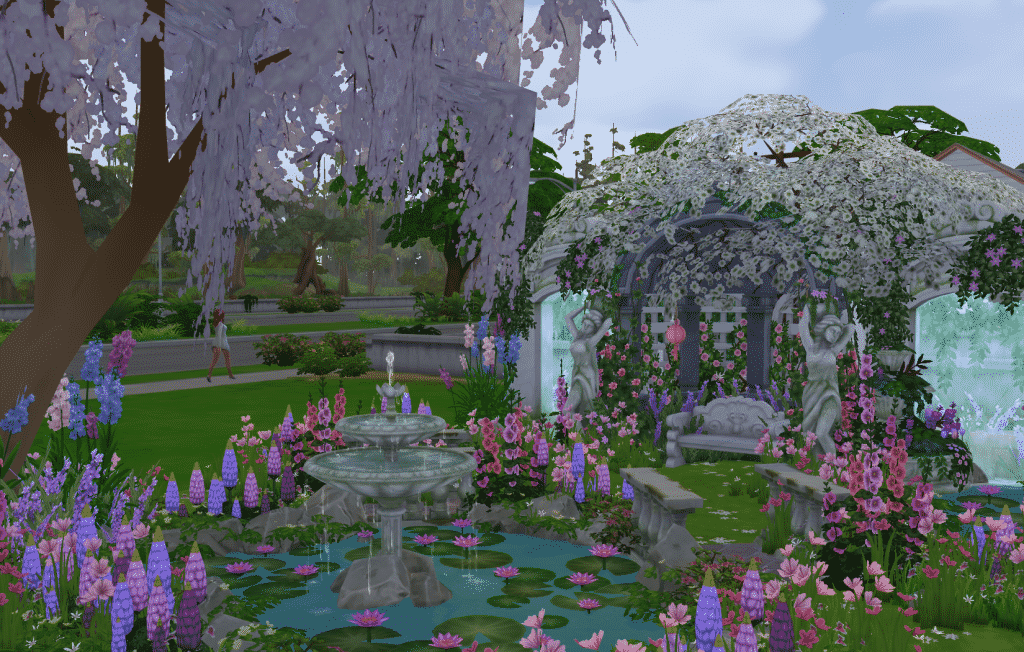
Romantic area

Let’s face it there’s nothing more romantic than a garden with a nice pond and a snug seating area surrounded by flowers, and thankfully we’ve got the Romantic Garden pack to help create a great atmosphere. Sometimes it’s easy to overlook this pack as it’s drowned out by more popular packs but some of the items are absolutely stunning and offer some great opportunities for a beautiful garden.

The Sims 4 Seasons: Bring Your Garden to Life

The Sims 4 Console: How to take Pro Screenshots

Want to know how to remove the User Interface and find the perfect angle when taking screenshots / videos in The Sims 4 for Console? We give you all the tips in the video above!

The Sims 4 is joining EA Access on Xbox One

Good news for Xbox One gamers! EA has just announced that The Sims 4 Base Game is joining the EA Access subscription service which is exclusive to Xbox One.

In case you don’t know what EA Access is, it’s a subscription service which gives you access to more than 50 video game titles for $4.99 a month / $29.99 a year. It’s similar to Origin Access except it has a different collection of games that are available on Xbox One.

At the moment we don’t know when exactly The Sims 4 is joining EA Access other than that it’s “Coming Soon”.

The Sims 4 is joining EA Access on Xbox One

The Sims 4 Console: Full Packs List (Unreleased, Released, Announced and Rumored)

It’s been less than a year since The Sims 4 for Xbox One and PS4 has released and there’s already a dozen of packs that are currently out. The Sims Team tends to release new packs for The Sims 4 Console every month with sometimes releasing even 2 packs at a time.

Considering that retailers tend to list packs for The Sims 4 Console before the official announcement and that even SimGurus often tease upcoming releases we’ve decided to make a complete list of all DLCs that are currently out for The Sims 4 Console, as well as which packs have been announced, rumored and have yet to be announced.

The Sims Team confirmed that they plan to bring the entire collection of packs from PC / Mac onto the Console version. However, they cannot bring over all the packs simultaneously as it takes some time to port over and make all features accesible for console players.

Expansion Packs

  • The Sims 4 Get to Work Expansion Pack – RELEASED
  • The Sims 4 Get Together Expansion Pack – RUMORED (Link 1)
  • The Sims 4 City Living Expansion Pack – RELEASED
  • The Sims 4 Cats & Dogs Expansion Pack – ANNOUNCED (Coming July 31st)
  • The Sims 4 Seasons Expansion Pack – NOT ANNOUNCED

Game Packs

  • The Sims 4 Outdoor Retreat Game Pack – NOT ANNOUNCED
  • The Sims 4 Spa Day Game Pack – NOT ANNOUNCED
  • The Sims 4 Dine Out Game Pack – RELEASED
  • The Sims 4 Vampires Game Pack – RELEASED
  • The Sims 4 Parenthood Game Pack – RELEASED
  • The Sims 4 Jungle Adventure Game Pack – NOT ANNOUNCED

Stuff Packs

  • The Sims 4 Luxury Party Stuff Pack – RELEASED
  • The Sims 4 Perfect Patio Stuff Pack – RELEASED
  • The Sims 4 Cool Kitchen Stuff Pack – RELEASED
  • The Sims 4 Spooky Stuff Pack – NOT ANNOUNCED
  • The Sims 4 Movie Hangout Stuff Pack – NOT ANNOUNCED
  • The Sims 4 Romantic Garden Stuff Pack – RELEASED
  • The Sims 4 Kids Room Stuff Pack – RELEASED
  • The Sims 4 Backyard Stuff Pack – RELEASED
  • The Sims 4 Vintage Glamour Stuff Pack – RELEASED
  • The Sims 4 Bowling Night Stuff – NOT ANNOUNCED
  • The Sims 4 Fitness Stuff Pack – NOT ANNOUNCED
  • The Sims 4 Toddler Stuff Pack – RELEASED
  • The Sims 4 Laundry Day Stuff Pack – RUMORED (Link 1)
  • The Sims 4 My First Pet Stuff Pack – NOT ANNOUNCED

Make sure you bookmark this page as we’ll be regularly updating it with new information every time there’s a new announcement, leak or a rumor about the upcoming Console release!

July Sims 4 Build Challenges on Twitch

Seasons Greetings in July! Now that the new Sims 4 EP: Seasons has been out for a hot minute, let’s expand our horizons and check out some build challenges currently running for the month of July.

Twitch streamers have been busy as bees coming up with some fun and interesting build challenges for you to flex your creative muscles. I’ve collected a few to share with you, so perhaps you’ll spend the weekend buckling down and designing something magical!

Save The Date

Created by Gitsie

Overview:
A build challenge designed to highlight the events we celebrate between Holidays! “I hope this challenge captures the imaginations of Simmers, and encourages people to explore the “event” section of the new Sims calendar as well as the new Holidays feature.”
– Gitsie

Full rules in the image below.

Start date: July 1st 2018
End date: July 31st 2018

sims 4 build challenges, twitch build challenges, twitch, sims 4 twitch, seasons build challenges

Family Traditions: A Sims 4 Seasons Build Challenge

Created by Phirehero

Overview:
Your challenge is to create the perfect lot to cater to a family, in celebration of the Sims 4 Seasons Traditions! Roll a die, or have the community decide on which family you shall cater your build to! Oh, and the families are 8 members strong! Better make room!

Full rules in the image below.

Start date: July 1st 2018
End date: July 21st 2018

sims 4 build challenges, twitch build challenges, twitch, sims 4 twitch, seasons build challenges

Two Seasons

Created by Simarchy and UKSimmer2014

Overview:
A collab challenge created by two simmers! Create two homes on one lot and decorate them each for a different season.

Full rules in the image below.

Start date: July 1st 2018
End date: July 30th 2018

sims 4 build challenges, twitch build challenges, twitch, sims 4 twitch, seasons build challenges

The Sims 4 Seasons didn’t get the hype and promotion it deserved

The Sims 4 Seasons was the biggest speculated expansion pack ever since the release of The Sims 4 Base Game in 2014. There were numerous conspiracies about the pack coming out, rumors about The Sims Team hinting at the pack in some of the object descriptions and even unreliable sources working at EA Customer Service telling that the game will come out this year.

All of that led to the final moment where The Sims Team officially announced the Seasons Expansion Pack on May 24th. The entire community reacted to the announcement extremely well, especially considering the fact that the pack was set to release in less than a month after the announcement (June 22nd). Considering that we had only 4 weeks until the pack releases I was expecting that EA will have a full-blown promo strategy up their sleeve to get the word out about Seasons. However, it felt like all EA did was pay dust to this long-awaited Expansion, and here’s why:

After The Sims 4 Seasons was fully announced to the world everyone was eager to get some new information about this Expansion Pack and how it’ll influence our gameplay. The Seasons announcement that we got was enough for the week when the announcement material came out. However, as the days passed by all we got were a few blog posts and tweets from the developers elaborating some features, saying that they’ll be able to share more during the week of EA Play. Oh, and also a paid promotion clip from Millie Bobby Brown.

The Sims 4 Seasons didn’t get the hype and promotion it deserved

Considering that the first teaser ever for Seasons being announced was a tweet saying that we’ll be able to get our hands on “the next Sims Experience” at EA Play, I was expecting that there would be more promotion and footage material being shared at the press conference. Before the conference we did get a new trailer showcasing gameplay revolving around Holidays. However, nothing about Holidays or Seasons was shared at the EA Play Press Conference stage which was watched by a quarter million people across the globe. Instead, EA focused on Battlefield 5 Multiplayer Reveal, Star Wars saying nothing more that they can do better and that they’ll release a few updates in the next few months, EA Sports titles and Anthem.

SimGurus shared on twitter that they didn’t have The Sims 4 Seasons on stage because the pack was already announced. However, FIFA 18 shared a portion of EA’s Press Conference stage talking about the World Cup Update and the features of it which have already been revealed a few weeks before EA Play. The press conference was a perfect opportunity for The Sims Team to show how Seasons would affect each world and the entire Sims 4 ecosystem of packs which would only give them more attention from the press and the general public. Sadly, they missed that opportunity and because of it the press only focused their eyes on shooters and sports games, leaving The Sims in the dark. Due to that people relied on folks who registered for EA Play and got a chance to play the game for around 15 minutes to share information about Seasons which could’ve easily been shared at the Press Conference. Instead, simmers had to rely on social networks and fansites to get more bits of news and pictures taken from smartphones of the people who attended the event.

This is how new footage was shared during EA Play:

Pic from SimClub

The Sims 4 Seasons didn’t get the hype and promotion it deserved

The week before Seasons’ release we got another Milly Bobby Brown promotional clip and a single 2-hour livestream, as well as some other info bits from the developers on twitter.

I was grateful that I got an opportunity to capture footage during EA Play of The Sims 4 Seasons and get it out to the world. However, we were allowed to share all of it in the week of Seasons’ release. Up until that point people still mostly relied only on tweets, leaks and the single livestream that was hosted.

Shortly after Seasons was released worldwide and The Sims Team released a short (but sweet) Launch Trailer.

That was it. That was all the promotion The Sims Team gave to a game-changing Expansion Pack. I’ve wrote about and followed every Expansion Pack announcement and release ever on this website since Get to Work and I can honestly say that Seasons and its promotion was underwhelming. Just take a look at some of the promotion we had for Cats & Dogs compared to Seasons:

  • Cats & Dogs: 4 Gameplay Trailers
  • Seasons: 3 Gameplay Trailers
  • Cats & Dogs: 5 Promotional Social Media Clips
  • Seasons: 2 Mille Bobby Brown Ads on her own Social Network profiles
  • Cats & Dogs: 3 Livestreams
  • Seasons: 1 Livestream

It’s also worth mentioning that previous Expansion Packs had 5 Trailers shared on The Sims’ official YouTube Channel.

So, why am I writing all of this? Well, The Sims Team recently announced that they’ll be doing things differently with upcoming packs. One of the things that they’ll be doing is that they’ll give a different, surprise approach with upcoming Pack announcements and releases, starting with Seasons:

Starting with the recent surprise announcement and release of The Sims 4 Seasons, we’re shifting our approach regarding the types of packs we create, and when they’ll be released.


Sure, the fact that Seasons was announced closely to its release was great, but it could’ve been easily announced earlier in exchange for more information and official promo material.

This could easily mean that with future Expansion Pack announcements we’ll be in the dark for some time and then immediately get an announcement with a much closer release date, rather than knowing about the pack for 2-3 months and get staggered releases of new footage and information during that time.

Do you think that The Sims 4 Seasons could’ve been promoted more and what do you think about the change of how packs are being released and announced? Let us know in the comments!

Playstation Mid-Year Sale: Save 40% off on select The Sims 4 Titles

Playstation is currently having a Mid-Year Sale on plenty of video game titles, including The Sims 4 and some of the packs!

The Sims 4 Base Game, City Living, Get to Work, Dine Out, Vampires and the first DLC Bundle are all 40% off! You can find and purchase these games from the official links we’ve put down below:

If you have a PS Plus membership then you’ll be getting an additional 10% off! The sale ends on July 17th at 5PM CET.

Playstation Mid-Year Sale: Save 40% off on select The Sims 4 Titles

The Sims 4 Seasons Livestream: Every Day is a Holiday

0

Join us on a whole new journey in The Sims 4 Seasons as we together fill up the entire calendar with Holidays!

The Sims Mobile: Summer Backyard Barbecue Event Tips, Tricks & Information

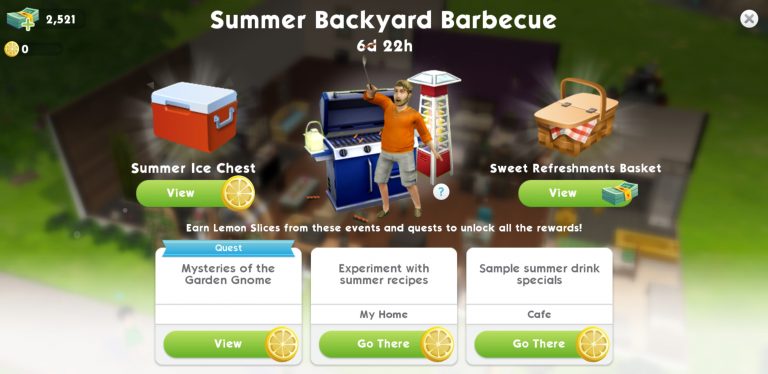
An update today for The Sims Mobile has a new event: Summer Backyard Barbecue. It comes with the limited time Quest: Mysteries of the Garden Gnome. Beside the main event rewards, you will also receive a bonus of 3 gnomes for your garden (A Triptych of Garden Gnomes) if you manage to complete this Quest within 7 days. Note that you got less than 7 days to complete this event from now, so be quick!

Summer Backyard Barbecue rewards

You can get rewards from the Summer Ice Chest (cost: Lemon Slices) or the Sweet Refreshments Basket (cost: SimCash).

The Sims Mobile: Summer Backyard Barbecue Event Tips, Tricks & Information


Note: the Rarity showed below is applied for items in the Summer Ice Chest.

Item Rarity: Rare 15% (purple tag)

The Sims Mobile: Summer Backyard Barbecue Event Tips, Tricks & Information

  • The Original Haute Dog, quantity: 1, colour The Sims Mobile: Summer Backyard Barbecue Event Tips, Tricks & Information
  • Summer BBQ Grill Deluxe (Large Grill), quantity: 4, quality: 2-star, colour The Sims Mobile: Summer Backyard Barbecue Event Tips, Tricks & Information
  • Vented Hiking Hat, quantity: 1, colour The Sims Mobile: Summer Backyard Barbecue Event Tips, Tricks & Information
  • Ultra Posh Glasses, quantity: 1, colour The Sims Mobile: Summer Backyard Barbecue Event Tips, Tricks & Information
  • Fashion Gem
  • Super Home Ticket

Item Rarity: Uncommon 25% (blue tag)

The Sims Mobile: Summer Backyard Barbecue Event Tips, Tricks & Information

  • SimCash
  • Floral Breeze, quantity: 1, colour The Sims Mobile: Summer Backyard Barbecue Event Tips, Tricks & Information
  • Summer Chic Jumpsuit, quantity: 1, colour The Sims Mobile: Summer Backyard Barbecue Event Tips, Tricks & Information
  • Summer Chill Tower (Patio Heater), quantity: 8, quality: 2-star, , colour The Sims Mobile: Summer Backyard Barbecue Event Tips, Tricks & Information
  • Summer Padded Dining Chair (Req. for actions at Tables and Desks), quantity: 8, quality: 2-star, colour The Sims Mobile: Summer Backyard Barbecue Event Tips, Tricks & Information
  • Home Ticket
  • Sim Ticket
  • Simoleons

Item Rarity: Common 60% (green tag)
The Sims Mobile: Summer Backyard Barbecue Event Tips, Tricks & Information

  • Summer Dinning Chair (Req. for actions at Tables and Desks), quantity: 8, quality: 1-star, colour The Sims Mobile: Summer Backyard Barbecue Event Tips, Tricks & Information
  • Summer Umbrella Table (Patio Table), quantity: 4, quality: 2-star, colour The Sims Mobile: Summer Backyard Barbecue Event Tips, Tricks & Information
  • Summer Steely Arms Loveseat (Loveseat), quantity: 6, quality: 1-star, colour The Sims Mobile: Summer Backyard Barbecue Event Tips, Tricks & Information
  • Summer Steely Arms Chair (Accent Chair):, quantity: 6, quality: 1-star, colour The Sims Mobile: Summer Backyard Barbecue Event Tips, Tricks & Information
  • Summer Illumination Light (Outdoor Ground Light), quantity: 12, quality: 2-star, colour The Sims Mobile: Summer Backyard Barbecue Event Tips, Tricks & Information
  • Summer Lantern (Small Table Light), quantity: 6, quality: 2-star, colour The Sims Mobile: Summer Backyard Barbecue Event Tips, Tricks & Information


*Sweet Refreshments Basket: you will need SimCash to purchase this Basket. These items are the same as the items in Summer Ice Chest, the only difference is there is a higher chance to get the Uncommon (30%) and Rare (25%) items.

Quest bonus reward

You will get a bonus reward after completing the 9-part event quest Mysteries of the Garden Gnome: unlock A TripTych of Garden Gnomes for your gardens.

The Sims Mobile: Summer Backyard Barbecue Event Tips, Tricks & InformationHow to earn Lemon Slices

The Sims Mobile: Summer Backyard Barbecue Event Tips, Tricks & Information


This token is the new currency for this event.

Spend the Lemon Slices that you saved to get all reward items from the Summer Ice Chest.


Here are ways to earn Lemon Slices.

Event Activities

The Sims Mobile: Summer Backyard Barbecue Event Tips, Tricks & Information

  • Experiment with summer recipes
    Location: Home
    Time required: up to 6 hours
    Lemon Slices earned: 400
    Cool down time is 20 hours.
  • Sample summer drink specials
    Location: cafe in Parkside
    Time required: up to 4 hours
    Lemon Slices earned: 125
    Cool down time is 8 hours.

    Note: It will show “In Process” if you are currently doing the activities.

Event Quest: ‘Mysteries of the Garden Gnome’

There are 9 parts that you need to complete:

The Sims Mobile: Summer Backyard Barbecue Event Tips, Tricks & Information

  • Part 1: Search in potted plants for gnome clues

The Sims Mobile: Summer Backyard Barbecue Event Tips, Tricks & InformationRewards: 220 Lemon Slices.

Guide: Tap on a potted plant at home and use the ‘look for clues’ action. You will need to search 10 times.

Tips: do the search on different potted plants since you will need to wait 5 minutes to do another search on the same pot. If you don’t have enough potted plants you can buy more of the cheapest pots or just simply wait it out.


  • Part 2: Sprinkle the gnomes favourite drink on potted plants.

The Sims Mobile: Summer Backyard Barbecue Event Tips, Tricks & InformationRewards: Summer Drink Tray.

Guide: Tap on potted plants at home and use ‘sprinkle the gnome’s favourite drink’ action. You will need to do it 5 times.

Tips: same as part 1, use different potted plants to complete this action.


  • Part 3: Place a tray of drinks and wash down the summer stinks.

The Sims Mobile: Summer Backyard Barbecue Event Tips, Tricks & InformationRewards: 220 Lemon Slices.

Guide: Do this action at home, go to your Home Storage, find the Summer Drinks Tray and place it in your home lot.


  • Part 4: Search for the experts that makes you think about improvements to your drink.

The Sims Mobile: Summer Backyard Barbecue Event Tips, Tricks & InformationRewards: 220 Lemon Slices.

Guide: Travel to the Cafe in Parkside to start the Sample summer drinks special event.

Tips: if you are in the middle of doing this event, you will just need to wait for your sim to complete it and collect the rewards.


  • Part 5: Experiment with summer recipes at home.

The Sims Mobile: Summer Backyard Barbecue Event Tips, Tricks & InformationRewards: 220 Lemon Slices.

Guide: Do this event at home. Tap on the lemon icon floating on top of the fridge, stove, or Summer drink tray to complete this event.

Tips: if you are in the middle of doing this event, you will just need to wait for your sim to complete it and collect the rewards.


  • Part 6: Spend Lemon Slices to open Summer Ice Chests.

The Sims Mobile: Summer Backyard Barbecue Event Tips, Tricks & InformationRewards: 220 Lemon Slices.

Guide: Tap on the live event button, spend Lemon Slices on the Summer Ice Chest (located at the top right of the screen). You will need to spend 925 Lemon Slices.


  • Part 7: Sample summer drink specials at the Cafe (same as part 4).

The Sims Mobile: Summer Backyard Barbecue Event Tips, Tricks & InformationRewards: 220 Lemon Slices.

Guide: Travel to the Cafe in Parkside to start the Sample summer drinks special event.

Tips: if you are in the middle of doing this event, you will just need to wait for your sim to complete it and collect the rewards.


  • Part 8: Experiment with summer recipes at home (same as part 5).

The Sims Mobile: Summer Backyard Barbecue Event Tips, Tricks & InformationRewards: 220 Lemon Slices.

Guide: Do this event at home. Tap on the lemon icon floating on top of the fridge, stove, or Summer drink tray to complete this event.

Tips: if you are in the middle of doing this event, you will just need to wait for your sim to complete it and collect the rewards.


  • Part 9: Spend the Lemon Slices to open Summer Ice Chests (same as part 6).

The Sims Mobile: Summer Backyard Barbecue Event Tips, Tricks & InformationRewards: 220 Lemon Slices.

Guide: Tap on the live event button, spend Lemon Slices on the Summer Ice Chest (located at the top right of the screen). You will need to spend 1400 Lemon Slices.


Other events

Get extra Lemon Slices when completing these events: any Career, Hobby, Relationship and Special Events (such as Exercise Bootcamp and Speed Dating in the Park)

Tips:

  • Try to complete the Event Activity as soon as it becomes available after the cool down as you will get a greater amount of Lemon Slices from it compare to other events.
  • When it comes to career or any other events, try to do quick session for more effective results.
  • Watching ads may give you extra Lemon Slices!

The Sims Mobile: Summer Backyard Barbecue Event Tips, Tricks & Information

Overall it is an easy-to-complete event, you can possibly finish it within a day, or even faster if you use Cupcakes to speed up the events. Make sure to collect as many Lemon Slices as you can to unlock all the rewards from this event.


And those Lemons are cute too!

The Sims Mobile: New Update! (July 3rd, 2018)

0

The Sims Mobile Team released a brand new update for the game, adding a new Summer Backyard Barbecue Event as well as a new Picturesque Patio Set!

Unlike most major updates which require you to update the game entirely via Google Play / App Store, this update will apply to your game automatically after opening it. It’s around 50MB and will give you the new items and features after re-opening it.

The Sims Mobile: New Update! (July 3rd, 2018)

Right from the start you’ll notice the brand new Summer Backyard Barbecue Quest which is similar to limited-time quests we’ve had before. You obtain Lemon Slices (which is a currency for this event) and with them you’ll be able to purchase a Summer Ice Chest which will bring you a potential new item.

The Sims Mobile: New Update! (July 3rd, 2018)

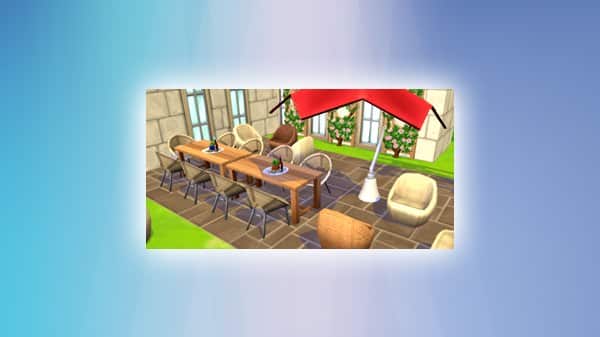
There’s also a new Picturesque Patio Set of new items in Build Mode for players who are Level 19 and above!

The Sims Mobile: New Update! (July 3rd, 2018)

The Sims 4: Expect Changes to Upcoming Pack Releases + More on Upcoming Quarters

13

After the announcement that Quarterly Teasers for The Sims 4 are no more, many were left wondering what it means exactly that “there will be quarters where we don’t release new paid content”. SimGuruKate emphasized the fact that this only means that there’s going to be some quarters where paid content won’t be released, meaning that we can expect free content & updates to be released on occasion during that period.

She also mentioned the fact that EA / Maxis are changing the way paid content is delivered to the public.

Does this mean that Expansion Packs for The Sims 4, just like Seasons, are now going to be released less than a month away from their announcement and are there more changes to the way Game Packs and Stuff Packs are being released? We’ll have to wait and find out! After all, there are at least 3 more years of content in plan for The Sims 4!