Home Blog Page 309

SPECULATION: The Sims 4 Seasons Expansion Pack listed for June 22nd Release

Two retailers have just listed The Sims 4 Seasons Expansion Pack, hours before the awaited announcement teased by The Sims.

Both retailers have provided a name of the pack and a release date which says June 22nd. GameFAQs, which is a part of GameSpot has listed The Sims 4 Seasons for both PC and Mac, with a release date set to Friday.

SPECULATION: The Sims 4 Seasons Expansion Pack listed for June 22nd Release

Another website that listed The Sims 4 Seasons is Discshop, a reliable Swedish retail website. They’ve also included the June 22nd release date, as well as a box art which is definitely fanmade and serves a purpose of a placeholder until the official one releases. The price they’ve listed for this pack is 379KR, which is in a price range of a $39.99 Expansion Pack.

SPECULATION: The Sims 4 Seasons Expansion Pack listed for June 22nd Release

Of course, it’s best if we wait for the official announcement which should happen in just a few more hours. Stay tuned on Sims Community!

The Sims 4: Community Reactions To New Teaser

2

The Sims Twitter posted a GIF teasing new content and the community has already been reacting along with some of the SimGurus. Here are some of our favourite reactions so far!

And here’s a few of the SimGuru’s reactions!

So what do you think this GIF is Teasing? Let us know in the comments or on our Social Media pages!

The Sims 4: New Content On The Way

18

The Sims Team are teasing something new coming tomorrow. Make sure you subscribe to their YouTube channel to see what the surprise is!


Spring into Party Mode: The Sims 4 Console Blog Post

via EA.com

The sun is out, birds are chirping, and temperatures are heating up – outside and in The Sims™ 4 on console! What better way to celebrate spring than with a party for the whole neighborhood? Sounds like a great idea, right? The kids are eating on the floor and making a mess, and one of them just threw a tantrum. The hired chef is running late, and guests are arriving in an hour. Nope, not stressful at all!

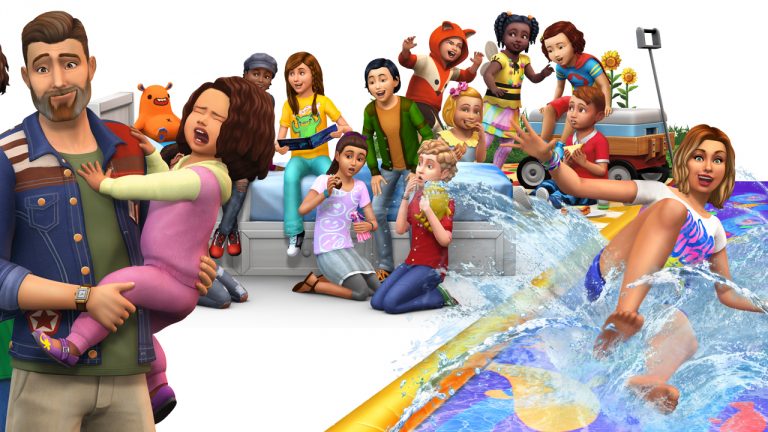
To make party-throwing a little easier on your parental Sims, we’ve compiled two lists of everything you need to throw the perfect block party bash. And with the The Sims 4 Backyard Stuff* and The Sims 4 Toddler Stuff* both releasing on May 22, 2018 on PlayStation 4 and Xbox One, there will be even more for families to enjoy! With all these awesome possibilities, your gathering will go off without a hitch. That is, until an adorable toddler needs an emergency bath!

Backyard Bash List

  • A nice big lot: A big party will need lots of room for decorating.
  • Vibrant potted plants: Brighten up the place with some spring blooms.
  • Stereo: You’ll have everyone – even grandma – dancing with a great sound system.
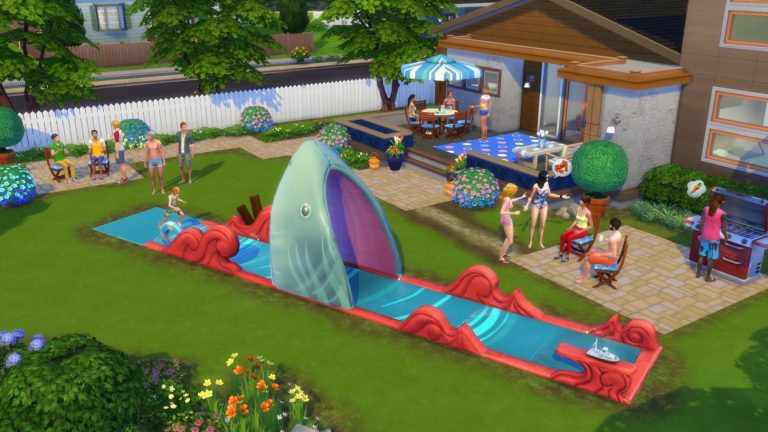
  • Lawn Water Slide: Cool off and let loose with this water slide. How many tricks will your Sims master? It might take a couple of nasty falls before you get there!
  • Outdoor Grill: It’s not a party without hot dogs, hamburgers, and veggie burgers.
  • Bird feeder: Treat your feathered friends, too. This is a neighborhood party, after all!
  • Custom Fountain: There are lots of ways to create a fountain that’ll make your guests feel fancy.
  • Relaxed hairstyles: Okay, this isn’t exactly a party item, but your Sims can definitely let their hair down while sipping on iced tea.

Spring into Party Mode: The Sims 4 Console Blog PostFamily Party List a.k.a. The “You Got This” List

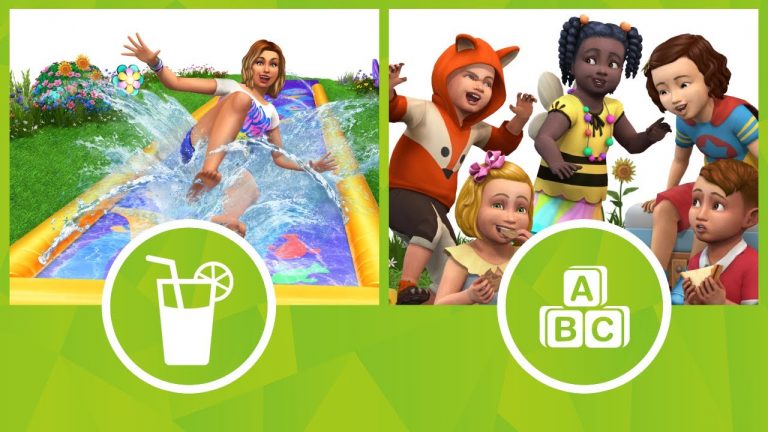
  • Adorable toddler outfits – Your Sims’ little ones will be ready to play in style with stripes, prints, overalls, butterfly-winged tees, and rainbow moccasins!
  • Cute kid hairstyles – From cut and coifed to wild and unruly, choose a hairstyle to match toddlers’ personalities.
  • Playground slide and crawling tunnels – What kids won’t want to scoot down the slide or scamper through colorful tunnels?
  • Ball pit – Tiny Sims can hop into fun with this classic party hit.
  • Decorative lights – Set the scene for a night under the stars.
  • Play space decorations – Create an awesome area for kids with bright rugs, pillows, and toys.

Spring into Party Mode: The Sims 4 Console Blog Post

Kick back with a glass of lemonade (or some nectar) and get in the spirit of spring when you invite your Sims’ friends, families, and neighbors to the ultimate party! Did we miss any must-haves for a sweet Sims get-together? Let us know on the Forums and follow us on Twitter and Instagram, like us on Facebook, and subscribe to our YouTube channel.

The Sims 4 Console: Backyard Stuff & Toddler Stuff Packs Out Now

The Sims 4 Backyard Stuff and Toddler Stuff Packs for Xbox One and PlayStation 4 players are starting to appear for download!

Please note release times will vary depending on your timezone


The Sims 4: HollieBB’s Double Duty Build Challenge

build challenge, holliebb double duty build challenge, sims 4 build challengeHello Sim lovers!

Creating build challenges is one of my all-time favourite things to do! I’ve got a new Sims 4 Build Challenge ready to go and would love to share it with you guys here on Sims Community!

build challenge, holliebb double duty build challenge, sims 4 build challenge

Rules

The rules are pretty simple:

  1. Place the build shell (find it under #doubledutybuild) on a 30 x 40 lot. Use any world!
  2. Randomly select a theme for side one (from the list of themes).
  3. Randomly select a theme for side two.
  4. All DLC is allowed! No money restrictions! Use any lot type to fit with your build! Custom content is not allowed (sorry CC fiends!)
  5. Upload to the gallery using the hashtag #doubledutybuild. Also you can stream your process and/or create a speed build or a walk through and upload it to twitch. This isn’t a must for the challenge, so if you aren’t a content creator on twitch, no worries!

This challenge will be featured as an event on twitch, so you can join me and a few of my friends as they create their builds on Twitch’s front page!

Simarchy – Building on the frontpage 5pm EST / 2pm PST on Monday, May 21st: twitch.tv/simarchy

HollieBB – Building on the frontpage 1pm EST/ 10am PST on Tuesday, May 22nd: twitch.tv/holliebb

OxyOfficial – Building on the frontpage 4pm EST / 1pm PST Wednesday, May 23rd: twitch.tv/oxyofficial

lilsimsie – Building on the frontpage 4pm EST / 1pm PST on Thursday, May 24th:  twitch.tv/lilsimsie

I’ll check out each build live on my twitch channel on June 5th! You can feel free to submit your builds after that as well!

Happy Simming!

The Sims 4 Console: New Update + Patch Notes! (May 17th, 2018)

The Sims 4 Console: New Update + Patch Notes! (May 17th, 2018)

The Sims Team has released a brand new Update for The Sims 4 for Console devices – Xbox One and PS4!

Patch Notes

Sul Sul,

As we approach the half way point of 2018, we bring you an update which addresses some of the feedback and reports we have been getting. We didn’t stop there either, we spent some time Spring cleaning to help get things in order.

What’s New?

When you are picking where you want to travel to and live, navigating the neighborhood could be a little fiddly on the Manage World screen. We have added the ability to switch to the virtual cursor on the Manage World screen which means you can pick where you want to go or live with extra precision.

Since the last time we spoke, we also spent more time looking for those pesky invisible UI elements which you can find yourself in and have stopped them playing mind games with you. A usable UI should be a visible UI.

General Issues

  • Sims like to hoard things in their inventory, some might say that they have stacks of belongings. Those stacks could be better used by being sold off to earn some extra money. While you could do this one at a time, that meant it took longer to get paid. Now, stacks of items can be sold from the inventory just as easily as it’d be to sell a single item.
  • Sometimes the Main Menu would suggest you didn’t have Grim’s Ghoulish Guitar when you had linked your account. We told Grim he couldn’t have his guitar back and that it belonged to you now. The Main Menu should now correctly reflect whether you linked your accounts and whether you have the Grim’s Ghoulish Guitar.
  • While we are talking about it, the way you claim Grim’s Ghoulish Guitar no longer tells you to sign up for a newsletter, instead you simply link to your EA Account and the guitar will be all yours.
  • Parties are better when you have a group of friends. Now, when your friends come over, you can complete some group party objectives.
  • Opening the Options Menu while the Pie Menu is open won’t cause you to become stuck on the Pie Menu. Although there are worse things to be stuck with than pie. Mmmm… pie!
  • When your Sims age up, you’ll no longer get stuck in the Sims info panel if you happen to select traits in the Aged Up! panel.
  • How many beds does your Lot have? H! Doesn’t make sense, right? Now we only allow numbers to be entered when adding details to your lot info panel for number of beds and baths you have.
  • Changing the category of a styled outfit will no longer make your Sim wear the first outfit. Instead you can style them to whatever outfit looks the best.
  • Getting access to new packs is something to celebrate. That celebration should be brief and not something that continues into CAS. Celebrations are short and to the point to keep that hype buzz feeling going.
  • Using the eyedropper while building caused performance issues, this has been improved. So, go crazy copying those patterns and decorating all your rooms with the same wallpaper. Unless you have style then don’t decorate like that… Please!

Get to Work

  • Sometimes your Sim looks so good that they feel the urge to take a selfie. Now they can snap away without you needing to worry about temporarily losing control. Although if your Sim looks directly at the flash, we can’t guarantee they won’t see floating lights for a while.
  • Mirrors should be for checking out that your tie is straight or to find out why everyone keeps staring at you, what they shouldn’t do is flash blue. Now they won’t, leaving your Sims to admire themselves for as long as they like.
  • Making your employees look good needs them to have a professional looking uniform and that decision can be tough. What isn’t tough anymore is that the controls for the sort dropdown won’t go off screen now.
  • Aliens might have the technology to fly across the vastness of space but what they weren’t meant to have is the ability to prevent you changing their appearance, so we took that ability off them and now you control what your Alien Sims look like.

Vampires

  • Vampires appreciate being listened to, so we made sure you can now scroll through the full welcome text with Vampires.
  • When you have the Dark Form of a female Vampire in CAS, you probably don’t want to annoy her by selecting the personality panel and causing issues. We didn’t want to get on her dark side so now the personality panel will no longer cause problems.

Dine Out

  • When you take pictures of your delicious food, you intend everyone you show your picture to, to be amazed by the fact you took the time to take the picture of your food going cold. What you don’t expect is for people to mock and comment on the fact your picture is under exposed. Now, prints of Food Eaten will show in full color quality, nicely exposed and with a perfect composition.

City Living

  • Everyone likes to Dream Big in the city. What they don’t necessarily like is having actions interrupted by those dreams, so we told the Sims to Dream Big on their own time or at least not let it interrupt what you want them to do.
  • While the San Myshuno’s “Stargazer” Lounge is very glitzy, it shouldn’t cause your Manage World view to flash so we asked Stargazer to tone back the pizazz.
  • Living in a city can feel crowded at times, which isn’t helped when the Lot highlight for 21 Chic Street Apartments and Culpepper Apartments adds to the confusion of where you live. The correct Lots are highlighted now making it easier to know where you are going.

Xbox One only

  • We continued to go through all the dig sites we could to find out where the Sims were hiding those hard-earned Achievements that didn’t unlock fully.
    • To complete the unlock process simply load the Save Game you earned your Achievement(s) in and everything you earned will unlock.
    • You may need to load multiple Save Games if you earned Achievements across different saves.

We continued to take updates from the PC and Mac version of The Sims 4, which may not be covered in these notes, and brought them across to console.

Now while we roll up our sleeves, use a large amount of elbow grease and continue with the spit and polish, you should go and enjoy yourselves.

-SimGuruLegacy

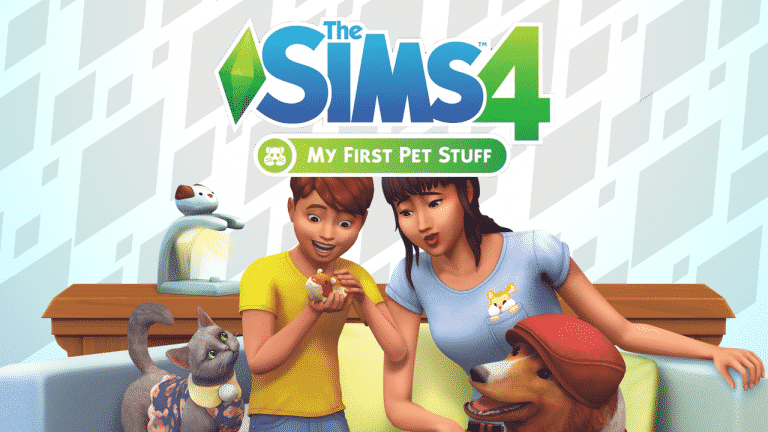
The Sims 4 My First Pet Stuff “Sold Well” Despite Community Sentiment

SimGuruGrant, a producer on The Sims 4 has confirmed that The Sims 4 My First Pet Stuff Pack “sold well” despite the community feedback about this controversial Stuff Pack.

Grant confirmed that The Sims Team wanted to experiment with the whole concept of “Stuff Pack for Expansion Pack” and that they stand behind the fact that The Sims 4 Cats & Dogs Expansion Pack is fully done, despite the fact that some of the objects from My First Pet Stuff look similar to the style of objects in Cats & Dogs.

The Sims Mobile: Bubble Blower Event Preview

0

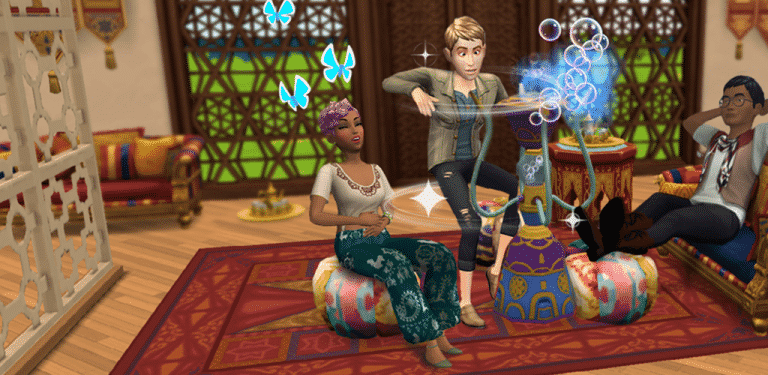
The Sims Mobile Team has just announced that they’ll be releasing a brand new Bubble Blower Event tomorrow, May 17th at 10AM PST!

They’ve also released this screenshot showcasing some of the new items in this event:

The Sims Mobile: Bubble Blower Event Preview

SimGuruKate is the new Community Manager for The Sims

1

SimGuruKate has just made an announcement that she’s the new Global Community Manager for The Sims! Check out her forum post below:

SimGuruKate is the new Community Manager for The Sims

Sul Sul!

My name is SimGuruKate and you may have seen me around the world of The Sims Mobile a bit over the last year. I know it’s been a bit quiet here since SimGuruDrake left. Well, today I am beyond thrilled to share that I have officially joined the team as the new Global Community Manager for The Sims 4. I have been an avid Simmer for the last 18 years, and have met some of my oldest friends through this incredible and passionate Community. I have also been working in the video game industry as a Community Manager for the last 12 years. That means that this job is an absolute dream come true for me as it combines two of my greatest passions.

I am so looking forward to working together with the Development Team to bring a deeper level of communication and excitement to The Sims 4. We have some amazing things coming this year and I cant wait for you to experience it all. The The Sims 4 is far from over, there are still so many more stories to tell.

You can still expect to see me around the world of The Sims Mobile though you may see a new face popup there in the coming weeks, so keep an eye out.

I am so excited for this next adventure and getting to know the community of The Sims 4 even better. It’s going to be a GREAT year!

-SimGuruKate

The Sims 4 Console: New Update Arriving Soon

SimGuruLegacy has just confirmed on Twitter that Sony and Microsoft have just approved a brand new update for The Sims 4 on PS4 and Xbox One.

Considering that there’s 4 Packs planned for release over the next few weeks, this update could extensively upgrade and prepare the game for a new wave of pack releases.

The Sims 4 Console: Upcoming 4 Packs and their Release Dates

Just a few days after reporting that 4 The Sims 4 Packs have been registered on ESRB for Xbox One and PS4 they have been removed from the ESRB list.

Today Wog has listed some of these packs excluding the Cats & Dogs Expansion Pack which was featured in the ESRB list. The release dates mentioned also check out considering that they’re not just generic dates aiming at the 15th of every which were leaked previously. This Wog listing mentions release dates that all aim on Tuesday which is when The Sims Team has always released Packs for The Sims 4 Console.

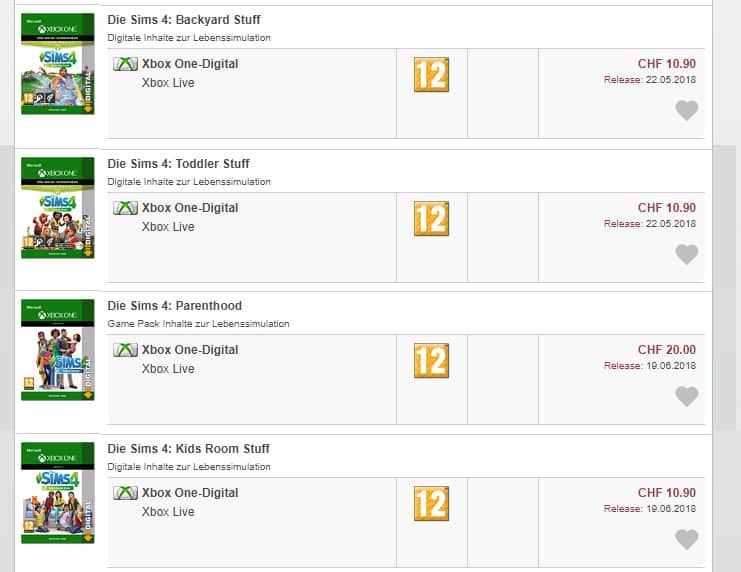
What’s interesting is the fact that we’re going to get 2 Pack releases for May and 2 Pack releases for June. Check out the dates below:

  • The Sims 4 Backyard Stuff – May 22nd
  • The Sims 4 Toddler Stuff – May 22nd
  • The Sims 4 Parenthood Game Pack – June 19th
  • The Sims 4 Kids Room Stuff – June 19th

The Sims 4 Console: Upcoming 4 Packs and their Release Dates

This leak is also confirmed by Amazon.de, which shows Toddler Stuff and Backyard Stuff as the next packs for The Sims 4 Console with the correct release date.

The Sims 4 Console: Upcoming 4 Packs and their Release Dates

The Sims 4: New Olympus Concept

0

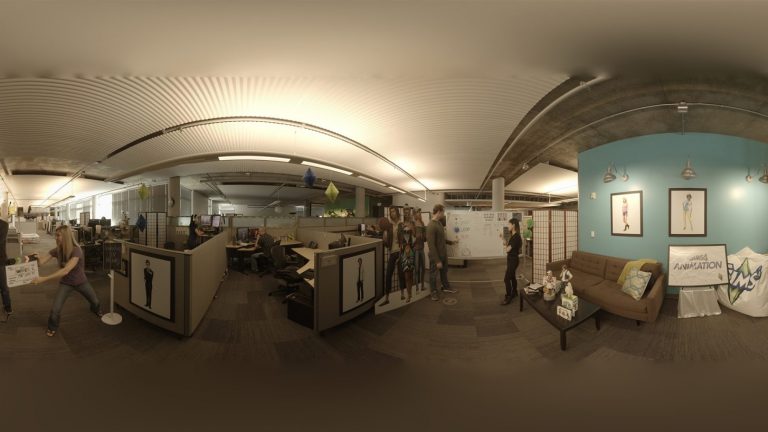
The Sims Team’s latest collaboration with Google Expedition allows you to explore The Sims Studio and see behind-the-scenes of what it takes to create a Sims game.

In the “Designing for The Sims” category of Google Expedition there’s a small segment about prototyping The Sims 4:

Turning ideas into a playable game is a big leap, and a stepping stone in the middle – a prototype – can prove invaluable. This early prototype allowed for the evaluation of a social system under consideration without requiring other game systems to be functional.


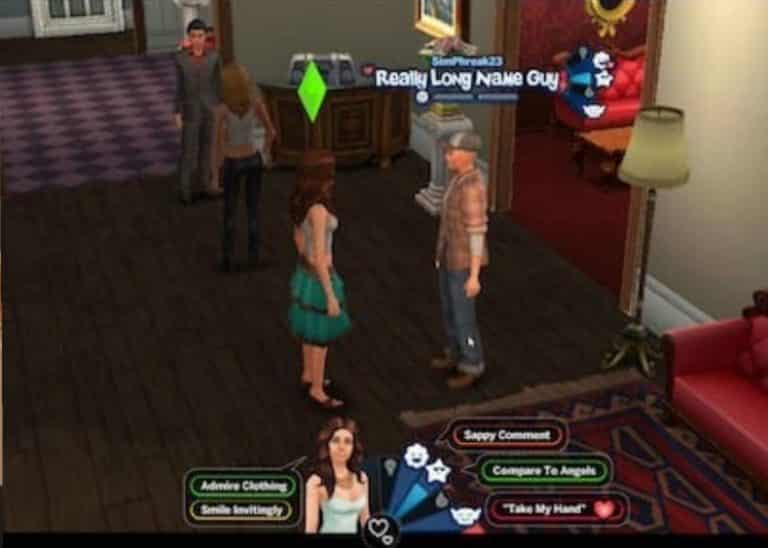
In case you don’t know, “Olympus” was a code name for a Sims 4 prototype built around 2010. The main features for Olympus revolved around a social, multiplayer experience with other players and their Sims.

There’s also a photo of The Sims 4 Olympus provided in Google Expedition in a somewhat low quality:

The Sims 4: New Olympus Concept

Win an Ultimate Copy of The Sims 4! (Anniversary Giveaway)

We’re having a HUGE giveaway on Sims Community Social to celebrate our 5th anniversary. The first thing that we’re giving away is a code for The Sims 4 Ultimate which contains The Sims 4 Base Game + ALL Expansion Packs, Game Packs and Stuff Packs.

This code is specially crafted by Electronic Arts for our anniversary giveaway and cannot be found or purchased anywhere else. It contains all the packs released to this date, including My First Pet Stuff Pack which is the last pack released for The Sims 4.

This giveaway ends on May 27th at 8PM CET / 12 PT! There are going to be plenty of more anniversary giveaways so stick around!

Click below to enter the giveaway on Sims Community Social!

Win an Ultimate Copy of The Sims 4! (Anniversary Giveaway)

The Sims Blog: Take A VR Tour of The Sims Studio with Google Expedition

0

Via TheSims.com!

Hey, Simmers!

We’re excited to announce that The Sims™ 4 is teaming up with Google Expeditions! In Explore the Maxis Studio: How The Sims Are Made, you’ll uncover the ingredients that make up the secret sauce behind The Sims.

Google Expeditions is a virtual reality teaching tool that lets educators, students, and adventurers lead or join immersive virtual trips all over the world. In this journey through Maxis Studio, you’ll see and understand how the Maxis team brings The Sims 4 to life, from inception to launch, and beyond!

To give you a sneak peek at this exciting VR experience, we asked Stephanie Callegari, a producer at Maxis, to provide a behind-the-scenes look at how Google captured life with The Sims.

Hi, Stephanie! Tell us a little about what you do for The Sims.
I am the lead producer for The Sims 4 Expansion Pack team. I love games and really enjoy creating a game that is so versatile for storytellers, builders, and character creators. At The Sims, I work with designers to kick off our overall vision for the next project. Once we have designs, we collaborate with artists, engineers, and all disciplines to bring the design vision to life. During execution, producers on The Sims make sure the game is fun, and maintains the gameplay and features our players desire.

The Sims Blog: Take A VR Tour of The Sims Studio with Google Expedition

How did you start your career in video games? What advice would you give someone trying to break into the industry?
I realized in college that what I thought I wanted to do was boring. So every summer, I took an internship to try to figure out what I liked. It was the best advice my big sister gave me! I interned at Sony Pictures Entertainment in creative marketing. I enjoyed it, but really loved the post-production side. Following, I interned at DreamWorks as a production intern and just fell in love with production. Once I finished school and worked a bit, I took a risk and went for an Assistant Producer position here at EA, and I’ve been producing ever since. My advice is if you are a student, get an internship and get some hands-on experience. If you are fresh out of college, work hard, apply, and take a risk if it’s something you think you’ll love.

What is Google Expeditions, and how does it work for The Sims?
Google Expeditions is a virtual app to help teachers bring lessons to life. The Sims 4 expedition will be a series of panorama images and lessons we’ve created for students and viewers. Using Google Cardboard, viewers will walk through different facets of what game development is like on The Sims 4. I love this project because we get the chance to reach a different audience. I think there can be misconceptions of what making a game really is like, and instead of just explaining to students and viewers “how to make a game,” we get to show them.

The Sims Blog: Take A VR Tour of The Sims Studio with Google Expedition

Who will I meet on my Expedition?
In The Sims 4 Expedition, the tour will kick off with Laura Miele, our Chief Studio Officer, and Lyndsay Pearson, The Sims 4 Executive Producer, to briefly introduce Electronic Arts and The Sims. The tour will also introduce you to our designers, artists, animators, audio engineers, gameplay engineers, marketers, and our entire team.

How can I try Google Expeditions through my school, or how can I experience The Sims on Google Expeditions?
Google Expeditions is available to anyone to download and install. Expeditions can be group experiences with a guide leading and explorers following along, which are especially useful to educators for taking students on virtual educational journeys. However, you can also go on an expedition by yourself.

Getting started is simple! To use Google Expeditions, educators or individuals need to buy an Expeditions kit or build their own. Having a tablet for the group is recommended, and each participant needs a mobile device. For more information, visit https://edu.google.com/expeditions.

The Sims Blog: Take A VR Tour of The Sims Studio with Google Expedition

We hope this Expedition helps you explore and learn about career opportunities in the games industry. Visit Google Expeditions to get started, and we’ll see you soon, Simmers!