Home Blog Page 329

Diary of a Sims 4 Build Contest : Part 4- The Entries

Hi, I’m Jason Sterling and recently I did an article outlining some of my favorite build contests on the Sims Forum. I decided to join the Build-n-Share (BnS) #85 contest for the Sims 4 ending on January 10th 2018 and chronicle my build for it here. As always, I hope you’re inspired by what you see and read but even more so I hope you’ll be encouraged to join up with a contest yourself in the future. The first three articles in this series followed my build but there are numerous excellent builders in these challenges. You can see the work they submitted as entries in all three skill levels in this final article in this series below.

I have never participated in a build contest or challenge that didn’t leave me impressed by the wealth of creative talent in the Sims gaming community. The pictures below showcase some of my favorite shots of these builds. I’m sure you’ll have your own. I’d recommend downloading each of them. You’ll find something in them all that will inspired your own building. Remember, each of us started with the same blank shell and blank lot and then applied our own interpretation to it. The results are amazing.

The link to the contest itself on the Sims Forum- The BnS#85 contest starts three posts down the page linked here: Build-n-Share # 85 Sims 4 Contest

The Entries:

  1. Swamp House by Lady Alexiel: Gallery Link Builder Pictures: Imgur Diary of a Sims 4 Build Contest : Part 4- The Entries
  2. The Hampton by MeaganJo: Gallery Link  Builder Pictures: Imgur Diary of a Sims 4 Build Contest : Part 4- The Entries
  3. Twin Oracle Life by Kananmeja: Gallery Link  Builder Pictures: Imgur Diary of a Sims 4 Build Contest : Part 4- The Entries
  4. Hipster House by Glen1974: Gallery Link  Builder Pictures: Imgur Diary of a Sims 4 Build Contest : Part 4- The Entries
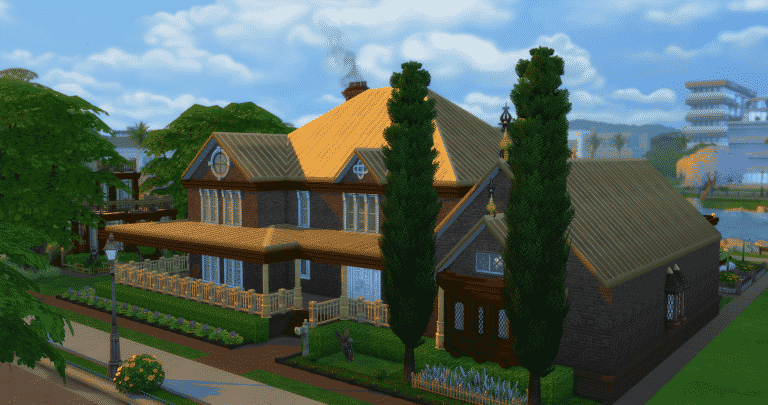
  5. Brown Stone by GamingGrandi: Gallery Link  Builder Pictures: Imgur Diary of a Sims 4 Build Contest : Part 4- The Entries
  6. Granny’s by Lin-zlulubell: Gallery Link  Builder Pictures: Imgur Diary of a Sims 4 Build Contest : Part 4- The Entries
  7. Emerdale Estate by FidgetyAtom: Gallery Link  Builder Pictures: Blogspot Diary of a Sims 4 Build Contest : Part 4- The Entries
  8. House Solveig by Kilra0: Gallery Link  Builder Pictures:Album Diary of a Sims 4 Build Contest : Part 4- The Entries
  9. Newcrest Estate by BMJ97: Gallery Link  Builder Pictures: Imgur Diary of a Sims 4 Build Contest : Part 4- The Entries
  10. Botany Squared by Pallystyle: Gallery Link  Builder Pictures: Imgur Diary of a Sims 4 Build Contest : Part 4- The Entries
  11. Countryside Family Home by Xraygrl2004: Gallery Link  Builder Pictures: Imgur Diary of a Sims 4 Build Contest : Part 4- The Entries
  12. The Flowerpot by Stangmix2: Gallery Link  Builder Pictures: Imgur Diary of a Sims 4 Build Contest : Part 4- The Entries
  13. Holly Haven by Ninnster:  Gallery Link  Builder Pictures: Imgur Diary of a Sims 4 Build Contest : Part 4- The Entries
  14. And lastly my own entry The Cassidine Estate: Gallery Link  Builder Pictures: Facebook Gallery Diary of a Sims 4 Build Contest : Part 4- The Entries

Thanks for reading! I hope you enjoyed this article. Please use it and your imagination for inspiration in your builds. As well, consider joining a build contest in the future on the Sims Forum. You’ll find the simmers there some of the most positive of any gaming community on the internet- both helpful and creative. Until next time, you can see me on Twitch Channel: https://www.twitch.tv/jasonanthonysterling and Follow along on Twitter: @JasonSterling70

The Sims 4 Laundry Day: Game Description, Features, Random Code and a Thank You Letter

1

The Sims Team has left plenty of game code for The Sims 4 Laundry Day Stuff Pack in their latest game update. This includes an official description, features, some game tips and random game code that they’ve left, interesting fact(s) found in the code as well as a thank you letter from the team at Maxis.

Description + Features

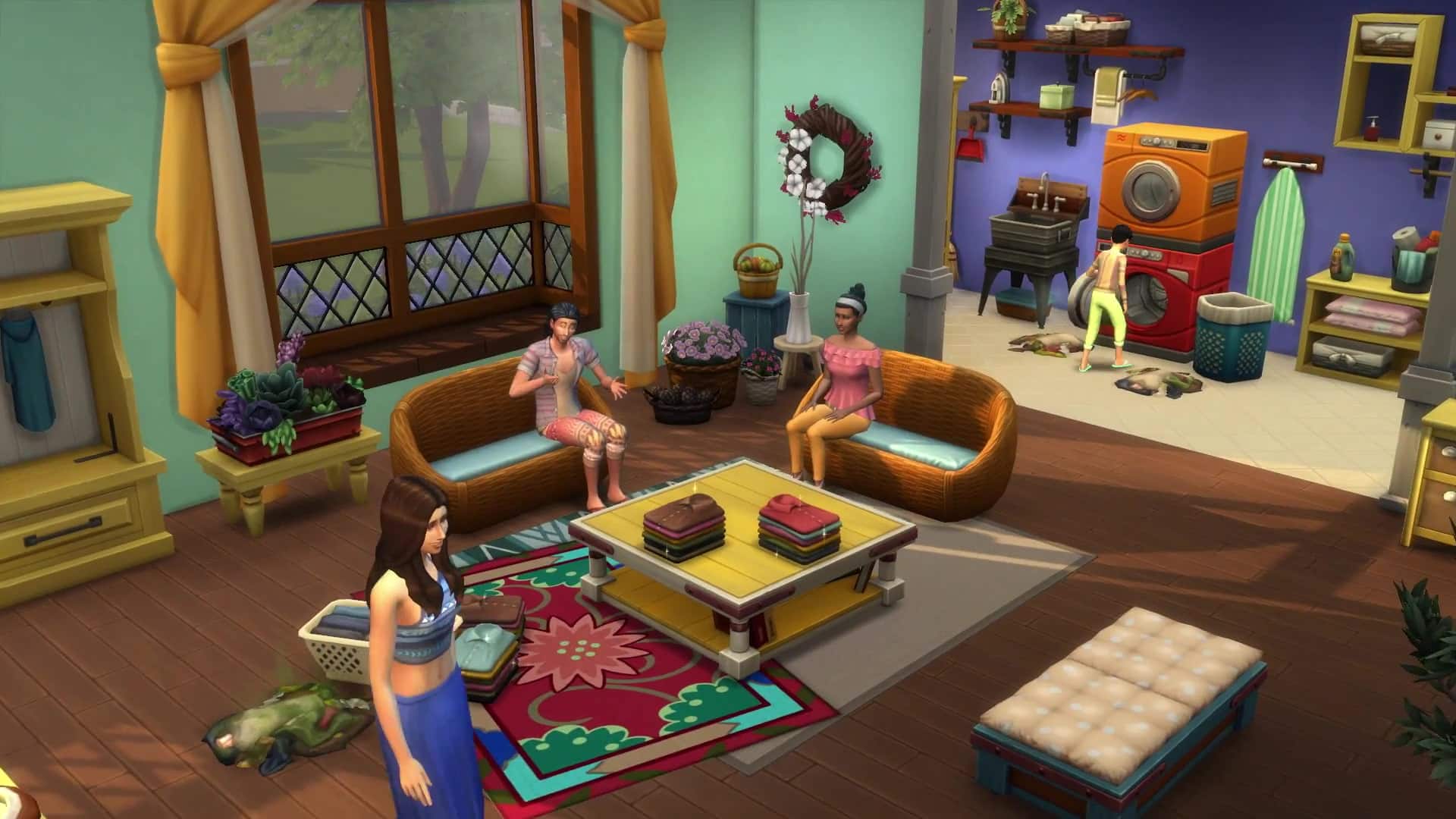
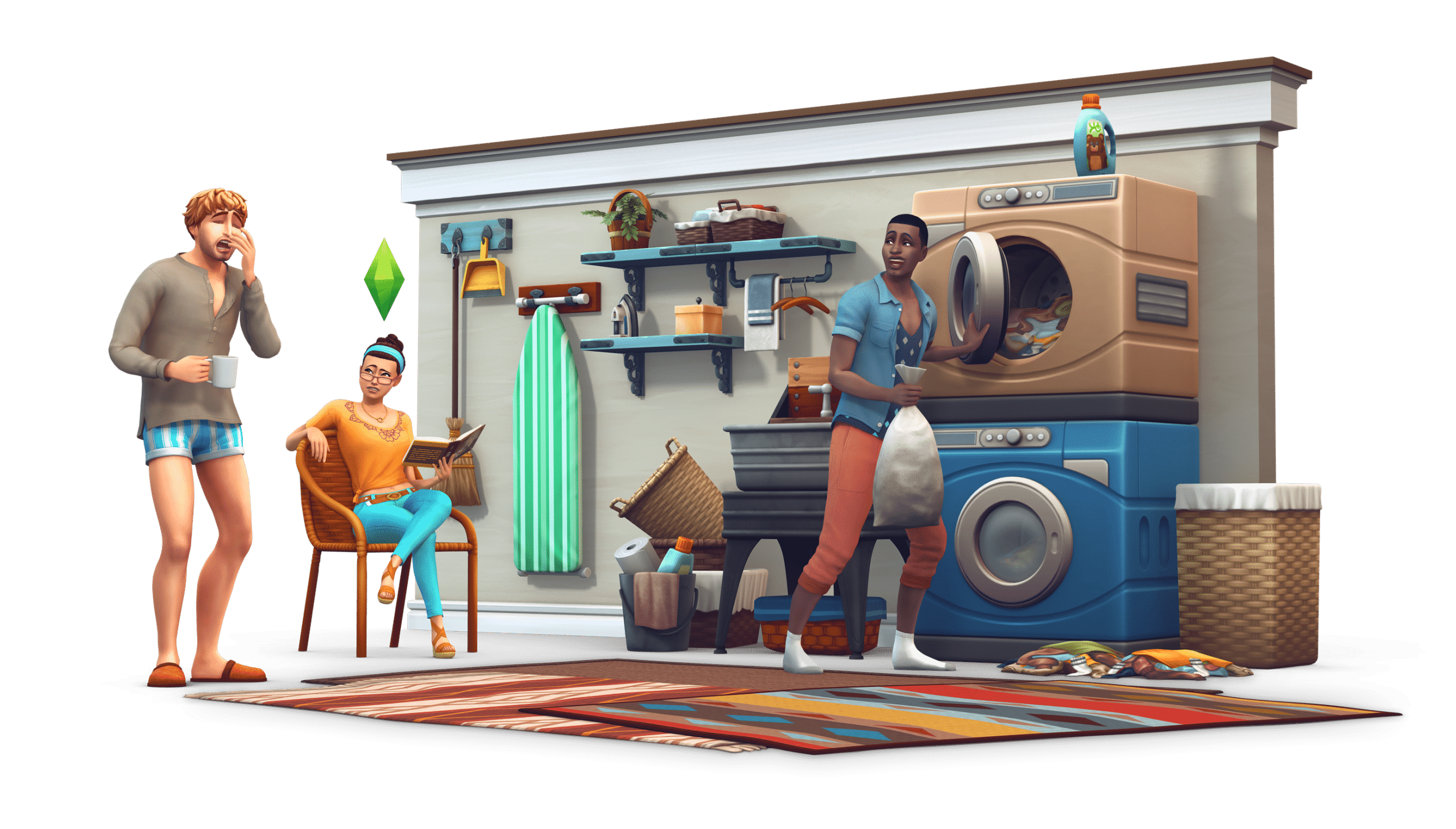
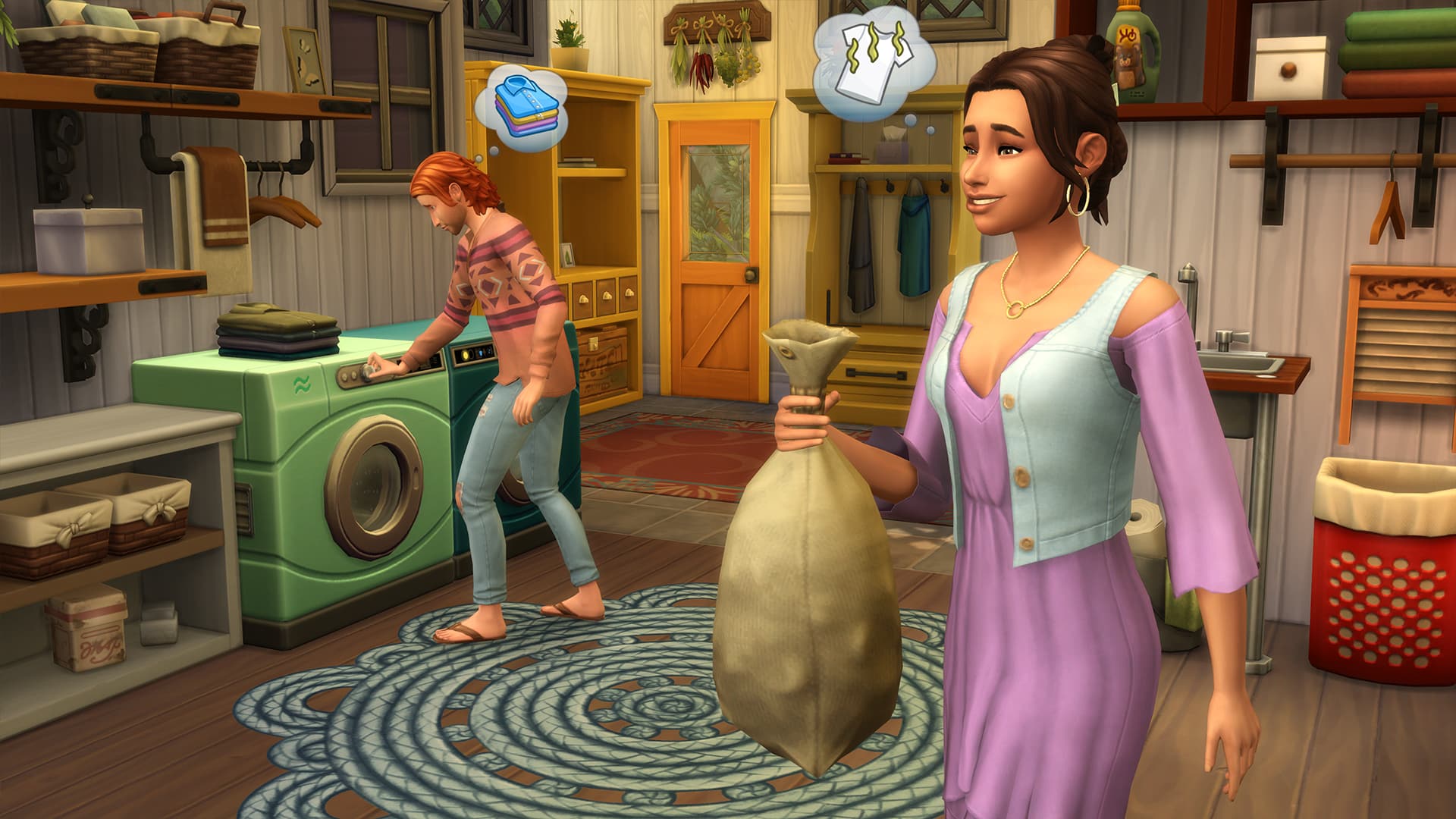
Surround your Sims in clean clothes while living a rustic lifestyle with The Sims™ 4 Laundry Day Stuff. Your Sims’ can now clean their clothes, from gathering laundry to washing and drying, giving their outfits a spotless look. Embrace the rustic life with new country-themed décor and clothing for your household.

Dress in Country Style: Outfit your Sims in country-themed attire from floral patterns to everyday denim. Styles include free-flowing tops and bottoms made from natural cotton fibers. Try hassle-free hairstyles that complement your Sims’ comfortable new looks.

Build a Rustic Home: Transform your Sims’ home with country-inspired décor that best suits your Sims’ lifestyle. Discover new ways to decorate household rooms with wooden tables and wicker furniture. Add decorative items to rooms from colorful rugs and lively succulents!

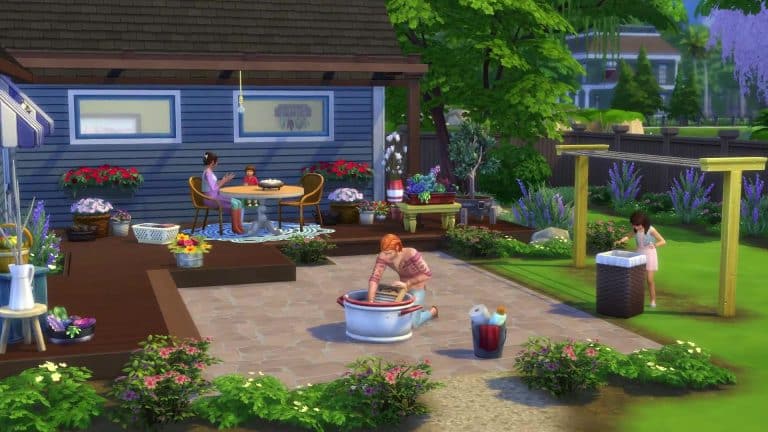
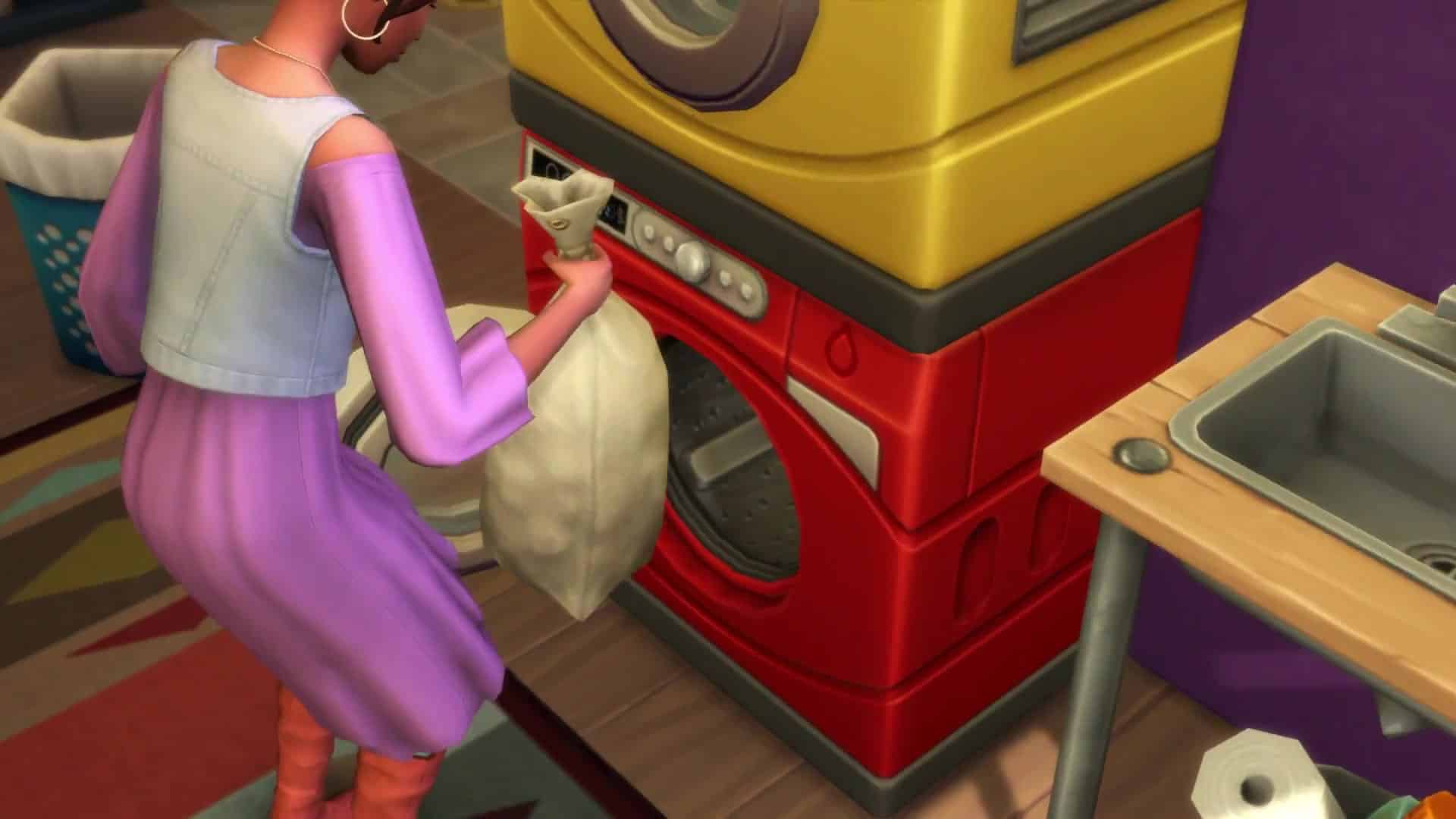
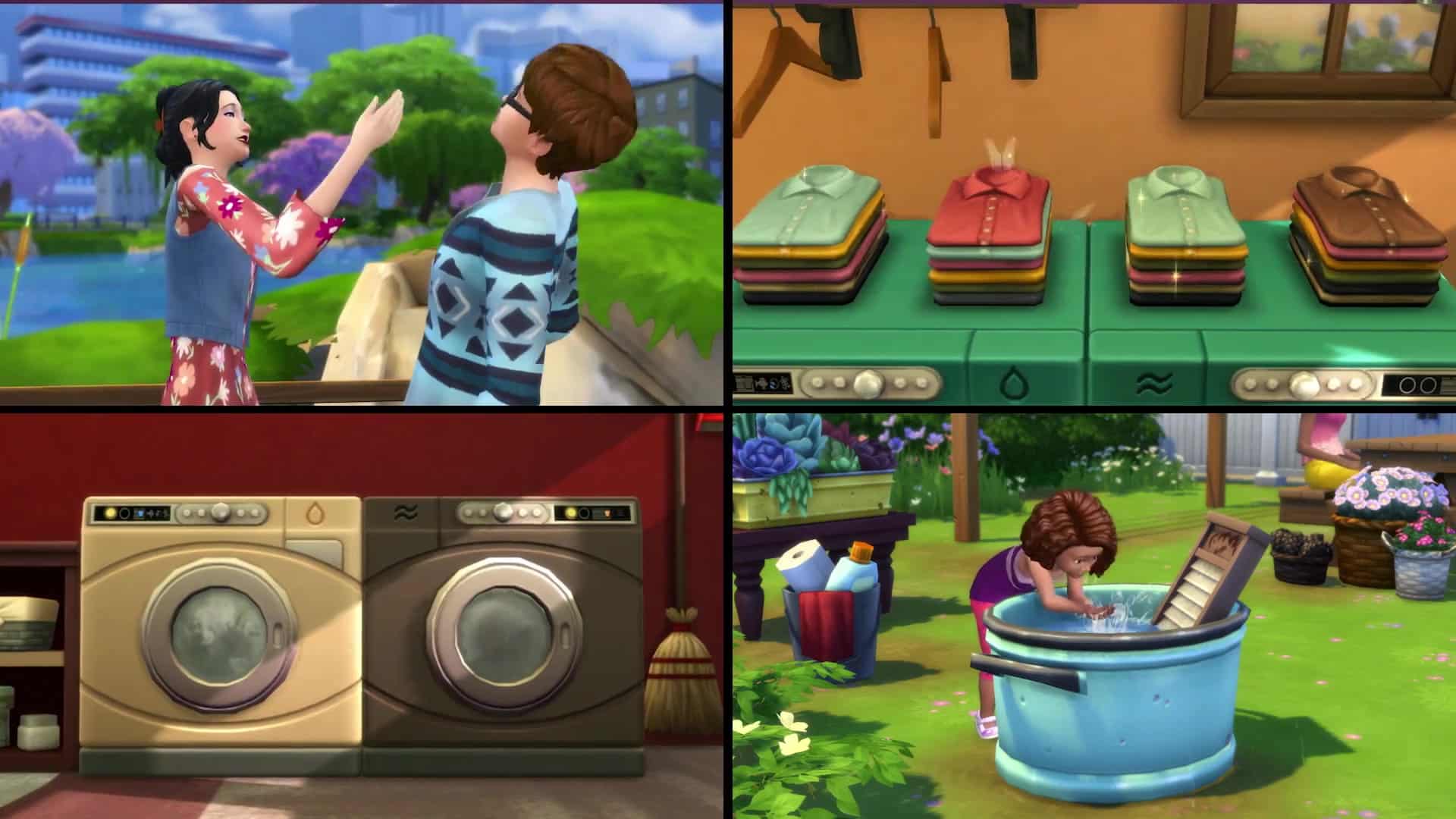
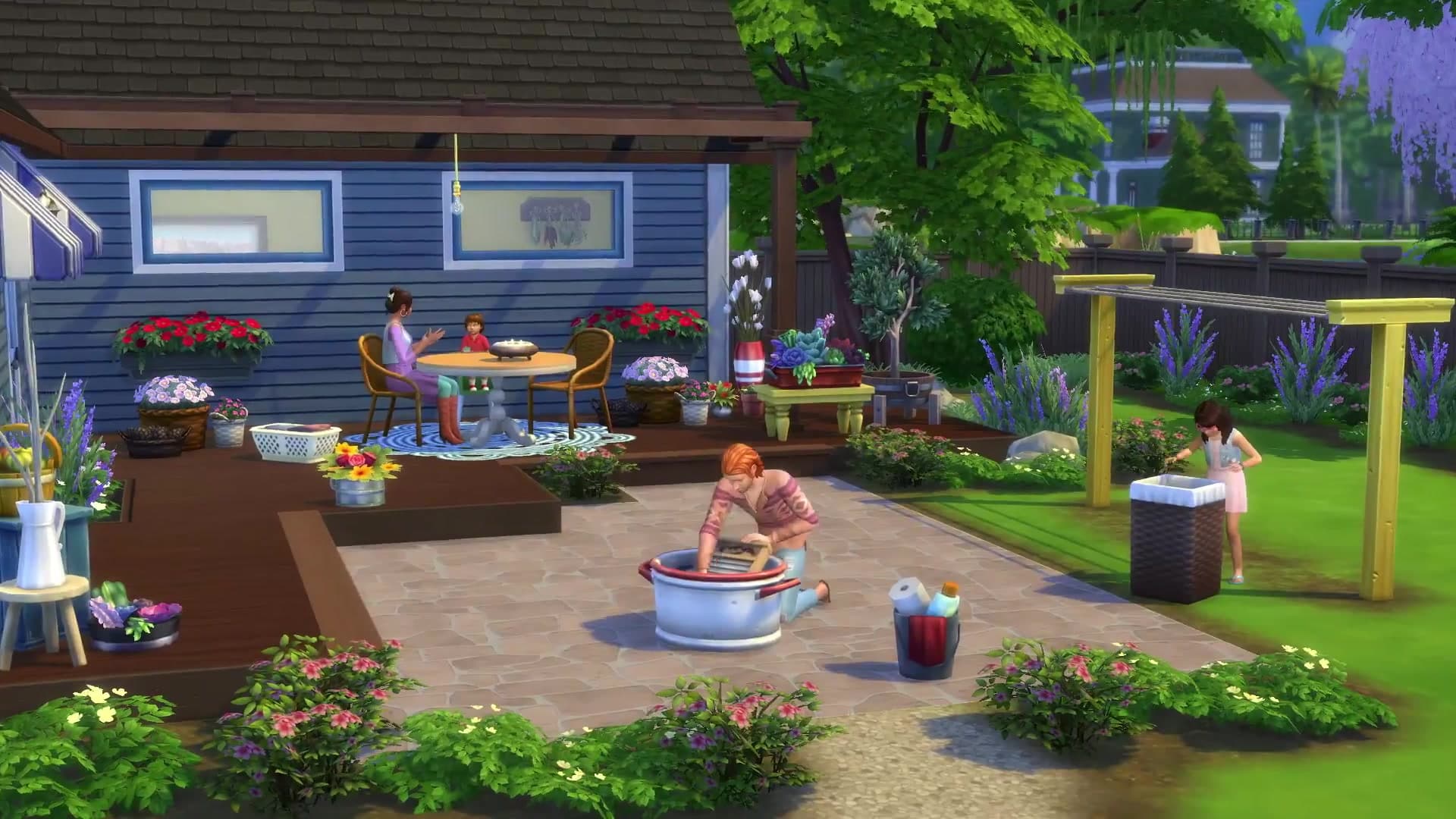
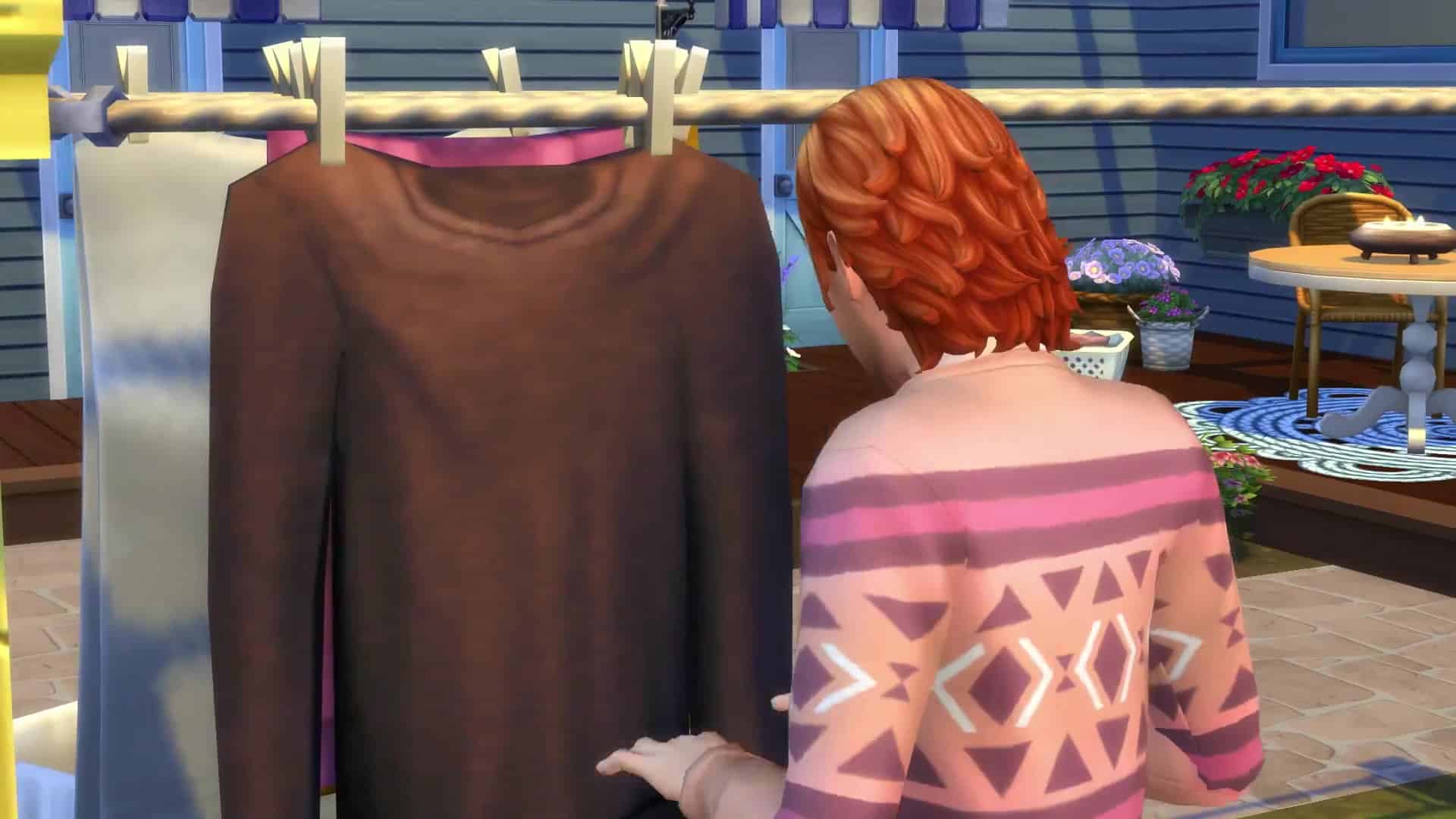
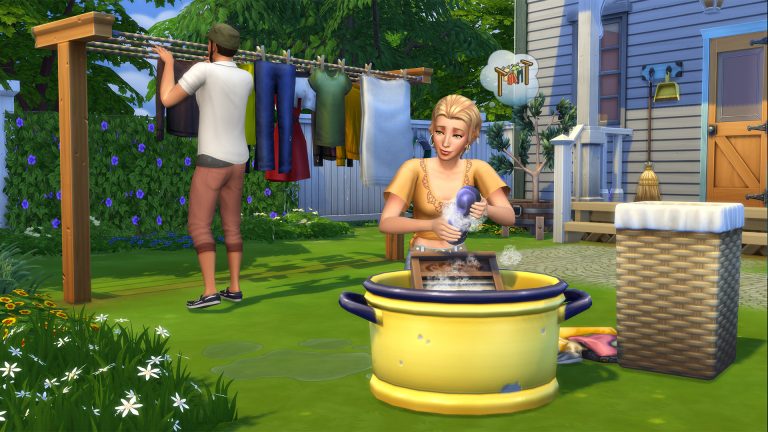
Wash Your Wardrobe: Gather your Sims’ laundry, load the washing machine, and then toss them in the dryer for a pristine look. Your Sims can also hand wash their clothes in a washtub, then line dry for a spotless outfit that other Sims will surely notice!

Game Tips + Random Code

  • Looking for an eco-friendly laundry alternative? Try using the Wash Tub and Clothesline.
  • Try adding laundry additives to your Washing Machine for some extra fragrance… or funk.
  • Piles of used clothing will start to stink. Place them in a Hamper to keep your home fresher longer.
  • Dryer lint traps are infamous at starting fires. Remember to clean yours before it becomes a problem.
  • Who knew {0.SimFirstName}’s friend could be so sensitive? He starts shouting insults back, airing a bit of {0.SimFirstName}’s dirty laundry. A few couples leave before the bouncer escorts the friend to the door.
  • It’s laundry day yet again. {0.SimFirstName} enters the laundry room to get started on this droll task only to discover a strange Sim laying among the dirty laundry. {0.SimFirstName} calls out for security, but the Sim gets up and dashes out the door with one of the star player’s t-shirts. Should {0.SimFirstName} chase after them or let security handle it?
  • {0.SimFirstName} stands still and watches as security goes after the thief. I mean, that’s their job after all. It’s back to doing the laundry for {0.SimFirstName}…

Interesting Fact(s)

  • Cats & Dogs can observe the washer & dryer

Thank You Credit

From those of us at Maxis, a heartfelt thank you to all of the Sims players who participated in the creation of this Stuff Pack. This cooperative partnership was inspired by your feedback, and The Sims™ 4 Laundry Day Stuff came to fruition because of players like you. We hope you enjoy playing it as much as we enjoyed sharing the development process with you.

The Sims 4: New Update + Patch Notes! (January 11th, 2018)

The Sims 4: New Update + Patch Notes! (January 11th, 2018)

The Sims Team has released a brand new Update for The Sims 4!

To download the latest version of The Sims 4, simply open your Origin program and if the game doesn’t update automatically, right click on The Sims 4 and select ”Update”.

In case you have Mods or Custom Content, the game will automatically disable them for you after first launching The Sims 4 after the update. To re-enable all your Mods and Custom Content, select the Settings option in the Menu and select Settings. Under the”Other” section you’ll find the ”Enable Custom Content and Mods” option. Check it and restart your game in order for it to take effect!

Patch Notes

VERSION PC 1.38.47.1020 / Mac 1.38.47.1220

Hey Simmers,

Happy New Year!

I always feel a little wrung out after a long holiday break. Like I was just hanging around, tossed on the pile of things left undone, and I need a vacation from my vacation, just to freshen up, clean the lint from my eyes. Maybe put a little spin in my step, to help keep me from tumbling about. But let’s not sort through these feelings now. Just fold those up for another time. We have a new pack around the corner, and among the things on our laundry list…

…we cleaned up some stuff!

General Issues

  • The Computer Hard Drive career reward will now give a focused décor buff when enabling its emotional aura.
  • The Pile of Discarded Food that results when a toddler throws their food on the ground after eating will no longer be called “Debug”, but instead will be called a “Pile of Discarded Food” when selected in Build Mode.
  • The Tell Funny Story to Toddler whim is now successfully fulfillable.
    • They get it now.
  • You will now be given enough time to take care of your neglected baby after the warning “you neglected your baby” notification appears.
  • Earbuds and Holiday Crackers are no longer available to purchase from a computer while the power is out.
  • We fixed the coloring of the yfHair_EF06PonytailStraightBangs_DirtyBlonde asset to match other dirty blonde hairs.

What do you call a solar powered clothes dryer? A clothesline.

Get to Work

  • Sims will no longer receive an uncomfortable buff from sleeping on The Solitary Sleeper bed.

Cool Kitchen Stuff

  • Picking Up a Serving from a bowl of ice cream should no longer cause the ice cream to appear and behave as the Amarena Gelato flavor, but instead as the flavor intended by the bowls contents.

Movie Hangout Stuff

  • Sims with the Fresh Chef trait can now make popcorn that will never spoil!
    • I’d fill my whole house with popcorn… never spoils popcorn everywhere… just everywhere. With that kind of real genius, I wouldn’t want to rule the world… no fears, no tears… just popcorn.

Romantic Garden Stuff

  • Sims can now nap on the Fountain of Gluteus Maximus.
    • I tend to nap on my gluteus maximus already.

What do you call a solar powered washer? If you said your mom, shame on you!

Backyard Stuff

  • Sims instructed to slide on a slippy slide should no longer quit unexpectedly after a single slide.

Vintage Glamour Stuff

  • Food prepared by butlers can now be live dragged into inventories.

Bowling Night Stuff

  • We have updated various build object tooltips to properly indicate their quality, comfort, and skill modification levels.

Fitness Stuff

  • Sims should no longer get in and out of bed continuously when they attempt to sleep while wearing the earbuds.
    • What’s that? Honey, did you hear that? Someone is outside singing… it sounds like In Your Eyes… no, probably not… let me get back to… I’ll just sleep… wait, was that Iggy?
  • Lullabies Radio, Easy Listening, and Jazz stations are available to turn on when using earbuds.

Best of luck in your attempts to keep things clean, in a world of ever growing piles of dirty laundry. May your socks always find a match, your laundry never be damp, because it’s less work to dry than it is to fold, and your lint catcher be ever vigilant.
-SimGuruGnome

9 Details from The Sims 4 Laundry Day Stuff Trailer that you might’ve missed

The Sims 4 Laundry Day Stuff Pack Trailer is really on point, putting a huge emphasis on…well…doing laundry. Beside the usual laundry & drying machine action that you’ve seen in the trailer, here are some other objects / interactions that you might’ve missed!

1) This literal spice rack with raw spices on it

9 Details from The Sims 4 Laundry Day Stuff Trailer that you might’ve missed

2) The ironing board on the left that sadly didn’t make the Gameplay Object cut

9 Details from The Sims 4 Laundry Day Stuff Trailer that you might’ve missed

3) This toddler interacting with the washtub

9 Details from The Sims 4 Laundry Day Stuff Trailer that you might’ve missed

4) A broken washing machine flooding the room

9 Details from The Sims 4 Laundry Day Stuff Trailer that you might’ve missed

5) The 2×2 coffee table from Parenthood Game Pack makes a refurbished return in Laundry Day!

9 Details from The Sims 4 Laundry Day Stuff Trailer that you might’ve missed

6) This huge table that can support up to 6 chairs!

9 Details from The Sims 4 Laundry Day Stuff Trailer that you might’ve missed

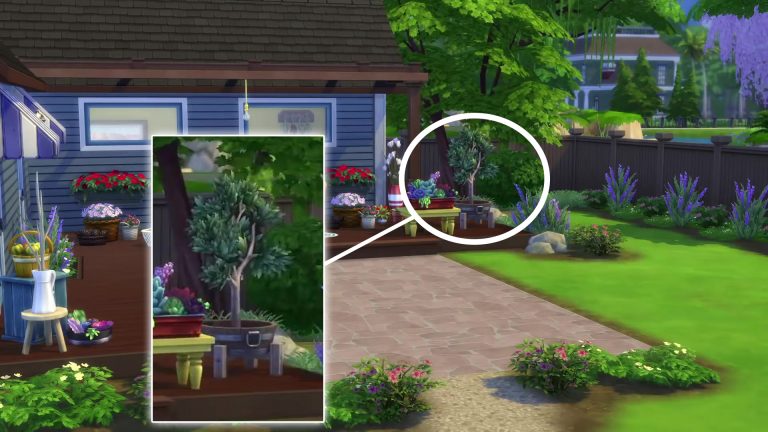
7) Also, this cute little tree planted in a rustic little pot.

9 Details from The Sims 4 Laundry Day Stuff Trailer that you might’ve missed

8) ALSO, this bare lighting bulb!

9 Details from The Sims 4 Laundry Day Stuff Trailer that you might’ve missed

9) And finally, this huge bay window with enough space to place your favorite clutter!

9 Details from The Sims 4 Laundry Day Stuff Trailer that you might’ve missed


What are some of the details / objects that caught your attention? Let us know in the comments!

The Sims 4 Laundry Day Stuff: Pack Announcement Video Overview

0

I take a look at all the new information released by The Sims Team for The Sims 4 Laundry Day Stuff Pack in the video above. Check it out!

The Sims 4 Laundry Day: Official Livestream announced for January 12th

0

The Sims Team has confirmed to us that they’ll be hosting an official Twitch Stream for The Sims 4 Laundry Day Stuff Pack on January 12th at 12:30PM PST / 9:30PM CET / 8:30PM BT.

We’ll be covering the stream right here on Sims Community. We’ll also provide written coverage about the pack, as well as a YouTube Livestream replay for those who miss the stream.

The Sims 4 Laundry Day: Official Livestream announced for January 12th

The Sims 4 Laundry Day Stuff: 61 Screens from the Trailer

1

We’ve extracted 61 screens from The Sims 4 Laundry Day Stuff Pack trailer so you can spot all the little details in it. Click an image of your choice down below to enlarge it!

The Sims 4 Laundry Day Stuff: Official Trailer

6

The Sims Team has released an official trailer for The Sims 4 Laundry Day Stuff Pack, which is releasing on January 16th, 2018. Check it out!

The Sims Blog: Clean Those Dirty Clothes with The Sims 4 Laundry Day Stuff!

0

Via TheSims.com!

Do your Sims long for that moment of taking out nice, warm clothing fresh from the dryer? Soon they can with The Sims™4 Laundry Day Stuff Pack*, launching January 16, 2018 worldwide on PC / Mac.

This pack was made in collaboration with our amazing community who, by participating in six surveys over the course of six months, helped determine what was included from the theme to gameplay, and even the name. It has been an awesome journey to include all of you in this product, and we couldn’t be happier with the final result.

The Sims Blog: Clean Those Dirty Clothes with The Sims 4 Laundry Day Stuff!

In The Sims 4 Laundry Day Stuff Pack, your Sims will enjoy new gameplay focused on the most relaxing of chores: laundry. Sims will install sparkling new washing and drying machines to their homes, so they’re always wearing the best and brightest clothes. For Sims who prefer being out in the fresh air, they can also use a washtub to scrub stains to their hearts’ content, then hang dry on the clothesline to peacefully admire their hard work.

Don’t like doing laundry? No problem! Transform your Sims’ home into a more rustic abode with country-inspired decor that will make your Sims feel like they’re one with nature. Home items include wood tables, wicker furniture, colorful rugs, floral-filled baskets, and more!

Is your Sim craving some new down-to-earth additions to their wardrobe? Well, they’re in luck with all-new, country-themed attire adorned with beautiful floral patterns, plus some laid-back denim. Enjoy hassle-free hairstyles to complement a more relaxed and comfortable look.

We look forward to seeing what you create with The Sims 4 Laundry Day Stuff Pack when it releases on January 16, 2018, worldwide. If you haven’t already, be sure to follow us on TwitterInstagram, and Twitch, Like us on Facebook, and Subscribe to our YouTube channel.


Diary of a Sims 4 Build Contest : Part 3- The Exteriors

Hi, I’m Jason Sterling and recently I did an article outlining some of my favorite build contests on the Sims Forum. I decided to join the Build-n-Share (BnS) #85 contest for the Sims 4 ending on January 10th 2018 and chronicle my build for it here. As always, I hope you’re inspired by what you see and read but even more so I hope you’ll be encouraged to join up with a contest yourself in the future. The first three articles will follow my build. The final article will showcase all the entries from the contest. This third article in the series is about the exteriors.

There is a brief tutorial during this article and you will need the following cheats to follow it:

Press CTRL/SHIFT/C while in build mode. Then enter the cheat in the command box that appears in the upper left corner. Press CTRL/SHIFT/C to close the command box.

  • bb.IgnoreGamePlayUnlocksEntitlement (IGUE) Unlocks all items tied to in game advancement from the start
  • bb.ShowHiddenObjects (SHO) Displays all hidden objects for use in building such as ponds, dishes, bottles ect.
  • bb.MoveObjects (MOO) Allows the free movement of all build/buy items within the build and activates the height slider that raises objects up and down. Press the “ALT” key with the number “9” for up and “ALT” with the number “0” for going back down.
  • I will also be shrinking and enlarging objects using the “[” key to shrink objects and the “]” key for enlarging them.

I was able to quickly dispense with the exterior cladding of the structure. The bricks I applied at the start to mark the original walls seemed to make sense as a permanent solution. I paired those with the copper roof and was largely satisfied with the exterior of the main structure itself. I was still left with three areas of concern however with the remaining large lot.

  1. The Greenhouse
  2. The Pavilions
  3. The Annex

The Greenhouse:

  1.  I designed the greenhouse in the style of a folly. In this case a delicate, Neo-Palladian structure. I was pleasantly surprised how well the windows from Glamour Stuff outfitted the steampunk style.
  2. The interior as it is shown here is still a WIP. I plan to fill it with harvestables of mature size. I placed the radiators to keep the interior warm during the winter and the table is just a place for rest and contemplation. The small outlined portion of this picture shows an attempt at giving the carrot plant a more industrial look. I don’t love it and I doubt it will make the final cut. That’s okay. In nearly every build I have cases like this where I try something and ultimately reject it. It does function like a normal carrot plant though and is something I will consider for the future.
  3. The view from above highlights the Palladian nature of the structure and shows the use of the “dance floor” skylights. Honestly, I use the dance floors more for glass roofing than to actually dance on-lol.
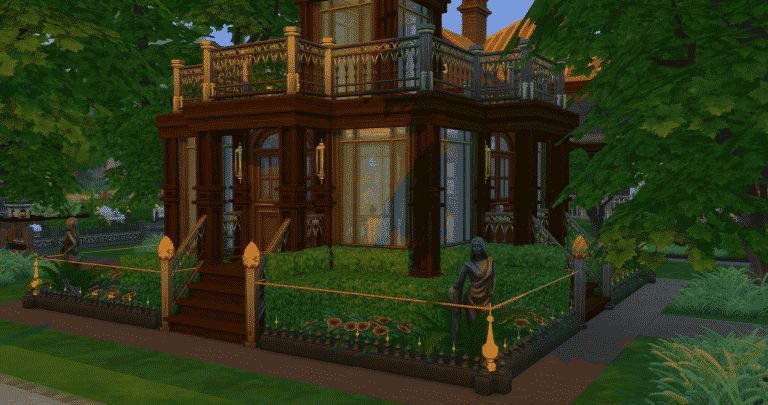
  4. I love the lit orange finials (the Uncomfortable Magic Bean enlarged) topping the newel posts and the small flower bed fencing. However, it didn’t survive saving and re-downloading. It dropped to the ground instead of remaining in the air. That’s okay too. It’s part of trying something different using cheats. As well, I somewhat anticipated it due to the fact that a foundation is being used. Anything elevated, that is not over a foundation, will not maintain that position upon saving and re-download when a foundation is being used. Again,that’s okay. I always find it better to try and fail than to not try. The final stand alone shot, next, shows the re-worked fencing for this building.

Diary of a Sims 4 Build Contest : Part 3- The Exteriors

Diary of a Sims 4 Build Contest : Part 3- The Exteriors

Tutorial for Anchoring the Newel Posts with the Transparent Foundation:

In the end there was no saving the finials lining the top of the small flower bed fencing and I took the opportunity to change it completely by lining up the Saladin’s Chain object in a shrunken form with the Saladin’s Hammer object intersecting it as a finial detail. However, the orange finials could be saved on the newel posts. In order to anchor them I needed to create a foundation underneath them and then erase the foundation visually.

  1. I drew out a foundation covering the entire corner and linking the two post shown together using the “Fence for Window Shopping”.
  2. I then changed the cladding to the transparent “Foundation_EP03 Shell” found by activating the SHO cheat.
  3. It removes the sides of the foundation visually but leaves the image of sky on the ground. We can remove this by deleting the floor as shown.
  4. Once the floor is removed you can see the dirt flooring I had in place from the start. You can still see the sky graphic along the interior walls of the foundation but that it fully covered once I returned the original landscaping.

Diary of a Sims 4 Build Contest : Part 3- The Exteriors

The Pavilions:

  1. Overview shot.
  2. The large yard begged for a pool and pavilions for outdoor living. That’s somewhat outside the typical Victorian design but I created a couple of folly style buildings book-ending the pool with what I think of as a Victorian idea of an exotic, “oriental” style. This pavilion houses the hot tub or as my sim David thinks of it, “The Turkish Bath”.
  3.    The opposite building is outfitted as the “Coffee House”.
  4. To maintain the Victorian feel I eschewed a more modern pool furniture set up and instead did concrete park benches. The newel posts are both decorative and act as nighttime lighting. They are a simple build. The “Immacu-Light Pawn” is shrunken down, inserted into the Classic Bollard” and then elevated to create the ball light source on the top. You can see the same thing on the roofs of both the pavilions as well. The black and gold tie into the inspiration piece. The gold gives the appearance of gilding during the day. Unfortunately, they too fail to stay elevated when saved and re-downloaded. The stand alone shot shows much the same solution here as I used for the fencing around the greenhouse.

Diary of a Sims 4 Build Contest : Part 3- The Exteriors

You can see where I used the same fencing and sequence as above to create a foundation. The “Pawns” are now anchored to the foundation and will not fall during saving and re-download. I very much like this solution for this build. The new fencing visually ties in well with the overall theme and the objects I really wanted to work, do work.

Diary of a Sims 4 Build Contest : Part 3- The Exteriors

The Church:

  1.  From the start I was struck with how the Annex resembles a church with it’s long narrow form and bayed front.
  2. I settled on using the space as a meeting house for my club of inventors and forward thinkers, The Futurists. The more I considered it the more I felt like emphasizing the churchesque nature of it to create a Chapel of Science.
  3. To that end I added the leaded, stained glass windows and created a form of modern steeple on the front.
  4. I can’t add additional windows during the contest but afterward I will add further windows along the side of the building to suggest a church to an even greater extent.

Diary of a Sims 4 Build Contest : Part 3- The ExteriorsAnd that is it. My build is essentially finished. I only need to take around three hundred pictures (lol) and fill out the form on the Sims Forum! Tomorrow look for an article showcasing all the other entrants in this contest and a final article in the near future announcing the winners.

Thanks for reading! I hope you enjoyed this article. Please use it and your imagination for inspiration in your builds. You can see me on Twitch Channel: https://www.twitch.tv/jasonanthonysterling and Follow along on Twitter: @JasonSterling70

8 tips for playing The Sims 4 Dine Out

The Sims 4 Dine Out Game Pack is now finally available on multiple platforms including PC, Xbox One and PS4. If you’re stuck or looking for fresh new gameplay ideas for this Game Pack then we have some good news for you!

Here are 8 tips for playing The Sims 4 Dine Out Game Pack:

1) Start Simple

If you’re planning to run a busy restaurant then huge households just ain’t gonna do it. If you’re doing a fresh start then we recommend that you start slowly with one or two Sims in your Household. Focus later on expanding your household and work on their personality and career later – after you’ve reached 5 stars.

8 tips for playing The Sims 4 Dine Out

2) Start out Small

No one likes being swamped with responsibilities all of the sudden. Owning a restaurant means growing and nurturing it gradually. If your Household is full of Simoleons we recommend that you still start out by purchasing a small restaurant as training your household and your restaurant staff to run a successful business may take a few Sim days.

8 tips for playing The Sims 4 Dine Out

3) Build it yourself!

There’s nothing better than building an entire restaurant all by yourself! You don’t have to be an expert in building nor do you need some sense of styling interiors and exteriors – the process itself of creating a new restaurant is so much fun.

4) Pre-Made Restaurant Lots are your Friends

Not too keen on building an entirely new restaurant? Don’t worry! The pre-made Restaurant Lots created by Maxis is all that you need. As you progress make sure you add more unique finishing touches to your restaurant to make it stand out.

8 tips for playing The Sims 4 Dine Out

5) Create your own Menu

Personalizing your restaurant also means giving it a certain theme. You can modify your restaurant’s entire menu in the Restaurant Management settings where you can change which Drinks, Appetizers, Main Courses and Desserts will be served. You can add plenty of recipes – including the ones that have been added in Packs before and after the release of Dine Out.

8 tips for playing The Sims 4 Dine Out

6) Give your Restaurant an overall Theme

Try to blend in your Restaurant with the rest of the neighborhood. Creating fish-themed restaurants down at the Spice Market in San Myshuno is a perfect blend. Adding unique gameplay objects and mixing and matching stuff from other Expansion, Game and Stuff Packs is also a good idea.

Fishy Joe’s Restaurant by LouCvz

8 tips for playing The Sims 4 Dine Out

7) Be observant!

Sometimes your staff just isn’t enough. As a restaurant owner it’s a good thing to check up on your customers every now and then. It’s also very good for getting your positive restaurant ratings faster!

8 tips for playing The Sims 4 Dine Out

8) Treat your Staff

Your restaurant staff is the biggest backbone of your business. Checking up on them and their skills regularly is a good thing to do if you want to achieve greatness. Paying for their training to increase their skills is a good shortcut towards success, but praising them and seeing how they’re doing every now and then is a better way towards good relations with your staff and your restaurant’s success.

8 tips for playing The Sims 4 Dine Out

The Sims 4 Dine Out is now available on Xbox One and PS4

The Sims 4 Dine Out Game Pack is now finally available on Xbox One and PS4! Like all Game Packs this pack can be bought for $19.99 on sites listed down below:

For more information + a list of all the useful articles and tutorials for this pack check out this post!

The Sims 4 Dine Out is now available on Xbox One and PS4

Diary of a Sims 4 Build Contest : Part 2- The Interiors

Hi, I’m Jason Sterling and recently I did an article outlining some of my favorite build contests on the Sims Forum. I decided to join the Build-n-Share (BnS) #85 contest for the Sims 4 ending on January 10th 2018 and chronicle my build for it here. As always, I hope you’re inspired by what you see and read but even more so I hope you’ll be encouraged to join up with a contest yourself in the future. The first three articles will follow my build. The final article will showcase all the entries from the contest. This second article in the series is about the interiors.

The Kitchen:

My power plant is in the kitchen so I finished it before looking at the rest of the house. I need to tackle the tricky annex part of the floor plan and that’s next. I also needed to test most everything in the room starting with the harvestables first. Which is my first, second and third advice- Test. I test constantly and there are still mistakes from time to time.

The Details:

  1. I always have fun with kitchens in a steampunk theme. First, I outfitted the stove with additional pipes. Then, I placed a vent hood on the floor and turned it backward to act as a new oven door. Following that, I aligned the shrunken “Large Energy Emitting Transistor” to give the look of an open, retrofitted control system on the side of the stove.
  2. The Kitchen Control System (the computer) is a very good example of thinking “something needs to be done” in order to give an object a suitable look in the overall theme. Then, wrestling with the various options for hours and finally still not really being satisfied with the result- lol. There’s still time to change it.
  3. What I have always disliked about the “Cupcake Factory” is it’s as big as a house. We can shrink it down now but the pastries appear elevated in the air. To help hide this I constructed a new shelf out of bar counters elevated against the wall. Now, the baked goods materialize there instead. I like this solution and I think the cupcake machine is too steampunk to not use in some fashion.
  4. The refrigerator has a antique air about it. So, I just fitted it with shrunken, stacked radiators from the Vampires pack to effectively suggest cooling coils on the side run by the same “energy emitter” as on the stove. I tucked in a canister of “Eco-Freon” (that’s why the canister is green-lol) as well. You can see my sim testing the device.

Diary of a Sims 4 Build Contest : Part 2- The Interiors

The Futurists Club (The Annex Space on the floor plan):

The Annex space was my biggest question in regard to the floor plan. It has a separate entrance and it must contain a bedroom. I had several ideas like a “Granny Flat” or an “Income Generating Unit”. I wanted my inspiration item, the coffee pot (it’s really a tea pot but it looks like a coffee pot)  to figure in it directly. So, I REALLY considered a home business. I thought of creating a neighborhood coffee shop with maybe a ground coffee by mail type of business combined in it. My end result is a good example of the flow of thought reaching a destination. If you have several ideas think about them all and how they can work together. If you don’t have an immediate conclusion then walk away and think about it. Or better, just start building one of your ideas at random and see how it evolves.

The Details:

  1. You can see a kitchen and bath in the original floor plan of the annex below. Along with the existing walls, doors and windows these too must be kept in place and the space must have a bedroom. The bedroom requirement was part of the reason why I drifted away from the “home business” idea wherein the main space would have been the cafe. In this plan I would have incorporated the yard sale tables from City Living so that the use would really generate income for the family in some fashion. I thought perhaps the bedroom could be used as an apprentice quarters but all that didn’t ring quite right with me.
  2. I read an article some time ago that theorized the European import of coffee helped kick start the political/industrial changes during the early industrial era. The idea being that gentlemen sat around in coffee shops under the stimulation of caffine and debated and created new ideas for society. That’s a basic paraphrasing of the concept but it’s always stuck with me and provided the inspiration of an inventor’s club that I ultimately called The Futurists Club. Here they gather to demonstrate their latest developments, drink coffee/debate and listen to guest lecturers arriving with new ideas from other parts. The kitchen included the expresso set up and I have redesigned the single use bathroom into a multi use.
  3. The new idea helped alleviate my concerns regarding the bedroom. It is now an overnight guestroom for traveling lecturers and king’s of science. I created a new bath/closet in the small empty room next to it.

Diary of a Sims 4 Build Contest : Part 2- The Interiors

4 FloorThe Nursery:

I decided to create and add an additional sim to David’s household. If you’re like me you can feel a certain attachment to any sim you take a hand in creating. For David’s son, David Jr. I tried to think of how I’d design a nursery if the constraints of the real world were not present… and if I were a genius scientist that can whip up solutions out of thin air- lol.

The Details:

  1. From the start I wanted the feel of fairy tale whimsy for my sim, David’s, son David Jr. I created jeweled columns and used jewel tones elsewhere to set that mood. This is a nursery in the Victorian sense with a place for eating, bathing and sleeping all contained within.
  2. Naturally it also includes a place to play. I’ve written before about creating a fictional backstory for your sims when designing a space for them to help guide the design. In this case David Jr. loves butterflies so there’s a “Winter Butterfly Garden” in the window by his toy box. Like most toddlers he follows his parents example. As such, there’s a table and seating in the middle of the room where he can drink hot chocolate and debate Bunny on the finer points of toddler life. The screen in the background is Custom Content (CC). I like it because of the fantastical nature of the scene. It’s actually Pokemon. I never upload a build with “CC” but you can see here how I’ll sometimes create a build with an eye toward how I will use it but then swap out certain items with in game objects before upload. So far in this build this is the only instance.
  3. The screen hides the bathing area  for privacy and the bath related items can be removed as the child ages.
  4. The universe within reach.

Diary of a Sims 4 Build Contest : Part 2- The Interiors

Diary of a Sims 4 Build Contest : Part 2- The Interiors

Much of the Rest:

The house is a large space. There are four bedrooms and three and a half baths to start, along with a large kitchen and entry hall, living, dining, library and the Annex. I’ve sampled some of the other rooms below. The object I chose for inspiration is black with gold accents. So, I decided to keep the decor darker- blacks and gold with white as an accent to raise the mood and tie in the windows and doors which really only worked in white.

The Details:

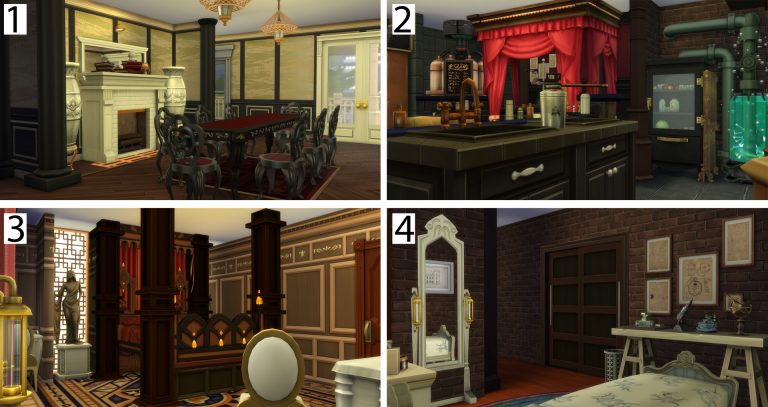
  1. The dining room. Here you can see that although the house is made of brick that’s often left exposed other wall treatments have been installed over time. In this way a home’s walls tell it’s history.
  2. In my opinion steampunk and independent inventors go hand and hand. This is the at home laboratory. It illustrates the passage of time being marked by the walls well. The room started as brick, then was paneled in wood with red wallpaper. The paneling was removed in the area around the refrigerator. I tend to play the Sims as a story working itself out in my head. So, in my imagination I see a small accidental fire in the past in that corner of the room. In the other corner the walls were at some point tiled over in green. Again, I would tell the story that it was a safety measure when the equipment there was installed.
  3. The guest bedroom takes a lighter tone to offset the ancient, heavy, four poster bed. In centuries past beds were often lifted far off the floor to the extent that steps were needed to enter them. I wanted to replicate that here.
  4. This last room is for the nanny. It’s only decorated with what she brought with her. The objects on the walls here and on the table indicate her interest in engineering. She is a novice scientist and has taken the job of nanny as a means of meeting David and hopefully impressing him with her work and thereby being offered an apprenticeship in his workshop.

Diary of a Sims 4 Build Contest : Part 2- The Interiors

Thanks for reading! I hope you enjoyed this article. Please use it and your imagination for inspiration in your builds. You can see me on Twitch Channel: https://www.twitch.tv/jasonanthonysterling and Follow along on Twitter: @JasonSterling70

Diary of a Sims 4 Build Contest : The Start

Hi, I’m Jason Sterling and recently I did an article outlining some of my favorite build contests on the Sims Forum. I decided to join the Build-n-Share (BnS) #85 contest for the Sims 4 ending on January 10th 2018 and chronicle my build for it here. As always, I hope you’re inspired by what you see and read but even more so I hope you’ll be encouraged to join up with a contest yourself in the future. The first three articles will follow my build. The final article will showcase all the entries from the contest.

This is a departure from the BnS standard contest outline. You have a preformed shell, no background story/theme and no budget. There are rules – see below. In addition, you must chose one object, from four included objects, to use as inspiration for your build. BnS only does this four times a year- with the seasons. The link to the contest page on the Sims Forum is here: BnS #85 Contest for the Sims 4  Let’s go!

The Rules

  • You must build on the on Twin Oracle Point in Newcrest


  • You MAY NOT
  • Change any exterior/interior walls, all exterior/interior walls must stay as they are.
  • You can add walls, fences and half walls inside the building but the house must have at least 4 bedrooms and 3.5 bathrooms. (The annex, the area self contained to the right of the house must have 1 bedroom and 1 full bath.)
  • Move any doors and/or windows. All doors and windows must stay in the same place.
  • Repurpose any room that has furniture within it. All bathrooms and kitchens must stay where they are.
  • Add any basement to the build.
  • Add or extend any stairs.
  • Get rid of the chimney. It has to stay in place. You may change the style but there has to be a chimney above the fireplace.
  • Change the roof shape BUT you MAY change the texture and color, the pitch, add trim, adjust the curvature, ect.


  • You MAY
  • Change the style of any door or window. I.E. if a wall section of two tiles has two single tile windows you may change these windows for one two tile window.
  • Change the wall treatments internally and externally.
  • Remove and/or change any external fencing and/or columns.
  • Change the fireplace to any other two tile fireplace.
  • Add a foundation to the exterior of the build.
  • Add structural elements for landscaping purposes. I.E. Greenhouse, gazebo or a carport- No Garages. These elements cannot be attached to the main house.


  • THERE IS NO BUDGET!
  • The theme is completely up to you. It does not have to be winter themed- however, your house should reflect your inspirational objects.

You do not need any game packs to compete. The beginning house was built with only base game elements.

First Steps:

  1. This is what I’m starting with. A pre-built empty shell. It’s vaguely Victorian with a wrap around porch and multiple roof lines.
  2. The rules state that you have to chose one of the four objects shown and that your build must utilize it as inspiration and theme. I chose the coffee pot. (RAW Antique Teapot from the Base Game) It appears to be both Victorian and industrial suggesting a steampunk theme.
  3. I have to keep the placement of the original walls, doors and windows. (I can change the style.) So, the first thing I do is change all the original walls to a specific covering. I chose brick. In this way I’ll stop and check whenever I go to demolish a brick wall.
  4. Then I pick a rich- and handsome (lol) -sim to live in the house for play testing as I build. I keep a separate save file for contests where I can shuffle sims around easily and cheat them huge fortunes for building with. I’ll most likely add additional people to the house as time progresses but for now he’ll do.

Diary of a Sims 4 Build Contest : The Start

Jumping Right In:

When starting a new contest I want TO BUILD right off the bat. Especially when an idea suggests itself to me so quickly. With steampunk I’m usually drawn to the idea of an experimental power source centered on a fantastical element.

Diary of a Sims 4 Build Contest : The Start

Following is a brief tutorial for building the “transformers” in the picture. You will need cheats to build it. Press CTRL/SHIFT/C while in build mode. Then enter the cheat in the command box that appears in the upper left corner. Press CTRL/SHIFT/C to close the command box.

  • bb.IgnoreGamePlayUnlocksEntitlement (IGUE) Unlocks all items tied to in game advancement from the start
  • bb.ShowHiddenObjects (SHO) Displays all hidden objects for use in building such as ponds, dishes, bottles ect.
  • bb.MoveObjects (MOO) Allows the free movement of all build/buy items within the build and activates the height slider that raises objects up and down. Press the “ALT” key with the number “9” for up and “ALT” with the number “0” for going back down.
  • I will also be shrinking and enlarging objects using the “[” key to shrink objects and the “]” key for enlarging them.

Tutorial:

  1. The objects I used- (1) Holder Upper Pillar from Get Together (2) Illuminating Pillar from City Living (3) Mega Pump Filtrator 2-X8 from Get to Work shrunken 3 times (4) Let There Be Light! Laser Show from the Base Game (5) Stoney Goodness Slab from Spa Day (Anytime you don’t have an objects listed try using something different. Your inspiration will provide the best builds.)
  2. Slide the “Illuminating Pillar” and the “Mega Pump” directly into the “Holder Upper Pillar”.
  3. The “Laser Show” lighting effects provide the illusion of barely contained electrical current swirling around the casing. One of these is inserted into the “Holder Upper Pillar” at the bottom, one in the middle and one at the top.
  4. Place the “Slabs” at the bottom and the top of the “Pillars”. They are decorative and disguise the stutter caused by merging the columns.

Diary of a Sims 4 Build Contest : The StartSo, I have an inspiration and even a start. I’ve jumped right in with both feet and I recommend the same for anyone starting a build contest or challenge. Just do what comes to you first. You can change it later and I most likely will but in the meantime just get started. Tomorrow on January the 8th I’ll tackle the floor plan and interior. I’ll follow the day after that on January the 9th with the exteriors and finally an article on the 10th showcasing the entries from other simmer in the contest Please check back to see the progress. Until then a quick clock to remind me:

Diary of a Sims 4 Build Contest : The Start

Thanks for reading! I hope you enjoyed this article. Please use it and your imagination for inspiration in your builds. You can see me on Twitch Channel: https://www.twitch.tv/jasonanthonysterling and Follow along on Twitter: @JasonSterling70