

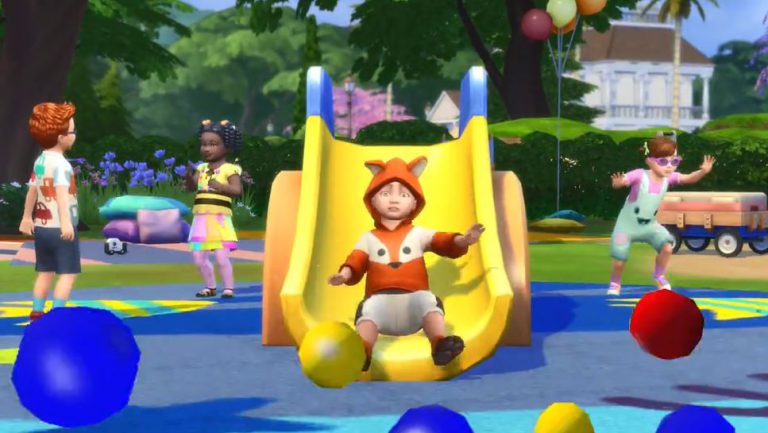
The Sims Team has just released a teaser trailer for The Sims 4 Toddler Stuff Pack. We can expect a full trailer to come out tomorrow!
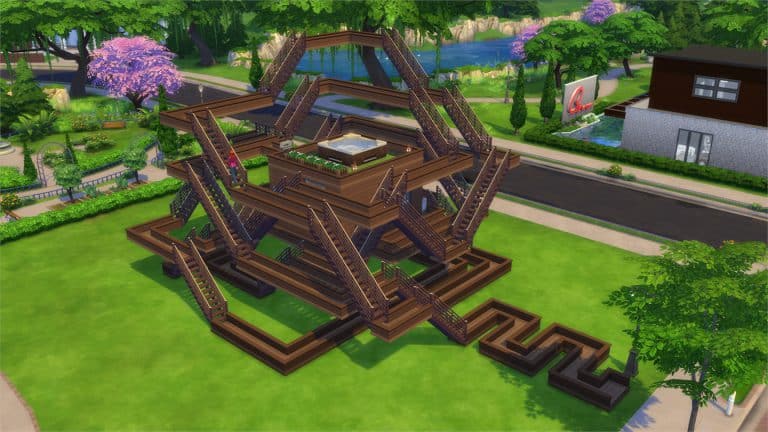
I’m not sure if it’s just me but torturing Sims in The Sims 4 can sometimes be a bittersweet escape from the everyday routine that you do in the game like cooking, showering and sleeping.
Down below you’ll see 8 lots that I picked for you that you can download and play just for fun (or storytelling). I personally recommend that you don’t move in any of the Sims that you’re attached to because…well…you’ll see down below why.
There isn’t any certain goal that comes with this lot other than to walk your Sim around the maze and torture them along the way. As there’s no way to enter the maze from outside you’ll have to use the Teleport Here interaction that can be brought up by shift + click on the ground (requires the testingcheats true cheat).
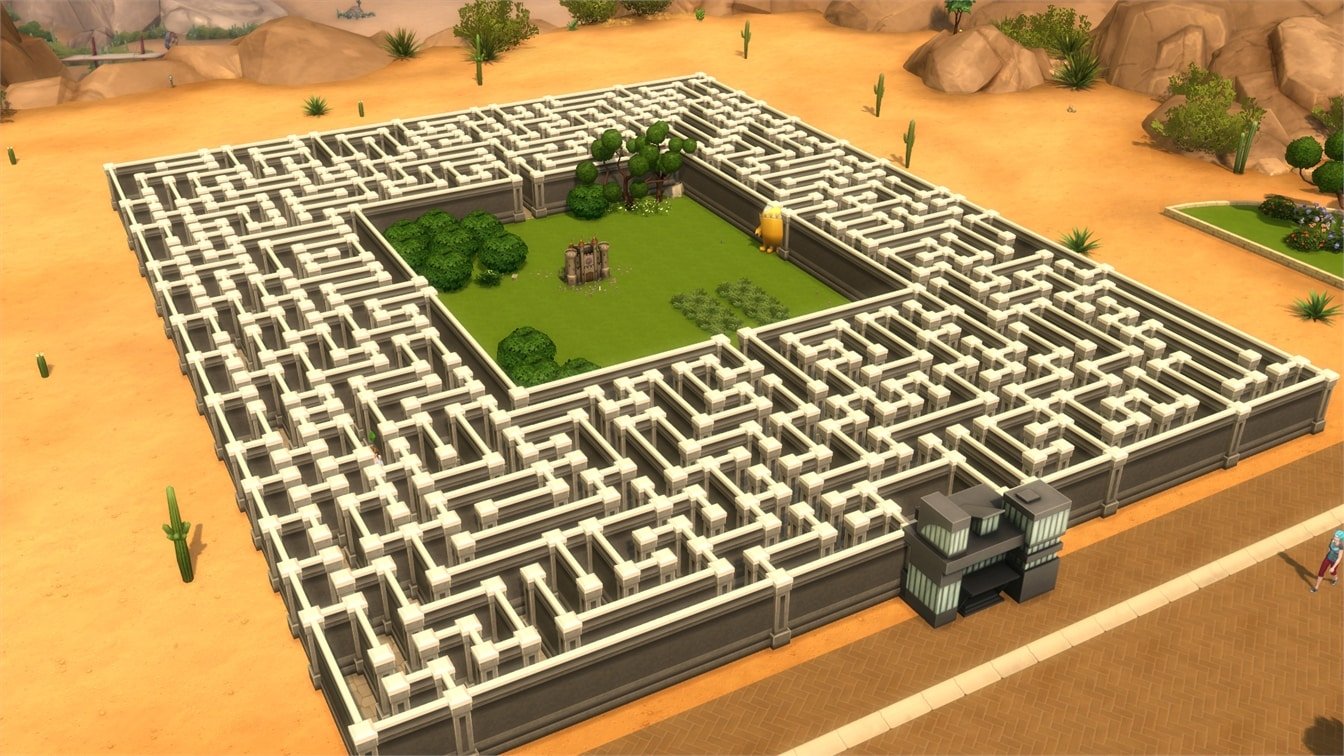
This ain’t just a torture lot for your household but for the mailman who comes to your house evveryday. He / she will have to spare around 3 hours to get to the mailbox and around 3 hours to go back.

Ever seen the Maze Runner Movie? Well, this lot draws inspiration from it. If you’re feeling inspired you can also create your own cast for your own Maze Runner story!

This is the last maze lot I’m spotlighting – I swear!
See if your Sims can make it to the pool gnome without being exhausted and drowning themselves. You should probably buy some reward traits just in case to prepare them for this long aquatic journey..

SimGurus have been sharing some information regarding the development process of the upcoming community Stuff Pack – The Sims 4 Eco Living (not the final stuff pack name) which should come out some time next year. The gurus shared some information regarding design reviews, content tracker and more, as well as requested some valuable feedback such as which styles of music would we like to see in this pack.
SimGuruDrake also revealed that we’ll get a chance to see their design review meeting for Eco Living in the near future.
The community SP is ramping up in a big way next week. Scheduled six design review meetings that’ll take place over the course of the week.
— Graham Nardone (@SimGuruGraham) August 2, 2017
Had a 90 minute Design Review meeting about clothing piles today. (It’s the design where all of the laundry system’s logic is stored.)
— Graham Nardone (@SimGuruGraham) August 9, 2017
Spending the rest of today editing a document called Content Tracker, a huge spreadsheet that tracks the status of every feature and asset.
— Graham Nardone (@SimGuruGraham) August 9, 2017
Quick morning meeting with marketing to discuss potential names for the community SP. Thanks for all the great suggestions from the forums!
— Graham Nardone (@SimGuruGraham) August 9, 2017
Busy day for Design Review meetings tomorrow. 10am start for Washing Machines, then Dryers. Break for lunch, then Hampers in the afternoon.
— Graham Nardone (@SimGuruGraham) August 9, 2017
Ending the day by typing up the notes I took on discussions from today’s 3 Design Review meetings, for easy reference by other team members.
— Graham Nardone (@SimGuruGraham) August 11, 2017
Just knocked out the Design Review meetings for the Clothesline and Wash Tub. They’re both shaping up nicely!
— Graham Nardone (@SimGuruGraham) August 11, 2017
Now comes the unfun task of adding up DR estimates and seeing if we’re still within scope. If we’re over, we have to discuss areas to trim.
— Graham Nardone (@SimGuruGraham) August 11, 2017
Amusingly enough, that’s the exact same idea we came up with as the benefit for it. That said, ironing is hanging in the balance currently.
— Graham Nardone (@SimGuruGraham) August 2, 2017
It’s part of the real process. One goal of this project was to show what game dev is really like, not to put everything in a positive light.
— Graham Nardone (@SimGuruGraham) August 11, 2017
The bottom line is that we aren’t going to ship a pack that doesn’t offer a complete experience or that we aren’t proud of.
— Graham Nardone (@SimGuruGraham) August 11, 2017
Part of my responsibilities as a producer is to help tailor a great experience that fits within our schedule for each pack that we make.
— Graham Nardone (@SimGuruGraham) August 11, 2017
What you and others are seeing and influencing with this process is the inner workings of what gets us to a great final product.
— Graham Nardone (@SimGuruGraham) August 11, 2017
Hey folks: We would like your recommendations for styles of music for the Stuff Pack project!
— Drake (@SimGuruDrake) August 10, 2017
we are recording these meetings in the hope of getting to share this part of the process with you all.
— Drake (@SimGuruDrake) August 10, 2017

Looking to simify your nails with some blue and green colors? Look no further! A popular youtuber who dedicates her channel to nail art (and most recently gaming themed nail art) has published a Sims 4 Nail Art video. Check it out above and see if you can recreate it yourself!
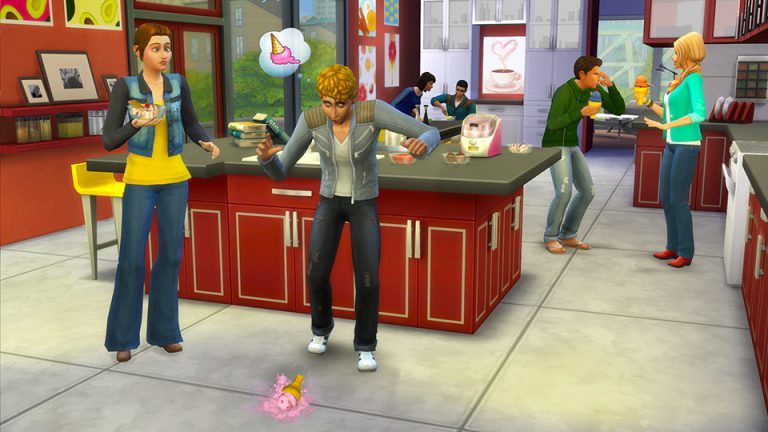
A whopping two years ago the third The Sims 4 stuff pack was released, The Sims 4 Cool Kitchen Stuff. The pack added some much needed kitchen furniture into the game, with vibrant colours and a modern feel it was a welcomed addition.
As well as new kitchen furniture, clothing and hairstyles were added we got a brand new gameplay item, the ice cream maker! It included 30 flavors, 8 toppings and 10 garnishes, so sims can have whatever flavour they want.
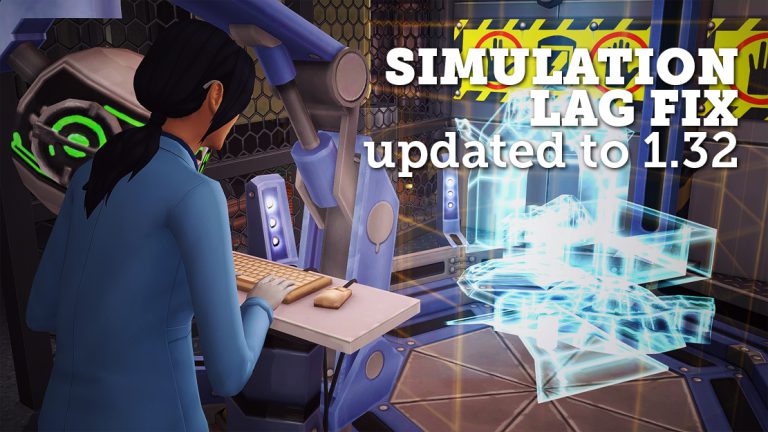
Simulation Lag is something that’s been present in The Sims 4 for a while now. If you don’t know what this simulation lag is, it’s an issue where:
Although we don’t have an official fix or patch for issues that come with simulation lag, there was a mod by simmythesim which did solve the issue but not for long as the mod hasn’t been updated for new The Sims 4 updates since its release.
However, it’s a good thing we have an active modding community! Modder duderocks managed to update simmythesim‘s Simulation Lag Fix Mod for the latest game version of The Sims 4 (1.32). Although he doesn’t promise that his mod will fix every simulation lag in the game, it will make the game a lot more responsive and playable.
After downloading this mod, extract the .zipped content to Electronic Arts > The Sims 4 > Mods. Make sure you have Mods / CC, as well as Script Mods enabled in your game options!
[mks_button size=”large” title=”DOWNLOAD!” style=”squared” url=”http://modthesims.info/download.php?t=598676″ target=”_blank” bg_color=”#1e73be” txt_color=”#FFFFFF” icon=”fa-arrow-down” icon_type=”fa” nofollow=”0″]

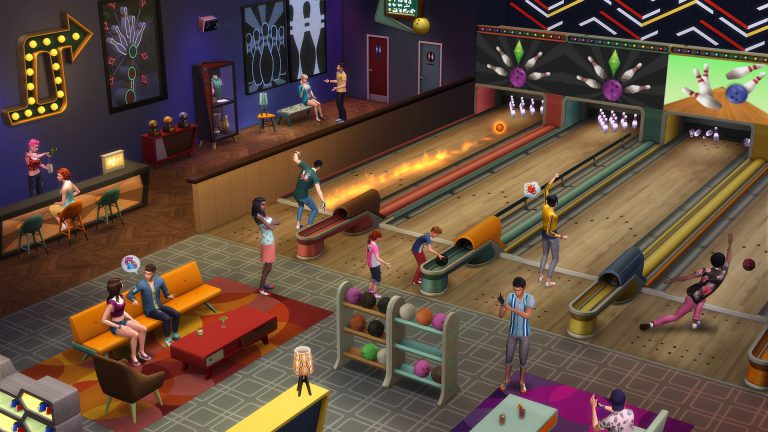
SimGuruGraham explained on The Sims Forums the production of Sims 4 Stuff Packs. He explains pre-production, production, SP pack delays and reveals the fact that The Sims Team is capable of creating 4 Stuff Packs a year.
You can think of pack development in two major chunks… there’s Pre-Production, and Production. Please keep in mind that what I’m describing below is specific to Stuff Pack development. Not all of these practices scale up well to larger packs, so adjustments are made in the way they develop things.
Pre-Production is when we’re creating all of our concept art, sending mimic objects and CAS assets to be built by external partners, writing designs, and holding meetings to review those designs and our planned implementation. The start time of this phase of the project fluctuates a bit from pack to pack depending on the timeline of those aforementioned partners. Because most of this work doesn’t impact the same people that are implementing features in-game, we’re able to do pre-production for an upcoming pack at the same time that we’re in production on a different pack.
Production is when the various disciplines actually start to work on building the features for the pack in-game, all the way through to going gold – aka, approving our final build candidate. Our production timeline is rigid, and has essentially been the same length since the first Sims 4 Stuff Pack. On rare occasions we’ll run into complex issues late in development that necessitate adding time to allow us to make additional bug fixes on the new features included in the pack. Thankfully this doesn’t typically impact the ship date of a Stuff Pack, as there’s usually a cushion of time between going gold and shipping the game, which we can compact to get us the extra time we need. When this occurs it does have a ripple effect on dates for the next pack though, as we obviously can’t move on until we’ve finished the previous one.
As to the original question… why do some SPs come out so soon after each other, and others have long gaps between them… Quite simply, some Stuff Packs go gold months in advance of their ship date. Kids Room Stuff was the largest gap between finishing a pack and when it actually shipped. We were actually already in production for Vintage Glamour by the time Kids Room shipped. Other Stuff Packs have literally gone gold the week before the pack was released. Our SP team is capable of building four Stuff Packs a year, but our actual release dates are determined by other factors that take our entire pack lineup into consideration. I should reiterate that Stuff Packs are the only type of pack we do this with – Game Packs and Expansion Packs are scheduled such that they ship soon after they’re finished.
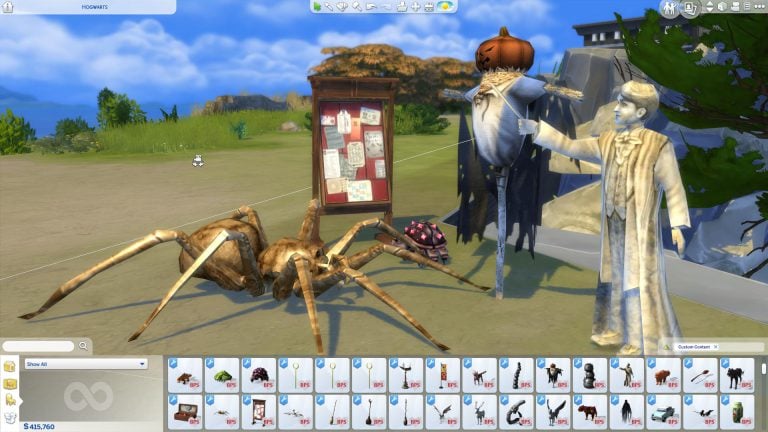
You’ve probably wondered what would it look like to play with characters from Harry Potter in The Sims 4. There are plenty of talented creators and modders out there who made it all possible. Down below you’ll see creations and mods that’ll help you bring Howarts to life!
You can download these creations by clicking the creation names linked below. Mods and Custom Content can be simply installed by extracting and / or pasting .package files to Electronic Arts > The Sims 4 > Mods folder. Make sure you have Mods / CC enabled in your game options!


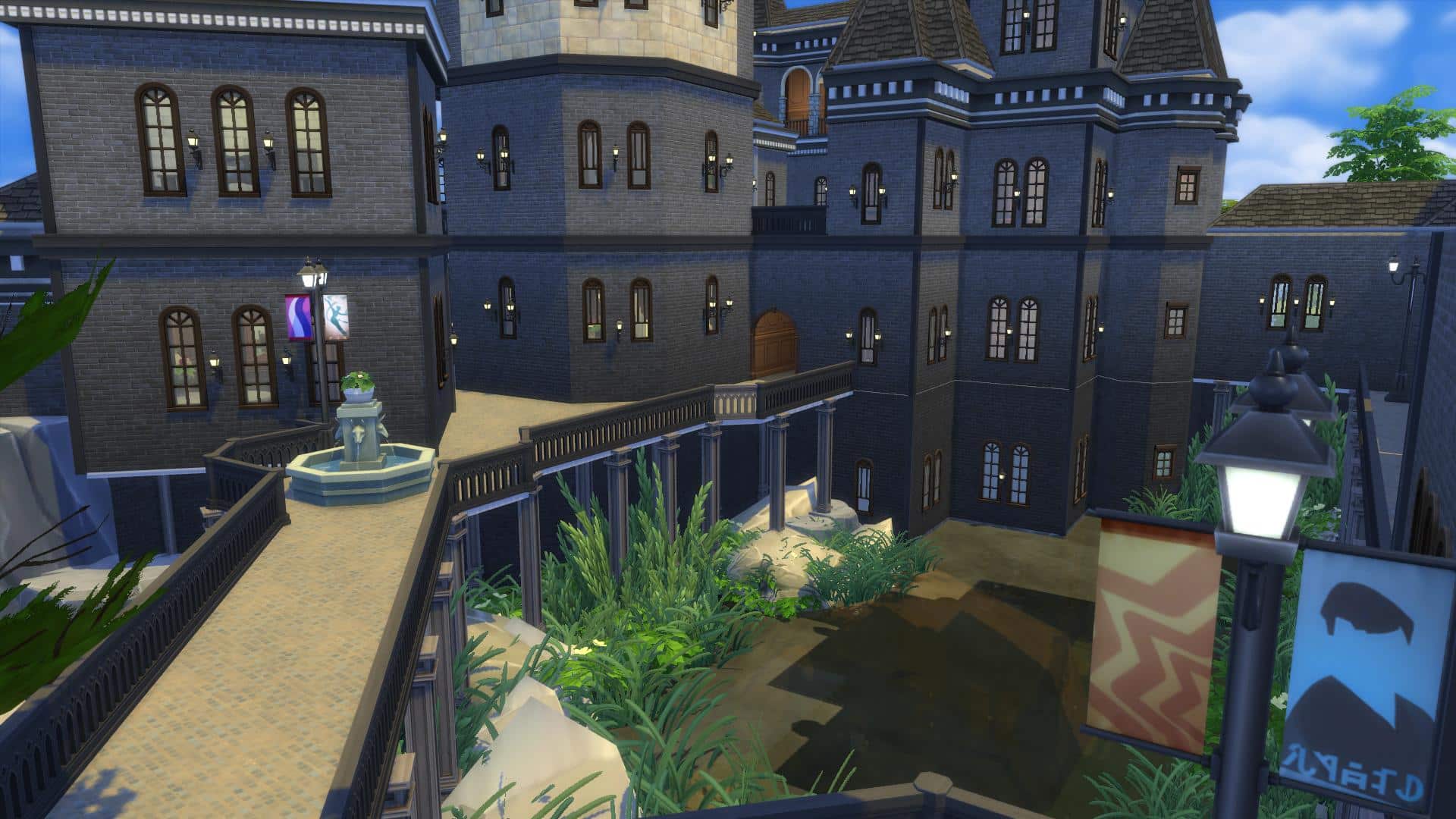
Huge lot build in Windenburg (64×64 residental lot) built by HatsyYT. There are so many areas of this lot that resembles the actual rooms shown in the movie. Best of all – no custom content was used! (we’ll get on that on the next page..)



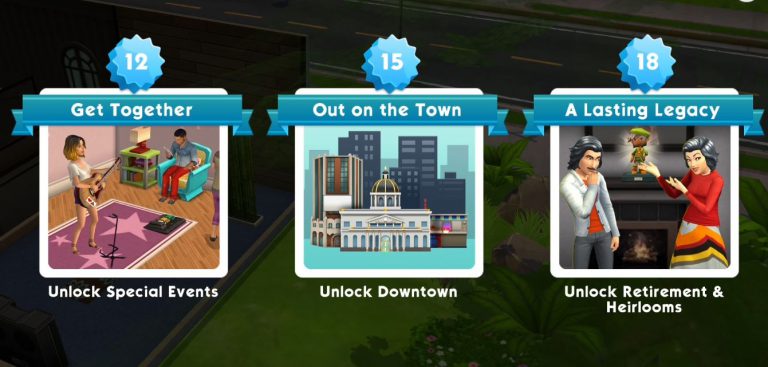
Please note that the game is still currently soft launched in Brazil. We currently have no information when the game’s coming out worldwide.
The latest Sims Mobile update introduced plenty of new changes to the game, including Energy, Family and Heirlooms, Careers, Events and more! Let’s get started at everything that’s new in this game update:
Instead of certain objects requiring certain types of needs including hunger, hygiene, bladder and energy – each interaction now requires a certain amount of energy. Energy can be filled by using the toilet, shower, bath and bed. It takes 4 hours to recharge bed (13 energy), 8 hours to recharge bath (15 energy), 2 hours to recharge shower (7 energy) and 30 minutes to recharge bladder (5 energy). It takes only a few seconds to use objects that will charge your energy.
Your Sims will +1 energy every third minute.


Downtown can now be unlocked at Level 15!

Sims no longer age with each day of playtime passing by but with life experiences that they go through instead. I haven’t seen an interface which shows how old is my Sim but I’m guessing that will be added eventually. You can choose to retire your Sims if you want to receive awards like new hobbies, gifts and heirlooms but they will no longer die without your consent.
You can now have more than 3 traits which you’ll unlock as you play through the game. There are also traits with levels that can be unlocked with heirlooms and work experiences.
Traits are now more involved in socialization, work and other types of events.


Career events and career event points have received big changes. For starters your Sims can now do simple tasks without your help. However, you can choose to do certain interactions on your career lot for extra career points which will help you earn more stars faster. Events now also last longer in case you plan to not participate in career events and let Sims do their duties by themselves.

Sims no longer have whims. Instead you can focus on the To Do List which mostly focuses on your entire household progress including career and social events, Sim personalization, house modifying, purchasing certain items and more.

The Sims Mobile team has released a brand new, game-changing update with new features and bug fixes. Here are some of the most important ones listed below. We’ll also be writing an overview article about the update shortly which covers so much more!
Please note that because the game is going through some big changes, The Sims Mobile is only soft-launched at the moment and is available in Brazil.
What’s New in Version 2.2.4
Hey, Sims players! Based on your feedback, we’ve made lots of exciting updates, and you can now:
• Age your Sims based on their life experience instead of by day
• Retire your Sims to unlock hobbies, gifts, and other rewards, or keep them active for as long as you like
• Send your Sims to work or events, then choose to accompany them for better rewards, or let them go on their own while you enjoy other Sims
• Choose your Sims’ traits throughout their lives, giving you the freedom to develop their personalities over time
• Recharge energy faster and with more options for uninterrupted play
• Complete a daily to-do list instead of goals and wishes, making it simpler to collect rewardsThanks for your patience, and for playing!

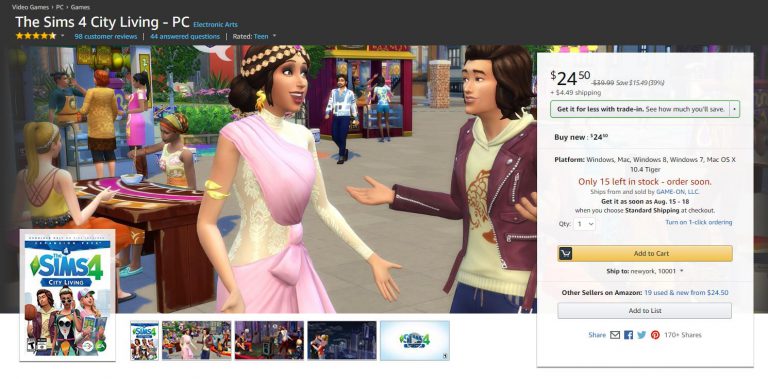
The Sims 4 City Living Expansion Pack is currently available on Amazon for only $24.50. Make sure you take advantage of this offer while it still lasts!
Click below to check out this offer!

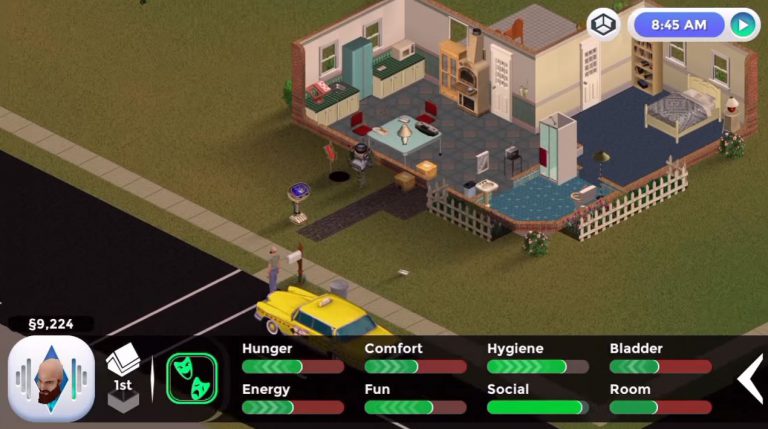
Several weeks after announcing that they’re working on a fanmade mobile version of The Sims 1, people behind this project (who also work on FreeSO) have announced today that they’re no longer working on it due to EA asking to cease all efforts to bring the game to mobile or any other devices.
Luckily the FreeSO PC project which lets you play the revived version of The Sims Online is still allowed to be further developed and supported.
Here’s the official announcement by FreeSO as well as video of what The Sims 1 for mobile could’ve been:
In the last news update, I announced an attempt at using the FreeSO engine to bring TS1 to mobile platforms. For the foreseeable future, these efforts have been stopped.
A few months ago we were contacted by EA regarding how the TSO IP should be handled. At that time, you may have noticed a change in logo to avoid the house motif, the addition of multiple disclaimers to our websites, and further insistence on taking no donations for server costs (really, no change). Given even just its relevance to me, The Sims’ IP is clearly something that is worth EA protecting from any potential damage, so I complied with these terms immediately out of respect.
A few days ago, some time after our last blog post, I received further correspondence from EA, regarding my plans to bring TS1 to mobile devices, as well as potentially FreeSO. To protect their IP, they asked that I cease and desist any efforts to bring either of these games to mobile or any other plaforms. While both projects are entirely legal (copyrighted content and references to “The Sims” provided by the user, not the replacement engines themselves), I do not want to step on EA’s toes, and will obviously comply with their requests rather than starting some kind of expensive legal battle.
Seeing it first hand, I could completely understand how damaging a third party releasing a mobile client could be to The Sims brand. The mobile market had never seen a full The Sims game with no micro-transactions, and even though it might be hard to install and transfer the game from a computer (especially on iOS), the disruption could have had a notable impact.
Granted, only a few weeks were spent on the project, but it’s unfortunate that after seeing it work so well, it may never see the public in a complete fashion. I enjoyed working on the project, and it taught me a lot about mobile development with Xamarin & MonoGame, multi-touch interfaces and more about The Sims (and how it differs from TSO).
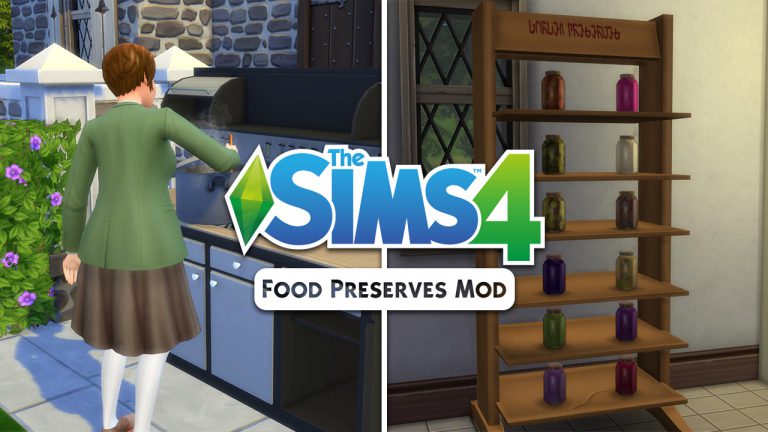
If you’re disappointed that the “Food Preserves” didn’t make the cut for the upcoming Eco Living Stuff Pack then we have some awesome news for you. Icemunmun has brough another detailed mod to the world which lets you create food preserves using the canning station. This mod is packed with a new skill, new gameplay object, new skill books, plenty of moodlets and so much more!
I’m going to show you all the possibilities with this mod with this playthrough so let’s dive in!
You can find the canning station in the “stoves” section of the kitchen build category for 2000 Simoleons. The art style of this canning station really fits in nicely with the game and there are a few swatches you can choose – including the one which makes the canning station look really rusty!


There are 3 interactions that you can use on this station: Make Jam, Make Pickles (yup, new pickle recipes with this mod) and Make Spread. With level 1 Canning Skill you can only make an apple jam.
You’ll notice that, unlike with preparing food which makes certain ingridients completely optional, you’ll have to actually have these ingridients for canning station preserves or otherwise you won’t be able to make them.


Apple Jam requires 6 apples. After I managed to get these apples I was finally able to make Apple Jam. Sim who finishes making a food preserve will place it automatically in the fridge.


Finishing a food preserve will give you a +1 inspired “That’s My Jam!” moodlet.
All jams come with the following interactions:

To unlock more canning station recipes you’ll need to level up your Canning Skill! You can purchase Canning Skill books using any bookshelf.


Here’s what each skill level will unlock:
If you’re too lazy to make all these by yourself you can go to build mode and just buy them:

Some jams, pickles and spreads require custom recipes that are also created by icemunmun that you can find below:
1. Vampire GP – Plasma Fruit
2. Harvestable Olive
3. Harvestable Peach
4. Harvestable Blueberry
5. Harvestable Raspberry
6. Harvestable Garlic
7. Harvestable Parsnip
8. Harvestable Cucumber
9. Harvestable Corn
10. Harvestable Green Chili
11. Harvestable Vanilla Bean
12. Harvestable Pistachio
13. Harvestable ChickPea
As you can see above there is one recipe which requires a pack and that’s The Sims 4 Vampires with which you can make Plasma Jam. If you don’t have these custom recipes or packs you can make them without ingredient requirements.
There are more than 15 buffs that you can get for making preserves, eating them and more.
You can even put these preserves on a shelf which you also get with this mod. If you have The Sims 4 Get to Work you can sell your own preserves that you’ve made in retail stores!

The creator of this mod really thought of everything and even made “Make Preserves” a club activity (which requires The Sims 4 Get Together).

Installing this mod is easy. Just extract the .zip files that you’ve downloaded to Electronic Arts > The Sims 4 > Mods folder. Make sure you have enabled Mods / CC in your game options.
Are you excited to make your own food preserves? Click the download button down below!
[mks_button size=”large” title=”DOWNLOAD!” style=”rounded” url=”http://www.modthesims.info/download.php?&t=598557″ target=”_blank” bg_color=”#1e73be” txt_color=”#FFFFFF” icon=”fa-arrow-down” icon_type=”fa” nofollow=”0″]
Looking for new gameplay for your Sims 4 toddlers? There are already plenty of new objects that you can download. Here are some of my favorites:
Necrodog came up with a brilliant object which comes with new gameplay and animations. Although there isn’t proper swimwear for toddlers that they can wear in the pool, your toddlers will still enjoy it. The toddler pool will satisfy your toddler’s Fun need as well as help them raise their Thinking skill.

Another great object created by Necrodog. The animations on this object are weird when they run after they’re done with sliding. However, it’s still nice to have a new toddler object in your game which they can enjoy playing with. Toddlers who use this slide will get a +4 Happy moodlet.

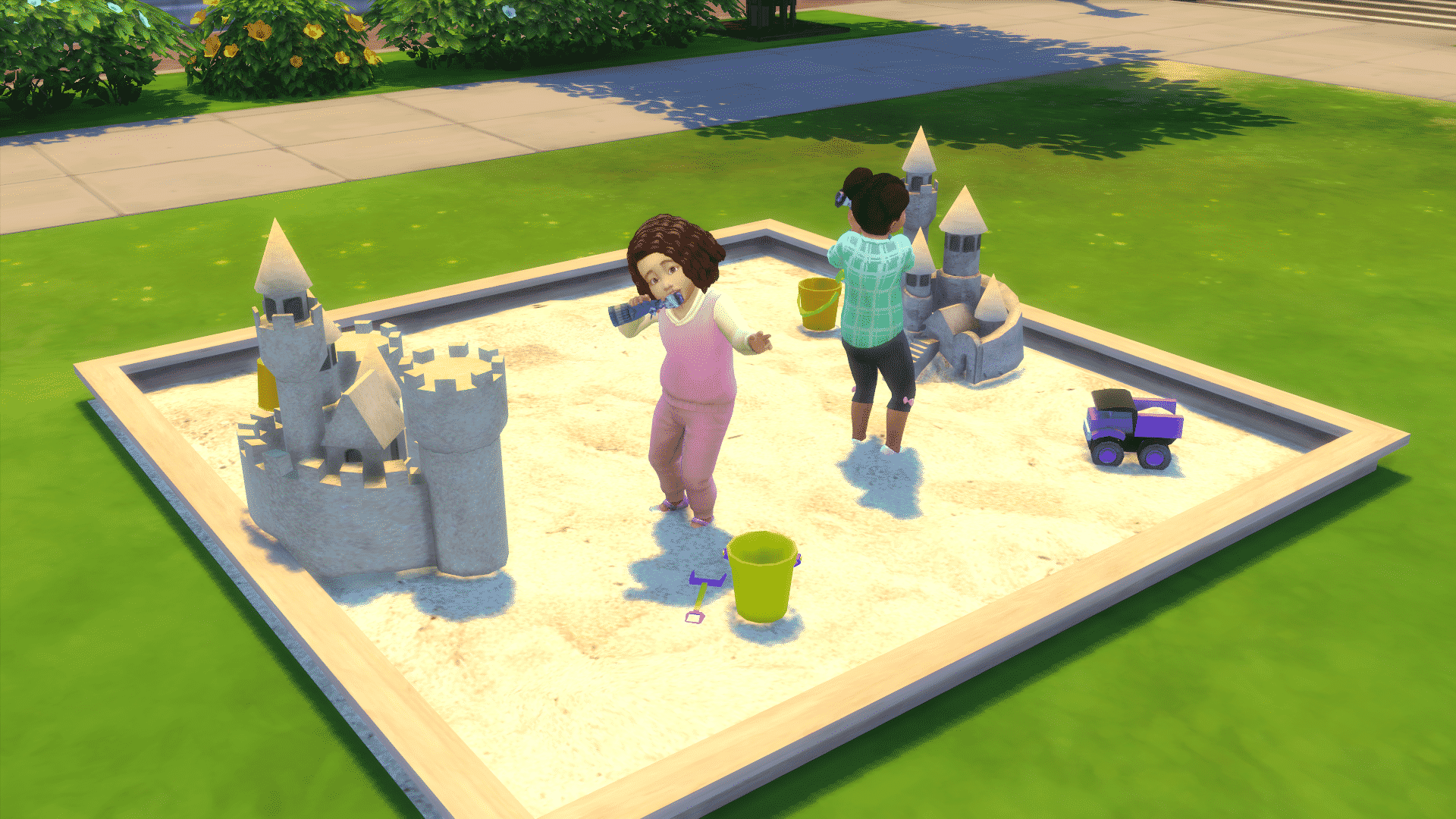
This object is basically the toy box for toddlers turned into a sandcastle. Toddlers will play with small toys after you select the “Play Dolls” option on the sandcastle. The entire download by Severinka comes with a few other items such as sand buckets, shovels, toy trucks and more.
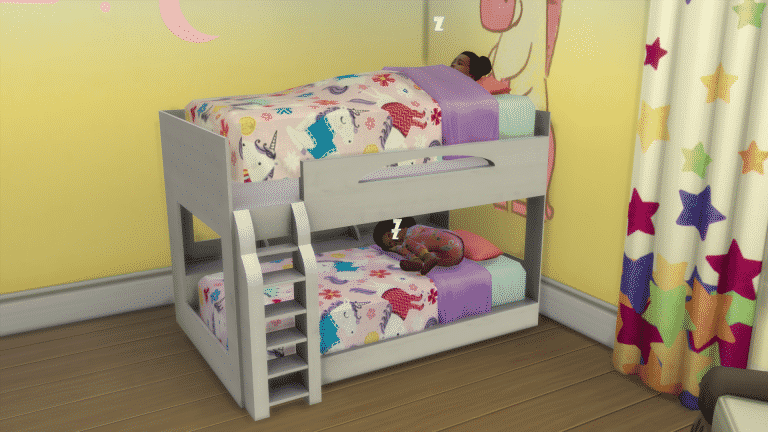
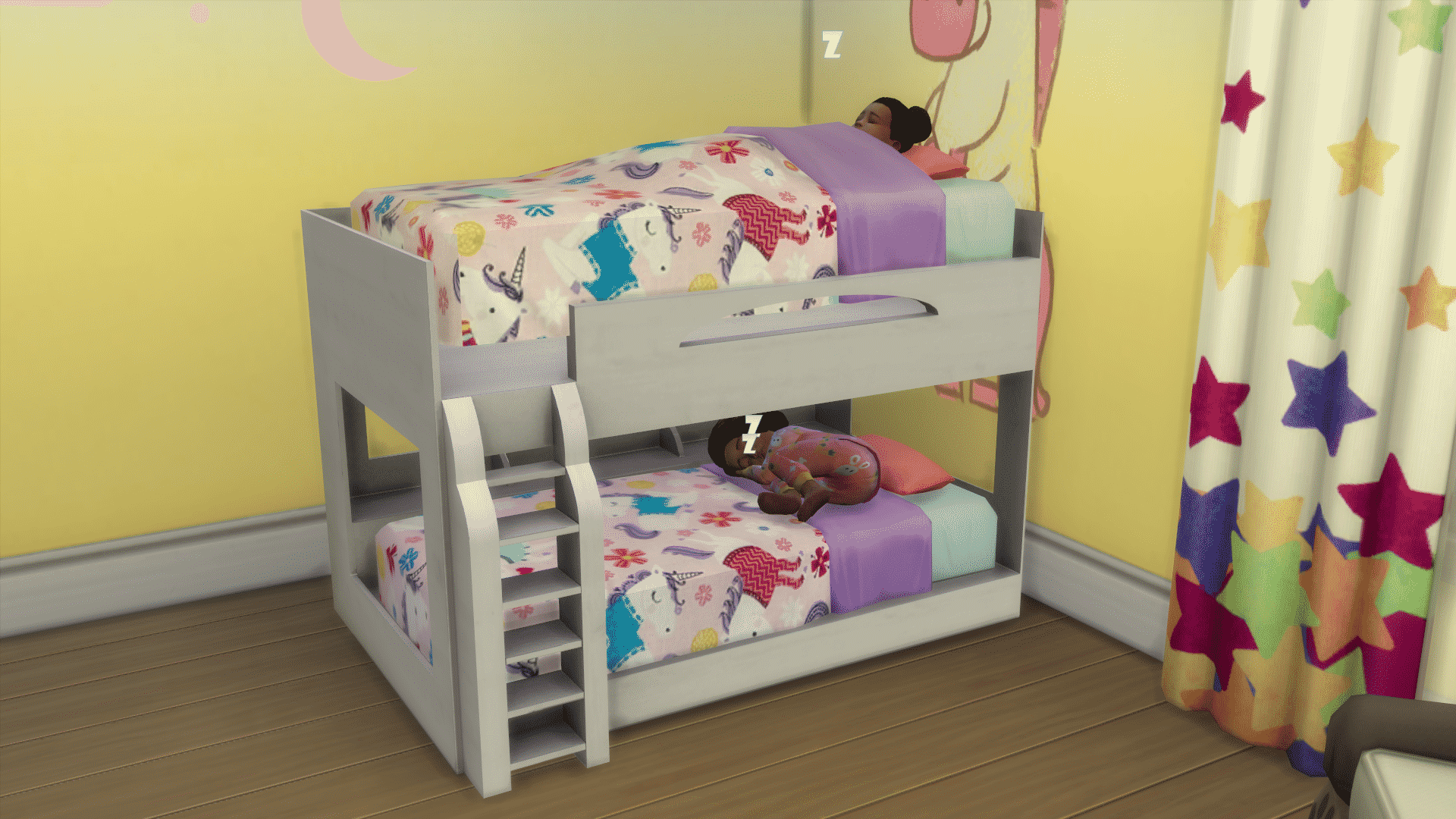
This object by PixelDreamworld comes in 2 pieces: the bed frame and matress. Placing the first matress on the bottom of the bed frame is easy. To place the bed frame on the second floor of this bunk bed you’ll have to use the testingcheat true + bb.moveobjects cheat. Then, press number 9 or 0 to raise or lower the bunk bed until it fits perfectly in the bed frame.
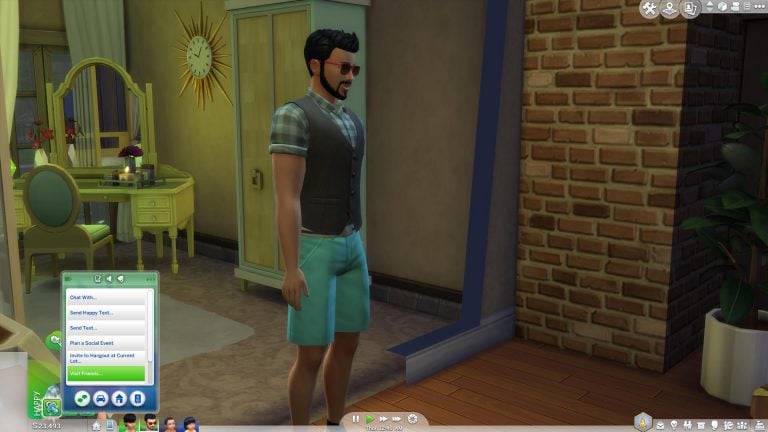
Ever wanted to send your Sims to their friends and family without having to control them? This mod lets you do just that.
You can access the new “Visit Friends / Visit Family” option by clicking on your phone and selecting one of those 2 options. The visit friends option is available if you have acquintances. With this option your Sim will be absent for between 120-180 minutes. You can only choose to visit people of your own age. For example: children visiting children, adults visiting adults. This option will raise your Sim’s Social and Fun needs, raise relationship points and if your child Sim has a homework that has yet to be done they can do them while visiting a friend!
The Visit Family option is for Sims who have relatives that live on different lots. With this option you can visit family members of any age.

Installing this mod is really simple! Just extract the .zipped content to Electronic Arts > The Sims 4 > Mods. Make sure you have Mods / CC enabled in your game options.
This mod, brought to you by LittleMsSam, can be downloaded here!
