Home Blog Page 361

The Sims Through The Years: 19th July

0

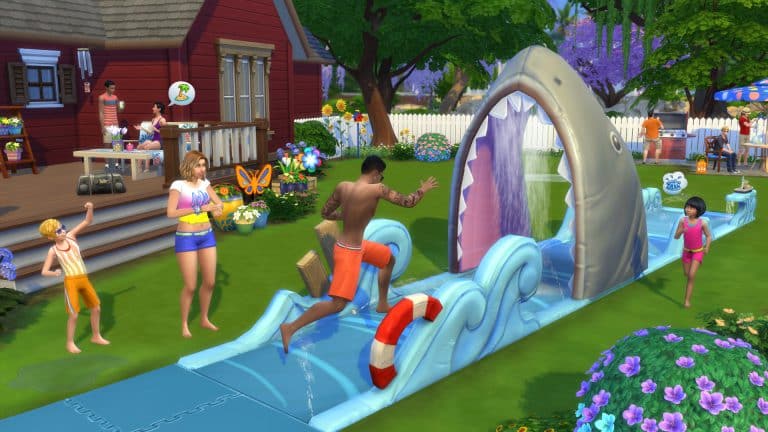
On this day just a year ago The Sims 4: Backyard Stuff was released, proving to be quite popular with users it added a whole bunch of new items to spruce up your sims back gardens. Not just adding items it added some fantastic hairstyles and clothes to make any backyard activity look fabulous.

Of course with all of The Sims 4 stuff packs it was slightly different to previous games, each came with at least one object which adds additional gameplay, this pack came with a Lawn water slide, Bird feeder, Drink Pitcher, and Wind chimes.

EA announces first information about Gamescom 2017 Event

Electronic Arts has just announced some first information about their part of Gamescom 2017 event. Although they have yet to announce which titles will be shown at the EA Live Show, we do know that influencers will get their hands on content that’s coming to The Sims 4 and The Sims Mobile.

Here’s what EA said in their latest blog:

Last month at EA PLAY we took you inside some of the big experiences we have in store this year, games that we hope will capture your imagination and make the extraordinary possible. At gamescom, we are gearing up for the next step – more news, more gameplay, and more hands-on experiences for the hundreds of thousands of players joining us in-person in Cologne, Germany, and the millions more joining us online.

Here’s a few key things you need to know about EA at gamescom:

  • EA Live Show. Tune in to EA.com on August 21 at 6:30 pm CET/9:30 am PDT, where you’ll be the first to see new gameplay, live matches, and a few surprises as well.
  • Hands-on Gameplay. From August 22-26, we have nearly 400 gameplay stations available to players within the EA gamescom booth. There, those that join us in Cologne, will be able to get hands-on with Star Wars™ Battlefront™ IINeed for Speed™ PaybackEA SPORTS FIFA 18Battlefield™ 1: In the Name of the Tsar, and some of our top mobile games including Star Wars™ Galaxy of Heroes and FIFA Mobile.
  • Live Entertainment. There will be so much more to see and do at the EA gamescom booth. The central stage will have entertainment throughout the event, with gameplay deep dives, producer interviews, competitions, and more.
  • Game Changers. Some of the top content creators and influencers in the world will be producing content right from the EA Business Lounge, capturing gameplay footage, making stories and streaming directly to you from the show floor, with content coming from Star Wars™ Battlefront™ II, Need for Speed™ Payback, Battlefield™ 1, The Sims™ 4The Sims Mobile,FIFA Mobile and more.

Throughout the event, EA.com will be your one stop shop for all the great content coming from EA out of gamescom: breaking news, gameplay reveals, trailers, community content, deep dive features, behind-the-scenes stories and much, much more.

Over the next couple of weeks watch for some exciting news from game teams about what they’ll be sharing at gamescom.

10 Wacky Alien Lots for The Sims 4 by AnchesenamonSim

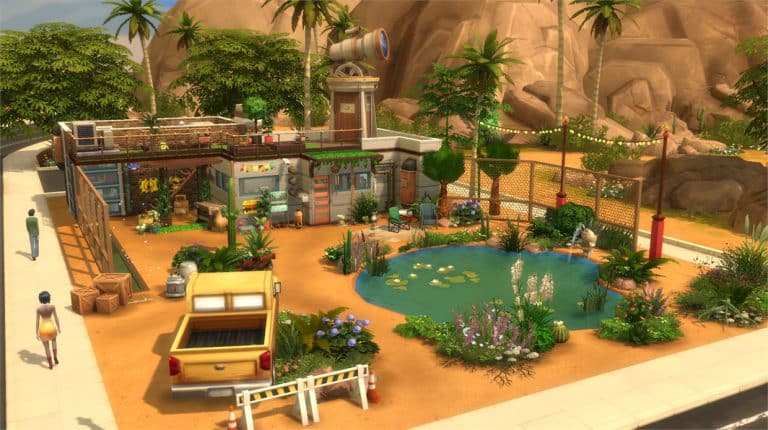
Diana (known as AnchesenamonSim on Twitter) is on a mission to turn Oasis Springs into an Alien world with completely new Lots and Sims created by her.

Down below you can find some of our top picks from her project! We also recommend that you download Alien Sims by AnchesenamonSim to populate some of the Residental Lots shown below.

10 Wacky Alien Lots for The Sims 4 by AnchesenamonSim

Pulsing plumbob that’s on the left bottom corner contains all the info (and download link) of the lot.

[ult_hotspot main_img=”id^63468|url^https://simscommunity.info/wp-content/uploads/2017/07/07-19-17_4-59-10-PM.jpg|caption^null|alt^null|title^07-19-17_4-59-10 PM|description^null”][ult_hotspot_items icon_type=”custom” icon_img=”id^39525|url^https://simscommunity.info/wp-content/uploads/2015/09/plumbob2.png|caption^null|alt^null|title^plumbob2|description^null” img_width=”52″ tooltip_custom_color=”#1e73be” tooltip_custom_bg_color=”#ffffff” tooltip_width=”450″ tooltip_position=”right” tooltip_continuous_animation=”on” hotspot_position=”89.61858624454149,3.190184049079755″ tooltip_custom_border_size=”border-style:solid;|border-width:2px;border-radius:5px;|border-color:#81d742;”]

To Infinity And Beyond (Download Here)

by anchesenamon

Value: §221,956
Size: 40×30
Lot Type: Restaurant[/ult_hotspot_items][/ult_hotspot][ult_hotspot main_img=”id^63469|url^https://simscommunity.info/wp-content/uploads/2017/07/07-19-17_5-01-10-PM.jpg|caption^null|alt^null|title^07-19-17_5-01-10 PM|description^null”][ult_hotspot_items icon_type=”custom” icon_img=”id^39525|url^https://simscommunity.info/wp-content/uploads/2015/09/plumbob2.png|caption^null|alt^null|title^plumbob2|description^null” img_width=”52″ tooltip_custom_color=”#1e73be” tooltip_custom_bg_color=”#ffffff” tooltip_width=”450″ tooltip_position=”right” tooltip_continuous_animation=”on” hotspot_position=”89.61858624454149,3.190184049079755″ tooltip_custom_border_size=”border-style:solid;|border-width:2px;border-radius:5px;|border-color:#81d742;”]

Hyperspace Park (Download Here)

by anchesenamon

Value: §300,319
Size: 50×50
Lot Type: Park[/ult_hotspot_items][/ult_hotspot][ult_hotspot main_img=”id^63470|url^https://simscommunity.info/wp-content/uploads/2017/07/07-19-17_5-03-44-PM.jpg|caption^null|alt^null|title^07-19-17_5-03-44 PM|description^null”][ult_hotspot_items icon_type=”custom” icon_img=”id^39525|url^https://simscommunity.info/wp-content/uploads/2015/09/plumbob2.png|caption^null|alt^null|title^plumbob2|description^null” img_width=”52″ tooltip_custom_color=”#1e73be” tooltip_custom_bg_color=”#ffffff” tooltip_width=”450″ tooltip_position=”right” tooltip_continuous_animation=”on” hotspot_position=”89.61858624454149,3.190184049079755″ tooltip_custom_border_size=”border-style:solid;|border-width:2px;border-radius:5px;|border-color:#81d742;”]

Orbital Eccentricity Spa (Download Here)

by anchesenamon

Value: §186,998
Size: 30×20
Lot Type: Spa[/ult_hotspot_items][/ult_hotspot][ult_hotspot main_img=”id^63471|url^https://simscommunity.info/wp-content/uploads/2017/07/07-19-17_5-06-36-PM.jpg|caption^null|alt^null|title^07-19-17_5-06-36 PM|description^null”][ult_hotspot_items icon_type=”custom” icon_img=”id^39525|url^https://simscommunity.info/wp-content/uploads/2015/09/plumbob2.png|caption^null|alt^null|title^plumbob2|description^null” img_width=”52″ tooltip_custom_color=”#1e73be” tooltip_custom_bg_color=”#ffffff” tooltip_width=”450″ tooltip_position=”right” tooltip_continuous_animation=”on” hotspot_position=”89.61858624454149,3.190184049079755″ tooltip_custom_border_size=”border-style:solid;|border-width:2px;border-radius:5px;|border-color:#81d742;”]

Live Long And Prosper (Download Here)

by anchesenamon

Value: §355,783
Size: 50×50
Lot Type: Residental Lot[/ult_hotspot_items][/ult_hotspot][ult_hotspot main_img=”id^63472|url^https://simscommunity.info/wp-content/uploads/2017/07/07-19-17_5-08-51-PM.jpg|caption^null|alt^null|title^07-19-17_5-08-51 PM|description^null”][ult_hotspot_items icon_type=”custom” icon_img=”id^39525|url^https://simscommunity.info/wp-content/uploads/2015/09/plumbob2.png|caption^null|alt^null|title^plumbob2|description^null” img_width=”52″ tooltip_custom_color=”#1e73be” tooltip_custom_bg_color=”#ffffff” tooltip_width=”450″ tooltip_position=”right” tooltip_continuous_animation=”on” hotspot_position=”89.61858624454149,3.190184049079755″ tooltip_custom_border_size=”border-style:solid;|border-width:2px;border-radius:5px;|border-color:#81d742;”]

Star Dust Gym (Download Here)

by anchesenamon

Value: §227,551
Size: 40×30
Lot Type: Gym[/ult_hotspot_items][/ult_hotspot]

The Sims 4: Installing Custom Gallery Poses

You’re probably tired of the same old Gallery poses that don’t showcase your Household the way you want to. Luckily, modders came up with a perfect solution by creating and releasing new custom Gallery poses. The cool thing about this is that the Household you create with a custom gallery pose won’t appear as a Custom Content creation as you’re only using a custom pose.

Gallery poses that I can personally recommend are:

Installing these poses is as simple as installing CC / Mods. Simply extract the .zipped files OR just place the .package files to Electronic Arts > The Sims 4 > Mods. Please make sure you have Mods / CC enabled in your game options!

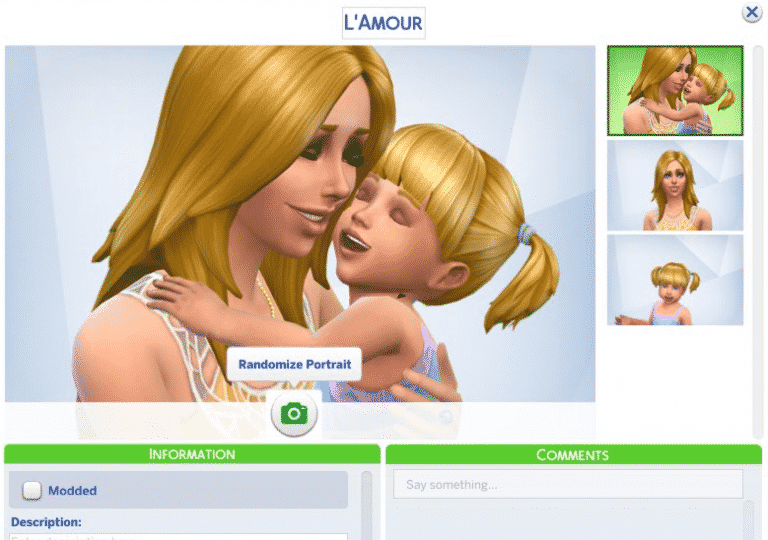
Once you’re done with creating your Sim you can now save your household and / or upload it to the gallery. By using the Randomize Portrait option you can switch through multiple poses – both custom and pre-installed.

Poses shown down below are created by SakuraLeon!

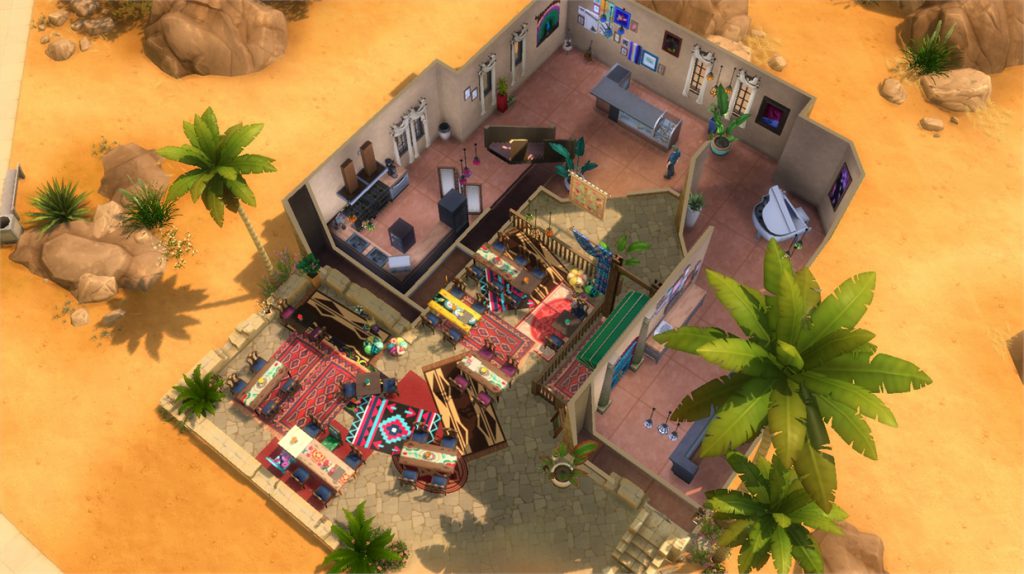
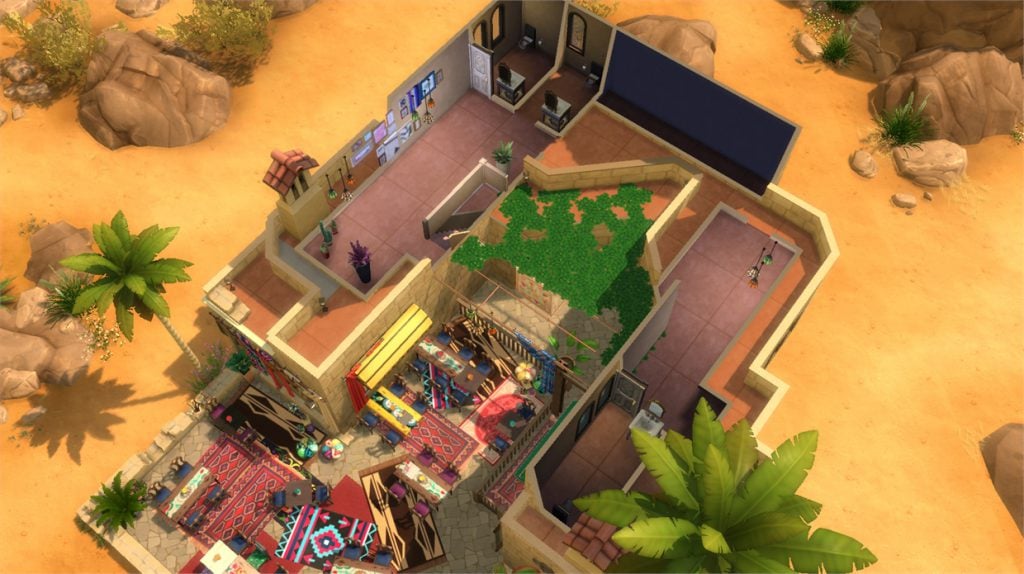
8 Amazing Oasis Springs Lots by Laznye

Laznye shared with us some of the amazing lots she has built in The Sims 4, however some of her Oasis Springs lots really stand out.

Down below you’ll see our 8 favorite lots built by Laznye. You can check out more of her content that she has shared with us HERE!

Want your Gallery Library to be featured in our next article? Click this link for more information.

[ult_hotspot main_img=”id^63402|url^https://simscommunity.info/wp-content/uploads/2017/07/07-18-17_11-16-12-PM.jpg|caption^null|alt^null|title^07-18-17_11-16-12 PM|description^null”][ult_hotspot_items icon_type=”custom” icon_img=”id^39525|url^https://simscommunity.info/wp-content/uploads/2015/09/plumbob2.png|caption^null|alt^null|title^plumbob2|description^null” img_width=”38″ tooltip_custom_color=”” tooltip_custom_bg_color=”rgba(255,255,255,0.01)” tooltip_width=”400″ tooltip_position=”right” enable_bubble_arrow=”off” tooltip_continuous_animation=”on” hotspot_position=”60.888952342895244,84.06134669766104″]
8 Amazing Oasis Springs Lots by Laznye

[/ult_hotspot_items][ult_hotspot_items icon_type=”custom” icon_img=”id^39525|url^https://simscommunity.info/wp-content/uploads/2015/09/plumbob2.png|caption^null|alt^null|title^plumbob2|description^null” img_width=”38″ tooltip_custom_color=”” tooltip_custom_bg_color=”rgba(255,255,255,0.01)” tooltip_width=”400″ tooltip_position=”right” enable_bubble_arrow=”off” tooltip_continuous_animation=”on” hotspot_position=”26.750547045951862,83.9386548001342″]
8 Amazing Oasis Springs Lots by Laznye

[/ult_hotspot_items][ult_hotspot_items icon_type=”custom” icon_img=”id^39525|url^https://simscommunity.info/wp-content/uploads/2015/09/plumbob2.png|caption^null|alt^null|title^plumbob2|description^null” img_width=”52″ tooltip_custom_color=”#1e73be” tooltip_custom_bg_color=”#ffffff” tooltip_width=”450″ tooltip_position=”right” tooltip_continuous_animation=”on” hotspot_position=”89.61858624454149,3.190184049079755″ tooltip_custom_border_size=”border-style:solid;|border-width:2px;border-radius:5px;|border-color:#81d742;”]

Agrabah Café (Download Here)

by Laznye

Value: §105,946
Size: 30×20
Lot Type: Café[/ult_hotspot_items][/ult_hotspot][ult_hotspot main_img=”id^63405|url^https://simscommunity.info/wp-content/uploads/2017/07/07-18-17_11-30-51-PM.jpg|caption^null|alt^null|title^07-18-17_11-30-51 PM|description^null”][ult_hotspot_items icon_type=”custom” icon_img=”id^39525|url^https://simscommunity.info/wp-content/uploads/2015/09/plumbob2.png|caption^null|alt^null|title^plumbob2|description^null” img_width=”38″ tooltip_custom_color=”” tooltip_custom_bg_color=”rgba(255,255,255,0.01)” tooltip_width=”400″ tooltip_position=”right” enable_bubble_arrow=”off” tooltip_continuous_animation=”on” hotspot_position=”63.97155494606469,49.71013168615798″]
8 Amazing Oasis Springs Lots by Laznye

[/ult_hotspot_items][ult_hotspot_items icon_type=”custom” icon_img=”id^39525|url^https://simscommunity.info/wp-content/uploads/2015/09/plumbob2.png|caption^null|alt^null|title^plumbob2|description^null” img_width=”38″ tooltip_custom_color=”” tooltip_custom_bg_color=”rgba(255,255,255,0.01)” tooltip_width=”400″ tooltip_position=”right” enable_bubble_arrow=”off” tooltip_continuous_animation=”on” hotspot_position=”31.46061135590468,49.219334140145705″]
8 Amazing Oasis Springs Lots by Laznye

[/ult_hotspot_items][ult_hotspot_items icon_type=”custom” icon_img=”id^39525|url^https://simscommunity.info/wp-content/uploads/2015/09/plumbob2.png|caption^null|alt^null|title^plumbob2|description^null” img_width=”52″ tooltip_custom_color=”#1e73be” tooltip_custom_bg_color=”#ffffff” tooltip_width=”450″ tooltip_position=”right” tooltip_continuous_animation=”on” hotspot_position=”89.61858624454149,3.190184049079755″ tooltip_custom_border_size=”border-style:solid;|border-width:2px;border-radius:5px;|border-color:#81d742;”]

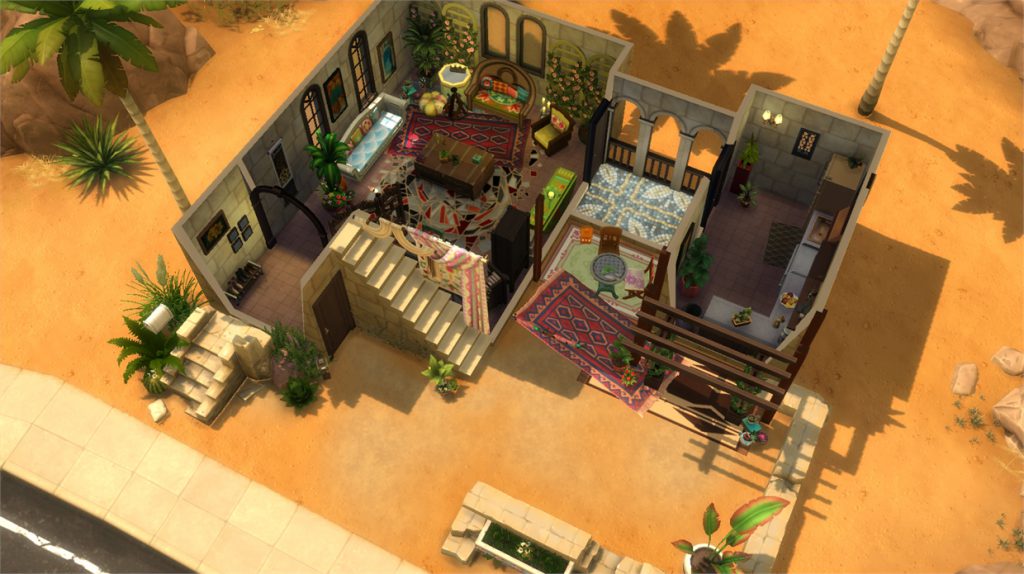
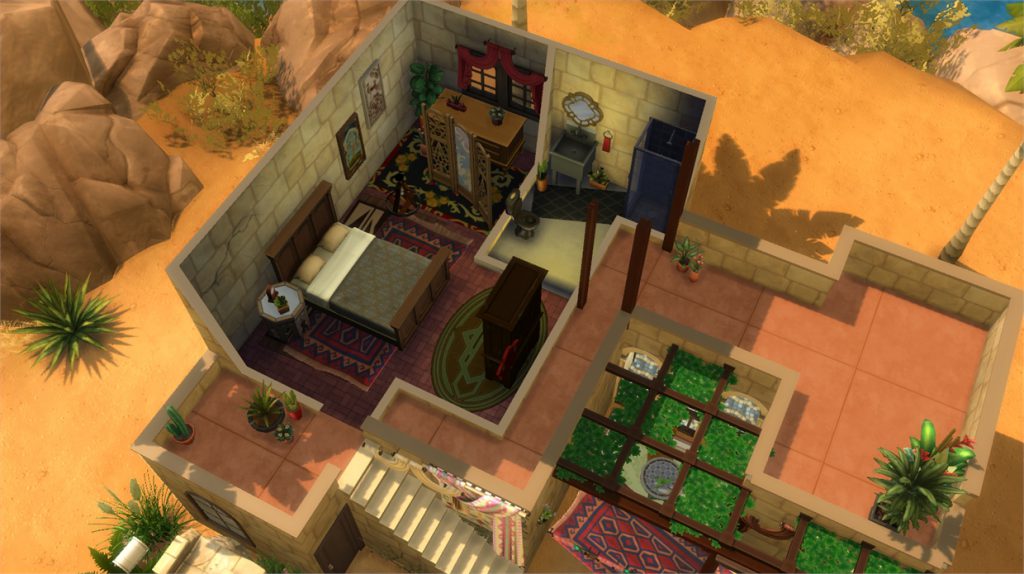
Arabian House (Download Here)

by Laznye

Value: §54,875
Size: 20×15
Lot Type: Residental Lot[/ult_hotspot_items][/ult_hotspot][ult_hotspot main_img=”id^63408|url^https://simscommunity.info/wp-content/uploads/2017/07/07-18-17_11-36-07-PM.jpg|caption^null|alt^null|title^07-18-17_11-36-07 PM|description^null”][ult_hotspot_items icon_type=”custom” icon_img=”id^39525|url^https://simscommunity.info/wp-content/uploads/2015/09/plumbob2.png|caption^null|alt^null|title^plumbob2|description^null” img_width=”38″ tooltip_custom_color=”” tooltip_custom_bg_color=”rgba(255,255,255,0.01)” tooltip_width=”400″ tooltip_position=”right” enable_bubble_arrow=”off” tooltip_continuous_animation=”on” hotspot_position=”57.79814271488649,49.21625617091641″]
8 Amazing Oasis Springs Lots by Laznye

[/ult_hotspot_items][ult_hotspot_items icon_type=”custom” icon_img=”id^39525|url^https://simscommunity.info/wp-content/uploads/2015/09/plumbob2.png|caption^null|alt^null|title^plumbob2|description^null” img_width=”38″ tooltip_custom_color=”” tooltip_custom_bg_color=”rgba(255,255,255,0.01)” tooltip_width=”400″ tooltip_position=”right” enable_bubble_arrow=”off” tooltip_continuous_animation=”on” hotspot_position=”38.826586433260395,49.46166243289877″]
8 Amazing Oasis Springs Lots by Laznye

[/ult_hotspot_items][ult_hotspot_items icon_type=”custom” icon_img=”id^39525|url^https://simscommunity.info/wp-content/uploads/2015/09/plumbob2.png|caption^null|alt^null|title^plumbob2|description^null” img_width=”52″ tooltip_custom_color=”#1e73be” tooltip_custom_bg_color=”#ffffff” tooltip_width=”450″ tooltip_position=”right” tooltip_continuous_animation=”on” hotspot_position=”89.61858624454149,3.190184049079755″ tooltip_custom_border_size=”border-style:solid;|border-width:2px;border-radius:5px;|border-color:#81d742;”]

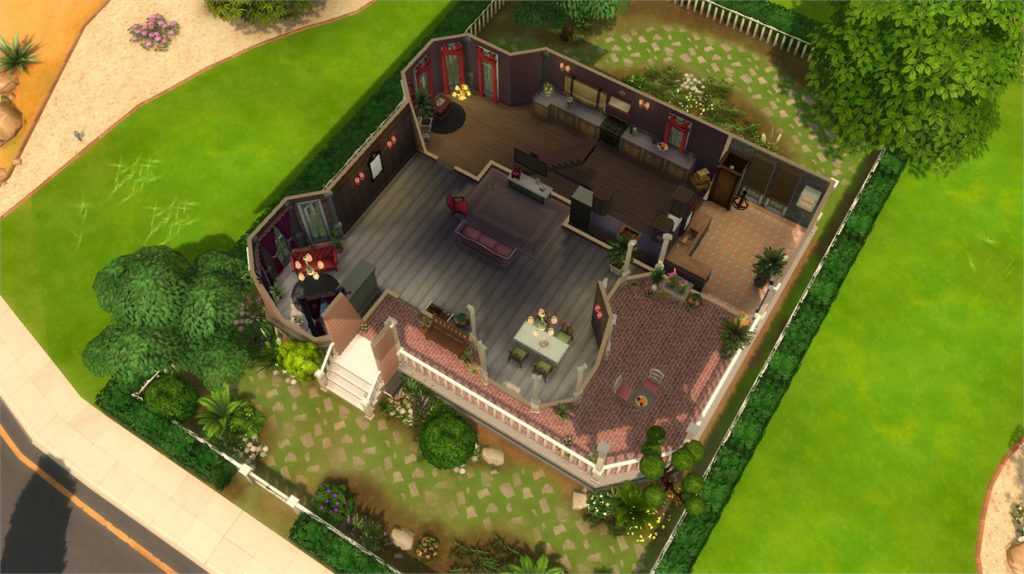
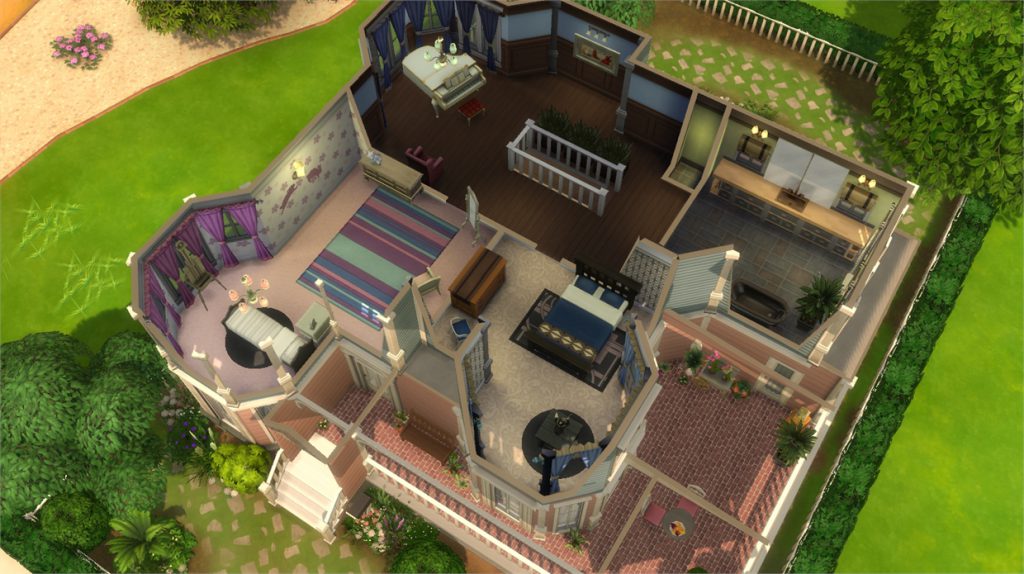
Victorian Dream (Download Here)

by Laznye

Value: §105,039
Size: 30×20
Lot Type: Residental Lot[/ult_hotspot_items][/ult_hotspot][ult_hotspot main_img=”id^63412|url^https://simscommunity.info/wp-content/uploads/2017/07/07-18-17_11-42-21-PM.jpg|caption^null|alt^null|title^07-18-17_11-42-21 PM|description^null”][ult_hotspot_items icon_type=”custom” icon_img=”id^39525|url^https://simscommunity.info/wp-content/uploads/2015/09/plumbob2.png|caption^null|alt^null|title^plumbob2|description^null” img_width=”38″ tooltip_custom_color=”” tooltip_custom_bg_color=”rgba(255,255,255,0.01)” tooltip_width=”400″ tooltip_position=”right” enable_bubble_arrow=”off” tooltip_continuous_animation=”on” hotspot_position=”38.25765730776463,56.08435882381136″]
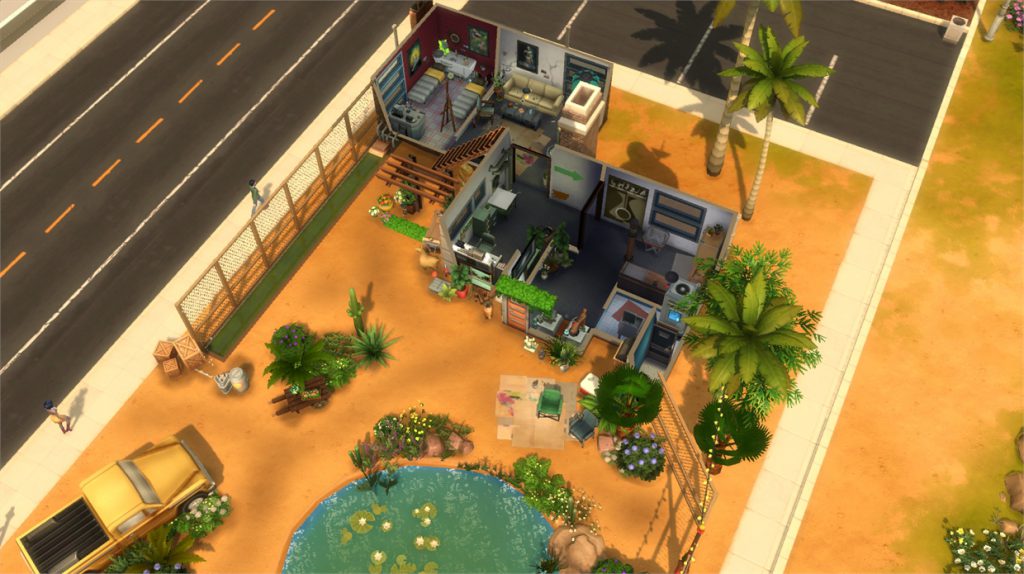
8 Amazing Oasis Springs Lots by Laznye

[/ult_hotspot_items][ult_hotspot_items icon_type=”custom” icon_img=”id^39525|url^https://simscommunity.info/wp-content/uploads/2015/09/plumbob2.png|caption^null|alt^null|title^plumbob2|description^null” img_width=”52″ tooltip_custom_color=”#1e73be” tooltip_custom_bg_color=”#ffffff” tooltip_width=”450″ tooltip_position=”right” tooltip_continuous_animation=”on” hotspot_position=”89.61858624454149,3.190184049079755″ tooltip_custom_border_size=”border-style:solid;|border-width:2px;border-radius:5px;|border-color:#81d742;”]

Believe House (Download Here)

by Laznye

Value: §84,760
Size: 30×20
Lot Type: Residental Lot[/ult_hotspot_items][/ult_hotspot]

The Sims 4: New Update + Patch Notes (July 18th, 2017)

The Sims 4: New Update + Patch Notes (July 18th, 2017)

The Sims Team has released a brand new Update for The Sims 4!

To download the latest version of The Sims 4, simply open your Origin program and if the game doesn’t update automatically, right click on The Sims 4 and select ”Update”.

In case you have Mods or Custom Content, the game will automatically disable them for you after first launching The Sims 4 after the update. To re-enable all your Mods and Custom Content, select the Settings option in the Menu and select Settings. Under the”Other” section you’ll find the ”Enable Custom Content and Mods” option. Check it and restart your game in order for it to take effect!

Patch Notes

UPDATE: 7/18/2017 – PC Version 1.32.1.1020 / Mac Version 1.32.1.1220

Hey Simmers,

We spent some time working on some of the hot community issues out there. Each of these issues below were requested by folks in our community (except for one).

Hopefully we touched upon something for you, or even better, you haven’t run into any of these. But if you have, or you’re just curious, then these issues are for you.

General Issues

  • Sims will no longer restart writing a book from the beginning, after you have saved and loaded the lot.
    • Oh… if only. I’ve been on the same 3 pages of my novel for 15 years now.
  • “Watch Current Channel” and “Watch TV Together” are BACK baby! You can once again choose to sit down with your family, friends, strangers, and watch the current channel or together as a group!
  • We fixed an issue that could cause female Sims to remain wearing a pink bra when taking a shower.
    • Wait… I’m sorry. The issue is that the mosaic censor grid will no longer have hints of mosaic pink in it?
      • Yep.
    • Ok. So, just for clarity, the censor grid pink, that was showing in the mosaic, will no longer be present?
      • Yep.
    • I feel so conflicted with this note.
  • Lots downloaded to “My Library” from the Gallery should no longer find that various thumbnails have gone missing.
  • Sims with the Kleptomaniac trait should no longer place items they have stolen into the inventories of the Sim they stole the items from.
    • I feel as though the story of Robin was lost in translation.
  • Sims will no longer autonomously donate money to charity.
    • But they still feel good about doing it.
  • Throwing a Birthday Party will help to fulfil the Throw 3 Parties aspiration goal of the Party Animal Aspiration.

Get To Work

  • “Interrogate Suspect” has been removed from the interrogation table during the tutorial APB event as it didn’t do anything.
  • Your Sim should no longer get the Unable to Propose dialog when attempting to propose to Sims who are not employed by the proposing Sim.
    • Now if they don’t want to marry you, they’ll just tell ya.
      • “Oooh, I would totally marry you, but my job… yea. It’s crunch time, we got a deadline. Oh, and my boss, real hard a-yea don’t get me started. And, I gotta work Saturdays too. Maybe next time.”
  • Medicine can now be set for sale in retail stores.
    • Sims without license selling medicine. This seems fine.
  • Sims who reach level 8 in the Doctor career should now find that pregnant Sims are actually coming to the hospital to complete the Deliver a Baby promotion task.
    • C’mon honey, you’re pregnant, and it’s time to go to the hospital.
      • Nope.
    • Nope? But, you’re… pregnant… and… it’s time.
      • Nope. Rather have my pregnancy off lot.
    • Off what?
      • Off lot, you know off camera, no pain, no animation. No baby… and then *pop* baby. So much nicer than labor.
    • But they fixed the issue.
      • They did WHAT?!
  • If you chose to wear ymHair_EP01ShortSwept and set your head shape to ymCompleteHead_09, and you look deeply into the eyes of your creation… you could see the hair under the skin near the eyes. This is now fixed.
  • The Regulation Station now has a Reliability value displayed in its tooltip, and the winning number is…SIX!
    • Come on down, it’s time for the Price Is… this by the way was “the one”.

Get Together

  • “Play Darts With…” more than one Sim should now work, and no longer leave the Sims standing around looking awkwardly at one another.
    • You gonna throw?
      • Lost a toe.
    • What?
      • Yep, *schtick* toe gone.
    • So… you wanna play some b-ball?
      • Lost an eye.
  • The dance interaction can once again be performed on a Dance Floor when there is a stereo playing music nearby.

City Living

  • Start Yard Sale and Stop Yard Sale now indicate they are instant actions in the pie menu with the circle in a circle icon.
    • I think the poor guy visiting me was really confused as I instantly started and stopped my yard sale 20 times in a row…
      • He kept looking at me with that “Is this wooden horse for sale or not!?” look in his eye. It’s a very specific look. You don’t run into it much.
        • But when you do…wooh…you’ll never forget the “is this horse for sale” look.
  • When you learn the 27th of 27 recipes, we will no longer congratulate you for learning the 26th of the 27 recipes, but instead we will congratulate for learning all 27 of the 27 recipes.
    • Congratulations.
  • Vegetarian Sims that received the message that says “WOAH! Your Sim has discovered a delicious alternative to meat products! Who knew that a meal could still have the familiar meat taste without the meat?” will no longer again receive the message each time they travel.
  • Sims with the active trait should no longer attempt “Close Shot” and “Dream Big” interactions on the basketball hoop every waking second of the day. This has been tuned down significantly.
  • In order to meet the needs of our Vegetarian Sims, The Corporate Fridge Raider Revenue Generating Cooler now offers a Faux BLT selection.
    • As the slogan says, “Faux B, if it’s fo-everyone, it’s Faux B.”
  • Sims should now sit when they play the console game if there is an available seat nearby.
    • Obviously… have you ever tried to rocket jump standing up, the balance to weight ratio of the stick to foot differential completely messes with the timing.

Dine Out

  • Top-level restaurant chefs should no longer cook poor quality food.

Vampires

  • The Draught of Reconfiguration and Vampire Resistance Cocktail drinks will no longer have two drink options in the pie menu.
  • Sims should once again be able to Plan their Wedding Event with a Vampire Sim.
  • Is marriage to a vampire considered a wedding or a funeral? One of you is dead after all.
    • Ok, ok… let’s not get into the dead vs undead debate.
  • Vampires can now date.
    • Technically — as for your determination of their date-ability, well, that’s on you.
      • I wish you a happy twilight, and a merry nosferatu.

Happy Summer Simmers,
-SimGuruGnome

Builder Spotlight: Simproved

We continue our Gallery Themed Week with a brand new builder spotlight!

For this article we interviewed a popular german simmer Fry, known for her Gallery and YouTube name “Simproved“. She created the popular Island Challenge for The Sims 4 and has over 33K subscribers on YouTube to date and continues to deliver new builds on her channel on a regular basis.

When did you start developing your passion for building?

I’ve been playing The Sims since the very first game came out. I immediately fell in love with the build mode and spent more time there than in live mode or CAS. I usually built a house, did the interior design, moved in some Sims I quickly made and then my project was considered “done”. Then I moved on to the next house and the whole process repeated itself. Until the neighborhood was full. Things went pretty quickly in The Sims 1 because the world was so small. So I started building in themes. One neighborhood in a medieval style, the next circle it was futuristic and the next tropical etc. I just enjoyed exploring new styles and visual design in the game. Creating whole cities that told a story. With every pack came more objects and more possibilities for future builds. I still try out new styles and themes up to this day. It always relaxes me to work on a new build project after a long stressful day and now in The Sims 4 it is even easier to share your creations with others through the gallery! Which I love. That’s also why I started my youtube channel in the first place. A better showcase of my builds, if simmers weren’t sure if they want to download it.

What inspires you to create certain builds?

Sometimes it’s a house or building I see in real life and think I could rebuild it in The Sims! Or a photo I see online or in my various architecture books ( I have quite a collection now). My newest obsession is set or production design in movies, theatre, TV shows or even games. I guess the work process a set designer has is similar to Sims builder. I learned a great deal from panels, interviews and of course books about architecture and set design. Also my viewers have awesome ideas which I write down in a little note book! So I have a long list of things I want to build. Before I start I simply pick one that I find interesting that day. I sketch the house before hand and so I usually already know how a build looks like in the end. Some smaller corners or parts may not turn out like I envisioned it. But the general feel is most definitely there! And I think that counts the most. Especially for storytelling and playing in The Sims.

How long does it take to make a build?

It depends on the size of the lot and the grade of detail. I like to build very detailed with lots of clutter and decorations, which takes quite some time. A small micro home or room build could “only” take 2 hours in The Sims 4. My current “time highscore” on a Sims 4 build is 16 hours I believe – that’s still quite short. The longest Build took me about 50 hours back in Sims 3 days. Not to mention the time I spent in the world editor, which I hope makes a comeback in The Sims 4.

Which builds are you most proud of?

The builds I am most proud of are always the very big ones with a high level of detail which took a lot of time. The longer a build takes, the prouder I am. I guess because I kind of “powered” through it and looking at the finished build is even more satisfying then. It’s like “Hey look at it, I made that! I placed every single flower or stone myself! And now it is done!”. That’s always a proud moment. Since I also like to build very versatile. I like the more “odd” builds the most. My Arkham Asylum, alien sorority house, eco complex, aquarium, kids clubhouse, haunted graveyard, vampire cathedral or the new circus come to mind. I am also a big horror fan, so all my dark creepy builds have a big place in my heart.

Your Island Challenge has gotten really popular in the community. What inspired you to create it?

I asked myself how I would like to play the game myself. I remembered the Sims medieval and Life stories games which had a more quest based system. I also like board games, so I mixed these two things together. You have to roll two dices for a random outcome which the player can’t influence themselves. The main Quest? Survive on the island with your sims, craft objects that make living easier and try to create families and friendships along the way. I invented a little background story about two gods (each dice) in a constant battle over the fate of your sims. Or…maybe I just needed an excuse to build a big tropical island. Haha.

[mks_button size=”large” title=”LEARN MORE ABOUT THE CHALLENGE!” style=”rounded” url=”https://simscommunity.info/social/threads/the-island-challenge.4224/” target=”_blank” bg_color=”#1e73be” txt_color=”#FFFFFF” icon=”” icon_type=”” nofollow=”0″]

Which Sims 4 Pack do you think provides the most essential items for a builder?

I really like the Vampire Game Pack. The new windows, doors, freezes, and roof decorations are very detailed and have this very nice old ancient style. Which you can use for any old architectural style from roman ruins to the modern victorian era. The best are the many cracks and holes wall decorations, which are great if you want to build something run down or shabby. They also cost no simoleons!

If you want to go for a big Expansion Pack, I still like Get Together the most. Lots of new modern and sleek build elements came with this pack and not to forget the european medieval theme. My favourite world of The Sims 4 is also Windenburg! Reminds me of a lot of cities here in Germany.

Which 5 builds would you recommend for our readers to download right away?

First of course I highly recommend to play The Island Challenge on my tropical island build!

Since I can’t really give a top 5, since it would break my hard to judge my builds. They are all my babies. So I take my current most popular youtube video builds, then I feel like my viewers kind of chose them 😉

I also want to say thank you to Sims Community for this interview. I have to admit that I feel honored. Also thank you for the awesome website with lots of helpful articles, guides and spotlights about The Sims franchise. I always like to know more about the game I love so much. A game that brings so many people from all around the world together.

You can follow Simproved on these websites:

The Sims 1 for Mobile Phones is in development by fans

4

Genius masterminds behind FreeSO (a fanmade version of The Sims Online) who managed to wake up The Sims Online from the dead and make it accessible to hundreds of Simmers out there are now working on a new project.

People from FreeSO have confirmed that they are currently working on a mobile version of both The Sims 1 (which is going to be open source) and FreeSO. Here’s what they said in their latest blog post:

Since The Sims Online is actually built on the engine of The Sims 1, it’s not too much of a leap to adapt our engine to support and use objects and resources from the original game. After quite a bit of work, we are now running nearly all lots in a default TS1 neighbourhood (including downtown, studio etc), without much issue. You can imagine a few benefits to playing TS1 in the FSO engine, such as the lighting, high framerate support, 5 floors and powerful modding tools… but the true final objective is to get The Sims 1 running on mobile devices with an entirely custom UI.

While this is mainly a project in its own right, the development of this engine is gradually improving the state of our TSO engine. I’ve tracked down multiple very specific bugs which were completely untracable within TSO’s objects, notably the “running man” interaction bug and obscure behaviour with animation events. It was the development of this project that lead to the addition of terrain tools across both projects.

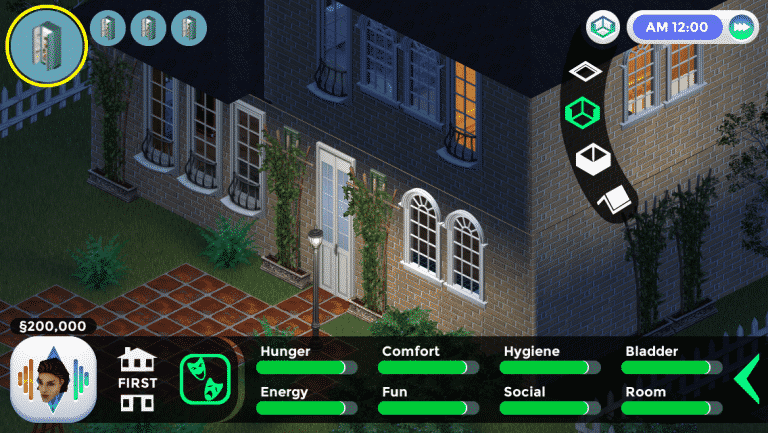
Finally, here is a mockup of the mobile friendly UI that will be used in the TS1 frontend. Note that these are just a few shots out of a large collection of menu mockups, but you should be able to note that we’re keeping it simple.


So, not only will you be able to play the old classic on your mobile phone but you’ll also get to connect with Simmers worldwide right at your fingerprints!

You can also expect a brand new update for FreeSO in the near future which lets you customize terrain just like you could in The Sims 1!

The Sims FreePlay: Wedding Belles CAS + Build Mode Overview

0

Early access to beta provided by EA / Firemonkeys!

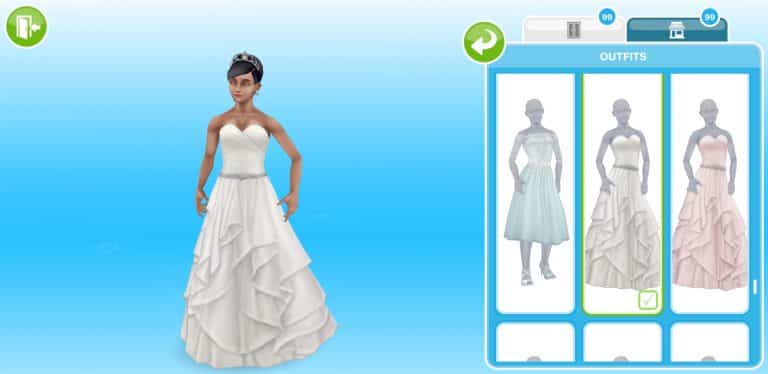
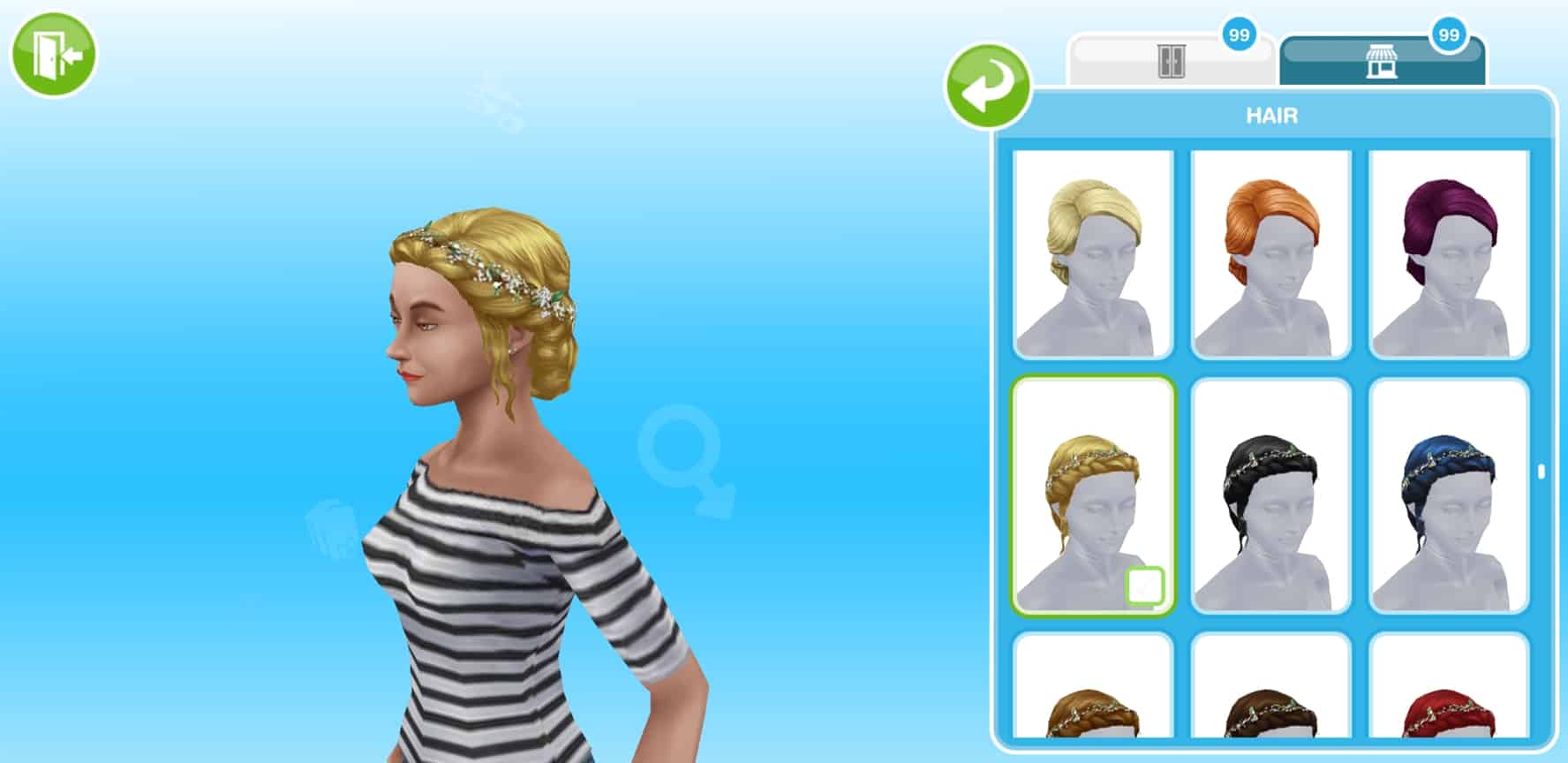
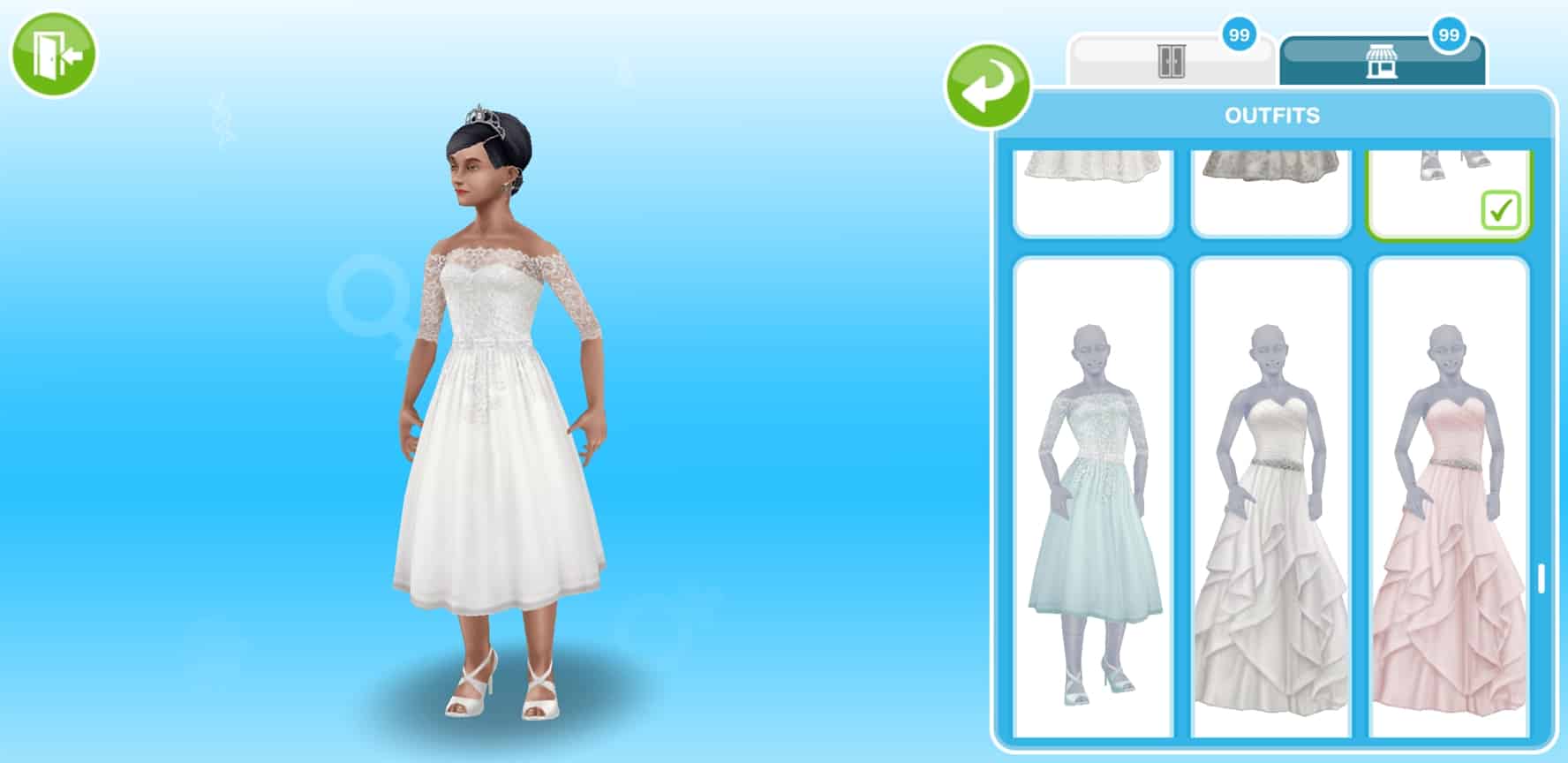
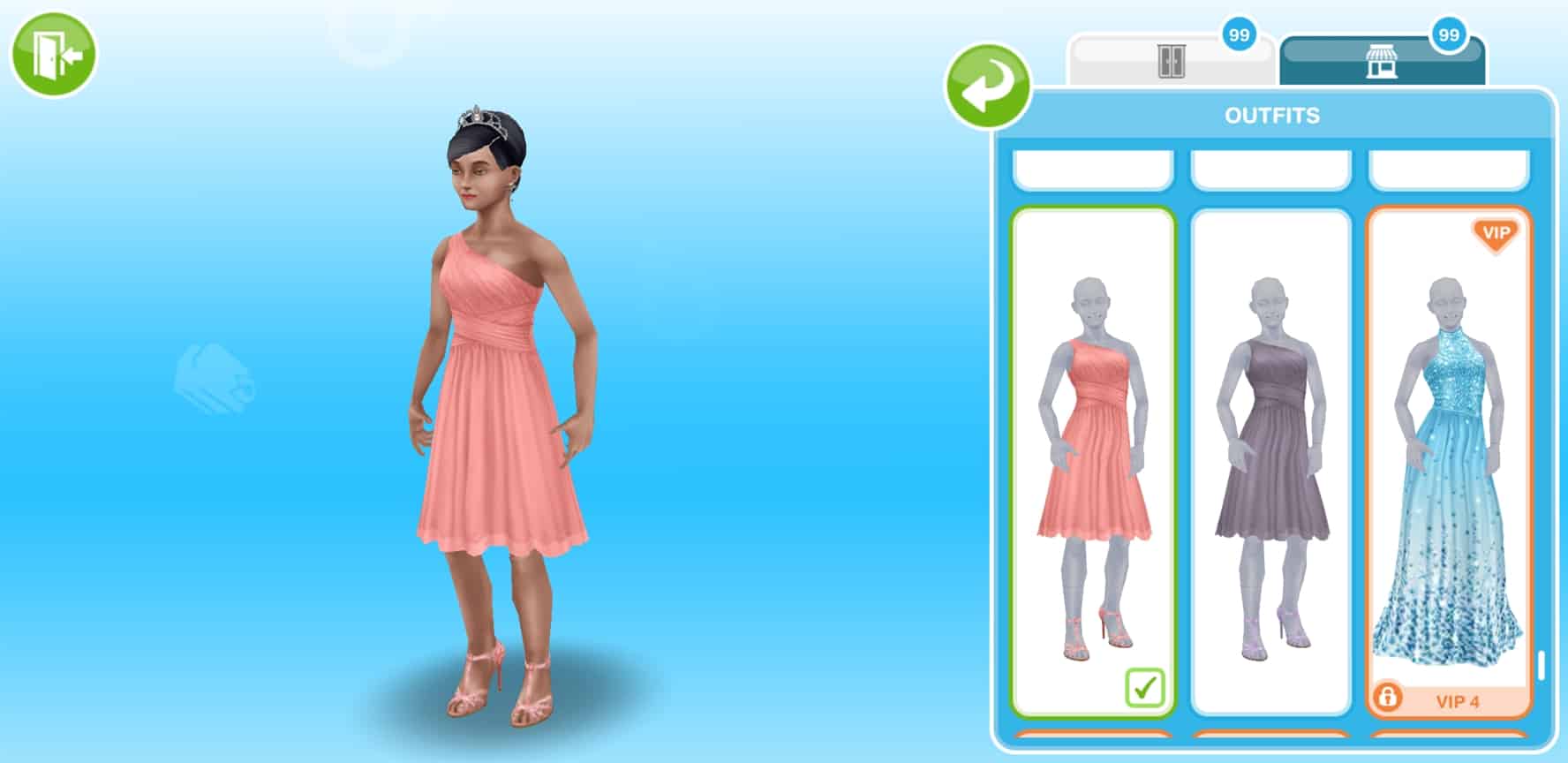
The latest Wedding Belles Update for The Sims FreePlay brings a dozen of new Create A Sim and Build Mode items. However, you’ll have to start working on a live event as soon as possible in order to unlock these items. You can check out our Wedding Belles Walkthrough for more information!

Create A Sim

Male Hairstyles & Outfits

Female Hairstyles & Outfits

Build Mode

The Sims FreePlay: Wedding Belles Update Trailer

4

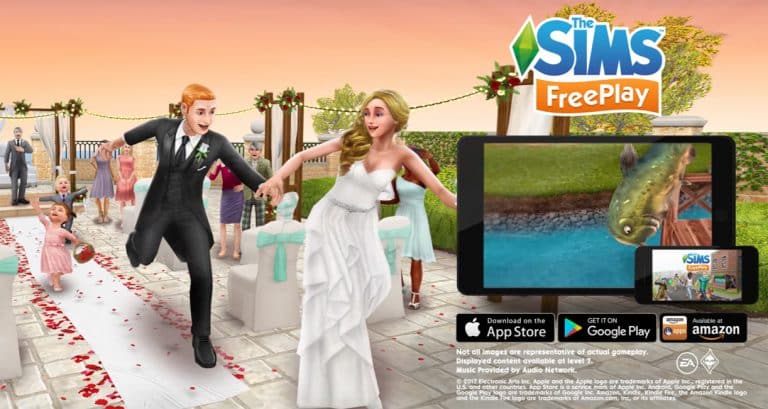
The Sims FreePlay Team released a brand new trailer for their Wedding Belles update which should be rolling out for Android and iOS in the next few hours.

The Sims FreePlay: Wedding Belles Update Walkthrough

4

Early access to beta provided by EA / Firemonkeys!

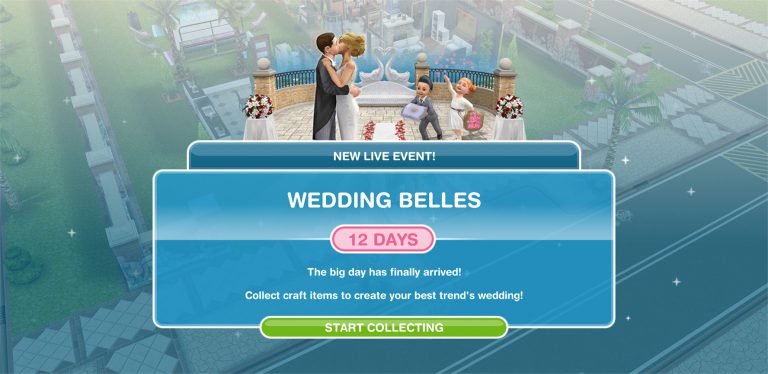
The Sims FreePlay is back with another update – this time giving your love bird Sims a better outlet to express their love for each other.

The Wedding Belles Update is a Live Event, meaning that you can progress through it not by completing a quest but by collecting arts and craft items.

The Sims FreePlay: Wedding Belles Update Walkthrough

There are 4 craft stations that you get this with event:

  • Candle Station
  • Pottery Station
  • Jewelry Station
  • Glassware Station

The Sims FreePlay: Wedding Belles Update Walkthrough

You can place several of these (depending on the station) on several lots, making it easier to produce more items for your event.

Daily Goals

Daily goals help you earn more items for the live event by performing simple tasks. Those tasks include:

  • Craft any item (1 Constructor Coin)
  • Craft 1,000 items (5 Constructor Coins)
  • Use a Spin Plant (1 Constructor Coin)
  • Win 10 Coins from a Coin Flower Patch (350 Candles)
  • Complete All Daily Goals (20 Constructor Coin)
  • Free Candles (100 Candles)
  • Free Constructor Coins (1 Constructor Coin)
  • Unlock or Buy a Prize (5 Constructor Coins)

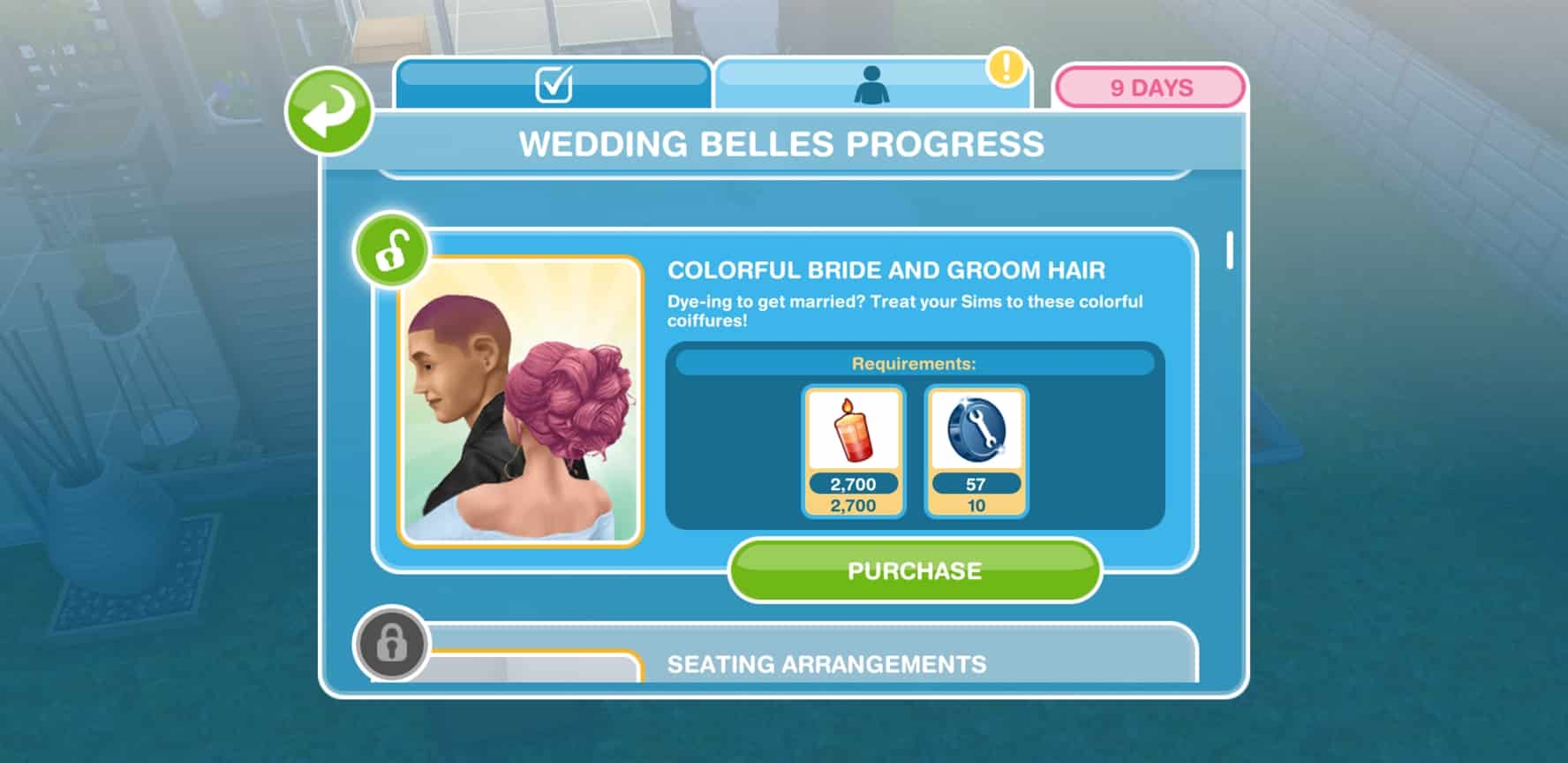
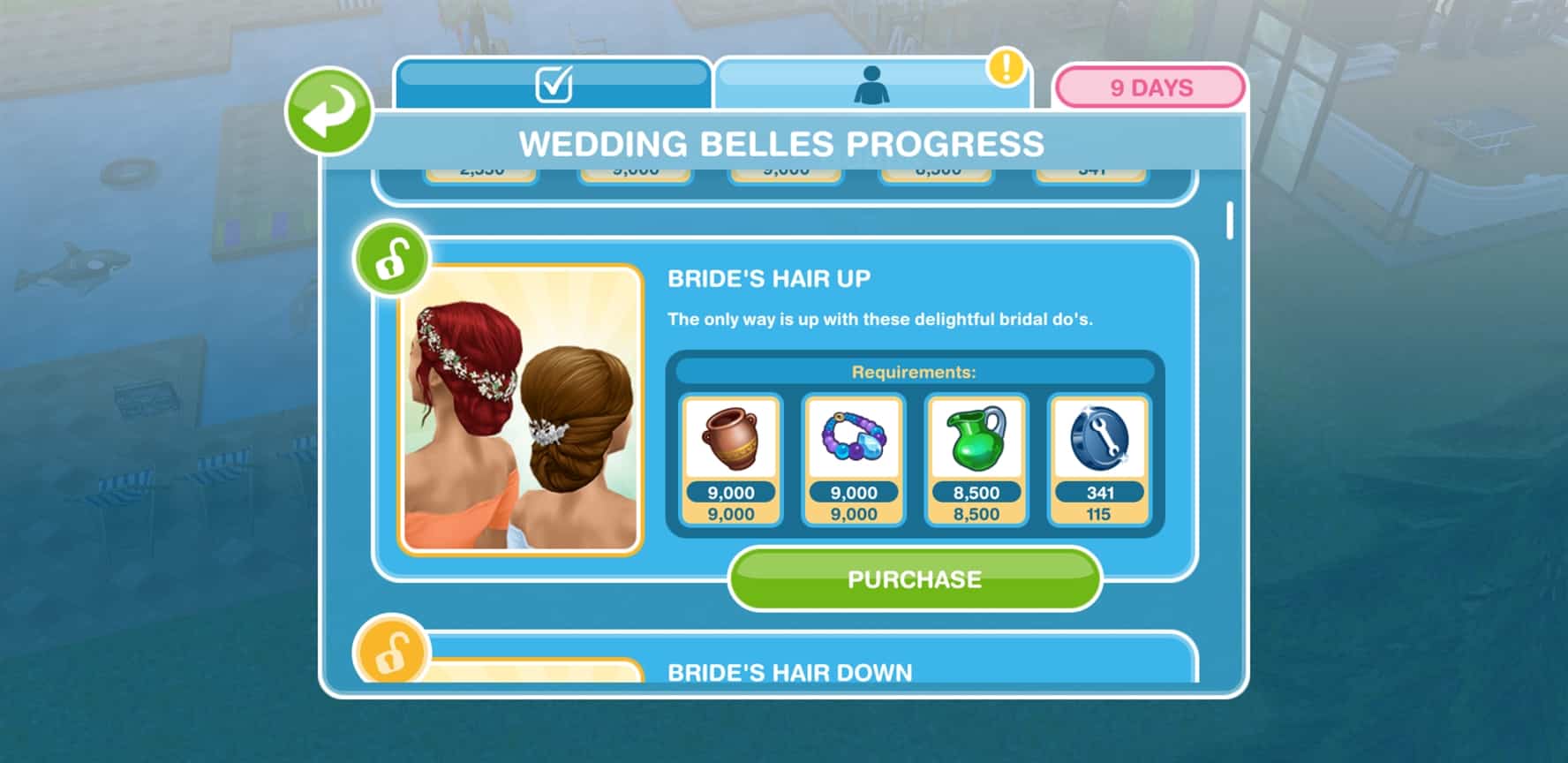
Wedding Belles Progress

You progress through certain milestones by collecting items. The more items you collect that are shown in the “Next Milestone” section beneath the progress bar the more you advance. You also have an overview of your current inventory as well as all items that you’ve unlocked / need to unlock.

Down below you can find a list of all items that you can unlock (shown in order), as well as their requirements:

The Sims 4 Gallery Spotlight: Restaurants

The Sims 4 Gallery Spotlight: Restaurants

It’s time to kick off our Gallery Themed Week with a new Gallery Spotlight!

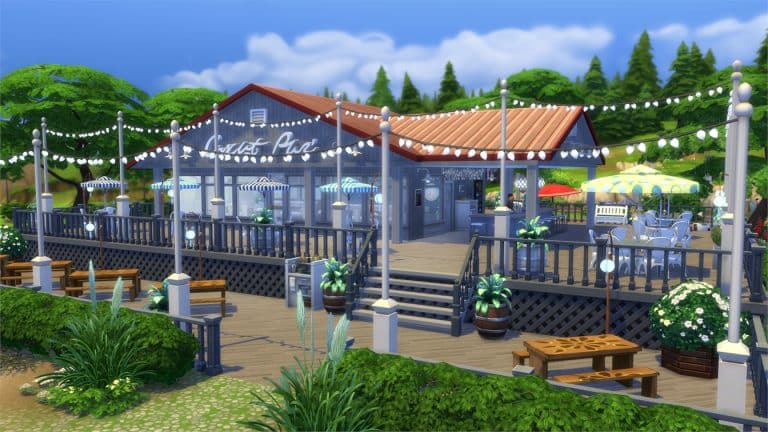
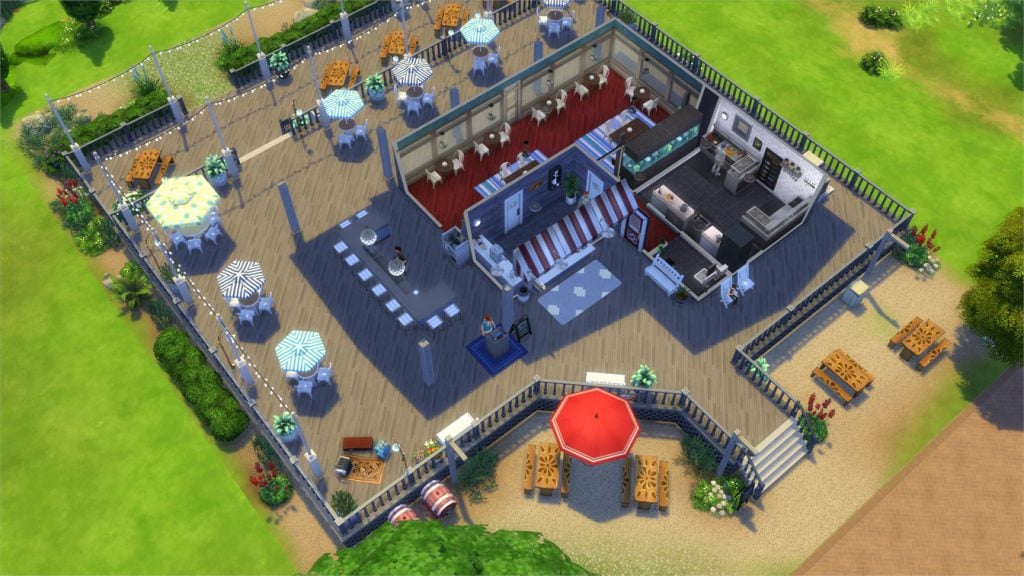
In this spotlight we’re featuring all kinds of restaurants (a venue type that comes with The Sims 4 Dine Out) built by Simmers.

Hover over the pulsing plumbobs to see screenshots of marked areas. Pulsing plumbob that’s on the left bottom corner contains all the info (and download link) of the lot.

To see more of our previous Gallery Spotlights, CLICK HERE!

[ult_hotspot main_img=”id^63268|url^https://simscommunity.info/wp-content/uploads/2017/07/07-17-17_11-25-19-AM.jpg|caption^null|alt^null|title^07-17-17_11-25-19 AM|description^null”][ult_hotspot_items icon_type=”custom” icon_img=”id^39525|url^https://simscommunity.info/wp-content/uploads/2015/09/plumbob2.png|caption^null|alt^null|title^plumbob2|description^null” img_width=”38″ tooltip_custom_color=”” tooltip_custom_bg_color=”rgba(255,255,255,0.01)” tooltip_width=”400″ tooltip_position=”right” enable_bubble_arrow=”off” tooltip_continuous_animation=”on” hotspot_position=”53.52957589285714,50.59411641541038″]

The Sims 4 Gallery Spotlight: Restaurants

[/ult_hotspot_items][ult_hotspot_items icon_type=”custom” icon_img=”id^39525|url^https://simscommunity.info/wp-content/uploads/2015/09/plumbob2.png|caption^null|alt^null|title^plumbob2|description^null” img_width=”52″ tooltip_custom_color=”#1e73be” tooltip_custom_bg_color=”#ffffff” tooltip_width=”450″ tooltip_position=”right” tooltip_continuous_animation=”on” hotspot_position=”89.61858624454149,3.190184049079755″ tooltip_custom_border_size=”border-style:solid;|border-width:2px;border-radius:5px;|border-color:#81d742;”]

Samosa – Restaurant (Download Here)

by HXFT

Value: §76,519
Size: 30×20
Lot Type: Restaurant[/ult_hotspot_items][/ult_hotspot][ult_hotspot main_img=”id^63270|url^https://simscommunity.info/wp-content/uploads/2017/07/07-17-17_11-28-11-AM.jpg|caption^null|alt^null|title^07-17-17_11-28-11 AM|description^null”][ult_hotspot_items icon_type=”custom” icon_img=”id^39525|url^https://simscommunity.info/wp-content/uploads/2015/09/plumbob2.png|caption^null|alt^null|title^plumbob2|description^null” img_width=”38″ tooltip_custom_color=”” tooltip_custom_bg_color=”rgba(255,255,255,0.01)” tooltip_width=”400″ tooltip_position=”right” enable_bubble_arrow=”off” tooltip_continuous_animation=”on” hotspot_position=”54.79910714285714,79.18237018425461″]

The Sims 4 Gallery Spotlight: Restaurants

[/ult_hotspot_items][ult_hotspot_items icon_type=”custom” icon_img=”id^39525|url^https://simscommunity.info/wp-content/uploads/2015/09/plumbob2.png|caption^null|alt^null|title^plumbob2|description^null” img_width=”52″ tooltip_custom_color=”#1e73be” tooltip_custom_bg_color=”#ffffff” tooltip_width=”450″ tooltip_position=”right” tooltip_continuous_animation=”on” hotspot_position=”89.61858624454149,3.190184049079755″ tooltip_custom_border_size=”border-style:solid;|border-width:2px;border-radius:5px;|border-color:#81d742;”]

The Lobster Dock (Download Here)

by silrosse

Value: §95,922
Size: 40×30
Lot Type: Restaurant[/ult_hotspot_items][/ult_hotspot][ult_hotspot main_img=”id^63273|url^https://simscommunity.info/wp-content/uploads/2017/07/07-17-17_11-30-14-AM.jpg|caption^null|alt^null|title^07-17-17_11-30-14 AM|description^null”][ult_hotspot_items icon_type=”custom” icon_img=”id^39525|url^https://simscommunity.info/wp-content/uploads/2015/09/plumbob2.png|caption^null|alt^null|title^plumbob2|description^null” img_width=”38″ tooltip_custom_color=”” tooltip_custom_bg_color=”rgba(255,255,255,0.01)” tooltip_width=”400″ tooltip_position=”right” enable_bubble_arrow=”off” tooltip_continuous_animation=”on” hotspot_position=”48.646763392857146,63.84265075376885″]

The Sims 4 Gallery Spotlight: Restaurants

[/ult_hotspot_items][ult_hotspot_items icon_type=”custom” icon_img=”id^39525|url^https://simscommunity.info/wp-content/uploads/2015/09/plumbob2.png|caption^null|alt^null|title^plumbob2|description^null” img_width=”52″ tooltip_custom_color=”#1e73be” tooltip_custom_bg_color=”#ffffff” tooltip_width=”450″ tooltip_position=”right” tooltip_continuous_animation=”on” hotspot_position=”89.61858624454149,3.190184049079755″ tooltip_custom_border_size=”border-style:solid;|border-width:2px;border-radius:5px;|border-color:#81d742;”]

Hawaiian Restaurant (Download Here)

by DutchSimsMaster

Value: §73,474
Size: 30×20
Lot Type: Restaurant[/ult_hotspot_items][/ult_hotspot][ult_hotspot main_img=”id^63275|url^https://simscommunity.info/wp-content/uploads/2017/07/07-17-17_11-35-00-AM.jpg|caption^null|alt^null|title^07-17-17_11-35-00 AM|description^null”][ult_hotspot_items icon_type=”custom” icon_img=”id^39525|url^https://simscommunity.info/wp-content/uploads/2015/09/plumbob2.png|caption^null|alt^null|title^plumbob2|description^null” img_width=”38″ tooltip_custom_color=”” tooltip_custom_bg_color=”rgba(255,255,255,0.01)” tooltip_width=”400″ tooltip_position=”right” enable_bubble_arrow=”off” tooltip_continuous_animation=”on” hotspot_position=”48.293340773809526,63.67776381909548″]

The Sims 4 Gallery Spotlight: Restaurants

[/ult_hotspot_items][ult_hotspot_items icon_type=”custom” icon_img=”id^39525|url^https://simscommunity.info/wp-content/uploads/2015/09/plumbob2.png|caption^null|alt^null|title^plumbob2|description^null” img_width=”38″ tooltip_custom_color=”” tooltip_custom_bg_color=”rgba(255,255,255,0.01)” tooltip_width=”400″ tooltip_position=”right” enable_bubble_arrow=”off” tooltip_continuous_animation=”on” hotspot_position=”32.807849702380956,63.93425460636516″]

The Sims 4 Gallery Spotlight: Restaurants

[/ult_hotspot_items][ult_hotspot_items icon_type=”custom” icon_img=”id^39525|url^https://simscommunity.info/wp-content/uploads/2015/09/plumbob2.png|caption^null|alt^null|title^plumbob2|description^null” img_width=”52″ tooltip_custom_color=”#1e73be” tooltip_custom_bg_color=”#ffffff” tooltip_width=”450″ tooltip_position=”right” tooltip_continuous_animation=”on” hotspot_position=”89.61858624454149,3.190184049079755″ tooltip_custom_border_size=”border-style:solid;|border-width:2px;border-radius:5px;|border-color:#81d742;”]

COAST Seafood (Download Here)

by DevonBumpkin

Value: §220,329
Size: 40×30
Lot Type: Restaurant[/ult_hotspot_items][/ult_hotspot]
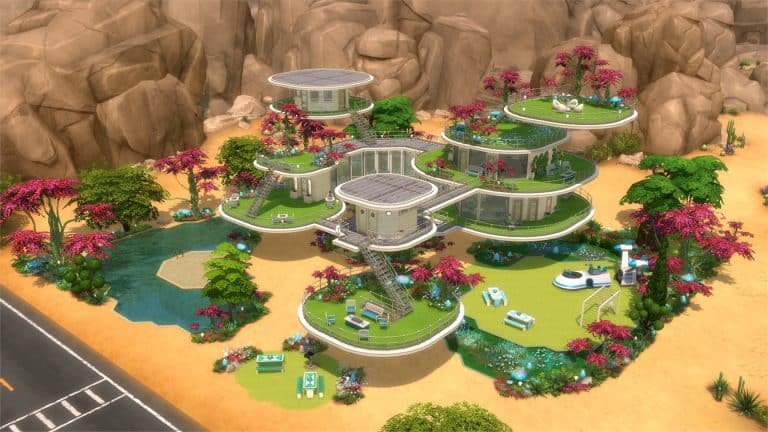
Sharing your creations for our Gallery Themed Week

2

It’s time to spotlight your gallery creations!

Over the next 7 days we’ll be showcasing not only lots but also rooms, households and even your personal speedbuild videos and blogs that are related to building (must feature creations that can be found on the gallery).

However, it won’t be easy to keep track of all of your submissions and that’s why we encourage you to post all of your gallery creations in our “My Gallery” section on Sims Community Social. That way we can keep track of everyone’s creations + creations / creators that don’t get featured will still get their spotlight on our forums.

Please note that we won’t be accepting submissions that use Custom Content. Also, if you have multiple creations that you’d like to showcase feel free to include them all inside one thread.

Are you ready to show off your talent? Submit your creations by clicking the button below!

[mks_button size=”large” title=”SUBMIT YOUR CREATIONS!” style=”squared” url=”https://simscommunity.info/social/forums/my-gallery.13/” target=”_blank” bg_color=”#1e73be” txt_color=”#FFFFFF” icon=”” icon_type=”” nofollow=”0″]

Sharing your creations for our Gallery Themed Week

The Sims 4 Gallery Themed Week starts now

It’s time for our second themed week on Sims Community!

After posting around 10 articles for The Sims 4 Base Game Week we’re kicking off again with new articles and community spotlights that will revolve around The Sims 4 Gallery and the people who use it.

Unlike with the Base Game Week we’ll be covering creations that include all sorts of Sims 4 Packs. However, we won’t be covering Gallery creations that include Custom Content (we might just dedicate one week for CC 😉 ).

You’ll be able to share your creations as well. We get more into details about that in THIS article!

The Sims 4 Gallery Themed Week starts now

Xmiramira talks about black culture representation in The Sims 4

Amira, one of the content creators on YouTube who makes videos, livestreams and custom content for The Sims 4 took her time with Al Jazeera Plus to talk about the importance of black culture representation in video games (The Sims 4 in this case) as well as how she took the matter in her own hands and started creating custom content for The Sims 4 that will accurately represent her skintone, her hairstyle and so on.

Back in March SimGuruMegs asked on Twitter which new skintones would we like to see in The Sims 4 and that she’ll “try her best to get them into the game”.

Amira’s website The Black Simmer already has over 16 thousand members who help make the content that anyone can download (after registering to the site) that help fill the void that Amira pointed out. Her Melanin Skin Tone Pack, which brings 16 new brown skin tones has already received a lot of attention.

You can find Amira’s Custom Content on her website, as well as watch her videos on YouTube.