Check out the 3 HQ shots taken from the latest The Sims 4 Fitness Stuff Pack teaser!




Check out the 3 HQ shots taken from the latest The Sims 4 Fitness Stuff Pack teaser!
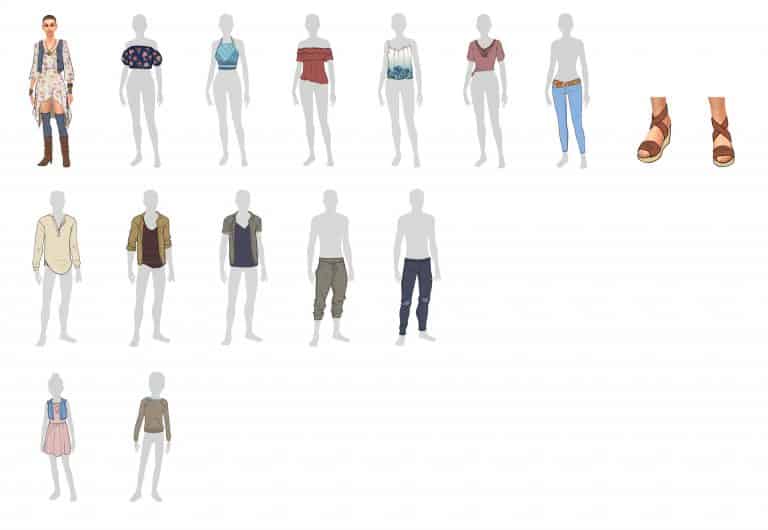
SimGuruGraham finally revealed all the clothing that made the cut into The Sims 4 Eco Living Stuff Pack. He explained more and shown which clothing items made the cut in the blog below:
Thanks again to all of you who took part in the recently held Objects and Clothing vote! The survey placed the power in your collective hands to guide the course of this upcoming Stuff Pack, by helping determine which specific objects and clothing you wanted to see included. If you’re just catching up on this project, you can read the blog that preceded this recent survey to discover more about which stage of development we’re currently in.
This past Sunday, we posted the results of the Objects portion of the survey right here on the forums, which revealed the 29 objects which will be part of this pack. Today I’m happy to share the other half of the survey results, and unveil the winning pieces of clothing that you’ll be able to dress your Sims in when you get your hands on this Stuff Pack. In addition to the clothing shown today, there will also be three new hairstyles included in this Stuff Pack. Stay tuned for a forum post in the coming weeks that shows these hairstyles, and discusses how we selected them.
The survey presented you with a difficult proposition, asking you to select just 14* winners from 64 unique pieces of concept art. As with the objects vote, the winners by and large represent your top 14 selections. In the pursuit of transparency throughout this project, I’ll share that we did make a few adjustments to ensure that there is variety in the choices selected, with some representation across each of the ages and genders that were included in the vote. If you’re curious to learn more about why we tweaked the winning list, I explained our development approach in-depth as part of the Objects and Clothing blog.
*Many of you commented on the forums during the survey, wondering why the clothing shown in the style vote wasn’t also included as options to vote for within the clothing vote. As you may have noticed, all of the assets shown in the art style image were redrawn in greater detail for the Objects and Clothing vote. Some of the assets even went through some changes, as our concept artists refined their vision from the broad room view, to an individual study of each piece. While we’d intended to do the same for the clothing, the pieces shown inadvertently slipped through the cracks and weren’t redrawn in time to be included in the clothing vote. Because many of you felt passionately about these pieces of clothing, we’ve decided to also include the dress, boots, and stockings that were shown on the woman from the style vote. For the men, we’ll incorporate similar patterns and textures to the ones shown in the style vote within the variants offered for their winning pieces of clothing. The end result is that a grand total of 17 pieces of clothing will come with this pack!
These are the pieces of clothing that will be included in this upcoming Stuff Pack:
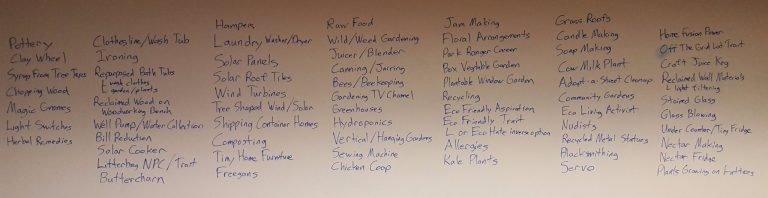
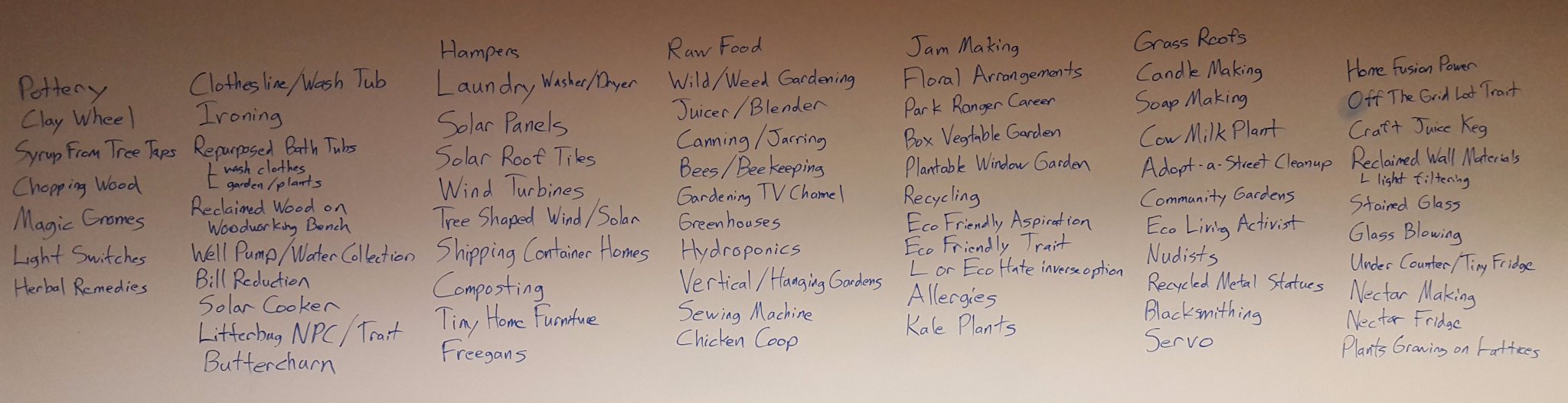
Is there anything even remotely related to The Sims 4 Eco Living Stuff Pack theme that you’d like to see make the cut? SimGuruGraham has put up a huge list of brainstorm suggestions of features that they might consider adding. Some of those include solar panels, laundry washers, servo, pottery and more!
Check out the list below and let SimGuruGraham know your opinion HERE!
We used to make dedicated posts for every significant mod that’s out there but now that the modding community is very active we’ve decided to bring back Mod Spotlight. Here are some of the best mods released in the last couple of days:
Before continuing, please note the following:
[ultimate_carousel slide_to_scroll=”single” title_text_typography=”” slides_on_desk=”1″ slides_on_tabs=”1″ slides_on_mob=”1″ autoplay=”off” arrow_style=”circle-bg” arrow_color=”#1e73be” arrow_size=”48″ dots_color=”#1e73be” adaptive_height=”on” item_space=”0″]
[/ultimate_carousel]
Have a Mod suggestion? Post it here!
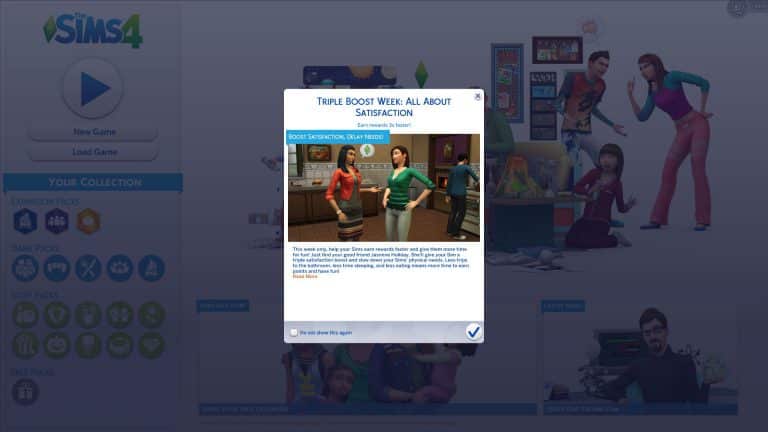
The Sims Team has just re-launched the Triple Boost Week in The Sims 4, which is focused on satisfaction (slower needs and bigger rewards). It ends on June 13th at 10AM PT.
For more information about the Satisfaction Boost Week, CLICK HERE!

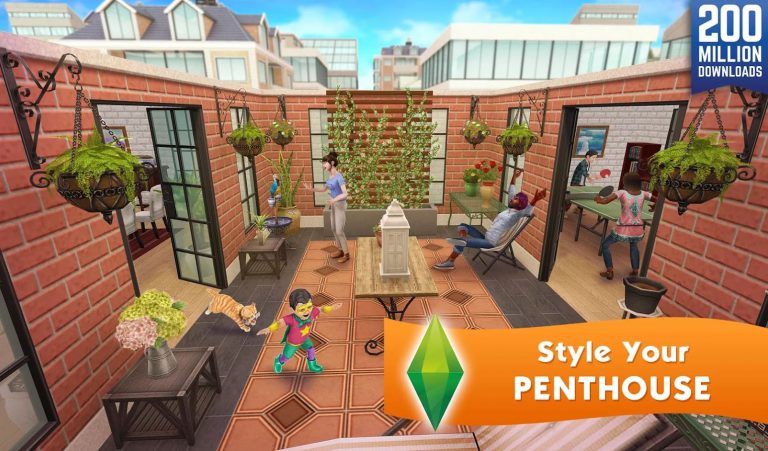
The Sims FreePlay’s latest Penthouse Update is now available on iOS and Android! Check out the update notes:
What’s New in Version 5.30.2
Be on top of the world when you head Downtown to create swanky penthouses for your Sims! Plus, get more home inspiration with all-new Hobby Events.
• Design and customize glamorous apartments, unlocked in the Sims and the City Discovery Quest
• Choose from three stylish templates, or tailor-make your own pad with loft-like finishing touches, like an elevator, grand piano, exposed bricks, and more
• Create amazing walk-in wardrobes, complete with chandeliers, ottomans, and handbag and shoe racks in the Custom Closets Hobby Event
• Add extra polish to your Sims’ homes with curtains and blinds in the Love is Blinds Hobby Event
Hi, I’m Jason Sterling. The game play of the new Parenthood pack revolves around the lessons that both children and parents learn during the process of growing up. However, there’s more than just game play in the pack. It has a wide range of new build/buy items. Today I’m going to focus on using them to create one room for two ages. A sim as a young boy and as a teenager. For the pictures below I’ve used only the Parenthood pack and the Base Game.

The decoration in the child’s room is more influenced by his parents but with his “input” regarding colors and décor. Hence, there’s neutral wood on the furnishings and the cabinetry matches the rest of the house. The child’s favorite color is blue. As a result there’s also a reliance on blue. The style of the bed matches the overhead cabinets and end tables. This creates a cohesive “bought off the show room floor” look. This is often the case with children’s rooms. The parent picks a suite of matching items from a furniture store. In addition, the art on the wall was created by the room’s occupant at his art station off screen.
In the picture below you can see a number of new items:
Next, I tossed in a few Base Game items and we have a lively, real life appearing child’s room. You can see the same thing through out these pictures. The new Parenthood Pack itself is the main feature.


He’s a child. As a result, I’ve placed the new Buildems Blocks Play Table on the activity side of the room shown above. In addition, I’ve also placed the night light right by the bathroom door. In that way he can find the door easily in the dark. The new shears are his favorite blue. The Extended Vertical Windows from the pack look great with the bedroom furniture. These can be used as floor to ceiling windows in smaller wall height rooms. I used a base game door done in bright rainbow colors (HAPPY PRIDE MONTH!), poster, rug and wall color to finish off the room.
By contrast the teenagers sleeping area pictures below is meant to reflect a darker, moodier personality. The new Metal Framed Single Bed in the pack is paired with two end tables from the base game. They don’t match. He associates matching furniture with being a little kid. The same shears are here but in gray to reinforce that the world is darkness- lol. The new Private Journal where he records the misery of first world problems has been carelessly left out. It can be hidden in the bed to keep out prying eyes. You can see a bit of blue which is still his favorite color. I’ve polished off the look with slightly messy clutter and wall art from the base game. The flowers I imagine are from his love interest and probably dead, lol.

 You can see above that the teenager’s activity area consist of a television- ha! There’s Base Game benches surrounding the new Rustic Square Living Room Table salvaged from the family room remodel. This gives his friends a place to hang. The table is covered with the new Kid’s Clutter because mom and dad are no longer cleaning up the room. The carpet is the same as the child’s side of the room but it’s a darker, moodier selection. The walls are a jumble of different posters and ideas. We have the Super Wicked Rad Bad Cool Poster set. The Hobby Board was the one contribution by his parents. Hence, it’s right by the new Personalized Kid’s door as though it’s not really a part of the space. A few Base Game items complete the look.
The clear break from childhood to teen is evident in the central part of the room pictured below. The new BroHill Kids Activity Wonderland is replaced with a built in desk constructed of the BroHill Kitchen Cabinetry Island. Seating is a spare BroHill Barstool. The handmade plate was replaced with a video game collectible next to the computer. The wall pattern for the art/computer nook is the Misty Forest.

In the bathroom it’s the same. A rubber duck and single dispensary of soap are swapped as a teenager with a tray of styling equipment and an assortment of beauty products next to the new Single Pipe Sink and Cabinet. On the wall are the Medicine Cabinet and Teen’s Oval Mirror both new with the pack. Further, I’ve used the teen’s color choice for the Extreme Shower Tub w/ Customizable Curtain. The wall pattern here is the Tiled Patterns with Wainscot Paneling. It’s shown in two different colors for the two different age ranges.


This is a pretty brief view of what is possible with just the base game and the variety of options available in the build buy catalog in Parenthood. There’s are numerous new objects in a style and feel that we haven’t yet had in the game. From cabinetry to rugs, wall decor, new shear curtains and so on you are sure to find many ways to express your style in the game.
I hope you’ve enjoyed this article and I also hope you are inspired to apply your own ideas and experience to creating your sim’s spaces. This build was featured in my live Twitch broadcast archived here: https://www.twitch.tv/jasonanthonysterling/videos/all You can see and hear the entire mental process I took to get this room. Thanks for reading.
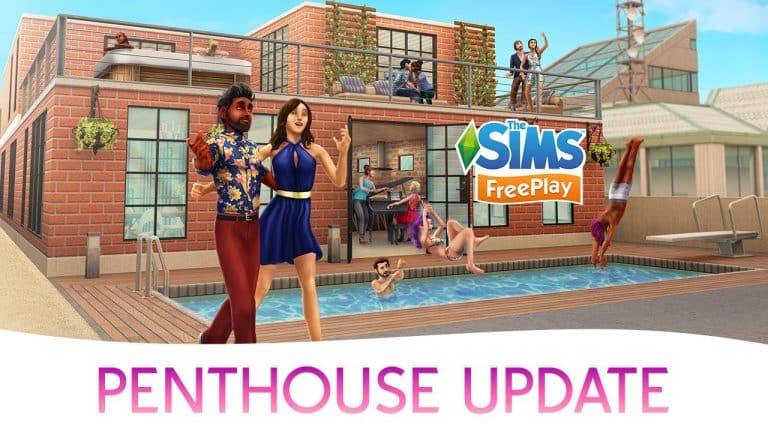
The Sims FreePlay Team released a trailer for the new Penthouse Update which should be available on devices worldwide over the next few hours.
Ever wanted to know how The Sims team go about making objects for the game? Well, SimGuruGraham has posted a little something over on the forums which gives Simmers an insight into the process.
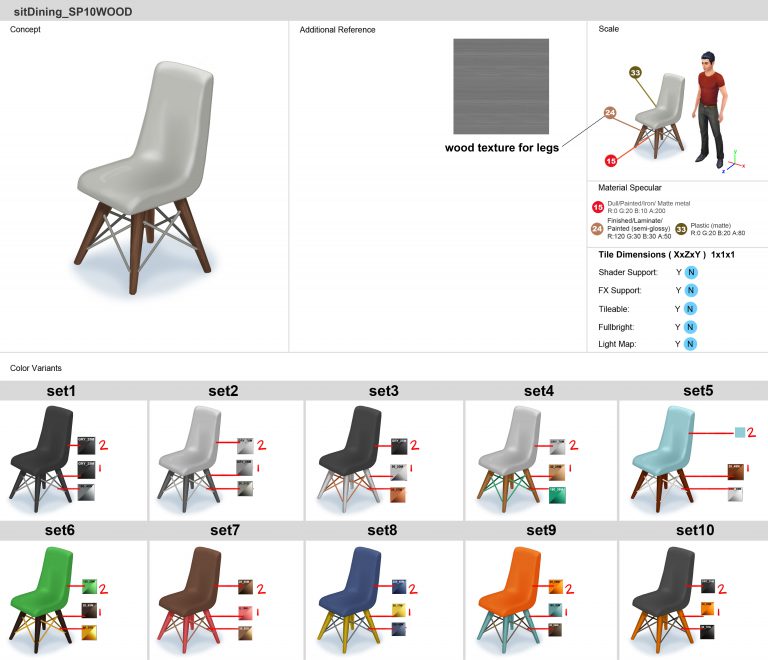
With our objects for this upcoming Stuff Pack now selected, our concept artists have started work on creating object guides. Whereas the original concept art provides a basic look at each asset we’ll create, a guide ensures that nothing is left open to interpretation for the modeling artist. This includes showing the object from different perspectives, and visualizing the scale of an object in contrast to the height of a Sim. It answers all construction questions, such as… Should the object tile seamlessly if it’s placed next to itself? What size should the object’s footprint be? Does the object emit any light or VFX? How shiny should various surfaces of the object be? Perhaps most importantly to players, the guide shows every color and pattern variant that the object will have, with each of the color values defined precisely.
Here’s an example of an object guide for a dining chair from The Sims 4 Bowling Night Stuff…
Guides are our concept artist’s final step in the process before we hand the art off to external partners. We have both internal artists who work here as part of the Maxis team, as well as external partners that help flesh out the breadth of catalog content that every pack includes. Our external partners first put together orthogonal drawings, and then go on to create the geometry and texture that the model uses. Our internal artists tend to work on brand new types of objects, while our external partners are given concept art of objects that match a template of something we’ve already created. We accomplish this by creating something we call a “block model”. Block models are the simplest way to represent the different types of objects you see in-game, and they contain key information that every object of the same type must include to function properly. For every object that you see multiples of in-game (beds, bookcases, dining chairs, trash cans, mailboxes, etc), a block model exists that defines its bare necessities.
Here’s an example of a block model for the dining chair from base game…
In that image you have the most basic form of a dining chair, as seen from top, front, and side profiles, as well as in perspective. The green portion of the model denotes a contact surface, meaning this is the part of the object the Sim’s body will make contact with when using the object. In this dining chair block model, the contact surface shows where the Sim will sit, and how far the Sim can lean back when sitting. The yellow portion of the model shows where it’s safe to build the geometry of the rest of the chair. As long as the chair is built within the space that the yellow area occupies, then the geometry won’t extend beyond the object’s footprint, and will minimize issues with the object causing clipping with other objects, or with the Sim. The block model also contains other important information, such as “bones” – which serve as the anchor point on the object that animations are authored against, “VFX joints” – the origin point for where visual effects spawn, and “decorative slots” – the spots on the model where smaller objects can be attached. (Such as placing a potted plant on a table.)
Getting back to the role of our external partners, the block model is a guideline for what they can build. They take the concept art provided by the artists here at Maxis, and their first step is to create an “orthogonal drawing”. Orthogonal drawings are a way to show three dimensional objects on a two dimensional plane, which allows the modeling artist to have an exact blueprint of the object’s shape from the front, back, side, and top. This is accomplished by re-drawing the concept art superimposed over an image of the block model, without exceeding the borders of the block model. The artist then builds a 3d model that matches the visual shown in the concept art, and fits within the space defined by the orthogonal drawing.
Here’s an example of an orthogonal drawing that was created for the dining chair from The Sims 4 Bowling Night Stuff. You can see how the drawing is superimposed over the image of the dining chair block model, and fits entirely within the borders of the block model…
Sometimes you may hear SimGurus refer to “mimics”. A mimic is simply a type of object that already has a block model, so that it can be referenced by our external partners, allowing us to easily replicate it. For an object to be a mimic, it means that all functionality on the object remains the same, and only the visual appearance of the object changes. This also helps define the difference between what our internal artists at Maxis do, in contrast with our external partners.
When we need a new type of object – even if the change is a minor one – it’s always created by one of the artists here at Maxis. A great example of this is the large round dining table that came with The Sims 4 Backyard Stuff. While round dining tables already existed in the game, they could only seat four Sims. This new dining table was larger with room for six Sims, but that meant that the existing dining table block model could not be used. As such, one of our artists here in the studio created a new block model for a large round dining table, which can now be mimicked in future packs. While the large round dining table was a simple task for an internal artist, new objects can also require a level of complexity that requires more immediate feedback from Art or Production. An internal artist can quickly reach out to others in the studio to resolve any issues that arise.
You may be left wondering, why does the distinction between external partner and internal Maxis artist matter? It’s important because it affects how we determine what we can make in each pack. For example, in the recent vote you selected your top 28 objects. Those 28 objects can include any type of mimic-able object in the game… which now includes that large round dining table, thanks to the work that we did internally for The Sims 4 Backyard Stuff. Each Stuff Pack has a set schedule, and all of our internal artist’s time has to fit within that schedule. We made the decision that the large round dining table was an important enough part of that pack that we wanted to spend an internal artist’s time on it. That’s the same pool of time we use when determining which new gameplay features we can include.
While this information may be a lot to take in, the work that I’m describing is all part of what we call pre-production, the period of time where most of us on the Stuff Pack team haven’t even actively started working on this pack’s development yet!
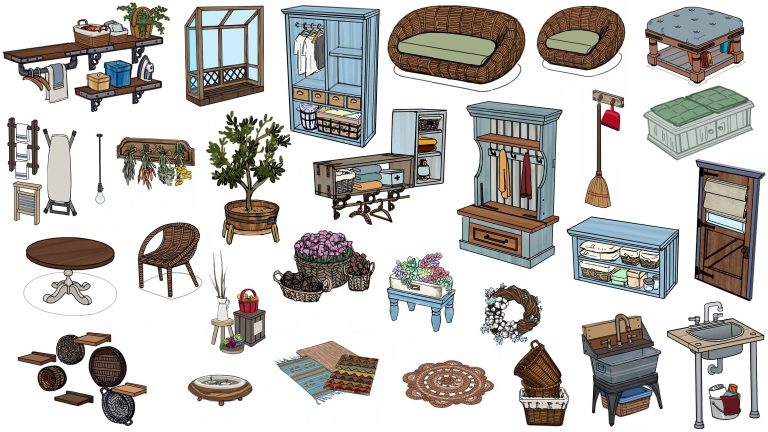
SimGuruGraham has revealed the twenty eight sucessful objects that Simmers have chosen to be in the upcoming Eco Living stuff pack project.
A big thank you to everyone who participated in our recent vote, where you helped select the objects and clothing you want to see in our collaborative Stuff Pack project! In the time since the voting ended, we’ve parsed the data, finalized the selections, and gone through an informal internal approval process. This process is part of what was discussed in the survey blog, where I spoke about how we want to ensure we’re respecting the communities decisions, as well as offering a balanced pack.
Today I’m sharing the results of the objects portion of the survey. If you’re interested in which pieces of clothing won, check the forums again in the coming days for a full breakdown of the clothing voting results. For now, we’ve locked down the object list, and our artists are hard at work on the next step – creating object guides. If you want to learn more about what an object guide is, and how our team works during this part of the project, then click here for a development update where you’ll discover more about how we make The Sims. If you’re just stopping by to see the winning objects though, then let’s get right to it.
From 68 pieces of object concept art, your votes helped narrow them down to the top 28* pieces you see below. We did end up making a few adjustments to the final list, so as to provide a balanced offering of different objects within the pack. For example… there were two styles of the wicker loveseat, and wicker living chair that were available to vote on. All of them received enough votes to propel them into the top of the survey, but we felt they didn’t offer enough visual variety to include all four of them. We kept the top two, and replaced the other two with different objects that just missed the original cut. That bare light bulb that people have been chatting about actually placed number 30 on the list, but by diversifying the selections, we were able to include it!
*Bonus! We’re actually including 29 total objects. One of our internal object modelers had a little spare time in his schedule, and went ahead and created the ottoman prior to the vote.
These are the objects that will be included in this upcoming Stuff Pack:
Please note that nothing has been confirmed by The Sims Team so treat this post as speculation!
UPDATE: The listing has been removed just a few hours after this post! I think we all know what this means… 😉
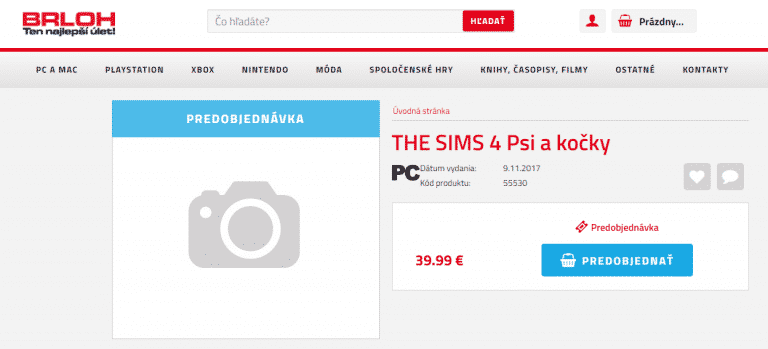
A recognized Slovakia retail website brloh.sk has listed “The Sims 4: Dogs and Cats” on their website. There is no information about the pack other than the fact that it’s probably an Expansion Pack based on the 39,99€ price. There’s also the release date of the pack, saying that it’s coming out on November 9th, 2017 (November 7th could be the US release).

The listing is likely very true after we found that the next expansion pack is only bringing dogs and cats as new creatures.
For more information about all the leaks and findings about The Sims 4 Pets, CLICK HERE!
Tip: Kuřecí Stehno
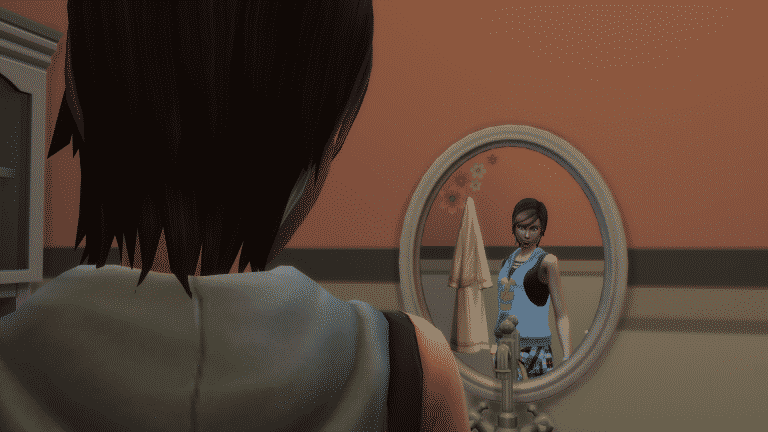
Anyone bothered by the fact that pimples / acne from The Sims 4 Parenthood are nothing else but cosmetic face details that you can add / remove in CAS whenever you want? Yeah, me too…
Luckily, modder bienchen83 managed to add some actual gameplay to these face details.
Pimples will appear on your teenager Sim’s face (and rarely on your adult sim’s face as well) randomly. They’ll be assigned with a hidden moodlet which lasts for 24 hours that can be reduced by activities such as showering or doing yoga (Spa Day). Depending on your Sim’s trait they can get an embarassing moodlet for 3 hours if they notice the pimples. You can get rid of the pimples by taking herbal remedies (deodorant) or by drinking green tea.
The best way to prevent your Sims from getting pimples is to keep them relaxed!
Installing this mod is very simple – just extract the .rar file linked down below in the Electronic Arts > The Sims 4 > Mods folder. Make sure you have Mods / CC enabled in your game options!
[mks_button size=”large” title=”DOWNLOAD!” style=”squared” url=”http://www.modthesims.info/d/595428″ target=”_blank” bg_color=”#1e73be” txt_color=”#FFFFFF” icon=”fa-arrow-down” icon_type=”fa” nofollow=”0″]

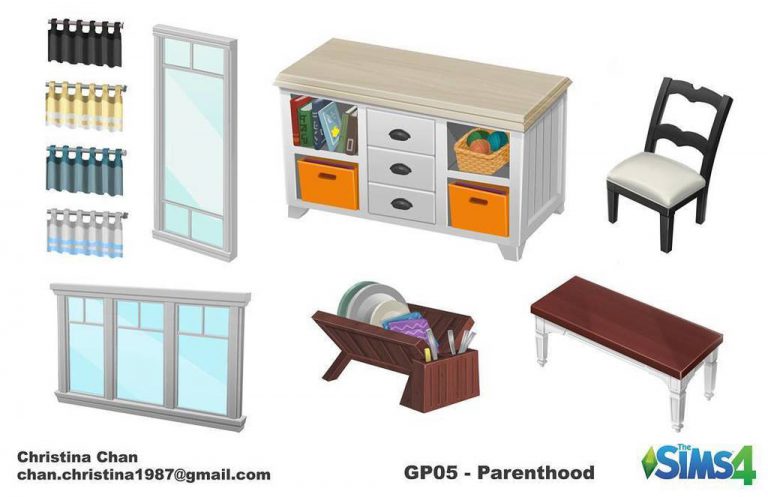
Christina Chan published another concept art piece she made for The Sims 4 Parenthood Game Pack!