

The Sims FreePlay Team released a trailer for the new Penthouse Update which should be available on devices worldwide over the next few hours.
The Sims 4 June Developers Update: Learn About Object Creation
Ever wanted to know how The Sims team go about making objects for the game? Well, SimGuruGraham has posted a little something over on the forums which gives Simmers an insight into the process.
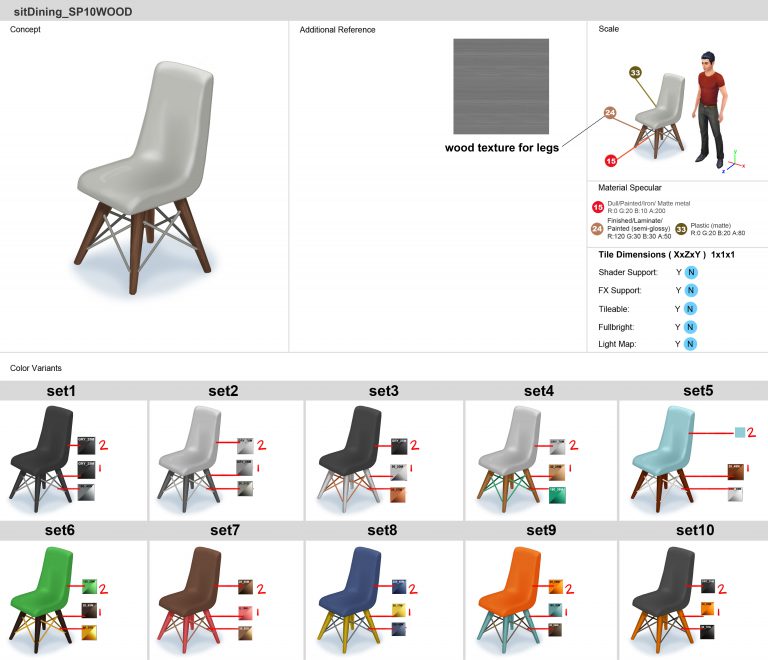
With our objects for this upcoming Stuff Pack now selected, our concept artists have started work on creating object guides. Whereas the original concept art provides a basic look at each asset we’ll create, a guide ensures that nothing is left open to interpretation for the modeling artist. This includes showing the object from different perspectives, and visualizing the scale of an object in contrast to the height of a Sim. It answers all construction questions, such as… Should the object tile seamlessly if it’s placed next to itself? What size should the object’s footprint be? Does the object emit any light or VFX? How shiny should various surfaces of the object be? Perhaps most importantly to players, the guide shows every color and pattern variant that the object will have, with each of the color values defined precisely.
Here’s an example of an object guide for a dining chair from The Sims 4 Bowling Night Stuff…
Guides are our concept artist’s final step in the process before we hand the art off to external partners. We have both internal artists who work here as part of the Maxis team, as well as external partners that help flesh out the breadth of catalog content that every pack includes. Our external partners first put together orthogonal drawings, and then go on to create the geometry and texture that the model uses. Our internal artists tend to work on brand new types of objects, while our external partners are given concept art of objects that match a template of something we’ve already created. We accomplish this by creating something we call a “block model”. Block models are the simplest way to represent the different types of objects you see in-game, and they contain key information that every object of the same type must include to function properly. For every object that you see multiples of in-game (beds, bookcases, dining chairs, trash cans, mailboxes, etc), a block model exists that defines its bare necessities.
Here’s an example of a block model for the dining chair from base game…
In that image you have the most basic form of a dining chair, as seen from top, front, and side profiles, as well as in perspective. The green portion of the model denotes a contact surface, meaning this is the part of the object the Sim’s body will make contact with when using the object. In this dining chair block model, the contact surface shows where the Sim will sit, and how far the Sim can lean back when sitting. The yellow portion of the model shows where it’s safe to build the geometry of the rest of the chair. As long as the chair is built within the space that the yellow area occupies, then the geometry won’t extend beyond the object’s footprint, and will minimize issues with the object causing clipping with other objects, or with the Sim. The block model also contains other important information, such as “bones” – which serve as the anchor point on the object that animations are authored against, “VFX joints” – the origin point for where visual effects spawn, and “decorative slots” – the spots on the model where smaller objects can be attached. (Such as placing a potted plant on a table.)
Getting back to the role of our external partners, the block model is a guideline for what they can build. They take the concept art provided by the artists here at Maxis, and their first step is to create an “orthogonal drawing”. Orthogonal drawings are a way to show three dimensional objects on a two dimensional plane, which allows the modeling artist to have an exact blueprint of the object’s shape from the front, back, side, and top. This is accomplished by re-drawing the concept art superimposed over an image of the block model, without exceeding the borders of the block model. The artist then builds a 3d model that matches the visual shown in the concept art, and fits within the space defined by the orthogonal drawing.
Here’s an example of an orthogonal drawing that was created for the dining chair from The Sims 4 Bowling Night Stuff. You can see how the drawing is superimposed over the image of the dining chair block model, and fits entirely within the borders of the block model…
Sometimes you may hear SimGurus refer to “mimics”. A mimic is simply a type of object that already has a block model, so that it can be referenced by our external partners, allowing us to easily replicate it. For an object to be a mimic, it means that all functionality on the object remains the same, and only the visual appearance of the object changes. This also helps define the difference between what our internal artists at Maxis do, in contrast with our external partners.
When we need a new type of object – even if the change is a minor one – it’s always created by one of the artists here at Maxis. A great example of this is the large round dining table that came with The Sims 4 Backyard Stuff. While round dining tables already existed in the game, they could only seat four Sims. This new dining table was larger with room for six Sims, but that meant that the existing dining table block model could not be used. As such, one of our artists here in the studio created a new block model for a large round dining table, which can now be mimicked in future packs. While the large round dining table was a simple task for an internal artist, new objects can also require a level of complexity that requires more immediate feedback from Art or Production. An internal artist can quickly reach out to others in the studio to resolve any issues that arise.
You may be left wondering, why does the distinction between external partner and internal Maxis artist matter? It’s important because it affects how we determine what we can make in each pack. For example, in the recent vote you selected your top 28 objects. Those 28 objects can include any type of mimic-able object in the game… which now includes that large round dining table, thanks to the work that we did internally for The Sims 4 Backyard Stuff. Each Stuff Pack has a set schedule, and all of our internal artist’s time has to fit within that schedule. We made the decision that the large round dining table was an important enough part of that pack that we wanted to spend an internal artist’s time on it. That’s the same pool of time we use when determining which new gameplay features we can include.
While this information may be a lot to take in, the work that I’m describing is all part of what we call pre-production, the period of time where most of us on the Stuff Pack team haven’t even actively started working on this pack’s development yet!


The Sims 4 Eco Living: Object Vote Results
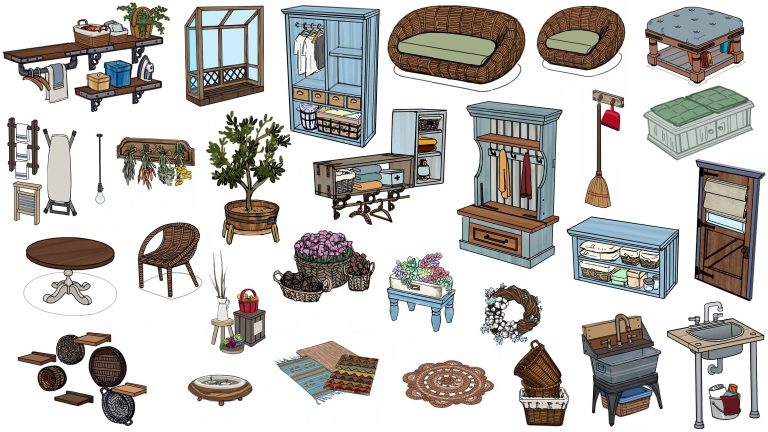
SimGuruGraham has revealed the twenty eight sucessful objects that Simmers have chosen to be in the upcoming Eco Living stuff pack project.
A big thank you to everyone who participated in our recent vote, where you helped select the objects and clothing you want to see in our collaborative Stuff Pack project! In the time since the voting ended, we’ve parsed the data, finalized the selections, and gone through an informal internal approval process. This process is part of what was discussed in the survey blog, where I spoke about how we want to ensure we’re respecting the communities decisions, as well as offering a balanced pack.
Today I’m sharing the results of the objects portion of the survey. If you’re interested in which pieces of clothing won, check the forums again in the coming days for a full breakdown of the clothing voting results. For now, we’ve locked down the object list, and our artists are hard at work on the next step – creating object guides. If you want to learn more about what an object guide is, and how our team works during this part of the project, then click here for a development update where you’ll discover more about how we make The Sims. If you’re just stopping by to see the winning objects though, then let’s get right to it.
From 68 pieces of object concept art, your votes helped narrow them down to the top 28* pieces you see below. We did end up making a few adjustments to the final list, so as to provide a balanced offering of different objects within the pack. For example… there were two styles of the wicker loveseat, and wicker living chair that were available to vote on. All of them received enough votes to propel them into the top of the survey, but we felt they didn’t offer enough visual variety to include all four of them. We kept the top two, and replaced the other two with different objects that just missed the original cut. That bare light bulb that people have been chatting about actually placed number 30 on the list, but by diversifying the selections, we were able to include it!
*Bonus! We’re actually including 29 total objects. One of our internal object modelers had a little spare time in his schedule, and went ahead and created the ottoman prior to the vote.
These are the objects that will be included in this upcoming Stuff Pack:

The Sims 4 “Dogs and Cats” Expansion Pack listed for November release (SPECULATION)
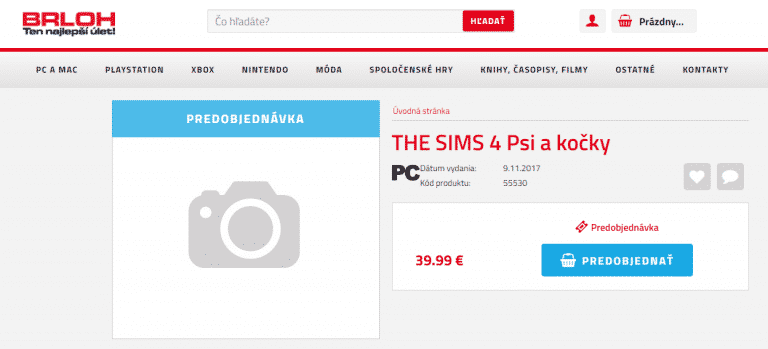
Please note that nothing has been confirmed by The Sims Team so treat this post as speculation!
UPDATE: The listing has been removed just a few hours after this post! I think we all know what this means… 😉
A recognized Slovakia retail website brloh.sk has listed “The Sims 4: Dogs and Cats” on their website. There is no information about the pack other than the fact that it’s probably an Expansion Pack based on the 39,99€ price. There’s also the release date of the pack, saying that it’s coming out on November 9th, 2017 (November 7th could be the US release).

The listing is likely very true after we found that the next expansion pack is only bringing dogs and cats as new creatures.
For more information about all the leaks and findings about The Sims 4 Pets, CLICK HERE!
Tip: Kuřecí Stehno
Add actual gameplay to Pimples / Acne from Parenthood with this Mod
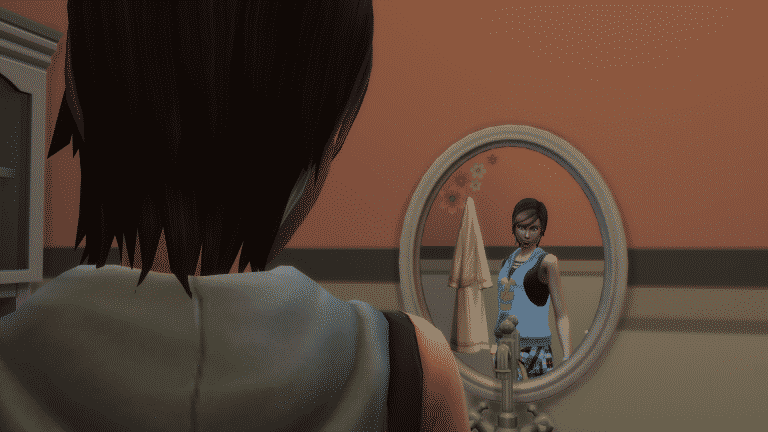
Anyone bothered by the fact that pimples / acne from The Sims 4 Parenthood are nothing else but cosmetic face details that you can add / remove in CAS whenever you want? Yeah, me too…
Luckily, modder bienchen83 managed to add some actual gameplay to these face details.
Pimples will appear on your teenager Sim’s face (and rarely on your adult sim’s face as well) randomly. They’ll be assigned with a hidden moodlet which lasts for 24 hours that can be reduced by activities such as showering or doing yoga (Spa Day). Depending on your Sim’s trait they can get an embarassing moodlet for 3 hours if they notice the pimples. You can get rid of the pimples by taking herbal remedies (deodorant) or by drinking green tea.
The best way to prevent your Sims from getting pimples is to keep them relaxed!
Installing this mod is very simple – just extract the .rar file linked down below in the Electronic Arts > The Sims 4 > Mods folder. Make sure you have Mods / CC enabled in your game options!
[mks_button size=”large” title=”DOWNLOAD!” style=”squared” url=”http://www.modthesims.info/d/595428″ target=”_blank” bg_color=”#1e73be” txt_color=”#FFFFFF” icon=”fa-arrow-down” icon_type=”fa” nofollow=”0″]



The Sims 4 Parenthood: More Concept Art by Christina Chan
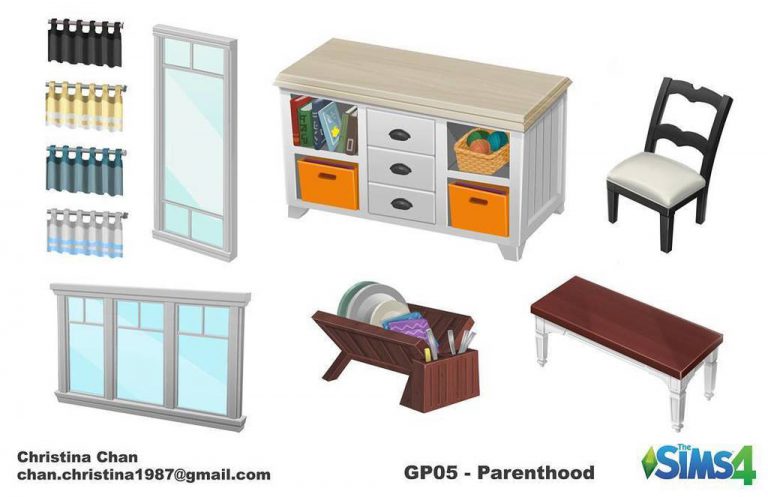
Christina Chan published another concept art piece she made for The Sims 4 Parenthood Game Pack!

The Sims 4 Parenthood Concept Art by Christina Chan
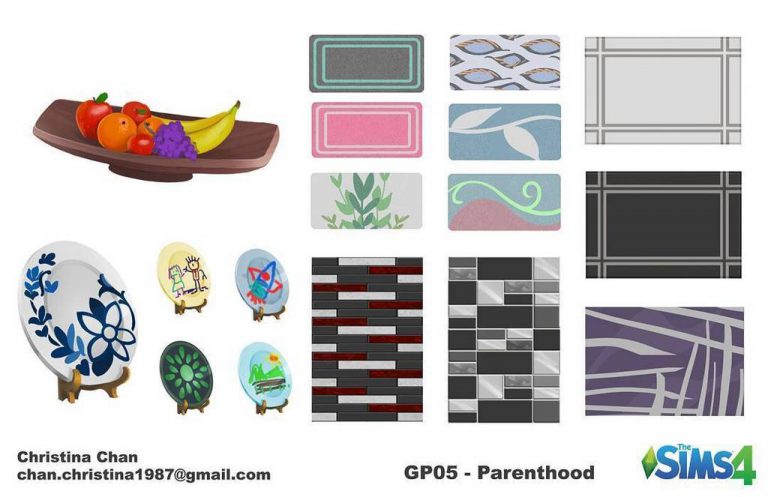
Christina Chan published a concept art piece she made for The Sims 4 Parenthood Game Pack!

The Sims 4: New Update! (June 1st, 2017)

The Sims Team has released a brand new Update for The Sims 4!
To download the latest version of The Sims 4, simply open your Origin program and if the game doesn’t update automatically, right click on The Sims 4 and select ”Update”.
In case you have Mods or Custom Content, the game will automatically disable them for you after first launching The Sims 4 after the update. To re-enable all your Mods and Custom Content, select the Settings option in the Menu and select Settings. Under the”Other” section you’ll find the ”Enable Custom Content and Mods” option. Check it and restart your game in order for it to take effect!
Patch Notes
Update: 06/01/2017 – PC Version 1.30.105.1010 / Mac Version 1.30.105.1210
Hello Simmers. Just a little tidying up today.
- If you see some blurry thumbnails in the new Load / Save menu, it’s not you. It’s us. Rest assured that save slots created after this little tidying episode will no longer have the issue. To clear up blurriness for existing saves, you’ll need to do a little magic to bring it back into focus:
- rub your eyes twice,
- wiggle your nose,
- resave your save game, then
- viola, all crisp and clear again!
- Despite not having the new pack, your stereo will no longer look like it’s playing loud music – even when it’s off.
- You can now alter alien disguises again with merry abandon.
- Really, you didn’t want the entire, long, sordid, intricate history of each of your relationships displayed? Ok. Ok. It’s back to how it was before….
Thanks everyone! Enjoy and be good to each other!
Cheers,
SImGuruCleaningLady
Aging and Death in The Sims Mobile

The Sims Mobile has a different approach to aging and deaths.
Your Sim ages as the time goes by in real time. So, if you decide to open The Sims Mobile a new day will begin and the Sim will age for the next 24 hours until you decide to open the game again. Young Adults and Adults have 4 days each until they age up, and elders only have 2 days. Once elders are close to death they’ll have a Grim Reaper visit their home and follow them around:

Of course, there is an option to extend your elder Sim’s life a little bit longer, but that costs 50 SimCash.
Once it’s finally time to go, you’ll see all the lifetime goals you’ve completed. If you’ve completed enough lifetime goals you’ll receive a heirloom which will give you special perks when you continue playing The Sims Mobile.
How does it all look in game? Check out the video below:
5 things you should try in The Sims 4 Parenthood
The Sims 4 Parenthood Game Pack is packed with new gameplay! With so many things to try out you may miss out some of these important features that come with the pack:
1) Set the table!
Although it doesn’t bring anything new except nice aesthetics and manner character value points for children / teens if they set them up, it’s still a perfect way to gather your entire family and have a nice conversation over breakfast, lunch or dinner.

2) Sibling Rivalries
Sibling rivalries really come to life in The Sims 4 Parenthood. There are a dozen of new “Mean” interactions your children and teens can perform to each other, and some of them are quite hilarious such as the “Trick into Believing We’re All in a Simulation” interaction.

3) Volunteering
Teens, Adults and Elders can help out the less fortunate by volunteering! Simply click the phone and under the travel tab select “Volunteer”. There are 5 activities that you can participate in:
- Volunteer at a Bake Sale
- Volunteer at a Beach Cleanup
- Volunteer at a Nursing Home
- Volunteer at a Soup Kitchen
- Walk to Fight Disease
Although you won’t actually be able to see what your Sim is doing at least you’ll have some control over the outcome with chance cards. Teen Sims will have the opportunity to earn character values depending on chance card choices.

4) School Projects
Nothing better than helping raise your grades up and earn character values at the same time! There are 7 school projects that you can build – some bring fun new animations while some are just fun to look at.

5) The Journal
Who knew such a small object could bring that much gameplay? You can use the journal to relieve off your emotions (or bring them back) and those sneaky siblings can even use it when you’re not looking to snoop through it. You can be careful and hide it some place safe, like under your bed.

The Sims 4 Parenthood: Official Lot and Households
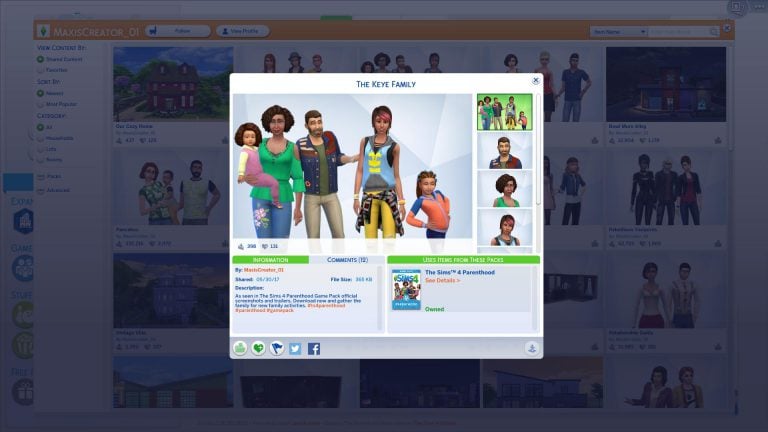
The Sims Team uploaded official creations that you’ve seen in promotional material for The Sims 4 Parenthood Game Pack. This includes 2 new households and a lot!
DOWNLOAD LINKS:


The Sims 4 Parenthood NOW AVAILABLE on Origin!
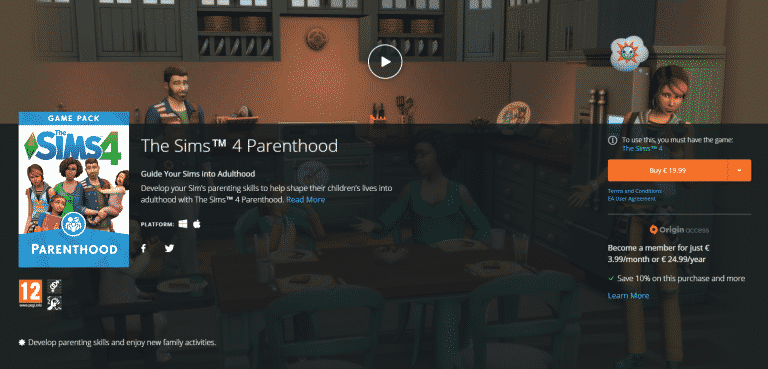
The Sims 4 Parenthood Game Pack is now available for purchase on Origin! Click below to get it.

The Sims 4 Parenthood: 140+ Game Icons
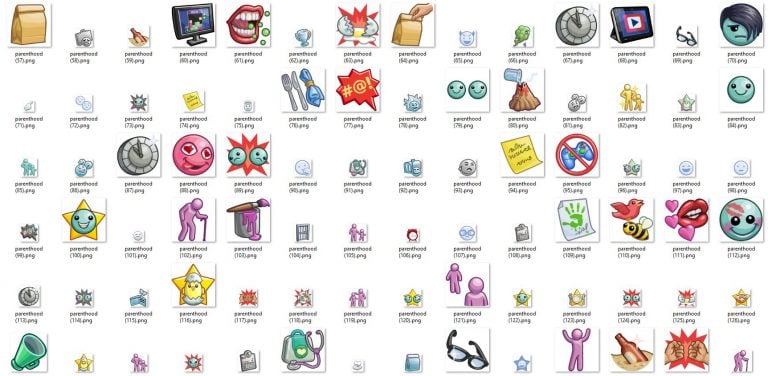
We extracted over 140 icons from The Sims 4 Parenthood Game Pack for you! Click below to download.

Countdown to The Sims 4 Parenthood Release

Only a few hours away from the release of The Sims 4 Parenthood Game Pack!
Many simmers have requested a countdown to the release of this pack so I’ve decided to add one for you. Down below you can keep track of hours, minutes and seconds until The Sims 4 Parenthood is available for purchase on Origin. There is a chance that The Sims Team may release this pack a few minutes earlier from the time set down below so make sure you keep a close look on our Parenthood News Category!