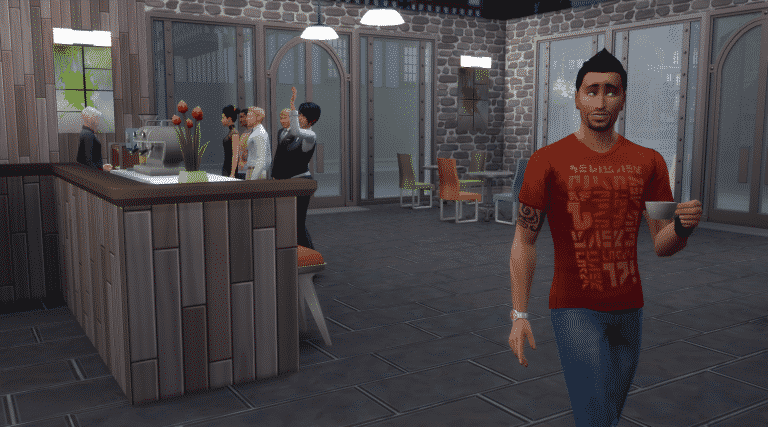
Emily Zeinner, one of the concept artists who worked on The Sims 4 City Living, shared some early concept art pieces of San Myshuno neighborhoods.
Dunno if I ever posted this, super early vaguely Moroccan inspired arts district for City Living. This was to prove you didn’t have to sacrifice the feeling of a culturally and visually vibrant city just because it’s a tight space.
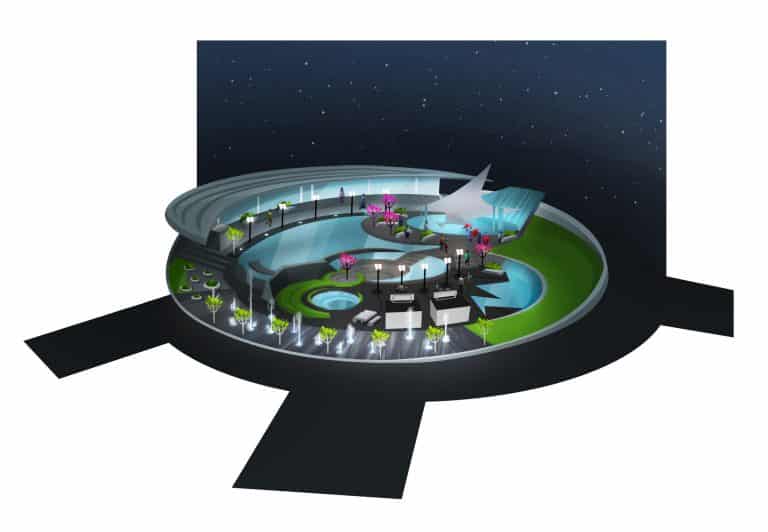
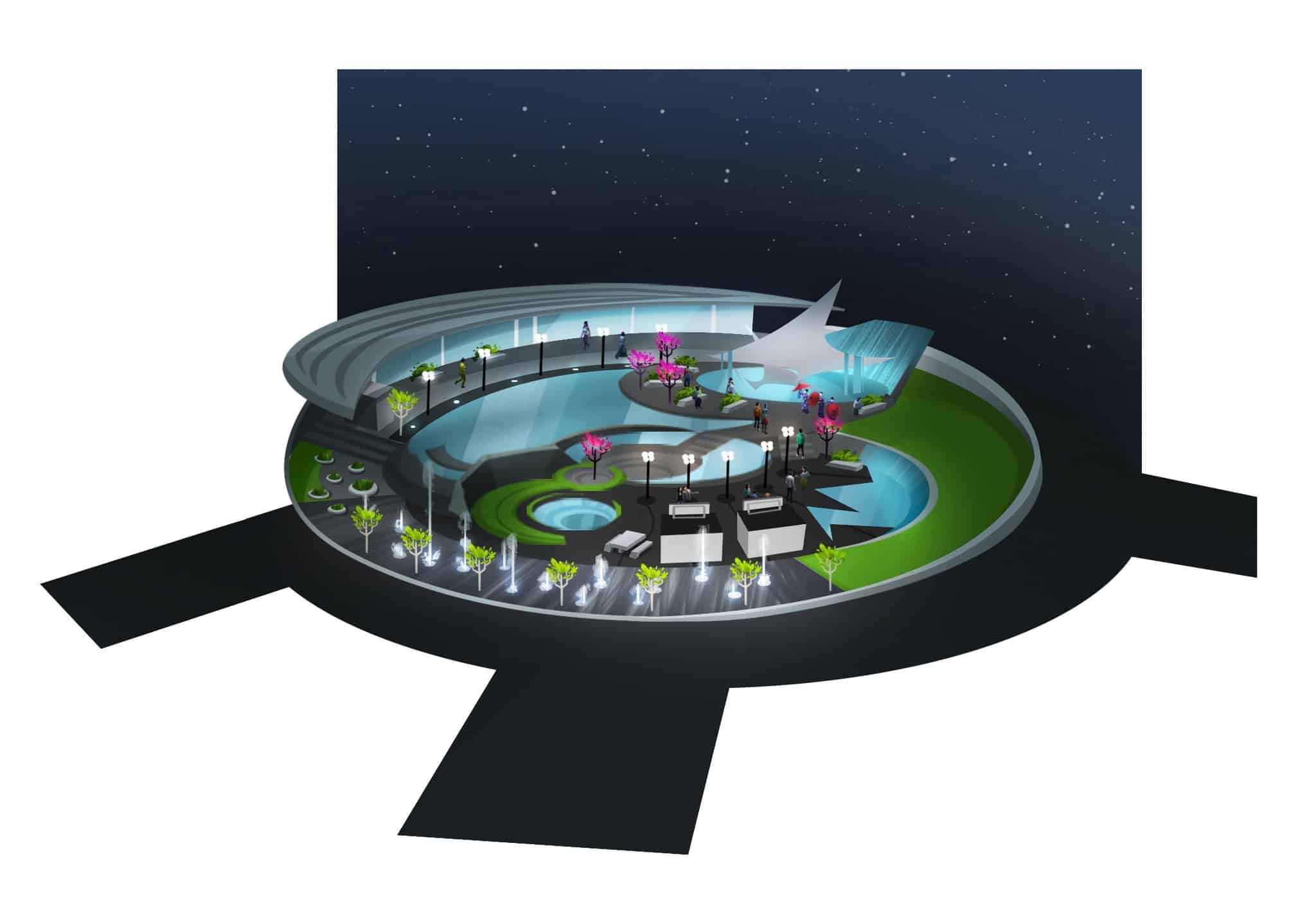
Water feature public space 4 CityLiving-Early on neighborhoods had a focus on elements.Really wanted routable water fountains to play in.
Recently, I went through my skin details and recategorized them so I could overlay them. I put all my skins in the “mouth crease” category, all my cleavage enhancers went into the “forehead” category, all my scars went into the “freckles” category……and so on.
I thought you guys might like to know how to do this yourselves?
I’m going to show you how using @luumia body hairs. If you use these as is, then you won’t be able to use the full sleeve onto the chest tattoo’s that came with City Living since they are in the same category.
I’m going to move them to ankle because most of our Sim guys don’t have ankle tattoo’s.
Copy/Paste (so you don’t mess up the original) your package into a folder where you can find it easily. Mine is in a “working CC folder” and then by the name of the package.
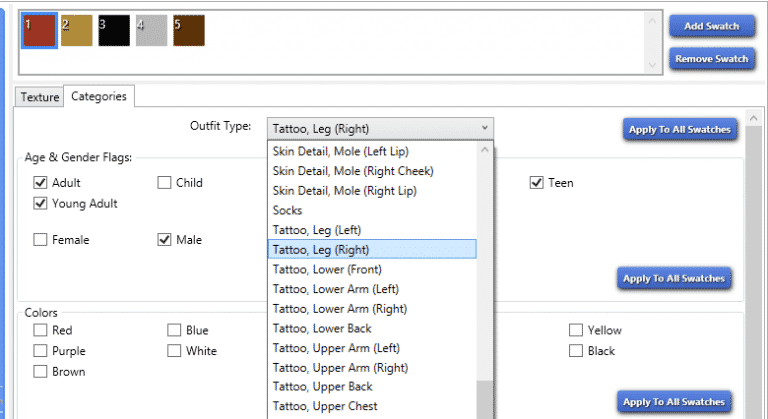
Open the package with S4S and then navigate over to the categories tab.
Under “outfit type”, select “tattoo leg, right”, then click on the “apply to all swatches” button. Click “Yes” and “OK” in the popup windows.
Scroll down to “save” and done!
Now you can move around all your skin details, tattoos, whatever so you can play around with overlaying them and creating unique looks. You cannot have both packages in your game, CHOOSE ONE.
I suggest organizing them like mine are so you know what you have placed where.
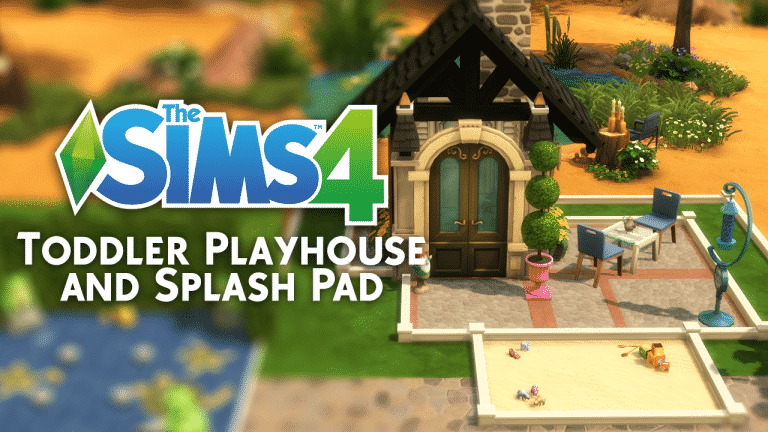
As we all know, toddlers have “stuff” in the works at Maxis but right now the playtime offerings are a little light. We are going to take a look at creating spaces that have a toddler feel for the backyard like a playhouse. This is more of an inspirational tutorial. Hopefully the examples below from my “The Break” vacation house will start you on the road to your own creations. If you are going to build as we go please start by activating the “MOO” cheat. Press SHIFT/CTRL/C at the same time on your keyboard. A command box will open at the top of the page. Type in “BB.MoveObjects On”. This will enabled you to place items like the fountain heads and the door to the playhouse.
Play Yard Tutorial:
In this case I started with a patch of desert and marked off an “irrigated” landscape area for the toddlers to play in. The smaller one I outlined with the Green Privacy Hedge fencing from the Base Game (BG). This is where my “splash pad” is located. The “playhouse” will sit in the larger green space. This space is outlined with white Smooth Keeper fencing (BG). The outline isn’t necessary but from a visual design standpoint it helps anchor the space to the ground. (Grid Picture 1)
We’ll fill in the splash pad first using Cool as a Cucumber Marble Tile (BG). I use it because I think it has a certain feel and look of moisture. Then simply place a few fountains about. In this case the Small Dancing Water Emitters (BG) and the Feeling Froggy Fountains from Backyard Stuff (BS). Lastly I drop in the toddler duck play toys so that they have something to play with on the pad. (Grid Picture 2)
Next we will start on the playhouse by setting three walls to define it. I’m only doing a 2×2 space. You want to keep the size diminutive in line with the size of the toddlers themselves. As well, use the largest size of the “half walls” in build mode as oppose to full size walls. I do a version of this for children that is 3×3 with full size walls. I color the walls with Country Field Stone (BG) because I am going for a Windenberg look and cap them with white stone. (Grid Picture 3) Then I mark off a patio and pave it with Throwback Cobblestone & Brick Pavers (BG). (Grid Picture 4)
Before I moved inside I decide to place a selection of outdoor items to insure the patio space was large enough. I’ve used Neighborly Window Boxes (BG) and Tri-Piary from Get Together (GT) for flowers. I also put in Birdy Trotz’s Bird Feeder and the Wind Chimes of Windemere (BS). Gnome Matter What I’m Still Your Baby is waiting to greet you at the door (BG). Lastly I set up the No Coasters Needed Coffee table from Get To Work (GTW), two Kindermade Chairs and RAW Antique Teapot (both BG) for pretend “tea”. There’s also one of the Mrs. Meowness toddler toys tucked down by the flower box for play as well.
Following we will turn back to the structure. First, I anchor the corners of the structure with the First Clue Spire (GT). Again this is not necessary but it gives the build a detailed and defined look. (Grid Picture 2) Second, I add The Kitty Corner Casement windows (BG) to all three walls. I also place them both inside the building and outside so that there are shutters on both sides of the wall. (Grid Picture 3) It looks a little more fairy tale to me to do so. As well, if this was a real life build I could just see an angry little toddler stomping off to his play house and slamming the shutters closed inside- lol.
I do some interior decor next. It doesn’t require much, just as in a real playhouse. I placed the Traveling Chest from Kids Stuff (KS) for toys and Pillow Fluff from City Living (CL) to give them a place to sit. Long John Buttercups Wall Sconce (BG) provides nighttime lighting while the floor is covered in Styled Parquet from Vampires (V). (Grid Picture 4)
To finish the playhouse I add the Arched Victorian Double Door (V). I place this floating in the open space. I do not add a fourth wall there. The gap at the top looks like a natural ventilation gap. It’s also easier to access the interior. (Grid Picture 1) Then top the structure with the Ahhhh-ning (GT) to act as a roof. I stick it to the back wall on the interior and then lift it up into place. The very last thing is Jony’s Second Chimney (GT). Lift the build grid up a floor and place the chimney as you normally would on the roof of a standard house. (Grid Picture 2)
I added the “sandbox” for a little more effect. First I outlined a rectangle. I wouldn’t go too big if you are aiming for realism. (Grid Picture 3) I terrain paint the interior of the rectangle with Sand Castle Dream (BG). Then I place several toys that look like stuff I’d find in my son’s sand box. I activate the SHO cheat “BB.ShowHiddenObjects”. This gives me access to items not in the Build/Buy catalog. In this case I searched for “spoons” and placed a couple to give the idea of digging in the sand. (Grid Picture 4) Use the search box to look for things like “bowl” or “spoon”. Anything a toddler might play with outside in the dirt. The spoons are just a storytelling device. They’re cute and provide a sense of realism.
So, that is mine and your new Toddler Spring play area. I really like this look as a great background for toddlers to play with what they already have in the game. I hope this inspires your imagination to develop other things for your sims. As always, please feel free to share any examples of your builds below. If you have any questions you can ask there as well and I am always available on Twitter @JasonSterling70
If you’re still a fan of The Sims 2 chances are you’re going to LOVE this mod!
Mod the Sims member Nopke created a mod which brings 20 unique sliders that you can use in The Sims 2 Create A Sim. What’s great is that people who may want to download your Sims 2 household won’t need to download this Mod in order to load up the household properly. Also, they’re completely inheritable!
You can get it by clicking the download button below. Install the mod by extracting the zipped content to EA Games > The Sims 2 > Downloads.
SimGurus will be livestreaming their gameplay of the newest PlantSim seasonal challenge. This livestream will be ran by SimGuruRomeo and SimGuruJM. Unlike other official livestreams for The Sims 4 that we’re used to that usually showcase upcoming content, this one will be just a casual gameplay of the latest challenge.
The livestream starts on April 14th at 10PM CET / 9PM BT / 1PM PDT.
You’re probably wondering if this is all we’re going to get in terms of PlantSim features and options in The Sims 4. Sure, they have 2 different needs but beside that, PlantSims don’t really offer much.
SimGuruMegs stated (but made no promise) that PlantSims could be expanded in the future.
@adventfear I can’t make any promises, but we could potentially expand PlantSims in the future.
Starting April 13th until May 4th, you get to collect special magic beans, grow a tree and become a PlantSim in The Sims 4!
This will pop up the first time you open your game after updating to the latest version:
The first thing you’ll notice when loading your household is the seasonal challenge user interface in the top left corner:
NOTE: If you’re not really interested in this challenge you can disable this part of the interface by going to Menu > Game Options > Gameplay and selecting the Hide Challenge UI option.
Just like with every challenge, this one involves Jasmine Holiday. However, unlike with other challenges, you don’t depend on her unless you forget all the rules to this rather simple challenge. You can give her a call and ask more information about the PlantSim Challenge:
The rule to this challenge is to collect all 6 magic beans that you find from townies around neighborhoods. The magic bean you receive from a townie will depend on their current emotional state.
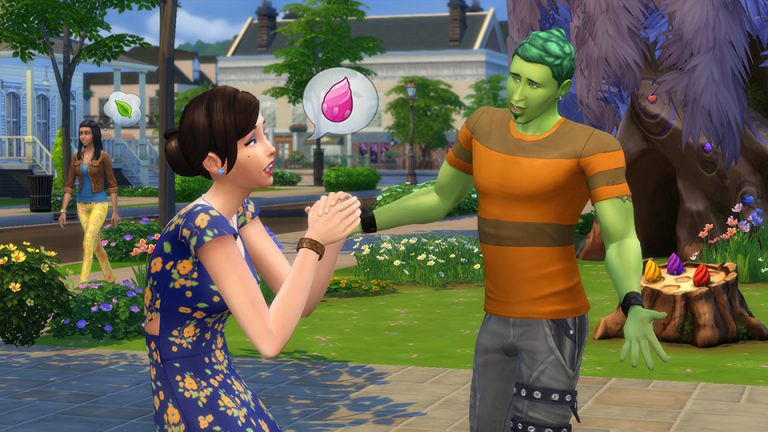
In case the PlantSim you ask for a magic bean doesn’t fit the angry, playful, sad, uncomfortable, flirty or confident emotion, the PlantSim won’t have any magic beans to offer. You can fix that by talking to them and getting them into one of these emotional states.
Once you get your first magic bean you’ll also get the magic PlantSim stump!
As you collect magic beans you can just drag them onto the stump. Here are all the magic beans that you can collect:
After you’ve collected all the magic beans and placed them on the stump, you’ll get an option to water it. After performing this interaction the stump will turn into a huge magical tree within seconds!
04 13 17 7 54 09 PM
04 13 17 7 54 20 PM
04 13 17 7 54 40 PM
The tree has a portal that you can access. After exploring the tree for about 1 sim hour your sim will come back with the Forbidden Fruit of the PlantSim. If you want to access the portal again you’ll need to come back the next day at 10am!
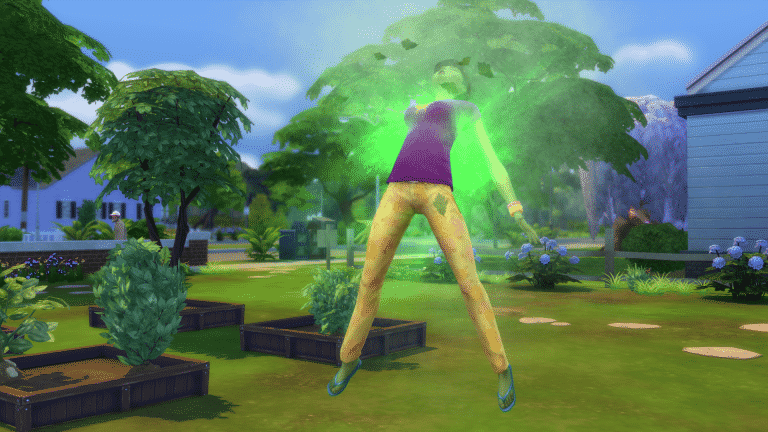
You become a PlantSim instantly by eating the forbidden fruit that’s in your inventory.
04 13 17 8 00 05 PM
04 13 17 8 00 27 PM
As a PlantSim you get to take care of 2 special Needs: Water and Hunger (which is basically photosynthesis).
While staying in the sunlight, the water need will decay much faster. PlantSims who keep both needs satisfied will be happy and energized.
Being a PlantSim is only a temporary thing. Plantsimism will affect your Sim as long as the following buff is present – which is for 5 days. After your Sim turns back to normal you can explore the mystical portal tree again and claim the forbidden PlantSim fruit.
Today’s update* brings a new seasonal challenge; PlantSims are now sprouting in The Sims™4!
Starting right now and running until May 4th at 10am PST, PlantSims are out wandering in the world, ready and waiting to meet your Sim. Play your cards right and you’ll be able to convince them to hand over one of their Magic Beans. Depending on the PlantSims’ mood at the time, you can gain one of six different colored beans, matching the PlantSims’ mood.
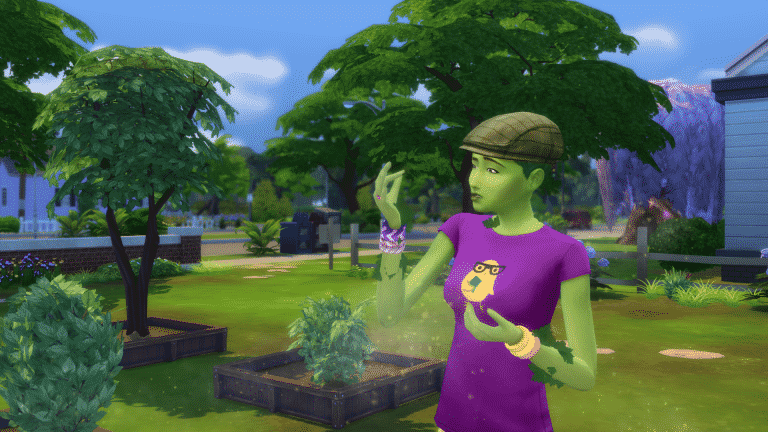
Your Sim can call up Jasmine and receive a stump to place the beans in. With a little water, this will grow in to a tree which has a portal, taking your Sim to uncover new seeds, rare items, and even a Forbidden Fruit! Should your Sim choose to try eating it, they’ll turn in to a green and leafy PlantSim for five Sim days. While in PlantSim form, your sims will not only take on a new look, but become more skilled at gardening and have slightly different needs as well. Don’t worry, if you’re enjoying the PlantSim life you’ll be able to keep the tree after the challenge ends, and continue transforming in to a PlantSim!
The Sims Team has released a brand new Update for The Sims 4!
To download the latest version of The Sims 4, simply open your Origin program and if the game doesn’t update automatically, right click on The Sims 4 and select ”Update”.
In case you have Mods or Custom Content, the game will automatically disable them for you after first launching The Sims 4 after the update. To re-enable all your Mods and Custom Content, select the Settings option in the Menu and select Settings. Under the”Other” section you’ll find the ”Enable Custom Content and Mods” option. Check it and restart your game in order for it to take effect!
Patch Notes
Update: 04/13/2017 – PC Version 1.29.69.1020 / Mac Version 1.29.39.1220
Hey PlantSimmers!
Are you feeling green? Ready to let the sun invigorate you? Do you see magic beans in your sleep? Is Jack your favorite name? Ivy? Or Audrey… too?
Or maybe, you just have your own seed to bear… fruit to pluck… rings to count… er… plant related story to tell. Well, now you can, because the PlantSim Challenge has sprouted!
Look, plant + sprout is a required pun, I really didn’t have a choice in the matter.
So, How do you get started?
Head on in to the game, and give Jasmine a call. She’ll tell you all about the challenge, and give you your very own Magic PlantSim Stump!
Yes, a stump.
Yes, the bottom part of a tree after it’s been cut down… typically dead.
Yes, it’s not very eco-friendly.
But, it’s Magic!
Yes, a magic stump…
To continue… the Magic PlantSim Stump will hold the Magic Beans, that you get from talking with the PlantSims that wander around during the day. There will be 6 beans to collect (Uncomfortable, Playful, Confident, Angry, Sad, and Flirty), and will require that you get a PlantSim into the corresponding emotion to acquire.
Once placed into the stump, give it a little water, and watch the…
Magic? You’re going to say magic aren’t you?
No. … I was going to say… the tree grow. Yep.
Tree? Uh huh…
Yea, the… Mystical Magic Bean Portal Tree.
Riiight
Once the Mystical Magic Bean Portal Tree appears…
What about the Mystical Arcane Unknowable Magic Bean Portal Tree?
… *sigh* it will open up a portal…
A magic portal?
… a portal will open once a day, where you can send your Sim, and find the Forbidden Fruit.
It is magically delicious fruit?
Ok, fine! Eat the fruit, you’re a PlantSim for five days! You no longer have to worry about bladder, but you need sunlight and water to survive, and you get a bonus to your gardening.
Woah, woah… woah. Only five days?
Eat another fruit. Let’s just get to the issues…
General Issues
Sims aged up from toddler to adult, will now have an appropriately sounding voice.
Toddler.
I used to write the word ‘toddler’ and this giant censor would appear out of nowhere. Still getting used to it… toddler?
Toddler, toddler, toddler, toddler.
Plum yea!
Just checking if the censor is still there.
We fixed an issue that could occur when re-loading a lot, that would prevent exterior puddles from disappearing. Exterior water puddles will once again disappear over time.
Being that the source of most exterior Sim puddles is from…
Speaking of which… do you change the clothes of your Sim after a bladder fail? Or do you just let them shake it off?
Outdoor Retreat
We addressed a clipping issue that occurs with yfBottom_GP01ShortBucklet when paired with certain shirts.
Is clipping an inside baseball term?
Is inside baseball an inside baseball term?
Vampires
Vampires will no longer attempt to break into community lots, thus preventing you from leaving… the community lot, going home, visiting a friend, returning to take care of your kids, starting your work day, gym-hopping, taking that camping trip, meeting your date for dinner…
Well, essentially travel… you can’t travel.
Now you can… visit your friends, or go h… er travel.
We also addressed an issue that could lock you out of your own home upon returning to your lot, if it has a vampire skulking about.
And yes, skulk is the proper term to use when an individual is hanging out on your home lot hoping to take a bite from your neck.
If they were seeking a little TLC, the proper term would be Creep.
If they sought to break into a maximum security prison where a world leader had mistakenly taken refuge, the proper term would be Snake.
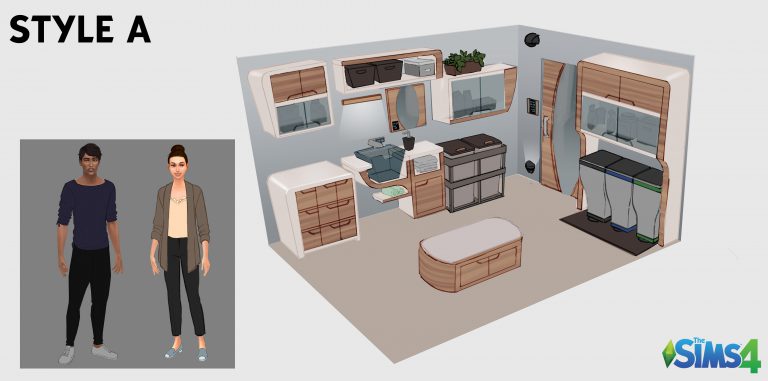
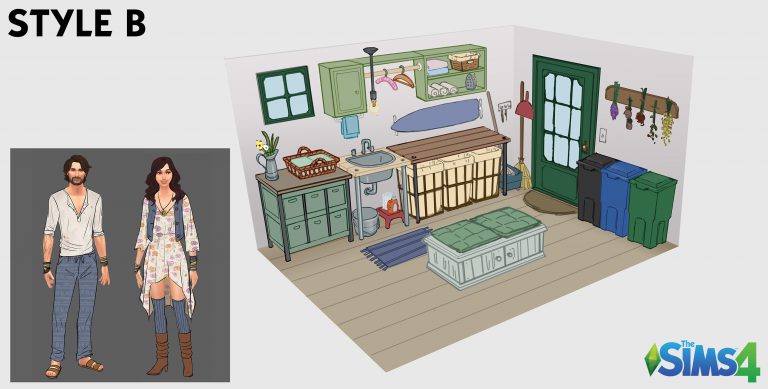
SimGuruGraham has finally announced the results of the second Stuff Pack voting for Eco Living, which let us decide if we’d rather see Eco Living bring modern or more grungy type of items. Style B that’s pictured below has won the poll!
Voting was intense – but Style B edged out a win. While the image you see above already looks lovely, our concept artists have a lot of work ahead of them to create even more art before we get to the Objects & Clothing Vote that starts on May 18th. They’ll be generating more room views, and many more pieces of clothing, to help create what you’ll play with in this pack.
When the Objects & Clothing Vote starts, you’ll be voting on your favorite individual assets to have them included in the pack. Let me explain how this will work…
For Objects, take a look at the room view shown above. We’ll separate all of the objects in that room… the sink, the rug, the ottoman, the window, etc… and you’ll vote for a certain number of them that you want to have included in the pack. There will be additional room views and objects drawn between now and May 18th so that you’ll have a wider selection to choose from.
For Clothing, take a look at the woman in the image shown above. We’ll separate all of the things that she’s wearing… in that piece of concept art she has 1 full body asset (her dress), 1 necklace accessory, 2 bracelet accessories, 1 pair of socks, and 1 pair of shoes. If you want everything that she’s wearing, you’d actually be voting for 6 different assets. You can see how those numbers can add up quickly, so it’s important to consider how each piece that you vote for will add to your game. And again, you’ll have many more pieces of clothing and accessories to select from by the time voting begins.
In the meantime, please continue sharing your thoughts on this project here in the forums. We’ll jump in with updates on our progress, as well as participating in many of the exciting discussions that are taking place!
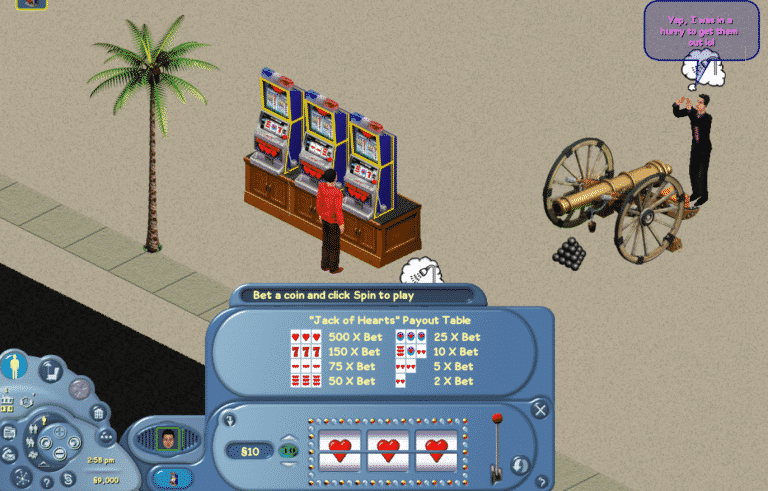
FreeSO, a fanmade project which lets you play The Sims Online with other Simmers around the world has released a new interactive objects – the Slot Machines!
There are two types of slot machines that you can play with:
Capture 12
Capture 13
Here’s the official release note by one of the FreeSO admins:
Slots EOD has been implemented!. This means all 3 slots objects – the money bounds to keep your machines functional are currently a little tight though. Check out those animations. – Quick fix to prevent VM crashes in EOD servers.
This marks the first SimAntics contribution from someone other than me or ddfczm, so it’s worth some extreme celebration, without much help from me because I have been super busy as per usual. Please host a week full of parties for The Architect.
note: these objects only work on the Games category, as they did in TSO. I’d personally suggest combining them with other activities like the mini golf ball things or whatever you come up with, til the other objects are implemented.
In Novemeber 2004 Electronic Arts released the hugely popular The Urbz: Sims In The City. The game was avalaible for Xbox, Gamecube, PlayStation 2, GameBoy Advance and Nintendo DS. The Urbz was the third game from The Sims franchise to be released on consoles. The game also featured popular music group The Black Eyed Peas who proivided several songs to the game which were all translated into Simlish and members of the group also appeared as Urbz to.
Fast forward thirteen years to 2017 and several Twitter users HazzaPlumbob, KC89901 and ErykNolan have started a community project entitled Project Urbz Reboot but what excatly is project all about?
An image pinned on the offical Project Urbz Reboot Twitter account goes into a bit more detail about what the project is all about and how the community can get involved.
Let us know what you think about this community driven project and also what you would like to see from the team behind the Project Urbz Reboot!
Mod The Sims member LittleMsSam has come up with a mod for The Sims 4 that we’ve been waiting for since the release of The Sims 4 Get to Work Expansion Pack!
This Mod lets you purchase any type of venue and earn revenue from various factors and objects you’ve placed on it. For example, if you purchase a coffee shop, you’ll be earning simoleons with each coffee order.
To purchase a venue of your choice simply find any computer on your lot and select the Household option.
The Mod is still being worked on so we can expect more interesting stuff to influence our revenue.
To download the mod, click on the download button below! You can install it by extracting the .rar content to Electronic Arts > The Sims 4 > Mods folder. Make sure you have mods and CC enabled in your game options!
The Sims Team wants you to pick an art style for The Sims 4 Eco Living Stuff that YOU voted for!
Last week, we announced a brand new project where those of us here at Maxis will work hand in hand with all of you in the community to create a new Stuff Pack that represents players’ desires. After counting votes from Sims players across the world, you’ve selected “eco living” as the theme for the upcoming Stuff Pack that we’ll be developing together. Today we start the next major step in development, as we’re asking you to help select this pack’s art style.
If you’re just discovering this project today, then welcome! There are many decisions still to be made where your input will help shape what we create. What you’ll see in the survey below is what we call a “pack brief.” It starts with our Art Director, who gathers reference images and works with our concept artists to sketch the rough “room views” that you’ll see. These room views represent a slice of the furniture, décor, and clothing we hope to offer within this pack. It’s important that we select an art style before we task our concept artists with creating a full set of content. On a typical Stuff Pack, the Art Director would meet with Producers and Designers and we’d come to a decision as a group regarding the art style we want to move forward with. But as with everything on this project, we want your choices to guide us forward.
After we gather the results of this art style vote, our concept artists will start to draw a variety of objects and clothing that fit the art style that you’ve selected. The Objects & Clothing Vote, which starts May 19th, is where you’ll see the result of our concept artist’s work, and you’ll choose your favourite objects and pieces of clothing that will be included in this Stuff Pack. As a reminder, here’s the full schedule of upcoming votes. Come back on these dates and make your voice heard!
• Art Style Vote (April 11th – April 13th): Select between proposed art styles for the pack, which will guide our concept artists in the objects and clothing they create.
• Objects & Clothing Vote (May 19th – May 22nd): Browse through the concept art we’ve drawn for the pack, and select your top choices to help us determine which objects and pieces of clothing are included.
• Feature Vote (June 24th – June 27th): Select the top gameplay feature(s) you want to have included in the pack.
• Pack Icon Vote (Spring): Peruse different icons and select the one that will appear in the pack’s box art and within the in-game catalog.
• Pack Title Vote (Spring): Select a title that best summarizes the pack’s atmosphere and content.
In between votes, you’re invited to engage in discussion and respectful debate in SimGuruGraham’s Corner on our official forums. Here you can chat with fellow players, ask questions to the dev team, and discover behind the scenes information regarding the pack’s progress from the developers.

















 Let us know what you think about this community driven project and also what you would like to see from the team behind the Project Urbz Reboot!