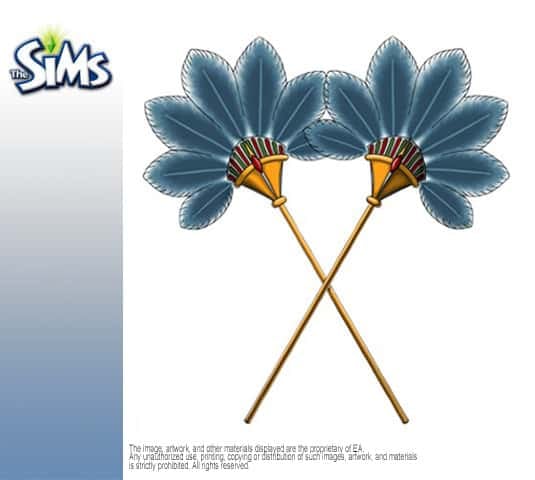
Olga Shalagina, concept artists who worked on The Sims 2 Online Store shared some of the concepts she made. If I remember correctly most of these objects never appeared in The Sims 2 store. The store was in beta at that time and never got a chance to move past that phase as it closed down in 2011. Check out some of the object concepts!
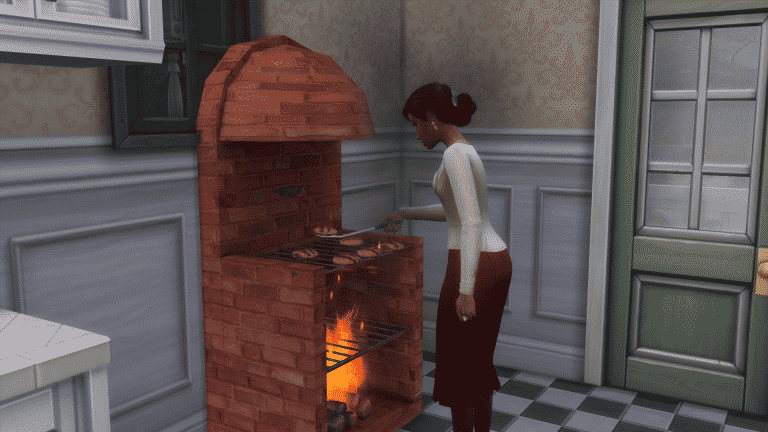
Regular stoves are so 2014. With this modded custom object you get to have a stove, grill, pizza oven and a fireplace all in one!
This object has all the interactions that you would find in the objects listed above. If you want to bake a pizza in it you’ll have to download this mod first!
To install it, simply extract the downloaded .rar file in the Electronic Arts > The Sims 4 > Mods folder. Make sure you have Mods / CC enabled in-game.
Get it by clicking the download button below. Be careful not to catch your sim on fire!
FreeSO, an unofficial reincarnation of The Sims Online received a huge interest from simmers all around the world. Just a day before the scheduled open beta release (January 6th 2017), the FreeSO servers were under a DDOS attack which caused the site and servers not to load at all. After trying to set up a registration page so that people can create their FreeSO account and use them to log in to the game, over 500 people tried to register at once which caused the whole thing to crash.
In a new blog post from FreeSO, the devs have explained the issue and what they’re trying to solve them:
One day before launch, DOS attacks began hitting the wordpress and forum servers. These were mitigated as they were pretty small scale, and against normal web servers which can deal with a reduced load much better.
When setting up the API server on our large scale servers, DOS attacks began coming through to the API server recently added to the DNS. These were rate limited, but somehow were still enough to take down the server. It became clear something was wrong with the Nancy driven API server from this.
By rate limiting to 10 requests a minute (yikes!) we were able to reduce the load on the registration enough to keep it alive, before it was even announced to anyone. During this period, I was able to log in with what seemed like no issues. In this period, 100 users registered.
I released the registration link on the discord channel. The whole thing blew up, immediately 500 concurrent requests were made to the api server, taking it down immediatly. Hours later, these have still not simmered down – there are a few hundred requests being made and simultaneously active. The large delay each of these requests is incurring is causing the majority of them to fail to get through.
So what is the plan?
We will perform further load and api testing, look into the root causes of load issues and the server stability. The current plan is to rewrite the API server using ASP.NET instead of Nancy, as it is a lot more “battle-tested”. This could take some amount of time.
We cannot announce a retry date. We might even need a new launch plan altogther, to avoid the load of a few thousand users wanting to play the game on day one. Whatever the plan is, it will be posted on here eventually.
You can read more in the blog post HERE! Make sure you stop by the FreeSO forums from time to time to see how the project is going.
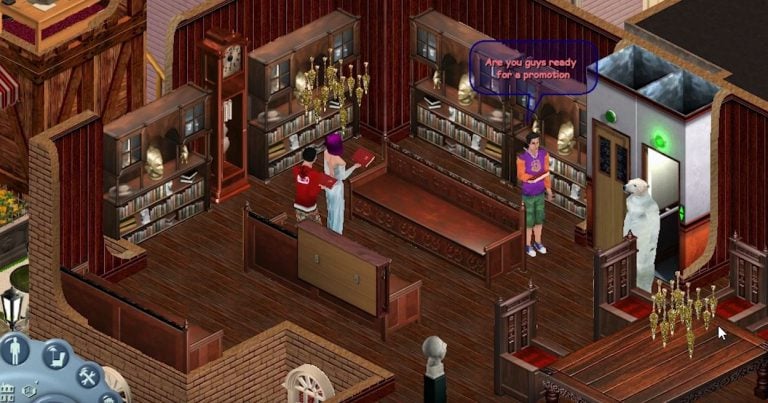
FreeSO (Free Sims Online) is a fanmade re-release of The Sims Online that closed back in 2008. As explained by the creators of this project, ”the FreeSO client does not display any copyrighted material, and is not distributed with it. The game files are provided by the user, and the client simply reads the files the user provides. In this sense, our replacement client is essentially a glorified The Sims Online™ file reader, as all original graphics, sounds, UI layouts and game objects are simply read and simulated by the client.”
Here’s how you can download and join the FreeSO community!
1) Download the needed files
To start your FreeSO adventure, download the FreeSO files. Click Here and select the ”Download FreeSO” text.
2) Extract the zipped content and open the .exe file
After you’ve extracted all the content from a FreeSO .zip file that you’ve downloaded, open the Official FSO Installer Utility.exe file. You can select the directory of The Sims Online game files and a directory of FreeSO files, but make sure to keep these two together on a same disk drive. After you’re done, select INSTALL.
3) Installation time!
It’s time to install the game. If you already have The Sims Online installed on your computer, all you’ll need to do is wait for FreeSO + OpenAL files to download and install.
4) You’re almost ready!
Now that you’re done installing the main files, there are a few minor things that you can take care of. For example, you can choose to create a desktop shortcut or add it to your Windows’ ”All Programs” list. All that’s left for you now is to create a FreeSO account…
5) Creating a FreeSO account
Creating a FreeSO account is very easy. Just visit this page and enter your desired username, e-mail and password.
NOTE: We are aware that registration doesn’t work at this point and that’s because the servers are overloaded. Check back every now and then so you can complete this step!
6) You’re good to go!
Open the FreeSO shortcut and add in the log-in credentials that you used to register on the FreeSO website.
Troubleshooting
Experiencing any issues? Consult with other FreeSO creators / players on the FreeSO forum page!
@Herr_Sims has recreated The Sims 4 Vampire Game Pack + The Sims 4 Bowling Stuff Pack icons. If you’re a creator these are perfect for video thumbnails and featured images!
To download them, simply click on a desired icon and select the ”Download” button on the bottom left corner.
After several leaks in The Sims 4 game code The Sims Team finally announced a Vampire Game Pack that’s coming this winter. Although they didn’t show much in 5 seconds of the teaserthat we saw we do have some other, more significant finds that we found in the game code. Let’s have a look at everything we know about vampires so far!
Please note that nothing from this list is yet confirmed by EA!
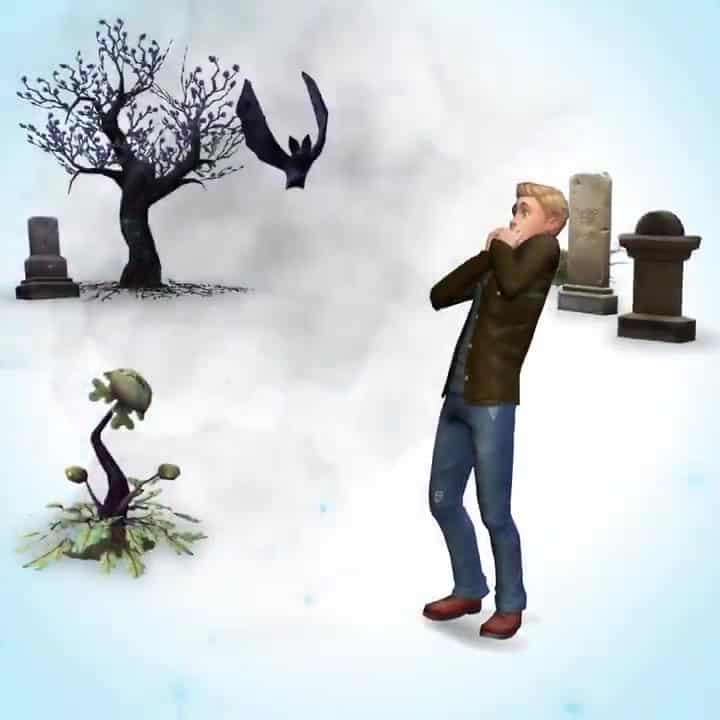
Vampires can turn into bats
Cemeteries are making a return (?)
New plants!
This Game Pack will deliver a new ”Eerie Destination”
Vampires have their own supernatural powers.
Vampires may have “alternative forms” that work in a similar way to alien disguises.
Vampires may be able to gain experience of some kind. This may work like a hidden skill.
UI information may not appear for Vampires until they reach the Teen life stage. It may work similar to The Sims 3, where being a Vampire doesn’t take full effect until then.
There may be a “perks” system, similar to the Retail, Club and Restaurant Perks from various other packs. As a matter of fact, the code suggests there may actually be two simultaneous perk systems.
Vampires may have a “talent” of some kind. This could just be a technical way of referring to basic aspects of vampirism, such as sucking plasma.
Vampires seem to have their own walkstyle.
There may be a system for ranking up based on experience. This appear not to be a skill, but a new type of statistic that hasn’t been used yet.
There may be an “Occult Powers Panel” which can be used to purchase both “primary” and “secondary” powers using the perk points that were mentioned in Update #3.
Perk slots are referred to as “power cells” in the code, which gives an idea of what the UI may look like.
This applies to both primary and secondary perks, suggesting they’re both related to powers of some kind.
The Occult Powers Panel may be opened from the Needs Panel.
Having a Vampire and non-Vampire have a baby may create a Sim who is Part Vampire, similar to how there are Part Aliens.
The tuning resource “bucks.sim_info_bucks_tracker” suggests powers are divided into categories, and there are 5 categories of primary powers with 5 powers each, leading a total of 25 primary powers. As for secondary powers, there is 1 category with 3 powers, and 4 with 2 powers, leading a total of 11 secondary powers.
Some powers could be elevated versions of others, considering we’ve had perks like those in every perk system we’ve had so far.
Vampires can die of sunlight!
There is CAS camera tuning for triangle earrings.
Vampires may have a 50% chance of having normal human skin, assuming that the “0.5” defined in the “CASOccultSkintoneTuning_Human” tuning is a percentage.
It could actually be a weighted system, in which case there’s still a chance Vampires will have human skin, but it’s not 50%.
There is tuning for a new “Gravestone” object. This could mean that Vampires have their own Gravestones.
Vampires may not spawn on lots or for events during the day, unless they have the perk that allows them to walk in the sun.
If you didn’t already assume so anyway, Vampires may have their own teeth, different from other Sims.
You can find more vampire animations and sound effects in the video down below!
After so many leaks and findings about the fourth The Sims 4 Game Pack, The Sims Team finally confirmed that a Vampire Game Pack will be coming our way this winter!
Although the Game Pack name and full release date is not yet official, we do know that they’ll release more info as we get closer to the release.
The Sims Team has finally released a new quarterly teaser which showcases new content for The Sims 4 that’ll release over the next 3 months. Check it out!
March 1st 2007 gave us something that simmers always wanted, and was supposed to be in the Base game of The Sims 2. It was something that impacts real life activities everyday. It would only make sense that it should be apart of our Sims’ Lives
Seasons and Weather!
With weather and seasons, it opened up your sims to a huge amount of new interactions, as well as a brand new neighborhood, which is my personal favorite, Riverblossom Hills!
We also get introduced to a new “breed” of sim, or should I say a new life state, known as the PlantSim. The only way to become a PlantSim is by spraying a lot (and I mean A LOT) of pesticides on your gardens. If you spray enough on your harvestables, you might have the chance to become one of these new, and rather very green, sims
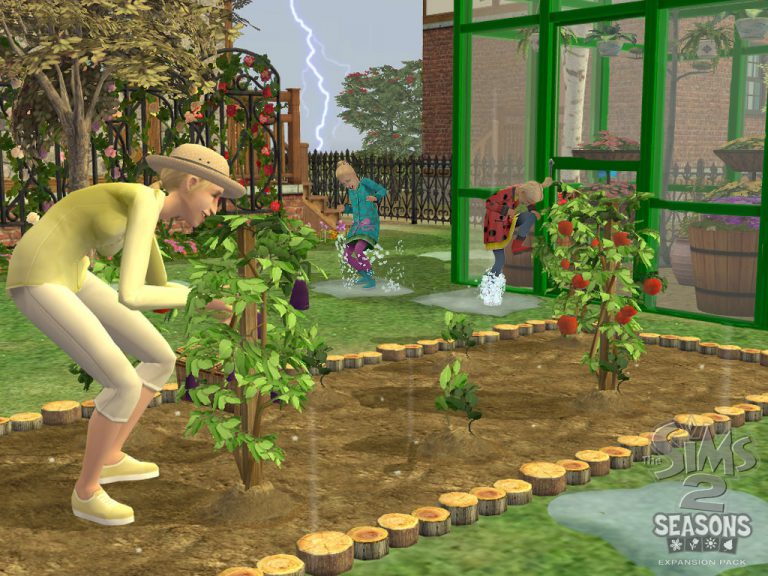
Speaking of gardening, true gardening was added to the game in this expansion. With gardening, you can grow many different kinds of fruits and vegetables, known in game as harvestables. You could sell them in game, or use some of the harvestables in the brand new juice maker, which also comes with the expansion.
This was always my favorite part of the game. I loved being able to make greenhouses and make huge gardens underneath them. Or have a sprawling garden that is exposed to the elements. Which brings me into what this expansion is all about!
The 4 seasons are now in the game. In each neighborhood, you have the option of changing the order of the seasons, or even have the same season all year long… how cool is that! I loved playing in this order: “spring, summer, spring, summer”. That was always the way I would play, so my sims can have ample time to grow their gardens and never stop producing mouthwatering apples, lemons, strawberries and oranges, all of which can be used for juice. Also, they can be used for cooking, which gives the food your sim makes an extra kick of satisfaction
Each season has different effects on your sims. If they are out too long in the cold and frigid winter air, they will get frostbite. If they get to hot, either while being out on the sun or exercising too much in the heat, they will pass out from heart stroke. Always check the weather on the TV or newspaper before doing any activities with your sims!
Personally, This is one of the best packs made for the Sims series. And, because I’m biased towards The Sims 2, I think that seasons for 2 is better than seasons for 3. But, again thats just my opinion, take it or leave it.
Next time, Will be taking a trip around the world, with The Sims 2: Bon Voyage.
I always felt like there’s a part of The Sims 3 that I didn’t fully explore or see. Back in the day when The Sims 3 Pets came out (I can’t believe it’s been so long that I’m using ”back in the day” term for this pack) I was struggling with my PC so I didn’t really explore the full potential of this pack like I intended to. Luckily, it came to my senses recently to revisit this pack and boy am I surprised with what I’ve missed out on.
I’ve mainly focused on the presets and options that were given to me at first like choosing a breed, the shape of the fur, the tail and so on.
TS3 2017 01 06 00 12 17 21
TS3 2017 01 06 00 12 35 63
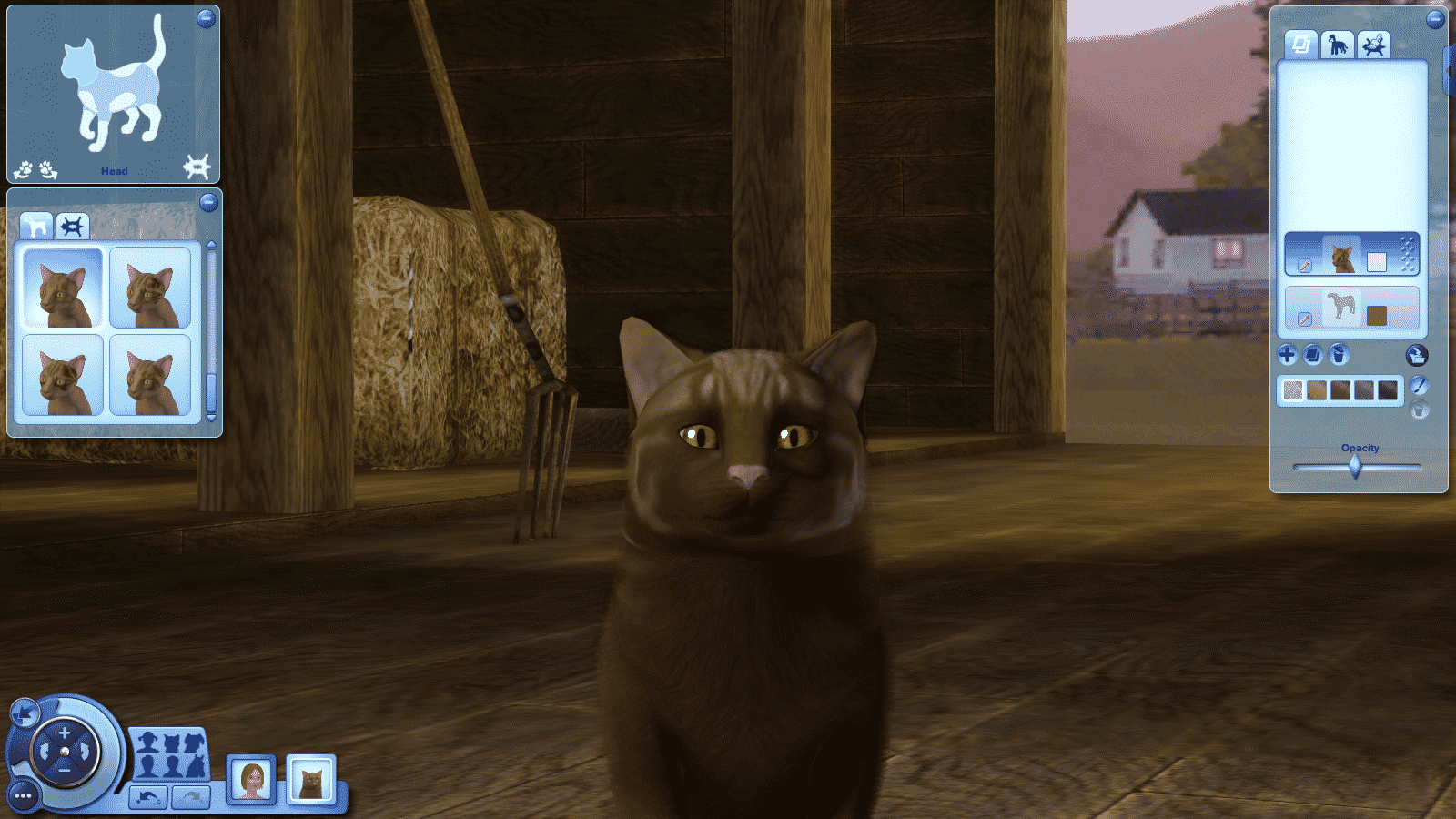
But, what I really never fully discovered are the features behind the ”Advanced Mode” button.
You open up a whole new panel of settings with a click of a button. I remember selecting this button about two or three times a few years ago but it never really occured to me to check out what each option does.
You can change the lenght of your pet’s fur, density and curliness…
Layer 1
Layer 2
Add multiple layers of different patterns…
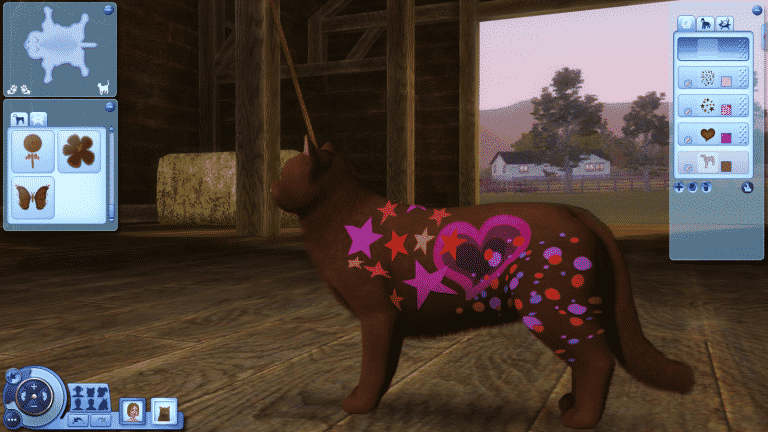
And what’s best, you can pick several markings, color them however you want and place them absolutely anywhere on your pet! You can even resize them and make them more narrow or wide.
You can literally go overboard..
You can even save your wacky designs and use them for later:
The fun doesn’t stop there. You can take full control over your pet’s body shape. Okay, maybe not that full but you still had more options that regular sims have.
I mean, just look at these eye customization options!
All of these options extend to dogs…
..and horses as well!
Did you know about these features and did you (and do you still) use them?
Sure, it may be easy to just google ”The Sims 4 Custom Content / Mods” but the results are often very poor. In this article I’ll be listing you some of the top sources where you can find Custom Content / Mods for your Sims 4 game. Let’s begin!
One of the oldest sites around, hosting more than a million creations for all The Sims games. It has great content from talented creators but if you’re looking for make-up and hairstyles that’ll match The Sims 4’s art style, this site may not be for you.
The biggest directory of game modifications you’ll find for The Sims games. It has some neat Custom Content as well but it’s mainly focused on mods that’ll enhance your gameplay, fix some bugs or add certain features.
This tumblr blog focuses on spotlighting Sims 4, Sims 3 and Sims 2 downloads that can be found all over tumblr. It has some great categories including Maxis Match for hairstyles!
If you’re not on Tumblr and love having CC in your game, you MUST create an account. Plenty of CC creators use Tumblr as their outlet and it’s easy to find what you’re looking for. If you’re not in the loop and don’t follow a lot of CC creators then using Tumblr’s search tool would do just fine. Sims 4 CC is often tagged as S4CC and Maxis Match content is often tagged as S4MM. Looking for skin tones or hairstyles? Add in the words skin and/or hair in your search bar for refined results.
People behind FreeSO (Free Sims Online), a fan project reviving The Sims Online that shut down back in 2008 will be launching an Open Beta of this re-up project tomorrow (January 6th at 22:00 GMT).
For more information about this project, check out our FreeSO category!
For now, check out the fanmade Launch Trailer of this game, highlighting some of the important features: