What happens when you mix Get Together with Romantic Garden Stuff?
-Probably many things, but for me it was this:
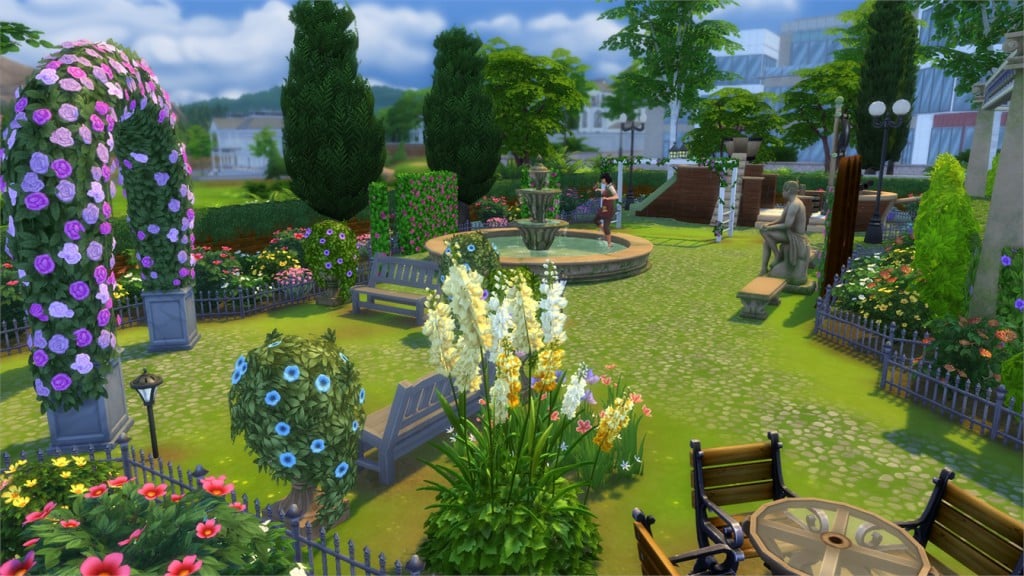
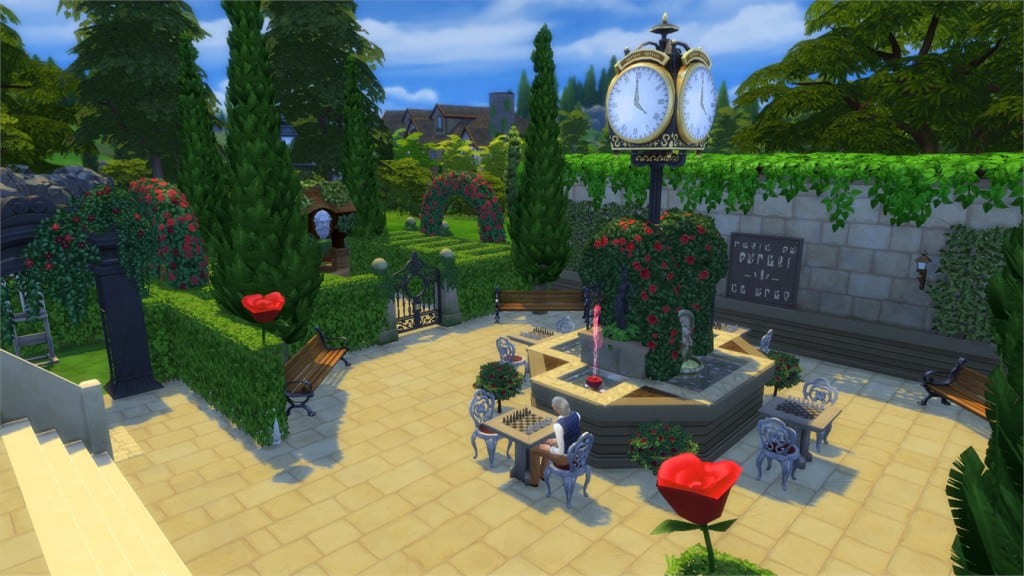
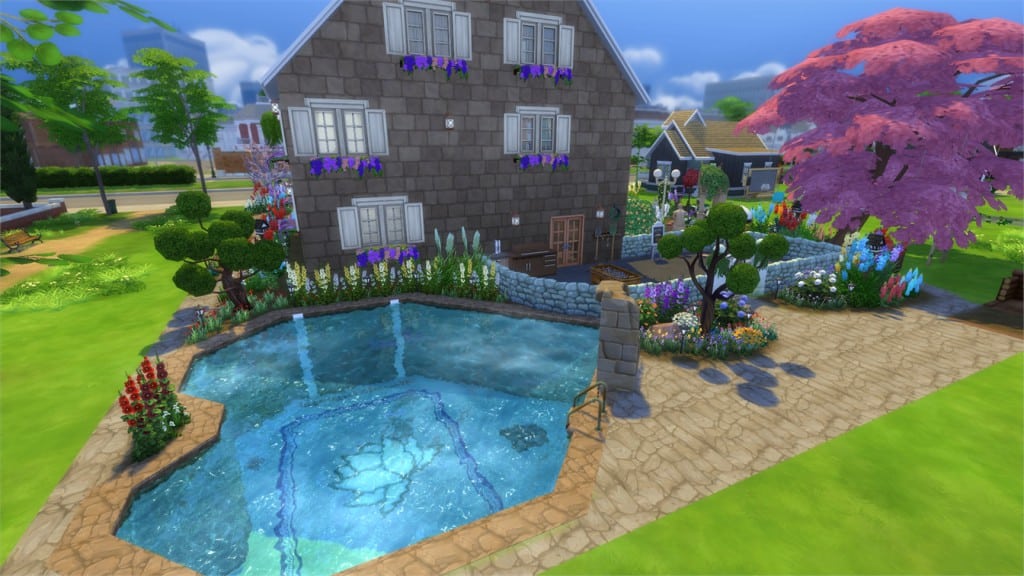
A classic and simple church, with a romantic garden for all the guests to enjoy!
Here’s how I did it!
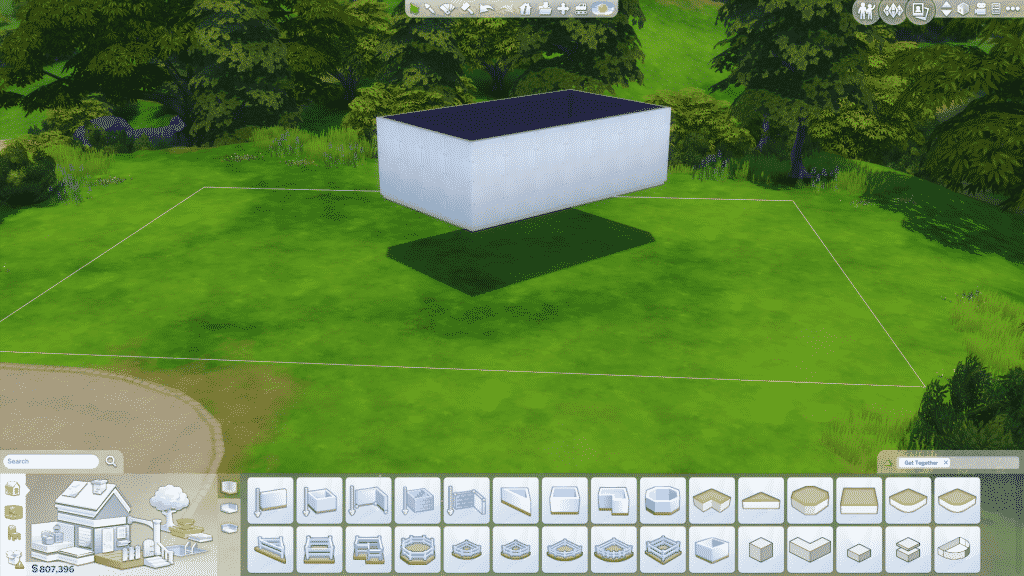
Start by making the shape, like this:
Add a roof to the first floor room and round it off a little, like this:
Add a roof to the church tower and pull the top arrow so it becomes as tall as you like:
Add roof trims in the same color as the accent color of your wallpaper.
I picked various types of the Get Together masonry wallpapers to create a height effect. Then I added windows and doors in the accent color, like this:
Fence in a big area with the Ivy League Fence from Romantic Garden Stuff:
Decorate the exterior with both random and not so random bushes, plants and flowers. Add a path to both the entrance of the garden and the church door, like so:
Add the “Triumphal Arch of Gluteus Maximus” over the fence gate (I enlarged mine, and added several normal sized one on the nearby fence)
From the gate, add a path of carpets surrounded by flowers and bushes leading up to a wishing well,
Add benches and flowers from Romantic Garden Stuff, mix up the colors and play around with placement.
Pretty romantic, ey?
“The Folly of Lady Chloris” from Romantic Garden Stuff creates lovely little eating sections. The “Where the sunshine goes” overgrown fountain creates a perfect separation without separating the tables too much.
I also made the area have a flower wall in the back to keep with my pink and white color scheme, like so:
Add as many sections as you want:
And mix up the decoration with flowers from both Get Together and Romantic Garden Stuff as the entrance to your seating area, like so:
Party sims? -Add a dance floor and put plants, rocks, lights and flowers around it to make it look romantic and soft, but still very fun!
And as a final touch I added statues and a bunch of flowers in all of my free corners, and a fountain going all the way around the wishing well:
And that’s it!
I hope you have fun making your own church w/romantic garden!
If you want some input, help or simply show off your build feel free to share at:
Update #4: Although the Toddler theory has been busted (for now), there is still a hint left by the voice actors for The Sims 4’s upcoming content.
Update #3: Nicki confirms she is NOT working on toddlers!
Update #2: She confirmed this:
Update: Check out this tweet by Nicki.
Please note that the Toddler part of this post is pure speculation.
WooHoo Sims has found this interesting post by Nicki Rapp, one of the Voice Actors who worked on The Sims 2 and The Sims 3.
In case you don’t know – Nicki worked on voice of Toddlers and Children for The Sims 3. Could they be making a return in The Sims 4?
Please note that the Toddler part is only speculation, and even though Nicki deleted this post on Facebook, there’s still this Tweet on Twitter, confirming she’s working on a project for The Sims 4.
I wanted to share what I did when I was playing Sims 3 to make Island Paradise have less lag and be more playable. The things below are what I did and I had very little lag or issues with this expansion.
Go into edit town mode and do the following:
Spanish resort – remove the fence around the trees in the middle of the pool. Sims are drawn to whatever is there and will lag trying to see it.
Hobart’s – if you are not playing this lot then change it to “no-visitors” allowed or replace it. It is a laggy mess.
Romantic houseboat – remove the palm trees blocking the road between it and the other houseboat, the trees cause a routing failure. The trees are located between the Port Primavera and Port Pescado
Medina household – evict them and then place a fence around the top of the stairs but make sure they can still use the stairs. The little girl route fails trying to go to the ledge where the stairs are located. Remove their spiral staircase and the garage door. Put them back into their house.
Ithaca household – evict them and remove all spiral staircases, they don’t need to use the upper floors and the stairs cause routing failures. Remove everything on the upper floors so they won’t want to visit them. You can remake the rec room into a bedroom. Put them back into their house.
Collins household – evict them and remove the ladder going to the very top floor. Remove everything up there. I kept getting route failure notifications because of that ladder. Put them back into their house.
Go to every houseboat that you are not playing and remove their steering wheels. I have seen NPCs moving their homes and getting stuck in unroutable channels causing massive lags. They don’t need to be moving their house boats.
I highly suggest editing all houses and checking those spiral staircases, most of them are turned wrong and Sims can’t use them but keep trying and it causes routing failure lag.
Now go into live mode and do the following:
Use the cheat to discover all islands, this removes the clouds which is a known lag issue.
Use the NRAAS Master Controller mod to annihilate the Scott family (you can’t just delete them because they are hard coded into the game and will cause issues, they have to be completely removed using the mod). This family is bugged and then delete their houseboat so nobody moves into it. It is located at Port Perilous.
Use the NRAAS register mod to remove horses and wild animals from your world. The game loves to put multiple horses on houseboats. Obviously, this will cause routing issues. If there is a spot that is a routing nightmare (and there are several) then wild animals (strays) will find them and get stuck.
I did all of this and had very little lag other than the ones caused at 3am when everything resets or when the town is on the move (going to work, school, etc). The lag is no worse than it is in any other EA world.
Also, once you have finished doing all of this then you will want to save a copy of this world before you create your household. Move that copy to a folder called “Worlds” inside your EA folder but not the Sims 3 folder. Then whenever you want to play in IP, all you have to do is copy/paste this already fixed up world into your Sims 3 saves folder, rename the world (example would be AdamsIP if you are going to create a household named Adams). Launch the game and play straight away without having to make any changes.
I did this for all my TS3 worlds, created master worlds after I had fixed their issues and set them up the way I wanted. It saved a ton of hassle and time fixing the buggy worlds before playing.
Links to NRAAS Mods that will help improve your game play:
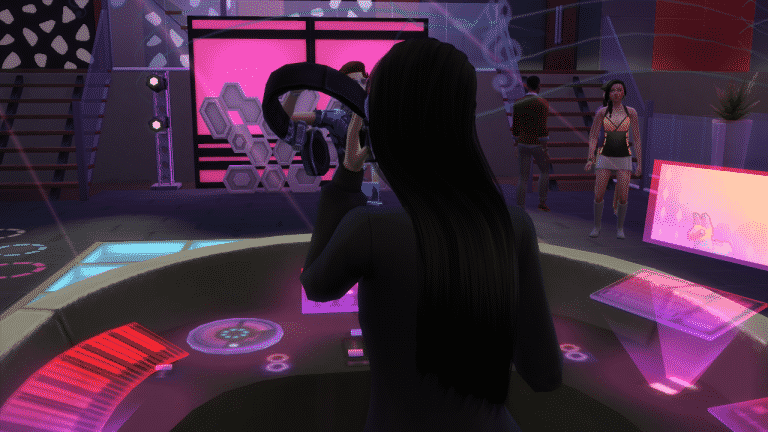
The DJ mixing skill was included to the game with the addition of The Sims 4 Get Together expansion pack. With an all new party scene down in the new neighborhood of Windenburg, it seemed only right to add the option to have your sims be the life of the party with some savvy DJ mixing skills! This guide will enable you to master the DJ skill by taking you through the different unlockable abilities as you level up. I also aim to show you how your sims can earn a few simoleons by showing off their new musical mastery!
GETTING STARTED
To begin you need to get your sims all kitted out to embark on their new DJ mixing adventure, a quick search in the build mode section of your game will give you four options for DJ booths. Its advisable to start with the cheapest one for starting out.
02 18 16 6 00 54 PM
02 18 16 6 00 27 PM
02 18 16 5 59 57 PM
02 18 16 5 59 34 PM
PRACTICE MAKES PERFECT
To excel at the DJ Mixing skill your sims will need to practice, a lot! To start with your sims wont sound very good, like with the musical instrument skills when you start out. Being inspired will help your sims level up faster. This is a skill you wont be able to earn money with straight away and cannot be learned through any other method besides old fashioned practice. So if you think being a DJ rookie is going to pay your bills you might wanna think twice. Later on if your sims impress the crowd enough, they will start to earn tips for their musical efforts, these come in very small amounts but they add up as time goes on! Here is what going up each level will unlock:
LEVELING UP
Level 1 – Your sims unlock the ‘Groovin’ genre to play on their DJ booth which can only be played at home not in public club venues.
Level 2 – The ‘Machine’ genre is unlocked allowing your sims to switch between genres. Your sims can now take over the DJ Booth in clubs and at home to play for an audience!
Level 3 – ‘Chip Tune’ is added and your sims can now discuss DJ techniques with other sims.
Level 4 – ‘Chill Out’ genre is unlocked.
Level 5 – ‘Break Beats’ genre unlocked.
Level 6 – Your sims can play remixes on the DJ Booth and upgrade it by adding ‘Dynamic Surge Protection’ and ‘Advanced Heat Sink’. The ‘Get Hyped’ interaction is now available!
Level 7 –‘House Music’ can now be played and the ‘Plasma Display’ upgrade is unlocked along with ‘Particle Generators’ on more expensive booths.
Level 8 – Sims can make ‘Mix-O-Lot’ tapes, play Hip-Hop music and upgrade with ‘Telesplosion’.
Level 9 – The Drum and Bass genre is now available along with the ability for your sims to make ‘Wiki-Wiki’ & ‘Scratch ‘n’ Switch’ mix tapes.
Level 10 – Finally, your sims unlock the music genre ‘The Noise’. They can ‘Feel the Crowd, and create three new mix tapes – ‘Digital Era’, ‘Party Hardy’, and ‘Electrical Utsu’. Perhaps the best part of reaching level 10 is unlocking the Robo Helmet giving them the ultimate DJ look!
COLLECTING TIPS
When playing to a crowd, sims watching and dancing will throw tips. The biggest tip my sim received was 240 simoleons but it is possible that your sims could receive more. They come randomly depending on what the individual sims on the dance floor want to pay, you could get thrown a 20 and then someone else will throw 9. It is completely randomly generated.
LICENSING MIX-O-LOT TAPES
At level 8 your sims can begin creating Mix-O-Lot tapes. These can be used to earn an extra bit of income from your new found DJ mixing skills! Like with publishing books your sims can use their letterbox to send off their mix tapes to be licensed one at a time. To be allowed another license your sims will need to petition the studio to take on another. However if your sim is skilled at another musical interment, they can make additional simoleons licencing music from those individually too!
DJ INTERACTIONS
While leveling up your sims will unlock interactions to use on the crowd while mixing. At level 6 your sims can use ‘Get Hyped’ which gives the listeners and dancers a +1 happy moodlett from the ‘Bumpin’ Beats’. At level 10 your sims can ‘Feel the Crowd’ which like the previous interaction can only be used in 30 minute intervals. Meaning you will have to wait 30 sim minutes before you can interact in the same way again. ‘Feel the Crowd’ plays with the sims emotions, you can make the sims around you feel Flirty, Confident, Energized and even Dazed!
DJ BOOTH UPGRADES
Particle Generators – Adds to the nightlife atmosphere with ground fog and manic laser lights!
Telesplosion – Enables all close-by televisions to be affected by the music.
Dynamic Surge Protection – Prevents you from needing to repair your DJ booth. My sim used hers for hours without a single break down!
Plasma Display – Displays a plasma screen of images and lights at the front of your booth.
Advanced Heat Sink – Stops your booth from setting alight while you are mixing!
Special Effects – This lets the player pick and chose which upgrades you would like to be active at one time! You can turn them all on and off or select your favourite individual effects!
That’s it for the DJ Mixing skill, I hope this helps you and your sims thrive in club scene with the Get Together expansion pack! If you have any questions don’t hesitate to leave them down below or catch us at the Sims Community Social. Dag Dag!
Simmythesim created an excellent mod where you can order any food you want right to your Sims’ doorstep!
Are your sims terrible cooks? FoodLlama provides two new services for your sims, Order Food and Order Gourmet Food. These two new services deliver food to your sims!
Worried that The Sims 4 Gallery will generate a bad screenshot of your Household / Lot / Room? Worry no more, because people from LuniverSims have updated their awesome program The Sims 4 Tray Importer that now lets you edit screenshots of your Gallery Creations that you can later upload!
To start off, download The Sims 4 Tray Importer HERE!
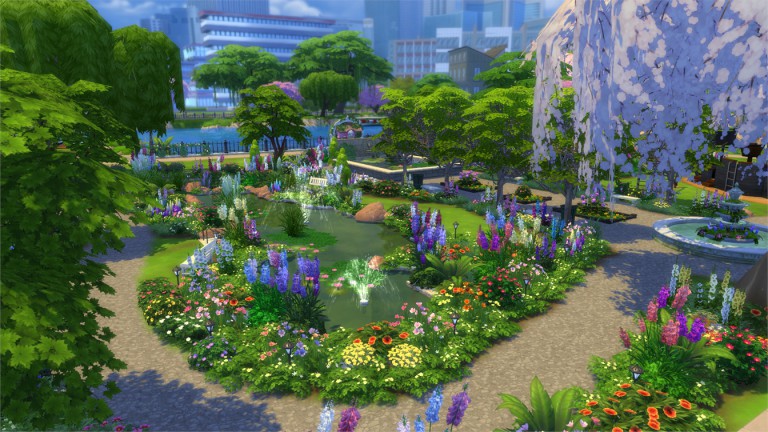
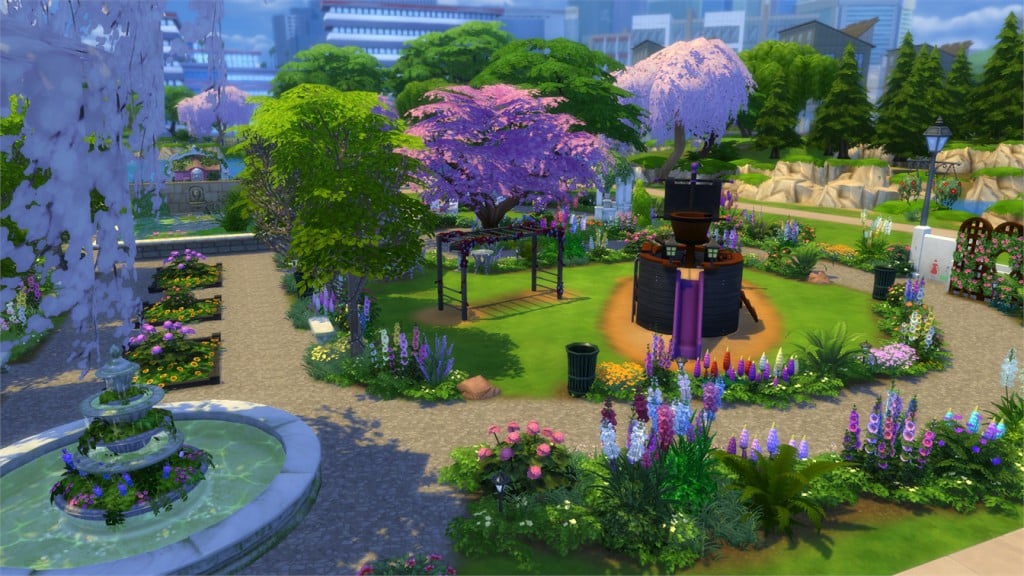
In this Spotlight, we’re featuring some of the most beautiful Houses, Venues and Rooms created by Simmers for The Sims 4 Romantic Garden Stuff!
Hover over the pulsing plumbobs to see screenshots of marked areas. Pulsing plumbob that’s on the left bottom corner contains all the info (and download link) of the lot.
To see more of our previous Gallery Spotlights, CLICK HERE!
Every Monday, we will be sharing the resources that were submitted to the Sims Community the following week by our very talented creators. Please be sure to go download them and let them know what you think of their items.
Creator Membership on SC Social brings plenty of awesome benefits for Custom Content Creators, Modders and Builders. For more information about it, CLICK HERE!
Before continuing, please note the following:
EA doesnot pre-screen Custom Content /Mods and players should always exercise caution when adding Custom Content to their game files.
Make sure your mods are up to date. For a full list of broken and fixed mods CLICK HERE!
After each The Sims 4 Update your game will automatically disable Mods and Custom Content. You can re-enable them by going to Game Options > Other > Enable Custom Content and Mods.
Mod Description: Enables the kiss neck interaction for adults and the suave/passionate kisses are always enabled.
Conflicts: Tested with all my mods/CC installed and no conflicts. It may conflict with any mods that alters kisses (in my game, it works fine with MC Command Center).
Tired of your Sims making coffee or tea and leaving it there to sit and get spoiled? Sims obsessed with coffee or tea after making it? No more I say! Now Sims will not touch the coffee or tea pot, unless you tell them to! Hurrah!
Note: When you direct them to make the tea, they will drink one cup and that’s it, unless you tell them to drink more.
Before reading this post please note that this is pure speculation!
So far we’ve had 2 Stuff Packs for The Sims 4 (Movie Hangout and Romantic Garden Stuff) and it just feels like we’re missing out on some real gameplay. If the pattern from last year is correct (Stuff Pack – Stuff Pack – Game Pack) we could be expecting a new Game Pack real soon (maybe next month?).
Last month, SimGuruDave confirmed that he’s now working on Game Packs for The Sims 4, and today, he made a very interesting tweet that could very much refer to the next Game Pack:
SimGuruDave: Hang in there! I know you’re hungry for news & I can’t wait to serve up some fresh info soon!
Does anyone else see any restaurant references there? ”Hungry for news” / ”Serve up some fresh info”. + This tweet was a direct answer to a question about Game Packs, so theres a huge chance that the third Game Pack is related to Restaurants.
Note that this isn’t any rumor but a real tweet by a developer on The Sims 4 Game Packs. Although it gives a huge hint for restaurants, you should always take extra caution and prepare yourself for disappointment.
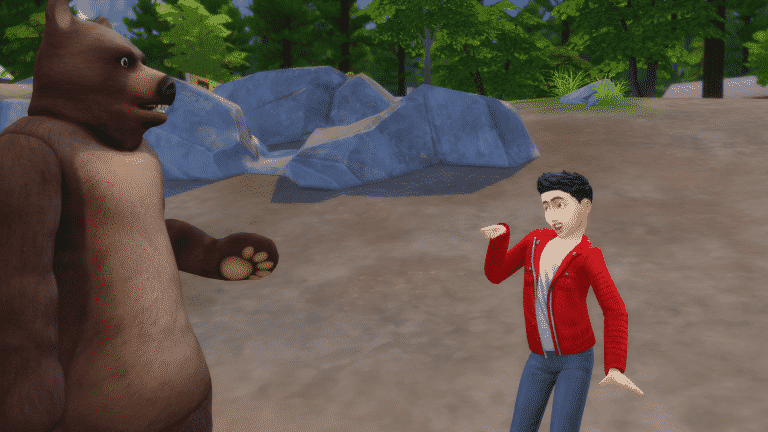
How annoying is it that your Sims can’t go to Granite Falls without that annoying bear ruining things? Or that a neighbor comes over and smashes your Sims children dollhouse or kicks over your trashcan? What about your loving couple who don’t have a mean or mischievous bone in their little pixel bodies suddenly ruining their relationship because they decided to do something mean to each other?
I hate it, too.
If I want my SIms to be mean to others? It’s my choice, so I’ve created a mod to take that choice back. Now I decide who will be their enemies and who will despise them.
Mod Description: Stops the autonomous mean and mischief interactions (there are over 40 resources files involved so hopefully I got them all!). I also took control of that annoying bear, it will no longer roar and try to pick fights with your Sims. Dollhouse smashing and trash can kicking have also been brought under control. Aliens? They too have had their autonomy snatched and will no longer do mean things to Sims on their own.
Conflicts: Tested with all my mods/CC installed and no conflicts. It may conflict with any mods that alters mean and mischief actions. Tested with MC Command Center installed, see the note below.
Instructions:
No auto mean – Includes dollhouse, kick trashcan, bear roar, make fun of adults and all other autonomous mean interactions (30 in all!).
Auto mischief – is only mischief actions including aliens and all other autonomous mischief interactions excluding auto troll the forum (13 total).
You can use them separately or have them both in your mods folder.
Note: If you are using MC Command Center, make sure your tuner module that has the auto mean/mischief is false. This mod includes items that mod left out.
Special thanks to @directionermimux and @simmindipity for helping me test this mod.
Creator Membership on SC Social brings plenty of awesome benefits for Custom Content Creators, Modders and Builders. For more information about it, CLICK HERE!
Before continuing, please note the following:
EA doesnot pre-screen Custom Content /Mods and players should always exercise caution when adding Custom Content to their game files.
Make sure your mods are up to date. For a full list of broken and fixed mods CLICK HERE!
After each The Sims 4 Update your game will automatically disable Mods and Custom Content. You can re-enable them by going to Game Options > Other > Enable Custom Content and Mods.
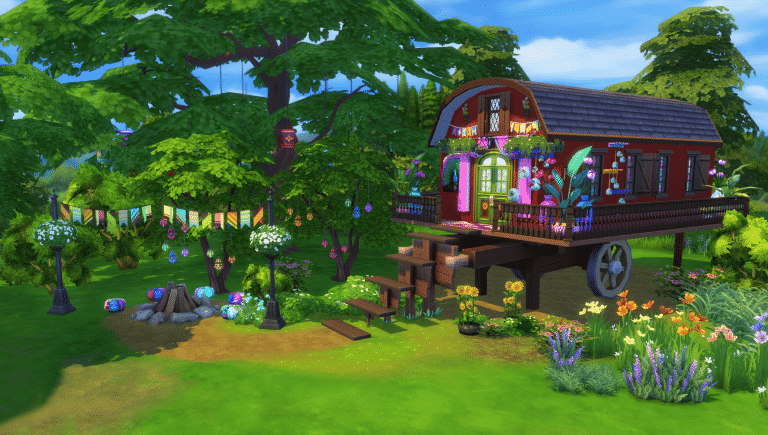
A Vardo, also known as a living-wagon is a horse-drawn portable home which was used around the mid 1800s. With it’s highly decorated exterior and fun design, it makes the perfect home for the more artistic sim who loves the outdoors and bright colors! (Most of the items used in this particular Vardo are from Get Together and Movie Stuff Pack)
Lets begin!
Start by making a floating rectangle one floor above ground floor. I made mine diagonal, but you can of course choose that yourself
Get together have a decoration item called vacker sot floral cart, resize it (SHIFT+]) about four times, and place under your majestically floating rectangle:
Then add a gabled roof, pull the adjustment blobs until it becomes as rounded as it gets, and drag the roof tip arrows as far up or down as you want them:
Add a one square patio around the “majestic-rectangle-sitting-on-a-floral-cart-with-a-super-round-roof-on-it” like so:
Add a hip door in the center of the building (preferably with flowers on it), like so:
Do you see the white line up in the left corner of your game? No? Press CTRL-SHIFT-C, and you definitely will! And then you type in: bb.showhiddenobjects
Then go to the little search menu down left, and search for DEBUG, you’ll be taken to a page filled with wonderful little items that I personally can’t live without. Anyways, pick a fishing sign, any fishing sign, and place it down. Then another one, but resize it once. Then another one but resize it twice. Then another one but….You get the picture! Have it look something like this:
The go to surfaces>displays and pick the Immaculate:
Resize it once and place it on the ground in front of the first sign, then pick another one and raise it (CTRL+9) so it “rests” on the first fishing sign. Do so on every sign, and bam, you have some I-can’t-believe-it’s-not-stairs stairs!
Then put in some real stairs in the back:
Paint the wagon, add windows, and lot’s of colorful decorations and flowers! Don’t forget a rug and maybe some hippie-looking curtains!
Here’s what I did:
The Movie Pack has a tree with lights in it, but it’s not that cool that all the trees look similar. So, I made my own! Raise lights under a tree, and check from different angles that it looks like it’s hanging from the tree and not the air, like so:
A bonfire and flower decorations from Get Together and some funky Movie Pack chairs makes the garden look like the perfect place to spend long nights talking about how many llamas you’ve saved this year!
Here’s an example on what I did for some of the interior design. Messy, clunky, clumsy and ridiculously colorful! (Also, the kitchen is outside in the back. why not?)
And that’s it!
I hope you have fun making your own Vardo!
If you want some input or help with your creations feel free to share at:
With the release of The Sims 4 Romantic Garden Stuff*, Sims have access to the Whispering Wishing Well, which will alter the fate of your Sim’s lives forever should you dare approach it. Sims can choose from nine different things to wish for, including happiness, romance, youth, simoleons, and more. Be careful what you wish for; those wishes lead to over 50 different outcomes based on the temperament of the well (yes, it’s sentient, and it’s known to be quite moody).
Here are some of our favorite sequences of events…
Sims can get a bad romance. Happily, a wish for romance can result in the appearance of a perfect partner with a loving relationship already established. But what happens when wishing for romance when the Whispering Wishing Well is in a foul mood? Well, you may just end up with a new enemy… with benefits. Through a swirling grey and pink puff of smoke emerges a new romantic partner, who your Sim finds completely contemptable but inexplicably attractive. Sparks will definitely fly in this torrid love affair that offers the chance to experience one of the rarest relationship types in the game!
Simoleons can come at a cost. If your Sim’s wildest dreams come true, they may just win the lottery and get showered by simoleons spewing from the well’s maw. However, at times the Whispering Wishing Well enjoys toying with Sim’s whims, and may twist their words against them unexpectedly. One such example is when a Sim wishes for simoleons… instead of simply granting the wish, the well instead presents the Sim with an interesting moral dilemma. It offers up a juicy morsel of gossip, a rumor so vile that if you threatened another Sim with exposing this secret they’d surely pay to ensure your silence. Is blackmailing your way to riches with a trail of enemies in your wake a path you’ll choose to take? This new interaction leaves the choice in your control.
Sims can get a bouncing bundle of BOO! A Sim that’s a prospective parent may use the Whispering Wishing Well to wish for a child in their life, and the well has a number of ways to grant that request. In the perfect scenario, a mini-prodigy pops out of the well equipped with the Genius trait and a zest for life. If the well is feeling particularly grim though, a bile may bubble up and out of its depths, revealing the newest addition to the family… a ghost child! Thankfully the Whispering Wishing Well will listen to a special wish from ghosts as well, which may lead to the following…
Ghostly Sims can be given endless life. A ghost Sim may have been dealt a difficult card in life (or the afterlife), but the Whispering Wishing Well can help. Ghosts can wish for life, and if the well is in an especially generous mood, the ghost Sim may be granted the ultimate reward – a return to the living! Not only will this miraculous revival give the Sim a second chance at life, but a pact will be formed with the Grim Reaper allowing them to escape death in the future. Should they happen to die again from unnatural causes, the Reaper will promptly appear to resurrect them on the spot.
Sims can find happiness to be a curse. The Whispering Wishing Well is known for its perverse sense of humor. There’s perhaps no better example than one particularly delicious case of schadenfreude when the well perceives a Sim as greedily wishing for happiness. One potential outcome sees the Sim lifted off their feet, with the well visibly sucking an aura of happiness out of them, and raining it down into the depths of the well. For the near future the Sim is cursed, with happiness seeping out of them and spreading to other Sims. As those nearby Sims become happier, the cursed Sim sinks further into their malaise. This form of cosmic balance amuses the Whispering Wishing Well. Of course this is only one potential (and drastic) outcome. Not only may your Sim end up walking on sunshine with a very happy moodlet, but all of their happy moodlets will persist even longer than normal for the day!
Experience these moments with your own Sims, and discover so many more when playing with the Whispering Wishing Well (and other fun stuff) in The Sims 4 Romantic Garden Stuff today!