Home Blog Page 504

The Sims 4 Concept Art by Wesley Burt

0

Wesley Burt, a Concept Artist from San Francisco who sketched various concepts for all sorts of video games, made a few sketches for The Sims 4 as well!

Imgur user pixelcalibermachinegun published his 34 concept arts. Some of these concepts include faces we’ve already seen before, while most of them are new.

01 - xyNOAar 02 - 033GsQL 03 - AZkqclo 04 - atJtjEc 05 - gprH19q 06 - QNebGmM 07 - 4LKAe0P 08 - KIDVgI4 09 - IypJnxo 10 - Y4sYRo3 11 - ChCVkte 12 - nqQLSX3 13 - TfvupPk 14 - GwXBH6b 15 - Gv8TDd1 16 - qNlGSf5

17 - tvzpnbv 18 - WnL7xU7 19 - tGuLwJk 20 - XZ1jegi 21 - TDdT8Ds 22 - rcFEadc 23 - 46AOpUv 24 - 9YeV76u 25 - xiCRYna 26 - Iyid0HA 27 - TGD4NZg 28 - A1zVbD6 29 - EnCganV 30 - XiPjSOX 31 - yosfRhv 32 - forlHSq 33 - CJzqYk8 34 - VmPt3hS

Thanks SimCookie for the find!

The Sims 4 Gallery Spotlight: 14/09/14

0

After browsing the Gallery for a while I saw a few Sims and builds that caught my eye so I just had to share these wonderful creations with you!

TS4 2014-09-14 20-49-41-88
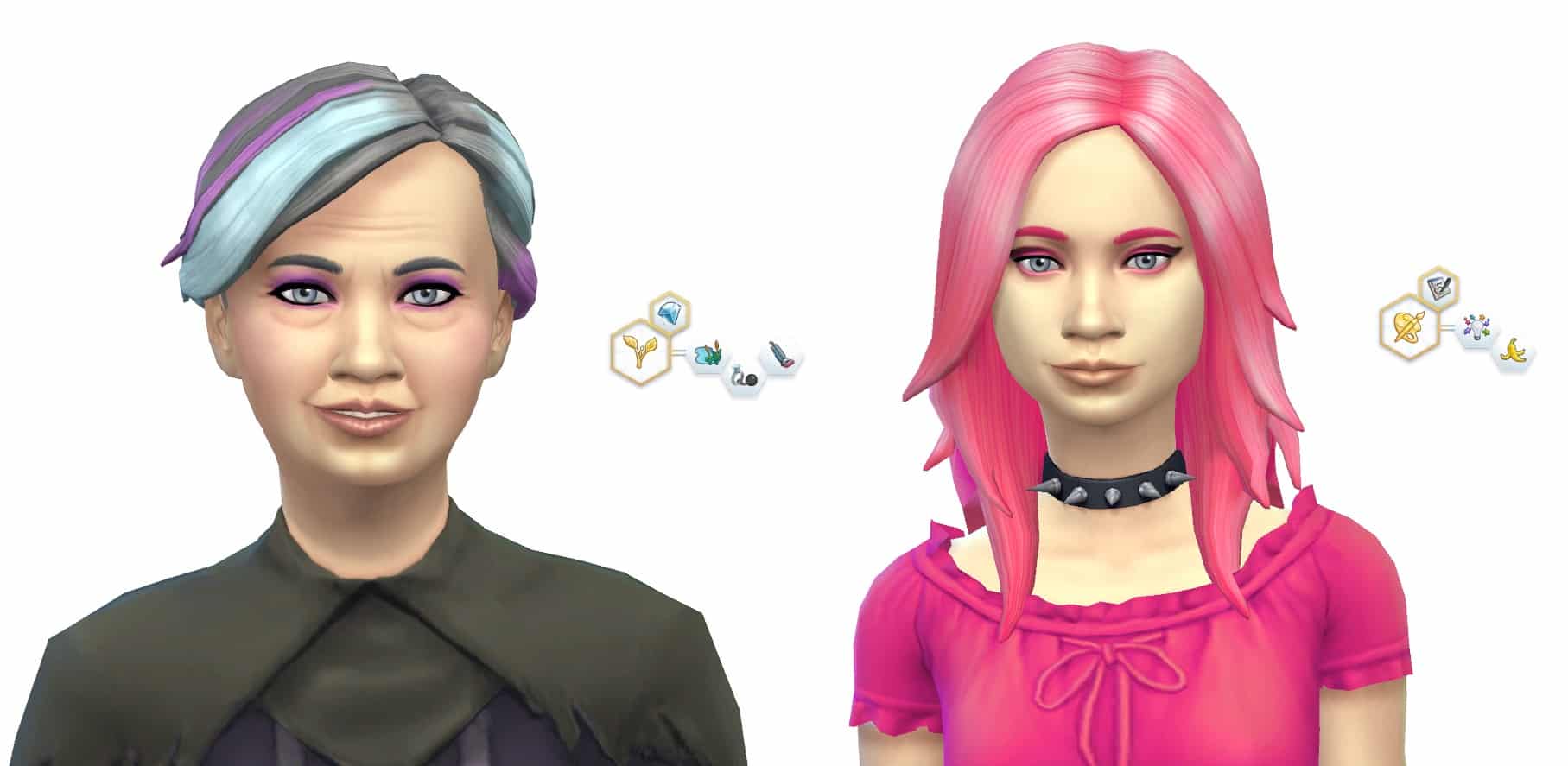
Kim Nimho created by VerySoftSoul

Aspiration: Fortune.
Traits: Romantic, Self-Assured and Music Lover

This Sim caught my eye straight away, I love the style and she’s a lovely looking Sim.

TS4 2014-09-14 21-36-29-1712

 Beatrix and Anaya Bergman was created by DeltaDharmaDawn

Beatrix Aspiration: Nature.
Traits: Loves Outdoors, Noncommittal and Neat.

Anaya Aspiration: Creativity.
Traits: Creative and Clumsy.

As soon as I saw this household I fell in love. They are so unique! Mother with a teen daughter, what could possibly go wrong with that?! 😛 

TS4 2014-09-14 23-37-01-73

Created by allever728

Value: §215,251
Size: 40 x 30
Type: Residential

This cute little house includes 3 bedrooms and 2 bathrooms and has 2 floors. It may look small but it’s bigger on the inside! It has a back garden where you can grow all those lovely fruit and veg, yum. 😀

TS4 2014-09-14 23-48-21-41
Suburban Dream Home created by Fischio7

Value: §371,501
Size: 50 x 50
Type: Residential

This beautiful house come with 6 bedrooms and 6 bathrooms! Wow, that’s a lot. Plenty of space there, love it.

The creator has also has put a description of their house:
A stately home with plenty of room for a large family. The lot also includes a #nursery #gym and #study.
Created by #Fischio


The Sims 4: Unlock All Build/Buy Content Mod

0

You now have the freedom of any build/buy objects thanks to this helpful mod that was created by TwistedMexi on Mod The Sims

Click on the picture below to check it out!

MTS_TwistedMexi-1458867-tm.unlock

The Sims 4 – 3 Addition Types Confirmed?

4

SEbox

Mod The Sims Forum Member mgomez found an interesting text string in one of The Sims 4’s game files (just to make it clear, we tried to see it for ourselves too and it’s real – you can find it in The Sims 4DataSimulationGameplay > core .zip file).

According to the text string file, The Sims 4 will feature 3 addition types: EP’s (Expansion Packs), SP’s (Stuff Packs) and GP’s (Gameplay Packs?).

As an addition to this, EA recently published a new slider on The Sims 4’s gallery, telling people to sign up for their newsletter.

Be the first to hear about new gameplay features and exclusive offers!

So far, The Sims Team is refusing to talk about any future projects related to The Sims 4, even though information about The Sims 4 Premium Service is already beginning to leak!

The Sims 4 Tutorial: Deleting Cache Files

42

You may have noticed that the more you play The Sims 4, the longer your loading screens will last.

This issue is caused by Cache Files collecting as you progress through the game. These files serve it’s purpose as a faster way of loading in-game thumbnails (such as families, houses etc.) and they are created each time you load something ”new”.

As you add more custom content and mods for the game, you’ll notice that your Cache Files are getting bigger.

Luckily, these Cache Files can be deleted.

To do so, open your Documents folder (or a folder where your The Sims 4 Save Game folder is), Electronic Arts > The Sims 4. There’ you’ll find a folder called ”cache” and a file named localthumbcache.

Untitled

Feel free to delete the localthumbcache file!

When it comes to the cache folder, open it and delete everything that’s inside of it *except* the FileCache.cfg file!

cache2

You’ll immediately notice how your game loads much more smooth and faster.

I advise that you delete cache files every 5-7 days (especially after you download/remove custom content).

For more information about Cache files, visit Crinrict’s post!

The Sims 4 Tutorial: Splitting And Merging Households

6

You may have noticed that you cannot move out Sims using the phone like you could do in The Sims 3.

In The Sims 4, the Manage Households option includes everything you need to Customize already moved in Sims or Sims that are not moved in any World.

To open the Manage Households menu, open the Map View Mode and find the Manage Households icon on the top right. You can find all your households in that panel, whether they are Sims you played before or Sims you’ve never played.

TS4 2014-09-13 21-10-47-76 TS4 2014-09-13 21-17-27-77

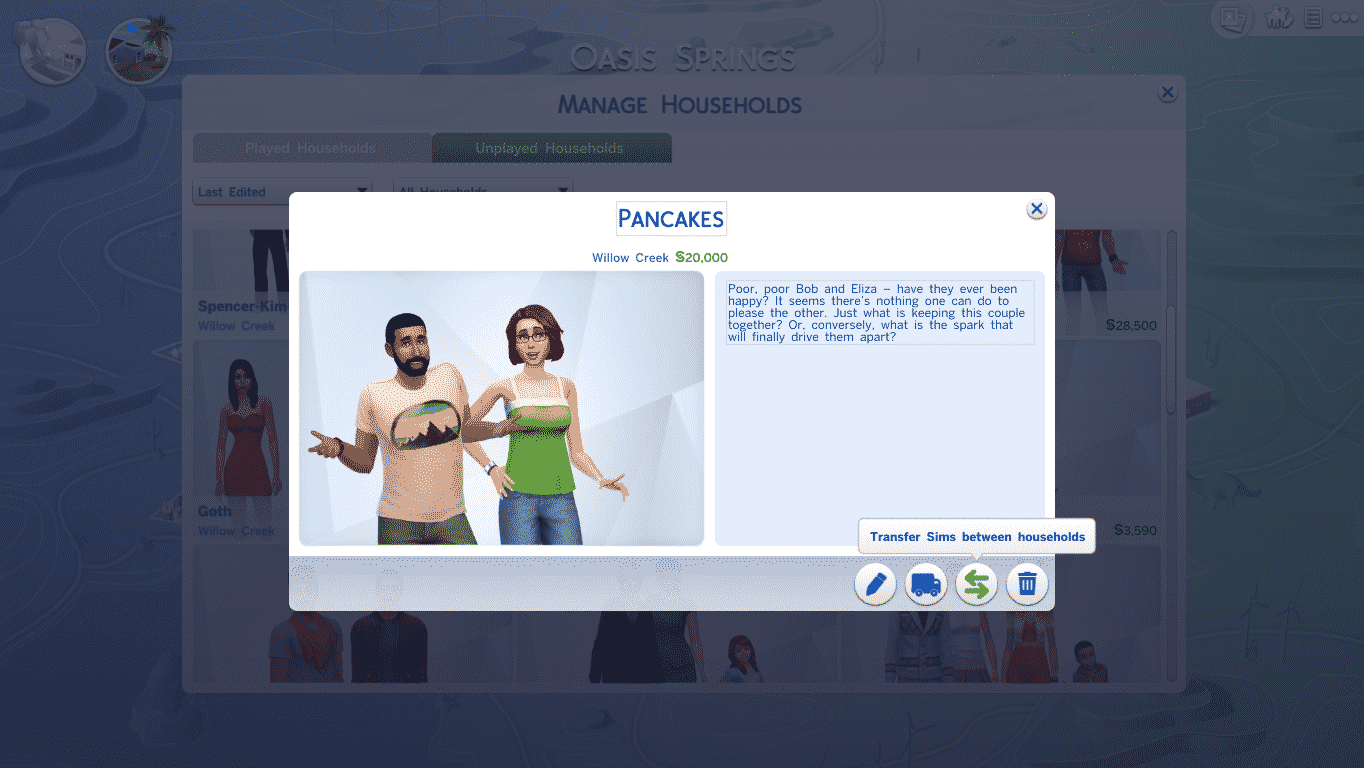
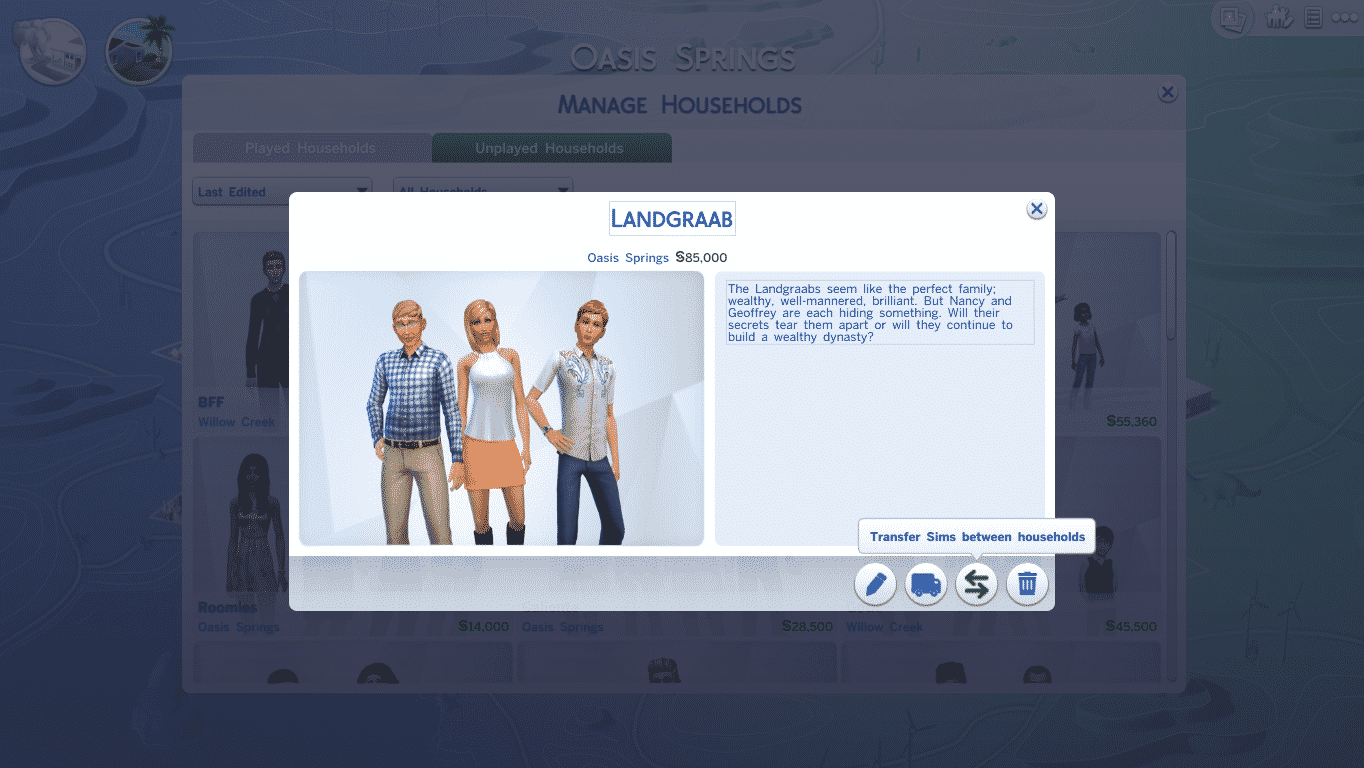
Click on a Household you want to edit. An Information panel about that Household will pop up and you’ll get 4 options on the bottom right corner: Edit Household in CAS, Move Household into a Lot, Transfer Sims between Households and Delete Households. You’ll need the Transfer Sims between Households option (icon with 2 opposite arrows).

TS4 2014-09-13 21-08-55-66

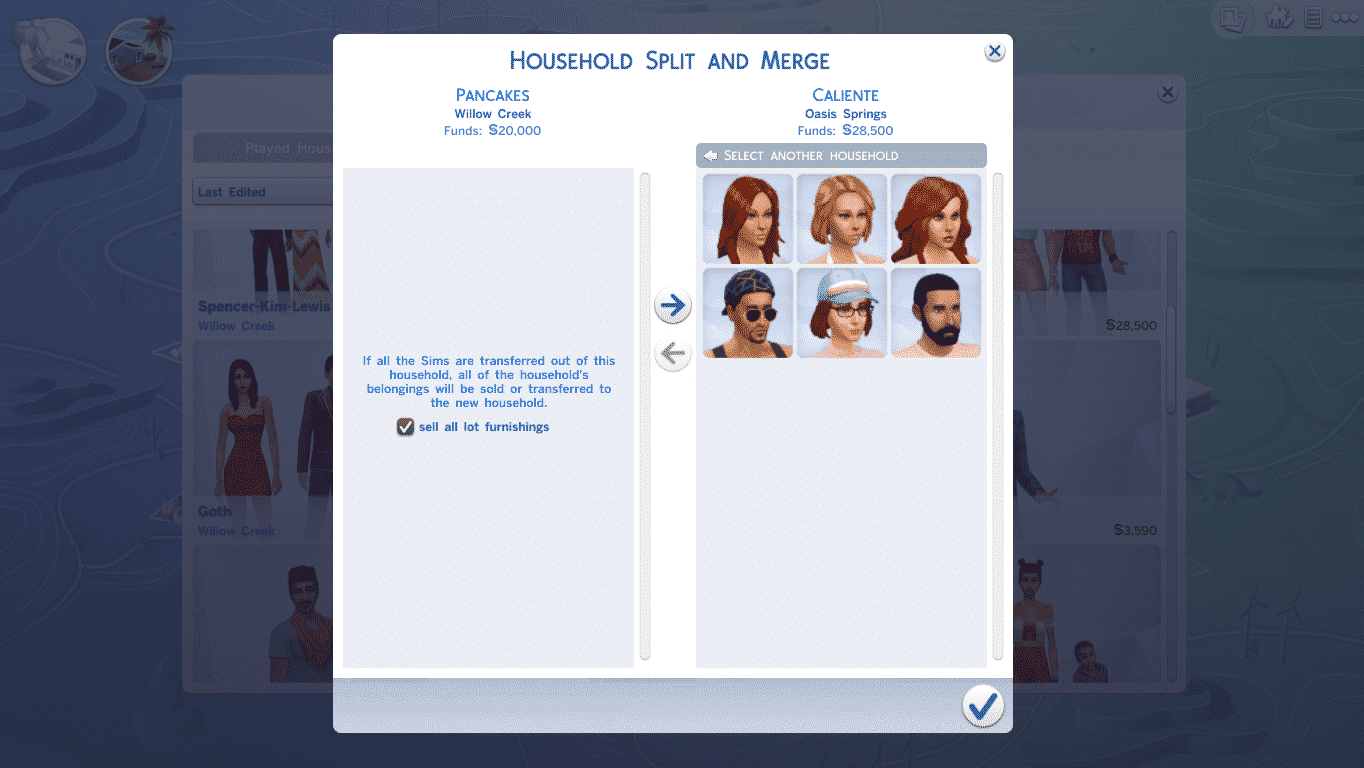
From that option panel, you can move out Sims from that Household or move in Sims from other Households. You can also start brand new Households by clicking on a Sim on the left side and selecting ”Create New Household” (icon with a Sim standing by a plus).

TS4 2014-09-13 21-09-22-47 TS4 2014-09-13 21-09-36-64 TS4 2014-09-13 21-09-44-08

There’s also an option to move out an entire Household and Merge it with another Household. After you move all Sims from the left side to the right side, you’ll get an option asking you if you want to sell the furniture from the left side’s Household and transfer it to the merged Household.

TS4 2014-09-13 21-14-17-00

The Sims 4 Tutorial: Using the Search Box

2

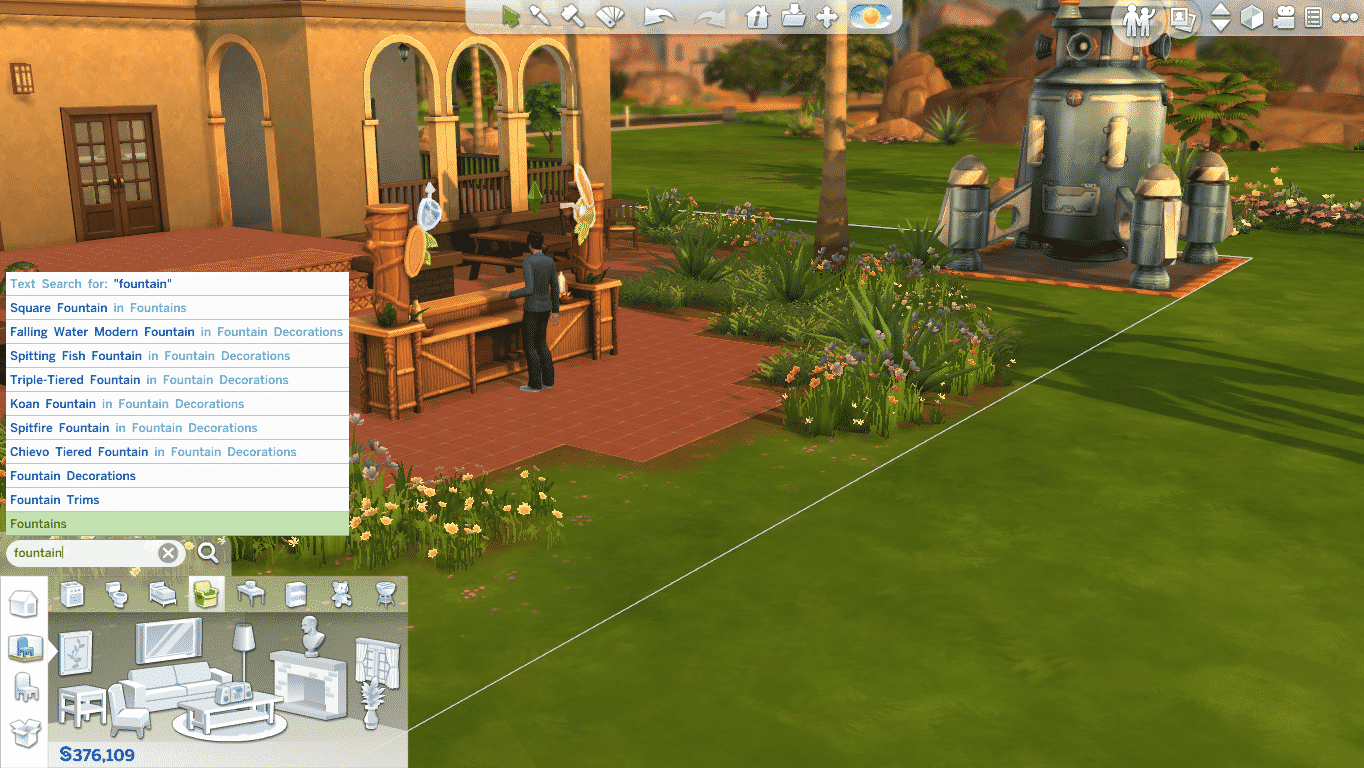
The Search Box is a fascinating The Sims 4’s Build Mode tool that you can use to find certain categories or objects.

You can find it on the bottom left corner, right above the Build Mode interface.

Let’s say this garden needs a bit more plants.

TS4 2014-09-13 17-26-00-04

I’ll just type in ”Plant” and the search box will give me multiple plant categories. I’ll select the Outdoor Plants selection and that’s it. I could’ve entered ”Outdoor Plants” as well to find them immediately!

TS4 2014-09-13 17-26-05-38 TS4 2014-09-13 17-26-51-58

You can search for specific objects as well! This is perfect for those who already memorized the name of some objects.

I want to add the Penguin TV (PenguinVision Children’s Television Set). Now, I don’t have to enter the full name either. If I already know that it’s called PenguinVision or that it’s Children’s Television, I can just type in those names instead, not the full full name and the game will suggest that object that I wanted.

TS4 2014-09-13 17-28-52-33 TS4 2014-09-13 17-29-00-14

This also functions for Building Categories. If I wanted to add Wall Patterns, I can type in Wall Patterns or just type Wall and I’ll receive a suggestion for Wall Patterns. Or, if I wanted to build a Fountain, I’ll just type in ”Fountain”, it’s that simple!

TS4 2014-09-13 17-29-34-43 TS4 2014-09-13 17-29-37-27 TS4 2014-09-13 17-29-47-87

The Sims 4 Official Screen Prints!

0

Creative minds created amazing The Sims 4 Inspired Prints (thanks to their collaboration with Electronic Arts) and have posted them over at French Paper Art Club. These can be purchased for various amount of money. Some of them are even made in Wood Variant!

There are only 50 prints each so act quickly if you’d like to own these!

Click Here for more information about these prints!

hu0vnpcpq4smzbrbx69d the-sims-by-brogan the-sims-by-kilger the-sims-by-singelin the-sims-by-wilding

Source: Kotaku

The Sims 4: CAS Standing Still Mod

0

When creating Sims do you get annoyed when they keep moving around as you are trying to focus on making the perfect Sim? Do you wish they would just stand still? Well, I have some good news! There is a mod for your game that keeps Sims still, thanks to Shimrod101 on Mod The Sims

Click the image below and it will take you straight there!

MTS_Shimrod101-1456208-CasStandStill

The Sims 4 Tutorial: How to Play Offline

33

When opening The Sims 4, the game will automatically connect to the internet. If you want to play The Sims 4 Offline, there are 2 ways to solve this:

  • Via Origin
  • Via Game

When opening Origin, you’ll be automatically connected to the net. You can solve that by going to the Origin Tab on top left and selecting ”Go Offline”.

1offline 2offline


After launching The Sims 4, the game will think that you’re not connected to the internet and you’ll be switched to Offline Mode.

TS4 2014-09-11 10-06-02-67 TS4 2014-09-11 10-06-16-45

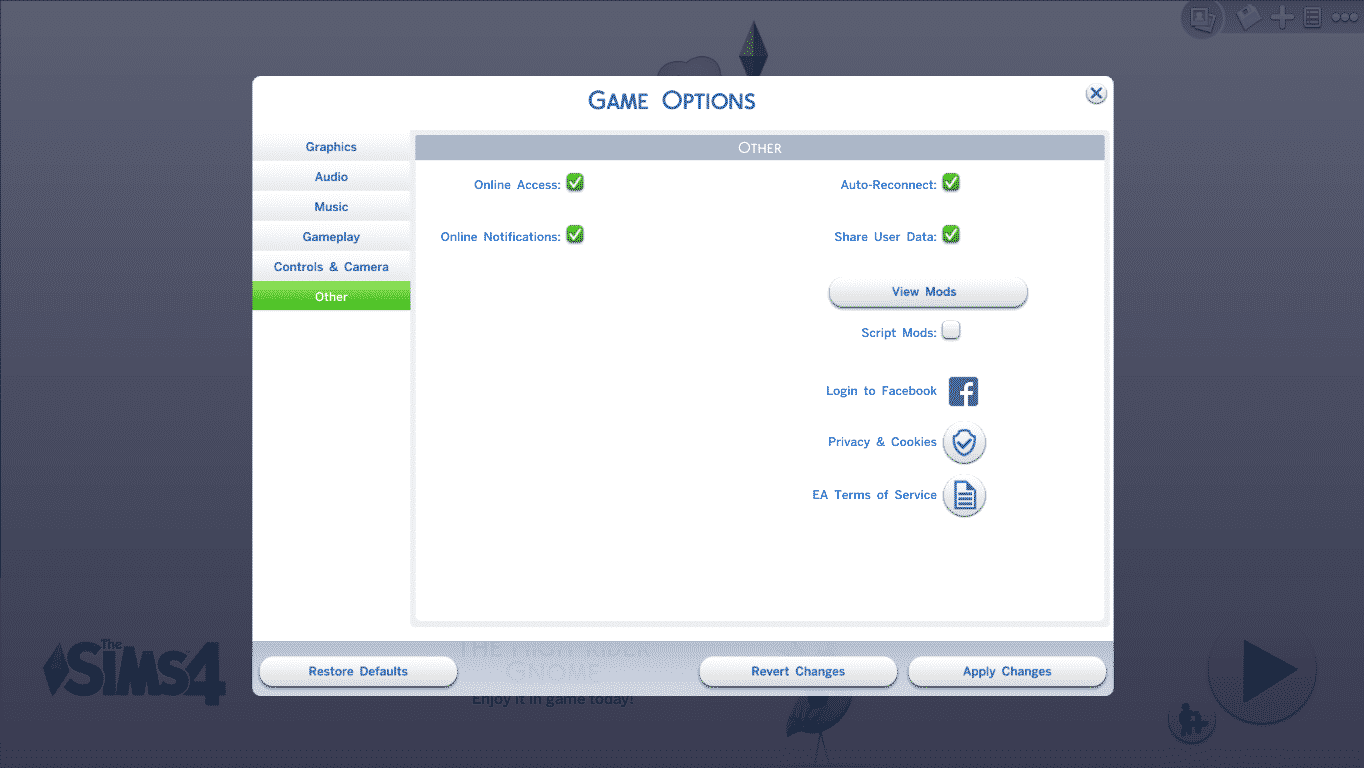
This can also be done by going in The Sims 4’s Settings panel and selecting ”Other”. From there, just untick the ”Online Access” option and you’ll play the game Offline.

TS4 2014-09-11 10-11-10-95

Playing The Sims 4 Offline will reduce the Main Menu loading time, but there’s a disadvantage and that’s no Gallery. You’ll only be able to see your creations and your statistics!

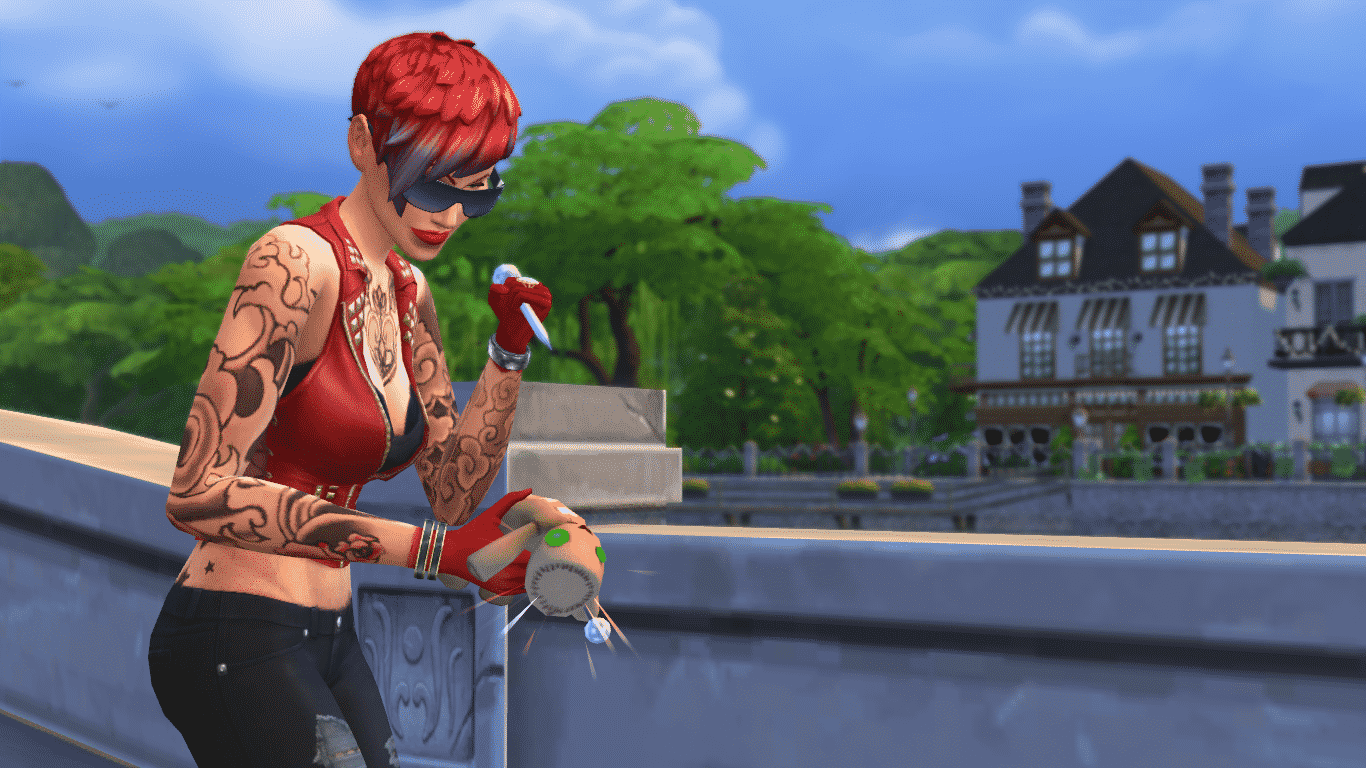
The Sims 4 Tutorial: The VooDoo Doll

7

The VooDoo Doll is a special interactive object that comes with The Sims 4. Although it cannot be purchased through the Build Mode, there are 3 other ways to find it/unlock it.

The first way to find this Doll is to dig, dig and dig! Some Neighborhoods have certain rocks that have a ”Dig” interaction on them. The chances to find this doll by digging are very small, but it’s worth a shot!

09-10-14_10-38 AM

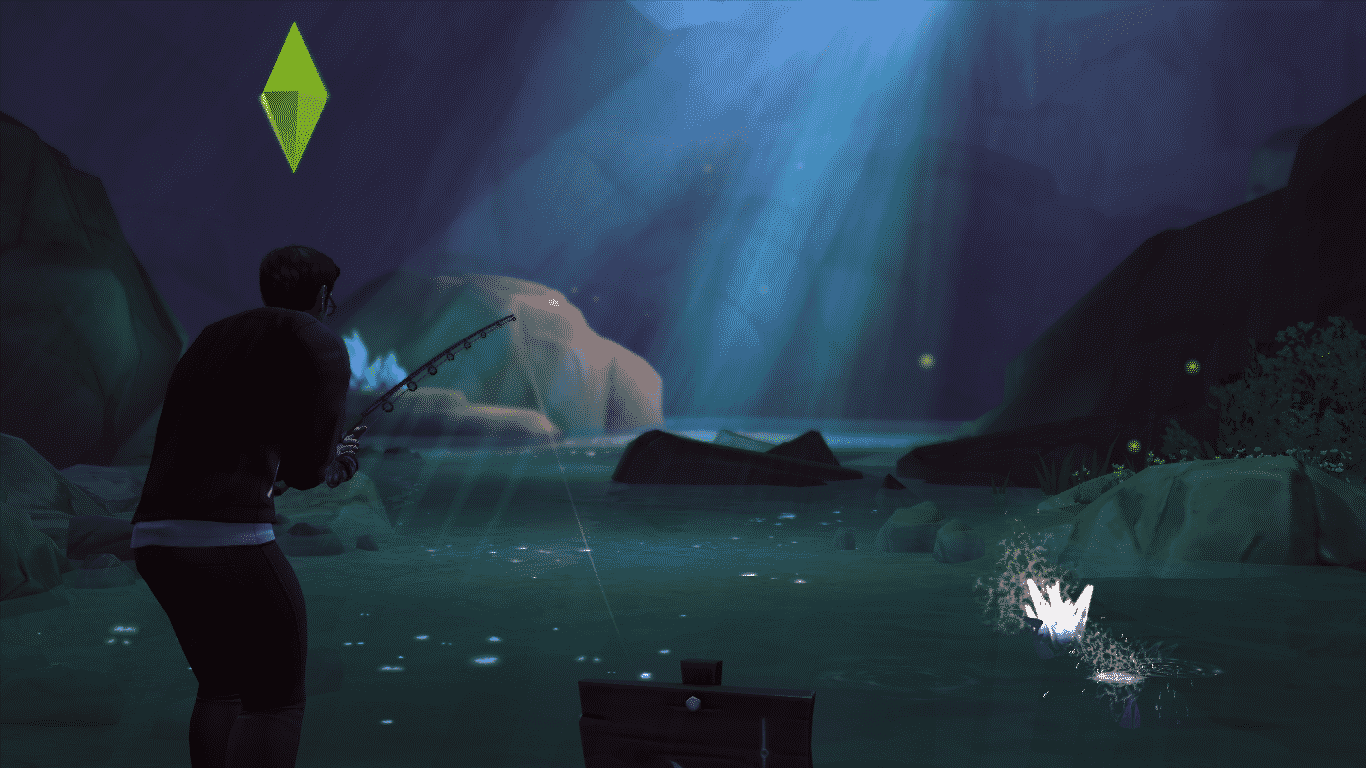
The second way to find this Doll is to fish at 2 secret Neighborhoods and those are Sylvan Glades and Forgotten Grotto. Unlocking those 2 Neighborhoods is a very difficult task, and you may not always find a VooDoo Doll by fishing.

09-10-14_10-20 AM

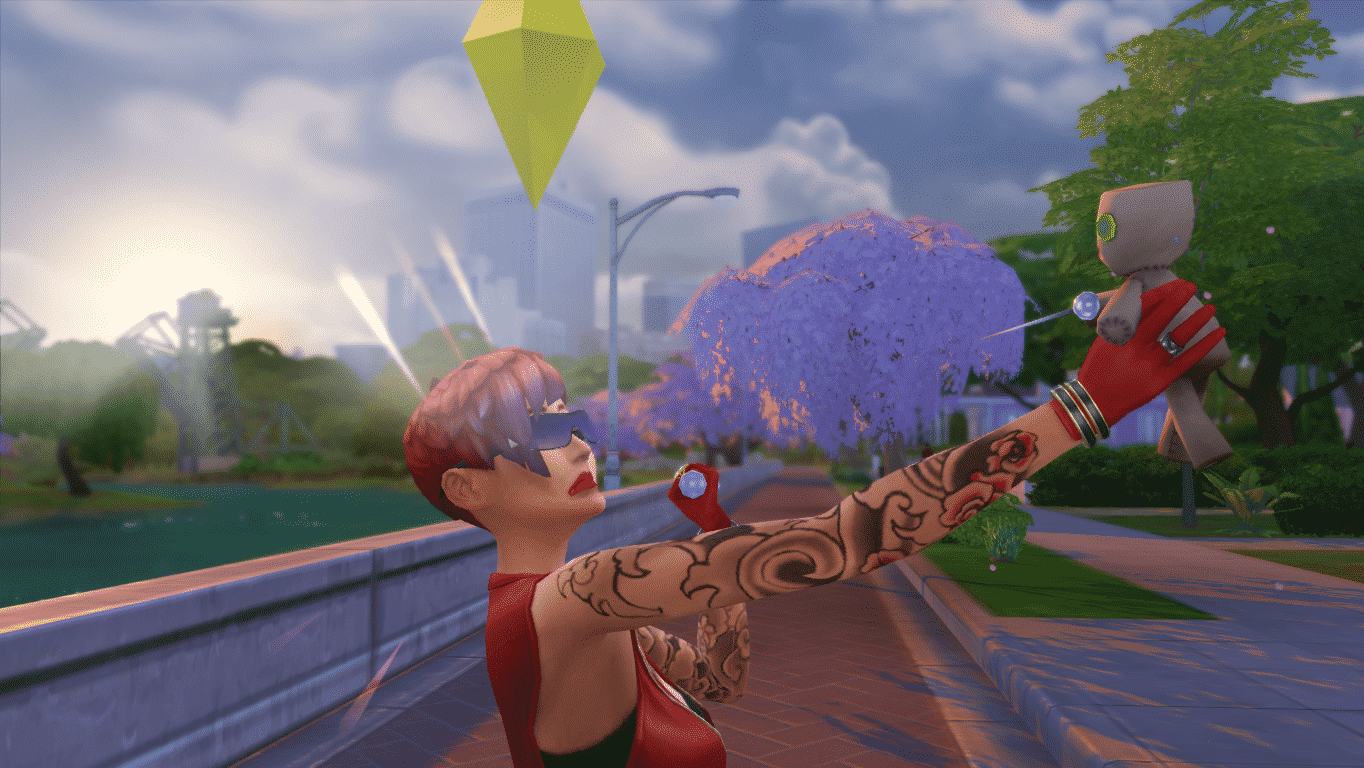
The third, most easiest way to find the VooDoo Doll is to level up your Mischief Skill to Level 3. You can do so by doing mischievous interactions towards other Sims and objects.

After you’ve leveled up, click on the Computer and select Order > Purchase VooDoo Doll. You can purchase more than more 1 Doll if you’d like to bind them to more than 1 Sim!

TS4 2014-09-09 21-59-26-74

Your VooDoo Doll(s) will appear in your Sim’s inventory. You’ll first need to bind the Doll to a nearby Sim (must be on the same lot).

Before you start using the VooDoo Doll, please notice that you can bind Teens, Young Adults, Adults & Elders. Babies and Children cannot use it or be binded by it.

Sims with lower Mischief Skill might not succeed in binding on first attempt, but you can always try and be persistent!

TS4 2014-09-09 21-59-57-29 09-09-14_10-00 PM

You’ll know that your Sim has successfully binded their Sim with a VooDoo Doll if you receive a notification about it + if you get the ”You Do the VooDoo” Moodlet (makes your Sim Confident).

TS4 2014-09-09 22-02-43-21

Here’s which interactions you can do to the VooDoo Doll that will affect a binded Sim:

Summon – This interaction allows you to summon a binded Sim – whether they’re in the same Neighborhood you’re in or not!

09-09-14_10-07 PM 09-09-14_10-09 PM

Frolic (Mischief Skill Level 1) – This interaction will give a binded Sim the Playful Emotion.

09-09-14_10-04 PM TS4 2014-09-09 22-04-42-58

Poke (Mischief Skill Level 1) – This interaction will give a binded Sim the Angry Emotion.

09-09-14_10-06 PM-2 TS4 2014-09-09 22-07-18-50

Tickle (Mischief Skill Level 3) – This interaction will give a binded Sim the Uncomfortable Emotion.

09-09-14_10-03 PM TS4 2014-09-09 22-03-37-55

Soak (Mischief Skill Level 5) – This interaction will give a binded Sim the Dazed Emotion.

09-10-14_9-53 AM TS4 2014-09-10 09-54-18-92

Cuddle (Charisma Skill Level 2) – This interaction will give a binded Sim the Flirty Emotion.

09-10-14_10-12 AM-2 TS4 2014-09-10 10-13-18-81

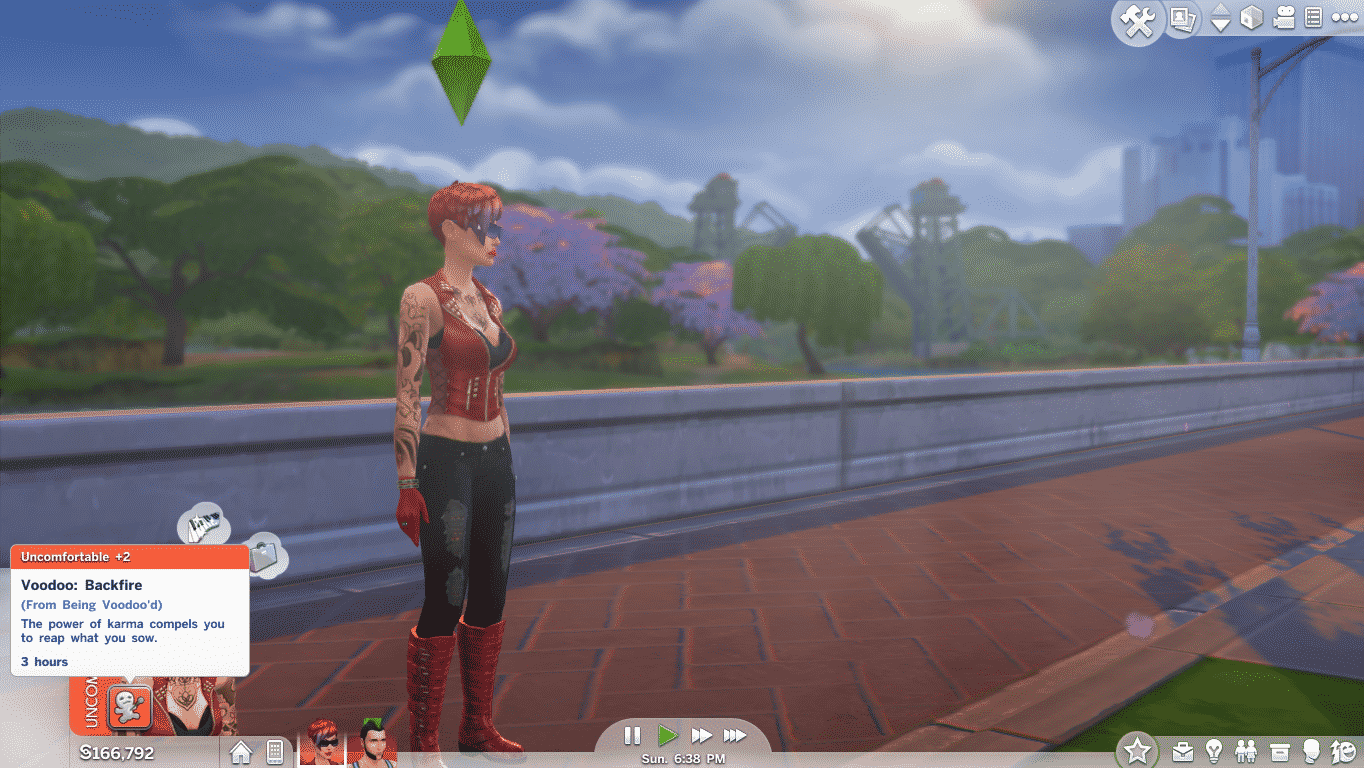
Sims who have a low Mischief Skill and/or use the VooDoo Doll way too often might get backfired by the doll and receive negative Moodlets and Emotions.

TS4 2014-09-09 22-20-33-46

Backfire: Sim who’s in control of the VooDoo Doll will get this Moodlet and an Uncomfortable Emotion (Poke, Soak and Tickle interactions).

TS4 2014-09-09 22-15-17-05

Fizzle: Sim who’s in control of the VooDoo Doll will get this Moodlet and a Sad Emotion (Frolic and Cuddle interactions).

TS4 2014-09-10 10-11-37-87


To unbind a Sim from the doll, your Sim will need to be at the 5th Level of Mischief Skill (or higher). Click on your Sim’s inventory, find the VooDoo Doll and select ”unbind”.

SimCity BuildIt – A New Mobile Game Coming Soon!

0

SCTY_simcity_logo

Build, craft, and create the city of your dreams in SimCity BuildIt!

Whether you’re a savvy city planner or a strategic mastermind, take control and have fun wherever you are. Coming soon to iPhone®, iPad®, and Android™ devices, this is an all-new SimCity game like you’ve never seen before, designed for gamers on the go.

The choices you make evolve your city in a variety of ways. Meet your citizens’ needs to keep them happy, or make questionable choices and feel your citizens’ wrath.

Pinch, zoom, and rotate 360 degrees as you manage your city in the palm of your hand. With countless buildings and vivid, 3D-quality graphics, it’s the most advanced mobile building simulation game.

Screens

SCTY_Screenshot1_web SCTY_Screenshot2_web SCTY_Screenshot3_web

Game Info Page

The Sims 4 promises New Gameplay Features!

0

The Sims 4’s Gallery added a few new sliders, one of them being a slider for their Newsletter.

The description of the Newsletter slider says: ”Be the first to hear about new gameplay features and exclusive offers!”. Seems to me that they’re slowly getting ready for The Sims 4 Premium Service!

Click Here to subscribe for their Newsletter!

TS4 2014-09-10 09-56-57-44

The Sims 4 Tutorial: How to Disable the White Outline

2

Since The Sims 4’s new update on 9th of September, 2014, you can disable that white outline that appears each time you hover over an object or a Sim.
TS4 2014-09-09 20-41-49-17 TS4 2014-09-09 20-42-04-15

To do so, open up your Cheat box using Ctrl + Shift + C and enter hovereffects off. (hovereffects on if you want to turn it on again)

TS4 2014-09-09 20-43-51-87

Please note that this won’t apply to the white outline when you click on an object/Sim.

TS4 2014-09-09 20-44-01-47 TS4 2014-09-09 20-44-14-00

If you don’t like turning on this cheat each time you load up your saved game or travel between lots, you can make it apply for good using Command Lines on Origin.

To do so, open your Games Library, right click on The Sims 4 box and select ”Game Properties”. Add -nohovereffects in the Command Line Arguments section. If you already have a previous command written, just add space and add a new one.

nohover


The Sims 4 – New Update! (09/09/14)

Capture
TIP: If you are not being prompted to download the September 9th patch for The Sims 4, please exit completely out of Origin and then restart the client, this should then prompt you to download the latest patch.
Update: 9/9/14

New Adds
  • New decorative object! The High-Rider Gnome has journeyed long from his hidden grotto in the tropics to join you in The Sims 4.  He’s eagerly awaiting your arrival in Build Mode, ready to grace your homes with his feats of stationary flamingo bronco busting!
    • Look for him in Build Mode in the Outdoors or Decorations sorts, or type Gnome in the search box.
  • Sim and object highlights can now be toggled on/off by entering hovereffects on/off in the cheat console (this will eliminate the white border on a Sim or an object when you hover over it to interact).  In addition, you can add -nohovereffects to the Command Line Arguments.  In order to add the argument:
    • Open the Origin client, right click on The Sims 4 game box art, select “View Game Properties”, click “Game Properties”, enter -nohovereffects into the text box, and then click Apply.
Bug Fixes / Issues
  • Fixed an issue with some gallery downloads that were causing the game to hang.
  • Fixed several bugs that would result in incorrect relationship states between Sims.
    • For players using the “cas.fulleditmode” cheat to go back and adjust Sims after they’ve been created, note that using this cheat will still allow you to manually select invalid relationships. Please exercise caution when changing relationships while using this cheat.
  • The automated filtering used for Gallery uploads was unintentionally blocking the words “gay”, “homosexual”, or “homosapien”. It has now been fixed and these terms will not be blocked or prevented.
  • Fixed a crash that would result if a block without walls was saved as a room.

 EA Help Post