Home Blog Page 510

The Sims 4 Tutorial: How to modify Relationship Points

17

There are 2 relationship types in The Sims 4: Friendship Relationship and Romance Relationship.

Each Relationship type functions with points that your Sims either receive or lose by communicating (or not) with each other.

09-18-14_5-39 PM

You can add and remove these Relationship Points with cheats as well if you hate waiting.

To do so, open up your cheat console by pressing CTRL + Shift + C keyboard buttons. In the Cheat Console, you’ll need to write up a cheat that includes both names and last names of your two Sims:

modifyrelationship Princess Ess Sean Sullivan 80 romance_main

Legend:

Dark Blue – Cheat’s base

Green – First and last name of your Sim #1

Blue – First and last name of your Sim #2

Red – Relationship points

Orange – type of relationship; friendship_main for a friendly relationship and romance_main for a romantic relationship

TS4 2014-09-18 17-31-37-82 TS4 2014-09-18 17-31-43-78

This cheat also functions for Sims that are not on your lot.

You can also add Sims and modify the Relationship Points for Sims who are not in your Relationships list, as long as they’re moved in in one of the Worlds.

GIVEAWAY: Win The Sims 4 Limited Edition!

231

140918-130909

Congratulations TimSimmer! Check your E-Mail for further information about receiving this game.

Thanks you all for entering this giveaway!

random_org_giveaway_05102014

Electronic Arts UK sent us a copy of The Sims 4 Limited Edition to give away to one lucky Simmer!

To enter this giveaway, all you have to do is write a few sentences in the comment section below on what do you like about The Sims 4 and why do you (or your friend/relative if you’re entering for him/her) want to own it.

The winner will be chosen randomly via random.org. We’ll make sure to provide a screenshot after the winner has been chosen.

This giveaway ends on 2nd of October, 2014. The winner will be announced on 5th October.

Before entering this giveaway, please note:

  • If you’re from Europe, you’ll get the physical version of the game. But, if you’re from a different area, you’ll receive a digital code that you can redeem on Origin with instructions on how to redeem it.
  • Make sure you provide a correct E-Mail address when writing a comment!
  • If you make a mistake in your original comment and/or want to add something, just write a reply to your existing comment.
  • In case you can’t submit your comment, contact us at contactsimscommunity@gmail.com and we’ll be happy to help you!
  • Cheating is NOT allowed! If you try to represent as someone just so you have a bigger shot of winning, you will be disqualified.
  • Foul language is NOT allowed!
  • In case the winner doesn’t reply 48 hours after we publish the results, we’ll pick a person who’s #2 on random.org list.

The Sims 4 Limited Edition comes with the Base Game and  Life of the Party Digital Content. Click Here to learn more about what new objects and features are included in that Digital Content!

Good luck to anyone who’s entering this giveaway!  🙂

The Sims 4 – Career Guide (Painter)

0

We’ve just started creating a brand new Career Guide for The Sims 4, where you can see all the information on what it takes to get a Promotion, which Career Branch is better, what Rewards do you get for getting a Promotion and so much more!

For today, we’ve prepared and gathered all the information for the Painter Career. It’s not an easy job, but by practicing your Painting Skills, it will surely pay off! You can earn money by both painting at home and painting at work, + there are some worthy rewards that you’ll find in your Household inventory after getting a couple of promotions.

Click Here to visit the Career Guide page!

09-16-14_11-05 PM

The Sims 4: No Fade On Sims/Objects Mod

2

Shimrod101 on Mod The Sims has created this handy mod so you can get super close to Sims and objects without them disappearing!

Click on the image below to take you straight there.

MTS_Shimrod101-1458120-NoFade1

The Sims 4 Gallery Spotlight: 16/09/14

2

There is so much going on in the Gallery, it’s hard to keep up with you all! However after browsing for a while I found some beauties to share with you. Enjoy. 🙂

TS4 2014-09-16 16-56-28-95

Mr Bean created by Mattdoido

Aspiration: Knowledge.
Traits: Clumsy, Good and Goofball.

I just had to tell everyone about this Sim. If you know who Mr Bean is then I am your friend forever! If not then let me tell you, he is from a classic TV show called Mr Bean (go figure :P) and it’s one of the best comedies in British television history, guaranteed to make you laugh!
This Sim is spot on, he’s already in my game.

TS4 2014-09-16 17-04-57-10

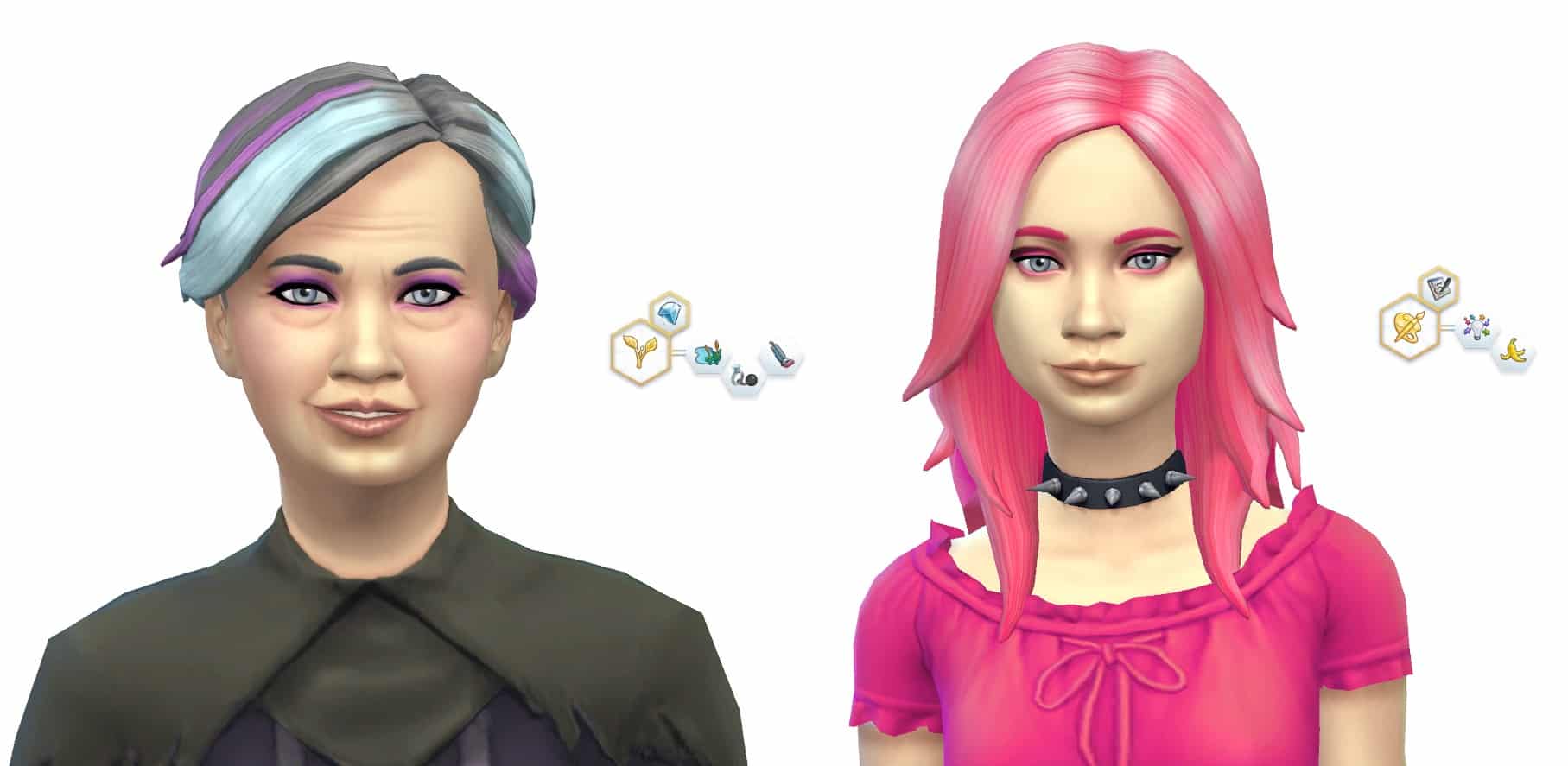
Leisha Lovalette created by BabyCarrotz

Aspiration: Knowledge
Traits: Creative, Foodie and Geek.

I adore this Sim, she is so cute. I am loving the style too!

TS4 2014-09-16 16-20-10-48

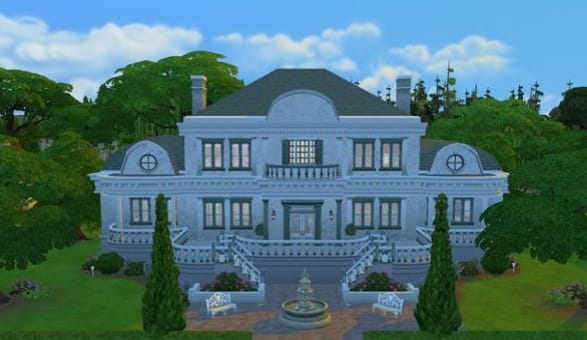
Bel Aire Mansion created by ruthless_kk

Value: §220,116
Size: 50 x 50
Type: Residential

This stunning house also has 6 bedrooms and 6 bathrooms. It’s very spacious and just beautiful to look at.

The creator has also put a description about their house:
#study #artstudio #gym #nursery #playground #garden #mansion #celebrity #rich #ruthless #noCC more pix at getsimplyruthless.blogspot.com

TS4 2014-09-16 17-23-37-70

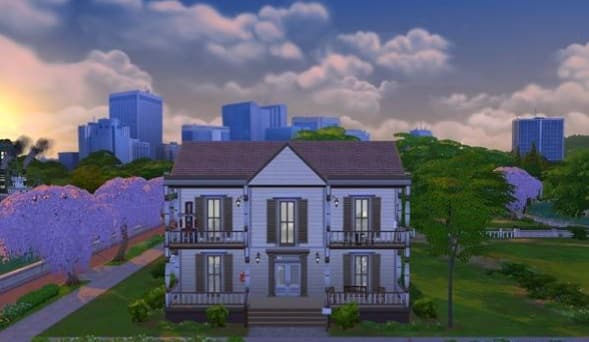
Roofing Rocks created by Djeranotjuh

Value: §85,962
Size: 30 x 30
Type: Residential

This fun little house also has 2 bedrooms and 2 bathrooms. It’s a unique house that fits perfectly in which ever world you decide you want it in. Great work!

The creator has also put a description about their house:

Roofing Rocks is a modern house mixed with some 60s architecture. It has 2 bedrooms, 1.5 bathrooms, a big livingroom with dining, a nice kitchen & a lot of green on the outside. #OasisSprings #Modern


Origin on the House: Bejeweled 3 (FREE)

1

Click on the picture below to redeem Bejeweled 3 for free! Offer ends on 28th of October, 2014

Capture

The Sims 4 – EA explains the Unannounced World!

4

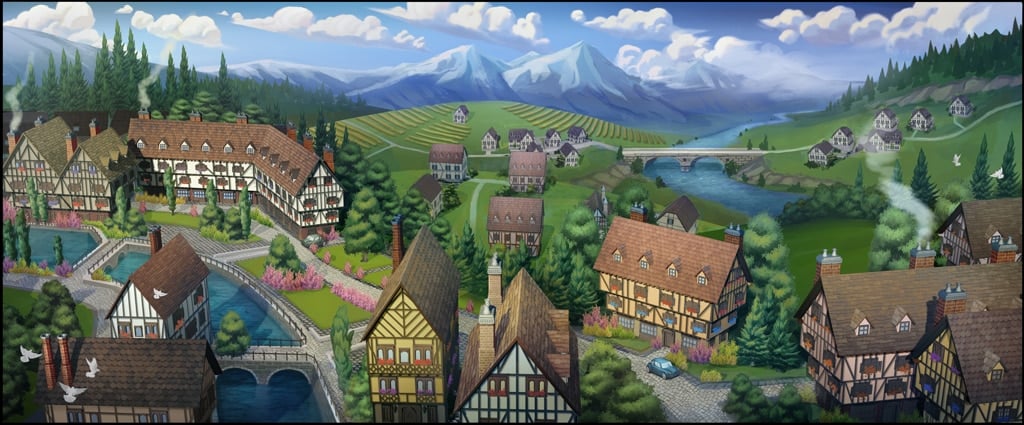
We discussed with a reporter from Kotaku about a Concept Art of an unannounced The Sims 4 World. They reached out to EA to ask more about this Concept Art and will it ever be realized.

This is their response:

It’s really cool to see some of these old concept art pieces surfacing on the internet. Over the course of development, the artists in The Sims Studio explored so many different things, and there was a stack of concept art produced. The team looked at all kinds of different visual styles, locations and even time periods during this exploratory phase. That’s what pre-production is all about. As you will already understand, just because there is concept art, that doesn’t mean that there was ever any intent to take any of it into production.

conceptunannounced

So there you have it. The ”mystery” about the Veronaville-styled World is finally put to an end. Even though we saw this world come to life in Dev Screens, it’s still not sure is EA just hiding information about this world, since ”just because there is concept art, that doesn’t mean that there was ever any intent to take any of it into production” doesn’t look like a completely true sentence. Take a look at the leaked dev screens below and you’ll know why:

BRrwIF3CcAAxzur

85d82d70d78d68d61d47d15d

It’s still unsure does EA ever plan to add this world into the game, but at least we know that this World WAS put into production!

The Sims 4 Concept Art by Wesley Burt

0

Wesley Burt, a Concept Artist from San Francisco who sketched various concepts for all sorts of video games, made a few sketches for The Sims 4 as well!

Imgur user pixelcalibermachinegun published his 34 concept arts. Some of these concepts include faces we’ve already seen before, while most of them are new.

01 - xyNOAar 02 - 033GsQL 03 - AZkqclo 04 - atJtjEc 05 - gprH19q 06 - QNebGmM 07 - 4LKAe0P 08 - KIDVgI4 09 - IypJnxo 10 - Y4sYRo3 11 - ChCVkte 12 - nqQLSX3 13 - TfvupPk 14 - GwXBH6b 15 - Gv8TDd1 16 - qNlGSf5

17 - tvzpnbv 18 - WnL7xU7 19 - tGuLwJk 20 - XZ1jegi 21 - TDdT8Ds 22 - rcFEadc 23 - 46AOpUv 24 - 9YeV76u 25 - xiCRYna 26 - Iyid0HA 27 - TGD4NZg 28 - A1zVbD6 29 - EnCganV 30 - XiPjSOX 31 - yosfRhv 32 - forlHSq 33 - CJzqYk8 34 - VmPt3hS

Thanks SimCookie for the find!

The Sims 4 Gallery Spotlight: 14/09/14

0

After browsing the Gallery for a while I saw a few Sims and builds that caught my eye so I just had to share these wonderful creations with you!

TS4 2014-09-14 20-49-41-88
Kim Nimho created by VerySoftSoul

Aspiration: Fortune.
Traits: Romantic, Self-Assured and Music Lover

This Sim caught my eye straight away, I love the style and she’s a lovely looking Sim.

TS4 2014-09-14 21-36-29-1712

 Beatrix and Anaya Bergman was created by DeltaDharmaDawn

Beatrix Aspiration: Nature.
Traits: Loves Outdoors, Noncommittal and Neat.

Anaya Aspiration: Creativity.
Traits: Creative and Clumsy.

As soon as I saw this household I fell in love. They are so unique! Mother with a teen daughter, what could possibly go wrong with that?! 😛 

TS4 2014-09-14 23-37-01-73

Created by allever728

Value: §215,251
Size: 40 x 30
Type: Residential

This cute little house includes 3 bedrooms and 2 bathrooms and has 2 floors. It may look small but it’s bigger on the inside! It has a back garden where you can grow all those lovely fruit and veg, yum. 😀

TS4 2014-09-14 23-48-21-41
Suburban Dream Home created by Fischio7

Value: §371,501
Size: 50 x 50
Type: Residential

This beautiful house come with 6 bedrooms and 6 bathrooms! Wow, that’s a lot. Plenty of space there, love it.

The creator has also has put a description of their house:
A stately home with plenty of room for a large family. The lot also includes a #nursery #gym and #study.
Created by #Fischio


The Sims 4: Unlock All Build/Buy Content Mod

0

You now have the freedom of any build/buy objects thanks to this helpful mod that was created by TwistedMexi on Mod The Sims

Click on the picture below to check it out!

MTS_TwistedMexi-1458867-tm.unlock

The Sims 4 – 3 Addition Types Confirmed?

4

SEbox

Mod The Sims Forum Member mgomez found an interesting text string in one of The Sims 4’s game files (just to make it clear, we tried to see it for ourselves too and it’s real – you can find it in The Sims 4DataSimulationGameplay > core .zip file).

According to the text string file, The Sims 4 will feature 3 addition types: EP’s (Expansion Packs), SP’s (Stuff Packs) and GP’s (Gameplay Packs?).

As an addition to this, EA recently published a new slider on The Sims 4’s gallery, telling people to sign up for their newsletter.

Be the first to hear about new gameplay features and exclusive offers!

So far, The Sims Team is refusing to talk about any future projects related to The Sims 4, even though information about The Sims 4 Premium Service is already beginning to leak!

The Sims 4 Tutorial: Deleting Cache Files

42

You may have noticed that the more you play The Sims 4, the longer your loading screens will last.

This issue is caused by Cache Files collecting as you progress through the game. These files serve it’s purpose as a faster way of loading in-game thumbnails (such as families, houses etc.) and they are created each time you load something ”new”.

As you add more custom content and mods for the game, you’ll notice that your Cache Files are getting bigger.

Luckily, these Cache Files can be deleted.

To do so, open your Documents folder (or a folder where your The Sims 4 Save Game folder is), Electronic Arts > The Sims 4. There’ you’ll find a folder called ”cache” and a file named localthumbcache.

Untitled

Feel free to delete the localthumbcache file!

When it comes to the cache folder, open it and delete everything that’s inside of it *except* the FileCache.cfg file!

cache2

You’ll immediately notice how your game loads much more smooth and faster.

I advise that you delete cache files every 5-7 days (especially after you download/remove custom content).

For more information about Cache files, visit Crinrict’s post!

The Sims 4 Tutorial: Splitting And Merging Households

6

You may have noticed that you cannot move out Sims using the phone like you could do in The Sims 3.

In The Sims 4, the Manage Households option includes everything you need to Customize already moved in Sims or Sims that are not moved in any World.

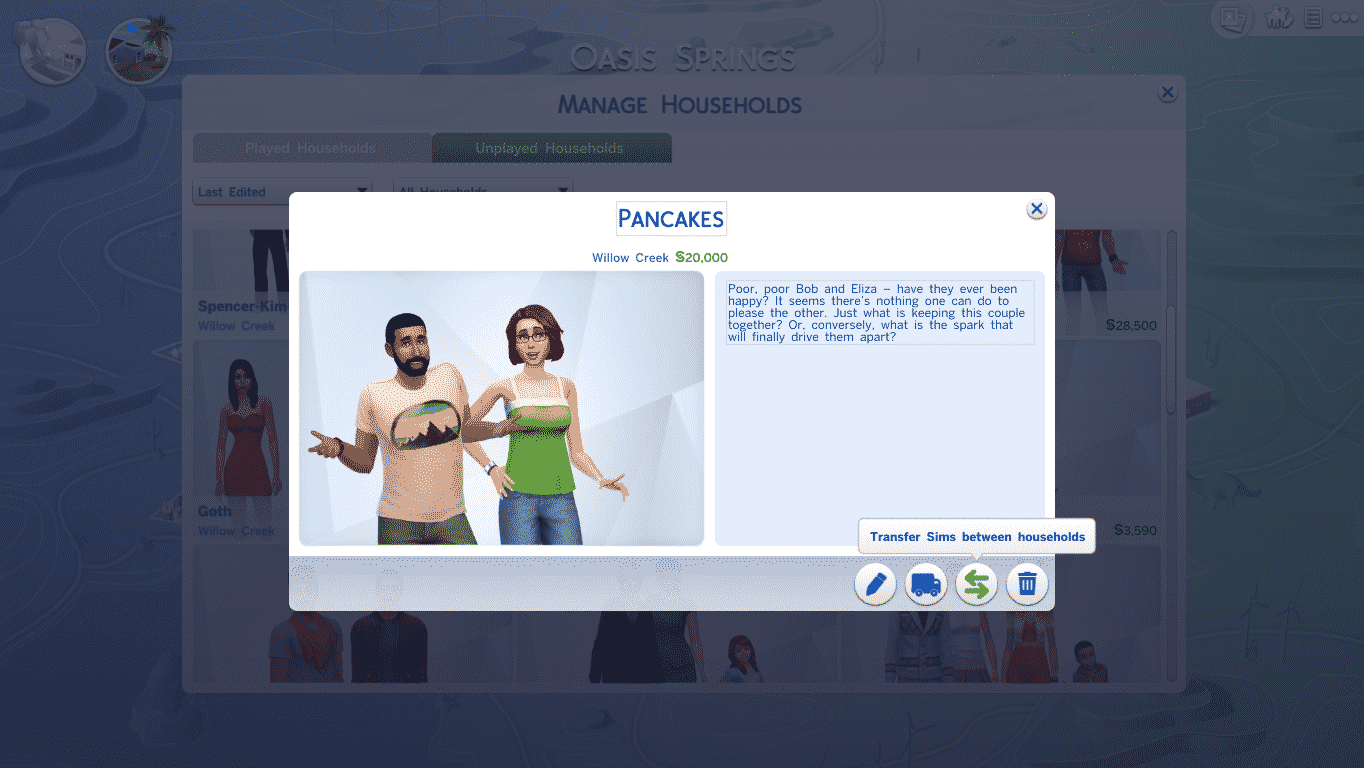
To open the Manage Households menu, open the Map View Mode and find the Manage Households icon on the top right. You can find all your households in that panel, whether they are Sims you played before or Sims you’ve never played.

TS4 2014-09-13 21-10-47-76 TS4 2014-09-13 21-17-27-77

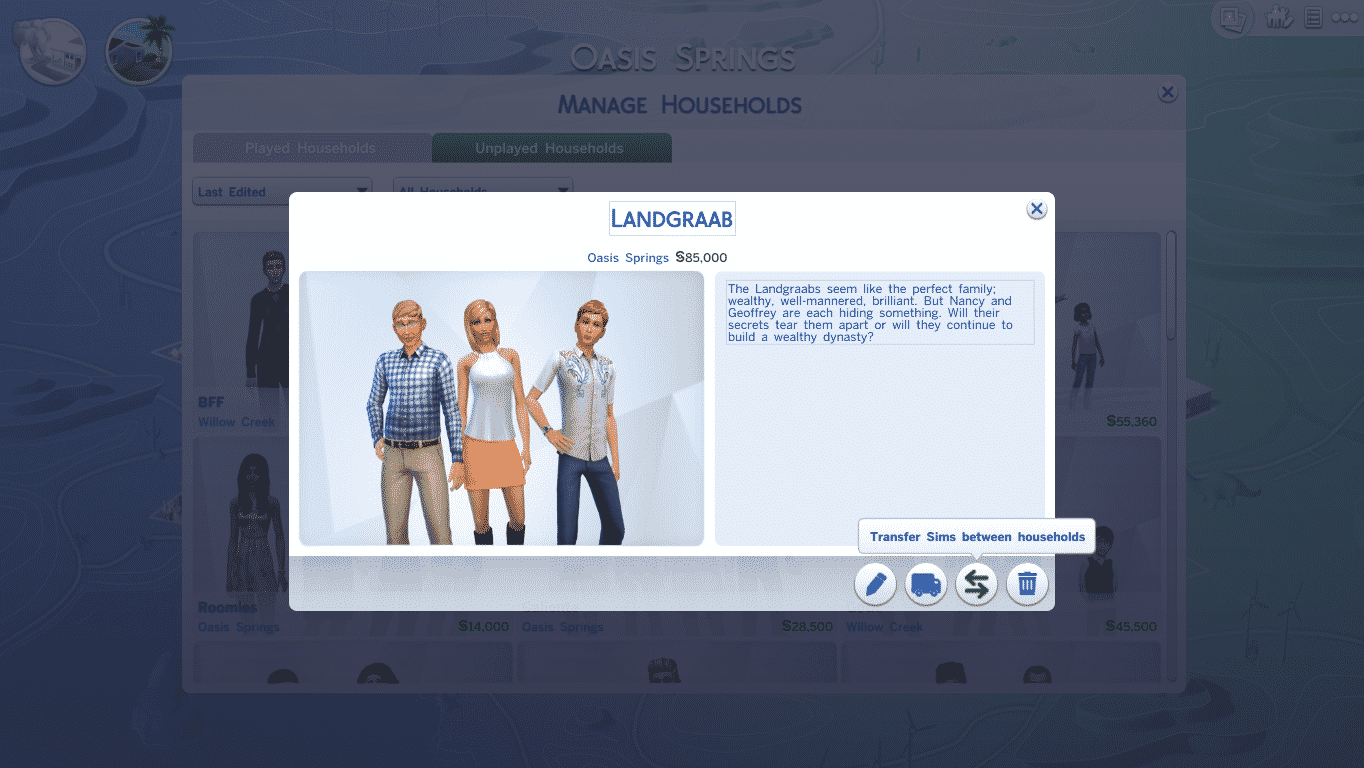
Click on a Household you want to edit. An Information panel about that Household will pop up and you’ll get 4 options on the bottom right corner: Edit Household in CAS, Move Household into a Lot, Transfer Sims between Households and Delete Households. You’ll need the Transfer Sims between Households option (icon with 2 opposite arrows).

TS4 2014-09-13 21-08-55-66

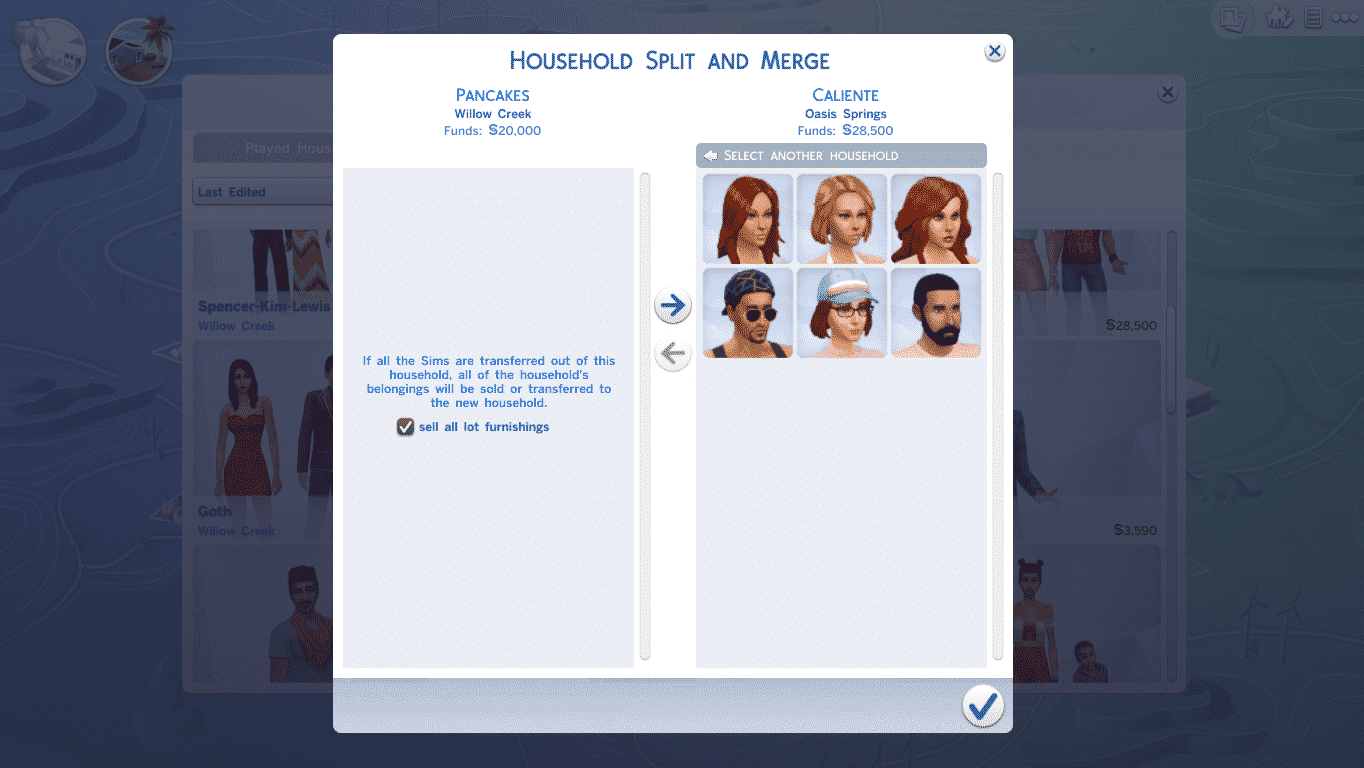
From that option panel, you can move out Sims from that Household or move in Sims from other Households. You can also start brand new Households by clicking on a Sim on the left side and selecting ”Create New Household” (icon with a Sim standing by a plus).

TS4 2014-09-13 21-09-22-47 TS4 2014-09-13 21-09-36-64 TS4 2014-09-13 21-09-44-08

There’s also an option to move out an entire Household and Merge it with another Household. After you move all Sims from the left side to the right side, you’ll get an option asking you if you want to sell the furniture from the left side’s Household and transfer it to the merged Household.

TS4 2014-09-13 21-14-17-00

The Sims 4 Tutorial: Using the Search Box

2

The Search Box is a fascinating The Sims 4’s Build Mode tool that you can use to find certain categories or objects.

You can find it on the bottom left corner, right above the Build Mode interface.

Let’s say this garden needs a bit more plants.

TS4 2014-09-13 17-26-00-04

I’ll just type in ”Plant” and the search box will give me multiple plant categories. I’ll select the Outdoor Plants selection and that’s it. I could’ve entered ”Outdoor Plants” as well to find them immediately!

TS4 2014-09-13 17-26-05-38 TS4 2014-09-13 17-26-51-58

You can search for specific objects as well! This is perfect for those who already memorized the name of some objects.

I want to add the Penguin TV (PenguinVision Children’s Television Set). Now, I don’t have to enter the full name either. If I already know that it’s called PenguinVision or that it’s Children’s Television, I can just type in those names instead, not the full full name and the game will suggest that object that I wanted.

TS4 2014-09-13 17-28-52-33 TS4 2014-09-13 17-29-00-14

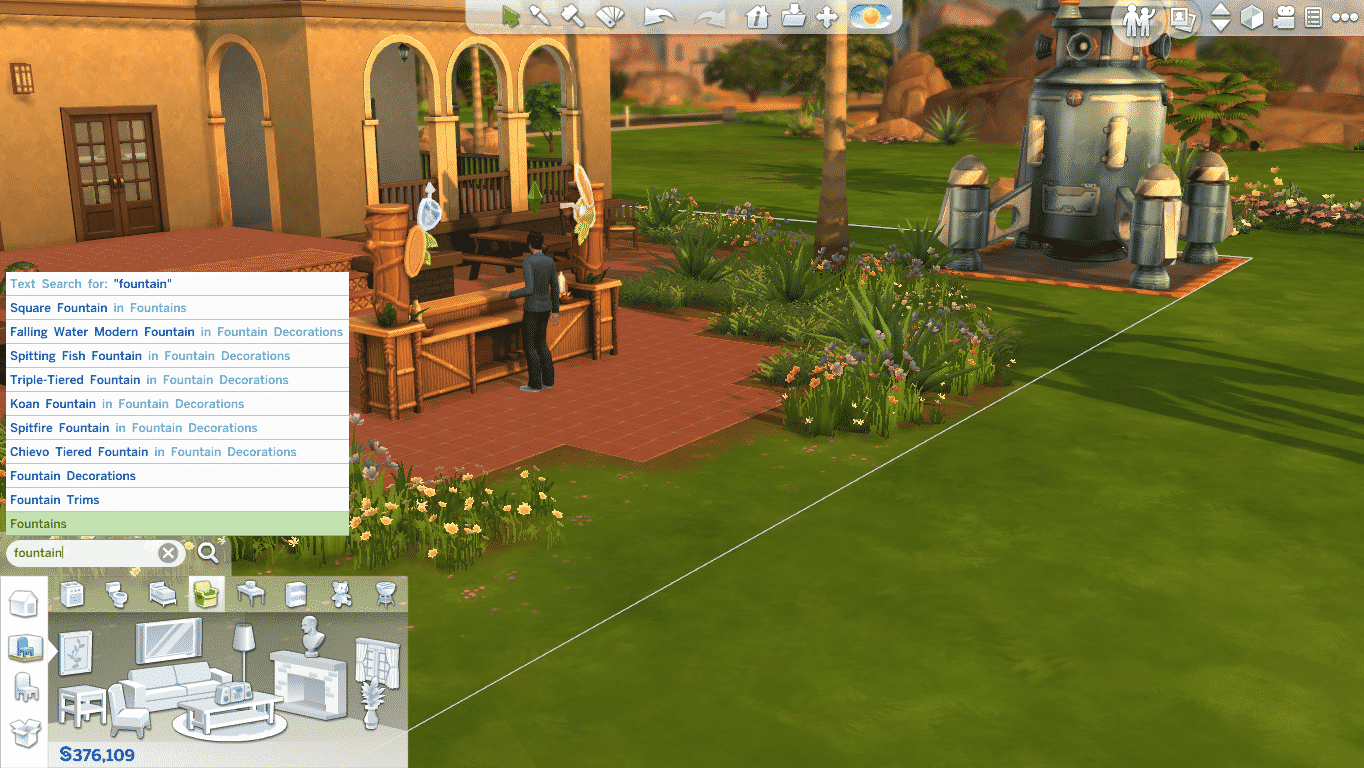
This also functions for Building Categories. If I wanted to add Wall Patterns, I can type in Wall Patterns or just type Wall and I’ll receive a suggestion for Wall Patterns. Or, if I wanted to build a Fountain, I’ll just type in ”Fountain”, it’s that simple!

TS4 2014-09-13 17-29-34-43 TS4 2014-09-13 17-29-37-27 TS4 2014-09-13 17-29-47-87

The Sims 4 Official Screen Prints!

0

Creative minds created amazing The Sims 4 Inspired Prints (thanks to their collaboration with Electronic Arts) and have posted them over at French Paper Art Club. These can be purchased for various amount of money. Some of them are even made in Wood Variant!

There are only 50 prints each so act quickly if you’d like to own these!

Click Here for more information about these prints!

hu0vnpcpq4smzbrbx69d the-sims-by-brogan the-sims-by-kilger the-sims-by-singelin the-sims-by-wilding

Source: Kotaku