Home Blog Page 58

MySims PC Release: Everything You Need To Know

1

The MySims PC release is this week, and we’ve got the details of everything you need to know about the launch!

The upcoming release of the MySims Cozy Bundle takes the original MySims game as well as MySims Kingdom and combines them into one nostalgic retro re-release on PC. Having previously released on Nintendo Switch back in November, players have been eager to see the game launch via the EA App and Steam.

mysims cozy bundle switch

What Is MySims?

For those who don’t know, MySims is the much loved spin off series of The Sims. Originally released in 2007 on platforms such as Nintendo DS and Wii, Xbox 360, selected mobile devices and PC previously, these two fan-favourite instalments of the franchise are making their return as a combined bundle.

Known for its unique art style, characters and adventures, there were a total of six games originally released back between 2007 and 2010.

MySims PC Release Features

While this MySims PC release focuses on the first two games along with updated graphics, players can still rediscover the original run of games as many are easily available to purchase second-hand for the likes of Nintendo DS and Wii.

MySims Cozy Bundle Trailer

While no new trailer has been revealed for the PC release of the game, the Nintendo Switch trailer still showcases everything players can expect to see upon the game’s launch!

What are the Two Games About?

The Cozy Bundle comes with two different games, MySims and MySims Kingdom. Each game is its own, and you can play the games in any order.

MySims

MySims is packed full of one of a kind characters who will guide you as you help rebuild and transform a struggling town. With plenty of Sims to get to know and places to explore, there is plenty to do in MySims.

Explore a new world with MySims™ — it’s your world to transform in this retro re-release with updated graphics! Move to a town that has been struggling lately. With a little creativity and some help from the locals, you can make this place thrive. Improve the town to attract characters, from Chef Gino Delicioso and DJ Candy Supergroove to arcade owner, Vic Vector and Cap’n Ginny, the town pirate. Discover what the residents want and need, so that you can help them enjoy life in your Sims’ new town. Design a hot tub or jukebox from scratch, build homes and businesses from the roof to the front door. Uncover special decorations and patterns as you explore the growing town. From the furniture and objects to the buildings to the town as a whole – each of your creations is unique. In MySims, what you make… makes all the difference!

Build and customize an entire town — Your town is your own unique creation, from the design of the flower shop to the layout of a Mad Scientist’s laboratory, and beyond.

Shape the community — It’s your call who lives there and who moves out! Who will you befriend? Who will you ignore?

A whole world to explore — Socialize with the locals and uncover all sorts of useful and surprising treasures hidden throughout the town.

Create your own Sim — Personalize your Sims’ appearance from head to toe. Unlock cool clothing as you befriend the neighbours.

Design your own stuff — Decorate with your very own furniture and accessories, then customize your creations with things you can grow, harvest, or discover around town.

via MySims on Steam

MySims PC Release

MySims Kingdom

On the other hand, MySims Kingdom has you help King Roland and his subjects in an aim to help bring the land back to life and return it to its former glory!

Embark on a journey of discovery to explore and customize the MySims Kingdom in this retro re-release with updated graphics! MySims Kingdom sets you on an adventure to help King Roland and his subjects revitalize the Kingdom. Throughout this epic quest, you will join up with friends, discover fascinating lands, take on challenges, and build amazing contraptions. And in true MySims fashion, almost everything is customizable, allowing every creation within your world to have a signature look! MySims Kingdom… embark on your own journey of discovery and exploration!

Epic Storyline — King Roland needs your help to revitalize his kingdom! Join forces with the other Sims to bring it back to its former glory!

Familiar Friends — Meet Sims like King Roland. Then say hello to old friends like Ginny and Buddy who have taken on exciting new roles.

Travel to Lands — Discover all the unique things to do while you help the citizens of the vast and varied lands of the kingdom!

Building Options — Now you can build many more contraptions that will help you finish your epic quest for the King!

via MySims Kingdom on Steam

MySims – Cozy Bundle Trailer – Nintendo Switch

MySims PC Release Specifications

Here is a breakdown of the specifications needed to run MySims Cozy Bundle on PC

COMPUTER PATTERN 1

PC Minimum System Requirements

  • System: Requires a 64-bit processor and operating system
  • OS: Windows 10
  • Processor: Intel i3 3220/ Ryzen 3 1200/ AMD FX6300 or better
  • Memory: 6 GB RAM
  • Graphics: NVIDIA GT 730/ Raedon R7 240/ Intel HD Graphics 620 (SM6.0) or better
  • DirectX: Version 12
  • Storage: 16 GB available space
  • Network: Broadband Internet connection: Required for game activation, optional for game updates and cloud saves.
  • System: Requires a 64-bit processor and operating system
  • OS: Windows 10
  • Processor: Intel i3 4130/ Ryzen 3 1300X or better
  • Memory: 8 GB RAM
  • Graphics: NVIDIA GT 1030/ Raedon RX 550 (SM6.0) or better
  • DirectX: Version 12
  • Storage: 16 GB available space
  • Network: Broadband Internet connection: Required for game activation, optional for game updates and cloud saves.
  • Additonal Notes:  For best experience we recommend the following aspect ratios and resolutions -Common 16:9 resolutions: 1280×720, 1600×900, 1920×1080, 2560×1440, 3840×2160. -Common 16:10 resolutions: 1280×800, 1440×900, 1680×1050, 1920×1200 -Common 21:9 resolutions: 2560×1080, 3440×1440.

mysims pc screen

Where can I buy the MySims Cozy Bundle?

The MySims PC release will be available digitally on both the EA App, Steam and Epic Games storefronts.

If you are an EA Play member, it looks like you’ll get 10% off the game’s normal retail price and for those on Steam, the both games are playable on Steam Deck with some minor compatibility issues.

MySims: Cozy Bundle retails for £34.99/$39.99 or your regional equivalent.

Countdown to the Retro Re-Release

The full release date and time for MySims Cozy Bundle Release on PC is set for March 18th, 2025 at 4PM CET / 3PM UK / 8AM PT. You can find out when the game bundle comes out in your area with our handy countdown below.

Early Access Release of InZOI

Countdown to MySims Cozy Bundle PC Release

Coming to Windows PC on EA App, Steam and Epic Games.

[janky target_time=”1742310000″ color=”#235c82″]


Are you excited about the MySims PC release? Maybe you’ve been playing on Nintendo Switch and want to replay the nostalgia over on PC as well?

Let us know what you are looking forward to and if you’d love to see EA release any of the other MySims games in the future too!
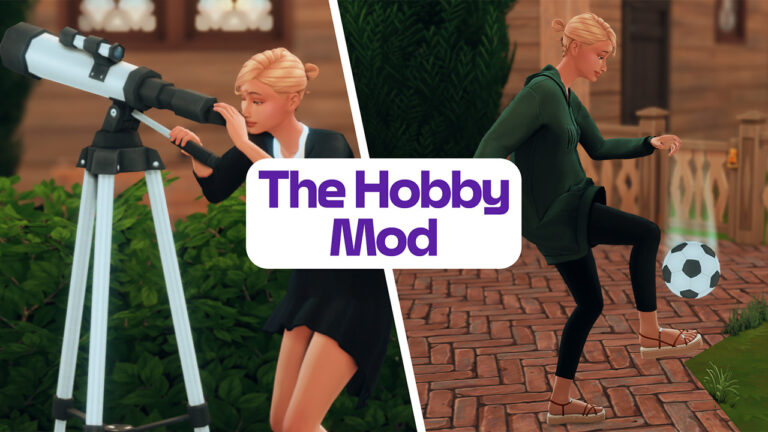
The Sims 4 Hobby Mod: Give Your Sims a Life Outside of Work and Woohoo

Let’s be honest – our poor Sims don’t have much going on outside of work, relationships, and the occasional existential crisis. Enter The Sims 4 Hobby Mod by MissyHissy, a game-changing addition that finally gives Sims actual hobbies beyond binge-watching TV and awkwardly standing around at social events.

This mod introduces 14 unique hobbies, a hidden hobby need system, and a slew of new wants and interactions that make Sims feel more like, well… actual people. If you miss The Sims 2 Free Time Era where hobbies mattered, buckle up, because we’re about to dive into the details!

The Sims 4 Hobby Mod is fully compatible with the latest version of The Sims 4, including new features with the Businesses & Hobbies Expansion.

What is The Hobby Mod?

Think of The Sims 4 Hobby Mod as the personality boost The Sims 4 desperately needed. It takes the random activities Sims do for fun and turns them into real, trackable hobbies with rewards, penalties, and even custom wants.

Instead of your Sims just vaguely enjoying painting, they can now be die-hard arts and crafts enthusiasts who get cranky if they don’t pick up a paintbrush every few days. The best part? It integrates seamlessly into gameplay, so you’re not just clicking through menus – your Sims actually develop hobbies on their own.

Key Features

Here’s why this mod is a total game-changer:

  • 14 Hobby Traits inspired by The Sims 2 Free Time
  • Hidden Hobby Enthusiasm – Keep up with hobbies, or suffer the boredom blues.
  • Custom Whims – Your Sims will actually want to do their hobbies!
  • New Computer Category: The Hobby Hub – A one-stop-shop for all hobby-related activities.
  • Natural Hobby Growth – Sims can randomly develop a hobby just by doing related activities.

Hobbies & Activities – Because Not Every Sim Wants to Be an Influencer

The Sims 4 Hobby Mod carefully gives a gameplay boost to a variety of hobbies and activities already available in The Sims 4. From the first Pack releases to the latest Sims 4 Businesses & Hobbies Expansion, which adds Pottery and Tattooing to the Hobby List.

See the full breakdown of activities affected by this mod down below:

Arts & Crafts:

  • Painting
  • Woodworking
  • Photography
  • Flower Arranging (Seasons)
  • Candle making (Eco Lifestyle)
  • Cross Stitching (Cottage Living)
  • Knitting (Nifty Knitting)
  • Pottery (Business & Hobbies)
  • Tattooing (Business & Hobbies)
  • Integrates with other mods such as: The Pottery Wheel, Perfumery Mod and The Functional Loom
Chips 1 1

Cuisine – The Gordon Ramsays and Julia Childs of SimNation:

Chips 2

Fashion & Beauty – Because looking good is a full-time job.

  • Trying on outfits
  • Making beauty videos (Get Famous)
  • Giving makeovers (Get Famous)
  • Receiving makeovers (Get Famous)
  • Receiving manicures & pedicures (Spa Day)
  • Applying makeup (Vintage Glamour)
Chips 3

Film & Literature – Bookworms and movie buffs, rejoice!

  • Writing books
  • Reading
  • Photography
  • Watching movies (Movie Hangout)
  • Telling group stories (Outdoor Retreat)
  • Recording videos (Get Famous)
  • Acting (Get Famous)
  • Puppet shows (Kids Room Stuff)
Chips 4

Fitness – Gym rats and yoga lovers welcome.

  • Jogging
  • Working out at the gym
  • Swimming
  • Boxing
  • Diving (Get Together)
  • Ice skating (Seasons)
  • Roller skating (Seasons)
  • Scuba Diving (Island Living)
  • Snorkeling (Island Living)
  • TV workouts (Fitness Stuff)
  • Rocking Climbing (Fitness Stuff, Snowy Escape)
  • Hiking (Snowy Escape, Outdoor Retreat)
  • Yoga (Spa Day)
  • Martial Arts (Strangerville)
  • Riding bikes (Discover University, Eco Lifestyle)
Chips 5

Games – Video games, board games, any game with rules and bragging rights.

  • Playing cards
  • Computer games
  • Console games
  • Chess
  • Foosball (Get Together)
  • Darts (Get Together)
  • Don’t wake the llama (Get Together)
  • Arcade games (Get Together)
  • Snowball fights (Seasons)
  • Water balloon fights (Seasons)
  • Ping pong (Discover University)
  • Esports teams (Discover University)
  • Horseshoe (Outdoor Retreat)
  • Sabacc (Journey To Batuu)
  • Bowling (Bowling Night Stuff)
  • Dominoes (Growing Together)
Chips 6

Learning & Discovery – Nerdy, but in a cool way.

  • Browsing simpedia
  • Watching news
  • Homework
  • Researching skills on the archive machine (Discover University)
  • Contributing knowledge (Discover University)
  • Debating (Discover University)
  • Studying (Discover University)
  • Researching Vampires (Vampires)
  • School projects (Parenthood)
  • Archaeology (Jungle Adventure)
  • Selvadoradian culture (Jungle Adventure)
  • Researching Strangerville (Strangerville)
  • Researching spells/potions (Realm Of Magic)
Chips 7

Music & Dance – Sims who think life should be a musical.

  • Guitar
  • Dancing
  • Violin
  • Piano
  • Listening to music
  • DJing (Get Together)
  • Singing (City Living)
  • Karaoke (City Living)
  • Mixing music (Get Famous)
  • Pipe Organ (Vampires)
  • And integrates another mod: Play drums
Chips 8

Nature – Show off your prize vegetables!

  • Gardening
  • Fishing
  • Camping (Outdoor Retreat)
  • Herbalism (Outdoor Retreat)
  • Playing in snow (Seasons)
  • Raking leaves (Seasons)
  • Bees (Seasons)
  • Denizen pond (Get Famous)
  • Dolphins (Island Living)
  • Beachcombing (Island Living)
  • Cleaning up Sulani (Island Living)
  • Insect farms (Eco Lifestyle)
  • Hiking (Outdoor Retreat, Snowy Escape)
  • Farm Animals (Cottage Living)
  • Wild Animals (Cottage Living)
  • Feeding Birds (Backyard Stuff)
  • Small Pets (My First Pet Stuff)
Chips 9

Paranormal – Ghost whisperers and conspiracy theorists unite!

  • Voodoo dolls
  • Book of life
  • Ghosts
  • Abduction (Get To Work)
  • Contact aliens (Get To Work)
  • Mermaids (Island Living)
  • Researching vampires (Vampires)
  • Spells & potions (Realm Of Magic)
  • Werewolves (Werewolves)
  • Werewolf lore (Werewolves)
  • Seances (Paranormal)
  • Specters (Paranormal)
Chips 10

Science – From microscopes to telescope-staring at 3 AM.

  • Chemistry table
  • Telescope
  • Observatory
  • Microscope
  • Rocketship
  • Chemistry lab (Get To Work)
  • Playing doctor (Parenthood)
  • School projects (Parenthood)
Chips 11

Sports – For Sims who actually use the basketball hoop in the backyard.

  • Boxing
  • Watching sports TV
  • Basketball (City Living)
  • Soccer/Football (Discover University)
  • Ping pong (Discover University)
  • Skiing (Snowy Escape)
  • Sledding (Snowy Escape)
  • Snowboarding (Snowy Escape)
Chips 12

Tinkering – Fixing, inventing, and probably blowing things up.

  • Upgrading
  • Repairing
  • Programming
  • Robotics (Discover University)
  • School projects (Parenthood)
Chips 14

Travel & Culture – Sims with wanderlust who dream of Sulani sunsets.

  • Forgotten Grotto
  • Sylvan Glade
  • Island spirits (Island Living)
  • Hiking (Snowy Escape)
  • Exploring the jungle (Jungle Adventure)
  • Learning local culture (Jungle Adventure)

Each hobby affects gameplay, adds new wants, and gives Sims more personality.

Chips 13

How to Give Your Sim a Hobby (Because They Need One)

There are three ways to bless your Sims with an actual pastime:

  1. Buy It in the Reward Store – Instant gratification for just 5 Satisfaction Points.
  2. Use the Interaction Menu – Shift+Click your Sim (with cheats on) and assign them a hobby.
  3. Let It Happen Naturally – Every time your Sim does a hobby-related activity, there’s a 5% chance they’ll suddenly realize their true passion (as long as they don’t already have a hobby).

And don’t worry – Sims can have more than one hobby if you use the menu or Reward Store. The more, the merrier!

sims 4 hobby mod reward store

Hobby Enthusiasm – Keep Your Sims Inspired or Watch Them Sulk

Hobbies aren’t just about fun – they come with responsibilities too!
Each Sim has a hidden hobby need meter, and if they neglect their hobby for too long, they’ll get:

  • A moodlet warning them they’re losing their passion.
  • An overall drop in enthusiasm that makes them grumpy.
  • The existential dread of not doing what they love (okay, maybe not that dramatic, but still).

It takes 3 days of ignoring a hobby before a Sim starts feeling the effects, so don’t worry – it’s not as needy as a toddler.

sims 4 hobby mod whims

The Hobby Hub – A New Way to Play

This Sims 4 Hobby mod introduces a Hobby Hub on all in-game computers, where Sims can:

  • Research their hobby (because nerding out is fun).
  • Find new hobby-related interactions 
  • Only see interactions relevant to their specific hobbies, so the menu isn’t cluttered with options they don’t care about.

It’s the perfect way to immerse your Sims in their passions without having to click through a million menus.

the sims 4 hobby hub menu

Wants & Whims – Because Sims Should Have Preferences

Sims with hobbies will actually start wanting to do related activities.

For example:

  • A Nature Sim might develop a want to go hiking or garden.
  • A Music Sim might want to play an instrument or hit a nightclub.
  • A Science Sim might want to use a telescope and feel superior.

If you install the Custom Wants Mod, (also by Missyhissy) you’ll get even more unique hobby-related whims!

the sims 4 custom wants mod image

How to Install The Hobby Mod

  1. Delete any previous versions (don’t let outdated files ruin your fun).
  2. Download the latest version of The Sims 4 Hobby Mod from MissyHissy’s official page.
  3. Extract it into your Mods folder.
  4. DO NOT touch the CORE folder (it’s what makes everything work).
  5. Optional extras (like Club Requirements or Custom Preferences) are in the OPTIONAL folder.

Additional Required Mods

Final Thoughts – Is This Mod Worth It? (Yes, 1000%)

If you’re tired of Sims having no real interests beyond work and socializing, The Sims 4 Hobby Mod is a must-have. It adds depth, realism, and variety to gameplay, making Sims more interesting and more fun to play.

And on a personal note – this mod ‘made’ my gen 2 Joy Of Life save file, I really couldn’t play without it! (She’s a recipe blogger!) 

Download it now and let your Sims discover their true passions!

The Sims 4 was the 4th most played PC game in February 2025

2

Plus, the game ranks at #8 for top-grossing video game titles.

Last month The Sims 4 had one of the most active months in terms of content releases. From the Blast From The Past Live Event to the arrival of Burglars in a Free Content Update, there was plenty reasons to tune into the game in February 2025.

The Sims 4 Screenshot

Trustworthy website newzoo.com, who specialize in collecting video game revenue and engagement data have published two new Video Game chart lists where The Sims 4 is featured. Including the list for Top-Grossing video games in US and Europe and Most Popular PC Games (Global). Find out where The Sims 4 ranks and how it compares to the stats from January 2025.

February 2025 – The Sims 4 is #4 on Most Popular PC Games Chart (Worldwide)

The first list features The Sims 4 in the #4 spot of Most Popular PC Games of February 2025 chart. The list uses data from Monthly Active User reports for each game, giving information on how each game is ranking engagement wise.

See the Top 15 video games listed by newzoo.com:

the sims 4 pc game chart
1.FortniteFortniteEpic Games
2.Call of Duty: Modern Warfare II/III/Warzone/Black Ops 6Call of Duty: Modern Warfare II/III/Warzone/Black Ops 6Activision Publishing
3.Monster Hunter WildsMonster Hunter WildsCapcom
4.EA Sports FC 25EA Sports FC 25Electronic Arts
5.NBA 2K25NBA 2K252K
6.Kingdom Come: Deliverance IIKingdom Come: Deliverance IIDeep Silver
7.Sid Meier's Civilization VIISid Meier’s Civilization VII2K
8.Marvel RivalsMarvel RivalsNetEase Games
9.The Sims 4The Sims 4Electronic Arts
10.MinecraftMinecraftMojang Studios
11.ValorantValorantRiot Games
12.Counter-Strike 2 & GOCounter-Strike 2 & GOValve
13.Grand Theft Auto VGrand Theft Auto VRockstar Games
14.EA Sports College Football 25EA Sports College Football 25Electronic Arts
15.Hello Kitty Island AdventureHello Kitty Island AdventureSunblink

Top Grossing Video Games in February 2025: The Sims 4 Ranks #9

The next list from newzoo.com features a detailed breakdown of best selling video games across Desktop and Console platforms. This includes data for all video game, DLC and microtransaction sales in United States and France, Germany, Italy, Spain and United Kingdom.

Here’s a full breakdown of the top 15 best-selling Video Games across all platforms, including The Sims 4 which ranks at #9:

1.FortniteFortniteEpic Games
2.Call of Duty: Modern Warfare II/III/Warzone/Black Ops 6Call of Duty: Modern Warfare II/III/Warzone/Black Ops 6Activision Publishing
3.Monster Hunter WildsMonster Hunter WildsCapcom
4.EA Sports FC 25EA Sports FC 25Electronic Arts
5.NBA 2K25NBA 2K252K
6.Kingdom Come: Deliverance IIKingdom Come: Deliverance IIDeep Silver
7.Sid Meier's Civilization VIISid Meier’s Civilization VII2K
8.Marvel RivalsMarvel RivalsNetEase Games
9.The Sims 4The Sims 4Electronic Arts
10.MinecraftMinecraftMojang Studios
11.ValorantValorantRiot Games
12.Counter-Strike 2 & GOCounter-Strike 2 & GOValve
13.Grand Theft Auto VGrand Theft Auto VRockstar Games
14.EA Sports College Football 25EA Sports College Football 25Electronic Arts
15.Hello Kitty Island AdventureHello Kitty Island AdventureSunblink

How The Stats Compare to January 2025

The Newzoo Game Performance Monitor also has shared interesting chart statistics for January 2025. During this month the game couldn’t reach the Top 10 Games by Monthly Active Users charts. However, it was positioned at #8 for Top Games by Revenue across all platforms.

See how the game compared to others below:

The Sims 4 Charts Position in January 2025

What are your thoughts on The Sims 4’s chart ranking in the first two months of 2025? Let us know your thoughts in the comments below and a huge thanks to @SimmerBerkay for keeping us informed on the charts!

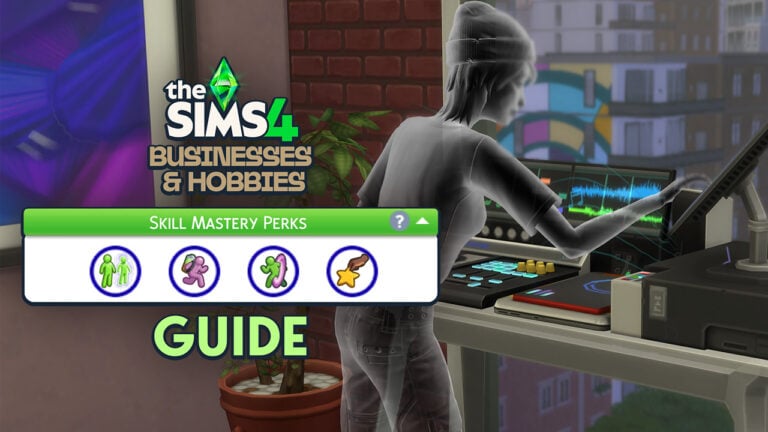
The Sims 4 Skill Mastery Perks Guide

Your sims now become even more powerful the more they build skills.

I think everyone can agree that Businesses and Hobbies is pretty light on the word “hobbies” when looking at the features of the pack. However, one of the best inclusions surrounding hobbies is the Sims 4 Skill Mastery Perks. These are powerful traits that your sims can gain as they develop their skills or have passed onto them by the elders in their lives. 

Gaining Perks

There are a few ways that you can earn The Sims 4 Skill Mastery Perks throughout the game.

Earn Them

The perks your sims develop are not fully in the players control but are based on what the sim spends a majority of their time doing. For instance, if a sim spends a majority of their time at the gym, the player could be asked if they want their sim to gain the Second Wind perk. There are a total of eighteen different mastery perks in the game, and a sim is able to have four at a time. You can check what perks your sim has at any time by looking above their list of skills.

Four skill mastery perk slots located above skills list

Inherit Them

One of the most interesting aspects about Sims 4 Skill Mastery Perks is that they’re most often granted to elder sims. This is a minor, and much appreciated, little detail that helps to make elders feel more unique from the other adult age stages.

Elders are also able to pass down their Skill Mastery Perks to other sims. So, if they have a perk that’s a particular favorite of yours, you can have them pass it to any of your sims without needing to earn it every time.

Buy Them

For the less inclined simmer, you’re also able to buy a Mastery Perk Bestower from the Satisfaction Reward Store for 8,000 satisfaction points. This magical drink allows the player to choose any one of the mastery skills to instantly gain for their sim. There is also a Mastery Perk Remover for 100 points that allows you to remove a perk of your choice, so you’re never locked into the perks you choose and can change them whenever.

Two potions purchasable at the Satisfaction rewards store

Cheat Them

Finally, for those who don’t mind cheating in their games, there’s a cheat to add each individual perk to your sim.

Read up on how to cheat Sims 4 Skill Mastery Perks onto your sims in our The Sims 4 Businesses & Hobbies Cheats Guide.

List of Skill Mastery Perks

The Sims 4 Skill Mastery Perks and their effects are listed in the screenshot below with more detail to follow.

List of all of the skill mastery perks

Active Aura / Creative Aura / Mental Aura

Sim standing at the gym with the active aura moodlet activated

For this group of mastery perks, your sim is able to exude a different type of aura that affects all sims around them. Depending which flavor of this perk that you’re using, it will increase the speed at which other sims develop that type of skill.

To activate this perk, you need to click on your sim and it’s an option under the Mastery Perk bubble. The aura lasts for 4 hours, and you’ll know if it’s still active based on a moodlet that your sim will have. Your sim will also exude an aura visually when the perk is active, but you have the ability to turn off this visual effect in the same place you activate it.

Inspirational Creator / Inspiration Thinker

Each of these perks allow your sims to earn satisfaction points when they’re taking part in activities of different types. Inspiration Thinker only requires your sim to be doing the activity while Inspiration Creator only gives your sims the satisfaction points after they create an excellent item.

Inspiration Creator gives satisfaction points for excellently crafted items from the following skills: Baking, Mixology, DJ Mixing, Flower Arranging, Gourmet Cooking, Guitar, Cooking, Knitting, Painting, Photography, Piano, Pipe Organ, Pottery, Singing, Tattooing, Violin, Writing, Juice Fizzing, Media Production, Creativity, Cross-Stitch, and Imagination.

Inspiration Thinker awards satisfaction points when doing these activities: Archaeology, Fabrication, Fishing, Gardening, Handiness, Herbalism, Logic, Programming, Research & Debate, Robotics, Rocket Science, Veterinarian, Video Gaming, Medium, Mental, and Vampire Lore. 

Final Touch / Secret Spice

Final Touch allows your sim to increase the quality of crafted objects by one stage. For instance, you could increase a vase from good quality to excellent quality instantly.

Secret Spice does the same thing, but with any prepared food item.

In the Zone

Sims with the in the zone moodlet while playing guitar

In the Zone freezes all of your sim’s needs for four hours when they are working on a skill. This effect happens randomly, so it won’t activate every single time your sim starts working on a skill.

Mental Muscles 

Mental Muscles is a really interesting perk because it allows your sim to develop muscle definition just by taking part in mental activities. No more gym required for the brainiacs. If the sim goes too long without working on a mental type skill, they’ll start to lose that muscle definition.

Pigeonholed (Active Skills, Creative Skills, Social Skills, or Mental Skills)

These four are the same perk in different flavors. They allow your sim to build skills faster in any that fall under the umbrella term of whichever perk you chose. The caveat is that they will develop any skills outside of that type slower. If you want to specialize your sim in a grouping of skills, this is the perk for you.

Active Skills: Fitness, Horse Riding, Rock Climbing, Skiing, Snowboarding, Wellness, Dancing, Bowling, Motor

Creative Skills: Baking, Mixology, DJ Mixing, Flower Arranging, Gourmet Cooking, Guitar, Cooking, Knitting, Painting, Photography, Piano, Pipe Organ, Pottery, Singing, Tattooing, Violin, Writing, Juice Fizzing, Media Production, Creativity, Cross-Stitch, Imagination

Social Skills: Charisma, Comedy, Mischief, Parenting, Romance, Selvadoradian Culture, Social, Communication

Mental Skills: Archaeology, Fabrication, Fishing, Gardening, Handiness, Herbalism, Logic, Programming, Research & Debate, Robotics, Rocket Science, Veterinarian, Video Gaming, Medium, Mental, and Vampire Lore. 

Powerful Performer

Sim playing guitar surrounded by other sims while he has the powerful performer moodlet

Powerful Performer is a wonderful perk for sims who may not be the most naturally social because of being too focused on their skills or goals. With this perk, any time a sim is doing some type of performance, whether it be singing or comedy routines, their audience will build friendship with them. If anyone in the audience is in a negative mood, watching your sim will also fix that and make them happier.

Second Wind

Sim working out with the second wind moodlet

Second Wind activates whenever your sim works out. A little ways into the workout, your sim’s sleep, bathroom, hygiene, and hunger needs will be filled to the max. This is an incredibly powerful perk for anyone that wants a quick way of filling their sim’s needs without spending time on all of the different activities required to do so. 

Even better, if your sim has any traits or likes involved with fitness, they’ll also be filling their fun need when exercising. On top of that, if your sim is working out around other sims, they could be filling their social need at the same time. Theoretically, all of your sim’s needs could be filled during a single workout.

Skillful Sleep

Sim using the skillful sleep perk

Skillful Sleep creates an astral projection of your sim when they are sleeping which will allow them to build skills even in their sleep. This was the perk I was most excited to see when the expansion trailer dropped. I gotta say, I’m pretty disappointed in it.

When your sim is tired and ready for bed, you can choose to take a skillful sleep instead of a normal sleep. A ghost version of your sim will spawn and wander around your house interacting with random skill objects. You don’t have any control over this projection, and you can’t tell them what skills to build. Every in-game half hour or so the projection will move on to a different skill object, so it’s very scattered in its approach to building skill. 

The projection also does not focus on skills that your sim is already working towards, it will use whatever objects exist in the house. In the screenshot, my sim’s projection started using the sound production setup, which resides in the house for her husband. She’s never interacted with it herself, but it was the first item her projection started interacting with.

This lack of control over the projection, and how often it changes the skill it’s building really disappoints me and makes me feel it’s not worth the mastery perk slot.

Spacebender

Sim using the spacebender perk to teleport

Spacebender is another way for sims to teleport much like Vampires, Spellcasters, Ghosts, and sims with high Wellness skill. Anytime you click somewhere on the ground, your sim will have the option to spacebend there. It’s much faster than regular traversal and looks super cool as well.

Stellar Stamina

Stellar Stamina does two important things. The first is that it slows the rate at which your sim’s exhaustion drops so they won’t need to sleep as often. The second is that it prevents a sim from getting the Dangerously Tired moodlet. This means that your elder sims are protected from dying from exhaustion. Therefore, grandpa won’t keel over after woohooing too many times in a row with this perk.


The Sims 4 Skill Mastery Perks are one of my favorite new additions to the game and I love that elders have the ability to pass them down to other sims. I lovingly accept any and all new elder gameplay that the team provides for us, and this is one of the best in recent years. 

I enjoy how much work it takes for a sim to naturally develop mastery perks. I appreciate seeing my sims grow and change throughout their lives, and this is another example of a well-lived life.

Explore More

4 Levels of InZOI System Requirements: Graphics Comparison

8

Full InZOI System Requirements and Graphics Comparison Ahead of Early Access Launch

As we quickly approach the launch date for Early Access, we have more recent details on the InZOI system requirements and information on what to expect for the InZOI graphics across different system settings.

If you’ve missed it, InZOI is the upcoming highly realistic and detailed life simulation game from Krafton. The game will allow you to explore the world through the eyes of your ZOI, create unique stories and experiences, and, customize a wide array of aspects with in the game.

The game launches into its Early Access phase on PC on 28th March 2025. A console release is planned, but no further information is currently available.

InZoi System Requirements for PC

There’s no denying that InZOI is very detailed when it comes to textures and lighting. The game features ray-tracing, demanding technology and a variety of innovative building and character designing tools for players to use. Unlike what many of us have seen in The Sims 4, the InZOI graphics will be a lot more demanding and different when it comes to delivering the visuals and technical aspects of the game.

Here is the full breakdown of the InZOI system requirements for Windows PC when the game enters early access.

COMPUTER PATTERN 1

PC Minimum System Requirements

  • System: Requires a 64-bit processor and operating system
  • OS: Windows 10/11
  • Processor: Intel i5 10400, AMD Ryzen 3600
  • Memory: 12 GB RAM
  • Graphics: NVIDIA RTX 2060 (6G VRAM), AMD Radeon RX 5600 XT (6G VRAM)
  • DirectX: Version 12
  • Network: Broadband Internet connection
  • Storage: 40 GB available space

PC Medium System Requirements

  • System: Requires a 64-bit processor and operating system
  • OS: Windows 10/11
  • Processor: Intel i7 11700, AMD Ryzen 7 5800X3D
  • Memory: 16 GB RAM
  • Graphics: NVIDIA RTX 3060 (8G VRAM), AMD Radeon RX 6600 (8g vram)
  • DirectX: Version 12
  • Network: Broadband Internet connection
  • Storage: 50 GB available space
  • System: Requires a 64-bit processor and operating system
  • OS: Windows 10/11
  • Processor: Intel i7 12700k, AMD Ryzen 7 7800X3D
  • Memory: 16 GB RAM
  • Graphics: NVIDIA RTX 3070 (8G VRAM), AMD Radeon RX 6800 XT (16G VRAM)
  • DirectX: Version 12
  • Network: Broadband Internet connection
  • Storage: 60 GB available space

PC High System Requirements

  • System: Requires a 64-bit processor and operating system
  • OS: Windows 10/11
  • Processor: Intel i7 14700k, AMD Ryzen 7 9800X3D
  • Memory: 32 GB RAM
  • Graphics: NVIDIA RTX 4080 (16G VRAM), AMD Radeon RX 7900 XTX (24G VRAM)
  • DirectX: Version 12
  • Network: Broadband Internet connection
  • Storage: 75 GB available space
inZOI System Requirements

Now that you’ve read through the InZOI system requirements, you might be wondering more about what does each of the specifications look like in the game itself?

Ready to dive into some comparisons?

InZOI Graphics Comparisons

As well as sharing information about the InZOI system requirements, we’ve rounded up all the information that has been released that compares what each of the different builds will look like in game.

Firstly, have a look at the InZOI Graphics comparison video from the Krafton Team.

Further to what you’ve just watched in the video, here’s a further breakdown of each individual scene, showcasing each of the different InZOI graphics settings followed by an overall comparison image of each scene.

Click into each of the galleries below to see each image in more detail.

ZOI Character Details

Residential House

Apartment at Night

Apartment Living Space

Outdoor Music Event with Rain

Outdoor Setting in Park

Outdoor Music Event

Seeing each of these scenes separated out and placed alongside each of the different InZOI graphics settings really allows you to take a much closer look at the finer details in each image.

Even with minimum InZOI graphics, the game still looks impressive. Naturally, that will only look more impressive with systems that will run the highest InZOI system requirements.

Further Details and FAQ

Alongside the news and accompanying InZOI graphics video, the Krafton Team shared some further information to support the recent news, as well as answering some frequently asked questions.

While the team acknowledge that the InZOI system requirements are high, they are committed to ensuring the game is accessible to as many players as possible. This includes the ongoing work to improve and optimize the games’ performance, as well as looking at ways to lower the InZOI system requirements without having to compromise on the overall quality of the game.

TALKING

Our Commitment

As mentioned earlier, InZOI delivers high-quality graphics and realistic city-level simulations, which require higher system specifications. 

While these requirements ensure the best possible gameplay experience, we remain committed to making InZOI accessible to more players.  

We plan to implement a feature that automatically adjusts game settings to provide the best possible experience. 

Additionally, we will continue working on optimizations to improve performance while finding ways to lower system requirements without compromising overall quality. 

inZOI is still in preparation for early access, which means there’s room for improvement.  Some aspects of the current version may feel somewhat limited in both quantity and quality. 

via InZOI/Krafton, System Requirements accompanying post (12.03.2025)

In the same post, the team shared information regarding there being several presets. Ultimately depending on whether your PC can run InZOI in minimum, medium, recommended or highest graphics you can choose a preset that will be better for graphics or performance.

  • Better Graphics: Maximizes the game’s visual quality. May cause occasional frame drops and longer loading times. 
  • Better Simulations: Optimizes simulation speed and ensures smoother gameplay, but may reduce visual quality.

In addition, the InZOI system requirements for the recommended and high setting tiers are also optimized for 4K monitors!

Finally, as the game heads towards its early access launch, the team are committed to the development of InZOI going forward and can’t wait to welcome players to the game!

inZOI Walking in Dowon
via Playinzoi on Youtube

However, what we want to know is your thoughts on the now revealed InZOI system requirements and graphics. Are they what you expected? Drop a comment below to let us know your thoughts!

InZOI Early Access Community Poll: How Will You Play?

We want to know if you’ve prepared for the launch of InZOI Early Access with a short community poll below. At which graphic setting will you be able to play the game? Vote below and see how others voted!

[totalpoll id=”160733″]


InZOI releases into early access on 28th March 2025, you can wishlist the game on Steam now ahead of time.

You can find more articles about InZOI in the lead up to the game’s early access release here.

The Sims 1 and The Sims 2 Updates: New Patch! (March 14th, 2025)

The Sims 1 and Sims 2 Rereleases get their sixth game patch.

The Sims Legacy Team have released brand new Sims 1 and Sims 2 Updates for Windows PCs. Fixing additional bugs and issues that players have been reporting over the last few weeks.

The Sims 1 and Sims 2 Rerelease Update
Downloading the new rerelease patch on EA App

Find out what’s been fixed and improved in the official Patch Notes below:

The Sims 1 Update
The Sims 2 Update

Sixth Rerelease Patch

Sims 1 and Sims 2 Rerelease Update

Sul Sul, Simmers! 

We hope you’ve been enjoying these games as much as we have! In this patch you’ll see some stability improvements as well as some more options for windows management in both games. Please continue to report any issues on the official EA Forums.

-The Sims Team 

March 14, 2025 Patch Notes: 

The Sims 1 Update Notes

Fixed Issues: 

  • General stability and performance improvements
  • Alt+Enter does not always scale the way players expect
  • The Sims can crash if a Sim interacts with the shower while the Tragic Clown is on the lot
  • If The Sims gets minimized while loading packs for the first time the player can be prevented from interacting with the game until it is restarted
  • Lots whose families are on vacation do not have a Vacation icon
  • Tiles around pools are rendered with original fidelity
  • The Sims would minimize if it was not the foreground application
  • Aggressively cycling through window zoom levels and full screen with Alt+Enter can lead to unresponsiveness or a crash
  • The UI scaling at different levels can be too extreme
  • In windowed mode the bottom of the game window will sometimes default to being behind the Windows taskbar

Functionality Improvements:

  • The Sims now has in-game options to control window size, game resolution and aspect ratio (derived from resolution) used at launch
  • The Sims is now using an improved pixel scaling strategy that provides better looking sprites, UI, etc
  • In windowed mode the game window be resized and the game palette (where The Sims is displayed) is scaled to match the window dimensions. The Sims will preserve the original launch aspect ratio

The Sims General Notes: 

  • The Sims requires a Vulkan compatible GPU. Please check on your GPU manufacturer’s website to see if your GPU is compatible with Vulkan and ensure you are updated to the latest driver version.

The Sims 2 Update Notes

Fixed Issues: 

  • General stability and performance improvements
  • There are significant frames per second (FPS) drops in various scenarios including multiple Sims in Ultra Speed, various complex lots, camera panning, etc.
  • If Windows shortcuts (Win+Shift+ArrowKey, etc) was used to move the game window from one monitor to another the player could end up with a plain blue window in the new location
  • The Sims 2 might crash if a custom beach lot is placed in Belladonna Cove
  • The Sims 2 minimizes if it is not the foreground application
  • Pets can not be scolded or encouraged (e.g. to train a dog not to urinate indoors, or to discourage cats from sitting on counters)
  • A Sim returning from work as an Eco Guru will sometimes become invisible
  • On screens with resolution higher than 1080p the pie wheel options sometimes go off screen
  • Sometimes when a family tries to travel to a community lot only the family dog will travel
  • On 2k and 4k monitors selecting the “More” option will sometimes result in the mouse pointer jumping off the screen
  • After running for long periods of time (generally 2 hours or more) the player is sometimes prevented from interacting with the game
  • Multiple uses of Alt+Enter could cause the game screen to eventually move off the bottom of the screen
  • Multiple uses of Alt+Enter could sometimes cause the game to scale the window incorrectly 
  • The CAS UI does not scale/arrange well on displays with extreme aspect ratios (e.g. ultra-wide displays)
  • If the computer has two displays of varied resolution capabilities (e.g. 4k + 1080p) the game window could jump from one screen to the other when making Resolution selections

Improved Functionality:

  • The Sims 2 now uses a borderless window to provide the fullscreen experience

The Sims 2 General notes: 

  • There are recurring problems being reported on Intel Arc systems. Please see previous patch notes for more information
  • Due to the way the underlying graphics layer that The Sims 2 depends on works, when switching between Full Screen and Windowed mode with Alt+Enter there can sometimes be a substantial delay (many seconds) while the scene is recalculated and rendered

There may be issues not listed here that are in the process of being addressed as certain issues require an extended investigation on our end. Even though these fixes may be in active review, it’s not a guarantee that we’ll have an immediate fix for it in an upcoming patch.

Dag Dag,
The Sims Team 


Have you downloaded the latest Sims 1 and Sims 2 Updates? Let us know your experience in the comments below and stay tuned for the latest Game Update news!

The Sims 4 Hobby Meetups: All About New Events in Nordhaven

Hobby Meetups – A Way to Meet Like-minded Sims and Boost Your Skills!

A splash screen showing an image of Hobby Meetups in Nordhaven and the information pop-up for Munch & Mingle.

The Sims 4 Hobby Meetups are a new festival type added to the new world of Nordhaven in The Sims 4 Businesses & Hobbies Expansion Pack, but what exactly do they entail? Well, don’t worry, as I have you covered with this guide to every meetup in both the Iverstad and Gammelvik neighbourhoods in Nordhaven! You can read all about Nordhaven in our recent overview of the brand-new world!

Hobby Meetup Schedule

Unlike the festivals in worlds such as San Myshuno and Ravenwood, players aren’t initially signed up for notifications that let you know when and where a meetup is taking place. These meetups won’t clog up the in-game calendar either so they are less intrusive.

The Sims 4 Hobby Meetups

To enable notifications, click on the hobby meetup noticeboard in either Gammelvik or Iverstad and select which meetups you wish to be notified about. On this noticeboard you can also view information about each event and when and where they take place. Here is the full list of each neighbourhood’s meetup times as it can be hard to keep track of for first-time players.

Gammelvik

MeetupDayTime
Creative CoworkSunday8 am – 1pm
Galactic GambitsMonday8pm – 1am
Sweat & SocializeTuesday6am – 11am
Munch & MingleWednesday11am – 4pm
Pottery & PalsThursday5pm – 10pm
Spotlight StarsFriday6pm – 11pm
Writers & ReadersSaturday2pm – 7pm

Iverstad

MeetupDayTime
Spotlight StarsSunday6pm – 11pm
Writers & ReadersMonday12pm – 5pm
Pottery & PalsTuesday5pm – 10pm
Galactic GambitsWednesday8pm – 1am
Sweat & SocializeThursday6am – 11am
Munch & MingleFriday11am – 4pm
Creative CoworkSaturday8am – 1pm

Meetup Locations

But where exactly are the meetups located? Well, all Sims 4 hobby meetups take place in the same location in their respective neighbourhoods. When the meetups start the required objects will spawn and Sims with relevant skills and likes & dislikes will arrive and start using the skill-related objects.

Gammelvik

The Sims 4 Hobby Meetups

The Sims 4 Hobby Meetups will take place in the centre of the neighbourhood of Gammelvik. While meetups are active the market stalls will still be present and operational (If the meetup overlaps with the stall’s opening times).

Iverstad

The Sims 4 Hobby Meetups

The Sims 4 hobby meetups in Iverstad take place in front of the Urbane Household’s lot ‘The Old Foundry’ by Iverstad’s waterfront. As with Gammelvik, the stalls will continue to be operational and attended. All meetups in Iverstad are held in the same space as the public selling table, meaning your crafty Sims can show off their wares and sell their stock to meetup attendees! You can read all about business opportunities in the official blog post!

Features and Functions of Hobby Meetups

You might be wondering what each meetup entails as the information pop-ups don’t give players a list of every item available. Let’s take a look at each hobby meetup in detail.

Creative Cowork

Creative Cowork 1

Creative Cowork – as you may have guessed – has all to do with everything creative. And there is something here for everyone! Sims can use the woodworking table, trim and style a bonsai tree, paint at one of the two easels, and kids can use the activity table to boost their creativity skill. Not only will Sims in attendance use the objects but they will also knit and cross stitch if you own Knifty Knitting or Cottage Living packs. This meetup will be attended by Sims who have creativity-related traits and your Sims can ask these Sims for mentoring for a major boost in skill.

Galactic Gambits

Galactic Gambits 1

Understandably, the Galactic Gambits hobby meetup is held at night and goes on until the wee hours of the morning. At this meetup, Sims can boost their logic skill by using the chess board or telescopes provided – just watch out for rogue meteors! As with every meetup Sims with the logic skill are more likely to pitch up and give your Sims a helping hand in skill building.

Sweat & Socialize

sweat and socialise 1

Sweat & Socialize is for early-bird Sims only, looking to fit in a bit of exercise before heading to work or opening their business for the day. I found it a little disappointing that the only two pieces of exercise equipment available were the weight racks and punching bags. Unfortunately, there are no treadmills on offer. However, there is nothing stopping your Sim from bringing their yoga mat along for a bit of canal-side yoga!

Munch & Mingle

munch and mingle 1

Exercise? I thought you said extra fries! The Munch and Mingle Meetup is for foodie Sims to grab a bit of lunch and socialise with other Sims. This is perfect if your Sim is looking for new friends (or potential lovers). You can even grab a beverage at the on-site bar. When in Europe do as the Europeans do… day drink!

Pottery & Pals

pottery and pals 1

Pottery is a brand new skill and hobby introduced with The Sims 4 Businesses & Hobbies, so naturally Nordhaven has its very own pottery meetup. This is perfect for Sims looking to get some mentoring if they are early on in building their skill, or help those trying it out for the first time!

Writers & Readers

writers and readers 1

Writers & Readers is held in Gammelvik on Saturdays and in Iverstad on Mondays. This meetup is perfect for bookworm Sims who want to chat about their favourite authors, or simply get some sun as they read their latest steamy romance novel. This meetup is the only hobby meetup to include the new whiteboard that can be used to hold lectures and classes in a range of skills. When my Sim visited a townie was giving a lecture on writing which greatly helped my Sim boost her skill. You can host any lecture as long as you have reached level 5 in the chosen skill.

Spotlight Stars

Spotlight Stars 1

The seventh and final hobby meetup is Spotlight Stars. This meetup is all about talent and creativity! There is a microphone available to perform songs or comedy routines either for tips or just for the entertainment of Nordhaven’s residents. There is also a piano for your virtuoso Sims to tickle the ivories.


Which one of The Sims 4 hobby meetups is your favourite, or what are you most looking forward to trying out? Let us know down below and stay tuned to The Sims Community for all future articles and walkthroughs for The Sims 4 Businesses & Hobbies Expansion Pack!

DEALS ALERT: Save Big During The Sims 4 Spring Sale!

Select Expansion Packs, Game Packs and Stuff Packs are cheaper for a limited time!

If you’ve been looking to update your Game Collection during the coming season look no further – The Sims 4 Spring Sale of 2025 has just started rolling out!

The latest Sale brings new deal offerings for EA App launcher, Playstation and Xbox Consoles. We’re still waiting to hear updates on extra deal offers for Steam and Epic Games – check back soon for more info!

Until then, here are the Spring Sale Deals you can find on EA App, Microsoft and Playstation stores:

The Sims 4 Spring Sale on EA App

The best Sims 4 Spring Sale offers for 2025 can be found on the EA App launcher. Where you’ll find most Sims 4 Expansion Packs for 50% off, Game Packs and Stuff Packs for 30% off. All Kits and Creator Kits are excluded generally from the Spring Sale deals.

Here is some key information to know about the sale on EA App:

Expansion Pack Deals

Considering it’s a newly released Expansion Pack, The Sims 4 Businesses & Hobbies has been excluded from the Spring Sale. Life & Death Expansion Pack is listed for 25% off, the Lovestruck Expansion is 38% off and all previous Expansion Pack releases are now 50% off.

The Sims 4 Spring Sale 2025: Expansion Packs

Game Pack Deals

All The Sims 4 Game Packs are listed as 30% off during the Sims 4 Spring Sale.

Stuff Pack Deals

All The Sims 4 Stuff Packs are now also 30% off.

sims 4 crystal creations trailer screen 460

EA App Deal Availability

The EA App Sims 4 Deals during the 2025 Spring Sale will last until April 1st, 2025 at 10AM Pacific Time. Good time to consider which packs you should save on!

Playstation and Microsoft Store Deals

Unlike with the EA App Deals, The Sims 4 Spring Sale has a different, more limited catalogue of Packs available for a smaller price on Xbox and Playstation. We’ve compiled a list of all The Sims 4 Pack deals and their offers, including:

  • The Sims 4 Island Living – 60% off
  • The Sims 4 City Living – 60% off
  • The Sims 4 Get to Work – 60% off
  • The Sims 4 For Rent – 50% off
  • The Sims 4 Dine Out – 30% off
  • The Sims 4 Star Wars: Journey to Batuu – 30% off
  • The Sims 4 Strangerville – 30% off
  • The Sims 4 Luxury Party Stuff – 30% off
  • The Sims 4 Kids Room Stuff – 30% off
  • The Sims 4 Parenthood – 30% off
  • The Sims 4 Cottage Living – 50% off
  • The Sims 4 Home Chef Hustle Stuff – 30% off
  • The Sims 4 Fitness Stuff – 30% off
  • The Sims 4 Growing Together – 50% off
  • The Sims 4 My Wedding Stories – 30% off
  • The Sims 4 Seasons – 60% off
  • The Sims 4 Vintage Glamour – 30% off
  • The Sims 4 Nifty Knitting – 30% off
  • The Sims 4 Cool Kitchen Stuff – 30% off
  • The Sims 4 Eco Lifestyle – 60% off
  • The Sims 4 Moschino Stuff Pack – 30% off
  • The Sims 4 Outdoor Retreat – 30% off
  • The Sims 4 Laundry Day Stuff – 30% off
The Sims 4 Spring Sale 2025: For Rent
The Sims 4 Secrets Guide (For Rent)

Console Deals Availability

All the deals listed above are very limited for a Sims 4 Spring Sale. This means that you’ll have to hurry up, as the Playstation offers end on March 18th, 2025 at 8AM CET, or midnight PT. We have no information yet if the Playstation deals will continue in a new form after this date.


We’ll keep this article updated with new information on Spring Deals as they surface. Stay tuned on Sims Community for all the latest Game Deals & Offers on your favorite life sim games!

The Sims 4 Businesses & Hobbies: Pottery Skill Guide

Calling all artsy Sims! The Businesses and Hobbies Expansion Pack introduces the new Sims 4 Pottery Skill for Sims who spend their time crafting away on items like the woodworking table or the flower arranging table. This is a creative 10 level skill that your Sim can use for fun and for profit. Ready to learn more? Well, let’s set up the Pottery Wheel and get started.

Pottery skill 11

Building the Sims 4 Pottery Skill with Businesses and Hobbies

To build the Sims 4 Pottery Skill, start by using the new Pottery Wheel to Craft Ceramics or simply Mold Clay with a classic Lump of Clay. Traits like Practice Makes Perfect and Creative, can help your Sim, while traits like Lazy will make it a little trickier to advance in the Pottery Skill.

Pottery skill 1

Pottery Skill Level 1

Glaze Completed Ceramics & Craft a Bulbous Vase

Once your Sim begins their Pottery Skill journey, they unlock the ability to craft a Bulbous Vase on the Pottery Wheel and use the Pottery Kiln to Glaze Completed Ceramics. Each ceramic has 10 free glaze options:

Glaze pottery

Adding a glaze to your ceramic increases its value and your Sims’ Pottery Skill level!

Pottery Skill Level 2

Discuss Pottery Techniques & Craft Candle Lanterns and Planter Pots

Discuss Pottery Techniques & Craft Candle Lanterns and Planter PotsLeveling up lets your Sim Discuss Pottery Techniques with other Sims. Sims at this level can also craft Candle Lanterns and Planter Pots at the Pottery Wheel.

Enthuse pottery

Pottery Skill Level 3

Craft Cake Stands

After spending enough time at the wheel, your Sim unlocks the ability to craft Cake Stands at the Pottery Wheel. These are perfect for a handmade touch at a wedding celebration or birthday party. Just be careful while you’re crafting, or it may break. 

Pottery skill 5

Pottery Skill Level 4

Craft Candle Holders

Talented Sims that reach this level unlock the Candle Holders ceramics option at the Pottery Wheel. These cost 105 Simoleons to make, but your Sim can earn 530 Simoleons with the right glaze.

Pottery skill 9

Pottery Skill Level 5

Mentor Other Sims in Pottery & Craft Oil Burners

If your Sim has always dreamed of owning a Pottery Studio and sharing their craft, this skill level is super helpful as it lets your Sim share their knowledge with the Mentor Other Sims interaction. They also unlock the Craft Oil Burners ability at the Pottery Wheel.

Pottery skill 8
Pottery skill mentor

Pottery Skill Level 6

Craft Incense Burners and Gnome Sculptures

At this level, your Sim unlocks the ability to craft Incense Burners and Gnome Sculptures at the Pottery Wheel included in the Sims 4 Businesses and Hobbies Expansion Pack. Make a new gnome to add to your collection!

Pottery Skill Level 7

Repair Broken Ceramics & Craft Tea Sets

Now that your Sim has the experience, they are able to Repair Broken Ceramics. Wether your pottery was broken on purpose, or accident, your Sim can use their Pottery Skill save the day. Repairing broken ceramics can also increased their value.

Pottery skill 9 1

This level also unlocks the Tea Set ceramic at the Pottery Wheel. Your Sims can make fully functioning Tea sets now!

Pottery Skill Level 8

Enthuse about Pottery & Craft Raccoon Vases

When pottery is all you can think about, it’s all you want to talk about, too! Once your pottery-loving Sim reaches this level, they unlock the Enthuse about Pottery social interaction. Your Sim also unlocks the ability to craft Raccoon Vases at the Pottery Wheel.

Pottery skill 8 1

Pottery Skill Level 9

Craft Intricate Vases and Abstract Sculptures

Your Sim has learned almost all there is to know about the Sims 4 Businesses and Hobbies Pottery Skill, and has unlocked the ability to craft Intricate Vases and Abstract Sculptures at the pottery wheel.

Pottery skill 2

Pottery Skill Level 10

Glaze a Ceramic with an Unbreakable Coating & Craft Abstract Wall Sculptures and Romantic Sculptures

Now that they’ve mastered the Pottery Skill, your Sim can Glaze a Ceramic with an Unbreakable Coating at the Pottery Kiln, preventing it from being destroyed and increasing the value! They also unlock the ability to craft Abstract Wall Sculptures and Romantic Sculptures.
Pottery skill

Are you excited to get your Sim behind the (pottery) wheel? Let us know what you’re most excited to craft with the Pottery Skill in the Sims 4 Businesses and Hobbies Expansion Pack below!

Old The Sims Project Rene Leak Shows Age Sliders In Action

4

CONFIRMED: Sims in Project Rene have actual bones!

News on The Sims Project Rene have quited down over the last year, with the last report being from September 2024 on the Project Rene leaks and confirmation that it won’t be a sequel. But rather a standalone Sims game.

The news that we’ll write in this article date back from September 2024 Sims Labs leaks. Although they haven’t been uncovered in the game files until now.

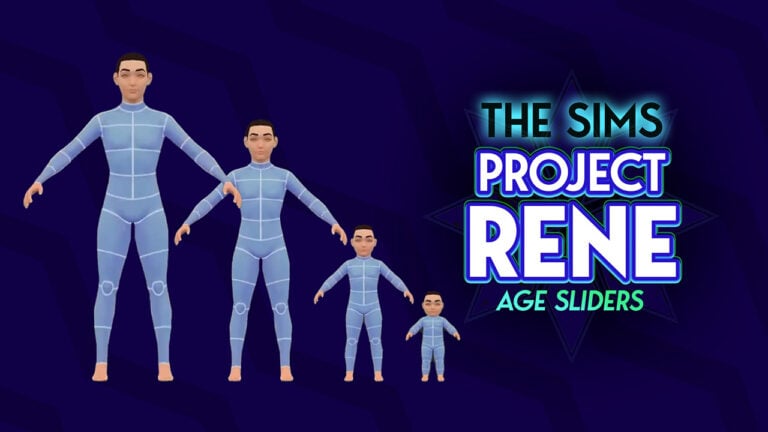
The Sims Project Rene Age Sliders

Two weeks ago we wrote about The Sims 4 Age Sliders being potentially in development, according to the residue code found in the game patch files. This seems to have instigated additional investigation into the developments of The Sims Project Rene.

User @thesarahmilani reports about Age Sliders being found as a skeleton structure within the Rene leak files from September 2024. Compared to the Age Slider leaks for The Sims 4, Project Rene Age Sliders also include changing your Sim’s height and entire bone structure. Meaning that each height difference in Project Rene could potentially mean a different age group.

See the full video captured by @thesarahmilani, showcasing the skeleton and limb structure behind the scenes.

Updates on Weight Sliders

It seems Weight Distribution for The Sims Project Rene Models has also been updated. This also refers to the models and leaked The Sims Labs version from September 2024.

World Backdrops

More world backdrops from The Sims Project Rene have been found. Take a look:


The Sims Project Rene is still waiting for more official information from The Sims Team. Let’s hope all that love and affection from InZOI gives us extra information on Project Rene!

InZOI Shares Love For The Sims In Final Early Access Update

8

The final early access development update from InZOI gives a shout out to The Sims.

As much as fans love to compete two big titles against another, InZOI and The Sims developers love to lift each other up. The Sims Franchise never had competition before in the life simulation genre. There were games like Life By You by Paradox Interactive that unfortunately didn’t make the finish line of releasing the first early access product. And countless of other tries by other companies, including an entire hoax story about a Sims killer – remember Project Vie?

NVIDIA ACE inZOI Create Simulated Cities with Co Playable Characters

Fast forward to 2025 and we’re living in a golden age where The Sims Franchise VP Lyndsay Pearson is excited for new life simulation games and takes on this genre. With another serious game studio who’s ready to launch their first Sims competitor – sharing love and gratitude to their inspiration, The Sims.

Final Message on Kjun’s Early Access Concerns

The Sims team deserves endless praise for their incredible achievements” shared Kjun in InZOI’s final Kjun’s Concerns early access development updates. Showing their admiration for all the development obstacles Sims team has overcome in this video game genre.

the sims inzoi pools

Kjun’s Concerns was an active Discord column where one of the developers shared a poetic and insightful conversation about game development challenges, inspirations and general updates on InZOI. The final column in the Discord thread gave a special shout out to The Sims, with additional updates on plans for the Early Access launch on March 28th.

Read the full message below:

TALKING

After 18 columns posted across 8 months, we have finally reached the end of Kjun’s Concerns.

As always, I took the bus to work, and looking out the window, I saw the warm sunshine bathing the streets, and it hit me—spring has finally arrived, as beautiful as ever. Spring in Korea is truly breathtaking. It reminds me of the spring I created for Dowon in inZOI. If any of you ever plan to visit Korea, I highly recommend coming between April and June. Apart from the short yet stunning autumn, summer and winter here can be far less pleasant due to their extreme weather.

For a brief moment, I let myself enjoy a sense of peace, but as I reached my stop, that peace quickly turned into nervous anticipation—after all, I only have 4 weeks left until inZOI is finally released to the world. Looking back at myself two years ago, when I first decided to embark on this project, I can’t help but smirk knowing how recklessly brave I was to even think about creating a game of this scale. Now, I understand why so few companies have attempted to develop a life simulation game. The challenge isn’t just additive the more you try to build—it’s exponential. At a certain point, finding bugs in this vast world we’ve created feels like playing tag with invisible ghosts.

I have to say it again—The Sims team deserves endless praise for their incredible achievements. As a longtime game developer, I can only express my deepest respect and admiration for what they accomplished in this genre.

This journey has been the biggest challenge of my life, but it’s because of you—our community—that my team and I were able to push through every adversity and reach this final stretch. Your unwavering support has been, and continues to be, our greatest driving force.

From the bottom of my heart, thank you for your love and contributions to inZOI. If, by good fortune, the game reaches the level of success I hope for, I’d love to share my untold stories of Kjun and The Sims—the real reason I set out to create inZOI in the first place.

For now, though, I have to get back to hunting more bugs to ensure that the inZOI you experience on March 28th can be as pest-free as possible.

With just one month left, the next four weeks will be the most intense development period for the game. To fully dedicate myself to this final push, I’ll be stepping away from my usual communications with the you all, but don’t worry—I’ll see you soon at the inZOI Online Showcase, where I’ll finally reveal everything you’ve all been waiting to hear.

Early access marks a new beginning for our team, and as much as I want to appear confident, I won’t lie—I’m incredibly nervous. No matter how hard we try, inZOI at launch will still be an incomplete game. However, as I always say, inZOI will keep on evolving and improving with your feedback and contributions.

By the time I return to writing, Kjun’s Concerns may have turned into Kjun’s Remorse. Hopefully not—but either way, I’m happy to announce the end of this chapter and open up the start of our next one.

Thank you, everyone. I’ll see you next time!


What’s Coming (And What’s Not) In InZOI Early Access Release

Additionally, the InZOI team released a final recap from their AMA thread on Discord. Confirming what’s coming to InZOI in Early Access, what they might plan for final release and more.

And no pools at launch? They’re really trying to copy The Sims 4 with this one huh 😒 /jk

clipboard sc

Gameplay Features & Mechanics

Can we adjust Zoi heights?

❌ No, Zois’ heights cannot be adjusted.
🔹 Why? The game uses pre-programmed animations, and adjusting heights would disrupt interactions (e.g., handshakes or hugging).

Will Zois be able to multitask?

🔹 Planned for the future, but not available at Early Access (EA) launch.
🔹 Many of the game’s single-action animations have been improved, but full multitasking is still in development.

How many Zois can be in a family?

🔹 Maximum of 8 Zois per family.
🔹 If the household is full, pregnancy attempts will fail unless a family member dies.

Will Zois have a memory?

🔹 Not yet implemented, but a similar recording system for major life events (e.g., marriages, divorces) exists.
🔹 The long-term goal is to create a memory-like system that allows Zois to recall past interactions.

How do jobs work in inZOI?

🔹 Active job system – No more “rabbit hole” jobs where Zois just disappear for work.
🔹 Work involves going to the workplace, interacting with coworkers, getting promotions, and more.
🔹 Freelance jobs (e.g., authors) allow flexible, work-from-home options.

Will there be an active school system?

❌ Not at EA launch due to complexity.
🔹 The inZOI team wants a fully immersive school experience (e.g., cafeteria interactions, friendships, and conflicts).
🔹 It will be added later, but no timeline yet.

Will pets be included in Early Access?

 No pets at EA launch.
🔹 Pets are a high priority for future updates but require extensive development for proper interactions.

Customization & Modding

Can we use mods?

✅ Yes! inZOI has built modding using Unreal Blueprints (changed from the previous Lua iteration).
🔹 The inZOI team will provide modding guides and tools for easier implementation.

Will we get more diverse hairstyles?

✅ Yes! Many new curly, coiled, and Black hairstyles have been added after your feedback.
🔹 These styles take up to 3x longer to develop than straight hair due to complex textures and will require a higher data load in actual use.

Are tattoos included in the game?

✅ Yes, but limited at EA launch.
🔹 Facial and neck tattoos
 available initially.
🔹 Full-body tattoos expected around August 2025.
🔹 AI-generated tattoos will later allow custom designs.

World & Building Mechanics

Can we build an entire city from scratch?

❌ No, due to the massive computational load.
 However, the city is highly customizable, allowing you to modify many of its roads and public areas to make it feel unique.

Will Smart Zois technology apply to animals?

🔹 The team wants to extend the Smart Zois system to animals and other living things, but it’s not a priority until the human Zoi version has fully matured.

How realistic are driving mechanics?

❌ Not as advanced as other driving-centric games.
🔹 Driving isn’t a primary gameplay focus, and car customization will be prioritized over driving physics. However, there may be improvements in the future where the driving feels “better” in certain circumstances.

Will swimming pools & swimming be in the game?

❌ Not at EA launch.
🔹 The team worked on swimming but wasn’t satisfied with the quality, so it will be added later after improvements.

Will hospitals be in the game?

❌ Not at EA launch.
🔹 Creating an immersive hospital experience (with diagnostics, treatments, and doctor-patient interactions) is a big project that will come later.

Platforms & Performance

Will inZOI have controller support?

❌ Not at EA launch but will be added sometime after release.

Is inZOI compatible with Steam Deck?

✅ Yes, but it has not been officially optimized with Valve.
🔹 The game runs fine, but you may need to adjust settings.

Miscellaneous & Fun Questions

Will Zois be able to… have interactions that allow them to create a baby? (intentionally extended interpretation for our intended audience)

✔️ Sort of!
🔹 The “interaction” is implied but not explicitly shown (due to age ratings).
🔹 You will need to use your imagination.

Can Zois commit murder?

❌ No.
✅ A completely off-topic but perhaps useful information is that you can start a house fire, and if a certain Zoi just happens to be in that house, they will unfortunately die.
🔹 Members of KRAFTON and inZOI Studio do not condone this behavior in real life.

Why do Zois wear towels in the shower?

🔹 Due to the game’s ultra-realistic graphics, using pixelated censorship looked overly suggestive. (They actually tested this ourselves during development, so you can trust us on this 😓)
🔹 The team is open to Creators’ suggestions for better solutions.


Release Info

InZOI Early Access is set to release on March 28th, 2025 for Windows PC. InZOI Early Access purchase price will be revealed on March 19th, so stick around for InZOI News! We’ll also get the first glimpse of InZOI’s DLC / Pack Release model next week, so don’t miss out.

inZOI 3

Is The Sims 4 Bands Content Coming This Year? We Look For Clues!

13

Could The Sims 4 Bands related content be coming at some point this year?

Well, with some recent discoveries, it looks like there is a strong chance that it could be. However, you’re probably asking yourself, what makes you think that we are potentially getting this content?

Well, let’s break it down based on everything we’ve discovered so far!

The Sims 4 Bands - A Sim Playing Guitar

Musical Objects in The Sims 4 Businesses & Hobbies

First up, in the latest expansion pack for The Sims 4, there are a number of objects with musical inspired names and descriptions, most notably those that are themed around Jazz.

Now, this isn’t the first and certainly not the last time we’ve seen something like this in The Sims 4. We’ve previously seen upcoming themes teased ahead of their reveal and release. A prime example is when we saw-horse themed objects pop up in game ahead of The Sims 4 Horse Ranch being released.

New Object Overview

Here are eighteen new objects from The Sims 4 Businesses & Hobbies expansion pack that all have some kind of Jazz theme or general music theme linked to them. Be it the name, description or the object itself.

A number of these objects and their relation to jazz have been spotted by players on social media, including SimsWorld.

More Musical Inspirations

Yet, if you dive even deeper into the names and descriptions of the new objects even more, you’ll find some additional objects that seem to have been inspired by a number of well knowns and popular songs.

  • Nordhaven Hot-To-Go Stall is inspired by Chappell Roan, Hot To Go
  • Ring of Fire Fireplace is inspired by Johnny Cash, Ring of Fire
  • Llama, It’s Cold Outside! Chimney is inspired by Dean Martin (and many others such as Idina Menzel, Tom Jones and the cast of Glee) Baby It’s Cold Outside
  • The Entrepreneur’s Espresso Table, you could say, is inspired by Sabrina Carpenter and her song Espresso

Grassroots can mean a variety of different things around the world. However, as we are talking about music, Grassroots relates to a key aspect of the UK music scene. It focuses on venues, rehearsal spaces, studios, festivals, promoters and more. It also helps to engage people with local and national talent.

the sims 4 businesses hobbies objects build buy mode 168

In this instance, “running your own corporate empire” could refer to running your own record label, studio space or even setting up your own festival!

If you cast your memory back, you may recall The Sims Sessions. This was, again, another moment when we believed The Sims 4 Bands were on the way.

Paying Homage to The Sims 3 Era

Eagle eyed The Sims players may have seen several of objects that were surely a throwback to The Sims 3 Showtime, Ambitions and even Sweet Treats. Yes, if you know, you know!

Initially, we discovered some sweet and tasty hints to The Sims 3 Showtime. This was the expansion that introduced players to new careers such as DJ, Singer and Acrobat. There was also a special limited edition of the Showtime expansion in collaboration with Katy Perry along with the Sweet Treats Stuff Pack.

Additionally, we can find a throwback to The Sims 3 Ambitions expansion pack. This was the pack that introduced us to a world where a lot of richer and famous Sims decided to reside. We also saw the Stylist career added in this expansion pack.

the sims 4 businesses hobbies objects build buy mode 140

Nostalgia Now Roadmap

Back towards the start of the year, The Sims team dropped the Nostalgia Now Roadmap. The start of The Sims 25th Anniversary celebrations for the first couple of months of the new year.

the sims 25th anniversary roadmap

Within the promotional images used for Nostalgia Now, you can see that on the top left-hand side of the image, a graphic for an acoustic guitar. Another possible hint for a new The Sims 4 Bands pack.

behind the sims livestream

The same, albeit slightly altered image was used to promote the most recent Behind The Sims showcase where you can just see the neck of the guitar peeking through the side of the image on the left-hand side.

The Sims Calendar

Let’s move from in-game to merchandise and this time. A number of EA Creator Network Creators received a special The Sims franchise themed calendar recently, which was packed full of The Sims goodness. Except a couple of images stood out in particular from the rest!

Kimbasprite, who received one of these calendars, pointed out two very significant features when looking at the calendar. March contained an image of Burglars, which in fact is a featured that very recently was added to the game. However, if you continue to go through to November, we get a photo of a band. We usually see an expansion release around October/November, so could this be another hint to not only a second expansion this year but the theme?

The Sims 4 Bands Speculation

There’s no denying that bands and more musical content has been highly requested by the community for some time now. While we have had a violins, pianos and guitars in The Sims 4, alongside the singing skill there still is a lot more that could be done to expand on this theme. Not to mention ways that a Sims 4 Bands pack could open up even more cross-pack opportunities alongside The Sims 4 Get Famous.

Could this potential new pack have a heavy focus on the jazz musical genre, or could it just be coincidence that this was the theme for the objects in The Sims 4 Businesses & Hobbies expansion? Not to mention, this isn’t the first time we’ve seen jazz themed objects in game. There are a number of decor options that come in the base game alone.

ts3 latenight rockband
Pictured: The Sims 3 Late Night

If a The Sims 4 Bands expansion was to happen and release potentially later this year, what kind of things would you like to see within that pack? Would you like to see some returning features from earlier The Sims games?

Drop a comment below with your thoughts and ideas for a potential The Sims 4 Bands expansion.

The Sims 4 Custom Tattoo Spotlight: Creativity at its Finest!

The Business and Hobbies expansion pack has sparked creativity in the Sims community, particularly with Sims 4 custom tattoos. From bold American traditional designs to ultra-realistic faux piercings, Simmers are making everything your alternative Sim could want. Whether you’re into statement tattoos or meaningful cultural ink, there’s something for everyone.


Pokémon Tattoos

One creator making waves in the community is Simsigner, who has been consistently delivering high-quality, Pokémon-themed tattoos. Some of their standout pieces include Magikarp and Muk tattoos that any Pokémon fan would be proud to showcase on their Sim.


Custom Tattoo Designs by Fillarybop

Another standout creator is Fillarybop, who makes stunning Sims 4 custom tattoos with bold colors and a feminine touch. Her work is so beautiful that many Simmers wish they could wear them in real life! Not only does she design incredible Sims tattoos, but she’s also a skilled tattoo artist outside the game.

For Hilary, The Sims’ tattoo system has become a playground for creativity. “What I really like about the tattoo system is it’s given me an outlet to experiment with tattoo placements and try out the really wild ideas I’ve had—but on Bob Pancakes,” she shares. Giving townies tattoos that reflect their personalities or add new layers to their lore has made the experience even more fun. The variety of tools available—color wheels, multiple stamps, and brushes—has allowed artists to explore a range of styles, from traditional to abstract.

Real Life Inspiration

Beyond decorative tattoos, Hilary has been impressed by how Simmers have used the system in unexpected ways. “Permanent makeup artists are really showing off their skills using the tattoo system too. It was so impressive seeing all the full faces of makeup on the gallery,” she notes. The system has become a way to add more personal customization, from freckles and scars to birthmarks and moles beyond the default presets.

As both a Simmer and a professional tattoo artist, Hilary has a few ideas for improvements. “What I’d love to see in the game is a way to paint symmetrically on the Sim, like we can with pets. That would be a useful tool for torso designs,” she suggests. Designing back tattoos also presents a challenge, as bras can obscure the view. And for those who specialize in portrait tattoos? “Many artists make their living from portrait tattoos, and it would pair nicely with the dedication tattoo option.”

Of course, no tattoo experience is complete without the occasional reality check. “I’m shocked they didn’t have a pass-out feature with this pack either. Not to scare anyone, but passing out during a tattoo is a very relatable occurrence,” she says. And just like in real life, she loves that Sims experience a confidence boost after getting tattooed. “The moodlets our Sims get from tattooing or being tattooed are all so relatable, especially the suffering for the art. It’s true, all of our backs hurt.”

As for inspiration, Hilary embraces variety. “I could never pick just one style when it comes to tattooing,” she says. From traditional designs and color realism to pop-culture references and pin-up girls, her work is constantly evolving. Having trained in a street shop, she values the ability to adapt to different styles and is inspired by the artists around her.

Want to see more of Hilary’s work? Check out her tattoos in real life at @Fillarybop on Instagram. If you’re in Missouri, you might even get the chance to be tattooed by her in person!


Piercing Tattoos

Tattoos aren’t the only way Simmers are getting creative. Thanks to the new tattoo system, players have started designing custom piercings too. A Simmer to highlight is x0NeverLetGo, also known as EverTrua on Twitch. Her inspired belly piercings look incredibly realistic and stylish, perfect for enhancing any Sim’s alternative style.

Creative & Funny Tattoos

The community isn’t just making stylish tattoos—they’re also adding humor! We’ve seen plenty of hilarious tattoos, with Shrek-themed body art appearing more than a few times. Plus, there are countless other funny and unexpected designs inspired by pop culture.


Cultural Tattoos

Simmers are also using tattoos to celebrate cultural heritage. Willowstara has been creating stunning traditional Indian tattoos, like Sindoor and Tilak, honoring deep-rooted traditions.

Missbabyblue2u, another talented creator, has designed cultural tattoos inspired by traditional Māori and Inuit ink, adding more realism to Sims storytelling.

Realistic and Abstract Designs

Simmers are getting creative with the new tattoo system, designing some incredible custom tattoos. With the feature still new, many are speculating about future updates, new features, and collaborations with more tattoo artists.


Face, Body and Hair Detail Tattoos

Simmers have used this system in creative and inclusive ways, adding baby hairs, feeding tubes, and other medical devices to better represent their Sims. Hopefully, future updates will bring mobility aids to the base game, just like some of these custom tattoos deserve a permanent spot in Sim customization!


Custom tattoos and custom piercings are thriving in the Sims community, thanks to the Business and Hobbies expansion pack. Whether for fashion, fun, or culture, these tattoos add personality and style to our Sims. If you’re looking to level up your Sim’s tattoo skills faster, be sure to check out this handy guide on cheats to skill up in tattoos. Or learn more about the Tattoo Gameplay in our Tattoo Skill Guide. We at The Sims Community hope these custom tattoos inspire your next Sim’s style!

The Hidden Gem Of Businesses & Hobbies: Sims 4 Family Recipe Guide

The highly anticipated Businesses and Hobbies expansion pack has officially been released! One (of many) exciting new features is The Sims 4 Family Recipe system, which introduces a brand new generational cooking experience. In this guide, we will be taking a full look at how this system works and how it will shape storytelling and gameplay with The Sims 4: Businesses and Hobbies. Additionally, we will be sharing a few family recipe ideas created by us.

The Sims 4 Family Recipe Menu

Now, let’s dive into some really fantastic features for The Sims 4: Businesses and Hobbies regarding the Family Recipe System. We personally can not wait for you to hear about all of the exciting features for The Sims 4: Businesses and Hobbies. Please refer to our Businesses and Hobbies articles for the most up to date information on The Sims’ latest expansion pack!

What is the Family Recipe System?

In The Sims 4 Businesses and Hobbies, the Family recipe is a newly introduced system to the franchise of The Sims. We have not before this game had a family recipe system. This is super exciting!

The Family Recipe system allows sims to be able to pass down special, unique recipes through their families generations, creating a more traditional culinary recipe. Rather than unlocking new dishes by only skill-building, this system encourages sims to preserve, share, and create family recipes, fostering a new sense of nostalgia and connection between different generations.

Key Features of the Family Recipe System:

  • Creating a Family Recipe: If you click onto the new Grammy’s Family Recipes item and select Family Recipes > Create a Family Recipe
  • Teaching a Family Recipe: You can now teach a family recipe to other sims, so that your sim is able to pass down or teach recipes to their friends and family.
familyrecipes 1

Choosing A Base Recipe

When creating a Sims 4 Family Recipe, the first thing that you’ll need to do is choosing a Base Recipe. This includes a list of all already available recipes in The Sims 4, including Base Game and DLC. You can choose to opt in for using prepped ingredients, fresh or both! This will all have an effect on the total cost of your final Family Recipe creation.

The Base Recipe includes Vegetarian, Lactose Free, Meat, Seafood and Sweets options.

sims 4 family recipe base recipe

Picking A Secret Ingredient

There are several Fruits, Vegetables and Herbs available for you to pick from for a Secret Ingredient, including:

Fruits:

  • Apple
  • Avocado
  • Blackberry
  • Blueberry
  • Cherry
  • Chocoberry
  • Coconut
  • Dragon Fruit
  • Elderberry
  • Glow Orb
  • Grape
  • Huckleberry
  • Lemon
  • Pear
  • pineapple
  • Plantain
  • Pomegranate
  • Quill Fruit
  • Raspberry
  • Strawberry
  • Tomato
  • Trash Fruit
  • UFO (Unidentified Fruit Object)

Vegetables

  • Bell Pepper
  • Black Bean
  • Carrot
  • Faux Jerky Cube
  • Faux Meat Cube
  • Garlic
  • Green Bean
  • Green Pea
  • Kava Root
  • Morel Mushroom
  • Mushroom
  • Onion
  • Potato
  • Soy Beans
  • Spinach
  • Taro Root

Herbs

  • Basil
  • Parsley
  • Sage
secret ingredient

All Special Touch Meal Effects and Unlock Requirements

A Special Touch is what makes your Family Recipe truly unique. Each Special Touch includes a different Gameplay Effect, from giving a Moodlet to boosting your Sim’s fertility.

sims 4 family recipe guide screen moodlet booster

Each Special Effect has a unique gameplay element to it. But it also requires a different goal for you to unlock while playing the game. Here are the Special Effects Benefits and Requirements:

  • Academic Ace: Increases the speed that homework is completed at. Unlocked by graduating from Graduating Grade School, High School or University.
  • Mystery Fuel: Rejuvenates Sims with a burst of energy and prevents Elder Sims from experiencing exhaustion. Unlocked by obtaining a Skill Enhancement Perk.
  • Fertility Unleashed: Boosts fertility and increased the likelihood of twins or triplets for sims ages Young Adult and older. Unlocked by giving birth to a newborn.
  • Comfort Food: Reduces the duration of sad and Uncomfortable Moodlets. Unlocked by having a successful chat with the Sadness Hotline through the Social tab on the Phone while feeling Sad.
  • Dream Chaser: Sims earn double satisfaction Points from completing Wants and Aspirations. Unlocked by fulfilling 50 Wants.
  • Heartbreak Healer: Reduces the duration of Heartbroken Moodlets. Unlocked by experiencing a Heartbreak.
  • Home Remedy: Reduces the duration of illnesses. Unlocked by overcoming a common ilness.
  • Low Maintenance: Slows down how quickly the needs decrease for Toddlers and Children. Unlocked when a parent Sim witnesses their child age up.
  • Motive-ating: Pauses the decrease of a random Need. Unlocked by not experiencing a negative moodlet for 3 days.
  • Spontaneous Rage: Increases the chance of success in Mean interactions and boosts performance in physical confrontations against other sims. Unlocked by winning a fight against another Sim.
Add A Special Touch: The Sims 4 Family Recipe Guide

Family Recipe Ideas

  1. Grandma’s Fertility Remedy: Apple pie, sugar, and fertility unleashed.
  2. Dream Chaser Salad: Garden Salad, Apple, and Dream Chaser.
  3. Mystery Bread: Milk Bread, sage, and Motive-ating.
familyrecipes 6

The Impact of Family Recipes on Storytelling

For simmers who enjoy legacy gameplay and generational storytelling, the Family Recipe System adds depth and realism to The Sims 4. Imagine your sim inherits their great-grandparents home remedy, only to use it for their benefit and pass it on for generations. This feature also makes it more expansive for sims who are interested in the culinary career, adding that drive of realism.

the sims 4 family recipe teach menu

Teaching a Family Recipe is only available to Sims who are a part of your family and are old enough to Cook.

View All Family Recipes

All of the Sims 4 Family Recipes that your Sim has created (or was taught) can be found in your Sim’s Notebook under the Recipes panel. The notebook keeps accurate track of information regarding the Recipe ingredients and the Original Creator.

The Sims 4 Family Recipe Menu in Businesses & Hobbies

Final Thoughts

The Family Recipe System in The Sims 4: Businesses and Hobbies introduces a new, meaningful way to create, share, and evolve traditions in-game. With it’s focus on storytelling, cultural preservation, and business potential, this feature it bound to became a favorite among legacy players and food-loving Sims alike. This feature will be vital to story progression within the Sims 4 Legacy style players. Personally, we are very impressed with this family recipe system, and are looking forward to playing with this new mechanic more!

The Family Recipe system is just one of many new features that came with The Sims 4: Businesses and Hobbies! Stay tuned on Sims Community for the latest updates.

Sims 4 Business Ideas – Nine Different Ways to Make your Fortune!

The Possibilities for Businesses are Nearly Endless!

Screenshot 2025 03 08 14 41 56

The Sims 4 Businesses & Hobbies has granted Simmers a wealth of opportunities when it comes to ownable businesses and venues. In the past few days, the gallery has become inundated with builds by Simmers from all over the globe. I’m here to show you some of my favourite (and some of my own) builds and unique business opportunities you may want to try out in your game. A full list of business activities can be found on the official blog post. Let’s take a look!

Pottery Studios – It’s Time to Spin!

potter EXT

Pottery is a new skill and hobby added with The Sims 4 Businesses & Hobbies, so it makes sense that the new world of Nordhaven comes with a pre-built pottery studio. ‘Terra-Potta’ was built by creator Yohannabuilds and features a pottery studio space with a lecture board, a shop front for selling creations, and an apartment above for business owner Jolanda Koopman and her husband Gert to take a break from a hard day of being business owners.

Pottrer desc

The business is pre-set with the ‘Do Pottery’, ‘Browse and Buy Items’, and ‘Attend Classes and Lectures’ activities. These activities will direct customers and influence their actions when visiting. The venue is also set up with an hourly entrance fee which will be automatically charged for visitors and affect the daily cash flow. Lectures cost Sims to attend, while classes are free. However, for Sims to teach they will be required to have a relevant skill. Lucky for us Jolanda is level 10 in pottery when you first play the household.

Screenshot 2025 03 08 14 36 44

Tattoo Parlours – Making Your Mark

Tat EXT

Alongside pottery comes Tattoos. This brand-new feature allows Sims to level up their tattooing skill, create custom designs, and offer a tattooing service to Sims. ‘Spilled Neon’ by creator KELLYHARTX comes pre-built with Nordhaven and is run by Nia Sarpong, who resides above her studio with her daughter Lerato.

tattoo desc

Nia’s studio only has one business activity, and that is ‘Get Tattooed’. This activity means that Sims will arrive, pay an entrance fee (if applicable), and request tattoos from Nia. Sims who run tattoo parlours are also able to offer services directly to Sims. Be careful though, as tattoos can go wrong and customers might not pay up. When the business is closed your Sims can improve their tattooing skill on the digital sketchpad. The sketchpad can also be used to create custom designs that your Sims can apply to other Sims.

Cafe’s – That’s That Me Sim-spresso

Cafe EXT

The third and final pre-made business in Nordhaven is Koffieboon owned by the Loden household. This business combines a cafe, library, and lecture space all in one. Dhalia Loden is an avid writer and uses the non-cafe half of the ground floor to teach writing classes for all those who wish to attend. The new coffee bar is perfect for any Sims who wants to open their own cafe, and the previously seen coffee bar in Get Together is also usable in small business venues.

Cafe DESC

Koffieboon comes preset with the required activities and all income is made from coffee and tea sold, and lectures held. The ‘Drink Tea’ activity will not only direct Sims to coffee bars but also to tea sets available with previous packs such as My Wedding Stories and the Secret Sanctuary Kit.

Daycares – Tiny Tots

Daycare EXT

It’s time to toot my own horn a bit. After the reveal of business activities, some Simmers began to theorise on whether or not daycares would be a viable business option – we even covered it here on The Sims Community. In preparation for the release of The Sims 4 Businesses & Hobbies, I decided to create a daycare. This venue comes complete with a classroom, nap room, playground, and a lecture room for teaching parenting skills at the weekend for a bit of extra cash.

daycare desc

In terms of business activities, I chose to choose ones that would direct the toddlers to play with toys and use the playground. The ‘Target Customer’ feature allows me to select toddlers under the ‘Supervised Customer’ tab and uncheck the handy box that reads ‘Caregiver Stays at Business’. This means that when the business opens parents will drop their tots off and leave until the daycare closes for the day. While the daycare system isn’t perfect, It is workable. It is important to keep in mind that daycares are not a focus of the pack. Perhaps one day we will see a daycare system fully implemented into its own pack. The build is available on the gallery under ‘CBXSims‘.

Movie Theatres – See it on the Big Screen!

Harl EXT

I got a bit excited before the release of this pack and created a cinema that is fully ownable and can run as a functioning business. This feature does require The Sims 4 Movie Hangout Stuff Pack, however, the venue also features an entertainment space and a bar.

Cinema desc

As you can see Geoffrey Landgraab has purchased this business – It’s in his name after all. I set the business activities to ‘Watch Movies on TV’ and ‘Eat Popcorn’. Sims will autonomously do these interactions and will seat themselves in one of the three screens to watch a movie. The popcorn machine from Movie Hangout Stuff Pack costs Sims to use so Geoffrey was seeing earrings from that, along with ticket sales at the entrance. If I wanted to have an evening dedicated to live performances I could simply switch out the activities and hire a performer for the microphone or piano on the top floor. The build is available on the gallery under ‘CBXSims‘.

Hotels – Rest & Relaxation

Hotel EXT

Similar to daycares, hotels were not explicitly stated as a feature of Businesses & Hobbies. This didn’t stop Simmers from giving it a go, and that is exactly what content creator lilsimsie has done. This hotel can be purchased as a separate lot or as a residential with a home business as there is a residential apartment on the top floor. It’s about time that the golden sands of Sulani get some tropical resorts for townies to take a break in.

hotel desc

In terms of business activities, I chose ones that would direct Sims to use both the suites and the on-site pool and spa. I decided on an hourly rate payment system as Sims would often spend a few hours sleeping. The spa is fully functional, just make sure to hire employees who are familiar with the wellness skill for the best results and an increase in business renown. The build is available on the gallery under ‘lilsimsie‘.

Laundromats – It’s Time to Spin (Again!)

Laundry EXT

Upon the release of The Sims 4 Businesses & Hobbies, Maxis uploaded this laundromat and arcade combo that fits perfectly in Windenburg’s lake-side. The idea of a laundromat was heavily promoted by Maxis in the lead-up to release as a major cross-pack feature. Sims will come to the venue and wash the laundry that they have in their inventory.

Laundry Desc

For a laundromat to function the only business activity you have to set is ‘Do Laundry’ and Sims will head straight for the washers and dryers. As ‘The Laundry Game’ is a joint arcade I also set the activities appropriately. I found that when Sims are waiting for their laundry to be done they will go and play the arcade games on offer. The build is available on the gallery under ‘Maxis‘.

Internet Cafes – Blast From the Past

Internet EXT

This internet cafe by june1016 is the perfect money maker. Customers will simply use the computers to write or program, and they will not need any supervision from the business owner. Charging Sims by the hour is the perfect money printer. The build comes with a range of vending machines that customers will use autonomously and the cost of the service will be given to the business owner.

Internet cafe desc

Running this business is fairly simple. You will want your business activities to be set to any computer-focused task (this can be seen when hovering over activities) and customers will use the computers you have provided. As there is no lecture board, bar, or stall for your Sims to attend you as a business owner will be free to sit back and relax as the money comes pouring in. The build is available on the gallery under ‘june1016’.

Screenshot 2025 03 08 15 14 07

Dance Studios – And at the Top of the Pyramid…

Dance EXT

The townies of Nordhaven are going to be saying “She’s zooming, dude” when they see your dance studio owners go by. Lectures and classes are a big feature of Businesses & Hobbies and the list of skills available for teaching is huge, you can check out our list of skill classes here! And with such a big list it is no surprise that dancing was not left out. First introduced in The Sims 4 Get Together, the dancing skill has 5 levels and your Sims can unlock new dance movies and group dances as they progress. What better way to profit off of your hobby than to own your very own dance studio?

Dance co desc

The activities I selected for the New Harbor Dance Co are self-explanatory. Once customers have paid the entrance fee I was able to direct my business owner to start a class for all who turned up! The lot I used by rep-13-tv also included a cafe so if you wanted to earn a little extra money you could hire an employee to tend the coffee machines. The build is available on the gallery under ‘rep-13-tv‘!


Have we missed any unique business ideas that you’ve enjoyed playing with in The Sims 4 Businesses & Hobbies? Let us know below, and make sure to stay tuned to The Sims Community for all future announcements and articles!