Paralives already offers a surprisingly robust range of customizable controls during Early Access, giving players the ability to fully rebind keyboard shortcuts, adjust camera sensitivity, and fine-tune gameplay settings to match their preferred playstyle. From Build Mode hotkeys to Photo Mode tools, this Paralives Controls guide covers the current keyboard shortcuts, camera settings, and gameplay keybindings available in-game.
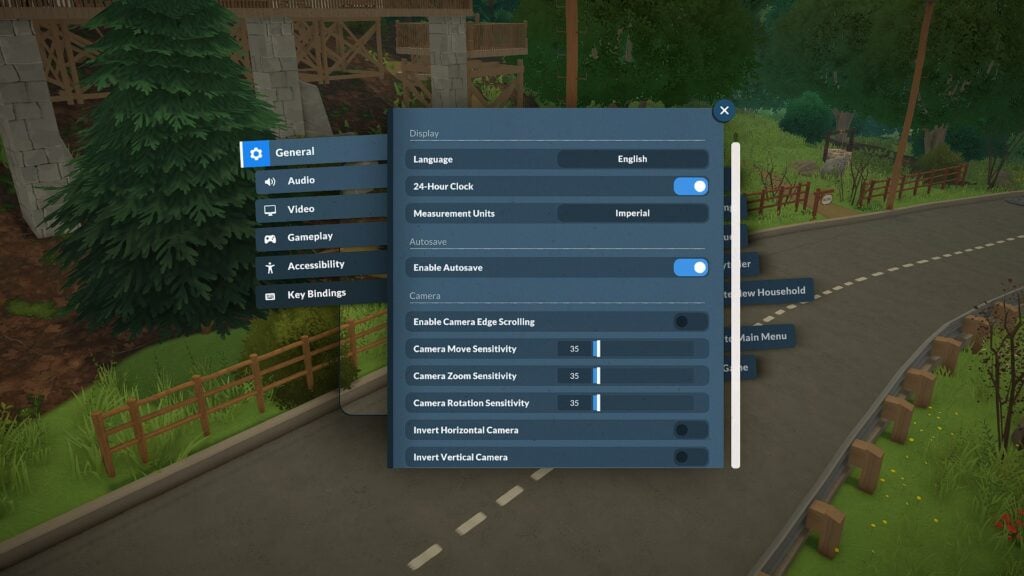
Table of Contents
Paralives Keyboard Controls and Camera Settings
One of the most helpful discoveries during testing is that Paralives includes a fully customizable Key Bindings menu directly inside the settings panel. Players can reassign controls for camera movement, Build Mode shortcuts, time controls, and more.
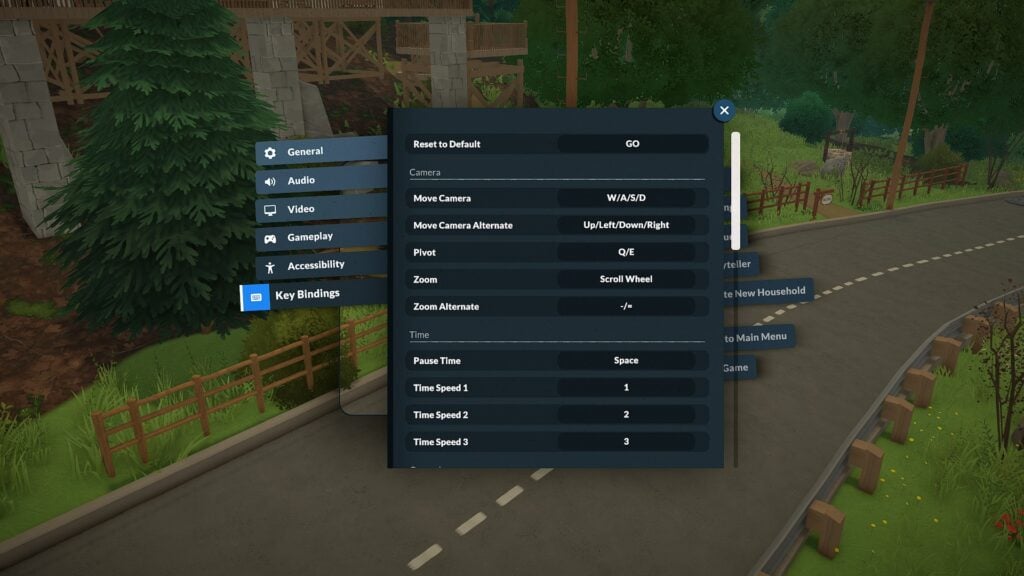
The default camera controls currently include:
| Action | Keyboard Shortcut |
| Move Camera | W / A / S / D |
| Alternate Camera Movement | Arrow Keys |
| Pivot Camera | Q / E |
| Zoom | Scroll Wheel |
| Alternate Zoom | – / = |
Players can also customize:
- Camera move sensitivity
- Camera zoom sensitivity
- Camera rotation sensitivity
- Edge scrolling
- Inverted camera controls
The game’s settings menu additionally includes accessibility options such as interface scaling, tooltip delay adjustments, camera shake intensity, and color filters.
Paralives Time Controls and Live Mode Shortcuts
Live Mode shortcuts currently focus on quickly navigating between gameplay systems and controlling time progression.
| Action | Keyboard Shortcut |
|---|---|
| Pause Time | Space |
| Time Speed 1 (x1) | 1 |
| Time Speed 2 (x5) | 2 |
| Time Speed 3 (x15) | 3 |
| Toggle Modes | Tab |
| Open Town Map | M |
| Open Photo Mode | P |
| Center Camera on Para | F |
Players can also quickly select all Parafolks in a household using:
- Control + U
Paralives Build Mode Controls
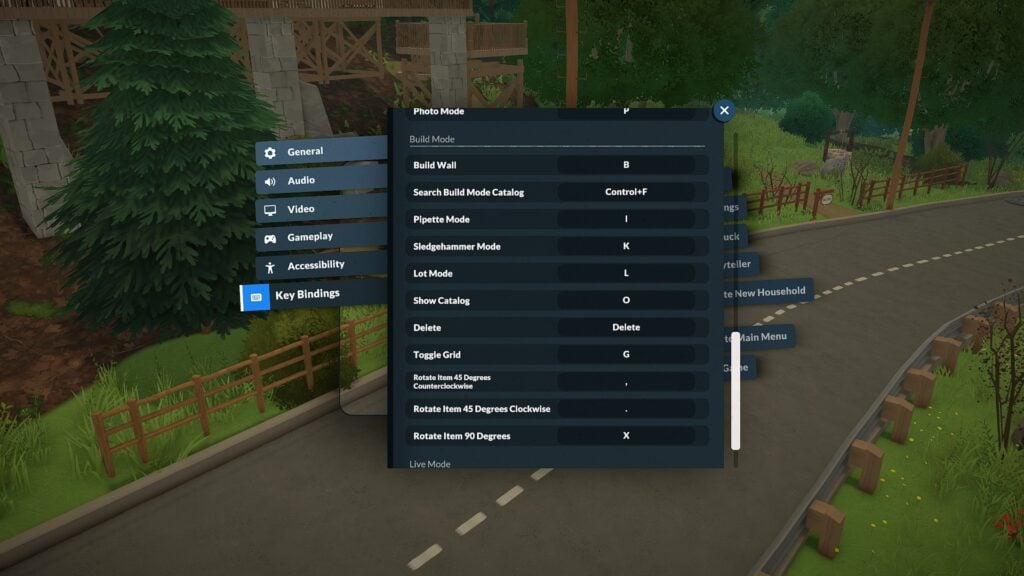
Build Mode currently includes several useful keyboard shortcuts that make decorating and lot editing significantly smoother. Paralives also includes advanced object placement options such as vertical movement controls, free placement snapping overrides, and an advanced placement widget for more precise object positioning.
| Action | Keyboard Shortcut |
|---|---|
| Build Wall | B |
| Search Build Catalog | Control + F |
| Pipette Tool | I |
| Sledgehammer Tool | K |
| Lot Mode | L |
| Show Catalog | O |
| Toggle Grid | G |
| Rotate Item 45° Counterclockwise | , |
| Rotate Item 45° Clockwise | . |
| Rotate Item 90° | X |
| Toggle Advanced Widget | * |
| Disable Snap | Alt |
| Move Vertically | Shift |
| Cancel Placement | Esc |
| Sell Object | Delete |
Several additional controls tested correctly during gameplay, including floor navigation shortcuts and undo/redo commands.
| Action | Keyboard Shortcut |
|---|---|
| Undo | Control + Z |
| Redo | Control + Y |
| Floor Up | Page Up |
| Floor Down | Page Down |
| Quick Save | F5 |
Paralives Photo Mode Controls
One of the most impressive surprises in Paralives so far is the built-in Photo Mode system.
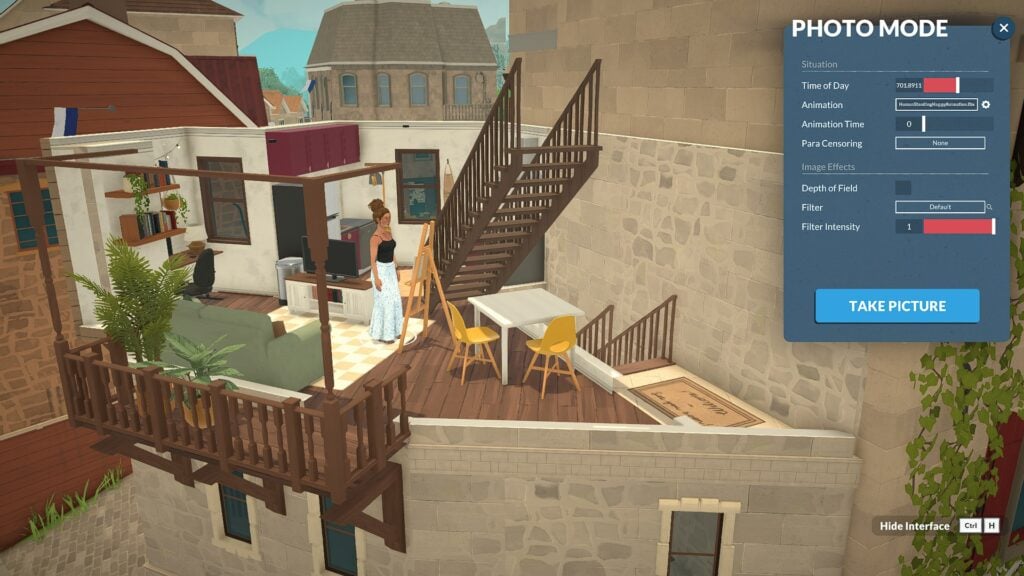
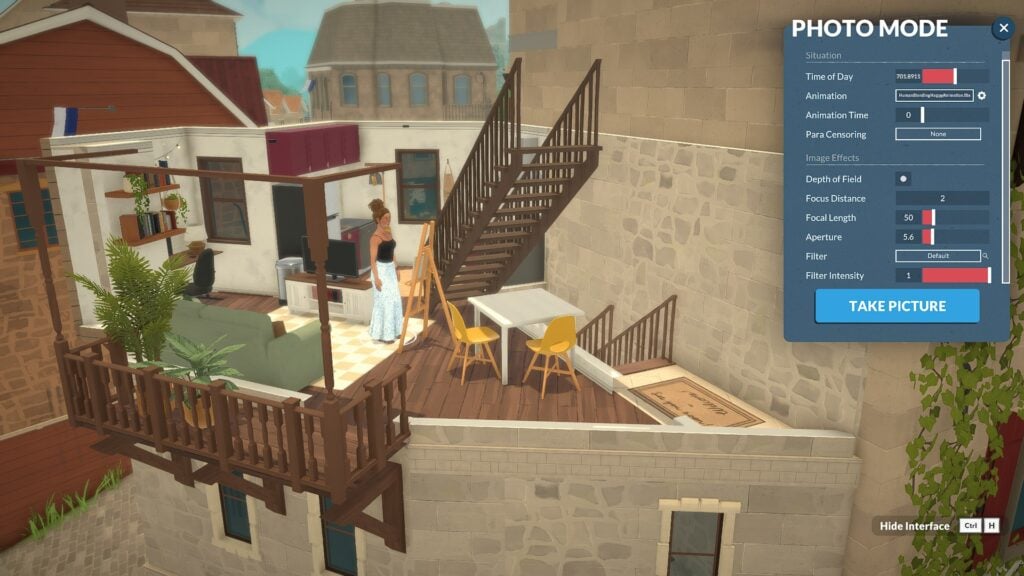
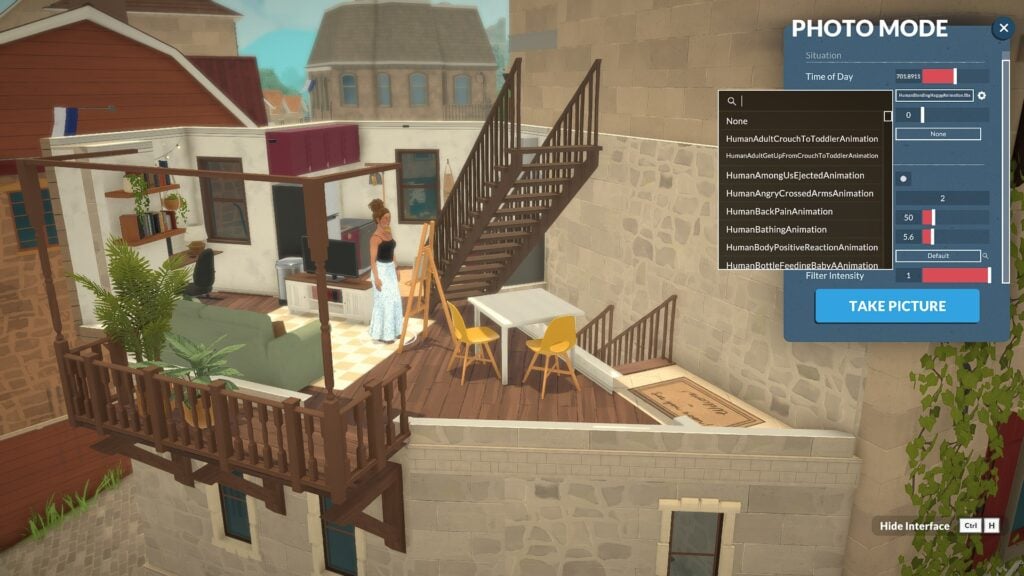
Accessible through the P keyboard shortcut or the Photo Mode icon in the top-right corner of the UI, the feature already includes a large number of cinematic tools and screenshot customization options.
Current Photo Mode settings include:
- Time of day controls
- Animation posing
- Animation timeline adjustments
- Depth of field
- Focus distance
- Focal length
- Aperture settings
- Filters and filter intensity
- Interface hiding shortcuts
Players can even browse a surprisingly large animation library for posing Parafolks during screenshots, making it much easier to create cinematic scenes and storytelling moments without needing additional mods.
Screenshots captured through Paralives Photo Mode are automatically saved to a dedicated screenshots folder on PC. During Early Access testing, the folder appeared directly on the desktop after exiting the game, making it easy to quickly locate and organize captured images.
While the current camera system can feel somewhat restrictive at certain angles, the modding community has already started creating solutions. TwistedMexi recently released a “Sensible Camera Control” mod that removes several camera limitations and expands viewing angles for more flexible screenshot composition.
Paralives Accessibility and Gameplay Customization
Beyond keyboard shortcuts, Paralives already offers a wide variety of gameplay and accessibility settings during Early Access.
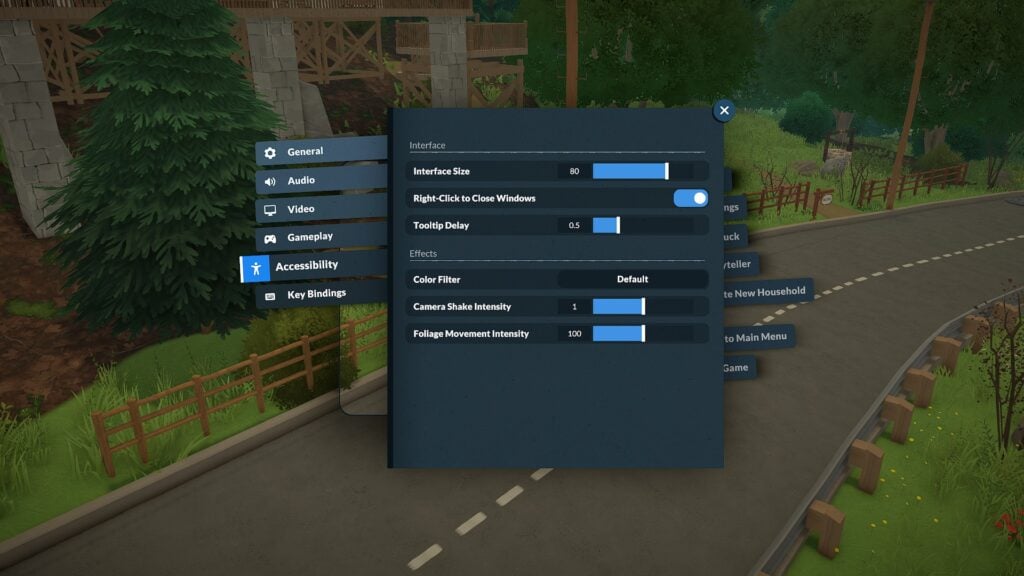
Players can currently customize:
- UI scale
- Audio sliders
- Graphics settings
- Camera sensitivity
- Camera shake intensity
- Autonomy settings
- Build Mode pause behavior
- Path visibility
- Environmental rendering distance
If you’d like a deeper breakdown of the available gameplay menus and settings, you can also check out our earlier guide: Navigate The Paralives Tutorial And Game Settings Like A Pro
Final Thoughts
Although Paralives is still in Early Access, the game already includes an impressive amount of keyboard customization and gameplay flexibility. Between rebindable controls, detailed camera settings, and an unexpectedly powerful Photo Mode, players have plenty of ways to personalize their experience from the very beginning.
As development continues, additional controls and settings will likely evolve alongside community feedback and future updates.
For more information about Paralives, upcoming features, and additional Early Access coverage, readers can visit the Sims Community Paralives Section for the latest news and updates.