

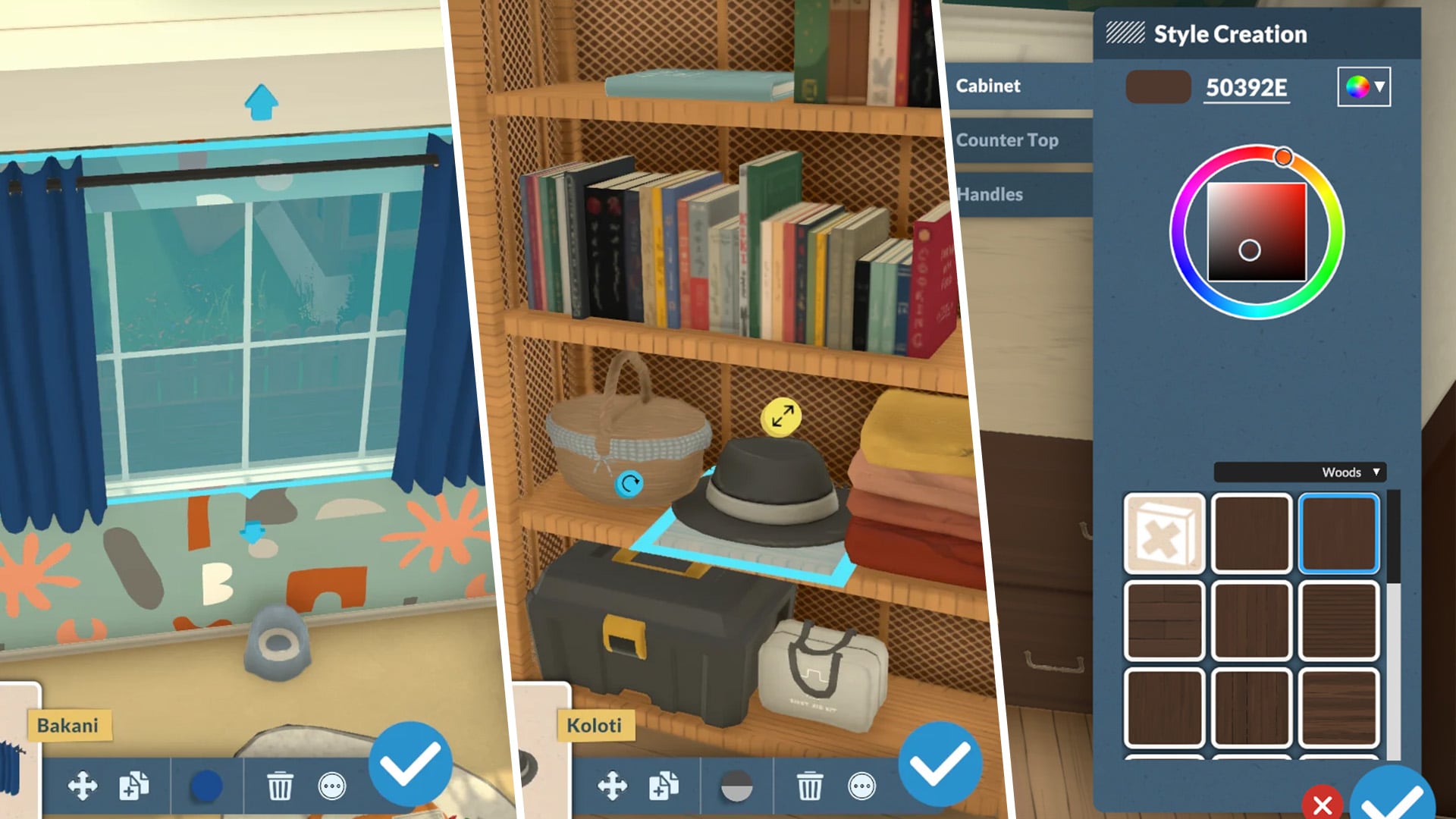
Paralives offers a deep object customization system that gives players far more freedom than what is usually seen in life simulation games. Through Build Mode, Buy Mode, and even the Paramaker, players can fully customize furniture, decorations, clothing, and countless other elements using custom styles, advanced resizing tools, and an extensive color customization system. It’s the kind of creative freedom life simulation fans have wanted for years.
One of the most exciting aspects of Paralives’ tools is how natural and flexible they feel during gameplay. Many objects can be stretched, resized, recolored, or reshaped to suit the player’s needs, while smaller decorative items can still be scaled up or down for added detail. On top of that, every object supports custom styles, allowing players to freely combine colors, materials, and textures instead of being limited to a few preset swatches.
In this article, we’ll explore how these features work, what players can do with them, and why they massively expand the creative possibilities in Paralives.
Table of Contents
How Object Customization Works in Paralives
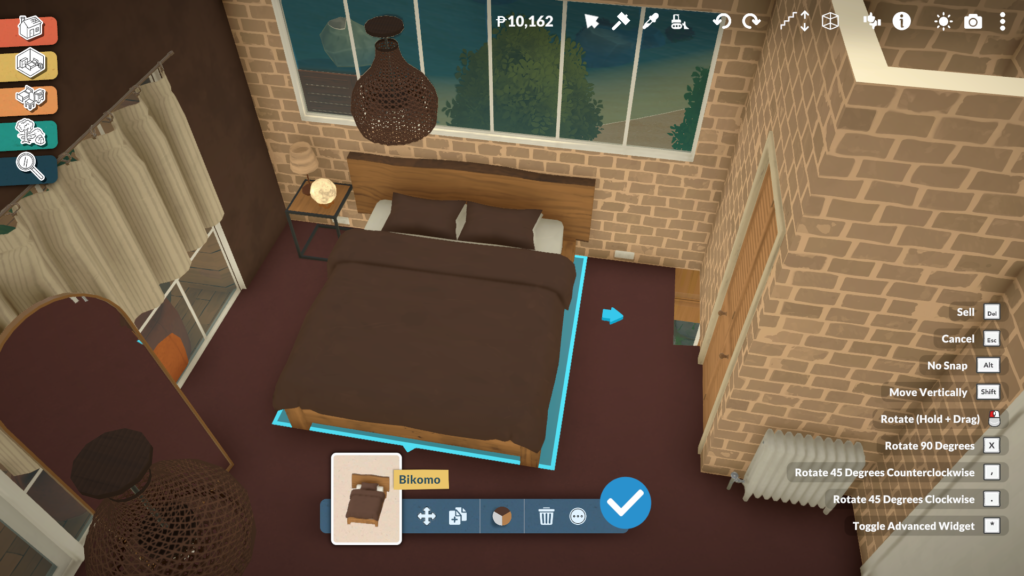
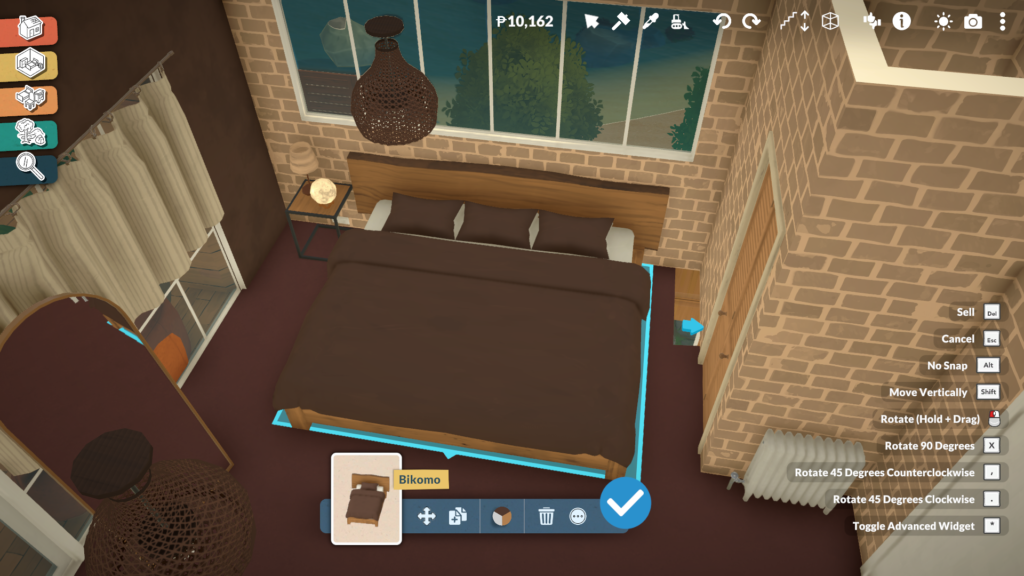
Using object customization in Paralives is incredibly simple and intuitive. In both Build Mode and Buy Mode, players only need to click on an object to access its customization options. Depending on the item, this can include resizing, stretching, changing proportions, selecting different variants, or fully recoloring the object through the Custom Styles system.
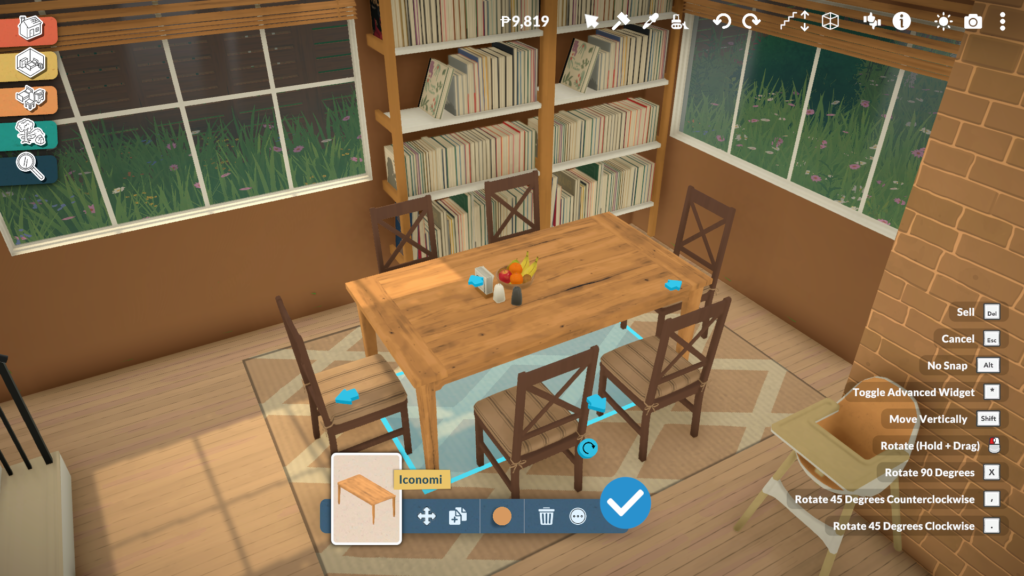
Not every object supports the same level of personalization, though. Some gameplay-related items, especially objects connected to babies and toddlers, such as cribs or gym equipment, keep fixed proportions to preserve their animations and functionality. However, even these objects can still be recolored and customized visually through different materials and color palettes.
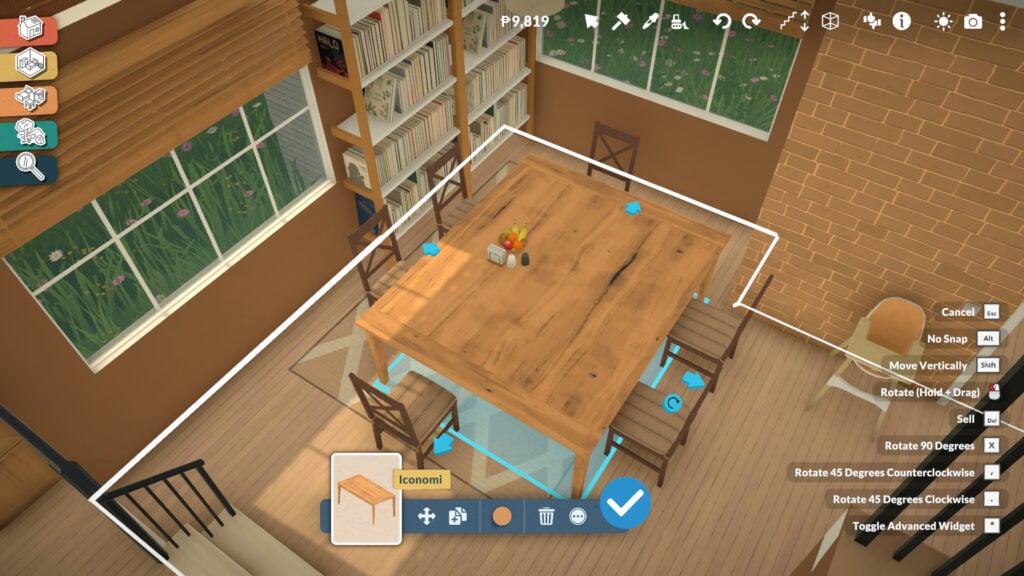
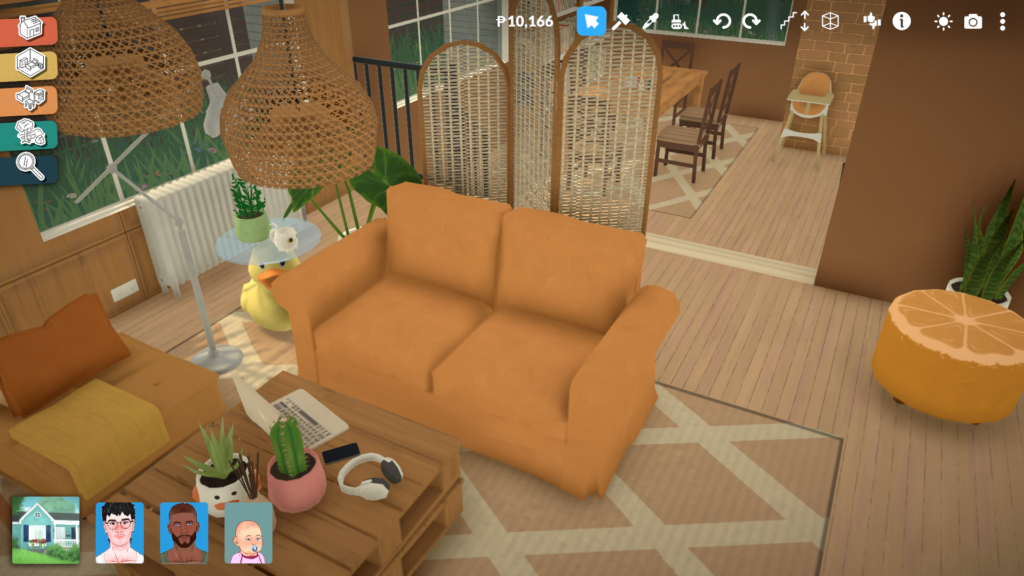
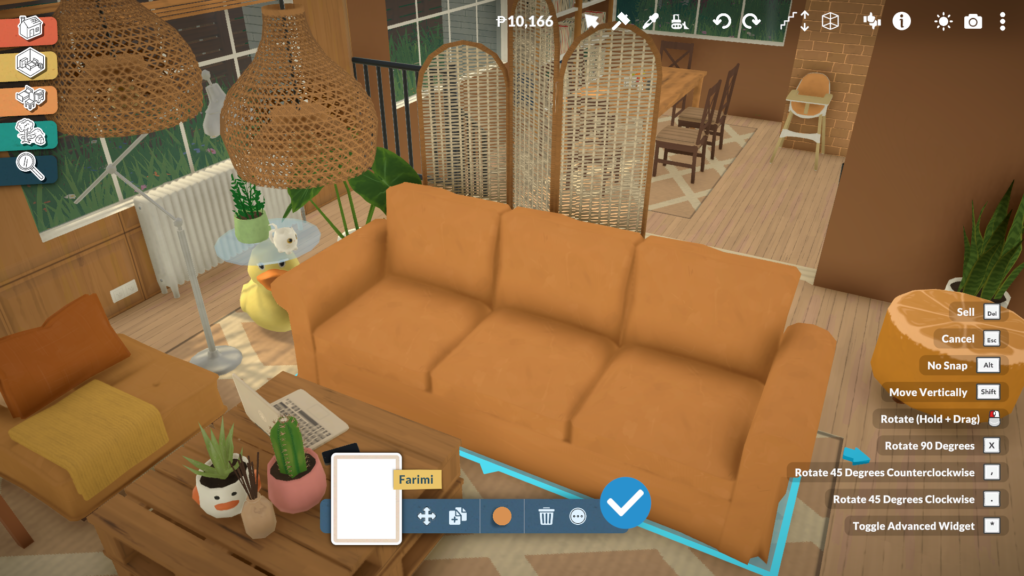
Most furniture pieces offer much more flexibility. Sofas can be expanded to include additional seats, curtains can be adjusted to fit different window sizes, and tables can become longer or shorter depending on the space players want to create. Even many decorative objects and clutter items can be resized freely, making it easier to create more natural and personalized interiors without relying on repetitive assets.
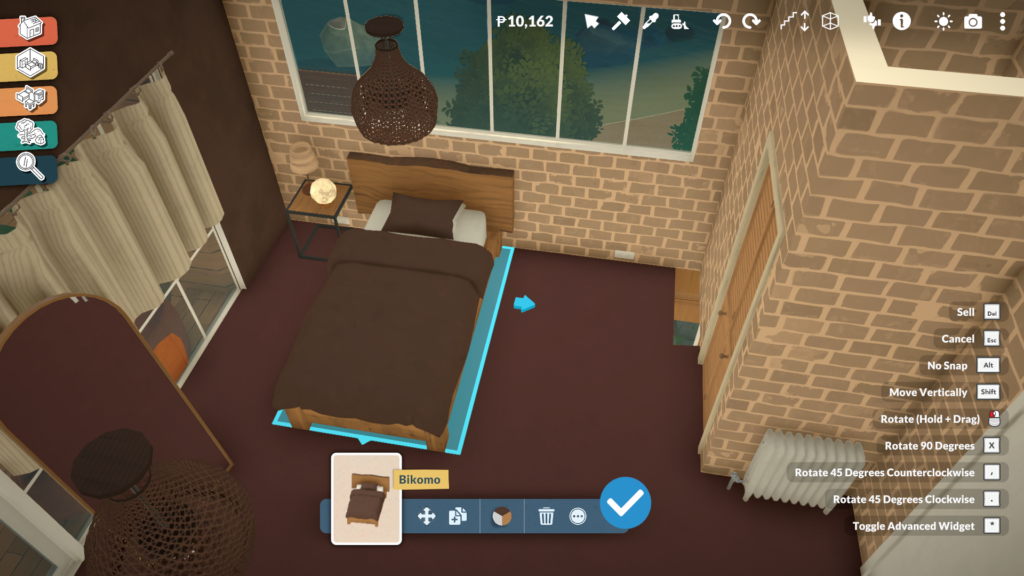
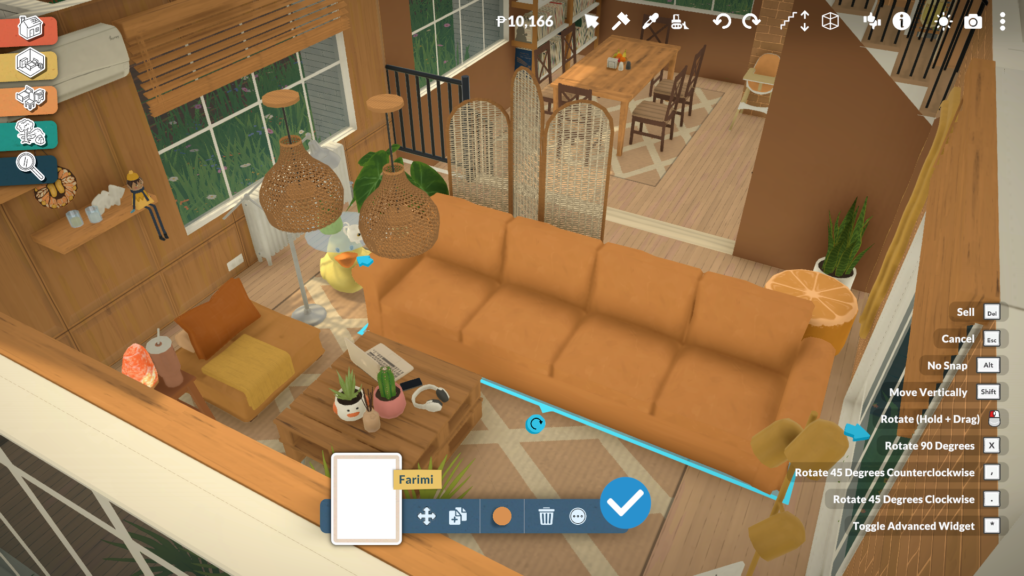
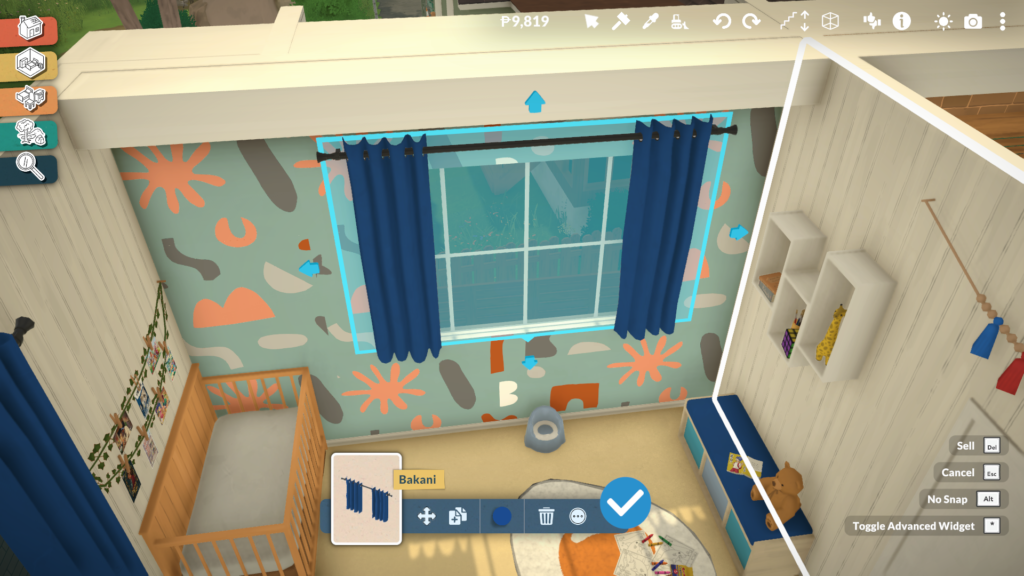
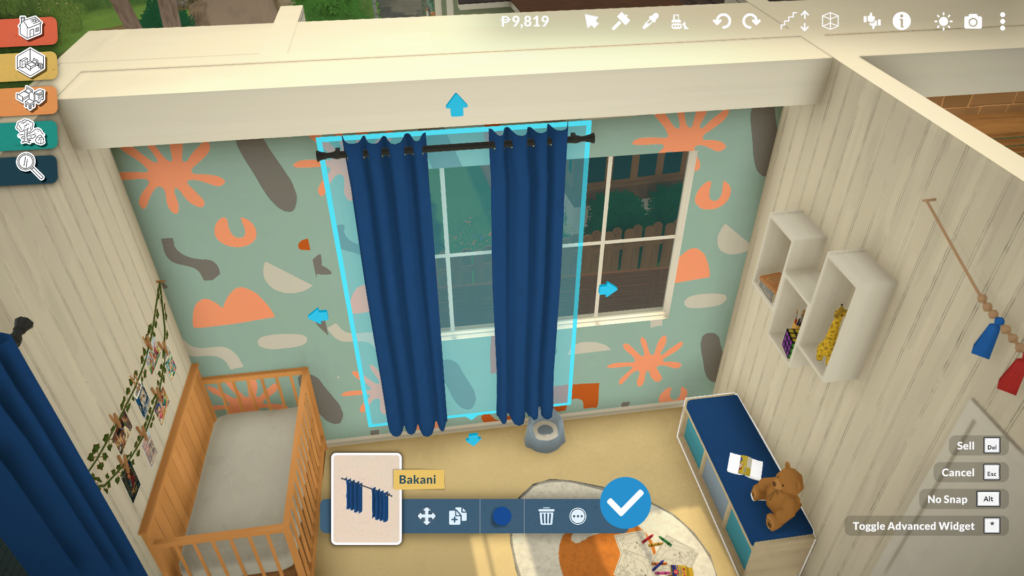
Custom Styles Allow Full Color and Material Customization
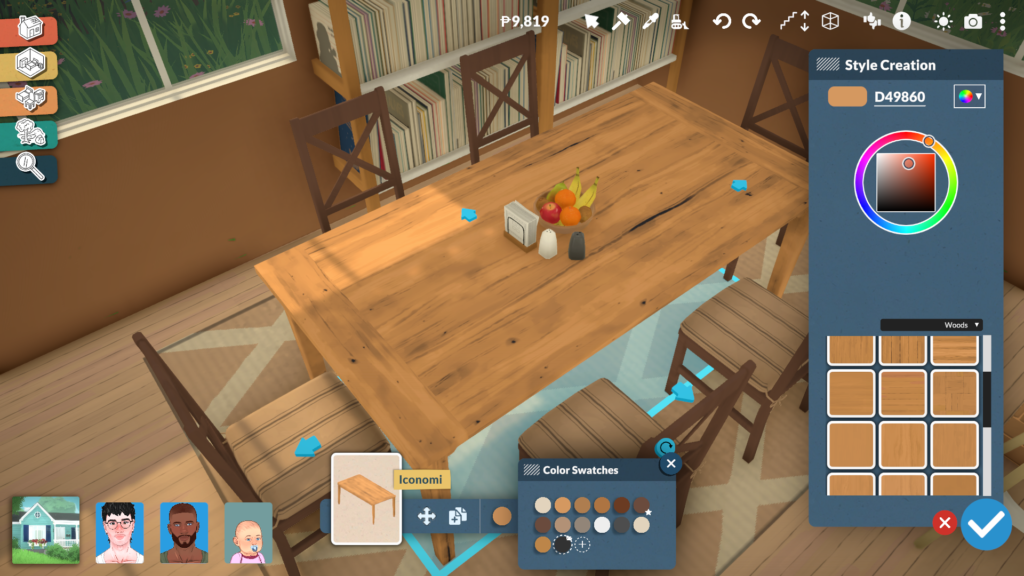
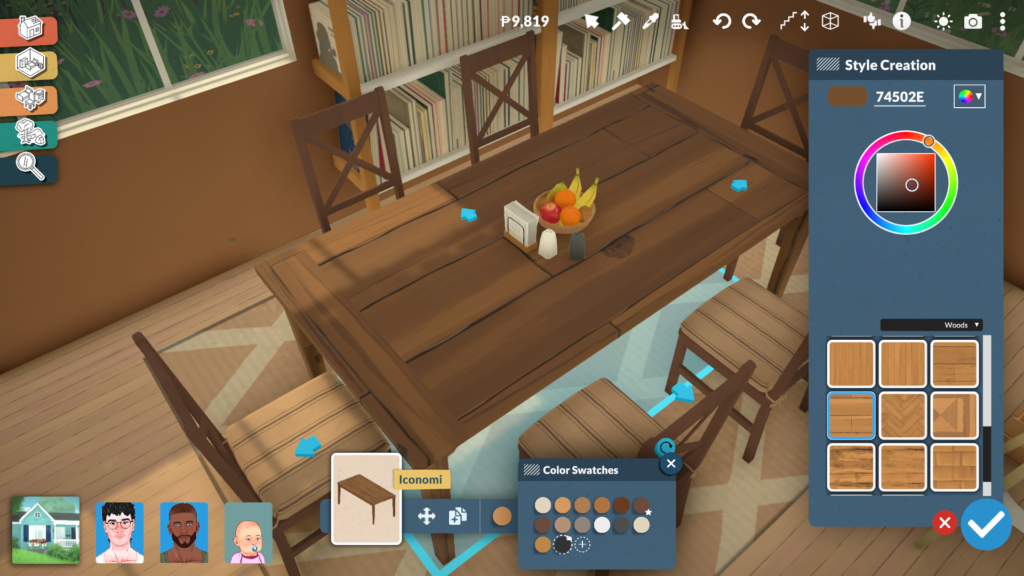
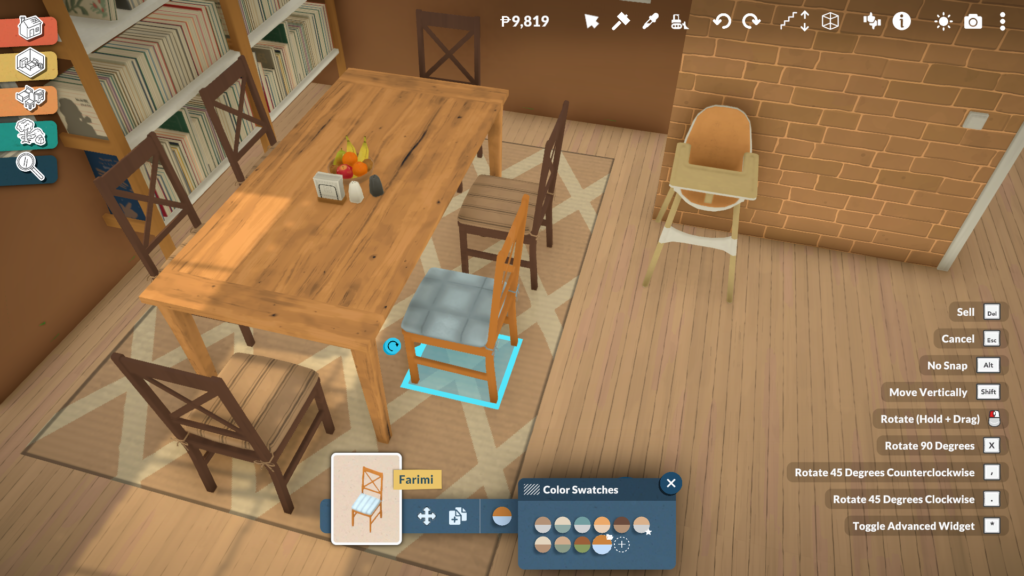
The Custom Styles system in Paralives is accessed directly from the same menu used in Build and Buy Mode. After clicking on an object, players can select the color icon located at the bottom center of the screen to open a panel filled with preset swatches created by the Paralives team. These ready-made recolors already offer a wide variety of visual styles, but the real flexibility begins once players select the option to create a new custom style.
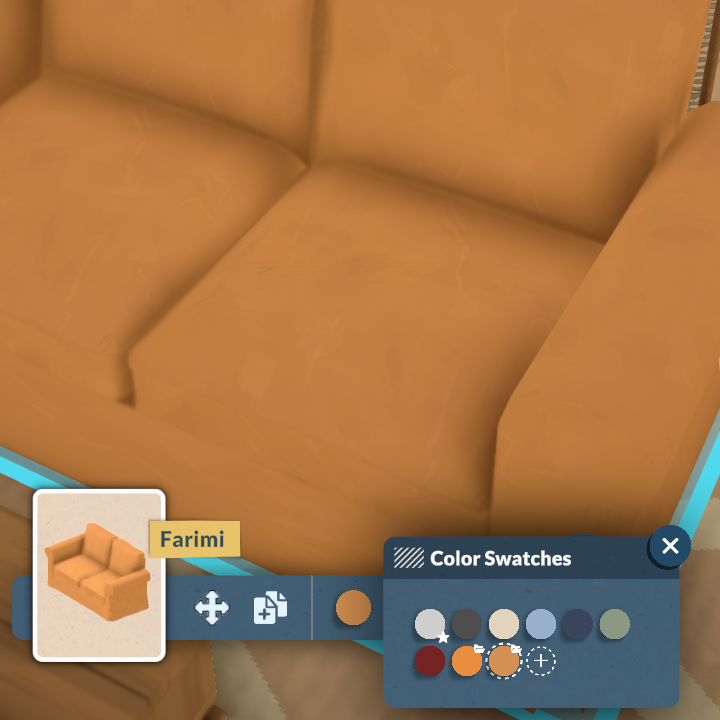
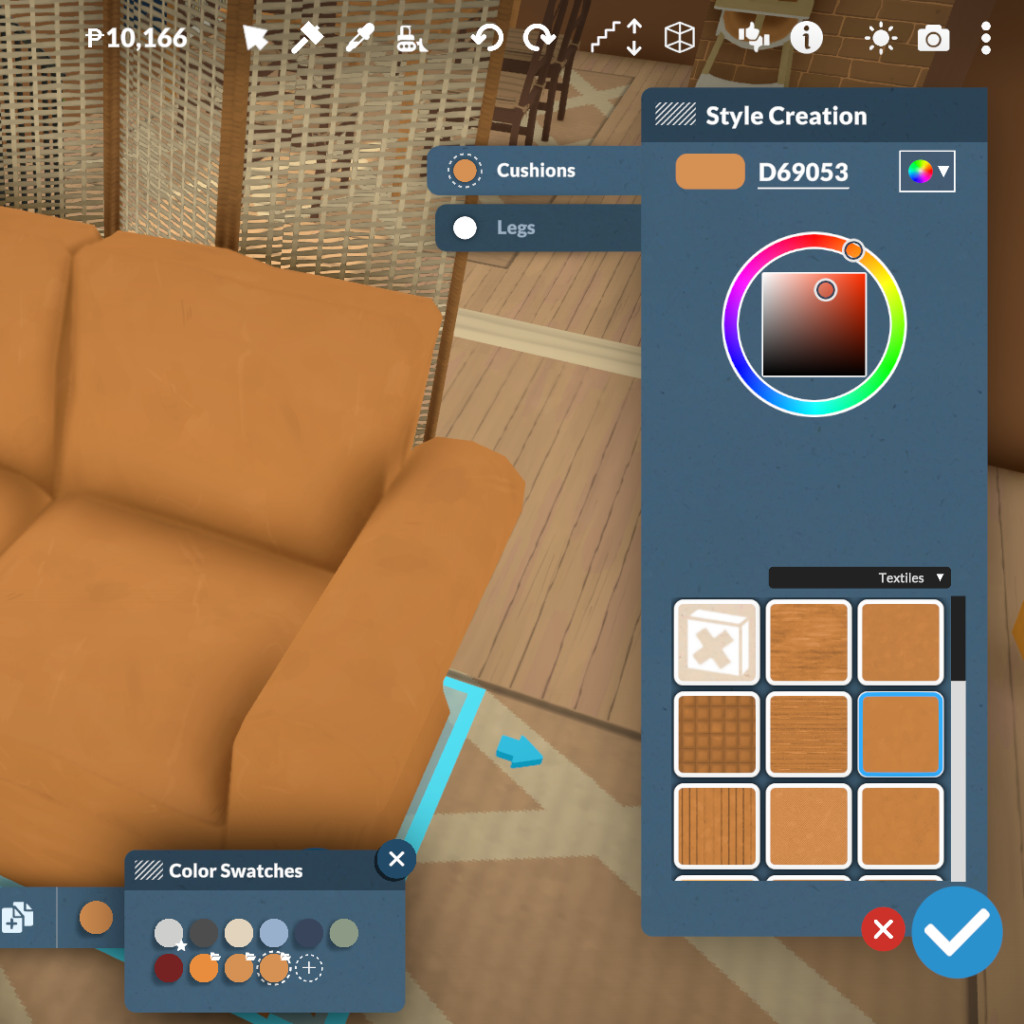
From there, Paralives opens a much more advanced customization menu that allows players to edit objects part by part. Different sections of the furniture can be selected individually, such as sofa cushions and legs, or tabletops and frames, making it possible to apply unique colors and materials to every component separately. The system also includes a large library of textures divided into categories like woods, textiles, metals, plastics, ceramics, and more, alongside a full color wheel for complete freedom when creating custom styles.
This system makes it much easier to create cohesive interiors without being limited to pre-made swatches or repetitive assets. Whether players want realistic wood finishes, colorful patterned fabrics, or fully matching furniture sets, the Paralives custom styles tools allow almost every object in the game to fit a specific aesthetic or design vision.
Kitchen Customization Shows The System at Its Best
Kitchen counters are one of the best examples of how deep Paralives’ object customization system can become. Instead of relying on a few fixed versions of the same furniture piece, players can completely transform counters into different modular variants directly from the object menu. A single cabinet can instantly become a wider counter, a drawer unit, a corner piece, or a taller cabinet, making it much easier to create kitchens that feel unique and realistically assembled rather than repetitive.
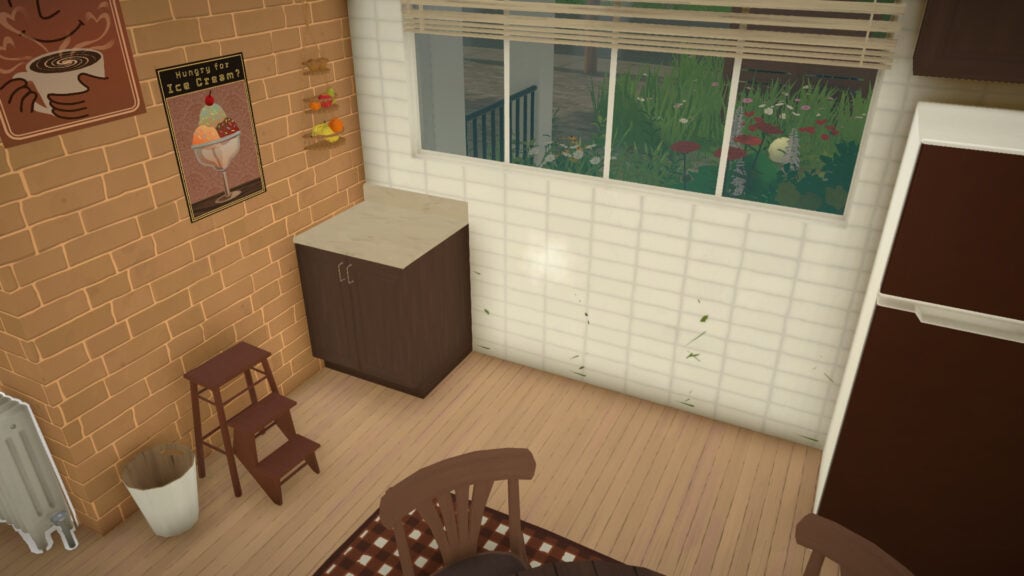
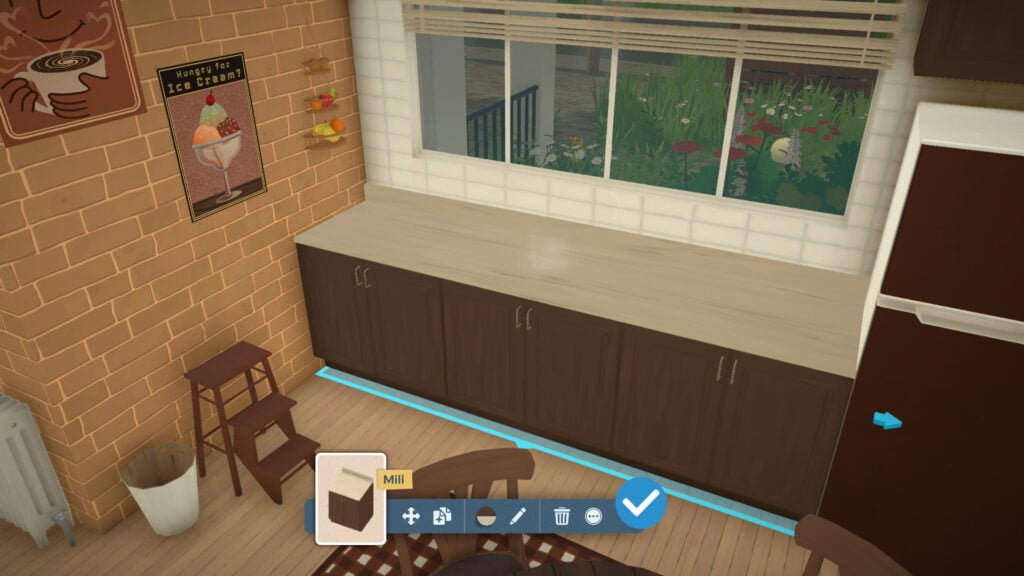
The system also allows players to adjust the length of counters using directional arrows, extending surfaces dynamically to better fit the available space. This flexibility makes kitchen building feel far less restrictive compared to traditional life simulation games, especially when trying to create compact apartments or more unconventional room layouts.
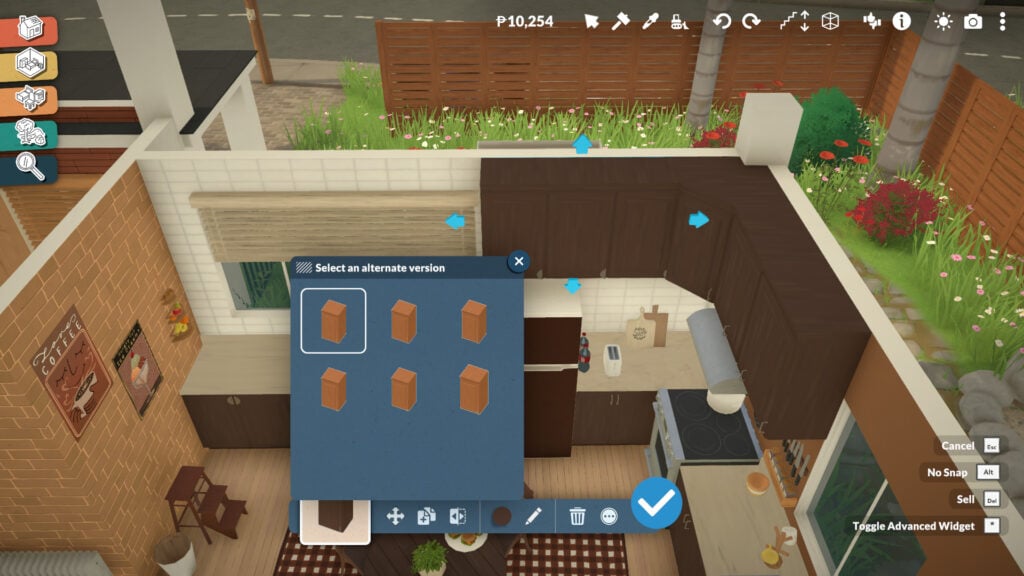
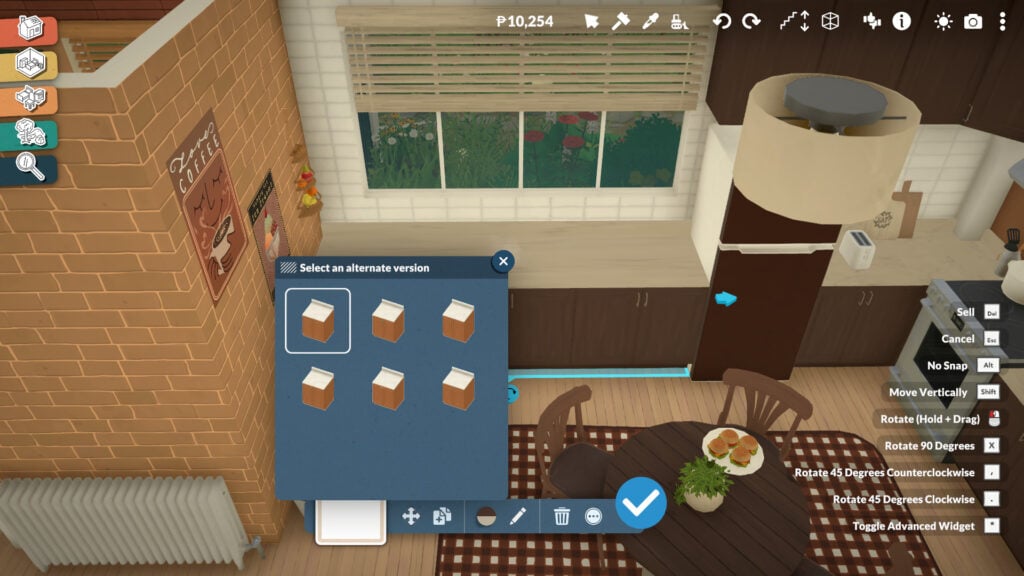
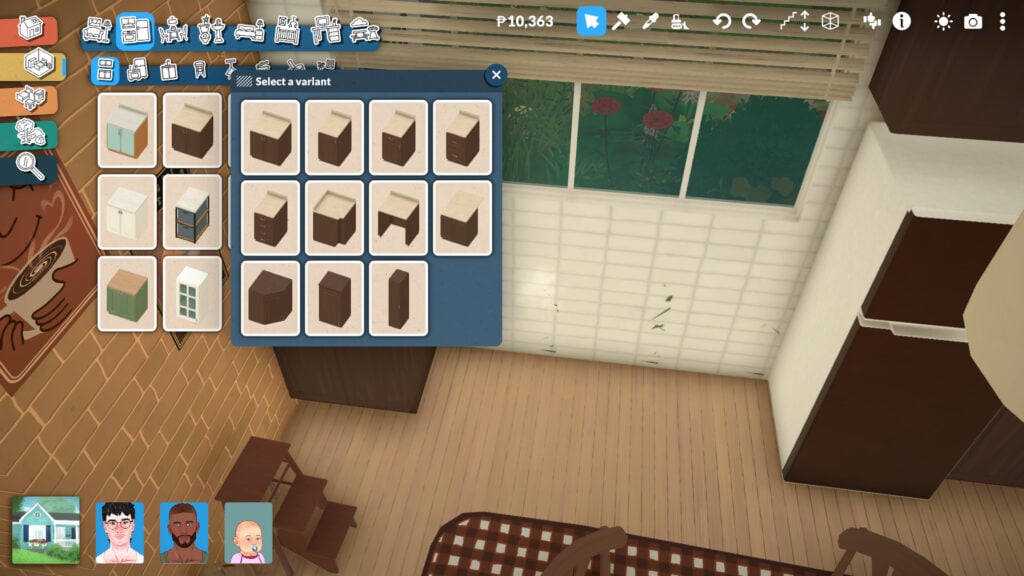
Customization goes even further once you enter the Style Creation menu. Players can independently modify cabinet colors, countertop materials, handles, and even the way drawers or doors visually appear. Different opening styles and handle designs can completely change the aesthetic of a kitchen, allowing the same furniture set to fit modern, rustic, minimalist, or cozy interiors without needing entirely separate objects in the catalog.
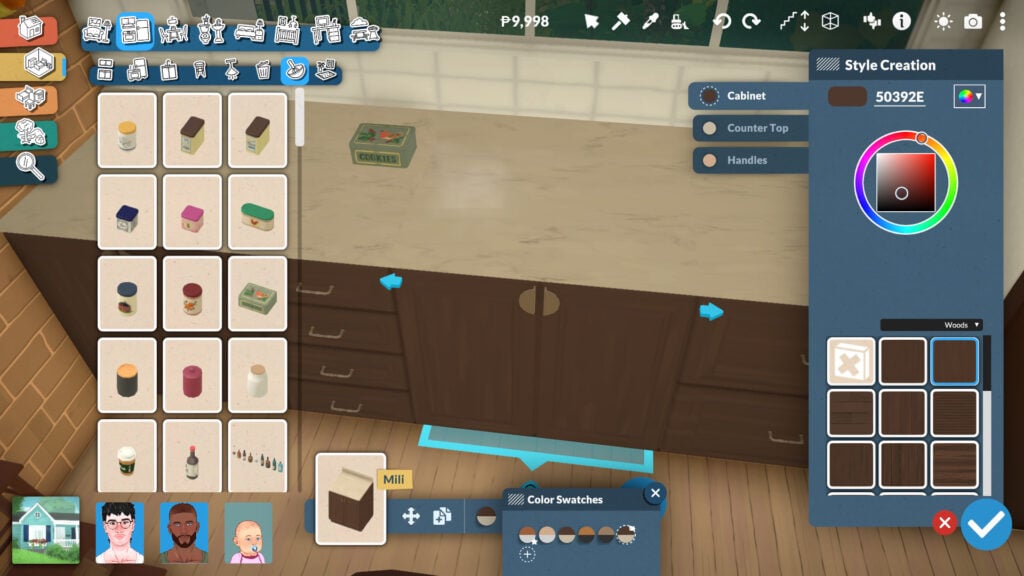
Combined with the full recoloring system and material categories, Paralives’ modular kitchen tools offer an impressive level of creative freedom that makes building kitchens feel much more personal and adaptable.
Windows Can Also Be Fully Resized and Adjusted
While many Build Mode objects in Paralives support resizing and modular modifications, windows are easily one of the most exciting additions for life simulation fans. Instead of relying on dozens of nearly identical catalog variants, players can directly adjust window dimensions in real time.
It is a feature many players have wanted in the genre for years, especially because it allows builds to feel more cohesive without constantly compromising on proportions or architectural details. The system also perfectly reflects Paralives’ overall design philosophy: giving players more control over how objects adapt to their creativity rather than forcing creativity to adapt to fixed assets.
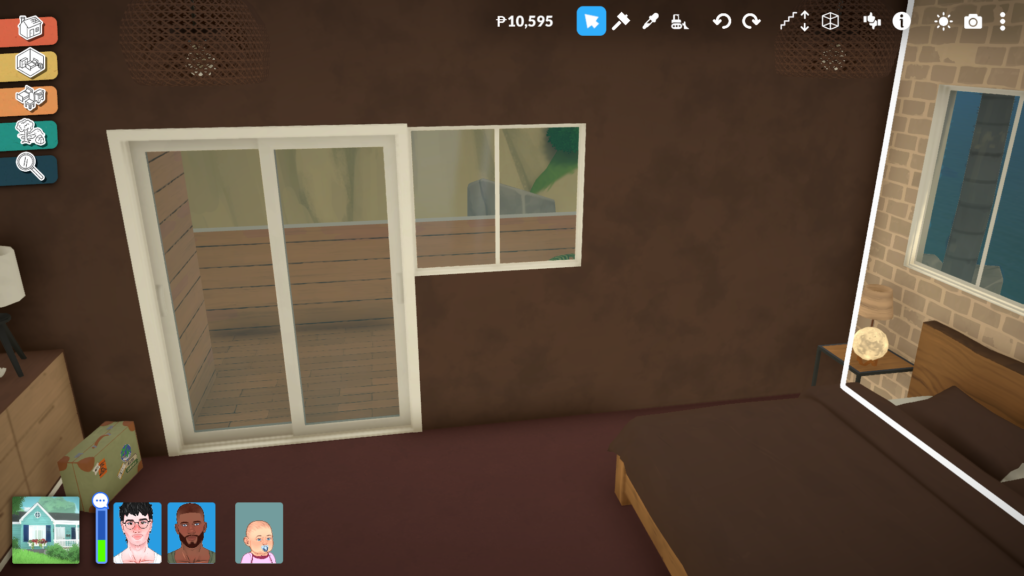
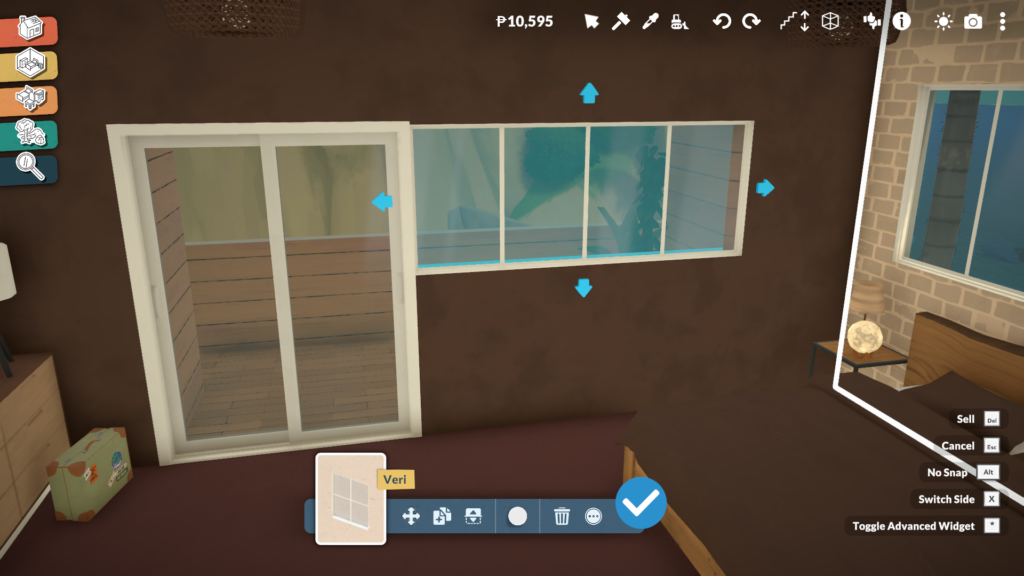
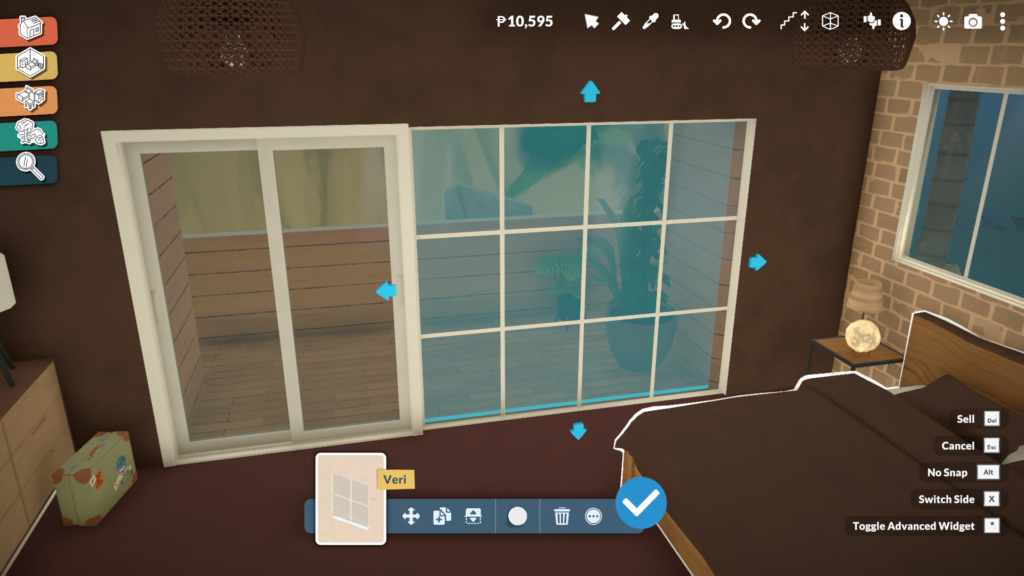
We explored this feature in more detail in our dedicated Paralives Build Mode article, where we break down additional advanced building tools and customization mechanics.
Clutter Objects Can Also Be Resized for Better Decoration
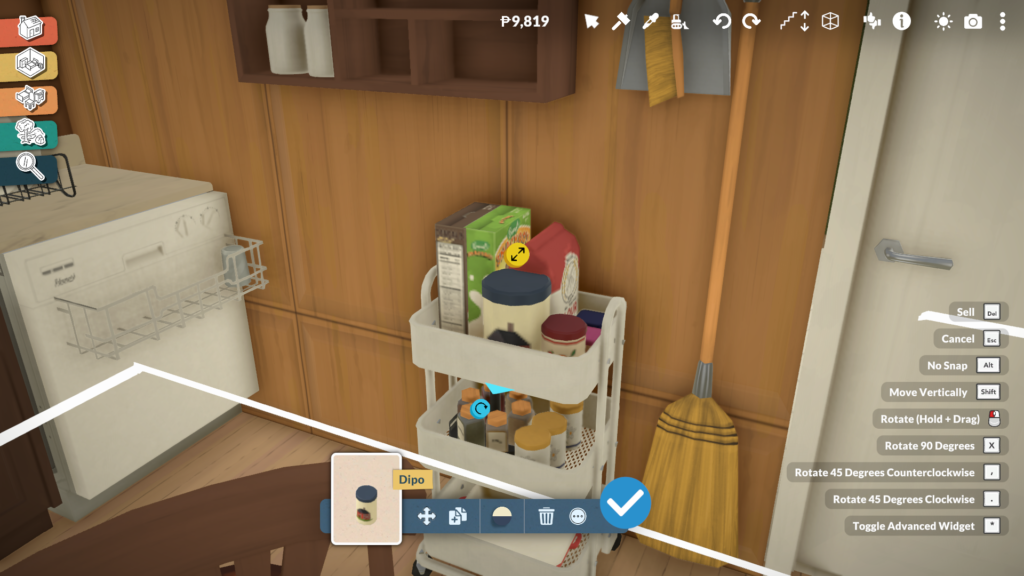
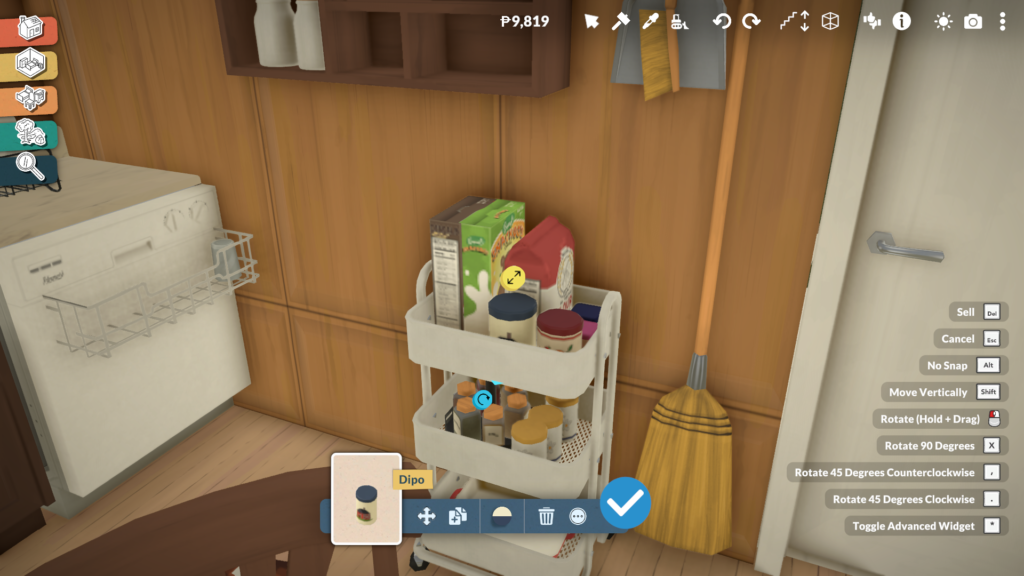
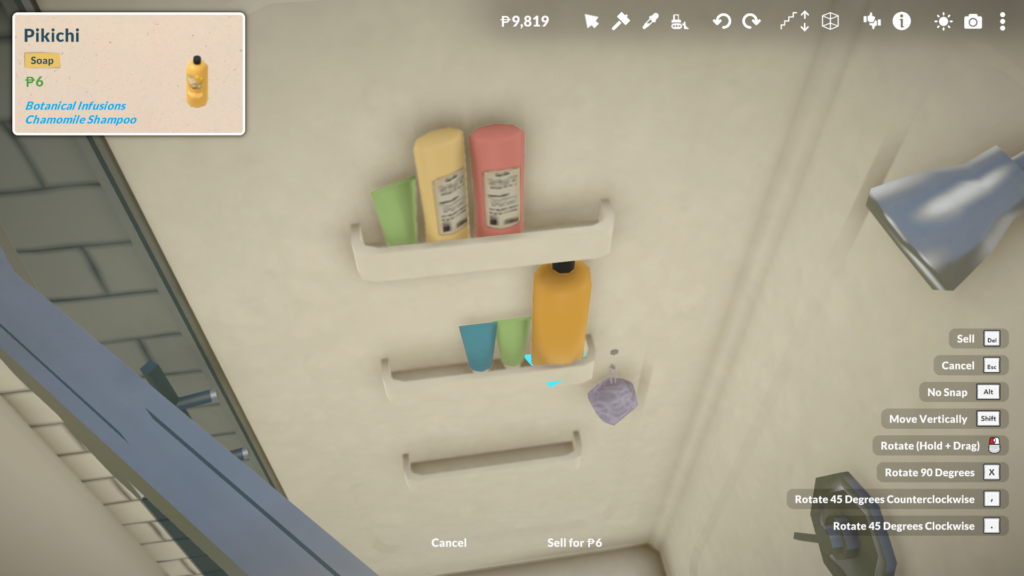
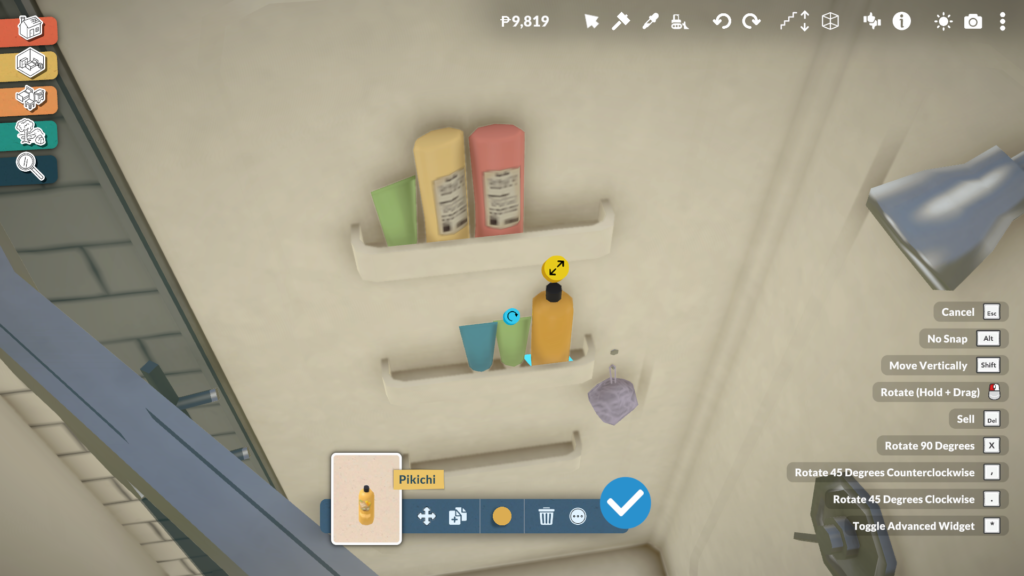
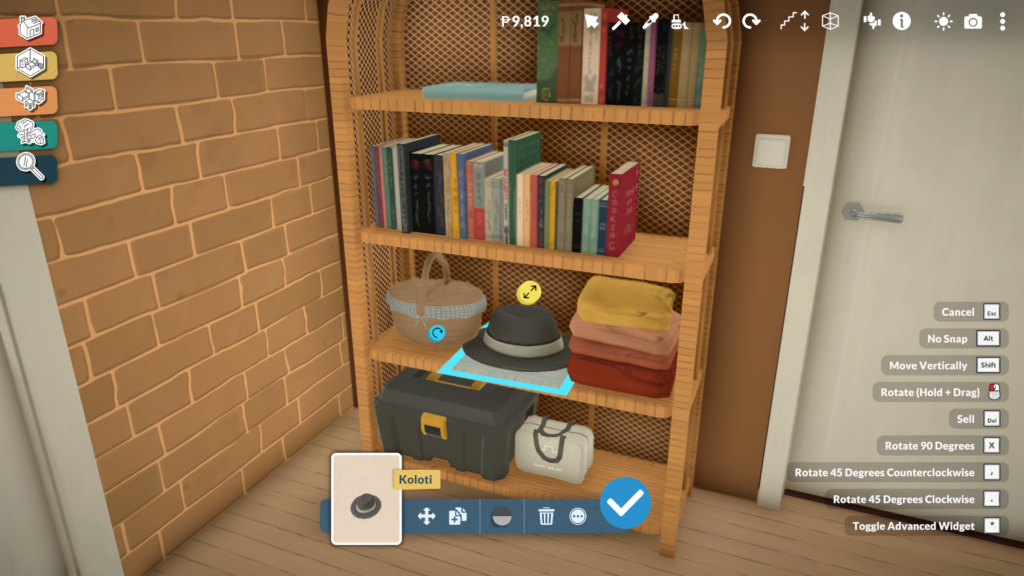
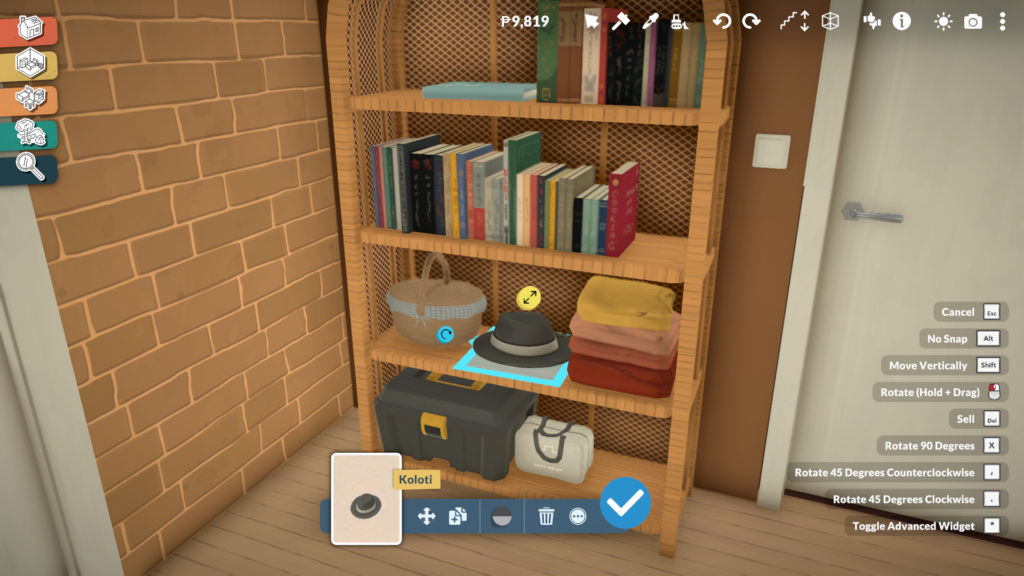
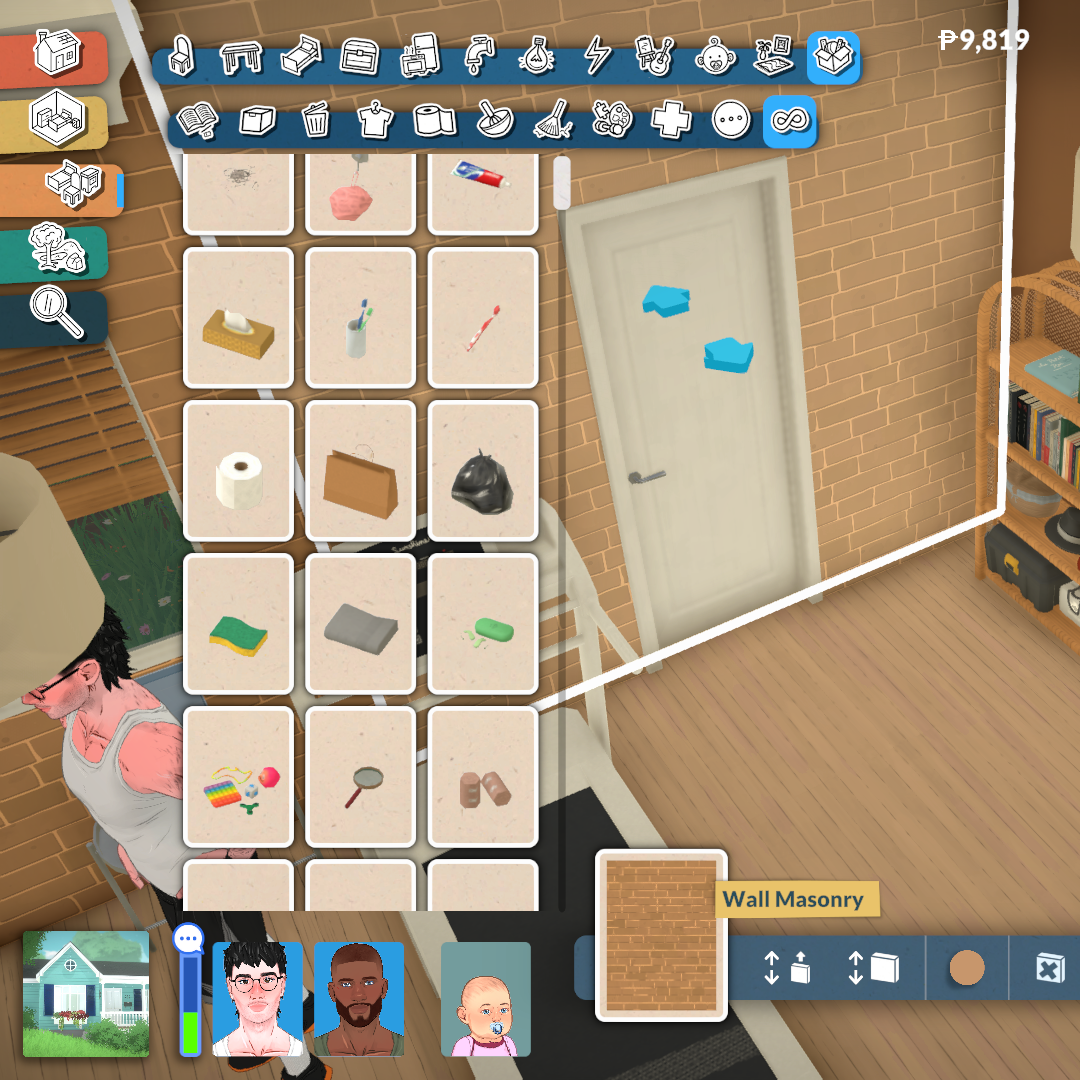
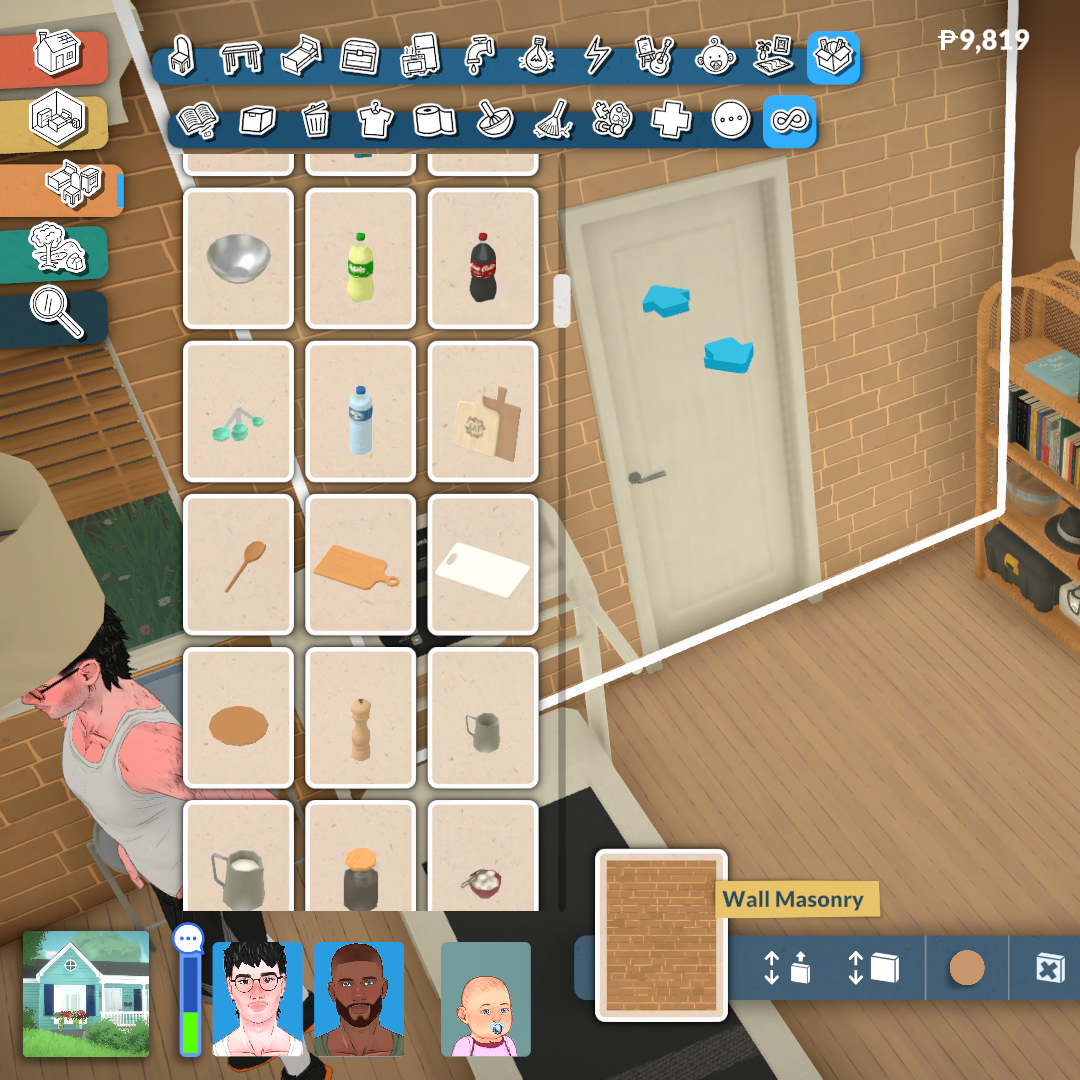
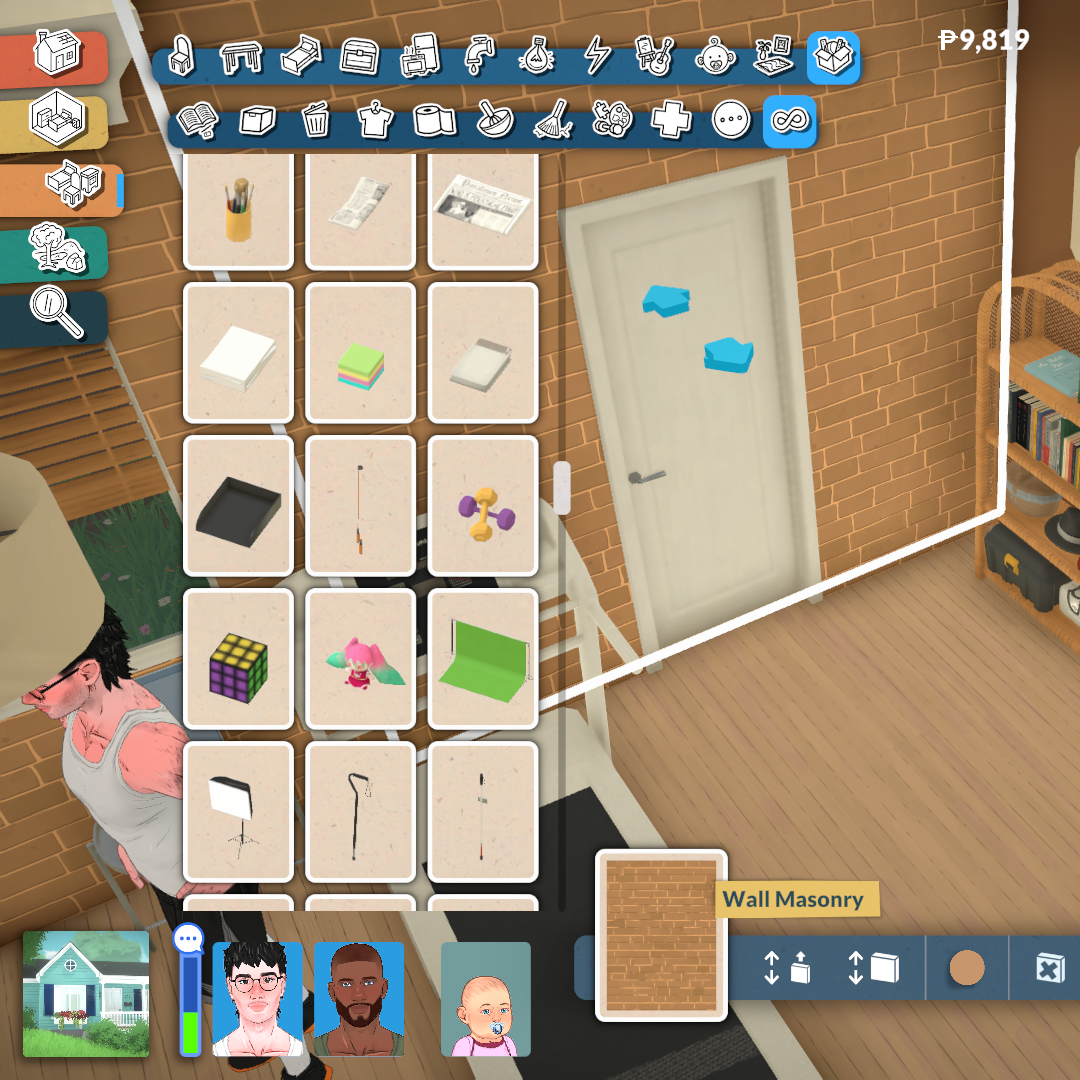
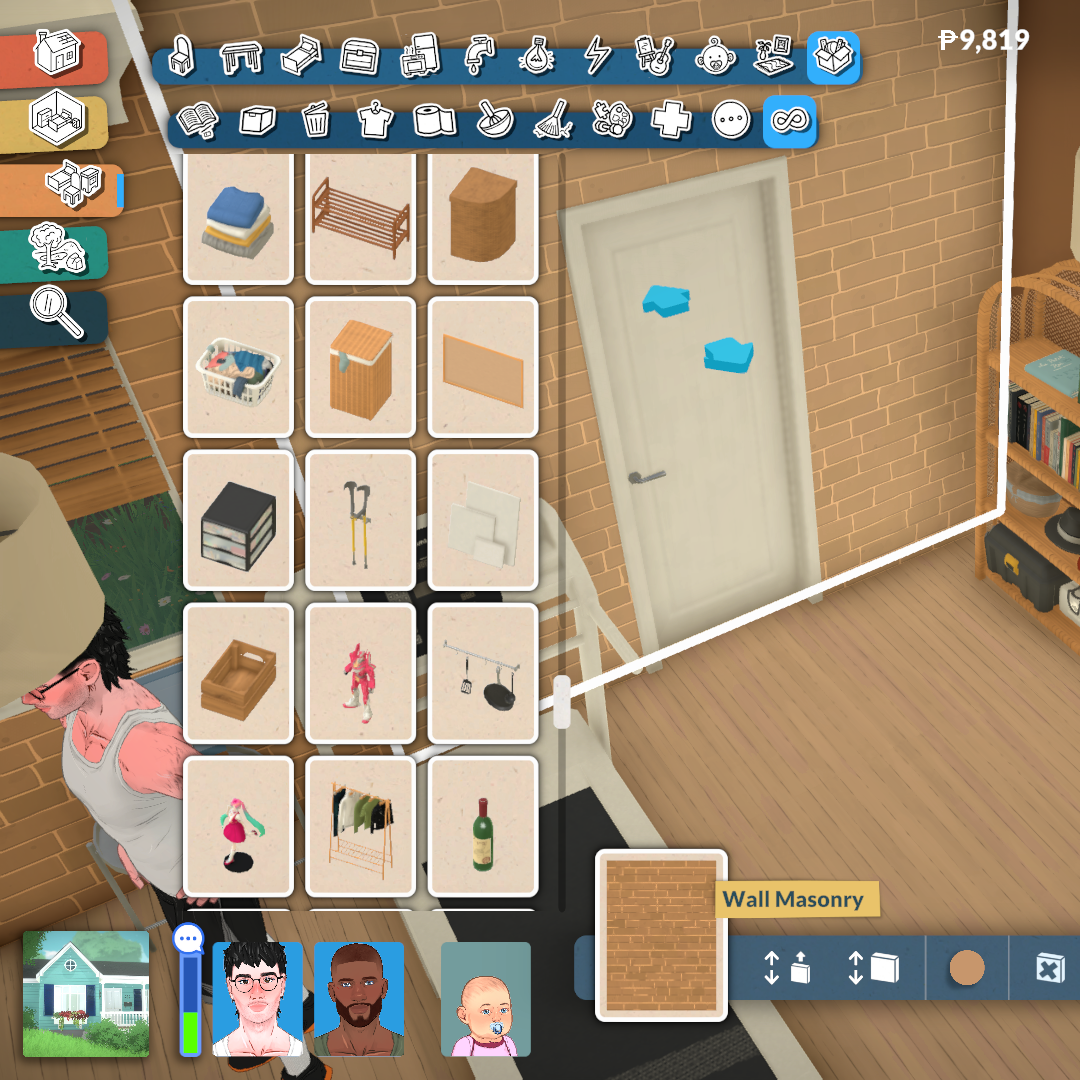
Paralives’ personalization tools are not limited to large furniture pieces. Many decorative clutter objects can also be resized proportionally, allowing players to better adapt smaller items to shelves, bathroom counters, storage spaces, desks, and other surfaces around the house.
Even though most clutter items retain their original proportions when scaled, this feature still adds a surprising amount of flexibility when decorating interiors. Small objects no longer feel locked to a single size, making it easier to create spaces that look more natural, detailed, and less repetitive.
This becomes especially important because many storage surfaces and shelves in Paralives start empty by default, encouraging players to decorate and personalize them manually. For example, even bathroom showers do not automatically include decorative shampoo or soap bottles, meaning players can freely decide how cluttered, minimalist, or lived-in they want each room to feel.
These Systems Reduces Furniture Repetition
One of the biggest advantages of Paralives’ customization systems is how much they reduce the feeling of repetition inside the furniture catalog. In many life simulation games, players often need dozens of separate versions of the same object just to achieve small variations in size, color, or shape. Paralives approaches this differently by allowing players to directly modify many objects instead of searching endlessly through the catalog for slightly altered duplicates.
This characteristic becomes especially noticeable when building kitchens, decorating shelves, or creating cohesive interiors. Instead of relying on multiple versions of the same furniture set, players can resize objects, modify materials, and create personalized color palettes that completely change how an item looks and fits into a room.
As a result, the catalog feels significantly more flexible and efficient, while also giving players more control over how unique their homes and creations can become. It is a design approach that benefits creativity and also helps Paralives avoid one of the most common long-term issues in the life simulation genre: overly repetitive furniture libraries.
Paralives’ object customization systems already demonstrate an impressive level of ambition for an Early Access life simulation game. Features such as modular furniture, resizable objects, adjustable windows, and fully customizable materials show a strong attention to detail that directly impacts how personal and believable player creations can become. Instead of treating modifications as a secondary feature, Paralives places creative freedom at the center of its entire building philosophy.
More importantly, systems like these could have a major impact on the future expectations of the genre itself. For years, life simulation players have become used to working around limitations in furniture catalogs, object sizes, or fixed color palettes. Paralives challenges many of those restrictions by giving players tools that adapt to their creativity rather than forcing creativity to adapt to the game’s assets. Even in its current Early Access state, the game already hints at how much more flexible and player-driven building systems could become in future life simulation titles.
What do you think about Paralives’ object customization systems so far? Do you think features like modular furniture, custom styles, and resizable objects could change the future of life simulation games?
Let us know in the comments, and don’t forget to check out more of our Paralives reviews, guides, and Early Access coverage here at Sims Community.





2 Comments
Thanks for the detailed description! Looking for testing it !
This game is awesome!
Welcome to Sims Community!
Our community is about connecting people through open and thoughtful conversations. We want our readers to share their views and exchange ideas in a safe space.
In order to do so, we've created a simple set of rules that will improve your experience. Simply put, keep it civil.
Your post will/might be rejected if it contains:
User accounts will/might be blocked if we notice:
So, how can you be a power user?
Thanks for reading our community guidelines. Please note that we're aware of certain issues with Sign In / Log In and Create Account / Email Confirmation issues. We're working behind-the-scenes on a new Account Creation process. Thank you for your patience and remember - freedom of speech is not freedom of reach