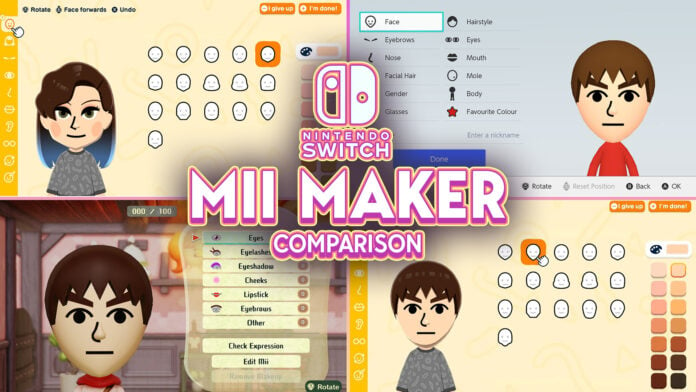
Let’s take a look at how Nintendo expanded Tomodachi Life’s Mii Maker compared to others on Nintendo Switch.
As Tomodachi Life: Living the Dream is a Mii-focused game by Nintendo, it introduces new Mii customization options that builds on Miis. However, instead of sticking with clothing and voice, one of the biggest additions in the game is the improved Mii Maker, which allows even more customization than the system’s Mii Maker. Let’s take a look at how it compares with Nintendo Switch’s Mii Maker.
Table of Contents
Looking into the System’s Mii Maker
Before looking into what’s new in Tomodachi Life’s Mii Maker, let’s take a look at what the system’s Mii Maker introduced.
The Mii Maker for Switch and Switch 2 can be found in the System Settings. Its main improvement is expanded color options for Mii parts, such as hair, eyebrows, eyes, mouth, facial hair, and glasses (with the exception of skin color). Instead of choosing from a limited amount of colors tailored to the part, players can expand the options to 100 different colors. In addition, there are also some new skin colors and glasses.
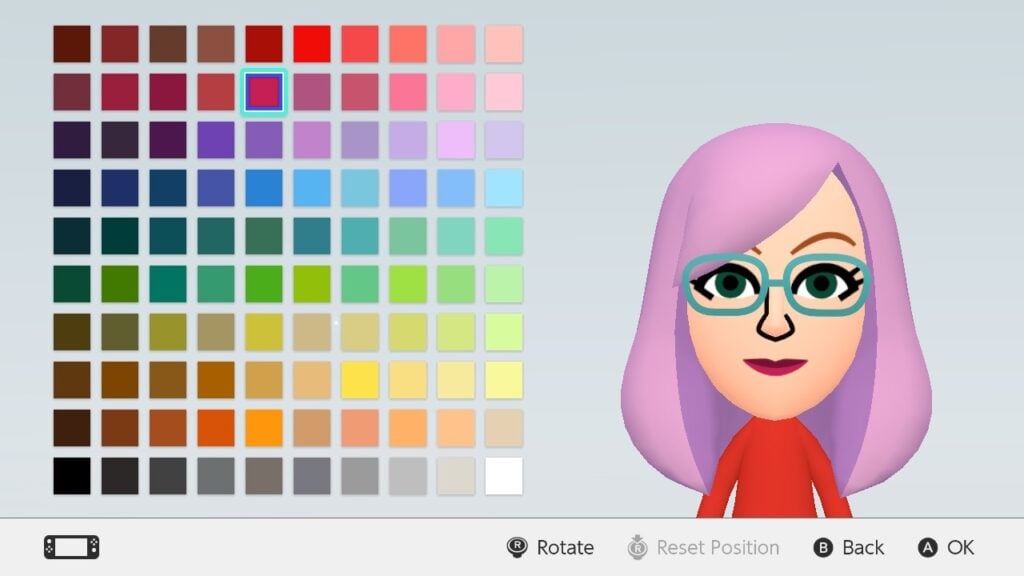
Upon starting to create a new Mii, players can choose between Start from Scratch, Create from Likeness, and Copy Mii from amiibo. When creating from likeness, the player is prompted to choose a gender/style, after which 18 randomly generated Miis are presented. If none of them look good, the player can press the Y button to refresh the choices. After choosing one, you’ll be taken to the Mii Maker. Copy Mii from amiibo will copy the Mii set as the owner of the amiibo figurine. This is the only way to transfer Miis from Wii U and 3DS consoles though.
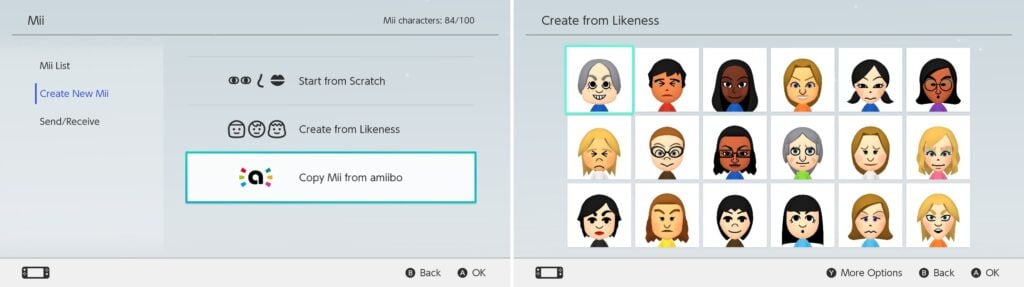
In Switch 2, the only change made was renaming gender to style. However, as all other options remain the same, Switch 2 Miis are essentially the same as Switch 1 Miis as they can be transferred between the consoles easily.
Some things lost however are the birthday date and sharing settings. In addition, moving the Mii Maker from the Home Menu into the System Settings has made many Switch owners overlook it. However, as system settings no longer require you to close the game, some games allow you to create a Mii from the Mii Maker before continuing. The application also lacks music (unless activated through a game).
Miis made on the system can be transferred to Tomodachi Life: Living the Dream by ‘Create from Mii on Console’ button. They can also be shared to other Switch and Switch 2 owners locally.
Miitopia’s Innovations for Miis
Miitopia is a 3DS port released for Switch on 21th of May 2021. It’s the first Mii-centered game on Switch, being an RPG that uses some Tomodachi Life elements like relationships and unpredictability of Miis. When creating a new Mii in the game however, you will be taken to the system’s Mii Maker first. However, more options open up after the character is created.
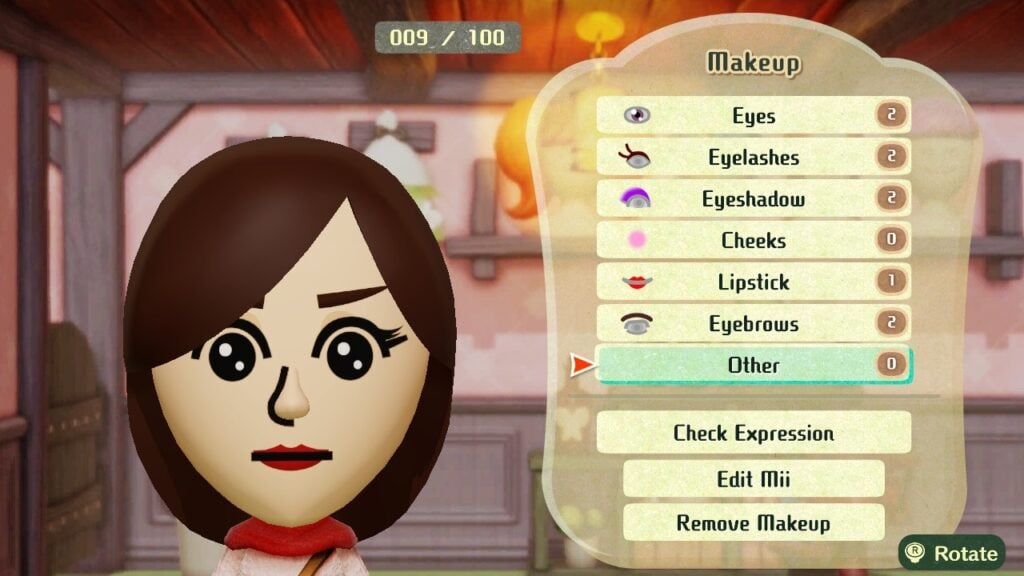
One of the new features in the port is Wigs and Makeup. This allows more expanded customization options like Tomodachi Life does. However, make-up allows customization of each part individually, making them work with the parts better than Tomodachi Life’s drawings.
In Makeup, after choosing a category, you can add new makeup elements to your Mii, from pre-sets to simple shapes. After adding one, options to edit makeup (position, size, rotation, and color), delete makeup, and change layering become available. For makeup that gets mirrored like eyes, it is possible to edit each side separately. Under Other category, it is possible to change the color of the face, nose, and eyes separately (unlike Tomodachi Life, Miitopia allows heterochromia). For glasses and eyebrows, the game allows you to remove the original Mii part, giving you an empty canvas to work on these.
There are limits however. While each category can have multiple makeup elements, overall each Mii can have up to 100 makeup elements. Due to mirroring, eyes, eyelashes, eyeshadows, and eyebrows will count as two. And there are times when Miis are shown in game without make-up, for example when looking through the Monster collection.
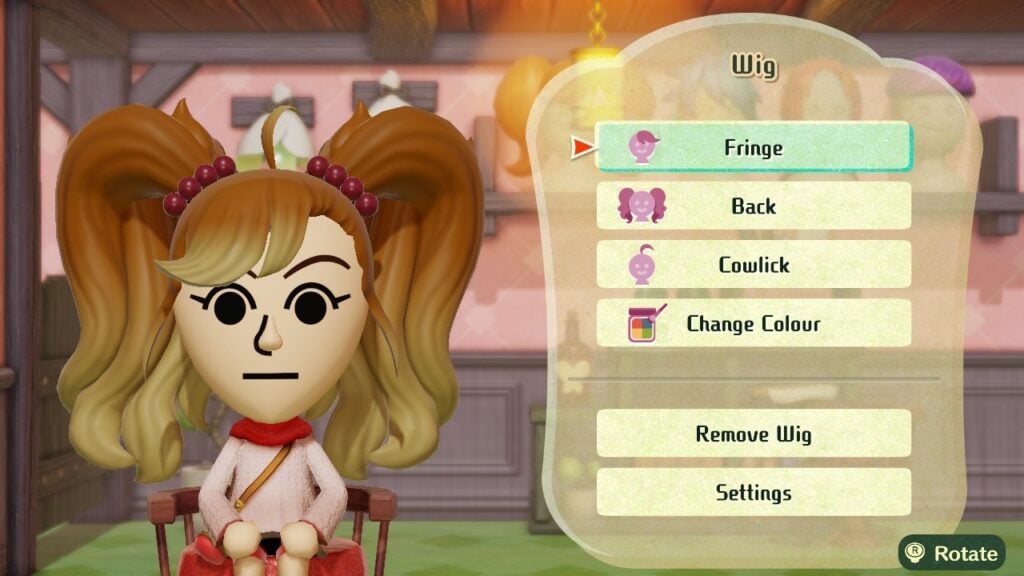
However, wigs are a separate customizable ‘hat’ for Miis that look like animated hair. However, wigs are customizable in three parts: bangs, back, and cowlick. These have some limitations though. Miis wearing wigs can’t wear hats in-game, with a setting to remove the wig when the Mii is out on an adventure. In addition, status effects that affect the hair color (like aging) won’t change the wig’s color.
While Miis made on Miitopia can’t be directly brought to Tomodachi Life, they can be added to System’s Mii Maker (removing their make-up and wigs in the process). However, Miitopia allows Mii sharing with Access Codes, allowing people to share their Miis and download others’ over the internet (Nintendo Switch Online membership required).
Tomodachi Life Improvements
Tomodachi Life: Living the Dream brought some big improvements to Miis. So big that the game features its own Mii Maker complete with music to create new Miis, though system’s Miis can be imported there. However, due to Mii improvements, Miis in Tomodachi Life cannot be brought to the system’s Mii Maker.
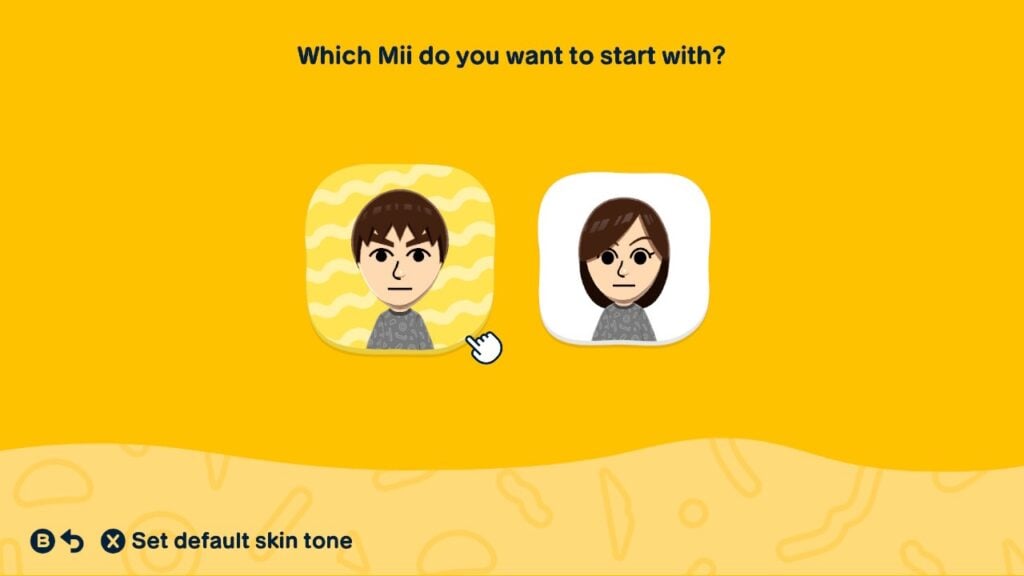
When beginning, players are given 4 choices: using prompts, from scratch, create from Mii on console, and create based on existing island Mii. Creating from scratch begins from choosing a default Mii to start from, with now an option to change the default skin tone.
Creating using prompts will have the game ask the players questions on the features. After questions are answered, a Mii is generated, with an option to start over, tweak it, or go with it. When choosing to tweak, other similar faces are presented, akin to Wii’s ‘Choose from a lookalike’ option. In addition, certain parts can also be locked from the Shuffle menu. To enter the usual Mii maker, simply select Adjust the details button.
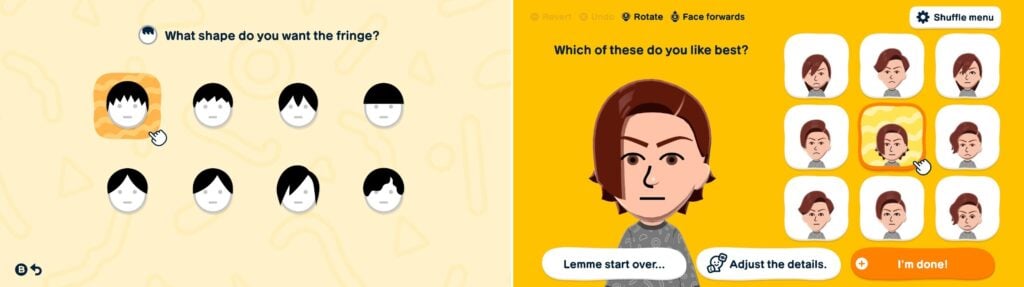
There are a lot of new options in each part. Here’s the count of how many parts were added into each category alongside with the picture showing it:
| Part Category | Amount of New Parts | Added Modifiers | Picture of New Parts |
|---|---|---|---|
| Face Shapes | 4 | More skin colors with 4 extra natural colors |  |
| Hairstyles | 115 (2 with hats removed) | Sub-colors Fringe and back Tying style for Back | 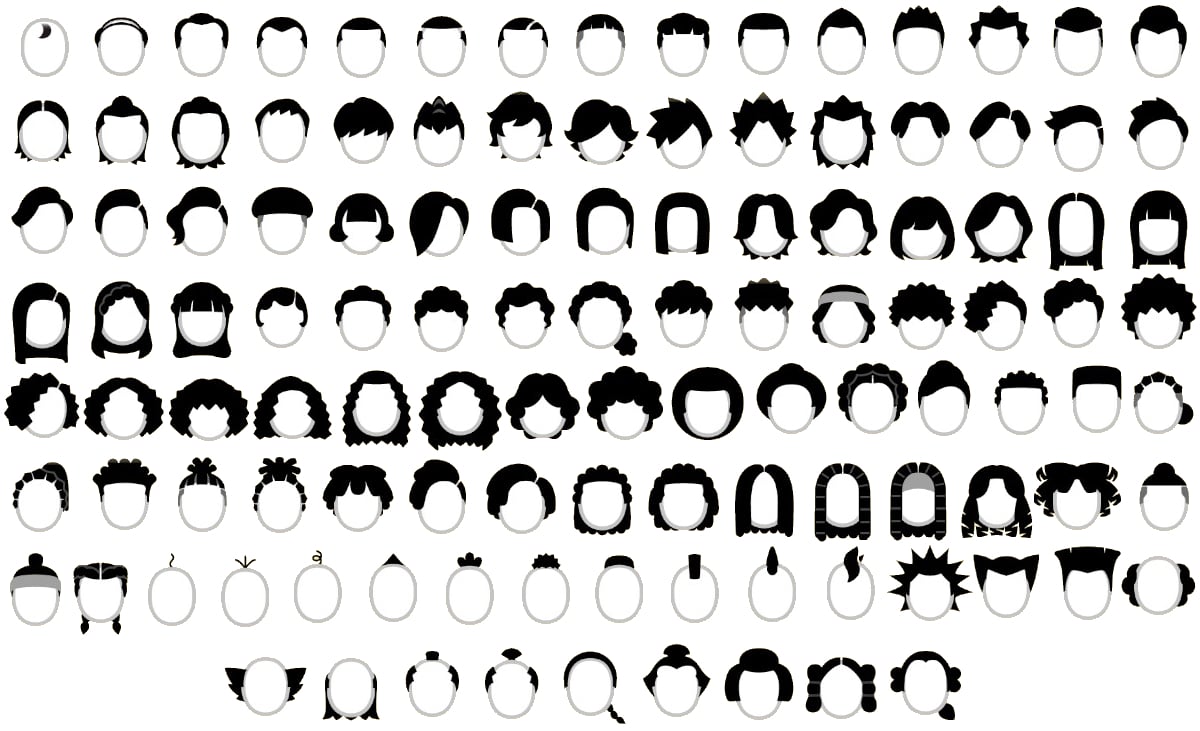 |
| Eyebrows | 19 | – | 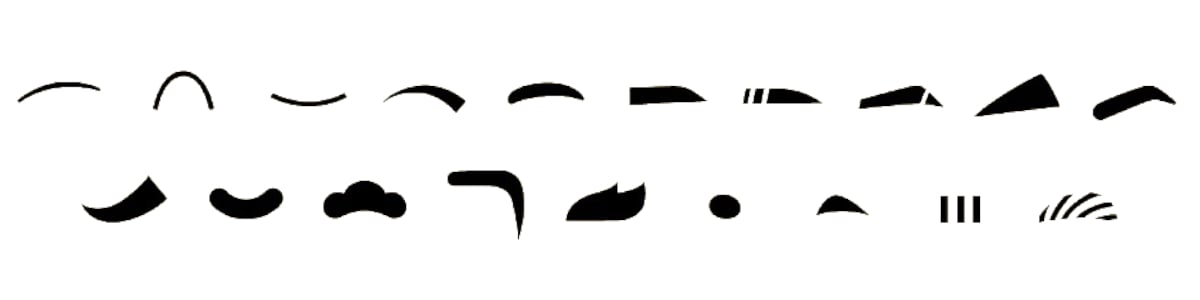 |
| Eyes | 15 (+ None) | Eye customization options | 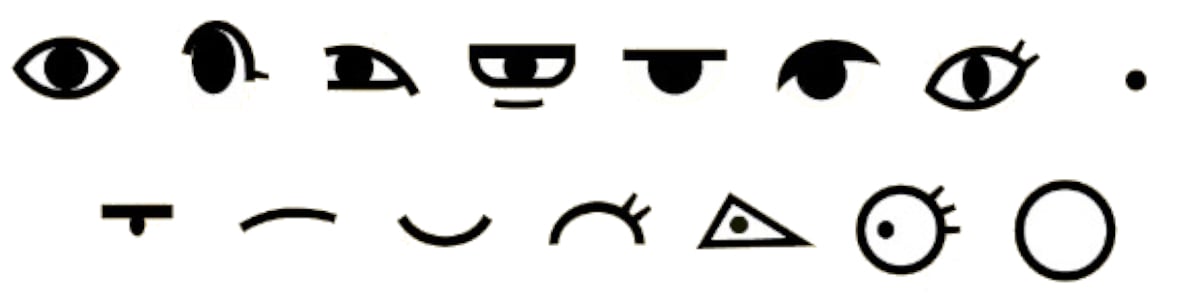 |
| Noses | 13 (+ None) | – | 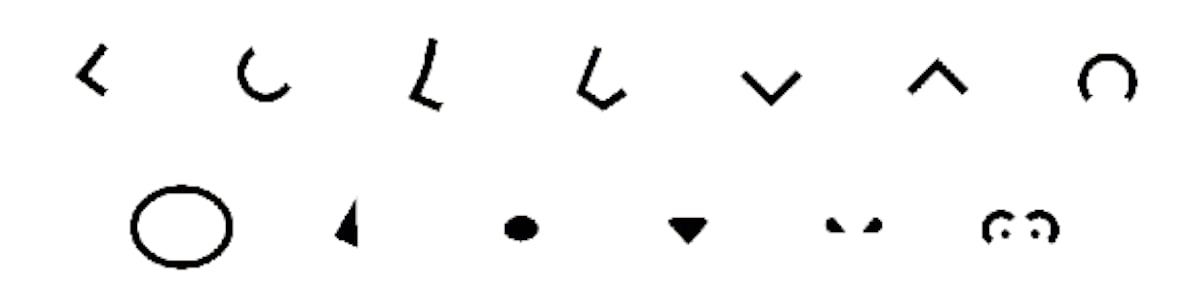 |
| Mouths | 16 (+ None) | Rotation Add/Remove Lipstick | 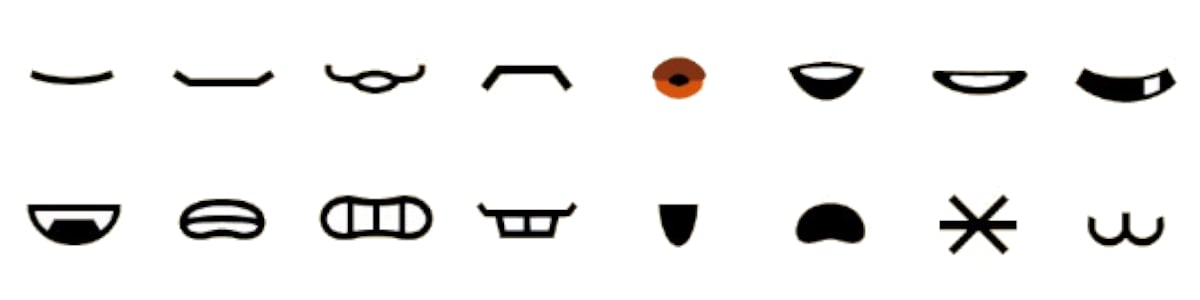 |
| Glasses | 38 | Frame color (for sunglasses) Stretch/Shrink | 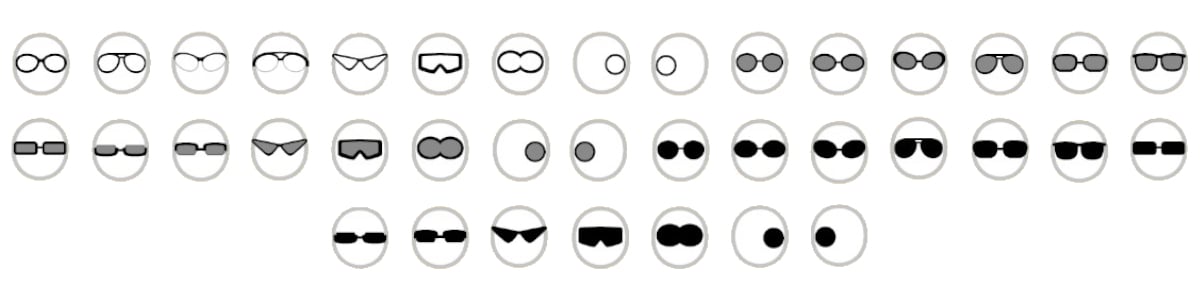 |
| Facial Hair | 30 (2D & 3D separated) | Flip Stretch/Shrink | 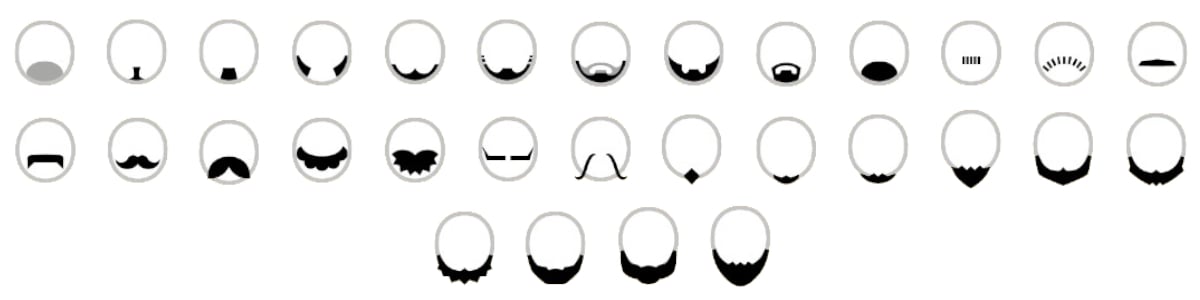 |
| Wrinkles | 10 (+ 1 set separated) | Change Position Change size Stretch/Shrink | 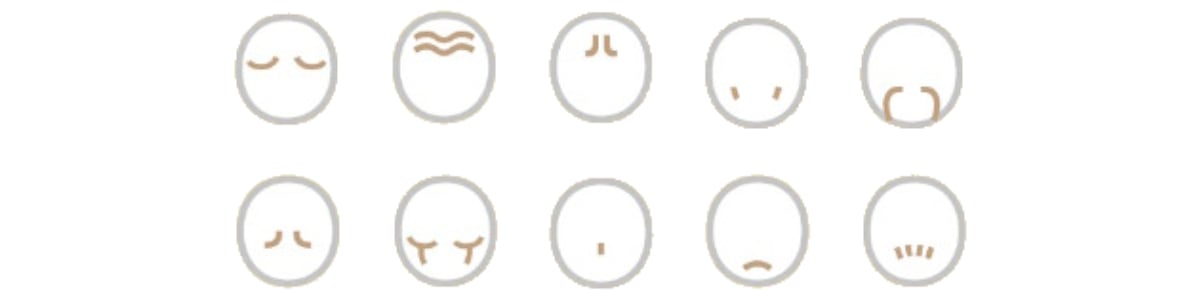 |
| Facial Details | 6 (Sets separated) | Change Color Change Position Change size Stretch/Shrink | 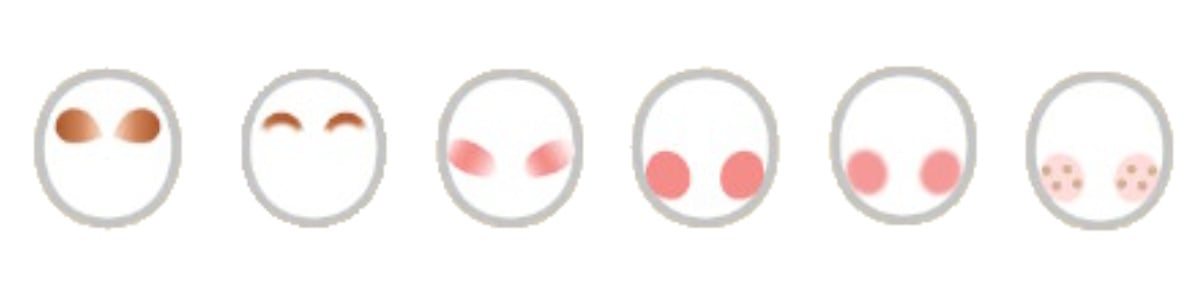 |
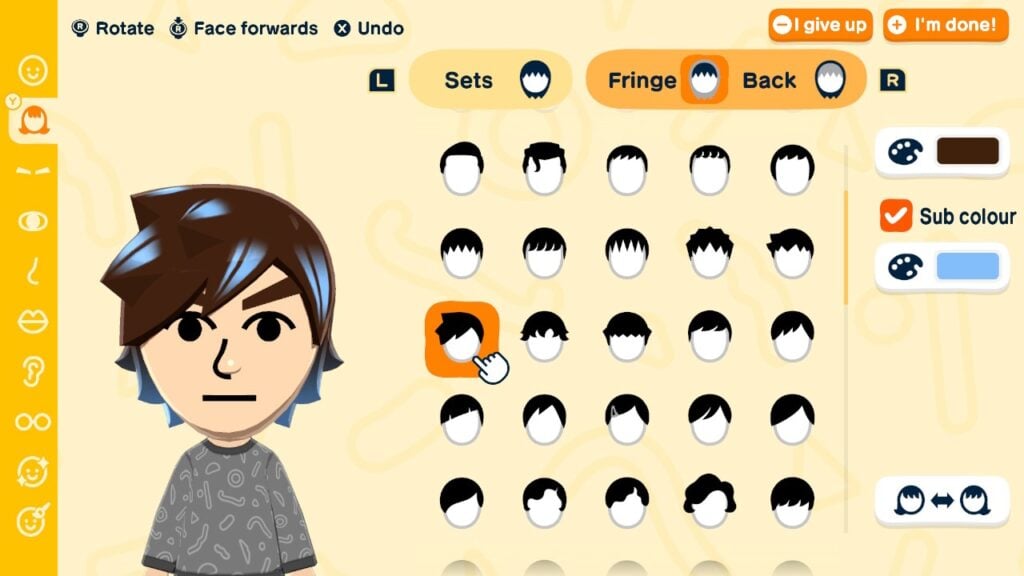
Hairstyles have received a visual overhaul, with texture and movement added to it. While all the original hairstyles (except the two variants with hats) are in the game, there are more hairstyles to choose from, with an additional ability to create a new hairstyle by choosing a fringe and a back separately. There are 83 fringes and 111 backs to choose from, with some backs allowing you to change the tying style.
Sub colors can also be added to hairs, changing the color of the accessory (hair tie, headband, ribbon etc) or adding highlights to the hairstyle. If customized with a fringe and back, both of these can have the sub color toggled separately, but they always share the color chosen.
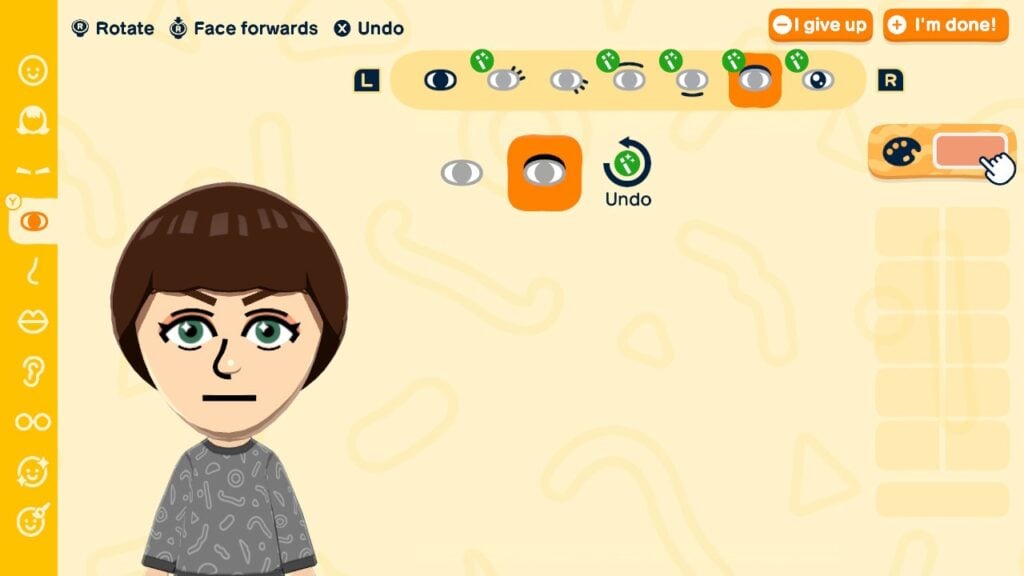
Eyes have received further customization options. After choosing an eye, you can further edit the eyelashes, eyebags, eyeshadows, and even add a sparkle to the eye. Some eyes already come with these details, which can now be removed from there, unlocking more eye shapes. Eyeshadows’ color can now also be changed. While mouths get a simple lipstick toggle, this effectively doubles the mouth shapes availabe.
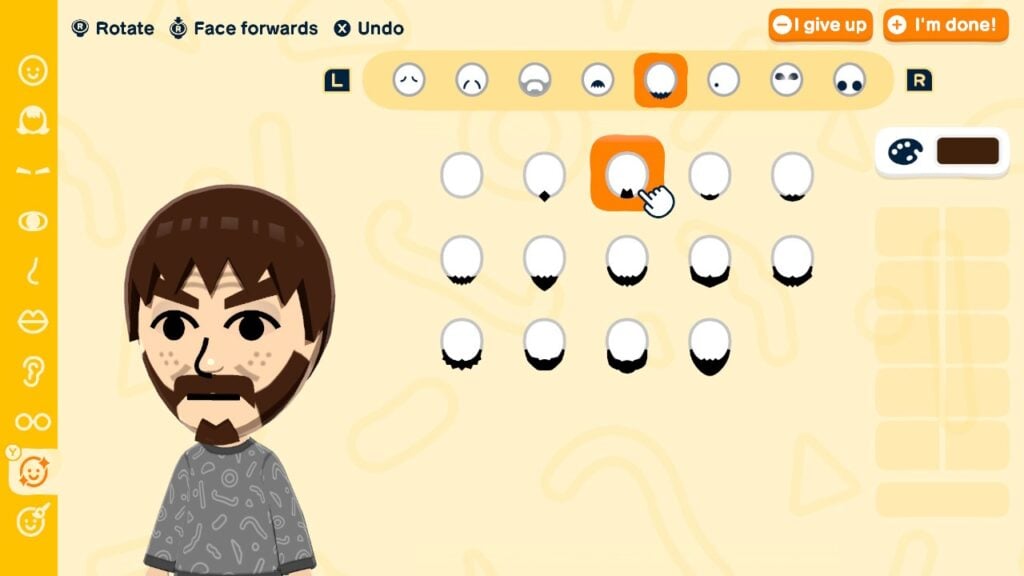
Facial details have been overhauled into a one separate category. For most of them, it is finally possible to change their size and position. Wrinkles are now contained in two categories: upper wrinkles and lower wrinkles. Facial hair is in three categories: stubble (2D beard), beard (3D beard), and mustache (which has been in a separate category before). Finally, upper make-up and lower make-up categories have been added, even allowing players to change their colors.
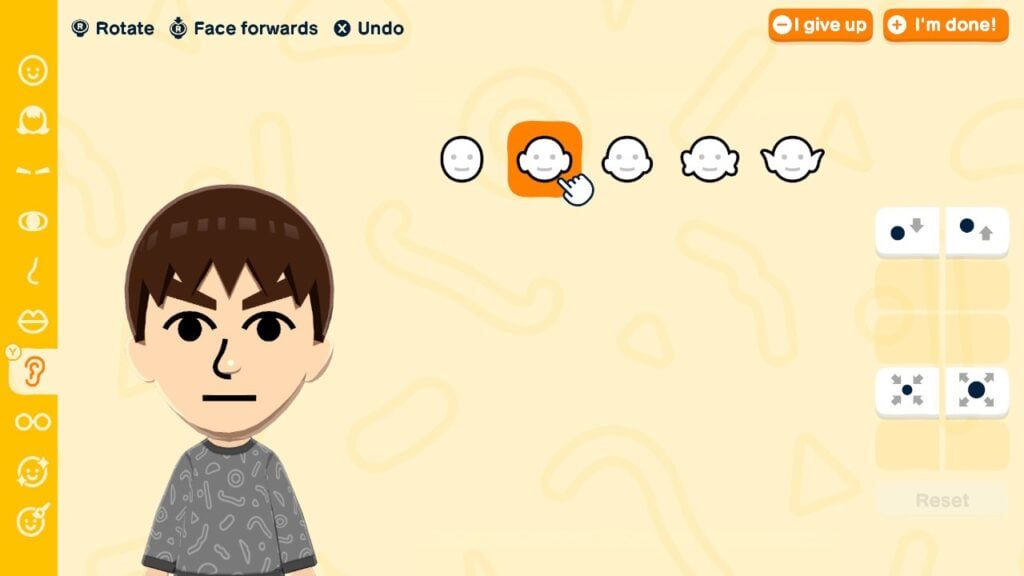
The brand new part category are the ears. Miis were shown with ears in Wii Sports pre-release footage and in Nintendo World attractions. Yet with Tomodachi Life, players are finally able to add them. There are 4 options to choose from, with players being able to change their height (8 options) and size (5 sizes).
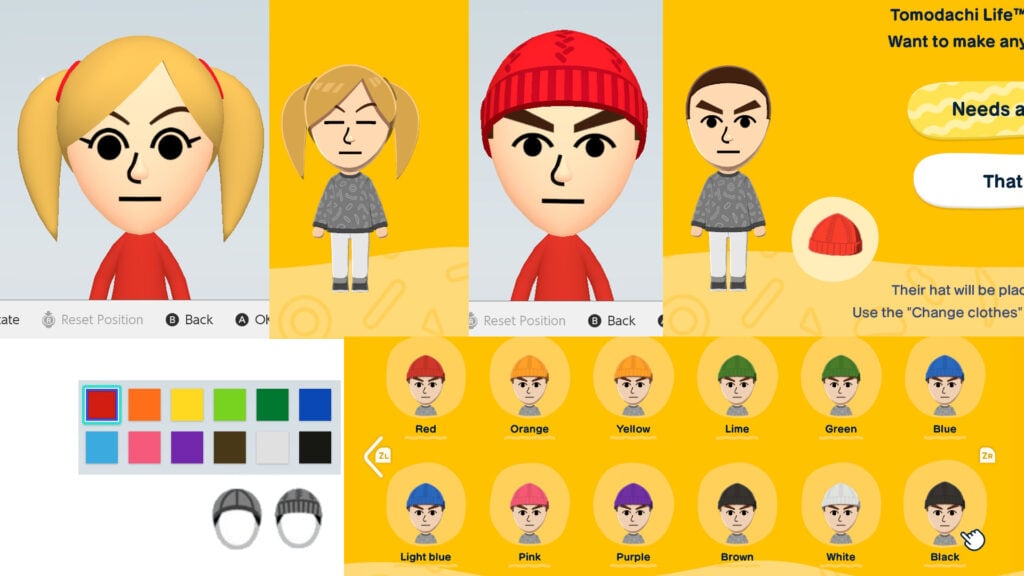
There is one feature removed however: favorite color. This used to determine the color of clothing and equipment Mii would use in games. However, it also affects the color of hair accessories, be it hats or hair ties. If you import such Mii to Tomodachi Life: Living the Dream, the hair appearance will change. Hair ties will take the same color as the hair and Miis with hats will get a free hat in their clothing inventory (Plain baseball cap or Plain beanie), which may not match the Mii’s favorite color. Below is the picture which favorite color translates to which hat color.
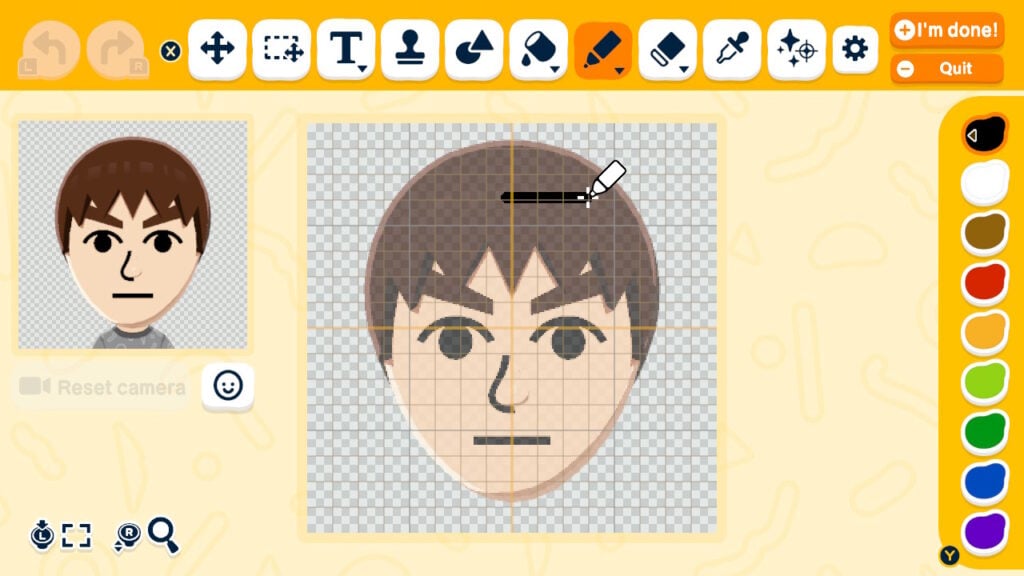
Finally, face paints have been added, allowing further customization by drawing. For inspiration on what to draw, check out this article. It is worth keeping in mind that these parts aren’t animated.
After the face is done, body type selection remains the same. The character limit for Mii’s name has been increased from 10 to 31, though if the name won’t fit into the bubble inputted in, fewer letters can be entered. Birthdays make a comeback, alongside with some other Tomodachi Life staples like voice and personality. Relations can also be set between any Mii, rather than the first Mii in the previous games.
The final improvement is the gender and dating preference. After creating a Mii, you can choose their gender from 3 options. If you import from Mii Maker, the gender is pre-set, but can be changed. This will affect the initial dating preference, event outfits, and pronouns. Dating preferences can be changed by pressing X in the gender selection, while the others can be changed after choosing the personality. The gender and dating preference can also now be changed anytime during the gameplay, though it will end the incompatible relationships if done so, reverting the couple back to friends.
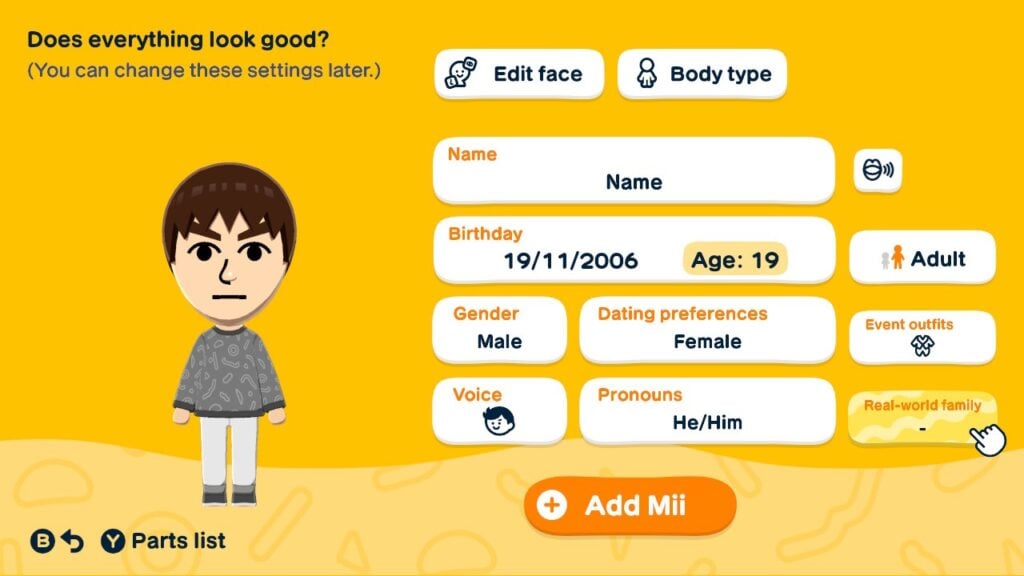
Miis created in Tomodachi Life: Living the Dream can only be shared locally. Miis shared that way will also retain phrases, quirks, and clothing given by the player.
Conclusion
Tomodachi Life: Living The Dream’s Mii Maker is a huge step towards modernizing and improving Mii characters, be it creating human or non-human characters. While this removes the option to transfer Miis from Tomodachi Life: Living the Dream to the system, there still remains a question: when will the possibilities become available to the system’s Mii Maker? Whether it’ll come with Switch 2 update or in the next console, only the time will tell.
So what do you think about the Mii improvements? Would you like to see Tomodachi Life: Living the Dream’s possibilities in the system’s Mii Maker? Share your opinions down below and stay tuned to Sims Community for more original LifeSim articles.