


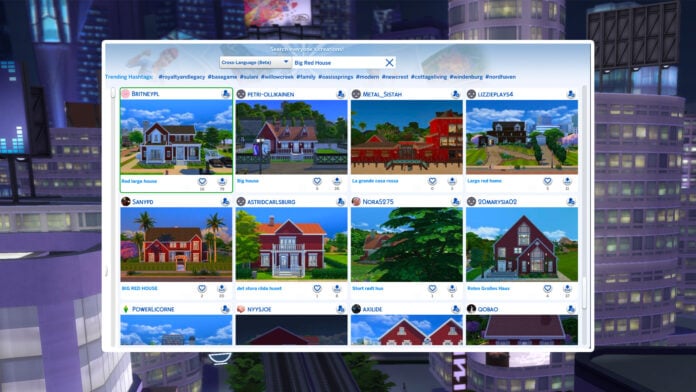
New ways to search the gallery have arrived in-game; say hello to the Sims 4 SimSearch features. Let’s put it to the test and see if it’s a worthy addition to the game.
Table of Contents
What Is Sims 4 SimSearch?
The feature was officially announced a few days ago with a blog post explaining in detail what the Sims 4 SimSearch features entail. There are two additional ways for you to search gallery items, Cross-Language and Text-to-Image.
Both of these features are still in their beta phase, so enjoy being an unpaid beta tester for EA.
- Cross-Language (Beta)
- This search option combines and expands on the Item Name and Hashtag searches by also integrating Description text for any matches. As well as looking through different text fields, the search will look at other supported languages to return results where the creator may not speak your set language. This means that if you were to search for “Big Red House,” you would also see results such as Spanish – “Gran Casa Roja,” French – “Grande Maison Rouge,” and German – “Großes Rotes Haus,” all without needing to know additional languages yourself. This allows us to surface more of the creativity on The Gallery which may have been hidden to you in previous searches.
- Results will also be appended by related results acting as “things you may also like” which will open up discoverability for Simmer uploads that may be of interest to you but that you didn’t specifically search for.
- Text-to-Image (beta)
- Initially, this search is limited to Lots and Rooms. Households will not be available while we continue to work on the feature.
- This new search function goes beyond text matching your search criteria with the image you see in The Gallery. If you were to search for “fireplace” you should see results where there is a fireplace or a camp fire within the images. For best results in this example, you can then use the Lots and Rooms filters to narrow in on more suitable results for your needs.
Cross-Language Search
First up we have the least interesting of the Sims 4 SimSearch features, Cross-Language Search. This feature sounds great in theory. Allowing users to search and see items across all different languages is a great way to bring the spotlight to players whose language might not have as large a player base.
Sadly, it doesn’t seem to make a difference at all.
I started my testing using the example from the announcement blog post, “Big Red House.” I had to scroll 15 lines before I saw a single lot that wasn’t English. This was true for sorting by Most Popular and Most Recent.
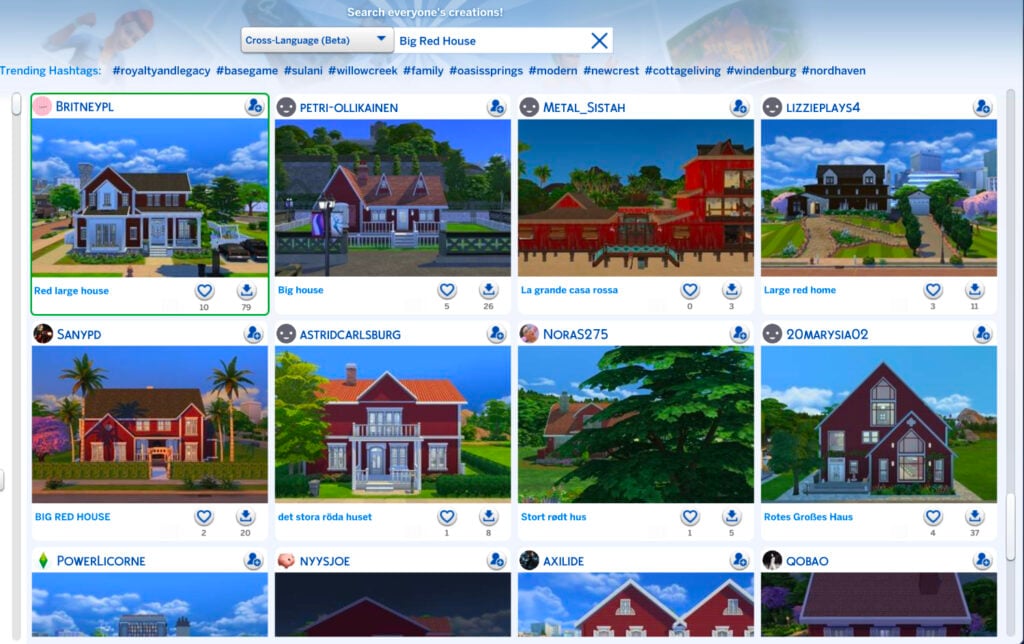
Even more interesting, and sad, is that the results were actually spitting out all kinds of results, in English, or completely different color houses. Some examples included below for the search results of Big Red House include: Little Yellow House, Green House, Blue House, White House, White House, Small Yellow House, and Pretty in Pink.
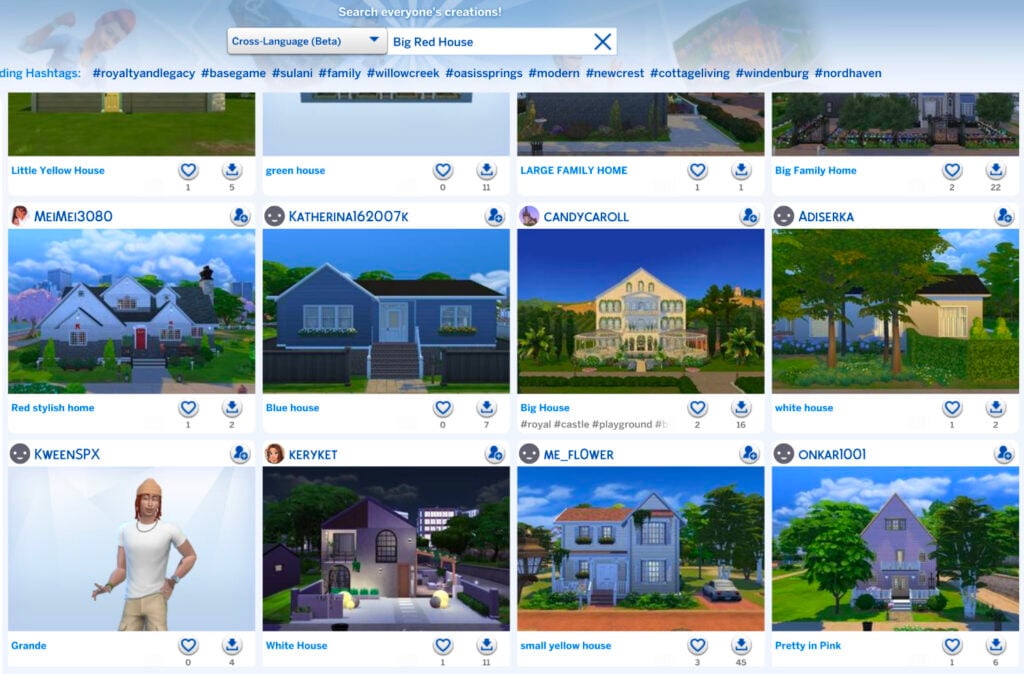
I tried several other searches as well for various lot types such as Floral Garden and Royal Palace, but none of the results included any from a language other than English after scrolling continuously for quite some time.
As I said, it’s a great feature in theory, but if results are going to be overwhelmingly in a player’s native language where they need to scroll for several pages, it’s not really doing much. Even worse is that it’s not even giving results of what is being searched for in the first place.
If the Sims 4 SimSearch features can’t even produce positive results with the literal example given by EA, is the feature really worthy of being implemented for the players? I’d have to personally say no.
Text-to-Image Search
The Text-to-Image concept of the Sims 4 SimSearch features intrigues me, mostly because I’m unsure how beneficial it can actually be for players. The idea is simple, you search for a word or concept and it gives you results that include that item in the screenshots of the lot. The unfortunate part is that most gallery listings have terrible auto-generated photos.
Case in point: My search of “Well Bench Flowers.”
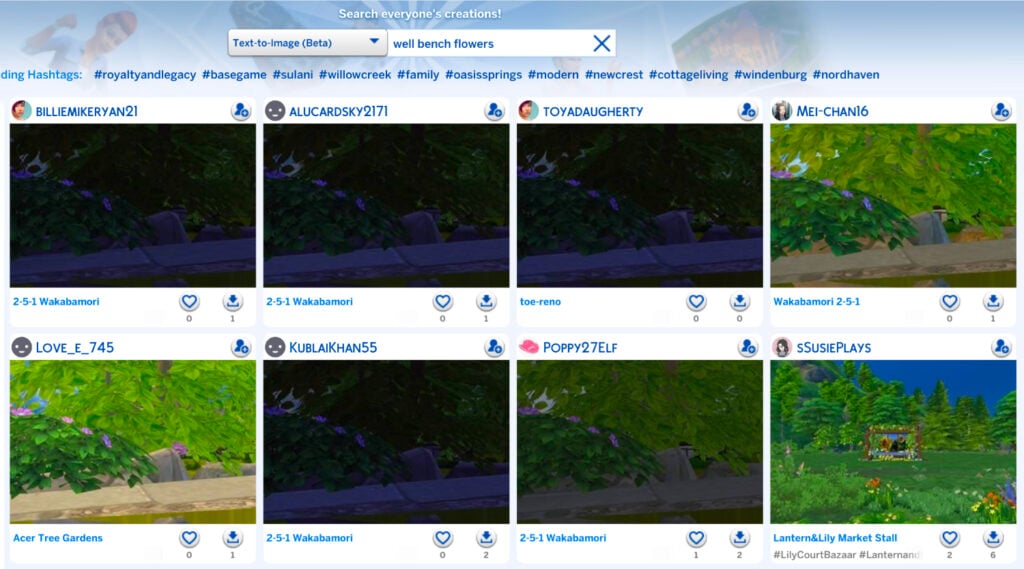
Not only are these results tragic because of the trees covering everything in the default photo, but on further inspection, none of these lots had a visible well aside from the bottom right. For a majority of the results, it didn’t even give me what I had asked for.
I decided to again use their example from the blog post and searched for “Fireplace.” Thankfully, I was actually given results for lots that included fireplaces. So, I guess that’s a win? I’m unsure how beneficial this will be to players, though, because I can’t fathom who is going to download a house they can barely see just because it includes a close-up of a chimney.
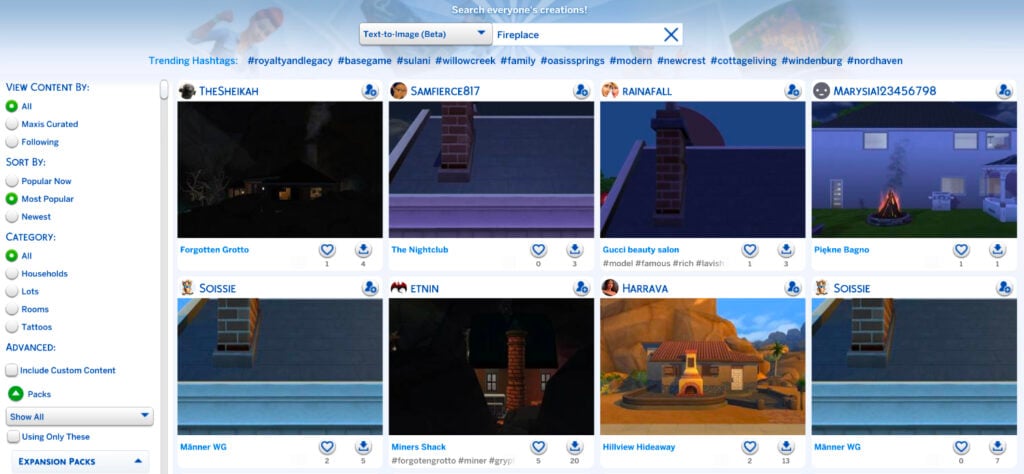
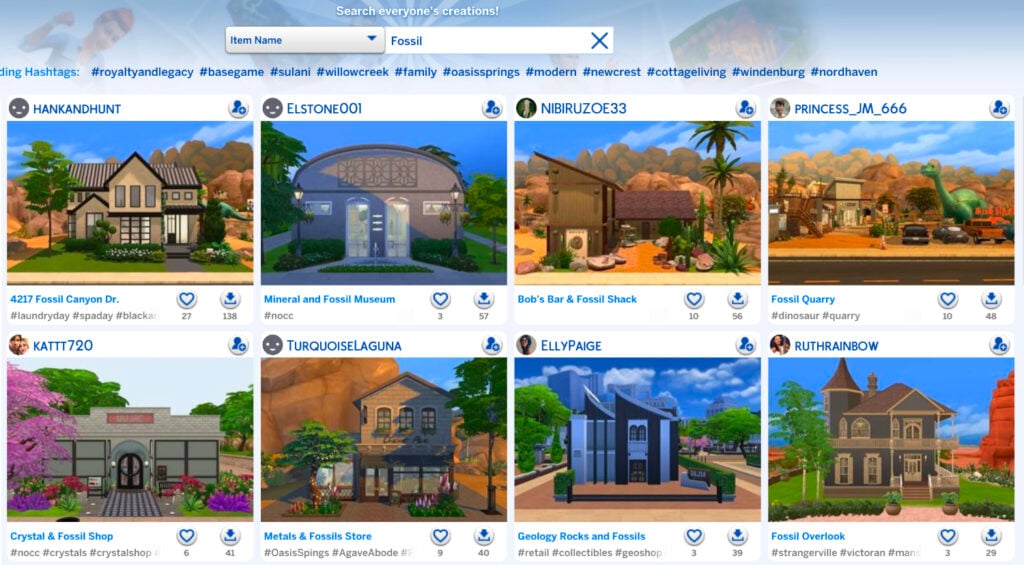
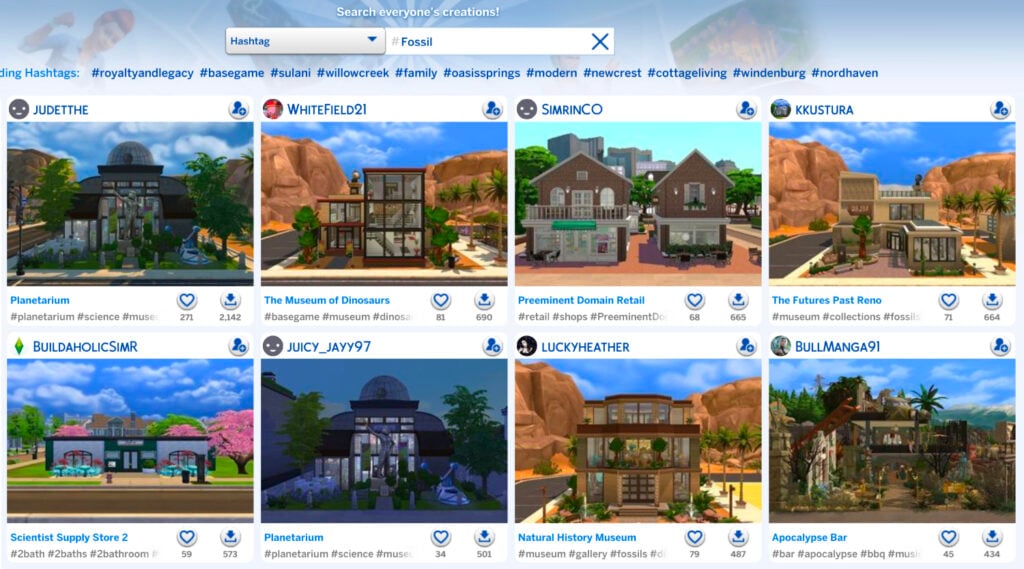
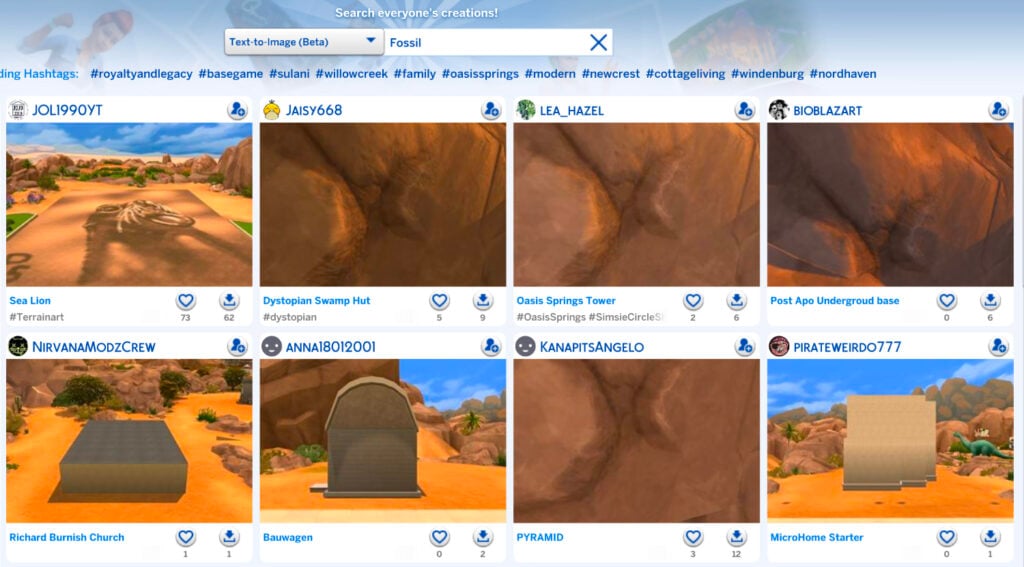
I decided to push further and do some comparisons between the different types of searches to see if the text-to-image function of the Sims 4 SimSearch features produced better results than the original search types.
First, I searched “Fossil” with the Item Name feature. I think the results are pretty great.
I then did the same search of “Fossil” with the Hashtag function. Again, great results.
Lastly, I used the text-to-image function for “Fossil” and the results are… these.
Maybe my search was too uninspired. I decided to try “Royal Palace” like I did for the Cross-Language function.
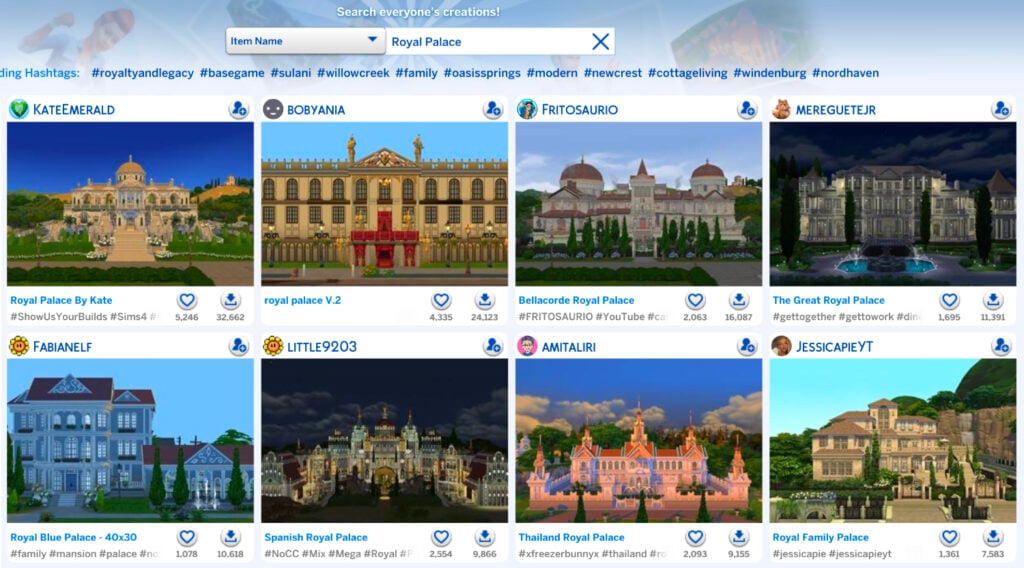
The results for “Royal Palace” by item name are as expected.
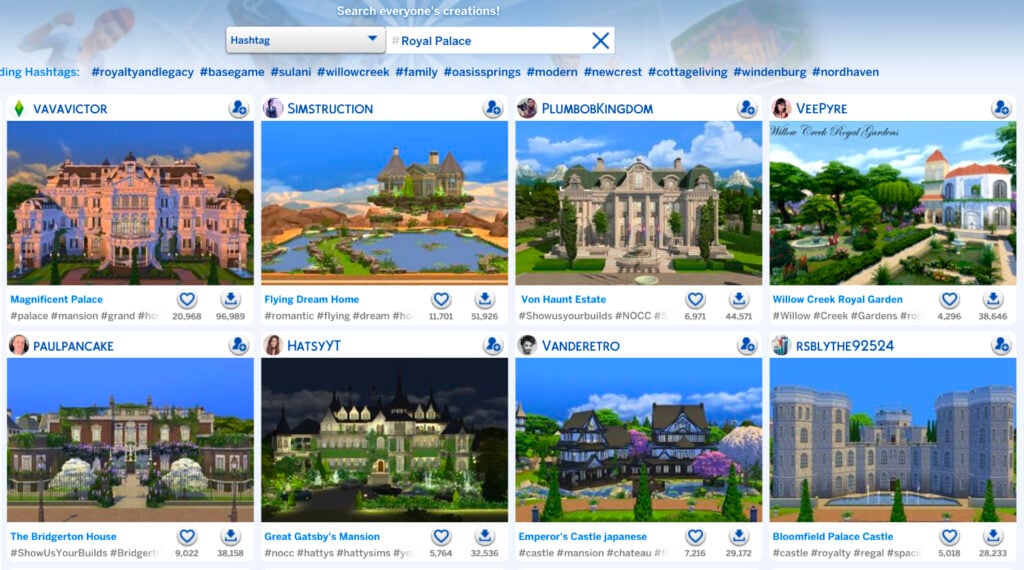
The Hashtag function for “Royal Palace” as essentially the same.
It was time for the moment of truth. “Royal Palace” by way of text-to-image.
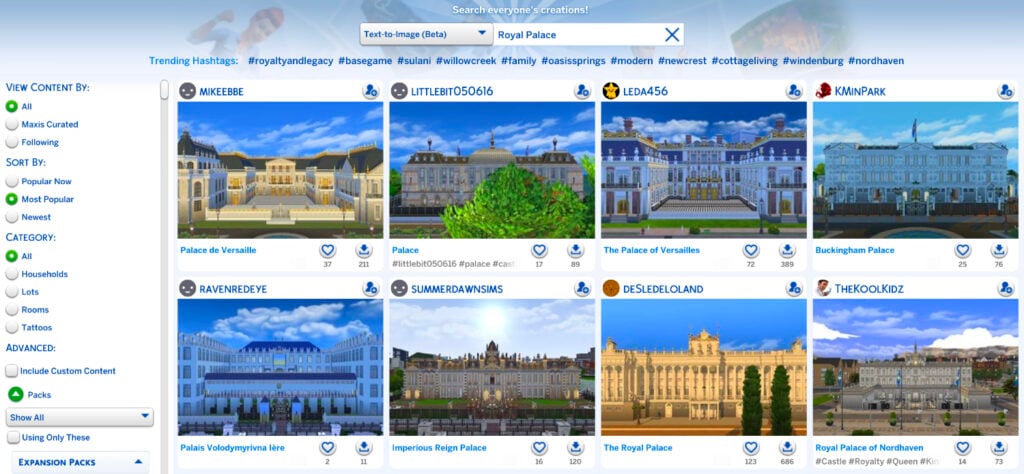
Well, would you look at that. Those are the best results so far for any of the Sims 4 SimSearch features. Maybe there’s hope for it after all.
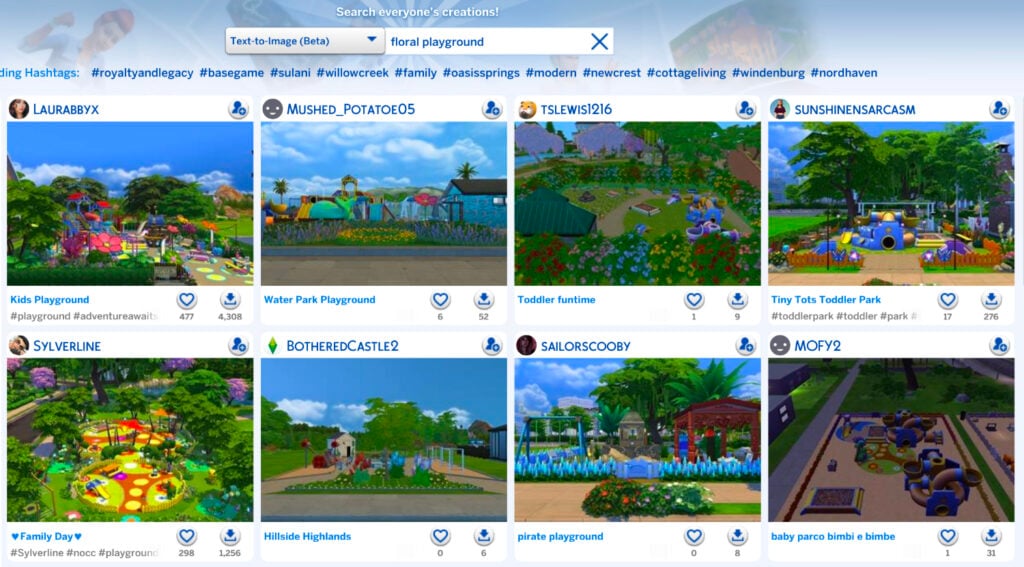
One of the biggest drawbacks of the text-to-image search, however, is the 25 character limit. Your searches can’t be descriptive, wordy, or include several different items because you’ll run out of characters before you’re done. Simple searches only, like when I searched “Floral Playground.”
As it stands, the Sims 4 SimSearch features aren’t the greatest. They’re great in theory and rough in execution. As mentioned, they’re still in their beta phase, so they have tons of room to grow. We’ll see what the future has in store for the Sims 4 SimSearch features as they move beyond their infancy.
What do you think? Are these features you’ll be using or do you find them lacking? Do you see a future for them with improvements or are they a lost cause? Let us know what you think below.
For even more news and coverage about all things Sims 4, head over here.
















Time and time again “Sadly, it doesn’t seem to make a difference at all” is the normal of Sims devs, like the recent 150 bug fixes. So tired of winning.
It does make a diference with the changes ther do in these fixes tbough. But ts4 is still ts4 and certain designe choices ar indeed not bugs. You might jzst be bored of the gane as it is
Nope, I’m not bored, in fact I play the Sims4 every day, and yep, is does not make a difference: watch