

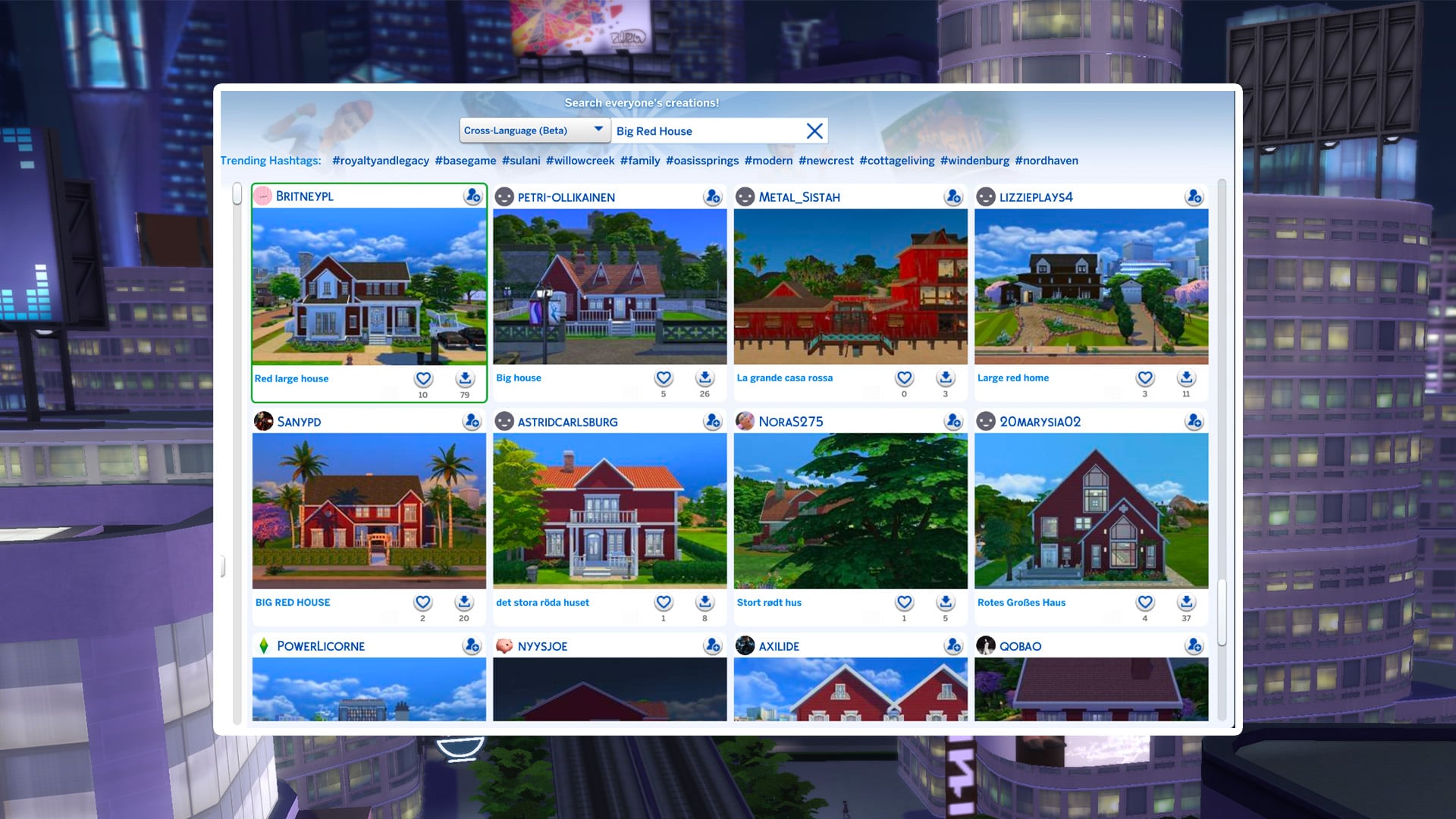
New ways to search the gallery have arrived in-game; say hello to the Sims 4 SimSearch features. Let's put it to the test and see if it's a worthy addition to the game.
Table of Contents
What Is Sims 4 SimSearch?
The feature was officially announced a few days ago with a blog post explaining in detail what the Sims 4 SimSearch features entail. There are two additional ways for you to search gallery items, Cross-Language and Text-to-Image.
Both of these features are still in their beta phase, so enjoy being an unpaid beta tester for EA.
- Cross-Language (Beta)
- This search option combines and expands on the Item Name and Hashtag searches by also integrating Description text for any matches. As well as looking through different text fields, the search will look at other supported languages to return results where the creator may not speak your set language. This means that if you were to search for “Big Red House,” you would also see results such as Spanish - “Gran Casa Roja,” French - “Grande Maison Rouge,” and German - “Großes Rotes Haus,” all without needing to know additional languages yourself. This allows us to surface more of the creativity on The Gallery which may have been hidden to you in previous searches.
- Results will also be appended by related results acting as “things you may also like” which will open up discoverability for Simmer uploads that may be of interest to you but that you didn’t specifically search for.
- Text-to-Image (beta)
- Initially, this search is limited to Lots and Rooms. Households will not be available while we continue to work on the feature.
- This new search function goes beyond text matching your search criteria with the image you see in The Gallery. If you were to search for “fireplace” you should see results where there is a fireplace or a camp fire within the images. For best results in this example, you can then use the Lots and Rooms filters to narrow in on more suitable results for your needs.
Cross-Language Search
First up we have the least interesting of the Sims 4 SimSearch features, Cross-Language Search. This feature sounds great in theory. Allowing users to search and see items across all different languages is a great way to bring the spotlight to players whose language might not have as large a player base.
Sadly, it doesn't seem to make a difference at all.
I started my testing using the example from the announcement blog post, "Big Red House." I had to scroll 15 lines before I saw a single lot that wasn't English. This was true for sorting by Most Popular and Most Recent.
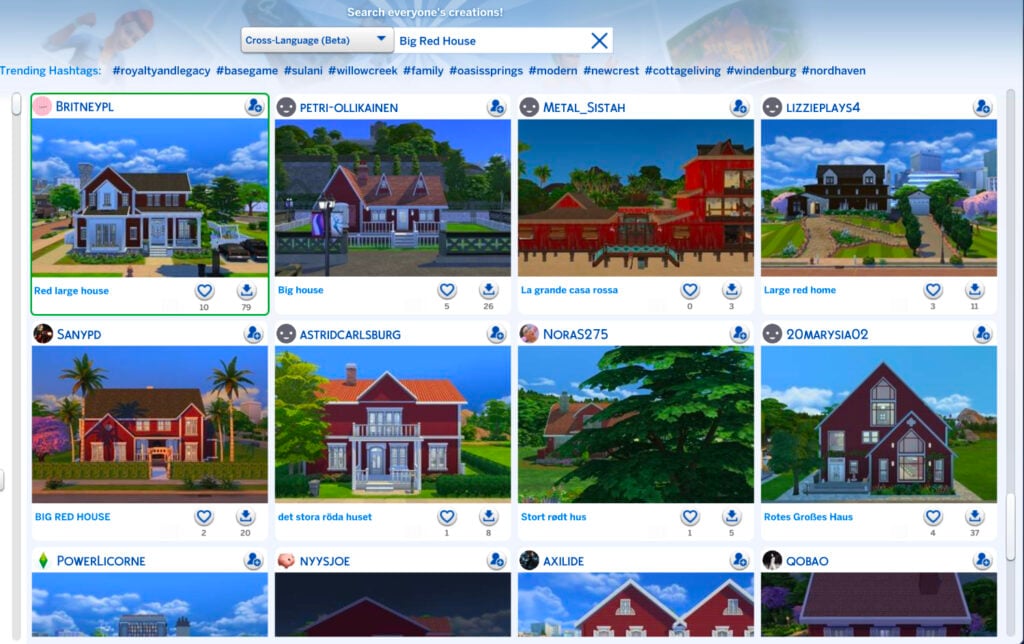
Even more interesting, and sad, is that the results were actually spitting out all kinds of results, in English, or completely different color houses. Some examples included below for the search results of Big Red House include: Little Yellow House, Green House, Blue House, White House, White House, Small Yellow House, and Pretty in Pink.
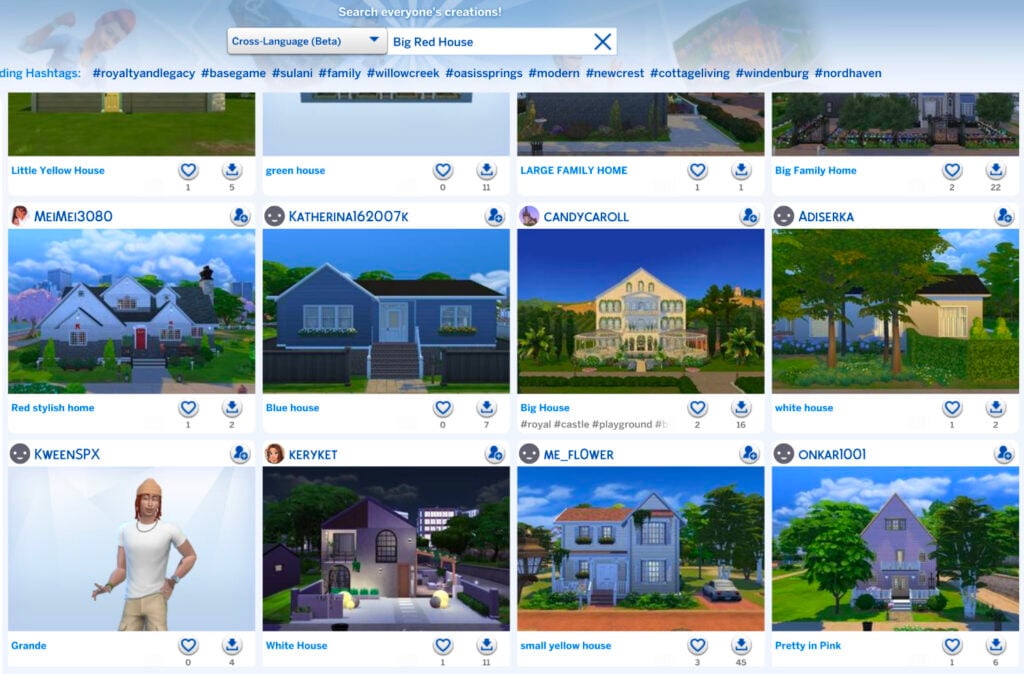
I tried several other searches as well for various lot types such as Floral Garden and Royal Palace, but none of the results included any from a language other than English after scrolling continuously for quite some time.
As I said, it's a great feature in theory, but if results are going to be overwhelmingly in a player's native language where they need to scroll for several pages, it's not really doing much. Even worse is that it's not even giving results of what is being searched for in the first place.
If the Sims 4 SimSearch features can't even produce positive results with the literal example given by EA, is the feature really worthy of being implemented for the players? I'd have to personally say no.
Text-to-Image Search
The Text-to-Image concept of the Sims 4 SimSearch features intrigues me, mostly because I'm unsure how beneficial it can actually be for players. The idea is simple, you search for a word or concept and it gives you results that include that item in the screenshots of the lot. The unfortunate part is that most gallery listings have terrible auto-generated photos.
Case in point: My search of "Well Bench Flowers."
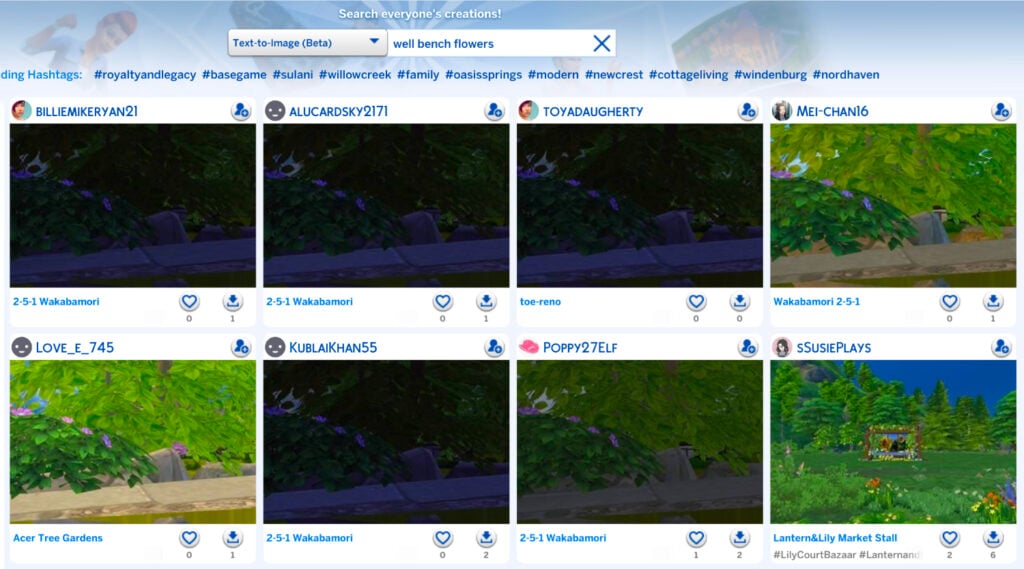
Not only are these results tragic because of the trees covering everything in the default photo, but on further inspection, none of these lots had a visible well aside from the bottom right. For a majority of the results, it didn't even give me what I had asked for.
I decided to again use their example from the blog post and searched for "Fireplace." Thankfully, I was actually given results for lots that included fireplaces. So, I guess that's a win? I'm unsure how beneficial this will be to players, though, because I can't fathom who is going to download a house they can barely see just because it includes a close-up of a chimney.
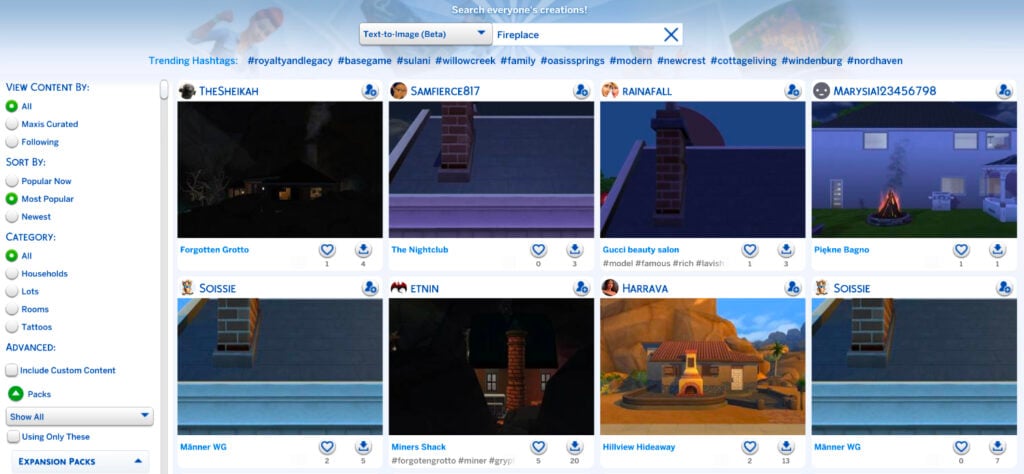
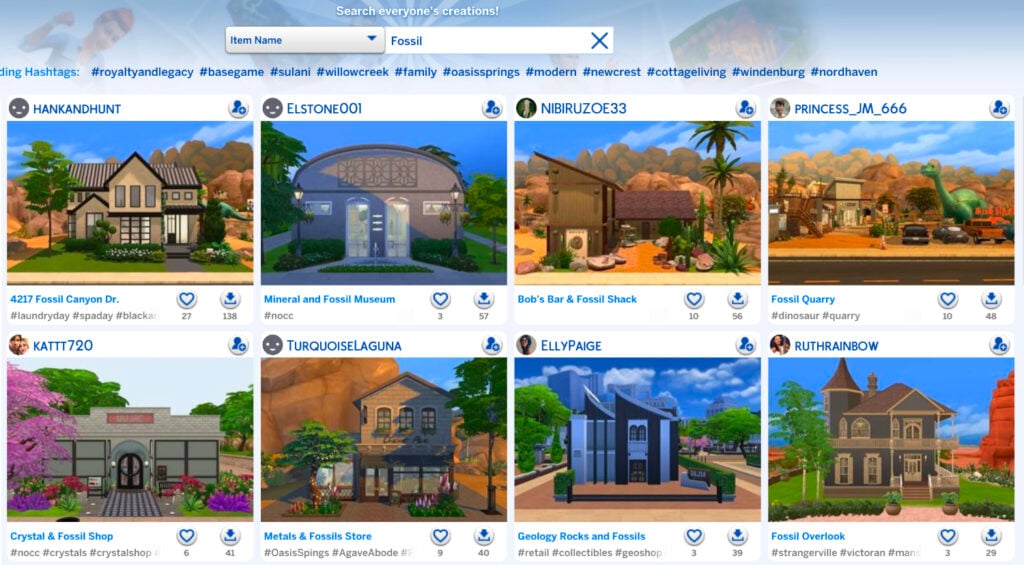
I decided to push further and do some comparisons between the different types of searches to see if the text-to-image function of the Sims 4 SimSearch features produced better results than the original search types.
First, I searched "Fossil" with the Item Name feature. I think the results are pretty great.
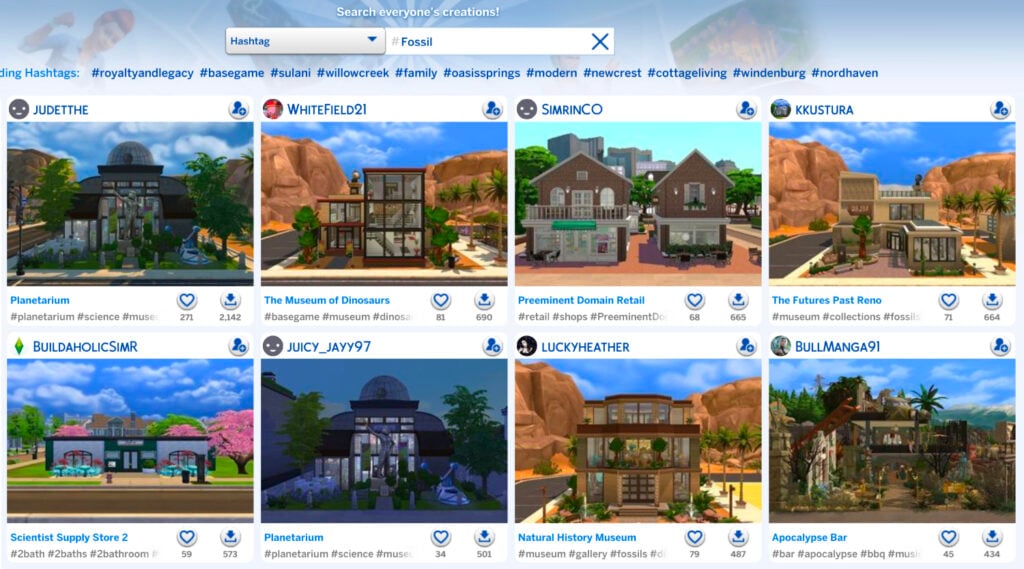
I then did the same search of "Fossil" with the Hashtag function. Again, great results.
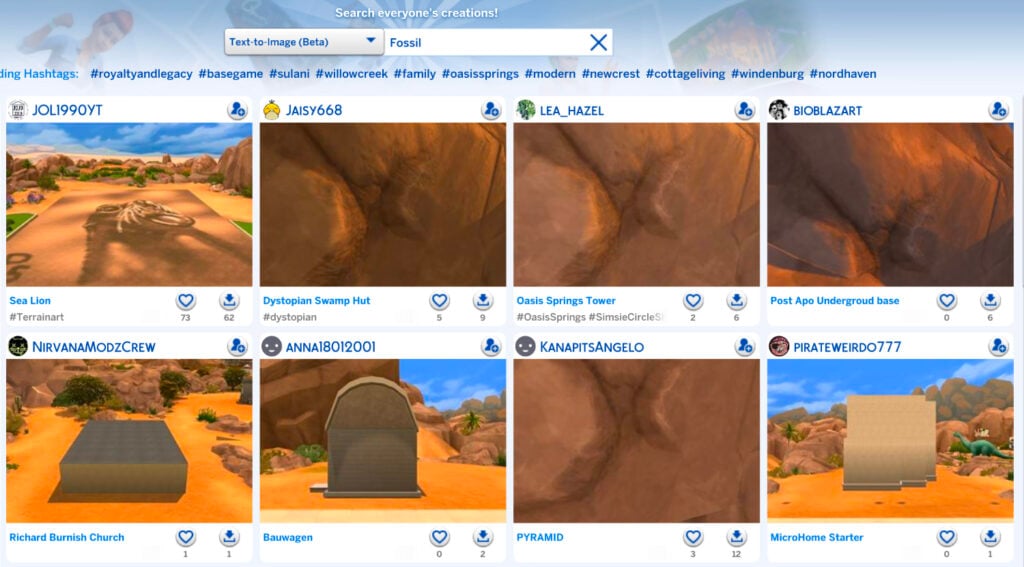
Lastly, I used the text-to-image function for "Fossil" and the results are... these.
Maybe my search was too uninspired. I decided to try "Royal Palace" like I did for the Cross-Language function.
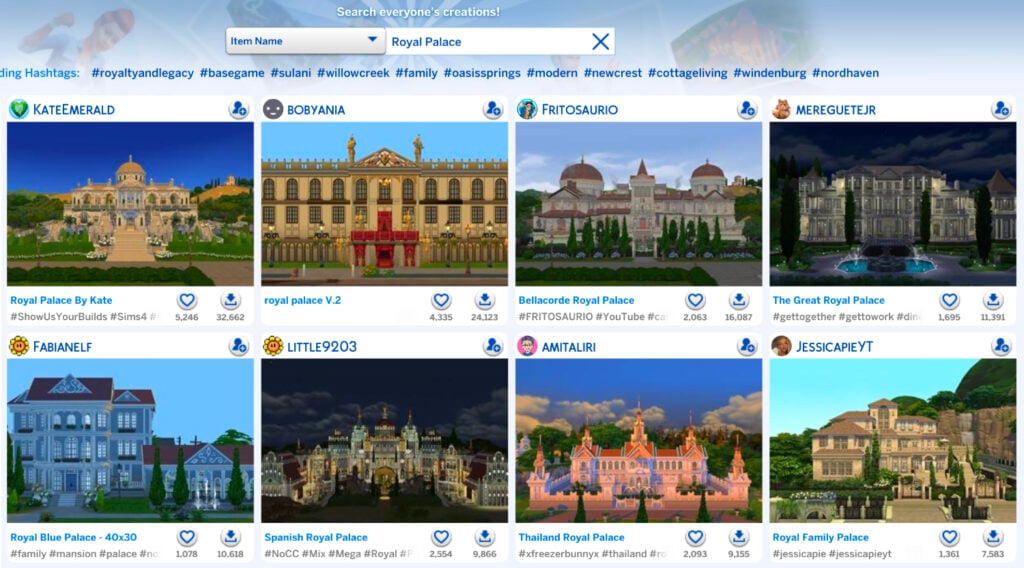
The results for "Royal Palace" by item name are as expected.
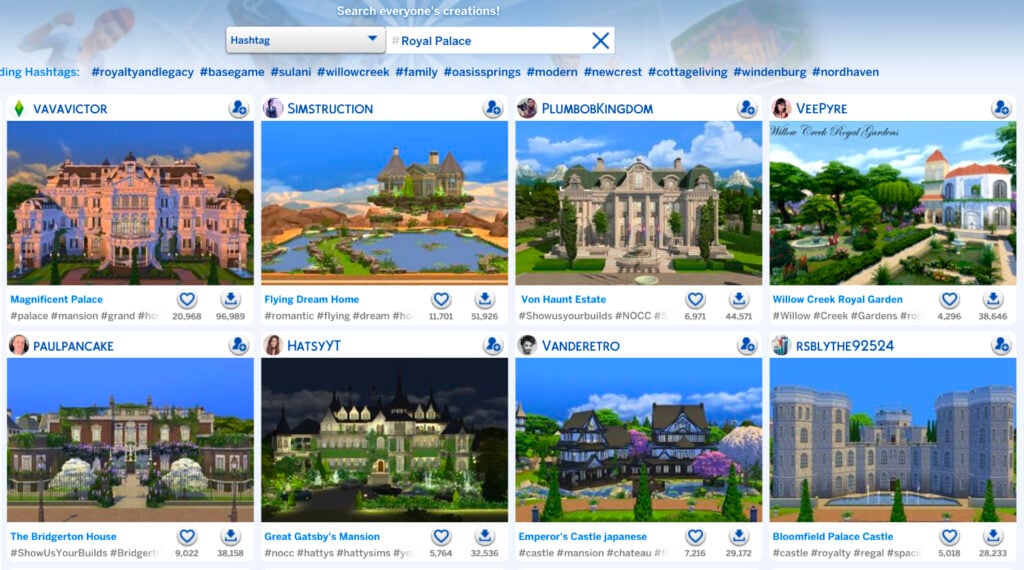
The Hashtag function for "Royal Palace" as essentially the same.
It was time for the moment of truth. "Royal Palace" by way of text-to-image.
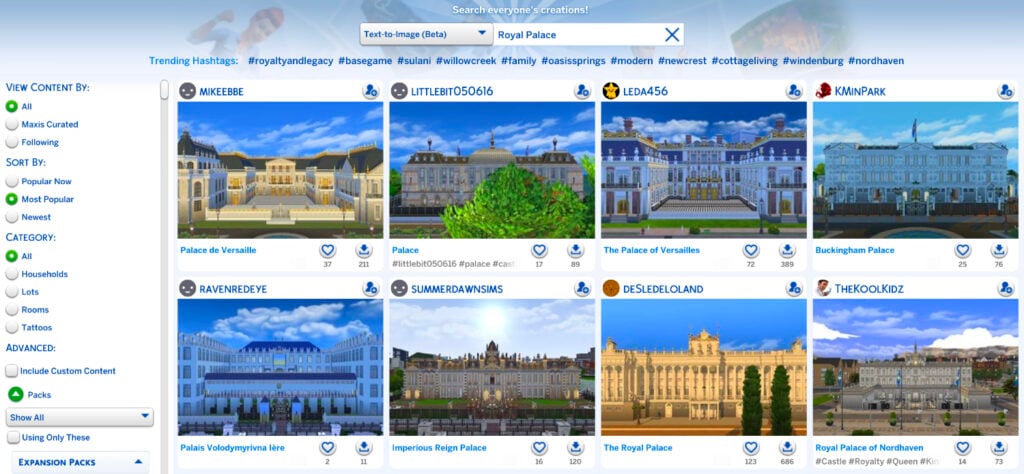
Well, would you look at that. Those are the best results so far for any of the Sims 4 SimSearch features. Maybe there's hope for it after all.
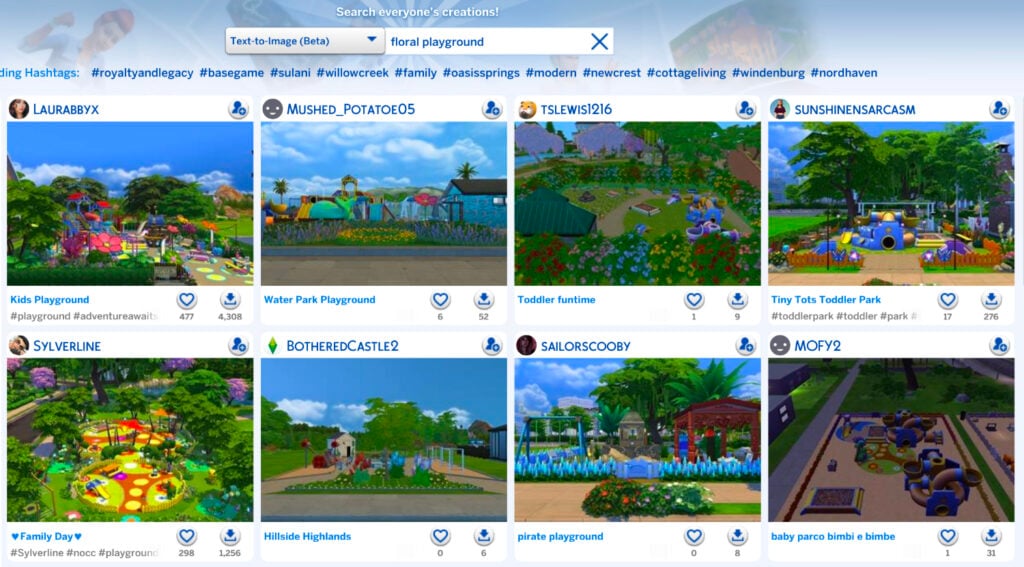
One of the biggest drawbacks of the text-to-image search, however, is the 25 character limit. Your searches can't be descriptive, wordy, or include several different items because you'll run out of characters before you're done. Simple searches only, like when I searched "Floral Playground."
As it stands, the Sims 4 SimSearch features aren't the greatest. They're great in theory and rough in execution. As mentioned, they're still in their beta phase, so they have tons of room to grow. We'll see what the future has in store for the Sims 4 SimSearch features as they move beyond their infancy.
What do you think? Are these features you'll be using or do you find them lacking? Do you see a future for them with improvements or are they a lost cause? Let us know what you think below.
For even more news and coverage about all things Sims 4, head over here.



15 Comments
Time and time again “Sadly, it doesn’t seem to make a difference at all” is the normal of Sims devs, like the recent 150 bug fixes. So tired of winning.
Reply to Bugfixes
It does make a diference with the changes ther do in these fixes tbough. But ts4 is still ts4 and certain designe choices ar indeed not bugs. You might jzst be bored of the gane as it is
Reply to Phill
Nope, I’m not bored, in fact I play the Sims4 every day, and yep, is does not make a difference: watch
My understanding of what they stated in the release post for this feature, searching multiple words at once is useless because each word is considered its own separate search. Big red house will return things that are big, things that are red, and things that are a house. All separate rather than combined as one thing.
Reply to TURBODRIVER
Yep, according at least to Jovan’s article they said that for text-to-image works best with single word searches, which was not covered in this post. Would have been nice if that was specifically tested also instead of rushing this article out.
Reply to tea
Unsure where you came to that conclusion seeing as a large portion of the text-to-image function section of this article includes searches for the single words of “Fireplace” and “Fossil.” I didn’t rush to get this article out unlike you rushing to get this comment out. Actually reading an article helps to make informed comments on said article.
Reply to TURBODRIVER
For text-to-image single words work best, but multiple words still work. Hence while floral playground gave results for playgrounds with lots of flower items.
My search for Big Red House was for the cross-language search function, and it’s their exact example for cross-language searching.
The announcement felt rushed, like “here’s something half-baked that will make people talk of us because Paralives is getting too much coverage.”
While I agree this feature is currently bad, I think phrasing it as “being an unpaid beta tester” is unnecessary and toxic. Its funny you guys dont use that same tone with Paralives, where people are worse than being “unpaid” for beta testing, they actually spend 30-40 dollars to do it…
Reply to Guest
It’s different for Paralives because it’s in early access, but I agree that the article title was surprisingly harsh. Maybe The Sims 4 team was just trying to involve players a bit more. Still, it feels like this feature wasn’t ready to be beta tested live.
Reply to Guest
They’re two completely different situations. Sims 4 has been out for over a decade, was a full priced game on release, and has over $1000 worth of DLC, which is constantly released in broken states because most of their quality assurance is now done by AI. There’s no good reason at all for something as basic and barebones as these search functions to be released as a beta, especially for being as non-functioning as they are.
Paralives is in its early access phase, so they’re completely upfront about the game being in a place where players are actively giving feedback on the game to influence the future of it. Consumers know from the start that they’re paying to be a beta tester for Paralives.
Reply to Nate Alexander
“most of their quality assurance is now done by AI”
There is literally no source behind that statement.
You’re also acting like they’re testing some huge feature and not just a new form of search that most players probably won’t even use. This article is absolutely written in bad faith, but you guys spent like two weeks posting about Tomodachi Life so I guess this is an improvement lol
Reply to sindingbilly
The CEO of EA specifically said himself that 85% of their quality assurance is done by AI.
https://insider-gaming.com/ea-ceo-ai-qa-work/
“I saw some data recently, I think, now almost all—like 85%—of our quality assurance [work] is done with some kind of machine learning or AI-driven algorithm,” Wilson said via Game File.”
Yes, it’s a small feature that no one will use, but the fact that they’re putting the beta testing work on the players is funny regardless. But if you can’t handle a little unserious snark about an unserious topic I don’t know what to tell you.
This is really pointless. There needs to be a search bar in CAS. They have one in build mode…WHY has it taken this long a d still not one in CAS???
The cross-language feature is for non-English speaking players, not English speaking players who already have access to 95% of the gallery being in their native language. Try searching for a term in a non-English language, and you’ll see the feature is actually incredibly useful.
I truly don’t know what you were expecting with the text-to-image search, it’s currently unoptimised for searching buildings. To a computer, if you search ‘fossil’ on google images you get a flat brown image with minor texture and colour variations. This is what the text-to-image function is also looking for, so it gave you spot-on results with the data it had available. That being said, I do not think the team should have release the TTI search in this state, because it’s obvious the vast majority of people to not understand what it does or how it works, and being unable to handle full phrases makes it of little use at the moment anyway.
The biggest update for English-speaking users is obviously the ability for regular text searches to also search the description of items rather than just the title, which for some reason you didn’t cover?
Welcome to Sims Community!
Our community is about connecting people through open and thoughtful conversations. We want our readers to share their views and exchange ideas in a safe space.
In order to do so, we've created a simple set of rules that will improve your experience. Simply put, keep it civil.
Your post will/might be rejected if it contains:
User accounts will/might be blocked if we notice:
So, how can you be a power user?
Thanks for reading our community guidelines. Please note that we're aware of certain issues with Sign In / Log In and Create Account / Email Confirmation issues. We're working behind-the-scenes on a new Account Creation process. Thank you for your patience and remember - freedom of speech is not freedom of reach