


Alongside new fixes, the new patch brings more bugs, this time including the roofs on your houses.
The new patch brought in top community voted fixes, yet once players opened their game, they noticed a visual glitch on some of the roofs on some of their houses. It even happens on pre-made houses like Garden Essence in Willow Creek or Sultry Springside in Oasis Springs. This was reported on The Sims Forums on the day of the patch.
Table of Contents
Statement from The Sims Team
The Sims Direct Team has issued a new statement regarding the latest Sims 4 Roof Bug. Sharing to fans that they’re currently investigating the issue and should have it resolved in a new July game patch.
Simmers, We’re investigating the missing roofs issue reported after yesterday’s Base Game update. We’re testing a fix targeting our July update, and pending testing, we’ll share another update in the thread here as soon as we have more to report.
Source: The Sims Direct Team
What’s Happening and What’s the Cause?
In The Sims 4, if you build a walled room inside a roof, it will hide the sections of the roofs that intersect with the room it is in. This behavior is intended with the rooms that are completely walled in by full walls for better attic builds.
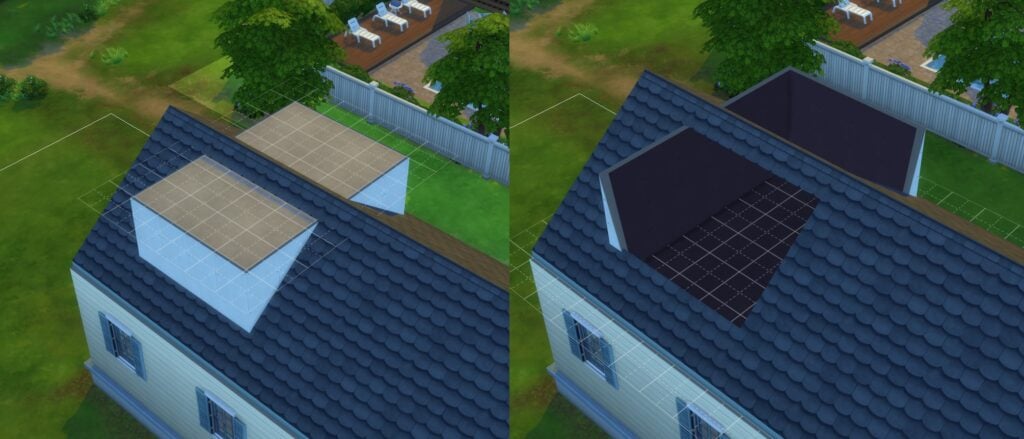
However, the latest patch breaks something that causes every area, walled or not, to hide the roofs, causing the invisible roof effect in places it shouldn’t be in.
What Can Be Done For Now?
If you use EA Forums, be sure to vote on the bug report made on it. The more votes it gets, the higher the likelyhood it gets focused on for the next patch, or even gets a separate hotpatch to fix it.

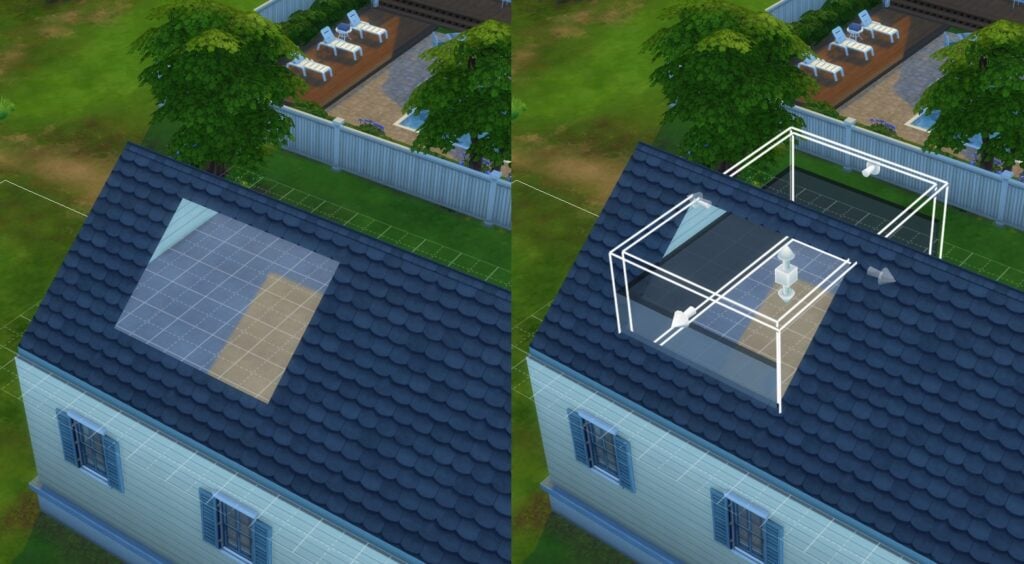
To remove the visual glitch, the following can be done in-game:
- Click on the area under the roof to delete it. You may refloor it with the same flooring it used later.
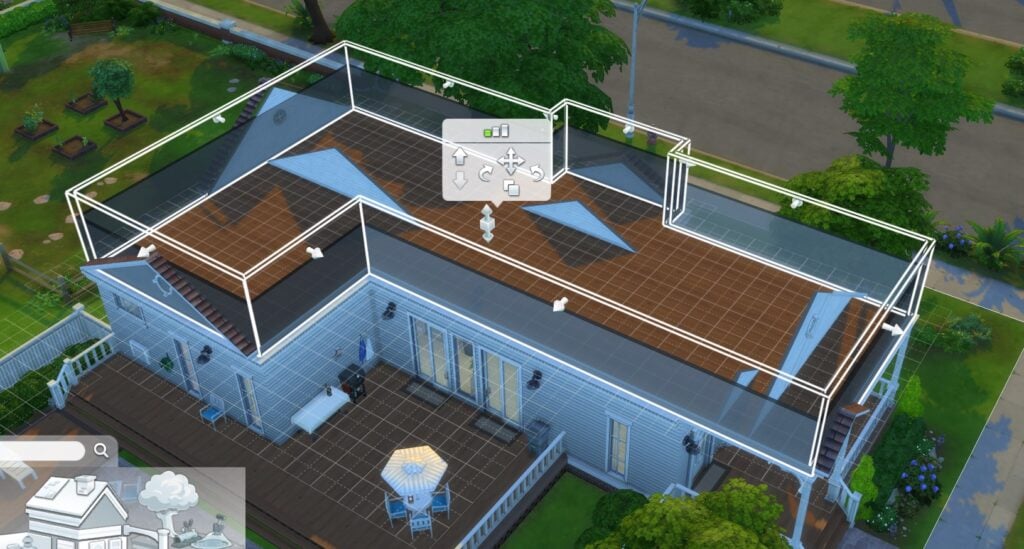
- If there are areas that will be left without a floor, click on a room below it, click on the yellow area, and choose ‘Build Ceiling’. Be sure to be on a higher floor than the room to do this.
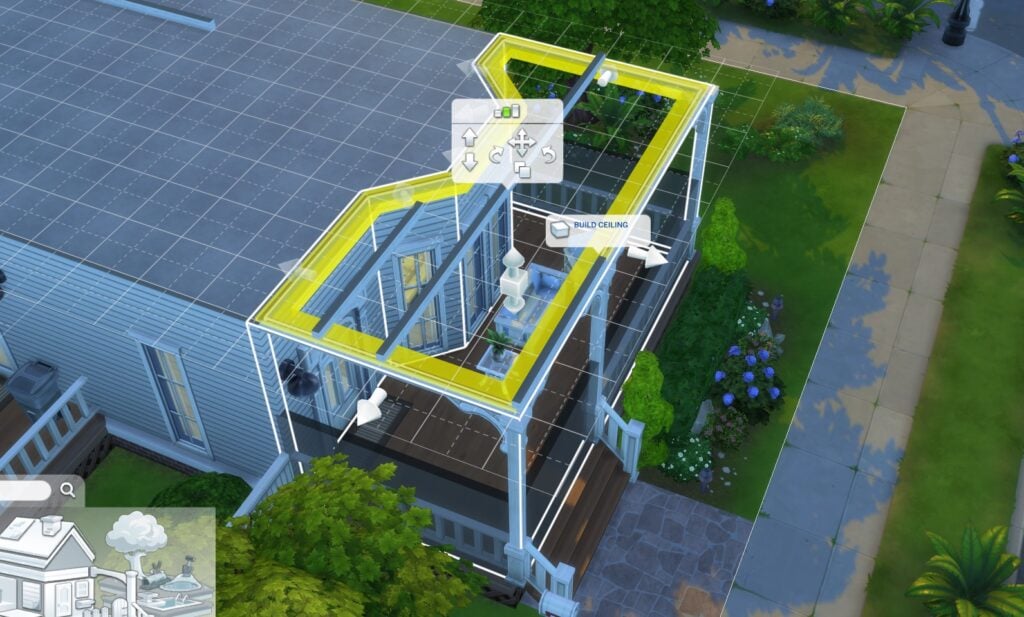
Removing the floor in an unwalled area will remove the ceiling, so there is no method to try to rebuild it for overhanging roofs.
So, what do you think? Any build tips to share to counteract the bug for now? Feel free to share them in the comments below!



















I think someone on the forums said if you delete the floor and hit undo that fixes it, at least temporarily.
Went tried it out myself on Garden Essence and Daisy Hovel lots. Didn’t work for me unfortunately. Perhaps it works for some, but it is temporary still.
Fortunately it seems like it’s their first priority fix from their statement. Here’s hoping it’ll be fast!