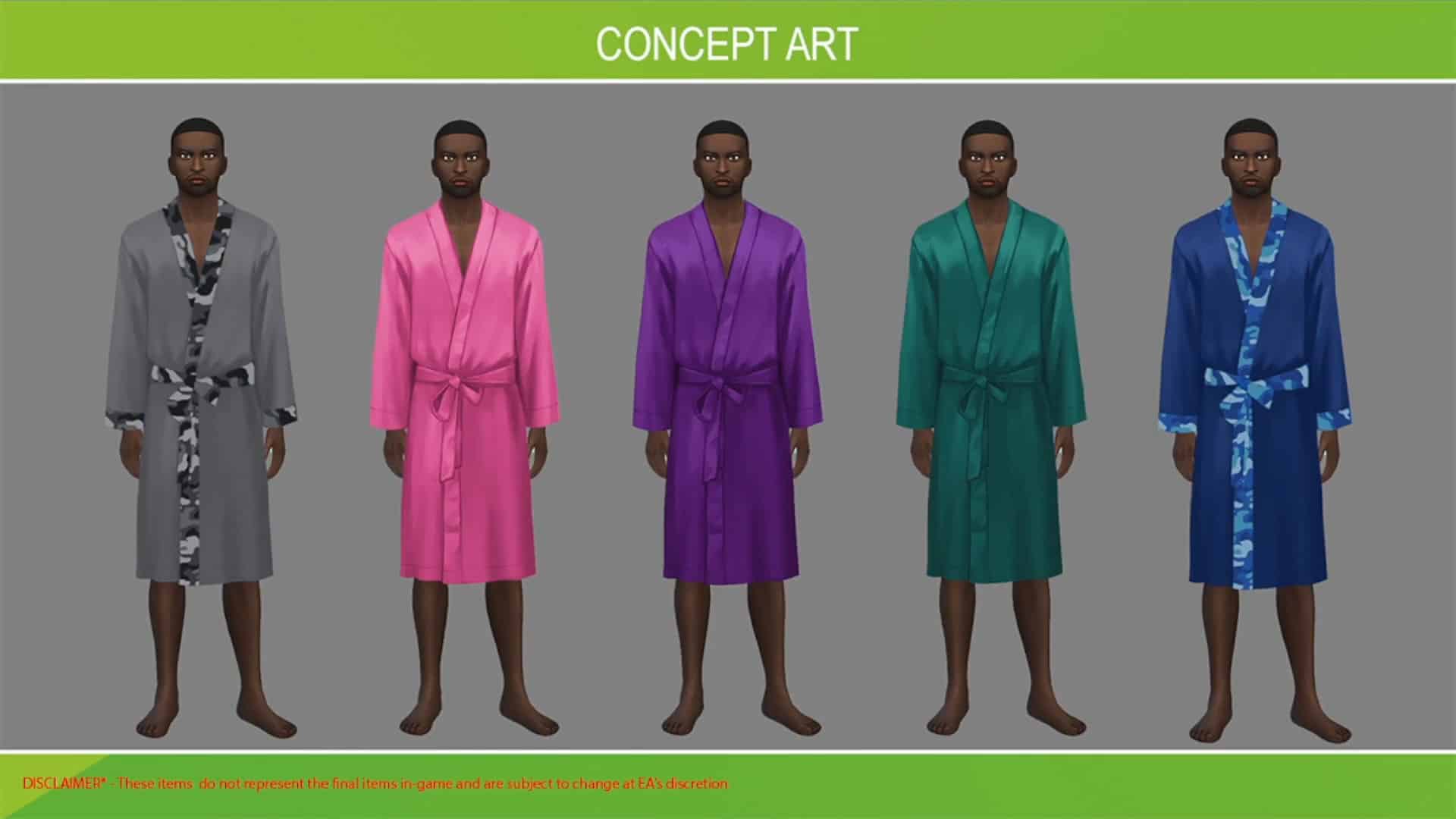
A few days ago we reported on the information about the upcoming Sims Delivery Express deliveries coming to The Sims 4 Base Game.
Originally The Sims Team had intended to release the collaboration with Custom Content first on February 2nd. The CC Collaboration with Complex Sims will bring three new Create A Sim pieces to the Base Game, and we also had a preview of one of the new pieces coming:
Another Sims Delivery is a set of 6 new recipes inspired by East Asian cuisine, including Sticky Rice Cake, Steamed Fish, Cold Noodles, Nian Gao and more. The date for this Sims Delivery wasn’t set yet, but it was expected to be released sometime during the Simthing to Celebrate Season:
Both of the deliveries have now merged into one – The Sims Team has shared – and are set to release on February 9th, which is next week!
The Carnaval Streetwear Fashion is coming to Create A Sim in just a few more days!
The Sims 4 Carnaval Streetwear Kit is the latest upcoming Kit for the game which is set to release on February 3rd, 2022 at 10AM Pacific Time. Just like with the previous Kits this one is set to release on PC, Mac, Xbox and Playstation consoles.
The Kit is retailed at $4.99USD or a price that’s equivalent to your local currency.
Since there are many time zones to be covered we’ve included a handy countdown below. When the countdown timer below goes zero you’ll be able to purchase the Kit from official stores including Origin, Steam, Microsoft and Playstation Store.
Have you heard of Voidcritters? If not, you’re about to become well-acquainted with them! Voidcritters are the Sims equivalent of Pokémon; cute fictional creatures featured on television and on collectible trading cards that kids can collect, train, trade, and battle with. They come with the Kids Room Stuff pack but references to Voidcritters are littered throughout the entire game across many different packs.
If you own Kids Room Stuff and have played with Voidcritters, you’ll know that Voidcritters are extremely detailed and fun but they have some frustrating limitations. For one thing, only children can play with Voidcritter cards. Since it takes so long to complete the collection and fully train every Voidcritter, kids often didn’t have enough time to fully enjoy the Voidcritters they worked so hard to collect before they age up. Also, kids had to use the Voidcritter battle station to train and battle with their Voidcritters. The battle station does have a lot of fun animations but it’s a big bulky stationary object. This limited kids to only being able to play on lots that had a battle station on them.
Ravasheen and LittleDica have put their heads together to create a new, functional object that eliminates all of these limitations! The Into The Void: Voidcritter Gaming Tablet is usable by children, teens, young adults, adults, and elders! It allows your Sims to take Voidcritters with them on the go and comes with both Base Game and Kids Room Stuff functionality! Players who own Kids Room Stuff will have access to the tablet’s full range of features but the tablet does have gameplay for base game players, too!
The tablet eliminates the need for the battle station entirely but it is not an override; you can still have children play with the battle station as well as the tablet if you like. Playing with the tablet builds Video Gaming skill for teens-elders and Motor skill for children. Children will also build Social skill while battling online with other Sims.
Getting Started
Of course, you will have to install the mod, first. You can get it from Ravasheen’s website. The current version is in early access for patrons only but will be released to the public on February 15th, 2022. If you need help with installing mods, check out our article Getting Started With Mods and CC.
Once the mod is installed correctly, all you have to do is load up the game and go into Build/Buy. The Voidcritter gaming tablet will be located under the Kids’ Activities category. You can also search “rvsn” in the search bar to bring up all of Ravasheen’s content you have installed in your game.
Voidcritter GO (BGC)
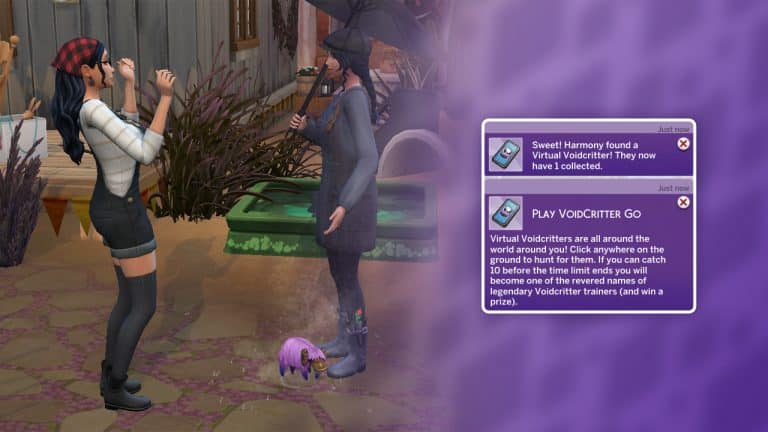
The Voidcritter Gaming Tablet comes with a brand new way to play with Voidcritters on the go! The Voidcritter GO app will let your Sims collect virtual Voidcritters out in the world. Even though Voidcritter GO is based on the Voidcritter challenge at the Festival of Youth from the Snowy Escape expansion, this feature is base game compatible. You do not need Snowy Escape to use this feature; Ravasheen has rebuilt the code from the ground up to be base game.
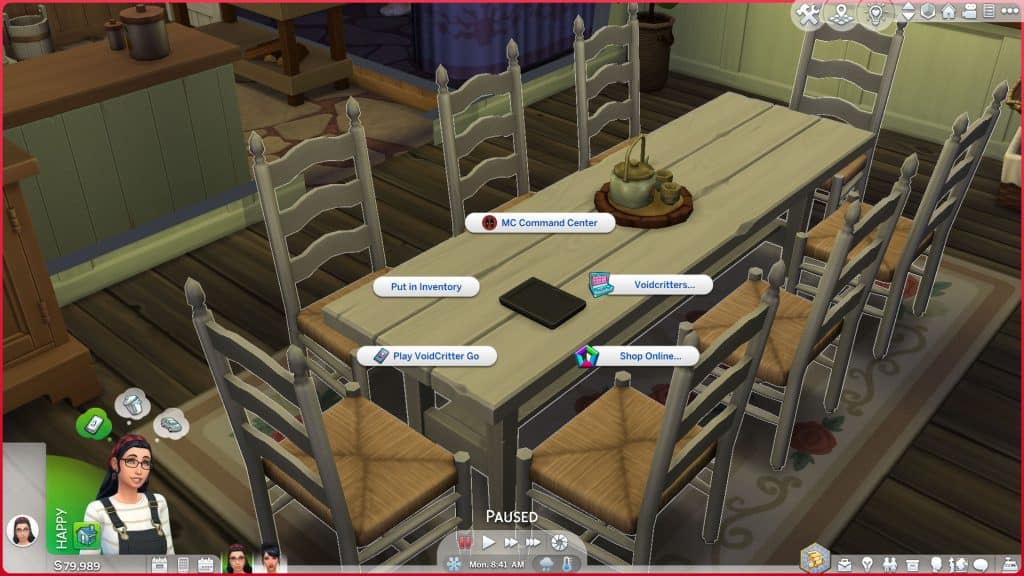
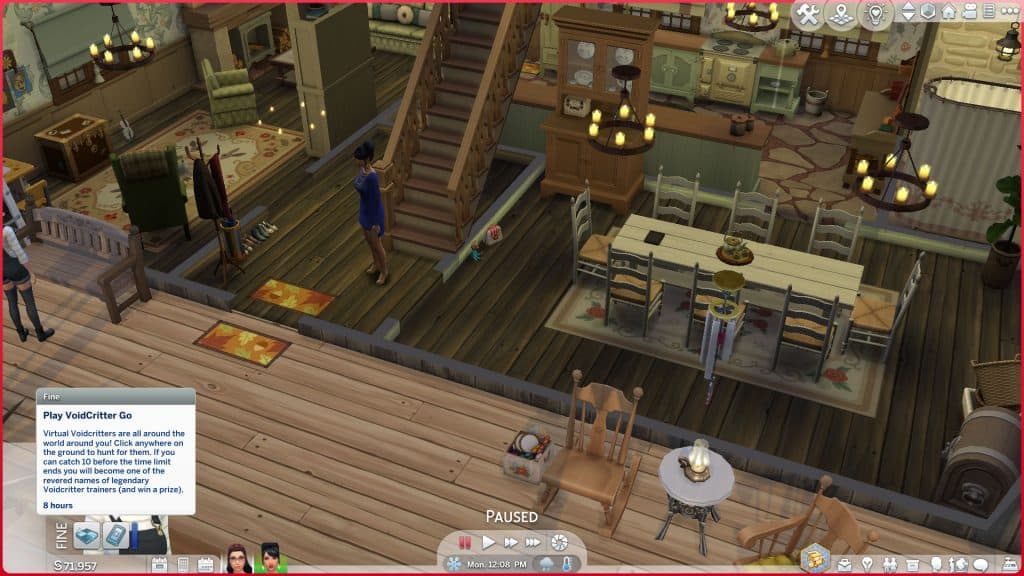
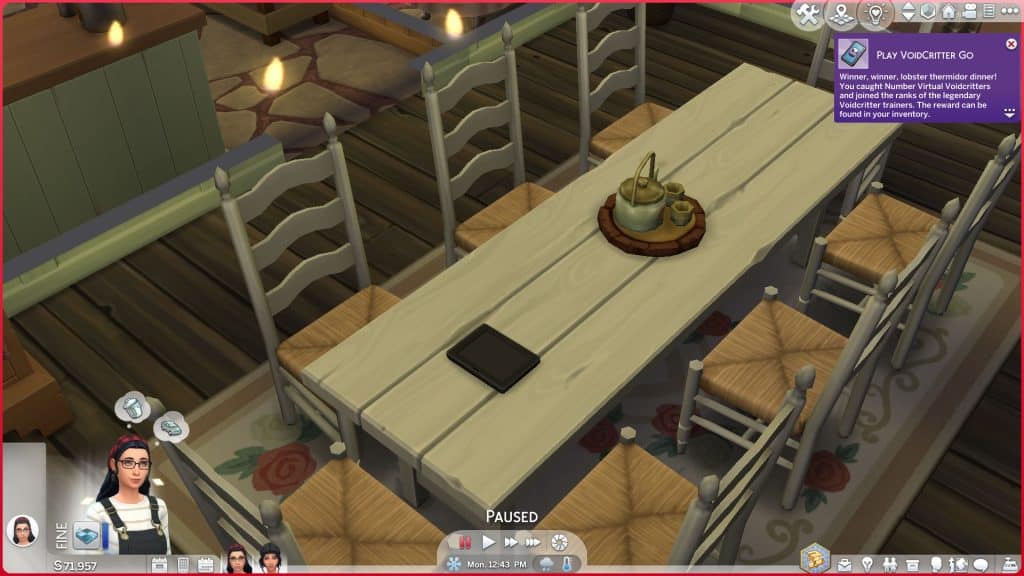
To start playing Voidcritter GO, click on the gaming tablet either in the world or in a Sim’s inventory and select Voidcritter GO. This will start a timer that lasts for 8 in-game hours. Your Sim will get a Fine moodlet for the duration of the timer so you can see how long you have left by looking at the moodlet.
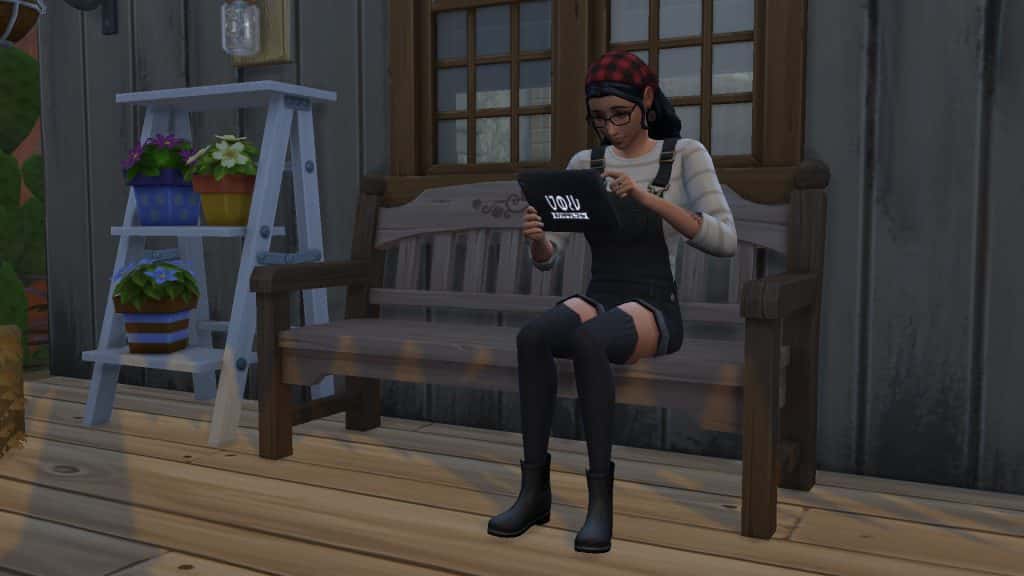
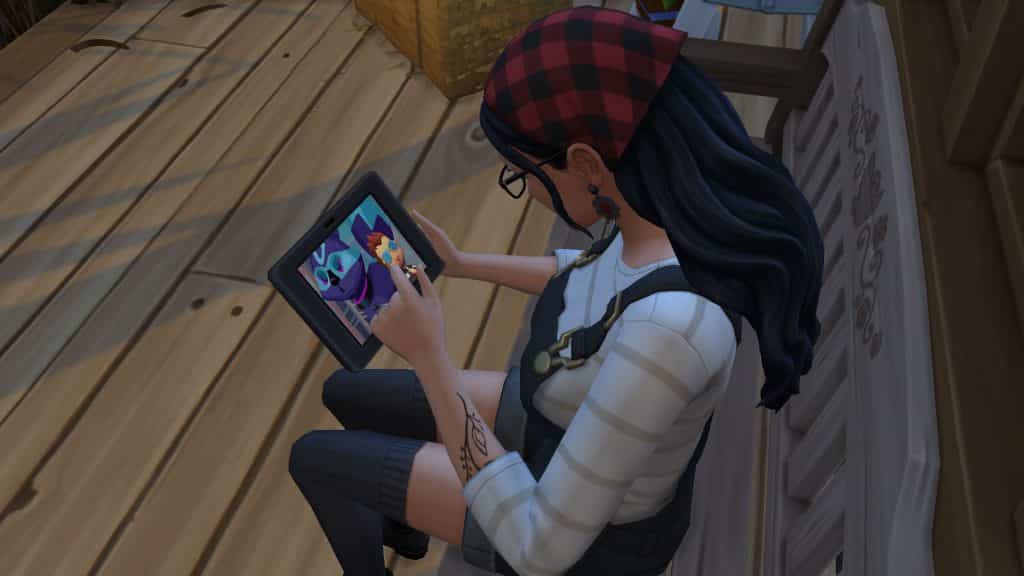
While the timer is active, click anywhere on the ground to have your Sim look for a Voidcritter. They will pull out their phone to play Voidcritter GO and attempt to catch a Voidcritter. Your Sim won’t find a Voidcritter every time and their chances decrease the more times they try to look for a Voidcritter in a row. If your Sim isn’t having any luck finding Voidcritters, try waiting a little while before looking again.
TS4 x64 2022 01 28 17 32 55
TS4 x64 2022 01 28 17 33 52
Sims can continue playing Voidcritter GO even if they travel to another lot. They can play throughout the day while traveling to different places and going about their normal lives, much how people in the real world play Pokémon GO. Although the tablet is needed to start playing Voidcritter GO, it’s not needed to find the virtual Voidcritters after that point so if your Sims accidentally leave their tablet at home when they travel somewhere, it won’t break the timer. They can continue to play Voidcritter GO with their cell phone.
If your Sim manages to find 10 Voidcritters before the 8 hour timer expires, they will win a prize! The prize will be either a Voidcritter card or some Voidcritter merchandise. Players with more packs will have a wider prize pool but there are some base game Voidcritter prizes available to win as well. If you do not see your prize in your Sim’s inventory, check the household inventory. Not every item can go in the Sim inventory, in which case it will be sent to the household inventory, instead.
Buy Voidcritter Swag (BGC)
Speaking of Voidcritter merchandise, Sims can also purchase Voidcritter swag from the tablet. Players with Kids Room Stuff can also purchase specific Voidcritter cards or random booster packs from the tablet. Since being able to buy whatever Voidcritter card you want is a rather cheaty way to complete the collection, Ravasheen’s implemented a price hike on these items. You’ll be paying up to 4x the base price for some of those rare foil editions. The random booster packs remain the same price.
There are a variety of Voidcritter themed items scattered throughout both the base game and various packs that Ravasheen’s compiled for purchase as swag through the tablet. Players with more packs will see more items available for purchase but base game players will also have access to some Voidcritter-themed goodies.
Pictured below are all the Voidcritter-themed items you can purchase from the tablet across all packs:
Players who own Kids Room Stuff can also purchase the wall decals of all the Voidcritters that come with this stuff pack, pictured below:
Training Voidcritters (KRS)
Training Voidcritters is only available to players who own the Kids Room Stuff pack. Sims will need to own at least one Voidcritter card to train them on the tablet but unlike the battle station, the cards don’t need to be in your Sim’s inventory. Any card displayed on the lot can still be trained! This is great for players who like to display their Voidcritter card collection. They don’t need to constantly be dragging them in and out of the Sim inventory to train and battle with them.
Once you’ve chosen a Voidcritter to train, your Sims will sit down with the tablet and begin a training session. The tablet does not display the same dynamic display for each Voidcritter like the battle station but it does play the Voidcritter television show from the BeTween TV channel and has all the same audio from the show which is still fun to watch.
Once a Voidcritter has been trained to its maximum power level of 10, it will no longer show up in the menu when selecting Voidcritters to train, since it cannot be trained any further.
Online Battles (KRS)
Currently, the gaming tablet can only be used for online battles with other players who are not on the lot but Ravasheen does plan to implement PVP battles between Sims on the same lot in the future.
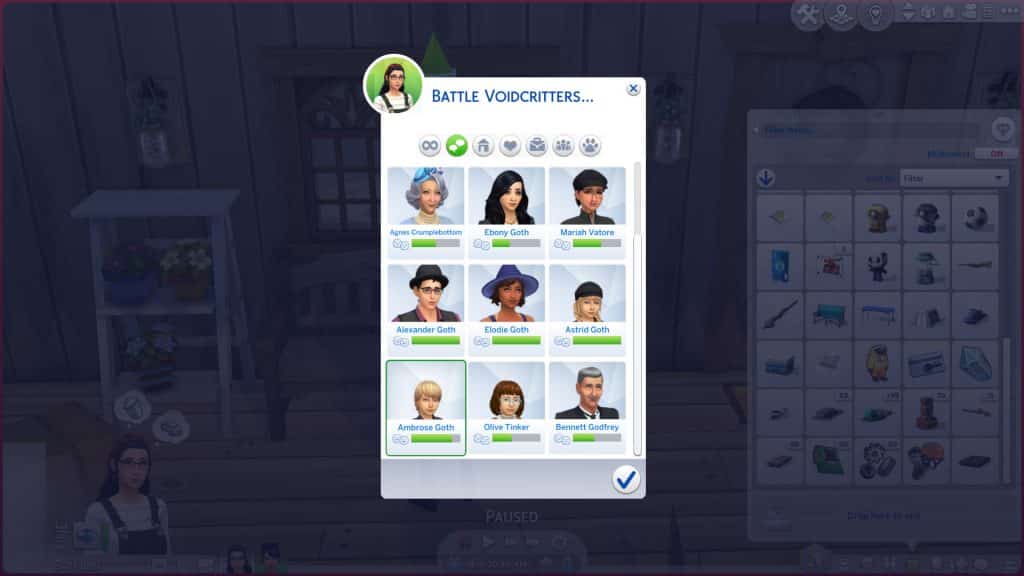
Like training Voidcritters, Sims do need to own a Voidcritter card to battle them on the tablet but the card does not need to be in their inventory; it can be displayed anywhere on the lot. Select Voidcritters > Battle Voidcritters on the tablet and select the Voidcritter you’d like to battle with. Then choose your opponent from a large selection of Sims in the world. Children all the way through to Elders will be available to battle against.
Once your Sim sits down to battle against their opponent, the battle results are calculated by comparing different stats. The game will compare your Sim’s Video Gaming skill (or Motor skill for children), the type, rarity and power level of their Voidcritter against their opponent’s. Therefore, you have much higher chances of winning a battle if your Sim is using a rare Voidcritter with a high power level and your Sim has high Video Gaming/Motor skill. However, a win is never guaranteed. There is an element of randomness added to the mix, too.
TS4 x64 2022 01 28 15 23 27
TS4 x64 2022 01 28 15 23 32
Winning a battle will give your Sim a happy moodlet while losing a battle will give them a sad moodlet. Sims will also build (or lose) relationship with the Sim they are battling against. This is largely based on traits; Sims with traits like evil or mean will be sore losers and take a loss personally.
Cheats
For those of you who are cheaters at heart, Ravasheen’s thought of you, too! If you shift-click on the gaming tablet, you’ll see an option to instantly acquire all the Voidcritter cards. If your Sim is currently playing Voidcritter GO, you’ll also see an option to find all 10 Voidcritters which will instantly complete the game and award you with your prize. This option will only be available if your Sim has started a Voidcritter GO session.
Our Thoughts
Every time I think Ravasheen can’t impress me any more than she already has, she does something like this that sets the bar even higher. And LittleDica’s contribution to making the tablet object can’t be overlooked, either; his textures are beautiful and the tablet is a perfect Maxis Match addition to the game.
I have been in love with Voidcritters ever since Kids Room Stuff released and it remains one of my favourite stuff packs to this day because of the Voidcritters. I think it’s one of the coolest yet one of the most underrated features ever added to the game. That’s mostly due to the fact that all of the gameplay surrounding Voidcritters is locked to everyone except children. Even if you are a family player, you probably figured Voidcritters weren’t worth bothering with because your kids wouldn’t have the time to invest in them before aging up, anyway.
I really think the Into the Void: Voidcritter Gaming Tablet is going to change the way players see and interact with Voidcritters. Making them accessible to older Sims is going to introduce many more players to the rich lore and detail of Voidcritters. I also love that base game players will also get the opportunity to get a taste of Voidcritters even if they can’t battle or train with the physical cards. Voidcritter GO was such a smart way to bring Voidcritters to everyone.
So if you’ve ever wondered what the big deal is about Voidcritters, definitely add the Into the Void: Voidcritter Gaming Tablet to your mod collection and let your Sims of all ages see what they’re about!
I don’t normally write guides and tutorials on how to wreck your home in The Sims 4 but I was absolutely amazed with @LuddySimmer’s discovery and had to try this out myself!
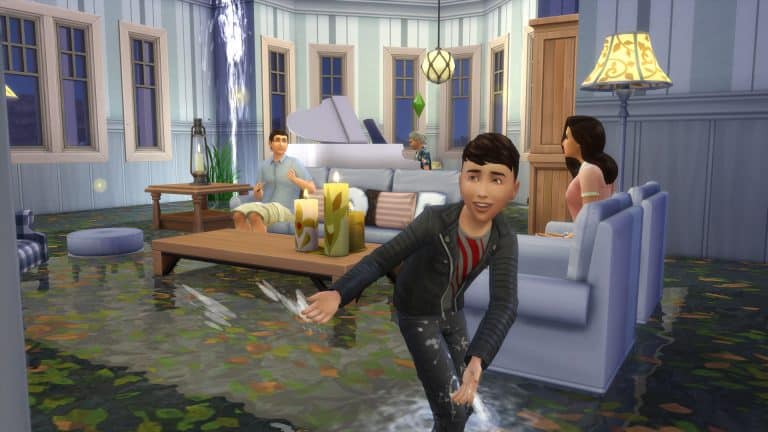
The July 2021 Update for The Sims 4 which adds Water Tools to the game also lets you completely flood the first floor of your home. I had to try it for myself and was surprised to see how well this works!
Before moving on with this guide I’d like to point out that the new Water Tools probably weren’t made to flood homes and rooms in the game, so some visual glitches and errors might occur during this experience.
Flooding your Home
For this tutorial I’ll be using a Pre-Made Home from Maxis. First, I’ll place down the home like and make sure there’s enough room around to dig out a hole around the house using the Terrain Tools.
flood1
flood2
Then I used a Water Tool to fill in the Pond around the terrain and leveled the Terrain so that the entrance area of the home is accessible.
Now’s the time to dunk your home in the surrounding water! Simply select any floor from the ground floor and and drag it just enough so that the home is just accessible enough for your Sims to approach and enter.
You might notice that as soon as doors touch the water they’ll be removed. You’ll have to open up your home and remove at least one wall from the entrance area in order to flood the first room. You’ll notice that any objects that your Sims won’t be able to interact with while the room is flooded will be removed. In this case it’s the door to another room and the fireplace.
Congratulations – just like that you’ve completely flooded the first room!
Do you feel like flooding your Kitchen and Dining Room as well? Simply remove a single piece of wall that protects the water from entering a room that hasn’t been flooded yet.
Sims will be able to do almost every interaction in their flooded home. If the water is deep enough then younger Sims, such as Children, will only have the option to wade through the house instead of the “Go Here” interaction and animation.
Sims will also be able to play in the water inside of their home!
You can see that I added some visual effects such as fireflies, bugs, fountains and a different water type. You can apply all of that to your flooded home!
The only visual error that occured to me was with visual effects such as Ducks and Swans, which were also dunked in the water along with my house objects.
flood8
flood9
That is your guide to completely destroying and flooding your home in The Sims 4. Let me know if you plan to try this out in your game in the comments below!
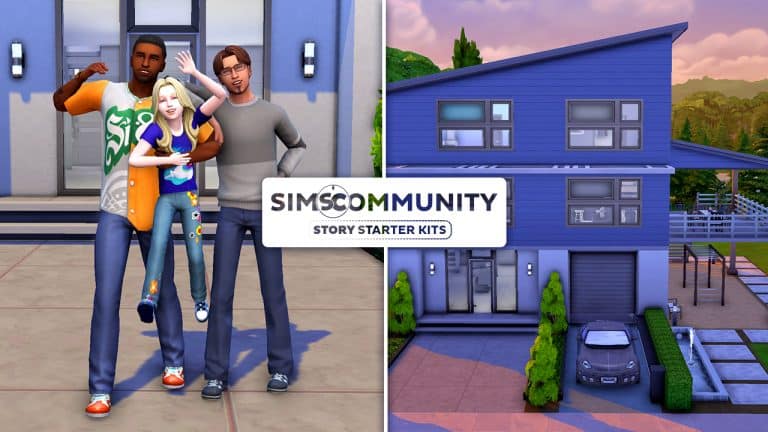
Welcome to our fourth entry in our Story Starter Kits series! If you missed all the info on Story Starter Kits, you can read more about what they are and how they work in our introductory article!
This month, we’re bringing you a happily married couple with a young daughter whom they both desperately want to see succeed in life… but they each have different ideas about what success means and their daughter isn’t so sure she agrees with either of her parents.
Father Knows Best?
Jase and his husband, Samuel, met back in college completely by accident. Jase was on his way to football practice and Samuel was in a rush to get to the computer lab and they collided with each other in the hall. Jase offered to buy Samuel a coffee after practice as an apology and the rest, as they say, is history. Despite their wildly different interests, they fell in love, got married, and adopted a little girl named Hailey.
Everything changed for them in the best way when their daughter came into their lives. Their careers were still important to them but it became more about being successful so they could give Hailey a good life. When Jase got his big break by making it into the minor leagues, they bought a bigger house in the suburbs so their daughter would have more space to play. Their whole world revolves around Hailey, so it’s breaking their hearts that she doesn’t seem to be living up to her full potential.
They’re constantly getting calls from Hailey’s teachers complaining about her lack of interest in her studies and her disruptive behaviour in class. Jase thinks the problem is that Hailey isn’t active enough so she’s restless during class hours; he keeps trying to push her into sports to help her release all that energy. Samuel completely disagrees with his husband and feels like sports are just another distraction for her; he thinks she should learn to code in order to lay down the building blocks for self-discipline and critical thinking. Their opposing views on how to help their daughter become successful has led to more than a few heated arguments between them lately.
Caught in the middle is poor Haleigh. Her parents are so busy butting heads over what they think she needs that no one’s really listening to her. If they did, she’d tell her dads that all this pressure they’re putting on her is what’s making her feel overwhelmed and unable to focus. She isn’t trying to be disruptive when she acts out in class; she’s just trying to make people laugh because that’s what she loves to do. Why does she have to be into sports or really good with computers to be successful? Why doesn’t she get to choose what success is for herself?
Will Hailey’s parents learn to lecture less and listen more? Or will the conflict only get worse as Hailey gets older? Well, that’s all up to you!
Skills: Programming (4), Video Gaming (3), Cooking (3)
Career: Tech Guru (4)
Packs Used: None! Base Game Compatible!
Hailey Slade-Clemens
Age: Child
Traits: Erratic
Aspiration: Social Butterfly
Likes: Blue, Kids Radio Music, Comedy
Dislikes: Orange, Electronica Music, Fitness
Skills: Social (4), Mental (2), Motor (2)
Career: Grade School D Student
Packs Used: None! Base Game Compatible!
Upscale Contempo
TS4 x64 2022 01 29 23 12 53
TS4 x64 2022 01 29 23 13 21
TS4 x64 2022 01 29 23 13 38
TS4 x64 2022 01 29 23 13 48
TS4 x64 2022 01 29 23 13 58
TS4 x64 2022 01 29 23 14 15
TS4 x64 2022 01 29 23 14 44
TS4 x64 2022 01 29 23 14 53
TS4 x64 2022 01 29 23 15 10
TS4 x64 2022 01 29 23 15 30
TS4 x64 2022 01 29 23 15 45
TS4 x64 2022 01 29 23 16 06
TS4 x64 2022 01 29 23 16 21
TS4 x64 2022 01 29 23 16 47
TS4 x64 2022 01 29 23 17 17
TS4 x64 2022 01 29 23 17 25
TS4 x64 2022 01 29 23 17 32
TS4 x64 2022 01 29 23 17 39
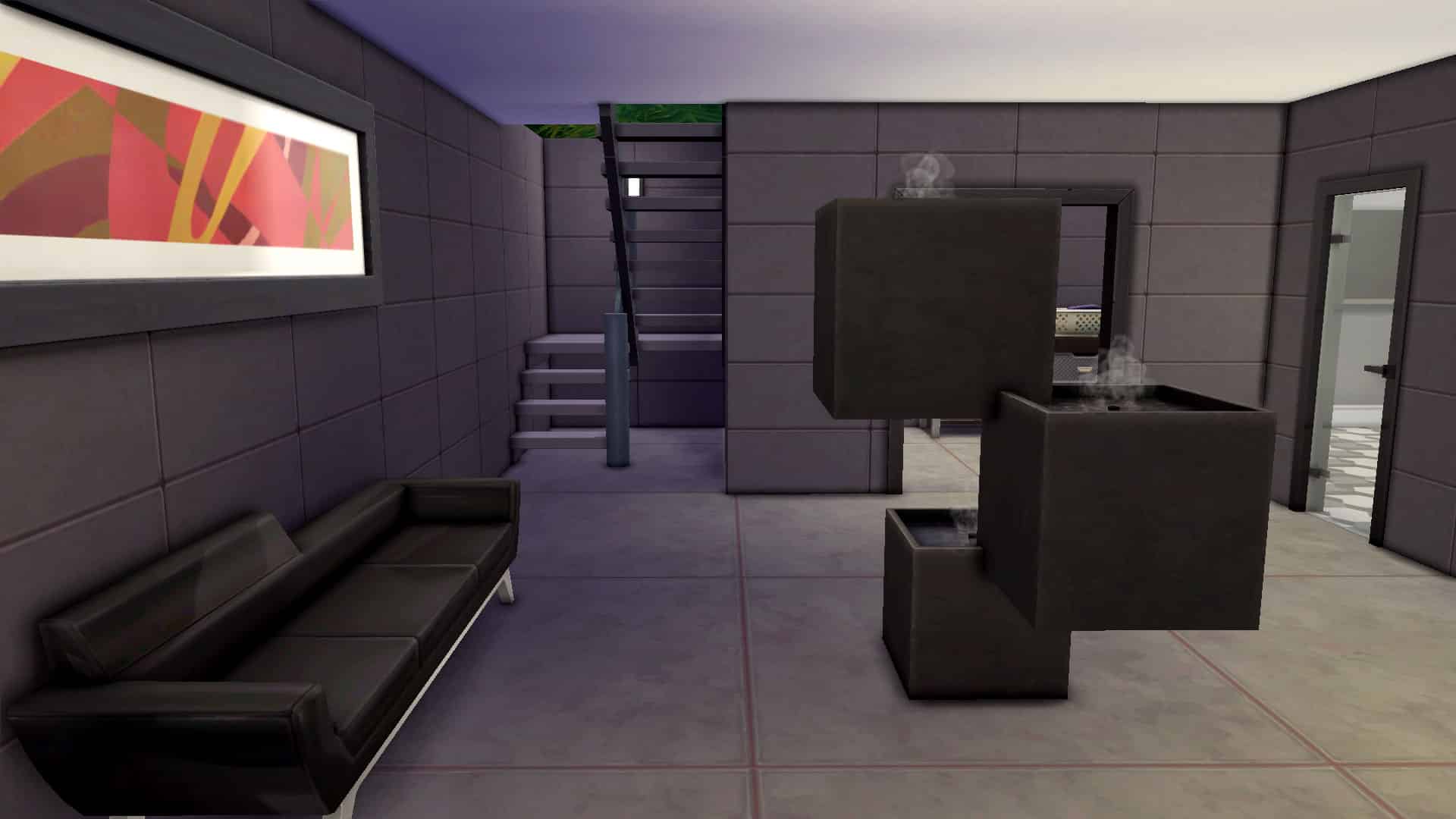
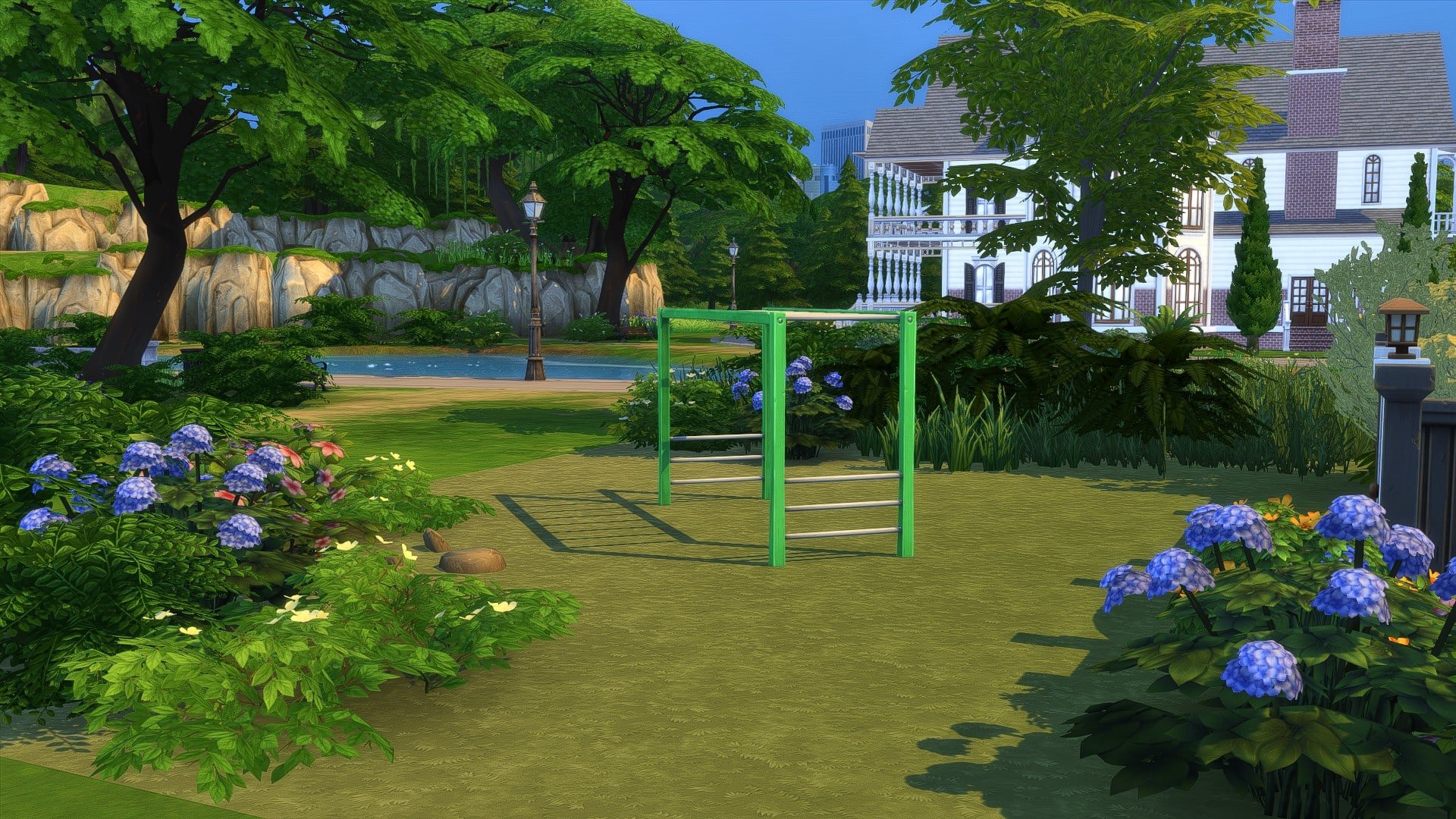
This spacious, three-story contemporary home is the perfect fit for a small family with upscale taste. With an open concept floor plan, a home gym, office, and entertaining patio, you won’t have to sacrifice style to raise a happy family here. While the main floor is suited for entertaining guests, the second bedroom and monkey bars underneath the covered patio make this home the ideal place for a successful couple to balance family life with career hustle.
Lot Info:
Lot Type: Residential
Price: §97,668
Size: 30×20
Beds: 2
Baths: 2
Lot Traits: Bracing Breezes, Fast Internet
Packs Used: None! Base Game Compatible!
Tips to Use This Lot:
Jase, Samuel, & Hailey come with enough simoleons to purchase their home and have some savings leftover.
Your Story Starter Kit is waiting for you! Get The Household and The Lot by downloading them from the official Gallery Website linked on the buttons below. Or, follow SnarkyWitch in the Gallery and look for Father Knows Best and Upscale Contempo!
Have you ever been looking through Twitter, Instagram or Tumblr and found yourself wondering how people make their in game graphics look different from the standard EA default? Is it editing? Is it a mod? Or is it ReShade? While it’s likely to be a mixture of all three, you’ll find that many players just use ReShade on its own.
But what is ReShade?
ReShade is a generic post-processing injector for games and video software developed by crosire. Imagine your favorite game with ambient occlusion, real depth of field effects, color correction and more – ReShade
ReShade is currently only available for players on PC. While there are ReShade alternatives for macOS users, there is conflicting information as to how it actually works when it comes to The Sims 4.
If you aren’t sure what ReShade can look like in game, here is a quick comparison from my own game. The image on the left shows my default graphics settings, whereas the image on the right is using the Mellowbright ReShade Preset. Even though when I took these screenshots in game, it was cloudy with a small amount of sun, you can’t really tell that when using the ReShade Preset. With more vibrant colours, this preset and many more really help bring the game alive.
TS4 x64 2022 01 28 14 50 05
TS4 x64 2022 01 28 14 48 29
The great thing about ReShade Presets is that there is something for everyone. If you are telling a story and need a slightly dystopian feel to your screenshots, there’s a Preset for that! Want something bright and colourful? There’s a Preset for that too! There are so many options out there, you’ll soon have a collection of different presets that you can freely swap between in your game.
Downloading & Installing ReShade
ReShade is free to use and can easily be downloaded via the link below.
When it comes to installing, it is worth checking out one of the many tutorials on YouTube, as it can be slightly confusing the first time you install ReShade and add Presets. There are a number of very good and in depth ones that take you through the installation process step by step, as well as how to add the Presets that you want to use.
Note: There are a number of different versions of ReShade and not all Presets will work with the latest version. You’ll find all the information you need for which version of ReShade you need in most of the Preset information posts. Make sure to read them carefully!
Finding ReShade Presets
If you’re still wondering where to find ReShade Presets for The Sims 4, it’s actually really straight forward and there are so many wonderful ones you can choose from!
The Lunar New Year Sales are here, and now is the perfect time to pick up those packs you’ve been wanting to get! With big savings available on Origin, Steam and Xbox there is plenty on offer!
Origin
The Sims 4 Base Game – 88% off
The Sims 4 Expansion Packs – 50% off
The Sims 4 Game Packs – 30% off
The Sims 4 Stuff Packs – 30% off
The Sims 4 Origin Pre-Made Bundles – 20% off
Origin’s Lunar New Year sale is live right now and ends on 8th February 2022!
Steam
The Sims 4 Base Game – 88% off
The Sims 4 Expansion Packs – 50% off
The Sims 4 Game Packs – 30% off
The Sims 4 Stuff Packs – 30% off
The Sims 4 Steam Pre-Made Bundles – Up to 81% off
Steam also has a sale on for Expansion Packs and Stuff Packs for The Sims 3!
The Sims 3 Sale
The Sims 3 Expansion Packs – 50% off
The Sims 3 Stuff Packs – 50% off
The Sims 3 COMPLETE PACKS COLLECTION – Only $66.50!
Check out this post for more information on how to transfer The Sims 3 Packs from Steam to Origin!
Steam’s Lunar New Year sale is live right now and ends on 3rd February 2022!
Xbox
The Sims 4 Base Game – 85% off
The Sims 4 Expansion Packs – 50% off
The Sims 4 Pre-Made Bundles – 50% off
Xbox’s Lunar New Year sale is live right now and ends on 31st January 2022!
There is currently no sale for PlayStation 4 & PlayStation 5 players at the time of writing this post. We shall update this post to reflect any new sale information if/when one starts for PlayStation users.
Looking to pick up a new pack in the Lunar New Year sales, but not too sure what to get? Take a look at our Ultimate Pack Guide for The Sims 4 here!
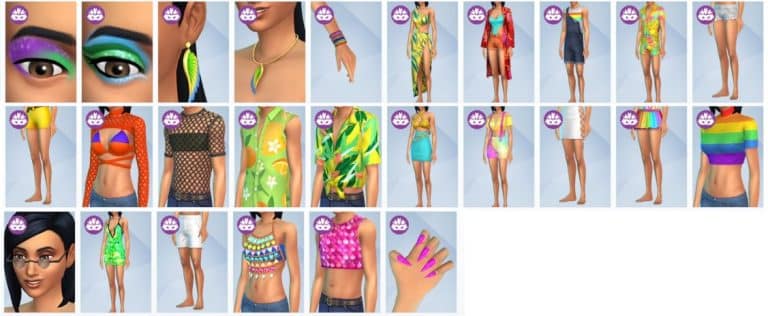
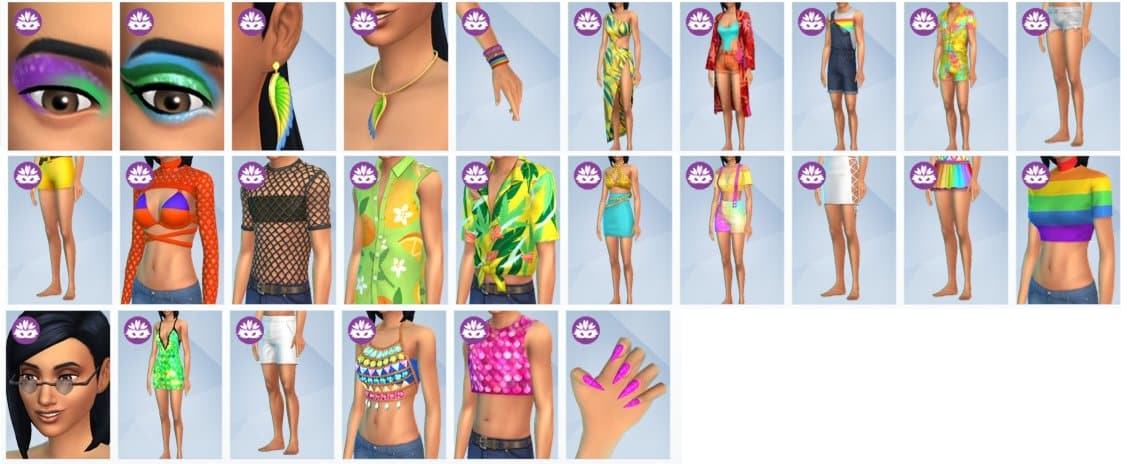
Twitter user, The Henford Hen, shared the image earlier today showcasing the twenty-six new additions. One thing that is noticeable from the leak is that as well as the new clothing additions, we’ll also be getting two new eye shadow options and one new nail option!
Take a closer look at the new additions below!
Let us know what you think about the new Create A Sim assets in the comments below!
It’s been a little while since we last shared a Fixer Upper Challenge for you to check out, but, we are excited to share our first one for 2022 with you!
As a quick recap, our last Fixer Upper was to help us renovate the Daisy Hovel Lot. We loved seeing how every one rescued our poor starter home, and there were some brilliant renovations! You can view our previous Fixer Upper Showcase here.
For this Fixer Upper Challenge, we will be fixing up a little Café/Garden that is desperately in need of a new lease of life! We would love to see entries inspired by the upcoming The Sims 4 Carnaval Streetwear Kit, but overall the way you renovate the shell is completely up to you!
Are you ready for the challenge?
Lot Gallery
TS4 x64 2022 01 27 13 31 06
TS4 x64 2022 01 27 13 30 56
TS4 x64 2022 01 27 13 30 29
TS4 x64 2022 01 27 13 32 35
TS4 x64 2022 01 27 13 32 20
TS4 x64 2022 01 27 13 31 29
Challenge Guidelines
Renovate the Build back to a Café with additional outdoor space.
Total Lot Value of §50,000
Must be placed on any available 30×20 Lot you have free in your game.
You can not change the placement of the existing internal or external walls. You may add additional walls but no additional levels.
Note: While you may delete items already on the lot for additional Simoleons in your budget, the total lot value once you have finished renovating this lot must be $50,000 or less.
FAQ
You can use any packs you own, but please do not use any Custom Content.
T.O.O.L & DEBUG allowed.
While this is a Café build, the lot has been placed on a Generic Lot Type.
You are allowed to change any of the Windows, Doors, Roofs, Fences, Stairs, Wall & Floor Patterns.
Once you have renovated our Fixer Upper Build, upload it to The Gallery and use the hashtag #SCCafe as we will be showcasing some of our favourites in a future article!
Showcase
To have the chance of being included in the showcase for this Fixer Upper challenge, make sure you upload your version of the build by Sunday 6th February 2022 at 6pm GMT.
We can’t wait to see how you fix our build! Be sure to tag us on social media, so we can see any videos or screenshots you share!
Note:This build is not a part of our monthly Sims Community Challenges. To find out more about the Sims Community Challenges, click here.
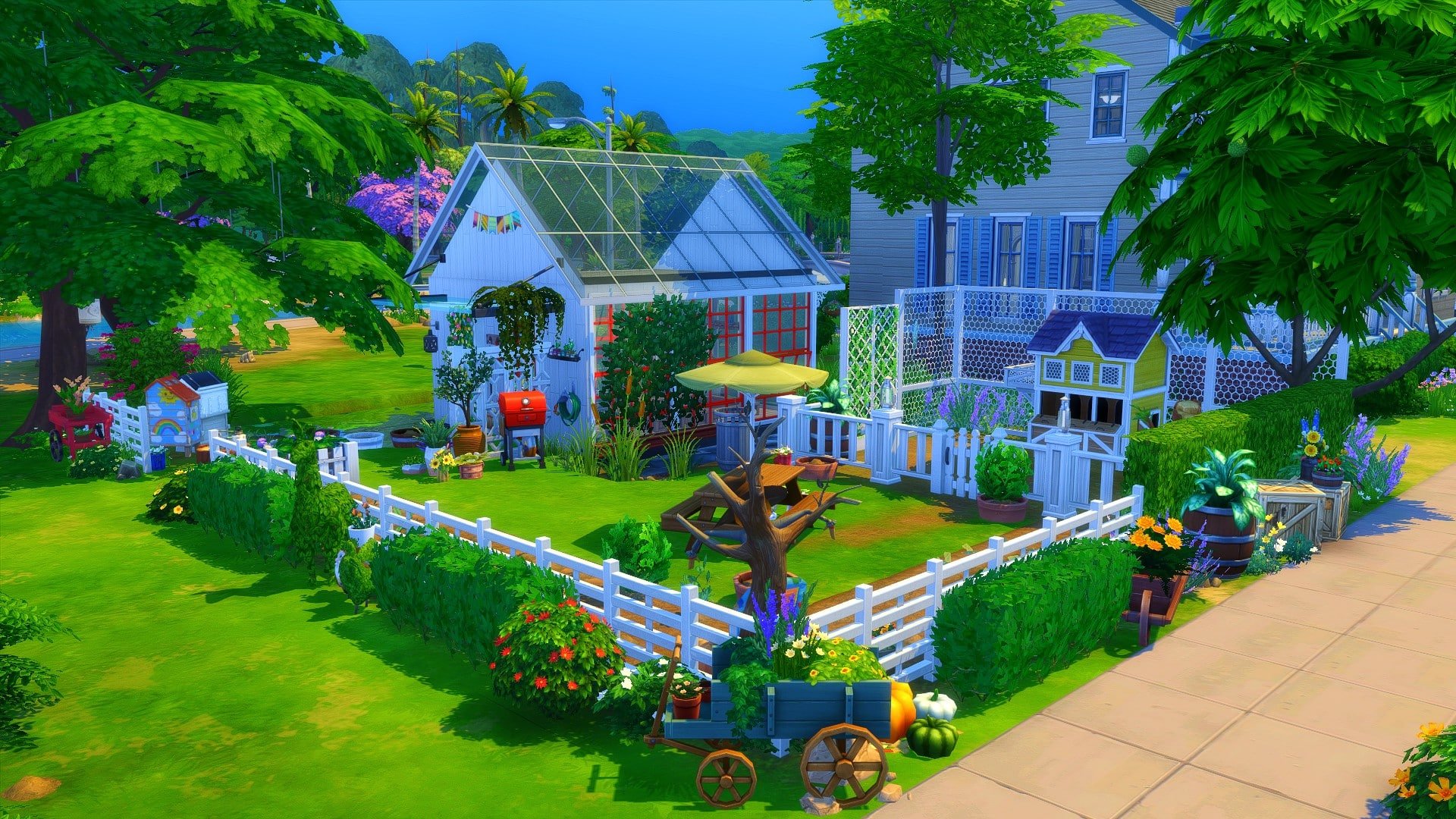
Looking for new Greenhouses to download? Look no further!
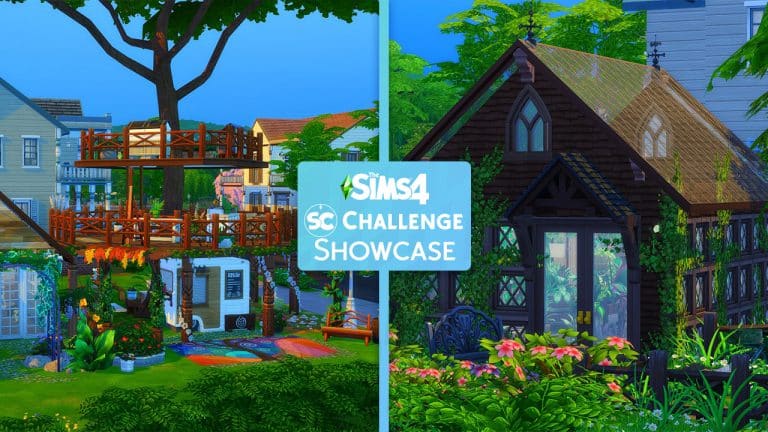
Welcome to the first Sims Community Challenge showcase for 2022!
It feels like an eternity since we last had a Sims Community Challenge Showcase. While we have kicked the year off with a Build Challenge, we’ve loved seeing what everyone has created using the shell, and we can’t wait to share some of our favourites from this month’s challenge!
Click here to take a look at what was involved for the January challenge otherwise, you can jump straight in and take a look at our favourite entries from this month’s challenge!
Thank you to everyone who shared their creations for the January Challenge! We loved each and every single one and don’t forget you can find all of the creations for this challenge under the #SCGarden hashtag!
The latest update for The Sims 4 on PC & Consoles has introduced a new Radio Station to the game.
The Carnaval Radio Station features 5 Brazil-inspired songs, including a throwback hit from The Sims 1 Vacation, a Simlish Version of Pabloo Vittar’s “Buzina” and other Simlish recordings from Brazilian artists.
Check out the preview below:
Want to compare these Simlish songs to what they sound like in Portugese? Down below is a list of all the songs from the Carnaval radio station in their original format!
Pabllo Vittar – Buzina
Silva & RDD – Te Vi Na Rua
https://www.youtube.com/watch?v=May2KbDlF84
Thiago França – Ladeira Véia
Thiago França – Frevo de Segunda
The Carnaval Radio Station is now available in The Sims 4 Base Game for everyone in celebration of the upcoming Carnaval Streetwear Kit.
The Sims Team has sent us the official material for their upcoming Kit – The Sims 4 Carnavale Streetwear Kit!
The material below includes the official description, key features and assets for the Kit. Check it out!
Bring the energy with The Sims 4 Carnaval Streetwear Kit*, designed in partnership with Pabllo Vittar to celebrate the vibrancy of Brazil’s Carnaval! Embody the confidence and creativity of the world’s biggest party through fashion and accessories with a one-of-a-kind collection.
LOOKS BY PABLLO VITTAR
Level up your Sim’s everyday wardrobe with the lively culture of Carnaval, as represented by Pabllo Vittar. Exuberant, fierce, and luminescent, these looks, styles, and colors personify Pabllo’s sense of freedom and fun.
MAKE EVERY DAY CARNAVAL
Capture the spirit and aesthetic of Carnaval with dynamic clothing, makeup, and accessories for all Sims. The fluidity of the collection encourages Sims to blend these interesting pieces into any look for an abundance of joy.
After reporting on the leak about The Sims 4’s upcoming Kit called Carnaval Streetwear – The Sims Team confirmed today this Upcoming Kit with some new official information!
As you all know, the Kit is set to release on PC and Consoles on February 3rd, 2022. In today’s official blog spot, the team revealed that they’ve collaborated with a popular Brazilian singer and drag queen Pabllo Vittar to bring this new Kit.
The Kit will include new CAS items including clothing, makeup and accessories. Check out the preview trailer below!
Want to know more about the Kit? Check out what The Sims Team shared in their blog post:
Channeling the influential style of iconic Brazilian superstar entertainer-activist Pabllo Vittar, we are releasing a collection of Create-A-Sims outfits and accessories inspired by the energy, self-expression, freedom and vibrancy of one of the world’s biggest celebrations, Brazil’s Carnaval, with the new Carnaval Streetwear Kit for The Sims™ 4, designed in partnership with Pabllo.
Through The Sims 4 Carnaval Streetwear Kit, Simmers can diversify their Sims’ wardrobe in Create-A-Sim with an eclectic mix of effervescently fierce looks. You will be able to dress your Sim in outfits with cutouts, multicolored fruit patterns with graphic contrasts, sequined tops as well as bold makeup and colorful accessories. Each piece was inspired by Pabllo’s larger-than-life personality, the costumes of Brazil’s vibrant Carnaval and the street parties, known as bloquinhos, that take place.
“Carnaval is a celebration that unites people from all over the world,” said Pabllo Vittar. “For Carnaval, you can’t dress up basic. Carnaval represents a lot of joy, where, at that moment, people forget some of the frustrations from the rest of the year. You have to look extravagant, drawing lots of attention and shining a lot. This kit is full of things that will help you do that. Each person is going to be themselves inside the game, because there are tons of outfits and accessories, which I know for sure will make you rock the runway!”
Most known for her music, one that melds electronic dance-pop with elements of traditional Brazilian sounds, drag queen Pabllo Vittar is also an actor, dancer and model. Earning a number of awards and accolades in her young and budding career, including Time magazine’s list of Next Generation Leaders. Through her unique style and big voice, Pabllo inspires people from all walks of life to be unapologetically themselves.
As part of this collaboration, we will drop a Carnaval surprise into the Base Game today, for everyone to enjoy. Pabllo Vittar has recorded her dance hit single “Buzina” from her second studio album, Não Para Não, in Simlish. Simmers can dance to this single in-game through The Sims 4 Carnaval radio station. To continue the celebration, players can expect to see a Sims Delivery Express Base Game update with Brazilian food and a mask in early February, and in March, art by Brazilian artist Lano.
“Carnaval is one of the greatest and most fascinating celebrations in the world,” notes Vincent Joly, Senior Art Director for The Sims 4. “The ongoing global pandemic has caused many regions in Brazil and around the world to cancel Carnaval. Many might not be able to celebrate with family or friends. We have worked with Brazilian pop sensation Pabllo Vittar to develop different Create-A-Sims looks inspired by the colors, vibrancy, feelings and emotions of Carnaval.”
The Sims 4 Kits are mini collections of content that provide players from around the world new opportunities to experiment and customize their Sim’s experience.
The Sims 4 Carnaval Streetwear Kit will be available beginning February 3, 2022 on PC and Mac via Origin™ and Steam®, PlayStation®5, PlayStation®4, Xbox Series X|S and Xbox One systems.
The Sims Team has released a brand new update for The Sims 4 on PC, Mac, Xbox One and PS4!
To download the latest version of The Sims 4, simply open your Origin program and if the game doesn’t update automatically, right click on The Sims 4 and select ”Update”.
In case you have Mods or Custom Content, the game will automatically disable them for you after first launching The Sims 4 after the update. To re-enable all your Mods and Custom Content, select the Settings option in the Menu and select Settings. Under the ”Other” section you’ll find the ”Enable Custom Content and Mods” option. Check it and restart your game in order for it to take effect!
Patch Notes
PC: 1.83.24.1030 / Mac: 1.83.24.1230
Console: Version 1.51
Hello Simmers!
Hope you are all well and safe wherever you are in the World.
We start 2022 with the season of Simthing to Celebrate, or as I call it – Confetti Season, and we started it not only with a Sims Delivery in early January but now, with a game update!
We hope this new year brings everyone happiness. To me, every new year is a chance for new beginnings, and new wishes. Not going to deny that this year hits a bit different and more so than the past, and as I’m writing these notes I feel a bit nostalgic even, but without losing the optimism that the new year brings.
I hope you all have a great start of the year and, and well of course, the months to come. We have a fantastic year ahead in all things Sims, and we look forward to sharing it with all of you, and for you all to enjoy.
Thank you for your continued support and feedback and, remember, have fun!
Chaucitos!
– SimGuruRusskii
This game update might not be a big endeavor, but it will allow us to get the year started.
As today we announced the Carnaval Streetwear Kit, we want to start getting into the spirit of it. For this we have added a new Radio Station – named aptly Carnaval Beats – so your Sims (and you) can enjoy the festive rhythm inspired by Brazil’s Carnaval on your favorite in-game stereo.
Sims 4
If your Sims are the type of those who aspire to be Villainous Valentines – now they can Convince to Leave Spouse to count toward that goal. #sorrynotsorry
We added text to some items that were missing text completely when found via the bb.showhiddenobjects cheat across multiple packs.
In the spirit of love and not breaking relationships apart… too much, Sims will no longer get a call from their romantic partner asking for advice on what to do with a possible pending engagement proposal from that same Sim. Can you imagine? Awkward…
Cottage Living
We fixed an issue in which translated text for Cottage Living Likes and Dislikes was not being displayed in all languages except English.
Journey To Batuu
Sims with certain traits that affect gig compensation will now receive proper galactic credit payout for completed missions on Batuu. Because your Sims are worth it, and so are you!
The Sims 4 has a lot of collections for players to complete; you could easily sink hundreds upon hundreds of hours into finishing all the collections alone. Some collections are no longer accessible without the use of cheats; they were part of limited time events the game has hosted over the years.
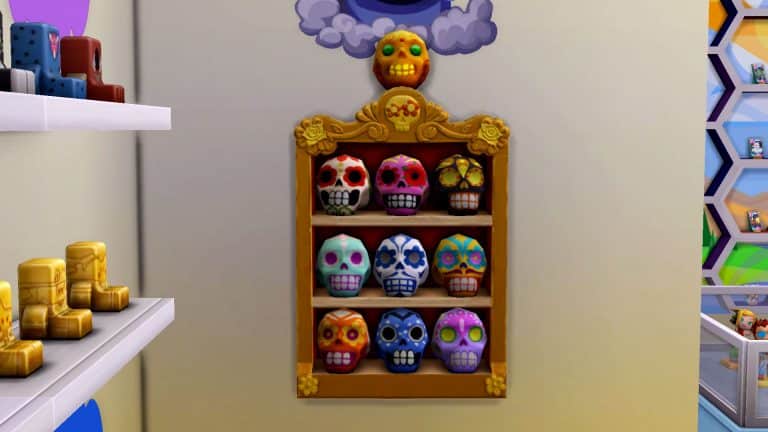
One such collection that was part of a limited time event is the Day of the Dead sugar skulls but many players don’t know that you can still collect the sugar skulls and finish the collection! No cheats or mods required!
To finish the sugar skull collection, your Sims will need a tombstone, a ghost, and the display case designed specifically to hold the sugar skulls, found in Build/Buy.
Acquire a Tombstone
To start collecting sugar skulls, your Sims will need to have access to a tombstone with a ghost still attached to it. A decorative tombstone will not work, nor will a tombstone whose ghost has been released to the netherworld.
Downloading a ghost from the Gallery will not work, either, since these ghosts don’t come with a tombstone. You need both the tombstone object and the ghost that inhabits it for this to work.
Basically, there’s no way around it; you have to kill a Sim in your game.
Leave Offerings
Once you have a tombstone with a ghost attached to it, one of the available options on the tombstone will be Leave Sugar Skull Offering. Your Sim does not actually need to have a sugar skull in their inventory to make this offering. The option is available on tombstones with ghosts 24/7 but make sure your Sims are only making offerings at night; making an offering during the day will always fail.
At night, have your Sim leave an offering at the tombstone. The offering will not always be successful. If your Sim does a begging/pleading motion after making the offering, it was not successful. If the offering is successful, you’ll get a notification informing you that a Day of the Dead Celebrator is in the area.
Your Sims are more likely to have their offerings accepted if they had a good relationship with the deceased Sim while they were still alive. There is also a cooldown period of about 24 in-game hours in between offerings so each Sim in your household can only leave an offering once per night.
Find the Day of the Dead Celebrator
The Day of the Dead Celebrator will be wandering somewhere in the neighbourhood after you get the notification. They will be easily identifiable; they are all wearing Day of the Dead themed CAS items. It will also say Day of the Dead Celebrator in red above their heads when you hover over them.
You can ask the Day of the Dead Celebrator for a sugar skull but they will refuse if they don’t know you well enough. Have your Sim spend some time befriending them before asking them for the sugar skull. You should be friends with the Sim and be having a Pleasant conversation before asking. If they still refuse, just keep doing friendly interactions with them until they’re willing to hand over the sugar skull.
The sugar skull you get is somewhat random in the sense that you can’t control which sugar skull you will receive, but you are more likely to get the common ones. Like most collections in the game, you could be spending quite some time trying to get those last one or two rare ones.
There is also one specific sugar skull you can’t get from the Day of the Dead Celebrators. More on that in the next section.
Honour the Dead
Once you have 9 out of the 10 sugar skulls in the collection, put them all in the sugar skull display case. When you have 9 unique sugar skulls displayed inside the case, an interaction called Honour the Dead will become available on the display case.
Have your Sim Honour the Dead on the display case to receive the 10th and final sugar skull in the collection. It will appear on the top of the sugar skull display case. Make sure you put it in your Sim’s inventory to have it be recognized in the collection and officially complete the set! You can put it back on the display immediately after; putting it in the Sim inventory just logs it in the collection panel.
Extra Goodies
If you’re interested, the sugar skull descriptions tell a story when put all together. You can read the full story in the collections panel after completing the entire collection. We’ll let you complete the collection and read the story for yourselves, though. No spoilers here.
Honouring the Dead doesn’t just complete the collection; it will also give your Sim special abilities regarding the Grim Reaper for the next 6 in-game hours. They will change into the same clothes as the Day of the Dead Celebrators. They will also get a +1 Happy moodlet called Day of the Dead Celebrant moodlet for the next 6 in-game hours. If Grim shows up while this moodlet is still active on your Sim, your Sim will be able to enjoy increased relationship gain with him. They will also have a much better chance of successfully pleading for another Sim’s life. On top of that, they will have some extra friendly socials available to them when talking to the Grim Reaper, such as Complain About Spirits, Discuss Afterlife, and Enthuse About Sugar Skulls.
The effects of Honouring the Dead are temporary; they only last as long as the 6 hour moodlet, but Sims can Honour the Dead at the display case multiple times. There is a 6 hour cooldown on the display case after Honouring the Dead, so only one Sim in the household can have these special benefits at a time.