Home Blog Page 163

Developer Livestream Replay: The Sims 4 Spa Day Refresh

0

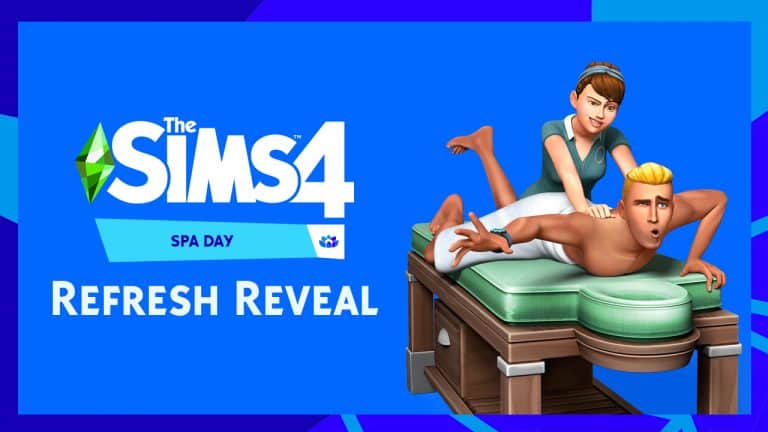
The Sims Team is doing a full reveal of The Sims 4 Spa Day Game Pack today!

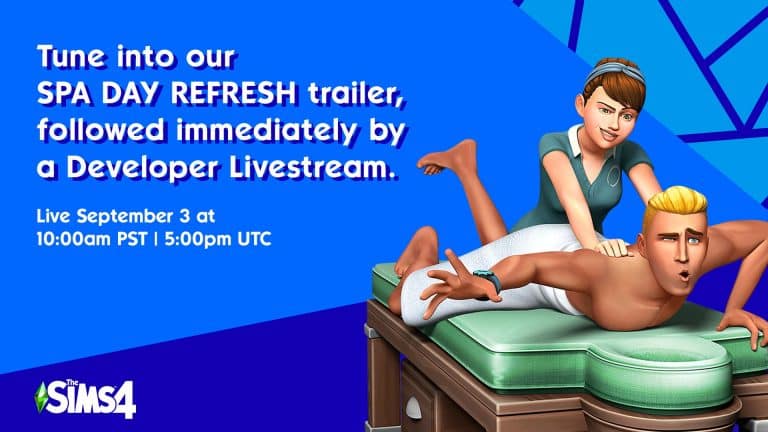
We are first expecting the reveal trailer to come out, immediately followed by a Developer Livestream that should take us through all the new things that Spa Day is getting with this Refresh.

The reveal and livestream are scheduled for 10AM Pacific Time. To make things easier for you we’ve included a countdown before the reveal.

You can watch the trailer reveal and developer livestream right below the countdown.

[janky target_time=”1630688400″ color=”#1400b3″]

My Current Favourite Custom Poses for The Sims 4

I’m relatively new to using poses in The Sims 4 and to be honest, I felt a little lost with where to start at the beginning. I always thought it was going to be something really complicated, but instead, it was actually incredibly easy. Looking back now, I don’t know what took me so long to start exploring poses. What I have come to discover is how much custom poses help bring your stories alive. Beforehand I would rely on in game features and default

While this article isn’t going to go through the process of how you install and add poses to your game (don’t worry, there will be some tutorials and resources linked below), I wanted to share some of the current pose packs that I’ve been using in my game lately.

Katverse

Katverse was one of the first creators that I checked out. In fact, it was actually for an article I was writing that made me stumble across Katverse’s creations. I loved the variety of pose packs that I could choose from, and there was definitely a pack for everything. I’ve actually had a few different pose packs in my game, but have found myself using regularly coming back to Pose Pack 27.

My Current Favourite Custom Poses for The Sims 4

SnarkyWitch

When SnarkyWitch told me she was creating a Taylor Swift inspired pose pack, I couldn’t have been more excited. As a fellow fan of Taylor Swift, I absolutely love this Evermore inspired pose pack. There is so much that you can do in game to help bring the poses to life even more, and they have really helped bring my stories alive recently. This screenshot is of the Happiness pose, and the story behind this image was my Sim finally feeling free of the challenges of university life and moving onto a new chapter of her life in Brindleton Bay.

My Current Favourite Custom Poses for The Sims 4Sprinkleste

Sprinkleste’s Heartbreaker pose pack caught my attention one day while I was scrolling through Tumblr. There was just something about this pose pack that I loved from the start, but as soon as I added it into my game and began using it, I knew why. Each screenshot I took using the poses quickly became my favourite and have been brilliant with bringing my own gameplay alive.

My Current Favourite Custom Poses for The Sims 4

Eclypt0Sims

This screenshot was actually caught on a bit of a whim when I was exploring EclyptoSims’ pose pack, but I loved it so much that I had to include it. If you were to go through my screenshots folder, you’d probably notice that most of my recent captures are from EclyptoSims’ Emotions 3, Looking Up pose pack. I just can’t stop using the pack!

My Current Favourite Custom Poses for The Sims 4

Pose Packs Referenced in this Post.

Tutorials & Resources

Do you have a favourite pose pack or pose creator? Let us know in the comments below!

The Sims 4: Relaxing Activities to Ease Your Troubled Mind

1

Times are pretty crazy right now and it’s not surprising that many of us are feeling sad and stressed about things that are beyond our control. The wonderful thing about video games is that they give us breathing room; they offer a brief respite from the trials and pressures of the outside world, which research has shown is good for our mental health. We all need to be able to step away and recharge our batteries so we can face the next day feeling refreshed and prepared.

The Sims is probably one of the best games out there for this kind of temporary escape from stress and anxiety. Having the opportunity to immerse ourselves in a sandbox virtual world allows us to relax with many hobbies and activities we might not have the means to pursue in our real lives. Pursuing these hobbies in a virtual space can offer the same feelings of calm and relaxation as if we were doing the hobby ourselves.

So if life has you feeling overwhelmed, why not open The Sims 4 and try some of these relaxing pastimes in the game to rest and unwind?

Painting

The Sims 4: Relaxing Activities to Ease Your Troubled Mind

There’s a reason The Joy of Painting with Bob Ross is so popular even so many years after it first aired. It’s very calming to watch someone paint so why not watch your Sims create beautiful masterpieces in order to find some inner peace?

Remember, there’s no such thing as mistakes; just happy accidents.

Fishing

The Sims 4: Relaxing Activities to Ease Your Troubled Mind

If you prefer a taste of the outdoors, your Sims are never too far away from a fishing spot. Cast your line and enjoy the calm, glistening waters while you wait for your next big catch.

Gardening

The Sims 4: Relaxing Activities to Ease Your Troubled Mind

Find rest and relaxation among beautiful blooms and tasty fruits and veggies! Lots of people find gardening to be a very relaxing and rewarding pastime.

Music

The Sims 4: Relaxing Activities to Ease Your Troubled Mind

Pick up a guitar, violin, or sit down at a piano or pipe organ and let the beautiful music carry you away to someplace peaceful. You can also sing your troubles away as you play your favourite instrument. Just want to sing? Try a microphone or a karaoke machine.

Arts & Crafts

The Sims 4: Relaxing Activities to Ease Your Troubled Mind

The Sims 4 has a variety of relaxing hobbies Sims can partake in from the comfort of their own living room, from cross stitch to knitting. Kids can even make all kinds of fun crafts at an activity table. Display the finished products around your home or wear your knitted threads.

Sunbathing

The Sims 4: Relaxing Activities to Ease Your Troubled Mind

For me, there is almost nothing more relaxing than lying out underneath the sun and basking in the warmth on a bright sunny summer day. The extra dose of Vitamin D is good for your mental well-being, too! Just don’t forget to apply a generous amount of sunscreen; the sun can be dangerous, too.

Hiking

The Sims 4: Relaxing Activities to Ease Your Troubled Mind

Going for a leisurely stroll through all that nature has to offer is good for both body and soul! Next time your Sims are in Mt. Komorebi on a nice day, spend an afternoon hiking through the bamboo trails. It doesn’t get much more tranquil than that.

Yoga

The Sims 4: Relaxing Activities to Ease Your Troubled Mind

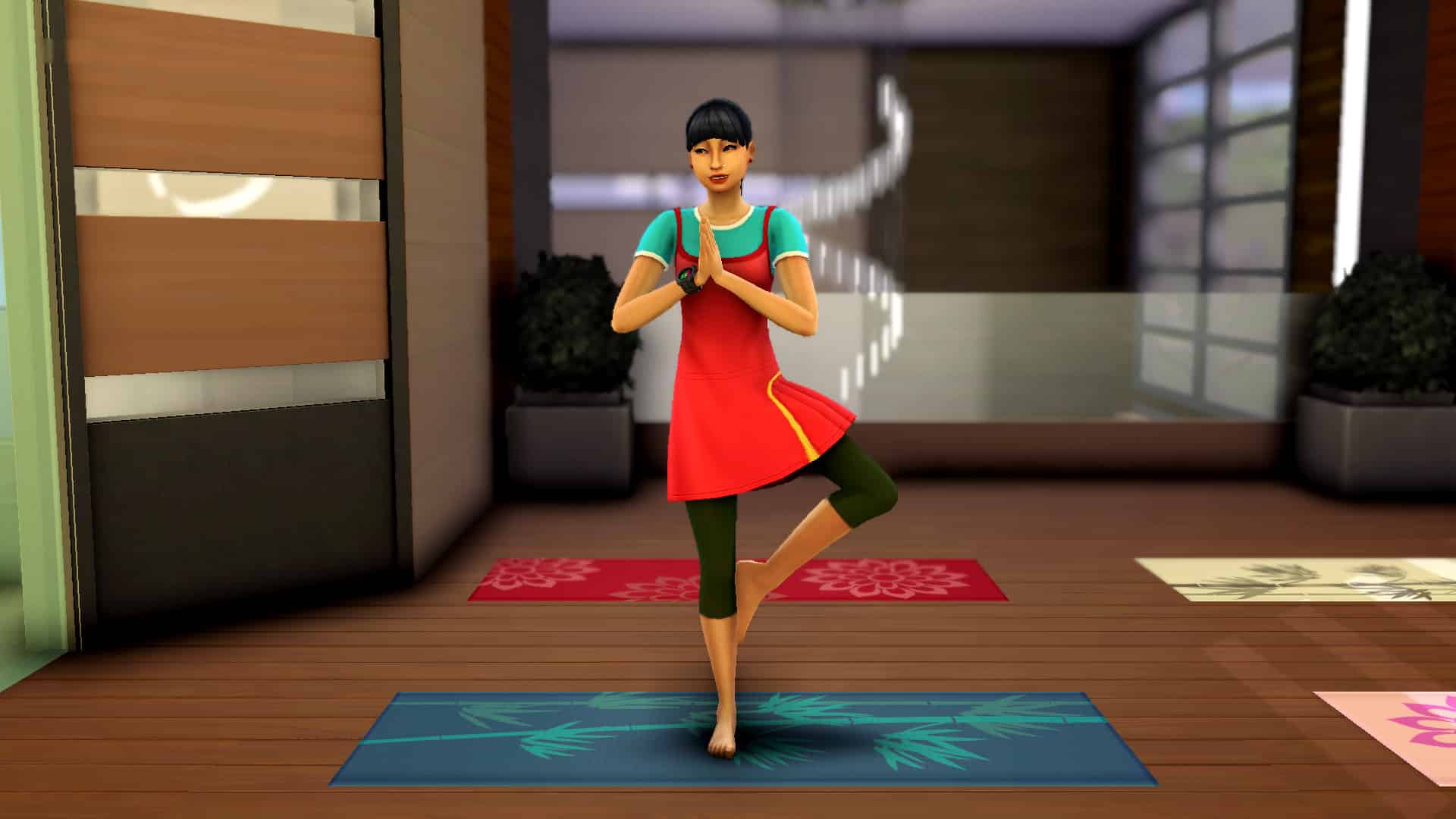
Another great way to maintain both physical and mental health is yoga! I love yoga in real life but keep falling out of the habit of daily practice. Somehow, it makes me feel better to watch my Sim do yoga when I don’t want to get on my yoga mat, myself.

Meditation
The Sims 4: Relaxing Activities to Ease Your Troubled Mind

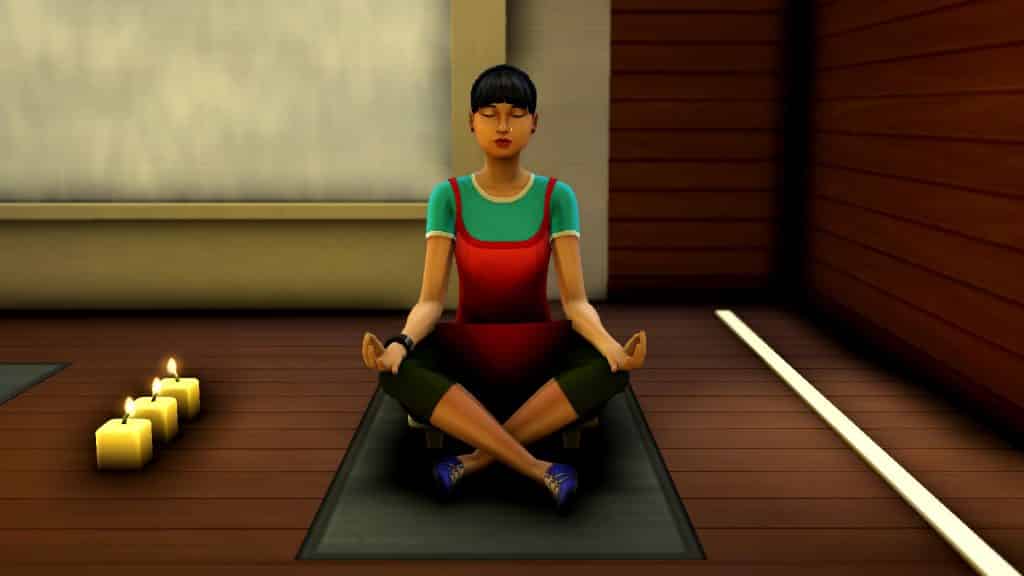
Meditation is becoming more and more mainstream and it’s not hard to see why! In our fast paced, chaotic world, dedicating just a few minutes of your time each day to quiet self-reflection can help lift our moods and train us to better control our emotions and reactions to stressful situations. It’s good for our Sims, too!

Pampering

The Sims 4: Relaxing Activities to Ease Your Troubled Mind

Full body massages, hand massages, foot massages, saunas, long baths with soaks, incense… there’s no shortage of ways for our Sims to take some time out of their busy days to spoil themselves a little. It’s just as relaxing for us to watch our Sims relax!

Vacations

The Sims 4: Relaxing Activities to Ease Your Troubled Mind

The whole reason people take vacations is to relax and alleviate stress but travel has become more complicated these days. Why not experience a virtual vacation, instead? Join your Sims on a rustic camping trip to Granite Falls or experience the rich culture and history of the jungles of Selvadorada. Your Sims will return home feeling refreshed and so will you!

Animal Care

The Sims 4: Relaxing Activities to Ease Your Troubled Mind

Any animal lover will tell you how fulfilling and relaxing it is to care for animals and The Sims 4 has no shortage of furry friends to help soothe our Sims’ weary souls. Cats, dogs, rodents, cows, llamas, chickens, bunnies, birds, and foxes all have the power to lift both our Sims’s spirits and ours.


What’s your favourite relaxing activity in The Sims 4? Did we miss any? Share them with us in the comments or on any of our social media channels!

The Sims 4 Spa Day Refresh: Official Trailer & Livestream Set for Tomorrow!

0

The Sims Team has announced that they’ll be releasing a brand new trailer for The Sims 4 Spa Day Refresh, along with a developer livestream covering the new refresh content!

The trailer and livestream will begin with premiere tomorrow, September 3rd at 10AM PT / 7PM CET / 6PM BT.

In case you don’t know – it’s been officially leaked that The Sims 4 Spa Day will be getting a huge new features including new Trait, Aspiration, Objects, Nails and so much more!

OFFICIAL LEAK: The Sims 4 Spa Day is getting a Refresh

15

TheSims.com has made some changes last night in the backend of the official page for The Sims 4 Spa Day Game Pack. Google was quick to cache the webpage with not just the new headline about the Spa Day Pack Refresh…

OFFICIAL LEAK: The Sims 4 Spa Day is getting a Refresh

…Google was able to cache the entire page with the information about the upcoming Refresh of The Sims 4 Spa Day!

OFFICIAL LEAK: The Sims 4 Spa Day is getting a Refresh

This Pack Refresh has been teased by The Sims Team for a few weeks now – and now we finally know which Pack is getting the upgrade first!

Without further ado – here’s what you can expect from the upcoming Pack Refresh:

WE’RE REFRESHING YOUR SPA DAY!

A refresh is when we take a Pack and expand on that core theme, adding new features that elevate that experience. This isn’t an add-on you have to purchase. You receive all these features with the Pack (if you have the Pack, it’s a free update)!

VISIT THE SPA

New trait incoming! High Maintenance Sims may struggle with trivial things, but visiting the Spa can lead to catharsis and let you relax those troubles away.

FOCUS ON WELLNESS

Don’t forget to invite the kids (yup, kids can now participate in Wellness activities). Plus, earn a few extra Simoleons by teaching other Sims how to find control through mindfulness. Additionally, take your Wellness to the next level and aspire to be a Zen Guru or a Self-Care Specialist.

PAMPER YOURSELF

Finish up unwinding with manicures, pedicures, and facial masks. And with the new aspiration, Sims seeking Inner Peace will want to pamper themselves more than ever. Ahhh, perfection.

EXPRESS YOURSELF IN COMFORT

We’re supporting nails now! New nail colors, designs, and shapes let Sims show off their style and individuality

We finally updated our The Sims 4 Timeline Page

0

The Sims 4 turns exactly 7 years today!

That’s right – on September 2nd, 2014 The Sims 4 Base Game hit the shelves first in the United States, and then days later went worldwide.

It’s needless to say that The Sims 4’s road was long with numerous content updates and pack releases. Some might not know this but the Base Game didn’t have a functional dishwasher for an entire year! For 11 months and 4 days your Sims had to rely on nothing else but the sinks to get rid of the dishes.

We finally updated our The Sims 4 Timeline Page

We covered a lot of interesting releases and changes throughout The Sims 4’s cycle in our dedicated The Sims 4 Timeline – which now covers all seven years of the game’s releases!

Click the button below to check out The Sims 4’s entire Timeline.

[mks_button size=”large” title=”THE SIMS 4 TIMELINE” style=”squared” url=”https://simscommunity.info/timelines/the-sims-4-timeline/” target=”_blank” bg_color=”#229cd8″ txt_color=”#FFFFFF” icon=”” icon_type=”” nofollow=”0″]

We finally updated our The Sims 4 Timeline Page

Favourite Songs From The Sims Soundtracks Over The Years

1

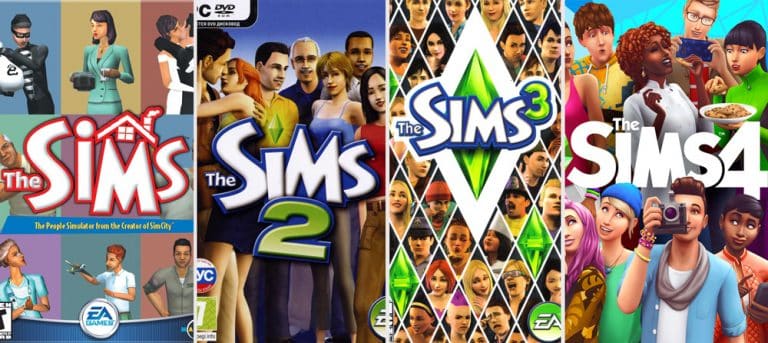
There is no denying that The Sims soundtracks have some great songs on them. Now, I’m not talking about the ones that we hear on the radio, they are in a league of their own, but the game’s soundtrack overall. Over the years, there have been many standout songs, including the infamous Pineapple song from The Sims on Holiday/Vacation.

On a regular basis, I find myself putting one of The Sims games soundtracks on in the background, and it got me thinking about my favourites from each game. Luckily enough, many of these can be listened to on Spotify, including the original The Sims soundtrack.

source

This proved harder to do than I originally thought, as there are just so many tracks I wanted to choose. However, here are my top song from each of the main The Sims game soundtracks

The Sims – Under Construction

Ahh, the nostalgia. To be honest, the whole soundtrack is brilliant, but this particular song always reminds me of the countless hours I would spend sat in build mode trying to figure out what I was doing or what to build next.

While this is not part of the original soundtrack, I do want to give a special mention to this particular ten-second sound.


The Sims 2 – Simsation

When ever I think about The Sims 2, other than the game’s main theme, this is the track that comes to mind. It’s just so upbeat and bubbly that it just makes me feel happy and smile whenever I hear it.

The Sims 3 – Aisles of Miles of Smiles

I actually found choosing a track from The Sims 3 the hardest, as I just wanted to include them all to share in this post. For me, this track is just one that I find myself humming along to when I hear it playing in game. Like Simsation from The Sims 2, it’s upbeat and never fails to make me smile.


The Sims 4 – Take This

Take This is another song that is just relaxing to listen to. I usually find this one plays in Build Mode for me most of the time. I was torn between choosing this track or Sul Sul. Overall, it’s just a pretty chilled out song.

The Sims franchise has many great tracks on its soundtracks from both the original games and the additional content from over the years. It was difficult to chose just one song from each game, but it was also great fun listening to the soundtracks again while creating this post. Next stop, exploring the soundtracks of the additional content and maybe even the radio stations?

What are some of your favourite tracks from The Sims games? Let us know in the comments below.

The Sims 4: Small Details & Features You Might’ve Missed

1

The Sims 4 has been around for quite a while now but even though I’ve been playing and loving the game since its launch seven years ago, I still find new details almost every time I play that enhance my enjoyment of the game. The Sims 4’s attention to detail is something I never cease to be amazed and impressed by.

Here are just some of my favourite small details in The Sims 4 that aren’t necessarily game changers but definitely add a lot of charm and enjoyment to my playing experience.

Von Haunt Estate Plaques

The Sims 4: Small Details & Features You Might’ve Missed

You’ve probably noticed these decorative plaques all over the Von Haunt Estate if you’ve ever paid a visit to this historic site in Windenburg but did you know they aren’t purely decorative? You can read the plaques! Each one gives you a bit of history about the lives of the couple who once lived there. The next time you visit, make sure you stop and read all of the plaques to learn about the tragic love story of Lord and Lady Shallot.

San Myshuno Adverts

The Sims 4: Small Details & Features You Might’ve Missed

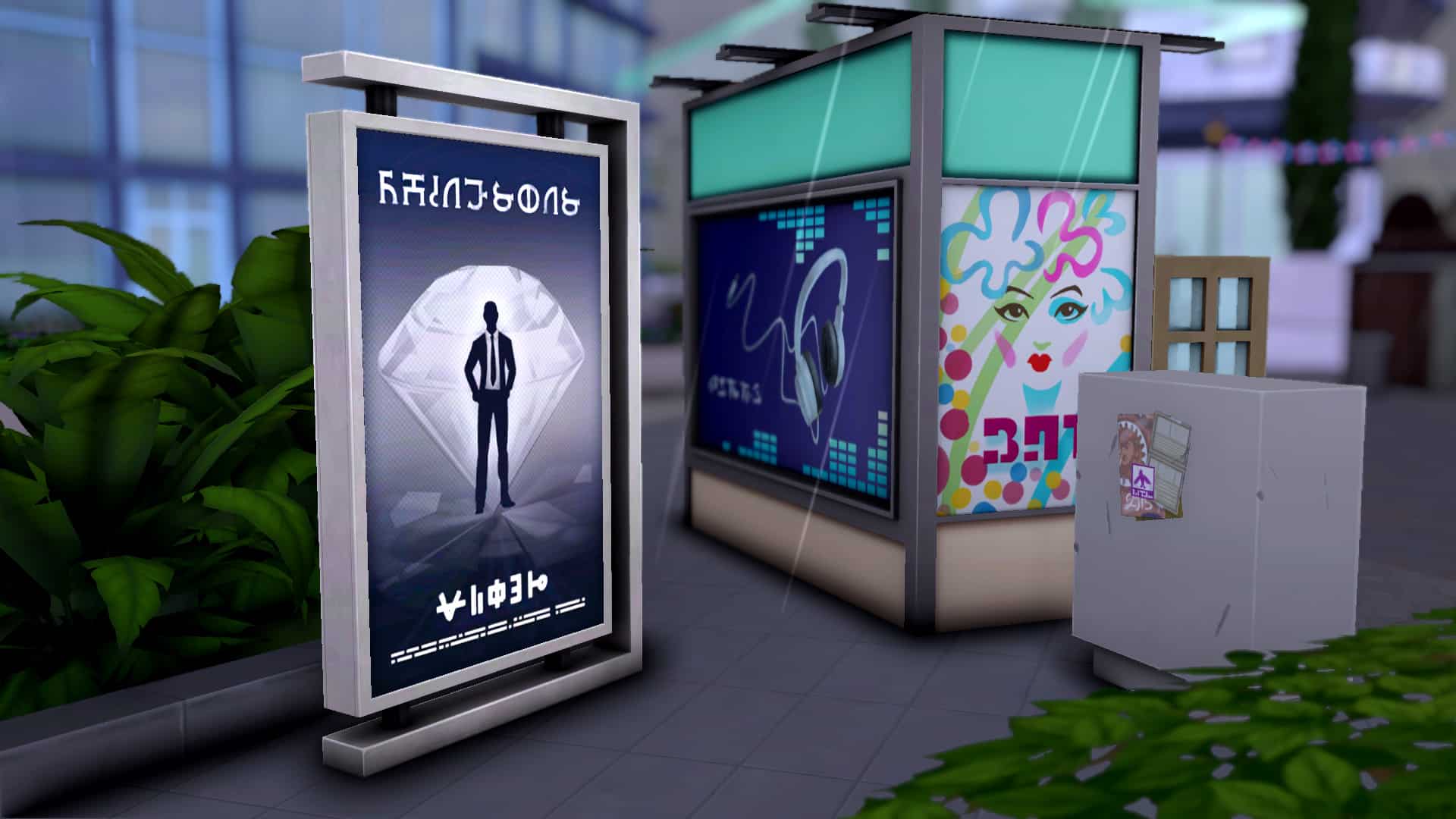
Have you ever noticed these standing adverts all around San Myshuno? If you’ve paid close attention, you might have noticed that the adverts change periodically but did you also notice that you can read them? Click on an advert to read the ad! The ads are full of funny easter eggs and inside jokes to amuse diehard Simmers. Many of the ads are also for movies featured in the Movie Hangout Stuff packs!

Myshuno Meadows’ Disaster Memorial

The Sims 4: Small Details & Features You Might’ve Missed

Did you know there was once a terrible disaster that nearly brought the city of San Myshuno to ruin? If you take a stroll to the gardens just outside Myshuno Meadows park, you can read all about it at this disaster memorial. There are a few other monuments like this one scattered around the area and they all give you a bit of history about the city. Take a walk around the park and see if you can find them all!

Emily the Sea Monster

The Sims 4: Small Details & Features You Might’ve Missed

If you visit The Bluffs in Windenburg, keep an eye out for a sea monster named Emily in the distant waters. Emily’s guaranteed to come and say hello on your first visit to The Bluffs but afterwards, she only has a 2% chance of appearing. Fun Fact: Emily is named after one of The Sims 4’s developers!

Spooky Paintings

The Sims 4: Small Details & Features You Might’ve Missed

The Sims 4 Spooky Stuff pack comes with some innocent-looking Victorian paintings to decorate your walls with but watch out! These paintings aren’t what they seem. When your back is turned, the picture in the frame just might change to something more sinister. These paintings periodically phase between their normal and spooky states, giving players quite a fright. The paintings from The Sims 4 Paranormal Stuff also have normal and spooky states but the spooky versions are triggered by paranormal activity in the home. They don’t phase back and forth continuously like the Spooky Stuff paintings do.

Faeries in the Glade

The Sims 4: Small Details & Features You Might’ve Missed

If you’ve ever felt like you’re being watched while visiting the secret Sylvan Glade lot in Willow Creek… you’re right. If you pay close attention, you can hear the giggling of mysterious voices in the background and a magical tinkling sound. Pairs of eyes peak out at you occasionally from the edges of the clearing and shimmering lights dance around the area. While it’s never been confirmed that the Sylvan Glade is home to a group of faeries, it’s not a far stretch to make. The word sylvan traditionally means “being that inhabits the woods” and has carried a supernatural connotation in folklore.

Faces in the Crystal Ball

The Sims 4: Small Details & Features You Might’ve Missed

The crystal ball that comes with The Sims 4 Paranormal Stuff is nothing more than a pretty clutter object to decorate your shelves… unless you place it on a séance table, that is. If you have a crystal ball in the centre of your séance table and begin a ritual, this seemingly innocuous decoration comes to life. Not only will it glow pretty colours but if you look closely, you can make out tormented faces in the orb that seem to scream for freedom from their glass prison. Spooky!

The Secret of the Tragic Clown

The Sims 4: Small Details & Features You Might’ve Missed

You’ve probably seen this Tragic Clown painting in Build/Buy before but did you know this painting has a secret to share? All you have to do is place this painting in your home and view it to meet your very own Tragic Clown in person! Don’t expect him to entertain at your kid’s next birthday party, though. This Tragic Clown is, well… tragic. He incites tears rather than laughter. Players old enough to have played The Sims 1 will remember this mopey clown fondly.

Hidden Grilled Cheese Aspiration

The Sims 4: Small Details & Features You Might’ve Missed

No, we aren’t talking about The Sims 2. The Sims 4 has its own hidden Grilled Cheese aspiration. This throwback to the early 2000’s makes a return in The Sims 4. To unlock this hidden aspiration, all your Sim has to do is eat 3 grilled cheese sandwiches in a row. Go ahead and get your gouda on.

Sulani’s Mysterious Treasure

The Sims 4: Small Details & Features You Might’ve Missed

Have you ever made a trip to the shipwreck lot in Sulani? This old ship-turned-home has a treasure chest hidden behind the back wall of the lower deck but good luck opening it. Clicking on the chest only brings up a tooltip informing you that the ancient lock is so rusted that it wouldn’t open even with the proper key, which has likely been lost in the ocean. If there is a way to open the chest, I haven’t figured it out, yet. Maybe that’s one more thing for me to learn about The Sims 4 or maybe it’s meant to remain an unsolvable mystery.


What’s your favourite small detail of The Sims 4? Let us know in the comments or come chat with us on social media!

Must Have Mods for The Sims 3 to Improve Stability and Performance

There’s no doubt that The Sims 3 holds some nostalgic charm for a lot of us. Even though The Sims 3 is not my favourite of the series by a long shot, I still find myself revisiting it fairly often these days for a few of those nostalgic features I did enjoy and miss in The Sims 4, like horses, teen rebellion and milestones, and being able to invest in real estate.

However, even diehard fans of this installment can’t deny that The Sims 3 is rather… unstable. It was unstable back in its hey day and is arguably even moreso now with modern hardware that the game no longer recognises. This is probably the game’s biggest weakness but the good news is that thanks to talented modders and players who have written good tutorials on how to tweak the game files, The Sims 3 can be the enjoyable experience it was meant to be.

Must Have Mods for The Sims 3 to Improve Stability and Performance

Must-Have Mods

Let’s start with must-have mods, first. They’re easier to install. We’ll get to tutorials later on.

NRaas Error Trap

This mod is a life saver! It catches and attempts to correct script errors that too often corrupt your save and render it unloadable. If it catches an error it can’t correct, it “traps” the error and logs it so your save file can still load. The Error Trap has fixed so many problems in my Sims 3 worlds, particularly when it comes to Sims getting stuck aging or becoming trapped in an unroutable location.

NRaas Overwatch

Another must-have mod to keep The Sims 3 running smoothly is the Overwatch mod. This mod acts as a periodic cleanup tool that removes junk and buggy objects from your game every night at 3am. When left unchecked, all this junk can bloat your save file over time until it can’t even load anymore. The Overwatch mod switches off all televisions and radios in the world at 3am as well as deletes any abandoned cars sitting around town. This mod removes anywhere between 70-100+ abandoned cars every single night in my game.

NRaas Master Controller

If you’re familiar with Deaderpool’s MCCC mod for The Sims 4, this mod is its predecessor. It adds countless options to give you greater control over your Sims and your world, more for the convenience of the player than stability per se, but the mod can still be used to help keep your game running smoothly, too. For example, resetting Sims that have gotten stuck underground or some other ridiculous location or managing your unplayed households.

NRaas Story Progression

Another mod that inspired the MCCC mod for The Sims 4! NRaas Story Progression disables the default EA story progression settings and replaces it with a better, more balanced, and lifelike system. This mod’s intent is more to add realism and enjoyment to the game’s story progression mechanics but it does also happen to improve stability by completely disabling the buggy default EA system altogether and replacing it with a cleaner story progression system.

Lazy Duchess’ Smooth Patch Fix

Lazy Duchess recently released a new mod for The Sims 3 that’s meant to speed up the game and make it load things faster. Build/Buy, CAS, and gameplay should all see noticeable performance improvements but Lazy Duchess does caution that this mod is not a fix-all miracle potion for the game. You do still need to have a good computer with strong specs that can handle the game to begin with and you should still have other performance-enhancing mods installed. After testing it out myself, I saw significant improvements in gameplay and Build/Buy, but not much of a difference in CAS on my system. Please read the install instructions carefully as this mod is not installed the same way other mods are.

AussomeDays’ Additional Entry/Exit Points for Schools

This mod is an absolute necessity for any Sims 3 players who like to play through generations. Crowds of Sims stuck outside rabbitholes, waiting in a queue to enter single-file through the only available entrance is a huge contributor to lag and schools are the worst for it. Every child and teen in the world attends the same school and if you’ve been playing for a while, you can easily end up with 40+ kids and teens standing around outside the school waiting to get in all day and never actually make it inside the building before the school day ends. One way to alleviate this issue is by placing more schools in the world and using mods to assign all the kids and teens in town to different schools. Another way is to install this mod. I find using this mod a lot easier than reshuffling my whole world around. Be sure to read the instructions carefully! Some premade school lots need some edits to work right with this mod. Pre-existing saves require a bit of setup as well.

Must-Follow Tutorials

Now for the more complicated stuff. Tutorials that show you how to edit things in the game yourself. I am decent with computers but not a computer genius by any means and I was able to follow along with these tutorials. The graphics card tutorial did require some intense concentration on my part to follow along with. With that said, let’s get into the tutorials!

How to Allocate More RAM to The Sims 3

By default, The Sims 3 only uses a maximum of 2GB of your computer’s RAM (temporary memory). This means that even if you have 16GB of RAM, The Sims 3 will still only use 2GB and you won’t see any difference to performance even on a high end system. This tutorial walks you through how to make the game use more of your computer’s RAM to get the kind of performance your system should be able to handle.

Please please please read the tutorial very carefully! Your graphics card’s RAM is not the same thing as your system RAM. You must know your system’s RAM to be able to follow this tutorial. It is very important that you do not allocate more than half your computer’s RAM to The Sims 3. For example, I have 16GB of system RAM, which means I can allocate a maximum of 8GB of RAM to The Sims 3.

How to Force The Sims 3 to Recognize Newer Graphics Cards

With most older games, you’ll have to jump through some hoops to make the game recognize newer graphics cards. The Sims 3 is no exception. While you theoretically can run The Sims 3 on an unrecognized graphics card, you might end up with some glitches and performance issues since the game’s settings are not optimized for your graphics drivers. It’s recommended to make sure the game can recognize your graphics card.

I’ll be honest, this tutorial was a bit tricky for me to get through and follow along with but with enough focus and concentration, I managed okay and got it working in my game. If you are not a computer whiz, I recommend setting aside a good chunk of time where you have no distractions so you can really sit down with this tutorial and pay close attention to each step.

COMMUNITY POLL: You Can Only Pick One of These Sims Games

Over the past 21 years, The Sims franchise has seen dozens upon dozens of installments and spinoffs. From console games to online MMOs and even mobile titles, there seems to be no platform The Sims franchise hasn’t dipped its toes into at some point or another. Some of these titles were definitely better than others. Some saw long-lived success while others faded into obscurity rather quickly but we’re here today to revisit some of those titles.

It’s time for you to give your input and tell us which of these Sims titles are the best. You can only pick one in each category, so think carefully. A few of these categories might prove difficult to select just one!

Remember to click the text and not the image when casting your vote!

[totalpoll id=”100860″]

Let’s Talk About The Sims 4 Kits: Six Months Later

It’s been around six months now since we first saw the introduction of Kits to The Sims 4. Even now several months later they are still a hot topic within the community and even more so with the recent release of The Sims 4 Industrial Loft Stuff.

When the first announcements about Kits were made, I reached out to the community to find out exactly how players were feeling regarding the new Kits and now five months later, I decided to ask the same question again.

You can read our previous article where we talked about the community thoughts about Kits here.

Firstly, thank you to everyone who took the time to respond to the Tweet above. I was blown away by how many of you took the time to share your thoughts and opinions about The Sims 4 Kits.

After taking the time to read through each reply, it was clear that there is still a mixture of feelings towards the Kits. While many players felt they were good ideas, there were still many players who felt they weren’t worth it. I also found there are a lot of players who both like the idea of Kits but are still unsure about them.

Here’s a look at some of the points raised in the replies.

  • Kits are a great idea for those who can’t necessarily afford larger packs.
  • Good idea for more niche themes that don’t fit into larger packs.
  • Good for console players who can’t use custom content or mods.
  • Would love if kits to be created in collaboration with Custom Content creators.
  • Not value for money/overpriced for what you get.
  • Kits feel like a cash grab/microtransactions.
  • Items are just the same as other items already in the game, just reskinned.
  • Is there a need for a fourth pack type this far through The Sims 4’s lifetime
  • Need more variety. There seems to have been more of a focus on Kits that are aimed at Builders than CAS or Gameplay Kits.
  • Still a better option than The Sims 3 store.
  • Some of the Kits could have been included in other packs.
  • More content is needed in the Kits considering the price.
  • Kits are a great idea but poorly executed.
  • World Kits when?
  • Initially excited and impressed, but now not so sure.

You can find all the replies to the aforementioned Tweet here.

Let’s Talk About The Sims 4 Kits: Six Months Later

Many players echoed similar feelings in the replies and the ones listed above, even though they are both positive and negative, they give an accurate look at how the community feels about Kits six months after their initial release.

So now the next question that arises is what next? Do EA revisit Kits to try and make them more appealing to the community and taking on board players feedback? Do they try to alternate the way they are released in regard to whether they are focused on gameplay, Create-A-Sim or Build/Buy Mode?  Or do they try something different with Kits altogether?

At this moment in time, we had a total of five Kits available for The Sims 4. These being Throwback Fit, Country Kitchen, Bust the Dust, Courtyard Oasis and the latest Kit to be released, Industrial Loft. There’s no denying that Kits are likely to be around for a while and even though three out of the five have been focused more on building, what kind of Kit would you like to see released next or is there a specific theme you’d like to see covered in a future Kit?

Let us know your thoughts and opinions on The Sims 4 Kits below in the comments, or join in the conversation on Social Media!

The Sims 4: Review of the Industrial Loft Kit

Oh my, where do I even start with this one?

In case you missed it, The Sims released another kit for The Sims 4, called Industrial Loft Kit. It has, you guessed it, items to decorate an industrial loft. It’s available for $4.99 USD on Origin if you’d like to snag this new kit for yourself. I grabbed this kit when it dropped and spent some time exploring and building with it.

I should start by saying my feelings about kits in general are pretty lukewarm. I don’t love the concept but there’s been a couple packs that I really liked, such as Country Kitchen and Courtyard Oasis. I even liked Bust the Dust after they ironed out all the bugs with it. Others, like Throwback Fit left me extremely underwhelmed. Seeing as I’m not at all fond of the industrial look, I expected Industrial Loft to fall into the underwhelming category but I still tried to go in with an open mind. I’ve reviewed many packs I thought I would hate but changed my mind after playing with them.

The Sims 4: Review of the Industrial Loft Kit

I installed the new pack and hopped into Build/Buy to check out all of the new items. There are a total of 25 new items (21 if you count the ceiling lamps and modular pipes as one item each). All of the items were really reasonably priced, I was happy to see. I’ve found a lot of prices for objects in packs to be weirdly high for what the object is in the past which isn’t good for builders who don’t like to use money cheats or want to build within a budget for players who don’t use cheats. Considering most of these items look like they were made in a high school shop class, I was happy to see them priced accordingly.

As I started looking through the collection, I saw some stuff that caught my eye but not all of the items caught my eye for good reasons. Setting aside the bias I have against anything industrial, I noticed a distinct lack of swatches on a lot of the objects. The colour selections feel very limited and it’s difficult to pair them with a lot of other packs because of this. Some stuff works well with this kit but I had to dig through the catalogue pretty meticulously to find a decent variety of other packs this kit could pair nicely with. The only items I had an easy time mixing and matching were the rug, wall decal, and open French doors.

The Sims 4: Review of the Industrial Loft Kit

Still, I was most put off by what isn’t in the kit rather than anything that is actually in the kit. I understand that a $5 kit is only going to have a maximum of 20-25 items, which in my opinion, is a perfectly reasonable content to price ratio. However, any Build/Buy collection that does not include at least one wall covering and/or one floor covering is a huge miss. Especially for an industrial loft themed kit that relies heavily on textured brick and reclaimed wood to make the design work.

The Sims 4: Review of the Industrial Loft Kit

While I might be able to forgive the lack of walls and floors in a Build/Buy kit, what is unforgivable is showing us something in advertisements that is not even in the kit. We were shown a beautiful rounded window with loft-style panels in an early teaser for the Industrial Loft Kit. I was really looking forward to using this window. I thought it paired nicely with the windows from Moschino Stuff which I love and always wanted more variety of. Cue my confusion, then disappointment, then anger when I realised the window seen in the ads was not the window that came with the kit. Instead of that beautiful window, we got a pretty bare-bones looking window that was extremely similar to some base game windows we’ve had since 2014. The Sims Team has promised to add the missing window to the kit in a free Kit Patch but only after public backlash. Had no one complained, I doubt we ever would have gotten that window.

The Sims 4: Review of the Industrial Loft Kit

Then there’s the matter of the bed that comes with this kit only having an Energy rating of 1. This does appear to be just a typo, since Sims do gain energy at a normal rate for the price range of that bed but it still feels like players paid $5 for a collection of unpolished content that was rushed and cobbled together as an afterthought. In a kit where you only get a very small selection of items, each and every one of those items should be perfect with no glaring mistakes.

All in all, I was left with a bitter taste in my mouth after exploring this wildly disappointing kit. It’s a shame because overall, I like to think I’m pretty positive about The Sims 4. It’s my favourite game in the series and more often than not, I really love the new content that gets released for it. I’ve even liked a few of the kits released so far even if I’m unsure about kits as a business model, but Industrial Loft?
This kit is downright shameful. The Sims needs to do better with its kits because false advertising and mislabeled objects is just not acceptable.

The Sims 4 Industrial Loft Kit: Build The Perfect Loft Space

Bring a studio space to life with this industrial inspired kit!

The Sims 4 Industrial Loft Kit: New In-Game Screens

The Sims 4 Industrial Loft Kit is here and brings new building opportunities! Building the perfect space for your Sims is important. Be it a mansion or tiny home, apartment or and island getaway, your Sims’ home means everything to them. It reflects who they are as a Sim and the things they like. Now if you Sim finds them self in the apartments of San Myshuno or Evergreen Harbour we all know space can sometimes be a little tight. However, you may have your Sim living in a loft style build you’ve created or downloaded from The Gallery.

With The Sims 4 Industrial Loft Kit, you can bring your Sims apartment and loft space dreams alive more than you have been able to before.

The Sims 4 Industrial Loft: Gathering Inspo

Industrial Living Room

I spent some time experimenting and trying out different ideas I had using the new Industrial Loft Kit along with Eco Lifestyle and City Living, mainly to get an idea of how those packs would work with the new items. I started with these two expansions as they are the ones that have the options to live in apartments. As expected, the packs worked together perfectly.

The Sims 4 Industrial Loft Kit: Building The Perfect Loft Space For Your Sims

I took to Google to get some inspiration for some loft spaces. After around 10 minutes, I had a general idea of what I wanted to do. The results you can see below in the images.

Industrial Kitchen

While it was fairly easy to build overall, it was a little more challenging when it came to clutter and decorations. It took some trial and error finding what looked and worked well together, as well as choosing a stand-out colour for the loft space. In this instance, I went with red. Not only did I find that using the Eco Lifestyle and City Living worked well but also Moschino Stuff, Tiny Living, Dream Home Decorator and Paranormal Stuff were great options too.

Mixing and Matching

The Sims 4 Industrial Loft Kit: Building The Perfect Loft Space For Your Sims

While it wasn’t always items from those packs as the bigger furniture pieces, some of the packs were more for clutter and smaller details in the builds and the ideas I tried out. That’s not saying that other packs don’t work well with The Sims 4 Industrial Loft Kit, these were just some that were my favourite and stood out to me the most.

Of course, it will depend on what theme you are going for and how much of an industrial look you want to incorporate into your build, but you may be surprised how the new items from The Sims 4 Industrial Loft Kit fit in with many of the existing options that we have.

Think Outside the Loft!

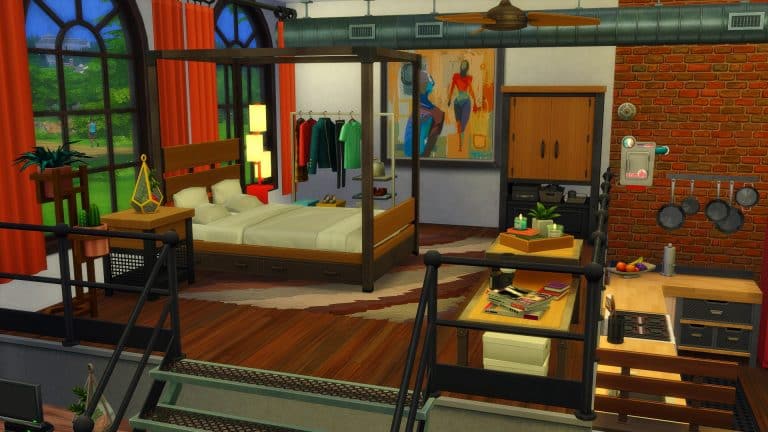
Industrial Bedroom

The Sims 4 Industrial Loft Kit brings a different flavour of items to the game. Players are free to create a truly grunge, industrial space or take bits and pieces from the kit for a rustic accent. The ceiling and wall pipes can give community spaces a more realistic vibe. The wall decals are great for hipster cafes and even industrial loft kitchens, so don’t go thinking this kit is just for houses!

The Sims 4 Industrial Loft Kit: Building The Perfect Loft Space For Your Sims

Be creative and come up with concepts for all kinds of lot types. Pairing Industrial Loft with other packs and kits creates almost endless possibilities for the vibe you want to create in your space. Are the the kind of Simmer to go all out industrial or do you prefer a more subtly rustic look in an otherwise polished space? No matter what décor style you’re into, there’s something for you to work with.

Looking for more grungy build kits? Check out the Basement Treasures Kit!


This article was edited by SnarkyWitch!

COMMUNITY POLL: What are Your Thoughts on the Industrial Loft Kit?

1

On Thursday, The Sims 4 got a brand new kit, called the Industrial Loft Kit; a collection of 20 or so Build/Buy items inspired by the converted warehouse lofts of Brooklyn, New York. Kits have been a contentious topic in the fandom ever since their debut but Industrial Loft had a particularly rocky launch.

For starters, the kit accidentally leaked on the Steam Store several days ahead of schedule. Some players even managed to buy the kit early before it was taken down roughly two hours later. It was then discovered that a window that was featured prominently in the kit’s marketing adverts is not actually included in the kit. While The Sims Team promised to add it to the kit in a free patch, this promise was only made after public backlash to the false advertising. Players have also noticed other small discrepancies with the items in the pack, like the expensive double bed being listed with an energy rating of 1. Lilsimsie has since shown on her YouTube channel that the bed’s energy rating is simply a typo and that the bed seems to recover the same amount of energy as a bed with an energy rating of 4-5.

Some players were very forgiving of the hiccoughs with the release; others were pretty outraged. We want to know how you feel not only about the issues with the kit’s launch but about the content of the kit itself. It’s time to share your opinion and contribute your voice to the discussion in our latest community poll!

Please remember this is a community poll and is not endorsed by or affiliated with EA or Maxis.

[totalpoll id=”101040″]

The Sims 4: Taking the Industrial Loft Kit to the Beach

1

In keeping with my personal mission to take the Industrial Loft Kit as far away from the “grody old warehouse” vibe as possible, I came up with an idea so crazy, I couldn’t say no to it once I had thought of it. Had anyone tried to combine industrial warehouse with beachside living before? I wasn’t sure but maybe I could be the first.

The idea came to me while watching Motel Makeover on Netflix. It’s a new series that follows the journey of two middle-aged women entrepreneurs to turn a dilapidated motel in Sauble Beach, Ontario into a trendy beachside getaway that takes full advantage of Canada’s short summer season. While watching these two nauseatingly bubbly ladies cover every inch of this motel in patterned wallpaper, plastic plants, and tacky neon signs, I thought “What if I could transform this dark, dingy kit into something bright and cheerful?”

Challenge accepted.

The Sims 4: Taking the Industrial Loft Kit to the Beach

I got to work playing around with a layout. My one rule was that I had to use everything from the Industrial Loft Kit at least once. There would be no getting away with designing an Island Living home with one plant from the Industrial Loft Kit and calling it a day. This build actually had to make use of everything in the kit.

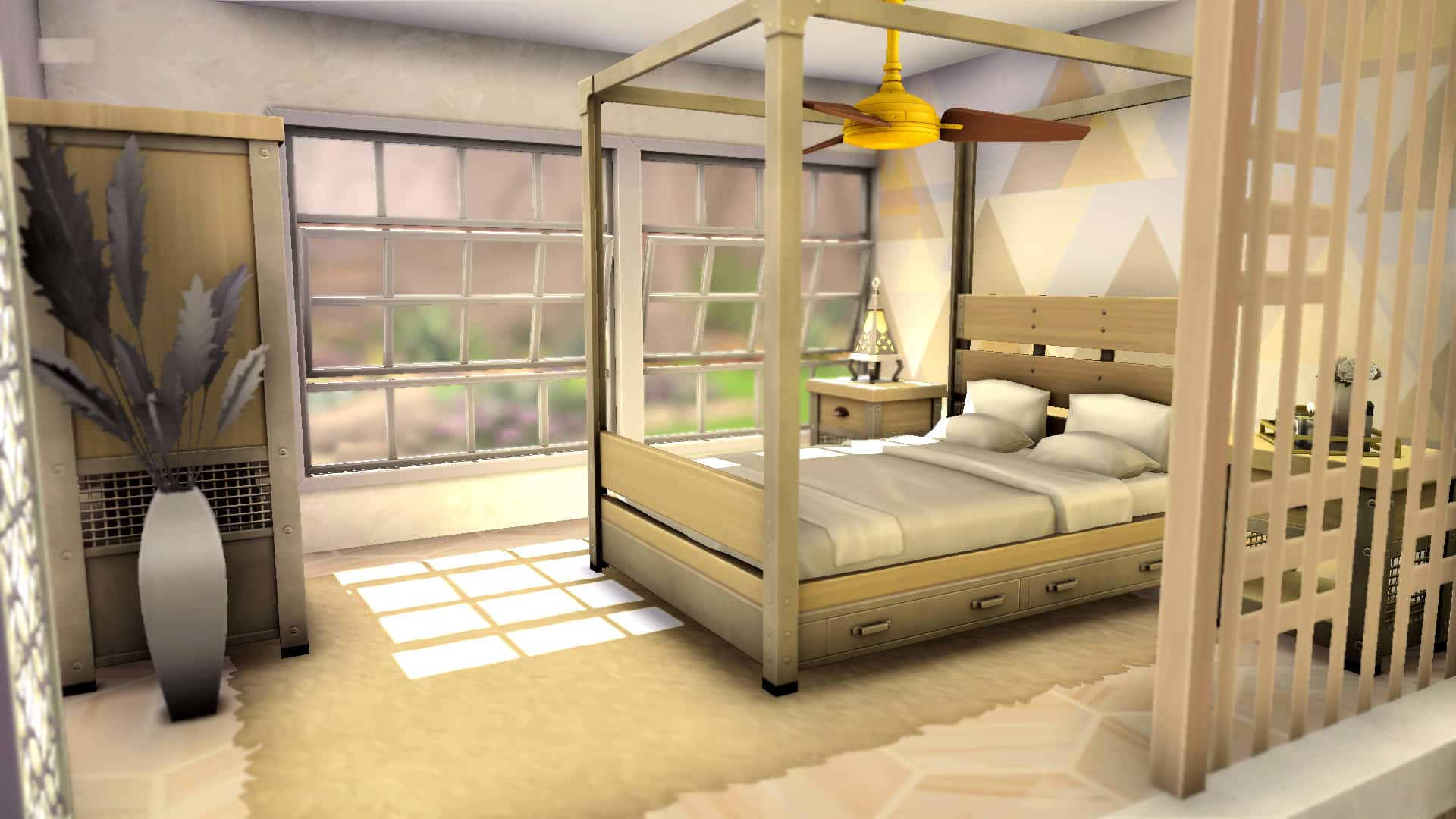
I decided to go with a large loft-style room that combined a bedroom, kitchen, living area, and patio into one compact but still roomy space. I did not design a bathroom as it was not part of that semi-combined space and the kit doesn’t really come with any items for a bathroom, anyway. I started with the bedroom, raising it up on a platform with more platform steps leading up to it. A partition wall behind the bed and a decorative fence along the side offered privacy without making the space feel too closed in. Large loft windows bathed the area in plenty of bright, natural sunlight and made the small bedroom area feel much larger than it really was.

The Sims 4: Taking the Industrial Loft Kit to the Beach

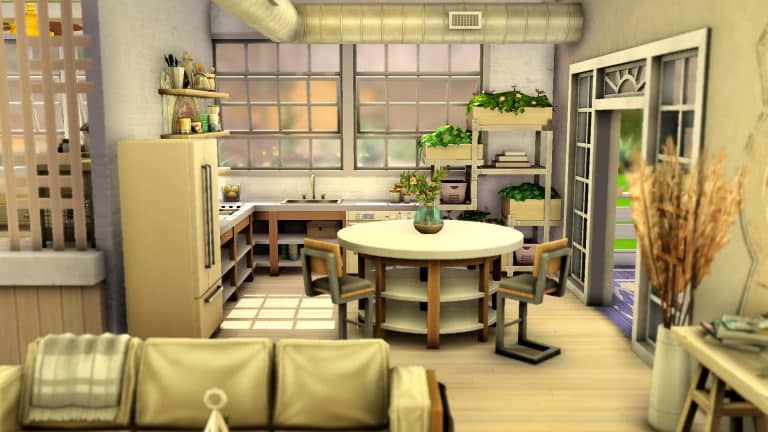
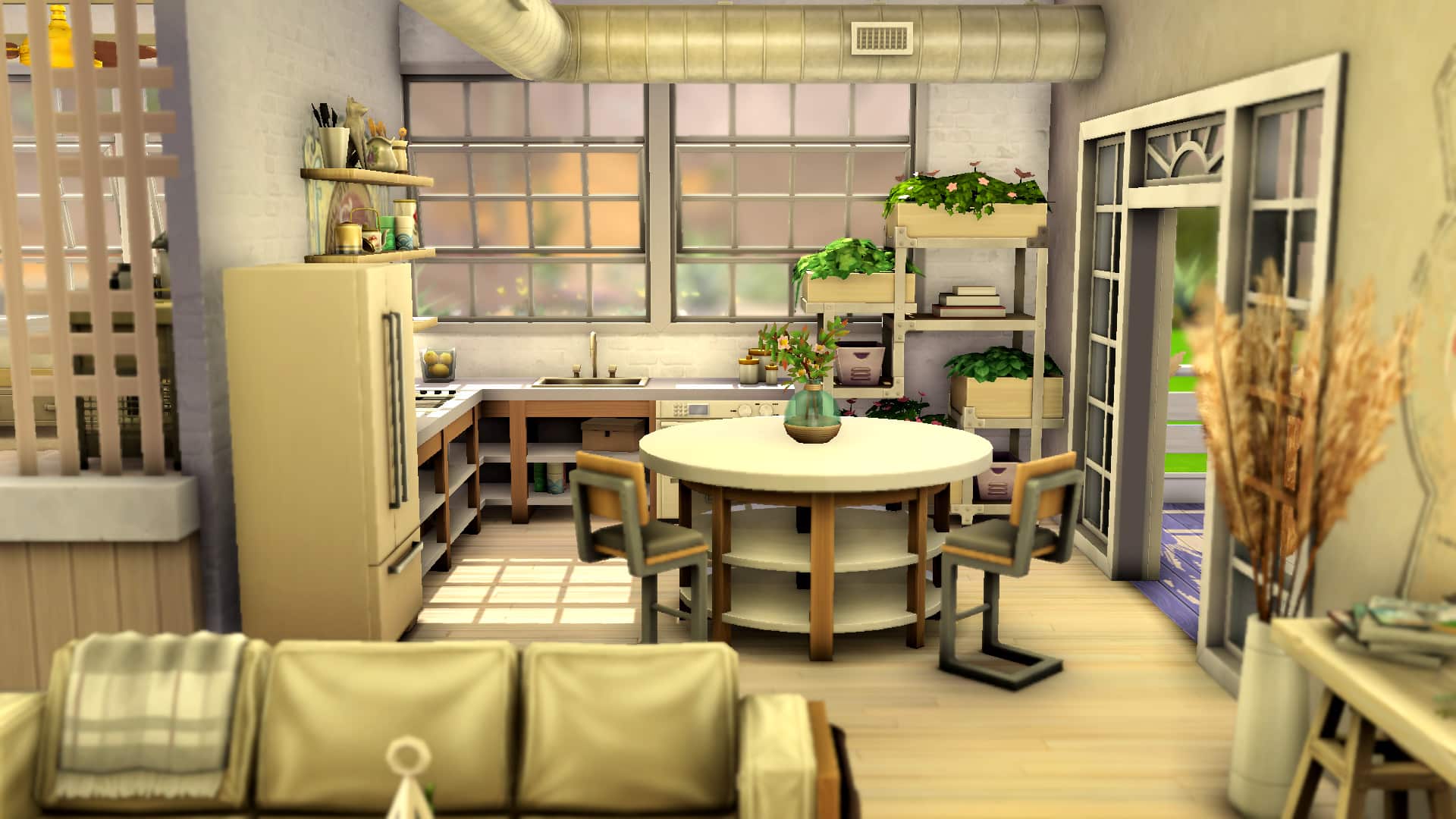
Then I moved on to the kitchen, directly to the right of the raised bedroom platform. I used the Snowy Escape counters with the open shelving to keep the space feeling open. Light and airy is what a beach should feel like and I find open shelving instead of boxy cabinets and counters help achieve that open, airy feeling you get at the beach. I also opted for open shelving above the counters along the wall instead of bulky cabinets.

The Sims 4: Taking the Industrial Loft Kit to the Beach

To give the space a more realistic, lived-in feel, I decorated the shelves on both the wall and the counters with various kitchen knick-knacks and clutter pieces. To bring in the Industrial Loft feel a bit more, I placed the distressed wall decal behind the shelving unit and ran the ceiling pipes overhead. I also used the open double French doors to lead to the patio and placed the planter shelving in the corner for some greenery. The industrial pendant lamps act as a statement piece above the island.

The Sims 4: Taking the Industrial Loft Kit to the Beach

For the living space, I really tried to use as many Industrial Loft pieces as I could. The bulk of this kit suits a living room setting. I used the couch, armchair, coffee table, table plant, floor plant, floor pipe, barn doors, rug, window, pendant lamps, and distressed wall decal in this space. The challenge here was making sure the space wasn’t all beachy or all industrial; it needed to balance both styles in equal measure. To achieve this, I used lighter colours for the Industrial Loft furnishings and accented with light-coloured pieces to keep the room feeling bright and cheerful. For a touch of industrial in the light beachy setting, a light brick underneath the wall decal helped give the space that slightly rough around the edges vibe.

The Sims 4: Taking the Industrial Loft Kit to the Beach

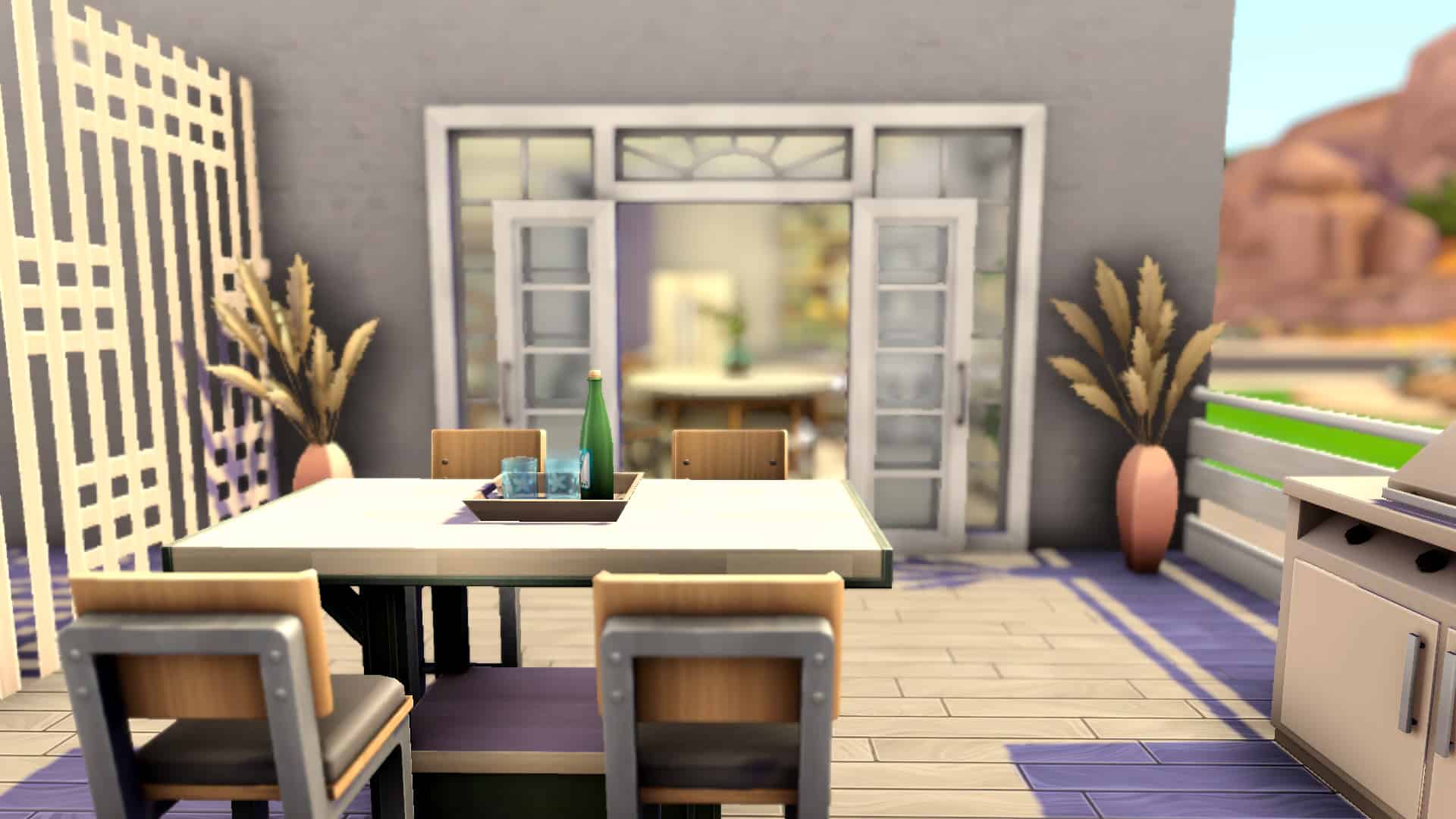
I kept the patio pretty simple. It was a small space and too many items would have made it feel cramped and cluttered. I stuck to the Industrial Loft table with matching seating and the floor plants in this space with a large BBQ and fenced it off with the same fence used in the bedroom area along one side with a more modern fence around the rest of it.

In the end, I had something that I surprisingly really loved, in spite of my lack of love for this kit. It was rustic and a bit industrial but still light, open, and inviting like the beach. I could see my Sims staying in a place like this on a Sulani vacation for sure. So can an industrial loft beach house really be done? I guess so!

If you want to download this build, it’s available as a room in the Gallery under the ID SnarkyWitch!