The Realistic Childbirth Mod got a Home Birth Update and we couldn’t wait to check it out!
A while ago, we wrote a walkthrough and review of the Sims 4 Realistic Childbirth mod by Pandasama. Since then, the mod has undergone numerous updates, adding new features along the way. The latest update is one of the largest updates so far, which adds home births as an option to deliver your baby in The Sims 4!
Sims 4 Realistic Childbirth – Home Birth Update
We loved our last playthrough of this mod and we can’t wait to explore this update, so let’s get right to it!
Preparing for a Home Birth
There is now a new option in the Sims 4 Realistic Childbirth mod for delivering your baby when you call the obstetrician. Pregnant Sims can call their obstetrician in their 2nd trimester and opt for a home birth!
Once you’ve selected the home birth option, you’ll want to get the house set up for the delivery. If you’d like to give birth in a bed, purchase the birthing pillows from Build/Buy and place them on any double bed. If you’d rather have a water birth, purchase the birthing pool. Both the bed and the pool need to have space around them for the bassinet to spawn after delivery. If there isn’t space, the baby may spawn in an unreachable spot.
Sims 4 Home Birth Objects
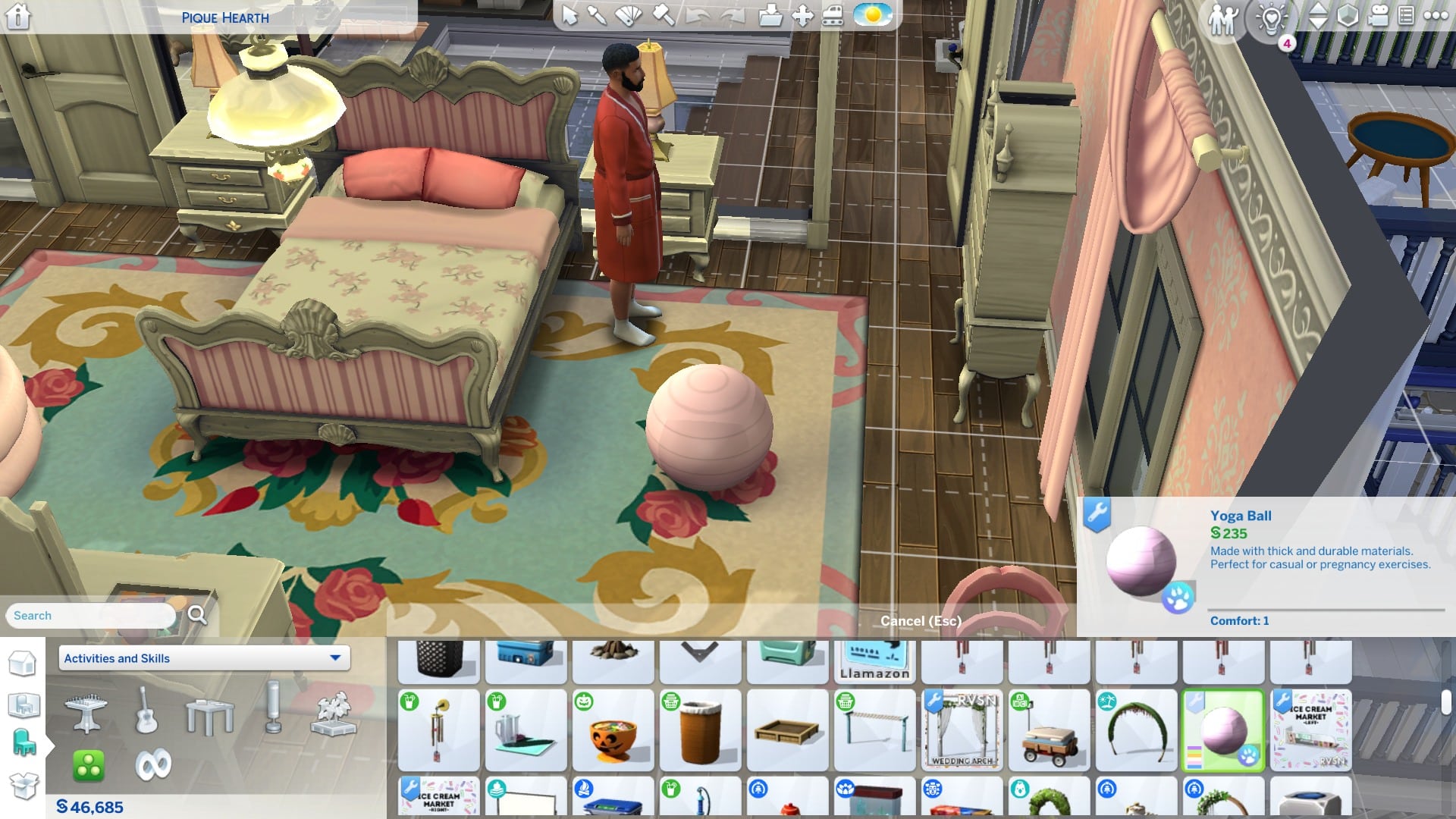
Pre-birth activities previously only available at the hospital are now available for home births in The Sims 4, so you may want to purchase the exercise ball, too.
Don’t forget to ask another Sim to be your birth companion before labour starts! A birth companion is required for a bed birth. Sims can ask both friends and romantic partners to be their companion but Pandasama recommends a romantic partner due to the intimacy of the animations.
It’s Time! Realistic Childbirth Style!
When labour starts, click your Sim and select Start Home Birth. This is a very important part of The Sims 4 Realistic Childbirth mod. The birth will not happen properly unless you do this. Do not select Have Baby. This is the EA home birth that has your Sim give birth standing up in front of a bassinet.
Assessing baby’s healthChecking dilation
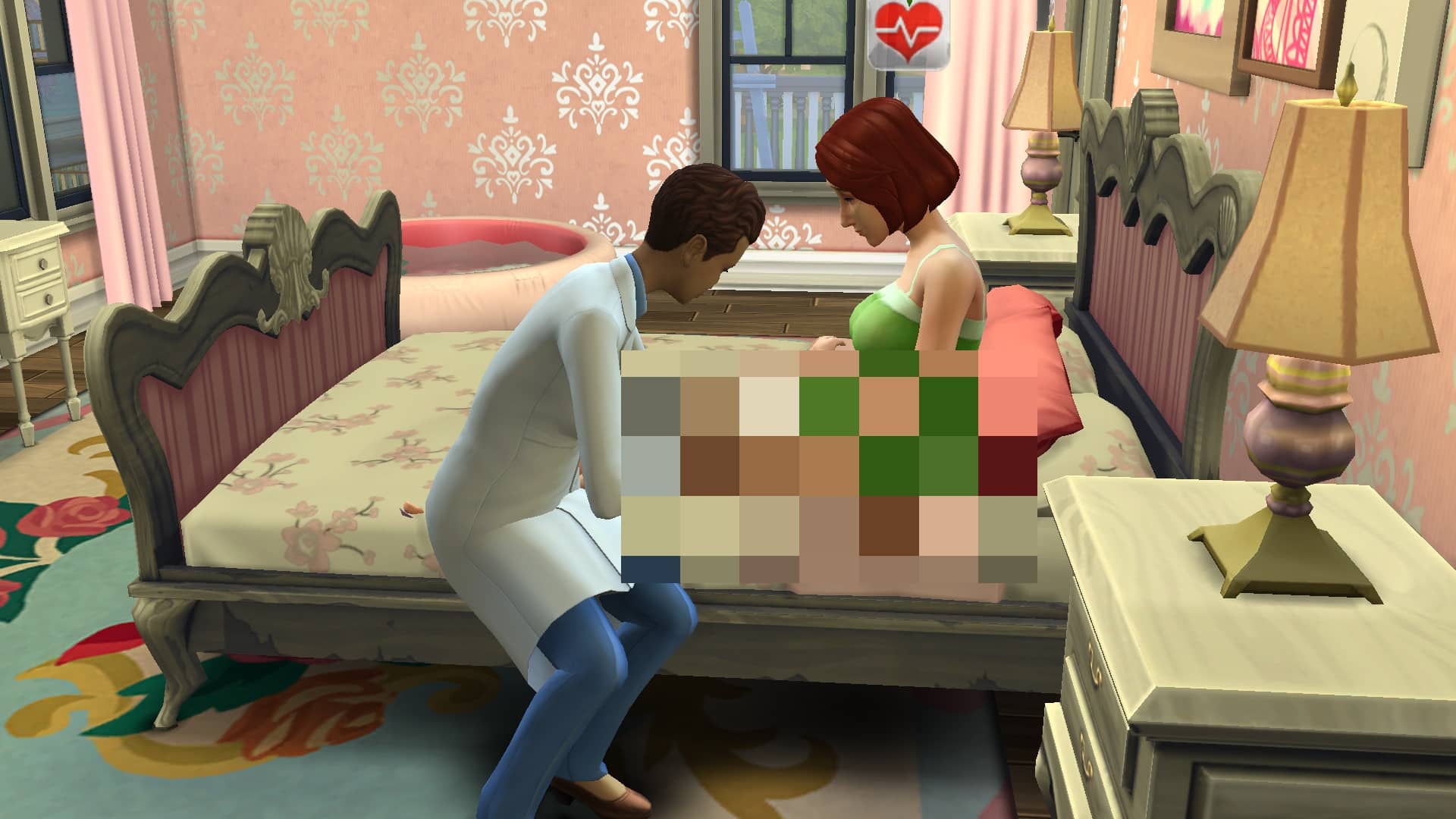
Once you have started the home birth process, you can call a midwife to come and assist with the birth. A midwife is optional for a bed birth but required for a water birth. A midwife can assess the baby’s health and check your Sim’s dilation. If a Sim in the household is in the Doctor career, they can also do these things. You can call a midwife at any point during labour but they charge $120/hr so if you’re low on funds, you may want to wait until your Sim is nearly ready to give birth.
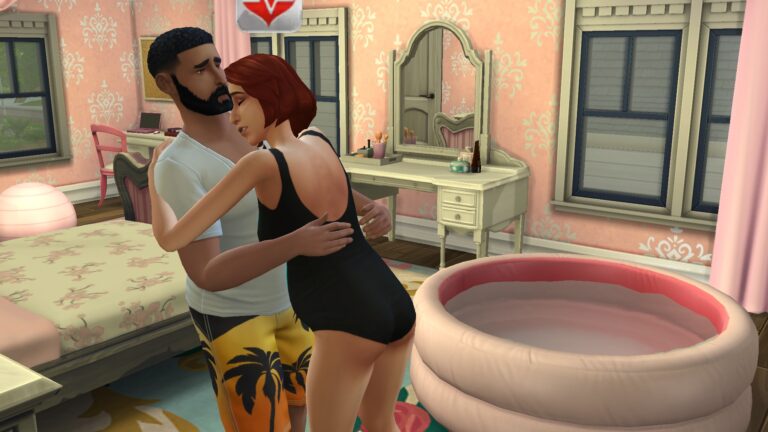
Just like natural births at the hospital, your Sim will be in early labour a long time with The Sims 4 Realistic Childbirth mod. You can help speed things along by doing pre-birth activities at home: cuddle with your partner in the birth pool, take hot baths, walk around, use the exercise ball, do breathing exercises, or sway and get massages from your partner in order to trigger active labour sooner.
Some examples of moodlets your Sim might get during labour
When your Sim is 10cm dilated, they are ready to start pushing. Make sure you have a birth companion if you want a bed birth and click the birthing pillows to begin delivering the baby. If you want a water birth, make sure there is a midwife present and click the birthing pool to begin the delivery.
Giving birth in a bedGiving birth in water
Your Sim will push with the assistance of the midwife or companion for a short period of time. When the baby is born, there will be some very heartwarming animations while both parents bond with the newborn.
When the delivery is 100% complete and the baby is in a bassinet next to the bed or birth pool, move the bassinet away from the bed/pool before deleting the birth pillow or pool! If you don’t, you will delete your baby, too!
Our Thoughts
I’d been waiting anxiously for this update to the Realistic Childbirth mod for a long time because I knew it would be perfect in my medieval save. It was even better than I’d hoped it would be. I actually found myself tearing up while Bob and Eliza bonded with their new baby. It was just so precious and heartwarming in a very authentic way. The animations really tug at your heartstrings and make every moment feel so special, and the wide variety of moodlets allowed me to really get inside Eliza’s mind and feel all the emotions she was feeling.
This mod has been a must-have for realism lovers and family gameplay enthusiasts since day one but this latest update really elevates it to an even higher quality. I’m beyond impressed with absolutely everything.
This version of the Realistic Childbirth Mod is currently in early access but will go public on October 26th, 2022! Click the button below to be taken right to the download page on Pandasama‘s Patreon!
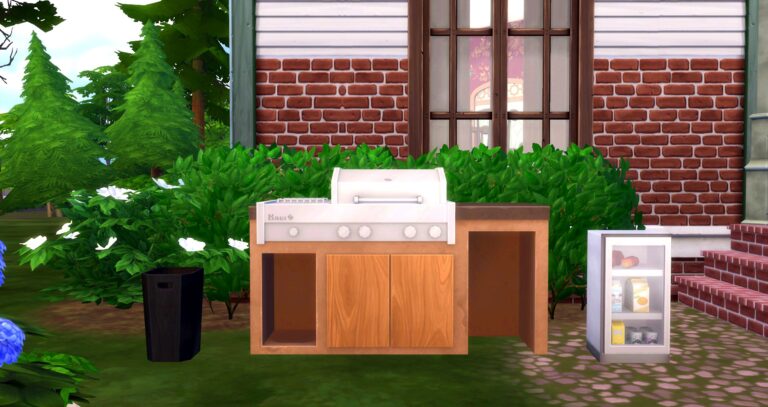
One of the best items in the Desert Luxe Kit was the SunBlaze by GrillMania grill and now, thanks to Renovations, we have a modular version!
Retaining the features of the original, the Just the Thing CC pack also adds new functionality to the SunBlaze by GrillMania grill. With both the grill and trash in the original 9 wood swatches, there are 81 color combinations between the two objects!
Comparison
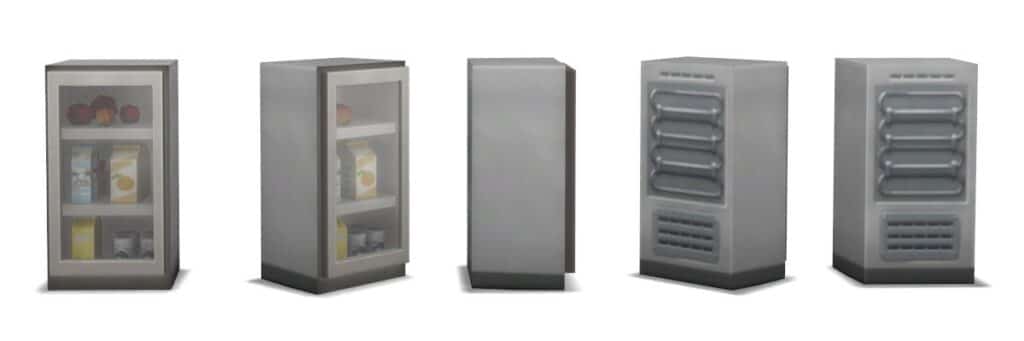
Little has been changed about the exterior look of the SunBlaze by GrillMania grill, except the added modular features! Adding in the ability to have a functional fridge and a trash can right inside the grill creates a multiuse piece and allows for three usable items in a much smaller area.
SunBlaze by GrillMania, part of the Desert Luxe KitJust the Grill, Just the Trash, and Just the Fridge by Renovations
To find the items in the build buy catalog, search “Just the Thing” or “Renovations” in the search bar.
Note for Creator
“One person ran into an issue where the fridge was giving a route-fail in its slot and didn’t move with the grill after being slotted. If you run into this, please try switching the fridge to the trash slot and the trash to the fridge slot and see if that works, and if it does, switch them back and try it again. Also please let me know about it! Thanks.”
Adding new functionality and customizable color combinations to this popular grill makes it an essential piece to accompany the Desert Luxe Kit! It’ll look great in almost any Sim’s yard or patio for their next cookout or even for dinner.
You can have these three modular grill items in your game for FREE! They’re available on Renovations’ Patreon.
New to The Sims 4? Let us walk you through the basics of the emotion system!
We’re excited to be welcoming so many new players to The Sims 4 when it becomes free to play on October 18th! We thought we’d welcome new fans to the franchise with some “Back to Basics” guides covering aspects of the base game that new players might need help with! Today, we’re going over emotions and how to use them to your advantage!
What are Emotions?
Emotions drive everything a Sim does. Every aspect of their lives is heavily influenced by their emotions. For example, Sims will build certain skills much faster while they are in an emotional state suited to that skill. On the other hand, they’ll build skills much more slowly when in a negative emotional state.
There are 16 different emotions in The Sims 4 base game. Each one affects how your Sims live their lives in some way.
Types of Emotions in The Sims 4
Fine
Fine is the base emotion for all Sims. It’s their neutral state. No activities will be hindered in the Fine emotion but no activities will be boosted, either.
Happy
Happy Sims get a small boost to all skills and social situations. This emotion also amplifies all other positive emotions. If your Sim has a Playful moodlet and a Happy moodlet, the Happy moodlet will boost the Playful moodlet, for example.
Sad
Sad Sims build skills slower and are more reluctant to do certain activities. You won’t have many romantic options available to them in this state.
Angry
Angry Sims will have a harder time socializing. They may be prone to mean outbursts with other Sims, making it hard to make friends. Beware of allowing your Sim’s anger to progress to the Enraged state! They can actually die from a cardiac explosion due to rage!
Tense
Tense Sims are feeling the stress from too much work and not enough play! All skills build slower while Tense and they may refuse to do some activities.
Uncomfortable
Sims are usually uncomfortable when their basic physical needs aren’t being met. Being hungry, smelly, or exhausted will all make a Sim feel uncomfortable.
Flirty
Flirty Sims will naturally want to be romantic with other Sims! They’ll have WooHoo on the brain a lot and be more successful flirting with other Sims.
Confident
Confident Sims find matters of socialising a breeze! They’ll build the Charisma skill faster and have better conversations with Sims. Being Confident at work will also boost their work performance!
Energized
Energized Sims build Fitness skill extra fast and can pump up other Sims to make them Energized, too!
Focused
Focused Sims will be more successful with logical activities like chess. They’ll also build the Logic, Rocket Science, Programming, Video Gaming, Handiness, and Gardening skills faster!
Inspired
Inspired Sims just want to create! They’ll build Cooking, Gourmet Cooking, Painting, Writing, and all musical skills much faster!
Embarrassed
Embarrassed Sims should probably avoid people for a while because they’re not likely to have much success with socializing. Beware of allowing your Sim’s embarrassment to progress to the Mortified state! Sims can die from embarrassment!
Playful
Playful Sims make great comedians! They tell the best jokes and pull off the best pranks! Playful Sims will build both Comedy and Mischief skills faster! Beware of allowing your Sim’s playfulness to progress to the Hysterical state! Sims can die from hysteria in this state!
Bored
Bored Sims need stimulation! Find something fun for them to do or they’re going to be dull conversationalists and build skills slowly.
Dazed
Sims can become dazed from losing fights, being electrocuted, or crash landing a rocket ship. They won’t be useful for much of anything until they have a clear head again. Be careful not to allow them to be electrocuted while dazed because it can kill them!
Scared
Sims can be scared by ghosts, monsters under the bed, the cowplant, and various things from DLC packs. They’ll be pretty useless while scared and won’t want to do much of anything.
Controlling Your Sim’s Emotions in The Sims 4
So you know what all the different emotions are but how do you control which emotions your Sim feels to get the most out of careers, skill building, and socialization? The answer is really just to play the game and explore what activities put your Sims into which emotions. We’ve compiled a list of some of the things you can do in the base game to help influence your Sims’ emotions. It’s not an exhaustive list but it will help you get the hang of controlling emotions.
If you’ve done an activity and your Sim did not enter the emotion you wanted, try doing more activities tied to that emotion or getting rid of moodlets for conflicting emotions. Your Sim’s emotions are influenced by their moodlets. You need enough emotional moodlets to override other moodlets from other emotions you don’t want. Likewise, stack up activities to remove unwanted emotions. These activities only shorten the length of the moodlet, they don’t instantly remove them.
What are moodlets, you ask? They’re these icons underneath your Sim’s portrait! Hover over them to see details about each moodlet!
Fine
Obtain:
Do absolutely nothing
Remove:
Do almost anything in the game
Happy
Obtain:
Have positive social interactions
Be in a nicely decorated room
Experience an important life milestone, like getting married or having a baby
Gain career promotions
Remove:
Do almost anything tied to another emotion. The happy emotion boosts other emotions, so you only need one other positive emotional moodlet to override the happy emotion.
Sad
Obtain:
Have a bad conversation with a loved one
Break up or divorce
Experience a death of a loved one
Get demoted or fired
Remove:
Cry it out under the bed covers
Call the Sadness Hotline
Calm down in a mirror
Share sadness with other Sims
Mourn at an urn or gravestone
Angry
Obtain:
Be insulted by a Sim
Fight with a Sim
Lose at a game
Remove:
Calm down in a mirror
Take a cold shower
Vent to another Sim
Take an angry poop (yes, really!)
Tense
Obtain:
Working hard for too long while at work
Not doing enough fun activities
Remove:
Doing relaxing or fun activities
Uncomfortable
Obtain:
Neglect your Sim’s Hygiene, Bladder, Hunger, or Energy needs
Be in a dirty room
Exercise for too long until your Sim pulls a muscle
Remove:
Make sure your Sim gets enough sleep, food, showers or baths, and bathroom breaks!
Keep the house clean
Flirty
Obtain:
Go on successful dates
Have flirty conversations with Sims
Listen to Romance music
Watch the Romance channel on TV
Freshen Up in a mirror
Take a steamy shower
Remove:
Take a cold shower
Confident
Obtain:
Brush teeth
Psych Self Up in a mirror
Win at a game
Remove:
Do activities for different emotional states to try and override the Confident emotion
Energized
Obtain:
Exercise
Be given a pep talk by an Energized Sim
Drink energy drinks and eat high protein meals (unlock by building Fitness skill)
Drink coffee
Take a brisk shower
Remove:
Do activities for different emotional states to try and override the Energized emotion
Focused
Obtain:
Ponder Moves at a chess table
Use the observatory or telescope
Play video games
Remove:
Do different activities for different emotions to try and override the Focused emotion
Inspired
Obtain:
Watch the Cooking channel on TV
Cook good meals
View art
Paint a good painting
Write a good novel
Play good music
Take a thoughtful shower
Remove:
Do different activities for different emotions to try and override the Inspired emotion
Embarrassed
Obtain:
Have a bad conversation
Walk in on Sims WooHooing, or be walked in on while WooHooing
Walk in on Sims in the shower or on the toilet, or be walked in on while showering or using the toilet
Have a bad day at work
Remove:
Give yourself a pep talk in the mirror
Hide under the bed covers
Ask another Sim for reassurance
Share insecurities with another Sim
Tell a self-deprecating joke to another Sim
Playful
Obtain:
Watch the Comedy Network on TV
Perform a good comedy routine
Tell good jokes or pull off successful pranks
Be involved in a funny conversation
Take a bubble bath
Remove:
Calm down in a mirror
Bored
Obtain:
Have a dull conversation
Some career activities can leave your Sim feeling bored
Remove:
Do something fun
Dazed
Obtain:
Be electrocuted
Lose a fist fight
Crash a rocket ship
Be eaten by a Cowplant
Remove:
Take a nap
Take a bath
Scared
Obtain:
Be spooked by a ghost
See a monster under the bed (children only)
Have a close call with a Cowplant
Remove:
Hide under the bed covers
Scream incoherently at another Sim (50/50 success rate; you might just make the other Sim scared, too)
Emotional Auras
In addition to finding emotion-influencing activities to do in the game, you can also use certain objects to your advantage. This makes it easier to maintain a specific emotion since your Sim will keep a permanent moodlet as long as they are near the object.
Some objects in the game give off emotional auras; this means they will give any nearby Sims a moodlet for a specific emotion. Objects with emotional auras are typically career reward objects and collections. If your Sim has an object with an emotional aura, make sure to place it somewhere on your lot and click it to enable the aura!
Here are some handy objects that have an emotional aura. Having multiple objects with the same emotional aura enabled strengthens the moodlet your Sim gets.
Playful Aura
MySims give off a Playful aura
MySims Trophy collectibles
Meduso Holiday Cracker Plush collectibles
Playful paintings
Some Criminal, Culinary and Entertainer career reward objects
Inspiring Aura
Postcards give off an Inspiring aura
Postcard collectibles
Some Painter, Writer, Culinary, Freelance Artist, and Entertainer career reward objects
Focused Aura
Microscope Prints give off a Focused aura
Element collectibles
Microscope Print collectibles
Space Print collectibles
Mathematical Diagram paintings
Some Business, Tech Guru, Criminal, and Astronaut career reward objects
Energized Aura
Crystals give off an Energized aura
Crystal collectibles
Energized paintings
Some Athlete and Entertainer career reward objects
Confident Aura
Mounted fish give off a Confident aura
Dead Space Alien collectibles
Mounted Fish collectibles
Confident Paintings
Some Astronaut, Athlete, Business, and Secret Agent career reward objects
Romantic Aura
Gold level date reward item
Flirty paintings
Angry Aura
Angry paintings
Sad Aura
The Tragic Clown painting
Sad paintings
The Tea Magic Personal Brewer is a great way to control your Sim’s emotions
In addition to objects that give off emotional auras, there are some special items in the game that can help you control your Sim’s emotions, like the Tea Magic Personal Brewer. You can change your Sim’s emotion based on what kind of tea they drink!
How many ways can you use a Plumbob as inspiration for a build? Apparently A LOT.
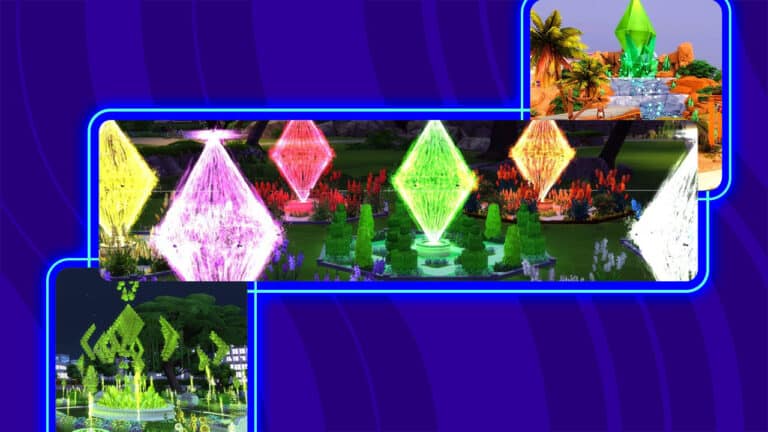
There is nothing more recognizable to The Sims franchise than the Plumbob. So it is not surprising there are so many Simmers that have used the Plumbob as inspiration for their builds. From wedding venues to water fixtures, the Plumbob’s inspiration can easily be felt in these builds.
Lot Type: Wedding Venue Lot Price: § 133,225 Lot Size: 30 x 30 Amenities: 1 bathroom Lot Traits: None Custom Content: None Play Tested: Yes
Description
This is a wedding place in #tartosa. I did this for a fb challenge, I had to do a build with the plumbob’s shapes without CC and No TOOL mod… Not easy at all but fun ! Hope you like it ! #nocc #playtested #moo #noTOOL #plumbob #wedding #weddingplace #chic #fireflies [Created by #Gaiena ]
What a picturesque place to get married! For Plumbob fans and others alike. Download the lot on The Sims 4 Gallery!
Lot Type: Generic Lot Price: § 18,492 Lot Size: 30 x 20 Amenities: N/A Lot Traits: Sunny Aspect, Bracing Breeze, Teen Neighborhood Custom Content: None
Description
Welcome to the “Plumbob Falls” – home to the thousand year old Plumbob that is said to have the ability to control all Sims emotions. When you’re feeling sad or uninspired, why not visit Plumbob Falls & maybe drink from its green waters. Rumor has it that one drop of it’s green waters can cure the bluest of sims. You can also get a professional photo by the falls to remember your “Happy” trip or pick up one of it’s many unique souvenirs. #FlufffyPlayerstate2 #fantasy #bar #magical
Visit the newest Sims Landmark, Plumbob Falls! Download on The Sims 4 Gallery!
Lot Type: Karaoke Bar Lot Price: § 162,932 Lot Size: 30 x 20 Amenities: 8 Bathrooms Lot Traits: Great Acoustics, Convivial, Party Place Custom Content: None Move Objects On: Yes
Description
Chroma Karaoke – Sing your plumbob out at Chroma Karaoke! #EAGameChangers #kippsidaisy #bobsquad #plumbob #karaoke #bar #noCC #moo #spaday #fitnessstuff #dineout #cityliving #bowlingnightstuff #luxurypartystuff #gettowork #gettogether #seasons #neonoasis #oasissprings
Sing your favorite Simlish songs in Chroma Karaoke by Kippsidaisy! You can download it on The Sims 4 Gallery!
The following lots are by WintersEdge22. This creator’s gallery page is full of artistic gardens, often using water or flowers to create different shapes.
*ROOM VERSIONS IN MY CATALOG* After recently discovering the joys of building with the #toolmod, I decided that it was only fitting I recreate this iconic symbol that has been at the heart of the Sims’ games since the very beginning…entirely out of water! Hope you like them! Enjoy! ^_^ Please use my hashtag #wintersedge22 if you use this in a creation you upload on the gallery! Thanks! #nocc#moo#spaday#romanticgardenstuff#garden#flowergarden#plumbob#wateremitter#waterart#rainbow#neon
Giant Plumbob
Description
ROOM VERSION IN MY CATALOG THANKS 500+ FOLLOWERS & 38,000+ DOWNLOADS!!!♥♥♥ Thank you all so much for helping me reach a monumental follower achievement! I couldn’t think of a better way to express my appreciation than this! Love you all! ♥♥♥ ^_^ Please use my hashtag #wintersedge22 if you use this in a creation you upload on the gallery! Thanks! #basegame#nocc#moo#toolmod#garden#flowergarden#thistle #thistles#hedges#topiary#topiaryart#plumbob#wateremitter#waterart#neon#artistic#thankyou
These garden builds by WintersEdge22 use no custom content. Make sure to turn bb.moveobjects on before placing the lot or room. Each lot has versions that are rooms. These can be placed on other lots without replacing the lot.
Download WintersEdge22’s Plumbob designs on the The Sims 4 Gallery!
The big switch is happening right now for Windows Users. Mac is not on the map right now.
EA has released an official statement regarding the new platform that they’ve been working on.
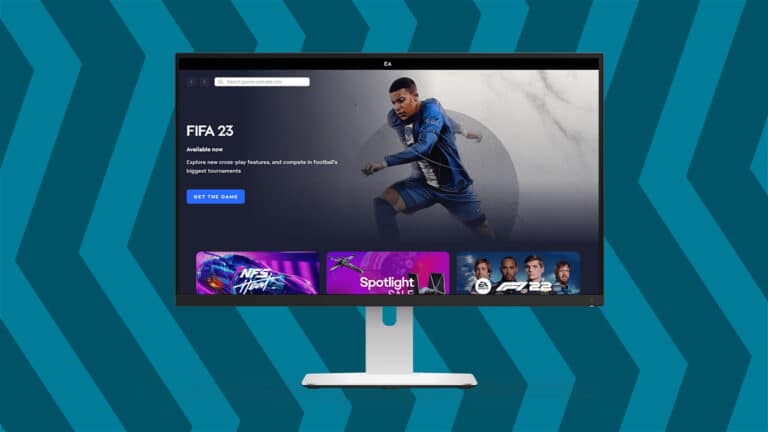
As a part of their rebranding, EA is switching their long time running Origin platform. Players of EA games and the catalogue of 3rd party developerts will be able to enjoy their games on the new EA Desktop App.
As noted by EA, this current switch is happening as of this moment for Windows users, as they stop promoting the Origin platform for Windows.
People who play Origin games on Mac will be left with Origin for at least the next few months. At least not until EA finishes with the development of the Mac port.
You may have seen some news about the new EA app for Windows, which will soon replace Origin as EA’s primary PC gaming destination. We understand you may be curious about what this means for you and your fellow Origin for Mac players.
For now, we have no changes to announce. Origin for Mac is still the place you can access your games. As things evolve, we’ll have more information to share in the coming months.
In the meantime, continue enjoying your games through Origin for Mac.
The company also shared an official FAQ page detailing more information about the switch from Origin to EA Desktop App:
Frequently Asked Questions
What is the EA app?
The EA app for Windows is Electronic Arts’ all new, enhanced PC platform, where you can easily play your favorite games. The app provides a streamlined and optimized user interface that gets you into your games faster than ever before.
Who can download the EA app?
The EA app is available to all players on a (minimum) 64-bit PC system, running Windows 7, 8, 10, and 11.
What’s the difference between the EA app and Origin?
The EA app is our latest PC platform, designed with player feedback in mind to be foundational for the future of EA PC gaming. Origin is our legacy client, and will soon be replaced by the EA app.
Will the EA app replace Origin?
Yes, the EA app will replace Origin to be our primary platform for downloading and launching PC games.
I’ve been invited to download the EA app, what should I expect?
When you accept the invitation, the EA app download process will begin. Origin will be uninstalled automatically – this ensures you will not experience any conflicts or errors related to having both clients installed on your PC simultaneously. Once you complete the update process, your games and content will be ready for play.
Will all my games and content transfer to the EA app?
By the time you receive your invite through Origin, all your games, DLC and other content should be ready to launch through the EA app. If you find anything missing from the EA app, please contact us so we can resolve the issue.
Will I have to re-download my Origin games on the EA app?
No. The games you’ve downloaded through Origin should be ready to launch through the EA app. If you find any of your games, DLC or other content missing from the EA app, please contact us so we can help resolve the issue.
Does my account transfer to the EA app? How do I login to the EA app?
Your EA Account is what you use today to log into Origin – you’ll use the same credentials to login to the EA app.
Will my save data transfer over to the EA app?
Yes. Any saved data currently on your PC or saved via Origin’s cloud will transfer.
Will my achievements and time in-game stats carry over to the EA app?
Yes. Any game that lists in-game hours or achievements will be carried over to the EA app. Head to a game page in the EA app to view your achievements and time spent in that game.
What will happen to my friends list?
Your Origin friends list automatically transfers over once you log in to the EA app, so you don’t have to worry about remembering all those player IDs.
What will happen to my in-game purchases?
Your in-game purchases will carry over when you log in to the EA app.
I use Origin on my Mac. What do I need to do?
Nothing at all. Origin for Mac is still the place to access and play your games.
If I play my EA games on Steam or Epic, do I need to download the EA app?
We will provide guidance directly through Steam about which app (the EA app or Origin) to download to ensure you can access & play your EA games.
Because no horror movie is complete without a creepy gas station on a desolate road in the middle of the woods…
Spooky season is upon us!
In honour of the start of spooky season, we have a delightfully spooky gas station build for you by the extremely talented simpolcheeks! This gas station was built for Moonwood Mill and it certainly fits right in with the rundown, derelict vibe of the town.
Let’s dive in and take a tour, shall we?
Gas Station Exterior
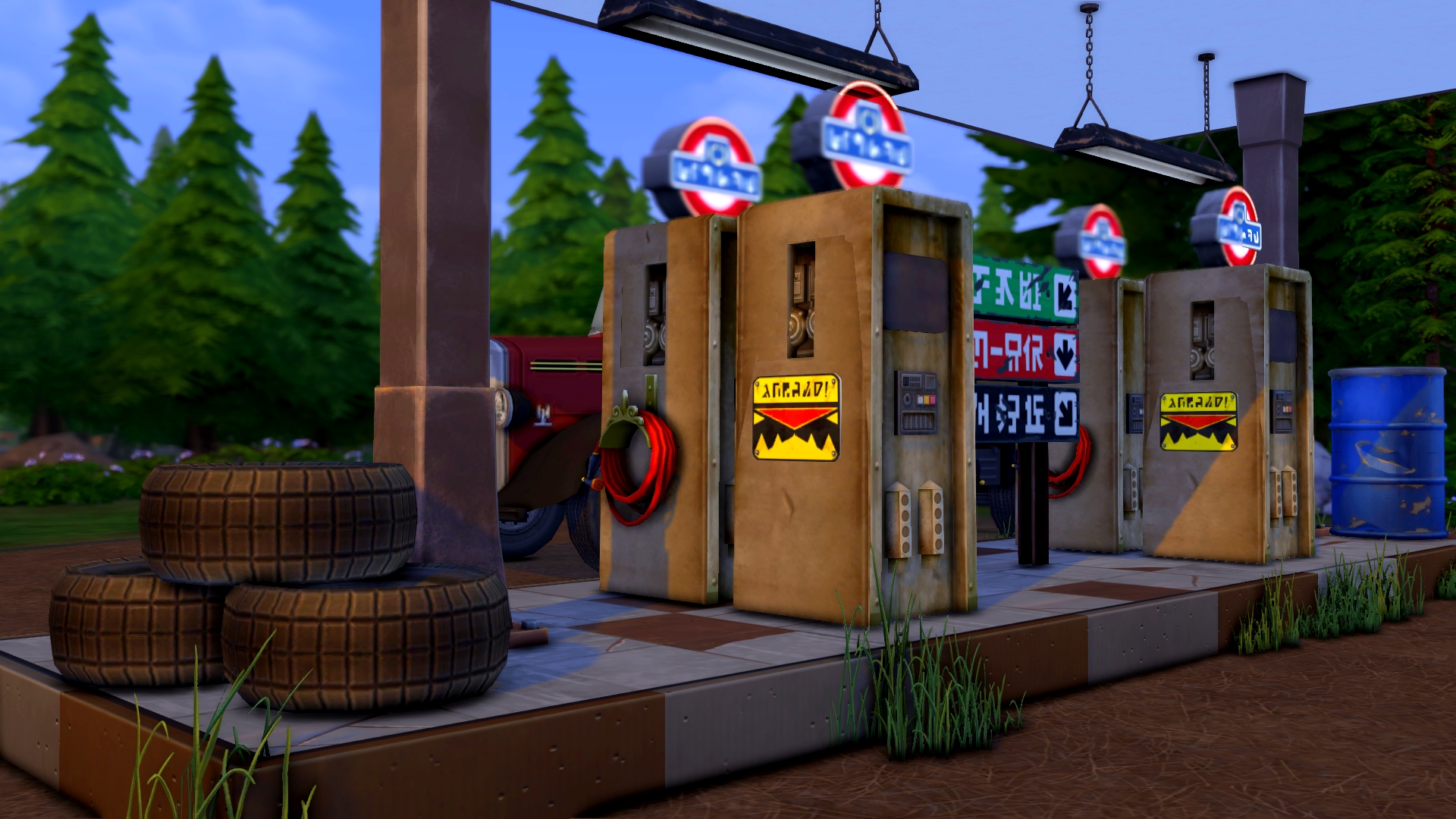
We can see immediately how detailed this build is. The full debug catalogue has definitely been used to its maximum potential here and we are obsessed with the creativity! Tires and oil drums have been used as décor all over the place and the gas pumps look so realistic sitting on those platforms. The cars at the pump waiting to get gas are a great touch that add some life and movement to the whole scene (even if they don’t actually move; they give us the feeling of movement and activity).
Attached to the right of the gas station appears to be an old mechanic’s garage which looks so cool and is honestly a perfect touch of realism for a build like this. It’s incredibly detailed with a broken down car sitting inside the open garage with newspapers underneath to soak up leaking oil.
Gas Station Interior
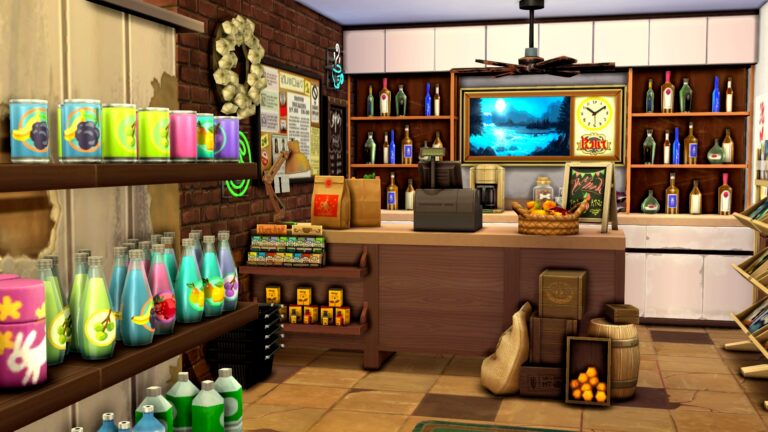
And the best part of the whole build? The interior is a functional retail store! We love the shelves on half walls to create a realistic variety store feel. The shelves are stocked with fizzy drinks and all kinds of odds and ends you might find in a gas station’s store. Everywhere we look, there is detail, detail, detail! It really looks like a real-life gas station out in the middle of nowhere!
We are so impressed with simpolcheeks‘ skill, creativity, and attention to detail! They used absolutely no custom content in this build so it can be enjoyed by everyone on PC/Mac and consoles alike!
You can download this amazing grungy build from simpolcheeks’ Gallery! Search for Moonwood Mill Gas Station under the ID simpolcheeks or click the download button below to be taken directly to the Gallery page!
The Sims Team has a new Laundry List, also known as Bugs & Glitches List.
TheSims.com just published a new Laundry List for The Sims 4, covering the hottest Bugs and Glitches for The Sims 4.
The listed issues in this article should be fixed in the upcoming update for the game.
Hi Simmers!
Welcome to this month’s Laundry List, where we’re sharing our list of the top community concerns that we’re currently investigating and hoping to resolve in the next upcoming patch. This is simply a list of those with coming fixes, as there are more topics that we’ve seen reported by players that are not listed and are still being worked on. These listed are the concerns reported by players on Answers HQ, who help us continue our work of improving the user experience on a regular basis.
Please note that some topics can be tricky and require an extended investigation on our end, so even though we are actively reviewing, it’s not a guarantee that we’ll have an immediate fix for it in the upcoming patch.
Here’s the list of the community concerns we’re investigating and aiming to resolve in the game update this month:
In case you don’t know what it is – The Sims Team is holding a special, first of it’s kind, live presentation on the future of The Sims Franchise. Alongside the rumors of The Sims 5 being announced this month, the first clue that the team dropped was the name “Project Sunrise”.
Although we don’t know what it is as of yet – The Team quickly changed the naming after it got discovered online.
Today, TheSims.com got updated with a new image on the main screen on the website teasing The Sims Summit.
The image features an updated graphic of the plumbob with interesting elements in the background.
However, we went behind the scenes of the image to see if another “Project-Sunrise” type of clue was left. The new graphic has a name:
TS4-2022-its-your-time
That’s really cryptic.
But that’s also the only new clue we have leading up to The Sims Summit.
We’ll keep you posted on The Sims Summit and the upcoming announcements right here on Sims Community. We have a handy countdown on our Home Page that’ll let you know exactly when The Sims Summit begins!
New to The Sims 4? Let us walk you through making a living!
We’re excited to be welcoming so many new players to The Sims 4 when it becomes free to play on October 18th! We thought we’d welcome new fans to the franchise with some “Back to Basics” guides covering aspects of the base game that new players might need help with! Today, we’re going over careers and how to make a living in the base game!
How to Join a Career
When you first start playing, you’ll have to decide how your Sims are going to make those simoleons to spend on new items and nights out on the town. The most straight forward way of making money in The Sims is by joining a career!
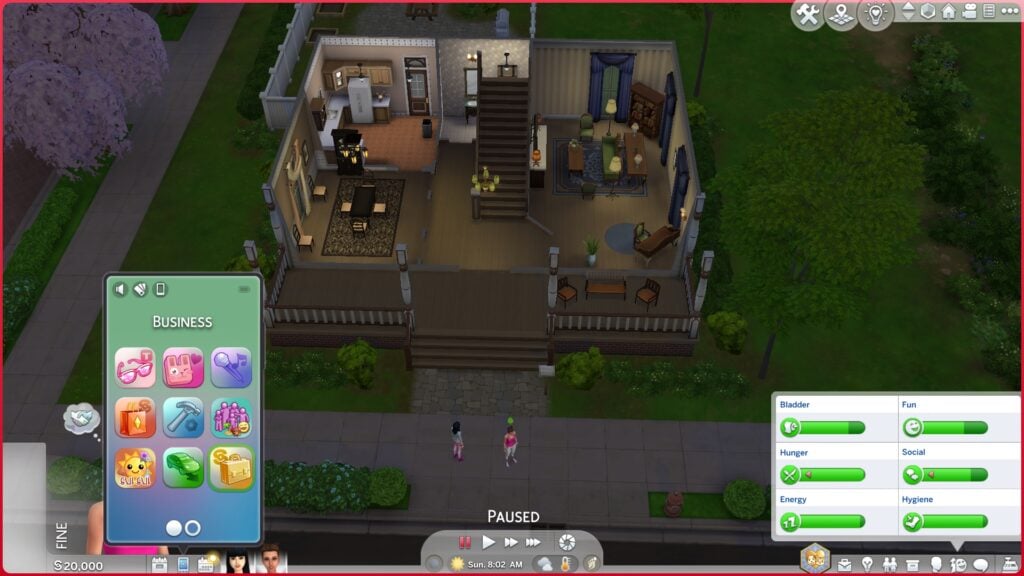
To join a career, use the cell phone and choose the Business app to find a job. Scroll through the list of available jobs and select one that you think suits your Sim. If you join a career and decide you don’t like it, you can always quit and start a new job, but beware! Quitting a job and starting a new one means you’ll start at the bottom of the career ladder again!
Gaining Promotions
When you start a new Sims 4 career, you’ll begin at the entry level position. You’ll need to earn promotions to make it all the way to the top of your career and start making serious cash.
Open the career panel on the bottom right of the screen in Live Mode to see the requirements for gaining a promotion. You’ll see your work performance, daily tasks, and promotion requirements all listed here, as well as information about your work hours and pay.
To gain a promotion, your work performance bar needs to be maxed out with a gold checkmark next to it and all promotion requirements need to be met. You can increase your work performance by going to work in a positive emotional state and finishing your daily work tasks each day before your next shift starts.
However, even with a maxed out performance bar and completed daily tasks, you won’t get that promotion unless the promotion requirements have also been met. Promotion requirements usually revolve around building skills tied to that career. For example, an athlete will need to build the Fitness skill, and a writer will need to work on their Writing skill. Make sure you pay attention to the promotion requirements and work on those to advance.
Most careers have 10 promotion levels, except for freelance and part-time careers.
Decide How You Work
For inactive careers where your Sim disappears off the lot for the duration of their shift, you have the option to change how they behave at work by clicking on their portrait in the bottom panel. Some work modes will improve performance but at the cost of making your Sim stressed. Others lower work performance but offer other benefits, like increased Social need.
Sims 4 Career Branches
All inactive careers have two branches. Once your Sim advances far enough in an inactive career, they’ll be able to choose which branch of the career they want to pursue. For example, the Culinary career will allow you to pursue either the Chef or Mixologist branch at later levels, and the Entertainer career will allow you to decide whether you want to be a Musician or a Comedian.
Each career branch comes with its own unique rewards and salary, so choose the branch you feel will be most advantageous for your Sim… or just the most fun. It’s totally up to you!
Career Rewards
You may unlock new objects and clothing pieces as you climb your career ladder. Many of these objects have emotional auras so remember to place them in your Sim’s work space and enable their aura. Being near those objects will help put your Sim in an emotional state that’s helpful for building skills related to that career!
Other rewards may include new social interactions with other Sims that can increase friendship or offer you a way to make some extra money outside your working hours.
Types of Careers in The Sims 4
Not every career is the same! There are different types of careers, even in the base game. Some careers are inactive careers, others are work-from-home careers, and some are part-time or freelance careers. Knowing how each type of career works will help you select a career that’s right for your Sim’s ifestyle.
Inactive Careers
Inactive careers are hands-off careers. Your Sim will disappear off the lot at the start of their shift and won’t return home until the end of their shift. If you’re playing with a single Sim, this might be kind of boring, as you won’t be able to do much while they’re at work, but if you have a large family of Sims, inactive careers can be a great way to get some Sims out of your hair for a while so you can focus on other family members.
Work From Home
Work from home careers allow you to work remotely. An hour before your shift starts, you’ll be able to choose whether you want to send your Sim to work alone (inactive career) or work from home. If you work from home, you’ll receive a set of tasks you’ll need to complete in your own time before your next shift starts. Work from home career tasks are usually quick to complete so if your Sim values their free time, choosing a work from home career will allow them to make easy money and have most of the day to themselves.
Freelance Sims 4 Careers
Freelancers work on their own schedule from the comfort of their home. After joining the Freelance career, you can select the agency you wish to work with. This will determine what kind of freelancer your Sim will be. Your Sim can be a freelance writer, programmer, or artist.
Freelancers have no work schedule; instead, they rely on paid gigs for their income. They can take as many or as few gigs as they want to suit their lifestyle. Look for freelance gigs on the computer and complete them to earn simoleons for each gig you complete.
Freelancers don’t get promotions but they do make more money per gig based on their skill level and reputation as a freelancer. Improve your reputation by meeting your gig deadlines consistently.
Part-Time Jobs
Part-Time careers can be joined by both teens and adults. Unlike the other standard careers, part-time careers only have three promotion levels but you get to choose your work hours. Each part-time career has a morning and afternoon shift. When you join a part-time career, you can select whether you want the morning or afternoon shift. Teens may be restricted to a specific shift due to their school hours.
Sims can have two part-time jobs at a time, provided their shifts for each job do not conflict with each other. Otherwise, part-time jobs are the same as the standard inactive careers; your Sim will disappear off the lot for their shift and will have daily tasks and promotion requirements to complete in order to advance.
Active Careers and Odd Jobs
Since we know we’re going to get swamped with comments telling us we forgot about these job types if we don’t at least mention them, we’re going to make a note about them here.
Active careers are specific to the Get To Work expansion pack. You can follow your Sim to work at an active career lot. If you do not own the Get To Work expansion, you will not have access to these careers.
Odd Jobs are specific to the Island Living expansion pack. Your Sim can look for odd jobs to complete whenever they feel like making a bit of extra cash. If you do not own the Island Living expansion, you will not have access to these jobs.
This guide is aimed at helping new players who have just downloaded the base game for free. We want to focus on helping them navigate through all of the base game’s content, so we will not be covering these careers in this particular guide.
Sims 4 Base Game Career List
Below is a list of every career available in The Sims 4 base game and what type of career they are so you can pick a career with a schedule that’s right for your Sim.
[table id=107 /]
Looking for Career Guides from previous The Sims 4 DLC releases? Don’t worry, we have it all covered on our website!
If none of the above careers sound appealing to you, you might be interested to know that your Sim doesn’t necessarily need to have a career at all in order to make a living. You can make a living on your own terms through various skills without ever having to hold down a job. In some cases, these alternative options can be far more lucrative than a 9-5 job.
You can register as self-employed at any time by using the cell phone and choosing Register with the Ministry of Labour in the Business app. You can pick your own job title and description. Having a self-employed job title does not track your income but it will prevent the game from treating your Sim like they are unemployed if they don’t have a standard career.
Self-employed Sims can make money through many different skills. Here’s a few examples of ways your Sim can work for themselves in the base game!
Gardening: Gardeners can sell their fresh produce and flowers for a pretty penny, especially if they can graft rarer combinations of plants!
Writing: Become a novelist on your own schedule and write and publish novels whenever you want! The higher your Writing skill, the better books you can write, which means more royalty money!
Any Musical Skill: If your Sim can play the piano, guitar, or violin, consider paying a visit to a community lot to give impromptu performances for tips. At level 8 of these skills, you’ll also be able to write and license songs, which will provide you with daily royalty income.
Handiness: If your Sim is good with their hands, why not buy a woodworking table and start carving your own sculptures and furniture to sell?
Fishing: If you’re a skilled angler and know all the best fishing spots, consider turning your fishing hobby into a full-time career by selling your fish you’ve caught!
Collecting: Avid collectors can scour each world for all kinds of valuables to sell. Crystals, metals, fossils, and more are out there waiting to be discovered! Or collect space prints and microscope prints from home!
Video Gaming: Got the skills to go pro? Prove it by entering video game tournaments on the computer and winning sweet cash prizes!
Programming: Want to make some extra cash on the side as a programmer? Build this skill to be able to take on side gigs, or design your own app or video game!
Trick or Treat your Sim with these delicious The Sims 4 Custom Foods
There can never be enough food options in The Sims 4! From custom ingredients to custom recipes, it’s amazing to see what the Recipe and Harvestable The Sims 4 modding community has to offer. Today we will be featuring food from three talented creators: KingZace, Robin, and Icemunmun.
For more information about each food or drink, visit the Creator’s website!
Serving Sizes: Single and Party Sizes (8 servings) Skills Needed: Cooking Level 1 and Vampire Lore Level 3 Ingredients: Plasma Fruit and Skulls
Important Information: This dish is for Vampires and non-vampires will get sick if they eat it.
SCCO: If you use Srsly’s Complete Cooking Overhaul, the dish will be in the Customs Menu > Occults > Vampires > Main Dishes or Appetizers Menu. Without SCCO: The dish will be found within the regular Cook Menu or the group cooking menu.
Dine Out: This dish is available at restaurants
DLC Requirements: Vampires Game Pack
Important Note: Download only one version of the recipe depending on whether or not you have Srsly’s Complete Cooking Overhaul installed.
Serving Size: Single serving Non-Alcoholic Special Diets: Vegetarian-Safe, Lactose Free Ingredients: Optional SCCO ingredients any lactose free milk, any sugar, and flavor extract Menu: Make Custom Drink > Make Bar Drinks
Pumpkin Juice:
Serving Size: Single, Family, and Party Sizes Non-Alcoholic Special Diets: Vegetarian-Safe, Lactose Free Ingredients: Optional EA “Any Pumpkin” and SCCO any sugar Menu: Make Custom Drink > Make Bar Drinks
Toadstool Tea:
Serving Size: Single Serving Non-Alcoholic Special Diets: Vegetarian-Safe, Lactose Free Ingredients: Optional EA “Any Mushroom” Menu: Make Custom Drink > Make Bar Drinks
Translations
All three have Italian translations included; translated by Robin.
Important Note: These food items REQURE the latest version of Robin’sfood enabler object.
Give ’em pumpkin to talk about!
Three exciting Halloween Drinks! Download them for FREE on Robin’s Patreon.
Serving Size: Single, Family, and Party Sizes Special Diets: Vegetarian-Safe, Lactose Free Ingredients: Optional SCCO Any Eggs, Any Sugar and Lactose Free Milk, and Icemunmun Orange Menu: Make Custom Food > Make Dessert
Creepy Eyeball Macarons:
Serving Size: Single, Family, and Party Sizes Special Diets: Vegetarian-Safe, Lactose Free Ingredients: Optional SCCO Any Sugar and Any Eggs, Icemunmun Green Apple, and EA Blueberry Menu: Make Custom Food > Make Dessert
Red Velvet Vampire Cupcakes:
Serving Size: Single, Family, and Party Sizes Special Diets: Vegetarian-Safe, Lactose Free Ingredients: Optional SCCO Any Sugar and Any Eggs, Any Lactose Free Milk, Baking Chocolate, Flavor Extract and Any Flour Menu: Make Custom Food > Make Dessert
Chocolate Orange Black Cat Cupcakes:
Serving Size: Single, Family, and Party Sizes Special Diets: Vegetarian-Safe, Lactose Free Ingredients: Optional SCCO Any Sugar and Any Eggs, Any Lactose Free Milk, Baking Chocolate, Flavor Extract and Any Flour, and Icemunmun orange Menu: Make Custom Food > Make Dessert
Translations
All three have Italian translations included; translated by Robin.
Important Note: These food items REQURE the latest version of Robin’sfood enabler object.
Love at first bite!
Some spooky treats for Spooky Day! Download Halloween Desserts Set by Robin for FREE!
Important Note About Custom Ingredients: Custom Ingredients are optional. Recipes can still be cooked or baked without the required ingredients.
Where to Find the Recipes? Menu: Custom Bake Menu on Fridge and Stove (from Custom Food Interactions), and toddler menus. It is also available under Desert menus Restaurant: Appears in the restaurant menu under Dessert with Dine Out Installed
Other Important Information: Compatible With: Cottage Living, Group Cooking, Simple Living Lot Challenge, Snowy Escape, Freegan Trait, Discover University, Realm of Magic, City Living, Toddlers, Pets, Parenthood Vegetarian Safe Base Game Compatible No Known Conflicts
Servings: Single and Party Sizes Skill Needed: Cooking skill– Level 6
Custom Ingredients (Optional): Cocoa Vanilla Egg Any Fruit
Important Note About Custom Ingredients: Custom Ingredients are optional. Recipes can still be cooked or baked without the required ingredients.
Where to Find the Recipes? Menu: Custom Bake Menu on Fridge and Stove (from Custom Food Interactions), and toddler menus. It is also available under Desert menus Restaurant: Appears in the restaurant menu under Dessert with Dine Out Installed
Other Important Information: Compatible With: Freegan Trait, Discover University, Realm of Magic, City Living, Toddlers, Pets, Parenthood Vegetarian Safe Base Game Compatible No Known Conflicts
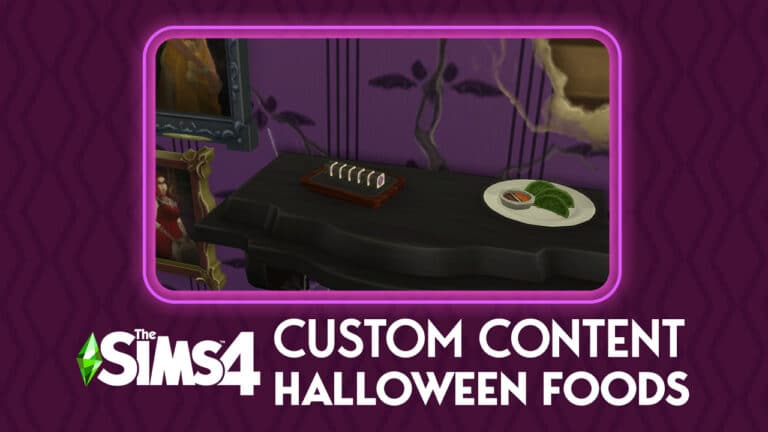
Built into Srsly’s Complete Cooking Overhaul (with the ability to use them without the main mod coming soon), these Occult foods are perfect for any Occult save! Is your Vampire family holding a Halloween Bash? Make sure your fanged family are fed their favorite Plasma Fruit Pudding!
Plasma Fruit Sushi
DLC Requirements: Base Game and Get to Work Important Notes: Make sure to remove any files for packs you do not own. Do not touch the way the files are organized and make sure the script mods are only one folder deep.
READ MOD INSTRUCTIONS BEFORE INSTALLING
Vampires hate peaches, but they love neck-tarines!
PlantSims, Vampires, and Mermaids finally have their own food! Try out Srsly’s Complete Cooking Overhaul for these changes and so much more!
It’s that time of year again! It’s time to get spooky!
With Spooky Season well on the way, we thought it would be the perfect time to share a new community challenge!
Having taken a short break with our Sims Community Challenges, we are excited to be back with this Create a Sim orientated challenge for you all!
We want to see you get creative and make the spookiest Sims you can. You can find everything you need to know below!
Part One
Create A Spooky Sim!
This can be an individual Sim, two Sims or your current family. Any Sim that you want to use! Just no more than eight Sims in total.
Part Two
Take your best spooky screenshot!
Challenge Rules
One entry per person
You can use any packs that you own
Custom Content is allowed
Poses may be used for your screenshot
Screenshots must be family friendly
Once you have completed both of these steps, you can submit your entries by one of the two following ways.
Twitter – upload your image to Twitter using the hashtag #SCSpooky!
Discord – head over to our Discord server and head to the Spooky Sims Channel, which you can find under the Announcements & News category. Make sure to upload your image with the caption #SCSpooky! Any images without the hashtag will not be included in the showcase post.
Click the button below to join The Sims Community Discord
Closing date for entries: Tuesday 25th October 2022 at 10am PST/6pm BST/ 7PM CET. The Spotlight post will be released shortly after entries have closed. Don’t worry, it will be in plenty of time for Halloween!
If you have any questions, feel free to ask them in the comments below, or head over to our The Sims Community Challenge channel on our Discord server! If you aren’t a member of our Discord Server, you can click here to join.
Good luck, have fun, and we can’t wait to see your spooktacular creations!
Talented builders have recreated Atlantica from Little Mermaid, a bite sized Disneyland and more! Check out the highlights
I’ve had everything Disney living rent-free in my mind 24/7 ever since I started playing Disney Dreamlight Valley. Readers who are familiar with my articles will know that I love doing crossovers between my current interests and The Sims! Right now, my current interest is Disney, so I set out to find some of the coolest Disney-themed builds on the Gallery and share them with you.
And so, our magical journey begins! Once upon a time…
Disney Belle Cottage
Creator: wizardofozz1988
I didn’t even need to read the title to instantly recognise this cottage as Belle’s home from Beauty and the Beast. The attention to all the little details really makes this a recognisable Disney build, from the animal pen on the side of the house to the stairs leading up to the elevated first level of the home, to the storm cellar doors at the front of the house. It’s like this fairy tale cottage leapt right out of the film and into our games!
While we sadly can’t actually dive into the sea to see Atlantica, this talented builder has brought Atlantica to the surface for us to admire on land! This dreamy, whimsical castle with countless turrets and schools of fish swimming around its many towers looks like a scene straight out of The Little Mermaid! It’s definitely getting me hyped for the new live-action film coming next year!
Let it go, let it goooooo! Okay, okay, the song is a little overplayed but we’ll never let this ice palace go! Frozen is one of my favourite Disney films and Elsa is one of my favourite Disney princesses so seeing her iconic ice palace come to life in my favourite game is all kinds of awesome! I am seriously obsessed with how this creator used glass bottles and decorative crystals to recreate Elsa’s shimmering palace of ice!
Lady and the Tramp is an undeniable Disney classic and so is the traditional Victorian home Lady resided in with her human family, the Darlings. And what a darling home this is. It looks just like Lady’s home from the film and is another build that’s so well done, I didn’t even need to read the title to recognize it.
Speaking of instantly recognisable builds, I don’t think it’s too hard for anyone to guess where this house is from. If the balloons coming out of the chimney didn’t give it away, already, this is the iconic house from Disney Pixar’s film, Up. The colours are on point and so are the unmistakable balloons and white picket fence. Adventure is everywhere in this build and we can’t wait to find it!
Feeling like a trip to Disney but travel is a nightmare right now? Honestly, same. That’s why I’ll be taking my Sims to Disney, instead! This absolutely incredible recreation of Main Street from Disneyland California is just too stunning for words. The castle and the surrounding shops and attractions all look identical to the real thing. Are we absolutely sure that THIS isn’t the real Disneyland? I can’t tell the difference!
Perceptive Simmers touring Warner Brothers’ Studios noticed an interesting setup that seemed to be for some sort of Sims-related production. All we know about the project is that EA seemed to have been filming some kind of commercial for the game. But for what purpose?
Since nobody knows, we’re just going to make up whatever the heck we want!
1. A Secret Society Meeting
Maybe it wasn’t a commercial at all. Maybe it was a secret society meeting for EA and Maxis employees only. The Simuminati, if you will. Their mission? To cover up the truth about Bella Goth’s disappearance! Their strategy? To hide in plain sight where no one would suspect a secret society to gather, such as Warner Brothers’ Studios. It’s all one big conspiracy!
2. The Ultimate Simulation
It’s often been said that perhaps we are the ones living inside a simulation and maybe there’s some truth to that. Why, it all makes sense now! Why else would The Sims spring to life right here in the real world? Are we even in the real world at all? What if WE are all Sims living in a simulation controlled by the Simuminati?! Think about it!
3. Our Very Own Lab Grown Bella Goth
Image Credit: Rémi Marocelli
Alright, alright, maybe it is actually a commercial… to announce EA’s latest cloning technology! That’s right; they have found a way to clone digital people into real humans by combining DNA from llamas and their newly bred, top-secret cowplants in petri dishes within a highly controlled lab environment. And who better to clone into a real human than the most iconic figure to ever exist in The Sims than Bella Goth herself? Nailed it. We’re totally psychic.
4. The Sims: Bust-A-Move
Forget The Sims 5! The newest commercial is definitely for EA’s upcoming Sims title, The Sims: Bust-A-Move. In this thrilling dancing simulator, you, the player dance through over 9000 intense urban levels with newly-retconned Bob Pancakes, who is now a buff dance instructor who wants to put his lazy ways behind him and inspire others through the power of dance. How inspirational!
5. Project Sims Sessions!
A real-life Sims themed setup at a big studio can only mean one thing: Sims Sessions is coming to the real world, oh yeah! After the success of the in-game Sims Sessions last summer, EA decided to go even bigger and launch Project Sims Sessions! A three-day musical festival in the middle of Warner Brothers Studios parking lot, featuring big headliners like lab-grown Bella Goth, performing her smash hit single, Shashoobie Flahoopsinarb! Oh, did we forget to mention? All the acts will be sung entirely in Simlish for authenticity. And the currency for all the food and drinks is simoleons so good luck trying to get that converted at the bank. But we’re sure it’ll be great!
What do you think is going on at Warner Brothers Studio? Wrong answers only!
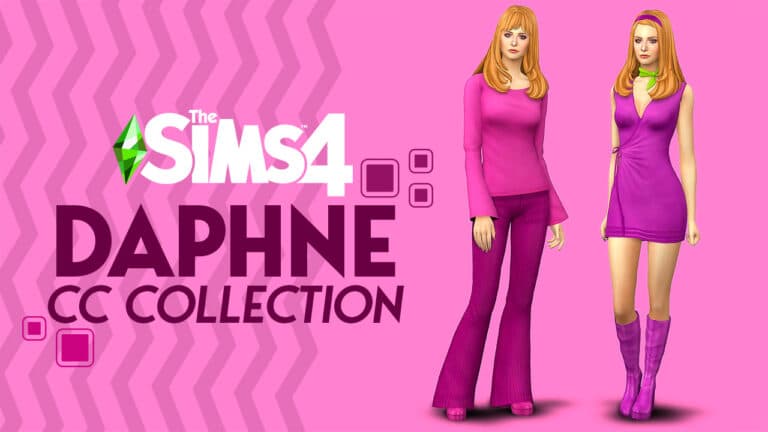
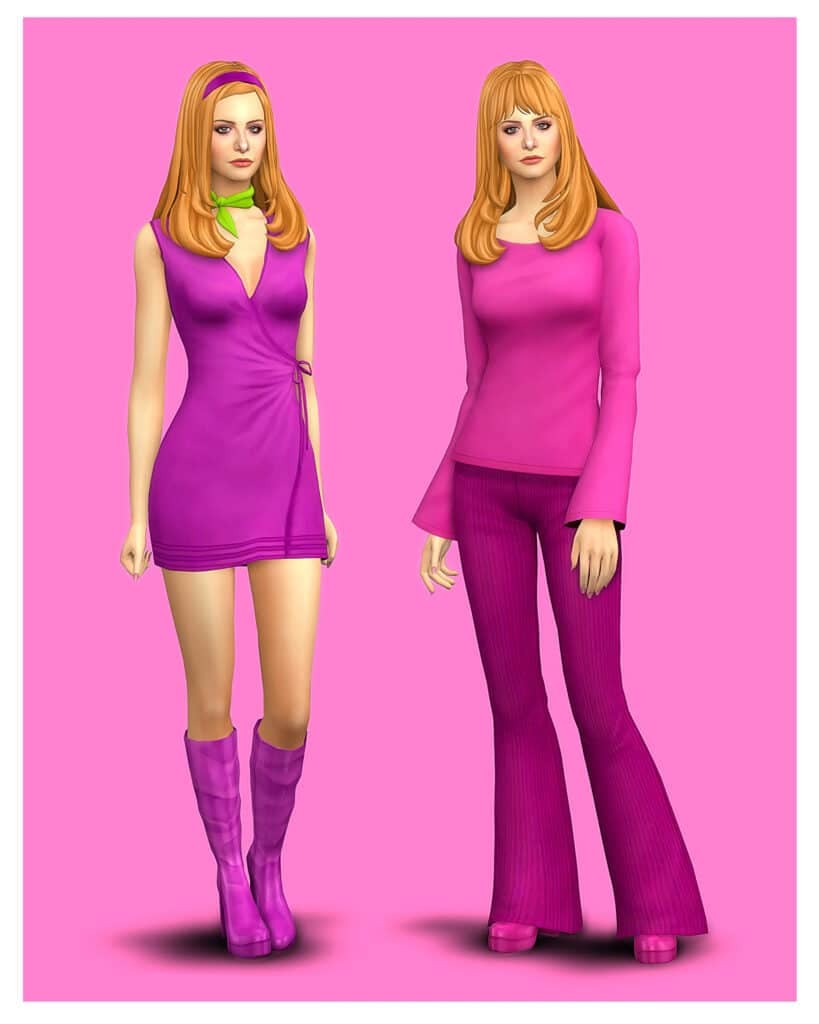
Relive the timeless fashion of Daphne Blake through The Daphne Collection!
Scooby-Doo, Where Are You premiered in 1969 featuring Fred, Velma, Shaggy, Scooby-Doo, and Daphne. Through the many iterations, there have been animated tv shows, comic books and live-action movies including the two live-action movies.
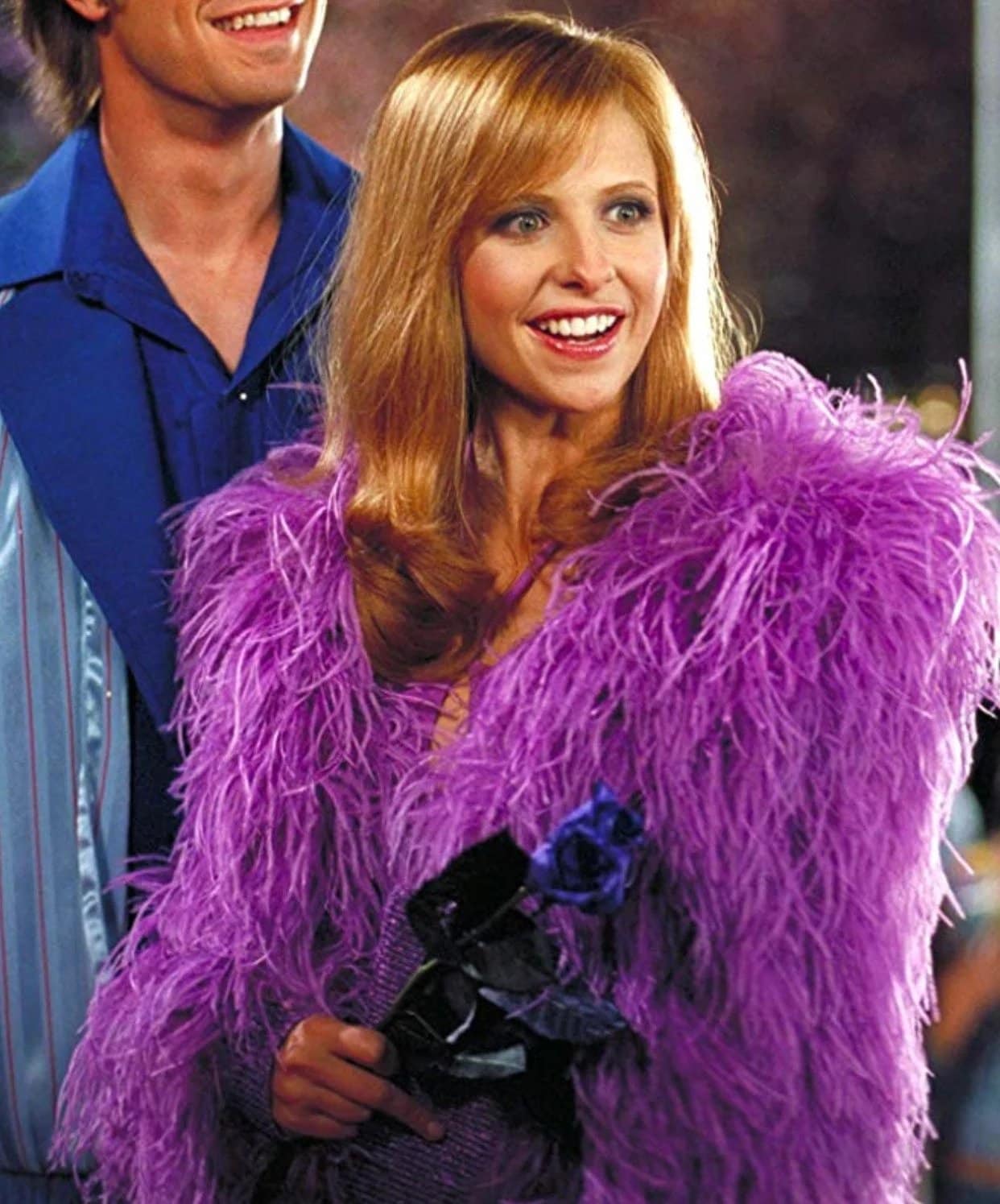
Starring Sarah Michelle Gellar as Daphne Blake in Scooby Doo (2002) and Scooby Doo 2: Monsters Unleashed (2004), these movies had Daphne in clothing from a high fashion event to a tropical island. All in her iconic purple wardrobe.
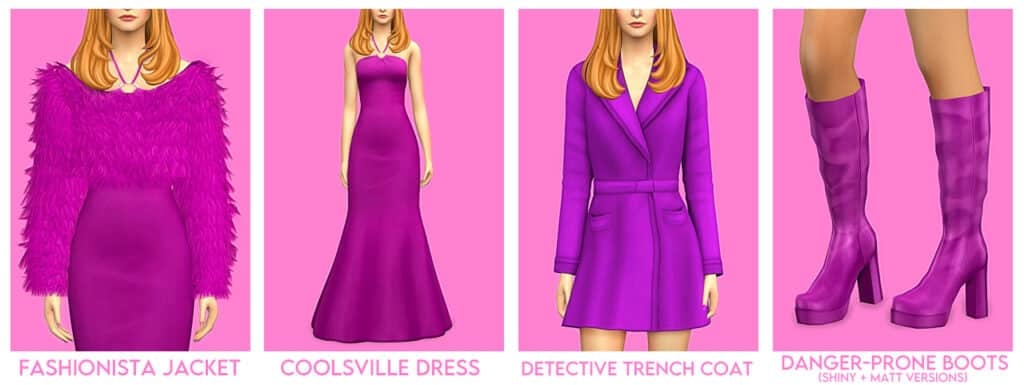
Most importantly, the names of these items are spot on. This whole collection was made by someone who is a fan and not just someone who needed a theme. Vulrien-Sims mentions possibly doing a part 2 to the collection and I hope they do because I’ve enjoyed this collection a lot!
“A collection of chic and glamorous outfits, your sim will find the perfect ensemble for any occasion, be it a sunny getaway to the exotic paradise of Spooky Island, a team meeting at Mystery Inc. Headquarters, or attending a high-profile opening at the Coolsonian Criminology Museum.”
(From Vulrien-Sims’ Patreon Post)
How Close Did Vulrien-Sims Get?
Of course, we aren’t expecting an exact replica, but here’s a gallery of photos from the original movies in case people do not remember Daphne’s wardrobe or have not seen the movie at all.
12 New CAS Items (this includes a recolor of AH00B’s Alice Headband)
33 Swatches for each clothing item
20 EA Color Hair Swatches
Base Game Compatible
All LODS
Custom Thumbnails for the first swatch
Important Information
When using Reshade, make sure to turn of MXAO if sim is wearing the Fashionista Jacket. It looks better with it turned off.
Although this is “The Daphne Collection”, not every swatch is purple.
Credits
Credits: Thank you to Serenity-CC for letting me use their Amanda Hair as a base, to AH00B for letting me use their Alice Headband, and to HappyLifeSims, Marigold (Fashionista Jacket is an edit/retexture of their mesh).
A couple who loves each other dearly may have no choice but to part ways due to culture clash. Is love truly enough?
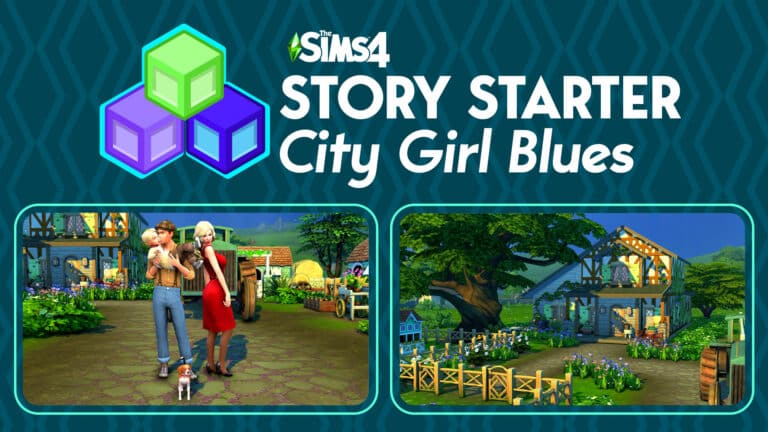
Welcome to our tenth official Story Starter Kit! If you missed all the info on Story Starter Kits, you can read more about what they are and how they work in our introductory article!
This month, we’re bringing you a young farmer, his wife, and their young son and dog. If it seems too cozy and perfect to be true, well… it might be.
City Girl Blues
When Maisie left her fast-paced life in the big city to marry a young, handsome farm boy, she envisioned a cozy life of floral patterned dresses with cute floppy hats, picnics in fragrant meadows, and afternoon tea parties with all the other local wives where they nibbled on biscuits and gossiped about so-and-so’s outlandish new hairstyle.
She did not envision being woken at dawn every day by roosters, walking out her front door and breathing in the stench of cow dung, mud ruining her brand new designer heels, or every square inch of her home having a permanent layer of dust no matter how many times she cleaned it. She misses all the convenience of her old life in the city. She misses her spa membership, half-caf caramel soy lattes with a half pump of vanilla, being able to eat cuisine from all over the world within a two block radius of home, shopping sprees, and all the concerts, museum exhibits, and theatre productions. It doesn’t help that she’s having a hard time making friends outside of her husband in her new home; small towns are cliquey and those other wives she’d hoped to have tea with aren’t keen on welcoming some high falutin’ city slicker into their circle.
Some days, Maisie fantasizes about packing her bags and running back to everything familiar to her, but she knows she could never go through with it. She loves Jack dearly and their baby boy, Asher. Jack’s the only person who’s ever made her feel special in a way that designer clothes and expensive jewellery couldn’t. He treats her like a queen and she knows he tries so hard to make her happy by treating her to nice things from home whenever he can. She appreciates him more than she could ever express to him. And when Jack has to leave her alone in the house all day to work the farm, Asher keeps a smile on her face. She loves being his mom.
Poor Jack doesn’t know what to do to make the woman he adores happy. He can’t sell the farm; it’s been his family’s legacy for generations and his life’s wish is to pass it on to Asher one day, but he can’t stand seeing his wife so isolated and ostracized from the rest of the town. If she could just get out of the house more and make some friends of her own, he thinks she could thrive here. Maybe he could get her to take an interest in farm work? Unlikely, but a possibility. Or perhaps he could find some type of local club or group for her to join! Like the Finchwick Fair Planning Committee or a cross stitch club!
Will Maisie find things to love about her new home and make the connections she longs for, or will the homesickness be too much for her and lead a loving marriage to ruin?
EverydayFormalAthletic (Asher pictured in Everyday)SleepwearPartySwimwearHot WeatherCold Weather
Other Info:
Jack Fields
Age: Young Adult
Pronouns: He/Him
Romantic Interests: Women
WooHoo Interests: Women
Romantic Exploration?: No
Traits: Family-Oriented, Loves the Outdoors, Animal Enthusiast, Collector (Bonus)
Packs Used: Cottage Living, Seasons, Cats & Dogs, Spa Day
Lola Fields
Species: Dog
Breed: Beagle
Gender: Female
Spayed/Unspayed: Unspayed
Traits: Vocal, Loyal, Active
Household Notes:
This household should be able to purchase their lot with their default starting funds. Make sure you import the family into CAS, then move them in. If you move them into a home straight from the Gallery, they will not have the funds I set for them.
Pastoral Pampering
This ramshackle but cozy home started out as a one-room shack back when Theodore Fields first purchased the land back in 1902. As the farm around it flourished over generations, multiple additions were made to the home room-by-room. Now, it’s a charming little place for a small family to live modestly but comfortably.
Lot Info:
Lot Type: Residential
Price: §50,397
Size: 50×50
Beds: 2
Baths: 1
Lot Traits: None
Lot Challenges: Simple Living
Packs Used: Cottage Living, Seasons, Cats & Dogs, Spa Day, Get Together
Your Story Starter Kit is waiting for you! Get The Household and The Lot by downloading them from the official Gallery Website linked on the buttons below. Or, follow SnarkyWitch in the Gallery and look for City Girl Blues and Pastoral Pampering!