Home Blog Page 136

EA starts working on Assistive Mobile Features for The Sims 5

0

..or as Maxis calls it – the future of The Sims Franchise!

Please note that this article piece is based on information written on the official Maxis Careers Page. Although EA still hasn’t announced The Sims 5 yet, there’s plenty of officially confirmed information in regards to the future development of the game that we’ll mention in this article.

It’s been a while since we’ve done a post on the subject of the next generation Sims Game. Or as we call it – The Sims 5. At least until we know the official name.

Anywho, the last couple of weeks have been pretty busy for The Sims 4 Series, considering that a massive amount of Updates, Revamps and a whole new Expansion Pack are coming to the game. In the process of all of this, EA has updated their Maxis Careers Page with new Job Opportunities.

Job Opportunities that definitely lead on and confirm some new details about the current development of The Sims 5.

We will first cover the Job Opportunities, and then seee what each one means in regards to the current, behind the scenes development of the next generation Sims Game:

Sr. User Experience Researcher (The Sims)

This Job talks about a future User Experience Researcher for The Sims Franchise, to research “its future”:

You would report to the UX Research Manager for Maxis to conduct research for the future of The Sims franchise, delivering outstanding experiences for the millions of Sims players around the world.

Responsibilities:

– Conduct user research activities across multiple platforms (including PC, console, and mobile).

– Use Mixed Methods Research to answer essential questions about the game.

– Work with game teams and studio leadership to understand franchise goals and strategies.

– Partner across organizational and regional teams with a variety of disciplines (researchers, designers, product planners, producers) to produce insights which improve the trajectory of their product work.

Mobile Simulation Engineer

This Job Position asks for a future Mobile Simulation Engineer to join the Maxis Team. With some of the descriptions depicting the future plans of the game. Plans of course, nothing is probably fully developed yet.

In the

Maxis is looking for a talented engineer that can help us bring the next wave of simulation features to life. This engineer will work with an experienced team that has collectively built almost all Maxis games in the past two decades. You will actively work with multiple designers and simulation engineers prototyping and shipping various features that expand the gameplay possibilities of Sims games. Most of the work is expected to be done in Unreal Engine, both in C++ and blueprints.

As a Simulation Engineer for a game at Maxis, you will

– Work with designers, producers, artists, and other core and backend engineers to build a framework that brings designs to life.

– Implement a data driven simulation system to author player facing behaviors in C++.

– Demonstrate excellent technical problem-solving skills under iteratively changing requirements during game development.

– Build creative aspects of real life within a simulation game (e.g. socialization, careers, weather, unique characters).

– Author technical design documents detailing software requirements.

– Build unique content for a game that supports a large demographic of simulation player patterns.

– Create mobile application features and systems that contribute to the experience of the main product.

– Collaborate with the Simulation team to break down designs into tasks and create compelling mobile user experiences.

Interestingly, in the Job Description they both stated that it’s for the “next wave of simulation features” as well as “Creating mobile application features and systems…”.

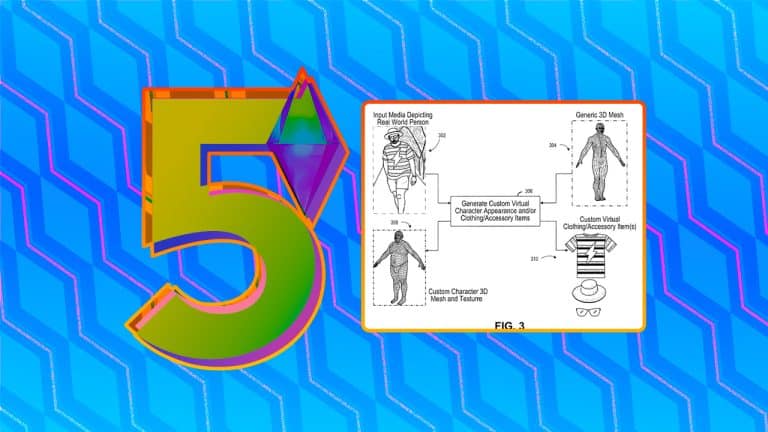
A couple of months ago we reported on the patents published by EA themselves that talk about creating revolutionary creation tools. All for the main thing, which would be a Sims Game on a bigger platform (Desktop / Console).

The patents revealed tools such as Creating Characters through Face Scanning, as well as creating Patterns, Clothing and Animations from Mobile Camera.

EA starts working on Assistive Mobile Features for The Sims 5

It could be very likely that Maxis is right now working on prototyping and developing tools for Mobile devices that lets you expand your gameplay possibilities for the next generation Sims Game.

Not to be confused with a new Social Creator Platform for The Sims, of course.

Maxis also has a job opening for a Senior Animator with skills in Unity and Unreal Engine. Unreal Engine is speculated to be the main development tool being used for the next generation Sims Game.

In case you don’t know what the role of a Senior Animator generally is:

The Senior Animator leads the development of animation assets to support the execution of the production’s creative vision. He/She develops complex animation assets for production as well as mentors a team of animators to perform animation sequences and complex animation techniques.

– myskillsfuture.gov.sg

It could be very possible that a future new Senior Animator, developing assets and leading the animation in Unreal Engine, could be the main leader of Animation Development for The Sims 5.

Here’s what the Job Description says:

Senior Animator

Your Skills:

– Extensive experience as a seasoned gameplay animator contributing to all phases of game production on a AAA title

– Expert in creating full body keyframe animation with a primary emphasis on full body character performance in Maya

– Excellent technical comprehension in relation to designing and implementing animation state machines in a game engine such as Unity, Unreal or similar.

– Effective decision making defining and setting priorities for self or others as needed

– A keen eye in evaluating human/creature/object rigs for production

– Adaptable to new animation styles, in game animation production tools, workflows, and pipelines.

– Oral and written communication, keeping project stakeholders informed on project status and risks and collaborating with multidisciplinary groups such as: Design, Production, Engineering, Art, Modeling, VFX, and Audio

– A mindset that focuses on quality, collaboration, innovation, and accountability.

Your Key Responsibilities:

Creating a variety of high quality keyframe animations and owning their implementation from ideation through the testing and bug fixing.

Owning the design of complex animation trees, state machines, and driving innovative technical implementation to meet design objectives, creating documentation as necessary.

– Tracking and oversight of animation assets hook up to support great gameplay.

– Elevating our discipline, by mentoring animators, creating learning material, and spreading knowledge across the animation team.

Estimating and assisting in scoping exercises to ensure animation is able to meet production schedules.

Extras:

Providing aesthetic feedback to a small group of Animators.

– Experience in motion capture workflows

– Proficient in project tracking software such as: Atlassian Confluence, Jira software, Shotgun or similar tools


That’s all we have so far with the behind the scenes information on the current development of the next generation Sims Game!

In case you don’t know, it’s been confirmed by Maxis that their Development Studios, which also now covers new opened Studios across the world, is working on both The Sims 4 and The Sims 5.

You can catch up on the latest The Sims 5 News Here!

What are your thoughts? Let us know in the Conversations below!
The Sims 4 High School Years: A Students Guide to Copperdale High

Get to know more about what it’s like to be a Student at Copperdale High!

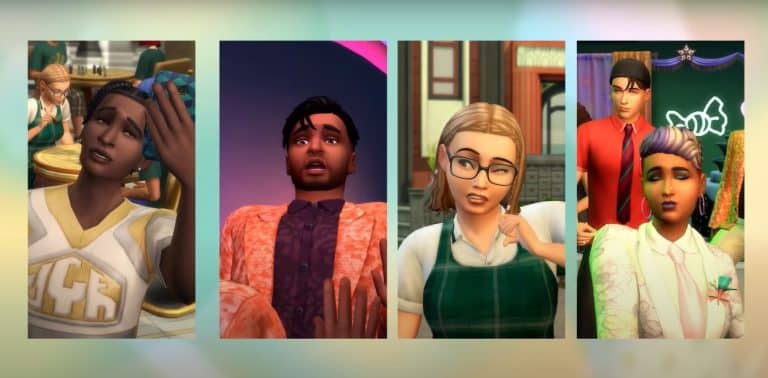
Recently Copperdale High Students Molly, Sidney, Ash, and Kevin took to Social Bunny to show us what student life is like!

Take a closer look at what it’s like being the principal’s daughter, keeping busy between classes, and watching the drama unfold over lunch. Get a glimpse at after-school activities like cheerleading and chess. How about discovering the latest fashion trends or even setting a new trend? Get excited about prom and have the night of your life and make memories with your friends!

Check out the full video below for more!

The Sims 4 Laundry List: July 19th, 2022

0

What’s being fixed in the next Update? Find out!

The Sims 4 Laundry List: July 19th, 2022

The Sims Team has published a new Laundry List for The Sims 4. The upcoming fixes should be coming in the Upcoming Update for The Sims 4 Base Game.

In case you don’t know what a Laundry List is – it’s a list of all the highly reported bugs and issues that are notable in The Sims 4. The Laundry List covers bugs and glitches that are being investigated for The Sims 4’s upcoming Game Patch. If all goes well, The Sims 4 should have these reported bugs and issues resolved this month!

Hi Simmers!

Welcome to the Laundry List where we’ll share a list of the top community concerns that we’re currently investigating and hope to have resolved in the upcoming patch. This is just a top list, there are more topics that we saw reported by players that are not listed and are being worked on.

These concerns were reported by players who help us continue our work of improving the user experience on a regular basis. 

Please note that some topics can be tricky and require an extended investigation on our end, so even though we are actively reviewing, it’s not a guarantee that we’ll have an immediate fix for it in the upcoming patch. 

Here’s the list of the top community concerns we’re investigating for the game update this month: 

[SE] More than three active lifestylesGame Crashing when Placing Retails/Lots with mannequins

[DU] ‘Go To Class early’ missing/canceling –> Sim misses class

[ECO] Juice Fizzer turns harvestables into books, lastUIException

Lag for menu to show up when clicking on objects

[S] [SE] Mountain Excursion Planned Event Will Not Start

Sims won’t share a double bed that is placed against a wall/ No scoot

[PS4] [ECO] Evergreen Harbor flickering pyramids

[S] Easter Egg hunt tradition not fulfilling

[PS/XB] [CoL] Cursor disappears after interacting with Chicken Coop

[SE] Lifestyle not removed, blocking from gaining/removing more

[SE] Supervisor Branch: Hold Phone conference not fulfilling

Grab Serving For Toddler Isn’t Working (Highchair and otherwise)

[DU] Switching Career Branch: Rewards Not Unlocking

Auto-solving hygiene need causes Clean Objects instead

Thanks for all your patience and valuable help! Please continue sharing with us about any issues you’re experiencing on Answers HQ. We’ll continue to check in, and together we can make this game the best that it can be. Happy Simming! 

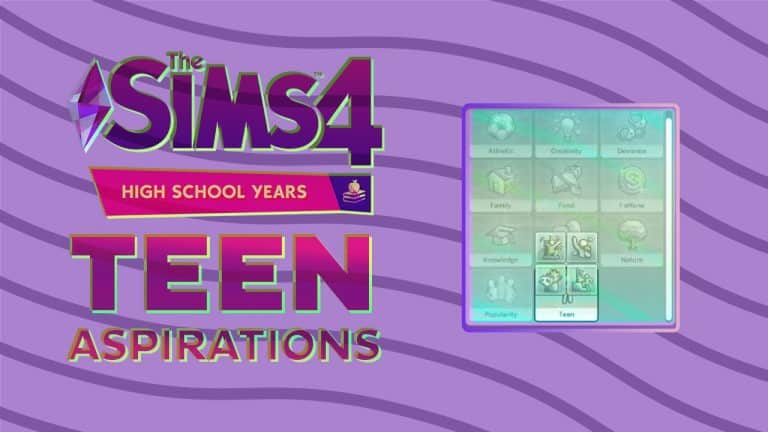
First Look at Teen Aspirations in The Sims 4 High School Years

Finally, aspirations fit for a teen!

During the High School Years Livestream, SimGuruGeorge and SimGuruJessica showed everyone the new teen-specific aspirations that are part of the new High School Years Expansion Pack. These will be the first aspirations specifically for teens in The Sims 4.

First Look at Teen Aspirations in The Sims 4 High School Years

The teen-specific aspirations are all part of the new teen aspiration category, with Relatable being the bonus trait for the category. The Relatable trait’s description reads as follows: “Relatable Sims build friendly relationships with fellow teens faster.”

First Look at Teen Aspirations in The Sims 4 High School Years

The four aspirations include the Live Fast, Admired Icon, Goal Oriented, and Drama Llama. Each aspiration has a unique reward trait that will follow the Sim into adulthood. Although they did not mention what each unique reward trait would be, they stated that it would, “help you through the rest of your teen life as well as your adult life.”

First Look at Teen Aspirations in The Sims 4 High School Years

The first aspiration is the Live Fast aspiration. The description for the aspiration is: “The Sim aims to get the most out of life by living care-free and rules-free.” Then, there’s the Admired Icon aspiration. The game describes the aspiration as: “This Sim wants to be a trend setter, popular, and influential, A true icon.” In comparison, the aspiration of Goal Oriented, is described as, “This Sim wants to be the best: Grades? check. Sports? Check. Money? Check! The road to success is being paved.” The final aspiration is the Drama Llama aspiration. The description reads as: “The Sim wants all the drama all the time.”

The following information is from LuniverSims and translated by MelinSimsLand. Note, the actual wording will be slightly different due to the translation. For each aspiration, there are three milestones that the teen needs to complete before Young Adulthood. These are some of the requirements for each milestone.

Drama Llama – Requirements for this aspiration include: Gossip 5 times, spread a rumor, kiss in the love ride, and have an enemy rival

Goal Oriented – To finish this aspiration, you need to: Start an after-school activity, do your homework 5 times, earn 500 simoleons, reach level 3 in an after-school activity, get and keep an A average, go to an orientation day, and reach level 3 of a part-time job.

Live Fast – To finish the Live Fast Aspiration, your sim needs to: Do 3 pranks, get in trouble, sneak out to go to a party, ask a sim for a date 5 times, provoke a fight, summon an urban legend 2 times, and pull a prank a sim.

Admired Icon – Requirements for Admired Icon include: Participate in the T-Pose challenge, have 10 teen friends, pose on Social Bunny 5 times, sell 5 outfits on Trendi, win gold at a party, and have 250 followers on Social Bunny.

Which Aspirations would you choose for your Sims Teens? Let us know in the conversation below!
Guide to Collections in The Sims 4 Werewolves

Your Guide to finding and deciphering all the Moonwood Relics!

Guide to Collections in The Sims 4 Werewolves

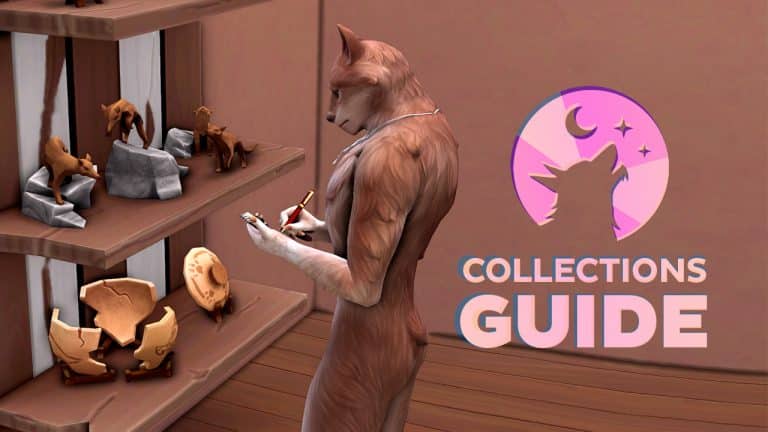
The Sims 4 Werewolves comes with one new collection called Moonwood Relics. There are a total of 12 pieces to collect and a special display shelf can be purchased from Build/Buy to hold all the relics. Pieces will automatically slot into their designated place when dragged to the shelf.

What makes this collection unique is they hold long-lost secrets about the history of Moonwood Mill that can’t be deciphered by just anyone. This guide is a full guide into finding these relics and learning to decode their hidden meanings.

Finding Relics

It is, unsurprisingly, ideal to have a werewolf hunt down the relics. Human Sims may be able to stumble across a relic here and there while exploring the town but only werewolves are able to pinpoint the exact location of possible relics with the right abilities, and only werewolves can learn to decipher the lost language written on them.

Guide to Collections in The Sims 4 Werewolves

There are two main ways to obtain relics; by scavenging the ground and exploring Moonwood Mill’s underground tunnel system. You may also occasionally find relic pieces in your pack’s hangout stash if you are part of a pack.

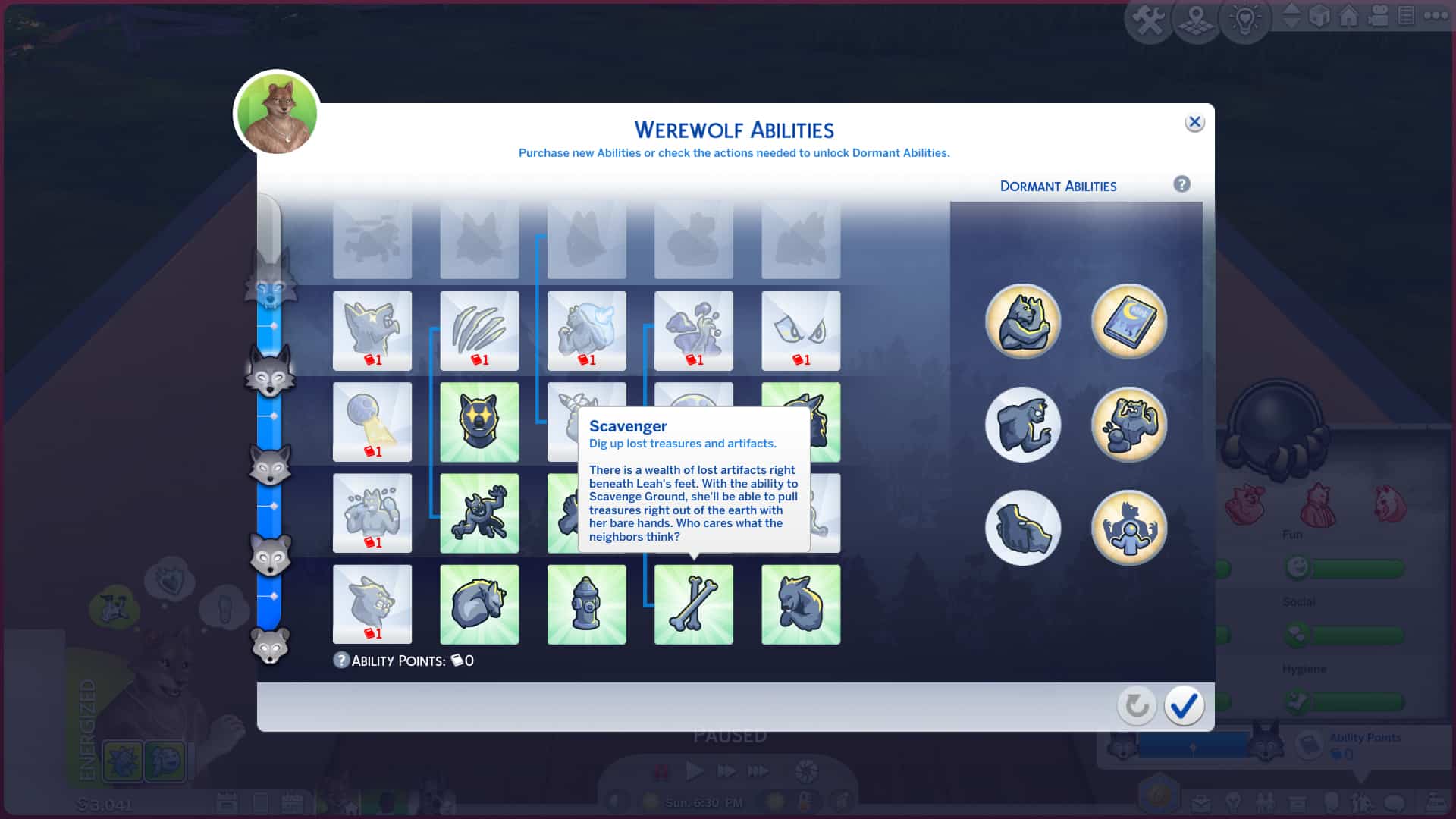
Pup rank werewolves can purchase the Scavenge ability for themselves, which will allow them to dig anywhere on the ground in the hopes of finding a relic but more often than not, you’ll find nothing. If you increase your rank to Runt, you can purchase the Enhanced Smell ability. This will be extremely helpful in locating relics through scavenging. Your werewolf will be able to use this ability to sniff out specific areas where something is buried underground. Look for spots that are emitting stink fumes after using the Enhanced Smell ability; if you scavenge there, you are guaranteed to find something. It won’t always be a relic but you will still locate relics far more easily with this ability than without it.

Anyone can explore the tunnel system below Moonwood Mill, not just werewolves, but if you are a werewolf of at least Prime rank, you can purchase the Nightvision ability for yourself. This is going to help you find items in those dark tunnels. You won’t always find a relic but you still greatly increase your odds by having this ability. There are three tunnel entrances around Moonwood Mill; the old bunker next to the Volkov household, the portal potties near the river in town, and the sewer grate near the Wildfangs’ hangout. There is also a tunnel entrance you can purchase in Build/Buy and place on your home lot that will connect you to the tunnel system.

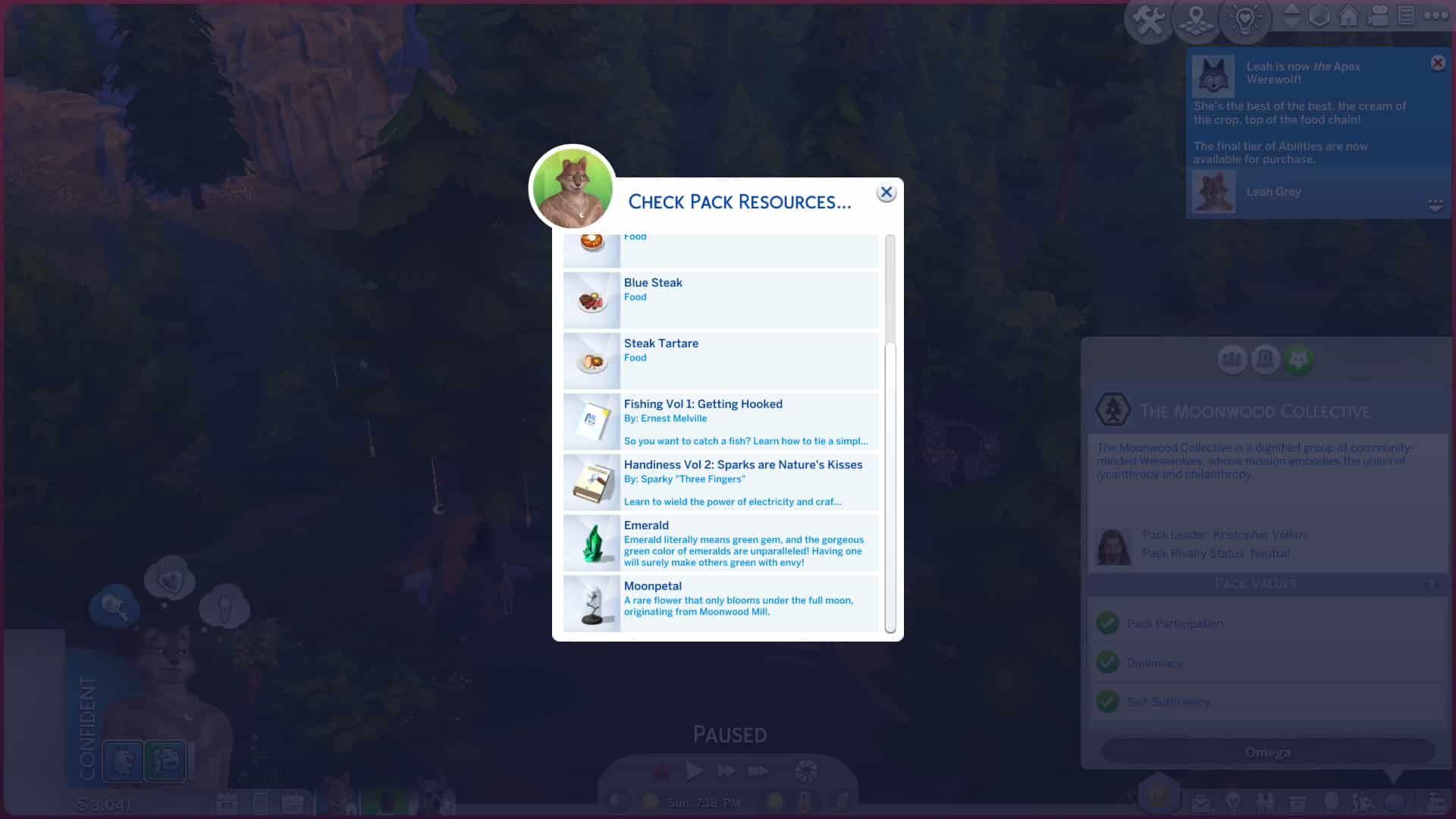
Don’t forget to check your pack’s resources at their hangout frequently! You might find relics in the stash that you can claim for yourself.

Deciphering Relics

When you first find a relic, you won’t be able to read the lore it contains. It’s in a very old language made up of cryptic symbols and only a werewolf can learn to read it.

Guide to Collections in The Sims 4 Werewolves

Werewolves have dormant abilities that can be unlocked at any rank. Each dormant ability has a different requirement to unlock it. You will need to unlock the Lunar Epiphany dormant ability to be able to decipher the ancient language on the relics that you find.

Guide to Collections in The Sims 4 Werewolves

To do that, spend a lot of time reading any of the werewolf books in Moonwood Mill. They are not skill books and look the same as any of the other books in the game but the titles and summaries will reference werewolves. The library in Moonwood Mill will have a decent selection of these books but any bookshelf in Moonwood Mill will have a few of these books. More of the books can be scavenged with the help of the Enhanced Smell ability. You may also find them in the tunnels or your pack’s hangout stash.

It may take a while to unlock the Lunar Epiphany ability but just keep reading as many werewolf books as you can until you obtain this ability.

Guide to Collections in The Sims 4 Werewolves

Once you possess the ability to decipher the relics, click on a relic and select Decipher Engraving. Your Sim will spend a short amount of time studying the relic with a little pen and notepad. When they are finished, you’ll be able to hover the curser over the relic to see a tooltip that explains a piece of lore connected to the relic.

Collect and decipher all the relic pieces to get the unabridged history of Moonwood Mill and learn where werewolves originated!

Relic List

Guide to Collections in The Sims 4 Werewolves

Below is the full list of relics to be found. We have not included the lore that can be deciphered from every relic in order to avoid spoiling everything for players but you will be able to see which pieces you’re missing from your collection, their rarity, and value.

For players who do like spoilers, keep an eye out for our lore article summarizing all the lore of Moonwood Mill coming shortly in the next week or two!

[table id=105 /]

Have you deciphered all the relics yet? Let us know in the comments!

Phones in The Sims 4 are getting a Revamp!

Smart phones are finally getting, well… smart!

In today’s High School Years deep dive livestream, SimGuruGeorge and SimGuruJessica walked us through the huge cell phone overhaul coming with The Sims 4 High School Years expansion pack later this month!

The smart phone itself now has a more app-based UI and layout, resembling a real smart phone’s home screen. They’ve also added a lot of new phone designs for you to customize the look of your phone. The phone designs are better too; they now actually customise the in-game look of the phone instead of just the UI.

The Phone User Interface Revamp will be coming with the Upcoming Update for The Sims 4, with new features and looks such as:

The ability to go through Apps / Categories within your Phone:

Phones in The Sims 4 are getting a Revamp!

The User Interface now requires you to click on a certain icon related to a certain Gameplay category. Each Category has options to choose from just like before, but with a redesign. In this case, the Social Bunny App has a whole lot of new features available:

Phones in The Sims 4 are getting a Revamp!

Just like before, you are also now able to choose from different available Phone Backgrounds. There’s plenty of new ones to unlock as well with the High School Expansion Pack!

Phones in The Sims 4 are getting a Revamp!

In addition to the cosmetic makeover, two new apps were shown off; Social Bunny and Trendy!

Phones in The Sims 4 are getting a Revamp!

Social Bunny is an interactive social media app where your Sims can actually make posts, interact with others’ posts, slide into other Sims’ DMs, add social media friends and more! Stay active on Social Bunny to gain followers and catch up on your friends. Other Sims will also respond to what you post on the app.

Phones in The Sims 4 are getting a Revamp!

Trendi is an online fashion marketplace linked to the new thrift store lot. As the stock rotates, so do the styles available in Trendy. Mix and match pieces to create unique looks, give them a style and a name, and purchase them! Wear your designs and take selfies to hype them up, then sell them to make a profit! You can also browse for unique outfits to buy on Trendy from other Sims. Your designs will be more popular if you have a lot of Social Bunny followers and if the style of those clothes is trending. You might even see other kids at school wearing your designs.

Wants and Fears System Coming to The Sims 4 Base Game

0

Wants and fears are back and they’re better than ever!

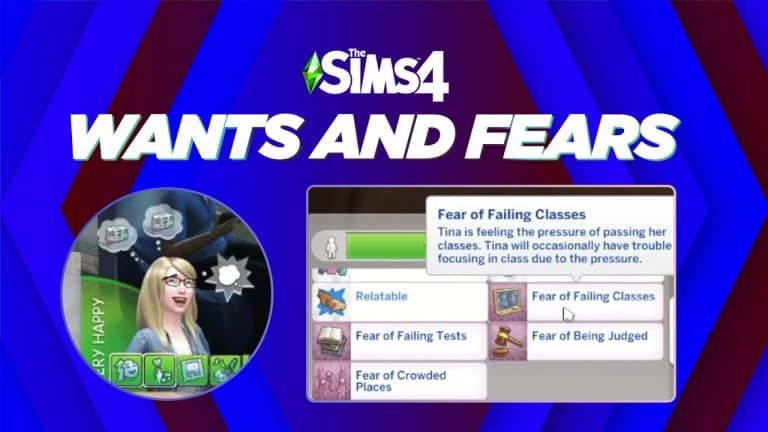
In the High School Years deep dive livestream today, SimGuruGeorge and SimGuruJessica showed off the new Wants and Fears system coming to The Sims 4 in a free base game update prior to the release of the High School Years expansion.

Wants and fears are finally back in The Sims and they’re even better than their predecessors. Unlike whims, wants and fears will cater more to your Sim’s unique traits and personality (yes, it’s true; no more BUY BEE BOX whim rolling over and over again).

Wants and Fears System Coming to The Sims 4 Base Game

Sims will have three wants; one long term want, one short term want, and one reactionary want that fluctuates based on where they are and what they’re doing. If they’re at the gym, they might have a reactionary want to work out, for example.

Wants and Fears System Coming to The Sims 4 Base Game

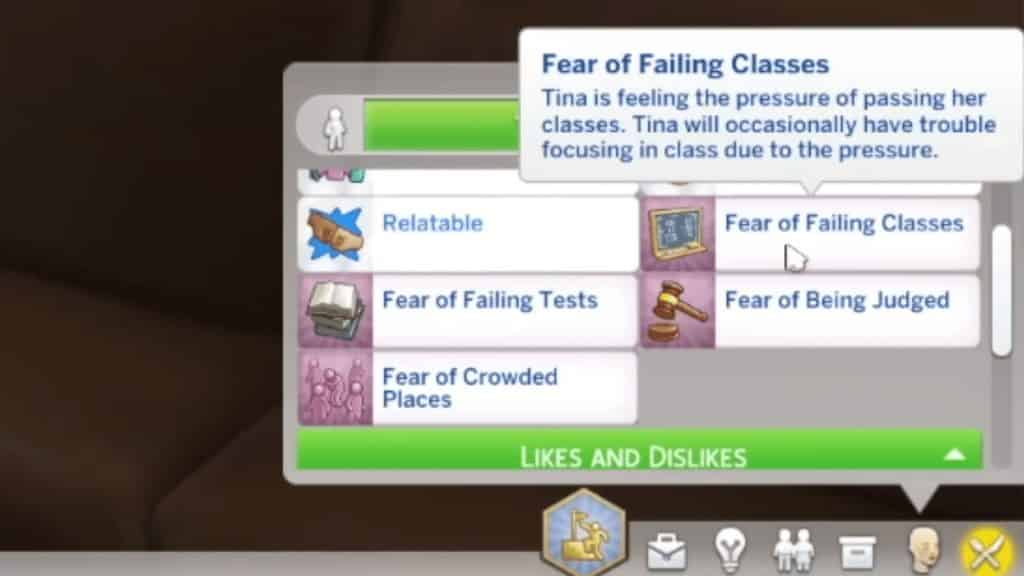
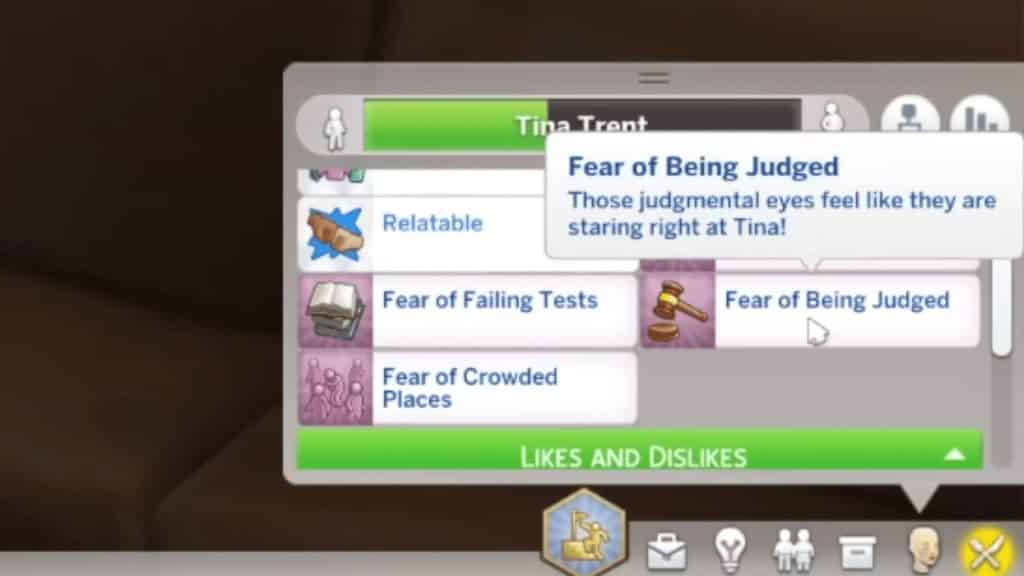
Sims will develop fears in-game based on negative lived experiences. If your Sim experiences a house fire, they may become afraid of fire, for example. Fears aren’t only a negative thing, however! Your Sims will have the opportunity to face their fear and conquer it, or they can choose to live with the fear.

Wants and Fears System Coming to The Sims 4 Base Game
Image credit: lilsimsie
Wants and Fears System Coming to The Sims 4 Base Game
Image credit: lilsimsie

What do you think about Wants and Fears Feature coming to The Sims 4 Base Game? Let us know in the conversation below!
First Look at Round Walls in The Sims 4

0

Curved walls are finally a thing and everyone is getting them for free!

In today’s High School Years deep dive livestream, SimGuruGeorge and SimGuruJessica showed off a new Build feature coming with the next base game update before the new High School Years expansion launches; curved walls!

First Look at Round Walls in The Sims 4

Curved walls can now be placed as rooms, similar to placing down platforms and foundations. The size can be adjusted to your liking after placement.

First Look at Round Walls in The Sims 4

But it gets even better! Most windows and doors (with the exception of a few extremely wide ones) can be placed on curved walls! The Gurus stressed that while some door and window frames might stick out awkwardly on curved walls, they still wanted to give us the freedom to do that if we wanted to. Some select windows will even curve to match the angle of the wall when placed alongside a curved wall!

First Look at Round Walls in The Sims 4

There will be a new filter in the windows and doors sections of Build/Buy that will allow you to easily find curved wall compatible windows and doors.

Full Summary of The Sims 4 High School Years Deep Dive!

We compiled all the new info from the High School Years deep dive into a handy bullet list!

Today’s two-hour deep dive livestream into the upcoming High School Years expansion pack was jam-packed with new information about the teenage experience, high school life, the new world, and so much more! The stream was hosted by SimGuruGeorge and SimGuruJessica who walked us through all of the new features coming in the pack (and looked quite fashionable while doing so, if we might add!)

In case you didn’t have two hours to spare to sit and watch the full livestream, we’ve compiled all of the information from the stream into a handy bullet-point list for you!

World

Full Summary of The Sims 4 High School Years Deep Dive!
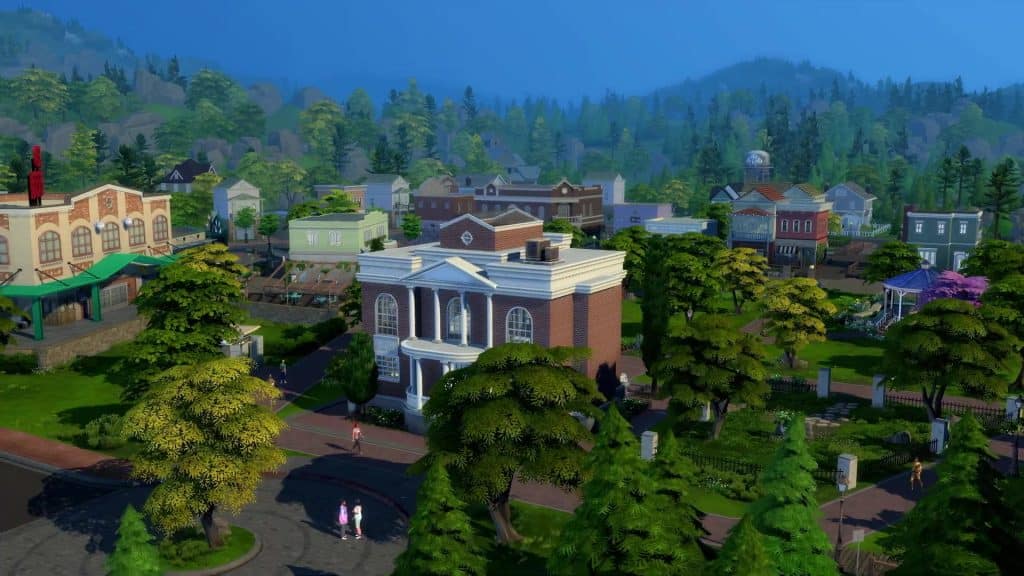
  • The new world is called Copperdale and is a residential world.
  • Copperdale is a quaint town with a rich history as a mining town but the mines have since dried up.
  • Copperdale was inspired by gritty teen dramas like Riverdale and Stephen King novels; the sleepy, idyllic town that gets rocked to its core when a grisly discovery is made. Everything is quaint but with a creepy undertone.
  • 3 neighbourhoods: Rockridge Heights, Prescott Square, and Plumbite Cove
  • All the lots in Copperdale were built by Game Changers
  • New lot type! Boba tea shop! The boba tea shop in Copperdale also doubles as a thrift store.
  • Plumbite Pier has a carnival area with rides and attractions. It’s a perfect spot for a group of teens to hang out.
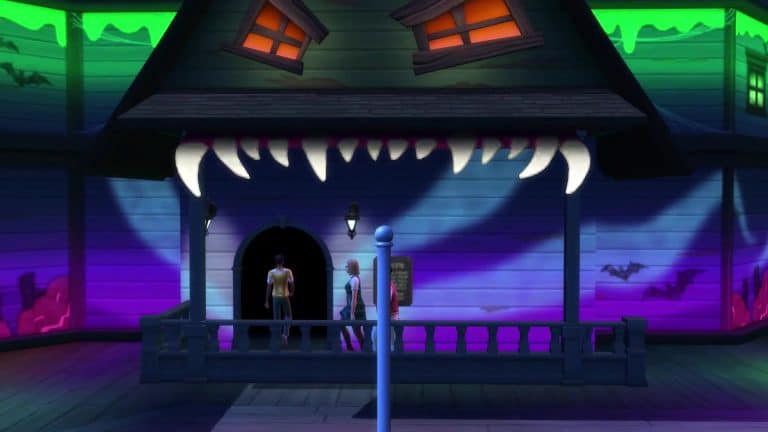
  • The carnival has a haunted house, go cart rides, and a ferris wheel. You can ride them alone or with friends. Both friendship and romance options available during the rides (yes, you can Mess Around and/or WooHoo on the rides) but it’s more of a chance card experience; you don’t actually see them on the rides.
  • Places to buy food and carnival snacks on the boardwalk.
  • All families have in-depth backstories and lore attached to them. A lot of effort went into making them fleshed out characters
  • Lots of little hangout spots in Copperdale for teens to hang out as friends or get romantic.
  • The water by the pier is swimmable and has a fishing spot. There is also another swimming hole that’s more private.
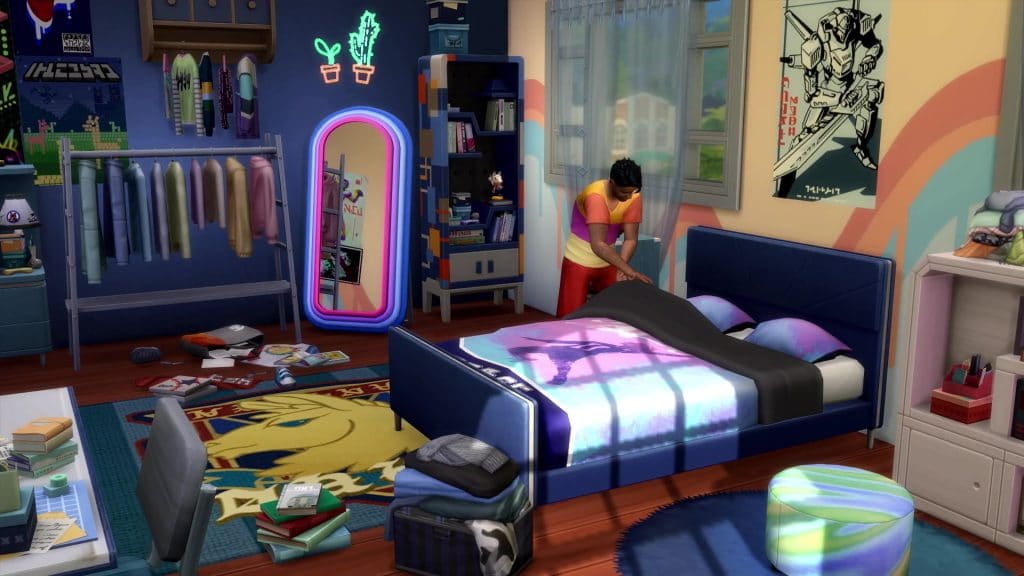
  • The houses are reflective of a typical home with teenagers; the rest of the house is decorated like how the parents want it but the teen bedrooms are wild with all their personality and unique décor.

High School Life

Full Summary of The Sims 4 High School Years Deep Dive!
  • Multiple Sims in a household can attend high school together! For the first time, you can send multiple Sims to the same active career lot at the same time. This is not supported with older active careers. The Gurus said they had to build this feature from the ground up to make it work for High School Years. The older active careers can’t support it.
  • You can decide whether or not you want to play your teens at high school. If you want to focus on other family members during school hours, you can still send the teens alone to a rabbithole high school if you want.
  • New after-school activities show up on the calendar.
  • The style of the default high school in Copperdale is Art Deco but the high school is fully customizable. You can bulldoze it and build a whole new school if you want but not while Sims are actively attending classes.
  • You can’t put high school lots in other worlds; Copperdale is the only high school location but teens from every world can attend the high school in Copperdale. You don’t have to live in Copperdale to attend high school there.
  • School is an active career. There are goals you have to complete throughout the day in order to do well.
  • Classes and exams are an important part of the school day but more effort was put into the socialization that happens in between classes.
  • You can claim and customize your own locker.
  • Classes are active! There are two classes per day. Subjects rotate each day and build different skills.
  • How well you do in class will determine your grades. You can fail to graduate high school now! Some careers will be locked to high school dropouts and they can’t get into university but you can attend online classes to graduate if you fail high school.
  • Classes are the smaller portion of the school day. The Gurus thought we’d have more fun socializing and doing other activities so hall time, lunch period, and after-school activities are a bigger focus of the school day.
  • If you do really well in school, you can become valedictorian at your graduation.
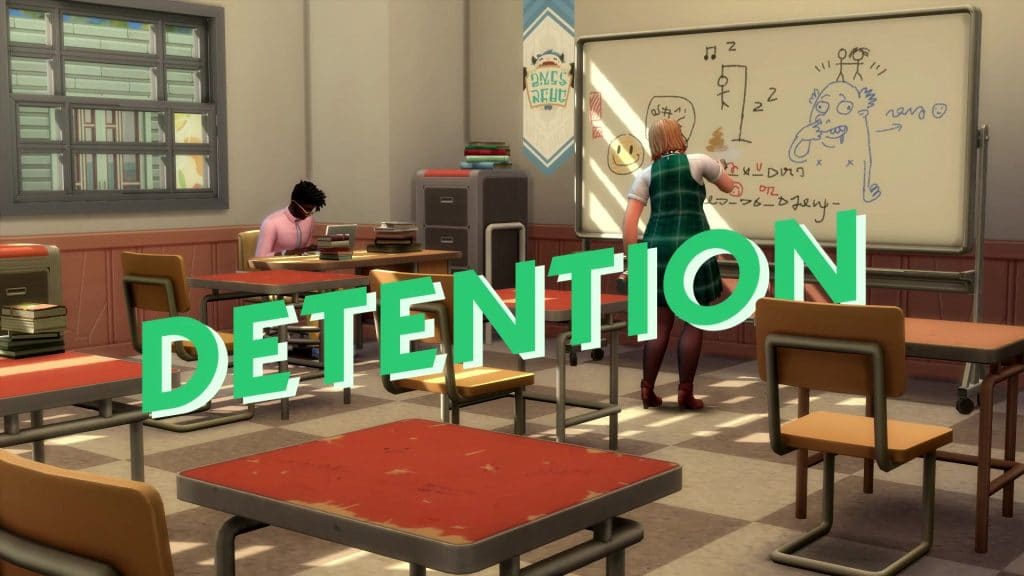
  • You can get in trouble at school. Prank lockers, tamper with the PA system, and skip classes. You might get detention if you get caught.
  • NPC relationship autonomy. Sims can now do things like ask you out or break up with you autonomously!
  • You don’t automatically go home after the school day ends. You can join after-school clubs and stay to hang out with your friends.
  • There are four after-school teams you can join. Football, cheerleading, chess club, and computer club. You can join at school or through the phone. When you join a team, you’ll have increased comradery with your teammates but also a rival you have to deal with. Your rival is someone on your team who hates you because… teenage drama.
  • Teams will have different festivals and activities you can attend.
  • Teens can ask their schoolmates to prom as romantic interests or as friends. There are new sentiments related to prom.
  • Teens can “prompose” in different ways. They can leave a note in their potential date’s locker for them to find or make a promposal sign and surprise them with a big grand gesture.
  • Prom is laced throughout the whole high school experience. It’s the highlight of your teen years so there’s a buildup to it. Teens talk about prom, plan out their prom outfits, decide who they’re taking to prom, and get ready together before the big night.
  • The prom venue is fully customizable. You can totally bulldoze it and rebuild it from the ground up so you can do all kinds of different themed events and dances.
  • Prom is a goaled event; you can do well or terribly at it. Have lots of fun with friends or have the absolute worst night of your life.
  • Vote for prom jester and prom royalty.
  • Dance, use the photo booth, and show off your outfits to everyone at prom.
  • You can cause a lot of drama at prom. For example, Sims might be pretty upset with you if you start dancing with their prom date!
  • If your teen is popular, they might get invited to an after-party when prom ends!

General Teen Life

Full Summary of The Sims 4 High School Years Deep Dive!
  • Wants and Fears are coming back to the base game but there will be a few Wants and Fears that are exclusive to the High School Years pack. They will work differently than in the past.
  • Sims will have three Wants: long term, short term, and reactionary. Unlike Whims, Wants are more tailored to your Sim’s unique traits. So no more BUY BEE BOX!!!
  • Fears are developed through negative life experiences but they aren’t just things to avoid anymore. Your Sims can actually choose to face and conquer their fears to overcome them for good.
  • New selfie poses!
  • New streaming options: lifestyle and gaming streams, can watch other streamers.
  • New part-time careers for teens; Influencer and Streamer. You can choose a SimTuber avatar for yourself.
  • New phone UI with a more app-based layout resembling a real smart phone. Lots more phone designs/cases to choose from which actually change the in-game design of the phone, not just the UI colour scheme.
  • Social Bunny is a new active social media platform. See posts from other Sims, talk about your life on the social platform, react to posts, send DMs, add social bunny friends, and @ people. Other Sims will react and respond to what you post, too!
  • More ways to hang out on beds! Sit cross-legged on beds and have pillow fights on beds. Sims can also sit on the floor to hang out now.
  • Teens can sneak out of the house! New windows you can crawl out of and a lattice object you can use as a ladder to climb down from the second floor. You can sneak out from the first floor, too, and attempt to sneak out through front and back doors.
  • You can get invited to different events, movies, college parties, etc. You can ask your parents for permission but if they say no, you can sneak out of the house. You can get caught sneaking out and get in trouble for it.
  • New boba teas available to order at the boba tea shop. Can drink from straws now! The boba tea shop is also a thrift store.
  • Trendy is another new phone app. It’s a fashion marketplace where you create designs based on what you find at the thrift store. If you’re good at it, it can be pretty lucrative.
  • Create designs from the store’s selection, give it a style and a name, and purchase them. Once you’ve styled and purchased your outfits, hype them up by taking selfies with them and uploading them. Check the style trends to see what clothes are trending. Sell your designs and set the prices. Mail out purchased outfits and browse for outfits to buy on Trendy. Resell outfits you’ve purchased but don’t want anymore. Having a lot of followers on Social Bunny will help your designs become more popular.
  • If your designs are really popular, you might see other kids at school wearing them!
  • The Sims collaborated with Depop; a fashion marketplace that focuses on sustainable fashion and supporting individual designers. Some in-game pieces will be made by Depop creators and you can see which designers made each piece in-game.
  • The thrift store rotates regularly and some pieces are not available directly through CAS. You can only get them at the thrift store when they’re in stock.
  • Teens can take on viral challenges like the T-Pose Challenge. If you see teens t-posing, the Gurus promise it’s not a glitch! They’re doing the T-Pose Challenge for social clout! Teens will have to learn about the latest viral challenges by talking to other teens about them.
  • Teens will be on their phones ALL the time. They basically live inside their phones, much like real teenagers.
  • Teens can mess around with each other in a number of places, including the carnival rides, but if they get caught, they can get banned from the ride for a number of days.
  • There is a photo booth at the prom venue and at the pier.
  • This pack comes with new deaths! Feeding into the Stephen King/Riverdale vibes of the town, teens can get involved with urban legends, sometimes resulting in their own demise! There is a Bloody Mary style game Sims can play in the mirror. Most of the time, it will just be a fun teenage prank, but sometimes, Bloody Mary may actually appear and scare your Sims to death! Pranking certain objects can also go terribly wrong and kill your Sim so beware!
  • Crushes are being added to the game in the form of sentiments!
  • New WooHoo/Mess Around partners you can be physically intimate with with no strings attached.
  • Sims can ask each other about their sexual orientation (if they’re friendly enough with that Sim).

CAS

Full Summary of The Sims 4 High School Years Deep Dive!
  • Clothes for teenagers. ALL fashion is aimed at teens exclusively.
  • A large array of fashion styles for teens. Dark academia, kawaii, Y2K, and e-girl inspired fashion to suit a wide variety of Gen Z aesthetics.
  • Clothes for different situations, like hanging out, school, and prom.
  • Fashion is a big focal point of the pack since teens are all about expressing themselves through fashion.
  • Some unlockable CAS items. You’ll have to go thrifting at the Copperdale thrift store or browse through the Trendy app to get access to those pieces.
  • Cheerleading outfits in different styles.
  • Unfortunately, Copperdale High does not have official school uniforms, but there are some school-uniform CAS pieces for storytelling purposes.
  • Sparse facial hair to suit a teen going through puberty.
  • BODY HAIR! Body hair will be a free base game update, but some body hair presets are exclusive to High School Years.
  • Ability to enable hair growth. Sims will need to shave regularly to keep themselves groomed. This can be disabled as well.
  • Acne came with Parenthood initially but were just presets in CAS. Teens will actually get acne in-game now and will need to apply cream to keep it under control.
  • Four new teen-specific aspirations focused on different aspects of high school life. These aspirations are only available to teens. Each aspiration has a unique reward trait that will follow your teen Sim into adulthood.
  • New fashion likes and dislikes in CAS.
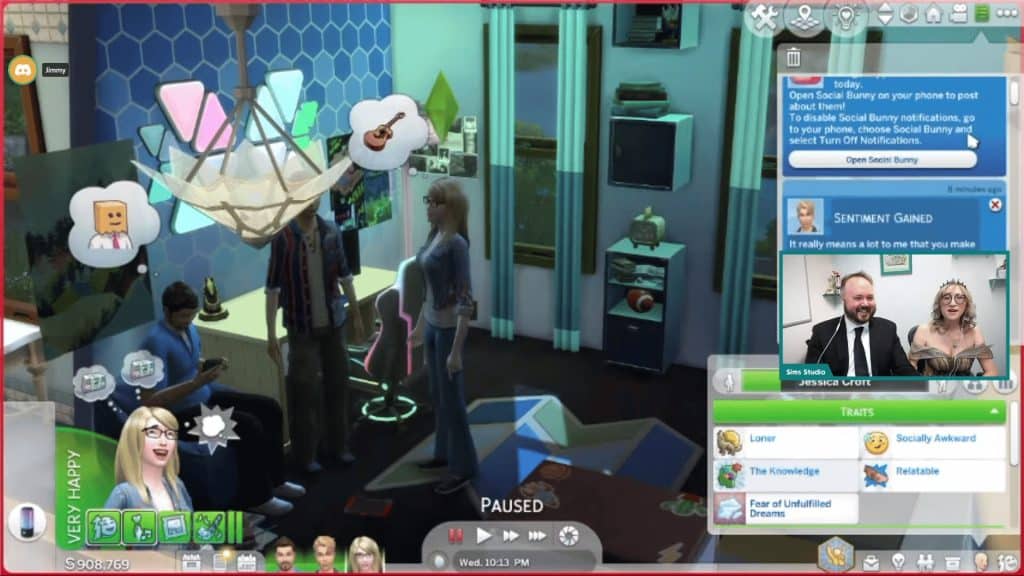
  • New Socially Awkward trait. Socially awkward Sims will be incredibly awkward around new people but will find extra comfort in being around close friends.
  • Sexual Orientation feature coming to the base game! Can select which gender your Sim is attracted to, if they are currently exploring their sexuality, and which gender they want to WooHoo/Mess Around with. You can choose one, both, or no genders for all of these categories. For now, it’s gender-binary due to technical reasons but the Gurus have plans to expand upon it and make it even more inclusive in the future.

Build/Buy

Full Summary of The Sims 4 High School Years Deep Dive!
  • A new gamer chair getting added to the base game.
  • Modular furniture.
  • New curved walls feature coming to the base game. Most windows and doors will be able to be placed along curved walls. New filter in build/buy that will let you find curve-compatible windows easily. Some windows will actually curve to fit the wall, too!
  • New Womp Womp gnome!
  • Dual monitor computers! Streamer setups with widescreen curve monitors. Lots of colour-changing LED lights.
  • A lot of mismatched styles to be realistic to a teen’s room.

New Deaths Coming with High School Years

New ways to live… and new ways to die!

While it may seem a bit morbid to add new death types in a pack specifically aimed at teenagers, if you like that sort of gritty Riverdale drama, High School Years has you covered!

SimGuruGeorge and SimGuruJessica revealed in today’s deep dive livestream that our teens will have to be careful to avoid the two new death types: death by urban legend and death by pranks gone wrong!

New Deaths Coming with High School Years

Teens can delve into the town’s urban legends and provoke these mythical entities of horror into appearing. Sometimes it will just be a fun teenage prank, but sometimes that spooky entity might actually show up and scare your Sim to death!

Pulling pranks on objects like lockers can also go terribly, terribly wrong… so watch out!

Be sure to check back for images from the livestream!

For the First Time Ever, Sims can FAIL High School!

There are consequences for not taking school seriously. Big ones that will impact the rest of your life!

The Sims 4 High School Years expansion pack is coming out at the end of the month and the SimGurus gave us a detailed walkthrough of everything the new pack has to offer in today’s deep dive livestream!

SimGuruGeorge and SimGuruJessica revealed that while the social side of high school is more of a focus than class in this expansion, it is still important to go to class and do your work. If you don’t, you could actually fail high school and won’t get to graduate with your peers!

For the First Time Ever, Sims can FAIL High School!

Teens who don’t graduate from high school will face some challenges going forward in life. Some career paths will be locked to them and they may not be able to go to university.

For the First Time Ever, Sims can FAIL High School!

However, it’s not all bad news for high school dropouts! If your Sim would like a second chance to get that high school diploma, they can take online classes. Once a Sim has completed high school through online classes, they will be able to join those careers that were previously locked to them and be able to attend university.

Sexual Orientation Feature is coming to The Sims 4

0

The Sims Team is making Sexual Orientation a Feature in The Sims 4!

It was revealed just yesterday that The Sims 4 will be getting Sexual Orientation as a Gameplay Feature in The Sims 4. And now we know all the details!

The Sims Team published a new blog post on TheSims.com revealing the information about the Sexual Orientation Feature, coming free for ALL to The Sims 4 Base Game this month.

Check it out:

Sexual Orientation in The Sims 4

Hi folks! I’m SimGuruJessica, the design lead on The Sims™ 4 High School Years Expansion Pack. Today I’d like to talk to you about the upcoming Sexual Orientation feature that will be available in the next base game update.

Past, Present and Future

As a team, we hold creativity, discovery, inclusivity and play as core values and strive every day to celebrate diversity, equity and inclusion for our people and community. With that in mind, we’re delighted to bring the Sexual Orientation feature to all Simmers. Between this update and the recent pronouns update, we’re taking several strides forward into being a game that respects and celebrates the nuance and color of everyday life.

It is important to acknowledge that these are steps in a journey that we are still mapping out. There is much further to go, and while I can’t get into the details of where exactly we go next, please know that we are committed to continuing to improve our representation of the LGBTQIA+ community.

Authenticity is a point that often comes up in regards to features like this, and rightly so. As such I’ll try to peel the curtain back a bit and speak to our efforts in making sure we got this right. Many members of the team, myself included, are part of the LGBTQIA+ community. That said, each one of us on the team represents only a narrow slice of lived experiences. As such we’ve worked extensively with GLAAD and the It Gets Better Project to ensure that we’ve captured the widest possible range of viewpoints on how to approach this feature in a manner that respects and elevates the community.

How It Works

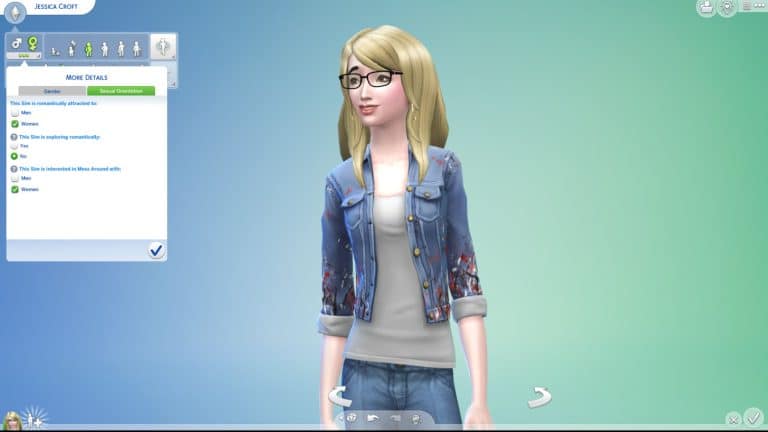
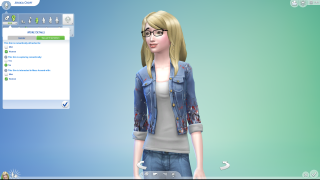
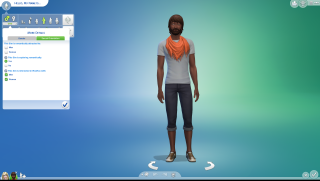
With Sexual Orientation, you’ll be able to assign a series of attraction parameters for your Sim. Pictured below is how the Sexual Orientation feature will appear in Create a Sim.

orientation article.png.adapt.320w

My Sim is attracted to:

This is a simple, affirmative statement of who your Sim is attracted to. If a Sim whose gender doesn’t match your Sim’s attraction settings attempts a romantic interaction with your Sim, they will be rejected.

You can check any combination of attraction boxes (including all or none) to reflect your sim’s romantic orientation. Further down the line, we’ll be able to expand this to include additional gender identities that we don’t have at this time.

I understand that there will be concerns here around the initial options being gender binary. Mechanically, non binary Sims don’t yet exist in TS4. While we made great progress in representing non binary Sims with the pronouns update, we acknowledge that pronouns are not the same thing as gender identities. We recognize that we still have a ways to go in this regard.   I’ll cover that more in the F.A.Q.

My Sim is exploring romantically:

This setting controls whether or not your Sim’s Sexual Orientation can shift through gameplay. There are two major stories we wanted to capture with this setting.

The first is the story of a person who has figured out who they are and has a firm and immutable sense of who they’re attracted to. This is reflected by a Sim who is not exploring romantically. Sims set to “No” for exploring, will not shift orientation through gameplay and firmly reject advances from genders they aren’t interested in.

The second story is about a person who’s still figuring things out. Sims with exploring set to “Yes”, will still have an initial Sexual Orientation setting per the previous step, but it can change through gameplay. As your Sim experiences romantic interactions, they may find themselves in a very different place than where they started.

My Sim is interested in WooHoo with:

This setting determines who your Sim can WooHoo with. If you’re trying to tell the story of an Asexual Sim, you could leave all options unchecked. On the flipside, you could tell the story of an Aromantic Sim by selecting WooHoo interests, but leaving all romantic attraction boxes unchecked. More on this in the FAQ.

You can also tell even more specific stories, such as a Sim who might be attracted to multiple genders but only interested in physical intimacy with one.

F.A.Q.

Do I need to own High School Years to use Sexual Orientation?

No, absolutely not. Sexual Orientation will be available to all Simmers upon the release of High School Years. 

Why are there only two gender options?

This is a natural question to ask given that we just recently released the pronouns update.

I’ll try to be very transparent with this one. This is due to technical limitations. As stated above, mechanically, non binary Sims don’t yet exist in TS4. You still have to make a binary gender selection for your Sim at creation, regardless of pronoun settings. We hope that we’ve shown our commitment to improving representation of gender identities with features such as Gender Customization, which allows you to modify physical frame, clothing preferences, pregnancy and toilet use options. We look at the pronouns update as another important step toward better representation of non binary genders, but we also acknowledge that pronouns are not the same thing as gender identities.

TS4 is 8 years old at this point, and reliant on systems that were originally architected with a gender binary in mind. In the intervening years, we’ve taken important steps such as Gender Customization, Pronouns and now Sexual Orientation. It’s a journey still in progress, with many more steps to go. Proper mechanical systems to fully support non binary Sims is another step in that journey.

How do I WooHoo on a Sim that isn’t interested in romance with anyone?

Super important question since WooHoo is typically gated behind romance. To better reflect Aromantic Sims and a greater variety of lifestyles, we’ve added the ability for young adult Sims and older, to ask close friends to be WooHoo Partners.

If they accept, you can now perform WooHoo without the romance prerequisites. Stress on the “If they accept” part, as with many socials of this nature, it can fail and lead to an awkward conversation afterward.

I want to again acknowledge that these topics are complex and full of nuance. We consider this a version 1.0, and are absolutely looking forward to seeing what further tools we might add to allow players to tell a broader range of stories.

Can I manually change my Sim’s Sexual Orientation after creation?

Yes, you can use the “Change Sim” interaction on a mirror or dresser to access CAS and change any of the settings manually.

Where do I find this setting?

In CAS, under the ellipsis menu beneath gender selection.

How will this impact my game if I don’t change the Sexual Orientation settings?

If you change none of the Sexual Orientation settings, your Sim will romantically behave as they currently do prior to the release of this feature.

orientation article 2.png.adapt.320w

Sims, prior to Sexual Orientation essentially use the above setting. They have no inherent attraction to a specific gender, they can have their attraction shift through gameplay, and they will WooHoo with any gender. This is still the default state for a new Sim.

Can I turn this feature off?

No. While we try to give players the option to toggle certain gameplay features,  LGBTQIA+ identities are a fact of life and not a toggle to be switched on and off.

In conclusion

We’re thrilled to let you all experience this feature for yourselves. Please share your thoughts with us on socials as we continue building toward a more inclusive future together!

What do you think about this upcoming Feature? Let us know in the Conversation below!

Every Object and Swatch in The Sims 4 Werewolves

The full Build Mode Overview of The Sims 4 Werewolves Game Pack!

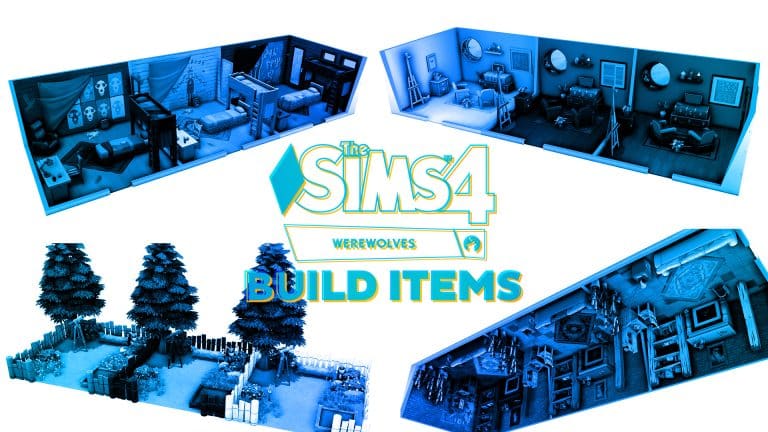
The Sims 4 Werewolves comes with 75 new Build/Buy objects and 4 new styled rooms. The overall theme of the pack’s Build/Buy catalogue is grungy industrial. Most of the items are old and damaged, showing signs of extreme neglect and general wear and tear. Players who enjoy creating or playing in apocalyptic, abandoned, or rags to riches builds will get a lot of enjoyment out of the Werewolves game pack catalogue.

Some particularly notable new items include a new baby bassinet and toddler bed, a loft bed that can have another bed slotted under it to create a bunk bed, new child and toddler toys, a small functional telescope, a rabbithole door that can be placed on any lot as a means of quick travel through Moonwood Mill’s underground tunnel system, a new garden gnome and mailbox, a new garden planter, new beat-up versions of the weights machine and punching bag, a designated collection shelf for the Moonwood Relic pieces that can be found around Moonwood Mill, an electric guitar, and a large RV shell that can be used either as a makeshift shelter or have the bar that comes with this pack slotted into it.

For build items, there are new metal board roof patterns with holes in them, and one has some panels missing to create a skylight effect. There is also a new industrial factory spandrel along with industrial factory fencing, stairs, stair rails, and brick wall coverings.

The styled rooms are an abandoned study, a bedroom for a rebel werewolf, a living space, and a garden. Each styled room has three colour styles available.

Buy Catalogue

Below are all the catalogue entries for every Buy Mode item that comes with The Sims 4 Werewolves.

Buy Catalogue

Below are all the catalogue entries for every Build Mode item that comes with The Sims 4 Werewolves.

Styled Room Previews

Below are the previews for each styled room that comes with The Sims 4 Werewolves.

In-Game Swatch Closeups

Below are in-game closeups of every new item that comes with The Sims 4 Werewolves in all available swatches.

(RECAP) Official Livestream for The Sims 4 begins TODAY!

Check out the Official Livestream and Join the Conversation!

Hosted by our Sims Community Team and the amazing Community Member – LuddySimmer!

Livestream

The Sims Team is doing their big livestream TODAY! July 15th, 2022 at 8PM CET. Okay, we’ll cover the time zones and timings later. Until then:

We have an official confirmation that The Sims Team will be doing a showcase of Upcoming Features. Both for The Sims 4 Base Game and The Sims 4 High School Years Expansion Pack!

We already have a confirmation about some huge new features coming to the Base Game for FREE – including the ability to choose your Sexuality, Wants & Fears, Body Hair, Curved Walls. Do we need to continue more?

On top of that there is also an entire Expansion Pack waiting to be showcased. High School Years EP is set to release on July 28th, 2022. We’re getting an early preview from The Sims Team with the first coverage of the Pack. The Sims Team will be showcasing Create A Sim, Build Mode, the new World Copperdale, and of course – the Gameplay Features!

We will be updating you about the situations happening right here on Sims Community. Both during and after the livestream about the shared information!

The Livestream begins at 8PM CET / 11AM PT. We also have a handy countdown below that counts to the exact beginning of the livestream.

Oh, and did I also mention this – we are LIVE BLOGGING the entire Livestream as it unfolds with our extra special guest judge (well, our team member) – xNikini!

Good luck and don’t plum it up. Or you can – it’s entirely up to you!

Livestream

[janky target_time=”1657908000″ color=”#e28fe3″]

Enjoy the conversations, have fun and share what you’re excited about the most in the Conversation below.

Getting a Last Exception Notification in The Sims 4? Here’s What to Do!

Is that bright orange notification always bothering you?

Most of us have gotten that orange Last Exception pop-up from MC Command Center saying that we have a Last Exception. Or maybe Better Exceptions ran a scan and told you that something was broken. Here’s what to do when you get one of those messages.

Stop! Do not save the game. If possible, minimize your game until you know what is wrong. Saving your game could corrupt your file depending on the severity of the error. If you must save, choose Save As instead of Save. This will create a new copy of the file and keep the old version in tact.

If you do not know how to read last exceptions, then you will need to ask for assistance doing so. You can visit the Deaderpool Discord Server or Sims After Dark Discord Server for general help or visit TwistedMexi’s Discord Server for Better Exceptions Reports. If you know what mod is causing the problem, it is best to visit that individual creator’s Discord Server or you can contact them through their other forms of contact (Patreon, Tumblr, Twitter)

Where do I find Last Exceptions files? There are several types of Last Exception Files. The most common type of Last Exception files are the game’s Last Exception file, MC_lastexception.html file, and/or the BE-ExceptionsReport file. Below is where they are located in game. (File path is the same for both PC and Mac)

Getting a Last Exception Notification in The Sims 4? Here’s What to Do!
The Sims 4’s Last Exception File is located in Documents > Electronic Arts > The Sims 4
Getting a Last Exception Notification in The Sims 4? Here’s What to Do!
MC Command Center’s Last Exception (MC_lastexception.html) is located with your MC Command Center files
Getting a Last Exception Notification in The Sims 4? Here’s What to Do!
Better Exceptions’ Report (BE-ExceptionReport.html) is located in Documents > Electronic Arts > The Sims 4

Don’t Use Discord?

Try opening either the MC_LastException or the BE-ExceptionReport and read the main line to see if any mod is named. If there is, then try removing that mod to see if you continue to get the LE. This does not guarantee it is that mod, but it is a good place to start.

Still getting Last Exception notifications? Remove all your mods, delete your cache, and If you’re still getting notifications, it’s a game error. If you weren’t getting the error without mods, try doing a 50/50.