Home Blog Page 153

Ultimate Guide to Building Roofs in The Sims 4

Guide to Roof Styles with 29 different Examples!

In some ways, roofing is the easiest it’s ever been in The Sims 4. In other ways… it’s not. For example, we have the ability to copy roof pieces, adjust the eaves, and we have many more advanced methods of controlling the curvature of roofs. On the other hand, we don’t have an auto-roof tool like we did in previous Sims games which can make it difficult for a newbie builder to roof their buildings.

We’re going to give you a rundown of all the different roof pieces and show you 29 different examples of roofs you can create for many different shapes of buildings. We’re also going to show you a few advanced tricks and shortcuts to maximize roof customization.

Default Roof Types

Ultimate Guide to Building Roofs in The Sims 4
In order to understand how to create elaborate roofs with many different pieces, you’ll first need to be familiar with the default roof pieces. There are a total of 12 different styles of default roofs, numbered above:

  1. Gabled
  2. Hipped
  3. Half-Gabled
  4. Hexagonal
  5. Octagonal
  6. Pentagonal
  7. Half-Hipped
  8. Circular
  9. Hipped Diagonal
  10. Half-Hipped Diagonal
  11. Half-Gabled Diagonal
  12. Gabled Diagonal

We’ll be using the above terminology when describing which pieces you’ll need to use when designing the different example roofs so refer back here if you’re unsure of which piece we’re using.

Of course, all of these pieces can be manipulated in a number of ways. We can curve the different roof pieces to create domes or wavy roof styles. We can pull out or bring in the eaves overhanging the sides of the roof. We can adjust the pitch of the roof but it’s best to see these tools in action in order to learn about them so we’ll go over ow to manipulate each piece in the example roof styles below.

A-Frame


A-frame homes are popular as lake houses and modern cabins. To create an A-frame home, you’ll need a square or rectangular room, a gabled roof piece, and two half-gabled roof pieces.

Place the gabled piece on top of the room and use the arrows to stretch it out to the same length and width as the room beneath it. Then place a half-gabled piece on one side and use the arrows to adjust the pitch of both pieces until they both have the same pitch, creating a seamless edge from the ground to the top. Highlight the half-gabled piece and select the copy icon to make a copy of it and place it on the other side.

Barrel-Vaulted


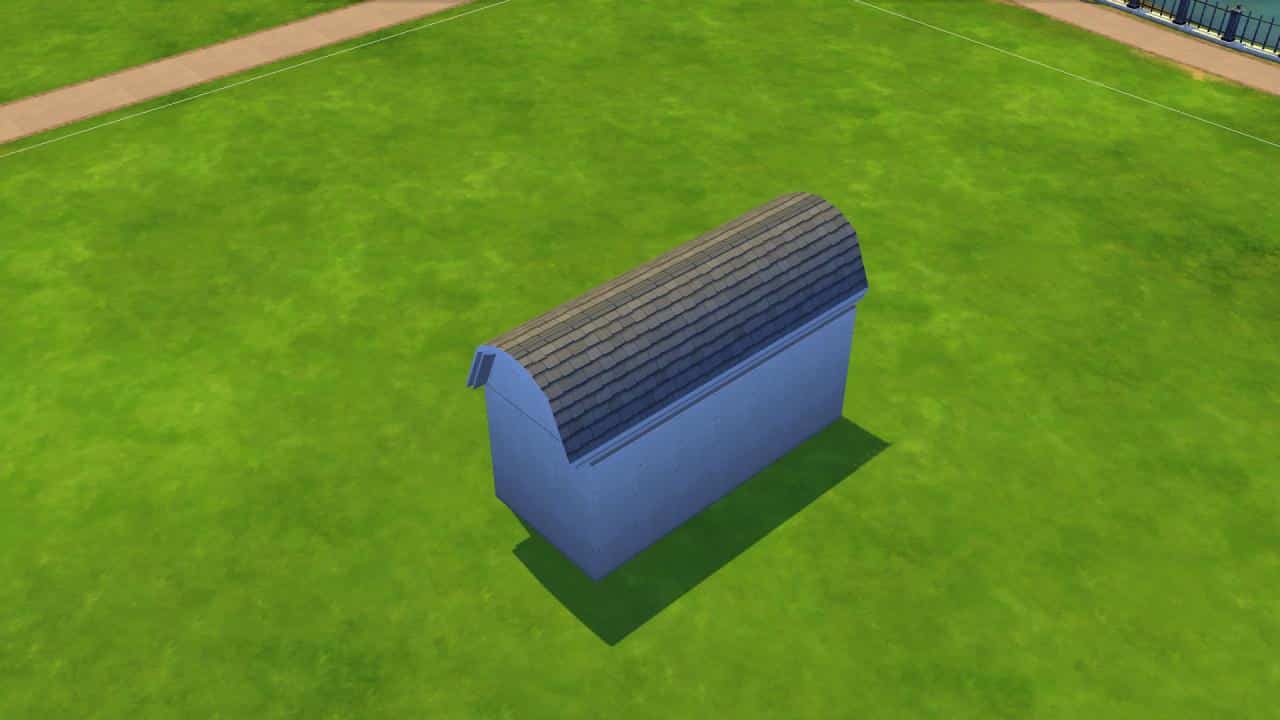
Barrel-vaulted roofs are popular for fallout shelters, storage units, and some types of farm buildings. They are very simple to make, too. All you need is a square or rectangular room and one gabled roof piece.

Place the gabled piece on the room and stretch it out until it matches the size of the room. Then grab one of the circular ball icons on either side of the roof and drag it upwards as far as it will go until it creates a perfect half-circle shape. Since gabled pieces have eaves by default, you’ll want to pull those in by grabbing one of the arrow icons at the edge of the roof and pulling inward.

Bell


Bell roofs are popular on cathedral turrets and many different types of religious or ceremonial buildings. These are also quite simple to do. They require one octagonal-shaped room and one octagonal roof piece.

Make sure the room is even on all sides. Although it seems counter-intuitive, this actually means that the diagonal walls should be one tile shorter than the straight walls. This is because diagonal walls are a bit longer than straight walls. Then stretch an octagonal roof piece over the structure until it matches the size of the room. Use the up arrow to pull the pitch of the roof up as high as desired.

Now for the fun part. There is an advanced shortcut that will allow you to curve roof pieces more precisely. Press SHIFT+C with the roof piece selected and extra circular icons will appear on the sides for more curvature points. This mode also allows you to make smoother pitch adjustments. Pull the circle icons upward until they create a smooth bell shape.

To complete the bell roof look, these roofs typically have some kind of roof ornament at the very top. You can do that by enabling the cheat bb.moveobjects on, selecting your desired roof piece from the roof décor section, then using the 9 key to raise it to your desired height at the very top of the roof. We used a piece of base game roof décor and sized it down a bit using the [ key.

Butterfly


Butterfly roofs aren’t a common sight these days but they are a popular mid-century roof design. If you’re building a modern 60s or 70s suburban home, this roof style works well. All you need is a square or rectangular room and two half-gabled roof pieces.

Make sure the room is an even number of tiles wide. Then place a half-gabled piece on the room with the flat side facing outward. Stretch it out so that it is half the width of the room beneath it. Drag the pitch up or down to your desired height. Typically, butterfly roofs have a lower pitch. Then copy the roof piece and place it facing the opposite way on the other side of the room.

You will end up with the eaves overlapping in the centre which doesn’t look nice. This is where another neat shortcut comes in. You already know that you can pull the eaves in on both sides but what if you like the eaves on the other side? What if you only want to get rid of the eaves in the middle where it overlaps? Select the piece and hold down SHIFT while pulling in the side you want to adjust. Only the eaves on that side will be pulled in. You can pull the centre eaves in for a cleaner look to your butterfly roof without sacrificing the nice eaves on the outside.

Clerestory

Ultimate Guide to Building Roofs in The Sims 4
Clerestory roofs can be useful for both single story homes and homes where one section is two stories but another section is only one story. You’ll need a square or rectangular room (or a room with a second story that’s smaller than the bottom story) and two half-gabled roof pieces.

If working with a one-story home, place a half-gabled roof on the room with the flat side facing inward and stretch it so that it is at least one or two tiles smaller than the width of the room. Pull the pitch up a bit higher. Then place a second half-gabled piece with the flat side also facing inward and drag it to meet the other roof piece. Drag the pitch to be about half the height of the other piece. Hold SHIFT while dragging in the inner eave of the smaller piece so it doesn’t cut through the wall.

If working with a two-story home, there is less adjustment needed. Just place a half gabled piece on the second story and another one on the bottom section. The roof sections will already be differing heights.

Combination

Ultimate Guide to Building Roofs in The Sims 4
Combination roofs are a popular style for shotgun homes. It requires one rectangular or square room and two hipped roof pieces.

Place the first hipped roof piece and stretch it to match the length and width of the room. Then drag it down to a very low pitch. Then place another hipped roof on top that’s a couple tiles smaller in length and width than the room and raise the pitch to be slightly higher than the other roof piece. The important thing to remember here is to make sure the ridges of the pieces line up to create a seamless look. You may have to adjust the roof sizes until you get it right.

Conical

Ultimate Guide to Building Roofs in The Sims 4
Conical roofs are great for castle turrets and other tower-like structures. They’re very easy. They require one octagonal room and one circular roof piece.

Following the same principles of the bell roof, make sure the octagonal room is an even length on all sides. Then stretch out a circular roof piece over it and drag upwards or downwards to your desired pitch. You can pull out or draw in the eaves as you wish.

Cross-Hipped


Cross-hipped roofs are ideal for L-shaped homes and are very popular in many suburban designs. You’ll need an L-shaped room, one hipped roof piece, and one half-hipped roof piece. Alternatively, you could also use two hipped pieces.

Stretch the hipped roof over one section and the half-hipped roof over the other section with the flat side ending in the centre of the hipped roof. Alternatively, you could also stretch a hipped roof all the way to the end of the second section, overlapping the first roof piece. Then just adjust the pitch until the height of both pieces match for a seamless look.

Curved


Curved roofs are good for container homes, trailers, and storage units. They’re exactly like barrel-vaulted roofs, just with a more subtle curvature. You’ll need a square or rectangular room and a gabled roof piece.

Stretch the gabled roof piece over the room and enable advanced roof adjustments with SHIFT+C while the roof piece is selected. You’ll be able to get a smoother, less intense curve this way. Adjust the curve of the roof until it’s a softer version of the barrel-vaulted roof shown earlier. Pull the eaves in if desired.

Dome


Dome roofs are the same as conical roofs, just with a different curvature. It requires one octagonal room and one circular roof piece.

Again, make sure the room is an even length on all sides. Then place the conical piece over it. Grab the circular icons along the sides of the roof and drag upwards until it creates a perfect dome over the structure. You will likely want to pull in the eaves on domed roofs but this creates the problem of the outer points of the octagonal room beneath it being visible. A good way to solve this problem is to use the thickest roof trim to cover that up.

Domed Vault
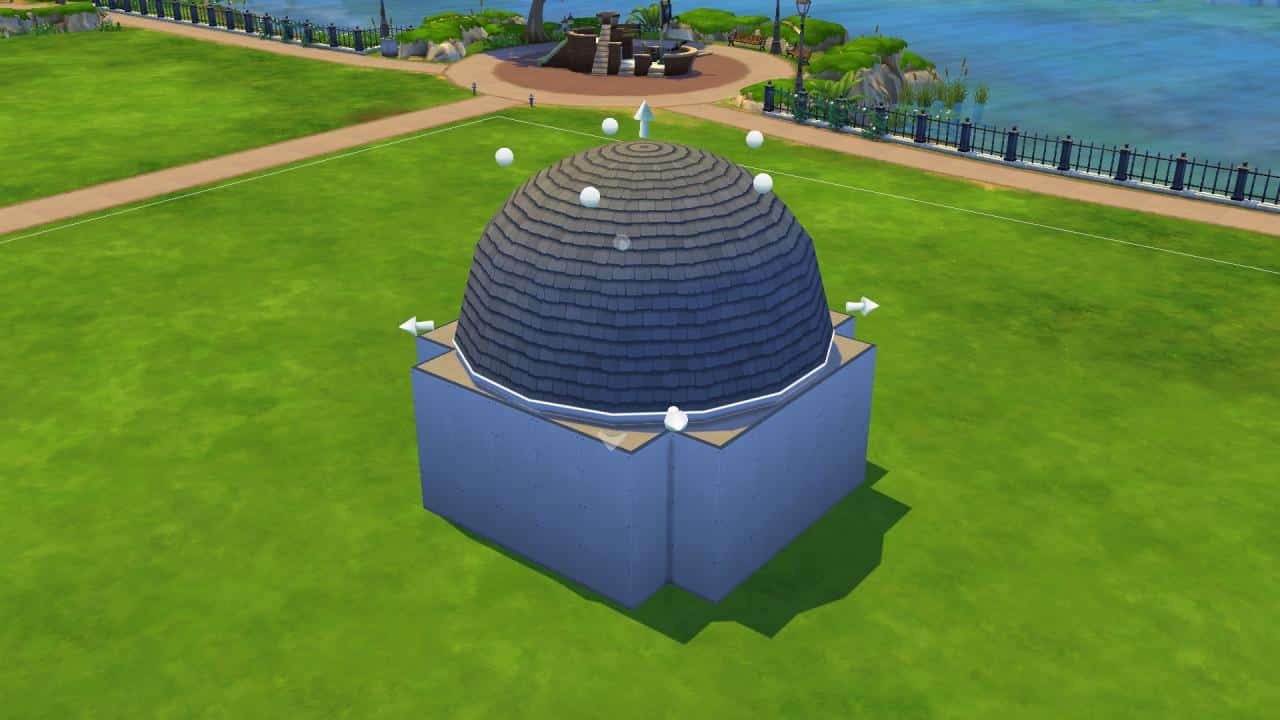
 

Domed vault roofs aren’t super common but they can be a really great design for cathedrals and ceremonial buildings. They are very eye catching. You’ll need a cross-shaped room, one circular roof piece, and four gabled roof pieces.

Drag the circular roof over the whole structure and drag the curve sharply upwards so it creates a perfect dome. Then place a gabled roof over any one of the outer edges and do the same thing until it’s a perfect barrel vault shape. Then copy the gabled roof piece and paste it three more times over the other exposed edges.

Dormer


Dormer roofs are great for attic spaces! If you own DLC, some of it may come with faux dormer roof décor you can add to your roof for a very quick dormer look. You can also build your own dormers. You’ll need a square or rectangular room with a small 2×3 room over it and two gabled roof pieces.

Stretch a gabled roof over the first floor and adjust the pitch upward so that it’s higher than the walls of the second room above it. Then stretch a second gabled piece over the smaller room above and adjust the pitch so that it does not rise higher than the roof on the first story.

Dropped Eaves


Dropped eave roofs are a great way to roof U-shaped buildings but they require at least two stories. You’ll need a U-shaped room on the first floor, a rectangular room on the second floor, a gabled roof piece, and two half-gabled roof pieces.

Drag a gabled roof over the second story and lower the pitch a bit. Then place a half-gabled roof over the exposed sections on the first story with the flat side facing inward. Play around with the pitch of both sections of roof until you have a seamless slant going from one piece to the next. Copy the half-gabled piece and paste it over the other exposed section.

Dutch Gable


A Dutch-gable roof is another popular shotgun style roof and is very similar to the combination roof, except it uses a gabled piece on top instead of a hipped piece. You’ll need a square or rectangular room, a gabled roof piece, and a hipped roof piece.

Drag the hipped piece over the room and make the pitch quite low, then drag out the gabled piece so it’s a few tiles smaller than the room on all sides and drag the pitch up a bit so it sticks out above the hipped roof. Adjust roof sizes as needed to get the ridges to match up.

Flat


Flat roofs are probably the easiest style of roof you can make. A lot of beginner builders default to flat roofs when they have trouble roofing their builds but flat roofs do look great on a lot of modern and commercial builds.

There’s a few different ways you can create a flat roof. One way is just to leave it alone and use the ceiling of the room as the roof. You can also place a platform over a room to give it a taller look and outline it with platform trims. You can use fences to outline a flat roof and even half walls.

Gable

Ultimate Guide to Building Roofs in The Sims 4

Another super easy, tried-and-true roof style is the simple gable. No special instructions here. Just stretch a gabled roof piece over a square or rectangular room and adjust the pitch as desired. Pull out or bring in the eaves as desired.

Gambrel


Gambrel roofs are perfect for large rectangular buildings like barns and warehouses. They require one large rectangular room with another room above it that is at least 2-3 tiles smaller in width, a gabled roof piece, and two half-gabled roof pieces.

Stretch the gabled roof over the full length and width of the second story room, then place a half-gabled piece with the flat side facing inward on the exposed section of the bottom room on one side. Adjust the pitch of both the top and bottom roof pieces until they connect and create a clean ridge. Use SHIFT+C to pull the eaves in wherever they overlap each other. Then copy the half-gabled piece and paste it on the other side.

Hexagonal


Hexagonal roofs are not necessarily difficult. The difficult part is knowing what shape of room to use on the bottom. You’ll need an octagonal room and a hexagonal roof piece. Ironically, hexagonal rooms don’t work very well with hexagonal roof pieces.

Again, ensure the octagonal room is an even length on all sides. Then stretch the hexagonal roof piece over it and adjust pitch as desired. You may end up with the problem of the points of the room below it being visible and extending the eaves often looks bad. Use a thick roof trim to clean this up.

Hip and Valley

Ultimate Guide to Building Roofs in The Sims 4
Hip and valley roofs are great for T-shaped structures. You’ll need a T-shaped room, a hipped roof piece, and a half-hipped roof piece.

Stretch the hipped roof piece over the longer section of the room. Then stretch the half-hipped piece over the smaller section with the flat side meeting the other roof piece in the middle.

Hip

Ultimate Guide to Building Roofs in The Sims 4
Hip roofs are another easy one that don’t require any special instructions. Just stretch a hipped roof piece over a rectangular room and adjust pitch and eaves as desired.

Jerkinhead


Jerkinhead roofs are uncommon but they certainly make a statement. You’ll need a square or rectangular room with another room above it that’s at least 2-3 tiles smaller in width on both sides, a hipped roof piece, and two half-gabled pieces.

Stretch the hipped piece over the top room, then stretch a half-gabled piece over the exposed bottom section on one side with the flat side facing inward. Adjust the pitch of both pieces until they meet to form a seamless ridge. Pull in the inner eaves of the half-gabled roof. Then copy the half-gabled piece and paste it on the other side.

M-Shaped

Ultimate Guide to Building Roofs in The Sims 4
M-shaped roofs are ideal for townhomes and other attached buildings. They are super simple, too. You’ll need a rectangular room and two gabled pieces.

Make sure the room is an even number of tiles wide. Then stretch a gabled piece over one half and another gabled piece over the other half. Pull in the inner eaves overlapping each other with SHIFT and adjust pitch as desired.

Mansard


Mansard roofs are very popular on Victorian homes but they can be a bit tricky to build. You’ll need a square or rectangular room with another room above it that is at least 2 tiles smaller on all sides, four half-gabled roof pieces, and four hipped roof pieces.

Place a half gabled piece against one side of the smaller room and drag the pitch upward until it meets the ceiling. Use SHIFT to pull in the eave here. Then copy that piece three times and place against the other three sides of the smaller room. Next, place a hipped roof piece at one of the exposed corners and stretch it large enough for the ridge to line up with the corner of the smaller room’s ceiling when dragged upwards. When you’ve achieved a seamless look, copy the hipped piece three times and place it on the other three corners. Pull out the eaves on the hipped pieces to match the gabled pieces or pull all the eaves in.

Monitor


Monitor roofs are popular in some seaside structures like boathouses. You’ll need a rectangular room with a smaller room above it and two gabled pieces.

Stretch a gabled piece over the entirety of the bottom room, going right through the smaller room on top. Then place another gabled piece above the smaller second room. Bring the pitch of the bottom roof up so that it covers most of the room above it and adjust the pitch of the second roof so that it slants at the same angle as the bottom roof.

Pyramid Hip

Ultimate Guide to Building Roofs in The Sims 4
Pyramid hip roofs are super simple. The only thing you need to remember is that the room must be perfectly square. Place a hipped roof over a square room and adjust the eaves and pitch to your liking.

Saltbox
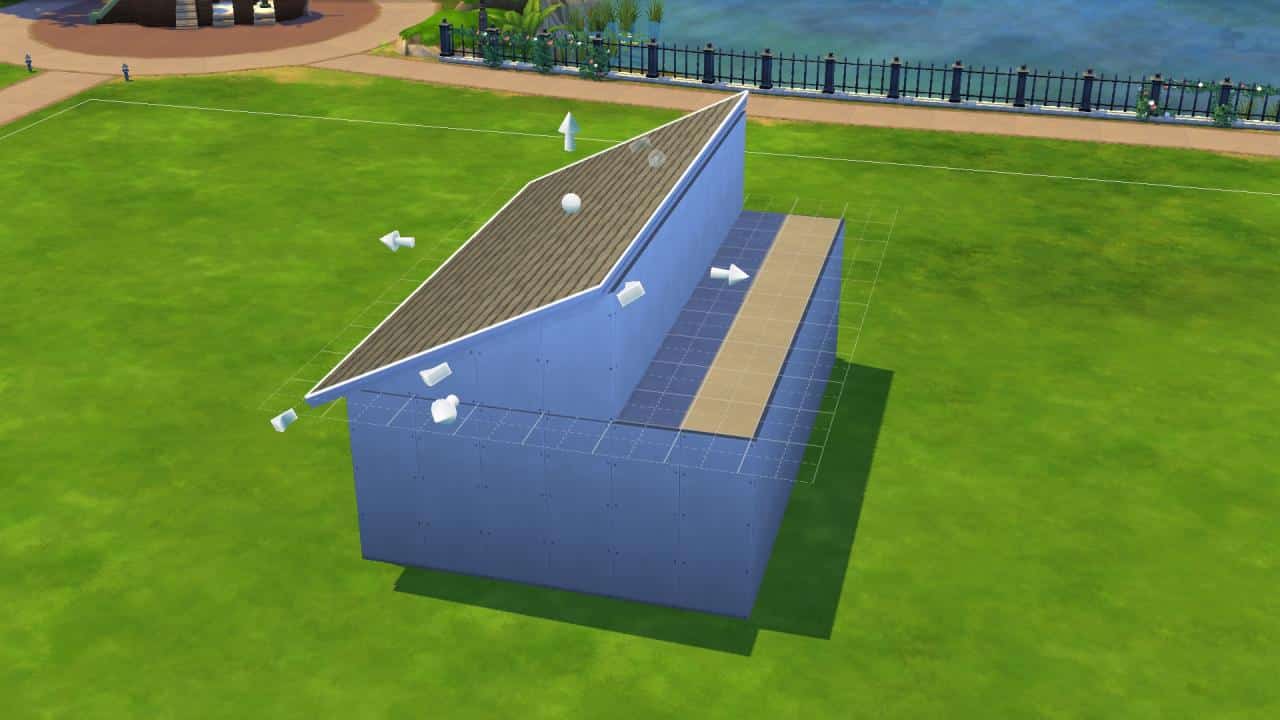
 

Saltbox roofs are useful for sheds and other farm buildings. They can be done with a single story or two stories where the second story is much smaller in width than the bottom story. You’ll need two half-gabled roof pieces.

For single story homes, stretch a half-gabled roof over a rectangular room with the flat side facing inward. The majority of the room should be covered but leave a small amount of space, at least 2 tiles, on one side. Then place a second half-gabled piece on the exposed side with the flat side facing inward. Drag the pitch up to meet the edge of the other roof piece and hold SHIFT to pull in the inner eaves of both pieces so they don’t overlap.

Sawtooth

Ultimate Guide to Building Roofs in The Sims 4
Sawtooth roofs are popular on a lot of urban rowhouses. They’re very simple to do. You need a rectangular room and three (or more) half gabled roofs.

Stretch a half gabled roof over a small section of room, then place two more facing the same way. You can create a long stretch of sawtooth ridges just by repeating the same pattern. Sawtooth roofs look best when each section of roof is the same size and pitch. Hold SHIFT to pull in eaves wherever you don’t want them.

Shed

Ultimate Guide to Building Roofs in The Sims 4
Shed roofs are best for… yep, you guessed it! Sheds! They can also be a nice roof style for a simple contemporary starter home. No special instructions required. Just stretch a half-gabled roof piece over a rectangular or square room and adjust pitch and eaves as desired.

Skillion

Ultimate Guide to Building Roofs in The Sims 4
Skillion roofs are another option for T-shaped homes and offer a more modern look than hip and valley roofs. You’ll need a T-shaped room and two half-gabled roof pieces.

Stretch a half-gabled roof over the longer section of room and pull the pitch upward a bit. The flat side should face the smaller section of room. Then stretch another half-gabled piece over the smaller section of room with the flat side facing inwards. Bring the pitch down so that it sits slightly lower the larger section of roof.

The Sims 4 Laundry List: My Wedding Stories Edition

It’s official: The Sims 4 My Wedding Stories is getting fixed!

The Sims Team has just published a special edition of their Laundry List for The Sims 4, featuring upcoming fixes for The Sims 4 My Wedding Stories Game Pack.

In case you don’t know what a Laundry List is – it’s a list of all the highly reported bugs and issues that are notable in The Sims 4. The Laundry List covers bugs and glitches that are being investigated for The Sims 4’s upcoming Game Patch. If all goes well, The Sims 4 should have these reported bugs and issues resolved this month!

Check out the Laundry List below:

Welcome back to the Laundry List where we share a list of the top community concerns that we’re currently investigating for resolution in an upcoming patch. At this time we are addressing the technical issues we understand you have been experiencing in The Sims 4™  My Wedding Stories Game Pack.

We are aiming to issue an upcoming patch that prioritizes the below and more, with a deployment of improvements from our dev team:

  • Please Take Seats update for receptions and prevent blocking of other player-directed activities
  • Walking Down the Aisle adjustments
  • Invite Sims from both sides of the wedding, regardless of which Sim is planning the event
  • Guests arrive in their proper clothing
  • Guest attire stays selected after closing and reopening Wedding Planner
  • Improvements to Sims gathering for dessert time
  • Improvements to Sims gathering around the cake
  • Improved the amount of time needed before Wedding Cakes spoil
  • Cake toppers no longer floating
  • Cake model looks correct after cutting and serving
  • Adjustments to the Passionate Kiss animation
  • San Myshuno World Center park appearing in the wedding venue list
  • Paired dancing improvements

You can expect two individual patch updates in the coming weeks, one that will release ahead of this My Wedding Stories patch of featured improvements.

The Sims 4: Walkthrough of the Arranged Marriage Mod

Since EA still refuses to acknowledge that they released a completely broken wedding pack, we are shifting our focus to all the wonderful wedding-related content made by the community that does not require My Wedding Stories. Today, we’ll be doing a walkthrough of the Arranged Marriage mod by the very talented MizoreYukii.

This mod is great for royalty gameplay, historical saves, contemporary families with more traditional marriage practices, or any situation where your Sims may want to get married without romance being involved. Other royalty mods by llazyneiph or KiaraSims4Mods are not required to use this mod but if you do have these mods, they are integrated into the Arranged Marriage mod.

[mks_button size=”medium” title=”Download” style=”rounded” url=”https://www.patreon.com/posts/61538738″ target=”_blank” bg_color=”#4aa500″ txt_color=”#FFFFFF” icon=”fa-arrow-down” icon_type=”fa” nofollow=”0″]

Getting Started

First, you’ll have to download and install the mod. You can download the mod from MizoreYukii’s Patreon for free. Then unzip the folder and place the contents into your Mods folder. If you are new to installing mods and CC and need more detailed instructions, check out our article, Getting Started with Mods and CC.

Once the files are unzipped and in the right place, just run The Sims 4 to start playing with the mod!

Arranged Marriage Gameplay

There are three different ways Sims can enter into an arranged marriage with this mod. Adult Sims can arrange a marriage for another member of their household, Sims can arrange a marriage between themselves and another Sim, and Sims can simply just ask for a marriage of convenience.

Household Member Arrangement

The Sims 4: Walkthrough of the Arranged Marriage Mod
Any young adult or older Sim in the household can arrange a marriage for another member of their household. Children and older Sims can have marriages arranged for them by their parents or grandparents. Children can only have a marriage arranged with other children. Teens can be paired with other teens or older Sims.

The Sims 4: Walkthrough of the Arranged Marriage Mod
Young Adult Sims who enter into an arranged marriage will get the standard EA Engaged relationship bit between them and can marry at any point after the arrangement is made. Children and teens will not be able to marry until they become young adults and will have the Betrothed relationship bit between them and their future spouse, instead. Teens who are betrothed to older Sims will not have any romantic socials available between them and their future spouse until the teen becomes a young adult. Children of course have no romance options whatsoever.

The Sims 4: Walkthrough of the Arranged Marriage Mod
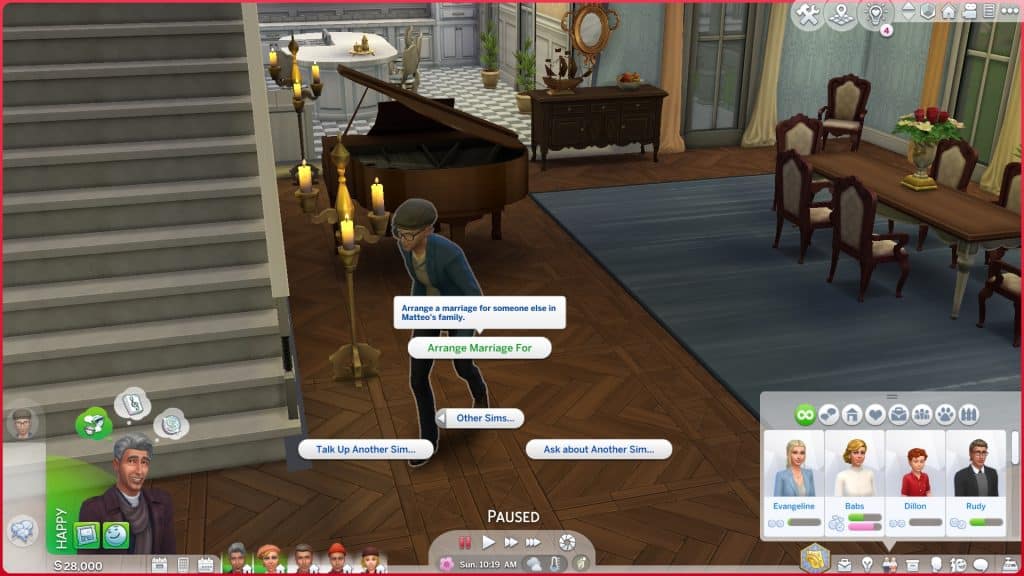
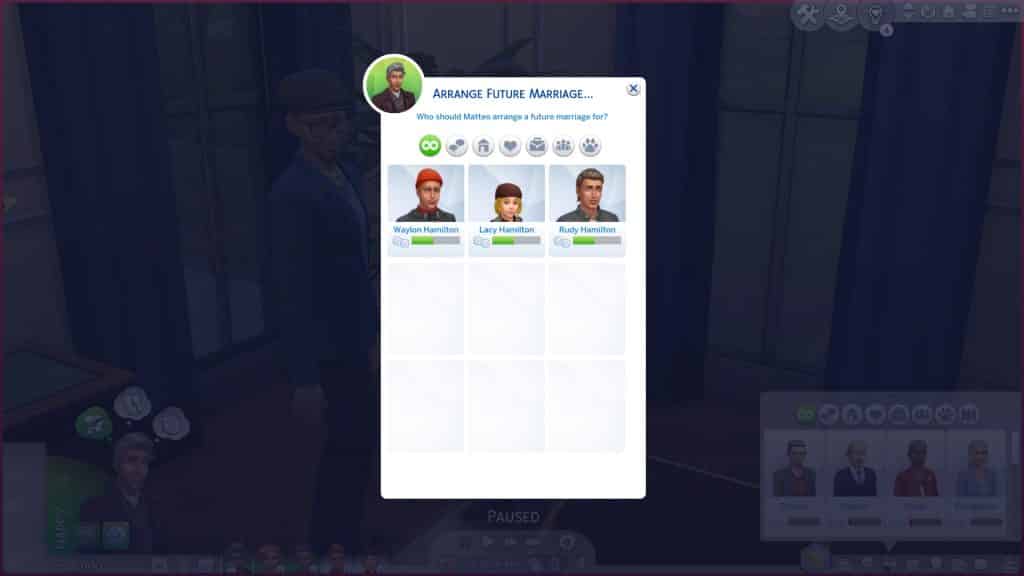
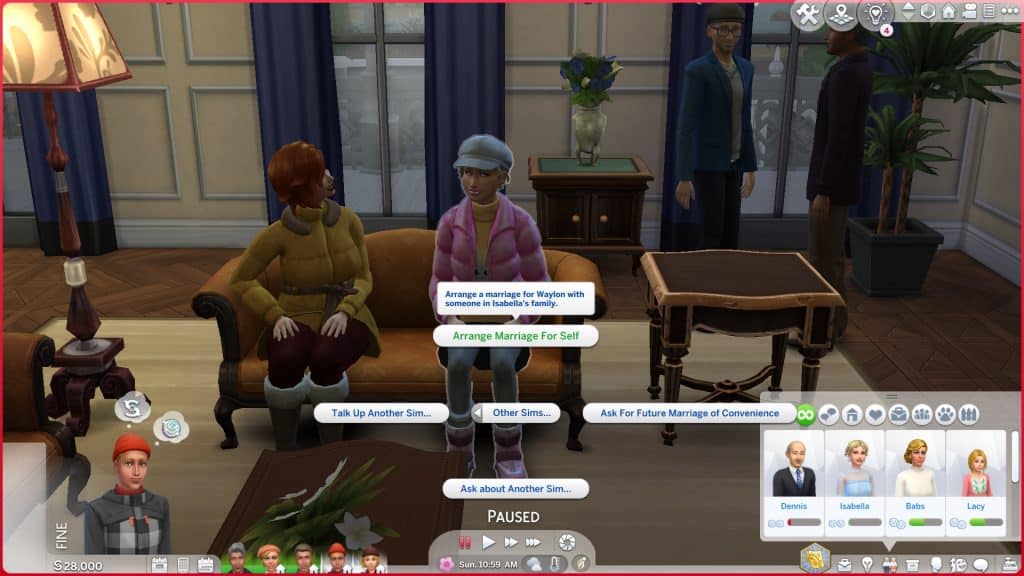
To enter into an arranged marriage this way, have any young adult Sim in the household approach another young adult Sim in a different household and use the Arrange a Marriage For social. The Sims must have met before but there does not need to be a high friendship beyond an introductory level. The marriage arrangement interactions are located under Friendly > Other Sims. A picker menu will appear for you to select the Sims you’d like to arrange a marriage between.

The Sims 4: Walkthrough of the Arranged Marriage Mod
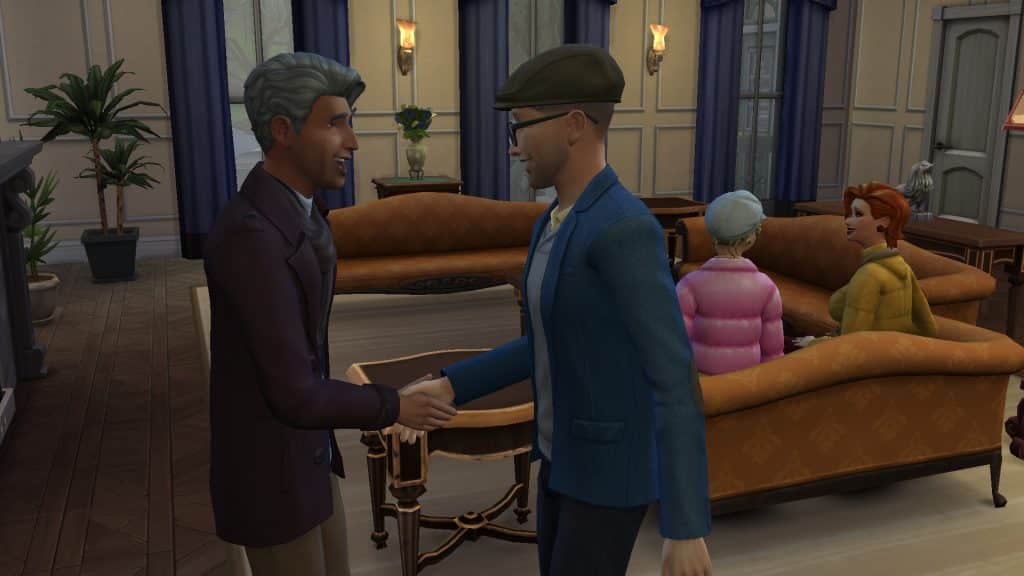
The other Sim may or may not accept the arrangement. There are a variety of factors that determine the chances of an arranged marriage proposal being accepted or not. Moods, traits, skills, careers, reputation, fame, character values, and sentiments are all scored against each other to determine the outcome. If the player also has royalty mods installed, royalty will be considered as a factor as well.

The Sims 4: Walkthrough of the Arranged Marriage Mod
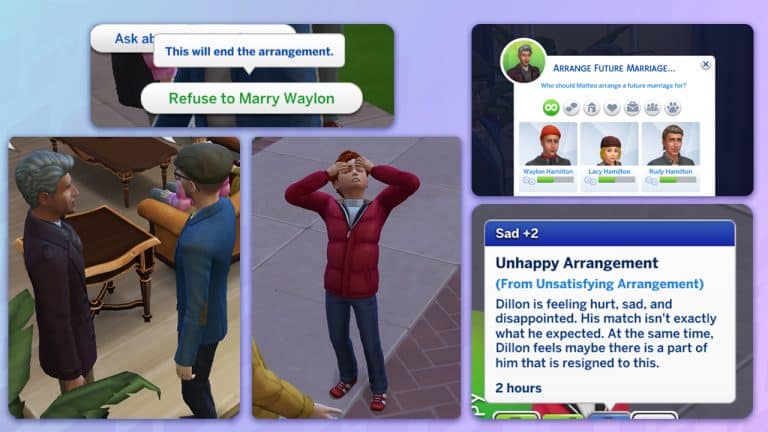
The betrothed Sims may or may not be happy with the arrangement. Unhappy Sims can protest the marriage to their parents or grandparents. New socials will be available under the Friendly category with parents and grandparents of betrothed Sims. The betrothed Sim can enthuse or complain about the arrangement to their parent or grandparent and discuss the arrangement with them. They can also refuse to marry the Sim they’ve been paired with. Refusal will end the arrangement.

Partner to Partner Arrangement

The Sims 4: Walkthrough of the Arranged Marriage Mod
Teen or older Sims can arrange a marriage for themselves as well. They can approach any teen or older member of a different household and choose the Arrange Marriage for Self interaction under Friendly > Other Sims. A picker menu will allow them to choose a Sim from the other household to arrange a marriage with.

The Sims 4: Walkthrough of the Arranged Marriage Mod
The scoring is the same as arranging a marriage between two other Sims. The other Sim may or may not accept the arrangement. If the interaction fails, there will be some minor relationship loss. Two failed attempts at a marriage arrangement will prevent you from being able to ask again for 24 hours. This also goes for arranging a marriage between two other Sims.

If the future spouses become unhappy with the arrangement afterwards, they can end the arrangement with each other under the Friendly social category.

Marriage of Convenience

The Sims 4: Walkthrough of the Arranged Marriage Mod
This is the simplest way to arrange a marriage for a young adult or older Sim. Sims can simply ask each other for a marriage of convenience. A marriage of convenience has a lower scoring requirement to succeed but it can still fail depending on different factors. Marriages of convenience are good for peasants in historical or royalty saves. It’s also a quick, easy way to get Sims married without love being involved.

Sims can ask each other to end the marriage of convenience arrangements if they later become dissatisfied with the arrangement.

Getting Married

The Sims 4: Walkthrough of the Arranged Marriage Mod
Children and teens who are betrothed will have to wait until they become a young adult to actually marry their future spouse. The Betrothed relationship bit will age with them so when they become a young adult, the Betrothed status will change to Engaged without you having to do anything. Young adults who are engaged can get married immediately if they want to.

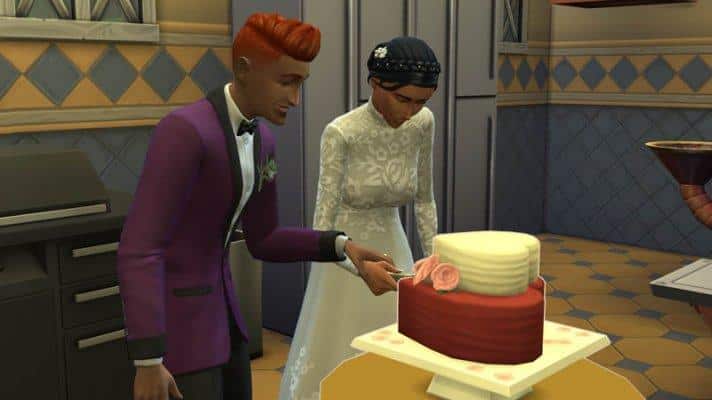
If the Sims are not in love, you will be asked if you want your Sims to end the ceremony with a kiss or not during the vows. If you select yes, the couple will share a small peck. If they are in love, they will autonomously share a more romantic kiss at the end of the ceremony.

The Sims 4: Walkthrough of the Arranged Marriage Mod
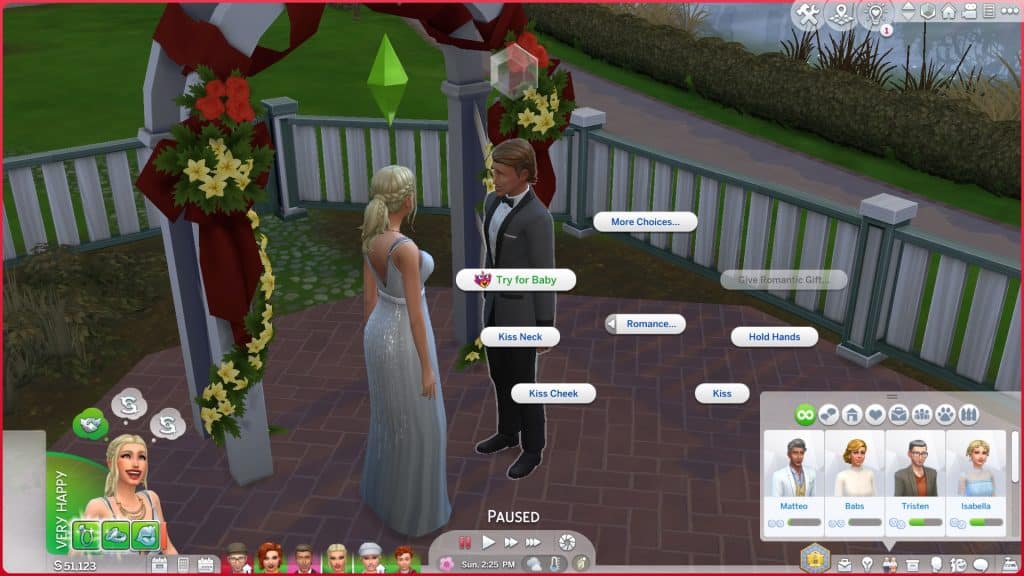
Assuming one is able to become pregnant and the other is able to get Sims pregnant, Try for Baby will immediately become available for the newlyweds as a romantic social even if the couple are acquaintances. Regular WooHoo will only be available if the Sims have a high enough romantic relationship.

Future Plans

MizoreYukii lists some of her future plans for the mod, so you can look forward to later developments! Here is an excerpt from her tumblr page outlining a few features she plans to add in future mod updates.

  • Optional romance blocker – Will block all romance gain if you want to keep the relationship neutral.
  • More arranging options – Fixing feuds, matchmaker NPCs, ads, monarchy decided marriages and more will come over time to give you additional gameplay options.
  • Social updates – Some parts will be optional; Consequences and reactions from those around you and in society based on actions, more socials, more buffs, etc.
  • Dowry update – Will be optional; Sims will expect a dowry upon arranging
  • Carefully made autonomy updates – Will be optional; Based on traits, etc. sims will be asking you instead to make the game more alive.
  • Event updates – Meet potential suitors at an event, bride/groom shows (which is another arranging option), and more as I think of them
  • After marriage update – Focuses on interactions and gameplay after being married for additional gameplay options

Our Thoughts

We had so much fun playing with this mod! Arranged marriages are something I have personally wanted in the game to help me tell my royal and historical stories. I have always just used cheats to make Sims engaged without love being involved and pretended that it was an arranged marriage but having all these options integrated into the gameplay really makes the whole thing come alive for me. This is definitely staying in my game for good. I love all the different moodlets and reactions Sims can have to the arranged marriages.

I will also be eagerly following the mod updates for some of those new features coming! They all sound fantastic!

If you’re a royalty or historical gameplay fanatic, or if you just want a way to more accurately reflect more traditional families and marriage practices in contemporary times, we highly recommend this mod!

Top 12 Romantic Spots in The Sims 4!

Spring is right around the corner; the season of love and love is certainly in the air for our Sims! To celebrate, we thought we’d share some of our favourite romantic spots in The Sims 4! Places that are perfect for first dates, romantic pictures, proposals, and even WooHoo!

Here are our top 12 picks for romantic locations in The Sims 4!

Von Haunt Estate, Windenburg

This gorgeous location is the perfect setting for both weddings and romantic strolls. With picturesque gardens, an interactive maze, a wedding arch next to a waterfall, and the immortalized love story of Lord and Lady Shallot preserved in plaques located around the grounds, you can’t go wrong with taking your special someone here.

The Bluffs, Windenburg

Top 12 Romantic Spots in The Sims 4!
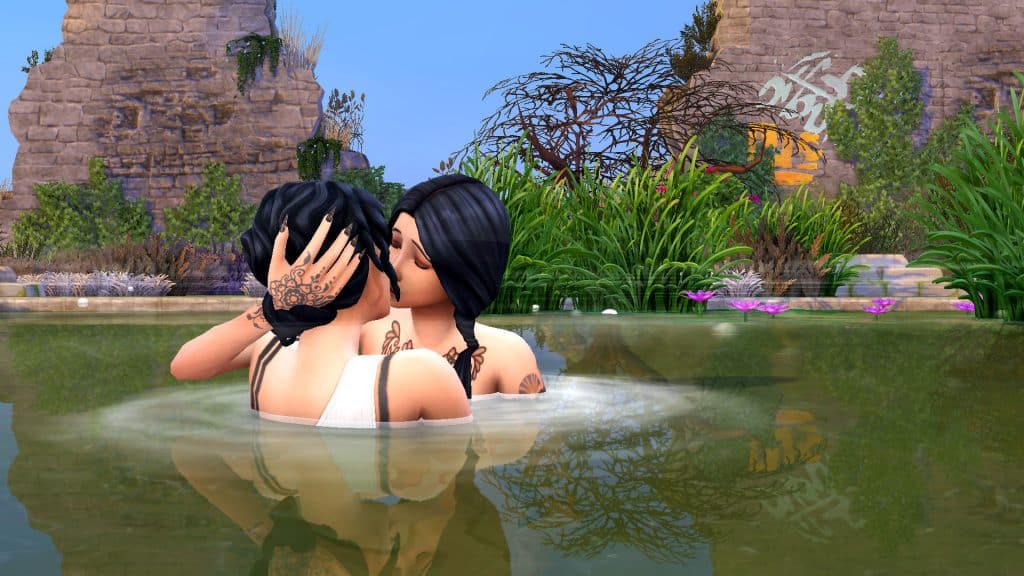
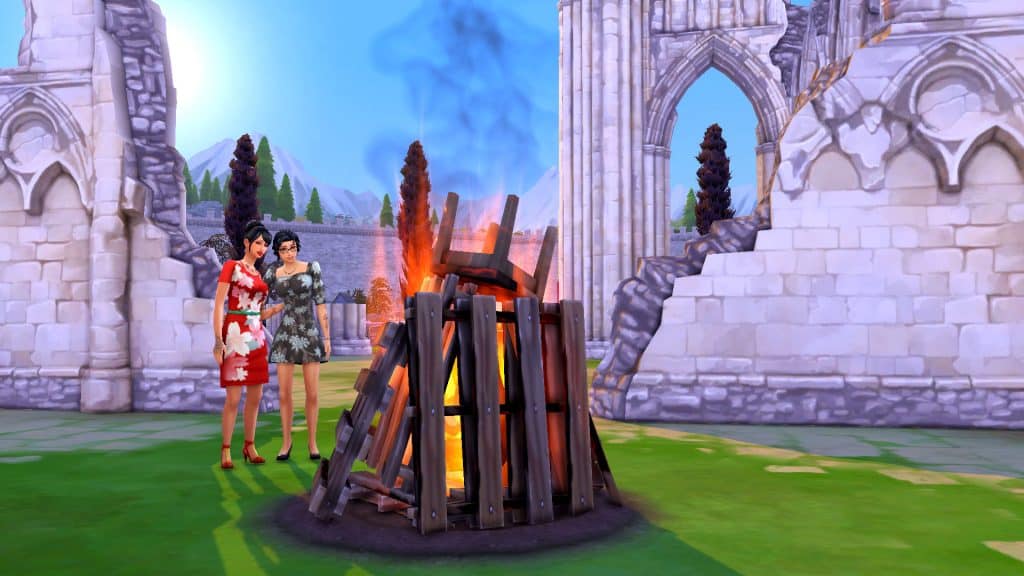
While the graffiti on the ruins might be a turn-off for some people, there’s no denying the privacy this intimate locale offers Sims. A natural pool sits on a cliff overlooking breathtaking waters and tall crumbling ruins keep prying eyes away. There’s also a bonfire for cozying up and a WooHoo bush here so it’s a good location for getting frisky.

The Ruins, Windenburg

Top 12 Romantic Spots in The Sims 4!
The ruins in Windenburg are another secretive location tucked away from civilization. There isn’t much here when it comes to activities but it’s certainly an intimate spot to profess your love for someone. You can get some amazing pictures here.

San Myshuno Meadows, San Myshuno

Top 12 Romantic Spots in The Sims 4!
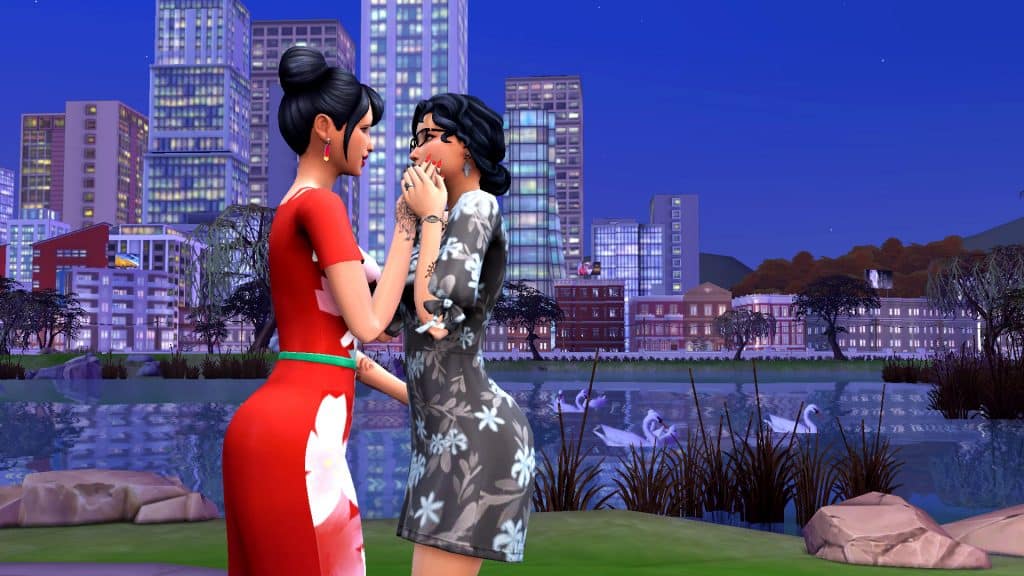
If you haven’t explored San Myshuno Meadows yet, it’s a must-see location for both you and your date! There’s a wedding arch and reception hall already set up on the lot itself, making it perfect for weddings but there’s so much to see in this entire expansive area. One spot in particular down by the water is truly gorgeous. Trumpeter swans glide gracefully across the water in front of a towering cityscape that looks spectacular at night. I had a pair of Sims have their wedding photos taken in this exact spot.

The Pinnacles, Del Sol Valley

Top 12 Romantic Spots in The Sims 4!
Believe it or not, Del Sol Valley has some hidden romantic gems. Namely, this overlook in The Pinnacles right behind Judith Ward’s home. It’s a beautiful location even during the day but at night, the cityscape below lights up and offers a pretty incredible backdrop for pictures and romantic moments. I’ve had a few Sims get engaged at this location.

Lover’s Point, Forgotten Hollow

Top 12 Romantic Spots in The Sims 4!
You might not think of creepy Forgotten Hollow when thinking about romantic places to take your date but this gloomy Victorian town has an eerie charm to it. There is a lone tree next to a bench on an overlook at the end of a winding trail in Forgotten Hollow known as Lover’s Point and it can be quite an intimate place for a confession of love or a proposal, especially for our vampire Sims.

The Lighthouse, Brindleton Bay

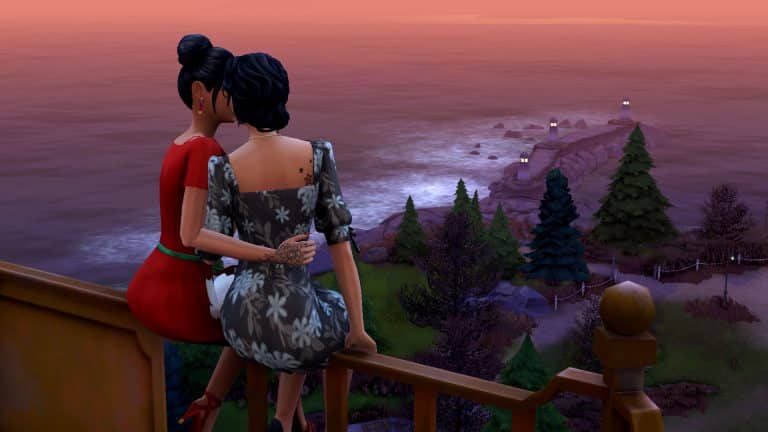
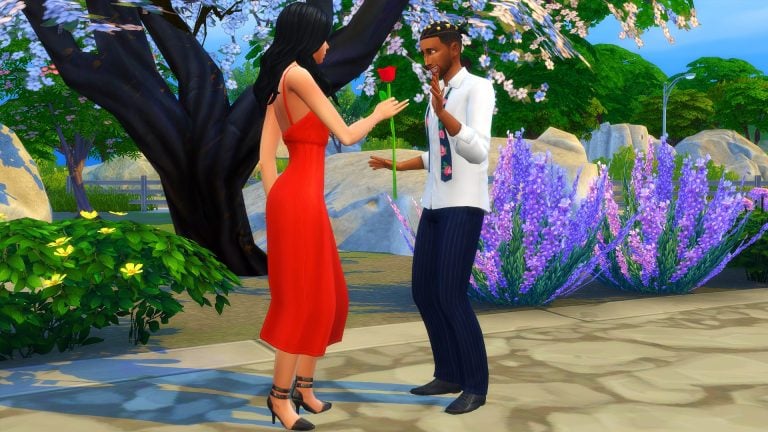
This is one of my favourite romantic spots in the entire game. The lighthouse in Brindleton Bay isn’t just world décor; your Sims can actually go up to the top of the lighthouse and take in the amazing ocean views. It’s a perfect spot for proposals… and WooHoo! That’s right, Sims can WooHoo inside the lighthouse, too. My Sims shared their first kiss and got engaged right here at the top of this lighthouse.

The Waterfall, Sulani

Top 12 Romantic Spots in The Sims 4!
If you visit the island of Mua Pel’am in Sulani, there’s a waterfall tucked away in a little nook near the volcano. Sims can play in the water here and WooHoo behind the waterfall! Who wouldn’t want to get romantic in the waters of a tropical paradise?

The Portal, Glimmerbrook

Top 12 Romantic Spots in The Sims 4!
For those looking for a more whimsical locale to stoke the flames of romance, the portal in Glimmerbrook is a beautiful spot. It stands on an ancient platform at the top of a waterfall and has an ethereal glow surrounded by the mists of the waterfall rising up behind it. Of course, spellcaster Sims will find even more incredibly romantic spots if they step through the portal…

The Ruined Castle, Britechester

Top 12 Romantic Spots in The Sims 4!
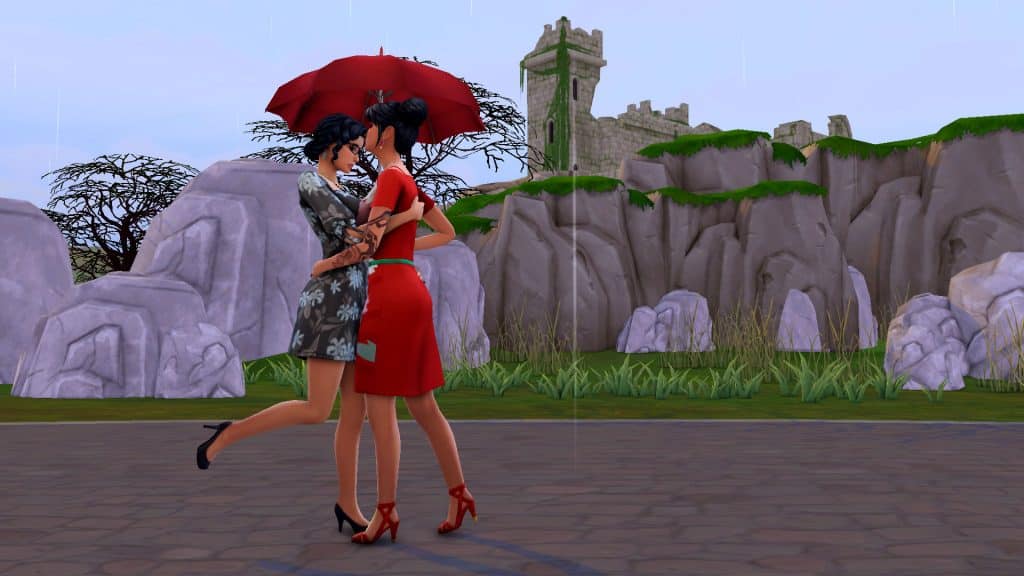
It breaks my heart that this crumbling castle, along with all the terrain directly around it, is unroutable, making it impossible for our Sims to get anywhere close to it, not even with mods or cheats. None of the surrounding terrain is clickable at all. Still, a kiss on a rainy day along the bridges or paths below makes for a very romantic moment with the castle in the distance.

Wakaba, Mt. Komorebi

Top 12 Romantic Spots in The Sims 4!
There’s no shortage of amazing views and romantic locations in Mt. Komorebi but the Wakaba district’s tranquil beauty cannot be overstated enough. Its winding stone pathways between peaceful rivers, lush temperate vegetation, bamboo fences and Japanese bridges is such a beautiful spot to go on a romantic walk with someone you love.

The Bramblewood, Henford-on-Bagley

Top 12 Romantic Spots in The Sims 4!
There is something truly magical about the Bramblewood. It gives me goosebumps every time I visit it. It’s beautiful as it is during the day but at night, faerie lights strung from the trees cast a romantic glow over the area and the ancient crumbling ruins in the centre of this area light up as a stunning centrepiece of any romantic moment.


What’s your favourite romantic spot in The Sims 4? Let us know in the comments or come chat with us on social media!

The Sims 4 Burglars Mod is Out Now!

1

Carl’s Burglars Mod is out now for everyone!

A couple of weeks ago we wrote about Carl’s Sims 4 Guides’ latest addition to The Sims 4 Gameplay Overhaul Mod.

The modder was able to integrate an entire concept of Burglars into The Sims 4 with immersive features that make the addition worth adding into your game.

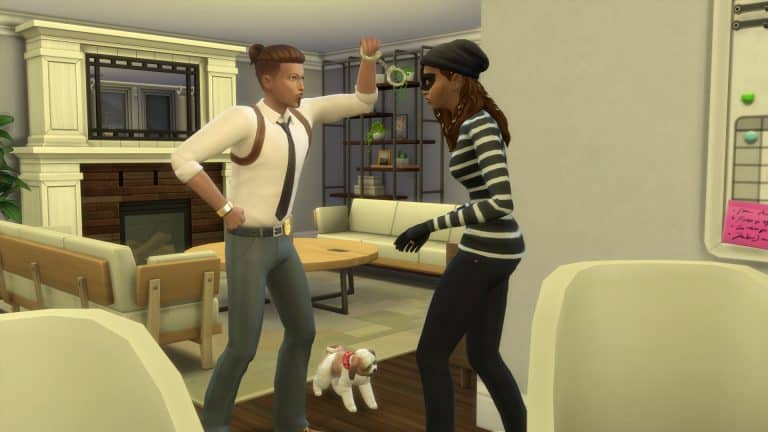
The mod adds an additional layer of challenge to The Sims 4 with random burglarly occurrences when your Sims fall asleep. There is a new Lot Trait that reduces the level of crime in your neighborhood making the Burglars visit your lot less often. There’s also a Lot Challenge that makes them appear more often!

On top of all of that the Burglars behave menacingly – as they should – stealing multiple objects in the middle of the night. You have a diffeerent set of interactions that allow you to attempt to take the objects back. If you’ve been extra pre-cautious you can also purchase a new Alarm System that alerts the police when your house gets broken into!

The Sims 4 Burglars Mod is Out Now!

The Gameplay Overhaul Mod also includes plenty of fixes to The Sims 4 Dine Out Game Pack, as well as new challenging additions that will help you set the Game Difficulty.

For more information about the Burglars aspect check out our Walkthrough!

The Mod is out for everyone and you can download it by clicking the button below (the mod files are located on the bottom of the page). You can install the mod by pasting the downloaded files to Electronic Arts > The Sims 4 > Mods folder and enabling them in your Game Options.

Ready for virtual home invasions? Click the button below!

[mks_button size=”large” title=”DOWNLOAD!” style=”squared” url=”https://www.patreon.com/posts/58183239″ target=”_blank” bg_color=”#1e73be” txt_color=”#FFFFFF” icon=”fa-arrow-down” icon_type=”fa” nofollow=”0″]

Stylish Home CC Collections for The Sims 4

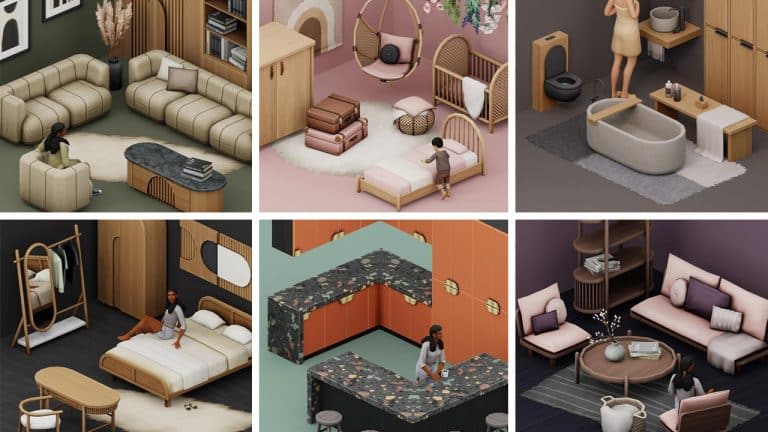
7 gorgeous Home Maxis Match Sets created by Myshunosun!

Myshunosun is a custom content creator who has created some beautiful collections for The Sims 4 over the past year!

From Kitchen and Bedroom items to Outdoor Garden sets, Arts & Crafts, smaller item sets and everything else in-between. Better still, Myshunosun’s custom content primarily focuses on being Base Game compatible and works perfectly alongside existing in game content.

As a team, we’ve loved seeing Myshunosun’s creations and using them in our own games, and we wanted to highlight some of our favourite Custom Content creations from her!

Macaron Kitchen

Stylish Home CC Collections for The Sims 4

Myshunosun’s latest custom content set is the Macaron Kitchen set. The set features several new counters, islands, cabinets and bar stools in a variety of gorgeous detailed swatches!

Stylish Home CC Collections for The Sims 4

[mks_button size=”large” title=”Click here to download” style=”squared” url=”https://www.patreon.com/posts/macaron-kitchen-63217476″ target=”_blank” bg_color=”#4e62ac” txt_color=”#FFFFFF” icon=”” icon_type=”” nofollow=”0″]

Dawn Living

Stylish Home CC Collections for The Sims 4

In February, Myshunosun released a contemporary living set called Dawn Living. With twelve new items, each in a variety of swatches, you’ll be able to create your Sims Living Room of their dreams!

Stylish Home CC Collections for The Sims 4

[mks_button size=”large” title=”Click here to download” style=”squared” url=”https://www.patreon.com/posts/dawn-living-61950933″ target=”_blank” bg_color=”#4e62ac” txt_color=”#FFFFFF” icon=”” icon_type=”” nofollow=”0″]

Freja Nursery

Stylish Home CC Collections for The Sims 4

A mixture of decorative and functional items to help bring your Sims boho-inspired nursery alive! Featuring ten new items including a Hanging Chair, Toddler Bed and Decor Crib in a beautiful variety of swatches.

Stylish Home CC Collections for The Sims 4

[mks_button size=”large” title=”Click here to download” style=”squared” url=”https://www.patreon.com/posts/dawn-living-61950933″ target=”_blank” bg_color=”#4e62ac” txt_color=”#FFFFFF” icon=”” icon_type=”” nofollow=”0″]

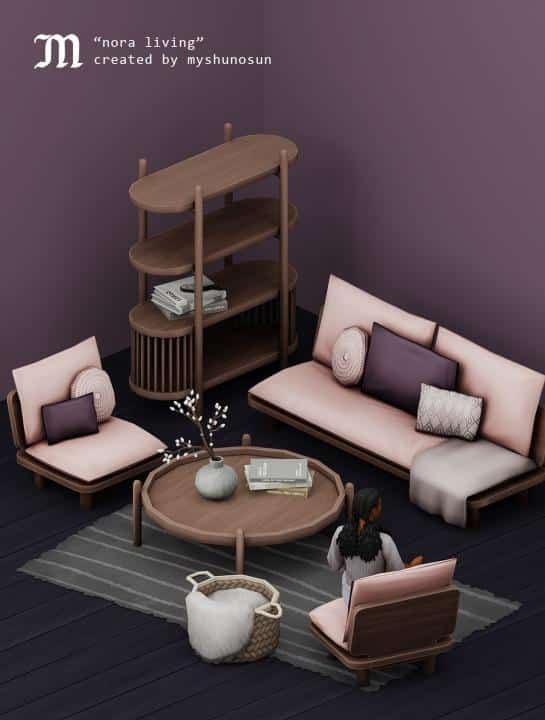
Nora Living

Stylish Home CC Collections for The Sims 4

With nine new items for you to furnish your Sims Living Rooms, why not take a look at the Nora Living Collection to help create the ultimate cute and cosy living space!

Stylish Home CC Collections for The Sims 4

[mks_button size=”large” title=”Click here to download” style=”squared” url=”https://www.patreon.com/posts/nora-living-59468400″ target=”_blank” bg_color=”#4e62ac” txt_color=”#FFFFFF” icon=”” icon_type=”” nofollow=”0″]

Luna Bedroom

Stylish Home CC Collections for The Sims 4

The Luna Bedroom collection features nine brand-new contemporary inspired items in a selection of cool colour variations.

Stylish Home CC Collections for The Sims 4

[mks_button size=”large” title=”Click here to download” style=”squared” url=”https://www.patreon.com/posts/luna-bedroom-58686921″ target=”_blank” bg_color=”#4e62ac” txt_color=”#FFFFFF” icon=”” icon_type=”” nofollow=”0″]

Sol Kitchen

Stylish Home CC Collections for The Sims 4

Want to upgrade your kitchen game with a beautiful new modular kitchen system? Then look no further than the Sol Kitchen collection! The collection comes with new kitchen counters, islands and cabinets as well as a wall shelf and bar stool. Each come in a variety of styles and swatches.

Stylish Home CC Collections for The Sims 4

[mks_button size=”large” title=”Click here to download” style=”squared” url=”https://www.patreon.com/posts/sol-kitchen-58146825″ target=”_blank” bg_color=”#4e62ac” txt_color=”#FFFFFF” icon=”” icon_type=”” nofollow=”0″]

Serene Bathroom

Stylish Home CC Collections for The Sims 4

Last but certainly not least is the Serene Bathroom collection. A mix of wood and concrete textures that will give your Sims the best contemporary bathroom feel with twelve brand-new functional and decorative items!

Stylish Home CC Collections for The Sims 4

[mks_button size=”large” title=”Click here to download” style=”squared” url=”https://www.patreon.com/posts/serene-bathroom-56232536″ target=”_blank” bg_color=”#4e62ac” txt_color=”#FFFFFF” icon=”” icon_type=”” nofollow=”0″]

While these are some of our collections from Myshunosun, be sure to check out all of her creations over on her Patreon!

Where to find Myshunosun

Let us know which of Myshunosun’s creations are your favourites in the comments below!

EA releases Survey for The Sims 4 My Wedding Stories

4

The first survey for The Sims 4 My Wedding Stories Game Pack has just came out!

The latest survey that popped out seems to be directed to people who haven’t purchased the Game Pack yet, and we haven’t found a different survey for people who got it.

Still, there are questions in the Survey regarding My Wedding Stories Game Pack and your opinons on it.

  • Which of the following Game Packs have you heard of?
  • How did you become aware of the My Wedding Stories Pack?
  • What would influence your decision to purchase this pack?

EA releases Survey for The Sims 4 My Wedding Stories

  • Which of the following scenarios have you played with?
  • Compared to the base game weddings, what have you heard about the My Wedding Stories Pack weddings?
  • What else do you want to tell us?

The official survey is up right now and you can take it by clicking the button below.

[mks_button size=”large” title=”TAKE THE SURVEY” style=”squared” url=”https://survey.alchemer.com/s3/6629187/NON-BUYERS-survey-GP11″ target=”_blank” bg_color=”#1e73be” txt_color=”#FFFFFF” icon=”” icon_type=”fa” nofollow=”0″]

In case you’ve missed out on the recent news, The Sims 4 My Wedding Stories Game Pack was released last week with most of the main features being completely broken.

Tip: pageantgirlsoso

The Sims 4 Custom Content: African Love

Public Release coming this Friday!

When My Wedding Stories released, players were happy to see traditional wedding attire for both Chinese and Indian cultures, not just the standard Western-style wedding attire. However, players were also quick to notice the absence of other cultures, including African culture. This seems like an odd oversight, given the game’s efforts to be more inclusive and the fact that My Wedding Stories was released in February, which is Black History Month.

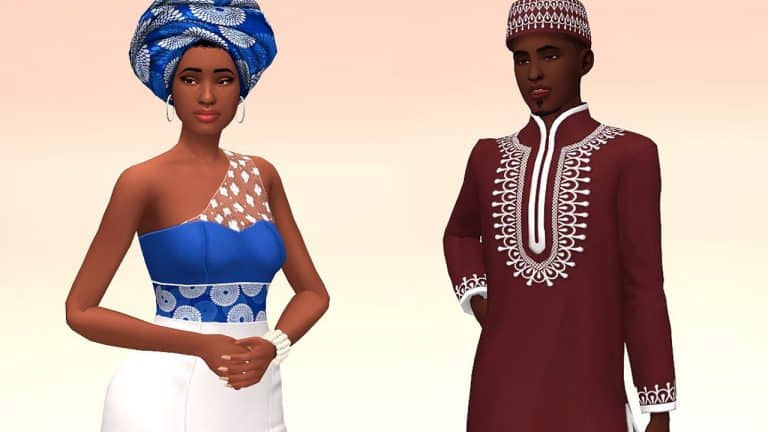
But of course, where EA keeps failing, modders and CC creators keep delighting us. Frenchiesims is a very talented and well-known creator in the community who has taken it upon herself to make some absolutely gorgeous African-inspired formalwear that’s perfect for weddings and other formal occasions.

The set comes with 10 new CAS pieces that are all base game compatible, which means you don’t need to own My Wedding Stories in order to enjoy them in your game. You can see a preview of all the items below, taken from Frenchiesims’ tumblr:

The Sims 4 Custom Content: African Love

As you can see, there’s a variety of head pieces and formal outfits for both masculine and feminine adult Sims with some truly stunning details and patterns. Some of our personal favourites from the collection are the satin head wrap and the sleeveless dress with sheer fabric over one shoulder. It’s a very elegant look and we love to see more diversity and representation in a game that’s meant for everyone to be able to create themselves in an authentic way.

The African Love set is currently in early access for patrons but will be released to the public on March 4th, 2022. This is also just part 1 of the collection so if you’d like to see what else Frenchiesims has coming, make sure to follow her on tumblr! We can’t wait to see what else she has in store for us!

The Sims 4 Story Starter Kit: A Glitch in the Servo

Welcome to our fifth entry in our Story Starter Kits series! If you missed all the info on Story Starter Kits, you can read more about what they are and how they work in our introductory article!

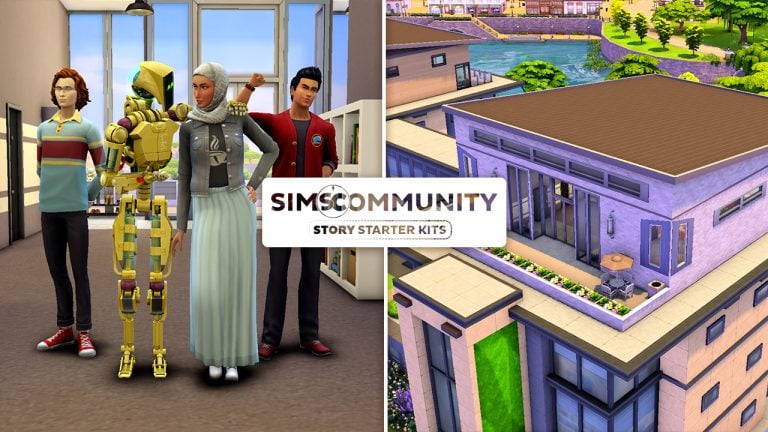
This month, we’re bringing you a mechanical genius, her trusty servo, and her two best friends at the Foxbury Institute. While her pals are both close with her, they also both harbour some romantic feelings for her and her servo sees it as her mission to keep all potential distractions away from her creator.

A Glitch in the Servo
The Sims 4 Story Starter Kit: A Glitch in the Servo

Farah and her two best friends, Ned and Tony, have been inseparable since high school so it was only natural that they all go to the same university together. While Ned and Tony didn’t get along with each other at first coming from different social cliques, Farah brought them together and they eventually became good friends, too. Their number one has always been Farah, though.

In fact, both Ned and Tony have harboured a crush on Farah for a long time. Farah is an outspoken genius with unlimited confidence and a go-get-em attitude. Ned’s attracted to her brains and Tony’s attracted to her confidence. They know how the other feels about her but they both respect their friendship with Farah too much to make a move and jeopardize what they already have with her. They both adore her as her own person and couldn’t imagine not having her in their lives at all. So before they packed their bags for college, Ned and Tony came to the agreement that no matter what happened in college, they’d always put their friendship as a trio first.

That was all well and good… until Farah’s pet project came to life at the end of senior year. Literally. Her latest robotic invention, Calista V.10.87, developed sentience and became a fully functioning humanoid robot with advanced AI capabilities. Excited about her latest achievement which would surely earn her many scholarships, Farah eagerly introduced Calista to Ned and Tony, informing them that Calista would be moving to college with them. At first, Ned and Tony thought Farah’s invention was the coolest thing in the world. But Calista did not think Ned and Tony were cool. At all.

Calista was programmed to be Farah’s bodyguard and protect her from any kind of threat; however, she might take her job a little too seriously. She’s attached herself to Farah and is very jealous of Farah’s close friendship with the boys. Calista is doing everything in her power to push them away so she can have Farah all to herself. The… robot isn’t in love with Farah, too. Is she?
Now Ned and Tony face a choice. Calista’s just a robot; she can only behave the way she was programmed so her extreme behaviour must just be a glitch in her programming. They can destroy the servo but that would crush Farah who spent years working on her. They can tell Farah that Calista’s gone haywire but would Farah even believe them? Calista acts like an angel with Farah. Or maybe they should both come clean about their feelings and let Farah be the judge of how to handle things. But would that destroy their friendship?

Other Info:

Farah Abadi
  • Age: Young Adult
  • Traits: Genius, Self-Assured, Perfectionist, Quick Learner
  • Aspiration: Academic
  • Likes: Grey, Electronica Music, Robotics
  • Dislikes: Pink, Romance Music, Cooking
  • Skills: Robotics (8), Research & Debate (5), Handiness (4), Charisma (3)
  • Career: Student at Foxbury Institute (Physics Major)
  • Packs Used: Discover University
Tony Sollitto
  • Age: Young Adult
  • Traits: Active, Bro, Slob, High Metabolism
  • Aspiration: Bodybuilder
  • Likes: Red, Alternative Music, Fitness
  • Dislikes: Blue, Retro Music, Writing
  • Skills: Fitness (5), Charisma (4), Guitar (2)
  • Career: Student at Foxbury Institute (Biology Major), Trainee on Foxbury Soccer Team
  • Packs Used: Discover University
Ned Shultz
  • Age: Young Adult
  • Traits: Bookworm, Geek, Foodie, Quick Learner
  • Aspiration: Nerd Brain
  • Likes: Blue, Retro Music, Writing
  • Dislikes: Red, Alternative Music, Fitness
  • Skills: Writing (4), Research & Debate (4), Cooking (3), Comedy (2)
  • Career: Student at Foxbury Institute (Psychology Major)
  • Packs Used: Discover University
Calista V.10.87
  • Age: N/A (Servo)
  • Traits: Romantic, Hot-Headed, Creative, Alluring
  • Aspiration: Soulmate
  • Skills: Robotics (9)
  • Enhancement Level: 10
  • Behaviour Modules: Sim Defense Matrix
  • Career: Unemployed
  • Packs Used: Discover University

Household Notes:

  • We tried to set relationships between the Sims other than acquaintances but unfortunately the Gallery does not preserve non-family relationships. If you would like to set up relationships the way we initially intended them, they are as follows:
    • Farah x Tony – Good Friends
    • Farah x Ned – Good Friends
    • Ned x Tony – Friends
    • Farah x Calista – BFFs
    • Calista x Tony – Enemies
    • Calista x Ned – Enemies

Immediately set Relationship Level through Cheats

  • If you want to immediately set the relationships between Sims in the household you can run the following cheat for each Relationship listed above:
    • Farah x Tony – modifyrelationship Farah Abadi Tony Sollitto +60 LTR_Friendship_Main
    • Farah x Ned – modifyrelationship Farah Abadi Ned Shultz +60 LTR_Friendship_Main
    • Ned x Tony – modifyrelationship Ned Shultz Tony Sollitto +35 LTR_Friendship_Main
    • Farah x Calista – modifyrelationship Farah Abadi Calista V.10.87 +60 LTR_Friendship_Main
      • As Farah, select Calista V.10.87 and select “Become Best Friends”
    • Calista x Tony – modifyrelationship Tony Sollitto Calista V.10.87 -70 LTR_Friendship_Main
    • Calista x Ned – modifyrelationship Ned Shultz Calista V.10.87 -70 LTR_Friendship_Main

Modern Privacy

This trendy student dorm at the Foxbury Institute offers all the same social benefits of communal living for students while still allowing for privacy. With four private dorm rooms and two separate bathrooms and showers, students will enjoy an authentic and social dorm living experience with both new and old friends while still retaining their privacy. It’s the best of both worlds!

Lot Info:

  • Lot Type: Residential
  • Price: §48,139
  • Size: 30×20
  • Beds: 4
  • Baths: 2
  • Lot Traits: Study Spot
  • Packs Used: Discover University
  • Tips to Use This Lot:
    • Farah, Ned, Tony, and Calista come with enough simoleons to purchase this dorm and have some savings leftover.
    • The lot is 100% functional as student housing but has been zoned residential to allow you to move the household in immediately without the hassle of having to do so through enrollment.

Your Story Starter Kit is waiting for you! Get The Household and The Lot by downloading them from the official Gallery Website linked on the buttons below. Or, follow SnarkyWitch in the Gallery and look for A Glitch in the Servo and Modern Privacy!

[mks_button size=”medium” title=”The Household” style=”rounded” url=”https://www.ea.com/games/the-sims/the-sims-4/pc/gallery/D862836198CB11EC816296721A9660D1″ target=”_blank” bg_color=”#4aa500″ txt_color=”#FFFFFF” icon=”fa-arrow-down” icon_type=”fa” nofollow=”0″][mks_button size=”medium” title=”The Lot” style=”rounded” url=”https://www.ea.com/games/the-sims/the-sims-4/pc/gallery/DD846E3198CB11EC817A96721A9660D1″ target=”_blank” bg_color=”#4aa500″ txt_color=”#FFFFFF” icon=”fa-arrow-down” icon_type=”fa” nofollow=”0″]


Credits

All of the Community Fixes for The Sims 4 My Wedding Stories

As we wait for EA to solve the broken Game Pack, modders have already fixed most of the bugs!

All of the solutions that you see below are unfortunately only for The Sims 4 players on PC and Mac. Console players will probably have to wait a bit more until we hear from EA regarding their plans to fix My Wedding Stories.

Several Modders have already stepped up to fix The Sims 4 My Wedding Stories, making most of the activities and Wedding Ceremony behavior completely functional again!

Here’s every Mod solution to fix the Game Pack that we’ve found:

Gameplay Fixes and Tweaks from 83bienchen

83bienchen has polished most of the broken interactions, autonomy and more from the latest Game Pack. Check out the full list of fixes. Inside of the .rar file that you download below will be .packages listed below in the list, each fixing a seperate issue accordingly and improving upon the original game settings:

  • WeddingGPSocialstweak (less high priority, new icons to sort things better, no congratulate your spouse on your wedding, more negative outcome possibilities for express doubts about wedding)
  • sitatweddings – makes Sims sit at Weddings
  • roleoutfitsdisabled_bychoice (new stall vendor outfits added)
  • partyaspirationfix (new party events added)
    moregrandmeals (the last update only contained the moreconsumptionturns module, the “normal” one was miraculously missing)
  • moreautodrinkvariety (Sims will autonomously order a greater variety of drinks at bars)
  • lessspousalkissfailure (lowers the failure chance on wedding kisses – sadly the awful animation glitches remain)
  • lessboredweddingreaction (guest will react bored less often when watching the ceremony)
  • calloffweddingtweak (now also works with the new GP wedding event)
  • betterfoodquality (banquet module has been split up, bought wedding cakes will never spoil and always be of excellent quality)
  • autoweddingring (fixes the known issue with the new GP)
  • addsimstoensemblesduringevents

[mks_button size=”large” title=”DOWNLOAD!” style=”squared” url=”https://forums.thesims.com/en_US/discussion/comment/18067830#Comment_18067830″ target=”_blank” bg_color=”#1e73be” txt_color=”#FFFFFF” icon=”fa-arrow-down” icon_type=”fa” nofollow=”0″]

Screen via SimForum.de

All of the Community Fixes for The Sims 4 My Wedding Stories

The modder has also uncovered remaining traces in game code regarding the Ring Bearers. It seems that originally The Sims Team has allowed players to make Cats and Dogs your Ring Bearers and Flower Pals! Unfortunately that idea seems to have been scrapped later on

There were actually plans to allow cats and dogs as ring and flower bearers.

Hints/Leftovers of these plans can be found in the tuning files:

  • wedding_Immediate_Aisle_DogCheck_SendFlowerDown
  • wedding_Immediate_Aisle_DogCheck_SendFlowerUp

These two aren’t so much in the face but both interactions have been specifically set to allow for cats and dogs to do them:

  • wedding_Aisle_WalkDown_Ring
  • wedding_Aisle_WalkDown_Flower

Gameplay Improvements by MissyHissy

The first mod allows you to throw Engagement Dinner and Rehersal Dinner events at Restaurants if you have The Sims 4 Dine Out installed!

For some inexplicable reason, in My Wedding Stories, you can’t hold Engagement Dinners or Rehearsal Dinners in restaurants.
No, I don’t understand it either.

So this is a quick and tiny mod to fix that. You should now be able to host your Engagement Dinners and Rehearsal Dinners in a restaurant.

[mks_button size=”large” title=”DOWNLOAD!” style=”squared” url=”https://www.patreon.com/posts/wedding-dinners-62988140″ target=”_blank” bg_color=”#1e73be” txt_color=”#FFFFFF” icon=”fa-arrow-down” icon_type=”fa” nofollow=”0″]

All of the Community Fixes for The Sims 4 My Wedding Stories

Say “I Do” in a Wedding Venue

This one doesn’t require My Wedding Stories and is Base Game compatible – until EA fixes it of course.

[mks_button size=”large” title=”DOWNLOAD!” style=”squared” url=”https://www.patreon.com/posts/say-i-do-in-62680424″ target=”_blank” bg_color=”#1e73be” txt_color=”#FFFFFF” icon=”fa-arrow-down” icon_type=”fa” nofollow=”0″]

Carl’s Wedding Fixes

Among many of the Bug Fixes that Carl’s Sims 4 Guides has already done, new ones have surfaced! Check out the full list below:

V1.031 – Bugfixes:

  • Fixed issues where sending 2 sims down aisle will not work
  • Reduced likelihood of Sim being stuck seated and not following commands.
  • Made said Sims more likely to take their seats afterward.

V1.03 – Outfits Fixed!

  • I just fixed the dress codes for weddings. Polished in red or Boho in black .Your choice!

[mks_button size=”large” title=”DOWNLOAD!” style=”squared” url=”https://www.patreon.com/posts/62954976″ target=”_blank” bg_color=”#1e73be” txt_color=”#FFFFFF” icon=”fa-arrow-down” icon_type=”fa” nofollow=”0″]

All of the Community Fixes for The Sims 4 My Wedding Stories

Zero’s Sims 4 Mods&Comics Wedding Nightmare Fix

Plenty of solutions from this talented modder, including:

  • Force Guests to Change into Formal Attire
  • Guests Gathering and Autonomy Tweaks
  • Throw Bouquet Fix
  • Broadcasters Tweaks
    • Increases the power and radius of all broadcasters… clearly the NPC wave goodbye has a radius of 50 and the wedding dance a radius of 6.

[mks_button size=”large” title=”DOWNLOAD!” style=”squared” url=”https://www.patreon.com/posts/my-wedding-fixes-63037455″ target=”_blank” bg_color=”#1e73be” txt_color=”#FFFFFF” icon=”fa-arrow-down” icon_type=”fa” nofollow=”0″]


We’ll update this article as we find new fixes. Let us know if you find anything we skipped in the comments below!

The Sims Community Challenge: Your Wedding Stories

Note: Please be aware, that due to the ongoing issues with The Sims 4 My Wedding Stories, we will be postponing this month’s challenge until further notice. More information will follow soon. 

We took a little break from our normal monthly challenge during February so that we could experience Carnaval and get our Sims ready for an influx of Weddings. However, we are back with a new The Sims Community Challenge, and we are going to be switching it up this time around!

With the recent release of The Sims 4 My Wedding Stories, we want to hear your Sims Wedding Stories.

Before we jump into what this month’s challenge entails, you can check out our previous challenges and showcases here.

The Sims Community Challenge: Your Wedding Stories

Part One

Choose your Sims and give them their wedding look!

Part Two

The Wedding Story!

Tell us about their wedding story, how they became a couple, the proposal, the engagement or simply about the wedding day it’s self regardless of if the wedding went to plan or not! You only need to share one or two paragraphs at most about their story.

Challenge Rules

  • One entry per person
  • No Custom Content
  • Poses and ReShade allowed.
  • Stories must be family friendly.

Note: You do not need to own The Sims 4 My Wedding Stories Game Pack to take part in this challenge.

Once you have completed both of these steps, you can submit your entries by one of the following ways.

Twitter – upload your screenshot and story to Twitter using the hashtag #SCWeddingStories

Discord – head over to our Discord server and visit the Your Wedding Stories Channel, which you can find under the Announcements & News category. Upload your screenshot and story along with the caption #SCWeddingStories!

Click the button below to join The Sims Community Discord 

[mks_button size=”large” title=”Sims Community Discord” style=”squared” url=”https://discord.gg/6kRVv4h2je” target=”_blank” bg_color=”#4e62ac” txt_color=”#FFFFFF” icon=”” icon_type=”” nofollow=”0″]

Closing date for entries: Wednesday 9th March 2022 at 10am PST/6pm GMT/ 7PM CET. The Spotlight post will be released a few days after entries have closed. 

If you have any questions, feel free to ask them in the comments below, or head over to our The Sims Community Challenge channel on our Discord server! If you aren’t a member of our Discord Server, you can click here to join.

Good luck, have fun, and we can’t wait to read your Wedding Stories!

The Sims 4 My Wedding Stories: New Version of the Mod Fix

The Wedding Fix Mod for The Sims 4 just got an update!

ARTICLE UPDATE: The Mod Fix has just gotten another major update with plenty of new fixes, bringing back proper function to Sims assigned to help out with the Wedding. Check out the full list of new improvements below:

V1.02 – BugFixes and Improvements:

  • Officiant often will come join your Sims, and may even give a speech! It’s best to get Sims close to the arch before doing this. Officiants are idiots by design.
  • A massive EA bug has been fixed, preventing Sims from using AI during the new weddings. A colossal oversight. Sims change roles much better. Because I forced them to. This means they will be less boring.
  • Sims can be told to dance and various other activities with these improvements.
  • Further bugfixes and improvements in the code in general.
  • Bouquet and other fixes coming soon.

A few days ago we reported on Carl’s Sims 4 Guides’ initial release of the Wedding Fix Mod for The Sims 4 My Wedding Stories Game Pack.

In case you’ve missed out on the news, the latest Game Pack has been released this Wednesday with lots of bugs and issues related to gameplay. Most of which are related to Sim behavior and planning Wedding Events that include the new activities with the Game Pack.

Hardly any activity that you choose to perform will be listened to by other Sims, which makes it really difficult to finish the Wedding Event you planned out.

The Sims 4 My Wedding Stories: New Version of the Mod Fix

EA still hasn’t addressed or publicly acknowledged the major bugs and issues that all of the players are experiencing. However, we’re hoping that a hotfix update to solve these issues is on its way soon.

Until then, Carl has took the matter into his own hands and started fixing the gameplay mechanics for the new Wedding Events with this Game Pack.

His latest Wedding Fix Mod Update covers new solutions for both Base Game players and those with the My Wedding Stories Game Pack.

One of the new things added in the fix brings back the ability to throw a regular, Base Game Wedding Event. With this Mod Fix you can find the old Wedding Event in the “Plan a Social Event” option on your phone.

The Sims 4 My Wedding Stories: New Version of the Mod Fix

If you play The Sims 4 without the latest Game Pack then the Mod Fix now also lets you plan Wedding Events at the Wedding Venue!

This issue is only present to those who play The Sims 4 Base Game. For some reason planning a Wedding at the Wedding Venue works if you have My Wedding Stories installed.

The Sims 4 My Wedding Stories: New Version of the Mod Fix

Another small improvement with the Mod Fix is that it solves the First Dance activity, ensuring that your Sims complete it correctly with sentiments that are associated to that activity.

The Mod Update is available right now! You can install it by pasting the .package and .ts4script files to Electronic Arts > The Sims 4 > Mods folder. Ensure that you have Mods / CC enabled in your game options!

This mod fixes this by forcibly telling the Sims what to do. It compels them to gather for toasts or around the dance floor for first dance. It cancels things that get in the way, making them respond quickly to your commands and cuts down chatter before the wedding.

[mks_button size=”large” title=”DOWNLOAD!” style=”squared” url=”https://www.patreon.com/posts/62954976″ target=”_blank” bg_color=”#1e73be” txt_color=”#FFFFFF” icon=”fa-arrow-down” icon_type=”fa” nofollow=”0″]

The Sims 4 My Wedding Stories: Tartosa Photoshoot Locations

There is no denying that the world of Tartosa that comes with The Sims 4 My Wedding Stories is beautiful!

The world itself is full of breathtaking views, mixed between the golden beaches, clear blue waters and the gorgeous green hillsides. It really gives you a variety of places to have the ultimate Wedding photoshoot. It can be more than just a wedding photoshoot, too!

Here are five locations in Tartosa that are the perfect location to have a photoshoot with your Sims!

The Bridge Above The Falls

Nestled away in the Terra Amorosa neighbourhood is a beautiful walk your Sims can take between the trees, past the Lovers Tree and over the waterfalls of Tartosa! Whether your Sims visit during the day or at night, you’ll be sure to capture the perfect moment regardless of the time.

The Sims 4 My Wedding Stories: Tartosa Photoshoot Locations

Waterfall Beach

Also located in the Terra Amorosa neighbourhood is this lovely little beach at the bottom of the water falls. It’s a place where your Sims can relax and take in their surroundings, and is a stunning location for a moonlight photoshoot!

The Sims 4 My Wedding Stories: Tartosa Photoshoot Locations

Lover’s Tree Hill

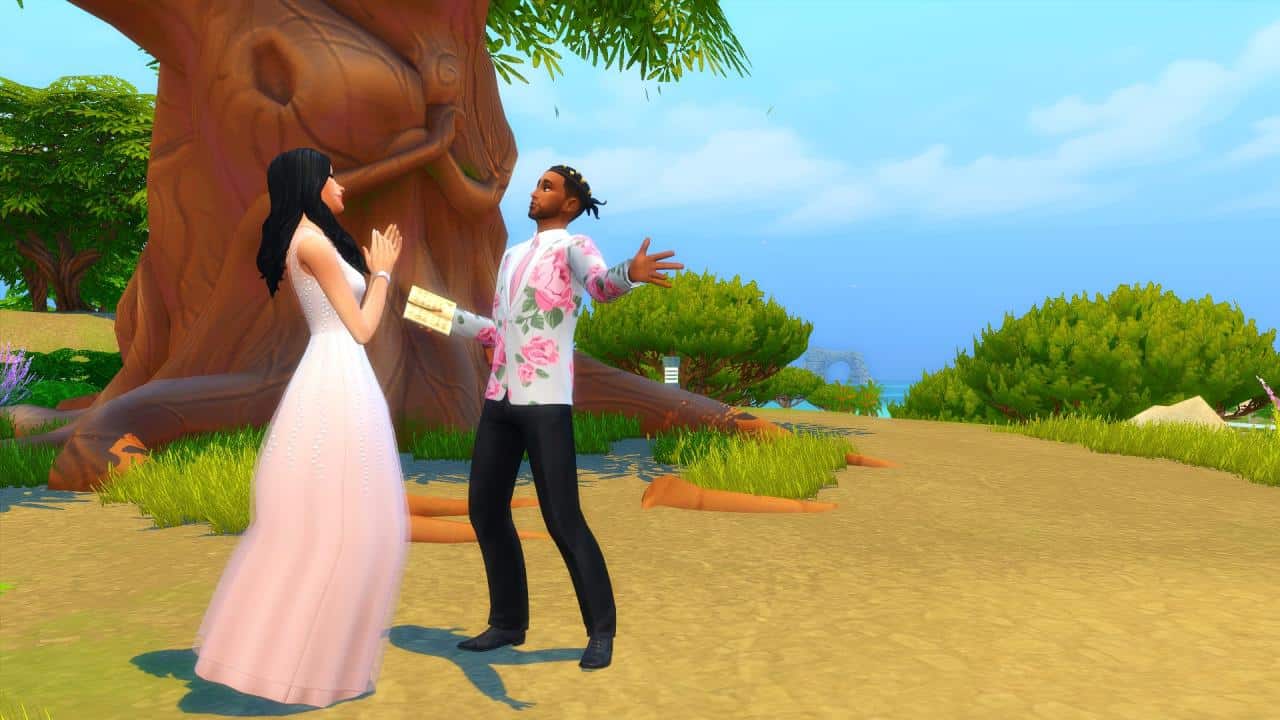
The famous Lover’s Tree of Tartosa is surrounded by remarkable scenery and gives you a real feel of what Tartosa has to offer while you fall in love with the location and your future partner!

The Sims 4 My Wedding Stories: Tartosa Photoshoot Locations

Porto Luminoso Heart Symbol

Located just next to the Celebrazion D’Amore, is a small park space with a large heart symbol. A beautiful place within Porto Luminoso to spend time with the one you love.

The Sims 4 My Wedding Stories: Tartosa Photoshoot Locations

Baia dell’amore (Empty Lot/Residential)

The empty lot of Baia dell’amore is the perfect lot that you can use to turn into your own photoshoot stage. Situated directly on the beach right next to views of the ocean, why not create the perfect stage for those wedding or engagement photos.

The Sims 4 My Wedding Stories: Tartosa Photoshoot Locations

While these are just some of the places located within Tartosa that you can take some breathtaking screenshots to document your Sims wedding or engagement, there is nothing stopping you from exploring the other worlds within The Sims 4!

What are some of your favourite places to take screenshots in Tartosa?

The Sims 4 My Wedding Stories is severely broken

Let’s check out the stability of the latest Game Pack.

The Sims 4 My Wedding Stories has been out for a couple of hours now. Although I’ve had a chance to play with the Early Access version of the Game Pack since Thursday last week, I wanted to give this Pack a chance after the public release and see if anything’s been changed. We’ve been told that the software of the pack that we played in Early Access was not final software, so let’s see how today’s public release stands.

This article will mostly touch on the subject of features within planning and attending the main Wedding Ceremony in the game. Which is also one of the main aspects of this Game Pack. To make sure this article is fair, I’ve made sure that all my Mods and CC are disabled. I’ve also Repaired my game through Origin after the latest update just to make sure everything’s correct from my end.

Let’s begin!

I started with a just-engaged Household that I created in a new Save Game and went around Tartosa to meet up with the locals that I could assign and invite for my wedding. The Lounge was already bustling with plenty of Sims that I could have at my wedding so I went to work!

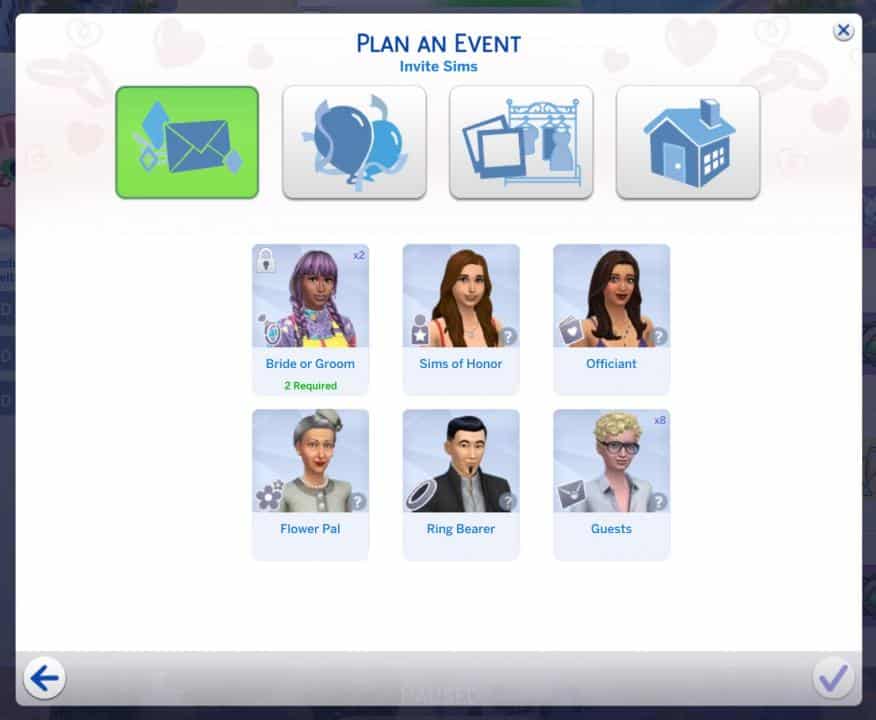
This time around, compared to the Early Access Software version of the game that I was playing, I was able to properly assign roles for each Sim when planning the event.

The Sims 4 My Wedding Stories is severely broken

The activities? I’ve selected each one just to make sure I can cover most of them and see how they work during the Wedding Ceremony. Little did I know that I’d simply not have enough time to cover each activity due to Sims misbehaving during the event…

The Sims 4 My Wedding Stories is severely broken

The Guest Attire? I’ve selected the BoHo Dress Code with the color yellow for guests to wear. I didn’t go too much into specifics for assigning my couple a special Wedding dress as I already customized their Formalwear in CAS beforehand.

The Sims 4 My Wedding Stories is severely broken

The place? A Beach Wedding Venue!

Interestingly enough, Wedding Venues appear listed in the “Select a Location” prompt list only if you have The Sims 4 My Wedding Stories Game Pack. Unfortunately those who want to throw a Wedding Ceremony with the Base Game only won’t be able to do so even after the latest Game Update.

The Sims 4 My Wedding Stories is severely broken

The only thing that was left for me to plan out was the Wedding Cake, which I purchased down at the stall in Tartosa.

The Sims 4 My Wedding Stories is severely broken

That’s pretty much all the essentials needed to plan a perfect wedding in this Game Pack. Only if it worked properly.

Let the wedding chaos commence

The Wedding Day has arrived and all of my Sims were sent down to the Beach to commemorate this beautiful day. Unfortunately, right of the bat I noticed the first glitch – none of the Sims that I invited to the wedding followed the Dress Code rules. Not only did they not follow the Color and Attire Style rules I assigned – they came to the wedding wearing Everyday outfits. My soon-to-be-brides included.

Instead of walking down the aisle together I had my Sims walk down the aisle individually. No idea why I did that – let’s just call it an Editor’s mistake from my end.

@SimMatically had reported on Twitter about their Sims walking down the exact same aisle. They took a very glitchy route, but at least arrived to their destination in the end.

I ordered my Sims to begin exchanging vows with the Officiant. Before I explain what went down during vow exchange, let’s just take a quick look at how the wedding looked like so far.

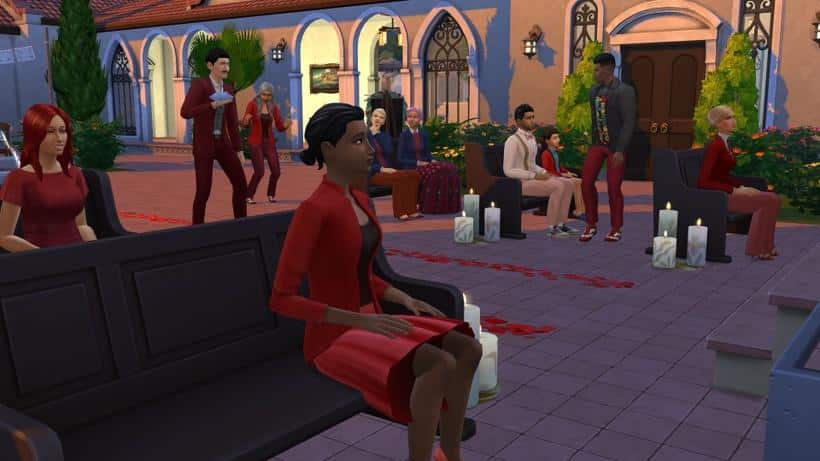
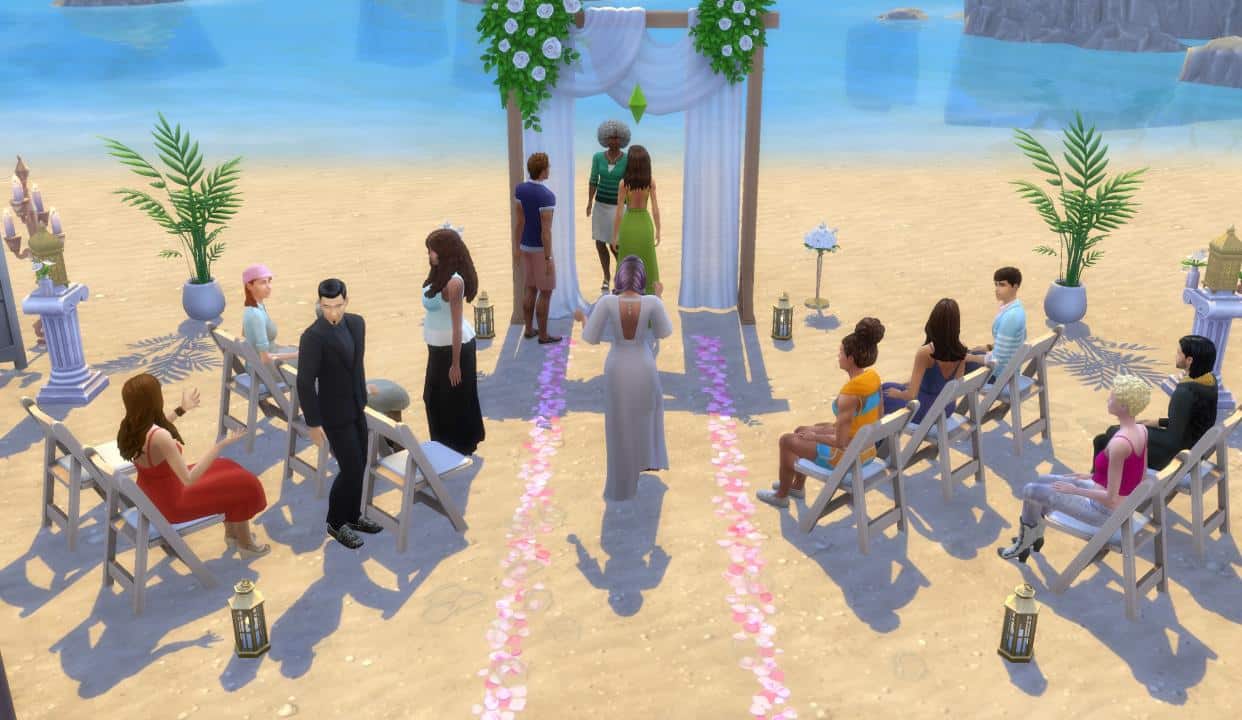
  • I ordered my Sims to Please Take their Seats. They listened for a brief few seconds and started getting involved in their own conversations.
  • Everyone came to their Everyday Outfits. I at least had control over my Brides to change into Formalwear.
  • In the end, Sims started switching seats and even started standing up autonomously.

The Sims 4 My Wedding Stories is severely broken

Okay, I guess it’s not that bad. At least 80% of my guests were at least seated properly.

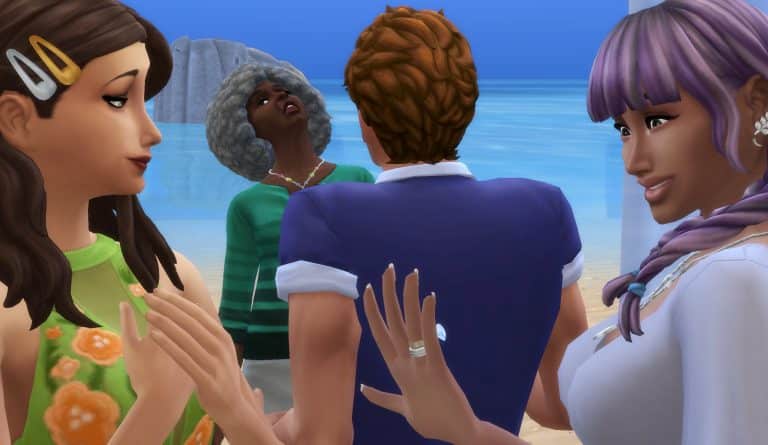
As the wedding continued, Sims started moving their conversations next to the Wedding Arch. I guess the hot gossip between Brent and Dominique was so important that it had to interrupt the entire wedding.

The Sims 4 My Wedding Stories is severely broken

The interactions to send down my assigned Flower Pal and Ring Bearer didn’t work, as those Sims were already so busy having conversations and not paying attention.

The officiant? He never arrived at the Wedding Arch. Instead I had Brent and Dominique’s hot gossip to officiate my couple’s wedding.

The Sims 4 My Wedding Stories is severely broken

Hooray – my Sims are finally married!

The Sims 4 My Wedding Stories is severely broken

I was at least able to do the most important part of the Wedding successfully. How about we celebrate by cutting the cake?

Unfortunately that’s not possible. No matter how many times I would reset my Sims they weren’t able to perform the interaction.

The Sims 4 My Wedding Stories is severely broken

And the guests? They were still heavily involved discussing important things back there. Even after ordering them all to participate in a Toast.

My Sims were at least able to exchange pieces of Cake together.

The Sims 4 My Wedding Stories is severely broken

The Wedding Cake being cut into triggered all of my guests to Grab a Slice and eat. This autonomous decision to eat cake worked, but specifically ordering them to gather by the wedding cake to Have Speeches didn’t.

The Sims 4 My Wedding Stories is severely broken

It was already dark, somewhere around 9PM in-game. My Sims were able to successfully slow dance to misbehaving guests in the background.

The Sims 4 My Wedding Stories is severely broken

The command that orders guests to Throw Rice at my Sim surprisingly worked and each guest followed the command properly. I was surprised to see them listening to my orders for the first time in a while!

The Sims 4 My Wedding Stories is severely broken

I tried to celebrate this euphoric moment with a Spousal Kiss. That too didn’t work unfortunately.

Ordering Sims to celebrate by dancing together was met with plenty of interaction loopholes. Instead, I was successfully able to group 8 Sims together and have them dance.

The Sims 4 My Wedding Stories is severely broken

It’s almost 3AM in-game. The so-called Wedding Ceremony has turned into an episode of Survivor. If there was any justice during this Wedding Ceremony it’s that Dominique who couldn’t stop interrupting my wedding wet herself in the end in front of everyone.

The Sims 4 My Wedding Stories is severely broken


This is the main aspect of The Sims 4 My Wedding Stories and unfortunately it’s severely mismanaged and broken.

Truth be told, this Game Pack shouldn’t have been released in this state where most of the main activities and gameplay features don’t work properly.

Originally I had planned to feature some of the responses from my tweet asking about which Bugs and Issues players have experienced. In the end, the number of hundreds of replies to this Tweet is a decent indicator about the experiences of other players. You can look through similar experiences that people went through in the replies below:

If you play The Sims 4 on PC / Mac you’re already able to get a Mod that solves most of the chaos of guests not listening.

If you play on Console I’m really sorry.

The Sims 4: Message in a Bottle Collection Guide

All you need to know about the new Collection coming with The Sims 4 My Wedding Stories. Spoiler alert: there are spoilers (obviously)

The Sims 4 My Wedding Stories comes with one new collection that can only be acquired in the new world of Tartosa; Messages in a Bottle. Sims can find messages in bottles by digging up small mounds of sand that appear along the beaches in Tartosa. There are a total of 20 messages in bottles to collect and they vary in colour, shape, and size. Each bottle contains a unique message inside. Lore fanatics will enjoy reading all the messages; many of the messages reveal new info about some existing Sims in the game and make references to many classic Sims from past games as well.

The Sims 4: Message in a Bottle Collection Guide
All bottles have an Uncommon rarity and are worth $0 so there’s no point in collecting them to sell; they are best used as decoration for your home or personal museum collection.

Here are all the bottles below, along with their messages. The messages might be considered spoilers to some players so proceed with caution!

[table id=102 /]