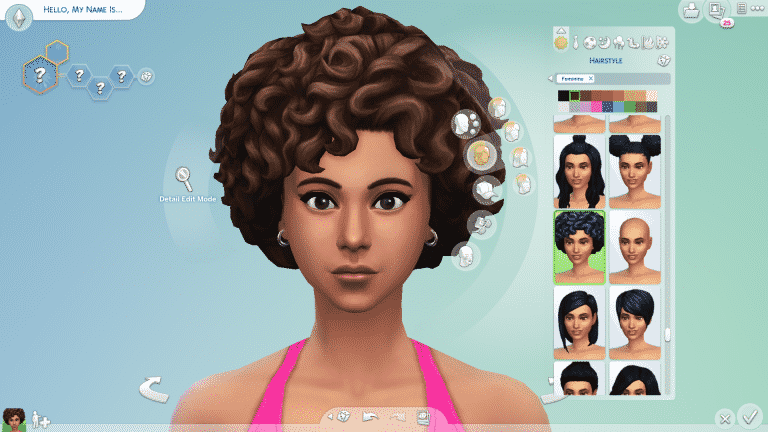
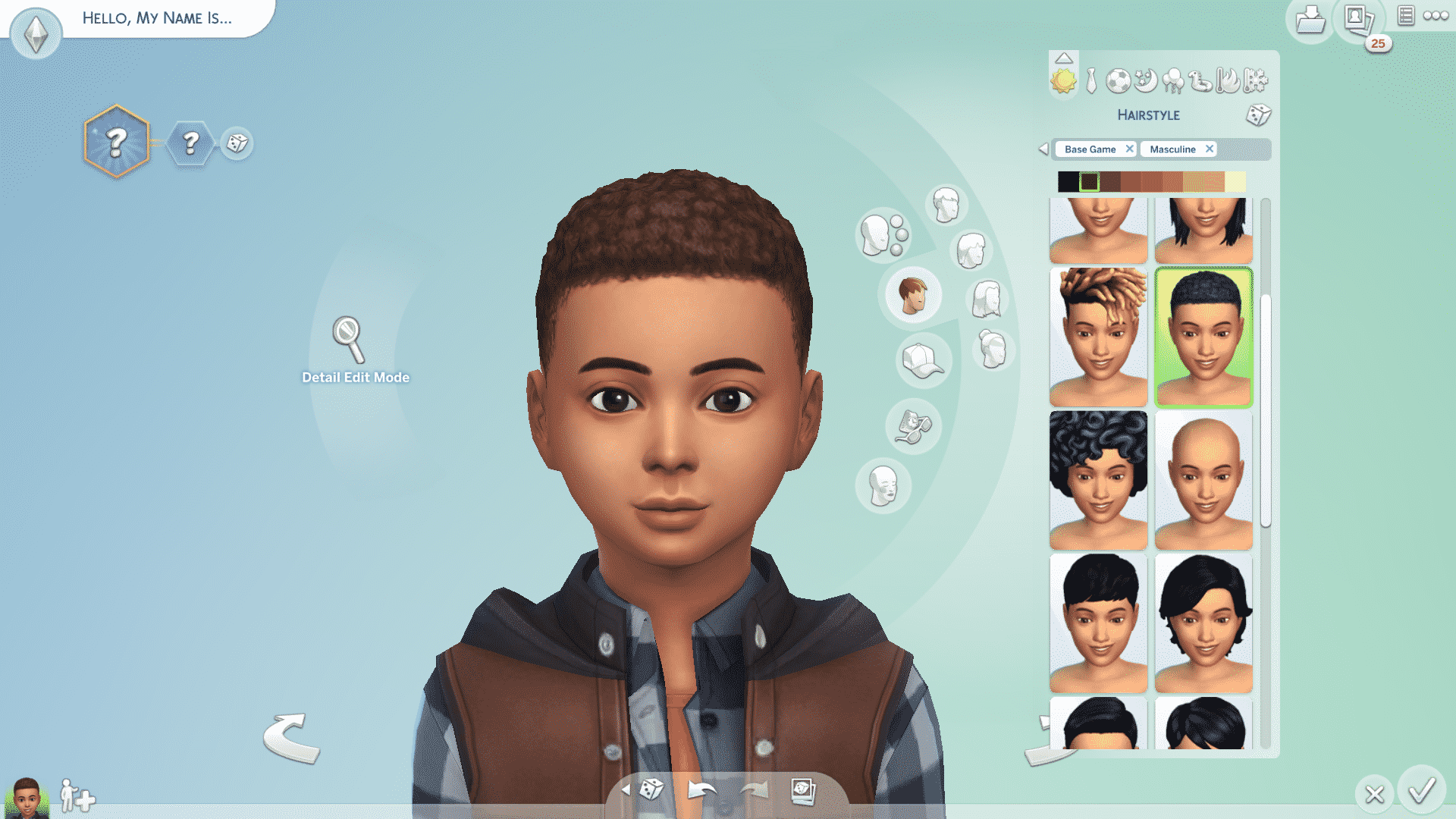
The Sims Team released a small update today, retexturing two more base game African-inspired hairstyles and fixing a few bugs across several packs.
Take a look at the retextured hairstyles below!
TS4 x64 2021 04 27 13 45 28
TS4 x64 2021 04 27 13 46 11
TS4 x64 2021 04 27 13 46 40
TS4 x64 2021 04 27 13 47 00
The tight curls hairstyle has gotten an update for both masculine and feminine Sims, as well as being made available for children and toddlers!
TS4 x64 2021 04 27 13 48 54
TS4 x64 2021 04 27 13 49 03
TS4 x64 2021 04 27 13 49 26
TS4 x64 2021 04 27 13 49 40
The short textured hairstyle has also gotten a texture upgrade.
In addition to the retextured hairstyles, this upgrade brings numerous bug fixes across different packs. You can read more about these in the official patch notes.
The Sims Team has released a brand new update for The Sims 4 on PC, Mac, Xbox One and PS4!
To download the latest version of The Sims 4, simply open your Origin program and if the game doesn’t update automatically, right click on The Sims 4 and select ”Update”.
In case you have Mods or Custom Content, the game will automatically disable them for you after first launching The Sims 4 after the update. To re-enable all your Mods and Custom Content, select the Settings option in the Menu and select Settings. Under the ”Other” section you’ll find the ”Enable Custom Content and Mods” option. Check it and restart your game in order for it to take effect!
Patch Notes
PC: 1.73.48.1030 / Mac: 1.73.48.1230
Console: Version 1.40
Heya Simmers!
Today we bring you a small but neat update, we hope you all enjoy it!
We also hope you are all well wherever you are in the World, and thanks again for all your continued support and feedback.
Chaucitos – Dag Dag!
-SimGuruRusskii
What’s New?
In Create A Sim, we have updated two hairstyles and have converted them to be used with Children and Toddler Sims as well.
First, we have the beautiful pfHair_EF30TightCurls, cfHair_EF30TightCurls, and yfHair_EF30TightCurls as pictured below, including how it would look like if worn on a Male Frame pictured as ymHair_EF30TightCurls.
Then we have pictured below, including how it would look like if worn on a Female Frame pictured as yfHair_ShortTextured.
This author would like to apologize for her terrible photoshop skills in putting these together side by side. Very sorry… much photoshop! Getting better!
Now onto the fixes…
Bug Fixes
Sims 4
Fixed an issue in which in the Gallery Preview pop-ups, Build Mode objects will now appear properly under the “Show Used Items” panel. Accuracy is the best policy… in this case.
We made some edits to some Career and School-related tooltips so they are consistent and clearer for Simmers.
The book cradleObject_GENBook is no longer visible to Simmers, it wasn’t meant to be… it wasn’t a pretty book. We didn’t like doing it!
Some DEBUG pie menu options including some from Discover University and Snowy Escape were translated. We didn’t translate these, well since ever… as they were DEBUG and only accessible with a specific cheat, but we are working on them as we go now. Thanks for your reports and patience!
We discovered that Sims were becoming uncomfortable when Gathering Water… we didn’t really understand why, so we decided to have them not be uncomfortable. Let them feel how they want to feel, I say.
Ghost Sims will now appear as Ghosts in CAS. There were moments that they made us take a second look there, but nope, they are Ghosts and Ghosts they shall display as. I think I saw this as a plot for a movie… Ghosts… a machine, a dance… ANYWAY.
As always this editor and the Localization team made some adjustments and perfected some of the text in-game across all packs and previous updates. #getit
Get Together
Social Panel will no longer default to the incorrect tab. What tab was I on? Now I will always know.
City Living
Vegetarian Sims will no longer mistakenly eat non-vegetarian leftovers from the refrigerator. Not funny guys!
Fixed an issue that didn’t let the DigiRAD Keyboard make a sound when choosing Keyboard Auto Play.
Cats and Dogs
Listen, I think every species – well everyone, has the right to find love. But we did have to fix an issue with Female Cats going into Heat despite being Spayed. Even so, I hope my lovely Spayed Female Felines will still find love out there.
Seasons
Oh the rain, such a poetic moment from nature. Sitting cozied up with a blanket and a cup of coffee watching the world go by with the melodious sound of the raindrops falling lightly on the ground… wait… is that a Sim showering outside? Yes indeed! Showering in the Rain is possible in Light Rain conditions.
Similarly, Shower in the Rain has been fixed for Simmers who have installed Eco Lifestyle, making the most of every resource available!
All soaps used are biodegradable – we promise!
Fish Dinner will now be counted for completing Grand Meal Holiday Events.
Snowy Escape
Create A Sim asset yfBody_EP10CoatDenim will no longer create an issue with all knee-high boots. Though those boots were made for walking, the dress needs to look fabulous too. My opinion, allegedly.
Child Sims will no longer get the Unblessed sentiment after getting Blessed at the Youth Festival. Children should only get the Unblessed sentiment if they ask Yamachan about a Voidcritter Hunt and also avoid getting the Blessing of Youth from an Adult Sim as well. #Blessed
Extreme Sports enthusiasts will now be able to complete High-Intensity Skiing or Snowboarding on Intermediate or Expert Slopes. Good luck!
Recipes from this pack will now appear when unlocking Gourmet Cooking Skill Levels. Particularly Levels 3 and 5. Yum.
Sims will no longer freeze when performing interactions from a computer in Mt. Komorebi, specifically 2-4-2 Wakabamori. I think I saw this in a movie once… but… had a less “happy ending.
Discover University
Fixed an issue in which the icon for the trait Mental Magister appeared to be a Placeholder icon. Or was it?
Progressing in the Law Career will now unlock Promotions appropriately. Keep up the good work!
Eco Lifestyle
Fixed an issue in which the icon for the Making with a Mentor Moodlet was not showing the correct icon.
Eco Lifestyle-specific Traits are now added to the Clubs choices if Simmers have Get Together installed.
Collecting Beetle Nuggets will now be possible when Beetles are ready. Bon Appetit.
Outdoor Retreat
Veggie Dogs and Hot Dogs will be able to be roasted in Campfires once again. Iconic.
Vampires
Is your Vampire Sim tired of drinking the same old regular Plasma? Are they drinking it to the point that they can no longer tell if it is Plasma anymore? Ugh, such a hard diet, right? I can relate…ahem… Vampire Sims will now enjoy a more varied diet of Fish, Frog, and yes… Regular Plasma when left to their own devices.
Tiny Living
Tiny Homes will no longer magically get clean and have Dust Bunnies disappear (if Simmers own Bust the Dust) when Sims travel or Simmers reload the game. Man, I wish my apartment would magically get clean like that though.
Nifty Knitting
Fixed an issue in which the expiration timer for items listed on Plopsy was not appearing.
Paranormal
Haunted House Residential Lots will now enjoy the presence of Dust Bunnies and Fiends if Simmers also have Bust the Dust. Dust Bunny goes Boooooo.
Bust the Dust
Your Sims had a lot of things to do today, but you know what they did instead? They Vacuumed the Lot. It was a really good clean. Cooking? Vacuumed the Lot. That Gig? Vacuumed the Lot. What about those push ups? Vacuumed the Lot. Reading? Vacuumed the Lot. Looking at this bug? We made time for that. The end of this bug? Released with this Patch. Sims will no longer randomly drop their queued tasks for Vacuuming.
It seems the Sim Gurus are back at it with their cryptic tweets and the whole fandom knows what that means. New content! In the past, the Sim Gurus have taken to Twitter to tease upcoming content with vague tweets that hint at new packs. Yesterday, SimGuruGeorge and SimGuruFrost did just that.
SimGuruGeorge initially tweeted out a seemingly routine tweet, asking players if they can only play in one world for the whole weekend, which world would they pick? Pretty standard stuff, right?
Well, maybe not. SimGuruFrost replied to SimGuruGeorge’s comment with “I choose [REDACTED].” Interesting but he could have just been talking about StrangerVille. After all, the Sim Gurus did make a series of tweets around this theme of secrecy back before the official announcement for the StrangerVille game pack was made.
However, SimGuruGeorge’s response makes us think this is something more.
You know that [REDACTED] only works if you are playing with [REDACTED] sims and the new [REDACTED].
This of course has players speculating on what exactly this “new” mechanic could be. We know the first [REDACTED] in SimGuruGeorge’s tweet is a world based on the context of the tweets but the rest of the tweet is somewhat of a mystery.
The only thing we can predict is that some kind of new content is most likely on the horizon and we can’t wait to see what it is!
What do you think SimGuruGeorge was talking about? Leave a comment or come chat with us on social media!
The Sims Team has published the second Laundry List for The Sims 4. The laundry list addresses some of the most important bugs and issues in the game that the community have reported and that the team has prioritized to fix in time for the next game update.
Welcome to the Laundry List where we’ll share a list of the top community concerns that we’re currently investigating and hope to have resolved in the upcoming patch.
These concerns were reported by players who help us continue our work of improving the user experience on a regular basis.
Please note that some topics can be tricky and require an extended investigation on our end, so even though we are actively investigating it’s not a guarantee that we’ll have an immediate fix for it in the upcoming patch.
Also note that this is just a list of the “top” concerns. There are more topics that we saw reported by players that are not listed and being worked on.
So, without further ado, here is a list of the top community concerns we’re currently investigating:
Thanks for all your patience and valuable help! Please continue telling us about any issues you’re experiencing on Answers HQ, we’ll continue to work on improving our transparency, and together we can make this game the best that it can be. Happy Simming!
Each month, EA has chosen one of its many studios to spotlight over on Twitter and this month is none other than Maxis! As many of us know, Maxis is a studio full of numerous passionate people and The Sims Team is no exception to that.
The tweet from EA also includes messages from SimGuruLyndsay as well as Development Director Seema Moorjani.
EyY c3HU4AEaFgP
EyY c3mVcAAdOyx
However, there’s more. There are also listings for six vacancies at Maxis mentioned in the tweet. There appears to be a variety of job titles being filled, which could mean some exciting future content for The Sims series; however, this is not necessarily proof of any upcoming content beyond what The Sims Team has already shared with us.
You can read more about the current vacancies here.
Let us know what you think of the new vacancies in the comments below.
The Sims 4 is having a huge Origin sale right now! The base game and all expansions, game packs, and stuff packs are currently discounted in price. See the savings below!
Have you ever wondered how do voice actors find their way around to some of the words and catchphrases in The Sims? Sure, some of the words in this made-up language, or Simlish as we all know, are entirely nonsensical, but there are a lot of words and phrases in Simlish that actually have a meaning.
You’ve probably noticed that there are a few phrases in the game that logically repeat. If your Sims are interacting and socializing with a baby they’ll refer to them as “NooBoo”, if they’re greeting their friend they’ll say “Sul Sul” and if they simply want to count to three they’ll say “Mik, Mak, Maka”. In fact there is an entire fanmade blog called Simlish Dictionary that managed to catch some of these phrases and find an actual meaning to them, you can check out the preview to some of the words and their meaning below:
However this fanmade dictionary only has a few phrases and words that actually have a logical translation to them. The real, official Simlish Dictionary exists at this very moment but it’s only available to Voice Actors for The Sims 4.
Luckily enough Krizia Bajos, one of the Voice Actors for The Sims 4 who is giving the voice for the Lilit Voice Type has shared some interesting facts and previews of what goes on behind Simlish, as well as her official Simlish dictionary.
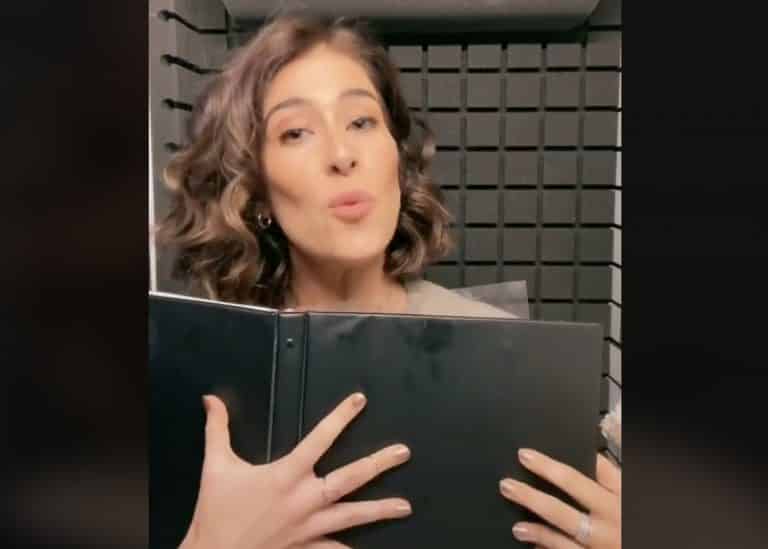
She showcased this Simlish Dictionary in one of her first Sims TikToks after doing a Simlish Voiceover Challenge:
This Simlish Word Bible is full of pages and pages of official Simlish phrases. Unfortunately as she explained in the TikTok below the full dictionary is only for her private use. The book is a collection of all the phrases and meanings she gathered over the course of the last 9 years during which The Sims 4 has been constantly in development. As she explained to us in an Instagram comment:
I dunno about “official” but I have put this little black book together during the almost NINE (!) years of working on the game. I believe I’m the only one who has this … since I created it 🙂
This talented Voice Actor did however share a lot of cool meanings and words on her TikTok. For example she sang an entire Happy Birthday song in Simlish without even having to think twice about what the translation to Simlish is!
Krizia also just recently started her mini-series on TikTok, the Simlish Lessons, explaining some of the Simlish phrases and meanings in detail that you can check out below:
We can expect more fun facts and tidbits for Simlish from Krizia Bajos so make sure you give her a follow on TikTok!
The community is always full of bright, talented ideas when it comes to Custom Content and Mods for The Sims 4 and Sixam CC creator is no exception!
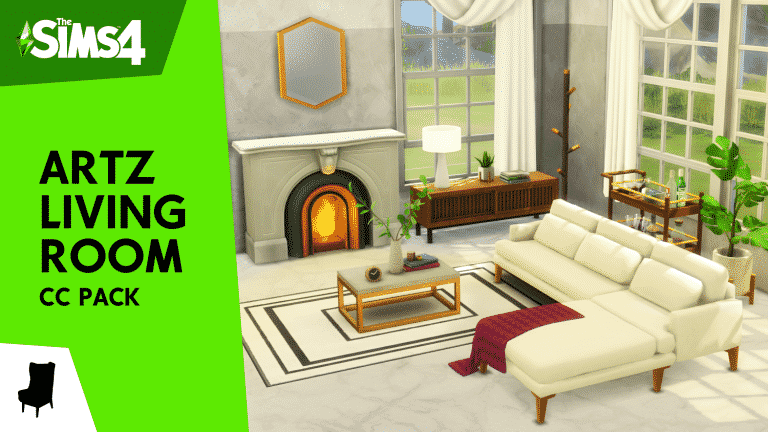
Last month they’ve announced their latest Custom Content Stuff Pack called Artz Living Room which was available for all the Patreon supporters. Today that Custom Content Stuff Pack is available for everyone for free!
This CC Stuff Pack consists of 36 unique objects that are designed for Living Room areas. There are objects such as an art deco fireplace, a sectional sofa, new furniture and decor and so much more! Oh, there’s also a special object for all of those who own The Sims 4 Vintage Glamour Stuff Pack – the bar cart!
You can check out some of the previews of this amazing set below:
PORTADA 4 e1616783420903
PORTADA 2 e1616783430753
PORTADA 3 e1616783443491
PORTADA 5
Installing this set is simple – simply paste the downloaded .package file to Electronic Arts > The Sims 4 > Mods folder and ensure you have Mods and CC enabled in your game options.
You can download this set by clicking the download button below! The link to the Google Drive link is on the bottom of the Patreon page.
Do you feel like there should be more utilization of all that space you get with the new Bunk Beds in The Sims 4? We do so too!
Although SimGurus have teased that the Bunk Beds that we have as of now are currently just a “first iteration” and that we can expect more, there are already some cool Mod Addons for Bunk Beds created by Nando that you can get for your Sims right away!
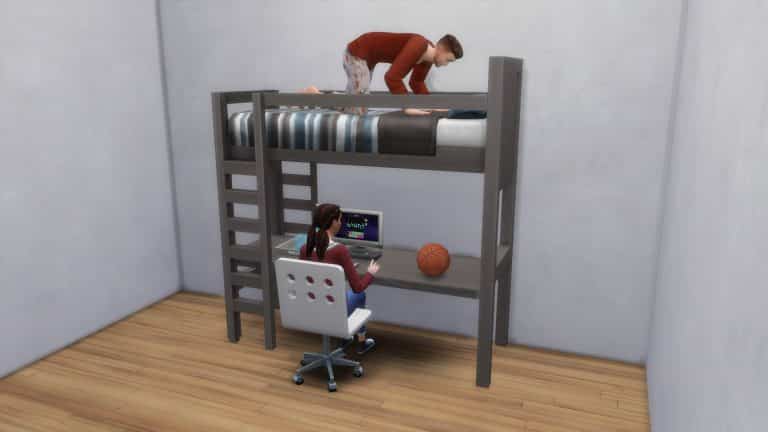
The first Custom Addon is a simple yet functional attachment desk that you can place down on the loft beds. As of now you aren’t really able to place a study table, a chair and a computer and have it all functional with the loft beds but this Custom Version easily lets you have all that!
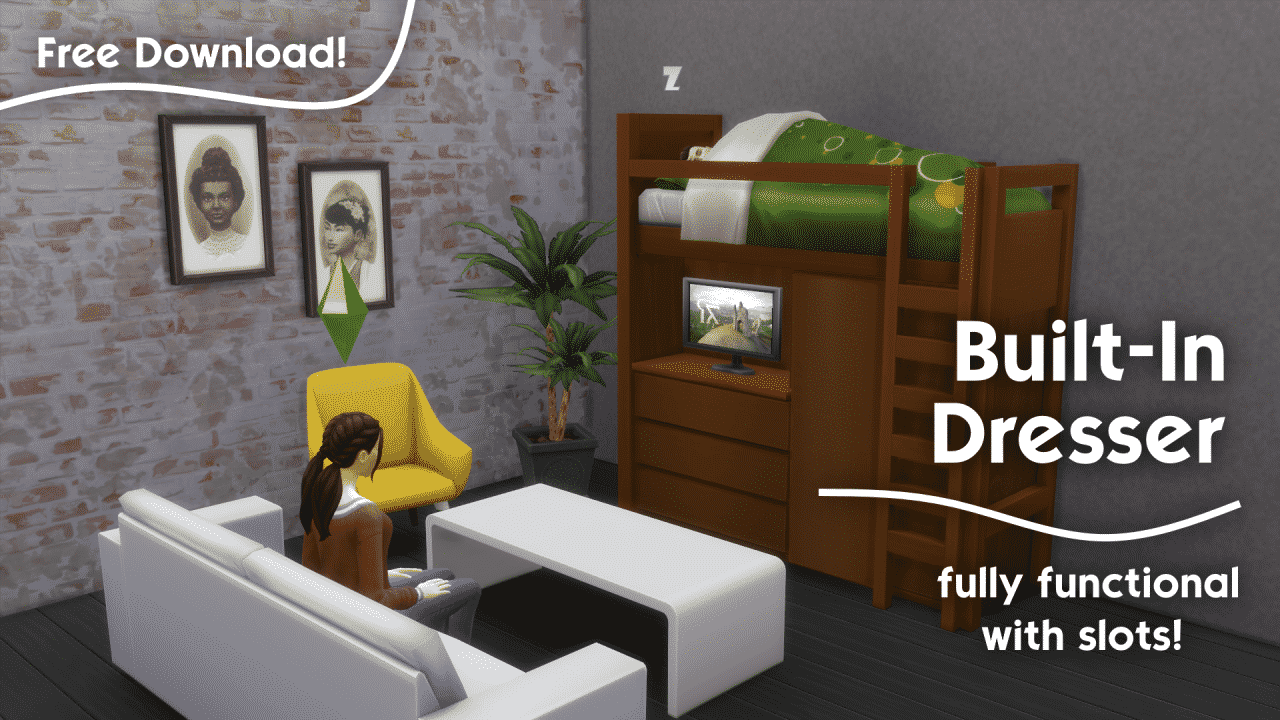
The second addon lets you place down a dresser inside of the loft bed and you’ve guessed it – it’s also completely functional! Check out the preview below of this great combo – you can even place a TV on top of the Dresser!
Both of these awesome Custom Addons are available right now on Nando’s Patreon Page right away! You can download them by clicking the download button below:
Simply select the .package files of your choice and place them in the Electronic Arts > The Sims 4 > Mods folder and ensure Custom Content and Mods are enabled in your Game Options.
In the past it would take a bit for your Sims in The Sims 4 to fulfill their needs but with the latest update some of the everyday activities have gotten a lot faster!
Two specific needs have gotten a much faster boost: Hunger and Hygiene. Specifically activities revolving around fulfilling these needs will now fill these two need bars at a much, much faster rate.
SimGuruBat explained in the livestream that previously that a part of the reason why this change was introduced was because Sims would usually take more time to fulfill these needs and usually miss out on their activities, such as going to work.
Thanks to the new update you will have a lot less worries about missing out on your work shift or school!
During yesterday’s Inside Maxis official livestream the SimGurus got a chance to showcase new features that were released yesterday for The Sims 4. The catch was that the developers were showcasing these new features on a newer build where they accidentally showcased features such as new Hair Colors and a mysterious new Trait Slot.
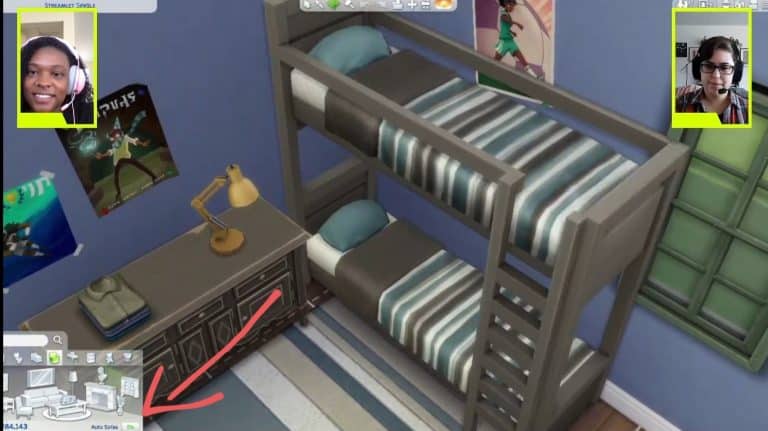
However, it seems they didn’t just accidentally showcase these new CAS Features coming soon. Twitter user @ThisIsCoen pointed out a mysterious new “Sofa Feature” that the developers revealed in Build Mode.
As you can see in the screenshot below there’s a brand new “Auto-Sofa” option on the bottom right of the Build User Interface which showed up in the Living Room Category. Take a look:
This “auto” option is currently available for Kitchen Counter placements which lets you place modular counters that adapt to each corner automatically. There’s also an option as of yesterday in the Bedroom Category called “Auto Bunk Beds” which, when turned on, automatically hides the ladders from the second side when placed next to a wall.
Some players are speculating that the “Auto Sofa” feature option could mark the return of sectional sofa and perhaps some other modular possibilities with placement. We won’t know for sure though until The Sims Team releases official information so stay tuned!
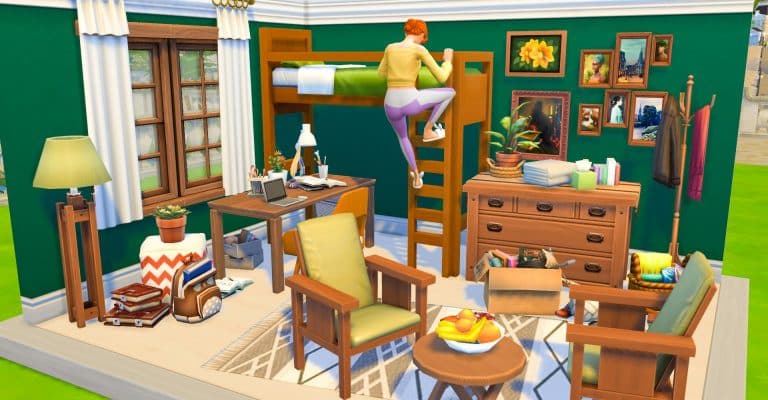
It may have taken a while for them to be introduced to the game but bunk beds are now in The Sims 4! Yesterday SnarkyWitch shared an overview to the latest additions and since then, the community has been busy creating a variety of rooms using the new bunk beds. You can take a look at the bunk beds overview article here!
It became clear pretty early on that while you couldn’t simply just place objects under either of the Top Bunk only options, with a little help from the Move Objects On cheat, it made it possible to customize them even more. While many players were disappointed initially that there were some restrictions with using bunk beds, a tweet from SimGuruNinja confirmed that these bunk beds were merely the first iteration which leads us to believe that we will see more bunk beds with improved functionality and customization options in the future.
For this first iteration of Bunk Beds, placement of other objects beyond single beds will not be supported. But for those of you who want to experiment, we’re excited to see what kind of creative things you come up with from leveraging the MOO cheat! (from patch notes)
What is also interesting is that a number of members who are experienced with looking at the game code and modding have discovered that the bunk beds actually do have coding to allow other objects to be placed under them. Hopefully it won’t be too long before we see these as normal customization options for bunk beds.
The slots for what’s going to be slottable under the bunk beds are already there, so they are working on it, I’m positive it’s going to be very soon #TheSims4pic.twitter.com/u6ICBwuP49
— LittleDica (Sometimes NSFW) (@littledica) March 24, 2021
Now, as I mentioned at the start of this article, the community has been busy creating some brilliant and unique rooms with bunk beds. Here are some of the ones that have been shared with us so far!
“Fully functional!” – StephanyedYT
“Here’s one that I built for an Instagram Reel!” – ChrissieYT
Simmers even took on adding multiple bunk beds together to open up even more building possibilities!
“Just popped this on the gallery ID: dottydot89. Fully functional bunk beds in a split level bedroom made for triplets. Lots to do and so much fun to be had in the bedroom for three :)” – DottyDot89
DrGluon was another who took bunk beds to the extreme!
“I’m Loving these new Beds!! #breezy#whataview” – Drgluon
And there is definitely some unique ideas when it comes to utilizing the space under the Top bunk with as this interesting concept from SimMattically shows!
Finally SimmyTara shared ten ways to use the new bunk beds in their latest video!
There are endless possibilities when it comes to building with bunk beds and with these being just the first iteration of them, it makes you wonder what else could be possible in the future!
Let us know what you think about bunk beds below in the comments!
Today’s patch for The Sims 4 on PC, Mac and Console brought a number of improvements to seventeen of the traits that come as part of the base game.
The improvements for these traits focus on making their gameplay aspect more meaningful with clearer visual cues as well as more accurate and unique behaviours.
So, which traits have been improved?
Bookworm
Cheerful
Clumsy
Genius
Gloomy
Glutton
Goofball
Hates Children
Hot-Headed
Jealous
Mean
Neat
Noncommittal
Perfectionist
As well as the fifteen traits mentioned above, the Slob and Ambitious traits have also received some reactionary updates. You’ll also notice that some daily tasks like taking a shower and eating a meal will now take less time to complete.
But what do these improvements look like in-game?
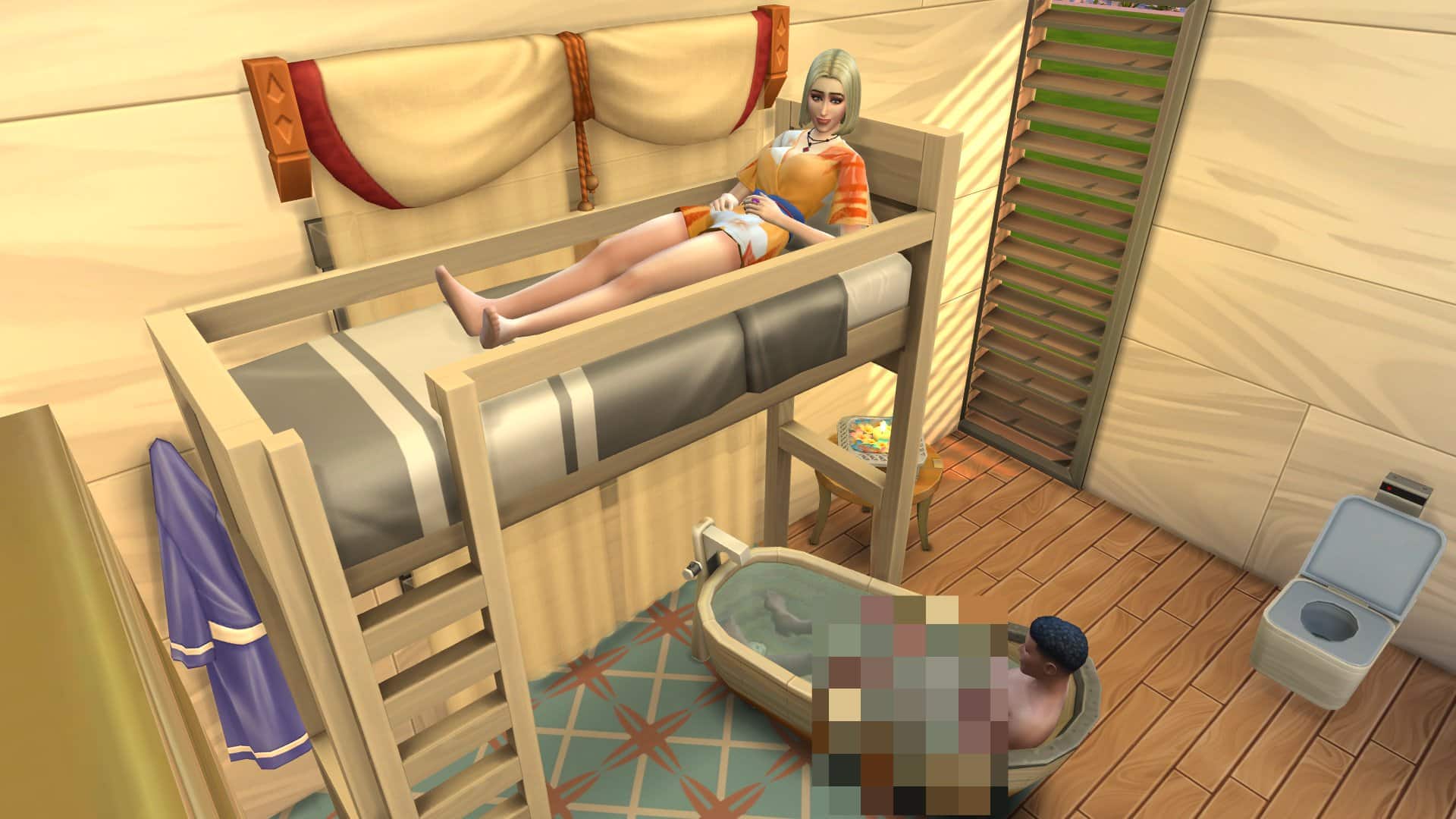
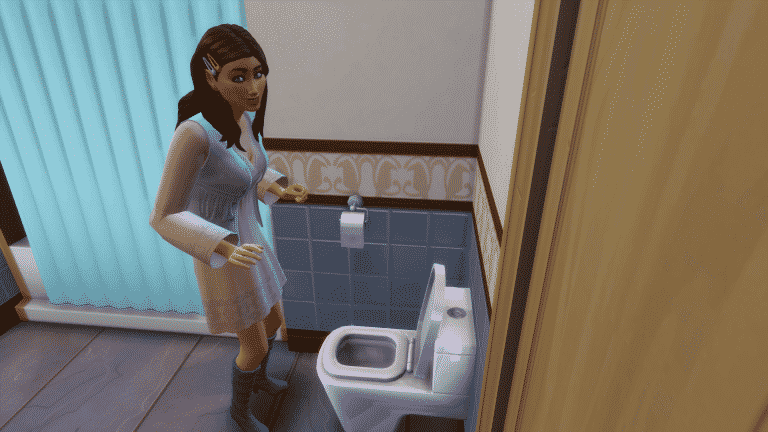
There’s a variety of ways that these improvements show in game. For example, if you have a Sim with the Goofball trait, you will now find that they will prank the toilet without being prompted. You might also find that a Cheerful Sim will be given the Cheered to Death moodlet when they start to get tense. Clumsy Sims have been known to fall from the top bunk more often and Sims with the Bookworm trait will gain an inspired moodlet when they are browsing quickly through books.
It’s still early to tell just how many improvements have been made for each of the traits however, over on The Sims Forums and on Twitter, many users have been sharing the changes they have noticed in-game so far.
What are some of the trait improvements you have discovered since today’s update? Let us know in the comments below!
A while back, The Sims Team teased bunk beds coming to the game in late March. Today, the update that brings us bunk beds has finally arrived after seven long years of waiting for this highly requested feature.
Let’s dive right into all the ways the new bunk beds can be used!
Build/Buy Information
There are four variants of bunk beds in the Build/Buy catalogue; one loft and one bunk in two separate styles each.
Although the bunks appear to be a separate object, they are actually the same object as the loft style beds. The bottom beds can be pulled out and swapped with other beds and a limited number of one tile objects. Both single beds and toddler beds can be snapped into the bottom bunk slot. The only single beds and toddler beds that don’t snap into the bottom bunk slot are the ones with canopies, so the Parenthood canopy single bed and the Eco Lifestyle toddler bed are not compatible with this feature.
Below are the object descriptions and prices of each catalogue entry:
TS4 x64 2021 03 23 17 16 22
TS4 x64 2021 03 23 17 16 25 2
TS4 x64 2021 03 23 17 16 28
TS4 x64 2021 03 23 17 16 30 2
In-Game Functionality
You’ll notice that the functionality of bunk beds appears to be rather limited without the use of cheats; only single beds and toddler beds can be slotted underneath without using any cheats, making the loft style beds kind of… pointless?
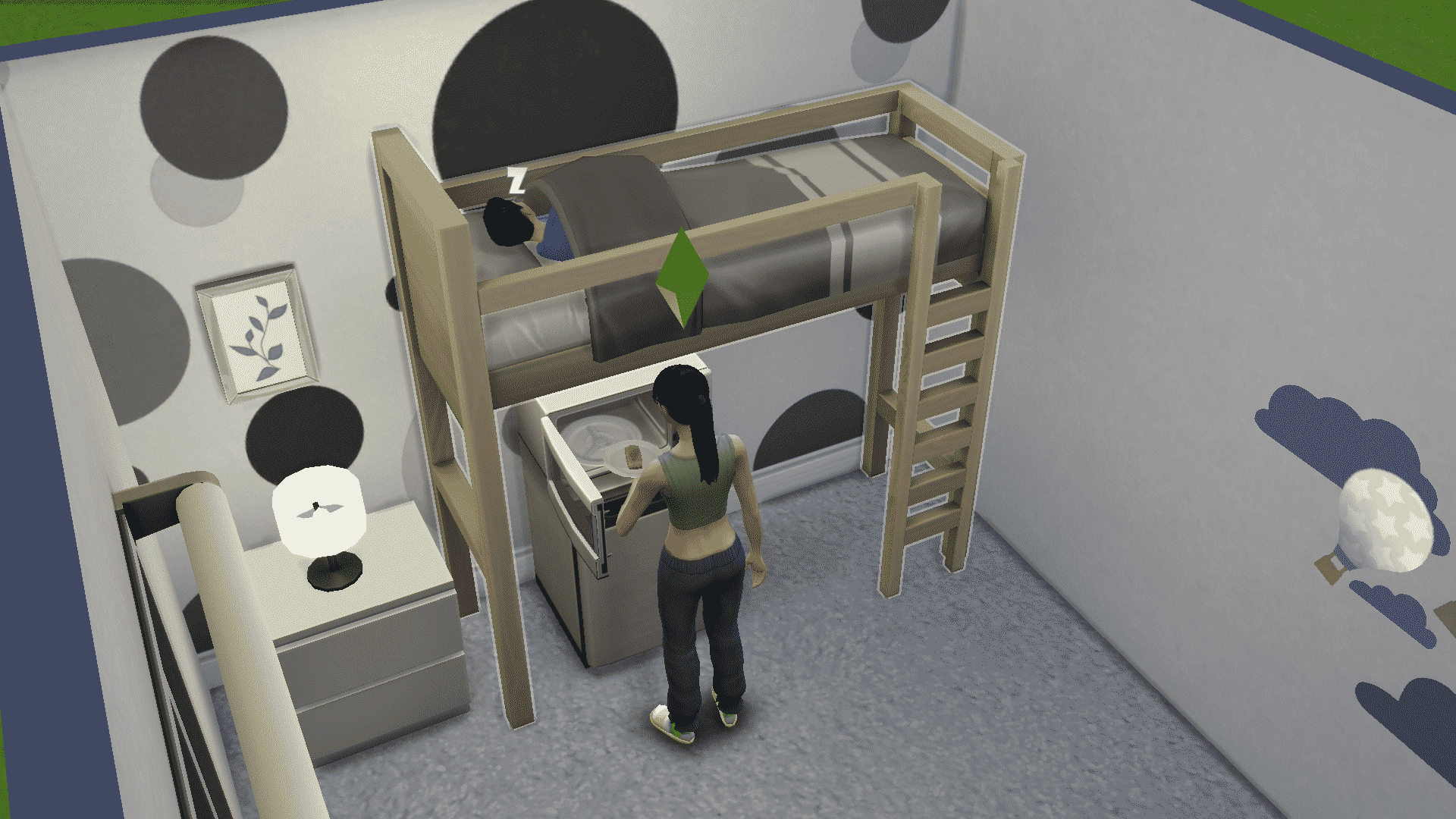
However, with the use of the cheat bb.moveobjects on, some additional items can be placed underneath the top bunk while retaining functionality. Almost any single-tile object and objects that have been sized down to be single-tile can be placed under the top bunk farthest away from the ladder. We tested various objects, such as single-tile desks and dressers, toy boxes, sized down dollhouses, stuffed animals, some short single-tile bookcases, and even mini-fridges with microwaves on top. All of these items remain completely functional and the top bunk can still be used by a Sim.
Children and older Sims can use the top bunks. Toddlers cannot use the top bunks but can sleep in a toddler bed slotted into the bottom frame.
In-Game Limitations
While the new bunk beds can be used in some different ways, they do still have quite a few limitations. The space next to the ladder in the centre of the bed has to be completely clear, otherwise Sims will not be able to use the top bunk. This of course does not apply to the single and toddler beds that snap into the bottom frame but everything else is subject to this drawback. This immediately eliminates the majority of items in the game that a player might want to place underneath a loft bed, like two-tile dressers, desks, and even double beds. If it has a two-tile footprint, it will not work with the loft bed above, no matter what you do.
As an example of a setup that sadly does not work, Sims can get into the double bed on the bottom in the picture below from both sides; however, the top bunk is not functional even though the ladder looks like it should be clear. This is quite a disappointment to players who were hoping for a little more versatility with these new bunk beds than what we currently have.
Still, there is hope! SimGuruNinja addressed these concerns from players today in a tweet, mentioning that this is only the first iteration of bunk beds to be added to the game. This implies that there will be more coming in the future and that perhaps they will have a wider range of functionality than the ones added to the game today.
For this first iteration of Bunk Beds, placement of other objects beyond single beds will not be supported. But for those of you who want to experiment, we’re excited to see what kind of creative things you come up with from leveraging the MOO cheat! (from patch notes)