The Sims Team has published a brand new blog post, revealing some of the exciting new features coming with their upcoming The Sims 4 Community Stuff Pack!
Hello, Simmers! I hope everyone is doing all right in these crazy times. Just stay indoors and stay safe—and maybe play some video games?!
As you are all hopefully aware, our next Community Voted Stuff Pack* is centered around knitting! Sims will be able to kick back, turn on some tunes, and start stitching to their heart’s content. Knit a plushie! Knit a hat! Knit a mailbox? If you’re into that, I guess, we don’t judge. Knitting provides all sorts of creative avenues for your Sims.
I am the lead designer on this pack, and today, I’d like to talk about some of the gameplay that will be included with this Stuff Pack and give some insight into what’s going on in early development.
Create-A-Sim Improvements
One of the cool things we’re adding to this pack is the chance to knit your own clothing. Sims will have the ability to unlock exclusive knitted clothing in CAS, making it available for everyone in their household to wear.
I felt like this was a very important system for knitting, perhaps the most important! While it may sound like a no-brainer, keep in mind that most clothing in The Sims™ 4 is readily available for all Sims to wear.
So, our idea was to create a new UI that displays locked Create-A-Sim clothing items. This way you’ll be able to view things like knitted sweaters and socks (yes, socks!) before knitting them. This will also show you everything your Sim can aspire to create! Knitted clothing needs to be special, not just something every townie wears (I’m looking at you, Eyeball Ring).
To better illustrate what I mean, I provided some UX mock-ups below. What is a UX mock-up? I’m glad you asked! Early in the design phase—after the design is written, but before it is finalized—our user experience designer (whose job is to design UI, among other things) reviews the design and creates imagery illustrating how the feature will look in-game. We can then review this as a team and make changes until we’re happy. Then, when the engineers and the UI artists implement the feature, they know exactly what it should look like. Pretty cool, huh?
Let’s Rock
Next, let’s talk about Rocking Chairs! For a pack about knitting, it just felt right.
Rocking chairs will mostly function like regular chairs, but with a few added twists! Sims will be able to do things like talk, watch TV, listen to music, read books, and knit while on a rocking chair. If it works while sitting, we’ll try to make it work while rocking.
Now let’s talk about Elders. We’d like Elders to have some unique gameplay with rocking chairs, so we’re including a special interaction on rocking chairs called Reminisce, where Elder Sims think back to their days of yore and recall something nice—or maybe not so nice. Maybe something super embarrassing that they buried deep, deep down? Who knows? (I know… but you’ll have to wait until the pack comes out to find out!)
What else does the rocking chair do? Lots of stuff! But I can’t reveal everything just yet.
Plopsy
Also in this pack is a cool feature called Plopsy. Yes, Plopsy.
What is Plopsy? It’s an online store where Sims can sell their crafted art! This store isn’t tied to a career or a gig, so if you wanna make a little art money on the side, Plopsy is here for you.
Being able to sell your knitted items online felt like a really strong feature for this pack, and we weren’t sure if just dragging an object into the Sell button was gonna cut it. With Plopsy, Sims will be able to list their objects online for a small fee in hopes that an internet stranger will buy it. Once a buyer is found, Sims will need to ship the object themselves by routing to the mailbox. Or they can ignore someone’s offer, and try for a better deal.
Not only can knitted objects be listed on Plopsy, but so can things like Paintings and Woodworking sculptures too! I’m hoping to include as many things as possible that make sense for a store like this. Whichever item you choose to sell, you should hopefully make more of a profit with Plopsy than selling things the old-fashioned way.
Your Sim can also purchase things from Plopsy! If you don’t feel like knitting a hat, maybe someone has one for sale. Listings update throughout the day, so you can keep checking back in search of the perfect item.
Plopsy is still hot off the presses, so I don’t have any screenshots to share. But for now, please enjoy this potential Plopsy logo!
Last but Not Least…
Thanks to everyone who voted in our surveys and took the time to answer my community questions on The Sims 4 forums. Your feedback helps! You guys are amazing! And again, keep in mind all things mentioned here are still in early development and are subject to change, yadda, yadda, yadda (sorry, I need to say it).
While I can’t share everything about our latest Stuff Pack yet, I at least hope you found these sneak previews interesting!
The Sims 4’s latest update has fixed a few things and added a slight change to the Main Menu. I was looking around the Main Menu to see what the slight changes were, but as a player who has all The Sims 4 content I didn’t notice any “small visual and functional improvements to the Main Menu” – as the team stated in the Patch Notes. Turns out, the change that they’ve made were done only for players who don’t own certain packs.
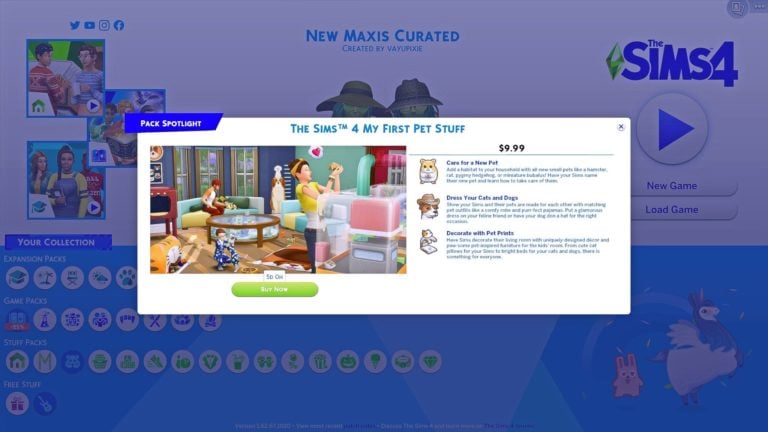
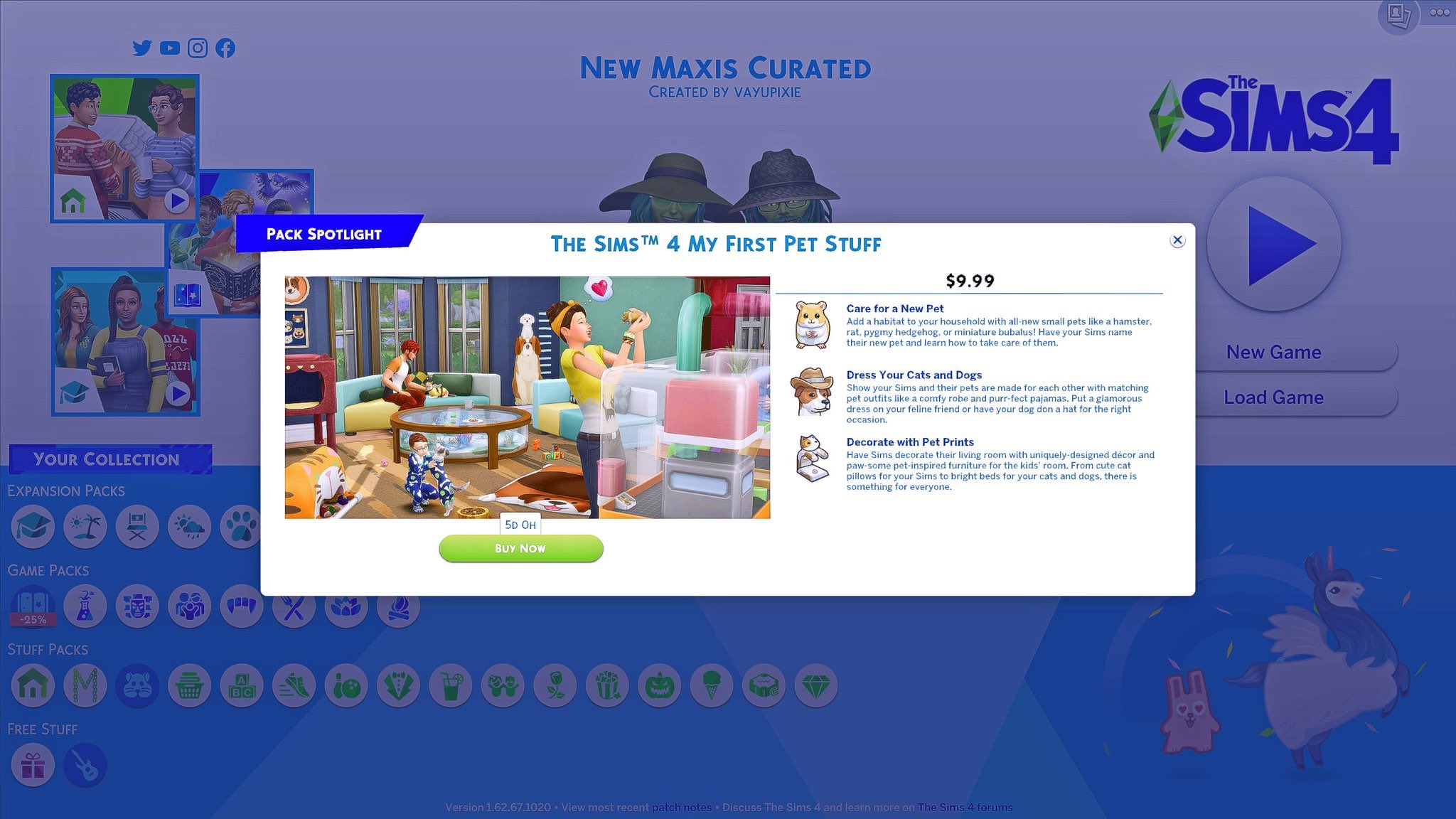
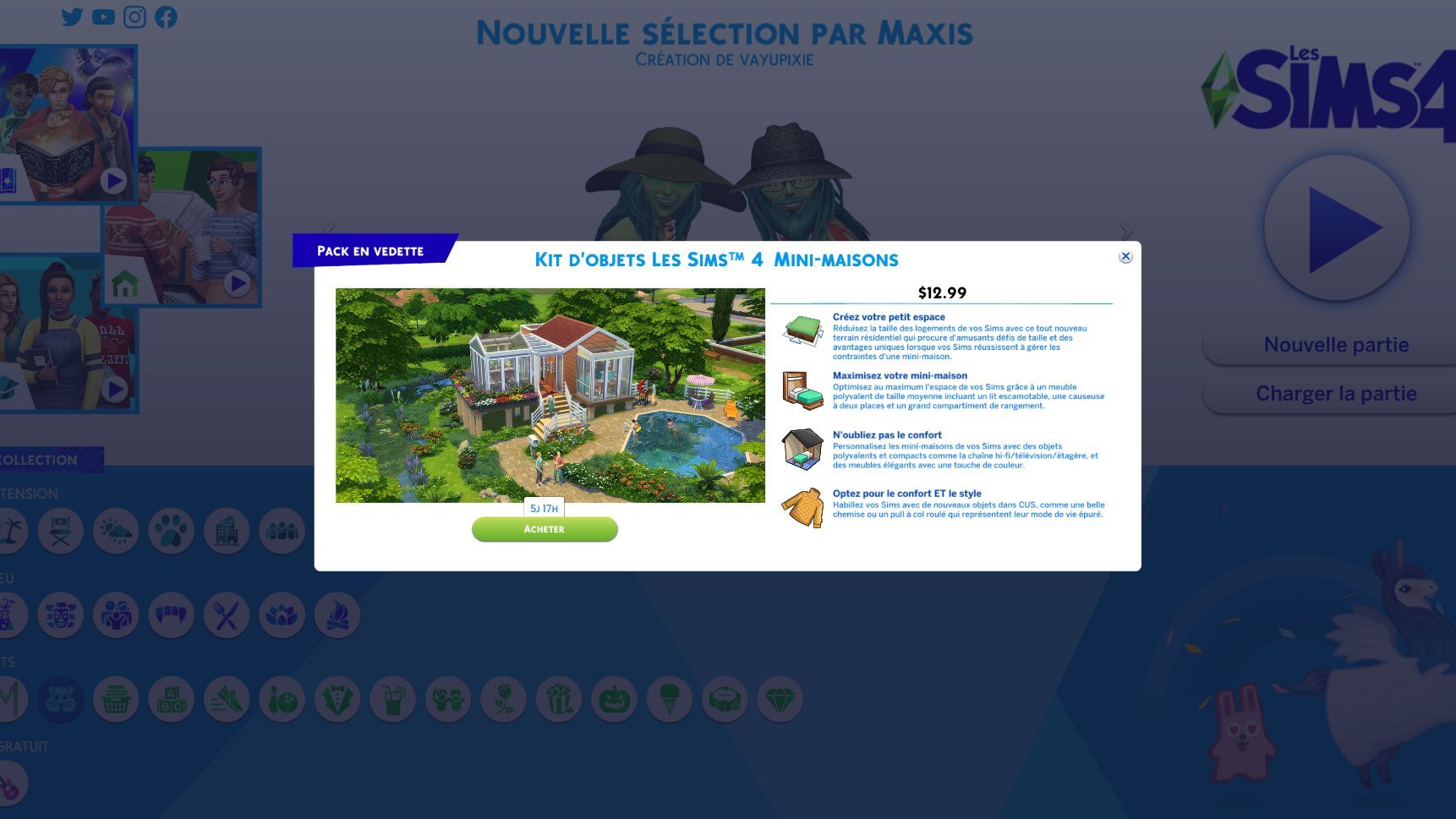
If you’re a player who doesn’t have, let’s say, My First Pet Stuff Pack, you’ll probably be getting a “Pack Spotlight” prompt screen the moment you load up the Main Menu. It doesn’t feature anything new in particular nor does it give you an extra in-game discount or anything – it’s just there to remind you that you don’t own that pack and that you might be interested in getting it.
Although it’s not made clear which packs are being recommended to which players, I’m guessing that these Pack spotlights will feature randomly selected Packs from the collection of Packs that a certain player doesn’t own yet. It’s also not known how often these Pack Spotlights will be popping out every time you open up the Main Menu but hopefully it’s not too often as this new system already seems a little bit…intrusive.
The Sims Team has published a brand new blog post talking about creating objects from a simple concept to a full 3D model for the upcoming The Sims 4 Stuff Pack, whose theme, gameplay and items have been picked out by the community.
Check out what they’ve shared!
Okay, so you’ve all voted on some objects for The Sims™ 4’s new Community Voted Stuff Pack. Cool. Now what? What happens next? Well, let’s go through the concept art process to see how the initial images you voted upon are going to get additional conceptualization and fleshing out, as well as what exactly that entails. Here we go…
Final Selection
This is an example of one of the objects the community voted on. At this stage, you can see we give it just enough detail to get the idea across. When an object like this is selected by the Art Director—or, in this case, you—it moves onto the next stage of concepting.
Polish Phase
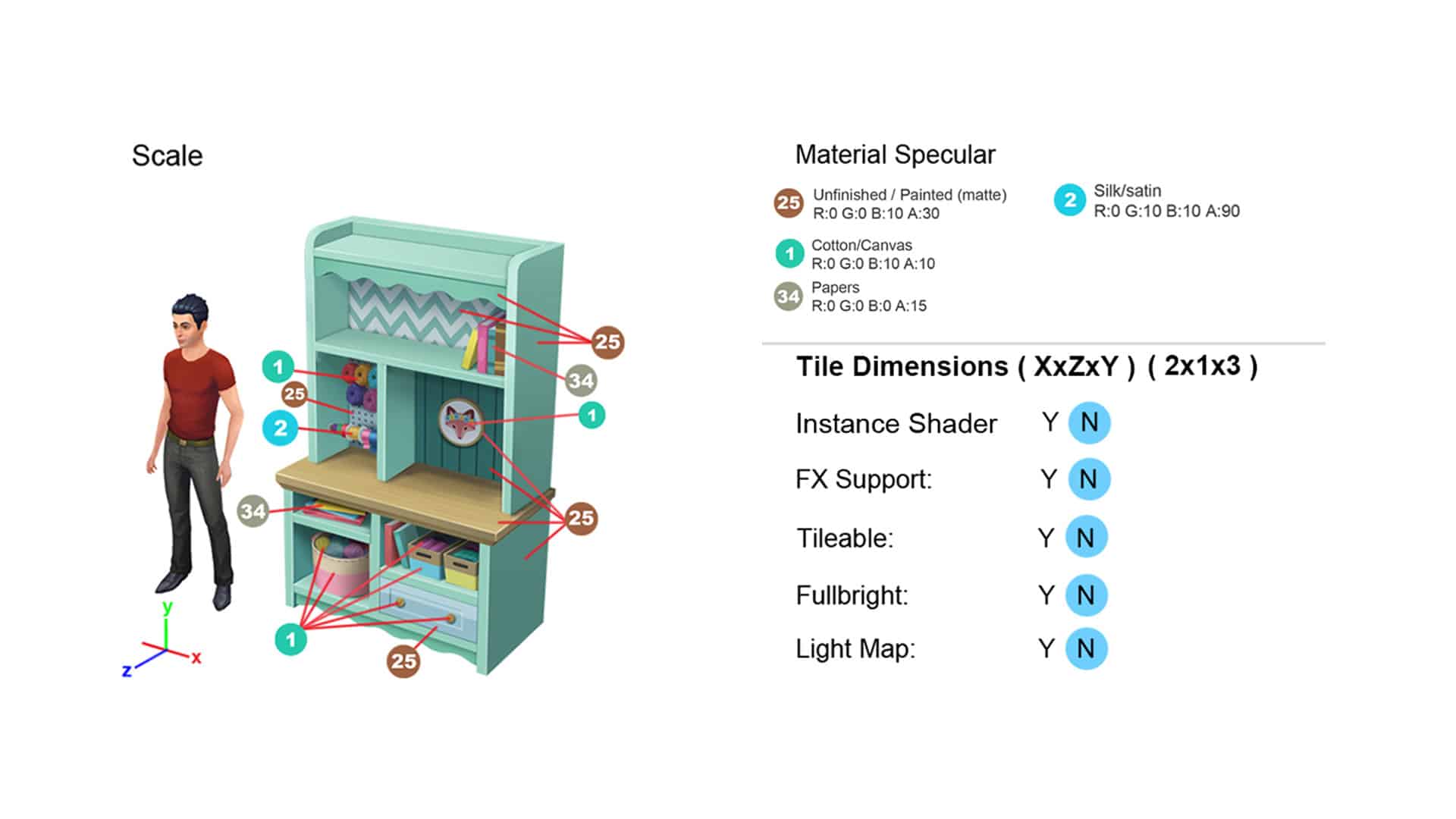
Now the concept artist creates a guide for the object. We do this so the modeler can understand what the Concept Artist and the Art Director think it should look like. First, we make orthographic drawings (front, back, and side view) so we can see the scale of the object next to a Sim. This is often when we make design changes. In this case, we adjusted the shelf heights so there’s enough room for players to place decorations. We also optimized the design to conserve polygons. For example, we removed a couple of round balls of yarn (round things cost lots of polygons) and replaced them with a stack of craft paper.
Next, the Concept Artist renders a polished three-quarter view of what the object should look like in the game.
Then we add reference images to make how each part should look clearer. If there’s a texture like the wood grain (or a graphic like this fox), we call out what image file should be used.
We also call out some technical details:
Color Variants
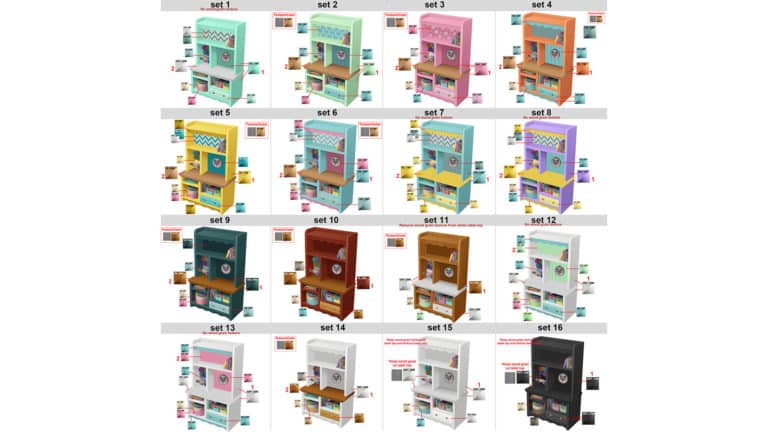
All of the color variants are also noted. We add color chips to tell the modeler exactly what colors they should use and whether that “set” has any patterns or textures.
Conclusion
That’s it for concept! If the guide has all these elements, the modeler should have all they need to make your object. We hope you’ve enjoyed this behind-the-scenes look at the upcoming Stuff Pack!
PlayStation has added more games to their Spring Sale including a variety of content for The Sims 4! The sale is currently live and finishes on 29th April 2020.
Note: Prices and availability may vary depending on your location
Base Game
Deluxe Party Edition – 78% off
Digital Deluxe Party Upgrade – 50% off
Stuff Packs & Game Packs – Up To 25% off
With the exception of My First Pet Stuff, all Stuff Packs and Game Packs have savings of up to 25% off their normal prices.
Expansion Packs – Up To 50% off
All expansions are on sale and have savings of up to 50% off with the exception of Discover University which is currently 25% off.
Bundles
The Sims 4 City Living, Vampires & Vintage Glamour – 50% off
The Sims 4 Live Lavishly Bundle (Get Famous, Spa Day, Luxury Party and Movie Hangout) – 25% off
The Sims 4 Plus Cats and Dogs – 55% off
The Sims 4 Cats and Dogs, Parenthood and Toddler Stuff – 50% off
The Sims 4 Get to Work, Dine Out and Cool Kitchen – 50% off
The Sims 4 Back to School Bundle (Get Together, Romantic Garden, Bowling Night & Fitness) – 50% off
The sale is currently live and runs until 29th April 2020 and is the perfect time to begin your console story or expand your collection!
The Sims Mobile has decided to gift its players with a new Free Pack to help out the players with Simoleons and new objects!
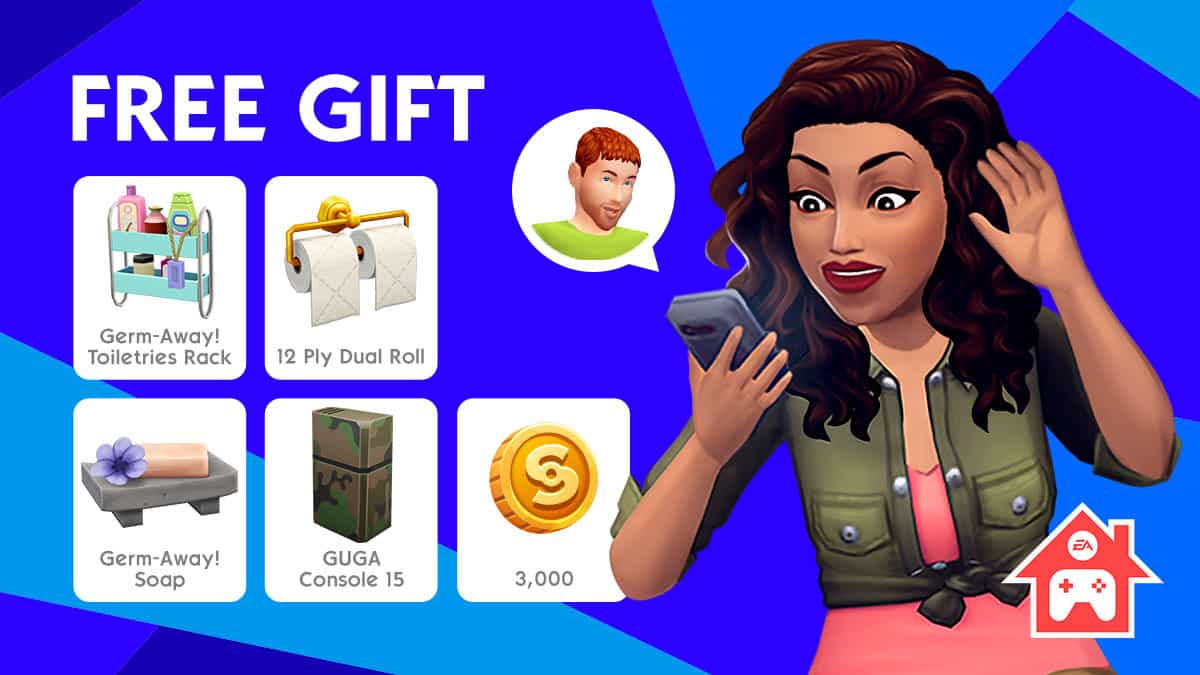
The Stay At Home Free Pack contains several items and tokens, including:
Germ-Away! Toiletries Rack
12 Ply Dual Roll
Germ-Away! Soap
GUGA Console 15
3,000 Simoleons
This Free Pack should be available in The Sims Mobile right now. If you’re not seeing it in your game, give it a few hours for it to be released in all regions.
You can claim it for free right now! The pack is available for the next 14 days, meaning that you have until April 29th to claim the pack.
The Sims Team has released a brand new Update for The Sims 4 on Mac!
To download the latest version of The Sims 4, simply open your Origin program and if the game doesn’t update automatically, right-click on The Sims 4 and select ”Update”.
In case you have Mods or Custom Content, the game will automatically disable them for you after first launching The Sims 4 after the update. To re-enable all your Mods and Custom Content, select the Settings option in the Menu and select Settings. Under the”Other” section you’ll find the ”Enable Custom Content and Mods” option. Check it and restart your game in order for it to take effect!
Update 04/14/2020 – Mac: 1.62.69.1220
Hello Simmers,
We have a small but important update to address some critical issues for macOS players. Thank you for your reports and assistance in tracking down, and drawing awareness to these important issues.
Players can once again launch The Sims 4 in their language preference when their choice is different from the Origin language options.
Downloaded Packs are now correctly moved to their new location. Origin will no longer insist on reinstalling the packs. This means players won’t end up with two copies.
A few stability improvements were made.
Additional Information:
If one of the workarounds from AnswersHQ was applied to get the game going last week, players don’t have to undo it. No additional action is necessary.
SuperData, a Nielsen Company which is in charge of video game market research has published a report on most played video games in the period of February 2020. Although The Sims 4 is not in the Top 10 PC / Console games list this time around, the game has still managed to get some huge numbers during this month.
The report states that The Sims 4 had the biggest amount of players on PS4 in February 2020 thanks to the game being free for this period for PS Plus members. The game had a number of 2.5 million players on Playstation 4, beating the number of 2.2 million on PC.
A free giveaway of The Sims 4 for PlayStation Plus users led to the title’s console players outnumbering PC users for the first time (2.5M vs. 2.2M). The title has long earned the lion’s share of its revenue from the sale of in-game content, so the giveaway presented a low-risk way to attract new audience members and potentially convert them to spenders down the road.
Origin’s big The Sims 4 Games Sale has been extended for the next few days thanks to their Spring Sale on select EA Games.
This also includes The Sims 4 Base Game, Expansion Packs, Game Packs and select Bundles!
Here are all the discounts that you can take advantage of:
The Sims 4 Base Game – 75% off
The Sims 4 Expansion Packs – 50% off
The Sims 4 Game Packs – 25% off
The Sims 4 Premade Origin Bundles – 10% off
There’s plenty of time to save up on The Sims 4 games, as well as other EA titles available on Origin. The sale is active right now and lasts until April 21st at 10AM PT!
The Sims Team has released a brand new Update for The Sims 4 on PC and Mac!
To download the latest version of The Sims 4, simply open your Origin program and if the game doesn’t update automatically, right click on The Sims 4 and select ”Update”.
In case you have Mods or Custom Content, the game will automatically disable them for you after first launching The Sims 4 after the update. To re-enable all your Mods and Custom Content, select the Settings option in the Menu and select Settings. Under the”Other” section you’ll find the ”Enable Custom Content and Mods” option. Check it and restart your game in order for it to take effect!
We know that times are a bit weird right now, but we’re keeping things as normal as possible over here so we have a few fixes for you all.
Thanks for your continued support, we hope that you all are staying home and staying safe out there.
-SimGuruGnome
FIXES & UPDATES
The Sims 4
Improved compatibility with newer macOS releases, refer to FAQ for more details here
Made some small visual and functional improvements to the Main Menu.
Custom paintings on nearby lots that are taken a picture of from your active lot will now properly flag your lot as custom content when uploading it to the Gallery.
So sneaky!
We addressed an issue resulting in a “Conflicting Block Cluster” error message that could occur while building, preventing you from being able to draw or move walls.
Non-active traited Sims will no longer get the “Not Enough Exercise” tense moodlet.
Stair railings will no longer appear incomplete when placed against a half-wall.
Whims are once again able to be completed after Travel.
Whims are things your Sims want to do, but you don’t have to.
You can now safely raise or lower the foundation of The Nookstone lot in Oasis Springs – walls, floors, and furniture will no longer disappear.
The Tutorial will no longer lock if your Sim is promoted before you are given the “You Need to Gain Skill to be Promoted” task.
Get Together
Fixed a graphic issue that could occur on Mac with some Intel graphics cards that caused plants in Windenburg to appear blocky when in Laptop Mode.
So if you are on a Mac, with an intel graphics card, and you are in laptop mode, and you are playing in Windenburg… we got you covered.
City Living
Bulldozing 888 Spire Apartment lots should no longer result in error code 123:28b6ee3b.
We hope it does not result in error code: 123:456789abcde
We are fairly certain it should not result in error code: 8675-309
And under no circumstance should error code 42 occur.
Cats & Dogs
The male veterinarian coat now has a properly visible ID badge.
Seasons
Sims should no longer get the “Chilled” buff when the thermostat is set to warmer.
Unless you have a heater that turns on and off repeatedly due to a bad switch in the system, and then when it decides to fail completely, it just ignores input for about 3 hours, and then when you wake up in the morning you have to carry a heavy blanket with you… ah hm… nm.
Get Famous
Actor prep tasks will no longer reset on traveling.
This is the second travel issue in the game… was it trying to tell us something?
Island Living
Beaches are available for weddings.
Discover University
Sims living in dorms should no longer receive high bills to live there.
Spa Day
The “Take bath with Soaks” and “Take Mud Bath” interactions are once again, once again available on Showertubs.
This time we won’t have to remove the fix because of… crosses fingers.
Jungle Adventure
Child sims will no longer get a flirty buff after eating Flutterberry.
Realm of Magic
Magical Clones will no longer become permanent Sims after traveling.
Sims can once again resume writing books when their familiars are active.
Tiny Living Stuff
Tiny Home Residential lots added to vacation worlds via The Gallery will now properly convert into rental lots.
SimGuruNick has announced on Twitter that we should be expecting a new update for The Sims 4 for PC and Mac soon. Although he hasn’t specified any details, potential new content or bug fixes that might come with it, he shared information that there are going to be a few changes for how Save Files function for Mac players.
Learn more about the changes coming to The Sims 4 Game Files for Mac players down below:
Hi Simmers,
With the upcoming patch, the location where some of The Sims 4 game files are stored in macOS will change to comply with Apple’s updated notarization requirements.If you haven’t manually modified any game files, you should be able to install the patch and continue playing as normal. For more information on what’s going to change, please, read the FAQ below.
What will this patch do?
Once the patch is downloaded the following actions will take place as part of the install/repair process:
Default.ini, GraphicsCards.sgr, and GraphicsRules.sgr configuration files will be deleted and new default versions added to the Resourcesfolder within the application bundle.
Any pack content (DLC) previously installed will be moved to a new The Sims 4 Packs folder next to the application bundle.
Why are files being moved around? Will this impact my Expansion Packs and/or Mods?
To be compliant with the Notarization requirements the location where certain game files and downloaded content are stored needed to be changed.
Expansion Packs should work as expected after this change.
Mod files should not be impacted by this change at all.
What if I store my The Sims 4 in an alternate location from the default (external drive, different folder, etc)?
The location of the game app bundle and executables are not affected by these changes, just where pack content is installed.
If you move the app bundle location, be sure to move the folder The Sims 4 Packs as well.
Will there be changes to where my game saves are stored?
No, saved games will continue to be stored in your Documents folder at ~/Documents/Electronic Arts/The Sims 4/ .
What if I have updated Config files like: Default.ini, GraphicsCards.sgr, GraphicsRules.sgr?
As part of the patch process the location of these files is moving to a new Resources folder within the app bundle.
New default versions of these files will be installed in this new location.
If you have made local modifications to these files, they will be lost and will need to be reapplied in the new location.
What is notarization? Why now?
Notarization is a new requirement for macOS applications that gives users peace of mind that the software they are installing from outside of Apple’s macOS App Store has been checked and verified to be free of malicious content by Apple. Stricter notarization requirements were recently introduced.
Many simmers are wondering about what should we expect next in the world of The Sims 4! Although The Sims Team’s latest blog post doesn’t reveal any specifics regarding the themes of the upcoming content, they did clarify the Pack types that we should expect, as well as some behind the scenes information of the development. Check it out!
Hey all, SimGuruDuke here writing to you from the modified guest bedroom in my house, which now doubles as my home office. It works out, though, since I’m not expecting any guests for the time being. The changes over the last few weeks have been hard on all of us, and I want to take a moment and share some updates about The Sims™ 4 with all of you.
First off, for those wondering, our entire team transitioned to work from home the week of March 16. This has been a big shift, but we are all so excited about the future content we are building that we have been pushing through and continuing to make progress! Things have been a bit slower with all of our kids and animals demanding attention throughout the day, but as always, we are here to make sure The Sims 4 is functioning whenever you want to play. With that in mind, I thought I might give you a little preview of what you can expect from us over the next six months.
We are currently hard at work on the new Community Voted Stuff Pack. I know, of course we are…. I can’t tell you its name, because we have not voted on that yet, but I saw the list of options last week, and I have no idea which one you all will choose. I’m anxious to find out. That pack is really coming together and it has been great having all of your input to help shape it.
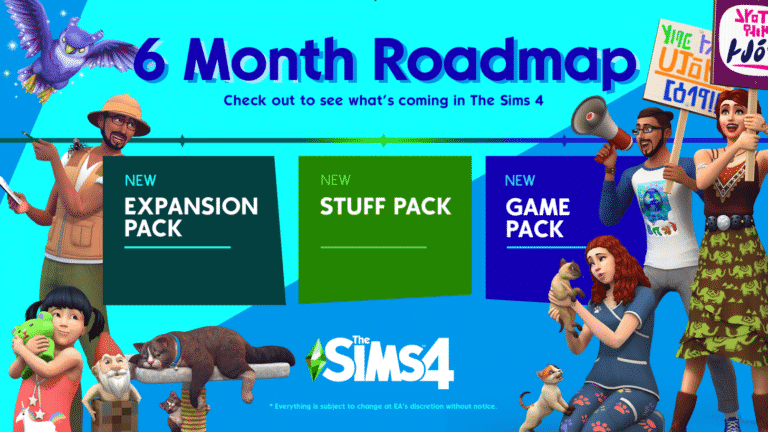
In addition to the Stuff Pack, we are also hard at work on our next Expansion Pack. I’m super excited about the theme the team has chosen—I think it will be a surprise to many of you. The team has also been hard at work on some new surprise additions we plan to bring to the game over the summer. They are not massive changes, but they are pretty cool ones that I think you will have a ton of fun with. Another group on our team is currently focused on our next Game Pack. This pack is a major first for us, and we are super eager to share it with all of you later this year.
Lastly, we have been working on some fun ways to Stay Home and Play Together. No, we are not doing multiplayer. We want to help our community of players connect with each other (and us!) in this time of social distancing. As part of that, we Gurus want a chance to share more with you. We are not ready to spill all the details, but I am thrilled about it, and you will get more info soon.
I want all of you to know that our team is still very much focused on building out new experiences for the game and ensuring we continue to grow and expand The Sims as we listen to all of you, our players. Thanks for playing, and be safe!
Simmers have been eager to find out what’s next for the world of The Sims 4, and it’s no secret that it’s been a while since we had a new content release for the game.
SimGuruFrost, Global Community Manager for The Sims has written on Twitter that The Sims Team is working on being more transparent regarding what’s to come for The Sims 4 in the coming period. He wrote:
I’ve seen some people asking about what we’re up to, and communication has been a bit sparse. So I’ve been working with various team members to have a cool blog post go out (hopefully) next week that you won’t want to miss.
I’ve seen some people asking about what we’re up to, and communication has been a bit sparse. So I’ve been working with various team members to have a cool blog post go out (hopefully) next week that you won’t want to miss. 😊
This means that we should be expecting a blog post, probably next week revealing what we should expect for upcoming content for The Sims 4. We’ll keep you posted on what’s to come so stay tuned!
Do you want to Play With Life for less? Well, you’re in luck as Origin currently has savings of up to 75% off selected additional content and there’s deals across all platforms!
Please note that prices and discounts may vary depending on your location.
Save up to 75% on the Standard and Digital Deluxe version of The Sims 4.
Expansion Packs
All Expansion Packs are included in the sale and are up to 50% off.
Game Packs
All Game Packs are included in the sale and are up to 25% off.
Bundles
Save 10% on the following The Sims 4 Bundles
The Sims 4 City Living, Dine Out and Bowling Night
The Sims 4 Get Together, Spa Day and Movie Hangout
The Sims 4 Get to Work, Outdoor Retreat and Luxury Party
Please be aware that there are no Stuff Packs included in this sale other than the ones included in the bundles.
PlayStation 4
There is currently one deal available for The Sims 4 Base Game on PlayStation 4 where you can save up to 74% off the usual price of the Base Game. This is the only deal for PlayStation players currently, however, if you have an EA Access subscription you can save 10% off the usual retail price of selected packs.
Xbox One
There are a variety of deals for The Sims 4 on the Microsoft Store.
Save up to 75% off the Standard and Digital Deluxe versions of The Sims 4 Base Game
Save between 25% and 50% off Expansion Packs
Save up to 25% off Game Packs
Save 10% on selected bundles
Again there are no Stuff Packs included in this sale other than the ones included in the bundles. Both Xbox One and PS4 sales end on April 1st, 2020!
Likewise with PlayStation 4, if you have an EA Access subscription you can save 10% off the usual retail price of selected packs.
Don’t forget to Play With Life, Stay Safe and Stay Home!
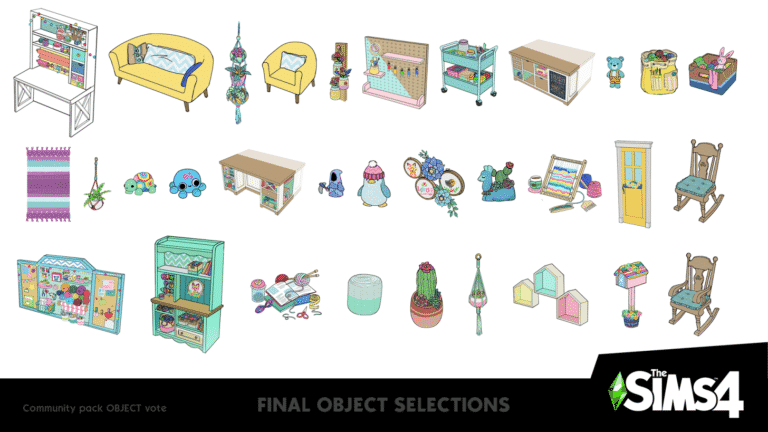
Okay, Simmers, take a seat in your new rocking chair and get ready for the results of Round 4 of our Community Voted Stuff Pack for The Sims™ 4! For this round, we presented you with over one hundred objects to pick from. Together, you chose which style of rocking chair will appear in the game and narrowed the selection down to your twenty-eight favorite objects. Of these, some are normal items you can find in the Build/Buy catalog, but many will be craftable by your Sim as they level up their Knitting Skill. To do that, they’ll need a knitting basket, and because the vote for the knitting basket was so close, we’ve decided to give you two baskets.
See what the final decisions were now!
With this round completed, we’re almost finished voting on the components of this next Stuff Pack. Now that we’ve determined the theme (Arts & Crafts), art style (DIY Delight), CAS choices, and objects you can expect to see in the game, we have just two things left: the pack icon and name!
We’ll have more details about those soon, so keep an eye out for updates in the coming month or two!
What do you think about the upcoming pack so far? Visit The Sims Forums to chat with your fellow players, catch up with us on Twitter and Instagram, like us on Facebook, subscribe to our YouTube channel, and sign up for The Sims 4 newsletter so you’re ready when the next round of voting kicks off!